

Create or delete account users
User’s creation is a pretty simple process:
open the main dashboard, click “Settings” -> “Users” -> “Add User”.
After that, you will need to add a business email address and password of the new user.
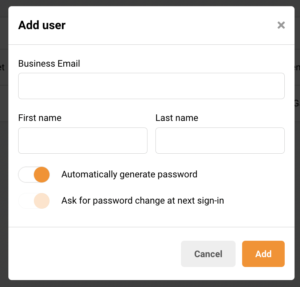
That’s it!
If you got stuck on a specific task or can’t find a way to execute a particular job, contact our support team via LiveChat or support@sender.net – we’re here to help 24/7.