

Customize SMS opt-out text
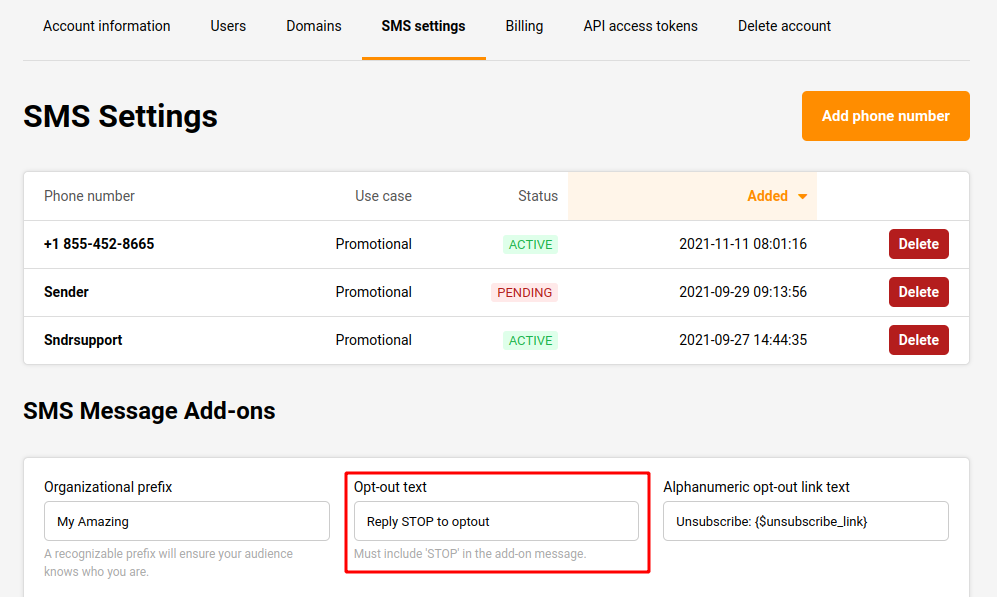
Yes. There is an “Opt-Out” feature in the SMS campaign with customizable Opt-Out text. This feature can be found under the “SMS Message Add-ons” section in the SMS settings.
Go to “Settings” on the left sidebar under the account, then select the “SMS settings” section. The “Opt-out text” box can be seen at the bottom of the page. From here the “Opt-Out” text can be customized.
That’s it!
If you got stuck on a specific task or can’t find a way to execute a particular job, contact our support team via LiveChat or support@sender.net – we’re here to help 24/7.