

Enable Shopify Theme App Extension
Once you connected your Shopify store to Sender, it is important to enable theme app extension to add subscription forms with less hassle.
Here is how the whole process looks like:
How to insert your embedded form
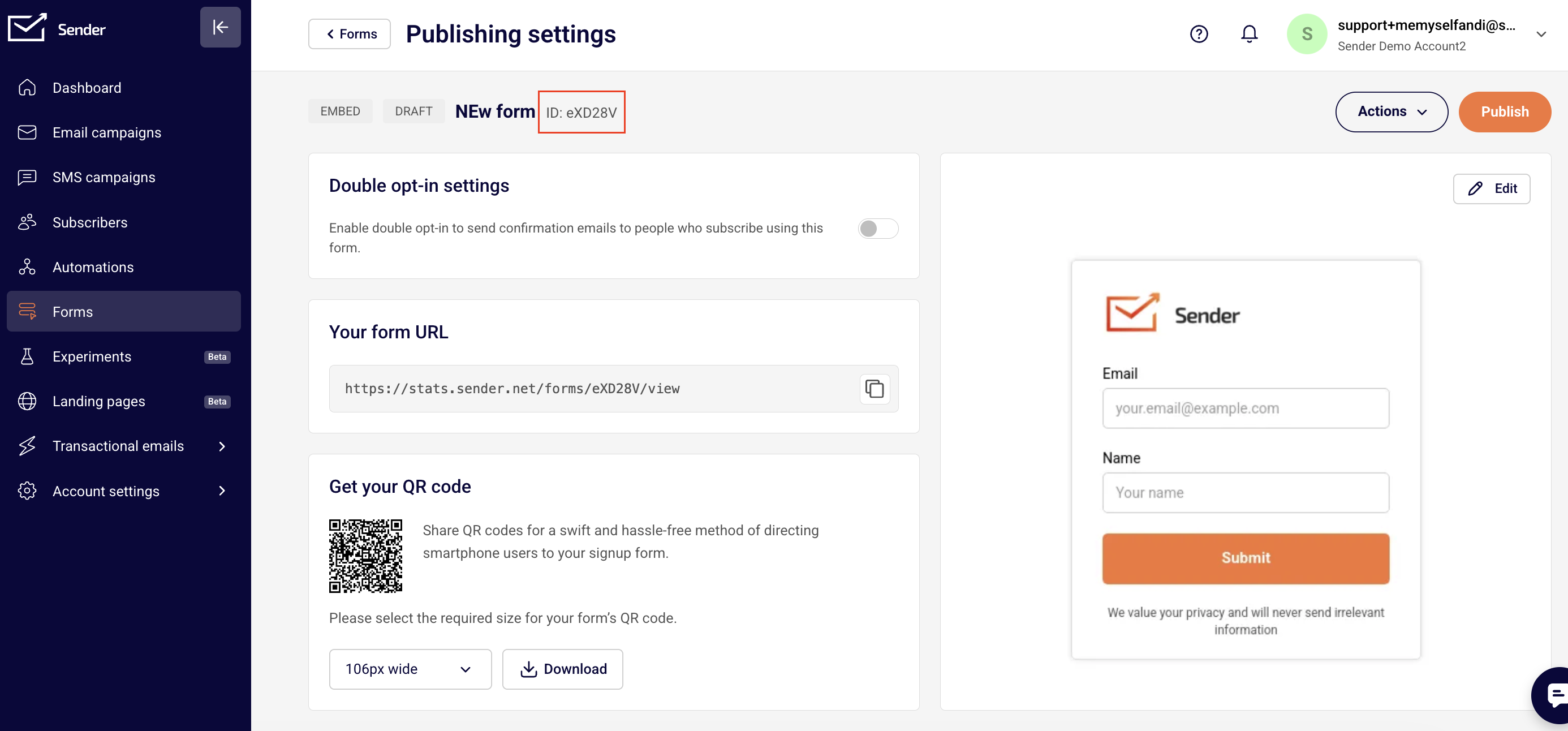
Go to your Sender account, access the Form section and head to the overview page of the form that you want to embed.
Look for the form ID and copy it.
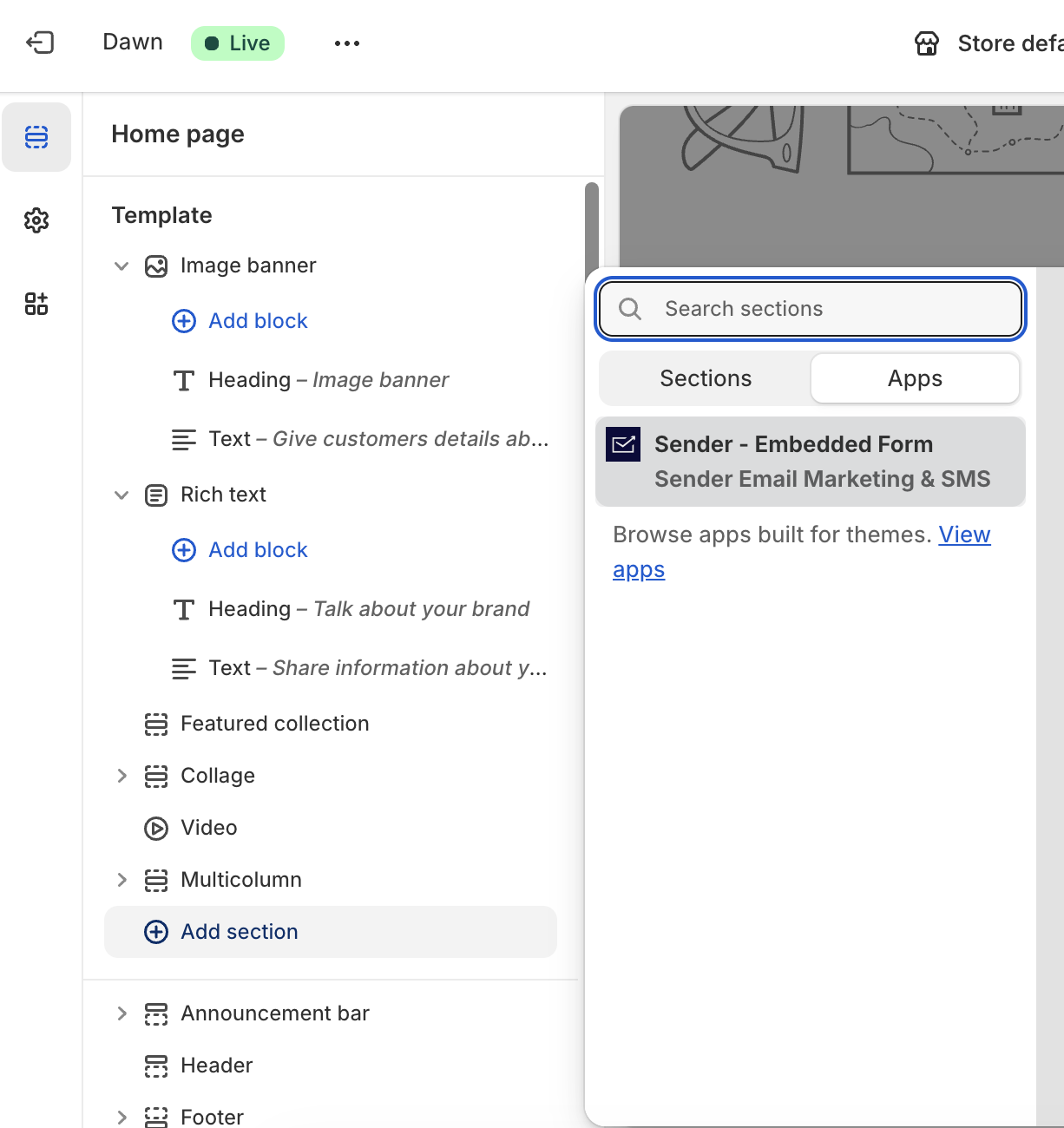
Now head back to your store site editor and choose to add a section and in the Apps section choose Sender – Embedded Form.
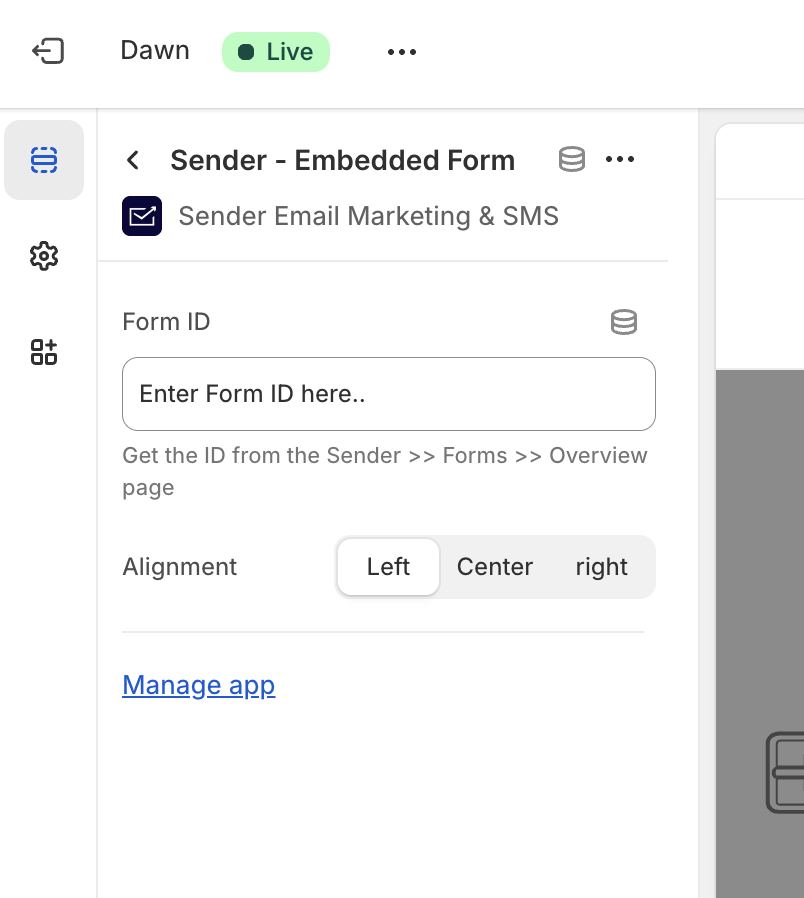
You will be asked to enter the form ID you have just copied. Once you paste it, the form will be displayed immediately. Make alignment changes if needed.
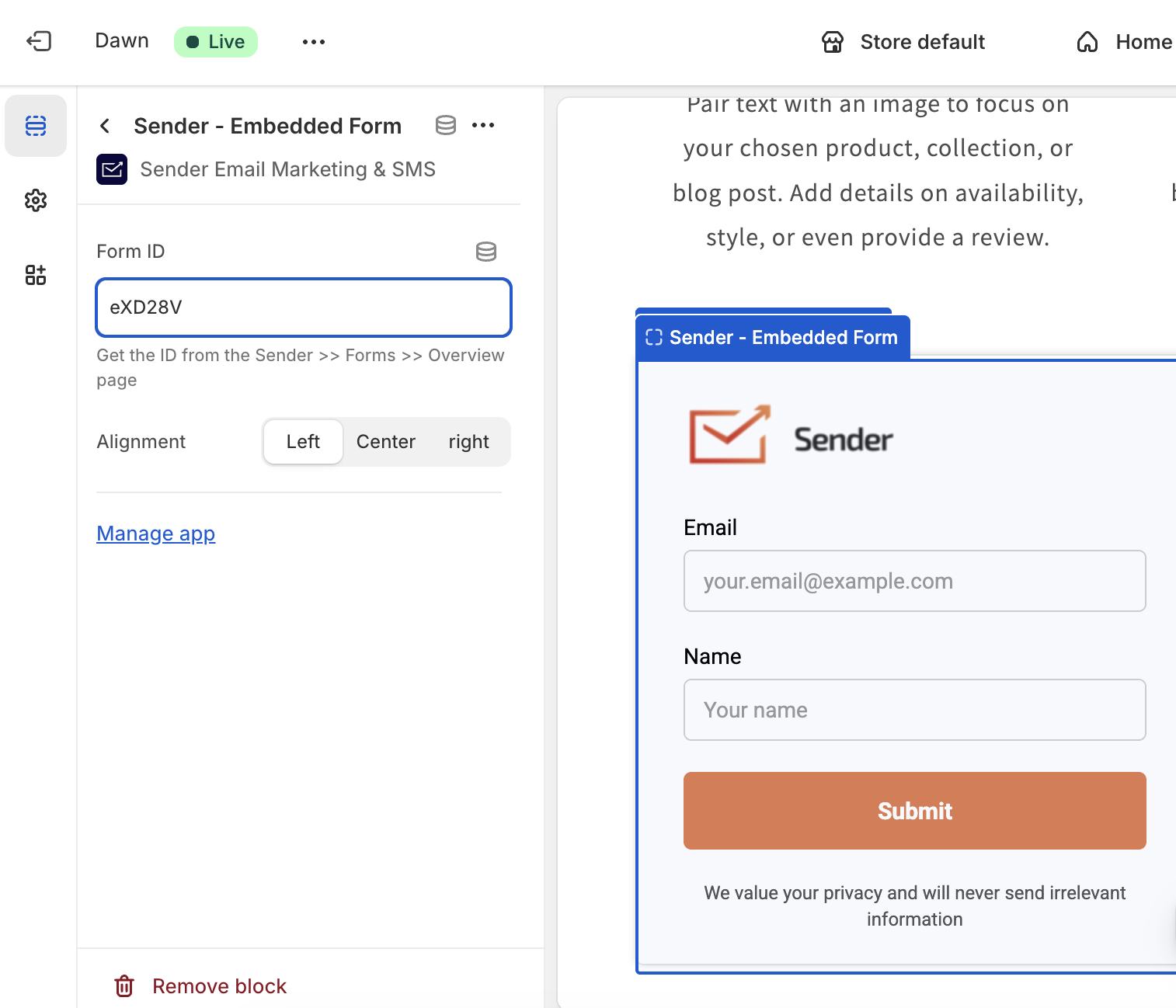
That’s it!
If you got stuck on a specific task or can’t find a way to execute a particular job, contact our support team via LiveChat or support@sender.net – we’re here to help 24/7.