

Zapier Integration Setup

Zapier is an online automation tool that connects your favorite apps, such as Gmail, Slack, Shopify, Squarespace, and 3000+ others with Sender.net.
You can connect two or more apps to automate repetitive tasks. It’s easy enough that anyone can create workflows with just a few clicks.
Use cases
Due to the integration between Sender.net and Zapier, you can move new contacts straight to your Sender’s contact list and/or activate custom events based on particular triggers. Here are several different examples on automated workflows between Sender.net and Zapier:
- Start automation workflow based on the custom event, e.g., send welcome emails each time clients fill in a survey.
- New contacts from in the Google Form are automatically moved to your contacts list on Sender.net
- Use Zapier to integrate with LinkedIn Lead Gen Forms and automatically move new subscribers to Sender.net
- And much more.
Let’s continue by connecting Sender.net to Zapier.
First, log in to your Zapier account and click on Make a Zap!
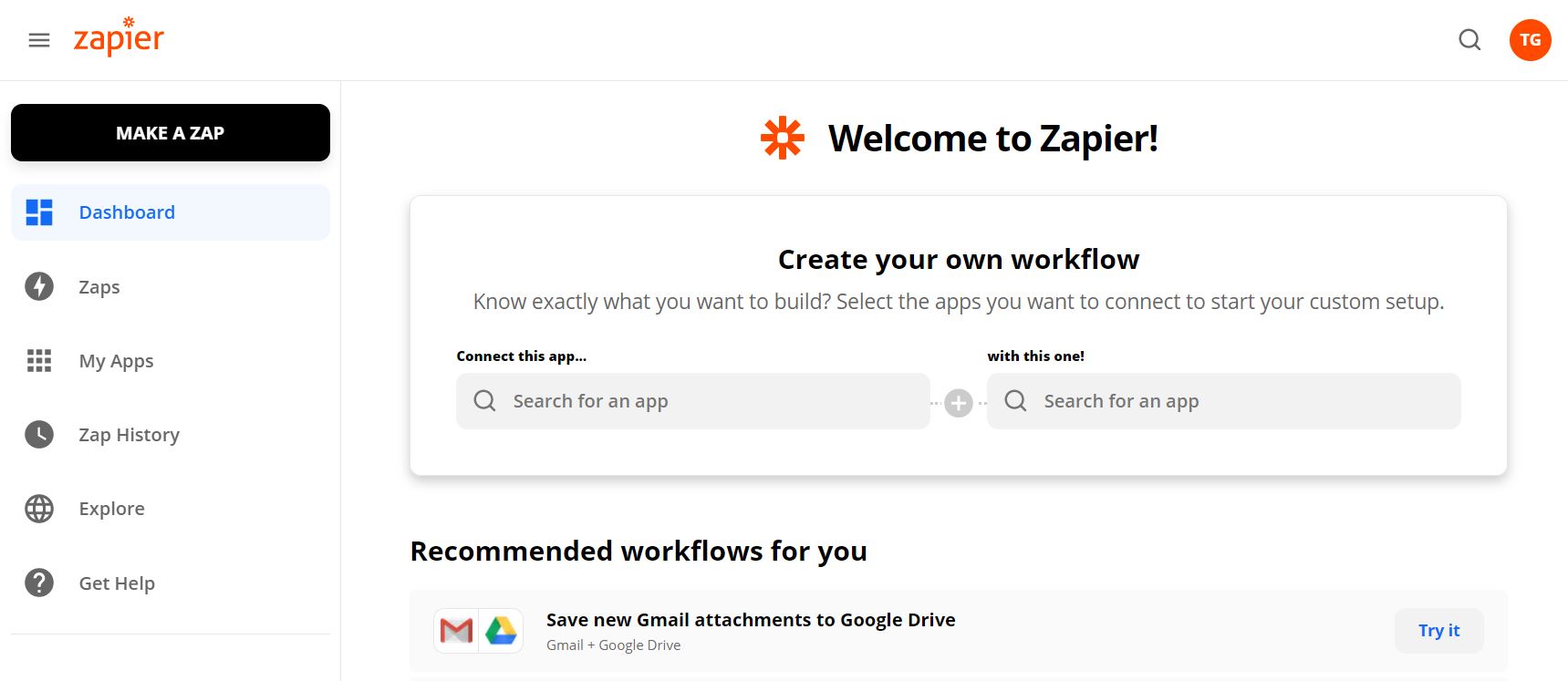
With Zapier, you can create custom and individual connections with your favorite apps. Each automation sequence is named “Zap” which includes a trigger and action steps.
Triggers
- New campaign. Triggers when a new campaign is created.
- New subscriber. Triggers when a new subscriber is added.
- New unsubscriber. Trigger when a subscriber unsubscribes.
- New group. Triggers when a new group is created.
- New subscriber in the group. Triggers when the subscriber is added to the group.
- New unsubscriber from the group. Triggers when a subscriber is removed from the group.
- Updated subscriber. Triggers when subscriber is updated.
Actions
- Add/Update Subscriber. Add a new subscriber or update subscriber’s data.
- Create campaign. Creates a draft campaign.
- Unsubscribes an email address.
- Add subscriber to the group. Adds a subscriber to the group.
- Remove a subscriber from a group.
- Send campaign. Send a drafted campaign.
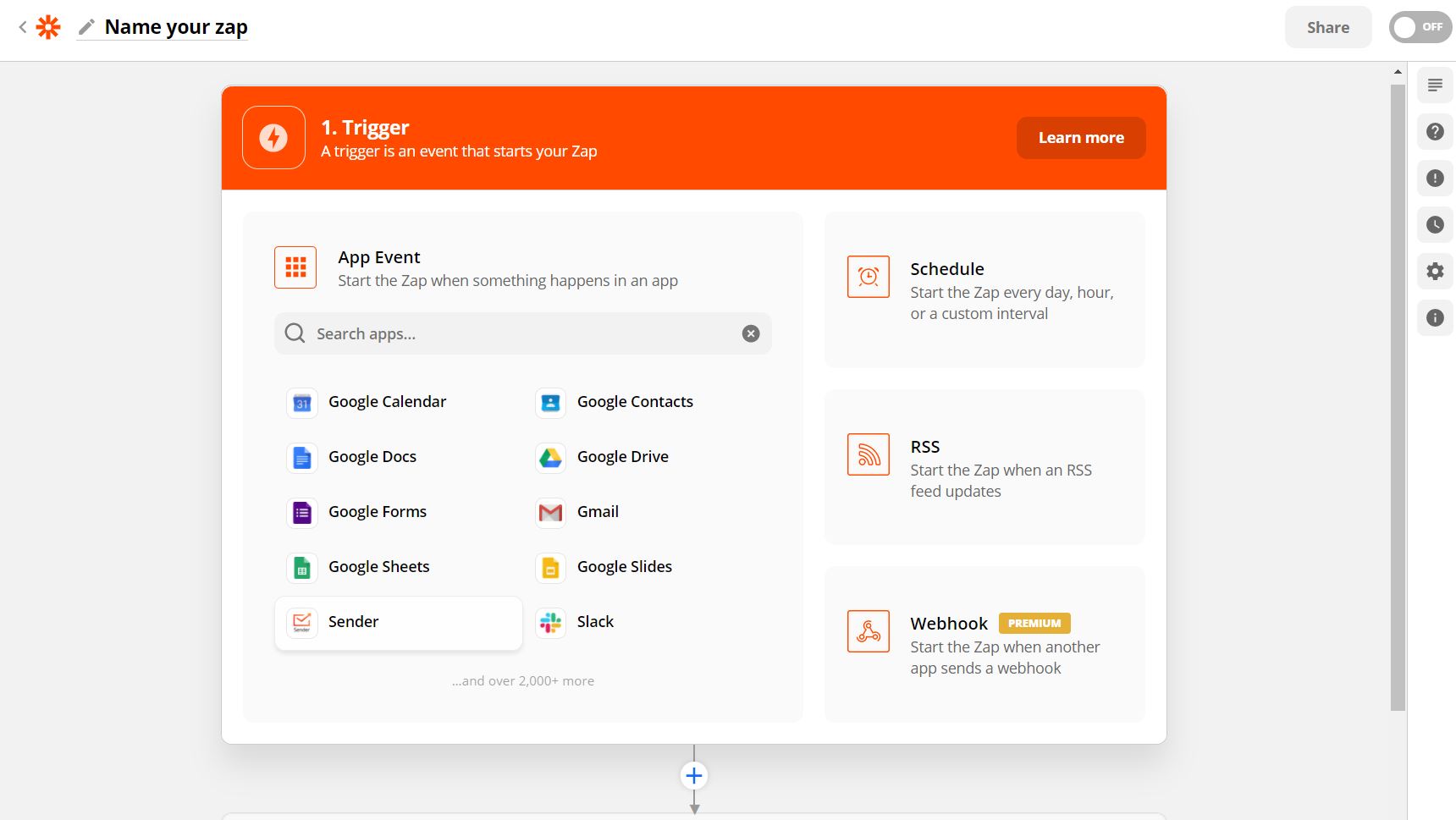
Next, choose the app that will begin the automated sequence and the action trigger. Continue by authenticating the application’s account on the appeared popup and continue building the sequence.
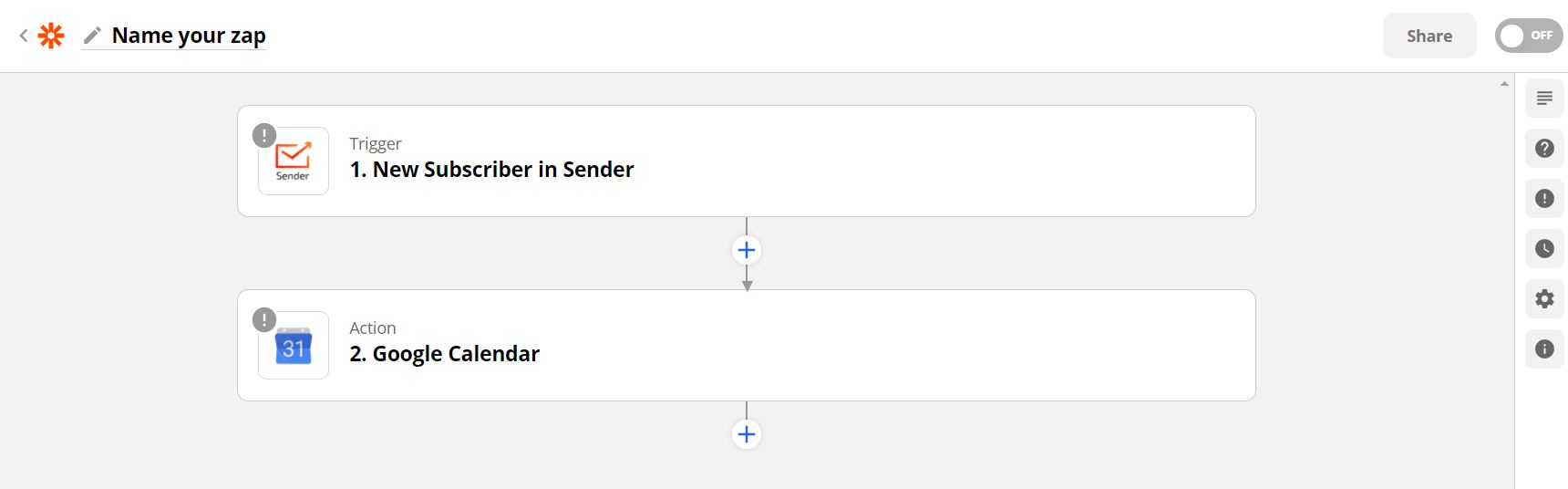
Proceed by selecting a different app and the action step that will be performed according to the workflow – the equivalent procedure applies.
Here’re the shortcuts to the ready-to-use Zapier templates – click on “Try It” to proceed with a Zap.


Add subscribers in Sender for new spreadsheet rows in Google Sheets

Add Shopify customers to Sender

Add Sender subscribers for new records in Salesforce

Add or update new HubSpot contacts to Sender

Add or update Magento 2.X customers to Sender

Create Drupal contents from new Sender campaigns

Add new BigCommerce customers to Sender as subscribers

Add or update Facebook subscribers to Sender

Add or update LinkedIn Lead Gen Forms subscriber to Sender

Add Sender subscribers for new form submission in Squarespace
That’s it!
If you got stuck on a specific task or can’t find a way to execute a particular job, contact our support team via LiveChat or support@sender.net – we’re here to help 24/7.