

Cancel a scheduled campaign
Unfortunately, it’s impossible to cancel a regular campaign after it has been sent – unless it’s a scheduled campaign. Scheduled campaigns can be canceled in a few clicks.
Open the Campaign section, select the “Scheduled” tab, and hit the “Cancel schedule” button on the right side.
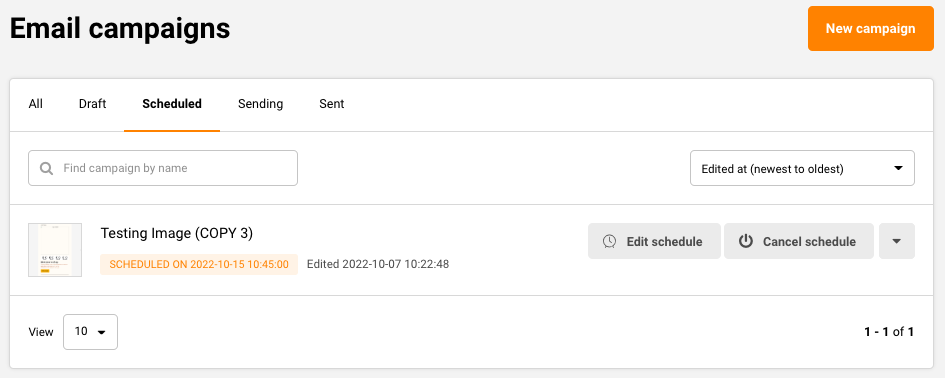
Thats it!
If you got stuck on a specific task or can’t find a way to execute a particular job, contact our support team via LiveChat or support@sender.net – we’re here to help 24/7.