

Cancel a scheduled campaign
Unfortunately, it’s impossible to cancel a regular campaign after it has been sent – unless it’s a scheduled campaign. Scheduled campaigns can be canceled in a few clicks.
Open the Campaign section and hit the “Cancel schedule” button on the right side next to the campaign you want to cancel.
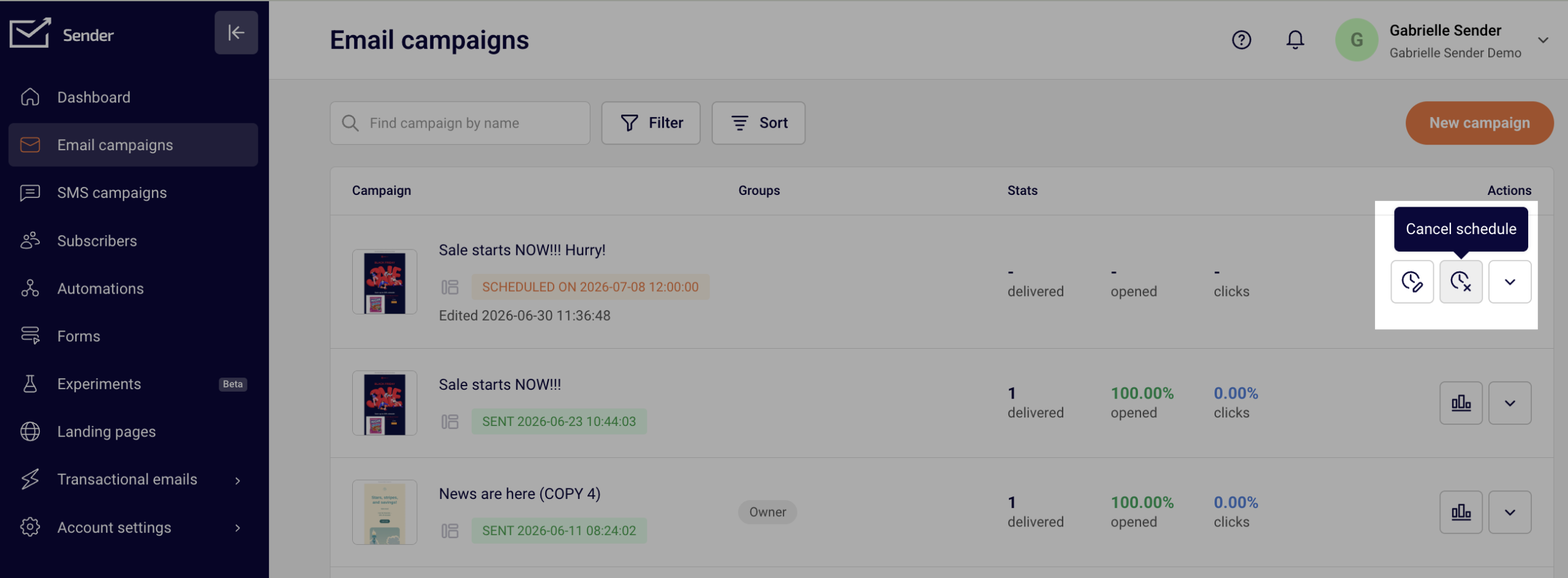
Once the scheduled campaign is canceled, it goes into “Draft” status and can be edited, rescheduled or deleted.
If you got stuck on a specific task or can’t find a way to execute a particular job, contact our support team via LiveChat or support@sender.net – we’re here to help 24/7.