

Remove subscribers
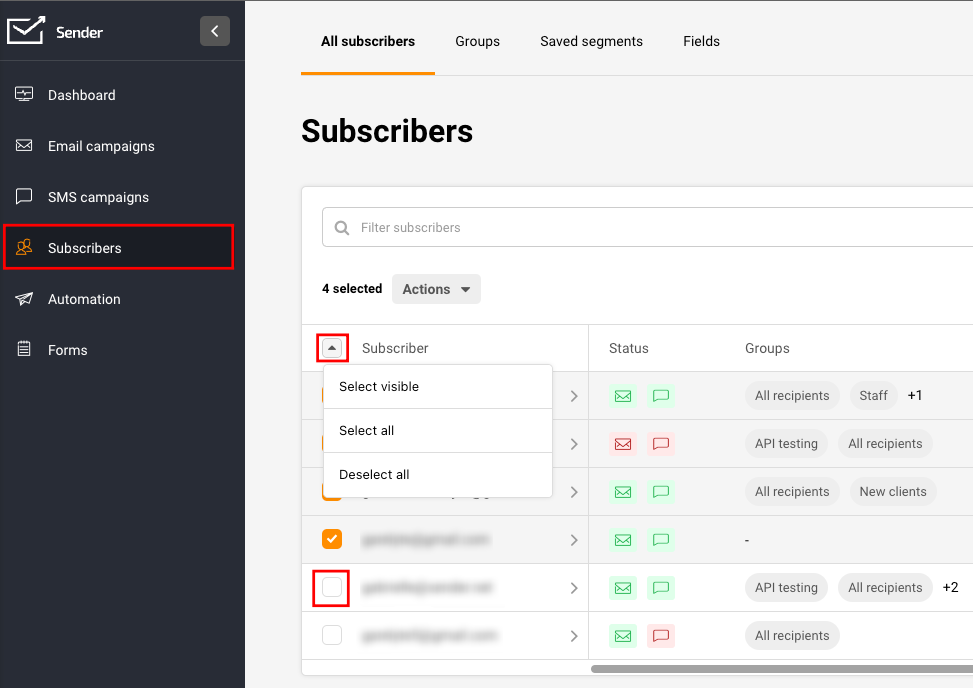
Whether you want to remove one, multiple, or all subscribers, that can be easily achieved by going to Subscribers, ticking the box next to an email address, or selecting all subscribers at once.
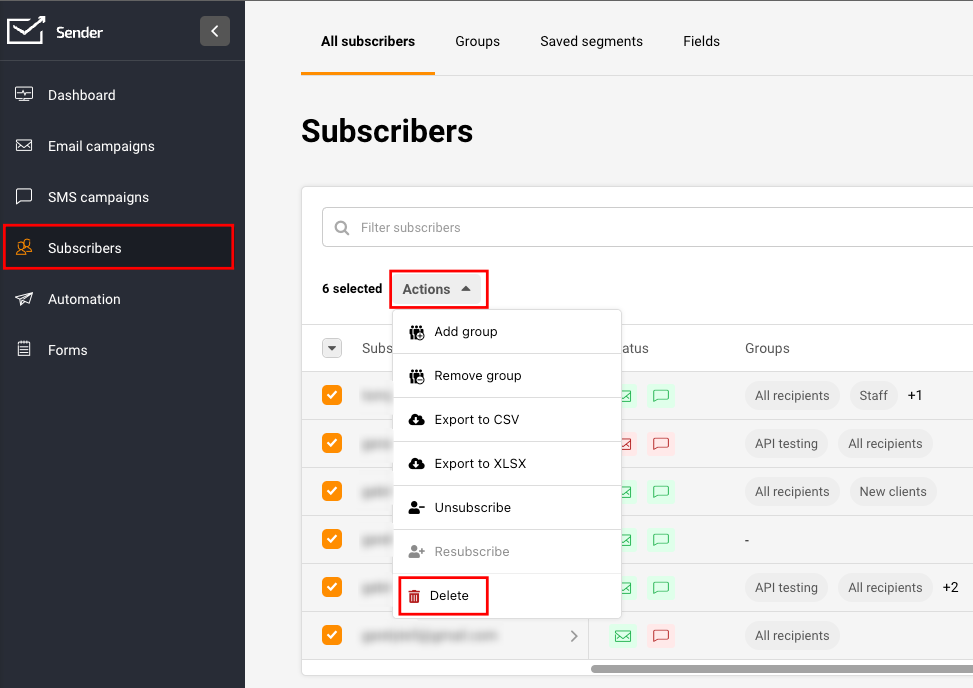
Once you select all the subscribers you want to remove, click “Actions” and “Delete”.
That’s it!
If you got stuck on a specific task or can’t find a way to execute a particular job, contact our support team via LiveChat or support@sender.net – we’re here to help 24/7.