

Find active vs unique
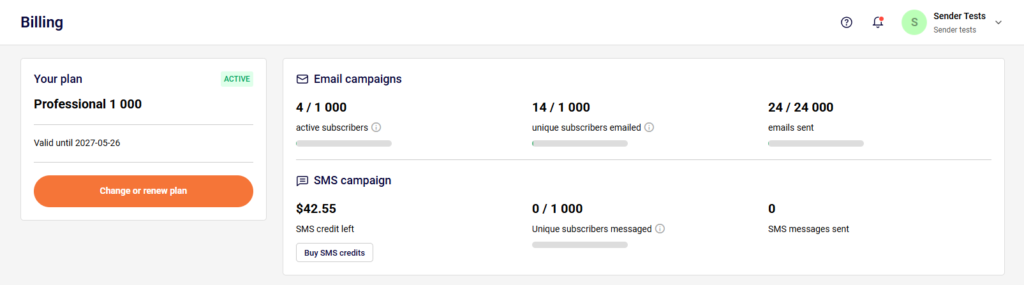
You can check your unique and active subscribers anytime in the billing section. Simply go to Account settings -> Billing.
In this section, you can track how your current usage compares to your plan’s allowances:
- Active subscribers: The total number of active (Subscribed) contacts currently stored in your account.
- Unique subscribers emailed: The number of individual email addresses that have been sent at least one email during your billing cycle.
- Unique subscribers messaged (SMS): The number of individual phone numbers that have been sent at least one SMS message during your billing cycle.
Key Difference: Sending multiple campaign emails or text messages to the exact same contact will only count as 1 unique subscriber against your monthly limit, but they will all count toward your “Emails/SMS sent”.
If you got stuck on a specific task or can’t find a way to execute a particular job, contact our support team via LiveChat or support@sender.net – we’re here to help 24/7.