

Use HTML block element
The HTML element is essential for users who need to insert a custom-coded section or a full HTML template while using the “Drag & Drop” design editor. This feature allows you to have completely customized design elements.
How can I use it?
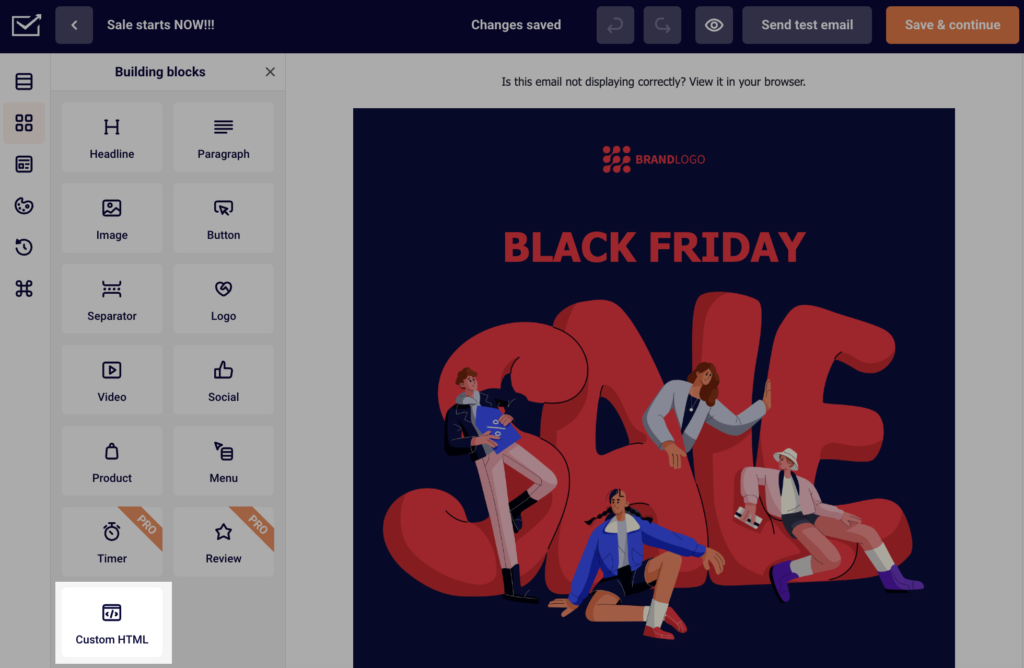
First of all, drag the “Custom HTML” block into the selected section, and HTML console will appear on the left side.
Then, simply click the block that appeared and type or paste the HTML code in the console/editing area.
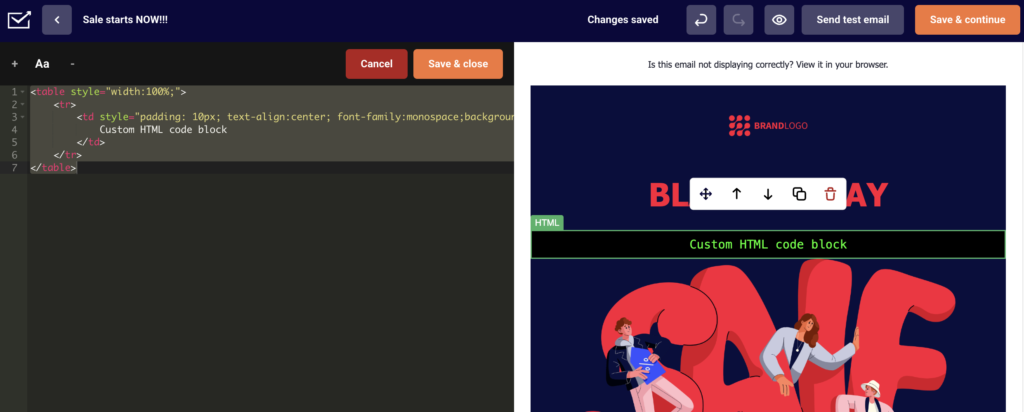
If you wish to import a whole HTML template into the Design editor – follow identical steps on an empty template.
If you got stuck on a specific task or can’t find a way to execute a particular job, contact our support team via LiveChat or support@sender.net – we’re here to help 24/7.