

Transactional Email vs Campaign Email
This guide explains the difference between transactional emails and campaign emails in Sender, and shows you how to identify when to use each type.
Where to Find This Feature
In the Sender dashboard, go to: Transactional emails
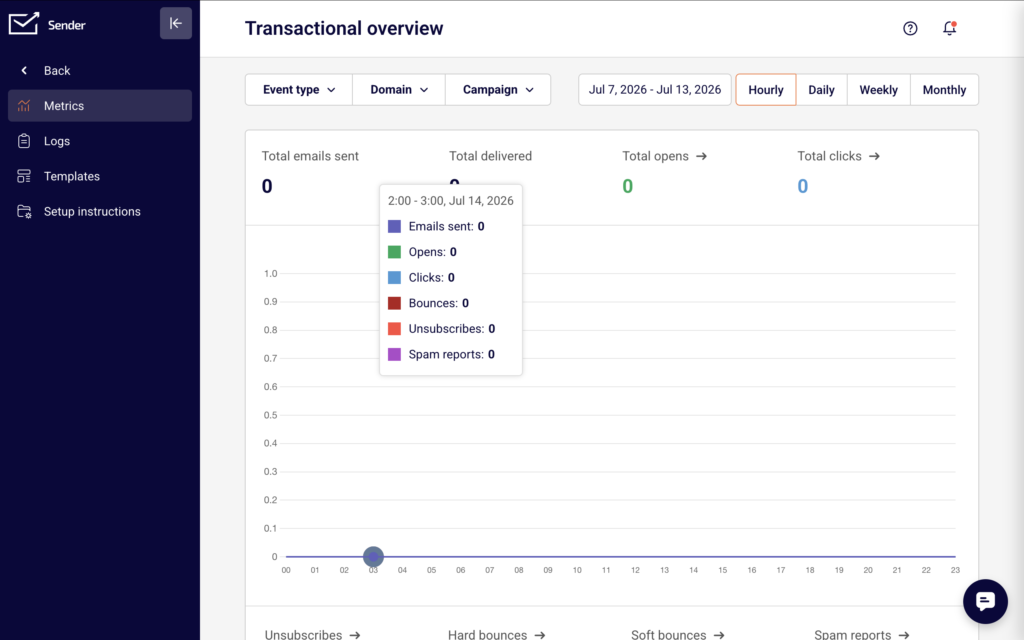
Click Transactional emails in the left sidebar to open the transactional email section. You will see a submenu with four pages: Metrics, Logs, Templates, and Setup instructions. This is where you create, manage, and monitor all transactional emails.
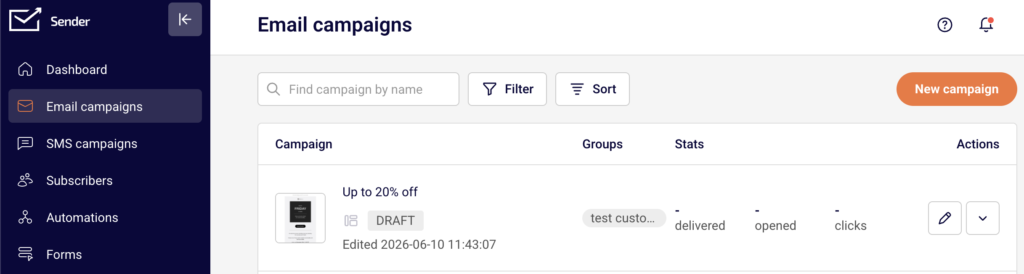
For comparison, campaign emails are located under Email campaigns in the main sidebar.
Steps to Understand the Difference
Step 1 — Learn What Transactional Emails Are
Transactional emails are automated messages triggered by a specific user action or system event. Examples include order confirmations, password resets, shipping notifications, and account verification emails. Each transactional email is sent to one recipient at a time, in direct response to something that person did.
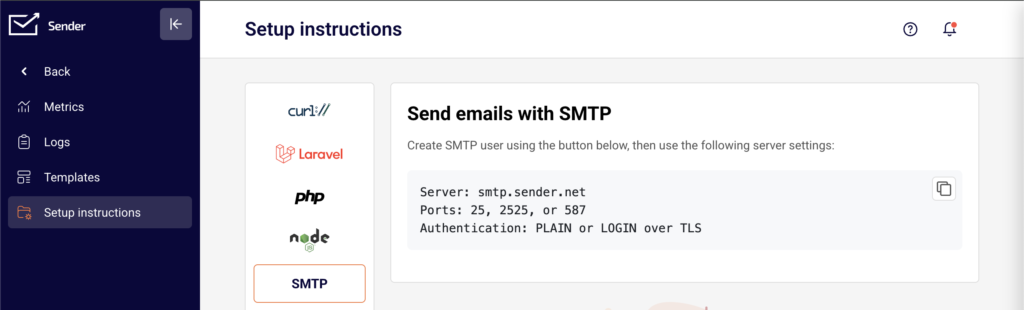
In Sender, transactional emails are sent through the API (a way for your application to communicate with Sender’s servers) or SMTP (a standard email-sending protocol). You will find both options under Transactional emails → Setup instructions.
Step 2 — Learn What Campaign Emails Are
Campaign emails are bulk messages sent to a group of subscribers at a scheduled time. Examples include newsletters, promotional offers, product announcements, and weekly digests. You choose the audience and decide when to send.
In Sender, campaign emails are created under Email campaigns in the left sidebar. You click New campaign, select subscriber groups, design your email, and schedule or send it immediately.
Step 3 — Compare How Each Type Is Created
Transactional emails follow a three-stage workflow: Settings → Design → API. You define the email details, build the template, and then connect it to your application using an API token or SMTP credentials. Your application triggers each send automatically.
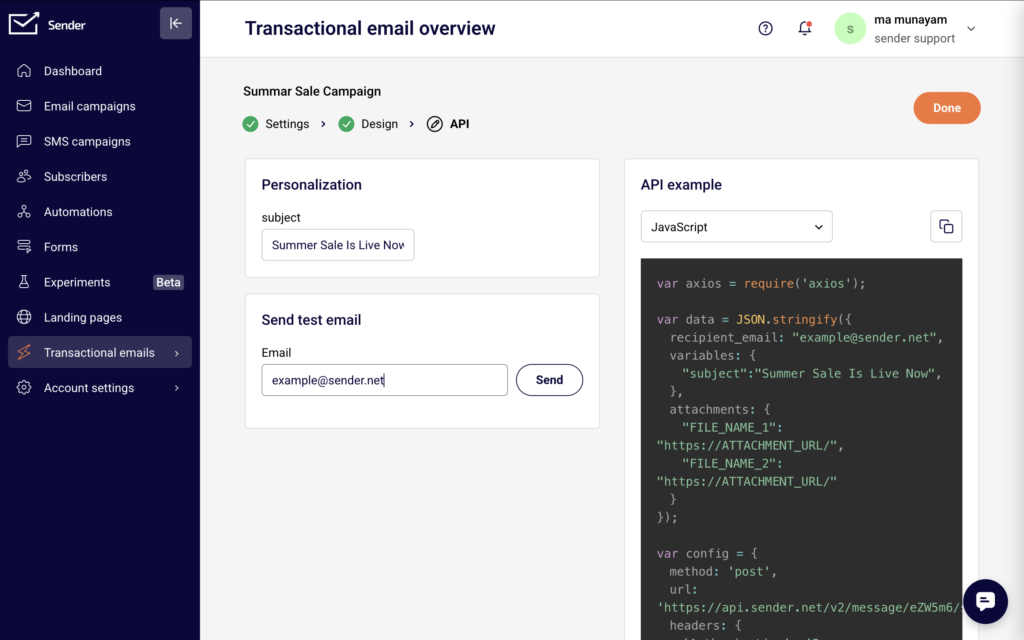
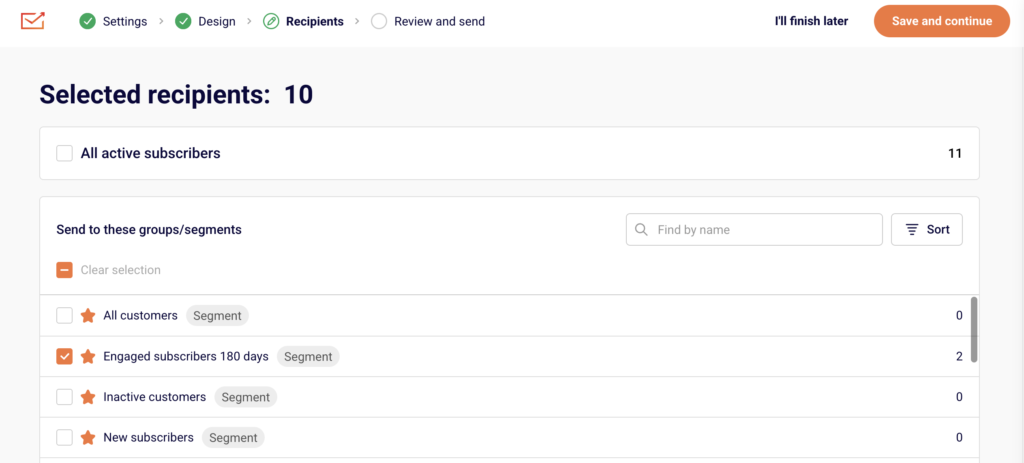
Campaign emails follow a different flow. You click New campaign, configure your content, select a subscriber group, and either schedule or send the email manually. There is no API step because Sender handles delivery to your chosen audience directly.
Step 4 — Compare How Each Type Is Sent
Transactional emails are sent programmatically. Your application calls the Sender API or connects via SMTP to send an email whenever a triggering event occurs. You generate an API token under Account settings → API access tokens by clicking Create API token, or you set up SMTP credentials under Transactional emails → Setup instructions → SMTP.
Campaign emails are sent from the Sender dashboard. You click a send or schedule button, and Sender delivers the email to all recipients in the selected subscriber group at once.
Step 5 — Compare How Each Type Is Tracked
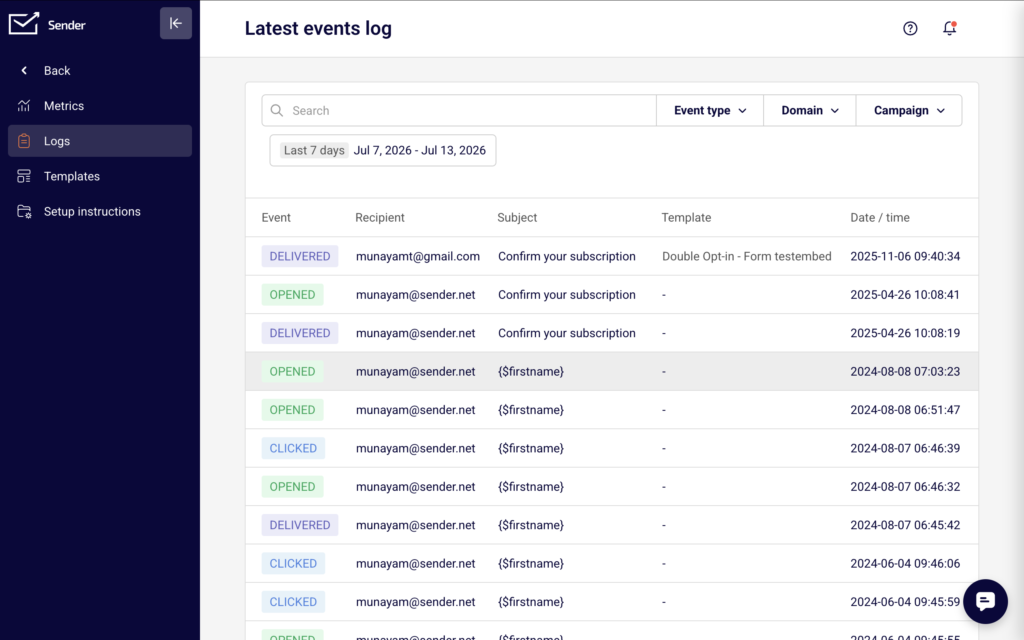
Transactional email activity appears under Transactional emails → Metrics, which shows the Transactional overview with stats for total emails sent, total delivered, total opens, and total clicks. Detailed delivery events appear under Transactional emails → Logs, called the Latest events log, where each row shows the event type, recipient, subject, template, and date/time.
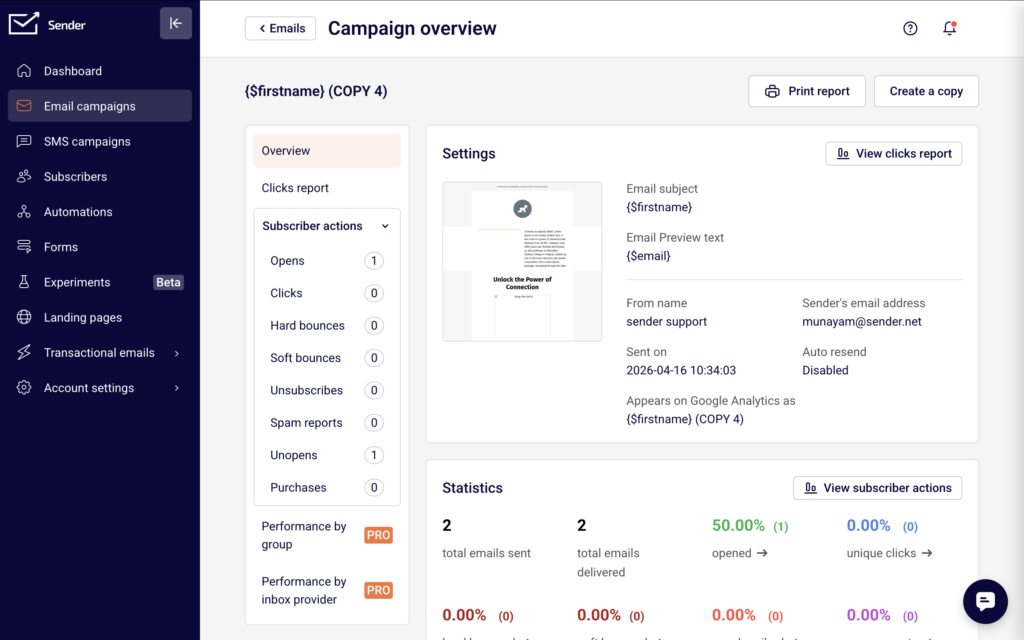
Campaign email performance is displayed on the main Dashboard and within each campaign’s individual report. Campaign stats include delivered, opened, and clicks per campaign.
Step 6 — Decide Which Type to Use
Use transactional emails when the message is triggered by a user action and is expected by the recipient. The content is specific to that individual and that event. Password resets, receipts, and shipping updates are transactional.
Use campaign emails when you want to send the same message to many people at once. The content is promotional, informational, or editorial. Newsletters, sale announcements, and product launches are campaign emails.
What Happens Next
If you need to send transactional emails, go to Transactional emails → Templates and click New email to create your first transactional email template.
If you need to send campaign emails, go to Email campaigns and click New campaign to build and schedule a campaign.
To verify that transactional emails are working after setup, check the Latest events log under Transactional emails → Logs for delivery confirmation events.
Common Issues
Unsure which type to choose for a specific email → If the email is triggered by a user action (such as a purchase or sign-up) and contains information unique to that user, it is transactional. If you are sending the same content to multiple subscribers on a schedule, it is a campaign email.
Transactional email not appearing in campaign reports → Transactional emails and campaign emails are tracked separately. Transactional email stats are under Transactional emails → Metrics and Logs, not on the main Dashboard or in campaign reports.
Trying to send a transactional email without API or SMTP setup → Transactional emails require either an API token or SMTP credentials to send. Go to Account settings → API access tokens to create a token, or go to Transactional emails → Setup instructions → SMTP to configure SMTP.
FAQs
What is the difference between transactional and marketing emails?
Transactional emails are triggered by a user action, such as a purchase or password reset, and contain information specific to that individual event. Marketing (campaign) emails are sent to a list of subscribers to promote content, offers, or updates. In Sender, these are managed in separate sections of the dashboard.
Can I use the same template for both transactional and campaign emails?
No. Transactional email templates are created under Transactional emails → Templates, and campaign email templates are created under Email campaigns. Each type has its own creation workflow and delivery method.
Do transactional emails require an API token?
Yes, if you are sending via the API. You can create one under Account settings → API access tokens by clicking Create API token. Alternatively, you can send transactional emails using SMTP credentials, which you configure under Transactional emails → Setup instructions → SMTP.
Do campaign emails use the API to send?
No. Campaign emails are sent directly from the Sender dashboard. You select your subscriber group, schedule or send the campaign, and Sender handles delivery. No API integration or SMTP setup is required.
Where do I monitor transactional email delivery?
Go to Transactional emails → Logs to view the Latest events log. This page shows every delivery event including the event type, recipient, subject, template name, and timestamp. For high-level stats, check Transactional emails → Metrics.