

Verify sending domain ownership
Domain verification allows us to improve deliverability, and it’ll only take a few minutes to do. Here is a comprehensive tutorial.
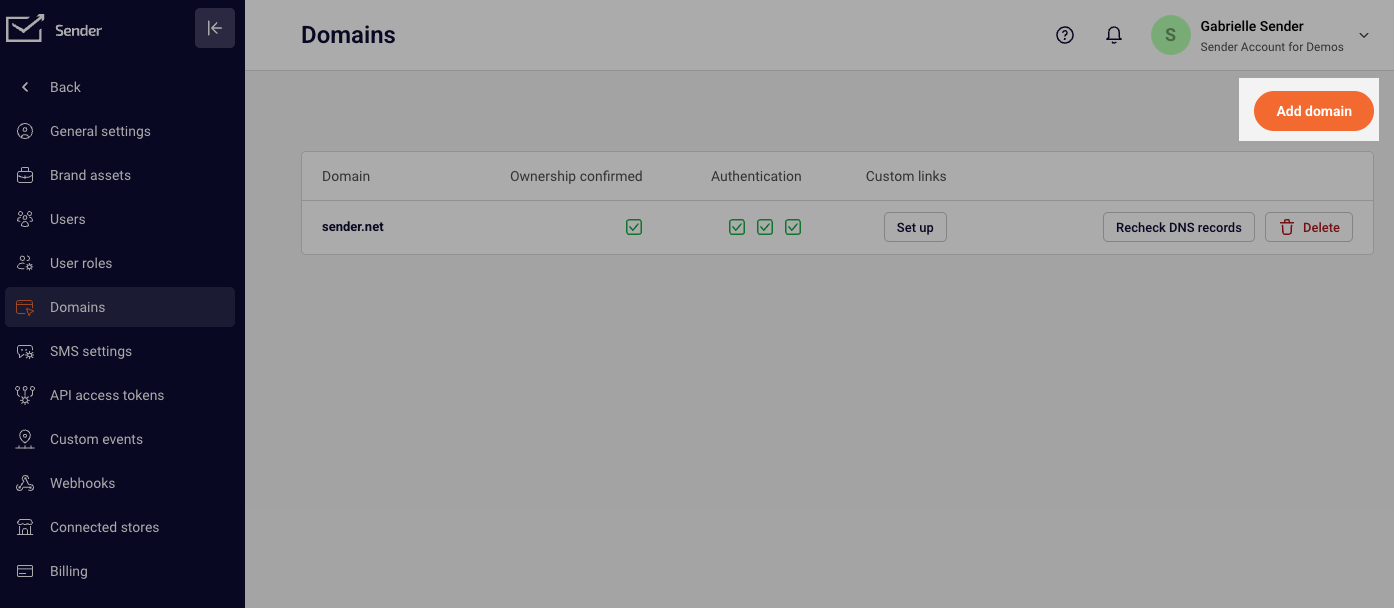
First, open the dashboard and click “Settings,” then open the Domains tab and click “Add domain.”
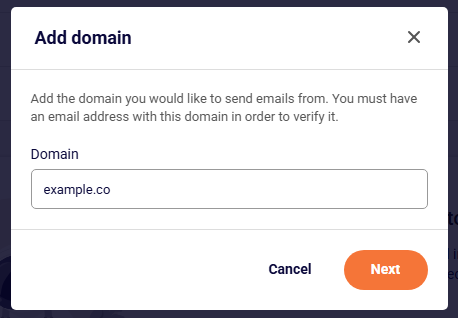
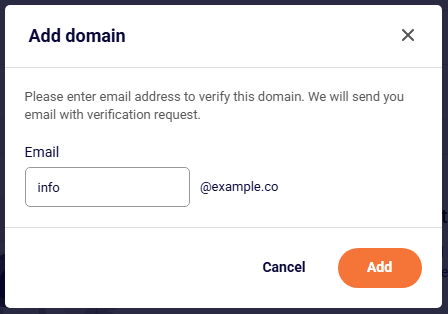
Next, you will need to enter your domain name and associated email address. After you submit these fields, the confirmation email will be delivered to your email address.
What should I do if I don’t receive the domain verification email?
Firstly, please check all the inbox folders – sometimes, the confirmation email ends up in a separate folder, e.g., spam, promotional, etc. If not, update your inbox filtering settings by excluding emails from “sendersrv.com”.
If you still struggle with domain verification, contact your support team via LiveChat or support@sender.net – we’ll help you with verification. We’re ready to help 24/7.