

• Log in
  • Start With Free Plan
    Grow your business, not your expenses
    Turn curious visitors into devoted fans and drive more sales – no cost to get started!
    • Free Forever plan for 2,500 subscribers and up to 15,000 emails/month
    • Free & responsive email templates library
    • Free popups & forms
    • Intuitive drag-and-drop email builder
    • Unlimited automation and segmentation
    • Premade automation workflows
Brand ratings

Newsletter maker – create beautiful newsletters in minutes

Create newsletters online with a drag-and-drop email builder and premade templates that make the newsletter creation process enjoyable and fuss-free.
  • Free newsletter builder
  • Free email newsletter templates
  • Feature-rich email builder

No Credit Card Required. Cancel Anytime.

Holiday gift guide
Join over 180,000 companies using Sender
Start With Free Plan

No Credit Card Required. Cancel Anytime.

Free images & icon library

Need the perfect visual to complete your newsletter? Dive into our library of free stock pictures and illustrations.

Built-in image editor (crop, resize, filters)

Edit images directly inside the email layout builder. Crop, resize, adjust colors, and add overlays in minutes.

Brand colors, fonts & logo controls

Set your colors, fonts, logos once, and apply them with the automated brand kit tool across all email templates.
Start With Free Plan

No Credit Card Required. Cancel Anytime.
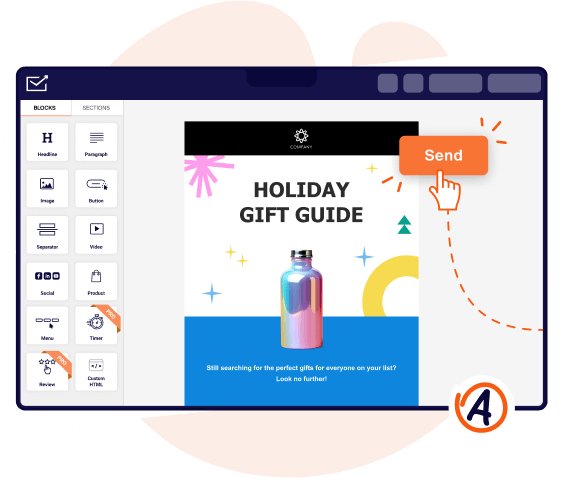
Drag-and-drop builder

Newsletter builder features you’ll love

Everything you need and more is at your fingertips with our free online newsletter creator — from professional, editable newsletter templates to unified block handling.

Undo & redo actions

Undo & redo actions

Made a mistake? No problem! Quickly undo and redo actions within the email newsletter creator for a smooth and frustration-free design experience.
Restore options

Version history & restore options

Enjoy peace of mind in your creation process. Experiment freely with your designs, knowing you can always revert back to a previous version.
Mobile vs. desktop

Mobile & desktop preview toggle

Instantly switch between mobile and desktop previews to ensure your newsletter looks its best on every subscriber’s device.
Mobile vs. desktop

GIFs & embeds support

Your newsletter content possibilities are (almost) endless! Add images, videos, and GIFs to make them even more engaging.
Custom HTM

Custom HTML & code block support

Use HTML newsletter builder for advanced customization, giving you complete control over every pixel.
Auto-save

Auto-save functionality

Never gasp after forgetting to hit that 'Save' button again. Sender automatically saves your work as you go, preventing design disasters.
Share newsletters online

Share newsletters online

Give your newsletters a life beyond the inbox. Easily share them online to expand your reach and engage a wider audience.
Share newsletters online

Inbox preview & email testing

See exactly how your newsletter will look on different devices and email clients before you hit send, ensuring a flawless experience.

How to create a newsletter that stops users in their tracks

Building your first newsletter campaign can be overwhelming. Follow these simple steps to get set up and send your first campaign with confidence.
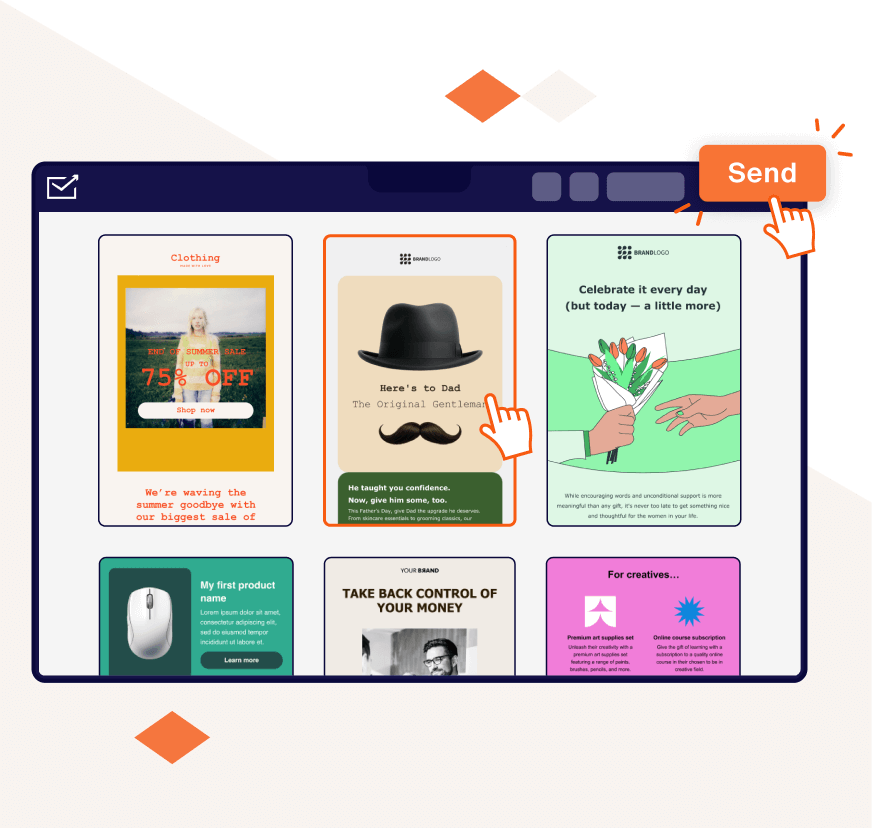
  1. Choose a template
    Browse the template library and find the perfect newsletter template for any occasion, whether a summer sale or a holiday greeting.
  2. Customize newsletter design
    Brand the newsletter your way. Add your logo, colors, and fonts to easily create a newsletter online that truly reflects your brand.
  3. Add images, blocks & brand elements
    Drop in pictures/GIFs that will greet your readers and arrange content blocks to give them space for that polished newsletter feel.
  4. Preview and finalize
    Now, preview your newsletter on different screen sizes so it impresses readers no matter what device they use.
Create newsletters

Newsletter Maker FAQs:

1.

What is a newsletter maker?

An email newsletter maker is an app or online tool that simplifies the process of creating and sending newsletters. Instead of hiring a professional designer or struggling with complex design software, you can create a newsletter online using pre-designed, free newsletter templates and intuitive editing tools. This allows you to focus on crafting engaging newsletter content.

2.

What features should I look for in a free online newsletter maker?

Even if you're looking at free newsletter tools, there are key features that can make your life easier and your newsletters more effective. Here's what to consider:

  • Professionally designed template. A library of professionally designed templates gives you a head start on newsletter design and ensures a polished look, even without design skills;
  • Customization options. The ability to customize templates with your brand assets: colors, logo, and image file is crucial for maintaining brand identity and creating custom newsletters;
  • Responsive email design. This ensures your responsive newsletter looks great on all devices (desktop, mobile, tablet);
  • User-friendly interface. The design process should be straightforward and intuitive, allowing you to focus on your message;
  • Content creation tools. Some newsletter makers offer built-in newsletter content creator features like adding featured articles, and more;
  • Social media buttons. Easily invite subscribers to follow your social media accounts with just a few clicks by adding social media buttons in your weekly or monthly newsletter and promotional newsletters.

Remember, the best newsletter maker for you will depend on your specific needs and preferences. Explore the free options available and choose the one that best allows you to create stunning and effective newsletters. One of such options is Sender.

3.

How do I add my own images to newsletter content?

It's easy with Sender's free newsletter maker! Incorporate your own photos as design elements by dragging and dropping an image widget from the left panel. Use Sender's built-in editing tools to polish your visuals and strategically place them to captivate your audience, ensuring each newsletter is visually appealing and engaging.

4.

How do you start creating a newsletter for free?

To create email newsletter free, sign up for Sender's Free Forever plan. This free newsletter app lets you easily design a print newsletter, an internal company newsletter, or any other type of digital newsletter. Simply choose a template, customize it to your liking, and add your content. For example, you can include information like upcoming events, promotions, and other important updates. Once created, you can send the newsletter to up to 2,500 subscribers or download it as a PDF file and distribute it as needed.

5.

Can I create newsletters if I'm not a designer?

Yes! Sender's free newsletter maker simplifies the process with email newsletter templates and a drag-and-drop email builder. You can easily create professional newsletters tailored to your audience. The powerful newsletter design software makes it easy to get started, even without coding or design knowledge.

6.

How do I add interactive elements to newsletter templates?

Craft an engaging, interactive newsletter with ease using Sender's online newsletter creator. Add dynamic elements such as countdown timers, product blocks, and customer reviews to captivate your audience. Start from scratch or choose from our responsive templates, then seamlessly integrate interactive features from the left panel within the newsletter builder.

Simple email marketing with affordable pricing
  • Premium features included
  • No hidden costs or usage limits
  • Scale from startup to enterprise
Simple email builder illustration