


As email systems and businesses grow, teams often find that developer-centric tools no longer cover marketing, compliance, or scaling needs. This is why in this guide, we evaluate Resend alternatives for organizations, comparing transactional email platforms, focusing on features, infrastructure controls, and use-case fit.
This guide also explains how different email API providers handle sending, workflow flexibility, and deliverability management, helping technical and operational teams choose a platform aligned with volume, integration requirements, and cross-team email responsibilities.
Capterra, G2, Trustpilot, and Reddit to create an objective evaluation. Learn more about our review methodology
What is Resend (And When You’ll Outgrow It)
Resend is a developer email service designed primarily for transactional and application-triggered emails. With its API-first approach, lightweight setup, and React Email integration, the platform is built squarely for product and engineering teams who want to get emails working quickly without wrestling with legacy infrastructure.
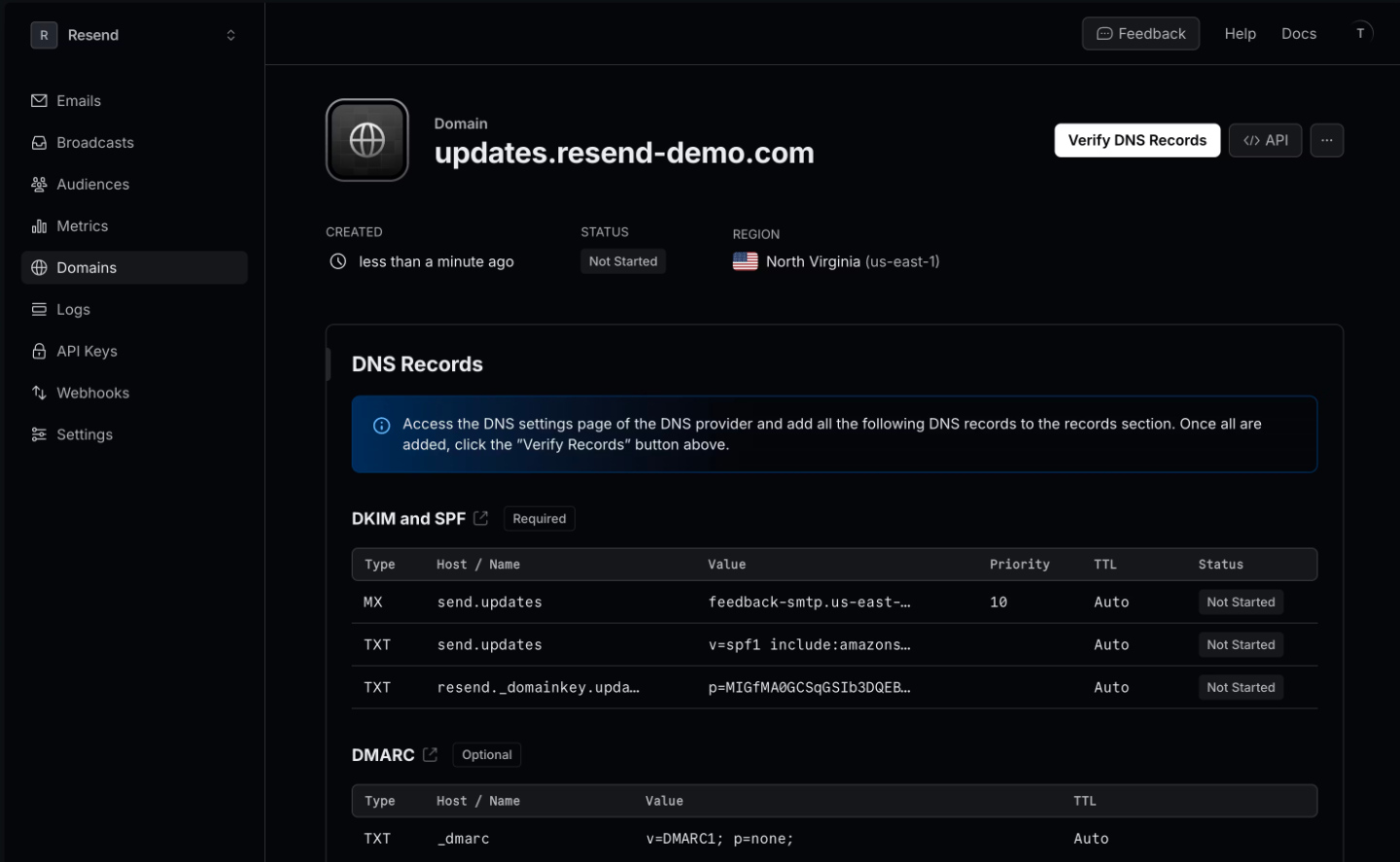
Where Resend fits well: early-stage products that need to ship fast, SaaS applications sending system emails like password resets, receipts, and notifications, and teams that prioritize simple integration over extensive feature sets.
If you’re building an MVP or running a small product with straightforward transactional needs, Resend can handle the job with minimal friction.
Why Teams Look for Resend Alternatives
There are many reasons why users decide to make the switch to another platform. But the most common reasons teams start exploring alternatives are multifaceted. Here are the most common ones:
- Need for a unified marketing & transactional email platform instead of managing separate tools;
- Increasing complexity and costs as email volume scales across separate systems;
- Need for stronger deliverability controls, including dedicated IPs and sender reputation tools;
- Limited access to logs and troubleshooting data for diagnosing delivery issues;
- Compliance and data residency requirements that require more regional infrastructure or certifications.
How We Evaluated Resend Alternatives
Choosing a transactional email service isn’t just about pricing tables—it’s about finding infrastructure that won’t become a liability as your product grows.
During the selection process, I focused on five key areas when evaluating Resend alternatives:
- API and developer experience. Documentation quality, SDK availability, setup complexity, and how easily the platform integrates with existing tech stacks;
- Deliverability infrastructure. IP reputation management, email authentication support (SPF, DKIM, DMARC), bounce handling, and real-world inbox placement;
- Pricing transparency. Clear pricing structures, overage policies, hidden costs for features like dedicated IPs or extended log retention;
- Transactional and marketing flexibility. Whether the platform supports both use cases or forces you into separate products;
- Support quality. Response times, expertise level, and whether meaningful support requires premium tiers.
Resend Alternatives — A Quick Comparison Table
Here’s a snapshot of how these eight alternatives stack up on the basics:
| Platform | Platform Type | Deliverability & Control | Logs & Webhooks | Pricing Entry Point |
| Sender | Transactional email + marketing automation | Domain authentication, reputation/suppression controls, segmentation-aware sending | Event tracking, message activity visibility, webhook-style events | $7/month |
| Postmark | Transactional email infrastructure platform | Stream separation, strict sending standards, deliverability-focused controls | Detailed message events, webhooks | $15/month |
| Mailgun | Email API + SMTP service | Authentication tools, dedicated IP options, sending/routing controls | Logs, event webhooks, monitoring tools | $15/month |
| Twilio SendGrid | Cloud email API + marketing mail platform | IP management options, authentication support, deliverability tooling | Event webhooks, activity feed/event tracking | $20/month |
| Amazon SES | AWS-based email sending service | Domain authentication, infrastructure-level controls (AWS) | Event publishing via AWS services (SNS/Event destinations) | $0.1/1000 emails |
| Zoho ZeptoMail | Dedicated transactional email service | Domain authentication, transactional-focused sending controls | Delivery/bounce event tracking, webhooks | $3/10,000 emails |
| MailerSend | Transactional email + API platform | Domain authentication, suppression/recipient management, sending controls | Activity logs, event webhooks, message tracking | $5/month |
| SparkPost | Enterprise email delivery + analytics platform | Deliverability controls, IP options (plan-dependent), reputation tooling | Message events, analytics, webhooks | $20/month |
Quick Picks: Find the Perfect Resend Alternative Fast
Use this list to quickly match your business needs with the right transactional email platform.
- Best Free Plan: Sender (Unified transactional and marketing email, generous monthly sending limits, automation included.)
- Best for Ecommerce: Postmark (Strong transactional focus, message stream separation, consistent inbox placement for order and system emails.)
- Best for Startups/SMBs: Sender (Developer-friendly API with accessible interface and built-in template tools.)
- Best Budget Option: Amazon SES (Low per-email cost, scalable cloud email delivery, deep infrastructure control.)
- Best for Enterprise/Agencies: SparkPost (Advanced analytics, predictive deliverability signals, and high-volume infrastructure.)
8 Best Resend Alternatives I’ve Reviewed
Sender — Transactional Email with Marketing Automation
Sender is an email marketing platform that combines marketing campaigns and transactional email sending in one system. It supports scalable email API and SMTP-based delivery for operational emails such as password resets, order confirmations, and account notifications, while also providing tools for newsletters and automated customer journeys.

The platform includes a Free plan that allows promotional and transactional sending without requiring payment details. Email creation does not depend on hard-coded templates; users can build responsive messages through a visual editor. This applies to both campaign-style emails and system-triggered messages that require brand consistency.
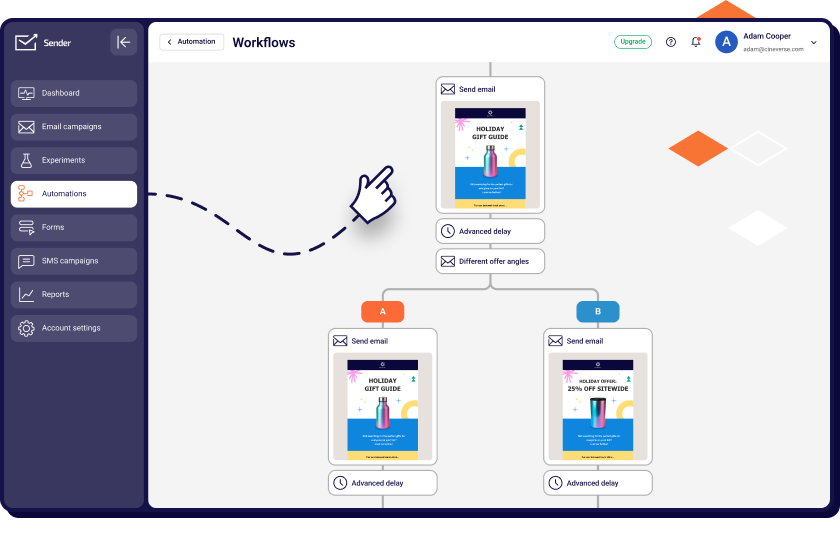
For automation, Sender provides an automation workflow builder that supports multi-step journeys triggered by API events, ecommerce actions, or engagement behavior. This setup allows teams to manage lifecycle campaigns and high-volume transactional communication from the same interface, with shared segmentation, suppression handling, and reporting across all email types.
Key Features
- Transactional email via REST API and SMTP
- Marketing campaigns, segmentation, and automation workflows
- Visual drag-and-drop email editor
- Unified reporting for marketing and system emails
- SMS messaging on paid plans
Strengths & Limitations for Transactional Use
| Strengths | Limitations |
| Unified transactional and marketing suite | Email branding on free plan |
| Generous free tier | Limited dedicated IP options on lower tiers |
| Simple API and SMTP integration | |
| SMS included on paid plans | |
| Affordable entry pricing |
Pricing
Free plan includes up to 2,500 subscribers and 15,000 emails per month. Paid plans start at $7 per month for 1,000 subscribers and 12,000 emails/month, and scale by subscriber count and sending volume. Transactional sending is included as a standard platform capability.
Migration Fit (From Resend)
Sender fits teams moving from Resend that want to add marketing automation without adopting a separate tool. Existing API or SMTP-based transactional flows can be maintained while introducing campaigns and automated customer journeys in the same system.
Postmark — Transactional Email Infrastructure Platform
Postmark has built its entire reputation on one thing: getting transactional emails delivered fast and reliably.
Currently owned by ActiveCampaign, Postmark maintains its singular focus on delivery speed—they claim sub-10-second delivery times, and in testing, those numbers hold up (supposedly, Postmark’s engineering team is automatically alerted if it doesn’t hit this benchmark).

During my hands-on, delivery times were consistently quick, and the Message Streams feature made a noticeable difference in keeping system emails like password resets and order confirmations isolated from other traffic.
That said, the scope is intentionally narrow. I found the email sending API clean and the analytics useful for tracking delivery events, but there are no landing page tools or advanced marketing automations here. For teams where transactional reliability is directly tied to revenue or user access, that trade-off can make sense despite the higher cost.
Key Features
- Message Streams for isolating transactional from promotional email
- 45-day message history with detailed activity logs
- Real-time webhooks for delivery events
- Built-in DMARC monitoring tools
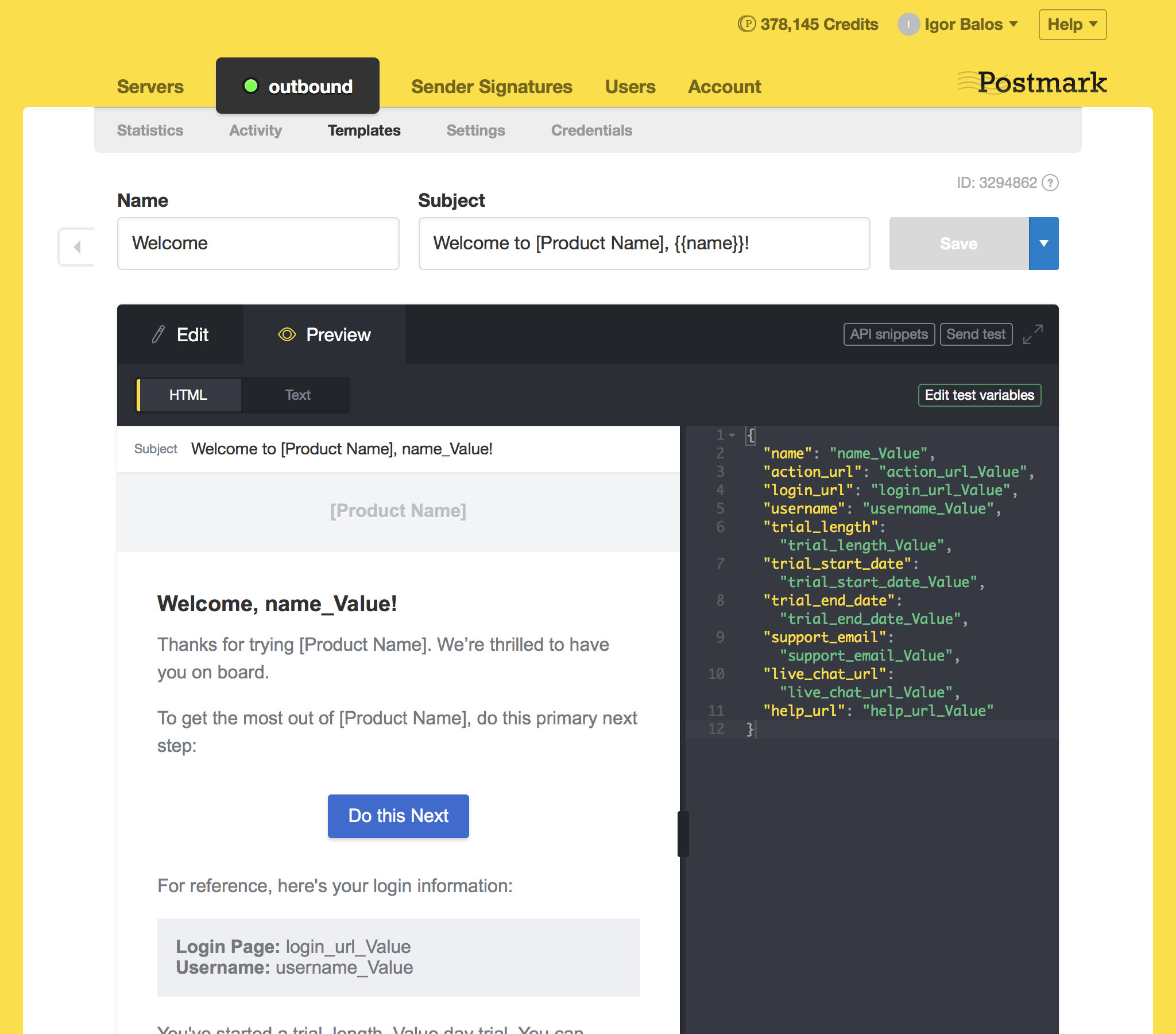
- Pre-built email templates optimized for deliverability
Strengths & Limitations for Transactional Use
| Strengths | Limitations |
| Industry-leading deliverability | Higher cost per email than most competitors |
| Message Streams separate transactional from broadcast | Expensive overages |
| 45-day message retention with full content | No unified marketing automation |
| Strict sending policies protect sender reputation | Transactional-focused, limited promotional tools |
| Detailed delivery diagnostics |
Pricing
Free plan is available for up to 100 emails/month. Paid plans start at $15 per month for up to 10,000 emails/month. Additional emails: $1.20-$1.80 per 1,000 depending on plan.
Migration Fit (From Resend)
If deliverability is your number one concern and you’re willing to pay premium prices for it, Postmark is a solid upgrade from Resend. The API structure is similar enough that migration shouldn’t be painful, and the added reliability features (Message Streams, detailed logging) give you more control. Just be prepared for higher costs as volume increases.
Mailgun — Email API and SMTP Service for Scalable Sending
Mailgun is a transactional email service built by developers, for developers. It is trusted by companies like Reddit and Slack, and after spending a few weeks with this email automation platform, there’s little wonder why that is.

The platform focuses entirely on backend email infrastructure. I used its REST APIs and SMTP relay for programmatic sending, and the level of control over routing and configuration stood out, especially for more technical setups. The analytics and validation tools also felt geared toward teams that want to closely monitor delivery and list quality rather than manage campaigns.
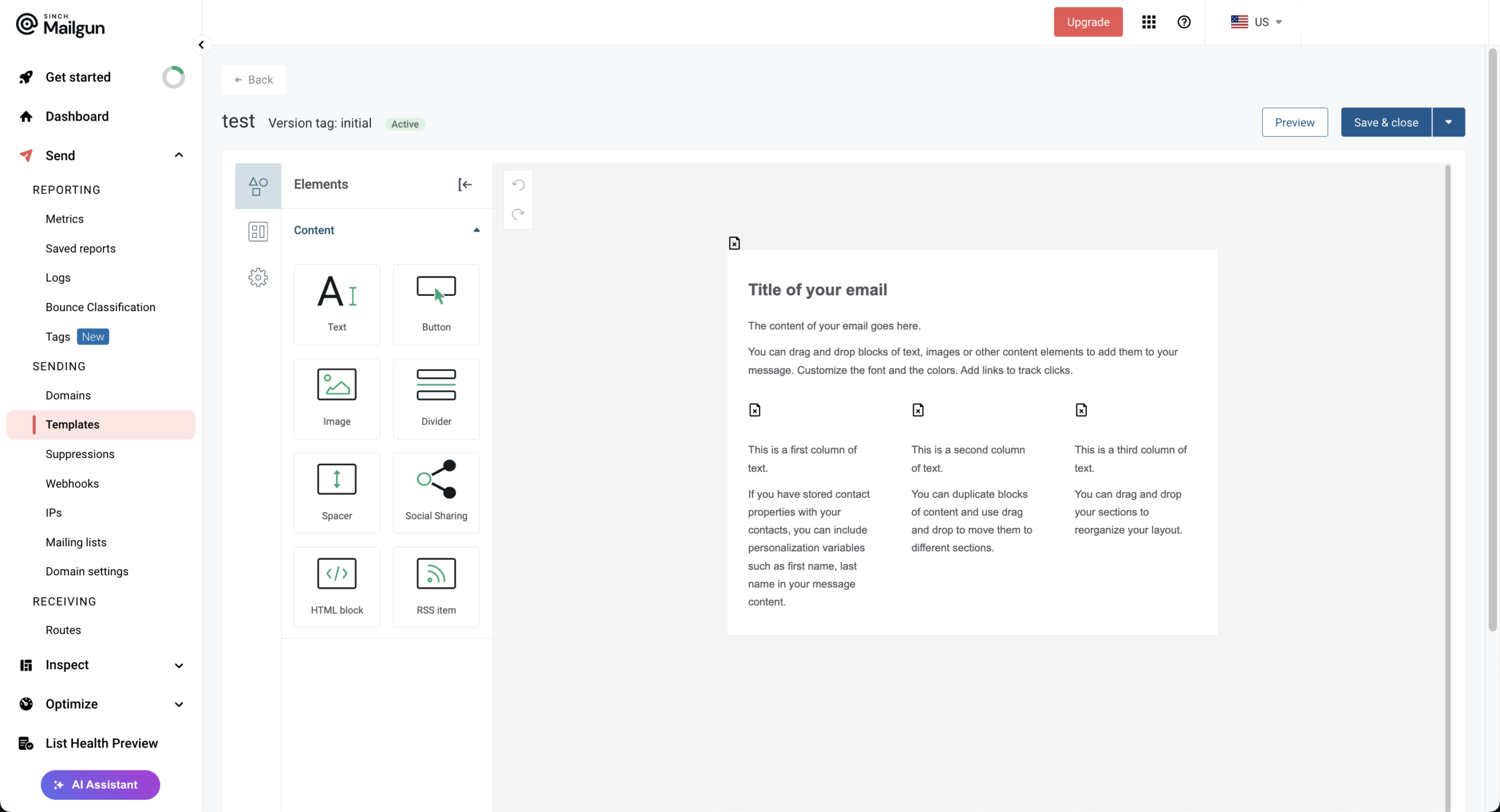
From a developer’s perspective, the experience is strong. The API documentation covers multiple languages with practical examples, and the API stays simple for basic tasks while still allowing deeper configuration when needed. That said, I didn’t find any marketing-style tools—no visual builders or automation workflows—so it’s best suited to teams comfortable handling email in code.
Key Features
- RESTful API with SDKs for Python, Ruby, PHP, Node.js, Java, and more
- Email validation service (on Scale plan)
- Dedicated IPs with IP pools for reputation management
- Inbound routing and email parsing capabilities
- 30-day log retention (on paid plans)
Strengths & Limitations for Transactional Use
| Strengths | Limitations |
| Developer-friendly API with extensive documentation | Support response times can be slow |
| Flexible email validation tools | No SMS capabilities |
| Handles high-volume email sending | Interface less intuitive than newer platforms |
| Inbound email parsing | Marketing features require separate setup |
| Strong webhook and event tracking |
Pricing
Free plan is available for 100 emails/day for the first 3 months. Paid plans start at $15 per month for up to 10,000 emails/month. Custom enterprise pricing available.
Migration Fit (From Resend)
Mailgun is a lateral move from Resend in terms of developer focus but offers more mature infrastructure for scaling. If you need features Resend doesn’t provide—email validation, inbound routing, dedicated IPs without high-volume requirements—Mailgun fills those gaps. The trade-off is higher base pricing and a steeper learning curve for advanced configuration.
Twilio SendGrid — Cloud Email API and Marketing Mail Platform
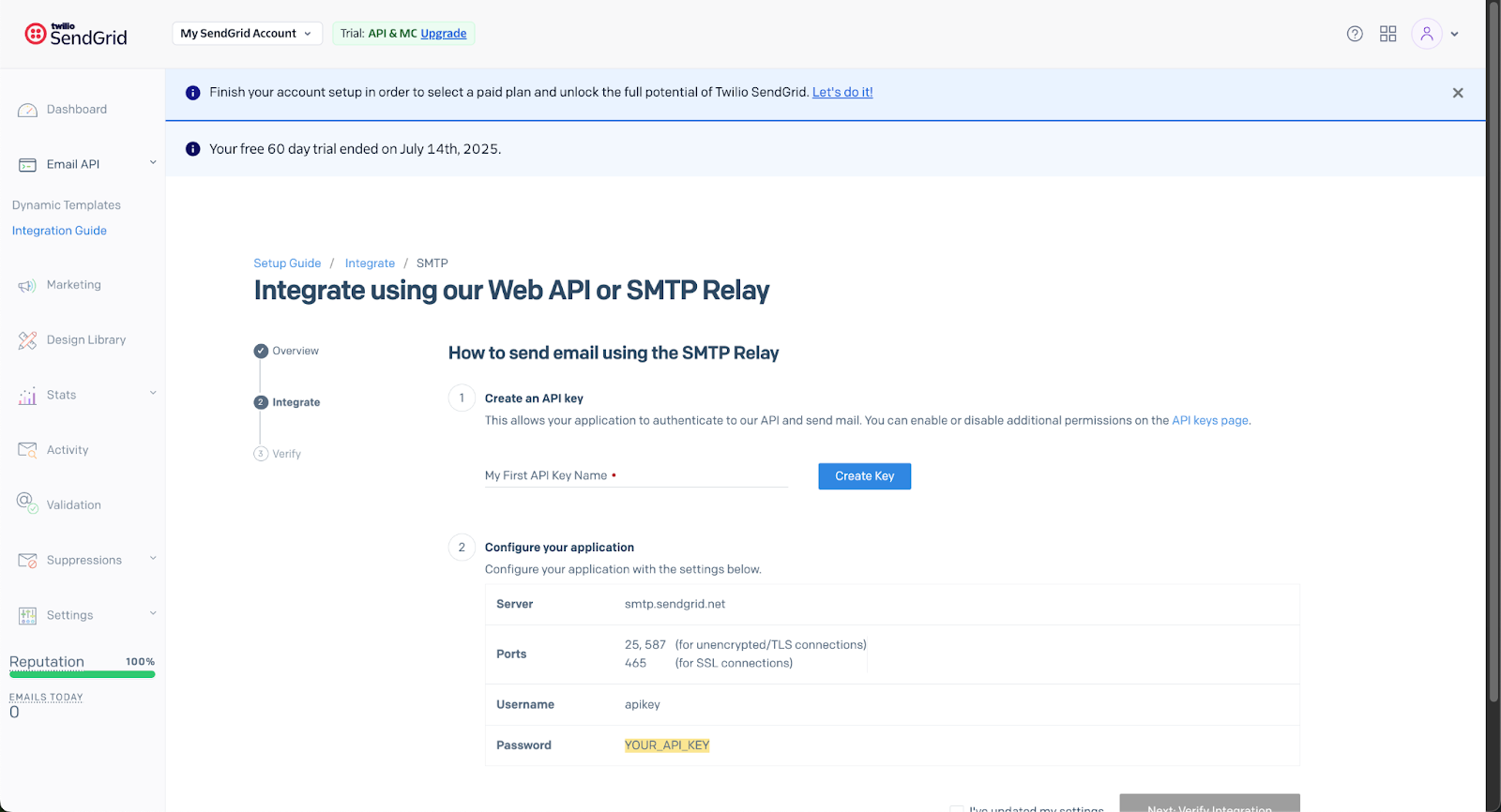
SendGrid is the enterprise workhorse, processing over 100 billion emails monthly under Twilio’s ownership.
The platform splits into two products: Email API for transactional sending and Marketing Campaigns for promotional emails. This dual approach means you can handle both use cases, but you’re effectively paying for two separate subscriptions if you need both.

Using SendGrid, I could see why it’s considered a large-scale email infrastructure provider. The SDK coverage across major programming languages and the depth of documentation made integration straightforward, especially for application-driven sending. It’s clearly built to support high volumes, and the tooling reflects that enterprise orientation.
That said, my experience echoed what many users mention: setup and configuration matter a lot. Shared IP performance can vary, and getting the best results often means moving beyond default settings. I also found that navigating pricing and plan structure takes attention, particularly when combining transactional and marketing use cases.
Key Features
- Separate Email API and Marketing Campaigns products
- Dynamic templates with personalization
- Real-time analytics and webhooks
- Dedicated IP options (on higher plans)
- A/B testing and email validation tools
Strengths & Limitations for Transactional Use
| Strengths | Limitations |
| Massive infrastructure (100B+ emails/month) | Shared IP deliverability issues reported |
| Separate Email API and Marketing Campaigns products | Complex, fragmented pricing structure |
| Extensive integrations and libraries | Support quality varies by plan tier |
| Strong analytics and reporting | Marketing and transactional billed separately |
| Enterprise-grade scalability | Steeper learning curve for full platform |
Pricing
Free trial is available for up to 100 emails/day for 60 days. Paid plans start at $15 per month for up to 50,000 emails/month.
Migration Fit (From Resend)
SendGrid makes sense if you’re scaling to enterprise volume and need proven infrastructure. The migration path is clear, and the API structure is familiar. Just go in with eyes open about pricing complexity and plan to invest in a dedicated IP address if deliverability is critical.
Amazon SES — AWS-Based Email Sending Service
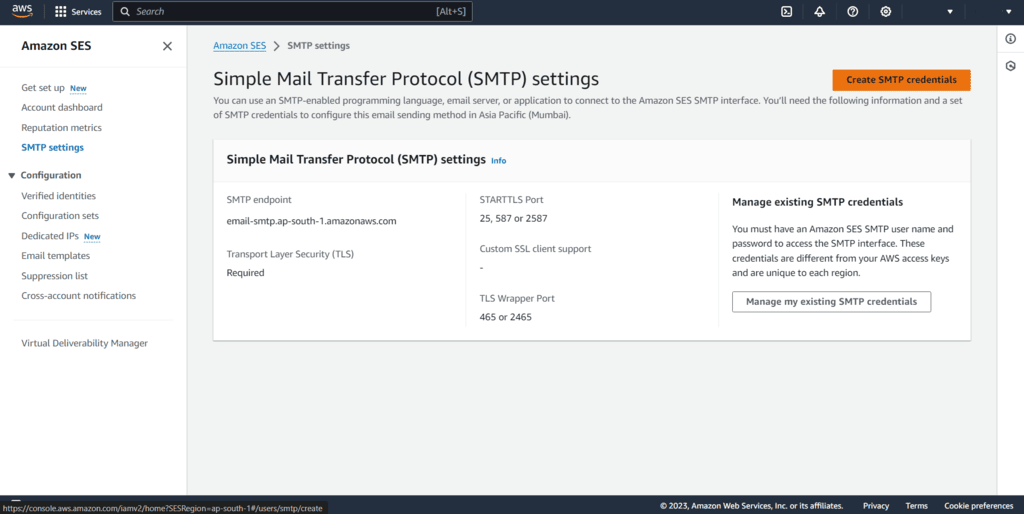
Amazon SES is the nuclear option for cost optimization. Working with this Resend alternative, what stood out to me immediately was the cost model and how tightly it fits into the broader AWS ecosystem.
For teams already using AWS services, the integration feels natural, and the API and SMTP options give full control over email sending.

On the other hand, that kind of deep control means your team has more to handle on their side. Plus, I didn’t find built-in campaign tools, visual editors, or ready-made dashboards—monitoring, templates, and analytics typically need to be set up through other AWS services.
For engineering-heavy teams, that flexibility can be worth it. But for the rest? It’ll be a difficult ship to sail, even with that hard-to-beat price tag.
Key Features
- SMTP and API sending options
- Deep integration with AWS services (Lambda, SNS, CloudWatch)
- Dedicated IP options with managed warm-up
- Email receiving and processing capabilities
- Virtual Deliverability Manager for monitoring
Strengths & Limitations for Transactional Use
| Strengths | Limitations |
| Lowest cost at scale ($0.10 per 1K emails) | No built-in templates or dashboard |
| Tight AWS ecosystem integration | Requires technical expertise to configure |
| Generous free plan | Sandbox limits (200/day) until production approval |
| Highly reliable infrastructure | Hidden costs for monitoring (CloudWatch, SNS) |
| Full control over sending configuration | No drag-and-drop editor or visual tools |
Pricing
Free tier is available for up to 3,000 messages/month for 12 months. Amazon SES prices start at $0.10 per 1,000 emails. Data transfer and additional services billed separately.
Migration Fit (From Resend)
SES is only a good fit if you have engineering resources and AWS familiarity. You’re trading a managed experience for raw cost savings. If your transactional email needs are straightforward and you’re comfortable building basic tooling, the economics are compelling. Otherwise, the hidden complexity will eat your savings.
Zoho ZeptoMail — Dedicated Transactional Email Sending Service
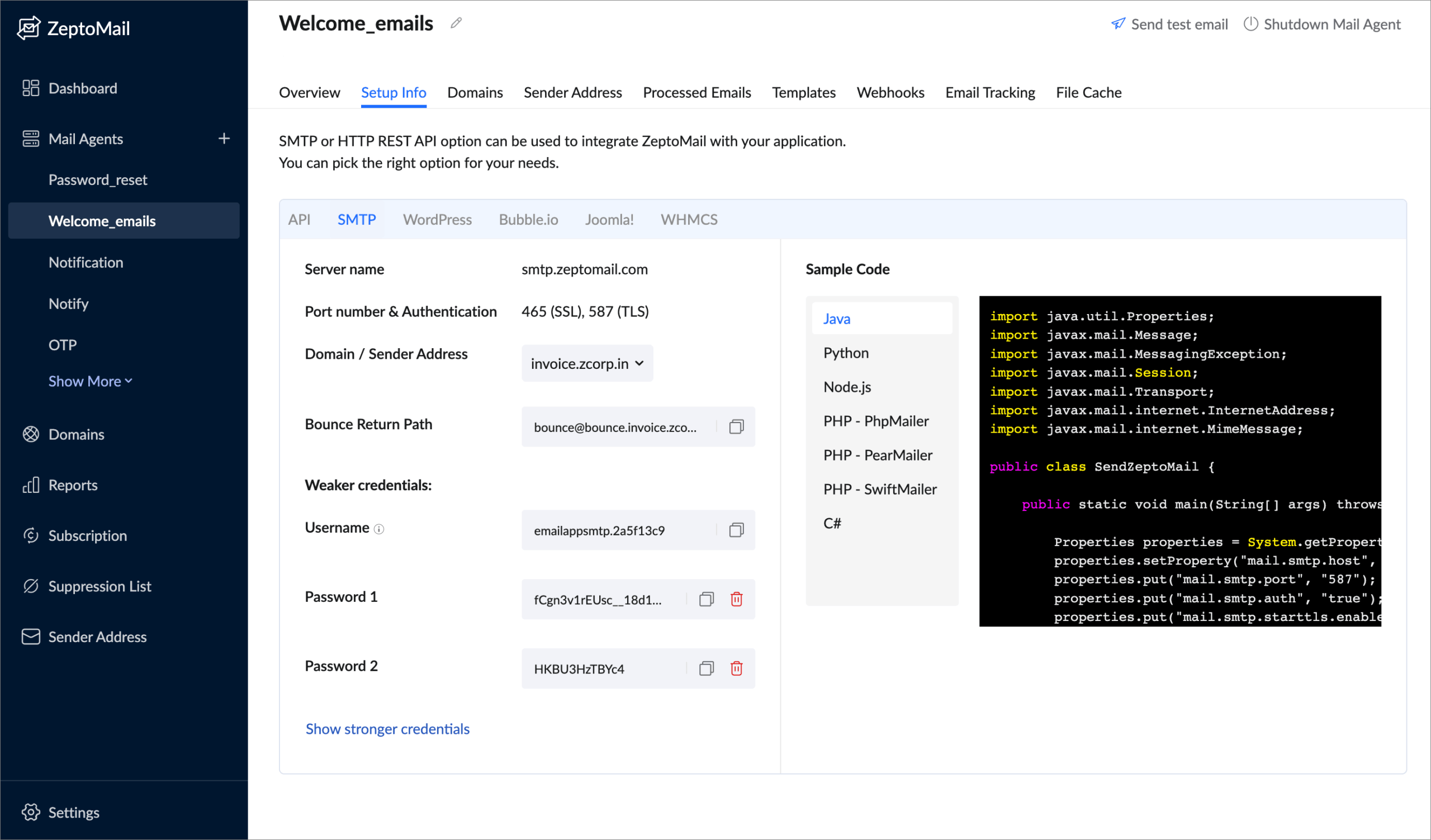
Using Zoho ZeptoMail, I found it positioned very clearly as a transactional-only email service rather than a full marketing platform. That focus shows in how the infrastructure is set up—promotional traffic isn’t mixed with system emails, which helps protect the delivery of messages like password resets and order notifications.

The pricing model also stood out for its simplicity. Instead of monthly plans, ZeptoMail uses pay-as-you-go credits, which worked well for uneven sending patterns in my testing. And if you’re already in the Zoho ecosystem, the native integration makes it easier to connect email sending with other tools you’re using.
Key Features
- Mail Agents for segmenting different email types
- SMTP and API integration options
- WordPress plugin for direct integration
- Pre-built templates for common transactional emails
- Suppression list management
Strengths & Limitations for Transactional Use
| Strengths | Limitations |
| Transactional-only focus protects reputation | No marketing email support |
| Clean separation via Mail Agents | Support response times can be slow |
| 10,000 email free trial | Smaller ecosystem than major providers |
| Integrates with Zoho suite | Limited third-party integrations |
Pricing
30-day free trial is available for up to 10,000 emails. Credits start from $2.50 per 10,000 emails (1 credit = 10,000 emails). No monthly subscription required. Dedicated IPs available for high-volume senders (contact sales).
Migration Fit (From Resend)
ZeptoMail makes sense if you want transactional-only infrastructure at competitive pricing without monthly commitments. The credit system works well for unpredictable volume. If you’re a Zoho user already, the ecosystem integration adds convenience. Just be aware of the 6-month credit expiration and the lack of marketing capabilities.
MailerSend — Transactional Email & API Platform
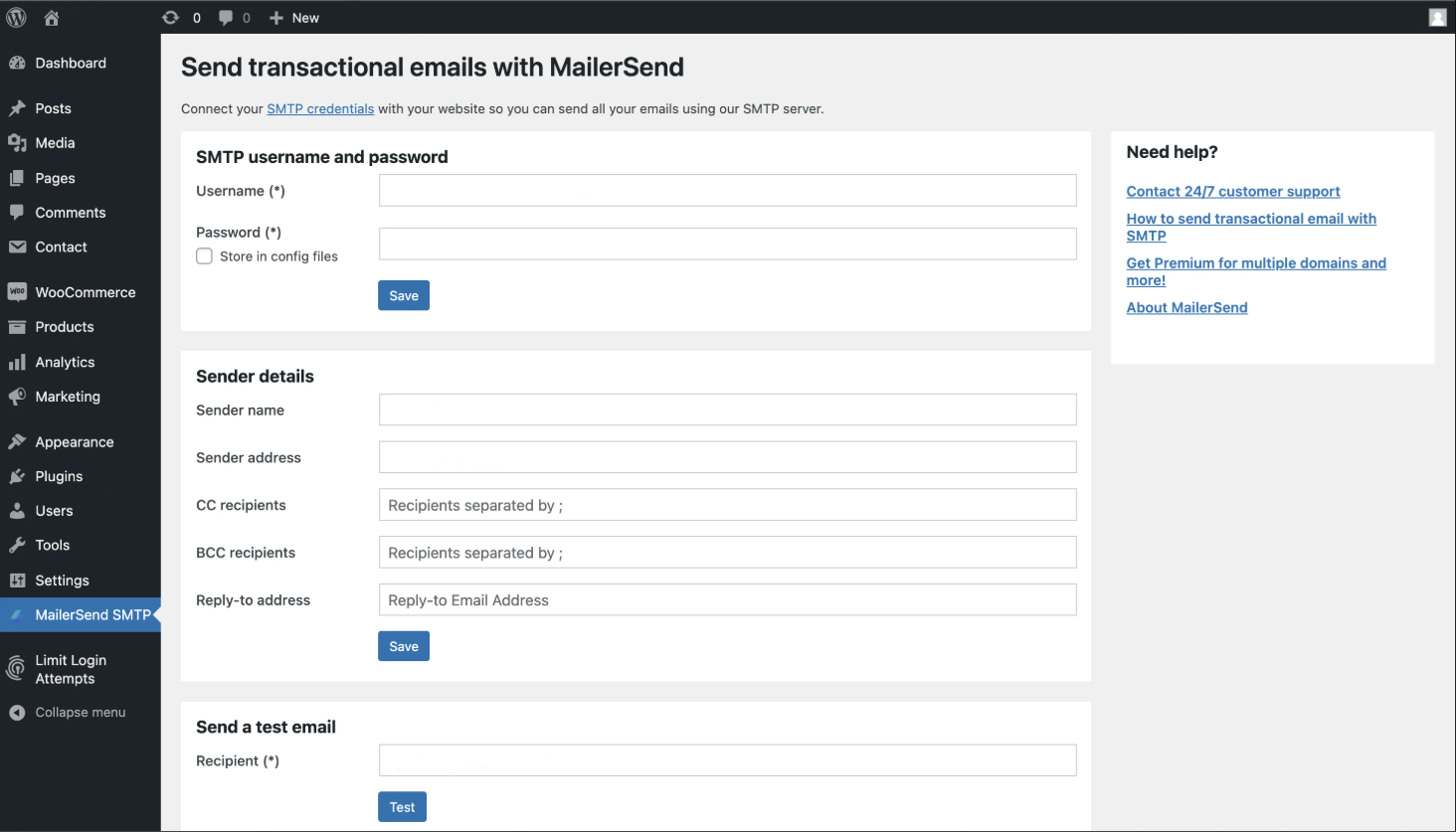
Using MailerSend, I could feel the influence of the MailerLite team in how approachable the platform has become. It’s built for transactional sending, but the interface doesn’t feel overly technical, which makes it easier for non-developers to work with templates and basic setup.

I liked the balance between API flexibility and usability. Developers still get the control they need, while marketers or operations teams can use the drag-and-drop template builder. The smaller free tier is a limitation for testing, but the documentation, support, and overall reliability felt consistent with a product designed for long-term use rather than just infrastructure access.
Key Features
- Drag-and-drop template builder with 90+ content blocks
- SMS API for transactional text messages (US/Canada)
- A/B testing for transactional emails
- Automatic domain verification
- 24/7 support on all plans
Strengths & Limitations for Transactional Use
| Strengths | Limitations |
| Excellent documentation and onboarding | Free tier reduced to 500 emails/month |
| Automatic domain verification | SMS limited to US and Canada |
| 24/7 support on all plans | Fewer enterprise-level features |
| SMS support included | Younger platform, still expanding |
| Built by MailerLite team (proven track record) |
Pricing
Free plan is available for up to 500 emails/month. Paid plans start at $6/month for 5,000 emails/month. Additional emails: $1.20 per 1,000.
Migration Fit (From Resend)
MailerSend is a good fit if you want better non-technical accessibility without sacrificing developer capabilities. The interface is more approachable than Resend’s, and features like A/B testing add optimization options. If your team includes people who need to manage email templates without coding, MailerSend bridges that gap.
SparkPost — Enterprise Email Delivery and Analytics Platform
SparkPost (recently became Bird) markets itself as an enterprise-grade email infrastructure with sophisticated analytics. The platform reportedly processes ‘over 4.5 trillion emails’ annually and offers Signals predictive analytics—tools that help predict and prevent deliverability issues before they impact your sending.

There’s much to love here. From predictive deliverability analytics and detailed event tracking to enterprise-grade infrastructure and IP management tools.
But the platform feels a bit less settled following its acquisition by MessageBird. The shift from sparkpost.com to bird.com and changes around product positioning suggest the direction of the service is still evolving.
Because of that, I’d double-check current features and roadmap myself before committing to this Resend alternative.
Key Features
- Signals predictive analytics for deliverability
- Email Health Score and spam trap monitoring
- Dedicated IPs with IP pooling options
- Dynamic AMP email support
- Advanced template engine with snippets
Strengths & Limitations for Transactional Use
| Strengths | Limitations |
| Signals predictive analytics for deliverability | Service disruptions reported post-MessageBird acquisition |
| Massive sending capacity | Activity history limited to 10 days |
| Advanced event tracking and webhooks | High entry price |
| Strong enterprise and ISP relationships | Platform direction uncertain after acquisition |
| Detailed bounce classification | Less suited for smaller senders |
Pricing
Free plan is available for 500 emails/month (100/day limit). Paid plans start at $20/month for 50,000 emails with $1 per 1,000 additional.
Migration Fit (From Resend)
SparkPost makes sense if you need enterprise-grade analytics and predictive deliverability tools. The platform is powerful but comes with acquisition-related uncertainty. If you’re considering SparkPost, engage with their sales team directly to confirm current service levels and roadmap before committing.
Resend Alternatives Pricing Comparison at Scale
Understanding how costs scale is crucial for planning. Here’s how these platforms compare as your volume increases:
| Platform | Entry Access | Pricing Model | Cost Behavior at Scale | Includes Marketing Emails |
| Sender | Free plan available | Tiered plans based on contacts + email volume | Costs increase gradually as lists and sending grow | Yes |
| Postmark | Trial credits | Per-email pricing by message stream | Linear growth with sending volume | No |
| Mailgun | Trial credits | Pay-as-you-go + plans | Flexible early, but monitoring needed as volume rises | Limited (primarily transactional) |
| SendGrid | Free tier available | Tiered plans + add-ons | Plan jumps at higher sending thresholds | Yes |
| Amazon SES | AWS-based entry | Infrastructure-style per-email pricing | Very low unit cost, but requires setup and management | No |
| Zoho ZeptoMail | Credit-based entry | Prepaid credit system | Predictable if usage steady; refill cycles needed | No |
| MailerSend | Free tier available | Volume-based pricing tiers | Costs scale by usage bands | No |
| SparkPost | Paid / custom tiers | Enterprise volume pricing | Structured for larger-scale sending | No |
What Actually Matters When Choosing a Resend Alternative
After evaluating all Resend alternatives, the decision really comes down to five factors that will impact your day-to-day operations:
- IP and deliverability control matters most when your emails are mission-critical. Dedicated IPs let you build and protect your own sender reputation, but they require volume to maintain;
- Event and webhook reliability determines whether you can trust delivery notifications. If your application logic depends on knowing when emails bounce, open, or click, you need webhooks that fire consistently and quickly;
- Bounce and suppression handling directly affects your sender reputation. Platforms that automatically suppress hard bounces and handle complaint feedback loops protect you from deliverability degradation;
- Testing and sandbox environments. Most platforms offer some testing mode, but the ease of switching between test and production varies significantly.
- Scaling cost model. Understand not just the base pricing but how overage fees work, when features become gated, and what happens when you hit volume thresholds.
FAQ
When should a team move away from Resend?
Teams often look for Resend alternatives when they need more than developer-focused transactional sending. Common triggers include requirements for built-in marketing email tools, visual automation builders, advanced suppression management, or deeper deliverability controls such as dedicated IP options and reputation monitoring.
What features matter most in a Resend alternative?
Features that users assessing Resend alternatives focus on include API reliability, SMTP support, bounce and complaint handling, webhook events, and domain authentication controls. Deliverability tooling such as IP management, activity logs, and suppression lists is critical for stable inbox placement. Teams also assess scalability, security practices, and whether the platform supports both transactional and marketing workflows.
Are Resend alternatives only for developers?
No, there are a lot of Resend alternatives that aren’t developer focused. While many options like Mailgun or Amazon SES are developer-oriented, several platforms also provide interfaces for marketing or operations teams. Tools like Sender offer visual email builders, audience segmentation, and automation workflows that make them usable without understanding HTML.
How does deliverability differ between transactional email platforms?
Deliverability differences between transactional email software often come from infrastructure design and control features. Platforms like Postmark, for instance, focus heavily on transactional streams and strict sending policies. While others, including Sender, SendGrid, and Brevo, combine marketing automation and transactional emails without requiring manual input for tweaking settings and maintaining sender reputation.
Can one platform handle both transactional and marketing emails?
Yes, some services combine API-based transactional sending with marketing automation and campaign tools. For example, Sender and Twilio SendGrid support system messages alongside newsletters or automated flows. Using one platform can centralize suppression data, authentication setup, and reporting, but teams must configure stream separation and sending domains carefully to protect transactional email reputation.