


Finding an SMTP service that allows reliable sending without upfront costs is a common requirement for testing apps, application email sending, handling transactional emails, or running low-volume systems.
This article compares the free SMTP servers that offer ongoing free sending tiers in 2026, focusing on limits, deliverability controls, and practical restrictions. It should assist developers and businesses to identify which providers are suitable for real-world use, what each free tier includes, and when an upgrade becomes necessary.
Capterra, G2, Trustpilot, and Reddit to create an objective evaluation. Learn more about our review methodology
How Free SMTP Servers Work (and Their Limits)
Free SMTP tiers exist to lower the barrier to entry for developers and businesses that need a reliable SMTP sending service without committing upfront.
Providers use free plans to let users test infrastructure, validate domains, and handle low-volume transactional emails while building trust in their sending stack. In return, free tiers are deliberately constrained to control abuse and protect the overall sender reputation.
The most common trade-offs include strict daily or monthly send limits, shared IP addresses, throttling during traffic spikes, and reduced access to logs, analytics, and limited customer support. These free SMTP limits are usually acceptable for testing, staging environments, and early production use, but they require careful volume planning.
Free SMTP breaks down once email becomes business-critical. If your application depends on high-volume sends, consistent delivery during peak times, dedicated IP reputation, or long-term log retention, free tiers quickly become a bottleneck—signaling it’s time to upgrade to paid infrastructure.
Best Free SMTP Servers at a Glance: Comparison Table
| SMTP Provider | Free Plan | Starting Price |
| Sender | 15,000 emails/mo + 2,500 contacts | $7/month |
| SMTP2GO | 1,000 emails/mo | $15/month |
| Mailgun | 100 emails/day | $15/month |
| SendPulse | 15,000 emails/mo | $8/month |
| Mailtrap | 4,000 emails/mo | $15/month |
| MailerSend | 500 emails/mo | $6/month |
| Postmark | 100 emails/mo | $15/month |
| Brevo | 300 emails/day | $8/month |
| Gmail SMTP | 500/day | Free |
| Amazon SES | 3,000 emails/month | $0.10 per 1k |
What to Consider When Choosing a Free SMTP Server
Choosing a sturdy—and more importantly, free—SMTP server is no walk in the park. There’s a lot to weigh up, from deliverability and limits to reliability and their support team, not to mention hidden usage caps.
That said, here are the key areas you should consider before putting all your chips on the chosen SMTP server:
- Deliverability Rate. The best SMTP server means nothing if emails land in spam. Look for providers with strong IP reputation, SPF/DKIM/DMARC support, email address validation, and proven inbox placement rates. Established providers invest in email deliverability—newer or cheaper options often struggle here.
- Email Volume Limits. Free accounts cap sends daily, monthly, or both. Calculate your actual needs before choosing—a 100 daily limit won’t work if you send 500 password resets on busy days. Watch for subscriber limits too, not just email counts.
- Ease of Setup and Integration. Some providers take minutes to configure, others require technical expertise. Check documentation quality, available SDKs for your programming language, and whether SMTP credentials are straightforward to generate. Complex setup wastes development time.
- Security Features. Ensure TLS encryption is standard, not optional. SMTP authentication should be mandatory to prevent unauthorized use. Look for two-factor authentication on dashboards and API key management for production applications.
- Analytics and Tracking. Tracking deliveries, opens, bounces, and clicks helps identify problems fast. Free tiers often limit log retention or hide detailed analytics. Verify you can access enough data to troubleshoot delivery issues effectively.
Quick Picks: Find the Perfect Free SMTP Server Fast
- Best Free Plan: Sender (15,000 emails/month, no daily caps, SMTP plus basic automation and analytics.)
- Best for Ecommerce: SendPulse (High free volume with SMTP delivery plus automation and multi-channel messaging.)
- Best for Startups/SMBs: Sender (Easy setup, generous limits, and combined transactional and marketing capabilities.)
- Best Budget Option: Amazon SES (Very low per-email cost after free tier, ideal once volumes scale.)
- Best for Enterprise/Agencies: SMTP2GO (Strong deliverability reporting, team access, and scalable infrastructure.)
10 Best Free SMTP Servers Reviewed
Here’s your go-to breakdown of each provider’s features, strengths, and limitations to help you choose confidently.
Sender — Best SMTP Service for Small Businesses
Sender is an email marketing platform that includes an SMTP relay service for sending transactional and automated emails. It is designed for small businesses that need both application-based email delivery and basic campaign functionality in one system.

The platform supports SMTP and API-based sending, with built-in domain authentication and delivery reporting suitable for low- to mid-volume use cases.
Sender combines transactional email delivery with optional marketing tools, allowing teams to manage system emails and customer communications from a single dashboard.
Key Features
- SMTP relay and REST API for transactional email sending
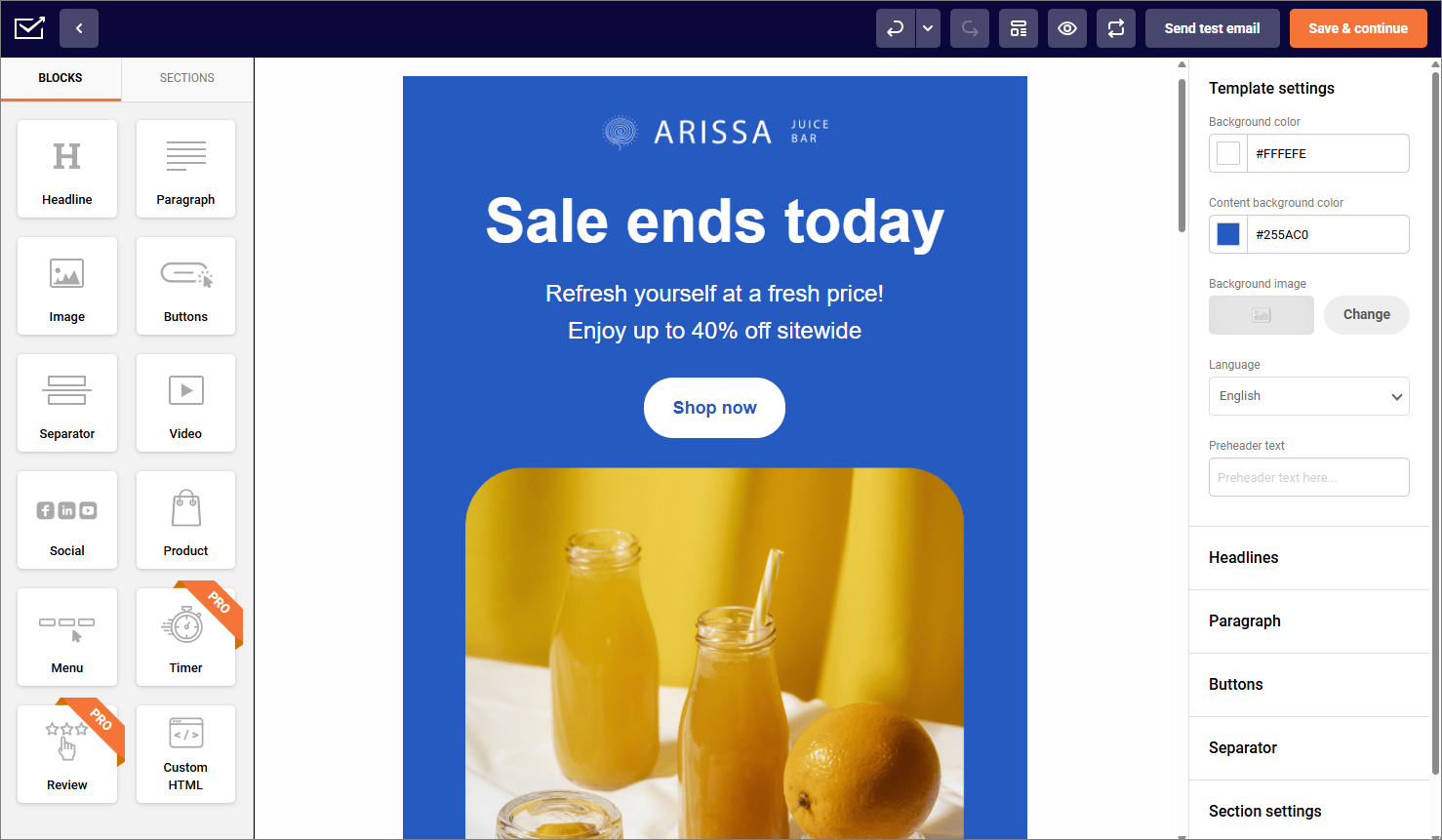
- Drag-and-drop email builder for marketing messages
- Automation workflows for triggered emails
- Delivery, open, click, and bounce tracking
- SPF, DKIM, and DMARC authentication support
Free Plan Limitations
- Send limits: Up to 15,000 emails/month;
- Throttling: Not publicly specified as a fixed per-hour cap;
- Domain restrictions: Sending domain authentication (SPF/DKIM) is required;
- Shared IP: Shared IP by default.
Pros & Cons
Pros
- Free tier includes up to 15,000 emails per month
- No published daily sending cap on the free plan
- Supports both transactional and marketing emails
- Domain authentication available on free tier
Cons
- Free plan uses shared IP infrastructure
- Sender branding included on free emails
- Limited CRM-style contact management
Pricing
Sender offers a free plan that includes up to 15,000 emails per month for 2,500 subscribers. Paid plans start at $7 per month and increase sending limits while removing branding.
SMTP2GO — Excellent Deliverability and Team Collaboration
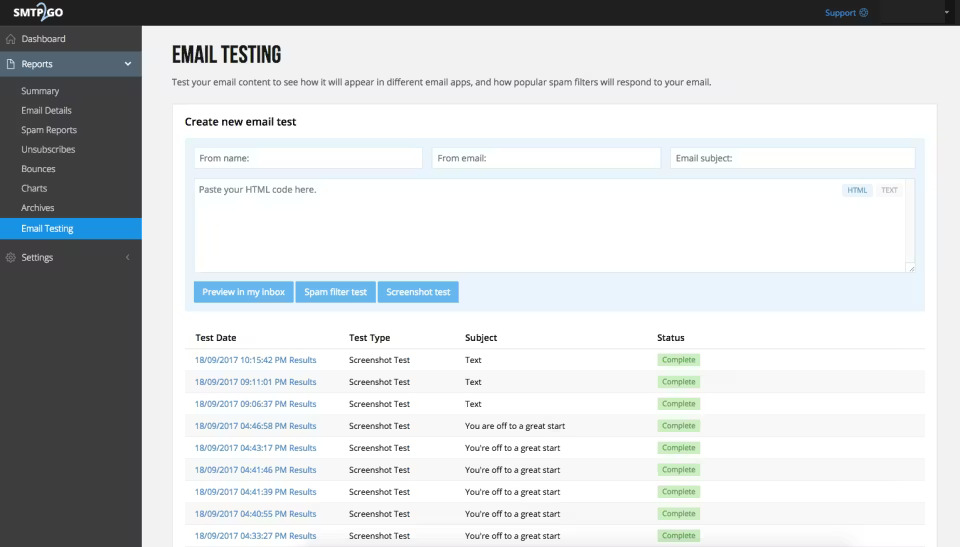
SMTP2GO focuses heavily on deliverability and team features. The platform offers detailed reporting that shows exactly where your emails end up—inbox, spam folder, or bounced. Their reputation monitoring alerts you to potential issues before they tank your sender score.

What sets SMTP2GO apart is the collaboration functionality. Multiple team members can access the dashboard with role-based permissions, making it ideal for agencies or businesses with dedicated email operations staff. The free tier is modest but sufficient for testing and low-volume transactional sends.
Key Features
- Real-time deliverability reporting;
- Team collaboration with user roles;
- Email archiving and searchable logs;
- Dedicated IP options on paid plans;
- 24/7 support even on free tier.
Free Plan Limitations
- Send limits: 1,000 emails/month, with a 200 daily email sending limit;
- Throttling: 25 emails/hour applies if you don’t verify a sender domain (hourly limit removed after verification);
- Domain restrictions: Up to 5 verified sender domains;
- Shared IP: Default shared sending.
Pros & Cons
- Strong deliverability for transactional email
- Easy SMTP setup + fast integration
- Clean analytics for sends/bounces
- Free plan works for low-volume apps
- Good for teams + multi-account use
- No email builder or template tools
- Free plan caps out fast
- Advanced features require paid tiers
- Not built for full marketing workflows
- Not beginner-friendly
Pricing
Paid plans begin at $15/month for 10,000 emails. Free plan available for up to 1,000 email sends per month.
Mailgun — Developer-Focused SMTP Relay
Mailgun is a developer email service that acts as a free SMTP relay or API for both transactional and bulk emails.

The platform focuses on application-based sending rather than marketing campaigns, offering granular control over email delivery, logging, and email authentication. It is commonly used for password resets, system notifications, and other automated messages where programmatic control and scalability matter more than visual design tools.
Key Features
- SMTP relay and RESTful email API;
- Webhooks for delivery, bounce, and complaint events;
- Detailed email logs and message tracking;
- SPF and DKIM authentication support;
- Suppression list management.
Free Plan Limitations
- Send Limits: 100 emails/day;
- Throttling: Daily cap is the primary limiter;
- Domain restrictions: 1 custom sending domain;
- Shared IP: Shared IP by default.
Pros & Cons
Pros
- Strong fit for developer-led teams and applications
- Flexible API alongside traditional SMTP
- Detailed logs for debugging and monitoring
- Scales well for transactional email workloads
Cons
- Limited tools for marketing or campaign emails
- Free tier has strict daily limits
- Interface is less approachable for non-technical users
- Shared IPs on the free plan
Pricing
Mailgun offers a limited free tier that allows up to 100 emails per day. Paid plans start at $15/month for 10,000 emails/month and scale based on email usage.
SendPulse — SMTP Service with Marketing Automation Tools
SendPulse offers an impressive 15,000 free emails monthly, matching Sender’s generous allowance. The platform bundles SMTP relay with chatbots, web push notifications, and SMS—useful if you’re building a multi-channel communication strategy.

The SMTP service itself is reliable, with solid deliverability across major providers. I appreciated the detailed statistics showing delivery rates by domain, which helped identify potential issues with specific email service providers. The interface leans busy, cramming lots of features into tight spaces.
Key Features
- SMTP relay with detailed domain statistics;
- Multi-channel messaging (email, SMS, push);
- Email verification tool included;
- Automation workflows;
- A/B testing on subject lines.
Free Plan Limitations
- Send limits: 400 emails/day;
- Throttling: 50 messages/hour;
- Domain restrictions: Up to 2 sender email addresses;
- Shared IP: shared IP is implied for typical low-tier sending.
Pros & Cons
- Generous free SMTP volume
- All-in-one package
- Easy builder for non-technical users
- Automations + multichannel flows
- Flexible pricing and PAYG options
- Deliverability not always top-tier
- Free plan scales out quickly
- UI can feel clunky at volume
- Templates and design tools limited
- Not exactly SMTP-focused
Pricing
Paid plans start at $8/month and remove restrictions. Free plan available, which includes 15,000 emails for up to 500 subscribers.
Mailtrap — Developers and Email Testing
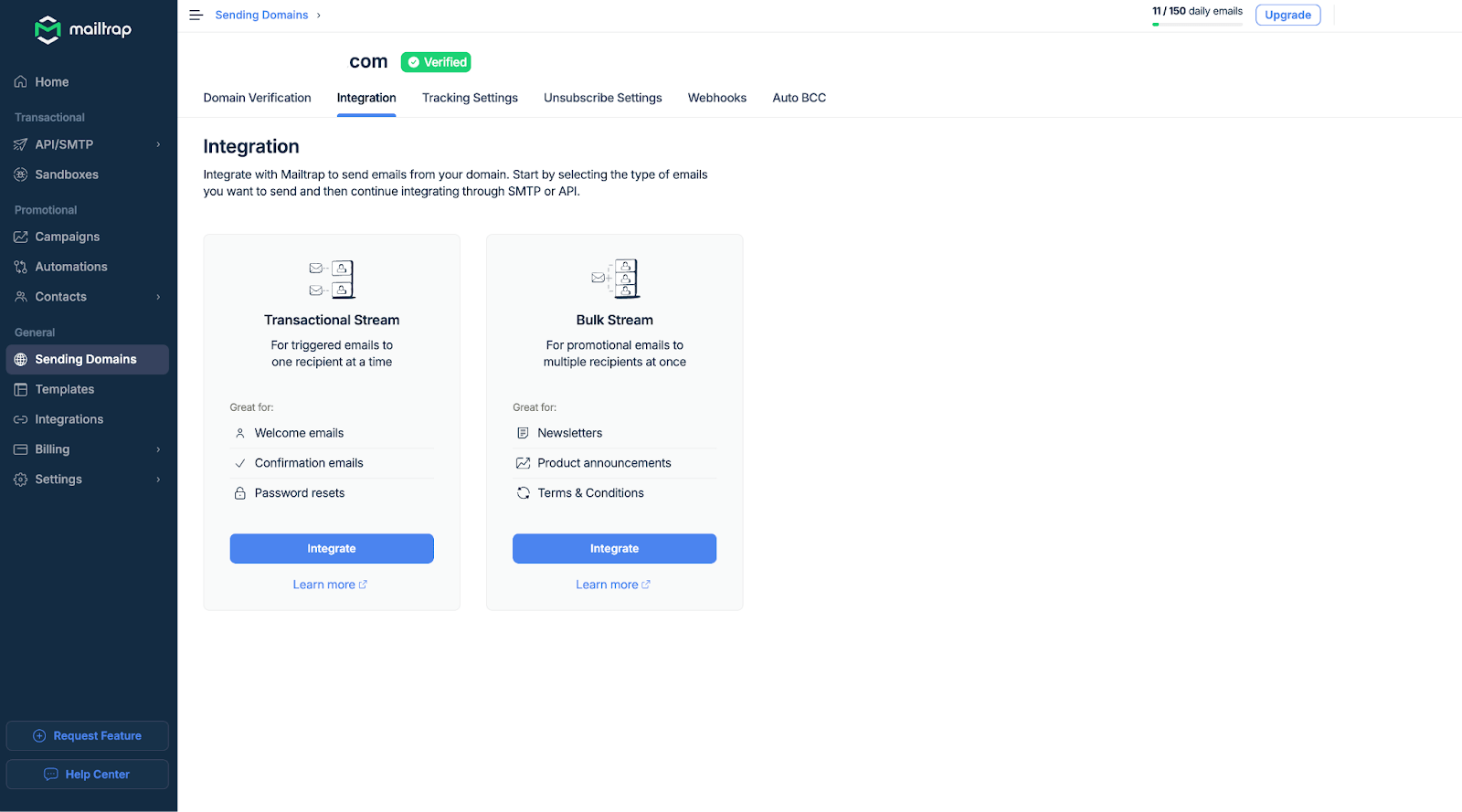
Mailtrap stands out by solving a specific problem: testing emails without spamming real inboxes. The platform captures outgoing emails in a sandbox environment, letting you inspect HTML rendering, spam scores, and headers before going live.

Beyond testing, Mailtrap offers production SMTP sending through their email API. One of its standout features, however, is the email testing infrastructure. This feature allows users to capture and inspect emails sent during development and testing phases without actually sending them to real inboxes. Put it simply, this feature is invaluable for debugging and fine-tuning email content before going live.
The free tier is limited but sufficient for small projects. The real value is the testing infrastructure—something most competitors lack entirely.
Key Features
- Email sandbox for safe testing;
- HTML/CSS rendering previews;
- Spam score analysis;
- Production SMTP and API sending;
- Team inboxes for collaboration.
Free Plan Limitations
- Send limits: 150 emails/day;
- Throttling: 150 emails/hour;
- Domain restrictions: 1 domain;
- Shared IP: Shared IP by default.
Pros & Cons
- Reliable SMTP server for transactional sending
- Built-in sandbox for safe testing
- Strong deliverability + auth setup
- Clear logs, analytics, debugging tools
- Great for developers during staging
- Limited free tier
- Not built for marketing email campaigns
- Sandbox doesn’t send to real inboxes
- Advanced features require upgrades
- Better for dev teams than non-technical users
Pricing
Paid plans start at $15/month for 10,000 emails. Free plan includes 4,000 emails monthly.
MailerSend — Flexible Daily Sending for Low-Volume Use
MailerSend, built by MailerLite, is a transactional email service designed to help teams of a smaller size send and manage application-generated emails without complicated setup.

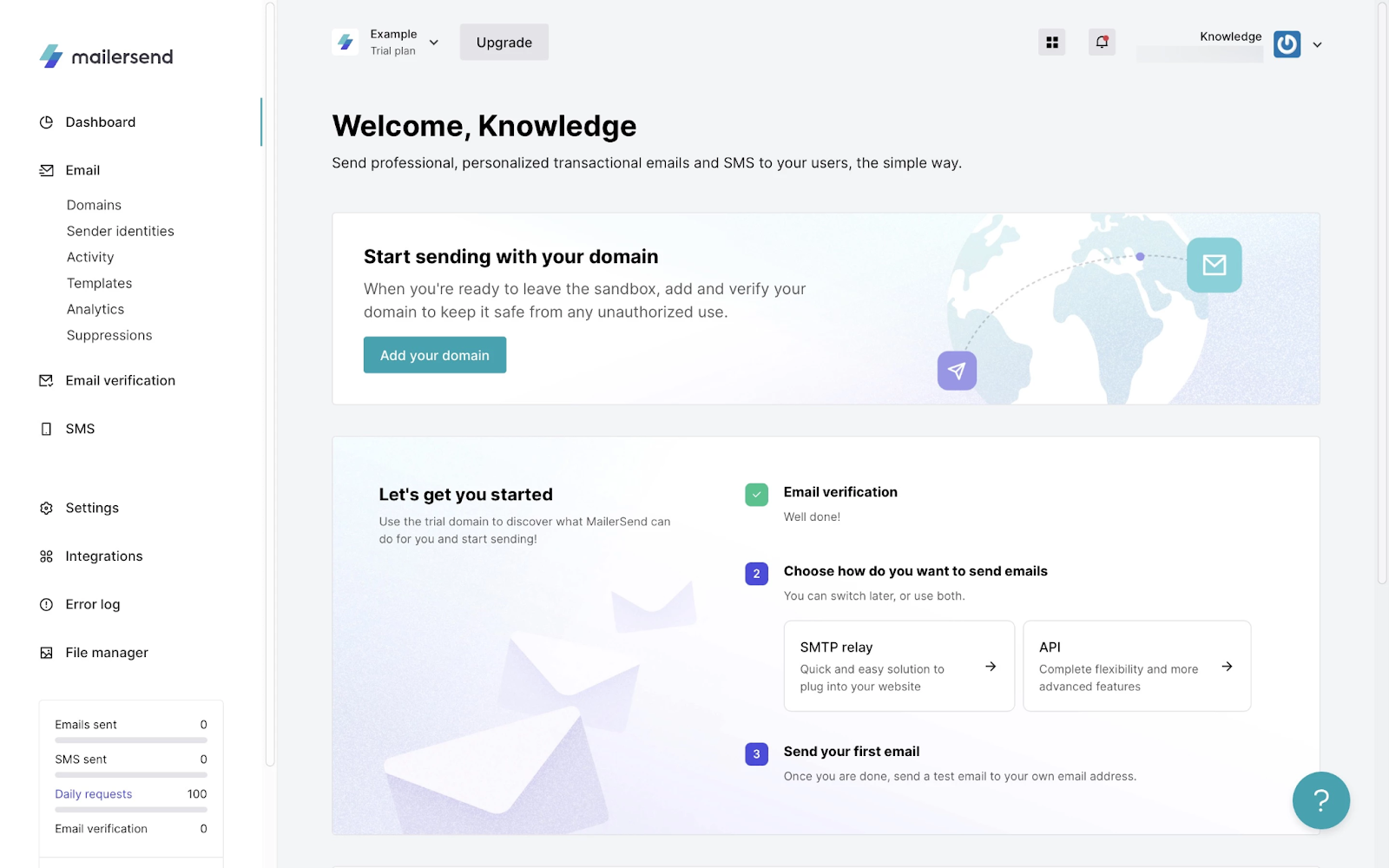
MailerSend offers a smooth integration process through its well-documented API and SMTP relay, making setup easy for developers. Its analytics are thorough yet accessible, providing key insights without overwhelming users.
Meanwhile, the email template builder excels at creating transactional email designs, offering flexibility and customization options to ensure emails are on-brand and effective.
Overall, MailerSend balances ease of use with robust functionality, making it ideal for both technical and non-technical users alike.
Key Features
- SMTP relay and REST API;
- No daily sending limits;
- Drag-and-drop template builder;
- Inbound email routing;
- SMS messaging available.
Free Plan Limitations
- Send limits: 500 emails/month with a 100 emails/day cap;
- Throttling: N/A;
- Domain restrictions: Requires domain verification to send from your domain;
- Shared IP: shared IP by default.
Pros & Cons
- Strong transactional deliverability
- Easy SMTP/API integration
- Clean UI + templates included
- Good for non-technical users
- Scales smoothly as volume grows
- Limited free plan
- Not built for marketing flows
- Pricing rises with usage
- Approval/setup can take steps
- Better for pure transactional sending
Pricing
Paid plans start at $6/month. Free forever plan includes 500 emails monthly.
Postmark — Premium Transactional Email Delivery
Postmark positions itself as a premium option focused exclusively on getting transactional email delivered. They refuse to send marketing messages, which keeps their IP reputation pristine. The result is reliable deliverability—emails consistently land in primary inboxes rather than promotions tabs.

The free tier is minimal at 100 emails monthly, but it’s enough to test their infrastructure. If transactional email deliverability is a priority and the budget allows, Postmark becomes a solid choice. It provides globally distributed SMTP endpoints, ensuring low-latency sending and fast delivery.
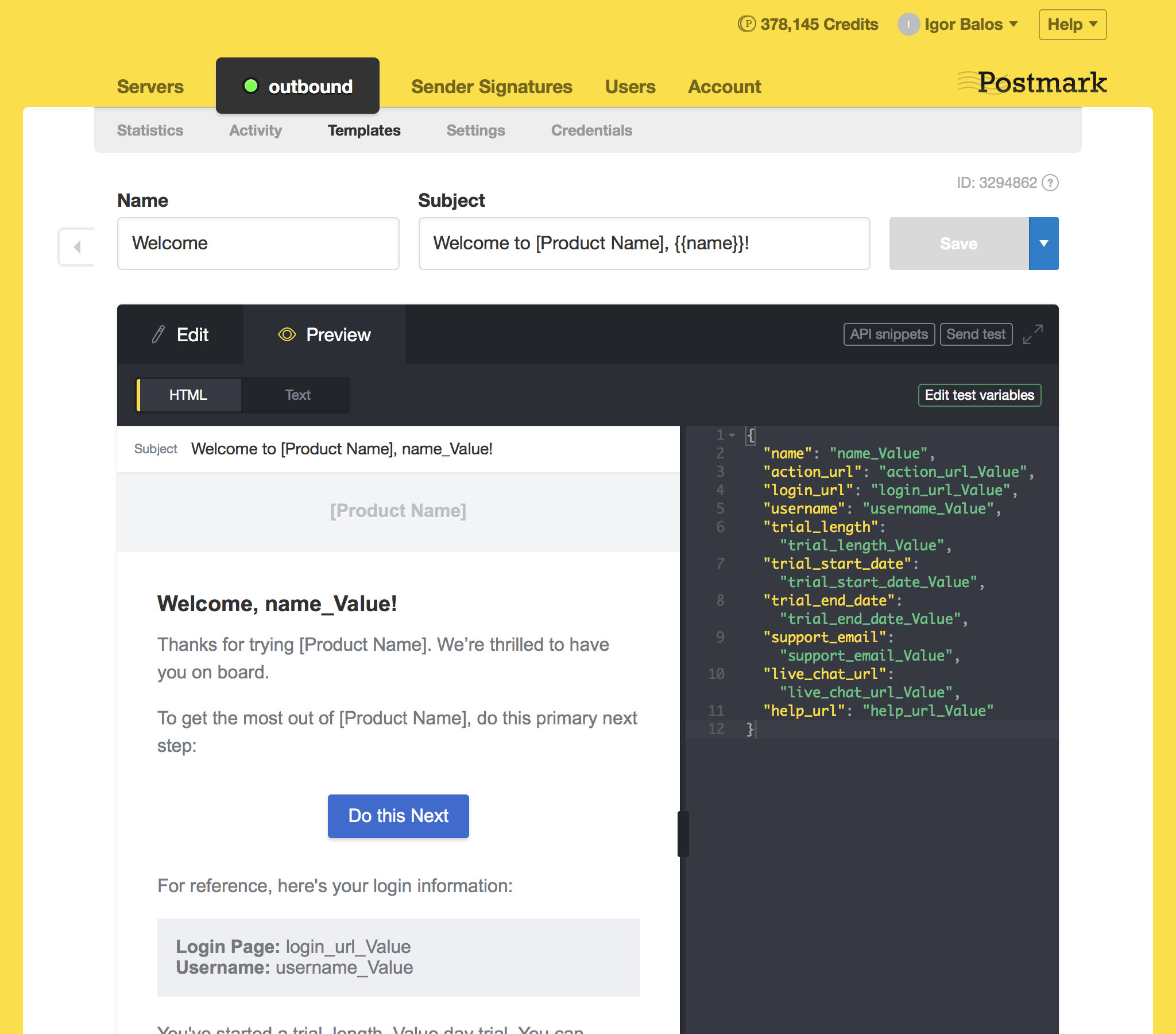
Postmark also supports custom metadata and tagging in SMTP headers, helping you track and categorize emails efficiently.
Key Features
- Transactional-only focus;
- Industry-leading deliverability rates;
- Message streams for organization;
- Detailed delivery analytics;
- 45-day searchable message retention.
Free Plan Limitations
- Send limits: 100 emails/month;
- Throttling: N/A;
- Domain restrictions: Typically requires verified sender signatures/domains;
- Shared IP: shared IP by default.
Pros & Cons
- Reliable transactional delivery
- SMTP/API setup is dev-friendly
- Speedy inbox placement for critical mail
- Transparent volume-based pricing
- Great for password resets, receipts, alerts
- No marketing or automation features
- Basic template personalization
- Limited free tier
- Costs stack up at high volume
- US-only data hosting may be a blocker
Pricing
Paid plans start at $15/month for 10,000 emails. Free developer plan includes 100 emails monthly.
Brevo — All-in-One Marketing Suite with CRM
Brevo (formerly Sendinblue) bundles SMTP relay with a full marketing suite including CRM, landing pages, and chat. The 300 daily email limit translates to roughly 9,000 monthly—competitive for a platform offering this much functionality.

The SMTP service works reliably, though setup requires navigating a feature-heavy dashboard. For businesses wanting transactional email service alongside marketing tools without managing multiple platforms, Brevo consolidates everything.
For instance, this email marketing platform supports webhooks for tracking events like email deliveries, opens, and bounces, which is useful for monitoring email performance in real-time. Meanwhile, with geographically distributed SMTP relays, Brevo optimizes email delivery by connecting users to the best-performing server based on their location.
Key Features
- SMTP relay and marketing automation;
- Built-in CRM system;
- Transactional and marketing in one platform;
- Landing page builder;
- Chat and SMS channels.
Free Plan Limitations
- Send limits: 300 emails/day;
- Throttling: N/A;
- Domain restrictions: Sending requires proper sender/domain setup for deliverability;
- Shared IP: Shared IP by default.
Pros & Cons
- Includes free SMTP relay server + email sending
- All-in-one: email, marketing, CRM, automation
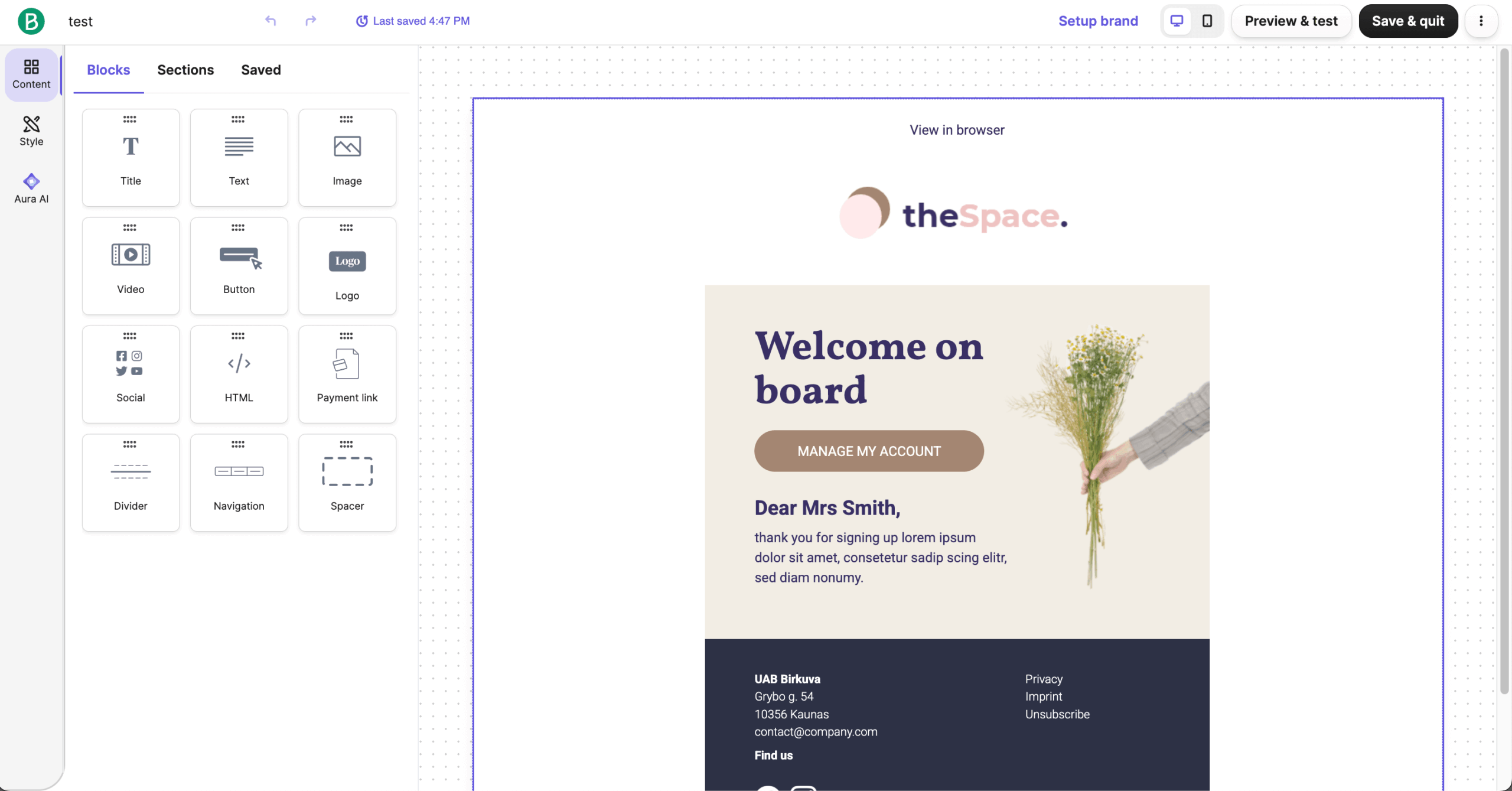
- Easy to use with drag-and-drop editor
- Great for combining transactional SMTP and marketing in one tool
- Flexible pricing
- Limited daily sending cap
- More bloated than lean SMTP-only relays
- Templates & features may feel basic
- Inconsistent deliverability
- Can be overwhelming if you only need SMTP
Pricing
Paid plans start at $10/month for 5,000 monthly emails and remove daily limits. Free plan allows 300 emails daily with unlimited contacts.
Gmail — Limited Testing & Learning Use Only
Probably the most established SMTP server on the market, Gmail isn’t designed for bulk email sending, but it works for learning the ins and outs of SMTP protocol. The 500 daily limit (2,000 for Workspace accounts) handles low-volume use cases without additional service signups.

One thing I enjoyed about Gmail’s SMTP is its simplicity for small-scale projects. Plus, you don’t need to toggle the “Less Secure Apps” feature on when setting up, as Google finally phased this out by May 2025. SMTP access now relies on modern authentication methods such as OAuth or app-specific passwords tied to accounts with 2-Step Verification enabled.
While this free SMTP server is fine for prototyping and getting the hang of how SMTPs work, a proper SMTP service is essential for reliability, scalability, and enhanced deliverability.

Key Features
- No additional signup required;
- Works with existing Google account;
- TLS encryption standard;
- Familiar interface for monitoring;
- Integrates with Google Workspace.
Free Plan Limitations
- Send limits: 500/day;
- Throttling: Google enforces anti-abuse sending limits that can temporarily restrict sending when limits are hit;
- Domain restrictions: Tied to your Gmail/Workspace identity;
- Shared IP: Shared sending infrastructure.
Pros & Cons
- Free to use for basic sending
- Easy and familiar setup
- Good enough for small-scale tests, simple apps, or personal projects
- No need to manage servers or SMTP infrastructure
- Works instantly
- Strict sending limits
- Gmail may flag or block mass sends easily
- No built-in support for transactional emails
- Using custom domain requires paid Google Workspace
- Not ideal for business-grade email sending
Pricing
Google Workspace plans start at $6/month and increase the daily limit to 2,000. Gmail SMTP is free with any Google account, but has a limitation of 500 emails per day.
Amazon SES — AWS Users and Cost-Effective Sending
Amazon’s Simple Email Service (SES) offers the lowest per-email costs in the industry—$0.10 per 1,000 emails after the free tier. If you’re already using AWS, SES integrates seamlessly with your existing infrastructure as it is a highly-scalable outbound email server. If not—well, things get a bit trickier to get emails moving.

One thing that will put off many non-AWS users is the setup. Unlike dedicated email service providers that offer intuitive, user-friendly dashboards, Amazon’s SMTP service provider requires a more technical setup through the AWS Management Console, which can be daunting for users not fluent in HTML.
The platform lacks the polished, streamlined interfaces that make other providers like Sender or Brevo easier to navigate. But for developers who have experience with AWS—the savings are substantial.

Key Features
- Lowest per-email pricing available;
- AWS infrastructure integration;
- Dedicated IP address available;
- SMTP configuration sets for tracking;
- Receiving email capability.
Free Plan Limitations
- Send limits: 200 emails/day;
- Throttling: 1 email/second;
- Domain restrictions: Requires sending only to verified identities;
- Shared IP: Shared IP by default.
Pros & Cons
- Very cheap at scale
- Massive sending capacity
- Solid deliverability + auth tools
- SMTP + API flexibility
- Great if you’re already on AWS
- Steep setup for non-tech users
- No templates, builder, or campaigns
- Requires quota approvals to scale
- UI feels very AWS-developer-only
- Pure SMTP
Pricing
Prices start at $0.10 per 1,000 emails. Free tier includes 3,000 emails monthly when sending from EC2 (i.e., Amazon’s Cloud Infrastructure).
How We Evaluate Free SMTP Servers
We evaluate free SMTP servers by closely examining how usable their free tiers are in real-world scenarios. This includes reviewing monthly and daily send limits, throttling behavior, domain and identity restrictions, and how providers handle overages or blocked sends.
Deliverability factors are a core focus, with attention paid to support for SPF, DKIM, and DMARC, as well as whether free plans rely on shared IPs and how reputation is managed.
Setup complexity is tested by configuring SMTP credentials, completing DNS authentication, and evaluating documentation quality. Finally, each tool is categorized by use-case fit—whether it is better suited for transactional email delivery, application testing, or sandbox environments—so readers can quickly identify the right option for their needs.
Conclusion: Top Picks for Free SMTP Servers
Choosing the right free SMTP service depends on your specific needs:
Best Overall SMTP Provider—Sender
Sender earns the top spot by combining a generous 15,000 monthly email allowance with an intuitive interface that doesn’t require a technical background. The platform balances transactional reliability with marketing features, making it versatile enough for most small business needs. Setup takes minutes, deliverability is solid, and the upgrade path won’t break your budget.
Best for High Volume Senders—SendPulse
SendPulse matches Sender’s 15,000 free emails while bundling multi-channel tools like SMS and push notifications. If you’re sending at scale and want room to grow across channels, SendPulse delivers volume without sacrificing features. The learning curve is steeper, but the capacity justifies the effort.
Best for Deliverability—SMTP2GO
SMTP2GO obsesses over inbox placement, offering detailed reporting that shows exactly where your emails land. Their reputation monitoring catches issues before they damage your sender score. The 1,000 monthly free emails are limited, but when deliverability matters more than volume, SMTP2GO is worth the trade-off.
Best for Developers—Mailtrap
Mailtrap’s email sandbox is something no developer should work without. Testing emails safely before production, inspecting spam scores, and debugging delivery issues—all without accidentally emailing real users. The production SMTP works well too, but the testing infrastructure alone makes Mailtrap essential for development workflows.
FAQs
What are free SMTP servers used for?
Free SMTP servers are commonly used to send transactional emails such as account verification messages, password resets, system alerts, and small-volume notifications. They are also used for testing applications before moving to paid infrastructure.
What limitations should you expect on free SMTP tiers?
Free tiers usually include daily or monthly sending caps, shared sending infrastructure, limited retention of logs, and minimal analytics. Some providers also restrict commercial use or require branding in email headers.
These limits are intentional to prevent abuse and encourage upgrades once usage grows, so free plans are best viewed as entry-level or testing solutions rather than full replacements for paid email infrastructure.
Are free SMTP servers suitable for production use?
Yes, free SMTP servers can be used in production for low-volume or early-stage projects, but they come with constraints. Typical limitations include capped sending volumes, shared IP addresses, restricted analytics, and limited support.
For applications where email delivery is business-critical, these constraints can affect reliability and scalability, which is why many teams eventually upgrade to paid plans or dedicated infrastructure.
How do free SMTP servers differ from email marketing platforms?
SMTP servers focus on sending emails programmatically through applications, usually via SMTP or API, and are primarily designed for transactional use. Email marketing platforms add campaign builders, contact management, automation, and compliance tools.
Some providers bridge both use cases, such as Sender, Brevo, and SendPulse, while others like Mailgun, Postmark, and Amazon SES focus mainly on transactional delivery.
Do free SMTP servers support domain authentication?
Yes, most reputable free SMTP servers support basic domain authentication methods such as SPF and DKIM. These settings help receiving servers verify message legitimacy and reduce spam filtering. However, advanced options like dedicated IPs, custom DMARC reporting, or detailed reputation controls are often restricted to paid tiers, which can impact long-term deliverability as sending volume increases.