


Most teams don’t outgrow Amazon SES because of cost — they outgrow it because of the engineering overhead required to manage deliverability, logging, and email workflows without built-in tooling.
This page covers eight Amazon SES alternatives — the leading Amazon SES competitors — that offer more accessible setup, native deliverability controls, and broader sending capabilities out of the box.
Each platform is evaluated across infrastructure features, ease of migration, pricing structure, and sending scope to help teams find the right fit based on volume, technical resources, and whether they need transactional, marketing, or hybrid email support.
Capterra, G2, Trustpilot, and Reddit to create an objective evaluation. Learn more about our review methodology
How We Evaluated Amazon SES Alternatives
Not every email service competes with SES on the same terms — some prioritize developer control, others simplify sending for non-technical teams. To make fair, useful comparisons focused on what actually impacts email deliverability and day-to-day operations, we assessed each alternative across five core areas:
- Deliverability & infrastructure controls. We looked at what each platform gives you to protect and improve inbox placement — dedicated and shared IP options, built-in suppression list handling, and how bounce and complaint processing works out of the box. SES leaves most of this to you, so we weighted platforms that handle more of it natively.
- Logging & visibility. When an email doesn’t arrive, you need to find out why — fast. We evaluated the depth of message-level event tracking, how accessible activity logs are, and whether the platform gives you practical troubleshooting tools without forcing you to build your own monitoring layer.
- Ease of setup & migration. Getting off SES shouldn’t require another DevOps sprint. We assessed how straightforward each platform’s authentication setup is (SPF, DKIM, DMARC), how smooth the onboarding experience feels, and whether the documentation actually helps you ship — not just explains concepts.
- Sending scope. Some teams only need transactional email (password resets, receipts, alerts). Others want one platform that also handles marketing or lifecycle messaging. We noted whether each tool is transactional-only or offers hybrid sending, so you can match the platform to your actual use case.
- Pricing model structure. Email pricing isn’t one-size-fits-all. We broke down whether each platform charges by volume, by contacts, or on a pay-as-you-go basis — and flagged where the sticker price doesn’t tell the whole story.
Where Amazon SES Falls Short for Growing Teams
Amazon Simple Email Service (SES) is AWS’s cloud-based email sending service, designed for developers to send transactional, marketing, and bulk emails at scale through a pay-as-you-go API. It’s reliable, low-cost infrastructure — but infrastructure is all you get. For teams that need more than raw sending power, finding the right SES replacement means looking beyond price alone.
- Infrastructure-first, not workflow-first. SES gives you a sending engine with no visual builder, no pre-built templates, and no automation flows. Anything beyond “send this payload to this address” means building it yourself or stitching together additional AWS services.
- Developer-dependent setup. Domain verification, sending policy configuration, production access requests, bounce handling through SNS topics — every step assumes someone on your team is comfortable inside the AWS console. That’s fine at launch, but it becomes a bottleneck when non-engineering teams need to move fast.
- Limited usability for non-technical teams. There’s no dashboard built for non-engineers. If a campaign manager wants to check delivery rates or a support lead needs to verify a customer received an email, they’re either waiting on a developer or navigating CloudWatch metrics that weren’t designed for them.
- Operational visibility requires extra effort. SES surfaces events like bounces, complaints, and opens — but accessing them means configuring SNS, Kinesis Firehose, or CloudWatch yourself. There’s no native message-level search or built-in activity log. Troubleshooting a single failed email can mean digging through event streams you had to set up from scratch.
Amazon SES Pricing — The True Cost (Add-ons + Overhead)
On paper, SES is one of the cheapest sending options available — $0.10 per 1,000 emails with no upfront commitment. But the sticker price doesn’t account for what it actually costs to run SES as your email infrastructure.
- Base pricing reality. You pay $0.10/1,000 emails, plus charges for dedicated IPs ($24.95/mo each), attachments, and additional data transfer.
- Operational overhead. Someone on your team has to build and maintain bounce handling, suppression management, and event logging through separate AWS services. That’s ongoing engineering time that doesn’t show up on your invoice.
- Deliverability responsibility. IP warm-up, reputation monitoring, and complaint feedback loops are entirely on you. Without dedicated attention, deliverability can quietly degrade — and recovering a damaged sender reputation is expensive in both time and lost email.
- Feature gaps = hidden cost. No built-in templates, no visual editor, no automation. Teams that need these capabilities end up paying for third-party tools on top of SES, or burning dev cycles building their own.
- When SES stops being cheap. Once you factor in engineering hours and bolt-on tooling, many alternatives cost less in practice. Here’s how they compare.
Amazon SES Alternatives — A Quick Comparison Table
Before jumping in each platforms’ details, let’s compare them side by side:
| Provider | Best For | Sending Type | Deliverability & Ops Controls | Entry Pricing Model |
| Sender | Budget-friendly hybrid sending | Transactional + Marketing | Shared/dedicated IPs, bounce processing, activity logs | Free tier (2,500 subscribers / 15,000 emails/mo) |
| Postmark | High-deliverability transactional email | Transactional + Broadcast | Separated message streams, automatic suppression, public delivery metrics | Volume-based, all features included at every tier |
| Mailgun | Developer-controlled infrastructure | Transactional + Bulk | Shared/dedicated IPs, automated warm-up, inbox placement testing (add-on) | Flexible pay-as-you-go + volume-based plans |
| SendGrid | Hybrid marketing and transactional at scale | Transactional + Marketing | Shared/dedicated IPs, suppression management, email validation API | Free tier (100 emails/day), separate API and Marketing pricing |
| MailerSend | Simple transactional for small teams | Transactional + SMS | Shared/dedicated IPs, email verification, real-time activity logs | Free tier (3,000 emails/mo) + pay-as-you-go |
| Brevo | SMB marketing automation + transactional | Transactional + Marketing + SMS/WhatsApp | Shared/dedicated IPs, bounce handling, transactional logs | Free tier (300 emails/day), volume-based paid plans |
| Customer.io | Event-triggered SaaS lifecycle messaging | Transactional + Lifecycle (email, push, SMS, in-app) | Shared/dedicated infrastructure, event inspector, per-message logs | Contact-based, no free tier |
| Elastic Email | Cost-sensitive high-volume sending | Transactional + Marketing | Shared/dedicated IPs, email verification, delivery reporting | Pay-as-you-go + volume-based subscriptions |
Quick Picks: Find the Perfect Amazon SES Alternatives Fast
Use this list to match your primary sending need to the platform built for it.
- Best free plan for getting started: Sender (free tier includes up to 2,500 subscribers and 15,000 emails/month with both transactional and marketing sending.)
- Best for ecommerce automation: Brevo (visual automation workflows, SMS and WhatsApp support, and volume-based pricing that favors large contact lists.)
- Best for startups and SMBs: MailerSend (simple onboarding, free tier for early-stage testing, and a clean dashboard accessible to non-technical teams.)
- Best budget option for high volume: Elastic Email (lowest per-message costs with pay-as-you-go pricing and no feature-gated tiers.)
- Best for SaaS lifecycle messaging: Customer.io (event-driven automation with multi-channel workflows triggered by real-time user behavior.)
- Best for transactional-only reliability: Postmark (dedicated transactional infrastructure with separated message streams and publicly reported delivery speeds.)
Disclosure: This article evaluates a list of tools, including Sender, which our company owns. Digital marketing comparisons and assessments are based on research, industry standards, and user feedback. No commissions are earned from links in this article.
8 Best Amazon SES Alternatives Reviewed
Let’s look at some of the top transactional and email marketing platforms you can use as alternatives to Amazon SES:
Sender — Best for Budget-Friendly Transactional Email
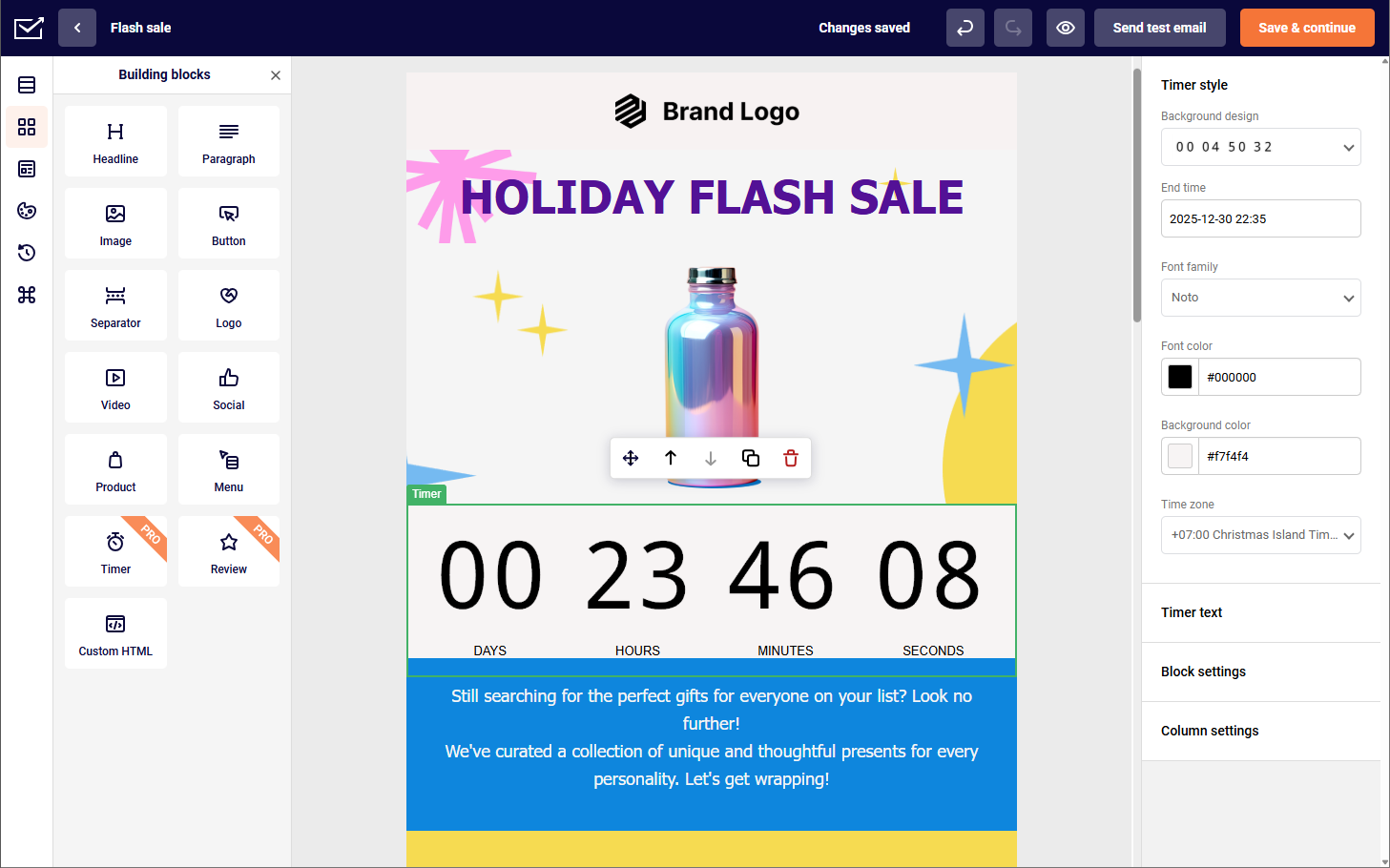
Sender is an email relay service that combines transactional and marketing email sending under one roof, with a strong emphasis on affordability. It offers an SMTP relay and REST API for transactional messages alongside a drag-and-drop editor and automation workflows for marketing campaigns.

The platform is designed for small to mid-sized teams that need reliable email delivery without a steep learning curve or enterprise-level pricing. Setup covers standard authentication (SPF, DKIM, DMARC), and the dashboard provides delivery reporting, bounce tracking, and suppression management without requiring external integrations.
Sender supports both shared and dedicated IP sending, and includes built-in tools for list management, segmentation, and basic automation. It positions itself as a practical middle ground between raw infrastructure services like SES and full-scale marketing platforms — handling both email types at a lower price point than most hybrid competitors.
Key Features
- SMTP relay and REST API. Supports transactional email integration through both SMTP and a RESTful API, with straightforward setup for common frameworks and languages.
- Drag-and-drop email editor. Includes a visual builder for creating marketing emails and newsletters without writing HTML, with a library of pre-designed templates.
- Marketing automation workflows. Offers trigger-based automation sequences for welcome series, abandoned cart recovery, and re-engagement campaigns.
- Real-time activity logs. Provides delivery, open, click, bounce, and complaint event tracking at the message level, accessible directly from the dashboard.
- List management and segmentation. Built-in tools for organizing contacts into segments based on behavior, engagement, or custom properties, available across all plans.
Deliverability & Infrastructure Tools
Sender includes built-in deliverability controls that handle core infrastructure tasks without requiring external configuration:
- Shared and dedicated IP options to match sending volume and reputation management needs
- Automatic bounce and complaint processing to suppress invalid and complaining addresses from future sends
- SPF, DKIM, and DMARC authentication with guided setup during onboarding
- Real-time delivery event logs for tracking message status, opens, clicks, and failures at the individual message level
These tools give small and mid-sized teams deliverability visibility and list hygiene management without building custom handling logic.
Pros & Cons
Pros:
- Combines transactional and marketing email in one platform at a lower price point than most hybrid competitors
- Visual editor and automation workflows accessible to non-technical team members without developer involvement
- Generous free tier with core features included, making it practical for small teams and early-stage products
Cons:
- Dedicated IP availability is limited to higher-volume plans, restricting reputation control for smaller senders
- Sender branding on free plan
Pricing Model
Sender uses a contact-based pricing model with tiered plans based on the number of subscribers and monthly email sends. Transactional and marketing emails are included under the same plan with no separate pricing for each type. A free tier supports up to 2,500 subscribers and 15,000 emails per month, making it accessible for small teams testing the platform.
Dedicated IPs are available on higher-tier plans. The pricing structure fits budget-conscious small to mid-sized teams that want hybrid sending without paying for separate transactional and marketing tools.
See why businesses choose Sender:
Postmark — High-Deliverability Transactional Email
Postmark is a dedicated transaction email service built specifically for time-sensitive messages like password resets, receipts, and system alerts. It separates transactional and marketing sending into distinct message streams, which helps protect transactional deliverability from marketing reputation risks.

The platform emphasizes speed and inbox placement, publishing its delivery metrics publicly. Setup includes API and SMTP integration with standard authentication support (SPF, DKIM, DMARC), and the dashboard provides email logs with message-level event tracking, bounce handling, and delivery diagnostics out of the box.
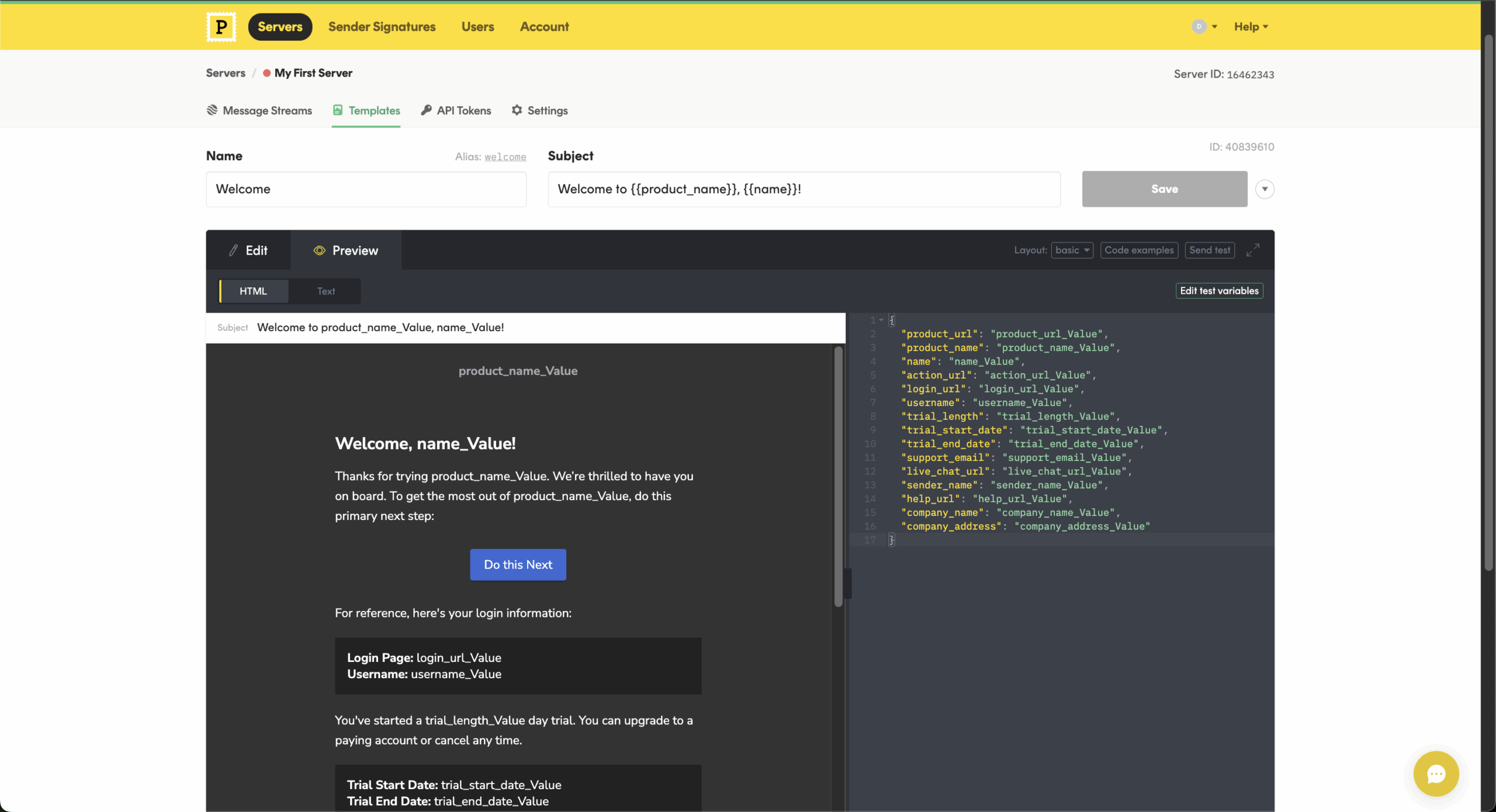
Postmark offers pre-built email templates, webhook notifications for real-time event data, and a dedicated inbound email processing feature. It does not include marketing automation, list management, or campaign tools — it is purpose-built for transactional sending only. Teams that need marketing capabilities alongside transactional email will need a separate platform.
Key Features
- Transactional-focused API and SMTP. Purpose-built for transactional messages with API libraries in multiple languages and a standard SMTP relay option for quick integration.
- Message streams. Separates transactional and broadcast sending into distinct streams, isolating sender reputation and deliverability for each message type.
- Pre-built email templates. Offers a library of responsive, tested transactional email templates (receipts, password resets, welcome emails) ready to customize and deploy.
- Message-level event tracking. Logs delivery status, opens, clicks, bounces, and spam complaints per message, with search and filtering available in the dashboard.
- Inbound email processing. Parses incoming emails and forwards structured data to your application via webhooks, enabling reply handling and support workflows.
Deliverability & Infrastructure Tools
Postmark includes several built-in controls designed to reduce manual deliverability work compared to SES:
- Message Streams separation to isolate transactional and broadcast traffic
- Detailed message events and activity logs for delivery, opens, bounces, and failures
- Automatic suppression handling to prevent sending to bounced or complained addresses
- Inbound processing support for replies and webhook-triggered workflows
- Publicly reported delivery metrics with average delivery times published transparently
These tools help teams monitor sending health, troubleshoot delivery issues faster, and maintain sender reputation without building custom infrastructure.
Pros & Cons
Pros:
- Transactional delivery speed and inbox placement rates are consistently high, with metrics published publicly
- Message Streams cleanly separate transactional and broadcast sending, protecting transactional reputation by default
- Onboarding and documentation are clear and well-structured, with fast time-to-first-send for most integrations
Cons:
- No marketing automation, campaign tools, or contact management — teams needing both must use a separate platform
- Pricing can scale up quickly at higher volumes compared to infrastructure-only services like SES or Elastic Email
- Limited to email only — no SMS, push, or multi-channel messaging support
Pricing Model
Postmark uses volume-based pricing charged per batch of emails sent, with no separate tiers or feature gating — all features are available at every volume level. Transactional and broadcast messages are priced at the same rate but sent through separate Message Streams.
There are no add-on charges for deliverability tools, API access, or support — pricing is straightforward and predictable. However, per-message costs are higher than infrastructure-only services like SES or Elastic Email, particularly at large volumes. The model fits teams that prioritize delivery performance and simplicity over lowest possible per-email cost.
Mailgun — Developer-Controlled Email Infrastructure
Mailgun is an email API provider designed for developers who want granular control over their sending infrastructure. It supports transactional and bulk email through a RESTful API and SMTP relay, with flexible routing, message queuing, and send-time optimization.

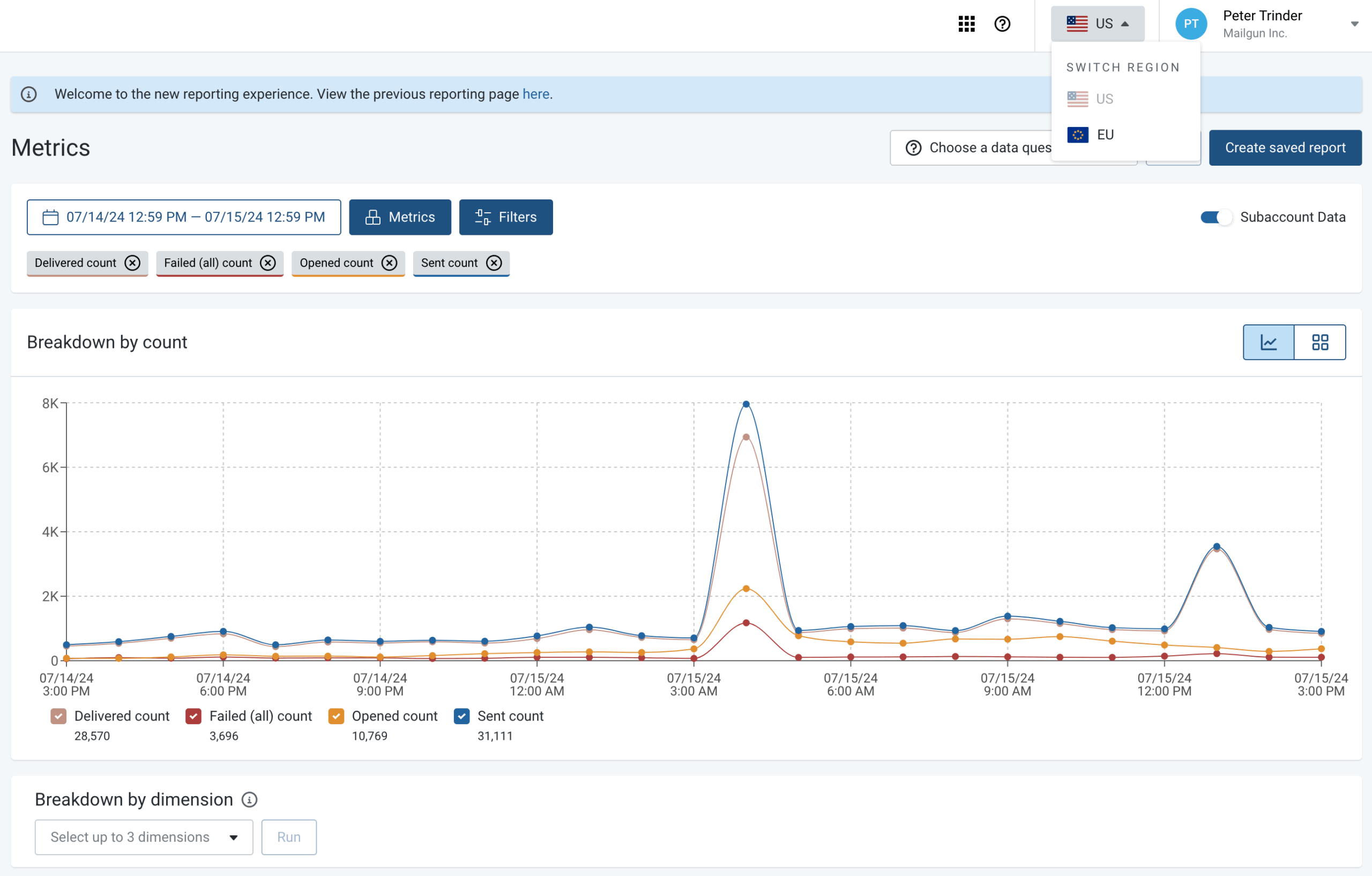
The platform provides email validation, inbound message parsing, and detailed event logs with up to 30 days of retention. Authentication setup covers SPF, DKIM, and DMARC, and the dashboard offers per-message tracking, suppression management, and real-time analytics.
Mailgun supports both shared and dedicated IPs, with automated IP warm-up available on higher-tier plans. It also offers inbox placement testing and seed list tools through its Mailgun Optimize add-on. The platform is primarily API-driven — it does not include a visual email builder or marketing automation workflows, making it best suited for teams with development resources.
Key Features
- RESTful API and SMTP relay. Full-featured API with SDKs for major languages, supporting transactional and bulk sending with flexible message queuing and routing.
- Email validation. Real-time and bulk email address verification to reduce bounces and protect sender reputation before messages are sent.
- Detailed event logs. Stores message-level events (delivered, opened, clicked, bounced, complained) with up to 30 days of searchable log retention.
- Inbound message parsing. Receives and parses incoming emails, forwarding structured content to your application via webhooks for automated processing.
- Send-time optimization. Uses engagement data to automatically schedule message delivery at times most likely to generate opens and clicks.
Deliverability & Infrastructure Tools
Mailgun provides infrastructure-level deliverability controls built for developer teams managing sending at scale:
- Shared and dedicated IPs with automated IP warm-up available on higher-tier plans
- Bounce and complaint handling with automatic suppression of hard bounces, unsubscribes, and spam complaints
- Inbox placement testing through Mailgun Optimize, including seed list monitoring and deliverability scoring
- Email validation API to verify addresses before sending and reduce bounce rates
- Searchable event logs with up to 30 days of message-level retention for delivery troubleshooting
These tools give development teams granular control over sender reputation and delivery performance without relying on third-party monitoring.
Pros & Cons
Pros:
- Granular API control and flexible message routing give development teams fine-tuned infrastructure management
- Email validation, inbox placement testing, and detailed event logs provide strong deliverability visibility
- 30-day searchable log retention makes message-level troubleshooting straightforward without external tooling
Cons:
- No visual email builder or marketing automation — non-technical teams cannot operate independently
- Inbox placement testing and advanced deliverability tools require the Mailgun Optimize add-on at additional cost
- Onboarding assumes developer experience, with limited guidance for teams unfamiliar with API-first email setup
Pricing Model
Mailgun uses a volume-based pricing model with monthly plans tiered by the number of emails sent. All plans include API and SMTP access, but features like message log retention, dedicated IPs, and inbox placement testing through Mailgun Optimize are limited to higher-tier plans or available as paid add-ons.
Transactional and marketing emails are not priced separately — all sending counts against the same monthly quota. A flexible plan is available for low-volume or variable senders with pay-as-you-go rates.
The pricing structure fits developer teams that need scalable infrastructure and are willing to pay more for advanced deliverability tooling.
SendGrid — Hybrid Marketing and Transactional Sending
SendGrid is a cloud-based email platform owned by Twilio that handles both transactional and marketing email at scale. It provides an API, SMTP relay, and a web-based interface with a drag-and-drop email editor, automation workflows, and contact management tools.

The platform supports authentication via SPF, DKIM, and DMARC, and offers both shared and dedicated IP options. Its activity feed provides message-level event tracking, and built-in suppression handling manages bounces, unsubscribes, and spam complaints automatically.
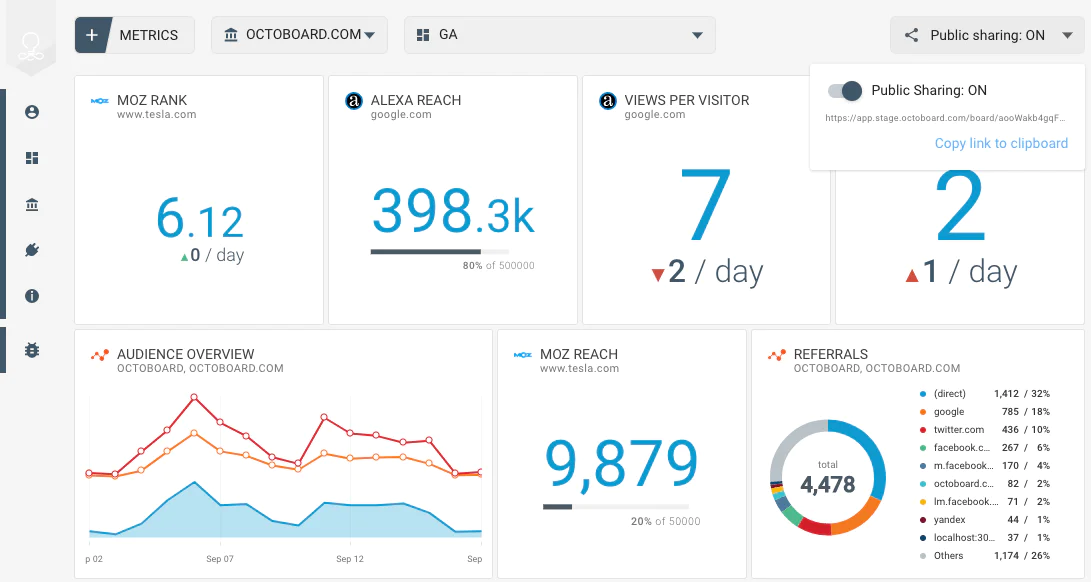
SendGrid includes email validation, A/B testing, dynamic templates, and signup form builders. It separates transactional and marketing sending to limit cross-stream reputation impact. The platform serves a wide range of team sizes, though some advanced features — like dedicated IP pools and additional event history — are limited to higher-tier plans.
Key Features
- API and SMTP integration. Provides a Web API v3 and SMTP relay for transactional and marketing email, with client libraries across major programming languages.
- Dynamic transactional templates. Supports Handlebars-based templates that pull in personalized data at send time, managed through the API or web dashboard.
- Marketing automation and campaigns. Includes a visual editor, automation workflows, contact management, signup forms, and A/B testing for campaign sending.
- Activity feed. Logs message-level events with searchable, filterable activity for tracking delivery status, engagement, and suppression events.
- Email validation API. Scores email addresses for deliverability risk before sending, helping reduce bounces and improve list quality.
Deliverability & Infrastructure Tools
SendGrid offers a layered deliverability stack that scales from shared infrastructure to fully managed sending:
- Shared and dedicated IP options with IP pool management for separating traffic types
- Automatic suppression management for bounces, spam complaints, unsubscribes, and invalid addresses
- Sender authentication setup with guided SPF, DKIM, and DMARC configuration through the dashboard
- Activity feed with message-level search for tracking delivery events, engagement, and suppression actions
- Email validation API to score addresses for deliverability risk before sending
These tools reduce the manual configuration required compared to SES, particularly around suppression handling and event visibility.
Pros & Cons
Pros:
- Handles both transactional and marketing email at scale, reducing the need for multiple platforms
- Extensive API documentation, client libraries, and community resources make integration well-supported
- Built-in suppression management, email validation, and dynamic templates reduce manual setup work
Cons:
- Customer support response times are a frequent complaint, particularly on lower-tier plans
- Advanced features like dedicated IP pools, extended event history, and higher-tier analytics are locked behind premium plans
- The platform has changed ownership and pricing structures over time, leading to some inconsistency in the user experience
Pricing Model
SendGrid offers separate pricing tracks for its Email API (transactional) and Marketing Campaigns products, which can be subscribed to independently or together. Email API plans are volume-based with monthly send limits, while Marketing Campaigns pricing scales by the number of stored contacts.
Dedicated IPs, email validation, and additional event history are available as add-ons or included only on higher-tier plans. A free tier covers up to 100 emails per day for basic testing.
The split pricing model suits teams that want to scale transactional and marketing sending independently, though costs can add up when combining both products with premium features.
MailerSend — Simple Transactional Email for Small Teams
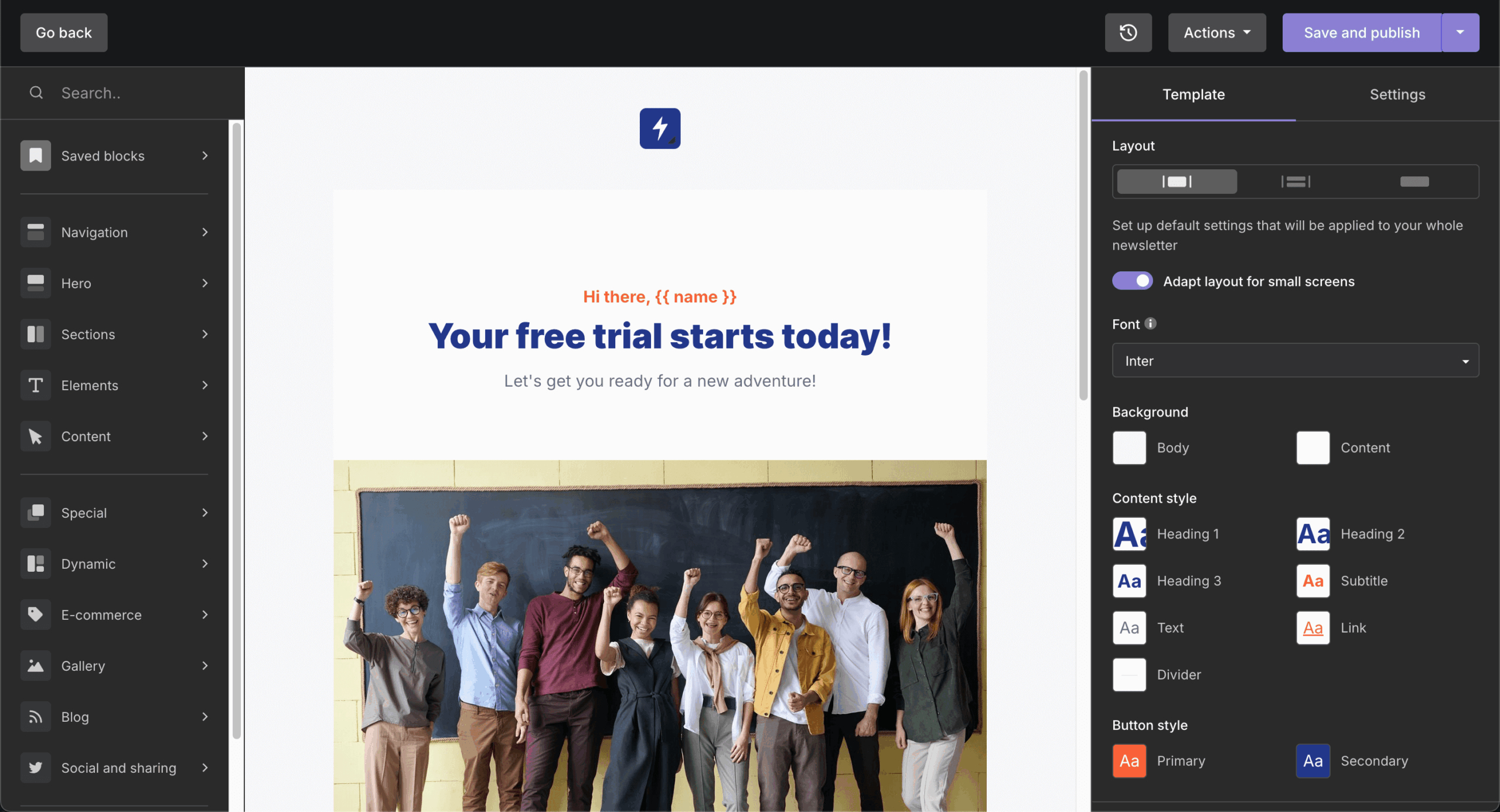
MailerSend is a transactional email platform built by the team behind MailerLite, focused on simplicity and fast onboarding. It provides an API and works as an SMTP relay service for transactional sending, along with a drag-and-drop template builder and basic automation triggers.

The platform supports SPF, DKIM, and DMARC authentication, and includes real-time activity logs, webhook-based event tracking, and built-in suppression management. MailerSend also offers email verification, inbound email routing, and SMS sending as an additional channel.
Both shared and dedicated IPs are available, and the dashboard is designed for usability across technical and non-technical team members. MailerSend includes a free tier with limited monthly volume, making it accessible for early-stage products and small teams. It does not offer full marketing campaign tools or advanced lifecycle automation — it’s built primarily for transactional and notification-based sending.
Key Features
- API and SMTP relay. Offers a RESTful API and SMTP integration for transactional email, with SDKs available for popular languages and frameworks.
- Drag-and-drop template builder. Visual editor for creating transactional email templates without code, with HTML editing available for more control.
- Activity and event tracking. Real-time logs covering delivery, opens, clicks, bounces, and unsubscribes, with webhook support for piping events into external systems.
- Email verification. Built-in address verification tool to validate recipient addresses before sending, available via API or dashboard upload.
- SMS sending. Supports SMS as an additional messaging channel alongside email, allowing transactional notifications across both channels from one platform.
Deliverability & Infrastructure Tools
MailerSend provides straightforward deliverability tools designed for teams that need reliable sending without complex setup:
- Shared and dedicated IP options available depending on plan tier and sending volume
- Automatic suppression management for hard bounces, spam complaints, and unsubscribed recipients
- SPF, DKIM, and DMARC authentication with step-by-step onboarding guidance
- Email verification tool to validate recipient addresses before sending, via API or dashboard upload
- Real-time activity logs and webhooks for message-level delivery tracking and external event integration
These tools cover the core infrastructure needs for transactional sending without requiring teams to build or maintain separate monitoring systems.
Pros & Cons
Pros:
- Clean, intuitive dashboard designed for both technical and non-technical users with minimal onboarding friction
- Free tier includes enough volume for early-stage products to test and validate before committing to a paid plan
- SMS support alongside email gives small teams a second notification channel without adding another vendor
Cons:
- Lacks full marketing campaign tools — not suited for teams that need lifecycle or newsletter capabilities in the same platform
- Advanced automation and workflow logic are limited compared to platforms like Customer.io or Brevo
- Dedicated IP access and some deliverability features are restricted to higher-tier plans
Pricing Model
MailerSend uses a volume-based pricing model with monthly plans tiered by email sends, plus a pay-as-you-go option for variable or low-frequency senders. A free tier includes up to 3,000 emails per month, making it practical for early-stage products and testing.
SMS sending is priced separately based on per-message rates and destination country. Dedicated IPs and advanced features like custom webhooks and priority support are available on higher-tier plans.
The pricing structure fits small teams and solo developers who need affordable transactional sending with room to scale without a large upfront commitment.
Brevo — SMB Marketing Automation + Transactional Email
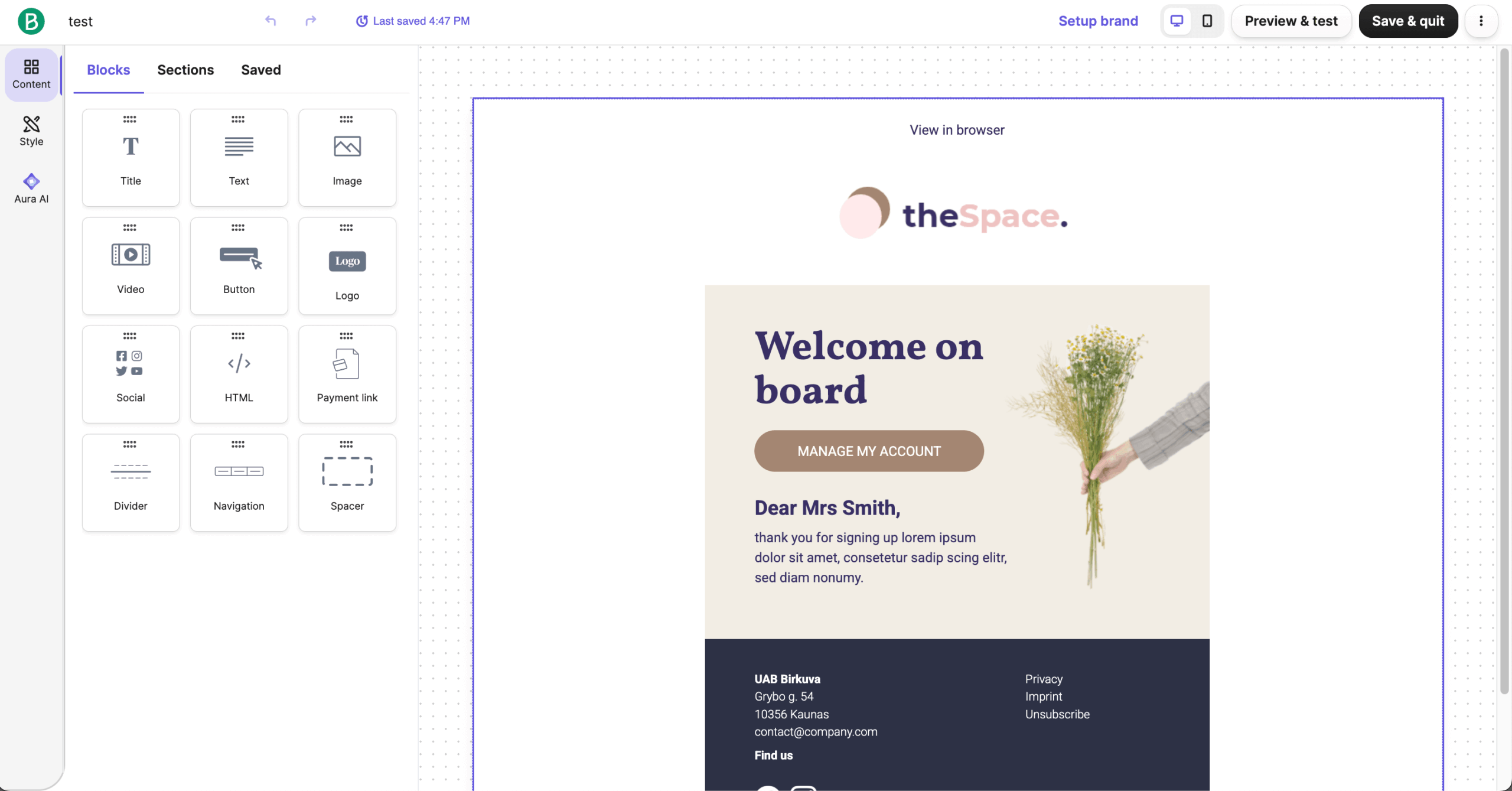
Brevo (formerly Sendinblue) is a multi-channel marketing platform that includes transactional email, marketing campaigns, SMS, WhatsApp, and CRM tools in a single product. It provides an API and SMTP relay for transactional messages, alongside a visual editor and workflow builder for marketing automation.

The platform supports SPF, DKIM, and DMARC authentication, and offers shared and dedicated IP options. Its reporting dashboard covers delivery events, open and click tracking, and real-time logs with message-level detail.
Brevo includes contact management, segmentation, landing pages, signup forms, and A/B testing. Its pricing is based on email volume rather than contact count, which can favor teams with large lists but moderate sending frequency. The platform is designed for small to mid-sized businesses that want transactional and marketing capabilities in one place without managing separate tools.
Key Features
- API and SMTP relay. Provides a RESTful API and SMTP integration for transactional email, with plugins for major CMS and ecommerce platforms.
- Multi-channel messaging. Supports email, SMS, WhatsApp, and push notifications from a single platform, enabling coordinated messaging across channels.
- Visual automation workflow builder. Drag-and-drop builder for creating multi-step automation sequences triggered by contact behavior, events, or time delays.
- Built-in CRM. Includes a native CRM for managing contacts, tracking deals, and linking communication history to customer records without a separate tool.
- Transactional email logs. Real-time event tracking for transactional messages with message-level detail, including delivery status, opens, clicks, and error diagnostics.
Deliverability & Infrastructure Tools
Brevo includes deliverability management tools across both its transactional and marketing sending infrastructure:
- Shared and dedicated IP options with dedicated IPs available on higher-tier plans
- Automatic bounce and complaint handling with built-in suppression for hard bounces, unsubscribes, and spam reports
- SPF, DKIM, and DMARC authentication supported with configuration guidance during domain setup
- Real-time transactional logs with per-message delivery status, opens, clicks, and error detail
- Separate transactional and marketing sending to reduce cross-stream reputation impact
These tools allow SMB teams to manage deliverability across multiple message types from a single platform without additional infrastructure work.
Pros & Cons
Pros:
- Volume-based pricing instead of contact-based, which favors teams with large lists but moderate sending frequency
- Multi-channel support (email, SMS, WhatsApp, push) and built-in CRM consolidate several tools into one platform
- Visual automation builder is capable enough for most SMB lifecycle and marketing workflows
Cons:
- Transactional and marketing features share a single platform, which can feel cluttered for teams that only need one
- Email sending limits on lower-tier plans can be restrictive for teams with growing volume needs
- Advanced reporting and deliverability features are less detailed compared to developer-focused platforms like Mailgun or SendGrid
Pricing Model
Brevo prices by monthly email volume rather than number of contacts, which is uncommon among hybrid marketing and transactional platforms. Transactional and marketing emails are included under the same plan, though transactional sending uses a separate SMTP configuration.
Dedicated IPs, advanced reporting, landing pages, and priority support are available on higher-tier plans or as add-ons. A free tier allows up to 300 emails per day with core features included.
The volume-based model particularly benefits teams with large contact lists but moderate sending frequency, as they avoid the per-contact charges that inflate costs on platforms like Customer.io or SendGrid Marketing.
Customer.io — Event-Triggered SaaS Lifecycle Messaging
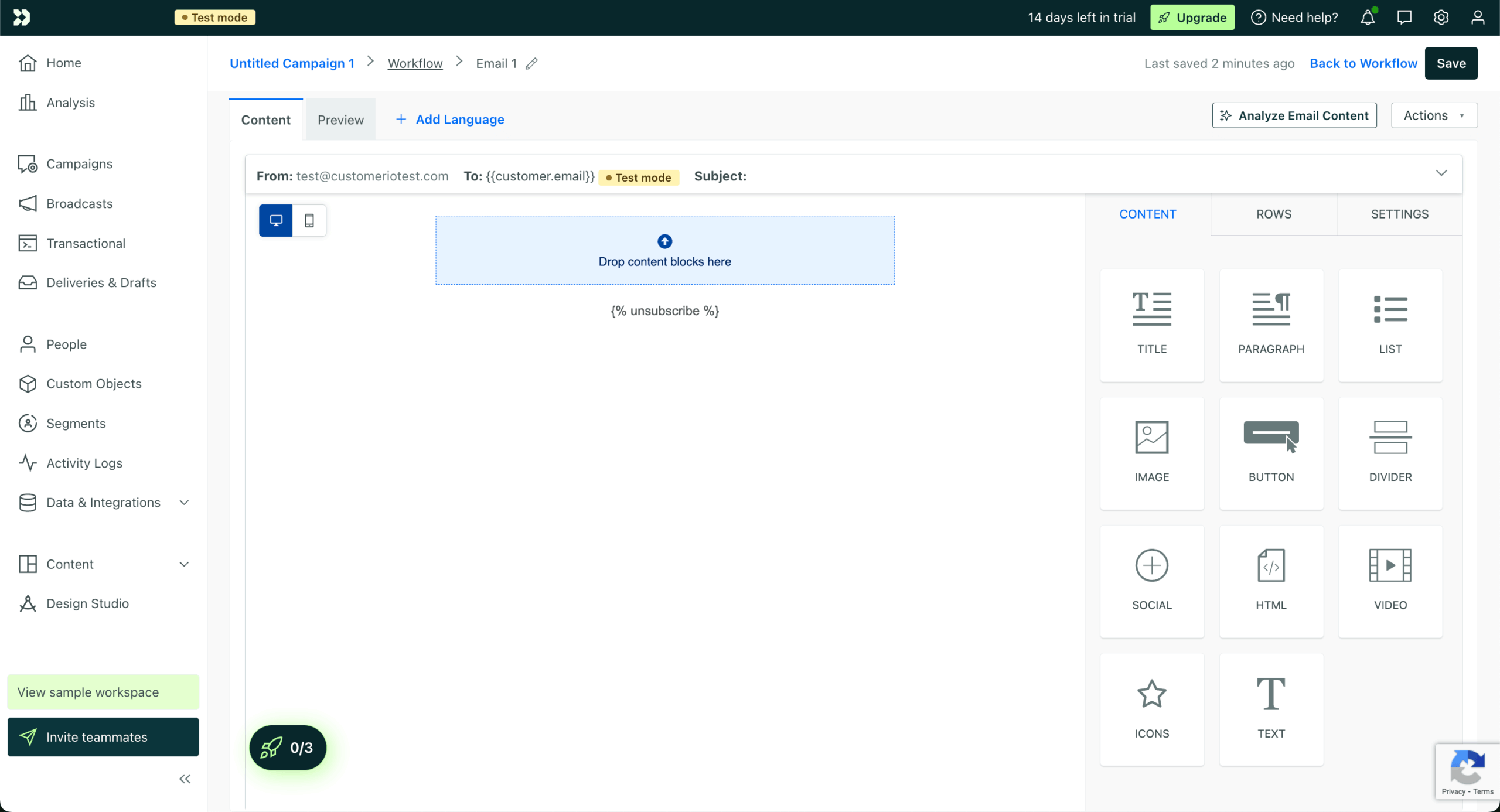
Customer.io is a messaging automation platform built for product and growth teams that need event-driven communication across email, push, SMS, and in-app channels. It uses customer event data and behavioral triggers to power lifecycle messaging workflows.

The platform provides an API for transactional messages and a visual workflow builder for automated campaigns. It supports SPF, DKIM, and DMARC authentication, and includes message-level delivery logs, segment-based reporting, and real-time event inspection for troubleshooting.
Customer.io offers data-driven segmentation, A/B testing, liquid templating, and webhook integrations. It supports both shared and dedicated sending infrastructure depending on the plan. The platform is primarily designed for SaaS and product-led businesses — it is not a general-purpose bulk email tool. Pricing is contact-based, which can scale up quickly for teams with large user bases but lower sending frequency.
Key Features
- Event-driven automation. Triggers messages based on real-time customer events and behavioral data, supporting complex branching logic and conditional workflows.
- Transactional API. Dedicated API endpoint for transactional messages (receipts, password resets, alerts), separate from campaign-based automation sends.
- Multi-channel messaging. Sends email, push notifications, SMS, and in-app messages from a single workflow, with per-channel delivery rules.
- Visual workflow builder. Drag-and-drop editor for building lifecycle campaigns with branching, delays, A/B testing, and segment-based filtering.
- Real-time event inspector. Live-view tool for monitoring incoming customer events and message delivery, useful for debugging integrations and troubleshooting delivery issues.
Deliverability & Infrastructure Tools
Customer.io provides deliverability controls tailored for event-driven, lifecycle messaging workflows:
- Shared and dedicated sending infrastructure depending on plan level and volume requirements
- Automatic suppression handling for bounces, complaints, and unsubscribed contacts
- SPF, DKIM, and DMARC authentication with documentation for standard domain verification
- Real-time event inspector for monitoring message delivery, tracking failures, and debugging integration issues
- Per-message delivery logs with filtering by event type, recipient, and campaign for targeted troubleshooting
These tools help product and growth teams maintain sending reputation while running complex, behavior-triggered messaging across multiple channels.
Pros & Cons
Pros:
- Event-driven architecture allows highly targeted, behavior-based messaging that most competitors cannot match natively
- Multi-channel workflow builder supports email, push, SMS, and in-app from a single automation sequence
- Real-time event inspector provides strong debugging and integration monitoring for product and engineering teams
Cons:
- Contact-based pricing scales up significantly for teams with large user bases, even if sending volume is low
- Steeper learning curve than simpler platforms — requires event data planning and integration work upfront
- Not designed for bulk marketing campaigns or general newsletter sending — best suited for SaaS lifecycle use cases
Pricing Model
Customer.io uses a contact-based pricing model, where costs scale with the number of customer profiles stored in the platform regardless of how many messages are sent. Transactional messages sent via the API and automated campaign messages are both included in the plan without separate per-message charges. Premium features like dedicated sending infrastructure, advanced security, and priority support are limited to higher-tier plans.
There is no free tier — plans start with a minimum contact threshold.
The model fits SaaS and product-led teams with defined user bases that benefit from event-driven messaging, but can become expensive for teams with large contact databases and low per-user sending volume.
Elastic Email — Cost-Sensitive High-Volume Sending
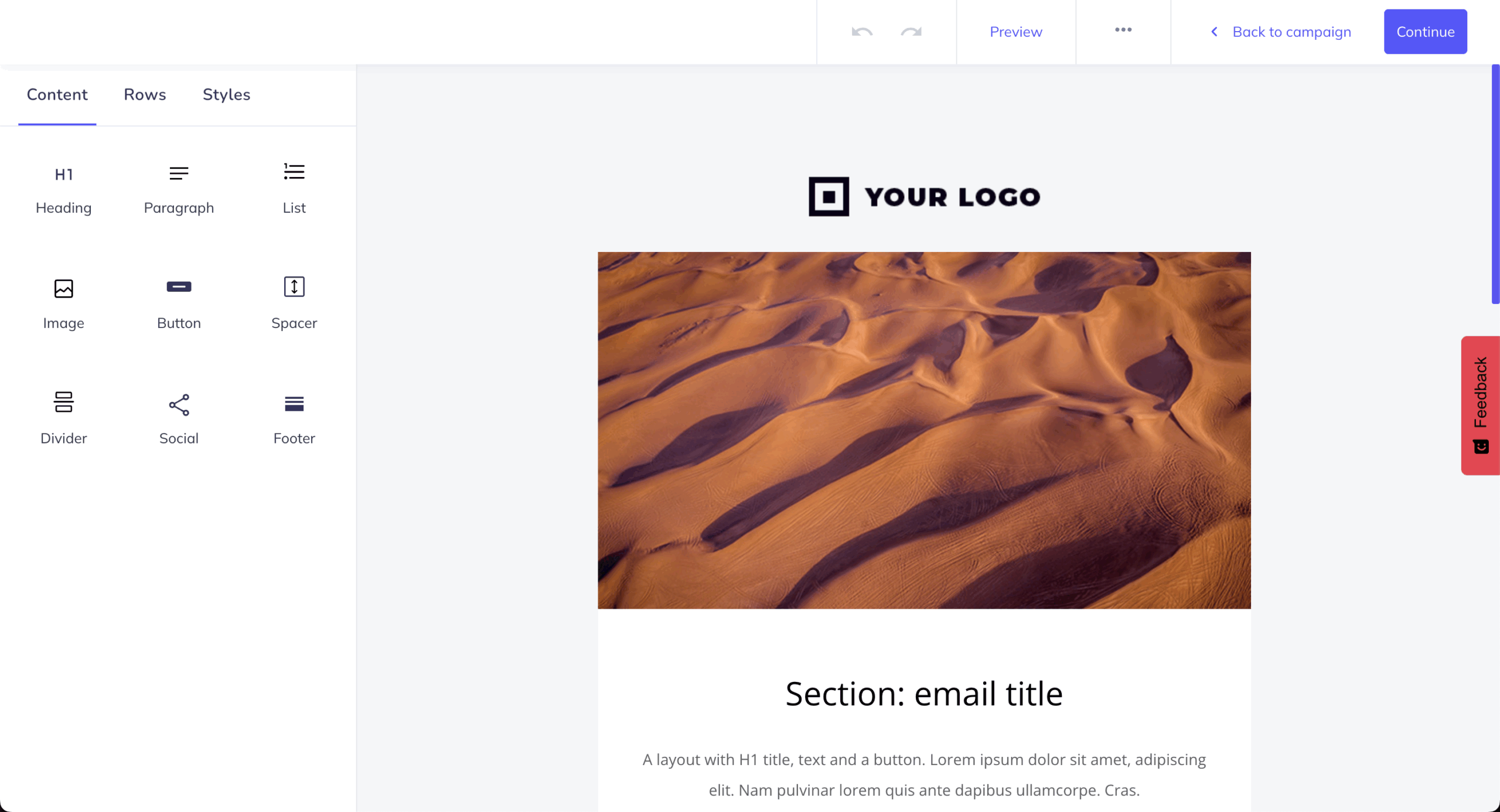
Elastic Email is an email delivery platform designed for high-volume senders who prioritize low per-message costs. It supports both transactional and marketing email through an API, SMTP relay, and a built-in web interface with a drag-and-drop editor and campaign management tools.
The platform provides SPF, DKIM, and DMARC authentication, and includes activity logs, bounce and complaint handling, and real-time delivery reporting. Both shared and dedicated IP options are available, with manual IP warm-up required on dedicated plans.
Elastic Email offers contact management, basic automation, landing pages, and email verification. Its pay-as-you-go email pricing model keeps costs low at scale, with volume-based subscriptions also available. The platform is suited for teams sending large volumes on a tight budget, though its automation and workflow capabilities are more limited compared to full-featured marketing platforms.
Key Features
- API and SMTP relay. RESTful API and SMTP integration for both transactional and marketing email, with basic client libraries for common languages.
- Drag-and-drop email editor. Visual builder for creating marketing campaigns and transactional templates, with HTML editing for custom layouts.
- Contact management and segmentation. Tools for organizing subscriber lists, creating segments based on contact properties, and managing opt-in/opt-out preferences.
- Campaign management. Supports scheduling, A/B testing, and sending bulk campaigns through the web interface alongside API-driven transactional sending.
- Landing page builder. Includes a basic landing page creator for lead capture and signup forms, integrated with contact management tools.
Deliverability & Infrastructure Tools
Elastic Email offers core deliverability controls suited for high-volume senders managing costs:
- Shared and dedicated IP options with manual IP warm-up required on dedicated plans
- Automatic bounce and complaint processing with suppression of invalid and complaining addresses
- SPF, DKIM, and DMARC authentication supported through standard domain verification setup
- Email verification tool to validate contact lists and reduce bounce rates before sending
- Delivery reporting dashboard with real-time event tracking for delivery status, opens, clicks, and failures
These tools provide baseline deliverability management for budget-conscious teams, though advanced monitoring and inbox placement testing are more limited compared to higher-tier platforms.
Pros & Cons
Pros:
- Among the lowest per-message costs available, with a pay-as-you-go option that keeps expenses predictable at high volume
- Supports both transactional and marketing email from a single platform with basic campaign management tools
- Includes email verification and landing page builder at no additional cost on most plans
Cons:
- Automation and workflow capabilities are basic compared to platforms like Brevo, Customer.io, or SendGrid
- Dedicated IP plans require manual warm-up with limited platform guidance, putting deliverability management on the sender
- Dashboard and editor interface feel dated compared to newer competitors, with less polish in the overall user experience
Pricing Model
Elastic Email offers both monthly subscription plans and a pay-as-you-go option, both priced by email volume. Transactional and marketing emails are sent from the same account and count against the same quota with no separate pricing.
Dedicated IPs are available as a paid add-on, and email verification credits are included or purchasable depending on the plan. There are no feature-gated tiers — most core capabilities are available across plans, with volume being the primary scaling factor.
The pricing model fits high-volume senders and budget-sensitive teams that need basic hybrid sending at the lowest possible per-message cost.
FAQs
Why do teams switch away from Amazon SES?
Most teams move away from SES not because of sending costs but because of the operational overhead it requires. SES lacks built-in dashboards, automation workflows, visual editors, and native suppression management.
Every layer of functionality beyond basic sending — bounce handling, event logging, deliverability monitoring — needs to be configured through additional AWS services or custom development, which demands ongoing engineering time.
Can I use Amazon SES for marketing email?
SES technically supports marketing and bulk email sending, but it does not include campaign management tools, contact segmentation, visual editors, or automation workflows. Teams that need marketing capabilities alongside SES must build them internally or integrate third-party tools.
Platforms like Sender, Brevo, and SendGrid include these features natively, making them more practical for teams that send both transactional and marketing email.
What is the difference between transactional and hybrid email platforms?
Transactional email platforms like Postmark handle only triggered, one-to-one messages such as password resets, receipts, and alerts. Hybrid platforms like Brevo, SendGrid, and Sender support both marketing + transactional email from a single account, including campaigns, automation workflows, and list management.
Choosing between them depends on whether your team needs marketing capabilities or only application-triggered sending.
Do I need a dedicated IP to send email reliably?
Not necessarily. Shared IP pools work well for most low- to mid-volume senders, especially on platforms that actively manage shared reputation. Dedicated IPs give more control over sender reputation but require consistent volume to stay warm and maintain deliverability.
They are typically recommended for teams sending over 100,000 emails per month or those with strict compliance and reputation isolation requirements.
How do I migrate from Amazon SES to another email provider?
Migration typically involves updating DNS records for SPF, DKIM, and DMARC authentication, reconfiguring your application to use the new provider’s API or SMTP relay, and transferring suppression lists to avoid sending to previously bounced or complained addresses.
Most alternatives offer onboarding documentation and migration guides. The complexity depends on how deeply SES is integrated into your existing infrastructure and AWS services.