


A single failed password reset or missing order confirmation can erode customer trust instantly. Choosing the right transactional email services depends on factors like delivery speed, API flexibility, pricing, and scalability. Pairing that choice with transactional email best practices keeps your messages landing in inboxes.
This guide reviews 12 leading transactional email platforms for 2026 – comparing their features, ideal use cases, pros and cons, and pricing tiers – to help businesses and developers identify the platform that best fits their technical requirements and budget.
What are Transactional Emails?
Transactional emails are automated system messages triggered by specific user actions – such as purchases, sign-ups, shipping notifications, or password resets – delivering essential information like order confirmations, shipping updates, and OTPs.
Transactional emails require precise timing and excellent email deliverability, so they are typically sent through dedicated SMTP or API-based services rather than standard bulk senders.
SMTP vs. API: How Transactional Emails Are Sent
SMTP relay
- SMTP relay routes emails through an SMTP mail server using standard email protocol
- Easy to integrate with existing email systems, CMS platforms and free SMTP servers for testing and low-volume sending
- Requires minimal code changes for implementation
- Best suited for teams with legacy infrastructure or limited developer resources
REST API
- Connects directly to the provider’s infrastructure via HTTP requests
- Offers faster delivery speeds and real-time event tracking
- Provides greater programmatic control over sending, templates, and analytics
- Preferred for applications requiring webhooks, dynamic content, and detailed delivery data
Best Transactional Email Providers at Glance
| Provider | Best For | Free Tier | Starting Price |
| Sender | Small and medium-sized businesses | 2,500 subscribers, 15,000 emails/month | From $7/month |
| Postmark | Critical, time-sensitive emails | 14-day free trial | From $15/month |
| SendGrid | High-volume and enterprise senders | 60-day trial (100 emails/day) | From $20/month |
| Mandrill | Existing Mailchimp users | None (requires Mailchimp paid plan) | From $20/month (add-on) |
| Mailtrap | High-volume SaaS and product teams | 4,000 emails/month | From $15/month |
| Mailgun | Developers and SaaS applications | 100 emails/day | From $15/month |
| Amazon SES | AWS users and budget-conscious senders | 3,000 emails/month (12 months) | $0.10/1,000 emails |
| Brevo | Businesses combining marketing and transactional email | 300 emails/day | From $8/month |
| Mailjet | Small teams needing free SMTP and API access | 200 emails/day | From $8/month |
| MailerSend | Startups and small development teams | 500 emails/month | From $6/month |
| SMTP2GO | Growing teams needing simple SMTP | 1,000 emails/month | From $15/month |
| SMTP.com | Enterprises with high-volume sending needs | None | From $25/month |
Key Features to Compare in Transactional Email Services
- Delivery methods. Check whether the provider supports both SMTP relay and REST API integration to match your technical setup and development requirements.
- IP options. Evaluate dedicated IP availability for full reputation control versus managed shared IPs that require less maintenance but share reputation with other senders.
- Deliverability controls. Look for built-in SPF, DKIM, and DMARC email authentication support, along with suppression list management and bounce handling, to keep messages out of the spam folder.
- Rate limits and scalability. Review sending limits, throttling policies, and whether the infrastructure can scale with your volume growth without performance degradation.
- Webhooks and event tracking. Assess real-time event data capabilities including delivery confirmation emails, opens, clicks, bounces, and spam complaints for custom monitoring.
- Reliability and retry handling. Confirm automatic retry mechanisms for failed sends and uptime guarantees to ensure critical emails reach recipients.
- Pricing transparency. Compare pricing structures, including volume limits, and overage fees to avoid unexpected costs as sending volume increases.
- Compliance and data protection. Verify regional data center options, GDPR compliance, and data sovereignty features if your business operates under specific regulatory requirements.
- Security and abuse prevention. Confirm the provider enforces domain authentication that blocks email spoofing of your sending domain, plus TLS in transit, 2FA, and scoped API keys.
Quick Picks: Find the Perfect Transactional Email Service Fast
Use this list to quickly match your technical requirements and sending volume with the right platform.
- Best Free Plan: Sender (2,500 subscribers and 15,000 emails/month with visual automation builder and up to 99% deliverability).
- Best for Startups/SMBs: MailerSend (Clean modern interface with free tier of 500 emails/month and visual template builder requiring no code).
- Best for Enterprise/Agencies: SendGrid (Handles millions of daily sends with dedicated IPs, subuser management, and dynamic template collaboration).
- Best for Developers: Mailgun (Powerful REST API with US/EU regional data centers, inbound routing, and full deliverability suite).
- Best for Critical Notifications: Postmark (Sub-second delivery via dedicated transactional infrastructure with separated message streams).
- Best for Free SMTP & API Access: Mailjet (6,000 free emails/month with SMTP relay, Send API, and a collaborative template editor for dev–marketer teams).
- Best for High-Volume Transactional Emails: Mailtrap (Dedicated sending streams, automated IP warmup, and actionable deliverability analytics for teams sending at scale).
Capterra, G2, Trustpilot, and Reddit to create an objective evaluation. Learn more about our review methodology
12 Best Transactional Email Services Reviewed
After testing dozens of transactional email services over the past few years, I’ve pulled together this comparison of the ones that consistently deliver for online businesses.
These are the platforms that help you build trust with customers and, more importantly, keep them updated:
Sender — Best Transactional Email Service for Small Businesses
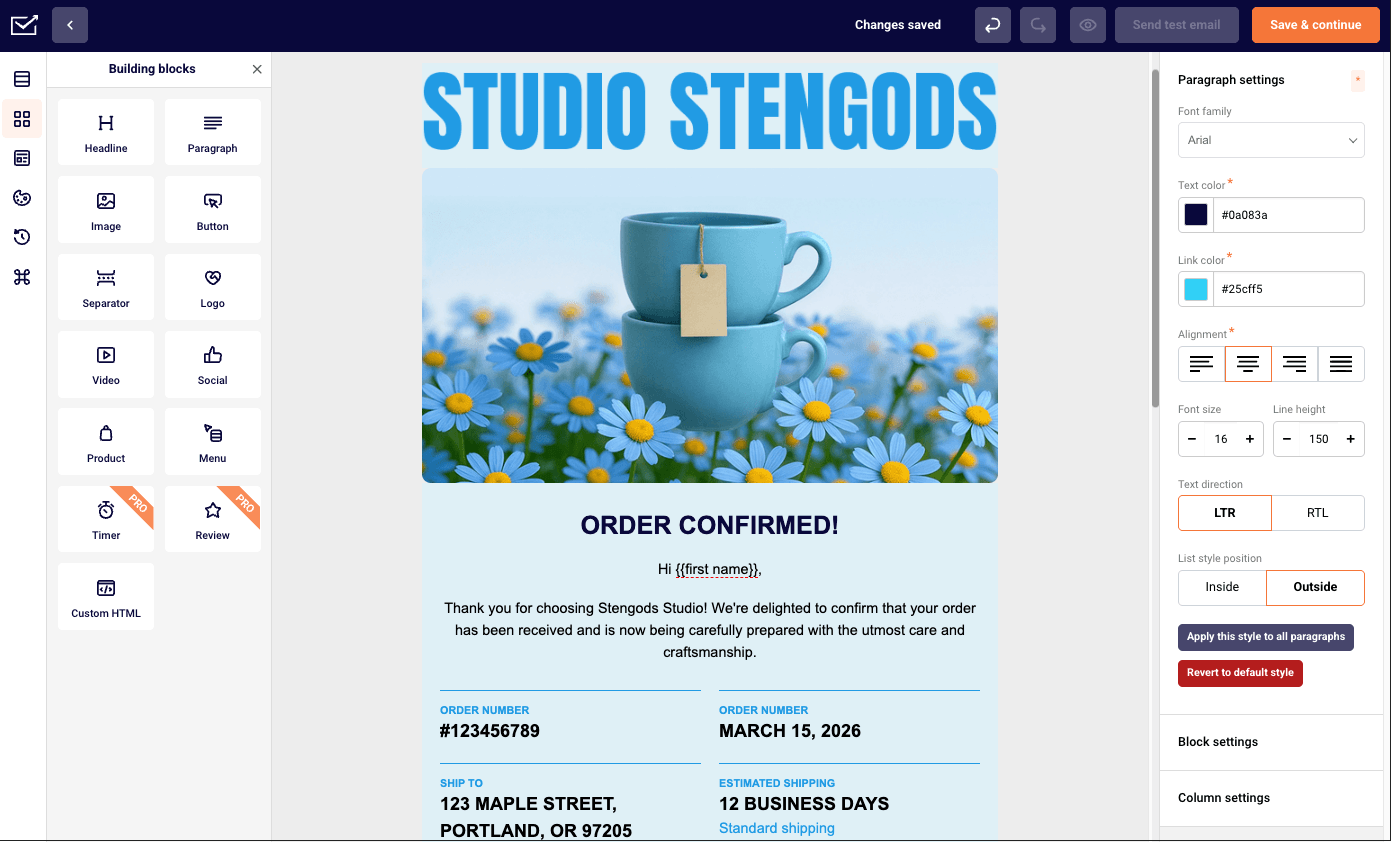
Sender is a transactional and marketing email platform that combines SMTP relay and REST API delivery with built-in automation, segmentation, and campaign tools in one workspace.

Setting up a password reset flow via the /emails endpoint with the Node SDK took around 20 minutes, and bounce handling was automatic: a deliberate send to an unverified address returned a hard bounce classification within seconds and updated suppression lists without manual intervention.
Where it’s worth paying attention before committing is webhook depth. The free plan allows only 1 webhook and the Standard one up to five – functional for straightforward setups, but teams building event-driven backend systems that rely on multiple simultaneous event streams will find that ceiling arrives sooner than expected.
Bottom line: Sender delivers exceptional value, giving small businesses a comprehensive toolkit for both transactional and marketing emails.
Key Features
- Real-time tracking. Monitor deliveries, bounces, and opens through detailed analytics and event logs.
- Dynamic templates. Edit, localize, or personalize messages using Liquid syntax without code changes.
- Advanced security. Built-in SPF, DKIM, and DMARC authentication with bounce management and suppression lists.
- Visual automation builder. Design automated email sequences triggered by user actions such as opens and clicks.
- Flexible delivery options. Send transactional emails via REST API or SMTP, with ready-made code snippets for cURL, PHP, Laravel, and Node.js.
Ideal For
- Small and midsize businesses. Access enterprise-level reliability and analytics without complex setup or dedicated developer resources.
- Ecommerce and SaaS platforms. Automate order confirmations, password resets, and account alerts within a single ecosystem.
Pros & Cons
- High deliverability rates with managed shared and dedicated IPs
- Unified platform for both marketing and transactional messages
- Strong analytics, tracking, and template management tools
- Limited webhooks on lower tiers
- Sender branding included on the free plan
- SMS messaging available only on paid plans
Pricing
- Free Forever plan: $0 (2,500 contacts & 15,000 emails/month);
- Standard: From $7/month (1,000 contacts & 12,000 emails/month);
- Professional: From $14/month (1,000 contacts & 24,000 emails/month);
- Enterprise: Custom pricing.
Pricing as of August 2026
Postmark — Fast Email Delivery Platform for Critical Emails
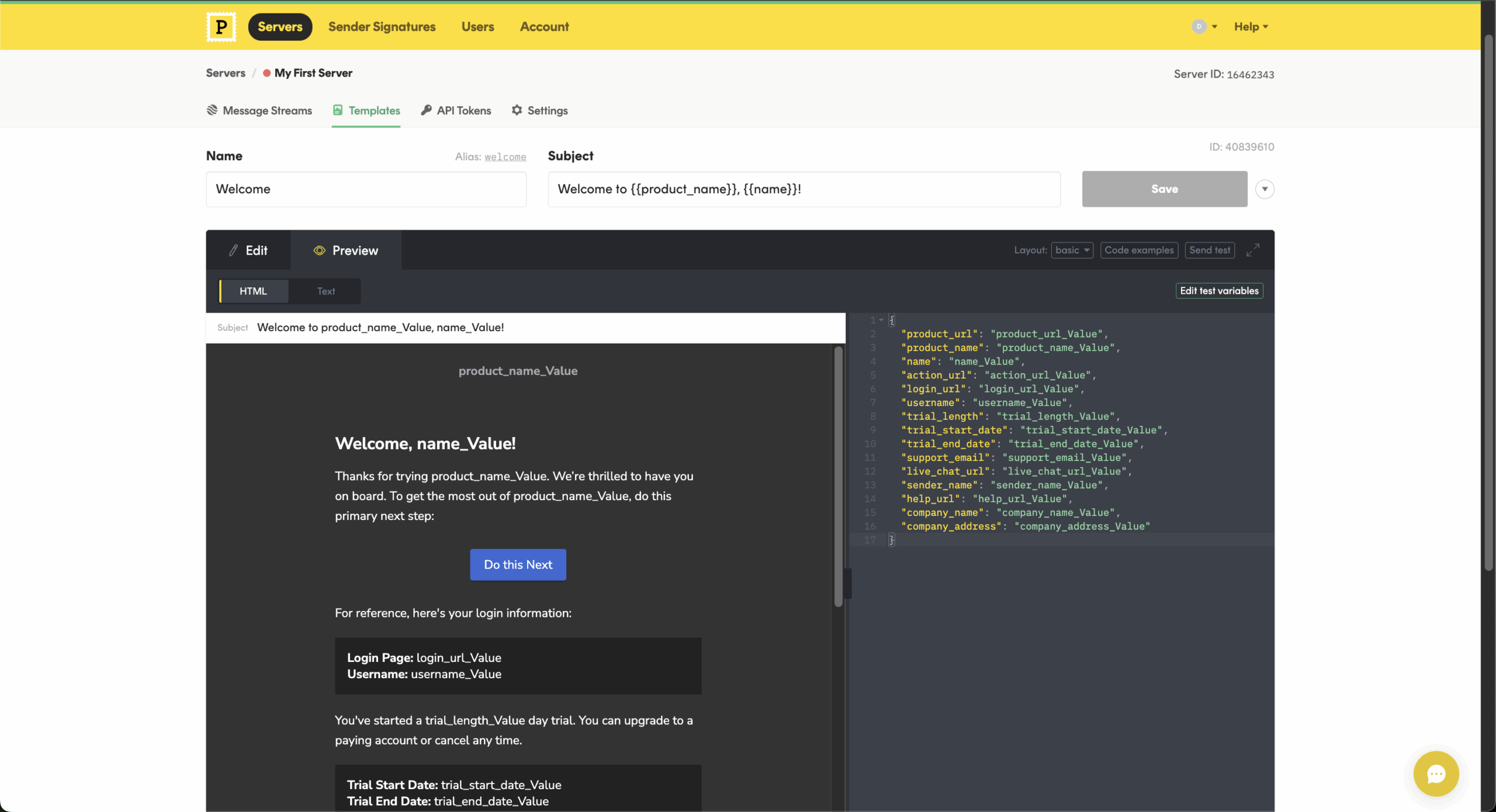
What makes Postmark, a developer-focused email delivery service, stand out from the crowd is how this transactional email platform isolates transactional vs. marketing emails traffic through its dedicated ‘Message Streams’ setting – it ensures time-sensitive emails like password resets or account alerts reach inboxes instantly.

The infrastructure is optimized for speed and reliability with robust message retry logic, and open rate and click rate tracking that’s configurable per message type in just a few minutes.
I appreciate Postmark’s detailed message activity feed and API that shows delivery status notifications, metadata, and bounce data. It also offers a well-maintained template library that I’ve found renders consistently across clients. The only limitation I’ve encountered is its narrow focus – you get minimal marketing automation or multi-channel features.
Bottom line: For developers and businesses prioritizing critical email reliability over everything else, Postmark remains one of the fastest options in the market.
Key Features
- Message streams. Separate transactional and promotional traffic for consistent speed and inbox placement.
- Instant delivery. Optimized infrastructure ensures time-sensitive emails reach inboxes within seconds.
- Detailed activity feed. Track every email’s journey with searchable logs and event-level insights.
- Webhooks and APIs. Get real-time event data for custom dashboards or automated workflows.
- Developer-friendly integration. Send emails via REST API or SMTP using official libraries for Ruby, Python, PHP, Node.js, and .NET.
Ideal For
- Technical teams. Build and monitor transactional workflows using simple, developer-friendly APIs.
- Security-first organizations. Deliver account notifications and verification emails with sub-second speed and consistency.
Pros & Cons
- Exceptionally fast delivery for critical transactional emails.
- Transparent event tracking and detailed message logs.
- Clean, developer-friendly API and API documentation.
- No marketing or automation features.
- Limited geographic data center options.
- Pricing higher than some high-volume alternatives.
Pricing
- Free plan: 100 emails/month;
- Basic: from $15/month (10,000 emails/month);
- Pro: from $16.50/month (10,000 emails/month);
- Enterprise: $18/month (10,000 emails/month).
Pricing as of August 2026
SendGrid — Leading SMTP Service Provider for High Volume
SendGrid, now part of Twilio, is a go-to powerhouse when working with businesses sending millions of emails monthly.

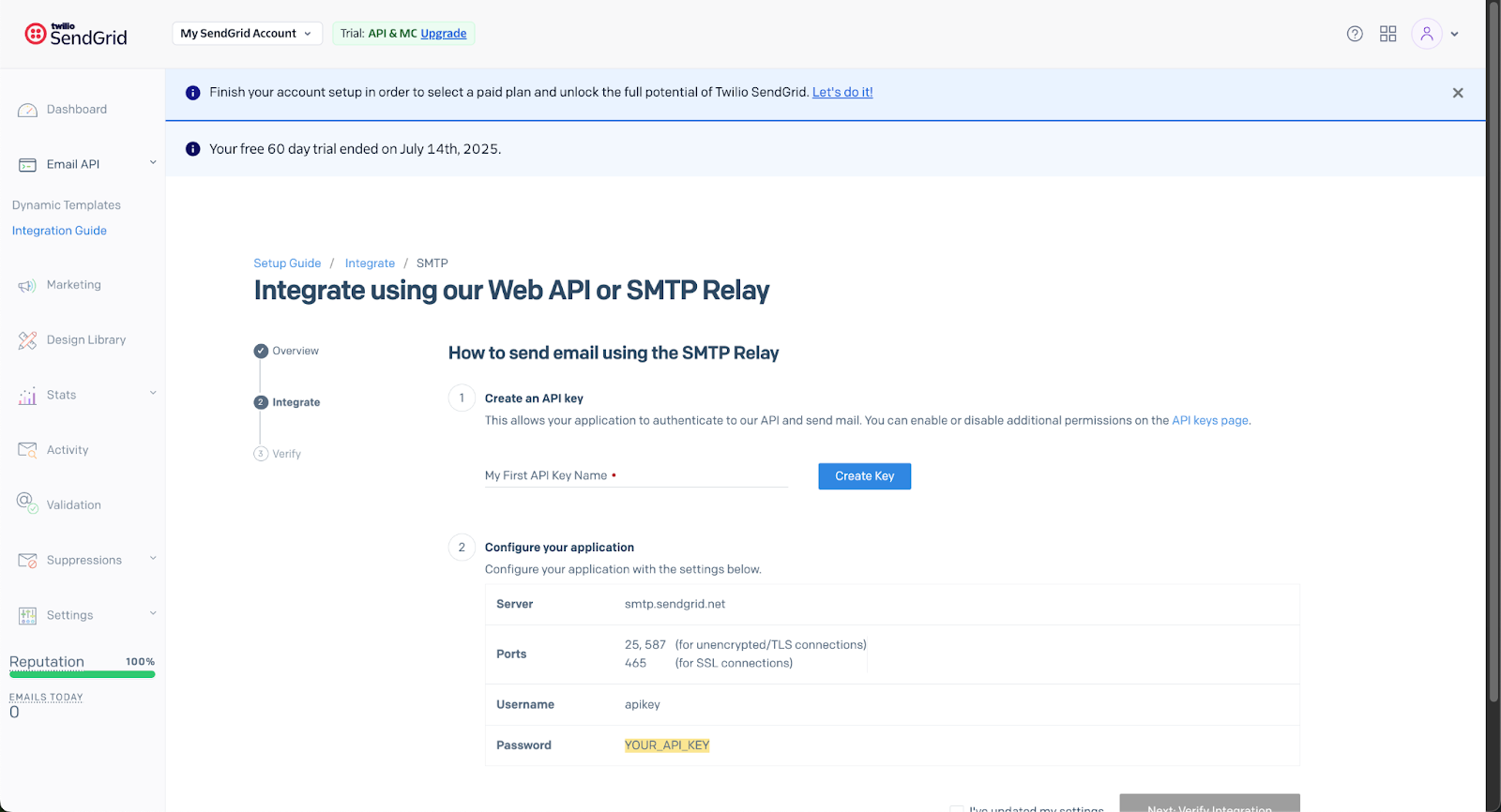
SendGrid provides SMTP relay and a flexible Email API with dynamic transactional email templates that let developers make API calls to pre-built layouts while marketers edit content without redeploying code.
I’ve found the deliverability insights, bounce rate tracking, and engagement analytics integrated into a single dashboard particularly useful. High-volume users can request dedicated IPs to isolate reputation – something I’ve implemented for several enterprise clients.
While the system is robust, I’ve noticed smaller teams may find it overengineered, and the initial setup can be intimidating. Shared IP pools also mean I’ve experienced occasional delays during traffic surges.
Bottom line: For enterprise-level reliability, SendGrid offers one of the most scalable transactional infrastructures you can find in this price range.
Key Features
- Dynamic templates. Build, store, and update transactional email templates without code redeployment.
- Scalable infrastructure. Handle millions of daily sends with dedicated IP address and high throughput.
- Comprehensive analytics. Measure delivery, open, and click rates through visual dashboards.
- Subuser management. Assign separate IPs and credentials for multiple brands or applications.
- Extensive developer support. Send emails via REST API or SMTP relay using SDKs for Python, Ruby, PHP, Node.js, Java, C#, and Go.
Ideal For
- Large enterprises. Manage millions of daily sends across brands and departments with dedicated IPs.
- Cross-functional teams. Enable marketers and developers to co-manage templates and analytics in real time.
Pros & Cons
- Extremely scalable infrastructure for enterprise-level volume.
- Dynamic template builder supports collaboration between teams.
- Comprehensive analytics and event webhooks.
- Can feel complex for small businesses.
- Shared IP pools sometimes experience deliverability fluctuations.
- Customer support response can vary by plan tier.
If SendGrid feels overengineered for your stack or the shared IP delays surface in production, see our roundup of SendGrid alternatives.
Pricing
- Free 60-day trial (100 emails/day);
- Essentials: from $20/month (50,000emails/month);
- Pro: from $90/month (100,000 emails/month);
- Premier: Custom pricing.
Pricing as of August 2026
Mailtrap — Email Delivery Platform for High-Volume Senders
Mailtrap is a transactional email platform built for developers who need application-level sending with clear separation between traffic types.

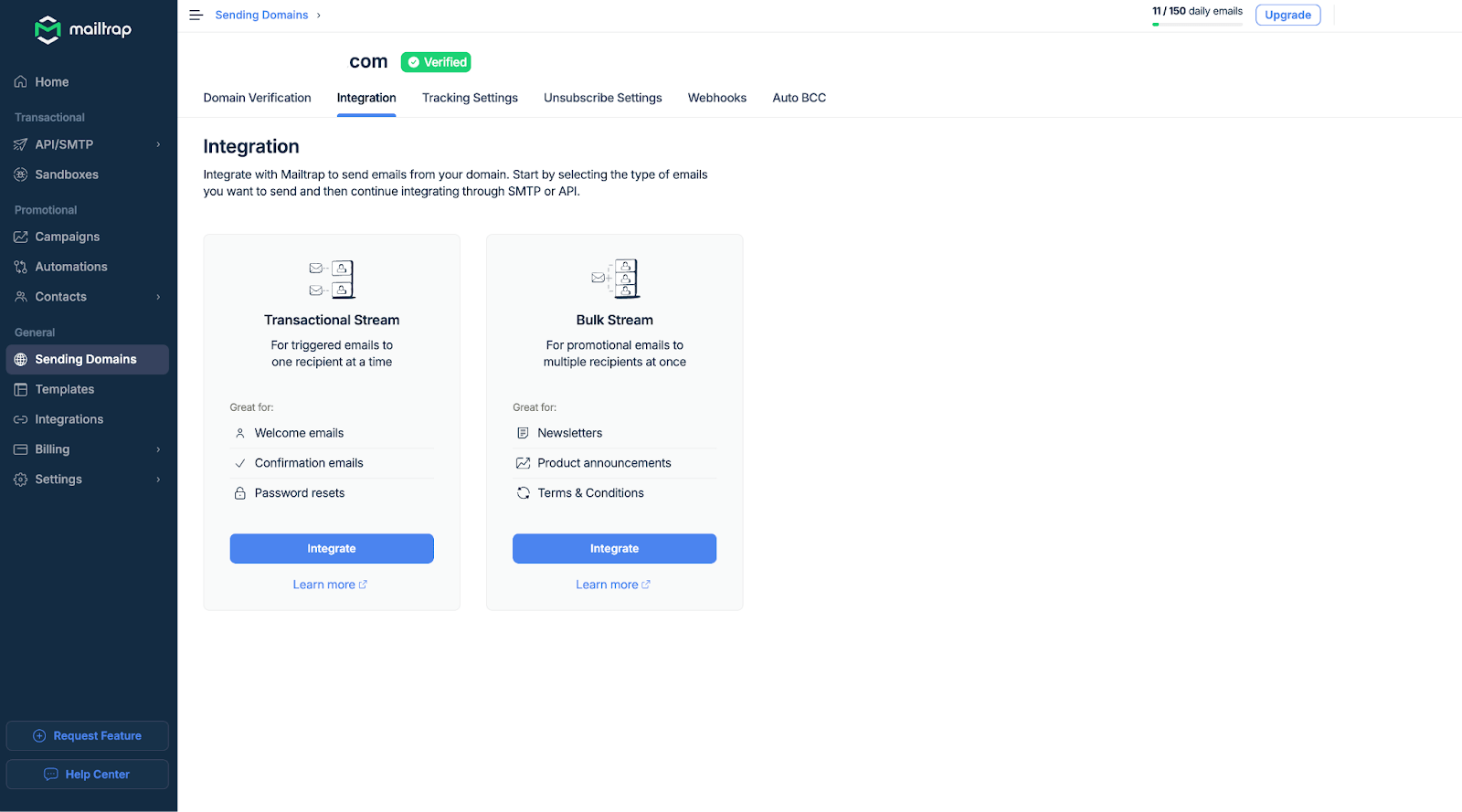
Setting up a basic transactional flow via the REST API took around 20 minutes. The dedicated sending streams worked as intended – routing password resets through a separate stream from bulk notifications kept reputation and diagnostics isolated without manual IP configuration. When I deliberately triggered an order confirmation with a malformed product name, the sandbox caught and surfaced the issue before anything reached a real inbox.
Bottom line: Mailtrap is best suited for developer teams that need reliable transactional infrastructure with pre-send testing built in, and least suited for teams that need marketing automation, audience management, or campaign tools alongside their transactional sending.
Key Features
- Separate sending streams. Dedicated transactional and bulk streams protect inbox placement and sender reputation across both email types.
- Per-provider analytics. Helicopter-view dashboard with one-click drill-down reports broken down by mailbox provider, so deliverability issues surface early.
- Dedicated IPs with auto warmup. Available from the Business plan, with automatic warmup and deliverability alerts to catch issues before they affect sender reputation.
- Developer-friendly integration. Send emails via REST API or SMTP using SDKs for PHP, Python, Node.js, and Ruby.
Ideal For
- Developers. SMTP relay, RESTful API, SDKs across four languages, and 25+ ready-made code snippets for fast, clean integration.
- Product and DevOps teams. Stream separation, deliverability alerts, and up to 30-day email logs give full visibility over sending health at every volume tier.
Pros & Cons
- Separate transactional and bulk sending streams included at every price point.
- Per-provider deliverability analytics with drill-down reporting.
- ISO 27001 and SOC 2 Type II certified; GDPR compliant.
- Marketing automation workflows come separately from Mailtrap’s SMTP plan.
- Dedicated IP and automatic IP warm-up are gated behind the Business plan – Free and Basic share IP reputation with other senders.
- Paid plans required for full production sending volume.
Pricing
- Free plan: 4,000 emails/month;
- Basic: from $15/month (10,000+ emails/month);
- Business: from $85/month (100,000+ emails/month);
- Enterprise: from $750/month (1,500,000+ emails/month).
Pricing as of August 2026
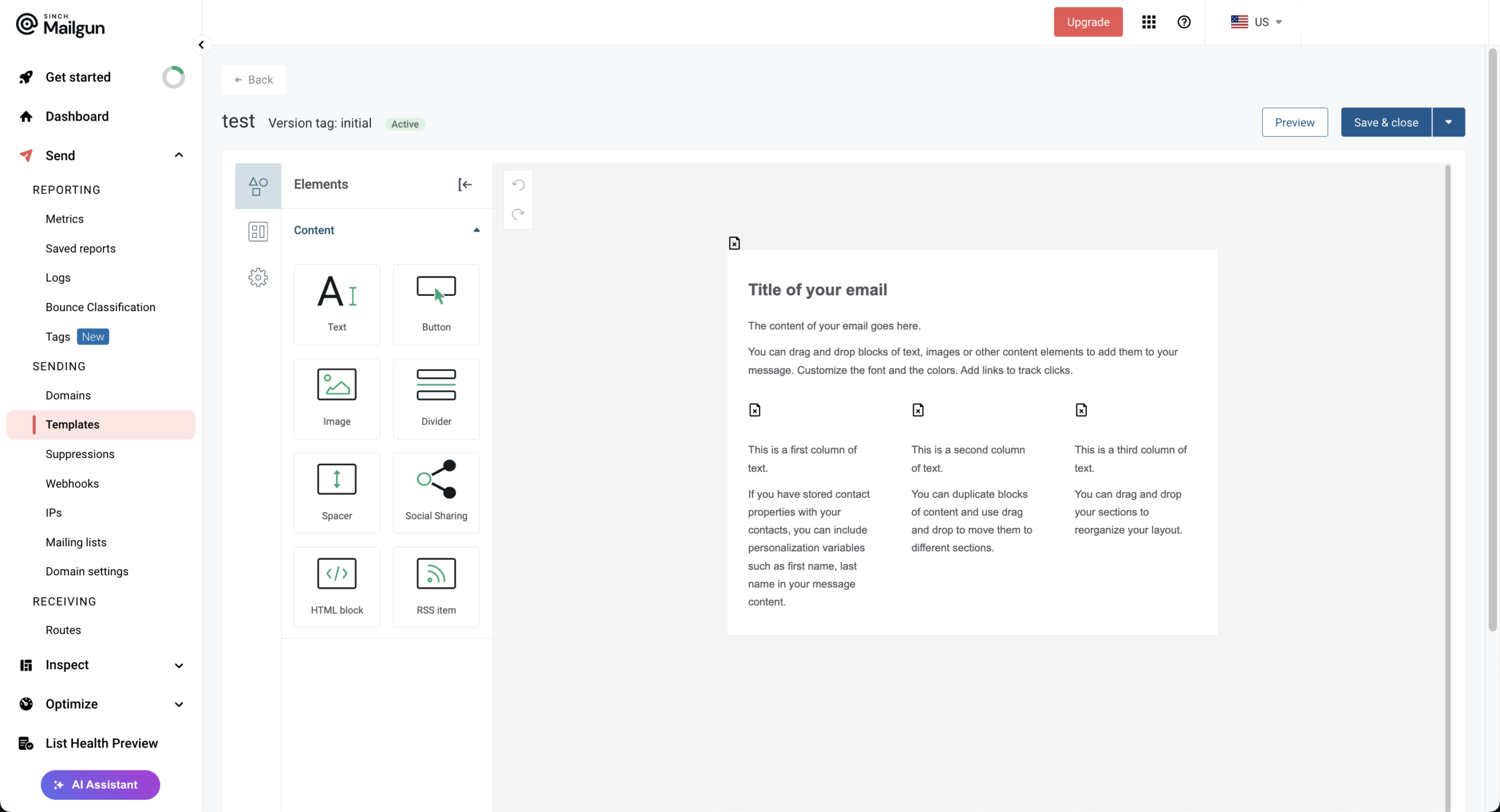
Mailgun — Developer-Friendly Transactional Email API
Mailgun has been my preferred infrastructure choice when I need fine-grained control over transactional email delivery – particularly for GDPR-compliant implementations where regional data center selection and domain-level authentication matter.

Setting up around 12 transactional flows via REST API and SMTP relay took around 2 hours – longer than simpler providers, but once configured, sending was consistent, with average delivery latency of 7.5 seconds. The event logs and bounce categorization helped diagnose a deliverability issue quickly – surfacing the exact rejection reason and affected domain without needing external monitoring tools.
Where the setup required more patience – something a lot of Mailgun reviews pointed out as well – was inbound email parsing. Routing replies into an app endpoint worked, but domain and route structures required more manual configuration than expected for what should be a straightforward feature.
Bottom line: Mailgun is ideal for SaaS products and apps that prioritise control, scalability, and compliance above ease of use – less suited for teams that need visual campaign tools or no-code automation.
Key Features
- Powerful API. Flexible REST endpoints for sending, tracking, and using an email validation service.
- Regional data centers. Choose US or EU servers for compliance and data sovereignty.
- Inbound routing. Process and respond to incoming messages programmatically.
- Deliverability suite. Monitor reputation, suppress bounces, and analyze inbox performance metrics.
- SDK & Language Support. Official SDKs for Go, Node.js, PHP, Java, Ruby, and Python simplify sending, receiving, and tracking emails within your existing stack.
Ideal For
- Engineering-led businesses. Customize email logic and handle inbound routing directly from code.
- Compliance-focused industries. Choose EU or US regions to meet data protection regulations.
Pros & Cons
- Developer-focused API with extensive customization options
- Regional data storage for compliance flexibility
- Reliable deliverability and suppression management tools
- Requires strong technical knowledge to set up
- Chat and phone support is locked behind priciest tier ($90+/month)
- Pricing increases with advanced deliverability add-ons
Pricing
- Free plan: 100 emails/day;
- Basic: From $15/month (10,000+ emails/month);
- Foundation: From $35/month (50,000+ emails/month);
- Scale: From $90/month (100,000+ emails/month).
Pricing as of August 2026
Amazon SES — Most Affordable SMTP Relay Service
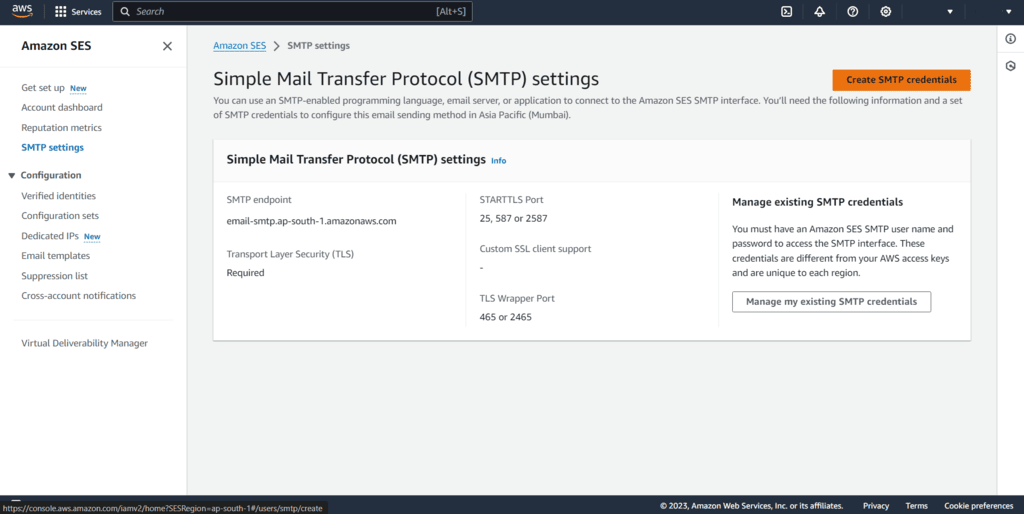
Amazon SES is AWS’s native email sending service, built for teams that need scalable transactional infrastructure without paying platform-level prices.

At roughly $0.10 per 1,000 emails, it’s the lowest-cost option I’ve implemented at scale. SES integrates cleanly with other AWS services – I connected CloudWatch for monitoring and IAM for access control without friction, and use SNS regularly for bounce and complaint notifications. Both SMTP and API sending are supported, with dedicated IP options available for higher-volume senders.
The trade-off is operational overhead. Deliverability management is entirely self-service – I handle domain authentication, suppression lists, and IP warm-up myself. New accounts start in sandbox mode, restricted to verified recipients until production access is requested – worth factoring into launch timelines.
Bottom line: Amazon SES fits teams already operating within AWS who want infrastructure control over convenience.
Key Features
- Low-cost sending. Pay-as-you-go pricing model ideal for large volumes.
- AWS integration. Works seamlessly with CloudWatch, SNS, and IAM for monitoring and control.
- Dedicated IPs. Option to manage or automate IP warm-up and reputation.
- Event feedback. Receive bounce and complaint notifications via Amazon SNS.
- Broad developer support. Send emails via REST API or SMTP using AWS SDKs for Python, Ruby, PHP, Node.js, Java, .NET, and Go.
Ideal For
- AWS users. Integrate SES seamlessly with CloudWatch, SNS, and Lambda for full automation.
- Bulk senders. Send millions of transactional and bulk emails with minimal operational cost.
Pros & Cons
- Industry-leading affordability for large-scale senders.
- Seamless AWS integration for monitoring and automation.
- High scalability and performance.
- Minimal built-in UI and analytics.
- Requires technical expertise to manage properly.
- No dedicated customer support without AWS business plan.
Pricing
- Free: 6-month tier ($200 worth of free credits);
- Essentials: Starts at $0.16 per 1,000 emails;
- Pro: Starts at $0.22 per 1,000 emails;
- Enterprise: Starts at $0.23 per 1,000 emails.
Pricing as of August 2026
Mailjet — Free Transactional Email Service with SMTP & API
Mailjet combines transactional and marketing email in one platform – SMTP relay and REST API alongside collaborative template creation and campaign tools in the same workspace.

Getting a basic transactional flow configured via SMTP took around 20 minutes. The templating language supported variables and conditionals cleanly – I built a dynamic order confirmation that adjusted content based on product type without additional scripting. Webhooks fired reliably during testing, returning opens, clicks, bounces, and spam complaints in real time without additional configuration.
The free plan supports testing without a credit card, though the 200-email daily cap limits how much real-world validation is practical before committing to a paid tier. Advanced tools and dedicated IP access require higher-tier plans.
Bottom line: Mailjet is a reasonable middle-ground choice for small cross-functional teams, but teams with serious deliverability requirements or advanced automation needs will outgrow it quickly.

Key Features
- Flexible sending. Deliver transactional emails through SMTP relay or Send API.
- Dynamic templates. Personalize messages using variables, loops, conditions, and functions.
- Real-time webhooks. Track deliveries, engagement, bounces, blocks, and complaints.
- Collaborative editor. Let developers, marketers, and designers work on templates together.
- Developer support. Use libraries for PHP, Ruby, Python, C#, Java, and Node.js.
Ideal For
- Startups and small businesses. Test transactional sending affordably with free SMTP and API access.
- Cross-functional teams. Let developers and marketers collaborate on templates without constant code changes.
Pros & Cons
- Free SMTP relay and API access.
- Strong template collaboration and personalization.
- Unified transactional and campaign reporting.
- Free plan is capped at 200 emails daily.
- Advanced analytics and automation require Premium.
- Dedicated IPs are limited to higher-volume plans.
Pricing
- Free: $0/month (6,000 emails/month; 200/day);
- Starter: From $8/month (8,000 emails/month);
- Essential: From $15/month (15,000 emails/month);
- Premium: From $24/month (15,000 emails/month);
- Custom: Quote-based enterprise plans.
Pricing as of August 2026
Brevo — Marketing Platform with Transactional Email Support
Brevo combines transactional and marketing email in one dashboard – SMTP relay and Messaging API for application emails alongside campaigns, SMS, WhatsApp, and CRM in the same workspace.

I built a multichannel flow – welcome email, SMS reminder, and conditional follow-up – in around 30 minutes without connecting separate tools. Transactional and campaign emails share the same authentication and suppression lists, which removes a common double-send risk I previously managed across separate platforms.
Where Brevo falls short is migration and customer support. There’s no in-house migration team, so businesses needing hands-on help must hire an approved Brevo expert (although built-in tools are available for importing contacts from a few main platforms, including Mailchimp and Klaviyo). Support is also limited to Monday through Friday, with no phone support available, which may be restrictive for teams that need urgent or weekend assistance.
Bottom line: For teams that want marketing and transactional communication unified without a hefty price tag, Brevo is a reasonable choice.

Key Features
- Unified platform. Combine transactional, marketing, and SMS campaigns under one system.
- Inbound parsing. Convert replies into events or support tickets automatically.
- Extended log retention. Keep detailed delivery records for auditing and analysis.
- Flexible developer integration. Send transactional emails via REST API or SMTP relay using SDKs for PHP, Python, Node.js, and Ruby.
Ideal For
- Growing businesses. Centralize all communications – transactional, marketing, and automation – in one intuitive platform.
- Omnichannel marketers. Sync email, SMS, and workflows for consistent customer experiences.
Pros & Cons
- Combines marketing, transactional, and automation features in one platform.
- Intuitive interface suitable for non-technical users.
- Wallet-friendly pay-as-you-go model.
- Transactional capabilities less advanced than specialist tools.
- Delivery speed can fluctuate under heavy load.
- Dedicated IP is locked behind premium tier as a paid add-on
Pricing
- Free plan: (300 emails/day);
- Starter: from $8/month (5,000+ emails/month);
- Standard: from $16/month (5,000+ emails/month);
- Professional: $449/month (150,000+ emails/month);
- Enterprise: Custom price (1M+ emails/month).
Pricing as of August 2026
MailerSend — Transactional Email Service with a Free Plan
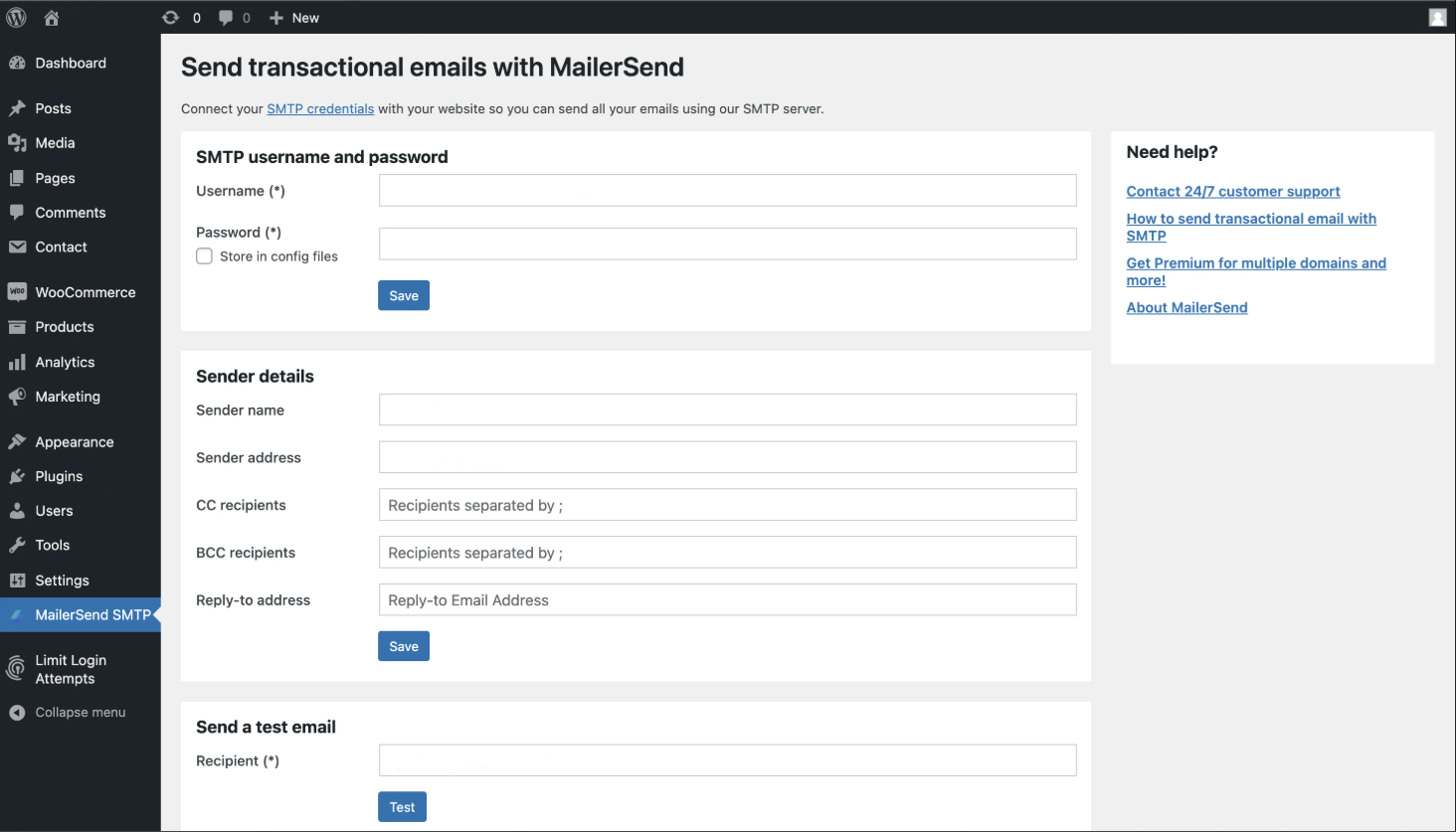
MailerSend is a transactional email platform built by the team behind MailerLite, combining developer-level API and SMTP functionality with an interface approachable enough for non-technical users.

Setting up a basic transactional flow via the REST API took around 20 minutes – automatic domain verification removed the usual DNS propagation wait that slows onboarding on most providers. Non-technical members of my team have handled template updates and log reviews without needing developer involvement, which reduces day-to-day engineering overhead.
Webhooks fired quickly during testing – a deliberate send to an unverified address returned a clear bounce classification within seconds, with the suppression list updating automatically.
Bottom line: MailerSend is best suited for teams that need clean transactional infrastructure without sacrificing usability.
Key Features
- Free tier access. Send up to 500 transactional emails monthly for testing or small apps.
- Visual template builder. Create responsive transactional layouts without coding.
- Inbound routing. Automatically handle user replies or contact form submissions.
- Comprehensive analytics. Track delivery, bounce, and engagement metrics in real time.
- Extensive developer support. Send emails via REST API or SMTP relay using SDKs for PHP, Python, Node.js, Ruby, Go, and Java.
Ideal For
- Startups and indie developers. Test transactional flows affordably using the free monthly allowance.
- Technical teams. Customize workflows with inbound routing and REST APIs.
Pros & Cons
- Clean, modern UI with easy onboarding.
- Developer-friendly REST API and webhook support.
- Free tier available for testing or small projects.
- Advanced features like dedicated IPs require higher plans.
- Limited deliverability customization compared to enterprise tools.
- Smaller ecosystem than legacy providers.
Pricing
- Free plan (500 emails/month);
- Hobby: from $6/month (5,000+ emails/month);
- Starter: from $31/month (50,000+ emails/month);
- Professional: $99/month (50,000+ emails/month).
Pricing as of August 2026
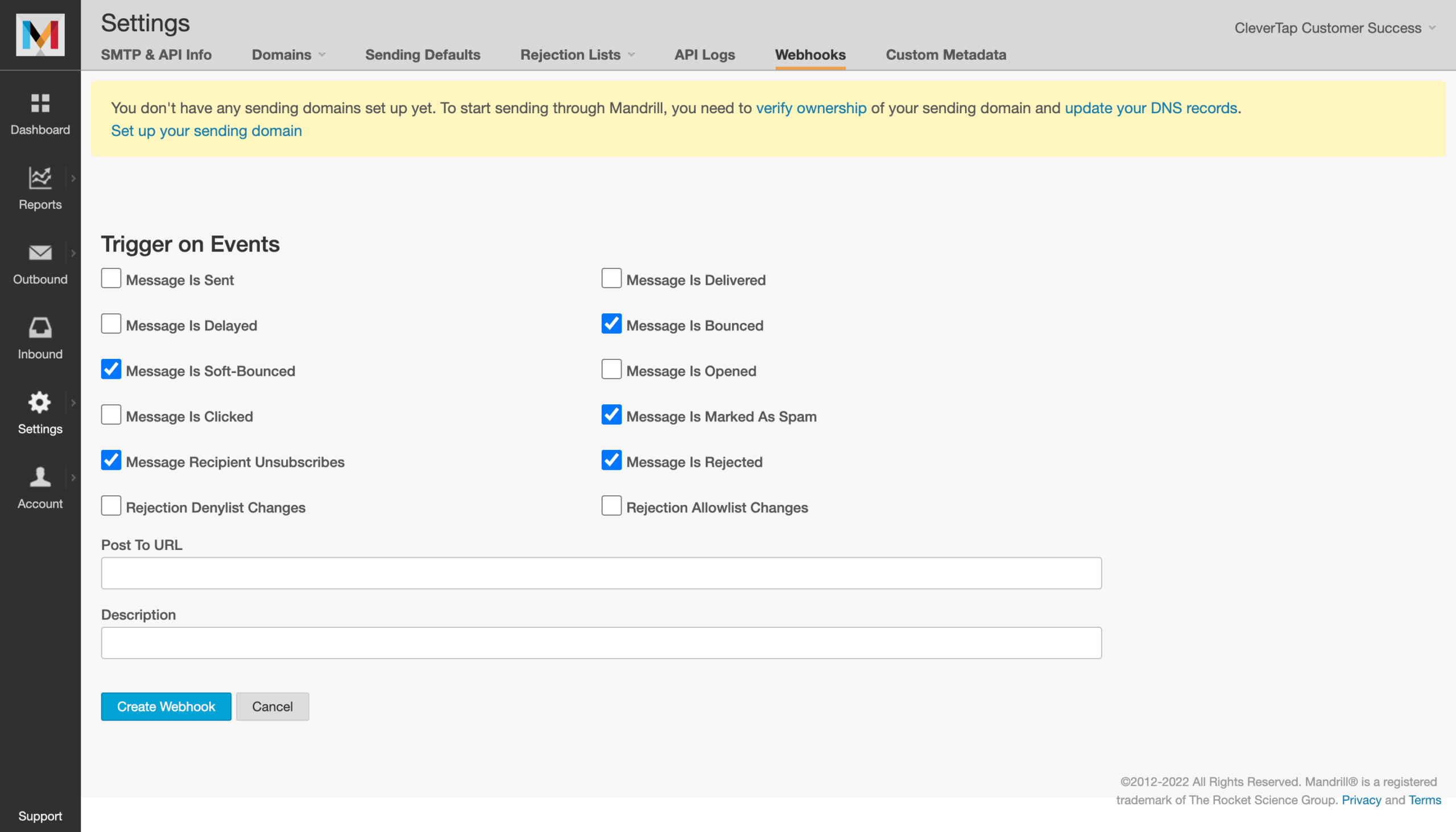
Mandrill — Mailchimp Transactional Email Service
Mandrill is Mailchimp’s transactional email add-on, built for teams already using Mailchimp that want to handle triggered messages without introducing a separate provider.

The clearest practical advantage is the Mailchimp audience connection: referencing existing contact properties directly inside transactional templates removes a data sync step that standalone providers require.
Bottom line: Mandrill is a practical extension for committed Mailchimp users, but too ecosystem-dependent and deliverability-variable to recommend as a standalone transactional service.
Key Features
- Mailchimp integration. Leverage existing templates, audience data, and analytics within a unified dashboard.
- Template editor. Use Mailchimp’s drag-and-drop builder for transactional message design with merge tag personalization.
- Dedicated IPs. Maintain sender reputation control with optional dedicated IP addresses.
- Detailed analytics. Track deliveries, opens, clicks, and bounces alongside marketing campaign data.
- Webhook support. Receive real-time event notifications for custom workflow automation.
- Flexible developer integration. Send transactional emails via REST API or SMTP relay using SDKs for PHP, Python, Node.js, and Ruby.
Ideal For
- Mailchimp users. Extend your existing setup with transactional capabilities without adopting a new platform.
- Marketing-driven teams. Maintain brand consistency across marketing and transactional messages using familiar tools.
Pros & Cons
- Seamless integration with Mailchimp templates and analytics
- Familiar interface for existing Mailchimp users
- Dedicated IP options and strong deliverability infrastructure
- Requires active Mailchimp paid subscription
- Not cost-effective for teams not using Mailchimp
- Fewer advanced API features compared to developer-focused platforms
If the required Mailchimp Standard plan is a dealbreaker, see our list of Mailchimp alternatives for transactional-capable options outside the Mailchimp ecosystem.
Pricing
- Requires Mailchimp Standard plan or higher (starting at $20/month);
- Transactional email blocks: From $20 per 25,000 emails;
- Additional blocks scale with volume.
Pricing as of August 2026
SMTP2GO — Easy-to-Use SMTP Relay for Growing Teams
SMTP2GO is a transactional email platform focused on reliable SMTP relay delivery with minimal setup overhead.

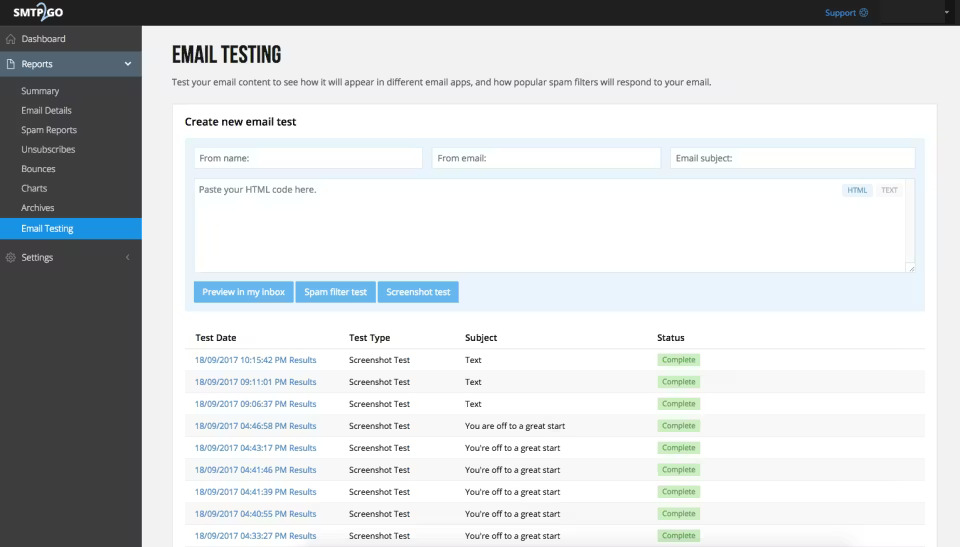
Getting a basic transactional flow configured via SMTP took around 15 minutes – the fastest onboarding of any provider in this set. Domain authentication was guided step-by-step, removing the DNS configuration friction that slows setup on platforms like Mailgun. The reporting dashboard surfaced delivery status, bounces, and open rates without additional configuration.
Bottom line: SMTP2GO is best suited for teams that prioritise fast SMTP setup and straightforward delivery monitoring over deep API control or advanced automation.
Key Features
- Simple SMTP setup. Connect existing applications and email systems with minimal configuration using standard SMTP credentials.
- REST API access. Send transactional emails programmatically with SDK support for PHP, Python, Node.js, and Ruby.
- Real-time reporting. Track deliveries, opens, clicks, and bounces through a visual status page with exportable reports.
Ideal For
- Growing teams. Scale transactional email volume with straightforward pricing and minimal technical overhead.
- Non-technical users. Set up SMTP relay quickly without extensive developer resources or API expertise.
Pros & Cons
- Quick setup with minimal technical configuration required
- Clean reporting dashboard with email archiving and search
- Responsive customer support across all plan tiers
- Fewer advanced API features compared to developer-focused platforms
- Limited automation and workflow capabilities
- Smaller SDK ecosystem than enterprise competitors
Pricing
- Free plan: 1,000 emails/month;
- Starter: From $15/month (10,000 emails/month);
- Professional: From $75/month (100,000 emails/month);
- Enterprise: Custom pricing for high-volume senders.
Pricing as of August 2026
SMTP.com — Enterprise-Grade SMTP Service Provider
SMTP is one of the oldest dedicated email relay services I’ve worked with – built for enterprises sending large transactional volumes where deliverability consistency and IP reputation matter more than modern interface design.

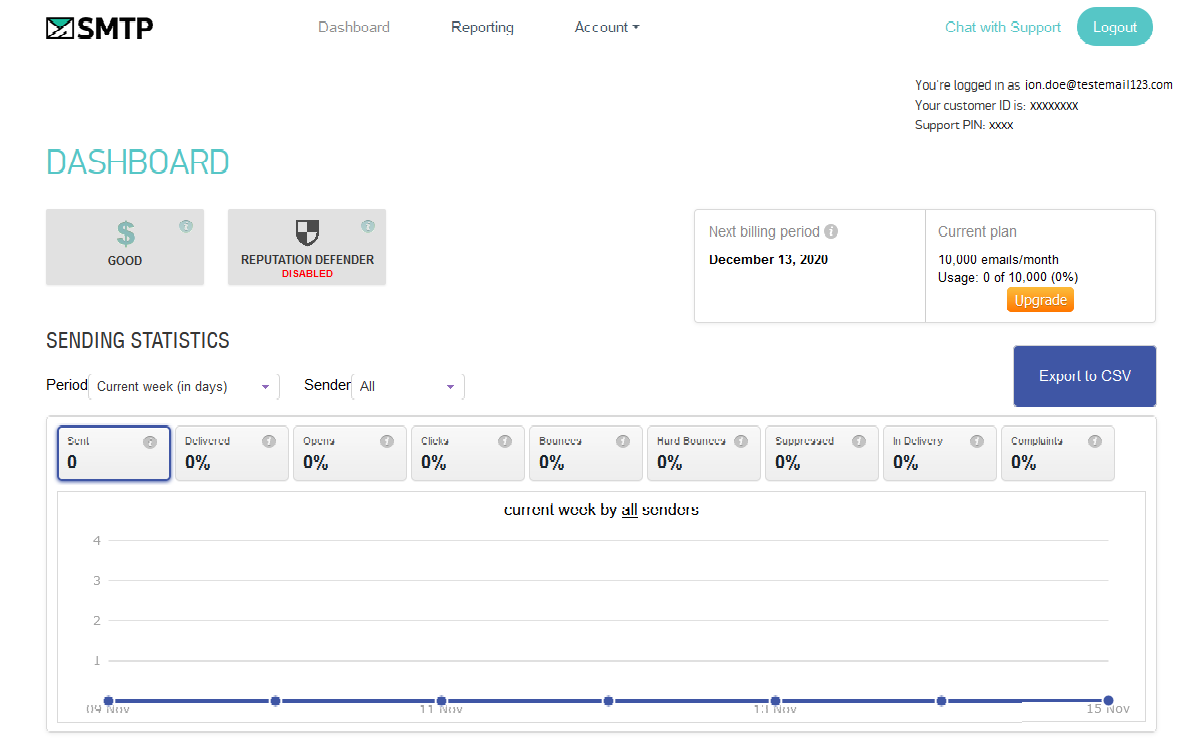
Setup took longer than newer platforms – around 2 hours including sender approval, domain authentication, and IP configuration – but the infrastructure that comes with it is genuinely enterprise-grade. Reputation Defender caught several risky addresses during an initial send that would have damaged sender reputation on a less proactive platform.
Bottom line: SMTP.com is best suited for established enterprises prioritising dedicated IP infrastructure and proactive reputation management over fast onboarding or modern usability.
Key Features
- Reputation Defender. Cleans contact lists and suppresses risky addresses automatically.
- Dedicated IPs. Maintain full control of sender reputation and deliverability.
- High-volume scalability. Built to handle enterprise-level throughput with minimal latency.
- Comprehensive reporting. Real-time dashboards for delivery rates, bounces, and engagement.
- Flexible sending methods. Deliver transactional emails through SMTP relay or REST API to fit existing systems and custom applications.
Ideal For
- Enterprise senders. Manage massive email volumes with minimal latency and dedicated support.
- Transactional-heavy industries. Deliver OTPs, receipts, and critical notifications consistently.
Pros & Cons
- Proven reliability for enterprise-scale transactional sending.
- Reputation Defender feature protects deliverability proactively.
- Dedicated IPs and feedback loops included.
- Older interface compared to modern SaaS tools.
- Setup may require technical assistance.
- Higher pricing tiers than small-business alternatives.
Pricing
- Essential: from $25/month (50,000+ emails/month);
- Starter: from $80/month (100,000+ emails/month);
- Growth: from $300/month (500,000+ emails/month);
- Business: from $500/month (1,000,000+ emails/month).
Pricing as of August 2026
Best Free Transactional Email Services
Before committing to a transactional email service, most users want to test whether it meets their needs – and that’s where free plans help. However, even generous free tiers usually come with trade-offs, such as monthly sending caps, daily limits, platform branding, or restricted access to advanced features.
| Tool | Free emails/mo | Main limit | Best for |
| Sender | 15,000 | 2,500 contacts; Sender branding included | Small businesses and ecommerce |
| Mailjet | 6,000 | Maximum 200 emails per day | Small teams needing free SMTP and API access |
| Mailtrap | 4,000 | Limited production volume and advanced features | Developers testing and sending application emails |
| Amazon SES | 3,000 | Free tier lasts 12 months; new accounts begin in sandbox mode | AWS users and cost-conscious senders |
| Brevo | Up to 9,000* | Limited to 300 emails per day | Businesses combining transactional and marketing email |
| MailerSend | 500 | Small monthly allowance; advanced features require paid plans | Startups and small development teams |
Sender offers the most generous free tier at 15,000 emails per month, making it the strongest option for small businesses that need room to grow.
Best Transactional Email API (for Developers)
Developers usually choose a transactional email API based on API quality, SDK coverage, documentation, webhook depth, and deliverability controls – not the appearance of the dashboard. That said, here are the best transactional email solutions for developers:
- Mailgun – Best overall for API flexibility. Its REST API supports sending, validation, event tracking, inbound routing, and regional US or EU processing. Official SDKs cover major programming languages, while detailed logs and suppression tools simplify troubleshooting. (Teams comparing similar developer-first platforms can also review these Mailgun alternatives.)
- Postmark – Best for speed-critical messages. Its clean API, detailed message activity feed, webhooks, and separate message streams make it especially strong for password resets, OTPs, and account alerts.
- Amazon SES – Best for low-cost scale. SES offers broad AWS SDK support, SMTP and API delivery, and integrations with CloudWatch, SNS, and IAM, although setup and deliverability management require more technical work.
Mailgun offers the best transactional email API for developers needing flexible routing, detailed event data, regional infrastructure, and granular delivery control.
How We Evaluated Transactional Email Services
- Reviewed publicly available documentation, feature pages, and pricing information for each provider;
- Compared supported delivery methods, including SMTP relay and REST API integration options;
- Assessed SDK and language support for common programming environments;
- Checked availability of core transactional features such as templates, webhooks, and event tracking;
- Evaluated IP options, including managed shared IPs and dedicated IP availability;
- Verified authentication protocol support for SPF, DKIM, and DMARC;
- Analyzed deliverability controls including bounce handling, suppression lists, and abuse monitoring;
- Compared free tier availability, trial periods, and volume allowances;
- Evaluated transparency of pricing structures, overage policies, and volume-based discounts;
- Reviewed analytics and reporting capabilities for delivery tracking and engagement metrics;
- Considered compliance disclosures, data handling policies, and regional data center availability;
- Reviewed email security provisions including encryption in transit, access controls, and API key management;
- Assessed ease of setup and accessibility for both technical and non-technical users.
Our expert reviewers combine real-world testing with insights from user reviews across Capterra, G2, Trustpilot, and Reddit to create an objective evaluation. Learn more about our review methodology
Which Transactional Email Service Should You Choose?
If you’re a small to medium business seeking reliability, simplicity, and built-in marketing tools, start with Sender – it offers professional transactional delivery and automation in one streamlined platform.
For critical, time-sensitive notifications, Postmark is unmatched in speed and inbox precision. SendGrid and Mailgun suit high-volume senders needing scalability and advanced APIs, while Amazon SES is ideal for developers prioritizing low-cost, infrastructure-level control (without managing an open source transactional email system).
Brevo is great for teams wanting unified marketing and transactional messaging. While existing HubSpot users may prefer HubSpot transactional email. Mailtrap helps developers test and debug, and SMTP.com serves enterprises requiring maximum deliverability and reputation management.
FAQs
Transactional emails are automated, one-to-one messages triggered by a user action, such as a purchase, password reset, or account signup. Marketing emails are promotional messages sent to larger audiences to drive engagement or sales. Transactional emails deliver essential service information, while marketing emails usually require explicit consent and include unsubscribe options.
Sender offers the most generous free plan with 2,500 subscribers and 15,000 emails per month, including automation features. Other notable free tiers include Mailjet (6,000 emails/month), Mailtrap (4,000 emails/month), MailerSend (500 emails/month), and Brevo (300 emails/day). Amazon SES provides a 12-month free tier of 3,000 emails/month for new AWS users.
Mailgun is the best transactional email API for developers who need flexibility, scalability, and control. It offers REST APIs, SMTP relay, SDKs for major programming languages, inbound routing, webhooks, detailed event logs, and US/EU data regions. Postmark is better for speed-critical emails, while Amazon SES suits cost-focused AWS users.
You can technically, but only for a very low volume. Gmail sending limits, limited analytics, lack of webhooks, and weaker bounce and suppression management make it unsuitable for scaling. Unlike most email service providers, dedicated transactional email service provides APIs, SMTP relay, authentication tools, delivery tracking, and better control over deliverability.
Sender is a strong choice for WordPress and WooCommerce because it supports SMTP relay, transactional automation, real-time tracking, and ecommerce messages such as order confirmations, shipping updates, and password resets. For more technical setups, Mailgun offers greater API control, while Amazon SES is better for high-volume stores prioritizing low sending costs.
When choosing a transactional email service, you should compare: deliverability rates and IP management, API and SMTP integration options, template management and personalization, real-time analytics and webhook support, pricing structure and volume limits, authentication protocols (SPF, DKIM, DMARC), bounce handling and suppression lists, and regional data center availability for compliance requirements.