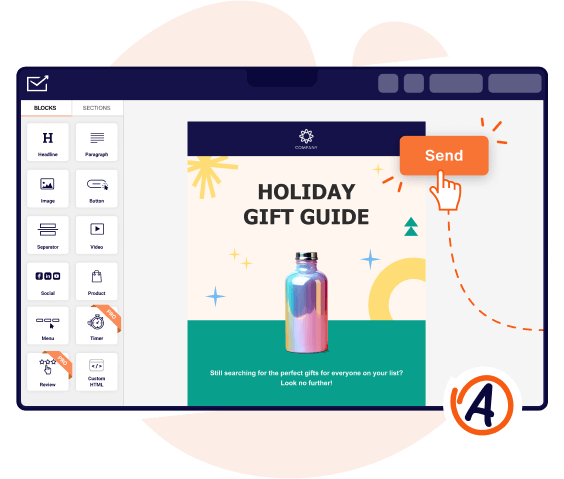
Most businesses outgrow their first email tool once sending volumes climb into the tens of thousands. At that point, deliverability infrastructure, bounce handling, and compliance controls matter more than template libraries or drag-and-drop editors.
Whether you need a bulk email marketing platform for newsletters and promotional emails or a developer-grade email delivery service for transactional messaging, the differences between providers are significant.
This guide compares 11 bulk email services across pricing models, automation depth, segmentation capabilities, and sending infrastructure to help you identify which platform fits your volume, budget, and technical requirements—whether you need a marketing-first tool or developer-grade API delivery.
Each platform reviewed below supports high-volume email sending at scale, but the right choice depends on your list size, sending frequency, and the level of automation you require to run effective bulk email campaigns.
Capterra, G2, Trustpilot, and Reddit to create an objective evaluation. Learn more about our review methodology
Top Bulk Email Services Comparison Table
If you’re in a hurry and want to quickly glance over the available bulk email services, I’ve got you covered. Check this email service comparison table of the top bulk email providers:
| Tool | Free Plan | Best For | Key Advantage |
| Sender | 2,500 contacts, 15,000 emails/mo | SMBs needing email and SMS on a budget | Most generous free plan with automation and segmentation included |
| Omnisend | 250 contacts, 500 emails/mo | Ecommerce stores on Shopify, BigCommerce, WooCommerce | Prebuilt ecommerce automations with revenue attribution |
| GetResponse | 500 contacts, 2,500 emails/mo | Businesses wanting email, webinars, and landing pages in one tool | Unlimited sends on all paid plans |
| Brevo | 100,000 contacts, 300 emails/day | Large lists with moderate sending frequency | Volume-based pricing independent of contact count |
| Mailchimp | 250 contacts, 500 emails/mo | Teams needing a large third-party integration ecosystem | 300+ integrations with ecommerce, CRM, and productivity tools |
| Mailjet | Unlimited contacts, 6,000 emails/mo | Teams co-editing emails with marketing and transactional needs | Real-time collaborative email editor |
| Constant Contact | No free plan (60-day trial) | Small businesses and event organizers wanting phone support | Phone support on all paid plans |
| ActiveCampaign | No free plan (14-day trial) | Sales-driven teams needing automation with built-in CRM | Advanced conditional workflows with lead scoring |
| HubSpot | 1,000,000 CRM contacts, 2,000 emails/mo | Organizations unifying marketing, sales, and service | Full CRM with shared contact data across departments |
| Mailgun | 100 emails/day (3 months only) | Developers building email into custom applications | RESTful API with SDKs, inbound parsing, and email validation |
| SendGrid | 100 emails/day | Development teams needing high-volume API delivery | 148B+ emails/month throughput with 99.99% uptime SLA |
Quick Picks: Find the Best Bulk Email Service for Your Needs
Use this list to quickly match your primary business need with the platform built to handle it.
- Best free plan: Sender (2,500 contacts and 15,000 emails/month with full access to automation, segmentation, and analytics at no cost.)
- Best for ecommerce: Omnisend (Purpose-built ecommerce integrations with Shopify, BigCommerce, and WooCommerce, plus prebuilt abandoned cart and post-purchase workflows with revenue attribution.)
- Best for startups and SMBs: Brevo (Volume-based pricing with 100,000 contacts on the free plan and multichannel support across email, SMS, and WhatsApp from a single dashboard.)
- Best budget option: Mailjet (Unlimited contacts on all plans including free, with combined marketing and transactional email delivery starting at $17/month.)
- Best for advanced automation: ActiveCampaign (Conditional branching, lead scoring, split testing within workflows, and a built-in CRM with deal pipelines starting at $15/month.)
- Best for enterprise and agencies: HubSpot (Unified CRM platform connecting marketing, sales, and service teams with omnichannel automation, attribution modeling, and journey analytics across the full customer lifecycle.)
Disclosure: This article evaluates a list of tools, including Sender, which our company owns. Digital marketing comparisons and assessments are based on research, industry standards, and user feedback. No commissions are earned from links in this article.
11 Best Bulk Email Services for Different Business Needs
Not every platform performs equally well in email delivery. In fact, many popular ones have bad deliverability reports and lack key features for successful bulk email campaigns.
That said, here’s a compiled a list of the 11 best bulk email marketing services for 2026, covering their strengths, real-world use cases, and what sets them apart. Let’s get into it.
Sender — Free Bulk Email Marketing Platform
Sender is an email marketing and transactional email platform built for small to mid-sized businesses. It offers a free plan that supports up to 2,500 subscribers and 15,000 emails per month, with access to core features including automation workflows, segmentation, and analytics. As a bulk email sender, it handles both marketing and transactional delivery from a single account.
Best for: Ecommerce, bloggers, and small-to-medium businesses (SMBs);
Sender pricing: Starts at $7/month for up to 1,000 subscribers + 12,000 emails/month.
Sender free plan: Up to 2,500 subscribers + 15,000 monthly emails.
The platform includes a drag-and-drop email builder, pre-designed templates, signup forms, popups, and transactional email support. Automation covers prebuilt workflows for common sequences like welcome series and abandoned cart recovery. SMS messaging is available as an additional channel on paid plans.
Sender has integrations with WordPress, WooCommerce, Shopify, and PrestaShop, and provides API access for custom connections. It also supports Zapier for third-party integrations.
Paid plans start at $7/month (Standard) and $14/month (Professional). An Enterprise tier and a pay-as-you-go option ($29 for 5,000 emails) are also available. The platform is GDPR-compliant and serves over 180,000 businesses.

Key Features
- Drag-and-drop email builder—Create responsive emails using a visual editor with prebuilt content blocks. A library of professionally designed templates covers newsletters, product announcements, and seasonal campaigns.
- Marketing automation—Set up multi-step workflows combining email and SMS actions. Prebuilt templates cover welcome series, abandoned cart recovery, and re-engagement sequences. Triggers include subscriber activity, purchase events, and custom conditions.
- Audience segmentation—Group contacts by demographics, engagement history, purchase behavior, or custom fields. Segments update dynamically as subscriber data changes, allowing targeted sends without manual list management.
- Transactional email—Send automated system-triggered messages such as order confirmations, password resets, and shipping notifications. Transactional emails operate on separate sending infrastructure from marketing campaigns.
- Popups and landing pages—Build forms and landing pages to capture subscribers directly on your site.
- Analytics and reporting—Track open rates, click-through rates, bounce rates, and unsubscribe metrics per campaign. Heatmaps show click distribution within emails. Automation reports display workflow performance across each step.
Explore all features Sender offers—from advanced automations to personalization tools built for effective email marketing.
Pros & Cons
Pros:
- Free plan includes 2,500 subscribers and 15,000 emails/month with access to automation, segmentation, and analytics.
- Combined email and SMS automation within a single workflow builder simplifies multichannel campaign setup.
- Drag-and-drop editor and prebuilt templates make campaign creation accessible without design or coding skills.
- High reported deliverability rates and responsive customer support across plans, including free.
Cons:
- No built-in CRM.
- Sender branding appears on emails sent from the free plan.
Pricing
Sender offers a free plan with 2,500 contacts and 15,000 emails/month. Paid plans start at $7/month (Standard) on a contacts-based pricing model, scaling with list size. A pay-as-you-go option is available at $29 for 5,000 credits. Notable limitations include Sender branding on the free plan. Enterprise pricing is custom.
See why businesses choose Sender:
Omnisend — Ecommerce Bulk Email Service
Omnisend is an email marketing automation platform built specifically for ecommerce businesses. It integrates directly with Shopify, WooCommerce, BigCommerce, and other ecommerce platforms, allowing users to pull product data, track customer behavior, and trigger automated workflows based on purchase activity.
The platform’s focus on customer engagement across the buyer lifecycle sets it apart from a general-purpose email sending service.
Best for: Ecommerce businesses that want advanced automation and bulk email functionality.
Omnisend pricing: Starts at $11/month for up to 500 contacts.
Omnisend free plan: Available for up to 250 contacts and 500 emails per month.
The platform includes a drag-and-drop email builder, 350+ pre-designed templates, and ecommerce-specific content blocks such as product pickers and discount code generators.
Automation covers prebuilt workflows for abandoned cart recovery, welcome series, and post-purchase follow-ups. Customer segmentation uses purchase history, browsing behavior, and lifecycle stage data. SMS and web push notifications are available as additional channels on paid plans.
Omnisend offers a free plan with 500 emails per month and access to all features. Paid plans start at $16/month (Standard) with pricing based on contact count. A Pro plan adds unlimited email sends and SMS credits. The platform serves over 100,000 ecommerce brands.

Key Features
- Ecommerce-native email builder—A drag-and-drop editor with ecommerce-specific content blocks.
- Prebuilt automation workflows—Ready-made sequences for abandoned cart, welcome series, order confirmation, shipping updates, browse abandonment, and cross-sell campaigns.
- Advanced customer segmentation—Segment contacts using purchase history, browsing activity, average order value, lifecycle stage, and engagement metrics.
- Campaign Booster—Automatically resend a campaign with a different subject line to contacts who did not open the original email, extending reach without creating a separate campaign.
- Direct ecommerce integrations—One-click integrations with Shopify, BigCommerce, WooCommerce, Wix, and other ecommerce platforms.
- Performance reporting—Campaign and automation analytics include revenue attribution, showing which emails generated sales.
Pros & Cons
Pros:
- Purpose-built for ecommerce with direct integrations into Shopify, BigCommerce, WooCommerce, and Wix.
- Prebuilt automation workflows for ecommerce-specific sequences.
- Revenue attribution in reporting ties individual campaigns and automations to actual sales figures.
- 24/7 email and live chat support available on all plans, including free.
Cons:
- Platform and support are English-only, with no multi-language interface or localized support.
- Free plan is limited to 500 emails/month and reach of 250 contacts.
- Pricing scales steeply at higher contact tiers, particularly when SMS credits are factored in.
- Limited integrations outside the ecommerce ecosystem.
Pricing
Omnisend offers a free plan with 250 contact reach and 500 emails/month. Paid plans start at $16/month (Standard) using contacts-based pricing. The Pro plan begins at $59/month with unlimited sends. Notable limitations include steep price scaling at higher contact tiers and SMS credits billed separately. Enterprise pricing is custom.
I use Omnisend for omnichannel email marketing, and it provides a better understanding of customer purchases and lifecycle. I really like the automations, as there’s a great amount of inputs for starting an automation.
— Biagio S. on G2
GetResponse — Bulk Email Platform with Built-In Pages
GetResponse is a marketing platform that combines email marketing, automation, landing pages, and webinar hosting. It targets small to mid-sized businesses, content creators, and ecommerce marketers who need multiple tools under a single subscription.
Best for: Ecommerce stores, SMBs, and enterprises;
GetResponse pricing: Starts at $19/month for up to 1,000 contacts + unlimited emails;
GetResponse free plan: Includes up to 500 contacts and 2,500 emails/month.
The platform provides a drag-and-drop email editor, autoresponders, and a visual workflow builder for multi-step automation sequences. Additional features include a website builder, conversion funnels, AI-powered content generation, and a built-in course creation tool for paid digital content. Ecommerce integrations support Shopify, WooCommerce, and Magento, with features like product recommendations, abandoned cart recovery, and promo codes available on higher-tier plans.
GetResponse offers a free plan for up to 500 contacts with limited sends. Paid plans start at $19/month (Starter) for 1,000 contacts with unlimited email sends. The Marketer plan ($59/month) unlocks full automation and advanced segmentation. Enterprise plans include SMS, transactional emails, and dedicated support. An 18% discount applies to annual billing.

Key Features
- Email editor and templates—A drag-and-drop builder with AI-assisted content generation and a library of predesigned templates. Supports personalization using merge tags, dynamic content blocks, and custom fields.
- Autoresponders—Time-based email sequences that send automatically after a subscriber joins a list. Useful for drip campaigns, onboarding series, and educational content delivery.
- Landing pages and forms—A built-in landing page builder with 190+ responsive templates and an AI page generator. Forms and popups support custom fields and feed directly into segmentation and automation.
- Webinar hosting—An integrated webinar platform supporting live and on-demand sessions, screen sharing, polls, and whiteboard tools. Available on higher-tier plans with attendee limits based on plan level.
- Conversion funnels—Prebuilt sales funnel templates that combine landing pages, emails, and payment processing into a single flow. Supports lead magnet funnels, product sales, and webinar registration paths.
- Ecommerce tools—Product recommendations powered by AI, abandoned cart recovery, promo code generation, and transactional emails. Direct integrations with Shopify, WooCommerce, and Magento.
Pros & Cons
Pros:
- Unlimited email sends on all paid plans, removing volume-based restrictions that affect cost predictability at scale.
- Feature set extends well beyond email, including webinars, landing pages, conversion funnels, a website builder, and a course creation tool.
- Visual automation builder supports complex multi-step workflows.
Cons:
- Advanced automation and segmentation are locked behind the Marketer plan ($59/month).
- Ecommerce features like abandoned cart recovery and product recommendations require the Ecommerce Marketing plan ($119/month).
- SMS marketing is only available on Enterprise plans.
- The breadth of features can feel overwhelming for users who only need straightforward bulk email sending.
Pricing
GetResponse offers a free plan for up to 500 contacts with 2,500 emails/month. Paid plans start at $19/month (Starter) on a contacts-based model, with unlimited sends on all paid tiers. An 18% discount applies to annual billing. Notable limitations include advanced automation requiring the Marketer plan ($59/month) and SMS restricted to Enterprise.
Simple automation and customization of multistep trips based on participant actions could send a series of onboarding emails to new sign-ups, for example, or cart abandonment emails if the purchase is not completed.
— Nanaka S. on Capterra
Brevo — Multi-Channel Bulk Email Platform
Brevo (formerly Sendinblue) is an email marketing and CRM platform that prices based on email volume rather than contact count. The free plan supports up to 100,000 stored contacts, though paid plans introduce contact caps.
This volume-based model can be cost-effective for businesses with large lists and moderate sending frequency, making it an appealing bulk mailing platform for medium sized businesses that want to send mass emails without paying per contact.
Best for: Small to mid-sized businesses looking for an affordable, all-in-one platform;
Brevo pricing: Starts at $8/month for up to 5,000 monthly emails.
Brevo free plan: Includes up to 300 emails per day with unlimited contacts.
Core features include a drag-and-drop email builder, marketing automation workflows, transactional email support via API and SMTP, and a built-in CRM with basic contact management. Additional channels include SMS, WhatsApp messaging, and live chat. The platform supports segmentation, email A/B testing, and send-time optimization on higher plans. Landing pages are available starting from the Standard tier.
Brevo offers a free plan with 300 emails per day. The Starter plan begins at $9/month for 5,000 emails, though Brevo branding removal costs an extra $12/month. The Standard plan starts at $18/month and adds automation, landing pages, and multi-user access. A pay-as-you-go credit option is also available. Brevo integrates with 150+ third-party tools.

Key Features
- Transactional email via API and SMTP—Send system-triggered emails through a dedicated API or SMTP relay. Transactional messages operate on separate infrastructure from marketing campaigns and are included on all plans.
- Volume-based pricing—Costs are determined by the number of emails sent per month rather than list size.
- Marketing automation—A visual workflow builder with triggers based on contact activity, website visits, email engagement, and custom events. Automation is available starting from the free plan, though with entry limits on lower tiers.
- Built-in CRM—Basic contact management with custom fields, tags, activity tracking, and deal pipeline functionality. Designed for small teams managing leads alongside email marketing rather than as a standalone CRM replacement.
- Send-time optimization—Uses engagement data to determine the optimal delivery time for each contact. Available on higher-tier plans alongside A/B testing for subject lines and content.
Pros & Cons
Pros:
- Free plan allows 100,000 stored contacts, making it viable for businesses building large lists before committing to a paid tier.
- Multichannel support includes email, SMS, WhatsApp, and live chat within a single platform.
- Marketing automation and web tracking are included starting from the free plan, though with entry limits.
- Pay-as-you-go credits never expire, offering flexibility for seasonal or infrequent senders.
Cons:
- Free plan caps sending at 300 emails per day.
- Brevo branding on emails requires a $12/month add-on to remove on the Starter plan.
- Paid plans introduce contact caps, reducing the unlimited-contacts advantage of the free tier.
- Some users report slower customer support response times on lower-tier plans.
Pricing
Brevo offers a free plan with unlimited contacts and 300 emails/day. Paid plans start at $9/month (Starter) using email-volume-based pricing independent of list size. Pay-as-you-go credits are available and never expire. Notable limitations include Brevo branding removal costing an extra $12/month on Starter, and paid plans introducing contact caps.
Perfect for email marketing! Brevo ensures that transactional emails are reliably delivered to recipients’ inboxes. This reliability is crucial for critical communications like order confirmations and password resets. It is also really great at being an all-in-one CRM package.
— Nick C. from G2
Mailchimp — Popular Mass Email Marketing Platform
Mailchimp is a widely recognized email marketing platform offering campaign management, automation, landing pages, and CRM features. Acquired by Intuit in 2021, it has expanded into a broader marketing platform with website building, social media ads, and ecommerce tools.
Its name recognition makes it a common first choice for teams looking for business email sending software, though pricing at scale favors competitors.
Best for: Creatives, small businesses, and marketing teams that want beautifully designed campaigns;
Mailchimp pricing: Starts at $13/month for up to 500 contacts;
Mailchimp free plan: Includes up to 250 contacts + 500 monthly emails.
The platform includes a drag-and-drop email editor, pre-designed templates, audience segmentation, A/B testing, and send-time optimization. Automation (branded as “Flows”) supports multi-step customer journeys on the Standard plan and above. Mailchimp integrates with 300+ third-party tools, including Shopify, WooCommerce, WordPress, and Salesforce. SMS marketing is available as a paid add-on in select markets.
Mailchimp offers a free plan limited to 250 contacts and 500 email sends per month, with no access to automation or email scheduling. The Essentials plan starts at $13/month for 500 contacts. The Standard plan begins at $20/month and adds advanced automation, predictive segmentation, and generative AI features. Premium starts at $350/month. Pricing scales with contact count, and unsubscribed contacts still count toward billing.

Key Features
- Audience management and segmentation—Contact profiles store engagement history, predicted demographics, and customer lifetime value (Standard plan and above).
- Automation (Flows)—Multi-step automated sequences triggered by subscriber actions, purchase events, or date-based conditions.
- A/B and multivariate testing—Test subject lines, content, send times, and sender names. Multivariate testing (Premium plan) allows simultaneous testing of multiple variables across campaign elements.
- Reporting and analytics—Campaign reports include open rates, click maps, revenue tracking, and comparative analytics. Predictive analytics (Standard and above) forecast customer behavior and segment audiences by likelihood to purchase.
- Third-party integrations—Over 300 integrations including Shopify, WooCommerce, WordPress, Salesforce, Canva, and social media platforms.
Pros & Cons
Pros:
- Over 300 integrations with third-party tools.
- Predictive analytics forecast customer behavior, including purchase likelihood and customer lifetime value.
- Established deliverability infrastructure handling billions of emails monthly with send-time optimization and timezone-based delivery.
- Content studio for managing images, files, and brand assets in a centralized library across campaigns.
- Comprehensive A/B and multivariate testing options for subject lines, content, send times, and sender names.
Cons:
- Free plan is limited to 250 contacts and 500 emails/month with no automation, scheduling, or email support after the first 30 days.
- Unsubscribed and inactive contacts count toward billing unless manually archived or deleted.
- Pricing scales steeply with contact count.
Pricing
Mailchimp offers a free plan limited to 250 contacts and 500 emails/month. Paid plans start at $13/month (Essentials) on a contacts-based pricing model. Notable limitations include no automation or scheduling on the free plan, unsubscribed contacts counting toward billing, and steep price scaling at higher contact tiers. Premium starts at $350/month.
Mailchimp allows us to quickly create, automate, and analyze email campaigns, making it an excellent choice for both beginners and seasoned marketers.
— Stephanie E. from Capterra
Find out more about this tool: 13 Mailchimp Alternatives Reviewed (2026)
Mailjet — Bulk Email Platform for Team Collaboration
Mailjet is an email service platform designed for both marketing campaigns and transactional email delivery. Part of the Sinch group (alongside Mailgun), it appeals to businesses and developer teams that need reliable email infrastructure with a visual campaign builder.
Best for: Marketing teams and agencies that need collaborative tools for email campaigns;
Mailjet pricing: Starts at $17/month for up to 15,000 monthly emails;
Mailjet free plan: Includes up to 6,000 emails per month with basic features like email templates.
Core features include a collaborative drag-and-drop email editor with real-time multi-user editing, email templates, contact segmentation, and A/B testing. Transactional email is handled through a shared infrastructure with Mailgun, accessible via REST API and SMTP relay.
Marketing automation is available on the Premium tier. Mailjet also offers email validation and inbox preview tools. Pricing is based on email volume, not contact count, so all paid plans support unlimited contacts.
Mailjet’s free plan includes 6,000 emails per month (capped at 200/day). The Essential plan starts at $17/month for 15,000 emails and removes the Mailjet logo. The Premium plan ($27/month) adds automation, segmentation, and A/B testing. Custom enterprise plans are available for high-volume senders.

Key Features
- Collaborative email editor—A drag-and-drop builder that supports real-time multi-user editing. Team members can work on the same email simultaneously, with role-based permissions to control who can edit, review, or approve content.
- Transactional email delivery—Send transactional messages through REST API and SMTP relay, built on shared infrastructure with Mailgun. Supports dynamic templates with personalization variables and real-time event tracking via webhooks.
- Email validation—Built-in address verification to check email validity before sending. Helps reduce bounce rates and protect sender reputation. Validation credits are included in paid plans.
- Contact segmentation and targeting—Segment subscribers by engagement metrics, contact properties, or custom attributes. Segmentation tools are available on the Essentials plan.
- Marketing automation—Automated workflows triggered by subscriber behavior or time-based conditions. Available on the Premium tier. Supports welcome sequences, re-engagement campaigns, and conditional branching.
- Deliverability and analytics—Campaign tracking covers opens, clicks, bounces, and unsubscribes. Inbox preview tools show how emails render across different email clients and devices.
Pros & Cons
Pros:
- Real-time collaborative email editor allows multiple team members to work on the same email simultaneously.
- Unlimited contacts on all plans, except free (1,000 contact limit)—pricing is based entirely on email volume.
- Email validation is included on paid plans, helping reduce bounce rates before sending.
Cons:
- Marketing automation is only available on the Premium plan ($27/month).
- Template library and design customization options are more limited compared to dedicated marketing platforms.
- Reporting and analytics are functional but basic.
Pricing
Mailjet offers a free plan with 1,000 and 6,000 emails/month (200/day cap). Paid plans start at $17/month (Essential) using email-volume-based pricing with unlimited contacts on all tiers. Notable limitations include Mailjet branding on the free plan and marketing automation only available on the Premium plan at $27/month.
Mailjet has all the basics and does them well if you need a solid email marketing platform with no frills. You can create, edit, manage, schedule and optimize with ease.
— Ryleigh S. from Capterra
Constant Contact — Beginner-Friendly Bulk Email Service
Constant Contact is an email marketing platform aimed at small businesses, nonprofits, and event organizers. It focuses on ease of use and offers phone support on all paid plans, a feature uncommon among competitors in this category.
Best for: Small businesses, solopreneurs, and nonprofits;
Constant Contact pricing: Starts at $12/month for up to 500 contacts;
Constant Contact free plan: 30-day free trial only.
The platform provides a drag-and-drop email editor, customizable templates, contact list management, social media posting, and basic reporting. Unique features include event management tools for invitations, registrations, and ticketing, as well as social media ad creation for Facebook and Instagram.
Marketing automation is available starting from the Standard plan, though workflows remain limited compared to automation-focused platforms. SMS marketing is available as a paid add-on (U.S. customers only).
Constant Contact does not offer a free plan, but provides a 60-day free trial. The Lite plan starts at $12/month for up to 500 contacts. The Standard plan ($35/month) adds automation, A/B testing, and segmentation. The Premium plan ($80/month) includes custom automations, dynamic content, and SEO tools. A 15% discount applies to annual billing.

Key Features
- Event management tools—Create and promote events with built-in invitation, registration, and ticketing functionality. Track RSVPs and send follow-up emails to attendees. A unique feature among email marketing platforms in this category.
- Social media marketing—Schedule and publish posts to Facebook, LinkedIn, and Instagram directly from the platform. Create Facebook and Instagram ads, and monitor engagement through a unified social inbox.
- Marketing automation—Differently limited automated email paths available on Lite Standard and Premium plans. Prebuilt templates cover welcome sequences, birthday emails, and resends to non-openers. Custom automation paths require the Premium plan.
- Contact segmentation—Segment audiences by engagement, demographics, tags, and ecommerce activity. Auto-generated segments are available on Standard and above. Segmentation is not included on the Lite plan.
- Reporting and analytics—Track email opens, clicks, bounces, and unsubscribes. Engagement heat maps (Premium) show where recipients click within emails. Comparison reports help benchmark campaign performance over time.
- SMS marketing (U.S. only)—Add SMS functionality as a paid add-on to any plan. Includes a dedicated phone number and message editor. Pricing starts at $10/month for up to 500 messages.
Pros & Cons
Pros:
- Phone support available on all paid plans.
- Built-in event management tools.
- Social media marketing tools.
- Consistently high deliverability rates in independent tests.
Cons:
- No free plan—the Lite plan starts at $12/month and has limited segmentation, automation, and no A/B testing.
- Marketing automation is limited to basic prebuilt paths on the Standard plan.
- SMS marketing is available only to U.S. customers and costs extra as an add-on.
Pricing
Constant Contact does not offer a free plan but provides a 60-day free trial. Paid plans start at $12/month (Lite) on a contacts-based pricing model, with a 15% annual discount. Notable limitations include restricted segmentation and automation on the Lite plan, SMS available only in the U.S. as a paid add-on, and custom automations requiring the Premium plan ($80/month).
I like that Constant Contact is integrated, allowing me to create and send communications all in one place. I also appreciate that the template is intuitive and visually easy to build, which helps me quickly and easily create professional looking communications.
— Ashlyn C. from G2
ActiveCampaign — Bulk Email Platform with Advanced Automation
ActiveCampaign is a marketing automation platform that combines email marketing, CRM, and sales automation. It is built for businesses that require complex, behavior-driven workflows and deep segmentation across the customer lifecycle.
Best for: SMBs looking for advanced email automation and CRM features;
ActiveCampaign pricing: Starts at $15/month for up to 1,000 contacts and up to 10,000 emails/month;
ActiveCampaign free plan: 14-day free trial only.
The platform’s visual automation builder supports conditional logic, branching paths, lead scoring, and multi-channel triggers across email, SMS, and site events. Additional features include a built-in CRM with deal pipelines, predictive sending, split automations, and over 900 prebuilt automation templates.
ActiveCampaign integrates with 900+ third-party apps, including Shopify, WooCommerce, Salesforce, and WordPress. Its comprehensive reporting capabilities cover campaign performance, automation funnel metrics, and deal attribution across the sales pipeline.
ActiveCampaign does not offer a free plan. A 14-day free trial is available. The Starter plan begins at $15/month for 1,000 contacts and covers basic email marketing. The Plus plan ($59/month) adds CRM, landing pages, and advanced segmentation. The Pro plan ($99/month) unlocks predictive sending, A/B testing within automations, and attribution tracking. Enterprise starts at $179/month. Pricing scales with contact count, and a 20% discount applies to annual plans.

Key Features
- Built-in CRM with deal pipelines—Manage contacts and sales opportunities in a native CRM. Track deals across custom pipeline stages, assign tasks to team members, and trigger automations based on deal progress.
- Advanced segmentation and lead scoring—Score leads based on engagement, site behavior, and email interaction. Combine scores with segmentation rules to route contacts into targeted campaigns or sales workflows automatically.
- Conditional and dynamic email content—Display different content blocks within the same email based on contact data, tags, or segment membership. Supports personalization beyond merge tags.
- Split automations and A/B testing—Test different automation paths by splitting contacts into groups and measuring performance across each branch. A/B test subject lines, email content, and send times within workflows.
- Site and event tracking—Monitor contact behavior on your website in real time. Use page visits, form submissions, and custom events as triggers for automated follow-ups.
Pros & Cons
Pros:
- One of the most advanced automation builders available, with conditional branching, lead scoring, goal tracking, and split testing within workflows.
- Built-in CRM with deal pipelines, task management, and sales automation.
- Site and event tracking allow automations to trigger based on real-time visitor behavior.
- Over 900 prebuilt automation templates.
Cons:
- No free plan—only a 14-day trial limited to 100 contacts and 100 emails.
- Pricing scales significantly with contact count.
- The Starter plan ($15/month) covers only basic email marketing.
Pricing
ActiveCampaign does not offer a free plan, only a 14-day trial. Paid plans start at $15/month (Starter) on a contacts-based pricing model, with a 20% annual discount. Notable limitations include the Starter plan covering only basic email marketing—premium CRM features, landing pages, and advanced segmentation require the Plus plan at $59/month. SMS is a paid add-on.
ActiveCampaign has assisted me in maintaining follow-ups and service updates. I find it easier as a technical support engineer because I am sure that important client emails are not lost.
— David M. from Capterra
HubSpot — Bulk Email Platform with CRM Integration
HubSpot Marketing Hub is the email marketing and automation component of HubSpot’s broader CRM platform. It is designed for businesses that want marketing, sales, and customer service tools unified in a single system with shared contact data.
Best for: B2B companies requiring CRM and email integration;
HubSpot pricing: Starts at $15/month for up to 1,000 contacts;
HubSpot free plan: Up to 2,000 monthly emails + 3 email templates.
The free tier includes basic email marketing (2,000 sends/month), forms, live chat, and CRM functionality with up to 1,000 contact records. Paid plans add automation workflows, A/B testing, ad management, social media scheduling, landing pages, and advanced reporting.
The Professional tier unlocks omnichannel automation, dynamic personalization, and campaign analytics. All marketing emails sent through HubSpot carry branding on the free plan, which is removed on paid tiers.
Marketing Hub Starter begins at $20/month for 1,000 marketing contacts. Professional starts at $890/month for 2,000 contacts and requires a one-time onboarding fee. Enterprise is $3,600/month for 10,000 contacts. Additional marketing contacts increase costs significantly at each tier. HubSpot offers a 40% discount for nonprofits and up to 90% off for eligible startups.

Key Features
- CRM-integrated email marketing—Email campaigns run on top of HubSpot’s free CRM, giving access to shared contact records, company data, deal history, and engagement timelines.
- Omnichannel marketing automation—Build workflows that span email, social media, ads, website content, and chat (Professional plan and above).
- Landing pages and forms—Create landing pages with a drag-and-drop editor and over 190 templates.
- Ad management—Connect Google, Facebook, and LinkedIn ad accounts to track ROI and create audiences from CRM data. Ad retargeting is available on Starter and above.
- Smart content and personalization—Display dynamic content on emails and web pages based on contact properties, lifecycle stage, or list membership. Available on Professional and Enterprise plans.
Pros & Cons
Pros:
- Email marketing runs on top of a full CRM with shared contact records across marketing, sales, and service teams.
- Free CRM supports up to 1,000 contact records with basic email marketing, forms, live chat, and reporting at no cost.
- Professional plan offers omnichannel automation spanning email, ads, social media, website content, and chat from a single workflow builder.
- Extensive reporting and attribution modeling (Enterprise) enable cross-channel performance measurement and revenue tracking.
Cons:
- Marketing Hub Professional starts at $890/month with a mandatory onboarding fee, making it one of the most expensive options for accessing full automation.
- The Starter plan ($20/month) is heavily limited—only 10 automated email actions, basic segmentation, and no multi-step workflows.
- The platform’s breadth means teams focused solely on bulk email pay for CRM, sales, and service features they may not use.
Pricing
HubSpot offers a free plan with 1,000 CRM contacts and 2,000 emails/month. Paid plans start at $20/month (Marketing Hub Starter) using a hybrid pricing model based on marketing contacts. Notable limitations include HubSpot branding on the free plan, heavily restricted automation on Starter, and the Professional plan starting at $890/month with a mandatory onboarding fee.
Overall, marketing hub works good. Easy to set up scheduled and automated emails. Also easy to read the stats and see clients response to it. Some tracking work better than others.
— Alexandra L. from Capterra
Mailgun — Developer-Focused Bulk Email Infrastructure
Mailgun is a developer-focused email infrastructure platform designed for sending, receiving, and tracking transactional and bulk email through APIs and SMTP. It is part of the Sinch group and processes over 600 billion emails annually. As a dedicated email blast software platform, it prioritizes API flexibility and scalable email sending over visual campaign design.
Best for: Development teams requiring API-first email solutions;
Mailgun pricing: Starts at $15/month for up to 10,000 monthly emails;
Mailgun free plan: Available for up to 100 emails/day.
The platform provides RESTful APIs, SMTP relay, email routing and parsing, webhook event tracking, and log retention. Developers can integrate using SDKs for Python, PHP, Ruby, Java, and other languages. Mailgun also offers email validation, inbox placement testing, and deliverability monitoring through its Optimize suite, available as a separate subscription. Marketing campaign tools exist but are secondary to the platform’s API-first design.
Mailgun offers a free tier limited to 100 emails per day. The Basic plan starts at $15/month with 10,000 emails/month, 5 inbound routes and no daily email limit included. The Foundation plan starts at $35/month for 50,000 emails and includes 24/7 ticket support and 1-day log retention. The Scale plan ($90/month) adds a dedicated IP, email validation, and live chat support. Enterprise pricing is custom for 2.5M+ emails/month.

Key Features
- RESTful email API—Send, receive, and track emails programmatically through a well-documented API.
- SMTP relay—An alternative to the API for applications that use standard SMTP for email delivery.
- Email routing and parsing—Receive inbound emails and parse them into structured data (sender, subject, body, attachments). Route messages to different endpoints based on custom rules.
- Email validation—Verify email addresses before sending to reduce bounces and protect sender reputation. Validation checks syntax, domain, and mailbox-level deliverability.
- Detailed event tracking—Webhooks deliver real-time events for delivered, opened, clicked, bounced, complained, and unsubscribed messages.
- Dedicated IP addresses—Available on Scale, Enterprise, and Foundation plans to isolate sender reputation from other Mailgun users. Supports IP warm-up scheduling for new sending domains.
Pros & Cons
Pros:
- Developer-first API design with comprehensive documentation and SDKs for major programming languages.
- Handles over 600 billion emails per year with a Rapid Fire Delivery SLA guaranteeing 99% attempted delivery within five minutes for up to 15 million messages.
- Email routing and inbound parsing convert incoming messages into structured data.
Cons:
- Marketing campaign tools are secondary to the API; the visual editor and template library are basic compared to dedicated email marketing platforms.
- Customer support on lower-tier plans is limited to ticket-based assistance.
- No built-in automation workflows.
- Pricing can be difficult to predict due to separate plans for Send and Optimize products.
Pricing
Mailgun offers a limited free tier of 100 emails/day. Paid plans start at $15/month (Basic) using email-volume-based pricing. Notable limitations include very limited free plan, minimal marketing campaign tools, and the deliverability/optimization suite billed as a separate subscription. Dedicated IPs require the Scale plan ($90/month).
I like that Mailgun comes with great features for verifying emails and it always ensures emails gets to inbox safely and fast.
It makes it easy to track and send transactional emails to ensures a smooth experience for customers.
— Simone B. from G2
SendGrid — High-Volume Bulk Email Sending Platform
SendGrid (owned by Twilio) is an email delivery platform that combines a transactional Email API with a separate Marketing Campaigns product for managing newsletter and promotional sends. It handles over 148 billion emails monthly and serves both developer and marketing teams.
The platform’s infrastructure supports mass email sending at enterprise scale, making it one of the most established options for teams that need reliable, high-throughput delivery.
Best for: High-volume senders, developers, and businesses requiring robust email delivery;
SendGrid pricing: Starts at $15/month for up to 100,000 contacts & 300,000 emails/month;
SendGrid free plan: 60-day free trial only.
The Email API provides SMTP and REST-based sending, event webhooks, email analytics, dynamic template management, and suppression handling. The Marketing Campaigns product includes a drag-and-drop visual editor, contact segmentation, scheduling, and automation (available on the Advanced plan only). SendGrid supports 320+ integrations, including Shopify, HubSpot, and Salesforce. SMS messaging is available through Twilio integration.
SendGrid offers a free trial for 60 days to try out the essential features. For the Email API, the Essentials plan starts at $19.95/month for 50,000 emails. The Pro plan ($89.95/month) adds a dedicated IP, email validation, and subuser management. Marketing Campaigns plans start at $15/month (Basic) and $60/month (Advanced). Note that API and Marketing plans are billed separately.

Key Features
- Email API with SMTP and REST—Send transactional and marketing emails through a scalable API or SMTP relay.
- Automation workflows—Multi-step automated sequences triggered by subscriber actions or time-based rules.
- Email analytics and reporting—Track delivery rates, opens, clicks, bounces, unsubscribes, and spam reports.
- Email address validation—Verify recipient addresses to reduce bounces and improve deliverability. Available on Pro (API) and Advanced (Marketing) plans.
- Dedicated IP addresses—Isolate your sending reputation with a dedicated IP. Included on Pro API and Advanced Marketing plans. Supports gradual IP warm-up for new senders.
Pros & Cons
Pros:
- Processes over 148 billion emails monthly with a 99.99% uptime SLA.
- Separate Email API and Marketing Campaigns products.
- Dynamic template system with Handlebars syntax supports.
Cons:
- Email API and Marketing Campaigns are billed as separate subscriptions.
- The Marketing Basic plan ($15/month) removes automation that is available during the free trial.
- Non-developers may find setup and configuration less intuitive.
Pricing
SendGrid offers a 60-day free trial, no free plan available. Paid plans start at $19.95/month (API Essentials) using email-volume-based pricing, with Marketing Campaigns billed separately from $15/month. Notable limitations include API and Marketing plans requiring separate subscriptions, automation restricted to the Advanced Marketing plan ($60/month), and a technically oriented setup process
It’s solid. It takes a little time to get used to some quirks, but once it’s set up, it works well. Good tool for transactional emails and templates.
— Sevval B. from Capterra
Essential Features for Bulk Email Marketing Software
The gap between amateur email blasts and professional campaigns isn’t pure luck—it’s having the right infrastructure. The following seven features separate a successful email marketing platform from expensive disappointments.
High Deliverability Infrastructure
Sending bulk email at scale means nothing if messages land in spam. A reliable platform must maintain the infrastructure and reputation systems needed to consistently reach inboxes.
- Sender authentication support—Full SPF, DKIM, and DMARC configuration with setup guides and diagnostic tools to verify sending identity.
- IP reputation management—Shared IP pools with enforced sending standards, or dedicated IPs with warmup processes for high-volume senders.
- Bounce and complaint processing—Automatic suppression of invalid addresses, spam complaint handling, and feedback loop integration with ISPs.
Email A/B Testing Capabilities
Assumptions about what drives engagement are unreliable without controlled testing. A bulk email platform should isolate variables and deliver statistically meaningful results before committing to a full send.
- Variable isolation—Test subject lines, sender names, content, layouts, and send times as individual controlled experiments.
- Automated winner selection—Configurable sample sizes, split ratios, and winning metrics with automatic deployment of the winning variation.
- Statistical reporting—Clear performance data with confidence indicators so decisions are based on data rather than noise from small samples.
Email Automation Workflows
Manual scheduling cannot sustain timely, behavior-driven communication at scale. Automation workflows trigger messages based on subscriber actions and data changes without manual intervention.
- Trigger-based initiation—Workflows activate on form submissions, purchases, abandoned carts, link clicks, or custom field changes.
- Conditional branching—If/then conditions, wait steps, and goal tracking allow sequences to adapt to individual recipients.
- Multi-step sequencing—Chain follow-up emails, SMS, tag assignments, and internal notifications within a single workflow.
Advanced Segmentation & Personalization
Sending the same message to an entire list reduces relevance and drives disengagement. Segmentation and personalization tools divide audiences by measurable attributes and tailor content accordingly.
- Multi-condition segments—Combine demographic data, purchase history, engagement metrics, and behavioral triggers in dynamically updating segments.
- Dynamic content blocks—Display different text, images, or offers within a single email based on subscriber attributes or segment membership.
- Personalization beyond merge tags—Conditional logic, product feeds, location-based content, and send-time personalization that go beyond inserting a first name.
Drag & Drop Email Builder
Not every team has designers or developers for email production. A drag-and-drop builder must produce responsive emails that render correctly across clients and devices without HTML knowledge.
- Modular content blocks—Draggable elements for text, images, buttons, dividers, social links, and custom HTML with flexible layout control.
- Responsive rendering—Automatic adaptation to mobile, tablet, and desktop with preview tools for Gmail, Outlook, Apple Mail, and Yahoo.
- Reusable templates—Prebuilt templates, saved custom designs with locked brand elements, and reusable content blocks across campaigns.
Comprehensive Analytics & Reporting
Campaign data is only useful if it is accurate, timely, and actionable. Reporting tools must go beyond open and click counts to reveal patterns in engagement, deliverability, and revenue.
- Core metrics—Real-time delivery rates, opens, clicks, bounces, unsubscribes, and spam complaints filterable by segment, time range, and device.
- Click mapping—Visual click maps and link-level reporting showing which content areas and calls to action drive engagement.
- Revenue attribution—Connection between email activity and downstream outcomes—purchases, sign-ups, or pipeline value—through built-in or integrated conversion tracking.
List Management & Compliance Tools
Your email list is only valuable if it is compliant, well-maintained, and protected from deliverability risks. Bulk email platforms must enforce permission standards and prevent abusive sending practices.
- Consent and compliance controls—Opt-in management, unsubscribe enforcement, and regulatory support for GDPR and CAN-SPAM through consent tracking and suppression rules.
- Automated list hygiene—Bounce handling, duplicate removal, spam complaint monitoring, and suppression management to protect sender reputation.
- Authentication safeguards—SPF, DKIM, and DMARC support with IP reputation management and monitoring for unusual sending behavior.
Bulk Email Services: Pricing Comparison Table
Here’s a quick look at the pricing for some of the top bulk email services, so you can get an idea of what it’ll cost to manage different contact lists. If you’re looking for a more detailed breakdown, check out our price calculator tool below the table.
| Provider | Pricing Model | 10,000 Contacts | 50,000 Contacts | 100,000 Contacts |
| Sender | Per contact | Standard: ~$47/mo | Standard: ~$159/mo | Standard: ~$257/mo |
| Omnisend | Per contact | Standard: ~$115/mo | Standard: ~$330/mo | Custom pricing |
| GetResponse | Per contact | Starter: ~$69/mo | Starter: ~$229/mo | Starter: ~$399/mo |
| Brevo | Per email volume† | $9/mo (10K emails) | $35/mo (50K emails) | $49/mo (100K emails) |
| Mailchimp | Per contact | Standard: ~$135/mo | Standard: ~$385/mo | Premium: ~$800/mo |
| Mailjet | Per email volume† | $17/mo (15K emails) | ~$35/mo (50K emails) | ~$65/mo (100K emails) |
| Constant Contact | Per contact | Standard: ~$110/mo | Standard: ~$460/mo | Custom pricing |
| ActiveCampaign | Per contact | Starter: ~$79/mo | Starter: ~$229/mo | Custom pricing |
| HubSpot | Per marketing contact | Starter: ~$120/mo | Starter: ~$500/mo | Professional: ~$890+/mo |
| Mailgun | Per email volume† | $35/mo (50K emails) | $35/mo (50K emails) | $90/mo (100K emails) |
| SendGrid | Per email volume† | API Essentials: $19.95/mo (50K emails) | API Pro: $89.95/mo (100K emails) | API Pro: $89.95/mo (100K emails) |
Volume-based pricing note: Brevo, Mailjet, Mailgun, and SendGrid charge by email sends, not stored contacts. Columns for these providers show the cost of sending that number of emails per month, regardless of list size. Brevo’s free plan allows unlimited stored contacts; Mailjet allows unlimited contacts on all plans.
Important: Prices shown reflect mid-tier plans with automation where available. Actual costs vary based on plan tier, billing cycle (annual discounts of 15–20% are common), and add-ons like SMS or dedicated IPs. Verify current pricing directly on each provider’s website before purchasing.
How We Evaluate Bulk Email Software
Every platform in this guide was assessed against criteria specific to bulk email operations—not general marketing software benchmarks. We tested sending infrastructure, deliverability controls, bounce and complaint handling, authentication support (SPF, DKIM, DMARC), and IP reputation management under high-volume conditions.
Compliance tooling was evaluated for GDPR and CAN-SPAM enforcement, suppression management, and consent tracking. Pricing was compared across equivalent sending volumes and contact tiers, not headline rates alone.
Automation, segmentation, and reporting were scored on their ability to function reliably at scale. Free plans and trials were evaluated for practical sending limits, not just feature access.
FAQs About Bulk Emailing
What is the difference between bulk email services and transactional email services?
Bulk email services send marketing campaigns, newsletters, and promotional messages to large subscriber lists simultaneously. Transactional email services handle triggered messages like order confirmations, password resets, and account notifications sent to individual recipients.
Some platforms such as Sender, Brevo, Mailgun, and SendGrid offer both capabilities, while others focus exclusively on marketing or transactional delivery with separate pricing and infrastructure.
How many emails per month qualifies as bulk sending?
There is no fixed threshold, but most platforms treat sends above 5,000 emails per month as bulk volume. At this level, deliverability infrastructure, bounce handling, IP reputation, and authentication protocols become critical to inbox placement.
Platforms designed for bulk sending provide dedicated IPs, warmup tools, and suppression management that standard email clients or basic marketing tools do not offer.
Should I choose a bulk email service based on contact count or send volume?
It depends on your sending pattern. Contact-based pricing suits businesses that email their full list frequently, since costs stay predictable regardless of volume. Volume-based pricing benefits businesses with large lists but infrequent sends, since charges scale with actual usage.
Comparing both models at your expected contact count and monthly send volume reveals which structure costs less for your specific situation.
Do free plans on bulk email platforms work for real campaigns?
Free plans vary significantly in practical usefulness. Sender offers 15,000 emails per month with automation, while Mailchimp limits free users to 500 sends with no automation or scheduling.
Daily sending caps, branding requirements, and feature restrictions on free tiers can limit campaign effectiveness. Evaluate free plans against your actual list size, sending frequency, and feature needs rather than headline contact limits alone.
What compliance features should a bulk email service include?
At minimum, a bulk email platform should support double opt-in, one-click unsubscribe processing, suppression list management, and consent tracking for GDPR and CAN-SPAM compliance.
Sender authentication through SPF, DKIM, and DMARC is also essential. Platforms that lack automated bounce handling, complaint monitoring, or suppression enforcement expose senders to deliverability penalties and potential regulatory violations.
Can I use a bulk email service for transactional emails too?
Several platforms support both marketing and transactional email from a single account, including Sender, Brevo, Mailjet, Mailgun, and SendGrid. However, some separate the two products with independent pricing and infrastructure.
Running marketing and transactional sends on separate IPs is considered a best practice, since bulk campaign complaints can affect transactional delivery rates if both share the same sending reputation.