

If you’ve stumbled upon this blog post, you know how important landing pages are—they rock at promoting your products, attracting new customers, and growing your audience.
However, if you’re here, you also know that landing pages don’t appear out of thin air—you have to build them, and you need a good tool for that.
Read on to learn about the top 14 landing page builders in the current market and how each can cater to your needs. But before we begin, let’s see what separates a good landing page tool from the best.
30-Second Verdict: Which Landing Page Builder Should You Choose?
If you need a rapid answer, here is our expert-recommended choice for 2026: pick a builder based on whether you prioritize value + built-in marketing, ecommerce-ready storefront pages, or maximum control at the lowest long-term cost.
For most teams, the “best” option is the one that removes tool-stacking friction (pages → leads → follow-up) while still giving you solid templates, analytics, and integrations.
- Best All-Around Value: Sender (landing pages + email marketing in one place, with automation-ready lead capture)
- Best for Ecommerce Automation: Shogun (strong fit for Shopify-based ecommerce teams that want native integration + conversion tooling)
- Best for Budget & High Volume: WordPress (cost-effective at scale with unlimited pages—if you’re okay managing your own hosting)
What is a Landing Page Builder?
A landing page builder is a solution designed to help you create high-converting landing pages that turn your target audience into leads in just a few minutes. They minimize the need for hiring designers and developers to design and launch web pages with the help of a no-code page builder.
It’s your go-to tool for crafting persuasive pages that drive action, whether it’s signing up for a newsletter, downloading an ebook, or buying something.
Must-Have Features of Landing Page Builder
43% of people state that a dedicated landing page is highly effective in increasing conversion rates. So, deciding to build one, be it the first or the 100th, is better than a great idea. But how do you decide which is the best free landing page software for your business?
Evaluate the best landing page tools and pick one that ticks off most of the list:
- Ease of use. An intuitive drag-and-drop builder with attractive customization options is definitely a green flag;
- Responsive templates. With up to 70% of web traffic coming from mobile devices, landing page optimization for the mobile users is a YES;
- Analytics and tracking. Aren’t you curious about how and what your website visitors are doing—and how effectively your pages generate leads?
- A/B testing. Learn which of your landing page qualities lies best in your site visitors’ hearts and use them to charm others;
- Integrations. Connection is key – ensure that the landing pages are easily integrated with popular content management systems (CMS) or website builders;
- Pricing. Allow yourself as much as you can, but you must set a limit.
Best Landing Page Builders at a Glance
Use this list to quickly match your business needs to the best-fit platform from our 2026 roundup:
- Best Free Plan: WordPress (Truly free builder with unlimited pages—just bring your own hosting)
- Best for Ecommerce: PageFly (Built for ecommerce landing pages—especially strong for Shopify-style storefront needs)
- Best for Startups/SMBs: Sender (Landing pages + email marketing in one place, so leads flow straight into nurturing without extra integrations and high expenses)
- Best for Enterprise/Agencies: Shogun (Positioned for digital marketing agencies that need flexible client-ready page building)
Here’s a side-to-side comparison of all tools on the list:
| Landing Page Builder | Best For | Starting Price | Free Landing Pages | Key Feature |
| Sender | SMBs needing email + landing pages in one | Free plan; paid tiers | Yes, with limits | Built-in email marketing automation |
| Neo Sites | Small business owners creating their first website | Paid app; tiered pricing | Trial only | Quick website setup with AI assistance |
| Wix | Beginners wanting all-in-one website tool | Free plan; paid tiers | Yes, with branding | Large modern template library |
| Unbounce | Marketers focused on conversions and A/B tests | Paid only; premium pricing | Trial only | Conversion tools and A/B testing |
| Elementor | WordPress users needing visual design control | Free plugin; Pro upgrade | Unlimited on your site | Advanced visual editor for WordPress |
| Leadpages | Marketers who run simple funnels | Paid only; entry tier | Trial only | Conversion-focused widgets and templates |
| Shogun | Ecommerce brands scaling product pages | Paid app; tiered pricing | Trial / limited | Powerful Shopify landing page builder |
| Dorik | Freelancers and small teams on budget | Free plan; paid tiers | Yes, limited | Simple no-code builder with clean layouts |
| HubSpot | Teams wanting CRM + marketing + pages | Free plan; paid tiers | Yes, limited | Native CRM + lead tracking |
| WordPress | Bloggers and brands wanting full sites | Free software; hosting needed | Unlimited on your hosting | Huge plugin/theme ecosystem |
| Brizy | Non-tech users who want simplicity | Free plan; paid tiers | Yes, limited | Very intuitive drag-and-drop builder |
| Webflow | Designers needing pixel-perfect control | Free to start; paid hosting | Yes, on Webflow domain | Visual builder with clean code export |
| Pagefly | Shopify stores needing custom pages | Paid app; tiered pricing | Trial / limited free tier | Deep Shopify integration |
8 Best Paid Landing Page Builders
Now that you know what to look for, let’s explore the different options and find the best paid landing page builder for your business.
1. Sender – The Best Affordable Landing Page Builder
Here’s the thing – most landing page builders force you to juggle multiple tools just to get a simple signup form working with your email list. Sender does things differently. It builds landing pages and handles email marketing in one platform, so everything works together from the start.
- Drag-and-drop builder that actually works
- Built-in email marketing integration
- Free hosting included (with HTTPS)

You know how frustrating it gets when you build a great landing page, but then spend hours trying to connect it to your email system? Sender skips that entirely. Their drag-and-drop builder gives you premade sections for everything you need – headers, features, CTAs, signup forms, pricing tables, and footers. Pick what you want, place it where you need it, and you’ve got a professional page that looks good on any device.
The real advantage shows up when someone fills out your form. Lead collection happens automatically as the system adds them as a subscriber, and your leads get nurtured while you focus on other work. Set up a welcome email sequence once, and it triggers automatically for every new subscriber. Your leads get nurtured while you focus on other work.
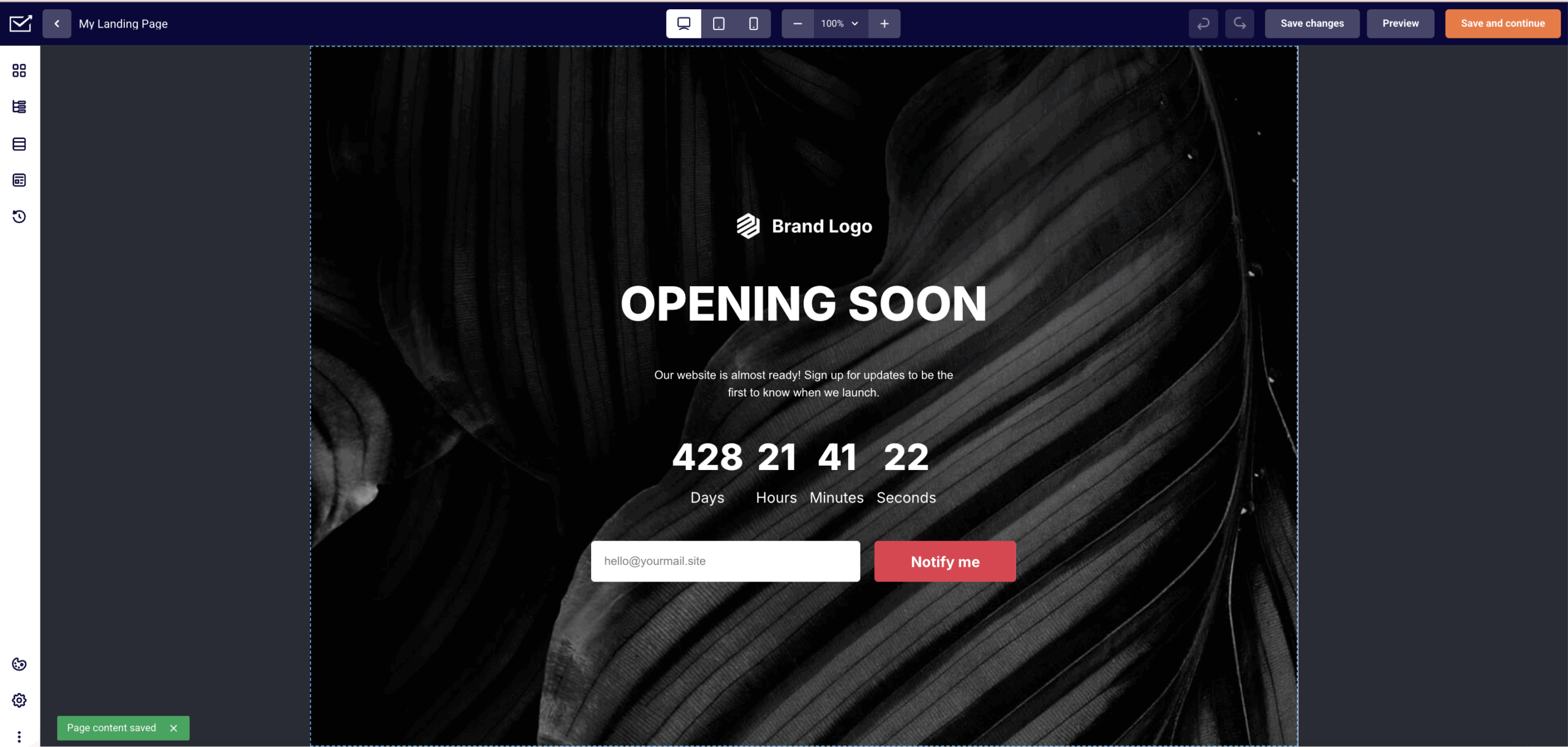
Sender also includes the practical stuff you need: SEO tools to help people find your pages, analytics to track what’s working, and integrations with Google Analytics, Facebook Ads, and other platforms you probably already use. Want countdown timers for urgency? They’re built in. YouTube videos, Google Maps, customer testimonials – everything’s there and it actually works without technical hassles.
Key Features
- Drag-and-drop builder with responsive design
- Premade sections (heroes, features, CTAs, forms, pricing, footers)
- Direct email campaign integration with automation
- Free HTTPS hosting with custom domain support (paid plans)
- Built-in SEO controls and analytics
Pros & Cons
- Email integration works automatically
- Mobile-responsive templates library
- Clear, useful analytics included
- No built-in CRM
- Editor can feel to basic for advanced users
Best For
Sender is best for growing businesses, ecommerce brands, and marketers who need unlimited landing pages, custom domains, and automated email workflows in one platform. It’s ideal for teams that want an affordable, scalable solution for lead generation, nurturing, and conversion without juggling multiple tools.
Pricing Plans
Start free with 1 landing page (includes Sender branding and subdomain hosting). When you need more, paid plans start at $7/month for unlimited landing pages, custom domain support, and no Sender branding.
See why businesses choose Sender:
2. Neo Sites – Beginner-Friendly AI Landing Page Builder
Neo Sites is an AI-powered website builder made for small business owners, freelancers, and solo creators who want a professional website without getting into complicated design or coding.
- AI-powered page creation;
- Beginner-friendly interface;
- Custom domain included.

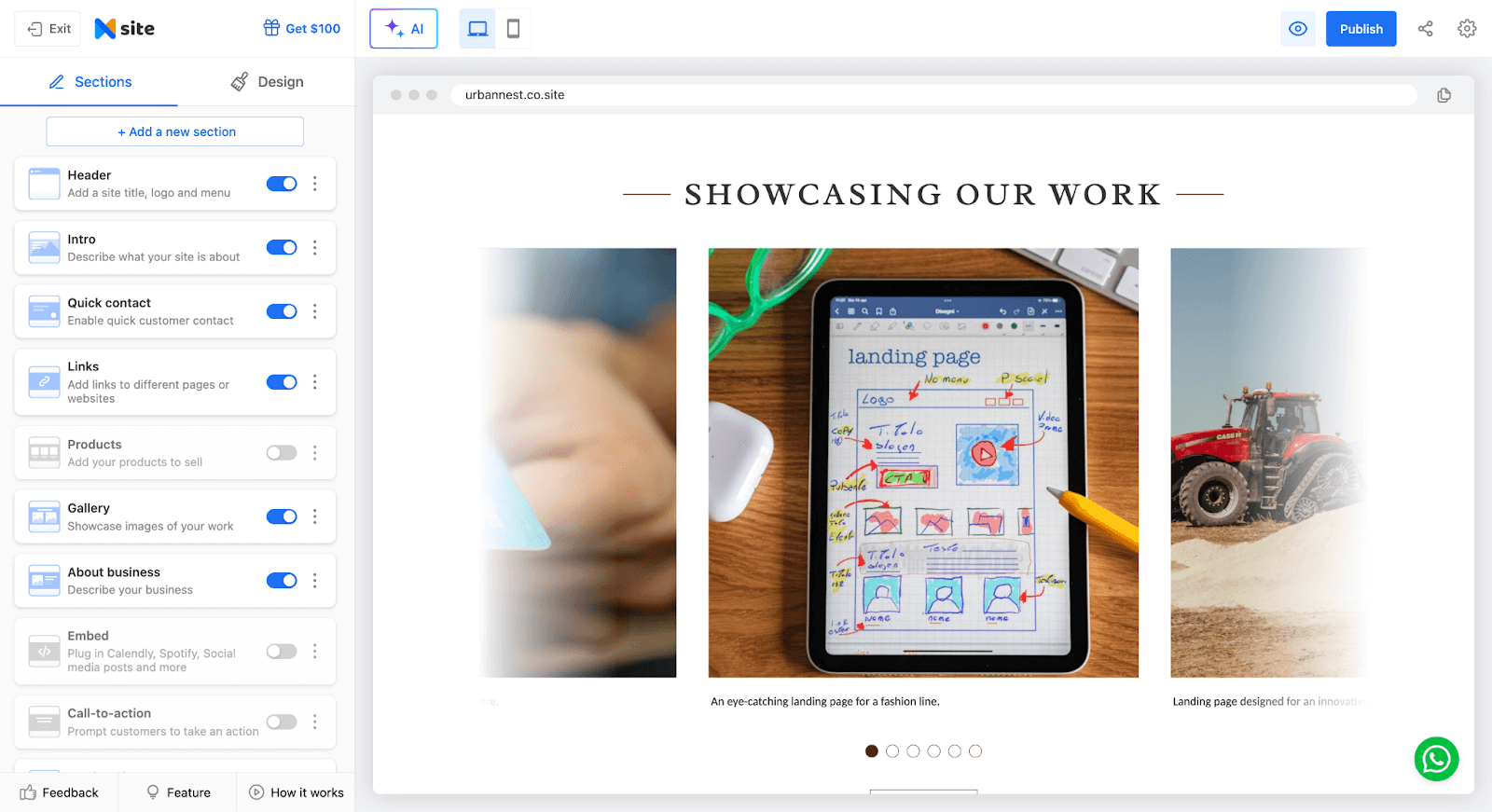
You simply describe your business, and the platform generates a ready-to-use website with suggested content, layouts, and essential features. It’s a straightforward way to get online quickly, especially if you want something simple, clean, and easy to manage.
Key Features
- AI-powered website generation from a short business description;
- Smart layout and content suggestions to get started quickly;
- Customizable templates with flexible design controls;
- Beginner-friendly drag-and-edit interface;
- Built-in contact forms and basic CRM tools;
- Professional email and custom domain support.
Pros & Cons
- Very easy to use, even for beginners
- Templates are flexible and simple to customize
- Includes helpful business features like email and domain options
- Not designed for highly complex or large websites
- Limited advanced customization and plugin support
- AI-generated content may need polishing to sound more personal
Best For
Neo Sites is best for small business owners launching their first website, freelancers and solo entrepreneurs who need a simple online presence, non-technical users looking for a fast, hassle-free setup, and anyone seeking a budget-friendly website solution.
Pricing Plans
Neo Sites doesn’t offer a free plan, but it does include a 15-day free trial with full access to its website and landing page builder tools. Paid plans start at around $2.49/month and include customizable templates, AI-assisted page creation, and hosting with a custom domain.
3. Wix – Flexible Drag-and-Drop Landing Page Builder
If your business is smaller, Wix is perfect for covering your landing page needs. Wix has a robust feature set and a beginner-friendly interface to create effective landing pages.
- Visually-captivating templates;
- Human-friendly interface;
- Mobile optimization.

There’s no such thing as too perfect, so Wix’s landing page builder offers a range of additional functionalities to enhance your landing pages. Take advantage of customizable forms and surveys to capture leads.
Forget that data synchronization was ever complicated with seamless popular marketing tools, and get your landing page(s) in the spotlight with built-in SEO tools. Finally, make the world share your landing page for you with social media integration.
Key Features
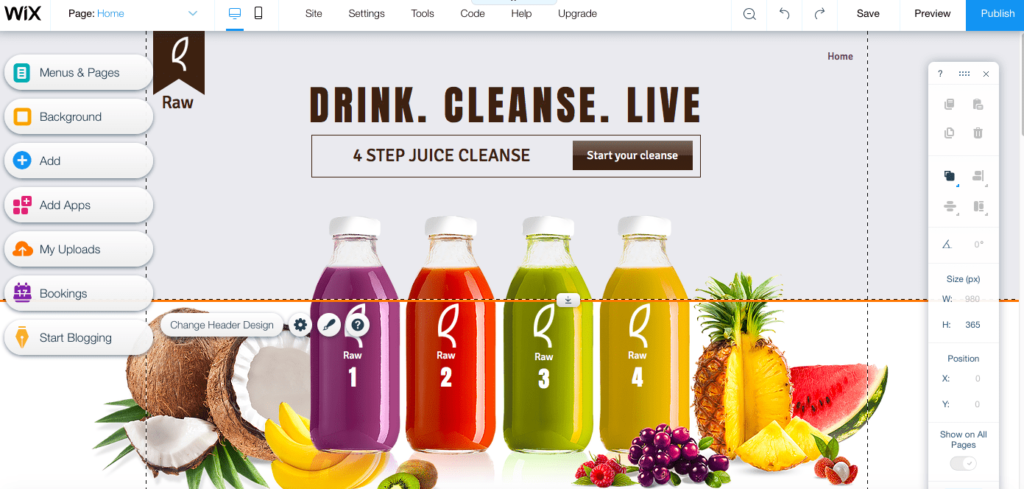
- Mobile landing page editor;
- Entrance animations;
- 900+ landing page templates;
- Customizable color and text themes;
- Image filters and custom fonts.
Pros & Cons
- Attractive and beautiful templates
- Free SSL certificate
- Responsive technical customer support
- No ecommerce support on lower plans
- No third-party apps or plugins
- Slow load times
Best For
Wix is best for small businesses, entrepreneurs, and creatives who want an easy, visual way to build polished landing pages without technical skills. Its large template library, mobile editor, and built-in marketing tools make it ideal for users who prioritize design flexibility and a smooth, beginner-friendly experience.
Pricing Plans
No free plan or trial period, but there’s a 14-day money-back guarantee. Paid plans start at $17/month for one website.
4. Unbounce – Advanced A/B Testing for Higher Conversions
Unbounce promises to help you with Conversion Rate Optimization (CRO). Its powerful features are designed specifically for creating standalone landing pages.
- Conversion-focused templates:
- A/B testing;
- Dynamic text replacement.
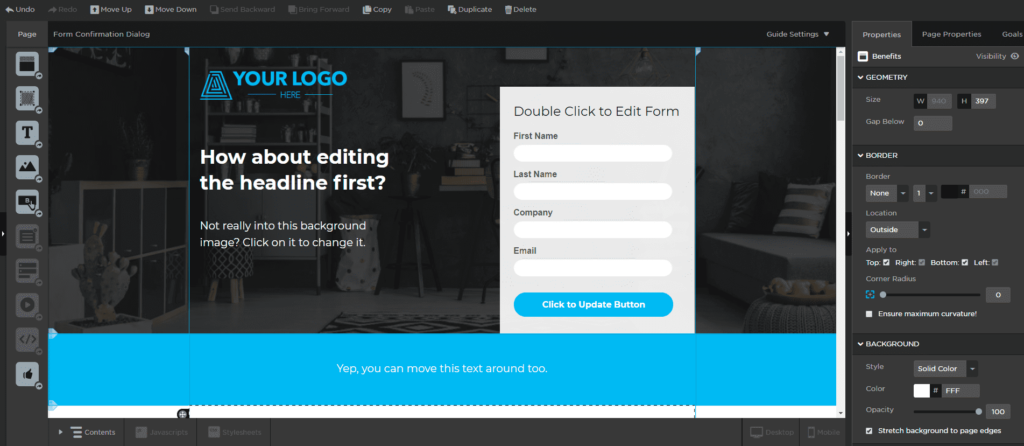
Building a Unbounce landing page is smooth sailing thanks to a human-friendly interface and various conversion optimization options.
Unbounce also provides lead generation tools like customizable lead capture forms and for capturing & managing leads for nurturing campaigns. This dedicated landing page builder also offers integrations with popular third-party tools.
Key Features
- Drag-and-drop elements with 101 templates;
- Questionnaire-based smart builder;
- Built-in AI writer;
- Popups and sticky bars;
- Behavioral targeting.
Pros & Cons
- AI-based landing page builder
- Great app land integration library
- A/B testing features
- Monthly conversion limits
- Steep costs
- Limits on popups and forms
Best For
Unbounce is best for marketers, agencies, and conversion-focused teams who need advanced A/B testing, dynamic text replacement, and highly optimized landing pages. Its powerful CRO tools and flexible builder make it ideal for users prioritizing experimentation, personalization, and maximizing campaign performance at scale.
Pricing Plans
Unbounce has a 14-day free trial but no free plan. Paid plans start at $74/month and come with unlimited landing pages.
5. Elementor – Powerful WordPress Landing Page Plugin
Elementor offers an endless library of free templates that you can use to create landing pages quickly. So, you don’t waste time, even if you’re not a designer.
- An abundance of templates;
- Drag-and-drop interface;
- Mobile responsiveness.

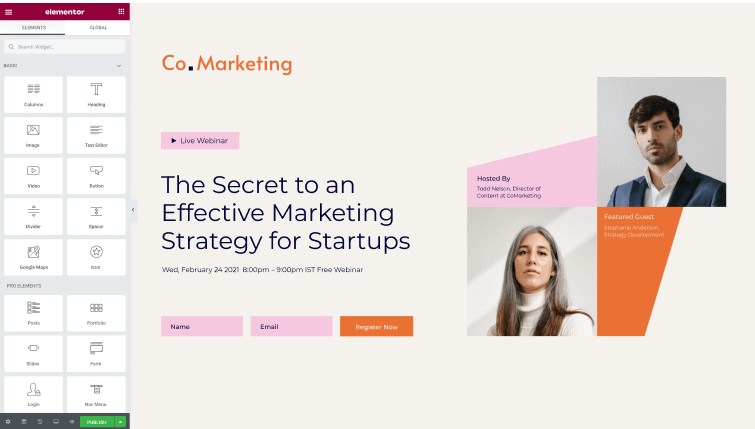
What is the best way to describe Elementor’s landing page builder? Unboring. It offers exciting design options like typography settings, color customization, animation effects, and background overlays—everything to catch and keep your site visitors’ attention.
Moreover, you can edit and preview your masterpiece in real time as Elementor adopts a “What You See Is What You Get” (WYSIWYG) editing approach. This way, you’ll be sure that the changes look as you imagined.
Key Features
- Readymade product pages, popups, blocks, etc.
- Drag-and-drop builder;
- Custom animations;
- Motion effects for texts and elements;
- Third-party add-ons and integrations.
Pros & Cons
- Real-time previews and editing
- Simple and intuitive interface
- Responsive designs and templates
- Slow loading times
- Slow customer support
- Lack of built-in SEO features
Best For
Elementor is best for WordPress users, designers, and marketers who want visually rich, fully customizable landing pages without coding. Its massive template library, real-time editing, and advanced design controls make it ideal for anyone who values creative flexibility and wants pixel-perfect pages built quickly and intuitively.
Pricing Plans
Free WordPress plugin with limited features and functionality. Paid Elementor plans start at $6/month for one website, including the landing page builder.
6. Leadpages – Best for Selling Products on Landing Pages
If you want to sell products through your landing page, Leadpages is a great solution. Using its native features, you can build beautiful landing pages that showcase your products.
- Professional templates;
- User-friendly interface;
- Mobile optimization.

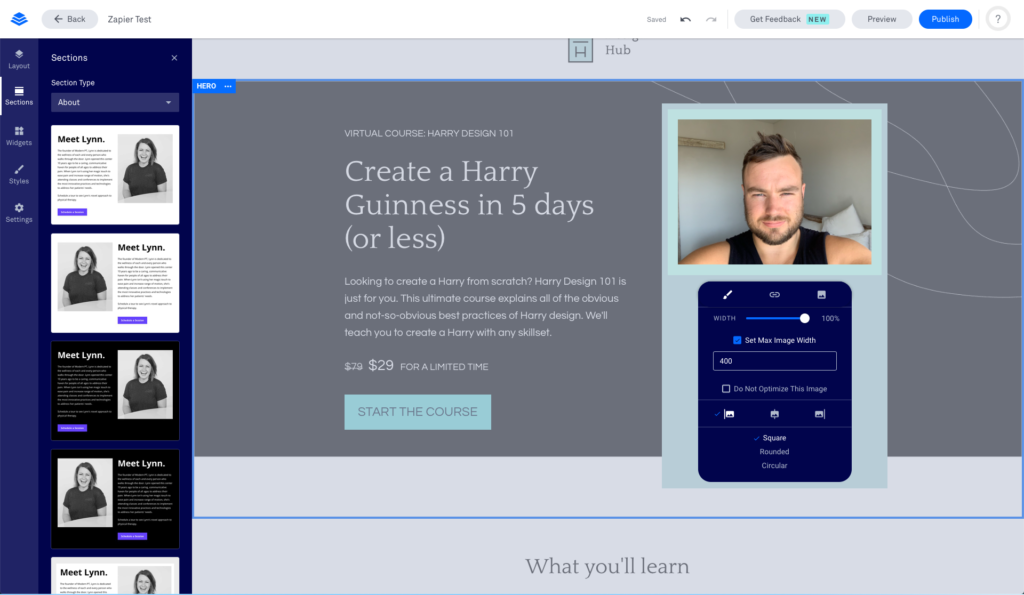
Leadpages understands well the goal behind landing pages – boosting conversions. And the means to reach it. That’s why it offers several conversion tools to help you capture leads, drive conversions, and increase engagement: countdown timers, popup forms, alert bars, exit intent popups, and more.
In case you get lost among all the beautiful features and create ten landing pages too many, you can also A/B test to pick out the best-performing one. Launch landing pages and once that’s done, follow its success with built-in analytics and insights. See how it’s doing in conversion, traffic, and engagement areas.
Key Features
- Drag-and-drop builder with templates;
- Page builder wizard;
- Popups & floating bar designer;
- A/B testing tools;
- Conversion optimization feature.
Pros & Cons
- Beginner-friendly layout
- Friendly customer support
- Conversion-oriented templates
- No heat mapping
- Limits of lower plans
- Limited number of widgets
Best For
Leadpages is best for entrepreneurs, small businesses, and marketers who want to build conversion-focused landing pages that directly support sales. Its built-in commerce tools, popups, timers, and A/B testing make it ideal for users prioritizing lead generation, product promotion, and high-performing marketing campaigns without relying on developers.
Pricing Plans
A 14-day trial is available and comes with unlimited landing pages. Paid plans start at $37/month for five landing pages.
7. Shogun – Shopify & Ecommerce Landing Page Platform
Shogun, not to be mistaken with the award-winning TV series, is specifically tailored to agencies’ needs, offering a range of powerful features that enhance lead generation and drive conversions.
- Customizable templates;
- Advanced split testing;
- Conversion tracking and analytics.

Facilitate your life and use Shogun for seamless integration with popular marketing and ecommerce tools, such as Shopify. You can sync product data instantly, trigger automated campaigns through platforms like Klaviyo and Sender, build landing pages tied to specific funnels, and connect analytics tools for granular performance tracking.
Shogun’s white-labeling options also allow you to make your logo bigger and brighter. Using its Custom Element for HTML/CSS edits, you can override your header styling, enlarge the logo or make it shinier.
You can also build fully custom, unbranded sections—like a bespoke header or footer—so your logo pops out prominently across every page.
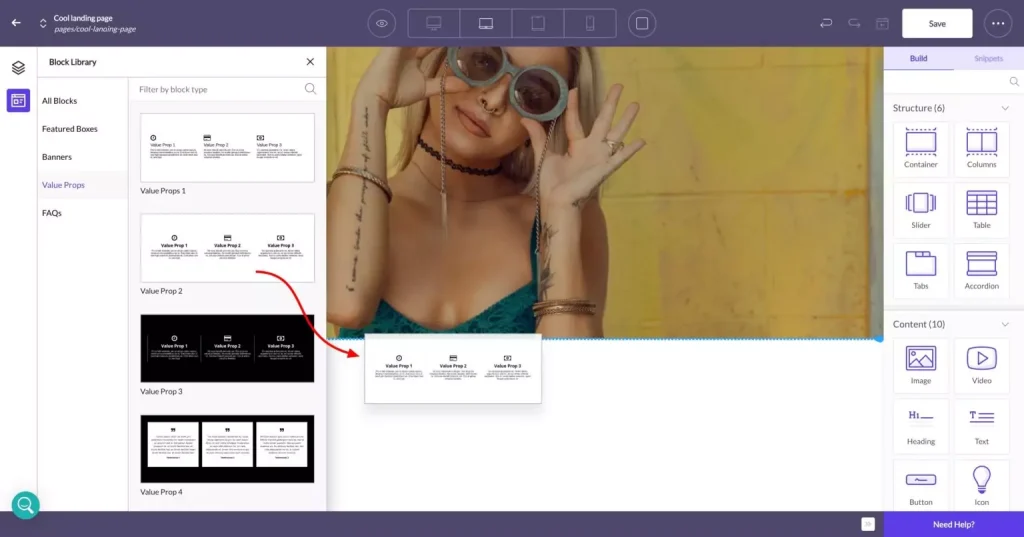
Key Features
- Native Shopify integration with drag-and-drop;
- AI copywriting tool;
- SEO optimization features;
- In-built conversion optimization tools
- Custom elements builder.
Pros & Cons
- Native Shopify integration
- A/B testing for all elements
- AI writer
- No free plan
- Limited design library
- Limited customer support on lower plans
Best For
Shogun is best for digital marketing agencies, Shopify merchants, and ecommerce teams that need advanced customization and split testing. Its drag-and-drop builder, client collaboration features, and conversion-focused tools make it ideal for creating high-performance landing pages tailored to complex ecommerce workflows.
Pricing Plans
A 10-day free trial is available with limited capabilities. Paid plans start at $39/month and come with 25 landing pages.
8. Dorik – AI-Powered Landing Page Generator
If you’re struggling with the traditional method of creating landing pages, Dorik’s AI-powered website builder is the best solution.
- User-friendly interface;
- AI copy and image generation;
- Customizable layout.

With text prompts, you can create custom landing pages and their feel using its library of premade blocks and elements. It takes some time to get the hang of it—like with most AI tools—but the landing page builder packed with AI-powered features is honestly pretty impressive. It guides you through each step, generates clean layouts without overwhelming you, and makes edits easy to apply with the drag-and-drop builder.
Besides, the built-in SEO tools will help your landing pages perform better on SERPs. Dorik also integrates seamlessly with various marketing, analytics, sales, and payment platforms.
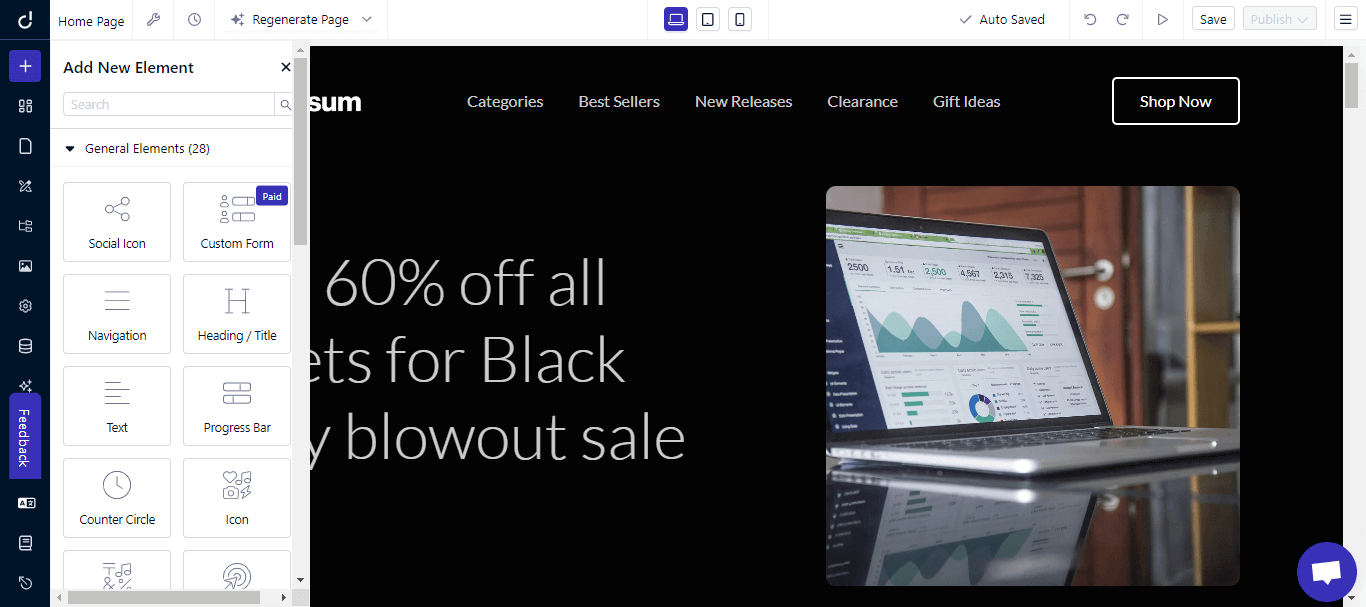
Key Features
- AI design and copy builder;
- Free landing page design blocks;
- Drag-and-drop placements;
- In-built image editor;
- Large template library.
Pros & Cons
- Free SSL, CDN, and web hosting
- AI design generation
- CMS for blogging
- Occasional bugs and downtimes
- Limited template variety
- Limited ecommerce features/support
Best For
Dorik is best for entrepreneurs, freelancers, and small businesses that want to build landing pages quickly using AI-generated layouts and copy. Its intuitive interface, premade blocks, and built-in SEO tools make it ideal for users who want fast creation, simple customization, and a lightweight builder without technical complexity.
Pricing Plans
Free plan available with limited capabilities. Paid plan starts at $10/month and comes with 25 landing pages.
6 Best Free Landing Page Builders
Now that we’ve covered the best paid landing page builders, it’s time to look at the top freemium options available. Free landing page builders in this economy? Surprisingly—yes. And some of them are strong enough to compete with paid platforms, too.
1. Sender – Best Free Option with Email Marketing Built-In
If you’re worried that you’re seeing doubles, there’s nothing to worry about—it’s just that this marketing platform is equally good on both fronts. That said, Sender stands out by combining a free landing page builder with powerful built-in email marketing—something most competitors reserve for paid plans.
Its drag-and-drop editor includes premade blocks for call-to-actions, forms, pricing sections, and testimonials, making it easy to create responsive landing pages without technical skills. Every signup automatically syncs with your email list, enabling instant automation and lead nurturing from day one.
Key Features
- Drag-and-drop landing page creator
- Mobile-responsive templates
- Built-in email marketing & automations
- SEO tools and analytics included
Pros & Cons
- Automatic email integration
- Generous monthly email and subscriber limit
- Responsive template library
- Free plan limited to 1 landing page
- Sender branding included
- Custom domains require paid plan
Best For
Sender is ideal for small businesses, creators, ecommerce shops, and service professionals who want an easy way to build landing pages and automate email marketing in one platform. It’s especially useful for marketers who value affordability, simplicity, and quick lead-generation workflows.
Pricing Plans
Start with Sender’s generous free plan that comes with 1 landing page and subdomain hosting. Paid plans begin at $7/month for unlimited landing pages, custom domains, and no Sender branding.
Create amazing landing pages in a couple of hours, not days–with Sender.
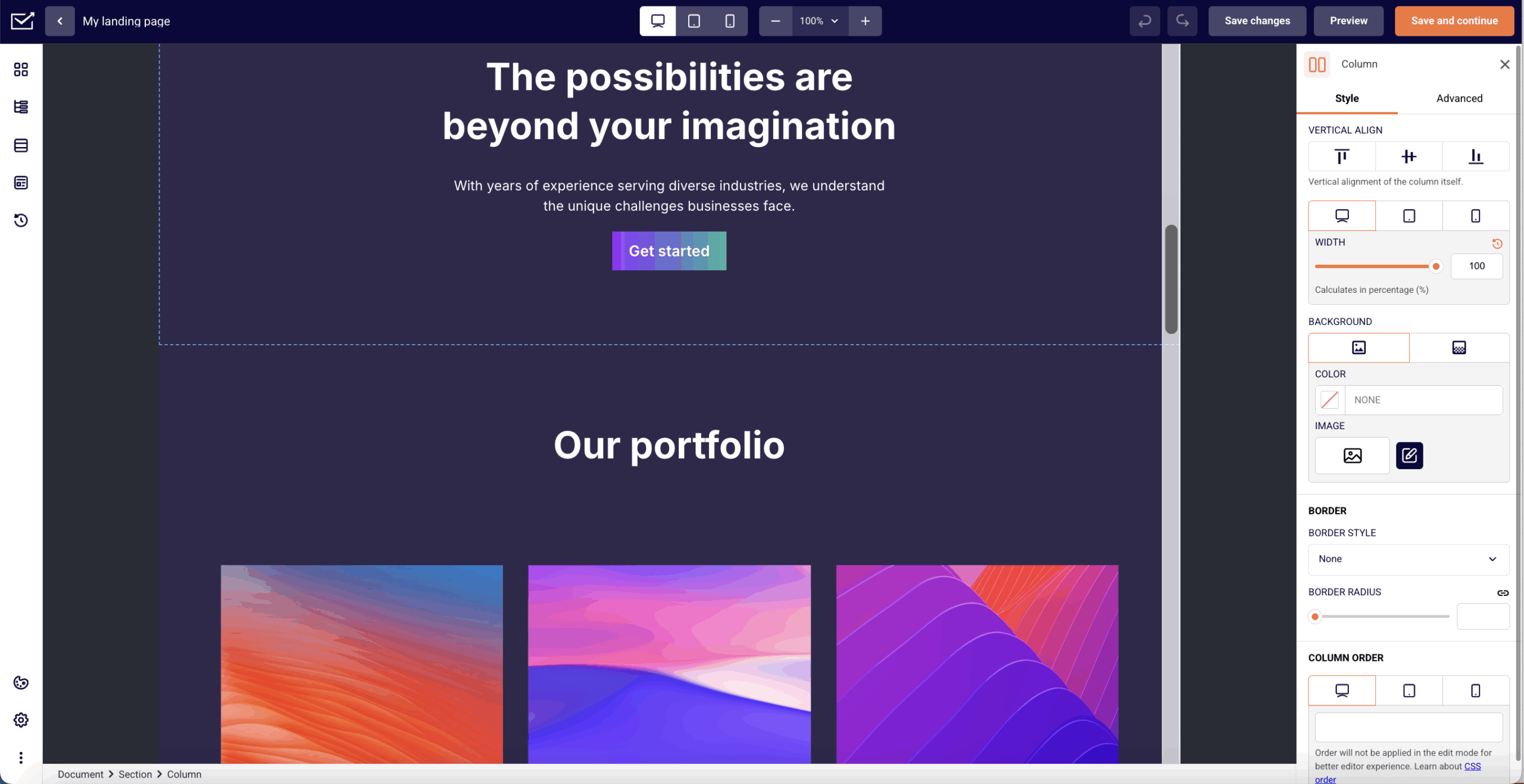
2. HubSpot – 20 Free Landing Pages with Built-In CRM
HubSpot offers one of the most generous free landing page builders available, giving users up to 20 landing pages plus access to its powerful CRM at no cost. The flipside of this deal is that it’s only a free trial, not a full-on free plan.
Its drag-and-drop editor makes it simple to create polished, professional pages, while CRM integration ensures every lead is automatically tracked, segmented, and ready for nurturing. For businesses looking to centralize marketing and sales, HubSpot’s free tools create a strong foundation.
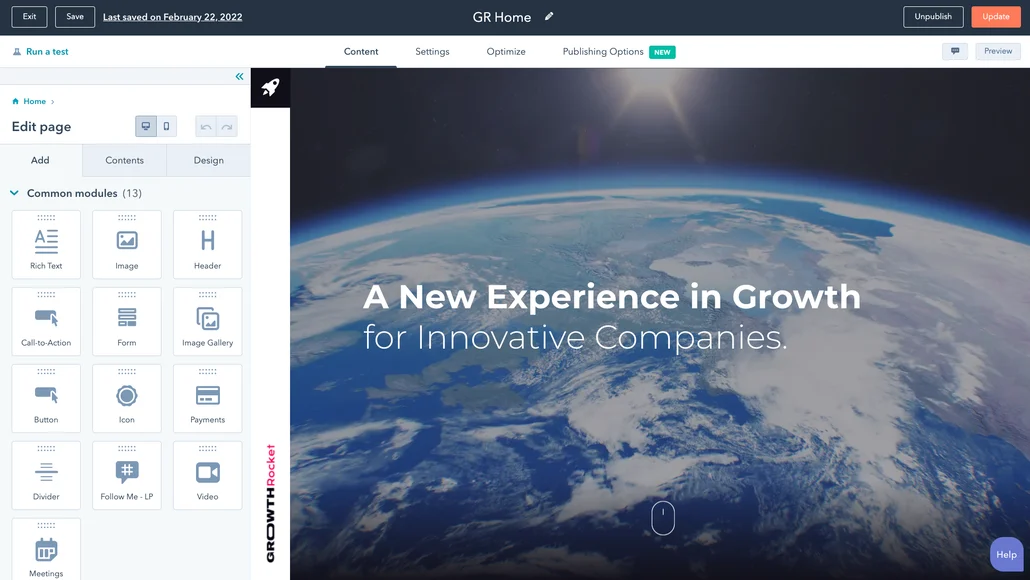
Key Features
- Drag-and-drop landing page builder
- 20 free landing pages
- Built-in CRM & lead tracking
- Personalization options
- A/B testing (on paid plans)
Pros & Cons
- Extremely feature-rich free tier
- Automatic CRM integration
- High-quality templates
- Trial only lasts for 14 days
- HubSpot branding on free pages
- Advanced features require upgrades
- Steeper learning curve than simpler tools
Best For
Growing businesses and marketers who want free landing pages paired with a robust CRM for tracking leads, storing customer data, and managing follow-ups in one place.
Pricing Plans
The landing page builder and CRM are included in HubSpot’s 14-day free trial. Paid plans start at $11/month and unlock additional customization, A/B testing, and automation features.
3. WordPress – Unlimited Free Landing Pages for Your Website
WordPress is one of the most popular website builders you can use to create landing pages for free. In fact, it powers 40% of websites globally. So, if you’re looking for something reliable, it should be on your radar.
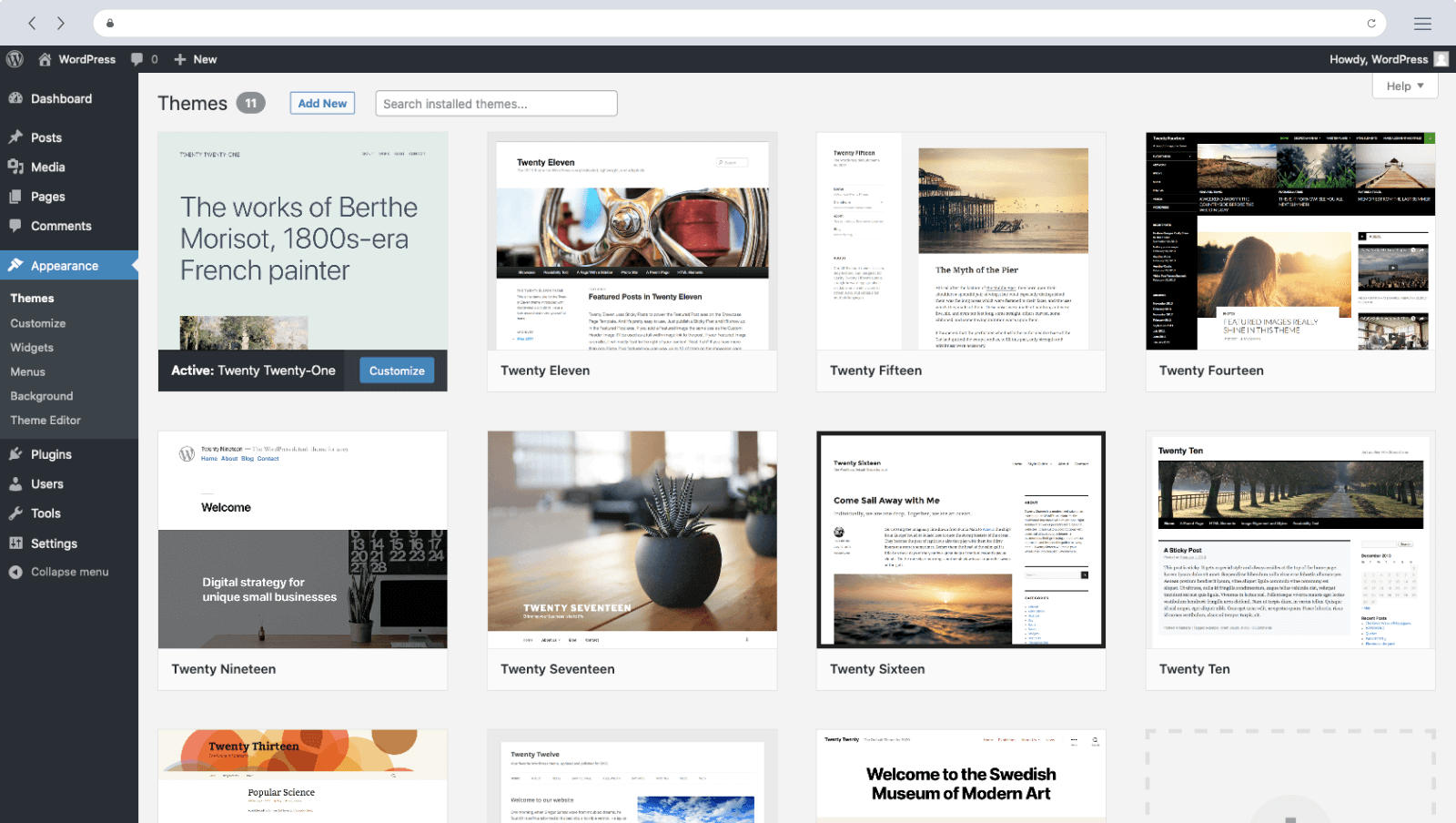
It has a built-in visual editor to help you set up marketing landing pages quickly. Ready-to-use blocks allow you to insert text, images, videos, and other elements with ease. You can also see changes in real-time, saving you a lot of time.
Plus, it offers amazing customization options with a large plugin and theme library to make landing pages with different interactive elements.
The best part? You don’t need to be a tech expert to create lead generation landing pages that attract and convert visitors. With WordPress, you can ensure that your website works for you, and not the other way round.
Key Features
- Block-layout based builder;
- Ready-to-use design blocks and templates;
- Reliable SEO features;
- Plugin library for extensive customization;
- No external dependencies.
Pros & Cons
- Easy to use drag-and-drop landing page builder
- SEO-friendly features
- Well-structured page formats
- Requires compatible themes for block layouts
- Basic layouts and designs
- Limited design customization
Best For
WordPress is best for bloggers, small businesses, and creators who want full control over their landing pages without paying for a dedicated builder. It’s ideal for anyone who prefers flexibility, unlimited customization, and access to thousands of themes and plugins to extend functionality as their site grows.
Pricing Plans
A free online landing page maker is available for unlimited landing pages and websites. To start with WordPress landing pages, you need your own hosting and a WordPress free account.
4. Brizy – Forever Free Plan with 500+ Design Blocks
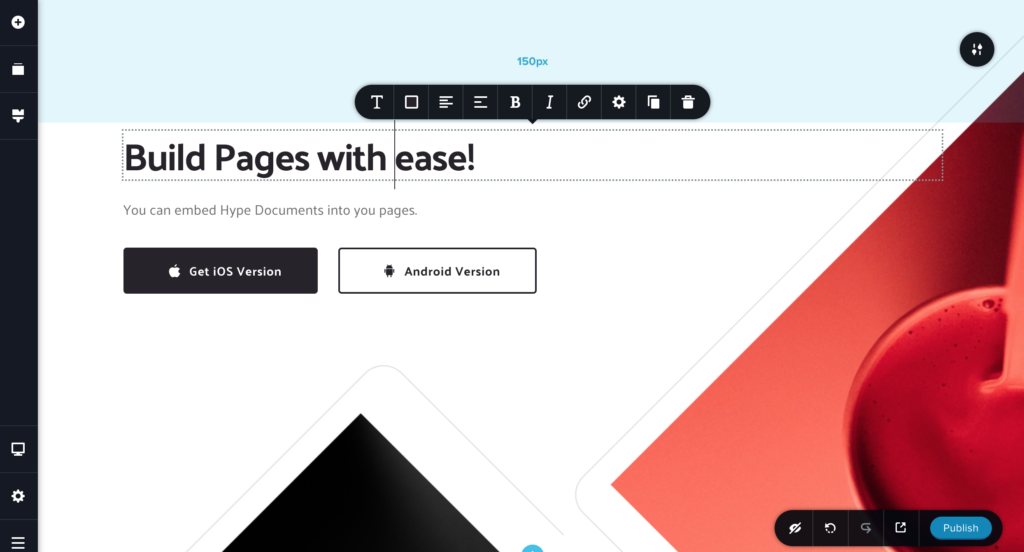
Brizy has an exceptional drag-and-drop builder that makes the landing page creation experience delightful. Its real-time editing capabilities are better than many drag-and-drop builders for creating dynamic sales landing pages.
Brizy also thought about how to enhance your landing page design and experience. It supports personalized landing pages with dynamic content that are perfect to generate qualified leads. Plus, seamless integrations with third-party tools like Google Analytics make measuring the impact of your pages a breeze, or should we say, a Brizy.
Key Features
- Drag-and-drop builder;
- In-line landing page editor;
- 500+ premade design blocks;
- Behavioral & conditional display features;
- Form builder.
Pros & Cons
- In-line editing without sidebars
- Great library of readymade designs
- Useful elements like the form builder
- Limited documentation/support
- No third-party extensions/plugins
- Slow page load times
Best For
Brizy is best for creators, freelancers, and small businesses that want a fast, intuitive way to build modern-looking landing pages without technical skills. Its real-time drag-and-drop editing and large library of premade blocks make it ideal for anyone who values simplicity, speed, and highly visual page creation.
Pricing Plans
Forever free plan with feature limitations and 1 landing page is available. Paid plans start at $19/month and come with 10+ landing pages.
5. Webflow – Free Landing Pages for Designers
Webflow is a leading choice for creators who don’t want to be bothered with code but want a completely customizable landing page.
Webflow makes it easy for you to bring your idea to life and showcase your work without getting into technicalities. It also offers ecommerce features to help you set up an online store, manage inventory, and process payments directly through the landing page.
Other advanced features include integrations with popular tools and platforms, such as analytics, marketing automation, and customer relationship management (CRM) systems. So, you can optimize landing pages, nurture new subscribers, and track your progress.
Key Features
- Live drag-and-drop prototyping tool;
- Secured hosting platform;
- SEO & content management features;
- Logic-based automations/flows;
- App/plugin store for extending functionality
Pros & Cons
- Built-in hosting
- No code platform
- Amazing loading times for web pages
- Steep learning curve
- Complicated pricing model
- Email-only support
Best For
Webflow is best for designers, creators, and brands that want full creative freedom without coding. Its built-in features, including visual editor, CMS and advanced interactions, make it ideal for building highly effective landing pages. It suits users who value design precision, scalability, and built-in hosting for fast, reliable performance.
Pricing Plans
Free landing page builder for up to two pages with basic features. Paid plans start at $14/month for up to 150 pages.
6. Pagefly – Free Shopify Landing Page Builder
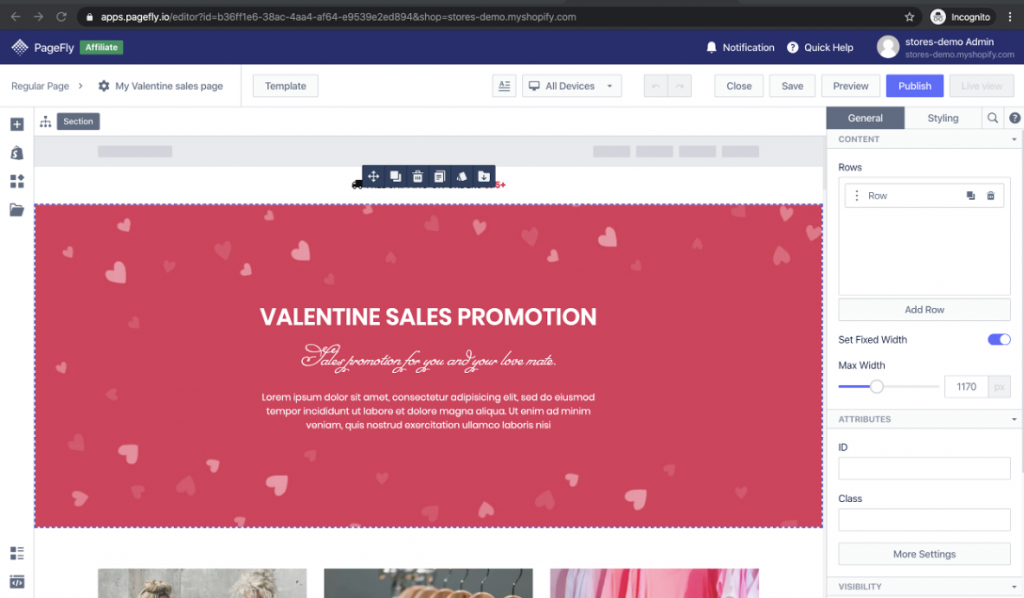
Last but not least, Pagefly, which boasts a landing page builder with a comprehensive set of features that allows you to design visually captivating landing pages for free.
Pagefly offers additional features to make your landing page fly to unseen horizons. We’re talking about SEO-friendly settings to improve your landing page’s visibility in search engines and detailed analytics for counting the fruits of your digital marketing efforts.
If you’re not alone in all this, you might call yourself double lucky, as Pagefly also allows smooth collaboration. Share your designs, gather feedback, and easily collaborate in real time.
Key Features
- 100+ conversion-optimized templates;
- Global predefined styling elements;
- Reusable page sections;
- Interaction and animation builder;
- Integrations with marketing & CRM tools.
Pros & Cons
- Advanced analytics
- Responsive support
- Versioning of pages/designs
- Leaves code snippets in your theme even after removal
- Slow/laggy page loading times
- Limited free version
Best For
Pagefly is best for Shopify merchants, ecommerce brands, and teams that want to create high-converting landing pages without relying on developers. Its extensive template library, customization options, and collaboration tools make it ideal for stores focused on optimizing conversions, building product pages, and running targeted campaigns.
Pricing Plans
Free plan is available and comes with one published page/section. Paid plans start at $18/month.
Tips for Selecting the Right Landing Page Builder
Done scrolling through the best landing page builder options in the market? Now, let’s quickly glance at the most important things to remember while picking a landing page builder:
- Template variety. Choose a platform with a large library of professionally designed templates that fit your requirements and design preferences;
- Mobile responsiveness. Select a landing page builder with the ability to build landing pages that look and work well on tabs, smartphones, and desktops;
- Conversion optimization. Shortlist solutions that offer features like split testing, analytics dashboards, and heatmaps for conversion optimization;
- Customization options. Look for flexibility and the ability to adjust colors, fonts, and layouts and add custom CSS to align with your brand identity;
- SEO-friendliness. Ensure the builder supports search engine optimization by editing meta tags URLs, and integrating with SEO tools;
- Loading speed. Choose a builder that creates pages with fast loading times to prevent visitor frustration and improve the overall user experience;
- Customer support. Check the level of customer support provided, including availability (24/7 support is ideal), responsiveness, and support channels (live chat, email, phone);
- Cost and scalability. Compare pricing tiers, subscription models, and scalability options (like the ability to create multiple landing pages) to ensure the builder fits your current and future needs.
Landing Page Builders FAQs
Can I build a landing page for free?
Yes, you can build a landing page without paying, as many of the landing page builders listed above offer free trials or free plans with enough features to create a decent page. If you’re searching for a free landing page creator and you’re new to this, we suggest starting out with WordPress websites.
Do I need coding skills to use a landing page builder?
No, coding skills are definitely not necessary to make use of landing page builders. Most built-in landing page builders—at least the ones you find on this list—are optimized to serve both non-tech marketers and those who understand HTML.
What’s the difference between a website builder and a landing page builder?
A website builder creates multi-page sites with navigation, blogs, and full site structure. Meanwhile, a landing page builder creates single, conversion-focused pages—usually for signups, downloads, or promotions.
Can landing page builders integrate with my email marketing software?
Yes, most landing page builders connect directly to popular email marketing tools so new leads flow automatically into your lists. Integrations support tags, segments, and automated sequences. All of these things make it easy to trigger follow-ups the moment someone submits a form.
How much does a landing page builder cost?
Landing page builders range from free (WordPress, Brizy, Sender) to $8–$20/month for entry-level paid plans, and $37–$74+/month for advanced platforms like Leadpages or Unbounce. Costs vary based on features like A/B testing, templates, analytics, custom domains, and integrations.