


Transactional emails are the cornerstone of email marketing. But teams relying on transactional email may start noticing friction—whether it’s pricing that scales faster than usage, tooling that’s too developer-centric, or limits around multi-product messaging.
This guide compares Postmark alternatives that are great for transactional emails, focusing on cost structure, deliverability controls, APIs, and operational fit. Businesses thinking of a switch or adding an additional provider for that extra firepower should find this guide particularly helpful.
Capterra, G2, Trustpilot, and Reddit to create an objective evaluation. Learn more about our review methodology
Why Consider Postmark Alternatives
Postmark has built a strong sender reputation around reliable email delivery and strict separation from marketing traffic. That focus is also its constraint. Many teams outgrow Postmark when they need more flexibility, lower marginal costs, or closer alignment with broader messaging workflows.
Common reasons teams explore Postmark alternatives include:
- Cost scaling: Postmark’s per-message pricing becomes noticeable at sustained volume, especially for SaaS apps with frequent notifications;
- Limited scope: Transactional-only design means no native marketing, automation, or SMS—requiring additional tools;
- Operational simplicity: Smaller teams often want fewer vendors and a single dashboard for email infrastructure;
- Control trade-offs: While Postmark enforces strict sending rules, some teams want more tuning freedom around IPs, routing, or fallback logic;
- Limited deliverability tools: Postmark abstracts most deliverability controls by design. While this reduces misconfiguration risk, it also limits visibility into IP reputation trends, warm-up pacing, and advanced diagnostics;
- Transactional-only: Postmark is intentionally scoped to transactional email. There’s no native support for marketing campaigns, workflows, or multi-channel messaging, however;
- Dedicated IP only on higher plans: Access to dedicated IP addresses is restricted to higher-tier plans. For growing senders, this can delay reputation control until volume has already increased.
What to Look for in a Transactional Email Provider
Before comparing tools, it helps to define what “better” actually means for your setup. Transactional email needs are surprisingly contextual, let alone consistent across different teams, applications, and stages of growth.
That said, here are some criteria you should pay a closer look at when picking your Postmark alternative:
- API & SMTP quality. Stable endpoints, predictable rate limits, clear error handling, and reliable SMTP relay reduce delivery failures and simplify integration across different applications and environments;
- Deliverability tools. Built-in IP warm-up, bounce handling, suppression lists, and reputation monitoring help maintain inbox placement as sending volume grows or traffic patterns change;
- Developer experience. Well-maintained SDKs, clear documentation, and consistent API behavior shorten implementation time and reduce long-term maintenance overhead;
- Compliance. Support for GDPR, SOC 2, and HIPAA helps meet regulatory requirements when sending sensitive or user-related system communications;
- Pricing transparency. Clear volume-based or flat-rate pricing makes it easier to forecast costs as transactional email usage scales;
- Support & SLAs. Responsive customer support, documented SLAs, and clear escalation paths matter when transactional email directly affects user experience or revenue.
Postmark Alternatives — A Quick Comparison Table
| Provider | Starting Price | Free Tier | Dedicated IP | Best For |
| Sender | $7/month | Yes | Paid plans | Small businesses needing affordable transactional email service |
| SendGrid | $15/month | Trial only | Paid add-on | High-volume SaaS and growing platforms |
| Mailtrap | $15/month | Yes | Paid plans | Product teams prioritizing deliverability |
| Mailgun | $15/month | Limited | Paid add-on | Developer-led teams needing API control |
| Amazon SES | N/A | Yes (limited) | Paid add-on | Cost-sensitive, high-volume senders |
| Brevo | $8/month | Yes | Paid plans | Teams wanting email, CRM, and SMS together |
| Mandrill | $20/block | No | Included | Existing Mailchimp users only |
Quick Picks: Find the Perfect Postmark Alternatives Fast
Use this list to quickly match your transactional email needs with the right Postmark alternatives.
- Best Free Plan: Sender (Free plan supports real transactional sending with SMTP/API and domain authentication, suitable for testing and early production use.)
- Best for Ecommerce: Brevo (Handles order confirmations, shipping updates, and account notifications alongside optional marketing and SMS.)
- Best Developer Experience: Mailtrap (Official SDKs for Node.js, Python, PHP, Ruby, Java, and .NET with ready-to-use code snippets. Integration takes minutes, not hours.)
- Best for Startups/SMBs: Sender (Predictable pricing, low setup overhead, and transactional email included on all plans.)
- Best Budget Option: Amazon SES (Very low per-email cost for high-volume transactional sending, assuming in-house operational management.)
- Best for Enterprise/Agencies: SendGrid (Enterprise-scale infrastructure, advanced APIs, and dedicated IP options for mission-critical volume.)
7 Best Postmark Alternatives Reviewed
1. Sender — Best for Budget-Friendly Transactional Email
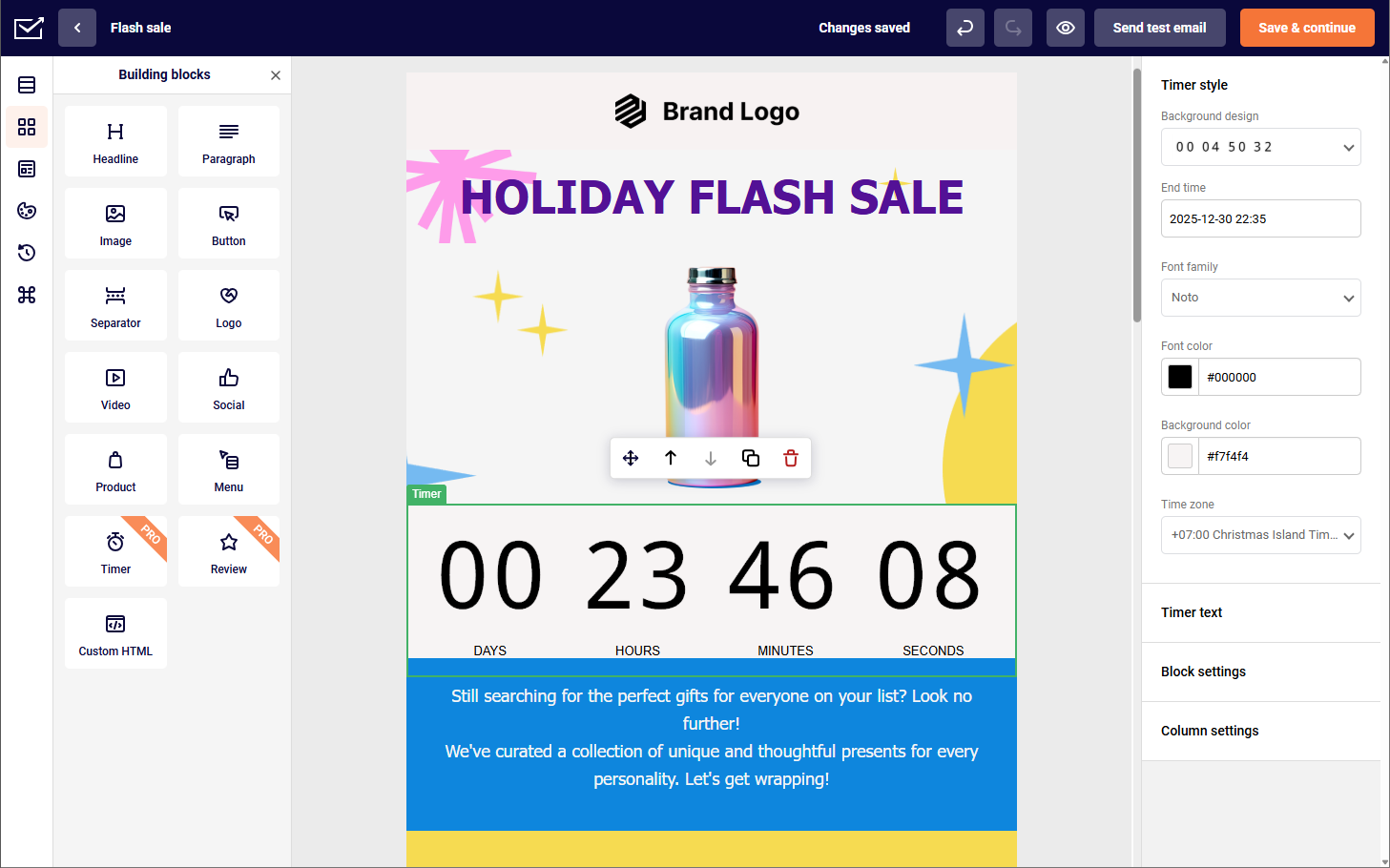
Sender approaches transactional email differently from Postmark. Instead of treating it as a narrowly scoped infrastructure product, Sender bundles transactional sending into a broader email platform that also supports marketing campaigns, automation, and SMS. For small businesses and lean SaaS teams, that consolidation can materially simplify operations.

Transactional messages can be sent via SMTP or email API, with domain authentication, suppression handling, and delivery logs included.
Unlike Postmark, there’s no philosophical separation between “transactional” and “non-transactional”—everything lives under one sending reputation, which can be an advantage or a consideration depending on traffic patterns.
Sender is particularly pragmatic for teams that want predictable costs, a visual interface alongside APIs, and a single vendor relationship.
Key Transactional Features
- SMTP relay and REST API support
- Domain authentication (SPF, DKIM, DMARC)
- Event webhooks and delivery logs
- Template-based transactional emails
- Optional SMS in the same platform
Pros & Cons
Pros
- Lower entry cost than Postmark
- Free plan supports real testing
- Combined transactional and marketing emails
- Suitable for non-technical teams
Cons
- Shared reputation by default
- Fewer ultra-low-level controls
- Not developer-exclusive by design
Pricing
Sender stands out for its transparent and affordable pricing. Plans start at $7 per month, making it accessible for small businesses and solo marketers, while the Professional plan begins at $14/month. Compared to platforms like Postmark or Mailgun and other marketing tools, Sender offers strong value across business sizes without pricing complexity.
See why businesses choose Sender:
2. SendGrid — Scalable Marketing + Transactional Platform
SendGrid feels like the opposite of Postmark once you start working with it at scale. After spending some time with it, the first thing that stands out is how clearly it’s built for volume—both transactional and marketing traffic live under the same roof, and the infrastructure is designed to keep running even when sending is experiencing hiccups.

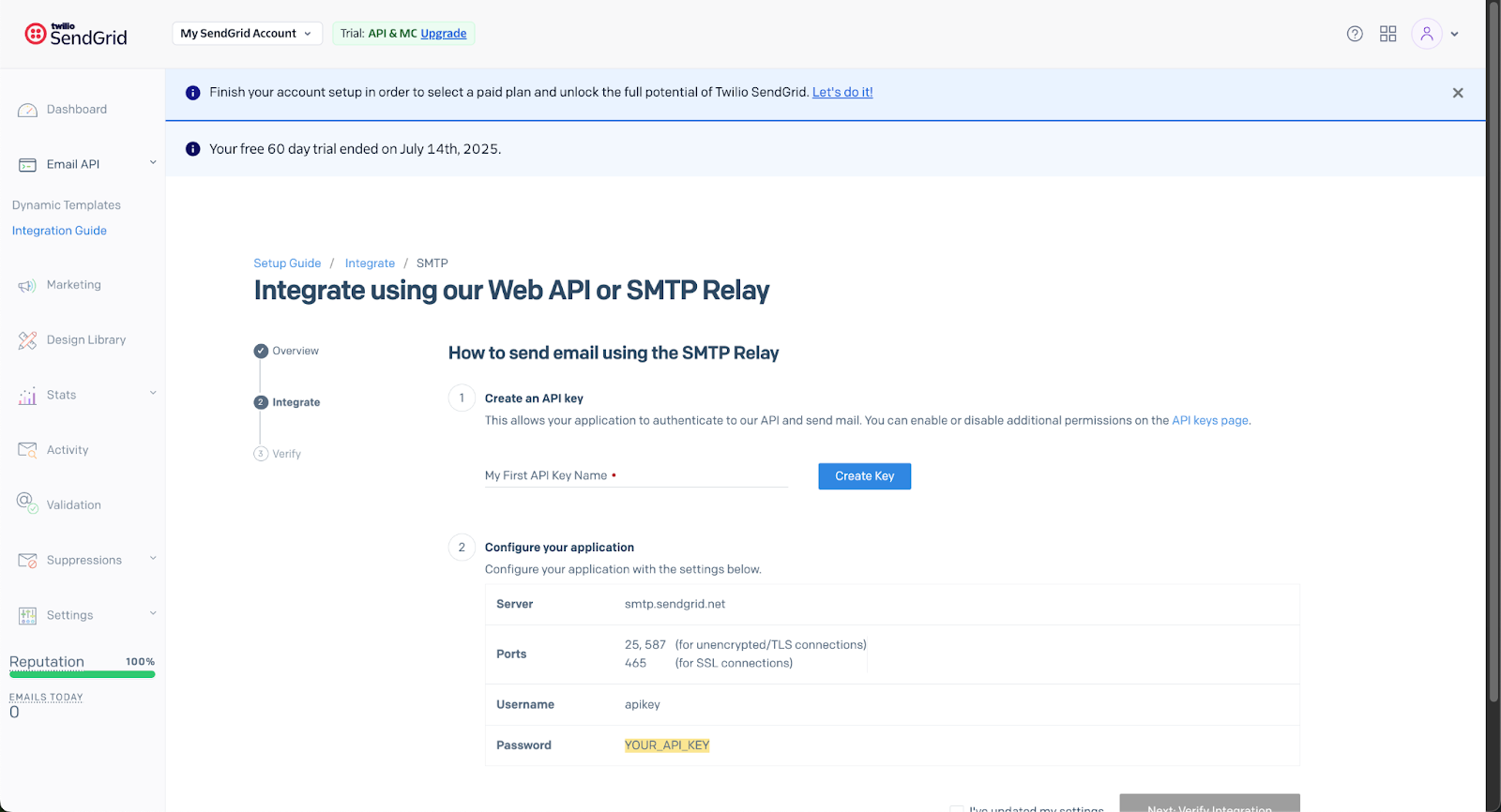
From a transactional perspective, the APIs are solid, SMTP relay is reliable, and event tracking gives you enough detail to monitor transactional email delivery and troubleshoot issues without guessing. While I didn’t come around to try it, dedicated IPs are also available once volume and reputation start to matter. And the drag-and-drop builder is easy to use, too.
Where SendGrid pushes back is on complexity. The platform does a lot, and you feel that in the interface and pricing structure. Features move between plans, configuration takes time, and you generally need some technical ownership to avoid missteps. This Postmark alternative is powerful alright, but it assumes you’re ready to manage that power.
Key Transactional Features
- SMTP relay + Email API for app-based sending
- Event webhooks for delivery + engagement tracking
- Dynamic templates for programmatic transactional messages
- Deliverability tooling and insights (plan-dependent)
- Optional dedicated IP available as you scale (plan/add-on dependent)
Pros & Cons
Pros
- Mature API with broad SDK support
- Dedicated IP and reputation tools
- Unified transactional + marketing dashboard
Cons
- Complex pricing tiers
- UI can feel overwhelming
- Not great for beginners
- Some advanced features locked behind higher plans
Pricing
SendGrid uses tiered plans that bundle email volume with progressively richer feature sets. There’s a free trial (100 emails/day for 60 days), which allows you to see whether you want to upgrade to paid tiers. The basic one (Essentials) starts at $20/month for basic sending and Pro at $90/month for higher volume and advanced tools like dedicated IPs and subuser management.
Advanced email deliverability and account controls generally require Pro or custom-priced Premier plans, so teams with fluctuating volume or feature needs should evaluate plan boundaries carefully.
3. Mailtrap — Best Dev Experience & Deliverability
Mailtrap is built for developer and product teams that want transactional email to work without weeks of configuration. The platform’s focus on fast integration and high inboxing rates makes it a practical Postmark alternative for teams shipping quickly.

What stands out is how little friction there is getting started. Mailtrap offers official SDKs for Node.js, Python, PHP, Ruby, Java, Elixir, and .NET, plus ready-made code snippets for popular frameworks. Domain verification includes automatic SPF, DKIM, and DMARC generation with monthly DKIM rotation.
On deliverability, Mailtrap separates transactional and bulk sending into distinct streams with isolated infrastructure: not just different IPs, but separate domains and sending paths. Analytics break down performance by mailbox provider, with webhook support that includes automatic retries and failure notifications.
Key Transactional Features
- Email API + SMTP relay with separate transactional and bulk streams
- Official SDKs for Node.js, Python, PHP, Ruby, Java, Elixir, .NET
- Webhooks with automatic retries, event batching, and failure alerts
- Domain authentication with automatic DKIM rotation
- Per-provider analytics (Gmail, Outlook, Yahoo breakdown)
Pros & Cons
Pros
- Fast integration with extensive SDK support
- High deliverability with isolated sending streams
- Detailed analytics by mailbox provider
Cons
- Basic email marketing features
- Dedicated IP only on Business plans and above
Pricing
The free tier includes 4,000 emails/month. Basic starts at $15/month for 10,000 emails, scaling to $30/month for 100,000. Business plans begin at $85/month with dedicated IPs and 24/7 support. Overage is capped at $1 per 1,000 emails on Basic, dropping to $0.55 on Enterprise.
4. Mailgun — Developer-First Email API
Mailgun is the alternative I most often put side by side with Postmark, mainly because both clearly target developers rather than marketers. Using Mailgun, the depth of control is immediately noticeable.

Mailgun stands out for the level of control it gives engineering teams. Its flexible APIs and advanced routing rules are great additions if you like to fine-tune how transactional messages are sent and handled, well beyond basic delivery.
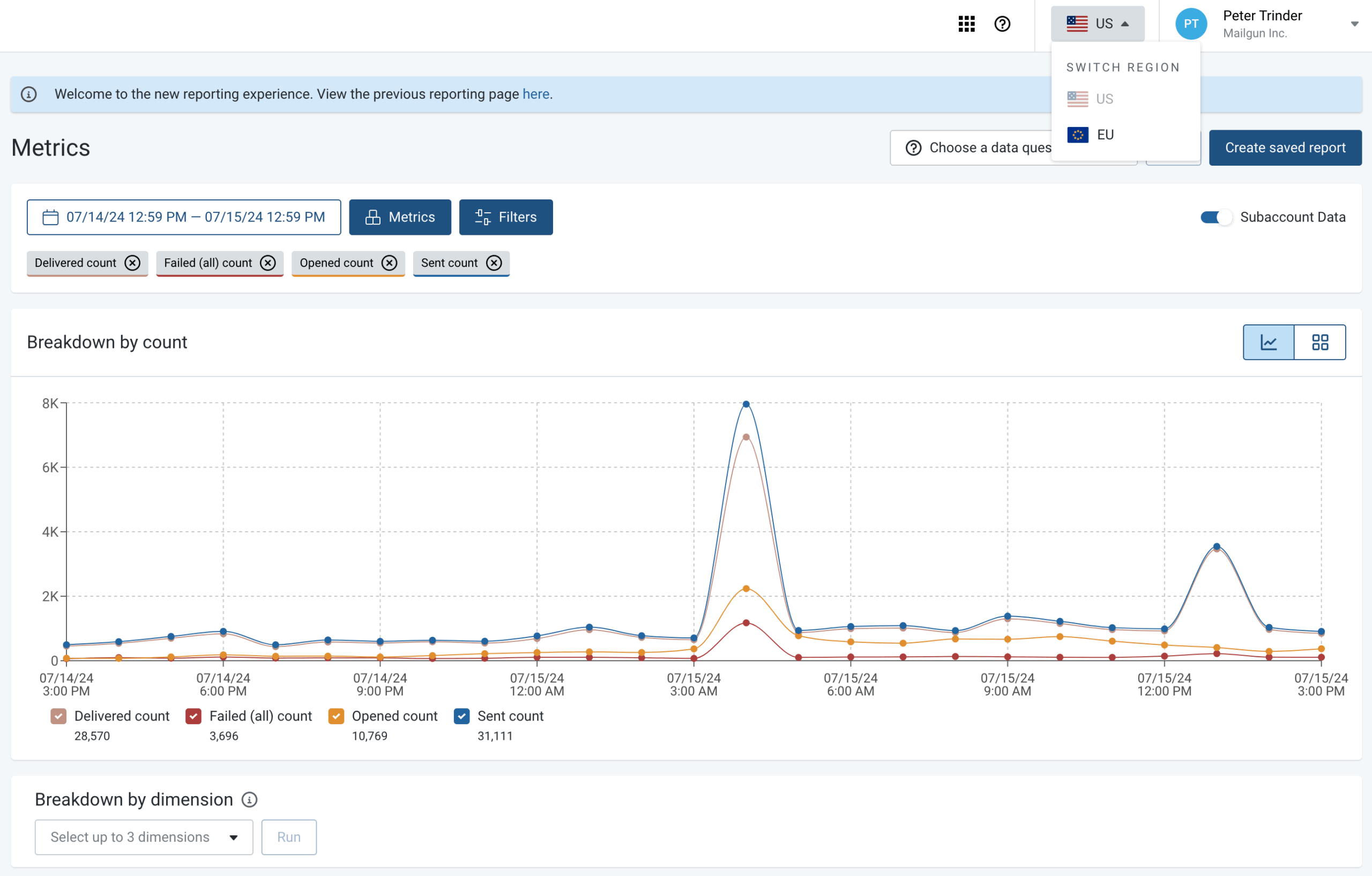
Meanwhile, detailed logs and message inspection tools provide detailed logs and clear visibility into each email’s lifecycle, which makes it easier to see where delivery issues lie and what emails end up in spam folders.
That flexibility, however, is also a trade-off. Compared to Postmark, Mailgun asks you to take on more configuration choices, and there’s less built-in guidance. It works best when email is treated as part of the application stack and actively owned by engineering, rather than something you set up once and forget.
Key Transactional Features
- Email API + SMTP relay for transactional sending
- Webhooks/event data for message status tracking
- Message routing features (notably inbound email routing)
- Logs/tracking to troubleshoot delivery and engagement
- Scales for high-volume app sending (API-first orientation)
Pros & Cons
Pros
- Deep configurability for developers
- Rich event data and webhooks
- Flexible inbound routing
Cons
- Less intuitive for non-technical users
- Minimal UI for message management
- Operational burden higher than some alternatives
Pricing
Mailgun prices its email API around monthly send allowances + feature tiers, with a small free option at the bottom. Their base pricing starts at $15/month for 10,000 emails/month (Basic plan). For higher volume, Foundation is $35/month (free for 1 month, then 50,000 emails/month included) and Scale is $90/month (free for 1 month, then 100,000 emails/month included).
Overage is metered, starting around $1.80 per 1,000 emails on the Basic plan, with better overage prices on higher tiers. Dedicated IP access and higher retention/support features generally show up on the upper plans, so if your volume swings or you need deliverability controls, it’s worth checking where each tier gates those features.
5. Amazon SES — Low-Cost, High-Volume Sending
Amazon SES is the purest infrastructure option on this list. It’s essentially raw SMTP and API access running on AWS’s global backbone. The pricing is extremely low per email, making it attractive for very high-volume transactional use cases.

However, SES provides minimal tooling out of the box. Out of the box, SES gives you very little beyond basic sending and reputation metrics. Deliverability tuning, dashboards, alerting, and retry logic usually mean wiring up CloudWatch or external tools.
Compared to Postmark, the operational workload is much heavier. SES works best as a foundational building block, not as a complete transactional email solution on its own.

Key Transactional Features
- SMTP interface + API-based sending
- Domain/identity authentication support
- Configuration sets + event publishing
- Stored email templates + templated sending via API
- Deep monitoring/alerting via AWS integrations
Pros & Cons
Pros
- Extremely low per email cost
- Runs on AWS global infrastructure
- Integrates with AWS monitoring tools
Cons
- Minimal built-in tooling
- Requires external dashboards or tooling
- Higher operational setup work
Pricing
Amazon SES uses a pure pay-as-you-go pricing model, charging $0.10 per 1,000 outbound emails, with additional costs for attachments, inbound mail, and optional add-ons. Dedicated IPs are available, either as standard IPs at $25 per month or managed IPs with usage-based fees.
SES is one of the better options at scale, especially for high-volume senders. In practice, total costs can add up once you factor in data charges, IPs, and deliverability features, making SES best suited for technically strong teams that prioritize low unit costs over simplicity or bundled tooling.
6. Brevo — All-in-One Email, CRM & SMS
Brevo takes an all-in-one approach similar to Sender. However, Brevo takes a heavier emphasis on CRM and multi-channel marketing. Transactional email is supported via API and SMTP, alongside marketing campaigns and SMS.

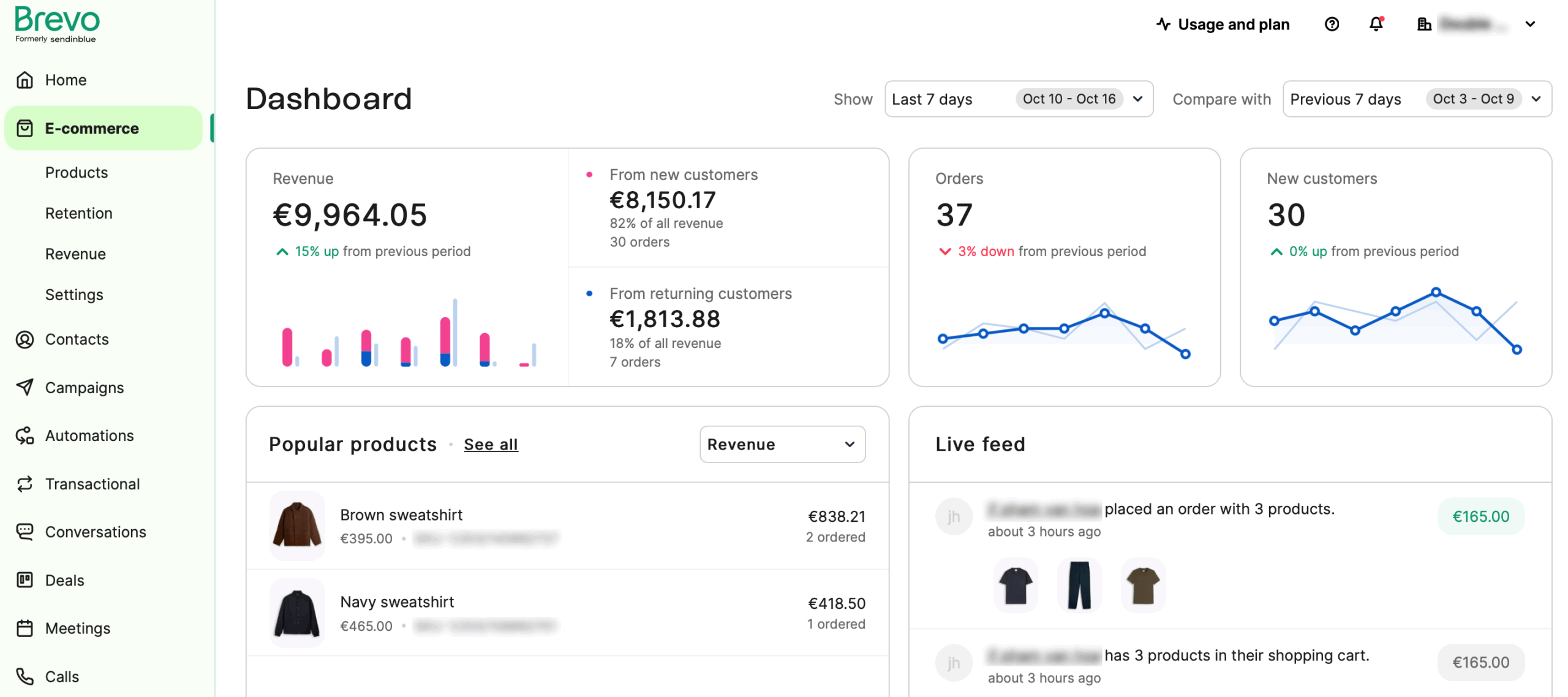
In practice, Brevo works well when the goal is to keep everything under one roof. After spending some time with this Postmark alternative, I was able to manage transactional notifications, marketing campaigns, and basic customer data from a single interface. For teams without dedicated email infrastructure ownership, that simplicity can be a real advantage.
The limitation shows up when you need to dig deeper into transactional behavior. Compared to Postmark, Brevo offers fewer tools for message-level functionality and less visibility into edge cases.
All in all, it’s best suited for teams prioritizing simplicity and consolidation over fine-grained control of email infrastructure.
Key Transactional Features
- Transactional email via API + SMTP relay
- Transactional webhooks for delivery/bounce/engagement-style events
- Template support for transactional emails
- Unified messaging option (SMS/WhatsApp on platform)
- Extended logs/retention and inbound parsing
Pros & Cons
Pros
- Combines transactional email with CRM
- Simple setup and UI
- Multichannel messaging support
Cons
- Transactional tooling is basic
- Diagnostic depth is lighter
- Less control than infrastructure-first tools
Pricing
Brevo’s pricing model is more flexible than Postmark’s. Postmark uses a straightforward, usage-based structure focused strictly on transactional volume, with costs scaling as email volume increases. Brevo, by contrast, offers tiered plans that bundle transactional sending with broader marketing features.
The Starter plan begins at $8/month for 5,000 emails, while the Business plan ($16/month) adds marketing automation. For more advanced needs, the Professional plan starts at $449 per month with 150,000+ emails and advanced automation. This makes Brevo a more scalable option for teams that want marketing and transactional capabilities under one roof.
7. Mandrill — Transactional Email for Mailchimp Users
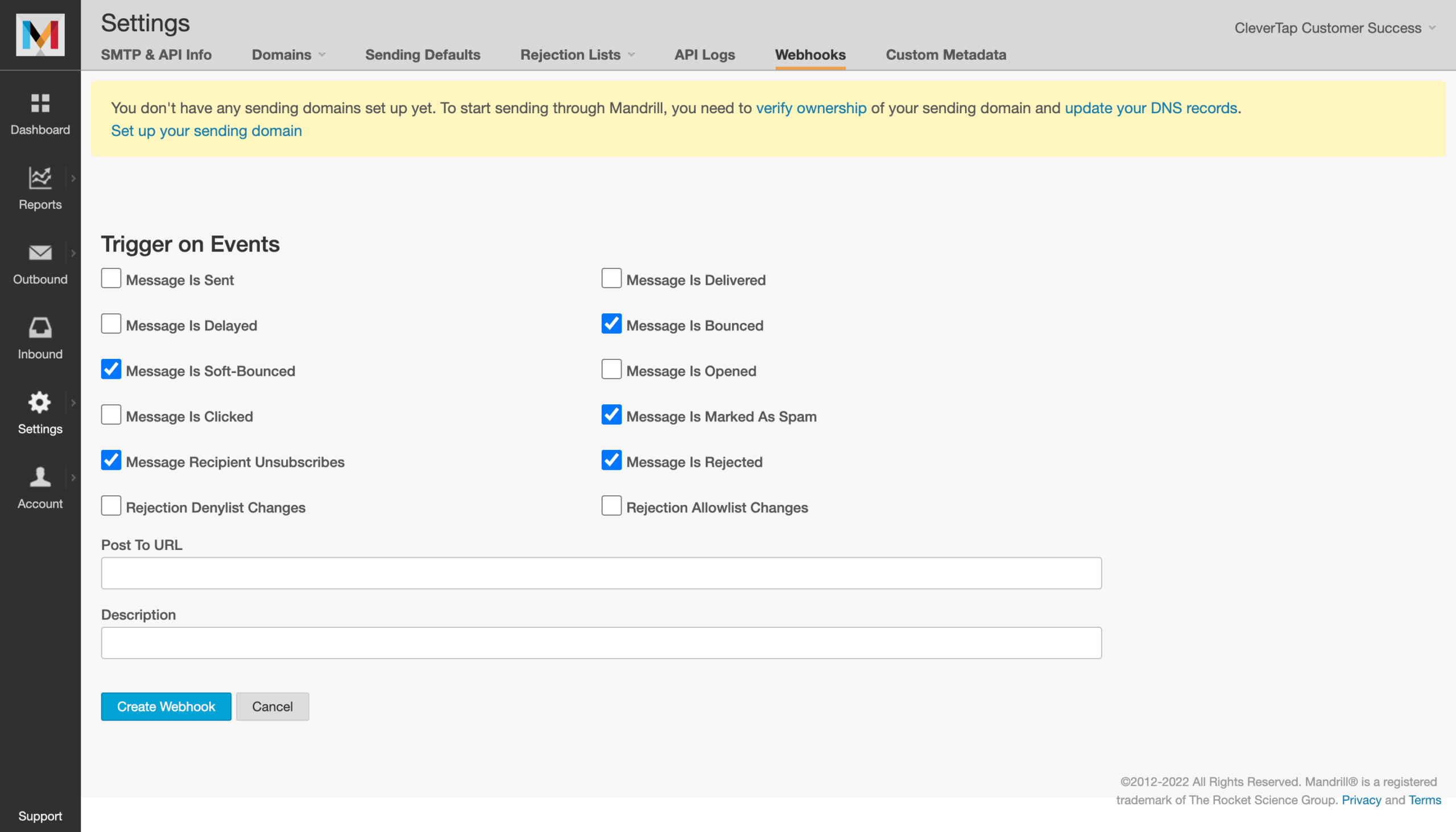
Last but not least, Mailchimp’s Mandrill, which exists primarily as a transactional add-on for Mailchimp customers.
For teams already committed to Mailchimp, Mandrill avoids introducing a second vendor. For everyone else, it’s a constrained option—Mandrill is not positioned as a standalone transactional platform, and pricing is tied to Mailchimp account structure. Great for Mailchimp users, not so great for everyone else.
On the technical side, Mandrill delivers solid deliverability rates, webhooks for real-time event tracking, and enough pre-built email templates for every type of transaction. It’s also built to handle high email volumes reliably and runs on Mailchimp’s established sending infrastructure, which is secured with layers of authentication protocols.
At the end of the day, Mandrill makes sense if you’re already an avid Mailchimp user and adding another tool doesn’t sound ideal. For teams that need deep transactional visibility, message-level debugging, or fine-grained control? There are better alternatives, with Mailgun and Sender coming at the top of the crop.
Key Transactional Features
- Transactional sending via API + SMTP integration
- Webhooks for real-time message events
- Transactional templates endpoint + template-based sending workflows
- Inbound email processing supported (via webhooks tooling)
Pros & Cons
Pros
- Native Mailchimp integration
- Strong event data within the Mailchimp ecosystem
Cons
- Not available standalone
- Pricing tied to Mailchimp subscription levels
- Setup dependent on Mailchimp workflows
Pricing
Mandrill’s pricing is usage-based and sold in blocks rather than tiers: each block covers 25,000 emails, with the per-block price dropping from $20 to $10 as monthly volume increases. You can also add a dedicated IP for $29.95/month. There’s a small trial allowance (up to 500 free sends to a verified domain, with restrictions), but long-term costs are tied directly to how many blocks you need each month.
Postmark Alternatives: Pricing for Small to Medium Businesses
| Provider | Free Tier | 1K Emails | 5K Emails | 10K Emails |
| Sender | 15,000/mo | Free | Free | Free |
| SendGrid | 100/day (60-day free trial) | $19.95 | $19.95 | $19.95 |
| Mailtrap | 4,000/mo | Free | $15 | $20 |
| Mailgun | 100/day | $15 | $15 | $15 |
| Amazon SES | 3,000/mo | ~$0.10 | ~$0.50 | ~$1.00 |
| Brevo | 300/day | $8 | $8* | $15 |
| Mandrill (Mailchimp Transactional) | None | $20** | $20 | $20 |
* Brevo’s paid tiers start at 5,000 emails/month; 1K is shown as the minimum tier cost.
** Mandrill is sold in blocks of 25,000 emails; 1K/5K/10K still requires at least one block.
Choosing the Right Postmark Alternative
As you can see, there’s no shortage of solid Postmark alternatives—each comes with strengths tailored to specific workflows. However, if your priority is reliable transactional delivery, Sender is one of the best transactional email services for small businesses available.
It covers the core transactional requirements—SMTP and API sending, authentication, logs, and webhooks—while removing the need for a second platform as your messaging expands. Unlike Postmark, Sender includes transactional email on all plans, keeps pricing predictable as volume grows, and adds SMS marketing when you need it.
For teams that want fewer tools, lower cost risk, and faster day-to-day operations, Sender is the smartest alternative you can go with.
Postmark Alternatives FAQs
Who should consider a Postmark alternative?
Teams should consider a Postmark alternative when transactional email costs scale faster than usage, when tooling feels overly developer-centric, or when there’s a need for multi-channel marketing. This typically applies to small and mid-sized SaaS companies, ecommerce businesses, and operational teams that want predictable costs, simpler setup, or fewer vendors while maintaining reliable delivery and API-based sending.
What limitations lead teams to look for Postmark alternatives?
Teams typically look for alternatives due to cost scaling with message volume, limited flexibility outside transactional use cases, or the need for more integrated tooling. Others seek broader API coverage, multi-channel messaging, or less developer-heavy setup. These limitations become more visible as products mature or as responsibility for email shifts from engineering to marketing or operations teams.
How does transactional email differ from marketing email?
Transactional emails are anticipated by recipients and often personalized based on specific actions (e.g., purchase confirmation), while marketing emails require prior consent and are primarily used for promotional communication. Some platforms combine both, while others, like Postmark, deliberately separate transactional traffic from marketing use cases.
How can a small business use transactional email in Sender?
A small business can use transactional email in Sender to send order confirmations, account notifications, password resets, and form submission alerts. Messages can be sent via SMTP or API using authenticated domains. Transactional emails share the same account as other messaging features, allowing small teams to manage system emails without maintaining a separate infrastructure or dedicated developer-only tool.
Is transactional email available on Sender’s Free plan?
Yes, transactional email is available on Sender’s Free plan with the same core sending methods as paid plans, including SMTP and API access. Free plan usage is subject to overall account limits, but it allows teams to test real transactional workflows, verify domain authentication, and confirm delivery behavior before committing to a paid tier. This makes it suitable for early-stage products and pilots.