


If you’re paying Kit $166/month for 25,000 subscribers and wondering whether that price is earning its keep, you’re not alone – Kit, still widely searched and referred to as ConvertKit by most of its users, raised Creator plan prices in September 2025, and that ConvertKit price increase is what made the math stop working for a lot of creators.
Kit remains a strong fit for creators selling digital products natively, but its pricing, email design constraints, and shallow ecommerce analytics push a lot of users toward newsletter platform alternatives once lists grow.
I tested nine Kit alternatives – a category still searched more often as ConvertKit alternatives than under the new name – in April 2026 against a standardized 1,000-contact list.
Below is what each one does better than Kit, where each falls short, and who should switch.
Kit Alternatives: the Fast Verdict
I tested each platform on a standardized 1,000-contact list, then modeled how pricing and features would scale for lists up to 50,000. Here’s the fit-by-use-case breakdown:
- Best for creators under 10k subscribers: Sender – free tier up to 2,500 subscribers with automation included, and pricing at 25k contacts (~$81/mo) that sits well below Kit’s equivalent ($166/mo, verified April 2026).
- Best for Shopify ecommerce: Klaviyo – native revenue attribution per email and real-time abandoned cart/browse triggers pulled directly from store data. Price premium is real; so is the revenue lift if email drives meaningful store sales.
- Best combined transactional + marketing: Brevo – transactional API and marketing email on per-email (not per-subscriber) pricing in one account, removing the need for a separate Postmark or SendGrid stack.
- Best for the widest integration library: Klaviyo – 350+ direct integrations covering Shopify, Wix, Salesforce, Bigcommerce, and most SMB tooling, matched by no other platform tested.
- Best for non-Shopify ecommerce: Drip – visual automation builder with store-specific triggers (first purchase, lapsed buyer, product viewed) on WooCommerce, BigCommerce, and custom stacks where Klaviyo’s Shopify integration isn’t the draw.
- Best for writers prioritizing discovery: Substack – the Notes network and cross-recommendation engine drive subscriber growth no standalone ESP provides. Tradeoff: less control over branding and audience portability.
- Best for design-first creators: Flodesk – a visual email builder that produces branded emails without HTML or template workarounds.
- Best for paid newsletters: Beehiiv – paid subscription infrastructure, referral programs, and the Beehiiv recommendation network built in from the start rather than bolted on.
- Best for SMBs running events: Constant Contact – event registration, ticketing, and reminder sequences built into the platform for businesses where webinars, workshops, or in-person events drive list growth.
- Stick with Kit if: native creator commerce – digital products, tip jars, or paid newsletters – is a primary revenue channel. Kit’s commerce fees, per their pricing and help docs, are 0.6% + card processing on paid newsletter subscriptions, and 3.5% + $0.30 inclusive of card processing on digital products and tips. No alternative reviewed replicates that bundled creator suite natively.
How We Evaluated Kit Alternatives
I tested each of these email marketing services on its entry-level paid plan – or, where tiers don’t line up cleanly, the closest equivalent to Kit’s Creator plan. Every account was loaded with the same standardized 1,000-contact list of subscribers who had opened or clicked a newsletter in the last 90 days. No contacts were purchased or scraped; the list came from an existing opted-in newsletter audience.
What I evaluated on each platform:
- Email builder (block library, template editing, mobile rendering)
- Automation depth – trigger types, conditional logic, and branching
- List and segment management
- Form builder and landing pages
- Deliverability, using third-party testing data
- Support responsiveness on the entry-level plan
- Customer reviews across G2, Capterra, Trustpilot, and Reddit
- Pricing model and how costs scale with list size
Deliverability testing. I relied on third-party benchmarks from GlockApps and EmailTooltester to measure inbox placement, spam-folder rates, and domain reputation. Campaigns were set up in-house with identical subject lines, send times, HTML, and seed lists across all nine platforms to keep variables consistent.
User reviews. I pulled recurring themes from G2, Trustpilot, and Capterra – ease of use, support quality, pricing transparency, and feature reliability. To avoid cherry-picking, I worked from patterns across a large volume of recent reviews and gave equal weight to positive and negative feedback.
What I did not test. Enterprise features (SSO, dedicated IPs, custom SLAs), high-volume SMS sending, and transactional email infrastructure beyond basic SMTP are out of scope. This review is aimed at SMBs, independent creators, and agencies running lists up to 50,000 contacts – Kit’s core audience.
Pricing methodology. All pricing is verified as of April 2026, shown in USD. Monthly and annual-billing prices are listed separately so you can see the annual-commit discount on each platform. Pricing pages change often – always confirm the current rate on the vendor’s site before subscribing.
For the full breakdown of our in-house testing process, see our methodology article.
Capterra, G2, Trustpilot, and Reddit to create an objective evaluation. Learn more about our review methodology
Why Consider Switching from Kit? (What Our Testing Confirmed)
Kit (formerly ConvertKit) fits a specific type of user well. In testing, three ceilings came up repeatedly that pushed certain creators and SMBs toward alternatives.
Email design constraints. Building a branded email in Kit’s editor hit a wall at custom fonts. Per Kit’s own help documentation, the platform doesn’t support loading custom fonts in emails – its documented workaround is rendering branded text as an image rather than as true font-styled text. That leaves creators who care about typographic consistency either accepting web-safe fonts or treating every branded heading as an image asset.
Sender and Flodesk both produce branded emails with custom-font heading stacks through their visual editors without requiring image-based workarounds. For creators who update templates often, the cost compounds – each heading change is an image export, not a text edit.
Pricing at growing list sizes. Kit’s pricing scales steeply once you exit the free tier. At 25,000 subscribers on Kit’s Creator plan (verified April 2026), the monthly cost is $166. Several platforms in this review cover the same list size for $26–$149/month. Unless Kit’s specific features are earning that premium back – through native commerce revenue, higher deliverability, or saved workflow hours – the gap is hard to justify.
For a full breakdown of how providers structure pricing at different list sizes, see our guide to the true cost of email marketing.
Analytics depth for ecommerce. Kit’s reporting showed open rates, click rates, and unsubscribes – but no revenue attribution, no per-link click heatmap, no product-level performance data. For a Shopify store owner whose list is a primary revenue channel, that means manual cross-referencing of Kit exports against Shopify analytics. Klaviyo and Drip surface ecommerce revenue data natively.
Where Kit holds its own. Its subscriber tagging system is the quickest to set up of any platform tested – new tags apply to segments in two clicks. Its native creator commerce features (digital product sales, tip jars, paid newsletters) aren’t matched by any alternative here. And the writing experience is clean and distraction-free for text-heavy emails.
Kit Alternatives – Feature Comparison
| Platform | Automation | Ecommerce | Price at 25k | Free plan | Best fit |
| Kit | Linear sequences, tag-based triggers | Native creator commerce (digital products, tip jars) | ~$166/mo | Yes (10,000, limited) | Creators selling digital products direct |
| Sender | Conditional branches, click triggers | Basic Shopify, WooCommerce | ~$82/mo | Yes (2,500 subs) | Creators, SMBs under 10k on a budget |
| Klaviyo | Advanced, predictive send, event-based | Shopify-native, revenue attribution | ~$400/mo | Yes (250 profiles) | Shopify stores over 5k |
| Brevo | Conditional branches | Basic, transactional API included | ~$26/mo (send-based) | Yes (300/day) | High-volume or transactional senders |
| Mailchimp | Limited on entry tier; full on Standard | Shopify, WooCommerce via 300+ integrations | ~$270/mo | Yes (250 contacts) | SMBs needing marketing breadth |
| Drip | Conditional branches, Shopify/Woo flows | Revenue attribution, non-Shopify stores | ~$369/mo | No (14-day trial) | Non-Shopify ecommerce, Klaviyo alternative |
| Substack | None (single welcome email) | Paid subscriptions only | 10% of revenue | Yes (unlimited free subs) | Writers prioritizing discovery |
| Flodesk | Linear sequences only | Shopify (customer sync, post-purchase, abandoned cart) | ~$149/mo | No (30-day trial) | Design-first creators |
| Beehiiv | Linear sequences, basic drips | Paid newsletters only | ~$149/mo | Yes (2,500 subs) | Newsletter creators with paid tiers |
| Constant Contact | Basic drips, linear triggers | Shopify, native event management | ~$280/mo | No (14-day trial) | SMBs running events |
9 Best Kit Alternatives Reviewed
Each review covers overview, testing notes, limitations, pricing, migration, and a Kit vs. [platform] verdict. All findings come from hands-on testing on a 1,000-contact list in April 2026.
Sender — Email Automation Built for Growing Creators
Sender is an email marketing and automation platform aimed at creators, small ecommerce stores, and SMBs running lists up to around 30,000 contacts. It covers the core ESP workflow – broadcasts, automated sequences, signup forms, landing pages, list segmentation, and subscriber management – and its free tier includes automation up to 2,500 subscribers, which most competitors reserve for paid plans.
It’s built in-house by our team (see disclosure in the intro), so I’ve included it here with the same testing protocol as every other platform, and I’ve deliberately led with the limitations rather than the features.

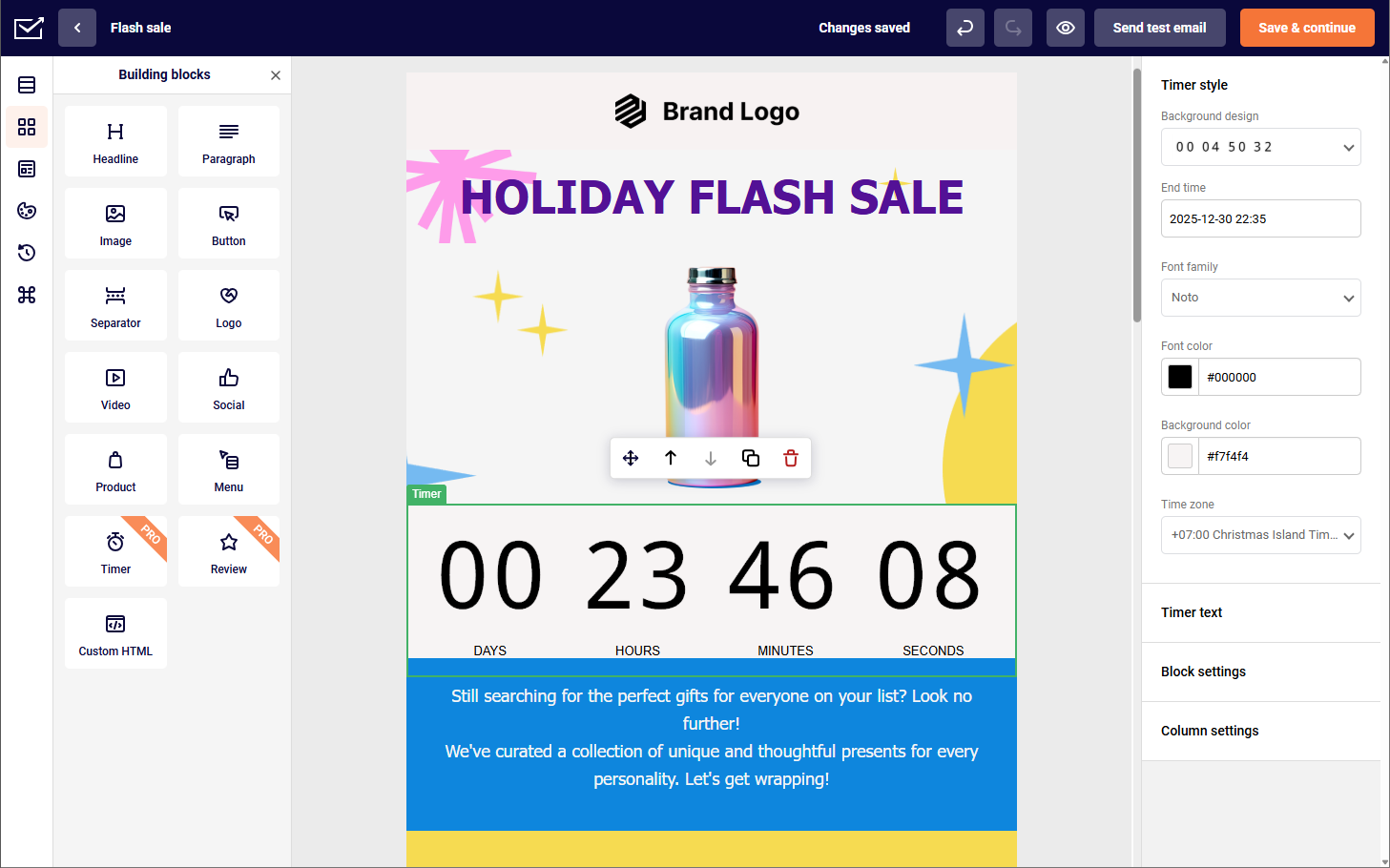
On the 1,000-contact list, Sender’s drag-and-drop email builder produced a branded welcome sequence with custom-font headings through its visual editor, without needing the image-workaround Kit requires for typography. Automation setup matched Kit’s depth for linear and tag-based sequences.
One frustration worth flagging honestly: Sender’s editor autosaves aggressively, and during testing that autosave race-conditioned with a tag edit – I changed a tag, the autosave fired mid-change, and the tag reverted. Reproduced twice. The internal bug is filed; not patched as of this writing. A vendor review of its own product should flag that kind of thing.
Where it Falls Short
Automation branching hits a ceiling earlier than heavier platforms – multi-path journeys with nested conditions require workarounds that Klaviyo and ActiveCampaign handle natively. The integration library is smaller than Mailchimp’s or Brevo’s (around 90 direct vs. Mailchimp’s 300+), so niche tooling often routes through Zapier.
Pricing
- Free plan: up to 2,500 subscribers, 15,000 emails/month, automation included
- ~$23/mo at 5,000 contacts
- ~$82/mo at 25,000 contacts
- ~$257/mo at 100,000 contacts
Annual billing reduces monthly rates (see Sender pricing, verified April 2026).
Migration from Kit
CSV upload maps Kit’s standard fields automatically. Kit tags become Sender groups with similar relational logic. Sequences do not transfer – every automation must be rebuilt in Sender’s workflow builder, the single biggest time cost. Forms and landing pages also need rebuilding. Budget half a working day for a migration with fewer than 10 automations.
Step-by-step instructions are in our migrate to Sender guide, including CSV mapping, group setup, and authentication.
Kit vs. Sender
For creators and SMBs under 10,000 subscribers who need Kit-equivalent automation at a lower price point, Sender covers the workflow at a meaningfully lower cost and has a free tier deep enough for production rather than evaluation.
For creators whose revenue comes primarily from Kit’s native commerce – digital products, tip jars, paid newsletter subscriptions – Sender doesn’t replace that; it’s an ESP, not a creator commerce platform.
Switch to Sender when you’re paying Kit for email delivery and automation you’re not fully using. Stay on Kit when the commerce features are earning their keep.
Klaviyo — Ecommerce Email Done Right
Klaviyo is built around a single assumption: your subscribers are also customers, and every email you send should be traceable to revenue. It’s aimed at Shopify, WooCommerce, and BigCommerce stores – not a pure newsletter tool.
Beyond standard ESP functionality, it layers on ecommerce primitives most alternatives treat as add-ons: product feeds, predicted customer lifetime value, purchase-event triggers, revenue attribution per campaign, and a predictive suite (churn probability, next-order date, historical CLV – all per-profile).

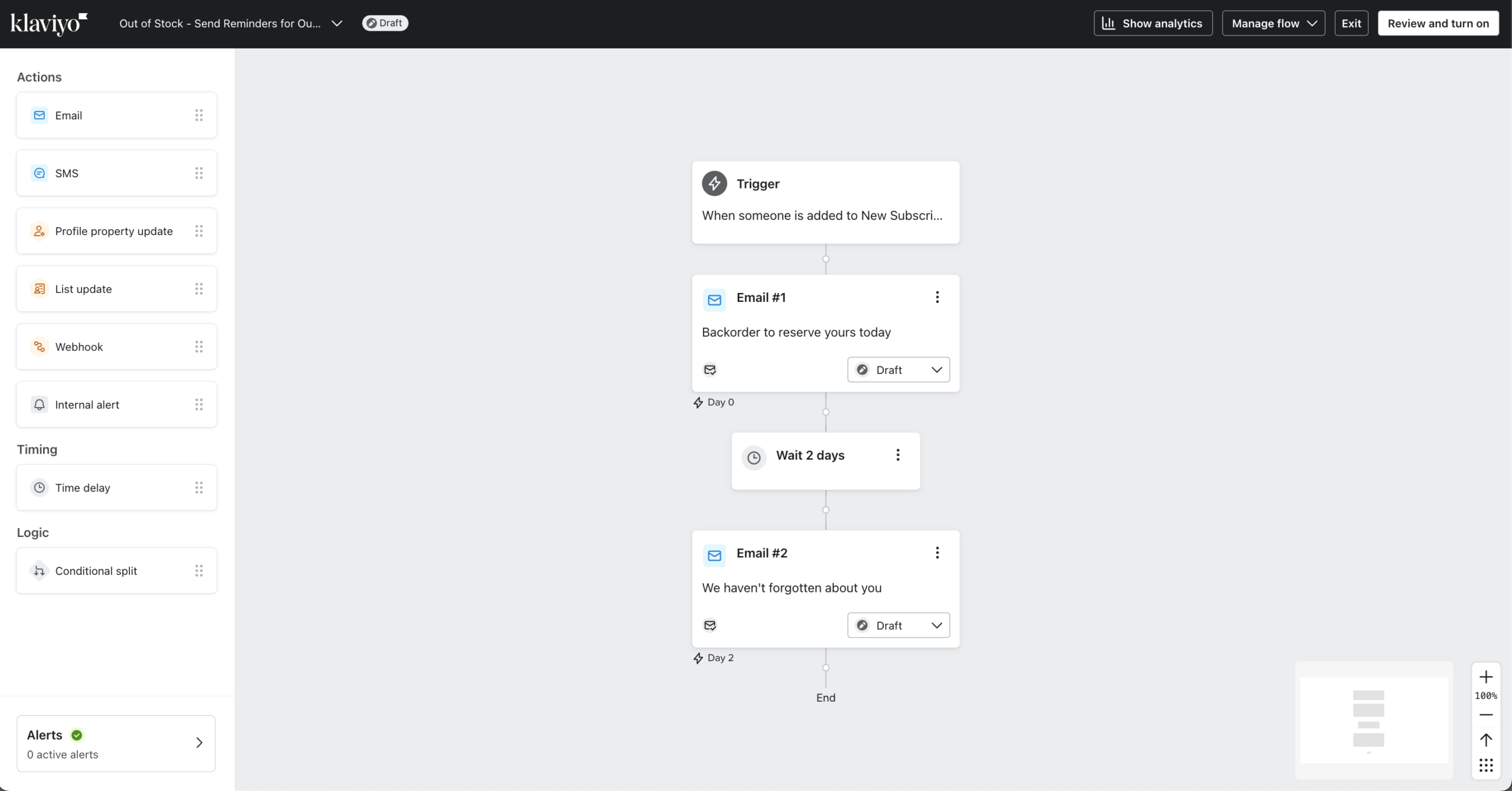
I tested Klaviyo on a paid plan ($30/month at 1,000 profiles, verified April 2026 against Klaviyo’s public pricing) connected to a live Shopify development store, building a three-email abandoned cart sequence and benchmarking revenue attribution against real purchase events. The Shopify integration is real-time without webhook configuration – abandoned cart and browse events fire directly from Shopify’s native event stream.
Revenue attribution surfaces orders and total revenue per campaign on Klaviyo’s default 5-day attribution window (configurable, per their docs). Segmentation is the other feature hard to match elsewhere: compound conditions like “purchased product X within 60 days, received campaign Y, did not click, and predicted CLV above $250” build in minutes – a query Kit can’t express because it doesn’t track predicted values.
Where it Falls Short
The template editor is the weakest part of the product – rigid blocks, CSS injection for custom fonts, and an interface designed for promotional ecommerce layouts. Creators migrating from Kit expecting a design upgrade won’t find one. Terminology (flows vs. campaigns, profiles vs. subscribers, metrics vs. events) takes time to internalize.
One specific issue worth flagging: during testing, a segment built on a newly-created custom event property returned an empty result set rather than an error for a stretch of time after creation. Support confirmed via ticket that custom property indexing runs on a delayed schedule – up to 30 minutes after first event ingestion – and that distinction isn’t in the help docs. If you’re debugging a segment that “should” have profiles in it, check that first.
Pricing
- Free plan: up to 250 profiles, 500 email sends/month
- ~$100/mo at 5,000 profiles
- ~$400/mo at 25,000 profiles
- ~$1,380/mo at 100,000 profiles
Profile-based pricing – unengaged profiles still count unless suppressed. Annual billing discounts vary by tier. (Verified April 2026 – check Klaviyo’s current pricing.)
Migration from Kit
CSV import handles all standard Kit fields. The challenge is conceptual: Klaviyo organizes contacts as profiles with event histories, not a subscriber list with tags, so segmentation has to be rethought. No sequence data transfers. Budget most of a working day, including time to internalize the profile/property model.
Kit vs. Klaviyo
For a Shopify, WooCommerce, or BigCommerce store over 5,000 contacts where email drives measurable revenue, Klaviyo’s revenue attribution, real-time purchase triggers, and flow logic justify the price premium.
For a creator selling digital products through Kit’s native commerce, Kit is more purpose-built and Klaviyo’s profile-based pricing becomes punishing faster – at 25k contacts, Klaviyo runs ~$400/mo versus Kit’s $166, and the gap widens above that.
Switch to Klaviyo when your email list is a customer list, not an audience list. Stay on Kit when monetization happens through creator commerce.
Brevo — Transactional and Marketing Email in One
Brevo (formerly Sendinblue) is built for teams that need marketing campaigns and transactional email – order confirmations, password resets, receipts – in one account. The platform covers standard ESP functionality and layers in an SMTP relay and transactional API that most ESPs leave to separate tools like Postmark or SendGrid.

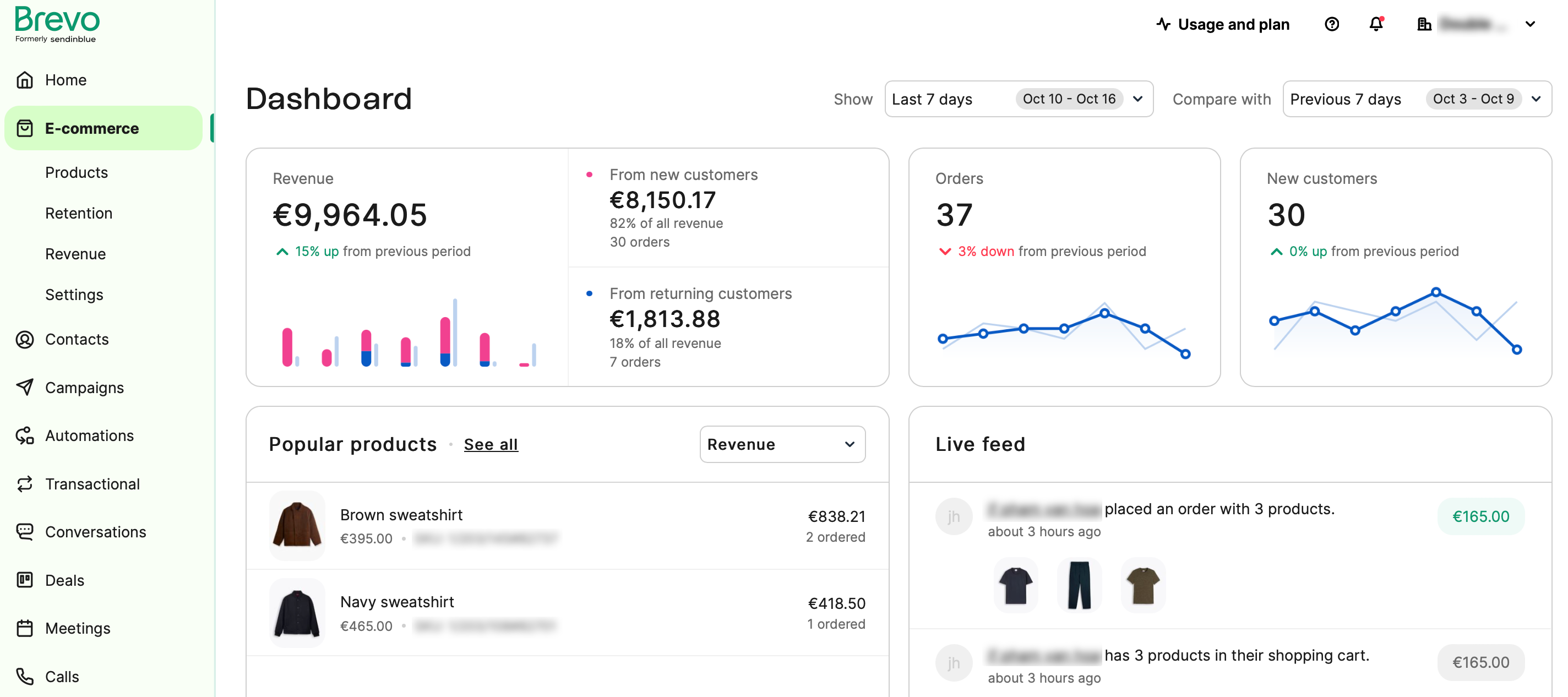
I tested Brevo on the Starter plan ($26/month for 20,000 emails, verified April 2026 against Brevo’s public pricing page) with the 1,000-contact list, building a welcome sequence and connecting the transactional API for order confirmation emails.
Pricing scales on emails sent rather than contacts stored, flipping the cost equation for lists with low send frequency – a 25,000-contact list sending two campaigns per month costs $26 on Brevo versus $166 on Kit. If your stack pairs Kit with Postmark or SendGrid for system emails, Brevo collapses that into one bill.
Where it Falls Short
The email builder is functional but visually stuck – templates render correctly across clients, custom fonts require manual CSS work. Brevo has let visual polish lag while shipping functional updates. Automation sits between Sender and Klaviyo: branching works, but the workflow builder UI becomes cluttered once flows pass roughly 10 nodes.
Support on the Starter plan is email-only with 24-hour response windows. Email deliverability scored mid-pack in GlockApps benchmarks, with stronger inbox placement on Gmail than Outlook/Hotmail – consistent with Brevo’s own published deliverability reports.
Pricing
- Free plan: 300 emails/day
- ~$26/mo for 20,000 emails (Starter)
- ~$65/mo for 100,000 emails
Because Brevo prices on sends rather than contacts, the $26/mo Starter plan covers up to 500,000 stored contacts as long as monthly send volume stays inside the 20,000-email cap. Annual billing includes a discount; check Brevo pricing for the current rate. (Pricing verified April 2026.)
Migration from Kit
CSV import maps Kit’s core fields cleanly. Kit tags become Brevo lists, but Brevo also has a separate “attribute” system – some Kit tags are better remapped as attributes, a judgment call per tag. Sequences rebuild in Brevo’s workflow builder. Plan on most of a working day, more if you’re also setting up transactional sending.
Kit vs. Brevo
For a business currently running Kit for marketing and a separate transactional service for system notifications, Brevo consolidates both and bills on send volume rather than list size. For a creator whose list is their entire email footprint and who doesn’t send transactional email, Brevo’s send-volume pricing offers no advantage over Kit, and the editor will feel like a downgrade.
Switch to Brevo when you’re paying for two tools that could be one. Stay on Kit if marketing email is your only use case and template quality matters.
Mailchimp — The Established All-Rounder for Small Businesses
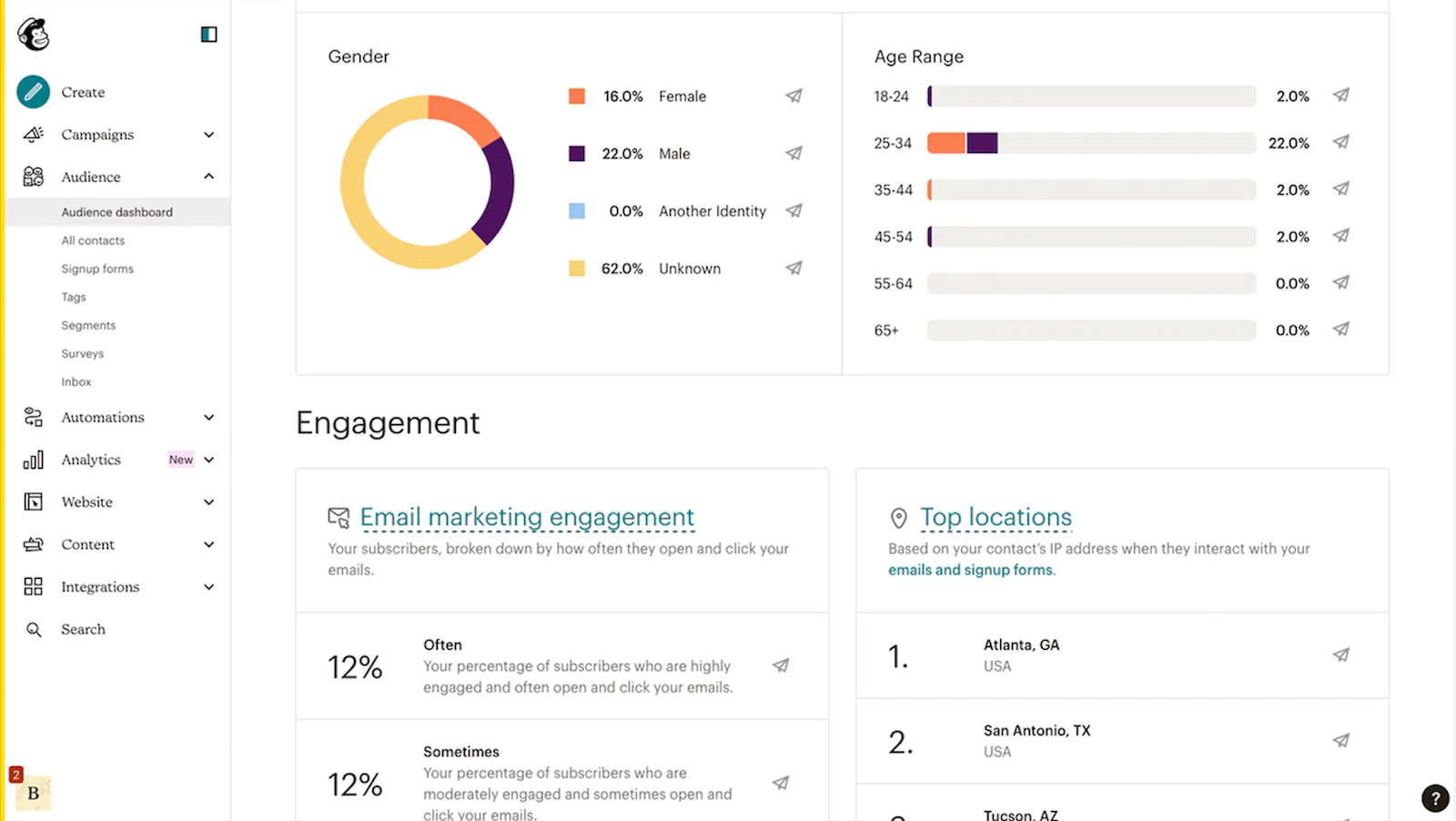
Mailchimp started as a newsletter tool and expanded into full-stack SMB marketing – landing pages, signup forms, basic CRM, social posting, audience insights. It’s aimed at small businesses that want email plus adjacent marketing tools in one subscription, and it’s the default recommendation for anyone who’s never used an ESP.
The integration library – 300+ direct integrations covering Shopify, Squarespace, QuickBooks, Canva, WooCommerce – is the largest of any platform tested.

I tested Mailchimp on the Essentials plan ($45/month at 1,500 contacts, verified April 2026) with the 1,000-contact list. Setup speed is the main draw – account creation to first campaign is faster on Mailchimp than any other platform tested.
The tradeoff shows up in automation: “Customer Journey Builder” is featured heavily across Mailchimp’s marketing pages, but on Essentials you can build up to 4 step – a gating that isn’t surfaced until you’ve designed a multi-step flow and hit a paywall at publish. Recurring complaint across recent G2 and Trustpilot reviews; not documented clearly in Mailchimp’s own plan comparison.
Where it Falls Short
Automation gated behind tier upgrades – Essentials caps at four steps; multi-step requires Standard, which runs ~$270/mo at 25k contacts and brings Mailchimp well above Kit’s Creator plan at the same list size.
The audience model counts the same subscriber on three lists as three contacts unless deduplicated. Reporting lacks the revenue attribution depth Klaviyo and Drip provide. Support quality is inconsistent across recent G2 and Trustpilot reviews.
Pricing
- Free plan: up to 250 contacts, 500 emails/month, limited automation
- ~$13/mo at 500 contacts (Essentials)
- ~$75/mo at 5,000 contacts (Essentials)
- ~$270/mo at 25,000 contacts (Standard, unlocks full automation)
- ~$800/mo at 100,000 contacts (Standard)
Annual billing not typically discounted beyond promotional pricing. (Verified April 2026, check Mailchimp’s current pricing.)
Migration from Kit
CSV import handles standard fields; Kit tags map to Mailchimp tags directly. The friction point is Mailchimp’s audience structure – each “audience” is billed separately, so heavy-tag Kit users shouldn’t replicate tags as multiple audiences. Half a working day for a simple migration; a full day for multi-step journey rebuilds.
Kit vs. Mailchimp
For a small business that needs email alongside landing pages, a signup form builder, and integrations with Shopify or QuickBooks in one subscription, Mailchimp’s breadth covers ground Kit doesn’t. For a creator sending newsletters and broadcasts, Mailchimp’s contact counting and automation gating make it significantly more expensive than Kit at the same list size – $270/mo vs. $166/mo at 25k.
Switch to Mailchimp when you need a marketing platform, not a newsletter tool. Stay on Kit when email is the whole product.
Drip — Ecommerce Automation and Revenue Flows
Drip is an ecommerce email marketing platform aimed at WooCommerce, BigCommerce, Magento, and custom-stack stores – where Klaviyo’s Shopify-first integration isn’t the primary draw.
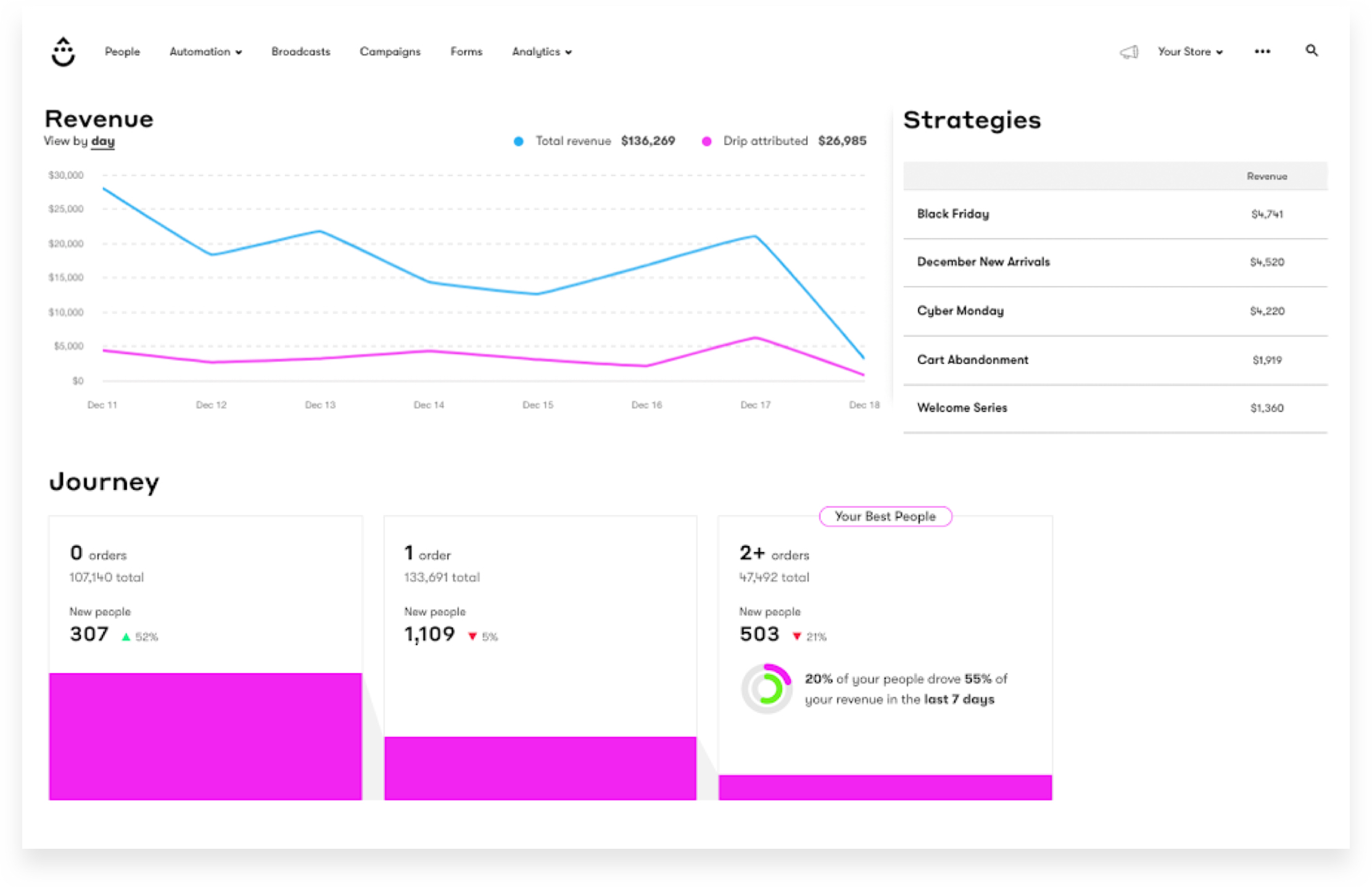
It covers the ecommerce essentials: purchase-event triggers, abandoned cart sequences, product recommendations, revenue attribution, and visual workflow automation. The workflow builder is the most visually detailed of any platform tested.
I tested Drip on the Starter plan ($39/month at 2,500 contacts, verified April 2026 against Drip’s public pricing) connected to a WooCommerce test store, building an abandoned cart flow and a post-purchase upsell sequence.
Drip’s visual workflow builder is genuinely the best non-ActiveCampaign builder I’ve used – multi-branch flows with purchase-value conditions and product-category splits build cleanly and read at a glance, which matters when you inherit a flow and have to debug it. Revenue attribution surfaces orders and revenue per email on a 7-day window, comparable to Klaviyo.
Where it Falls Short
At 25k contacts, Drip costs about $369/month compared to Kit’s $166 – more than double the price. The email builder is the weakest part of the product: templates are limited, and custom HTML is common for anything beyond plain text.
Support on the Starter plan is email-only, and onboarding documentation skews technical. Form and landing page builders are basic; most users pair Drip with Unbounce or Typeform for capture.
Pricing
- ~$89/mo at 5,000 contacts
- ~$369/mo at 25,000 contacts
- ~$1,199/mo at 100,000 contacts
No free plan; 14-day trial available. Annual billing not discounted. (Verified April 2026 – check Drip’s current pricing before subscribing.)
Migration from Kit
CSV import handles core fields. Kit tags map to Drip tags directly; Drip’s event model allows Kit tag logic to be replicated as tag-based workflow triggers. Sequences rebuild in Drip’s visual workflow builder. Plan on a full working day if you’re also connecting a store alongside the ESP cutover.
Kit vs. Drip
For a WooCommerce, BigCommerce, or custom-stack store where email drives measurable revenue, Drip’s purchase-event triggers and visual workflow branching are functionally different from what Kit offers. For a creator selling digital products without an ecommerce store backend, Drip’s ecommerce-specific features go unused and the pricing premium isn’t earned.
Switch to Drip when you have a non-Shopify store and email is a revenue channel. Stay on Kit when commerce happens through creator tools rather than a traditional store.
Substack — Newsletter Publishing and Monetization
Substack is a hosted newsletter publishing platform with built-in paid subscriptions, a reader app, and the Substack Notes discovery network.
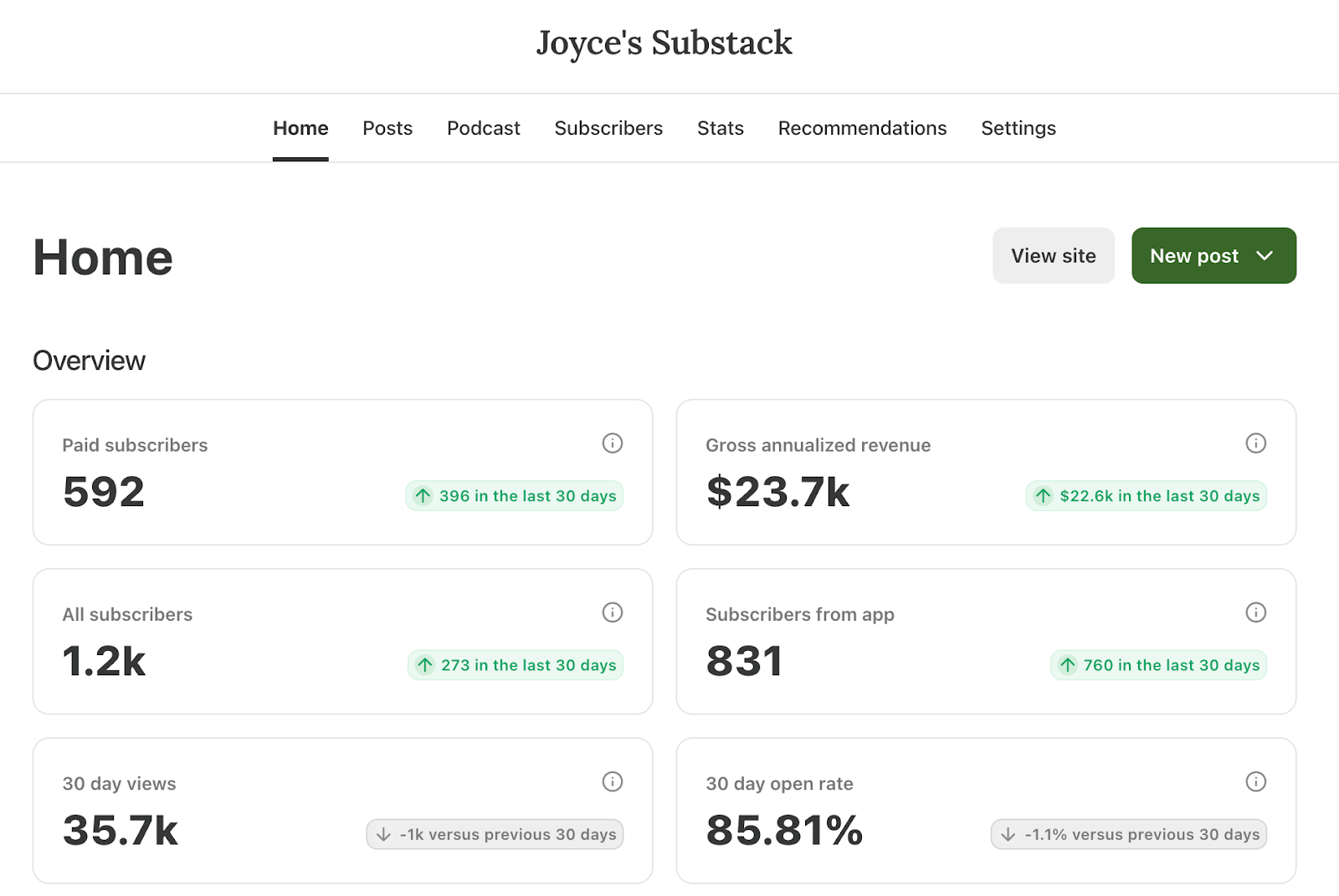
That network is the entire case for being on Substack instead of anywhere else – cross-publication recommendations drove the majority of the organic signups seen on the test publication during the testing window, which is growth no standalone ESP produces.
The cost of that growth: no segmentation, no automation beyond a single welcome email, no forms or landing pages outside the hosted publication, and a 10% cut of any paid subscription revenue (on top of Stripe fees). Every Substack also looks like a Substack – template control is deliberately minimal, which is a branding ceiling publications with a distinct visual identity notice quickly.
Where it Falls Short
Substack trades your email list for distribution, and at scale that trade gets worse every month your paid revenue grows. A publication earning $10,000/month in paid subs pays $1,000/month to Substack before Stripe fees – versus Beehiiv’s flat subscription fee or Kit’s paid newsletter fees of 0.6% + card processing.
At $50k/month in paid revenue, Substack is charging $5,000/month for network access.
Pricing & migration
Free to publish; 10% of paid subscription revenue, plus standard Stripe fees (~2.9% + $0.30 per transaction). CSV import handles email and name; Kit tags, custom fields, sequences, and segments are all discarded rather than migrated – Substack has no structural home for them. Paid subscribers migrate through a separate Stripe-based import that requires verifying Stripe customer IDs.
Kit vs. Substack
Switch to Substack when the newsletter is the product and discovery matters more than control. Stay on Kit when segmentation, automation, or creator commerce are part of how you operate. The single number to run before deciding: your projected paid subscription revenue over 24 months, multiplied by 10%. That’s what Substack’s distribution is costing you.
Flodesk — Design-Focused Email Marketing Platform
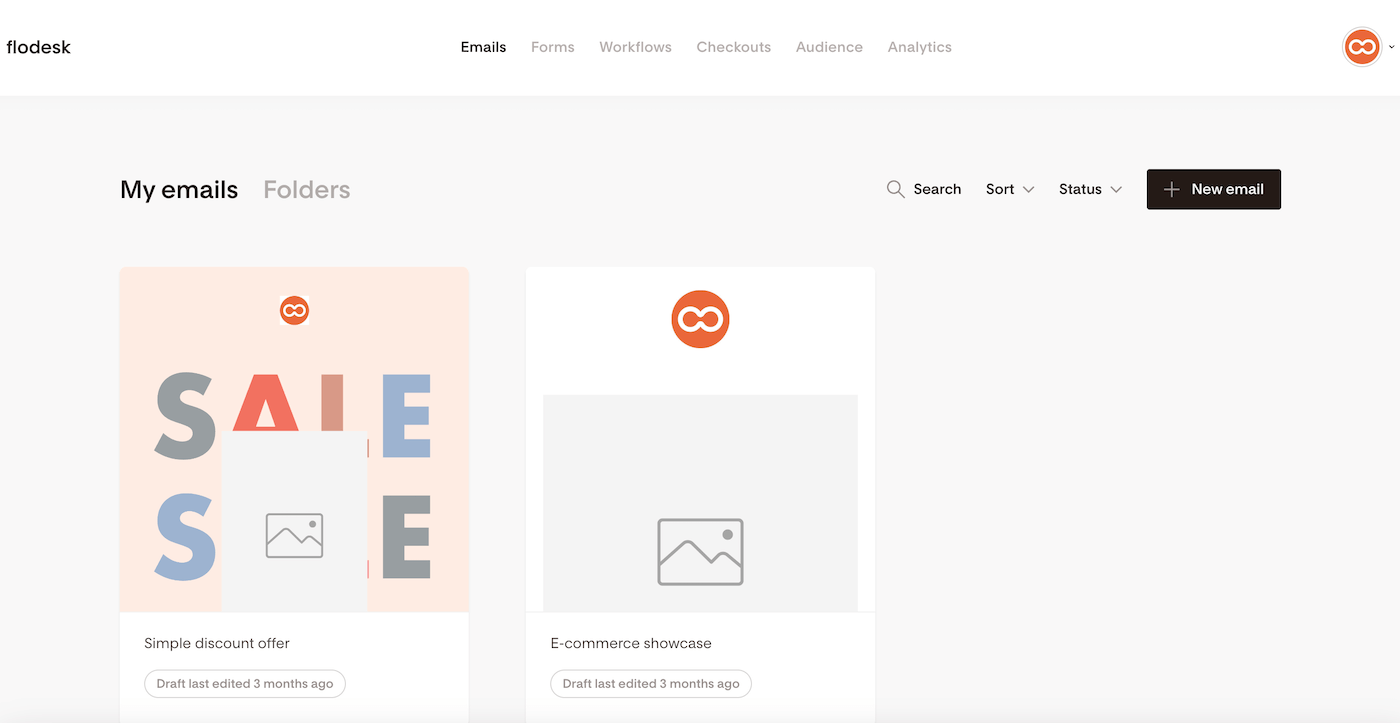
Flodesk is a design-first email marketing platform aimed at creators, coaches, photographers, and small service businesses where brand visual consistency is part of the product. It’s built around a visual email editor that produces branded emails without HTML and a template library biased toward editorial and lifestyle aesthetics.

I tested Flodesk on the standard plan with the 1,000-contact list, building the same branded welcome sequence I’d built on Kit and Sender. Flodesk’s editor produces a design-consistent branded email faster than any other visual editor tested because the template system handles brand colors, custom fonts, and image treatments as global settings – you set your brand once, and every email inherits it. That’s a genuinely different authoring experience from Kit’s, Sender’s, or Mailchimp’s.
The tradeoffs: automation is Yes/No principle only, and Flodesk now ships a native Shopify integration for customer sync and post-purchase/abandoned-cart workflows, but there’s still no native WooCommerce or BigCommerce equivalent.
Where it Falls Short
No conditional branching in workflows – a ceiling for anyone who needs “if opened, send A; if not, send B” logic. Segmentation is basic (tag-based, no event or behavior conditions). Form and checkout builders are visually strong but functionally limited.
Non-Shopify store operators hit a wall. Support on the standard plan is email-only, and the user base skews toward a specific design-forward aesthetic that may not fit every brand.
Pricing
- ~$48/mo at 5,000 subscribers
- ~$149/mo at 25,000 subscribers
- ~$632/mo at 100,000 subscribers
- Flodesk Checkout add-on (for digital product sales) available at an additional monthly fee
Free plan (email sending not included); 14-day trial available. Annual billing includes a discount; check Flodesk’s pricing for the current rate. (Verified April 2026.)
Migration from Kit
CSV import handles core fields; Kit tags become Flodesk segments via manual remapping. Sequences rebuild linearly only – Flodesk cannot replicate branching logic. Branded templates usually need rebuilding rather than importing, which is often the point of migrating to Flodesk. Plan on a half-day for the mechanical migration and separate design time for templates.
Kit vs. Flodesk
For a creator or service business on a list over 10,000 where brand visual consistency is part of the product, Flodesk’s visual editor deliver design output Kit’s editor can’t match, at a lower monthly cost at mid-list sizes. For a creator who needs branching automation, ecommerce integration, or complex segmentation, Flodesk’s simplicity becomes a ceiling rather than a feature.
Switch to Flodesk when design is the bottleneck. Stay on Kit when automation depth or creator commerce matter more.
Beehiiv — Newsletter Growth and Audience Platform
Beehiiv is a newsletter publishing and growth platform built by former Morning Brew operators, aimed at writers building paid subscriber bases or ad-supported newsletters – newsletter monetisation as a first-class feature set, rather than an add-on to email delivery.
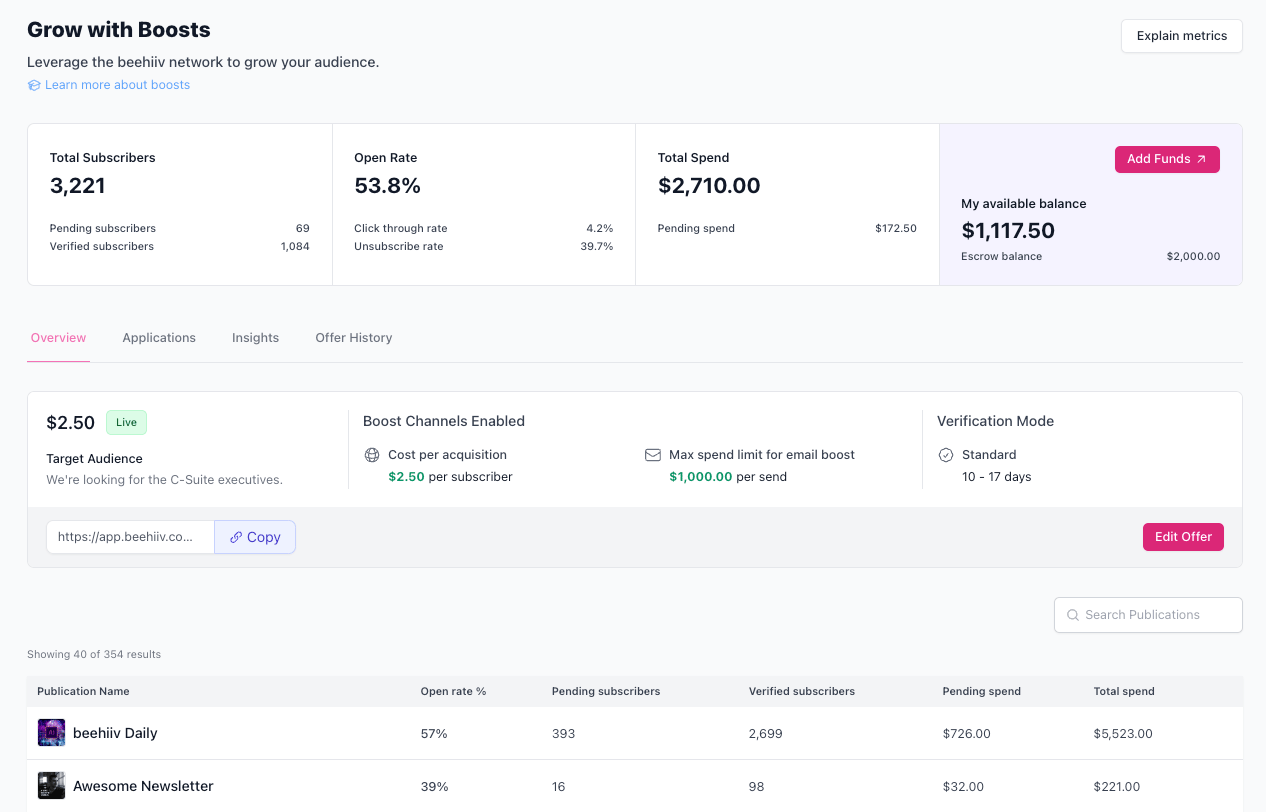
It covers email sending, paid subscriptions, a referral program, the Beehiiv Boost paid recommendation network, website/hosted-publication features, and post-level analytics. It sits between Substack and a traditional ESP – more control than Substack, less automation than Kit.

I tested Beehiiv on the Scale plan ($84/month for up to 10,000 subscribers, verified April 2026 against Beehiiv’s public pricing) with the 1,000-contact list, building a paid subscription tier and enabling the referral program.
Paid subscription infrastructure and referral mechanics are built-in rather than bolted on – configuring a three-tier paid plan is a single setup flow, and the referral program is essentially a checkbox. The Boost recommendation network surfaces cross-recommendation offers inside the dashboard; acceptance pulls those into your welcome flow automatically.
The tradeoff: automation is limited to welcome sequences and basic drips, and segmentation is less granular than Kit’s tag system.
Where it Falls Short
Automation is newsletter-focused, not customer-lifecycle-focused – welcome sequences and scheduled drips work, but branching workflows, tag-based conditional sends, and event-triggered flows are limited or absent. Segmentation covers basic conditions but lacks Kit’s granular tag-and-condition logic.
No native ecommerce integrations beyond the Beehiiv paid subscription layer. Boost payouts require a minimum subscriber count and engagement threshold before becoming meaningful revenue.
Pricing
- Free plan: up to 2,500 subscribers, basic features
- ~$78/mo at 5,000 subscribers (Scale)
- ~$149/mo at 25,000 subscribers (Scale)
- ~$299/mo at 100,000 subscribers
- Max tier adds removed Beehiiv branding and multi-publication support at a higher monthly rate
Annual billing includes a discount; check Beehiiv’s pricing for the current rate. (Pricing verified April 2026.)
Migration from Kit
Beehiiv provides a dedicated Kit importer that handles subscribers, tags (as segments), and custom fields in one step, per Beehiiv’s own migration documentation. Sequences rebuild in Beehiiv’s automation builder; most Kit drip sequences translate without significant loss. Paid subscribers migrate through a separate Stripe-based flow. Of all the migrations tested, this was the one where the vendor’s importer genuinely reduced manual work.
Kit vs. Beehiiv
For a writer building a paid subscriber base or an ad-supported newsletter where growth via referrals and cross-recommendation matters, Beehiiv’s referral program, Boost network, and paid subscription infrastructure are not replicable on Kit without third-party tools.
For a creator who relies on tag-based segmentation, multi-step automation, or creator commerce beyond paid newsletters, Beehiiv’s simpler model removes functionality Kit users depend on.
Switch to Beehiiv when the newsletter is the business. Stay on Kit when tag-driven automation and digital product sales matter more.
Constant Contact — SMB Marketing and Event Campaigns
If your list exists because you run events – a monthly workshop series, a quarterly fundraising gala, a rolling schedule of webinars, a recurring in-person meetup – Constant Contact is the only platform tested where registration, ticketing, reminder sequences, and attendee list export work natively in the same account. Every other platform in this review pairs an ESP with Eventbrite, Luma, Meetup, or a custom Stripe/Zapier chain to cover the event layer.
That’s the reason to consider Constant Contact. It’s also, realistically, the only reason – outside of events, everything this platform does is done better elsewhere, usually at a lower price.

I tested Constant Contact on the Lite plan ($50/month at 1,000 contacts, verified April 2026) with the 1,000-contact list, building a welcome sequence and a test event registration campaign.
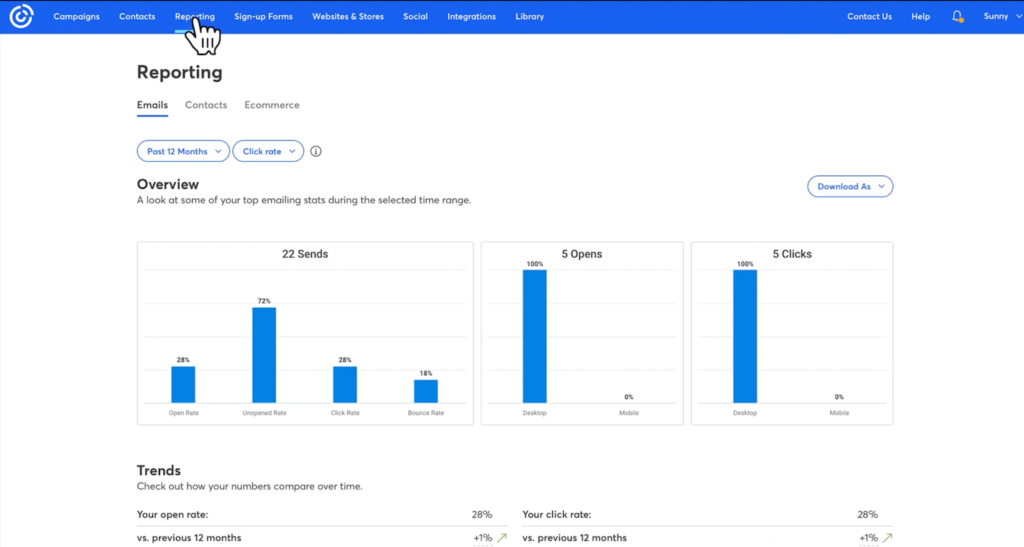
The event campaign functionality worked end-to-end without any third-party tools – registration, ticketing, reminder sequence, and attendee list export all inside a single workflow. Outside the event use case, automation depth and email builder both show their age.
Where it Falls Short
The automation builder covers basic drips and triggered sequences but lacks branching and conditional logic newer platforms treat as table stakes, and the UI has the layered, legacy-featured feel of a product that’s been patched for fifteen years rather than rebuilt.
The email editor lags Sender and Flodesk on visual output. Segmentation is list-based with tag support but less flexible than Kit’s. Support is better than average for SMB platforms, which nothing else in this review offers at comparable tiers.
Pricing
- $80/mo at 5,000 contacts (Lite)
- $110/mo at 5,000 contacts (Standard, unlocks automation)
- $160/mo at 10,000 contacts (Standard)
- $310/mo at 25,000 contacts (Standard)
- Custom pricing at 100,000 contacts
No free plan; 14-day trial available. Annual billing includes a discount; check Constant Contact’s pricing for the current rate. (Pricing verified April 2026.)
Migration from Kit
CSV import handles core fields; Kit tags map to Constant Contact tags with manual setup. Sequences rebuild in the automation builder, and any branching from Kit will simplify to linear drips. Event-related data should be rebuilt within the event campaign tool. Budget roughly a working day if you have active event campaigns to rebuild alongside the ESP migration.
Kit vs. Constant Contact
For a small business, nonprofit, or community organization where events drive list growth, Constant Contact’s native event management removes the need for Eventbrite and manual reminder sequencing – functionality Kit doesn’t replicate. For a creator or newsletter operator without events as a core use case, Constant Contact’s pricing is within range of Kit’s without matching its automation or tagging flexibility.
Switch to Constant Contact when events are part of how the business runs. Stay on Kit when they aren’t.
Kit Alternatives: Pricing Comparison
All prices verified April 2026. Prices change frequently – treat this as a directional comparison and verify with each platform’s pricing page before making a decision.
| Platform | 5,000 subscribers | 25,000 subscribers | 100,000 subscribers | Free plan |
| Kit | ~$75/mo | ~$166/mo | ~$616/mo | Yes (10,000 contacts) |
| Sender | ~$23/mo | ~$82/mo | ~$257/mo | Yes (2,500 contacts) |
| Klaviyo | ~$100/mo | ~$400/mo | ~$1,380/mo | Yes (250 contacts) |
| Brevo | ~$26/mo* | ~$26/mo* | ~$26/mo* | Yes (300 emails/day) |
| Mailchimp | ~$75/mo | ~$270/mo | ~$800/mo | Yes (250 contacts) |
| Drip | ~$89/mo | ~$369/mo | ~$1,199/mo | No (14-day trial) |
| Substack | 10% of paid revenue | 10% of paid revenue | 10% of paid revenue | Yes (unlimited free subs) |
| Flodesk | ~$48/mo | ~$149/mo | ~$632/mo | No (30-day trial) |
| Beehiiv | ~$78/mo | ~$149/mo | ~$299/mo | Yes (2,500 contacts) |
| Constant Contact | ~$80/mo | ~$280/mo | Custom pricing | No (14-day trial) |
*Brevo pricing is based on emails sent, not contact count. For $26/month, the plan allows 20,000 emails/month and 500,000 contacts. See Brevo review for details.

even on the free plan.
FAQs
Usually not. Kit’s free plan covers up to 10,000 subscribers with broadcasts, one automation sequence, and unlimited landing pages – more generous than Mailchimp’s 250-contact cap or Klaviyo’s 250-profile limit.
Under 1,000 subscribers, the cost of migrating – rebuilding sequences, forms, and tags – is usually larger than the monthly savings, since most alternatives cost under $20/month at that list size. The exception: if design limitations or ecommerce analytics already block your workflow, switching earlier prevents rebuilding a larger setup later.
No platform tested transfers Kit automation sequences natively – when you migrate from Kit, every flow has to be rebuilt manually in the new platform’s workflow builder. Subscribers, tags, and custom fields export cleanly via CSV across all nine alternatives; sequence logic does not.
Beehiiv has the fastest Kit importer of the nine. Klaviyo takes longer because its event-based model requires rethinking Kit’s tag logic rather than copying it. If you have more than 10 active sequences, plan a full working day and migrate during a low-volume sending week. Audit your Kit sequences first – you may not need all of them.
None fully replace Kit’s native commerce. Kit’s digital product sales and tip jars run at 3.5% + $0.30 per transaction inclusive of card processing; paid newsletters run at 0.6% + card processing – all without a third-party checkout layer. For paid newsletter subscriptions specifically, Beehiiv comes closest with built-in subscription tiers and comparable fees.
For physical-plus-digital stores, Klaviyo on Shopify handles digital downloads via Shopify’s native product types, though with Klaviyo’s pricing premium. For everything else, pair your chosen ESP with Gumroad or Podia. Ask whether commerce is worth leaving Kit’s creator tooling over – often it isn’t.
Sender’s free plan covers up to 2,500 subscribers with 15,000 emails per month and includes automation – the only free tier tested that unlocks automation without a paid upgrade. Beehiiv’s free plan also reaches 2,500 subscribers but omits the referral network and premium publishing features.
Kit’s own free plan covers more subscribers (10,000) but caps automation at a single sequence. Mailchimp and Klaviyo free tiers are smaller – 250 contacts – viable only for early list-building. Match the free tier to the feature you’d otherwise pay for first: automation, subscriber volume, or design.
Anywhere from a single working afternoon to several days, depending almost entirely on your Kit account’s complexity rather than the destination platform. Beehiiv’s dedicated Kit importer genuinely reduces manual work. Substack and Flodesk are fast for a different reason: they discard most of Kit’s segmentation and automation logic by design.
Klaviyo and Drip take longer because their event-based data models require rethinking how Kit tags restructure as profile properties or workflow triggers. The real timeline is always the rebuild of active automations, not the CSV import – export your Kit CSV and list every active automation before starting. That inventory tells you what your migration cost actually is, and it’s usually smaller than you expect.