



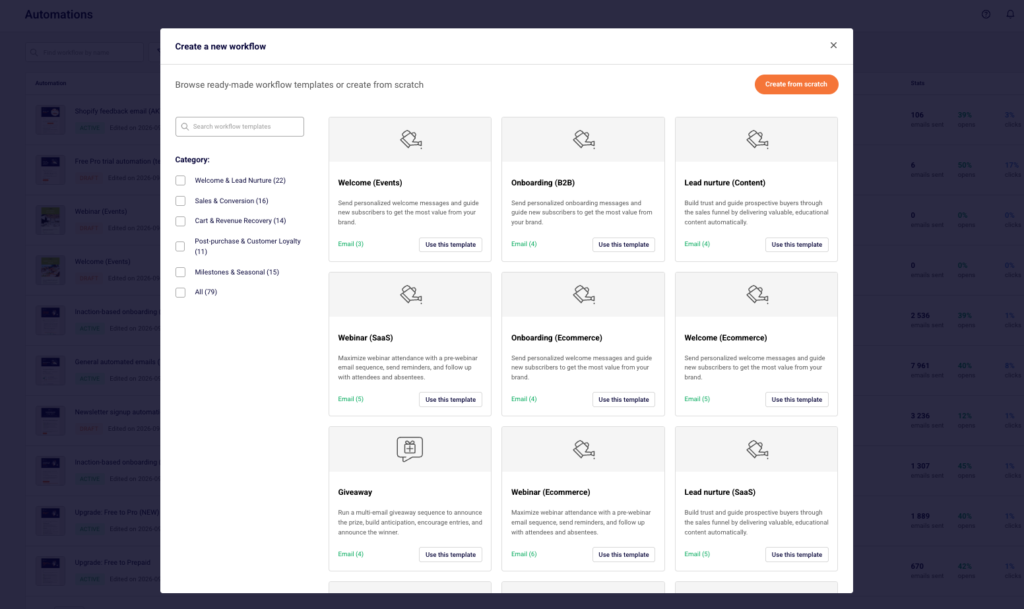
Recently, Sender had only 9 pre-built workflows. That number just jumped to 79 email automation workflow templates.
We’ve extended the email automation library with a lot more to choose from: 5 industry-specific collections, 5 new categories so you can find what you need every time, and 19 different sequence types.
Automated sequences carry a huge share of email revenue, so it’s good to have a pre-built email sequence at your fingertips whenever you need one.
What’s New in the Automation Library?
The short version: more automated email workflows, organized by industry and by goal, so you spend less time searching and more time launching.
5 Industry-Specific Collections
Every new template is styled for your industry from the start: the copy, structure, and content blocks are already built around how that kind of business sells, rather than something generic you’d have to tweak yourself.
- Ecommerce: templates designed to recover lost sales, deepen the post-purchase relationship, and drive promotional revenue through product blocks and order data
- SaaS: templates designed to guide new users toward their first “aha” moment and turn signups into active users
- B2B: templates designed for longer sales cycles, built to speak to multiple stakeholders and support slower, more considered decisions
- Events: templates designed to build attendance and keep it top of mind, timed around a fixed date
- Content: templates designed to keep subscribers engaged and nurture newsletter and content-led audiences over time
5 New Categories for Easier Navigation
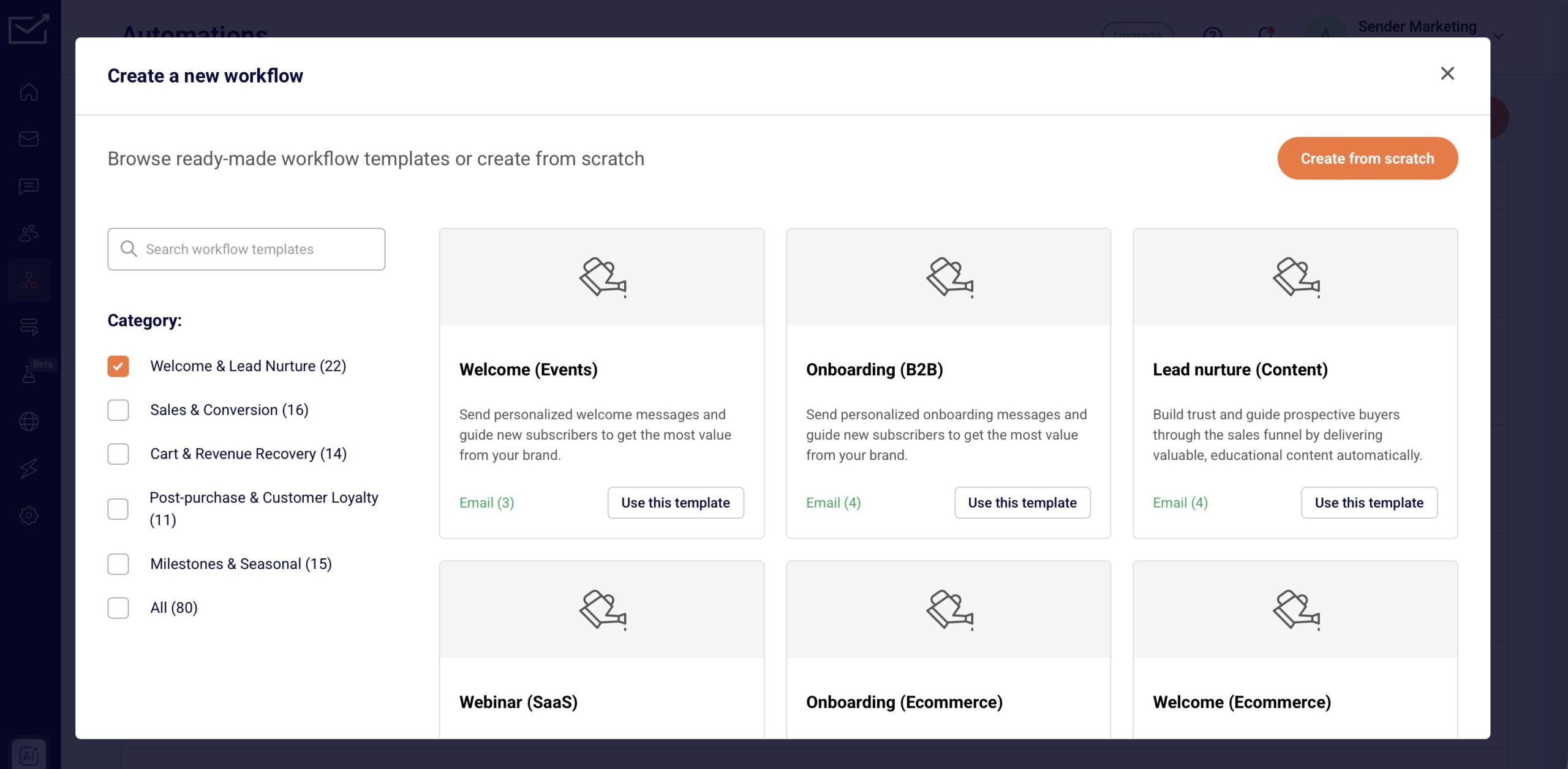
The 5 new categories help you navigate the library faster, based on what you’re actually trying to do:
- Welcome & Lead Nurture
- Cart & Revenue Recovery
- Post-Purchase & Customer Loyalty
- Sales & Conversion
- Milestones & Seasonal
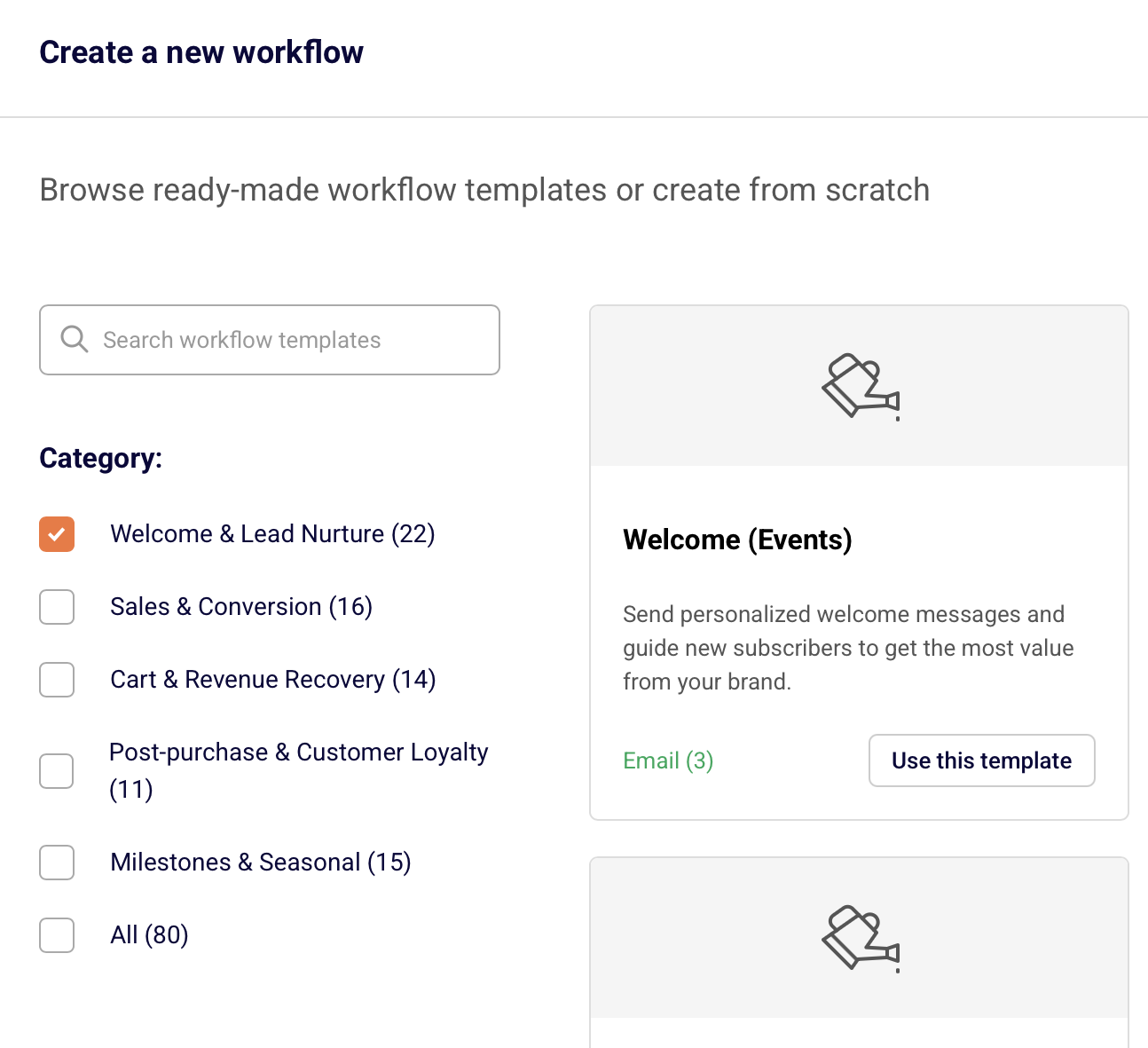
Open the automation builder, pick a category, and you’re already looking at plenty of templates relevant to that goal instead of scrolling past everything else.
19 Sequences to Launch, 10 Brand-New
Across those 5 categories, there are 19 sequence types total. Some of them you already know: order confirmation, welcome, abandoned cart, winback, giveaway, and onboarding didn’t go anywhere, they just moved into the new categories above.
Here’s what’s new:
Sales & Revenue Sequences
- Sales promotion: push a limited-time offer without building the sequence from zero
- Cross-sell/upsell: introduce related or higher-tier products to people who already bought
- Product launch: announce and build anticipation for something new, in a set sequence instead of a single blast
Retention & Loyalty Sequences
- Post-purchase: go beyond a single “thank you” email into a structured follow-up: usage guides, review requests, replenishment reminders
- Feedback request: ask for reviews or ratings at the right moment, automatically
- Reengagement: bring back subscribers who’ve gone quiet, with a defined sequence instead of a one-off email
Milestone & Nurture Sequences
- Lead nurture: move a prospect from first contact toward a decision over several touches
- Anniversary: mark how long someone’s been a customer
- Birthday: a personal touch and offer tied to a specific date
- Seasonal holiday promotion: a ready-made structure for your next seasonal push, so you’re not rebuilding it every quarter
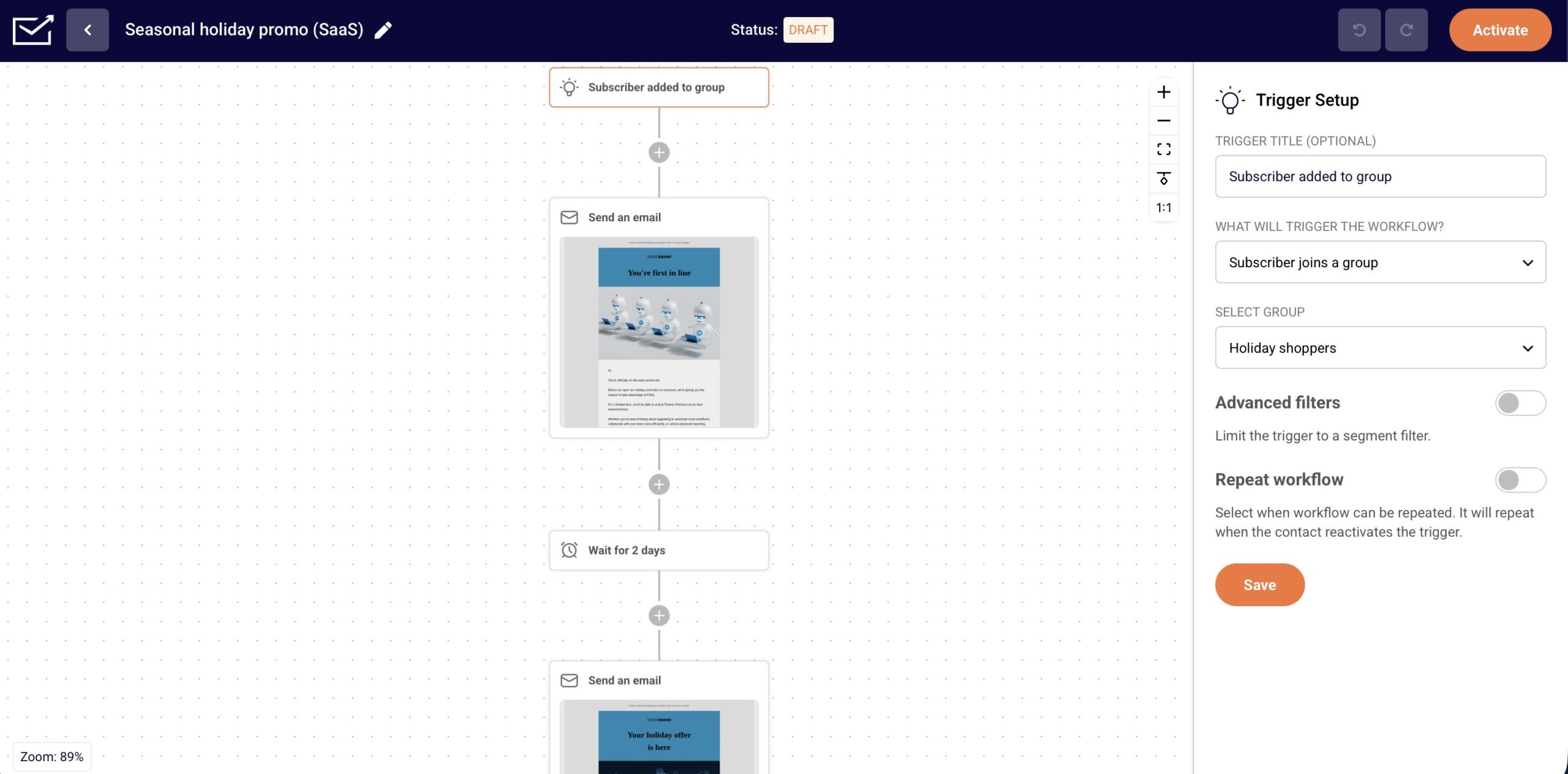
How to Launch a Pre-Built Workflow in Sender
It’s four steps to get one of these Sender workflow templates live:
- Open the automation builder and pick one of the 5 categories based on what you’re trying to achieve.
- Select a template from that category. You’ll see a preview of the emails and the trigger before you commit.
- Customize it: swap in your branding, adjust the copy, and set any conditions specific to your list (a custom event, a segment, a delay).
- Activate it. The workflow goes live and runs on its own from there.
Whether you’re recovering carts, nurturing a longer pipeline, or just trying to say a proper thank you to a new customer, there’s now a starting point built for it instead of a blank screen.