




A lot of what we build never shows up in the interface: the under-the-hood work that’s been running for months, not just this one. August is where some of it surfaced.
Here’s everything that’s new:
Your subscriber import, rebuilt
The new flow walks you through it step by step, on your laptop or your phone, whether you’re starting from scratch or moving over from a platform like Mailchimp or GetResponse.
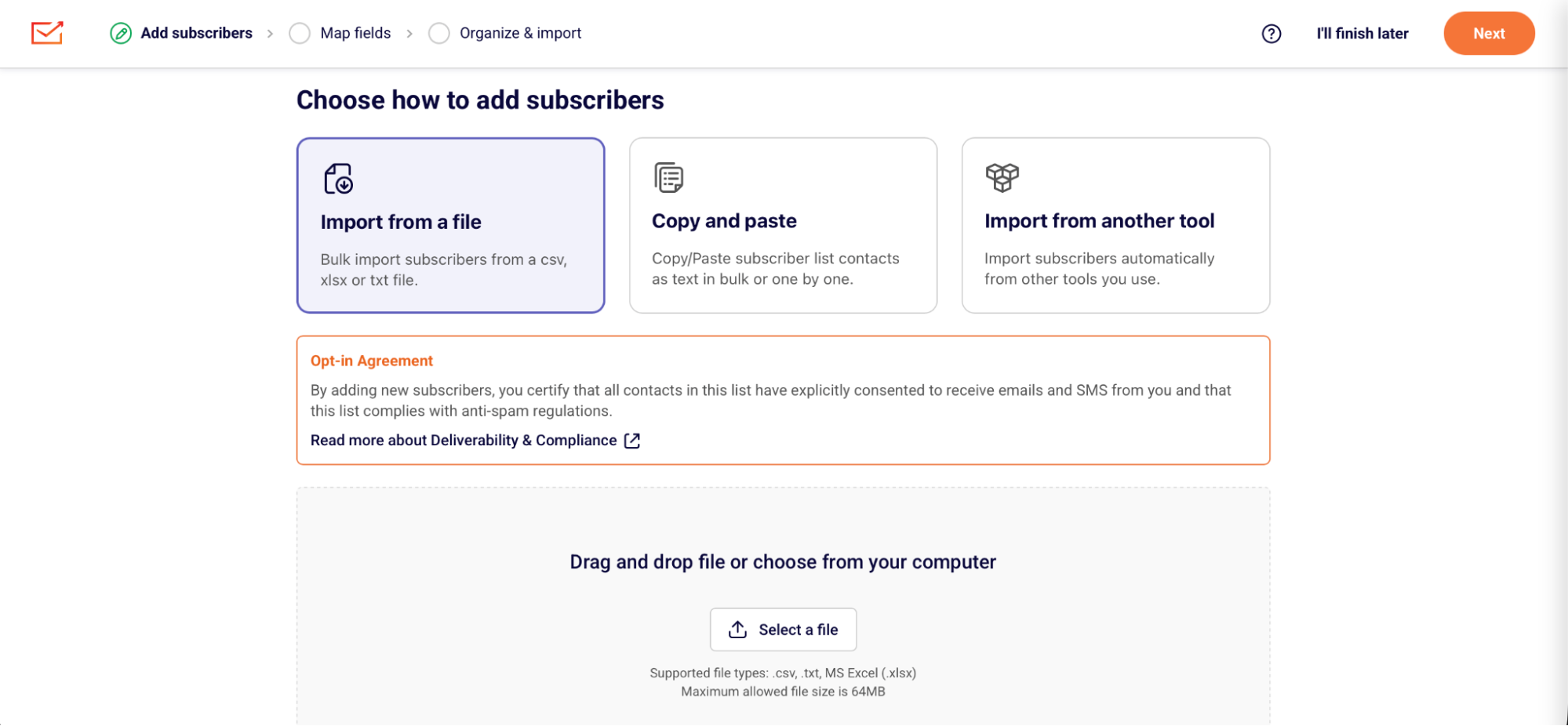
Here’s what you’ll find:
- A step-by-step wizard.
Upload a CSV, XLSX, or TXT file, drag and drop it, paste your data straight in, or import from another email marketing platform. Downloadable templates and formatting examples come with it as well as a clear opt-in and compliance guidance. - Field mapping that does the guessing.
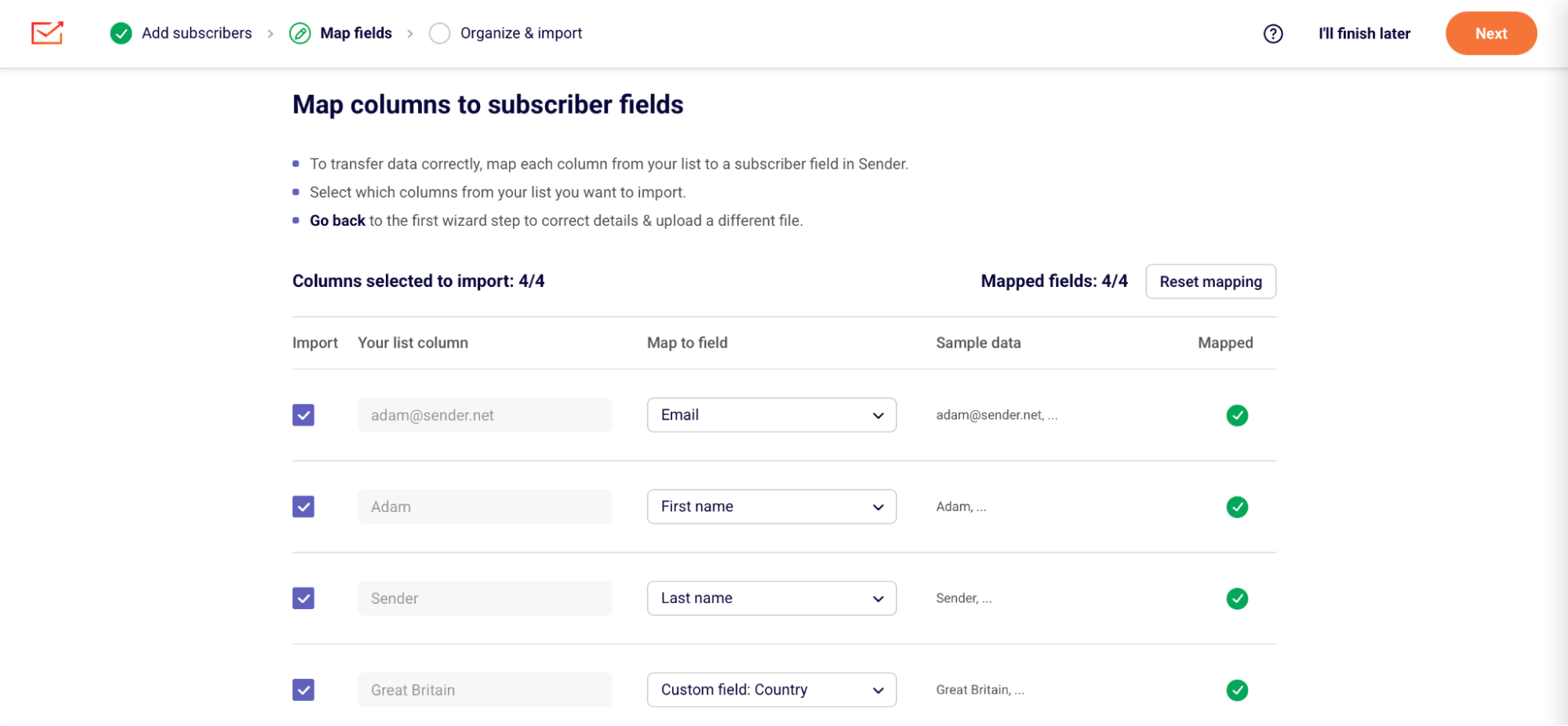
Sender reads your file and works out which column holds first names, which holds last names, which holds phone numbers. Preview everything before it lands, drop the columns you don’t need, and create custom fields on the spot.
- Groups and automations, fully under your control.
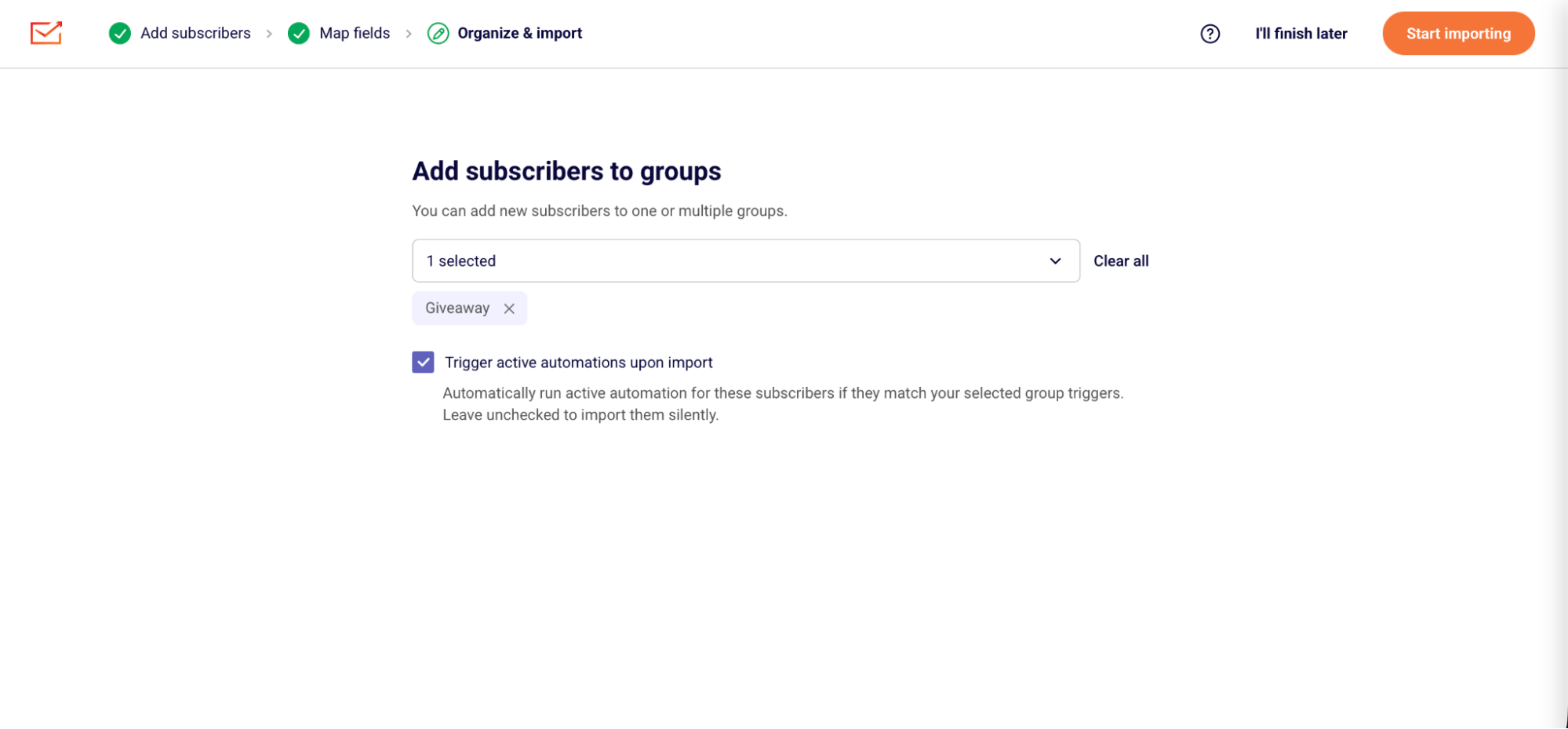
Now you can trigger automations directly on import—or turn them off completely. Add subscribers to single or multiple groups, and seamlessly activate your active workflows right as contacts enter your list. Need a silent import? Simply toggle automations off so no one receives an unexpected email.
- Real-time status tracking.
Imports run in the background, tracked by a bottom-right status toast and an “Imports in progress” top bar indicator so you can safely dismiss notifications without losing visibility. (Soon to be live!) - Reports when something’s off.
See how many subscribers Sender added, updated, or flagged for review, then download a CSV error/warning log showing exactly which ones failed and why, like duplicate or invalid data. You can cancel an import mid-run, though anyone already processed stays imported. - Import history.
A dedicated page with type, status, date, new subscribers, updated subscribers, and issues. Filter by status, type, or date, and pull warning and error reports from past imports.
We’re rebuilding every builder in Sender
All four are being rebuilt: email, landing pages, forms, and automations. Email and automations go first and roll out in stages, starting with the main canvas, then settings, then an all-new detailed report sidebar. Stage one of the automation builder is already live in your account.
The email builder rebuild is the big one. Here are four of the changes coming, and they’re just a small part of the whole list:
- Nestable containers.
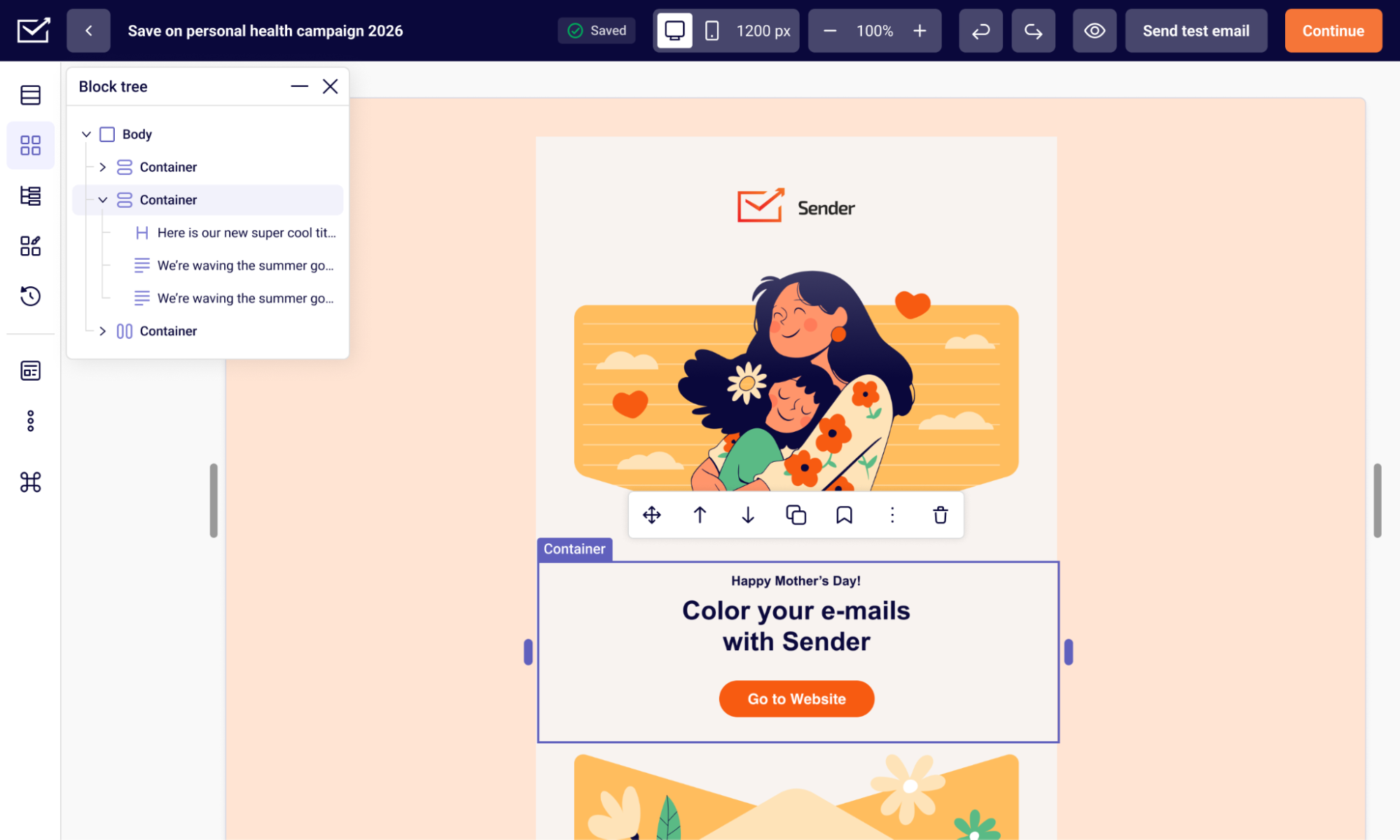
The section-and-column structure gives way to a Body → Container → Block hierarchy, so you can build layouts that aren’t limited to preset column combinations. - A visual block tree.
See the whole structure of an email at a glance, then select, reorder, or move elements straight from it. - Separate desktop and mobile design modes.
Mobile inherits your desktop settings, so you only change what genuinely needs to differ. - Reusable style presets.
Set default styles for headings, buttons, and other blocks and your templates stay consistent without you rebuilding them each time.
That’s it for August!
The next stages of the email and automation rollout land as they’re ready, and we’ll cover each one here.
Check the updates first-hand:
Happy emailing!
