

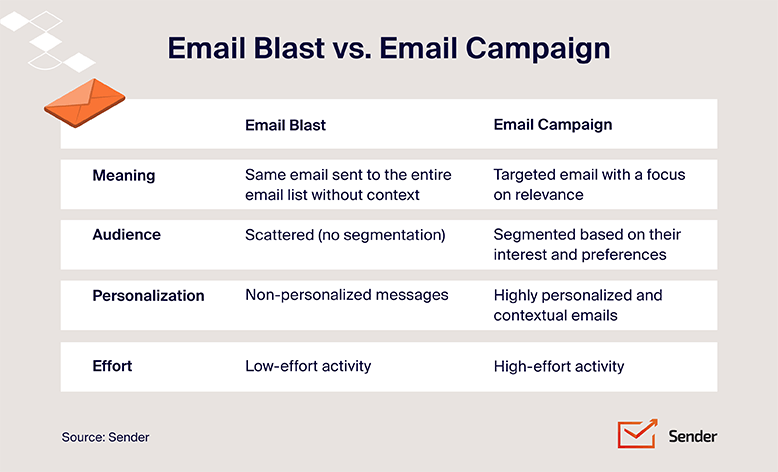
Ever wondered what actually makes an email “bulk”? It could be a newsletter, promotion, event invite, acquisition campaign, or retention message. What they have in common, however, is scale: reaching a larger audience efficiently while still keeping the message relevant.
In simple terms, bulk email means sending one email campaign to many recipients at once (while the content can still be segmented or personalized for different subscribers).
This article is part of our Email marketing guide.
What is Bulk Email?
Bulk emails, sometimes called mass emails, are simply the practice of simultaneously sending one email to multiple recipients. This email blast guide, which covers the broader send-to-many tactic, goes deeper into one-off versus scheduled bulk sends and the strategy that distinguishes a smart blast from a noisy one.
Types of Bulk Email
There are various flavors of bulk email, each serving a specific purpose:
- Newsletters. A bulk email newsletter can keep your audience in the loop about company updates, new products, or industry trends. Think of them as your friendly hello from the digital world;
- Promotional emails. Time to put on your marketing hat! These marketing messages aim to generate sales by showcasing special offers, discounts, or new product launches;
- Event invitations. Got a webinar or a sale coming up? Send bulk invitations straight to your audience’s inbox;
- Acquisition emails. These emails are for potential customers on your list who have not yet purchased. They share offers and encourage prospects to make their first purchase;
- Retention emails. These emails are for existing customers. They aim to increase customer loyalty by encouraging customers to make another purchase. They may share exclusive content or offers for existing customers.
How Many Emails Count as Bulk?
There’s no single definition of ‘bulk email,’ but 5,000 emails per day is a useful benchmark.
Google considers you a bulk sender when you send close to 5,000 or more messages to personal Gmail accounts within 24 hours. As of September 2026, if Google labels you as a bulk sender, that status remains even if sending volume later drops.
Google has since renamed its Bulk Sender Guidelines to Email Sender Guidelines, but the volume benchmark still applies.
Microsoft uses a similar threshold, applying additional requirements to domains that send 5,000 or more emails per day to Outlook.com consumer accounts. Yahoo also applies stricter rules to bulk senders, although it doesn’t publish a specific numerical threshold.
In practice, if you’re approaching 5,000 emails a day to a major email service provider, it’s safest to follow bulk-sender requirements for authentication and unsubscribing, while keeping your spam complaint rate low.
Bulk Email vs Spam, Transactional Email and Graymail
It’s easy to lump bulk email, spam, transactional email, and graymail together because they can all show up in the same inbox. But they’re not the same thing, and the differences come down to why the email was sent, who receives it, and how mailbox providers classify it.
Here’s a table that demonstrates the main differences between spam, bulk, transactional emails, and graymail:
| Bulk email | Transactional | Graymail | Spam | |
| Purpose | Marketing to many recipients | Triggered by a user action (transaction, account event, or user request) | Legitimate but low-engagement marketing | Unwanted or abusive email |
| Typical recipient | Subscriber list | Individual user | Existing subscriber | Often unsolicited recipients |
| Example | Newsletter or promotion | Receipt or password reset | Newsletter rarely opened | Unsolicited mass promotion |
| Mailbox treatment | Gmail also defines bulk by sending volume | Usually treated separately from marketing | Microsoft may classify bulk email as graymail | Filtered using reputation, complaints, and other spam signals, often into the junk email folder |
There isn’t one universal line between bulk email and spam. The answer depends on who’s defining it.
From a legal perspective, consent and permission matter, although exact rules vary by country. Google looks mainly at sending volume, with around 5,000 emails to personal Gmail accounts in 24 hours triggering its bulk-sender rules. Microsoft also looks at recipient behavior, using complaint signals to help classify bulk or unwanted mail.
So all three views can be correct: law focuses on permission, Google counts volume, and Microsoft considers complaints. That’s why consent alone doesn’t fully define the difference.
What You Need Before Sending Bulk Email
Before sending bulk email, get the basics right first. You need permission to contact your audience, proper email authentication, a clear way for people to unsubscribe, and a clean mailing list.
The following four areas help protect your sender reputation, improve deliverability, and inbox placement:
- Consent. Send marketing emails only to people you’re allowed to contact. A double opt-in can also help confirm that subscribers genuinely want your emails;
- Email authentication. Set up SPF, DKIM, and DMARC so mailbox providers can verify that your emails really come from your domain;
- Unsubscribe handling. Include a clear unsubscribe option and support one-click unsubscribe through a list-unsubscribe header where required;
- List hygiene. Remove invalid addresses, suppress unsubscribed contacts, and move blocked contacts to a suppression list.
How to Send a Bulk Email Campaign
Ready to dip your toes into bulk email marketing? Here’s how to get started:
Setting Up Your Bulk Email Campaign
With your chosen bulk email sender in tow, it’s time to build your campaign:
- Define your audience. Choose exactly who should receive the campaign based on things like interests, location, purchase history, or engagement. When it’s working, the list should feel relevant rather than like everyone on your email list.
- Set one clear goal. Decide what you want the email to achieve, such as driving sales, promoting an event, or bringing readers back to your site. A good campaign should have one main action that supports that goal.
- Build the message around that goal. Keep the copy focused, make the CTA obvious, and only include content that helps the reader take the next step.
- Test before you send. Send the campaign to your own inbox first. Check that links work, images load, personalization displays correctly, and the unsubscribe link is visible before scheduling the full send.
Key Components of Bulk Email
To make your bulk emails stand out from the inbox crowd, pay attention to these key elements:
- Email subject line. This is your first impression, so make it count – see the email subject line best practices for bulk campaigns for the openers, length, and personalization patterns. Use compelling language and clearly convey the email’s value;
- Preheader text. This snippet of text appears after the subject line and provides a sneak peek at your email’s content;
- Email content and images. Use high-quality images and keep your copy concise and easy to read;
- Personalization. Address your subscribers by name and segment your list to send more targeted content;
- Call-to-action. Tell your readers what you want them to do next. Whether clicking a button or visiting your website, make it clear and enticing.
Benefits of Bulk Email Campaigns
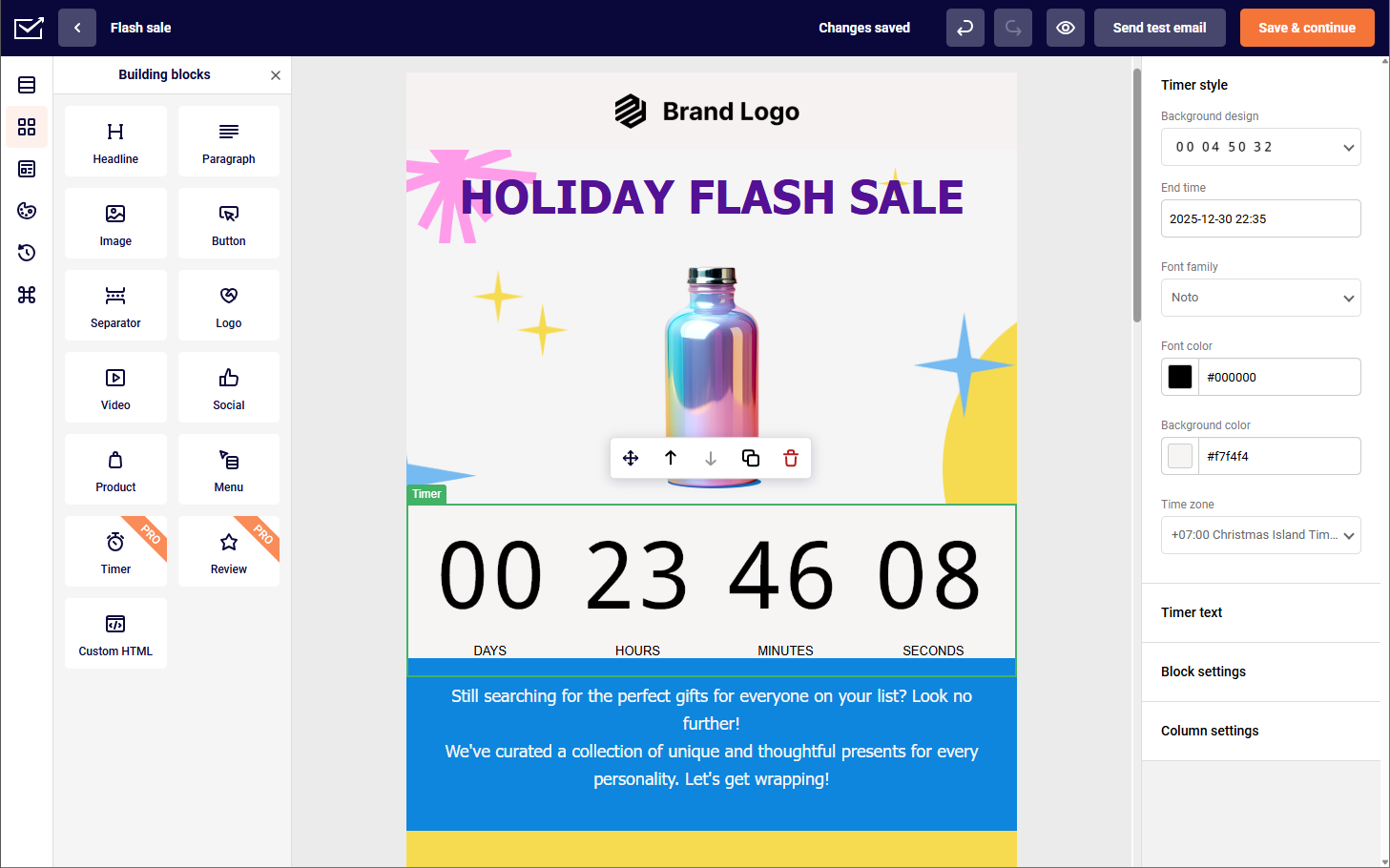
Bulk email lets you reach a large audience at once while keeping email campaign performance easy to track through email marketing metrics such as open rate, click-through rate, bounce rate, and conversions.
It can also help you stay in regular contact with subscribers without the additional cost or effort of reaching each person individually.
Examples of Bulk Email
Need some inspiration? Here are a few email marketing examples of a bulk email campaign in action:
Newsletter by Flamingo Estate
Flamingo Estate is a good example of how bulk email can be used for more than promotions. Its newsletter mixes brand stories and ideas with product content, showing how a large-scale send can still feel editorial and relevant.

Promotional Email by Cheeky Bonsai
Cheeky Bonsai shows the promotional side of bulk email. The campaign combines a clear offer with bold visuals and playful copy, demonstrating how brands can promote products to a large audience without making the message feel generic.

Event Invitation by Ami Ami
We wanted to include this great example from Ami Ami because it shows how bulk email can support event promotion. The invitation was targeted to subscribers in San Francisco, demonstrating that bulk campaigns can still use segmentation to reach a specific audience.

Acquisition Email by Bubble
Bubble shows how bulk email can educate prospects as well as promote products. Its campaign presents a simple skincare routine using several products, demonstrating how brands can guide potential customers toward a first purchase.

Retention Email by Who Gives a Crap
Finally, Who Gives a Crap demonstrates how bulk email can be used to re-engage inactive subscribers. Its playful message uses the brand’s recognizable tone to reconnect with people who haven’t engaged recently, rather than sending another standard promotion.

FAQs About Bulk Email
Nobody wants their carefully crafted batch emails ending up in the spam folder. Here’s how to stay on the right side of the inbox:
– Use permission-based lists. Prior opt-in requirements vary by jurisdiction, but sending to people who expect your emails helps reduce complaints and protect deliverability;
– Follow the rules. Familiarize yourself with anti-spam laws like the CAN-SPAM Act, which outlines guidelines for commercial emails;
– Use a reputable email service provider. Choose a provider with a good sender reputation to improve your bulk email delivery. If you’re starting with a new dedicated IP, IP warming can help you increase volume gradually;
– Include an unsubscribe link. Make it easy for people to opt out if they’re no longer interested.
Yes, bulk email is legal when you follow applicable anti-spam and privacy laws. That generally means sending to people who have given permission, clearly identifying the sender, and giving recipients an easy way to unsubscribe. Requirements vary by country, with laws such as CAN-SPAM, GDPR, and CASL setting different rules. The safest approach is to use permission-based lists and avoid unsolicited mass emailing.
Bulk email costs vary based on your list size, monthly send volume, and the email service provider you use. Some bulk email services offer free plans for smaller lists, while larger campaigns require paid tiers. For example, Sender’s free plan includes up to 15,000 emails per month, with higher-volume plans available as your sending needs grow.
Where to Go Next
Bulk email works best when the basics around targeting, email deliverability, and sending setup are already in place. From here, the most useful next step depends on what you’re trying to improve:
Sending your first campaign? Start with email segmentation so you can group contacts properly and avoid sending the same message to everyone on your list.
Worried your emails are landing in spam? Review email authentication to make sure your sending domain is set up correctly, and your campaigns have a stronger chance of reaching the inbox.
Just need to get a campaign out the door? Sender’s free plan gives you a simple way to build, send, and test bulk email campaigns without adding unnecessary complexity.