




Brevo (formerly Sendinblue) is a reasonable place to start email marketing, thanks to its free plan and built-in email-SMS-chat. But four things tend to break as you scale: automation that won’t branch on real behavior, segmentation without predictive or multi-condition logic, thin ecommerce tooling, and send-based pricing that climbs once you mail often.
This guide tests 11 Brevo alternatives against exactly those limits — from cheaper alternatives to enterprise CRM suites. We built real campaigns and automations in each, recorded what worked and where we hit a wall, and verified every price against the provider’s own pricing page.
Start with the snapshot below if you know what’s blocking you, or read on for how each platform handles email marketing at scale.
Best Brevo Alternatives: A Snapshot
- Sender — for small businesses that want automation on a free plan. The free tier includes automation, segmentation, and 15,000 emails/month; less suited to teams needing CRM-grade contact records or multi-channel lead scoring.
- Klaviyo — for ecommerce brands that run on purchase data. Segmentation built on behavior, predictions, and product feeds; overkill (and overpriced) for simple newsletters or non-ecommerce senders.
- Omnisend — for Shopify stores, coordinating email, SMS, and push. One workflow across all three channels; a weaker fit if you don’t sell online or need cross-store customer data.
- GetResponse — for marketers running webinars and funnels. Native webinars and a guided funnel builder in one system; more surface area than a team that only sends campaigns needs.
- HubSpot — for teams already paying for HubSpot CRM. Email that runs on live CRM data; hard to justify on price if you want email alone and aren’t using the CRM.
- ActiveCampaign — for teams whose bottleneck is automation logic. Goal-based paths and lead-plus-deal scoring; more than necessary (and a learning curve) for straightforward sends.
- Mailchimp — for beginners who want AI drafting and 300+ integrations. Fast setup and a wide app ecosystem; its list-based contact model frustrates anyone needing unified audience segmentation.
- Moosend — for budget-conscious senders who still want automation. Automation and A/B testing on the entry plan; not for teams that need SMS or a permanent free tier.
- Campaign Monitor — for design-led teams enforcing brand consistency. Locked template sections and pre-send checks; thin on automation branching and the cheapest tier caps sends.
- Constant Contact — for small businesses running events. Built-in event management and a large template library; its separate-list model limits cross-list segmentation, and there’s no free plan.
- MailerLite — for newsletter creators who want a clean editor. Fast, uncluttered building and per-subscriber billing; the automation builder thins out for complex lifecycle logic.
Who Should Look for a Brevo Alternative?
Brevo email marketing works well for simple email marketing campaigns and early-stage growth, but it shows limits as your strategy gets more advanced. If you depend on deeper marketing automation, personalization, or ecommerce workflows, it may no longer be the right fit.
You’ve outgrown the automation limits. If you’re hitting the contact ceiling on automations or wrestling with rigid workflows, Brevo feels restrictive — especially when sequences need to branch on behavior like purchases or browsing. A guide to building a marketing automation workflow shows what deeper branching looks like.
You run an ecommerce store. Brevo lacks native product recommendations, dynamic discounting, and ecommerce reporting — gaps that get hard to ignore if you run a Shopify store or scale retention with abandoned cart sequences.
You need advanced segmentation. Basic list splits work, but Brevo falls short on predictive data, CLV-based targeting, and multi-condition behavioral segmentation — see how teams approach customer segmentation.
You care about email design. With limited templates, no custom CSS, and minimal advanced design options, Brevo can hold back brands that treat email design as part of their identity.
You need better support. If email is business-critical, gated support is a risk. Brevo’s live support is limited on lower-tier plans, which stings during urgent issues.
Pricing is becoming unpredictable as you scale. As your list and send volume grow, Brevo’s send-based pricing gets less competitive. Our breakdown of email marketing costs explains how send-based and contact-based models diverge at scale.
Brevo’s Strengths and Limitations
Before the alternatives, here’s an honest read on where Brevo earns its place and where it doesn’t.
Pros
- A real free plan. Brevo’s free tier supports a large contact list with a daily send cap, making it a viable entry point for startups and creators building a list without upfront cost.
- CRM plus SMS and email in one dashboard. Useful for small teams that want to run multichannel campaigns without juggling separate tools.
- A drag-and-drop editor with dynamic personalization. Non-technical users assemble tailored campaigns quickly.
- A built-in AI assistant for subject lines and content. Speeds up campaign creation for marketers who want a faster first draft.
- Native integrations with Shopify, WordPress, and major CRMs. Helps businesses that need quick setup and data syncing across platforms.
Cons
- Template selection is limited, and customization is shallow. Restrictive for brands that want design-heavy emails.
- Reporting lacks funnel tracking and revenue attribution. A drawback for data-driven teams.
- The automation builder lacks deep branching logic. Limiting for marketers who need complex, behavior-based workflows.
- A/B testing sits behind higher plans. Frustrating for growing teams that want to optimize without upgrading early.
How We Evaluated These Brevo Alternatives
- Hands-on platform testing. We created live accounts, built real campaigns, set up automation workflows, imported contact lists, and sent test emails to judge real-world usability beyond feature lists and demos.
- Automation depth and flexibility. We assessed multi-step workflows, trigger variety, conditional logic, and behavioral segmentation against Brevo’s more limited automation.
- Segmentation and personalization. We reviewed segmentation logic, use of engagement and behavioral data, and how well each platform supports targeted messaging beyond basic list-based sends.
- Support quality and accessibility. We compared live chat, onboarding resources, and response times on lower-tier plans.
- Email deliverability tools. We assessed list hygiene, domain authentication, and reputation monitoring — the tools that get email to the inbox. Our guide on how to improve email deliverability covers the fundamentals each platform should support.
- Scalability. We analyzed pricing transparency, feature availability across tiers, and how costs and limits evolve as subscriber counts and send volume grow.
Capterra, G2, Trustpilot, and Reddit to create an objective evaluation. Learn more about our review methodology
Brevo Alternatives: A Quick Comparison
A fast read on Brevo versus the field before the detailed reviews.
| Provider | Best For | Free Plan | Starting Price | Price at 10k Contacts | Key Strength vs. Brevo |
| Sender | SMBs wanting email plus transactional | Yes (2,500 contacts) | $7/mo | $40 | Full automation and segmentation on the free and low tiers |
| Klaviyo | Ecommerce personalization | Yes (250 profiles) | $20/mo | $150/mo | Predictive segmentation and deep ecommerce integration |
| Omnisend | Omnichannel (email, SMS, push) | Yes (250 contacts) | $16/mo | $92.40/mo | Native multichannel flows with shoppable blocks |
| GetResponse | All-in-one plus webinars | Yes (500 contacts) | $16/mo | $69/mo | Built-in webinars and a guided funnel builder |
| HubSpot | CRM-driven enterprise marketing | Yes (2 users) | $20/seat/mo | $3,600/mo | Email running on live CRM data with custom objects |
| ActiveCampaign | Behavior-based automation | 14-day trial | $15/mo | $149/mo | Goal-based paths and combined lead plus deal scoring |
| Mailchimp | Beginners and AI tools | Yes (250 contacts) | $13/mo | $110/mo | 300+ integrations and a full website builder |
| Moosend | Affordability and analytics | 30-day trial | $9/mo | $88/mo | Automation and A/B testing on every plan |
| Campaign Monitor | Design-led campaigns | 30-day trial | $13/mo | $117/mo | Locked template sections and pre-send quality checks |
| Constant Contact | Small business plus events | 30-day trial | $12/mo | ~$120 | 600+ templates and native event management |
| MailerLite | Simple email marketing needs | Yes (250 contacts) | $12/mo | $89/mo | Clean editor with per-subscriber (not per-send) billing |
11 Best Brevo Alternatives Worth Considering
Here’s what each Brevo alternative does well, where it falls short, and who it fits.
Sender — Best Free Brevo Alternative for Small Business
Sender is an email marketing platform for small to mid-sized teams that want multi-step automation and segmentation on the free and entry tiers.

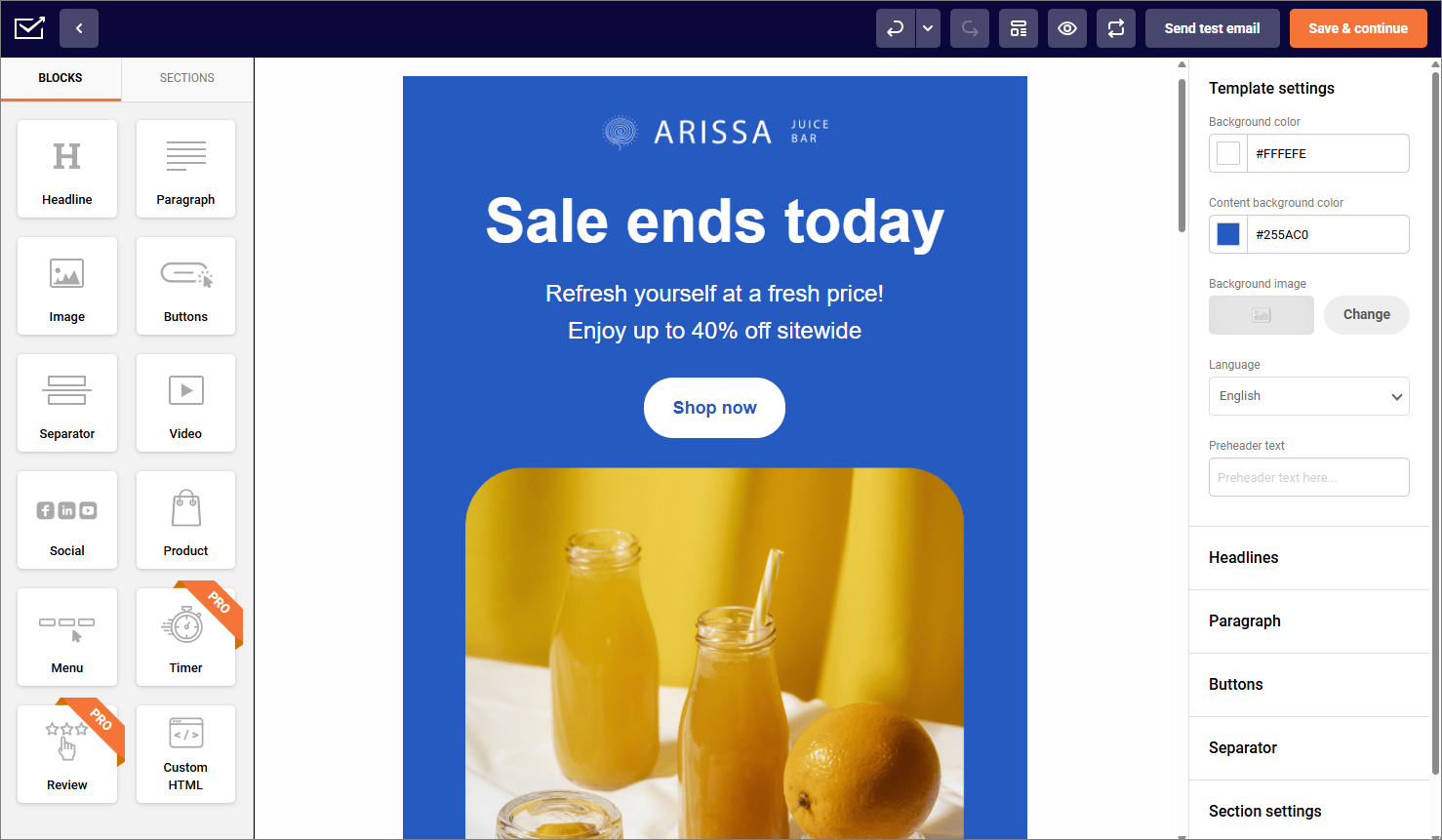
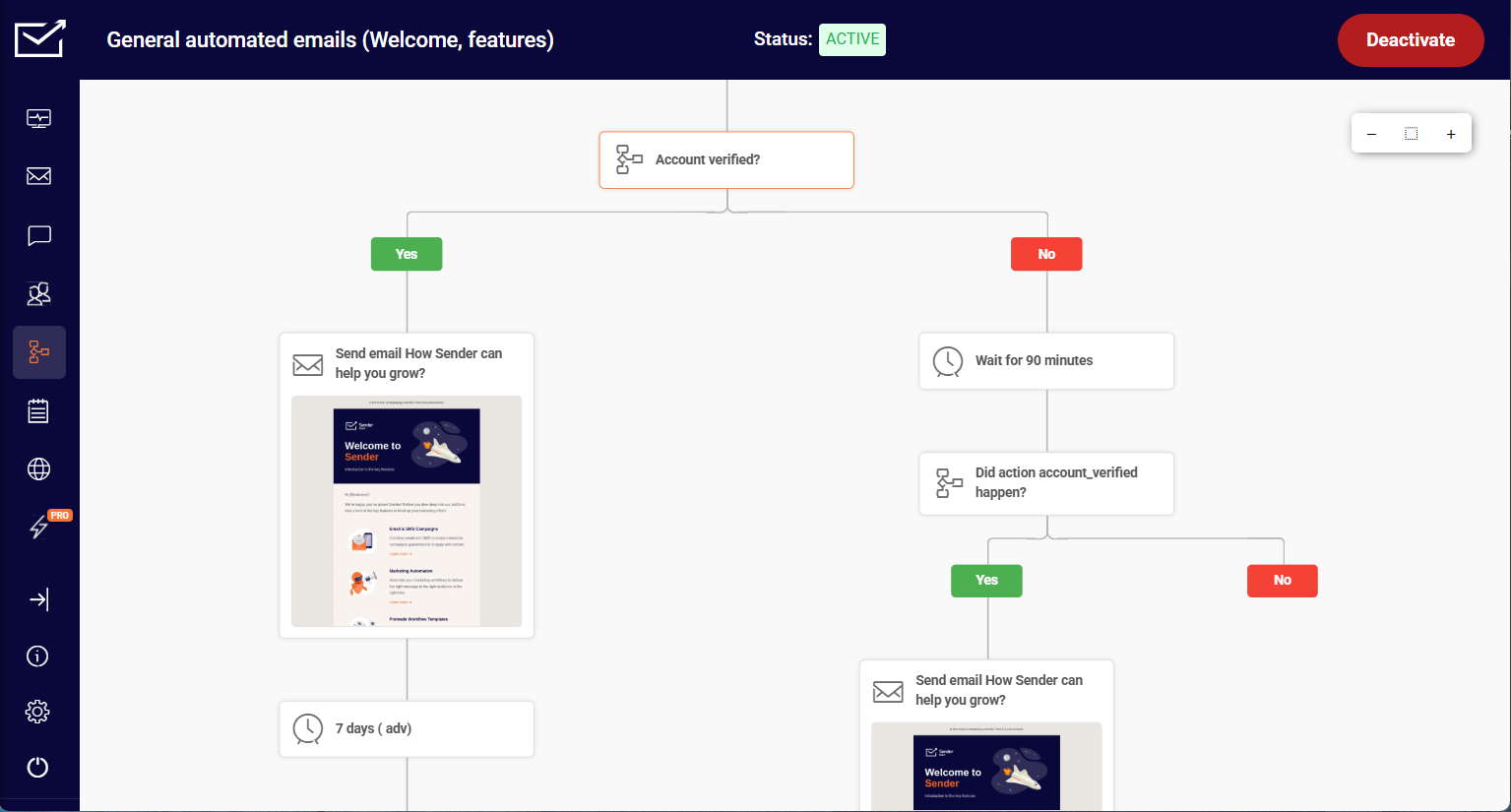
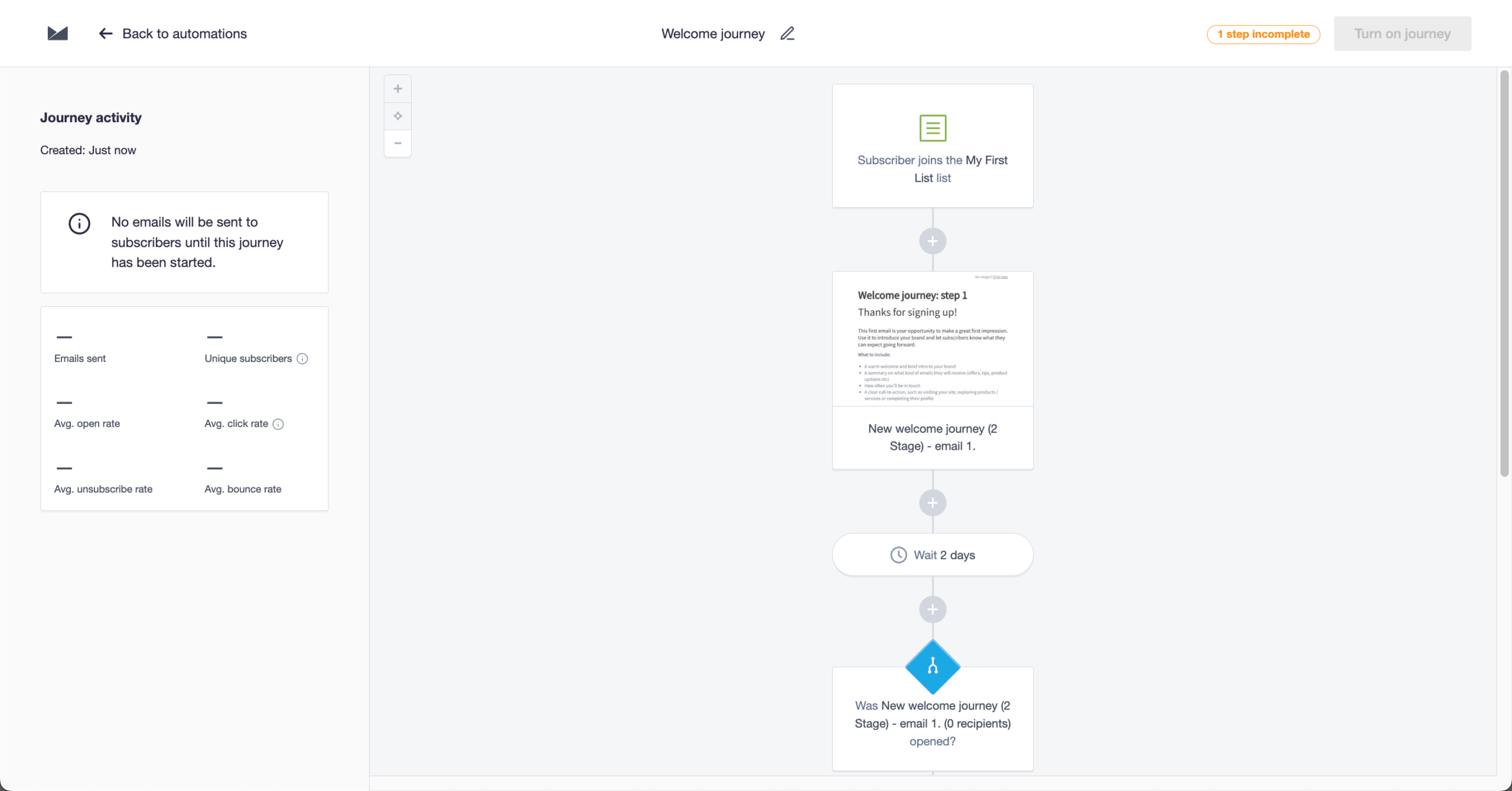
For starters, its automation is more practical than most tools in its price range. I created flows triggered by actions like email clicks, page visits, or list joins, then branched them using conditions and delays without hitting feature limits.
Building a full onboarding journey — welcome email, two-day delay, link-click condition, two follow-up paths — took around 35 minutes from blank canvas to activated flow. That same structure takes longer in Klaviyo, and noticeably longer in Brevo (around 1.5 hours), where branching logic needs workarounds or separate integrations.
The ceiling: Sender isn’t the right choice for deep CRM-style contact records or multi-channel behavioral scoring; the segmentation covers most cases, but complex lead scoring finds the edges. I ran the whole test on the free plan (2,500 subscribers, 15,000 emails/month, automation included), which isn’t standard at this tier.
Where Sender Beats Brevo
- A free plan that scales. Up to 2,500 subscribers and 15,000 monthly emails, with no daily send cap, compared with Brevo’s roughly 9,000 monthly emails implied by its 300-per-day limit. For teams sending regular newsletters or several campaigns a month, that removes the daily bottleneck.
- 24/7 human support. Live chat and email every day of the week, even on the free tier, where Brevo provides ticket-based support — so issues resolve without upgrading for priority help.
- Stronger deliverability in independent testing. In third-party inbox-placement testing, Sender landed ahead of Brevo on Gmail and Outlook placement, and a few points of placement translate directly into more opens and clicks.
- Deeper branching logic. A multi-step automation builder with conditional splits, behavior-based triggers, and custom events — so a trial expiring, a specific in-app action, or a lifecycle milestone can fire a flow directly. Brevo’s simpler paths require workarounds or external tooling for the same result.
Sender Automation & Free Plan Depth
Multi-step workflows, event-based triggers, and segmentation are available from the free tier, not gated to premium plans — and the free plan pairs that with 15,000 emails/month for 2,500 subscribers and no 300-per-day cap. Several competitors (Mailchimp, Klaviyo) have cut their free tiers to 250 contacts, so the gap at this tier is wide.
Pricing
The free plan covers up to 2,500 contacts and 15,000 emails/month. Paid plans start at $7/month for 1,000 contacts.
Sender vs. Brevo
Where Brevo wins: Broader all-in-one functionality — email, CRM, and transactional messaging in one platform.
Where Sender wins: Stronger automation and segmentation on lower tiers, without an upgrade.
Klaviyo — Best Brevo Alternative for Ecommerce
Klaviyo is an ecommerce email platform for teams that want deeper personalization and data-driven targeting.

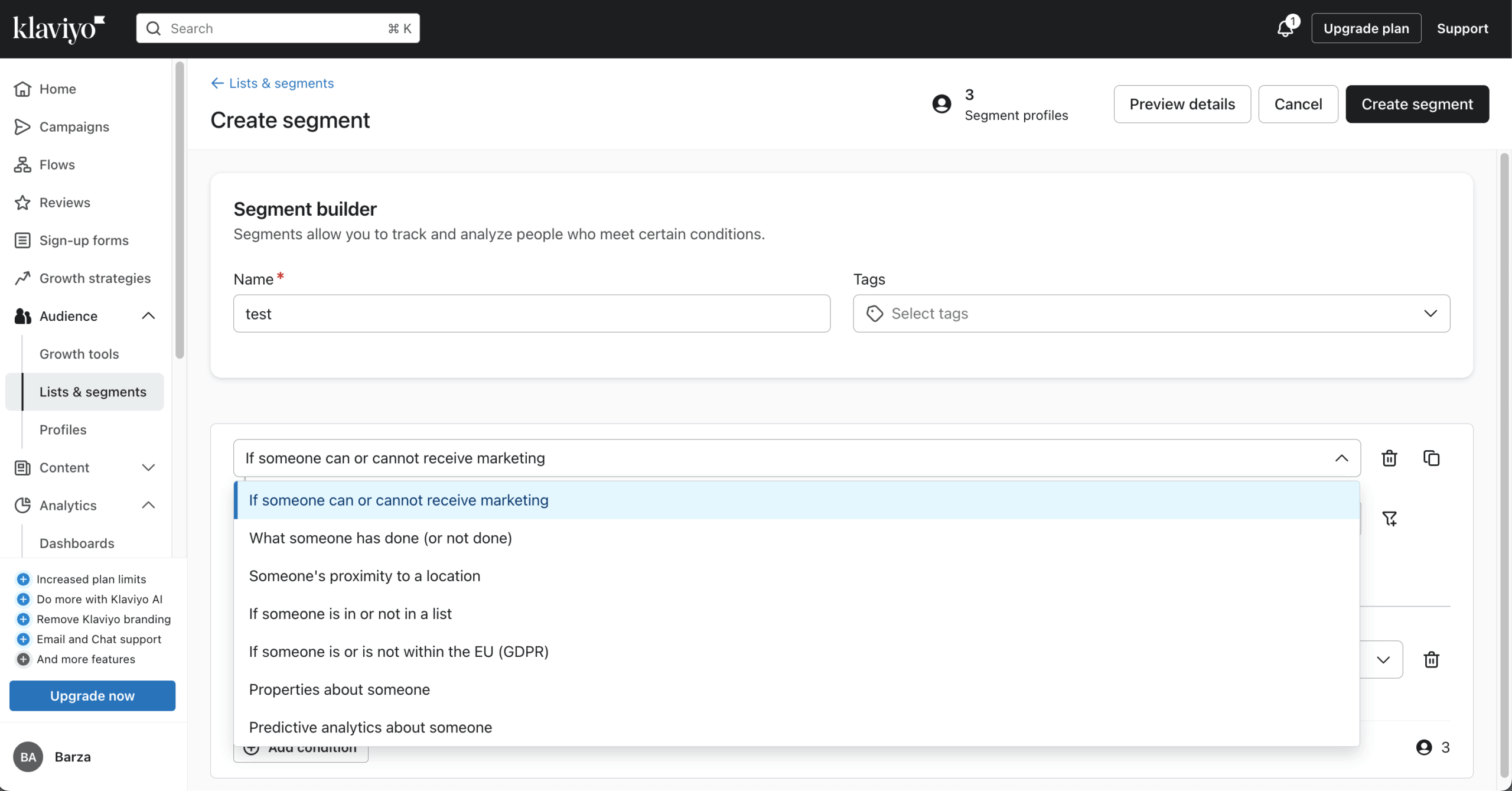
The segmentation control stands out. Instead of basic lists, I built segments from real customer behavior — browsing history, past purchases, average order value, predicted next-purchase date — targeting who is likely to buy again rather than who opened an email.
I tested a browse-abandonment flow — pulling the exact products a user viewed, triggering after a 1-hour delay — and had it running in about 40 minutes. The product feed was straightforward once set up, but mapping the right product attributes took a couple of iterations.
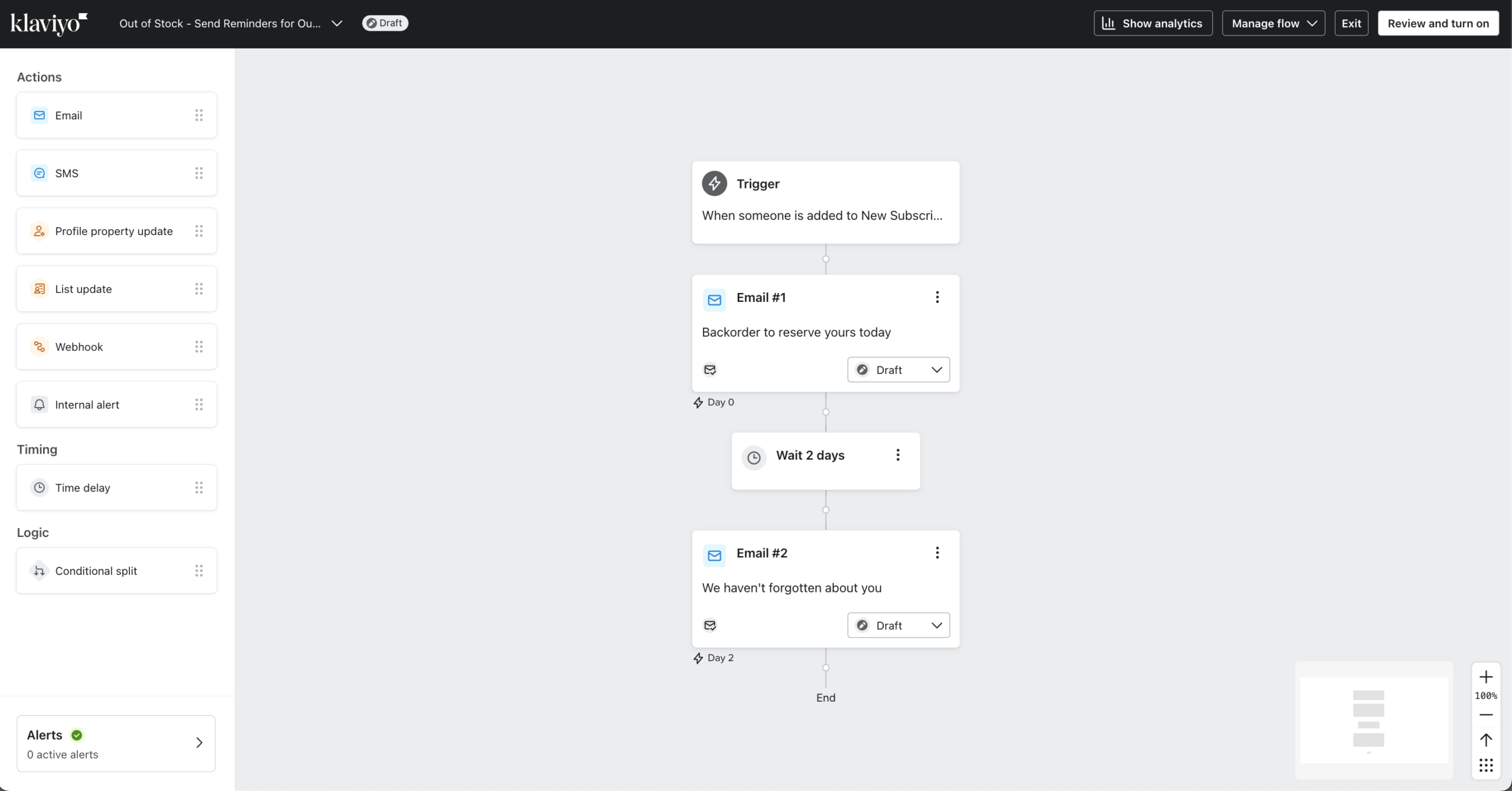
That specificity separates it, though it comes at ecommerce-tool prices; Omnisend, reviewed below, covers similar ground for less. The trade-off is calibration: my first predicted-purchase segment returned a far smaller audience than expected, because I hadn’t accounted for the minimum purchase history Klaviyo needs to generate predictions.
Where Klaviyo Beats Brevo
- Predictive targeting. Klaviyo’s predictive analytics target customers by likelihood to buy, churn risk, or expected next order date, so flows can fire before a repeat purchase or a lapse. Brevo approximates this with rule-based segments but relies on manual timing and thresholds.
- Dynamic personalization. Klaviyo builds individualized product blocks at send time from browsing behavior, purchase patterns, and predictive scores — one campaign can surface different product grids per recipient without segmentation workarounds. Brevo inserts dynamic feeds competently but doesn’t independently decide what that data should be.
- Wider ecommerce trigger selection. Price drops on wishlisted items, low-stock alerts, and back-in-stock notifications fire from catalog and inventory changes, not just user behavior — catalog-driven events Brevo doesn’t natively support.
Klaviyo Predictive Segmentation
Predictive segmentation forecasts purchase likelihood, churn risk, and next-order date from purchase history, so you can target by predicted behavior rather than only past actions — timing offers before a repeat purchase or a lapse.
Pricing
The free plan covers up to 250 active profiles, 500 email sends per month, and 150 mobile message credits per month — verified on Klaviyo’s official pricing page (July 2026). Note that Klaviyo bills on active profiles (any reachable contact, whether or not you email them), not on contacts you actively send to.
Paid plans start at $20/month, and a list of around 10,000 contacts runs about $150/month. Because billing is tied to active profiles, your actual cost depends on how many reachable contacts you hold, not how many you email.
Klaviyo vs. Brevo
Where Klaviyo wins: Advanced personalization and behavior-driven segmentation.
Where Brevo wins: Simplicity and cost for teams that don’t need deep personalization. Klaviyo’s cost pressure is also structural — because it bills on active profiles (you pay for every reachable contact, emailed or not, a model it moved to in 2025), bills can climb as your list grows, even if your send volume doesn’t. This active-profile billing is the most-cited reason users move off Klaviyo across G2, Capterra, and Trustpilot.
Omnisend — Best for Omnichannel (Email, SMS & Push)
Omnisend is an email platform for ecommerce teams running email, SMS, and push from one place.

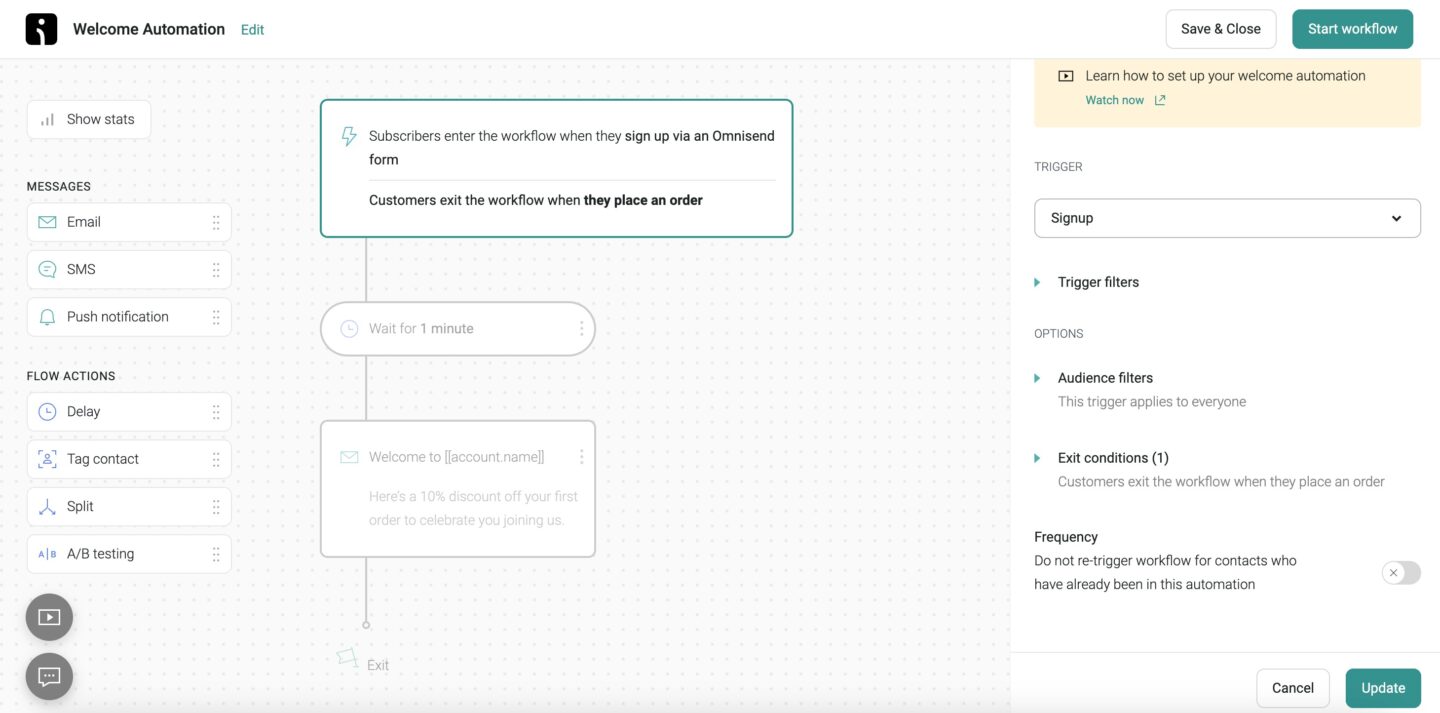
I tested a cart-recovery flow — email with product recommendations, SMS with a discount, push as a final touchpoint — in about 45 minutes. One snag: the push step showed inactive after the flow went live, because the channel needs a separate storefront SDK install that wasn’t flagged during setup (about 20 extra minutes).
The multi-store dashboard sends cleanly, but segment audiences stay siloed per store, so cross-store customer identification isn’t available natively.
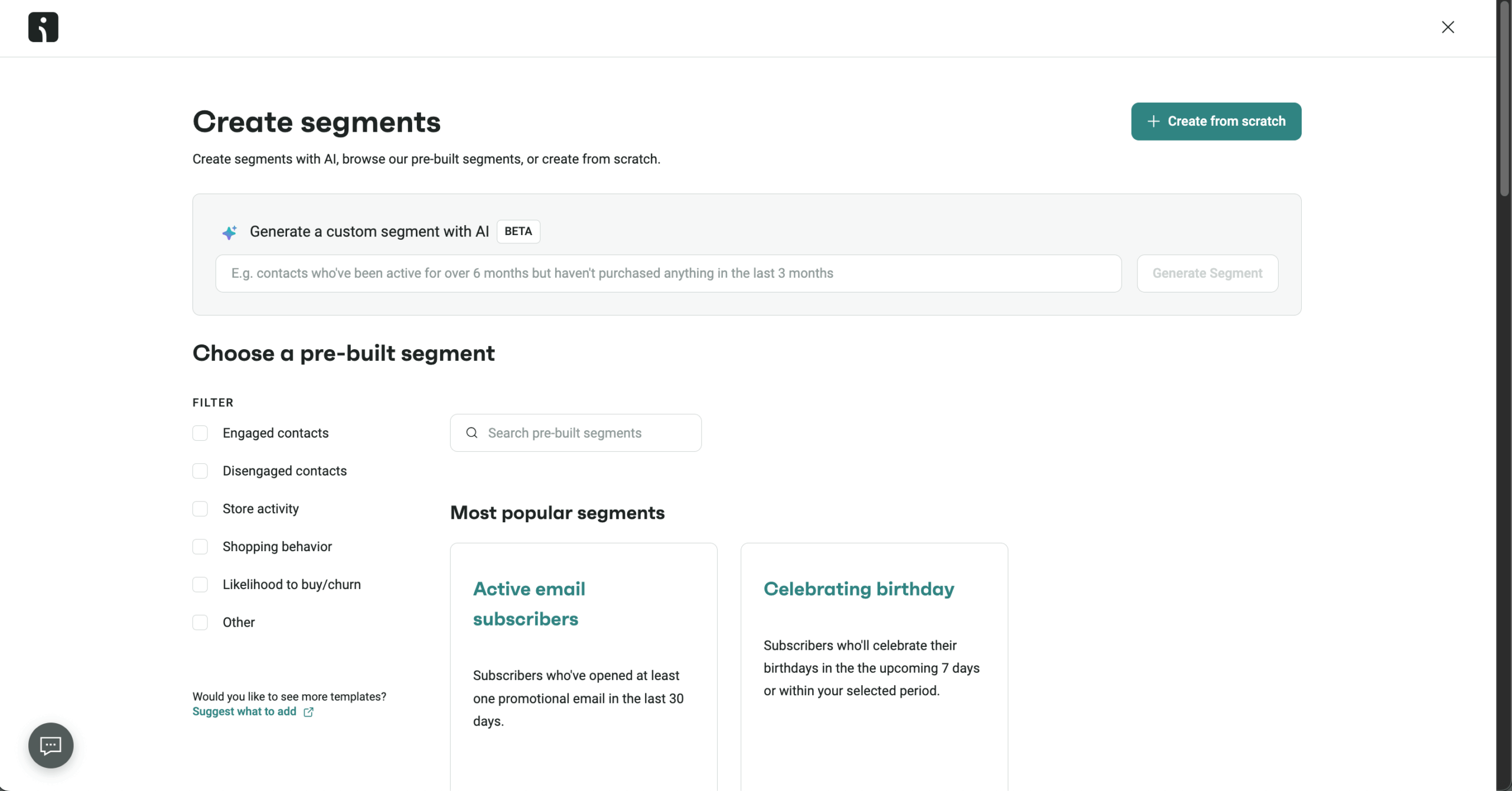
The ceiling shows up when you need data to move between stores rather than just messages; platforms built on a unified customer profile handle that better.
A second limitation is design flexibility: G2 and Capterra often cite limited template customization (tagged “Limited Templates” and “Limited Customization”), so teams wanting fine-grained creative control hit the editor’s edges.
Where Omnisend Beats Brevo
- Shoppable email blocks. Omnisend’s editor includes ecommerce-native blocks Brevo’s doesn’t: a product picker that pulls live catalog items into the editor, unique auto-generated discount codes per recipient, and gamified signup elements like a Wheel of Fortune form. These are native components, not third-party embeds.
- Web push in ecommerce flows. Web push sits in the same workflows as email and SMS on every plan (500 monthly pushes on Free, unlimited on paid) — where Brevo offers push but not on its free or entry plan.
- Native multichannel messaging. Email, SMS, and web push are native channels in one automation, with consent and sequencing managed together. Brevo supports more channels including WhatsApp, but isn’t organized around store journeys the way Omnisend is.
Omnisend Omnichannel Automation
The visual builder combines email, SMS, and push in one workflow with delays, conditions, and behavior-based triggers, and ships pre-built abandoned-cart and post-purchase sequences — so SMS marketing runs alongside email rather than as a separate tool.
Pricing
Paid plans (Standard) start at $16/month for up to 500 contacts, with the email allowance scaling at 12× your contact count. The free plan covers 250 contacts, 500 monthly emails, and 500 web push notifications, with 24/7 support included on every plan — verified on Omnisend’s pricing page (July 2026).
Note that Omnisend bills on active subscribers plus non-subscribers who received automated messages; unsubscribed contacts aren’t billed. At around 10,000 contacts, the Standard plan runs about $92.40/month, with the exact rate set by your contact band.
Omnisend vs. Brevo
Where Omnisend wins: Where Omnisend wins: Email, SMS, and web push in one place with ecommerce-native blocks like product pickers, auto-generated discount codes, and native Shopify, WooCommerce, and BigCommerce integrations, with web push and 24/7 support included even on the free plan, where Brevo gates push and A/B testing behind paid tiers.
Where Brevo wins: A CRM-first approach with email, SMS, WhatsApp, and live chat, plus send-based pricing for large lists at moderate frequency.
GetResponse — Best for Webinars & Funnels
GetResponse is a marketing platform for teams that want more than email — campaigns, funnels, and webinars in one system.
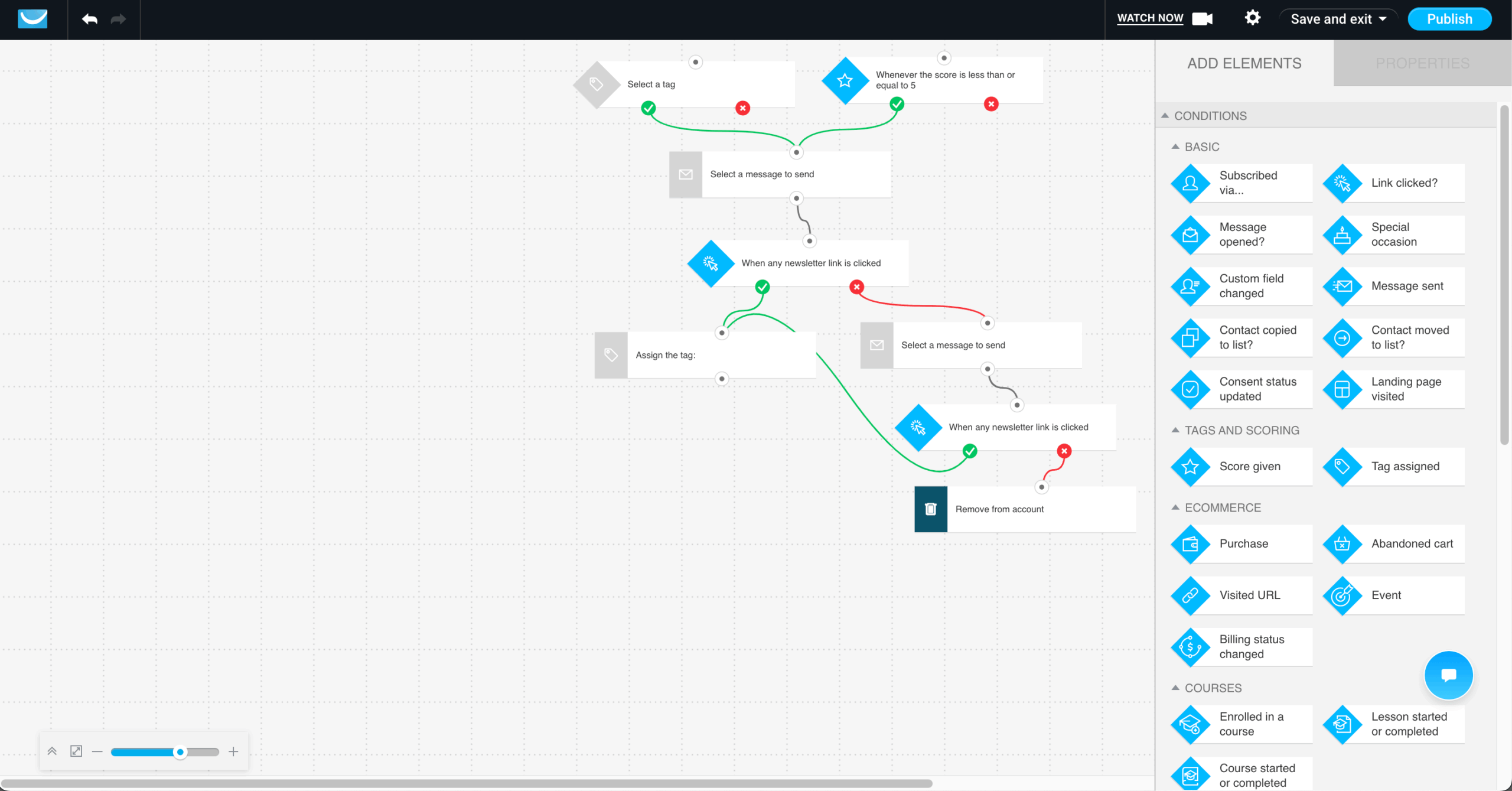
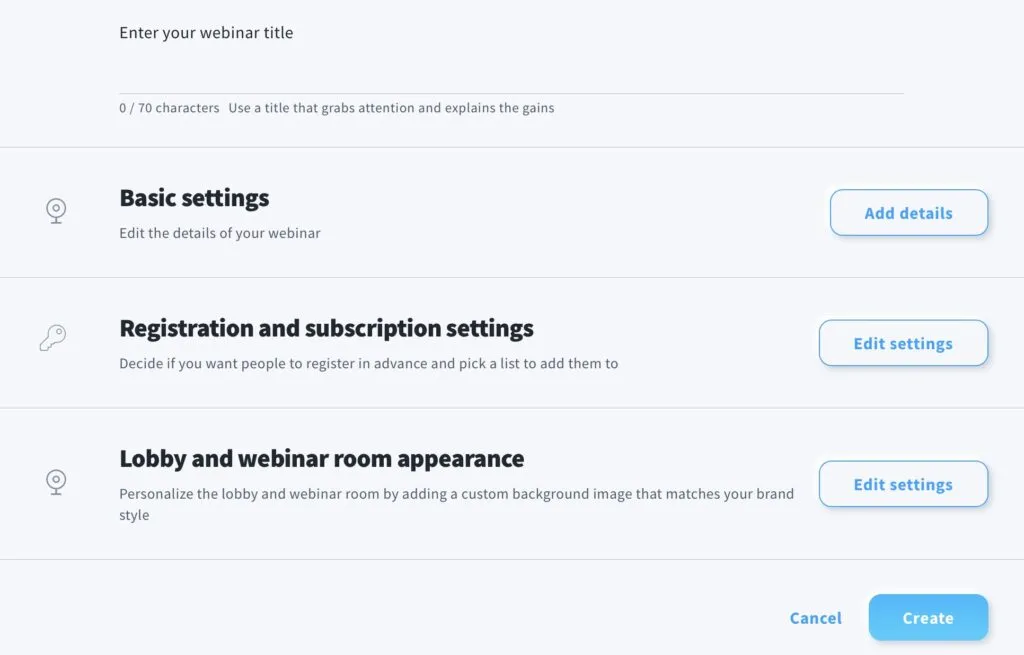
What separates it is how tightly webinars connect to the workflow. I built a full campaign — landing-page registration, automated reminders, the webinar, then different follow-ups by attendance — in about 55 minutes end-to-end.
The learning curve is real and front-loaded — the first session was more orientation than building, and navigation only settled in the second. For teams running webinar-led marketing or lead-gen funnels, the all-in-one setup saves meaningful time.
The ceiling shows up if you need pixel-perfect landing pages or highly granular automation logic — both are present but not class-leading, and if the webinar tooling isn’t the draw, cheaper picks in this roundup like Moosend or Sender cover the email side for less.
Where GetResponse Beats Brevo
- Built-in webinar hosting. Native live webinars with chat, polls, and automatic recording mean registrations, reminders, attendance follow-up, and replay access stay in one platform. Brevo has no native webinar functionality, so this is a hard feature gap, not a difference in depth.
- A dedicated conversion funnel builder. The Conversion Funnel ties product page, cart recovery, and post-purchase upsell into one guided flow — a layer Brevo lacks, though it supports the underlying components.
- An AI course creator. A built-in tool to build, package, and sell digital products like courses from the same platform you email from — something Brevo, focused on channels and CRM, has no native equivalent for.
GetResponse Webinars & Funnels
Registration pages, reminders, the live event, and follow-ups run in one place rather than across separate tools, and the funnel builder ships with ready-made scenarios for list building, lead magnets, sales, and paid or free webinars.
Pricing
Paid plans (Starter) start at $16/month for up to 1,000 contacts with unlimited email sending, a contact-based model with no send metering, where Brevo bills by email volume.
GetResponse’s pricing page advertises a 14-day free trial of premium features (not 30 days), alongside a free plan that covers up to 500 contacts and 2,500 newsletters/month.
One gating detail worth noting: the Starter tier is limited to a single custom automation workflow — unlimited workflows require the Marketer tier — verified on GetResponse’s pricing page (July 2026). At around 10,000 contacts, expect roughly $69/month
GetResponse vs. Brevo
Where GetResponse wins: All-in-one marketing — landing pages, webinars, social, and AI in one platform.
Where Brevo wins: Simpler email-focused workflows without the added surface area.
HubSpot — Best Brevo Alternative for CRM & Enterprise
HubSpot is a marketing platform built around its CRM, where email marketing runs on live customer data rather than static lists.

The main difference from Brevo is HubSpot’s personalization depth. I built a proposal-stage nurture sequence — emails referencing the deal name, content for that stage, auto-skipping contacts once a deal closed — in about 50 minutes, most of it mapping CRM properties to email tokens.
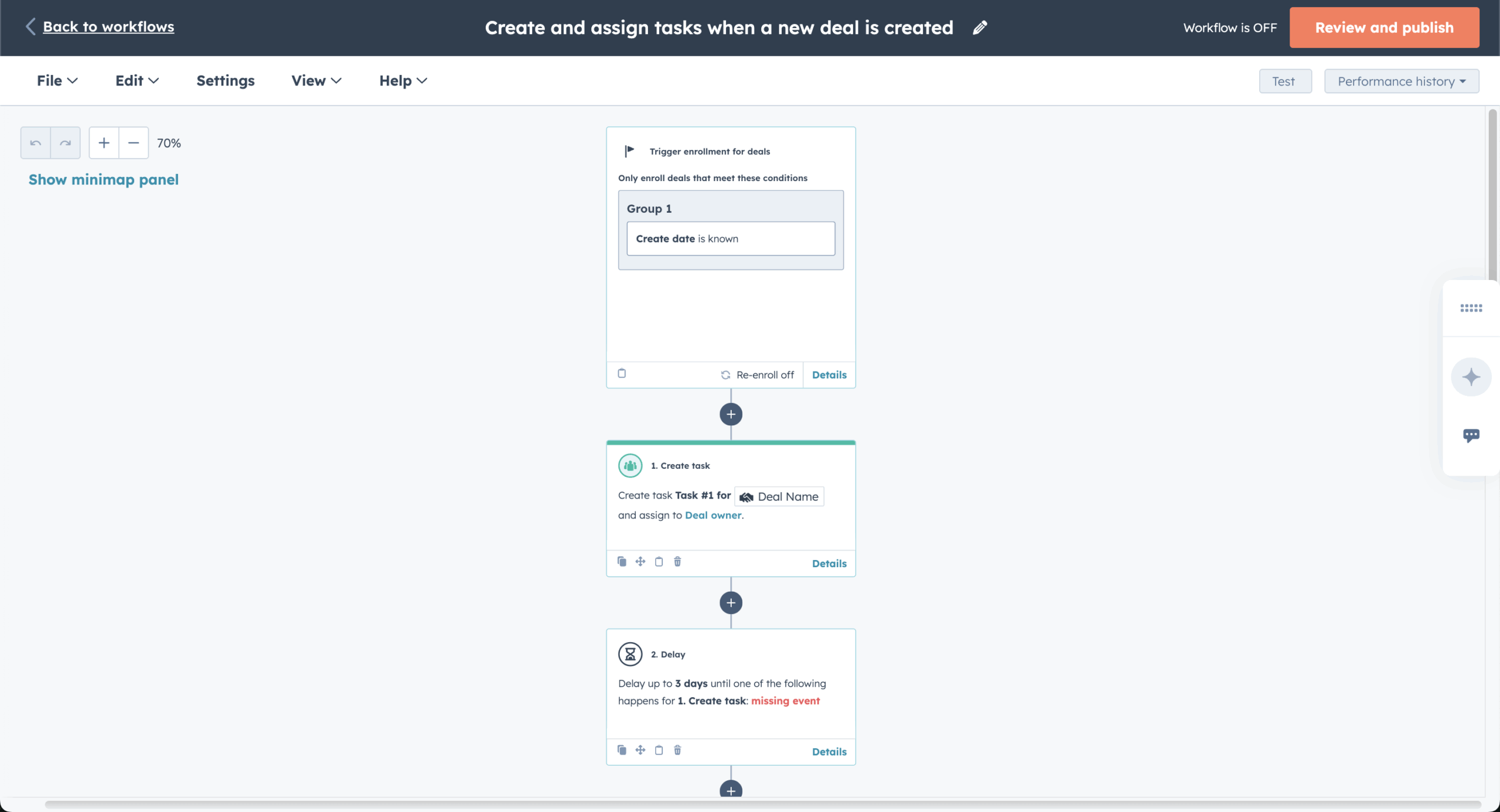
I also tested dynamic content blocks that changed by lifecycle stage; the logic worked, though the control is buried several menus deep. Where the ceiling gets expensive: the flow I built relied on custom events, which HubSpot’s pricing page lists as an Enterprise-tier feature (Marketing Hub Enterprise starts at $3,600/month).
For teams already on a premium plan for CRM reasons, the email capability adds genuine value. For teams evaluating HubSpot primarily for email, that pricing threshold is a significant commitment before the deepest personalization and event-based logic becomes accessible.
Where HubSpot Beats Brevo
- A more flexible CRM data structure. Custom objects let teams map the CRM to how their business actually works — subscriptions, properties, projects, any entity that doesn’t fit a standard sales structure. Brevo handles contacts, pipelines, and deals competently, but its data structure is relatively fixed.
- Deeper sales insight and coaching tools. Sales Hub records, transcribes, and analyzes calls — surfacing coaching moments and flagging deal risk. Brevo covers pipeline and basic deal tracking but has no equivalent performance-analysis layer.
- A broader all-in-one business platform. One unified layer across marketing, sales, support, and operations, so data flows across teams without integration overhead — where Brevo is a marketing and messaging platform with CRM layered on.
HubSpot CRM-Powered Email
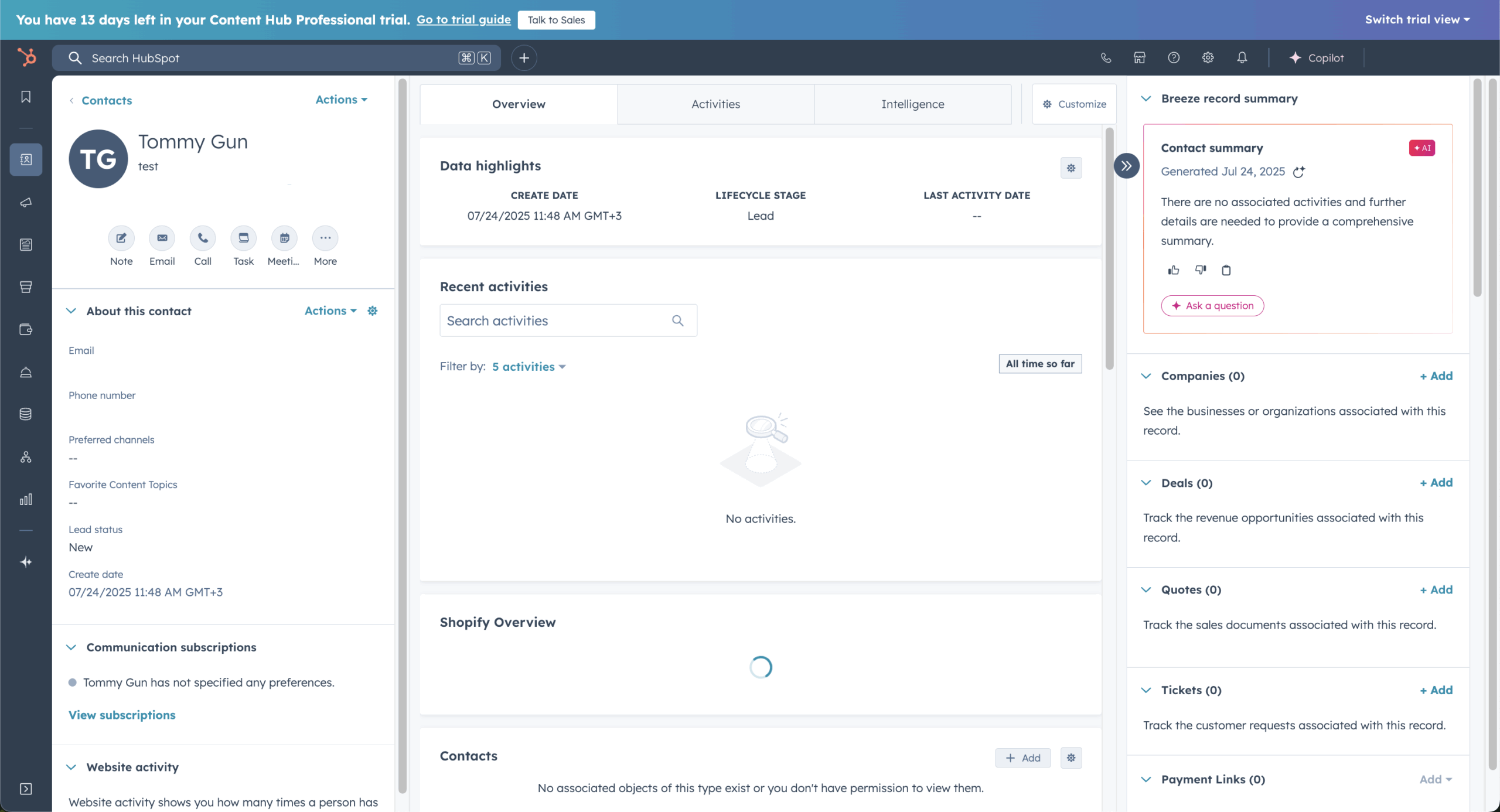
Email pulls from the same CRM data sales and support use, so you can send on lifecycle stage, engagement, or deal activity without syncing tools — with automation, A/B testing, and reporting on the same record.
Pricing
Marketing Hub Starter starts at $20/month per seat ($7 discounted for new customers, 1,000 contacts); the free plan covers 2 users and 2,000 email sends/month. Professional is $800/month annual ($890 monthly; 3 seats, 2,000 contacts) plus a required $3,000 one-time onboarding fee; Enterprise is $3,600/month (5 seats, 10,000 contacts) plus a $7,000 onboarding fee.
Custom events sit on Enterprise — so a ~10,000-contact list lands on that $3,600/month tier. All figures verified on HubSpot’s pricing page (July 2026); seats and contact tier, not a per-contact curve, drive the total.
HubSpot vs. Brevo
Where HubSpot wins: Full customer-journey and CRM depth across marketing, sales, support, and operations.
Where Brevo wins: Simplicity for teams that need email and basic automation without the learning curve.
ActiveCampaign — Best for Advanced Automation
ActiveCampaign is a marketing platform built for teams that want behavior-driven automation paired with deeper CRM control.
The lead-scoring setup is where it separates itself. I configured a model — email opens 1 point, link clicks 3, product-page visits 5 — that moved contacts past 15 points into a sales pipeline and triggered a higher-intent sequence. It took about 60 minutes, most of it locating where scoring rules attach to actions; for a core feature, it’s buried deeper than it should be.
That friction aside, automation that reacts to sales intent isn’t available in simpler tools at this price. A pricing nuance: segmentation scales by plan (Starter Limited, Plus Standard, Pro Advanced, Enterprise Premium), and lead scoring isn’t in any marketing tier — it’s part of the Pipelines CRM add-on, so advanced segmentation plus lead scoring means Pro-and-up plus a paid add-on.
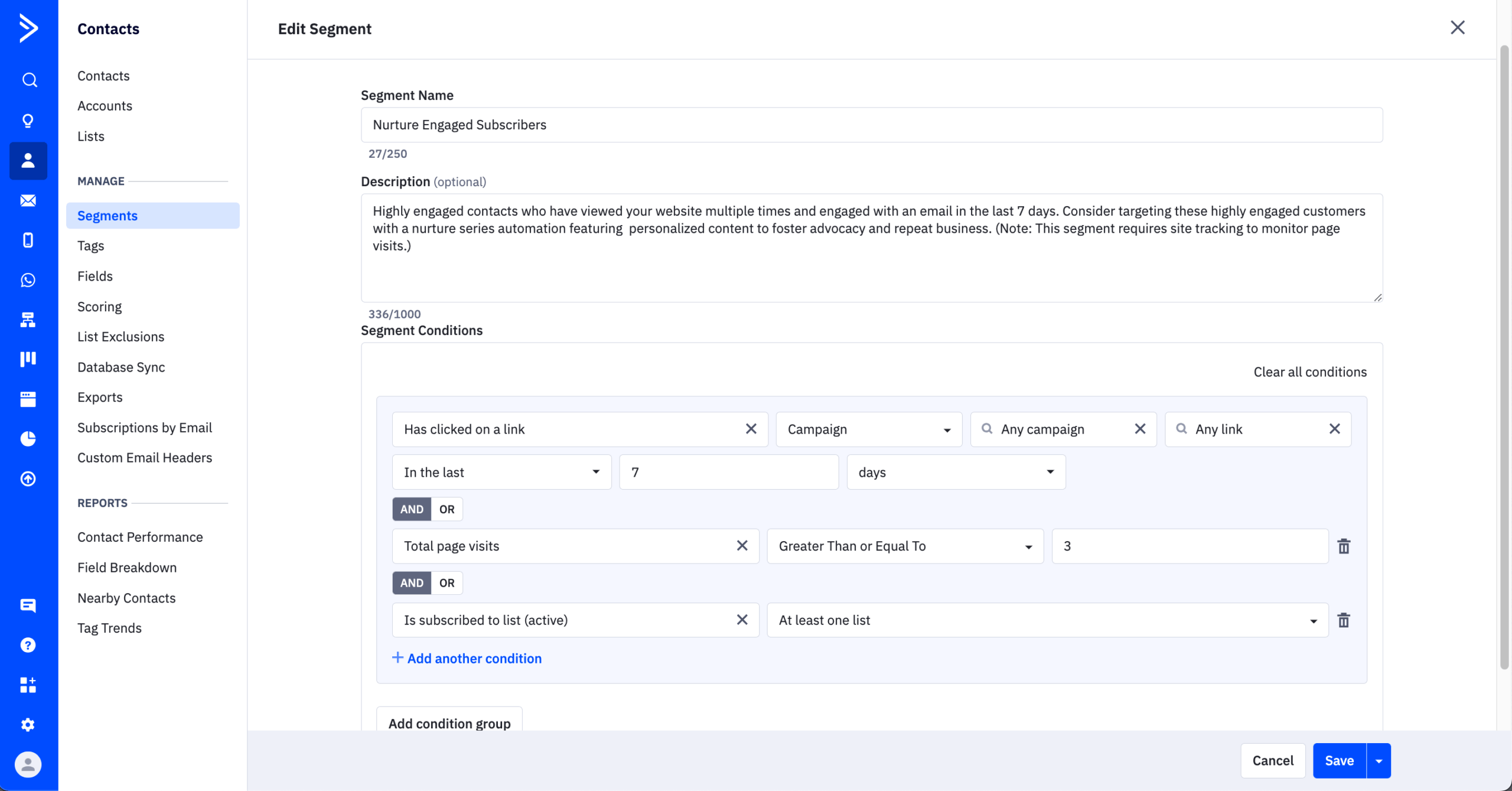
Justified if you run sales and marketing together; for straightforward email sequences it’s more than necessary.
Where ActiveCampaign Beats Brevo
- Goal-based automation paths. Contacts move dynamically through workflows using goal conditions and jump logic — complete a target action mid-sequence and they’re rerouted rather than continuing an irrelevant flow. Brevo handles linear and conditional sequences competently, but this level of dynamic path adjustment isn’t supported natively.
- Advanced lead and deal scoring. Contacts and deals score independently, so sales and marketing prioritize by engagement and pipeline stage. Brevo offers contact scoring but not deal-level or combined lead-plus-deal triggers natively.
- Custom event tracking. Automations can fire from custom product or app events — a trial expiring, an in-app action, a lifecycle milestone — making it viable for technically complex programs. Brevo supports standard behavioral triggers, but custom-event automation needs workarounds or external tooling.
ActiveCampaign Behavior-Based Workflows
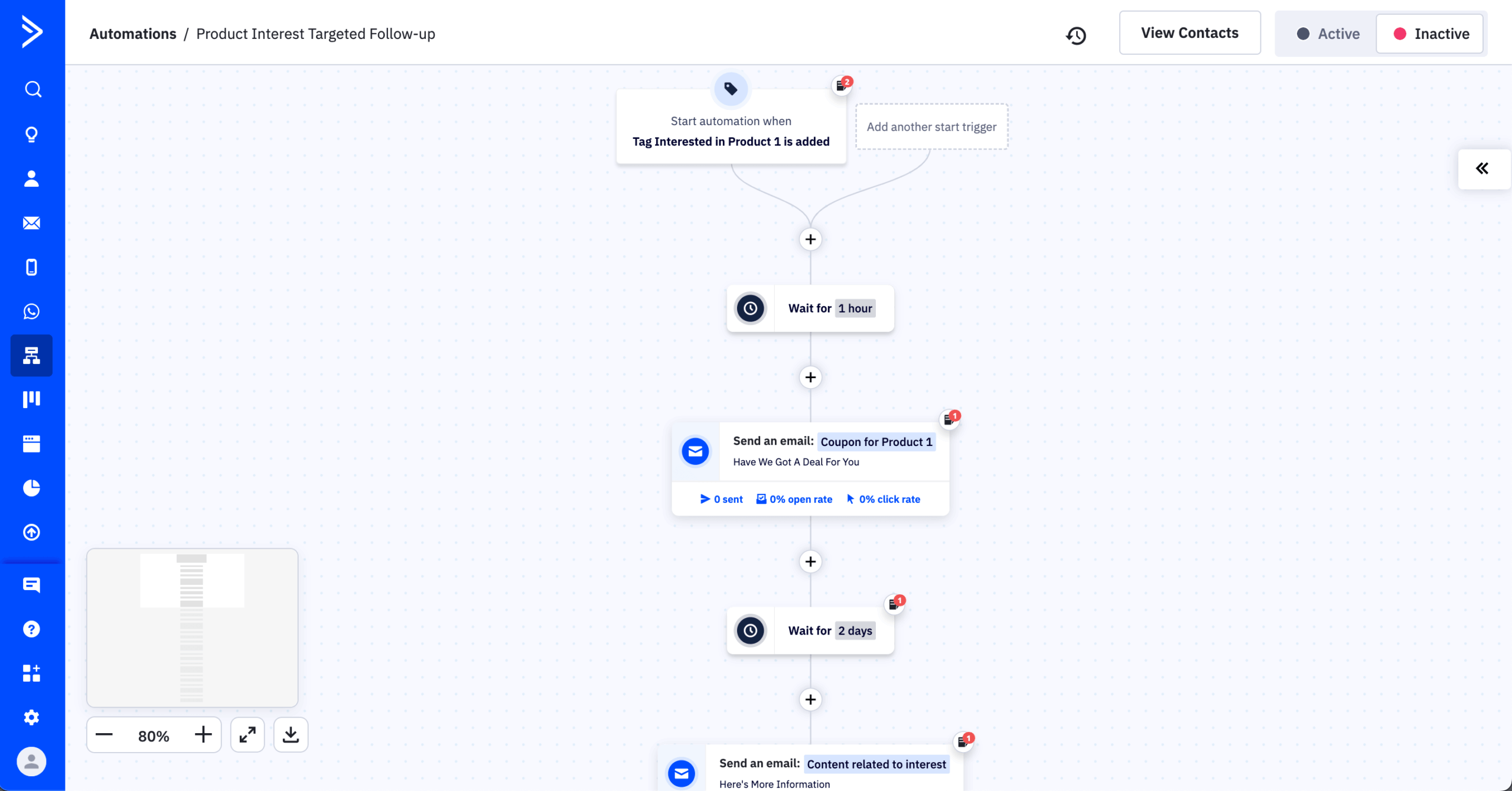
Automations react to clicks, visits, and contact-data changes, branching on conditions, goals, and jump logic — so flows change direction by engagement or skip steps when conditions are met, where simpler builders evaluate only linear steps. Setup takes longer in exchange.
Pricing
Paid plans (Starter) start at $15/month, with sends capped at 10× your contact limit and a 14-day free trial; at around 10,000 contacts the entry tier runs about $149/month. One billing detail: per multiple review sites, accounts created on or after November 3, 2025 are billed for their entire contact list — including unsubscribed, bounced, and unconfirmed — whereas older accounts are billed only on active contacts.
ActiveCampaign vs. Brevo
Where ActiveCampaign wins: Advanced, behavior-based journeys that adapt dynamically.
Where Brevo wins: Quick, straightforward automations without complex logic, plus a genuine free plan; ActiveCampaign offers only a 14-day trial and a higher price in exchange for its deeper automation.
Mailchimp — Best for Beginners & AI Tools
Mailchimp is an email marketing platform built for ease of use, and its AI tools are where it’s adding the most new capabilities.

I used the AI assistant for a promotional campaign: the first subject line was sendable with minor edits in about 3 minutes, versus 10–15 writing variations by hand. Body copy needed two rounds of editing to feel on-brand — a starting point, not a replacement for an editor.
On the infrastructure side, I set up a three-email welcome sequence without touching SPF, DKIM, or suppression settings — all pre-configured.
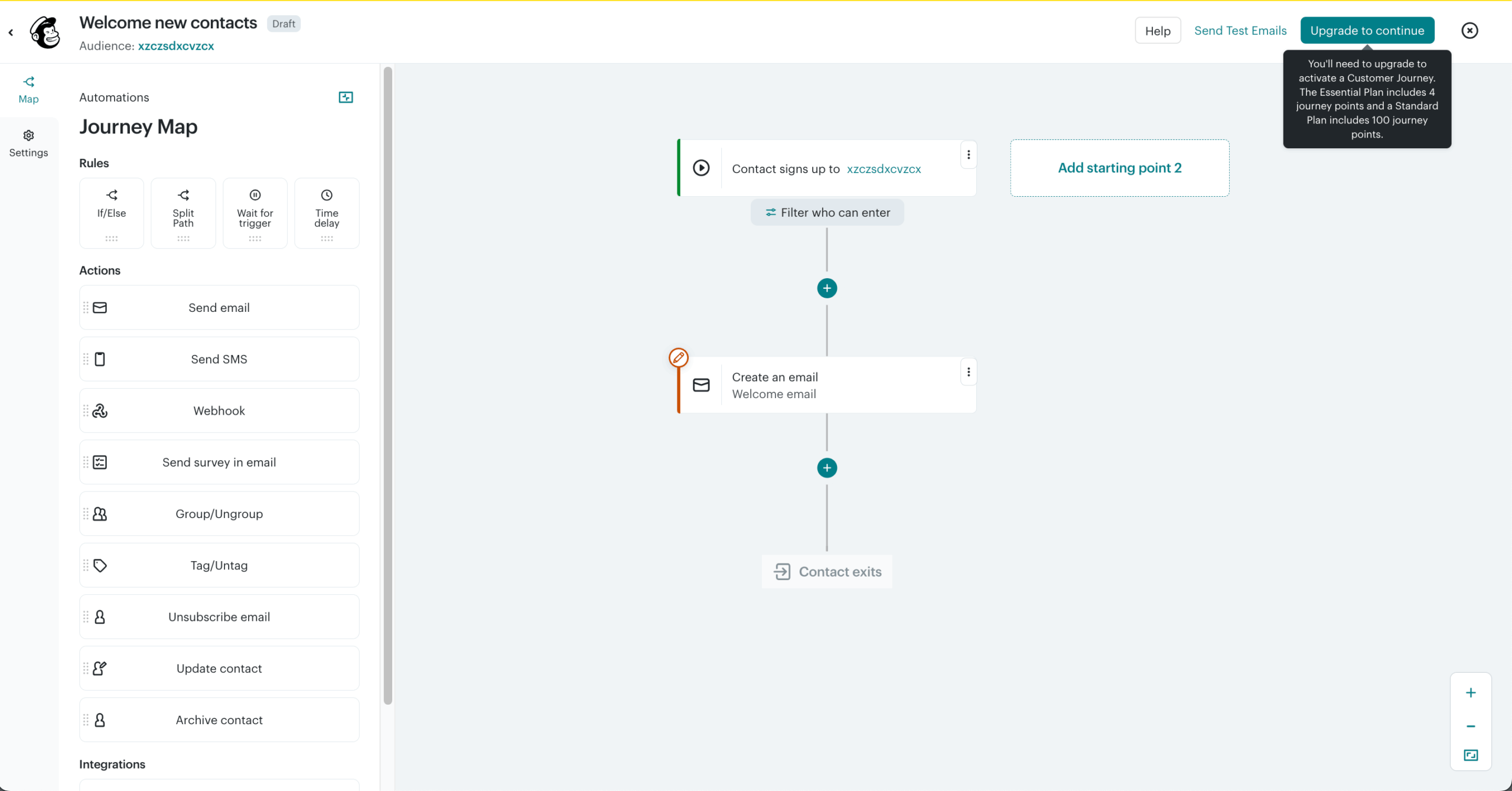
The ceiling was segmentation: a simple re-engagement segment (opened in 30 days, no clicks) required exporting, filtering, and reimporting rather than a builder condition, because Mailchimp ties contacts to lists not a unified audience, a frustration that pushes many users to evaluate other platforms.
Where Mailchimp Beats Brevo
- A bigger integration ecosystem. Mailchimp connects natively with 300+ third-party tools — Shopify, WooCommerce, BigCommerce, Stripe, and a wide range of CRMs, analytics, and ad platforms. Brevo’s marketplace lists 75+ integrations, which cover the essentials but represent a narrower footprint.
- A full website builder. Mailchimp extends beyond landing pages into multi-page website creation, so a business can build a web presence and run campaigns from one platform — where Brevo offers landing pages but no comparable website builder.
- Multivariate testing. Mailchimp tests up to eight campaign versions at once — combining subject lines, sender names, and content in one send — where Brevo offers A/B but not multivariate testing.
Mailchimp AI Tools & Campaign Creation
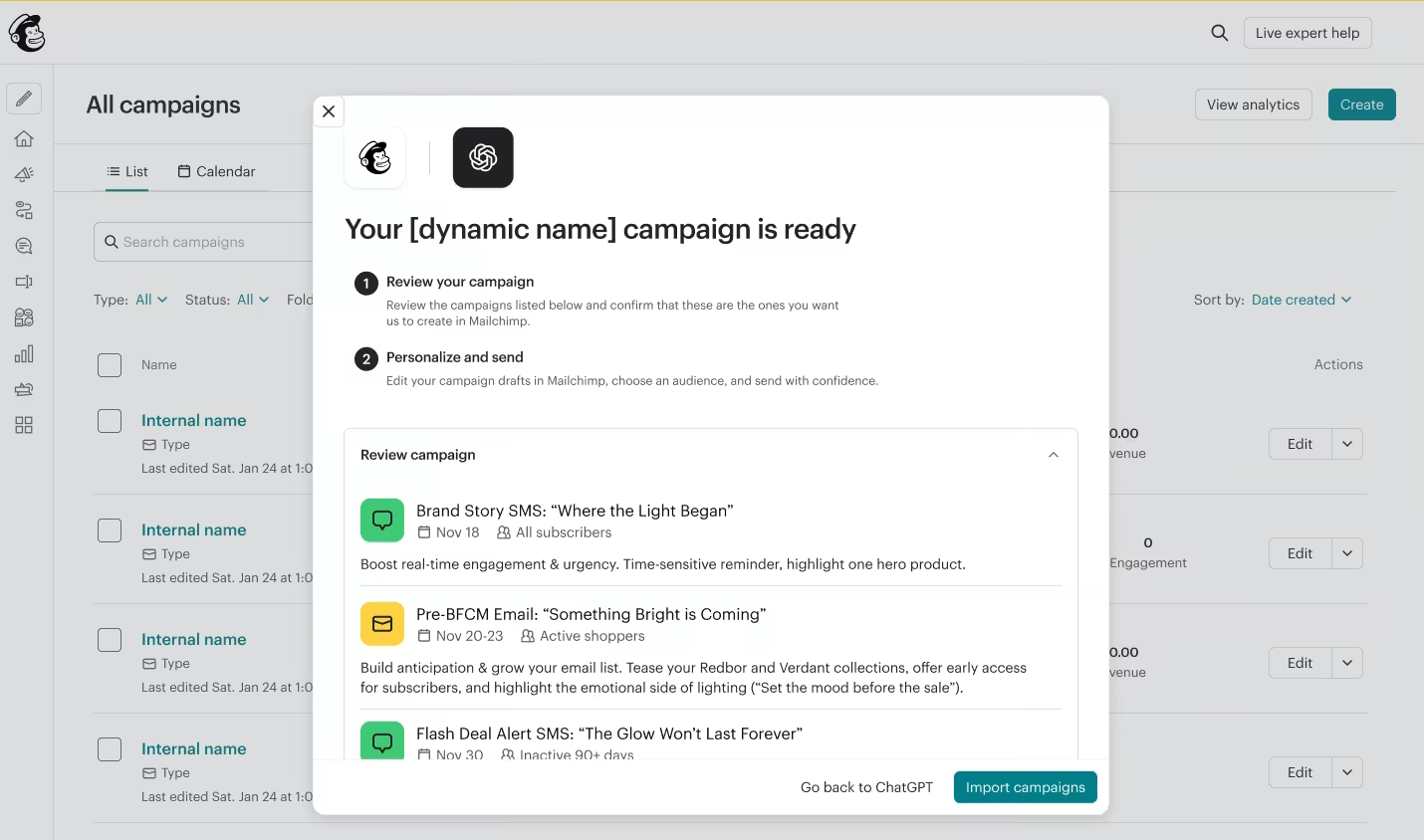
Mailchimp’s AI features generate copy, suggest layouts, and recommend send times from past performance. The output is templated and needs editing for brand voice before it converts, but it cuts drafting time for teams without a copywriter. Mailchimp is also easily connected to ChatGPT for even faster email campaign creation.
Pricing
Paid plans start at $13/month for up to 500 contacts and 5,000 emails/month. A free plan covers 250 contacts and 500 monthly emails.
Mailchimp vs. Brevo
Where Mailchimp wins: AI-assisted drafting and pre-configured sending infrastructure.
Where Brevo wins: Beginner-friendly templates and clear reporting for quick launch and tracking.
Moosend — Best Budget Brevo Alternative
Moosend is an email platform for teams wanting campaign analytics and core automation at entry-level pricing. Note for this comparison: Moosend is now a Constant Contact company (per its own site), sharing ownership with another platform here.
The analytics go deeper than most tools at this price. I ran a promotional campaign to about 500 contacts and used the click map to review engagement — the CTA in the upper third drove nearly all clicks while a lower product block was ignored, a finding that took about 2 minutes to surface and informed a layout change. Device data showed 68% of opens on mobile, prompting a template adjustment.
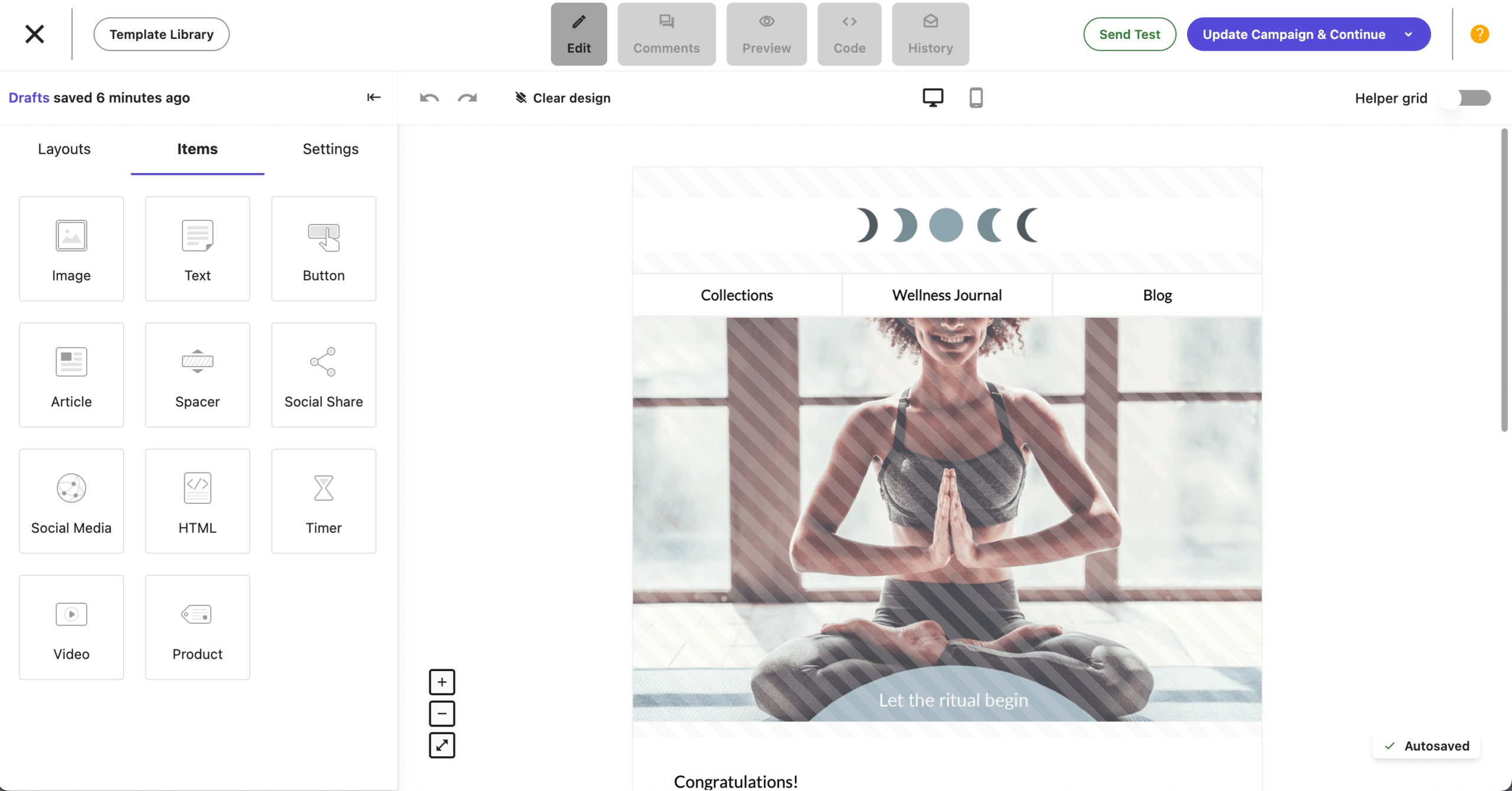
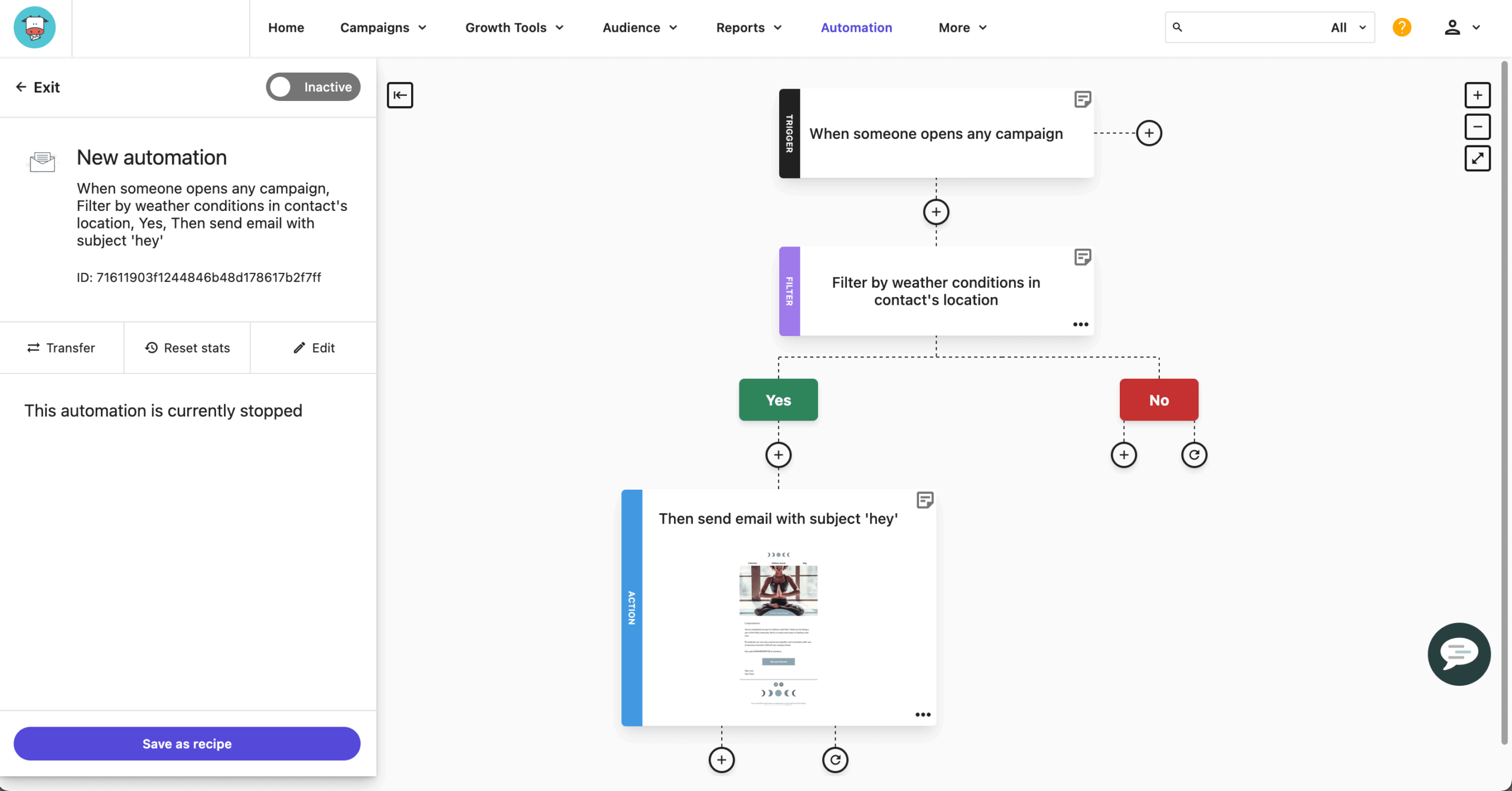
I also tested welcome automation — signup trigger, 48-hour delay, an open-based condition — in about 25 minutes, with A/B testing available at that plan without an upgrade prompt. The ceiling was behavioral triggers: a product-page-visit trigger needed manual setup via Moosend’s tracking script, adding about 45 minutes outside the platform.
Where Moosend Beats Brevo
- Core features without tier-gating. Automation, segmentation, and landing pages come on the Pro plan without being fragmented across tiers — though transactional emails are the exception: they’re a paid add-on on Moosend+ or reserved for the custom-priced Enterprise plan, not bundled into the entry tier. Brevo’s entry plans are competitively priced, but automation and A/B testing sit behind higher tiers, which pushes the effective cost above the advertised starting price.
- Smart contact management. Segments build from behavioral signals, device type, custom fields, and campaign engagement — deeper at the entry tier than Brevo’s lower-tier segmentation.
- A built-in countdown timer block. Moosend includes a native countdown timer in its editor — a conversion element most platforms need third-party tools to replicate. Brevo’s builder has no native equivalent, so users either depend on external tools or go without. Small on paper, but for flash sales and limited-time offers it removes real friction.
Moosend Automation & A/B Testing on Every Plan
A/B testing is included on every paid plan rather than gated to higher tiers, so you can build behavior-triggered flows and test subject lines or content from the start. The testing is practical rather than advanced.
Pricing
Paid plans (Pro) include unlimited email sends, and Moosend bills on unique email addresses (a contact on several lists is counted once). There’s no permanent free plan — Moosend discontinued its free tier — but a 30-day trial (up to 1,000 contacts, unlimited sends, no credit card) is available.
Paid plans start at $9/month, and a list of around 10,000 contacts runs about $88/month, billed on unique email addresses.
Moosend vs. Brevo
Where Moosend wins: Automation and A/B testing at lower tiers without heavy restrictions.
Where Brevo wins: Broader functionality — transactional email, native integrations, and a fuller stack.
Campaign Monitor — Best for Email Design
Campaign Monitor is an email platform for teams that prioritize design control and clean audience targeting. It operates as “Campaign Monitor by Marigold,” part of the Marigold group — relevant if vendor consolidation factors in.

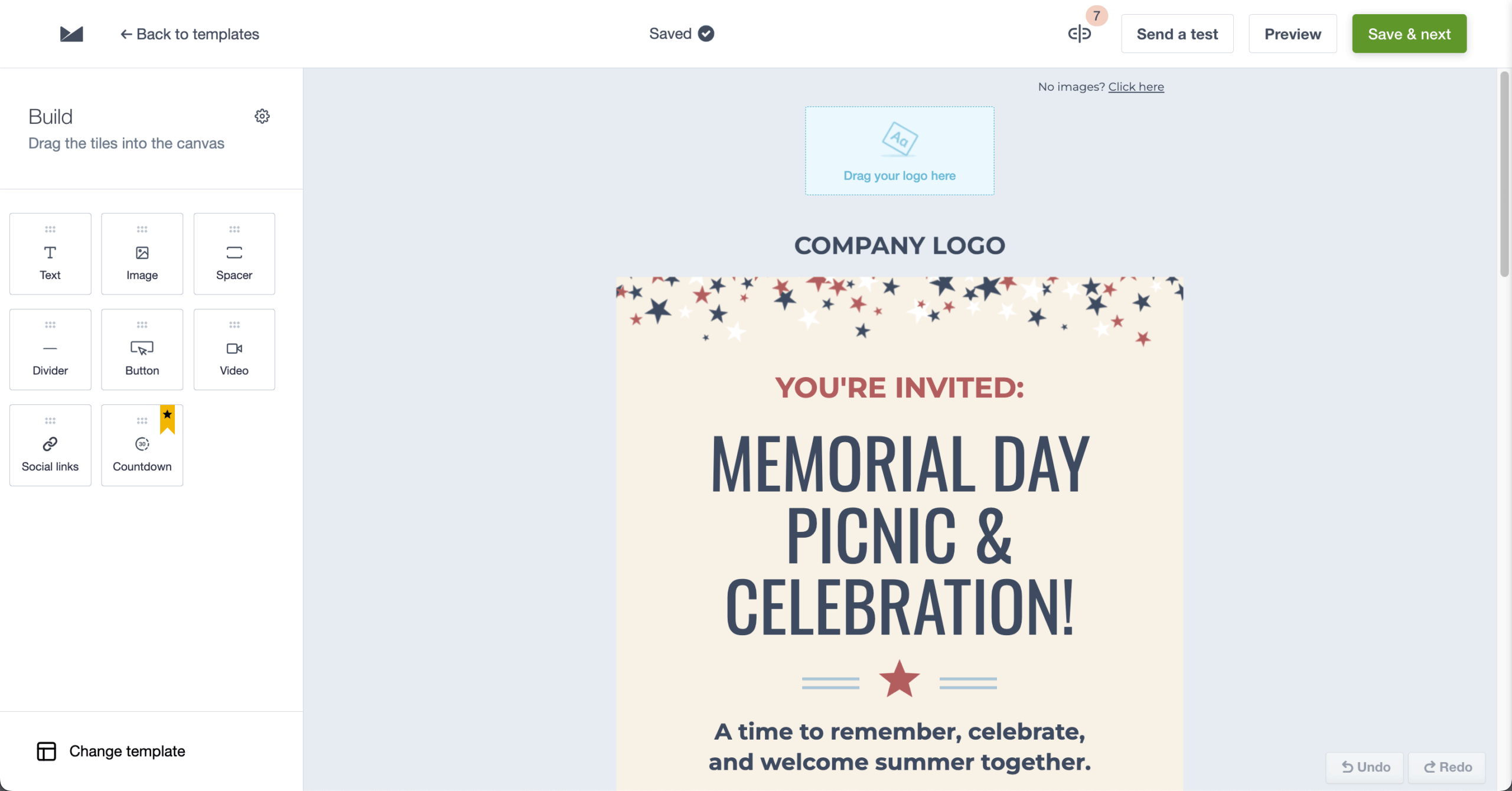
The editor is the standout. I recreated a branded template from scratch — matching hex colors, 24px column padding, custom line spacing — without touching code, in about 40 minutes, and the output matched brand guidelines closely enough to skip designer sign-off.
Where I hit the ceiling was automation depth. I wanted a flow that branched on whether a contact clicked a specific link rather than any link. Campaign Monitor doesn’t support link-level click conditions natively — you can branch on clicked or not clicked, but not on which link. That’s a real limitation for teams running multiple CTAs who need to route by interest.
One more consideration: Campaign Monitor has no free plan, only a 30-day trial, so if an ongoing free plan matters, several platforms in this roundup, including Sender and MailerLite, offer one.
Where Campaign Monitor Beats Brevo
- Stronger design control for teams. Administrators can lock specific template sections — header, footer, brand colors — while leaving content areas editable for the rest of the team, keeping campaigns visually consistent without manual review. Brevo supports collaborative use, but granular template-permission controls aren’t available yet.
- Pre-send quality checks. Built-in checks flag broken links, missing alt text, or incomplete content before send — automated validation that isn’t a native part of Brevo’s sending workflow, and a useful safety net for high-volume senders.
- Agency-friendly client management. Client accounts and white-label billing run separate campaigns for multiple brands from one login — a dedicated client-account structure Brevo lacks.
Campaign Monitor Design & Brand Control
The editor controls layout, colors, and typography at a fine grain, and administrators can lock header, footer, and brand-color sections while leaving content areas editable — so team sends stay on-brand without manual review.
Pricing
Campaign Monitor’s paid tiers are Lite, Essentials, and Premier (plus a custom Enterprise plan; there is no free plan, only the 30-day trial). Lite caps monthly sends at 5× your subscriber count, while Essentials and Premier lift that to unlimited sending; the Premier tier is what adds the team and pre-send features above.
A 30-day trial (up to 500 contacts, 500 emails) is available. Paid plans start at $13/month, and a list of around 10,000 contacts runs about $117/month, with the rate scaling by subscriber count.
Campaign Monitor vs. Brevo
Where Campaign Monitor wins: Design control and pre-send checks without complex setup.
Where Brevo wins: Broader automation for multi-step funnels and multichannel campaigns.
Constant Contact — Best for Small Business & Events
Constant Contact is an email marketing platform built for smaller businesses and teams, with reliable performance, practical automation, and AI assistance.

The AI subject-line generator produced a usable line with one edit and three test variations in under 2 minutes. Body-copy suggestions were less polished than Mailchimp’s and needed more rewriting, but jump-start the process for teams without copywriters.
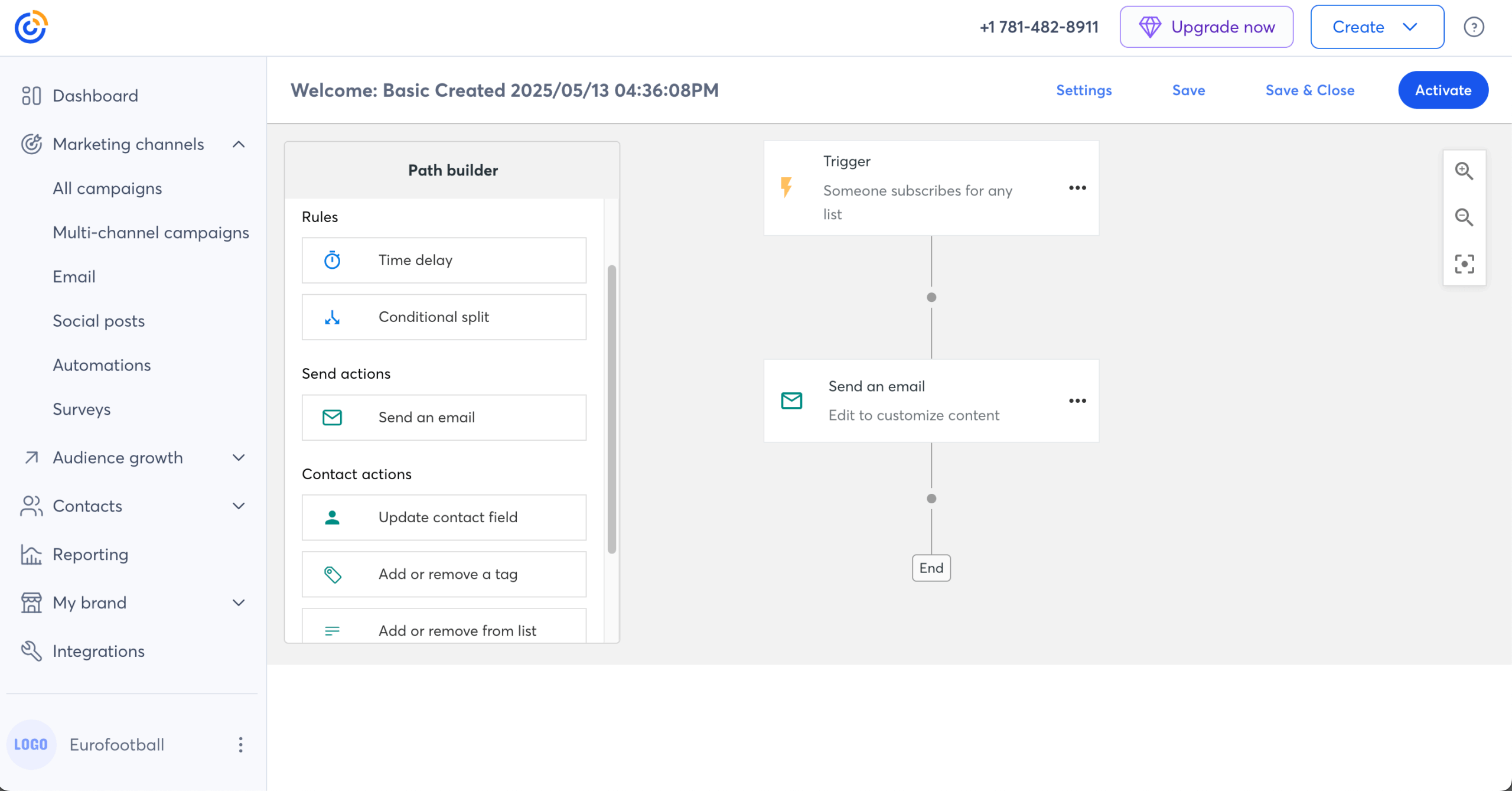
The event toolkit is the standout. I built a full event flow — registration page, two reminders, a post-attendance follow-up branching on attended vs. no-show — in about 50 minutes, all in one platform.
The friction was list management: like Mailchimp, Constant Contact organizes contacts into separate lists, so a segment across two lists needed a manual merge rather than a filter. If cross-list segmentation is a daily need, that manual merge becomes a recurring cost rather than a one-time annoyance.
Where Constant Contact Beats Brevo
- An extensive template library. 600+ mobile-responsive email templates organized by industry and campaign type — promotions, event invites, newsletters, seasonal sends. Brevo’s 40+ templates and capable editor cover the basics, but the library is much narrower.
- Built-in event management. Constant Contact keeps the whole event workflow in one place — creating an event, collecting registrations, sending reminders, posting socially, and following up — and handles ticket sales via Stripe or PayPal with promo codes, early-bird pricing, and an attendance dashboard. Brevo has no native event equivalent, so this means stitching in a tool like Eventbrite.
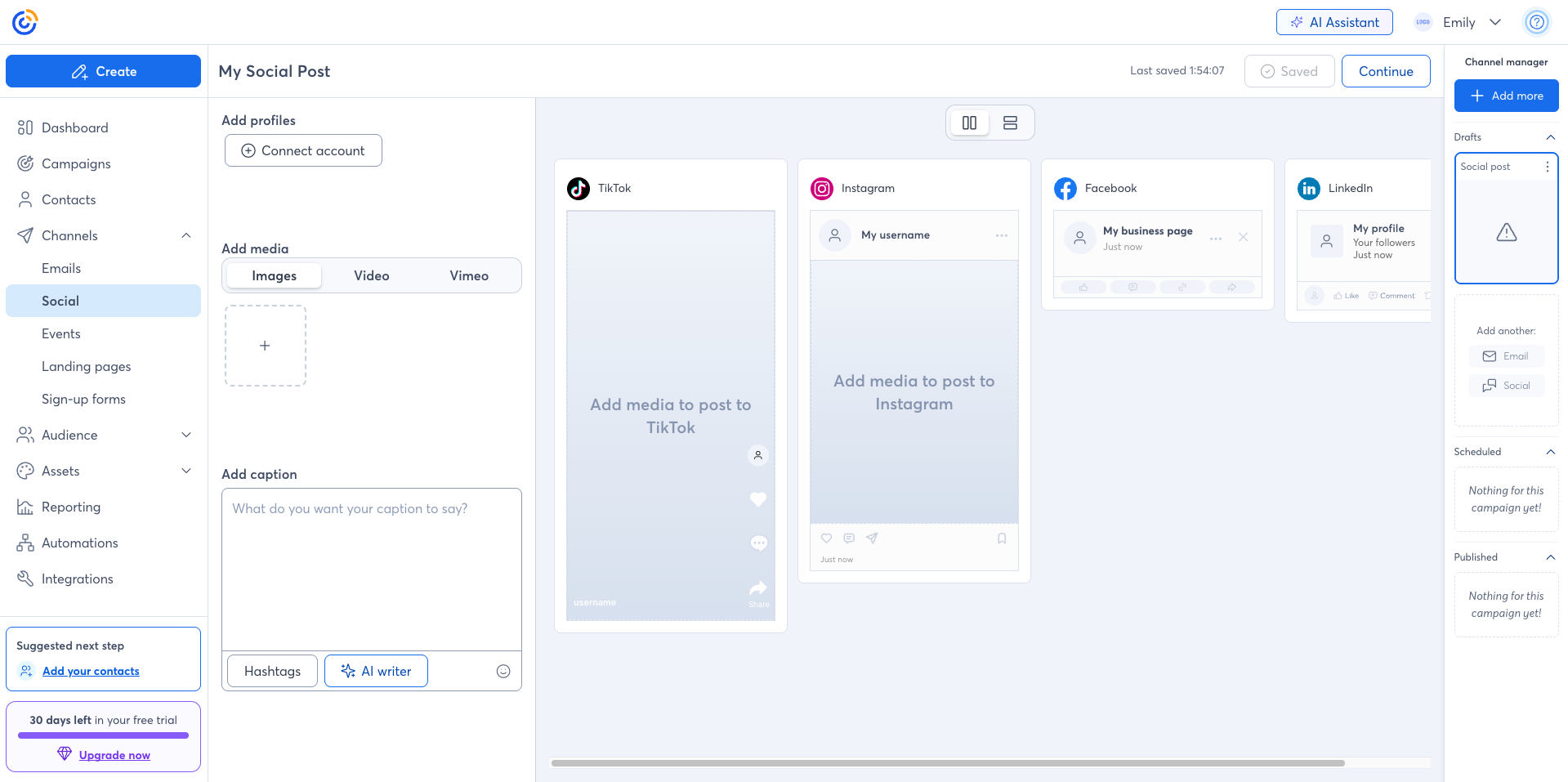
- Integrated social media management. Schedule across Facebook, Instagram, LinkedIn, and TikTok from one dashboard and repurpose email content into social posts — native social scheduling Brevo doesn’t include.
Constant Contact Email & Social Tools
Email content converts into social posts that schedule across Facebook, Instagram, LinkedIn, and TikTok from the same dashboard, with performance tracked in one place rather than a separate social tool.
Pricing
Paid plans (Lite) start at $12/month for up to 500 subscribers, with the cost scaling steeply as your list grows. There’s no permanent free plan, but a 30-day trial is available.
Constant Contact vs. Brevo
Where Constant Contact wins: Small-business email with phone support and event tools.
Where Brevo wins: CRM features and multichannel marketing beyond email.
MailerLite — Best Brevo Alternative for Simplicity
MailerLite is an email marketing platform built for marketers who want a clean editor and straightforward sending without a steep learning curve.

MailerLite’s appeal is speed from idea to sent. I built a newsletter from a blank template — image blocks, a button, a two-column layout — in about 20 minutes in the drag-and-drop editor, with nothing buried behind menus.
The trade-off is automation depth: a welcome sequence with a delay and an open-based condition was simple, but branching on multiple behavioral conditions at once felt thinner than ActiveCampaign or Sender.
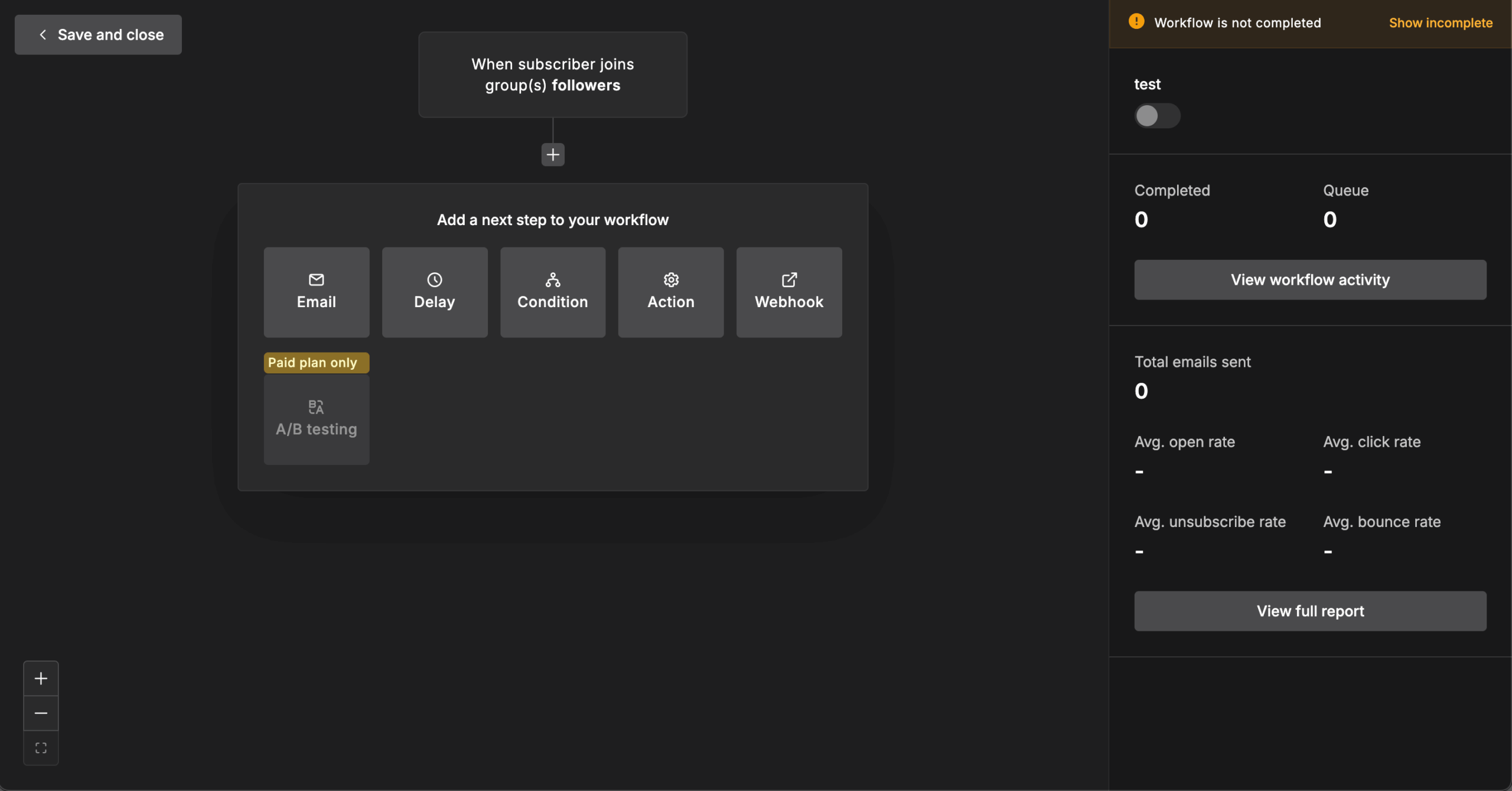
Fine for newsletter-led sending; for complex lifecycle logic, you’ll feel the edges, and ActiveCampaign and Sender, reviewed above, are the deeper builders in this roundup.
Where MailerLite Beats Brevo
- A cleaner editor. A less-cluttered drag-and-drop builder shortens the path from draft to send, where Brevo’s editor is capable but busier for first-time users.
- Per-subscriber billing. MailerLite charges by subscriber count rather than per send, so sending frequency doesn’t change your bill. Brevo’s send-based model can get unpredictable for teams that mail their list often.
- A free plan with no daily send cap. MailerLite’s free tier now covers 250 subscribers and 2,500 monthly emails (cut from 500 in June 2026), with email-only support after the first 14 days. Brevo’s free plan allows more contacts but applies a daily send cap, whereas MailerLite’s limit is monthly — a better fit for senders who batch campaigns rather than spread them across days.
MailerLite Drag-and-Drop Simplicity
The block-based editor assembles newsletters, landing pages, and signup forms without code, keeping the path from blank template to sent email short — the trade-off being a thinner feature stack than the heavier platforms here.
Pricing
As of mid-June 2026, MailerLite’s free plan covers 250 subscribers and 2,500 monthly emails — cut from 500 in a June 2026 change that also renamed the paid tiers.
Paid plans are Comfort (from $12/month) and Power (from $25/month), billed by active subscriber count, with a custom Enterprise tier. Comfort caps send at 10× your subscriber tier; Power is unlimited under fair use; a ~10,000-subscriber list runs about $89/month.
MailerLite vs. Brevo
Where MailerLite wins: A cleaner editor and per-subscriber (not per-send) billing for newsletter-led sending, backed by a free plan whose cap is monthly rather than daily.
Where Brevo wins: CRM, transactional messaging, and more channels for an all-in-one stack.
Which Brevo Alternative Is Right for You?
Brevo works well as a starting point, especially for basic multichannel marketing on a small budget. But once you push into more advanced use cases, the limits get noticeable, whether that’s automation depth, segmentation flexibility, or design control.
If you’re weighing the broader market, our guide to the best email marketing services puts these platforms in a wider context.
Best Free Brevo Alternative: Sender
If you want the strongest free plan with real automation, Sender is the practical place to start: automation, segmentation, landing pages, and custom-event triggers without forcing an early upgrade.
It fits small businesses and creators sending newsletters and lifecycle campaigns on a budget; it’s the wrong pick for teams that need a built-in sales CRM with deal pipelines, which Sender doesn’t try to be.

even on the free plan.
Best Brevo Alternative for Ecommerce: Klaviyo & Omnisend
For teams that run on store data, these are the obvious next steps. Klaviyo gives you deeper segmentation and predictive targeting; Omnisend coordinates email, SMS, and push in one workflow.
Choose them if product feeds, abandoned-cart flows, and revenue attribution drive your sending; skip them if you don’t sell online, where you’d pay for ecommerce machinery you’d never trigger.
Cheapest Brevo Alternative: Moosend
For teams prioritizing cost without losing automation, Moosend keeps the entry price low and includes automation and A/B testing on its paid plan rather than gating them. It suits budget-conscious senders who still want workflow tools; it’s a poor fit for anyone who needs native SMS or a permanent free tier, since Moosend offers neither.
Best Brevo Alternative for Automation: ActiveCampaign
If your bottleneck is automation logic, ActiveCampaign offers more control than most marketing automation tools, with behavior-driven workflows and goal-based paths. Pick it when complex, multi-condition lifecycle journeys are the point; avoid it if you only send straightforward campaigns, where the learning curve buys depth you won’t use.
Best Brevo Alternative for CRM: HubSpot
If you want email tightly connected to sales data, HubSpot’s CRM-driven approach keeps campaigns aligned with the customer journey. It’s built for teams standardizing on one CRM for sales and marketing together; it’s hard to justify for email alone.
If Brevo is your current tool and you’ve decided to move, our team can handle the heavy lifting — migrating from Brevo brings your lists, templates, and automations across with support on hand, even on the free plan. Whichever way you go, our complete email marketing guide covers everything from choosing a platform to building your first campaign.
Whichever way you go, our complete email marketing guide covers everything from choosing a platform to building your first campaign.
Brevo Alternatives FAQs
Sender is one of the best options for small businesses, thanks to its free plan, built-in automation, and easy-to-use interface. It combines email campaigns, segmentation, and workflows without a large budget or technical setup. That said, the right choice depends on your needs — Mailchimp or Constant Contact may suit simpler use cases, while more advanced platforms fit growing teams.
Klaviyo is often considered the best email marketing solution for ecommerce, thanks to advanced segmentation, real-time data, and deep integrations with platforms like Shopify and WooCommerce. Omnisend is a strong second if multichannel (email, SMS, push) coordination matters more than predictive depth.
Most teams leave Brevo for one of three reasons: automation that can’t branch deeply enough for behavior-based journeys, segmentation that lacks predictive and multi-condition logic, and pricing that gets less predictable as send volume climbs. Teams that started on the free plan often hit these walls as their marketing matures and look for a platform that scales the capability, not just the contact count.
Brevo’s entry pricing is competitive, and its free plan is genuine. The cost question with Brevo pricing comes down to how you send: because pricing is send-based, teams that mail their list frequently can see bills rise faster than on a per-subscriber model. Features like A/B testing also sit on higher tiers, so the effective cost can land above the advertised starting price once you need them.
There’s no single “better” tool — it depends on what’s limiting you. For the strongest free plan and accessible automation, Sender fits. For ecommerce personalization, Klaviyo or Omnisend. For behavior-based automation, ActiveCampaign. For CRM-led marketing, HubSpot. For budget with full features, Moosend.
Other names you’ll encounter in this category, like Benchmark Email, target the simple end of the market; the nine alternatives reviewed above cover the range that actually replaces Brevo. Match the platform to the specific gap you’re feeling in Brevo.
Brevo’s free plan is still available as of this update, but free-tier terms across the industry change often — several established providers have trimmed their free plans recently. If a generous free tier is central to your decision, verify the current limits on Brevo’s pricing page before committing, and weigh alternatives like Sender that include automation and segmentation on the free plan.