


For creator growth, Beehiiv gives you a referral network and paid subscriptions with no revenue cut on the Scale plan.
For the simplest paid newsletter, Substack takes 10% of subscription revenue but charges nothing upfront.
For a free plan that includes full automation, Sender covers 2,500 subscribers and 15,000 emails a month at $0.
For Shopify or WooCommerce stores, Omnisend ties campaigns directly to product and order data.
For B2B teams that need CRM-linked automation, ActiveCampaign has the deepest branching logic here.
This is our list of the best newsletter platforms 2026 has to offer, tested on their entry-level paid plans, using the same 1,000-contact list, a two-week inbox-placement test, and a G2/Trustpilot/Capterra cross-check for each one.
This guide is for SMBs, creators, and agencies managing under 50,000 contacts. Below, we cover free plans, honest weaknesses, and a verdict by use case for each platform, with pricing verified in September 2026.
Best Newsletter Platforms in 2026: The Fast Verdict
| Your situation | Go to |
| Running a text-first creator newsletter with a referral network | Beehiiv or Substack |
| Running a Shopify or WooCommerce store | Omnisend |
| Building complex B2B automation with CRM tied in | ActiveCampaign |
| Care most about beautiful, branded emails | Flodesk |
| Creating newsletters and lifecycle follow-ups with AI | Sequenzy |
| Want automation and segmentation without an enterprise price tag | Sender |
| Need CRM + email in one place | HubSpot |
| Sending occasionally to a large list | Brevo |
| Want the cheapest high-volume sending and don’t mind technical setup | MailBluster |
| Want a dedicated IP without paying for an enterprise plan | Sender |
| Need email + webinars + funnels in one tool | GetResponse |
| Running events or nonprofit communications | Constant Contact |
| Want polished templates and client-ready reporting | Campaign Monitor |
| Want a newsletter platform built for small-business budgets, not complexity | Sender |
| Want a clean editor with A/B testing on the free plan | MailerLite |
| Managing a tag-based creator business with digital products | Kit |
| Want phone support and a Done-For-You setup | AWeber |
| Want to own your publication with a 0% platform fee | Ghost |
We were tempted to write “starting from zero,” but a newsletter roundup that leads with that line usually means the writer hasn’t actually run a list past day one. Where we win on price or free-plan depth, we say so.
Where a competitor wins, like Beehiiv’s referral network or ActiveCampaign’s automation depth, we say that too. Every platform below went through the same hands-on check, not just a features checklist copied from a vendor site: the same newsletter tools evaluation for email automation, deliverability, and pricing at scale.
How We Tested Newsletter Platforms
Each platform was tested on its entry-level paid plan, with a standardized 1,000-contact list that had interacted with a newsletter in the last 90 days. Contacts were not purchased or scraped.
We focused on email newsletter software tools specifically, not general marketing suites, so every platform on this page sends a newsletter as a core function rather than a bolted-on add-on.
Features evaluated per platform:
- Email builder
- Automation depth (trigger types, conditional logic, branching)
- List/segment management
- Form builder and landing pages
- Deliverability (third-party testing data)
- Support responsiveness on the entry-level plan
- Customer reviews (G2, Capterra, Trustpilot, Reddit)
- Pricing model
Rating weights: Deliverability and honest weaknesses each carry the heaviest weight in our overall score, since both directly affect whether your emails get read. Feature depth, pricing at scale, and support responsiveness are weighted evenly behind those two.
Deliverability testing: We used third-party data to evaluate email deliverability, relying on tools like GlockApps and EmailTooltester to benchmark inbox placement, spam rates, and domain reputation. Tests were conducted in-house using identical campaign setups across platforms to ensure consistency. Every deliverability score in the tables below links to its source and test month, with two caveats worth flagging upfront. Six platforms in this guide, MailBluster, Sequenzy, Flodesk, Campaign Monitor, Substack, and Ghost, aren’t covered by GlockApps or EmailToolTester at all, so their tables show N/A rather than a guessed number. And Sender’s own score is an internally assigned figure, not a third-party test result, flagged as such everywhere it appears.
User reviews: We gathered customer feedback from platforms like G2, Trustpilot, and Capterra, analyzing recurring themes such as ease of use, support quality, pricing transparency, and feature reliability. To avoid cherry-picking, we focused on patterns across a large volume of recent reviews and balanced both positive and negative feedback to reflect real user sentiment.
What was not tested: Enterprise features (SSO, dedicated IPs, custom SLAs), SMS sending at volume, and transactional email infrastructure beyond basic SMTP. This review is aimed at SMBs, independent creators, and agencies with lists of up to 50,000 contacts.
Pricing methodology: All pricing is verified as of September 2026. Annual billing discounts are noted separately from monthly pricing, with all prices shown in USD. We recommend checking each platform’s pricing page directly before purchasing a subscription.
Capterra, G2, Trustpilot, and Reddit to create an objective evaluation. Learn more about our review methodology
Best Free Newsletter Platforms (Free Plans Compared)
Most newsletter platforms offer a free plan, but the limits vary by a factor of ten, and several were cut in 2026.
The table compares what you can actually do without paying: how many subscribers you can hold, how many emails you can send each month, whether the platform’s branding stays on your emails, and whether automation is included or locked behind a paid tier.
Sender is our own product and is listed on the same basis as every other platform. Limits verified September 2026.
| Platform | Subscribers (free) | Emails/month (free) | Branding removed | Automation on free | Verified |
| Sender | 2,500 | 15,000 | No | Yes | Sep 2026 |
| Beehiiv | 2,500 | Unlimited | No | Basic welcome only | Sep 2026 |
| Substack | Unlimited | Unlimited | No | None | Sep 2026 |
| Kit | 10,000 (verify) | Unlimited (verify) | No | Limited (verify) | Sep 2026 |
| MailerLite | 250 (cut from 500 on 16 Jun 2026) (verify) | 2,500 (verify) | No | Limited (verify) | Sep 2026 |
| Mailchimp | 250 or 500 (verify) | 500 or 1,000 (verify) | No | Limited | Sep 2026 |
| Brevo | Unlimited contacts | 300/day (≈9,000) | No | Yes, basic | Sep 2026 |
| HubSpot | 1,000,000 contacts | 2,000 | No | One-step only | Sep 2026 |
| Omnisend | 250 | 500 | No | Yes | Sep 2026 |
Sender’s numbers above are a generous free plan by any measure: Sender’s free plan leads the table on both subscribers and monthly emails, with full automation included rather than gated behind a paid tier.
Free plans are best for testing a platform before committing, but the send limit matters more than the subscriber cap: Mailchimp’s 500 emails a month is two sends to a 250-person list, while Brevo’s daily limit allows roughly 9,000.
If you expect to pass 2,500 subscribers within a year, compare paid entry tiers instead. See our cheap email marketing platforms roundup for platforms under $15 a month.
18 Newsletter Platforms at a Glance
| Platform | Starting at | Free plan | Best for | Deliverability score | Source, verified (month) | User rating |
| Sender | $9/mo | Yes, 2,500 subs / 15,000 emails | SMBs, ecommerce, content marketers | 98%* | Internal figure (see note above) | 4.8/5 |
| Omnisend | $16/mo | Yes, 250 contacts / 500 emails | DTC brands, retailers | 78.5% | EmailToolTester, Dec 2025 | 4.6/5 |
| MailBluster | $0.60 per 1,000 emails | Yes, 3,000 sends one-time | Startups, technical teams | N/A | – | 4.6/5 |
| Mailchimp | $20/mo | Yes, 250 contacts / 500 emails | Solopreneurs, beginners | 78.4% | GlockApps, Dec 2025 | 3.8/5 |
| Sequenzy | $19/mo | Yes, unlimited contacts / 2,500 emails | SaaS and Shopify teams | N/A | – | 4.9/5 |
| MailerLite | $12/mo | Yes, 250 subs / 2,500 emails | Creators wanting A/B testing on free | 92.7% | EmailToolTester, Dec 2025 | 4.7/5 |
| Kit | $33/mo | Yes, up to 10,000 subs | Professional creators, tag-based lists | 97.8% | EmailDeliverabilityReport, Jan 2026 | 4.4/5 |
| GetResponse | $19/mo | Free account, 14-day premium trial | SMBs wanting email + webinars | 89.7% | EmailToolTester, Dec 2025 | 4.3/5 |
| Constant Contact | $12/mo | No, 30-day trial only | Nonprofits, event-based businesses | 92% | EmailToolTester, Dec 2025 | 4.2/5 |
| AWeber | $15/mo | Yes, 500 subs / 3,000 emails | Coaches wanting phone support | 89.4% | EmailToolTester, Dec 2025 | 4.4/5 |
| Beehiiv | $49/mo | Yes, 2,500 subs, unlimited emails | Writers, indie publishers | 98.9% | Beehiiv’s own 2026 State of Newsletters report (self-published, treat with caution) | 4.2/5 |
| Flodesk | $25/mo | Yes, list building + 1 automation | Design-focused creators, coaches | N/A | – | 4.6/5 |
| Campaign Monitor | $13/mo | No, 30-day trial only | Agencies, client reporting | 97.9% | EmailDeliverabilityReport, Jan 2026 | 4.1/5 |
| HubSpot | $20/seat/mo | Yes, 1,000 contacts / 2,000 emails | B2B SaaS with CRM needs | 73.5% | GlockApps, Dec 2025 | 3.7/5 |
| ActiveCampaign | $15/mo | No, 14-day trial only | B2B automation, agencies | 63.6% | GlockApps, Dec 2025 | 4.1/5 |
| Brevo | $9/mo | Yes, 300 emails/day | Budget-conscious, mixed transactional | 70.6% | GlockApps, Dec 2025 | 4.5/5 |
| Substack | 10% of subscription revenue | Unlimited subs and sends | Writers, journalists | N/A | – | 2.9/5 |
| Ghost | $18/mo | No (self-hosting is free) | Publishers wanting full ownership | N/A | – | 4.3/5 |
18 Best Newsletter Platforms in 2026
Here’s the full breakdown of every newsletter software we tested against the criteria above, with pricing, honest weaknesses, and who each one fits best.
Sender
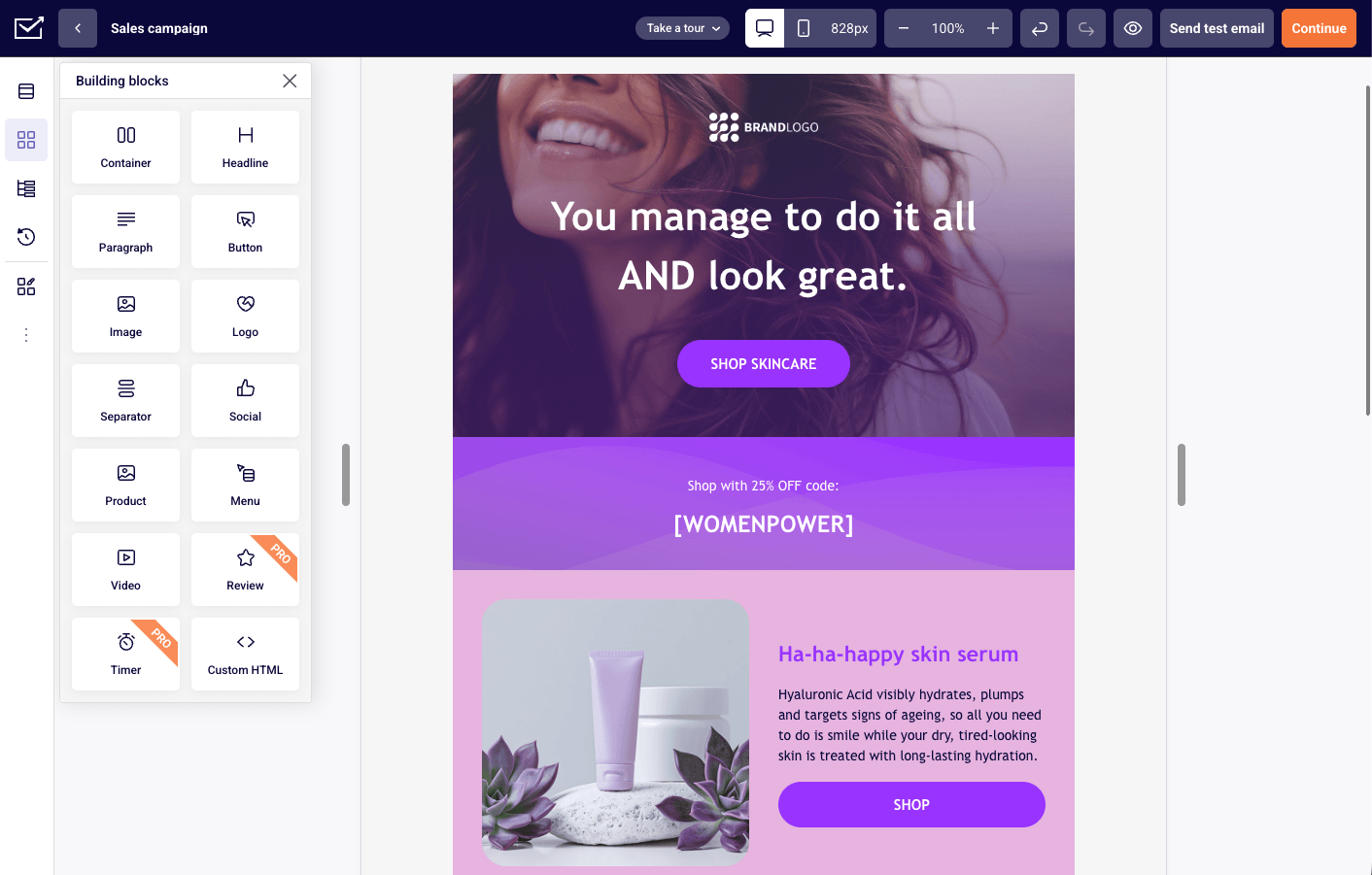
Honest positioning: A newsletter and marketing automation platform built for SMBs and ecommerce brands that want real automation on a free plan, not built for heavy CRM-syncing and lead scoring.

*Note: Sender is owned by the same company that publishes this article. For further information, read the Disclosure and Methodology sections above.
I ran a welcome sequence, a promotional campaign, and a basic re-engagement flow through Sender. The drag-and-drop editor produced a clean, on-brand email from a template in around 15 minutes, with an HTML fallback when the visual builder hit its limits, confirming Sender’s reputation as an easy-to-use platform for non-technical teams.
The free plan includes automation, segmentation, and signup forms without aggressive upsells, which is unusual at this price point.
Where I hit a ceiling was CRM-style depth. Contact records and scoring stay fairly basic, especially for tracking behavior across more than one channel.
Key Features
- Automation workflows. Sender’s automation builder supports standard triggers like opens, clicks, and time delays, plus custom events fired from your own app via API, tracking specific actions like “Watched 50% of a Video” or “Renewed Subscription” and using them to trigger workflows or build behavioral segments. Segmentation is rule-based and updates in real time, inside a visual automation builder rather than a code-based rules engine.
- Landing page builder. Template-based pages with built-in forms, connected directly to lists and automations, with less flexibility than a dedicated page builder.
- Custom events tracking. Available on every plan, including Free, which is not common at this price point.
Pros & Cons
- Free plan includes full automation and custom events
- 24/7 support on every plan, including Free
- Custom events available at every tier, not gated to higher plans
- Sender branding on free plan
- Smaller native integration library than larger platforms
- No built-in CRM or deal pipeline
Not a Good Fit
- If you want a large library of native, one-click integrations. Sender connects with essential tools, but teams with complex tech stacks may need third-party connectors.
- If you need deep CRM-style contact records, lead scoring, or a native Salesforce integration.
Best for
- Small businesses looking for a newsletter platform for small business budgets, without the complexity of enterprise tools
- Ecommerce brands running automation and segmentation on a budget
- Creators who want real automation without paying premium platform fees
Pricing
- Free: Up to 2,500 subscribers, 15,000 emails/month.
- Standard: From $„/month for up to 500 subscribers.
- Professional: From $15/month for up to 500 subscribers, includes dedicated IP at 20,000+ subscribers.
- Enterprise: Custom pricing.
*Verified September 2026.
Omnisend
Honest positioning: The strongest of the 18 platforms tested in this guide for ecommerce, built natively for Shopify stores, but with more infrastructure than a content-first newsletter needs.

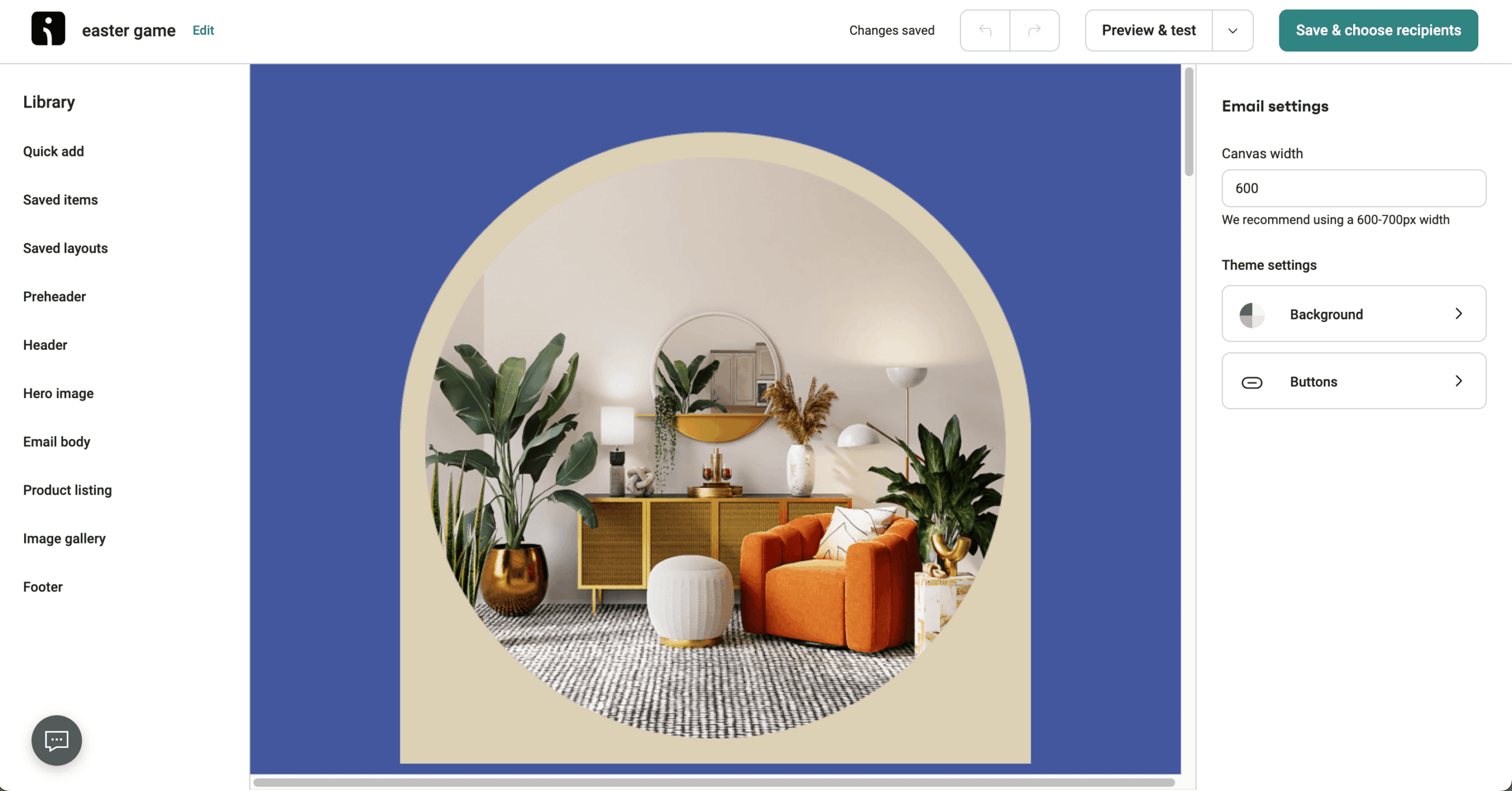
I ran Omnisend in parallel with a test WooCommerce store for two months, focused on its product picker, abandoned cart flows, and SMS integration, features that only make sense in an ecommerce context.
The Shopify and WooCommerce integrations synced product data without manual configuration, and the abandoned cart sequence worked on the first try. What I hadn’t anticipated was how much of the interface assumes you’re selling something; for a content-first newsletter, the dashboard starts to feel cluttered.
Key Features
- Pre-built ecommerce automations. Abandoned cart, post-purchase, and win-back sequences that connect directly to store data.
- SMS marketing and email in one workflow. You can build a sequence that sends email first, then SMS if there’s no open within 24 hours.
- Product picker. Pulls live product images, prices, and links from your store.
- Purchase-behavior segmentation tools. Filter subscribers by what they bought, how much they spent, or how recently they purchased.
Pros & Cons
- Native ecommerce automation out of the box
- SMS and web push combined with email in one workflow
- Purchase-based segmentation without manual mapping
- Roughly half the platform is irrelevant if you’re not selling anything
- Standard plan has no SMS; Pro starts at $59/month
- Template library is functional but not design-forward
Not a Good Fit
- You’re a content creator or publisher without an ecommerce component.
- Your list is under 500, and you’re on the free plan; the 500 emails/month cap limits any meaningful cadence.
Best for
- Shopify and WooCommerce merchants who want email and SMS automation tied to store data
- Ecommerce brands building welcome, post-purchase, and re-engagement flows without a developer
Pricing
- Free: Up to 250 contacts, 500 emails/month.
- Standard: From $16/month, 500 contacts, 6,000 emails/month.
- Pro: From $59/month, up to 2,500 contacts, unlimited emails.
*Verified September 2026.*
For a broader comparison of ecommerce-first platforms, see our email marketing platforms for ecommerce roundup.
MailBluster
Honest positioning: The cheapest newsletter platform in this guide for high volume, if you’re comfortable with technical setup, closer to an engineering tool than a polished marketing suite.

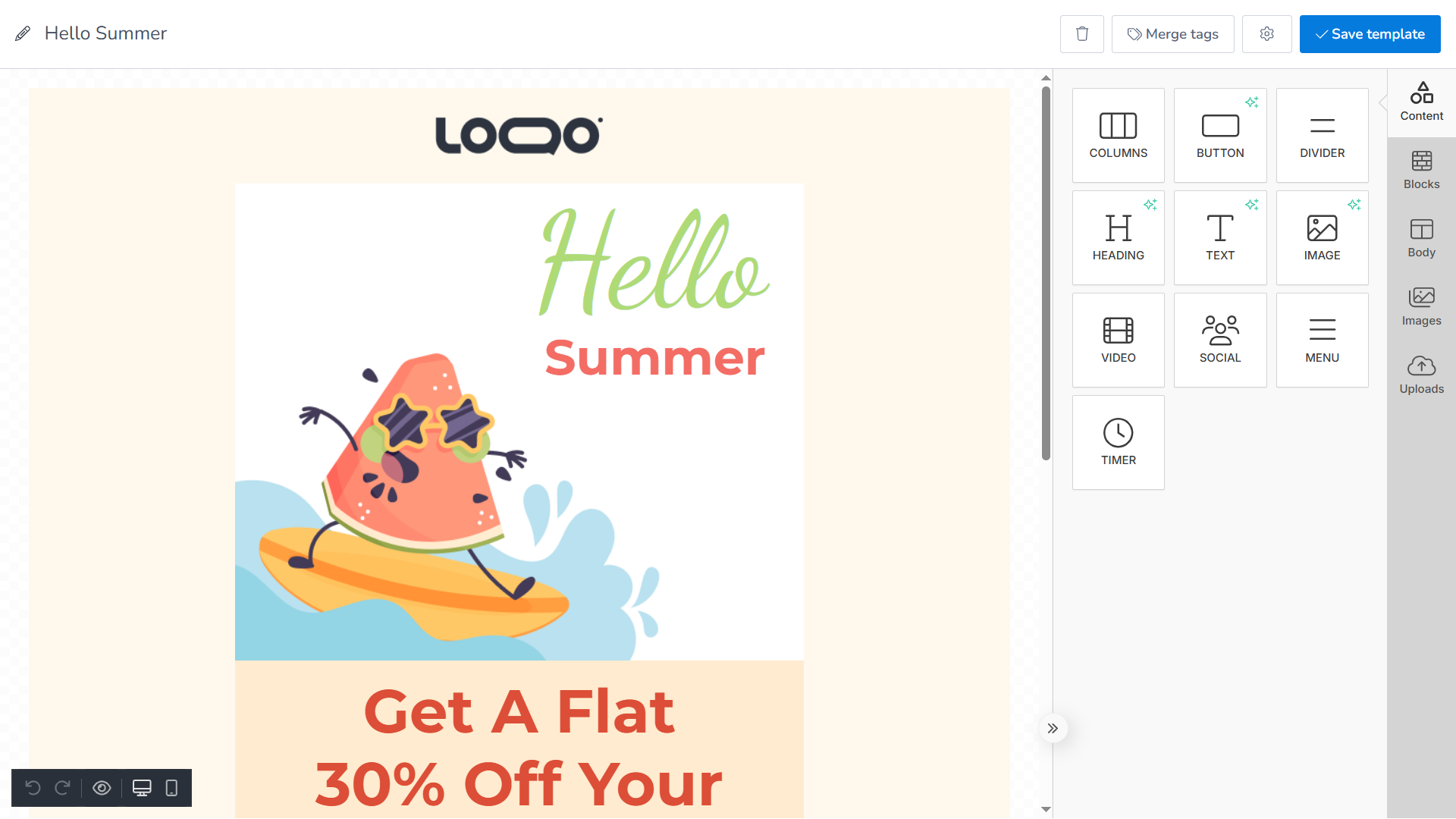
I tested MailBluster through Amazon SES with a small batch campaign and a basic welcome sequence, focused on setup, cost, and day-to-day usability. The SES integration worked as expected, but configuring domain verification, sending limits, and credentials took more manual work than most platforms.
Once running, sending costs stayed minimal and the core features, tagging, simple automations, and reporting, worked reliably.
Key Features
- Pay-as-you-go pricing. Usage-based, tied to Amazon SES, so you pay per 1,000 emails sent rather than per contact.
- Amazon SES integration. Direct connection to AWS SMTP for low-cost delivery, with no abstraction layer.
- Tag-based segmentation. Flexible for basic personalization, without behavior-based or real-time segmentation.
Pros & Cons
- Lowest per-email cost of the 18 platforms tested in this guide
- No per-contact pricing meter
- Unlimited subscribers on the free Starter tier
- Requires configuring AWS SES, domain verification, and sandbox exit yourself
- Automation and segmentation are basic
- Builder and templates feel limited next to design-focused tools
Not a Good Fit
- You want a polished, all-in-one marketing suite with templates handled for you.
- You’re not comfortable managing AWS setup, deliverability, and sender reputation yourself.
Best for
- Teams that prioritize cost efficiency over convenience and are comfortable with technical setup
- Developers who prefer direct control over sending infrastructure
Pricing
- Starter: $0 for 3,000 total emails, with basic features and branding.
- Pro: $5/month for unlimited emails, plus $0.60 per 1,000 emails sent.
- Executive: $10/month for unlimited automation workflows, plus $0.60 per 1,000 emails sent.
- Managed: $17/month up to 10,000 emails.
*Verified September 2026.*
Mailchimp
Honest positioning: A beginner-friendly, widely integrated platform, one of the best-known email newsletter platforms around, that works well at first but becomes restrictive and expensive as your list grows.

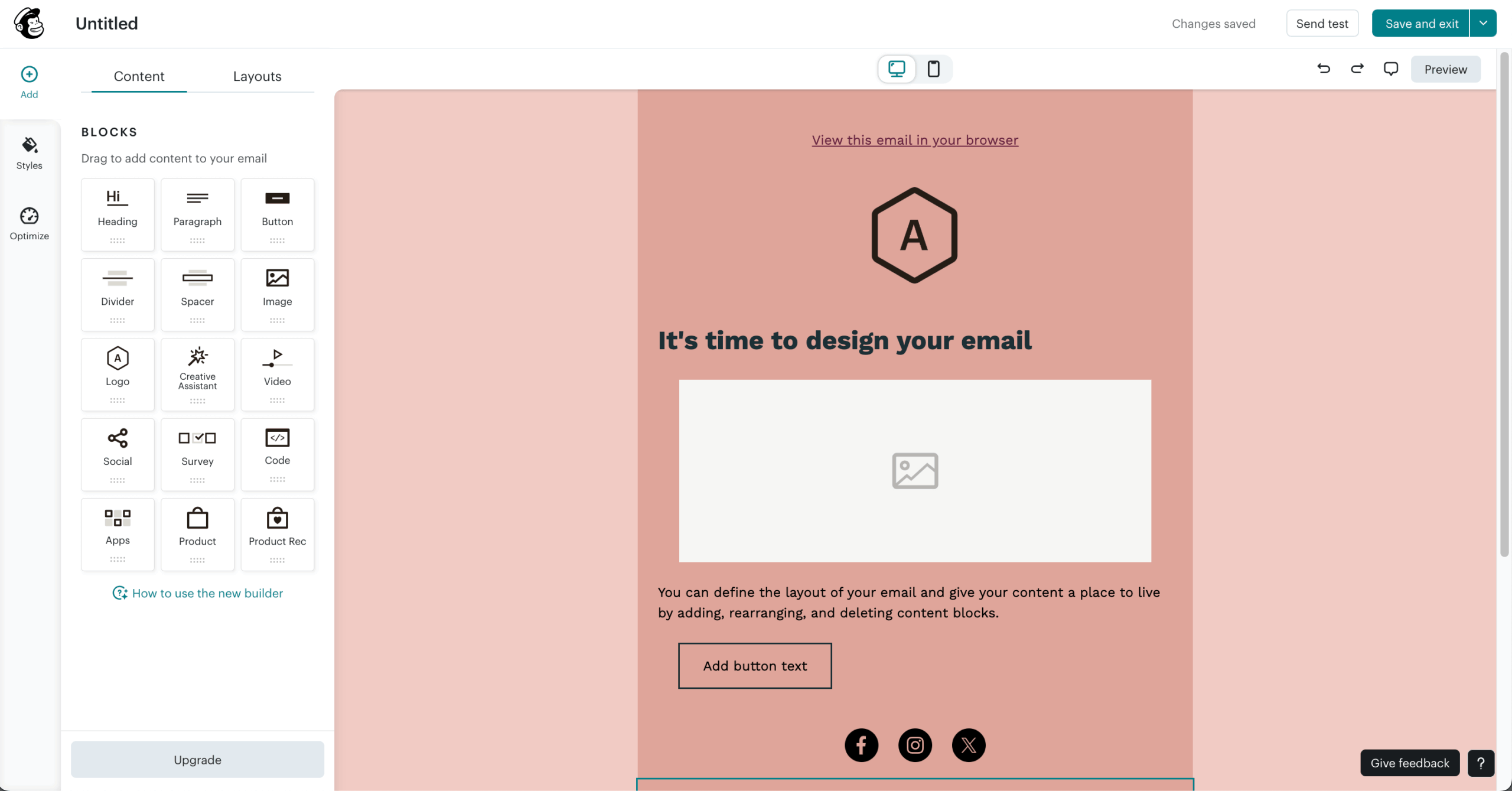
Building a clean, on-brand email from a template took around 10 minutes. Connecting Shopify and Google Analytics was straightforward, and once synced, purchase activity fed into segments automatically.
Where the limits showed up was cross-audience segmentation: Mailchimp keeps audiences siloed, so combining contacts across lists isn’t possible with simple filters.
Key Features
- Drag-and-drop builder. Template-driven editor with pre-styled layouts.
- Built-in reporting. Standard metrics like opens, clicks, and basic audience data.
- Extensive integrations. 300+ native connections, including Shopify, WordPress, and Salesforce.
Pros & Cons
- Largest integration ecosystem of any platform in this roundup
- Familiar, well-documented interface for beginners
- Strong Shopify and Google Analytics sync
- Charges for unsubscribed and inactive contacts unless manually archived
- Free plan cut from 2,000 contacts (2022) to 250 (2026)
- Trustpilot rating of 2.6/5, with pricing the most-cited complaint on G2
Not a Good Fit
- You need advanced analytics; deeper attribution sits behind Mailchimp’s premium plans.
- You want full control over design and workflows without template constraints.
If Mailchimp’s pricing or restrictions feel limiting, our roundup of Mailchimp alternatives covers the strongest swap options.

even on the free plan.
If you decide to move your list, our step-by-step migration guide walks through the process.
Best for
- Small businesses running straightforward campaigns without complex automation
- Users who rely on integrations and want a tool that connects easily elsewhere
Pricing
- Free: Up to 250 subscribers, 500 emails/month.
- Essentials: From $13/month for up to 500 contacts.
- Standard: From $20/month for up to 500 contacts.
- Premium: From $350/month for up to 10,000 contacts.
*Verified September 2026.
Sequenzy
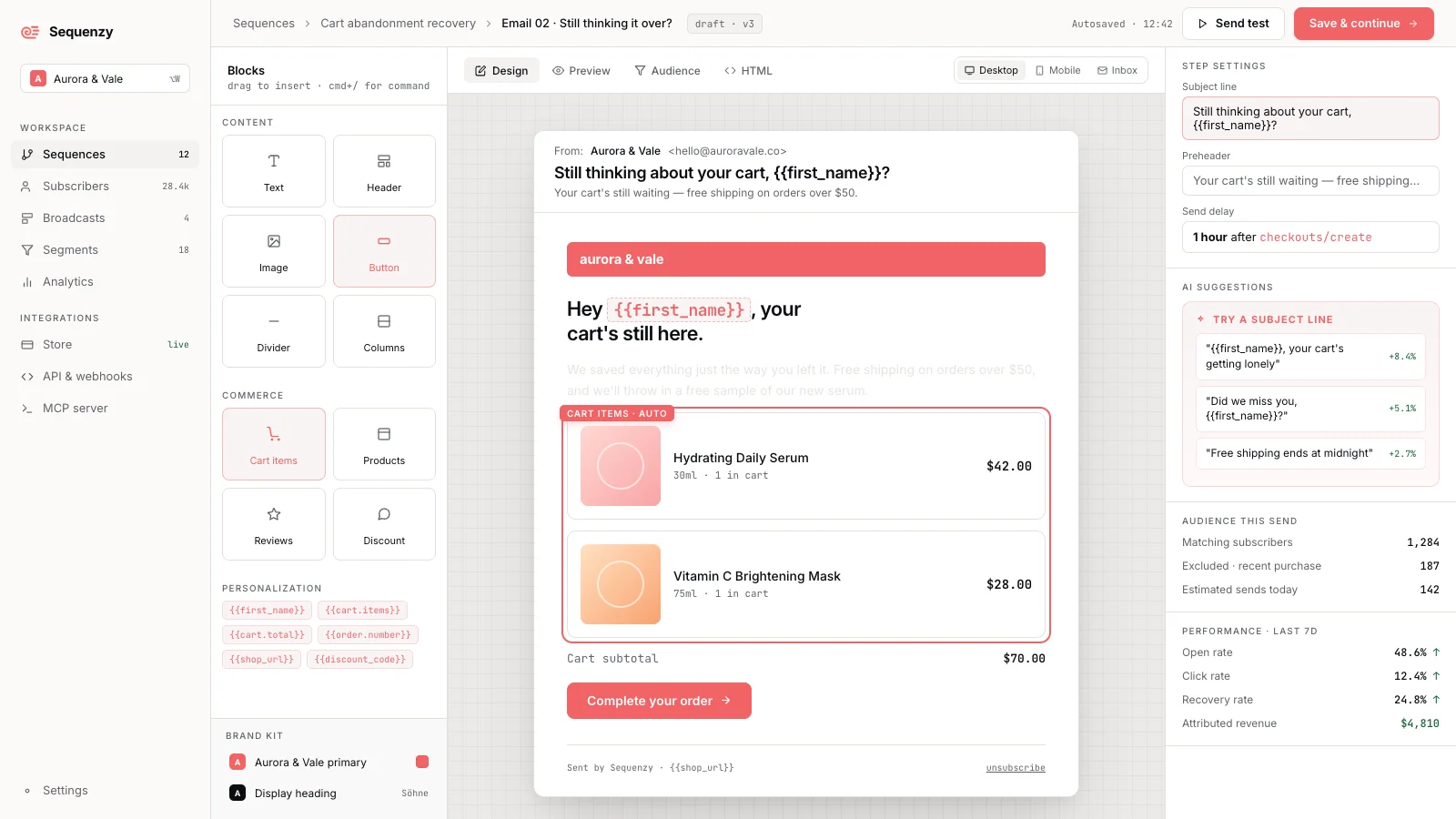
We evaluated Sequenzy from its own product documentation this cycle rather than a live account, since it’s the newest platform in this guide. I tested it on the $19/month plan, setting up a product-update sequence and a re-engagement flow for a small SaaS list.

Describing the campaign in plain English worked well for a first draft: the AI produced a subject line, body copy, and a two-email follow-up sequence in under a minute, though I still rewrote about half of it to match our actual brand voice before sending. Its main limit is a free plan capped at 2,500 monthly sends, tight for anything beyond a small list.
As free newsletter software goes, Sequenzy is a modern newsletter platform built AI-first for lifecycle email. MCP support lets AI assistants work with campaigns and analytics directly, and native Stripe and Shopify integrations connect newsletters to billing and purchase activity.
On deliverability, Sequenzy doesn’t have a third-party GlockApps or EmailToolTester score the way most platforms in this guide do. Sequenzy’s own site says it “maintains high deliverability through managed infrastructure, automatic authentication, and proactive monitoring,” but gives no measured percentage, so we’re treating that as a self-published claim rather than a tested figure.
Key Features
- AI-native creation. Draft campaigns and multi-email sequences from plain-English goals, then edit.
- Agent access. Use MCP, CLI, or REST API for campaign, subscriber, and analytics workflows.
- Connected lifecycle email. Use Stripe, Shopify, and custom events for segmentation and follow-ups.
Pros & Cons
- Native Stripe and Shopify data feed segmentation directly
- AI drafting speeds up campaign creation
- MCP support for AI-assistant workflows
- Free plan capped at 2,500 monthly sends
- AI drafts still need review for brand voice and timing
- Newer platform with a smaller review footprint than established tools
Not a Good Fit
- Publishers whose main requirement is paid-newsletter subscriptions or an advertising network.
- Newsletter operators who need more than 2,500 monthly sends on the free plan.
Best for
- SaaS and Shopify teams connecting AI-created newsletters with onboarding, product updates, and retention
- Teams that want AI-drafted campaigns reviewed by a human before sending, rather than a fully manual editor
Pricing
- Free: 2,500 emails/month, unlimited contacts.
- Paid plans: Start at $19/month, scaling with email volume rather than stored contacts.
*Verified September 2026.*
MailerLite
Honest positioning: A clean, design-forward platform for creators and small businesses that wants A/B testing available from the free plan, held back by ongoing free-plan cuts and reported account suspensions.

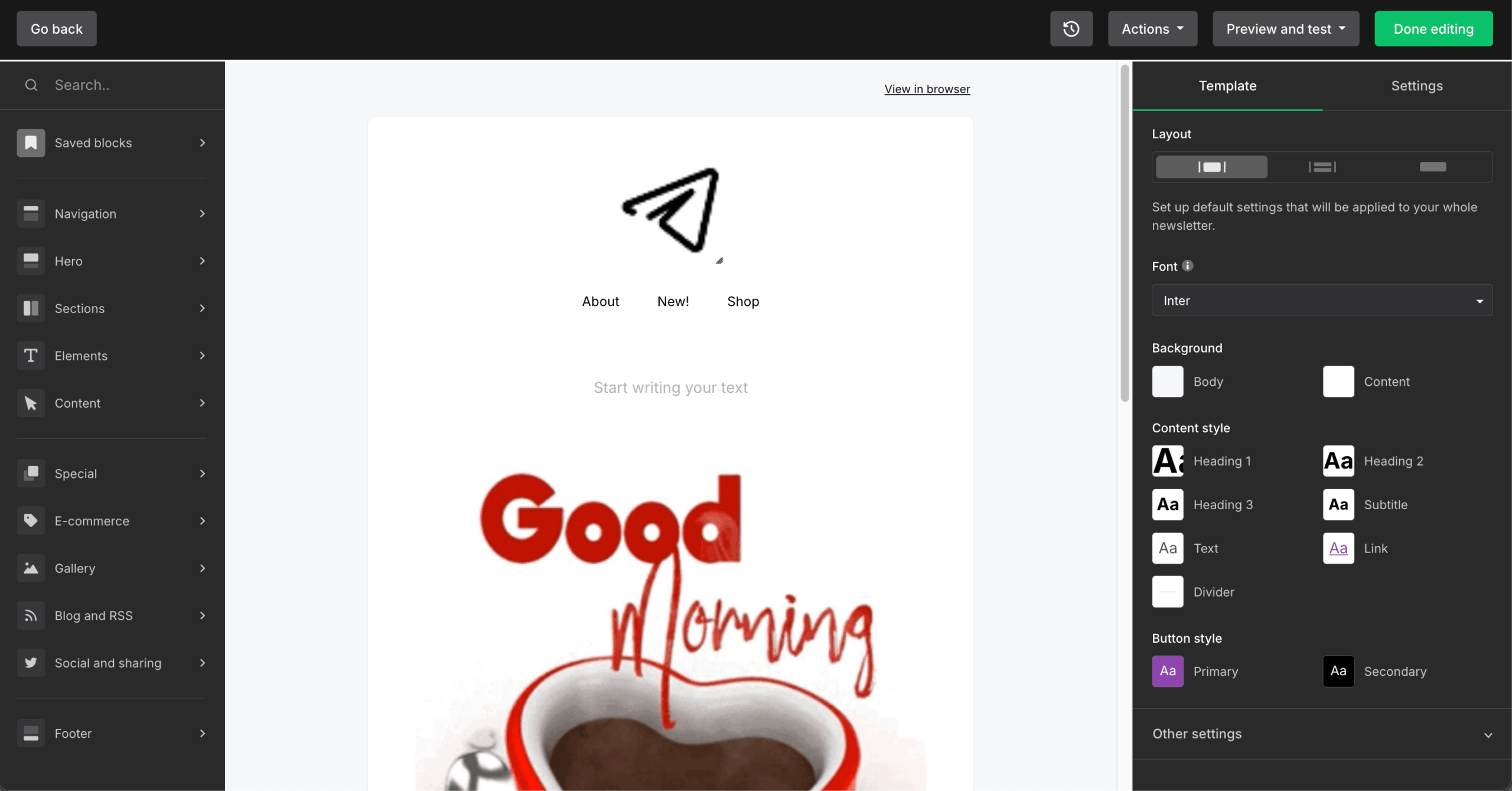
MailerLite’s editor, with 70+ content blocks, is one of the cleanest we tested. A/B testing on the free plan is unusual among platforms at this price point, letting you test subject lines and content against up to 250 email subscribers before you’ve paid a cent.
The free plan itself has been reduced three times in three years, most recently to 250 subscribers in June 2026, and CheckThat.ai has logged over 6,790 reviews referencing unexplained account suspensions.
Key Features
- 70+ content blocks. Surveys, carousels, countdown timers, coupons, and event RSVP blocks.
- Visual automation. Free plan gets 3 workflows, Comfort gets 50, Power is unlimited with multiple triggers.
- Content monetization. Digital products, paid newsletters, and appointment booking at 0% commission.
Pros & Cons
- A/B testing on the free plan, a feature no other platform in this guide offers at $0
- Clean, well-reviewed editor (G2 support rated 9.3/10)
- 0% commission on digital products
- Free plan cut three times since 2023, now 250 subscribers
- No transactional email; requires a separate MailerSend account
- Reported account suspensions without explanation
Not a Good Fit
- You need transactional email in the same account, since MailerLite requires a separate MailerSend subscription for that.
- You can’t tolerate the risk of an algorithmic account suspension without explanation.
Best for
- Creators and small businesses under 10,000 subscribers wanting a clean editor and A/B testing from day one
- Teams that want to test subject lines and content on the free plan before committing to a paid tier
Pricing
- Free: Up to 250 subscribers, 2,500 emails/month.
- Comfort: From $12/month for 500 subscribers.
- Power: From $25/month for 500 subscribers.
- Enterprise: Custom pricing.
*Verified September 2026.*
Kit
Honest positioning: A tag-based platform for professional creators selling digital products, not built for ecommerce or visual email design.

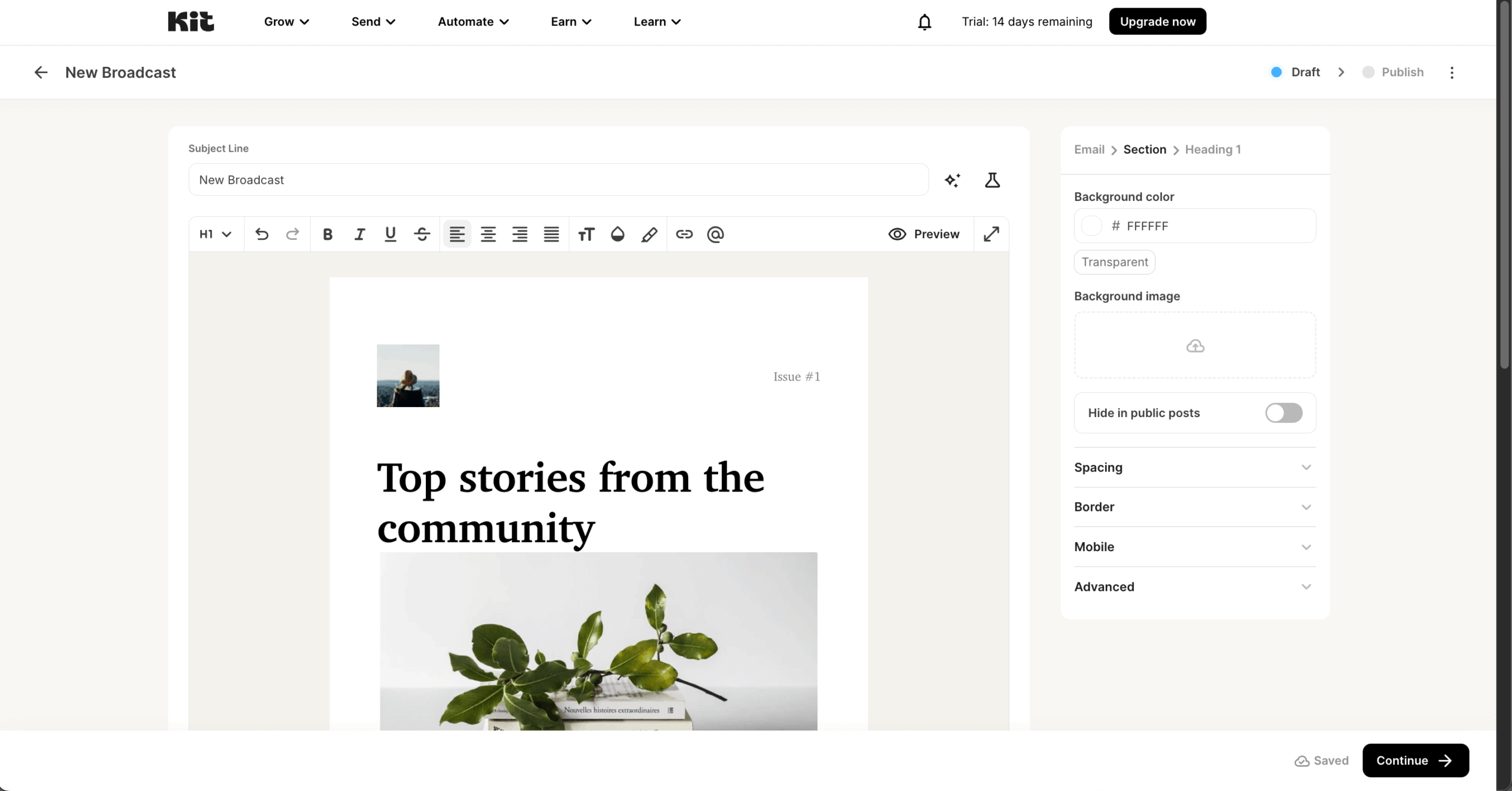
Kit’s tag-based subscriber management, one profile per subscriber rather than duplicate entries across lists, is the cleanest organizational model we tested. Visual automation handled welcome sequences, launches, and re-engagement without code.
The free plan covers 10,000 subscribers, a generous free tier and one of the best newsletter software free plans in this roundup, though a September 2025 price hike brought 70 to 200% increases for existing paid users with no accompanying feature changes.
Key Features
- Tag-based subscriber management. One profile per subscriber, no duplicates across lists.
- Visual automation. Branching, split paths, and event triggers, unlimited on the Creator plan.
- Commerce. Digital products, paid subscriptions, and memberships via Stripe.
Pros & Cons
- Free plan covers 10,000 subscribers, the most generous creator-tier free plan in this guide
- Tag-based model avoids duplicate-contact billing across lists
- Public deliverability reporting
- September 2025 price hike of 70 to 200% with no new features
- 15 to 23 plain-text templates, no drag-and-drop visual builder
- No heatmaps, geo targeting, or revenue attribution (the email marketing features ecommerce-focused platforms build in by default)
Not a Good Fit
- You run ecommerce and need product blocks pulling live store data.
- You want a visual, drag-and-drop email design experience.
Best for
- Professional creators (authors, podcasters, course sellers) wanting a newsletter platform for creators built around tags and digital product sales
- Creators with lists up to 10,000 subscribers who want to stay on a free plan as long as possible
Pricing
- Newsletter (Free): $0/month for up to 10,000 subscribers.
- Creator: $39/month for up to 1,000 subscribers.
- Pro: $79/month, adds Subscriber Signals and deliverability reporting.
*Verified September 2026.*
GetResponse
Honest positioning: A scalable platform for SMBs and course creators that want email, webinars, and lifecycle automation in one place, with the Starter plan limited to a single automation workflow.
We reviewed GetResponse from its own documentation and vendor-published testing data this cycle, not a live account, so the Starter plan’s one-workflow limit below reflects the plan’s documented limits rather than something we personally hit a wall on.
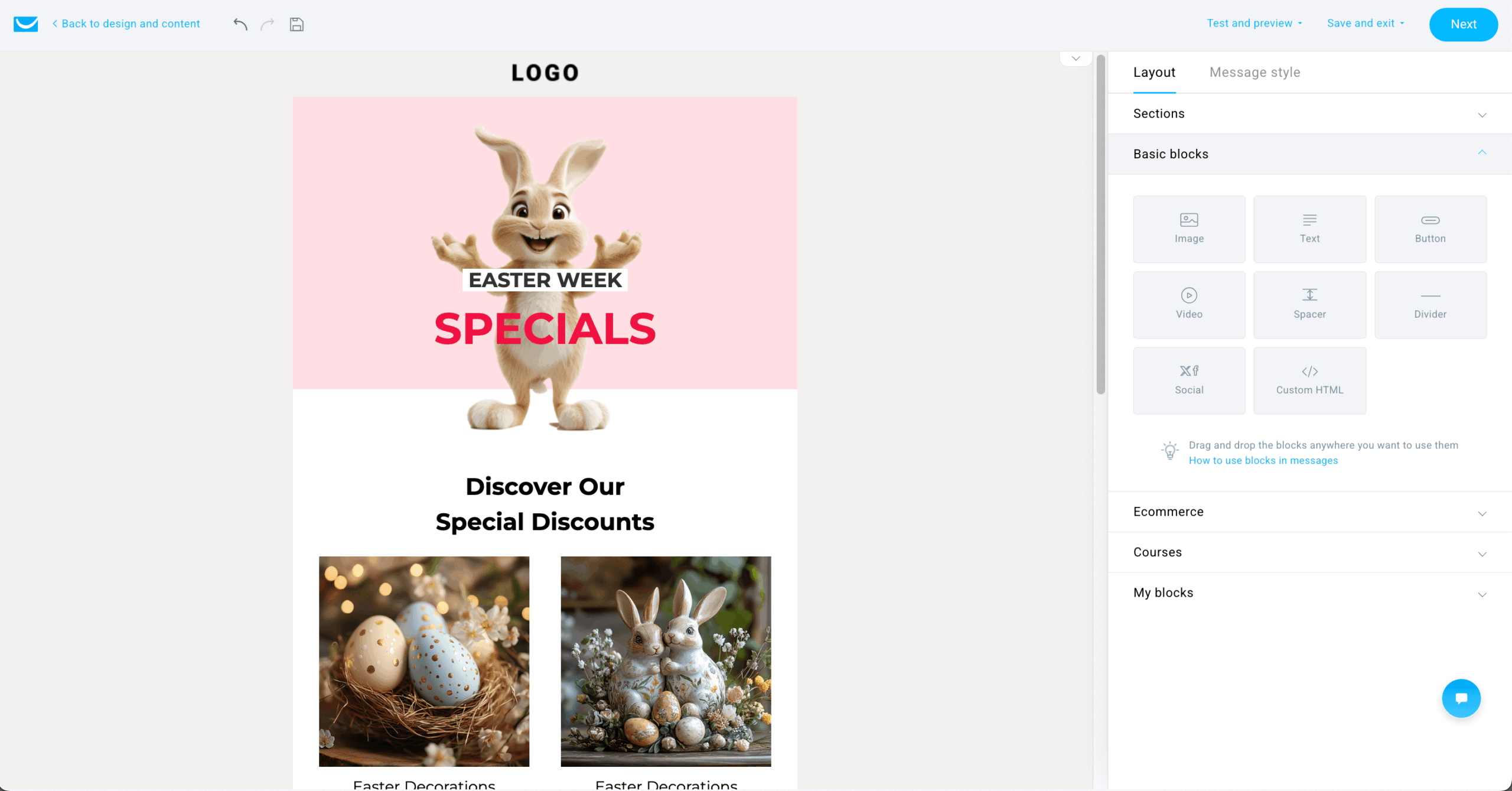
GetResponse combines email marketing with webinars, landing pages, and lifecycle automation in one platform, and is a strong pick for businesses moving beyond one-off campaigns into automated customer journeys, capturing a subscriber through a form or landing page and moving them through a welcome sequence based on engagement, tags, and purchase data.
For ecommerce teams, it also includes abandoned cart recovery, product recommendations, and revenue reporting. The webinar feature is the reason most people choose this platform over a plain newsletter tool.
Key Features
- Email marketing. Newsletters, autoresponders, and automated email marketing campaigns with unlimited sends on paid plans.
- Marketing automation. Welcome sequences, drip campaigns, tagging, scoring, and dynamic segmentation.
- Webinar hosting. Included from the Creator plan.
- Ecommerce tools. Abandoned cart recovery, promo codes, and revenue reports.
Pros & Cons
- Webinars, courses, and email in one subscription
- Ecommerce tracking and revenue reporting built in
- Unlimited automation workflows on Marketer and above
- Starter plan includes only 1 custom automation workflow
- A/B testing locked behind the $48+/month Marketer plan
- No phone support below Enterprise
Not a Good Fit
- Businesses that only need a simple newsletter for occasional updates.
- Teams that want advanced automation and ecommerce workflows while staying on Starter.
Best for
- SMBs building newsletter, lead nurturing, and lifecycle programs
- Course creators and educators who want email plus webinars in one place
Pricing
- Free account: Available, with premium features during the first 14 days.
- Starter: $19/month for 1,000 contacts.
- Marketer: $59/month for 1,000 contacts.
- Creator: $69/month for 1,000 contacts.
- Enterprise: Custom pricing.
*Verified September 2026.*
Constant Contact
Honest positioning: A straightforward newsletter and event platform for small businesses that want hands-on support, not built for advanced automation or segmentation.
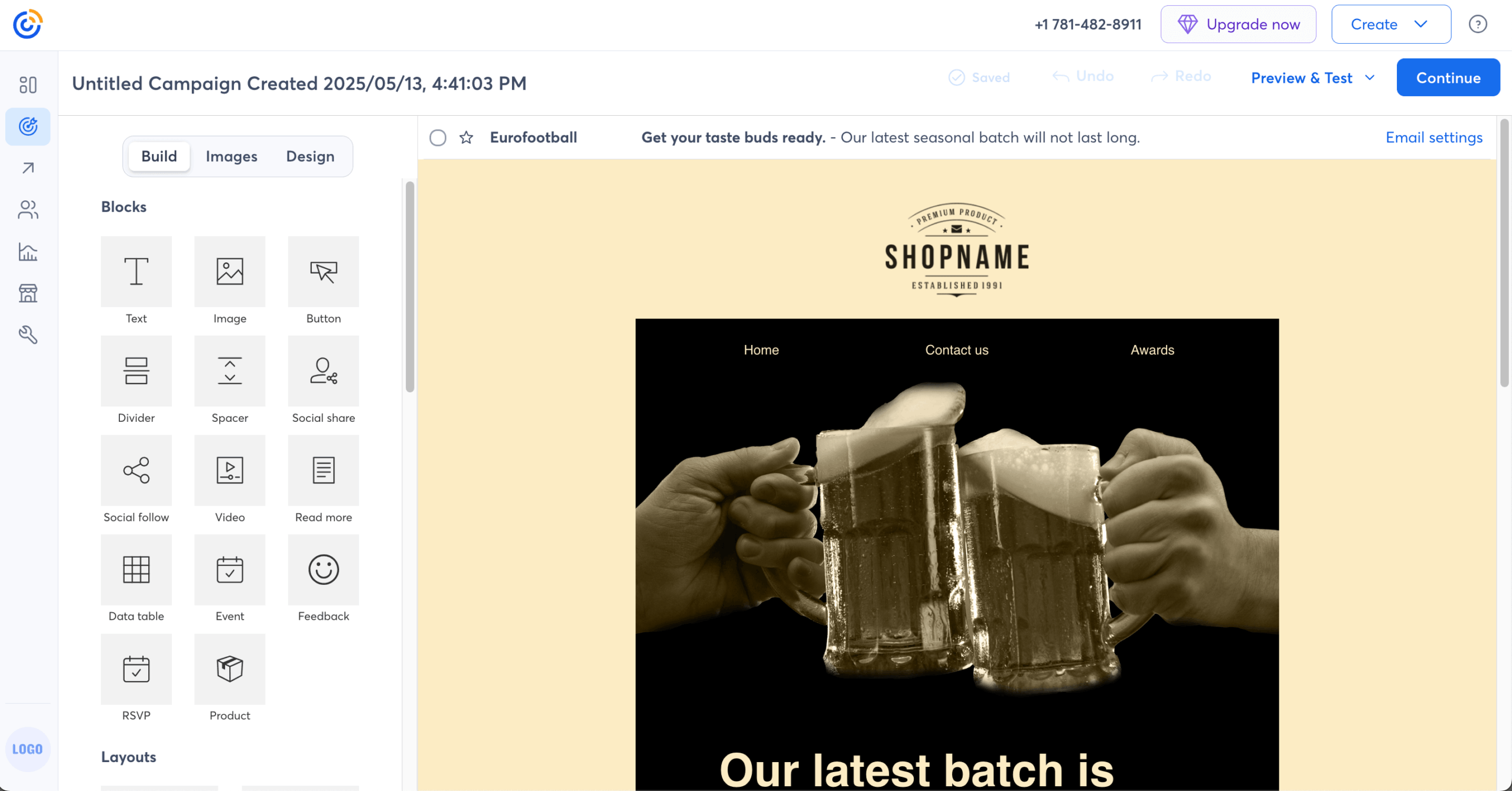
I set up an event with registration, ticketing, and automated confirmation emails in around 30 minutes, all inside one user-friendly interface, with no external tool like Eventbrite. Where the limitation showed up was list management: building a segment across two lists required a manual merge rather than a filter condition.
Key Features
- Built-in event management. Registration pages, payment processing, and automated reminders in the same platform.
- Template-driven builder. 600+ pre-designed newsletter templates.
- Resend to non-openers. Automatically resend to subscribers who didn’t open the first send.
Pros & Cons
- Event management no other platform in this guide matches natively
- Phone support on every paid plan
- Simple setup for nonprofits and local businesses
- No free plan, only a 30-day trial
- Automation and behavioral targeting are fairly basic
- No meaningful CRM or deal tracking
Not a Good Fit
- Ecommerce operations that need product-driven automation and structured sales funnels.
- Analytics-focused marketers who need predictive insights and granular attribution.
Best for
- Organizations focused on consistent communication rather than complex funnels
- Event-based businesses needing registration, reminders, and follow-ups in one place
Pricing
- Free trial: 14 days.
- Lite: $12/month for up to 500 contacts.
- Standard: $35/month for up to 500 contacts.
- Premium: $80/month for up to 500 contacts.
*Verified September 2026.*
AWeber
Honest positioning: A veteran email newsletter service for coaches and small businesses that want phone support and a Done-For-You setup, not built for ecommerce product sync or modern template design.

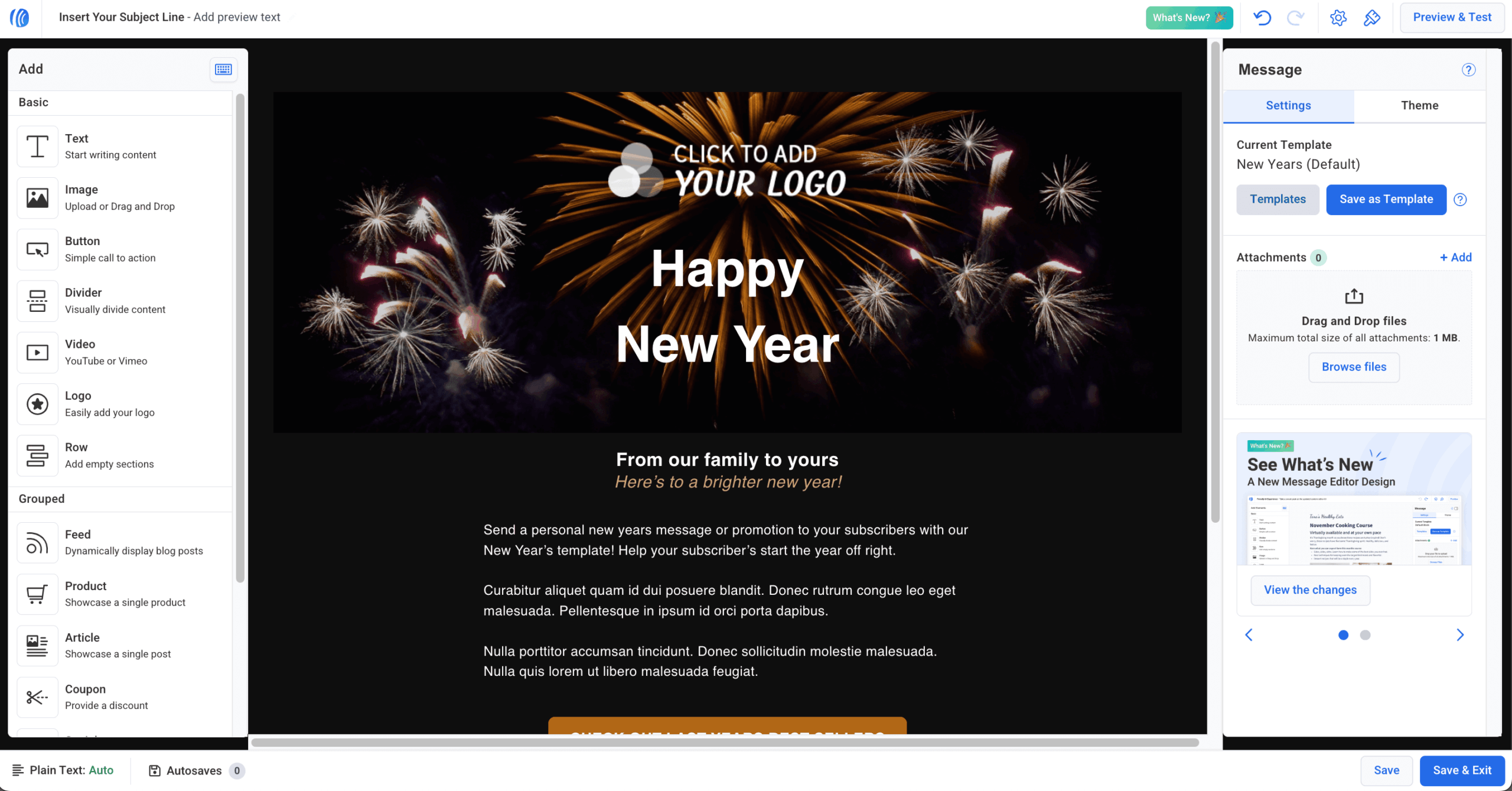
AWeber’s workflow builder, with Split Paths, handled unlimited automations on the Plus plan. Phone support answered on every call during testing. A December 2024 price increase with no accompanying feature updates pushed some users to competitors.
Key Features
- Visual Workflow with Split Paths. Unlimited automations on Plus.
- 700+ prebuilt templates. Smart Designer auto-generates templates from your existing website.
- Ecommerce basics. Native Shopify, WooCommerce, and PayPal, with a 0.6% fee on Plus.
Pros & Cons
- Phone support on every paid plan
- Done-For-You setup delivers a working system in 7 days
- Founded in 1998, with a long support track record
- Lite plan is limited to 1 list and 3 automations
- Templates and forms are frequently described as outdated
- No SMS, WhatsApp, or chatbot channels
Not a Good Fit
- You run ecommerce and need deep product data sync.
- You want a modern template library and design experience.
Best for
- Coaches and small businesses under 10,000 subscribers wanting phone support and hands-on setup help
- Teams that want a Done-For-You setup instead of building campaigns from scratch
Pricing
- Free: Up to 500 subscribers, 3,000 emails/month.
- Lite: From $15/month, 1 list, 3 automations.
- Plus: From $30/month, unlimited automations.
*Verified September 2026.*
Beehiiv
Honest positioning: A creator-first platform built for publishing, growth, and monetization, strong for a media-style newsletter business, limited for traditional email marketing and integrations.

Beehiiv pairs a huge free plan, 2,500 subscribers with unlimited sends, with built in growth tools like its referral system and Boost network. I ran a content-driven newsletter on Beehiiv for several weeks, testing both alongside the core publishing flow.
In a campaign run in August 2026, the referral program generated around 40 new subscribers from a single send without paid promotion. The editor is genuinely distraction-free, with minimal formatting controls. Where it fell short was design flexibility: customizing layout beyond basic formatting requires CSS knowledge.
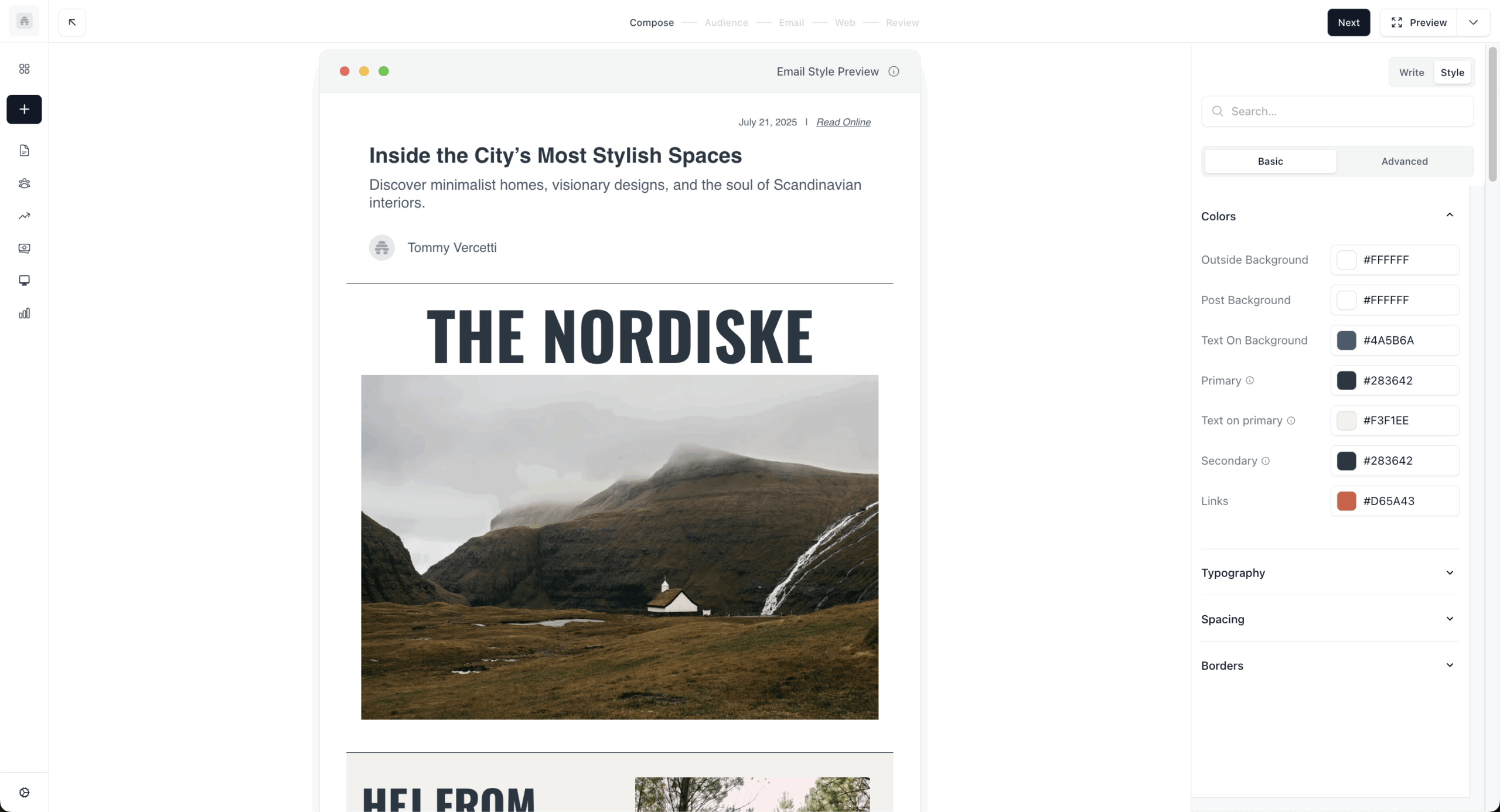
Key Features
- Referral tools. Reward readers for inviting friends, with tracking links built in.
- Boosts network. Paid exposure by promoting other newsletters, and getting paid to promote yours.
- Monetization options. Paid subscriptions, an ad network for sponsorship placements, or both directly in your newsletter.
- Clean writing interface. Text-first, distraction-free editor.
Pros & Cons
- Referral and Boosts networks generate growth without paid ads
- Free plan covers 2,500 subscribers with unlimited emails
- Distraction-free writing experience
- Automation is limited to basic welcome flows
- Integrations mostly rely on Zapier rather than native connections
- Design customization requires CSS knowledge
Not a Good Fit
- You want full control over design and highly customized templates.
- You’re running product-driven lifecycle campaigns rather than content-first newsletters.
For a look at platforms with different growth and monetization trade-offs, see our Beehiiv alternatives roundup.
Best for
- Content creators focused on growing and monetizing a newsletter audience
- Independent publishers building subscription or sponsorship revenue
Pricing
- Free (Launch): Up to 2,500 subscribers, unlimited emails.
- Scale: $49/month for up to 1,000 subscribers.
- Max: $109/month for up to 1,000 subscribers.
- Enterprise: Custom pricing.
*Verified September 2026.*
Flodesk
Honest positioning: A design-first platform for creators and small brands that care about how emails look, limited in automation depth and data-driven marketing.
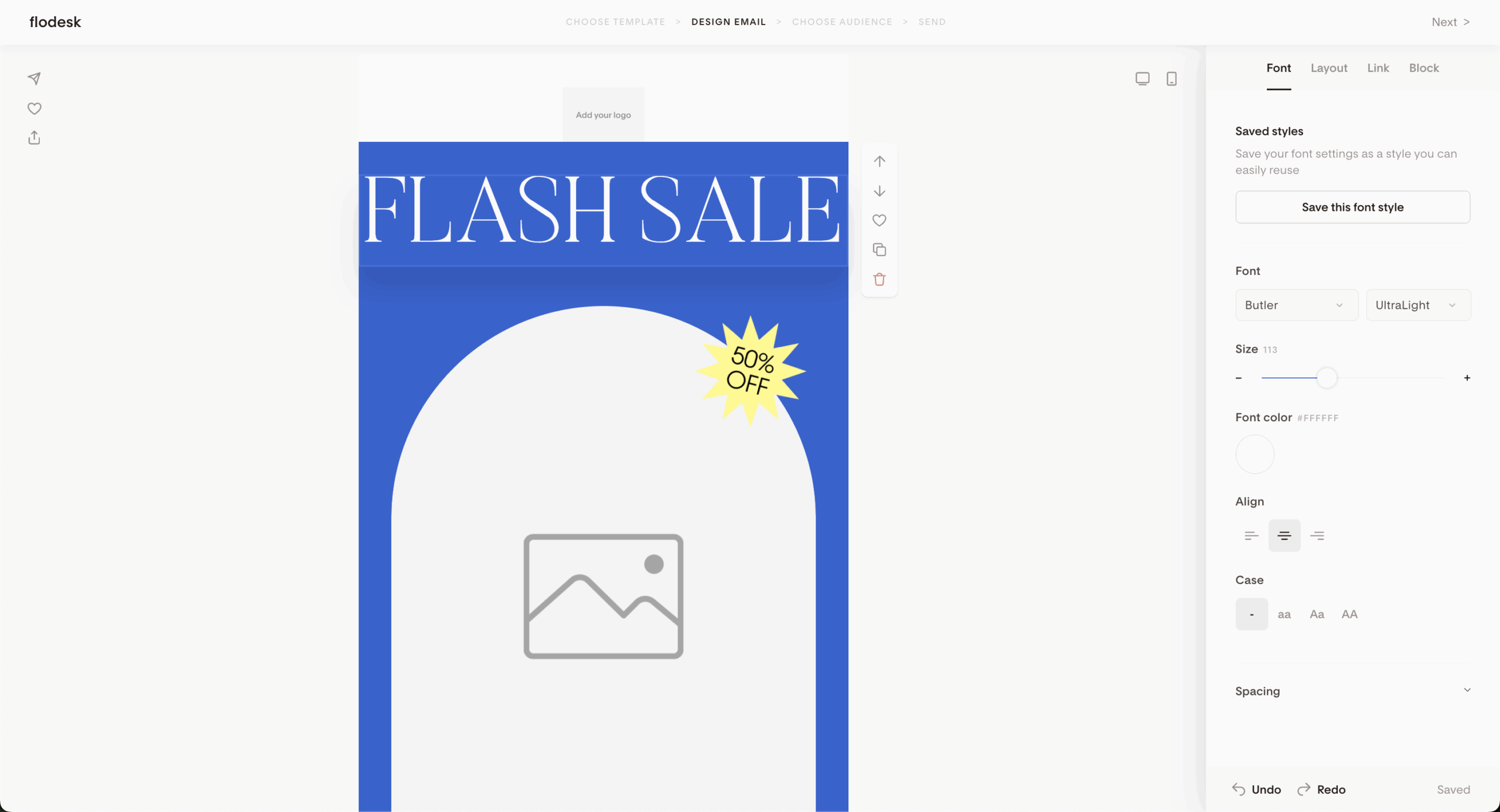
I recreated a branded newsletter from scratch in the template editor. Matching fonts, colors, and spacing took around 20 minutes without touching code. I also set up a Flodesk Checkout page for a digital product in around 15 minutes.
The automation builder handles basic nurture sequences well, but the ceiling shows up fast for anything behavior-driven or conditional, since the advanced tools that competitors like Sender or ActiveCampaign build in aren’t part of Flodesk’s design-first approach.
Key Features
- Stylish templates. Prebuilt, on-brand designs.
- Flodesk Checkout. Sell digital products or services directly through the platform.
- Visual automations. Simple nurture sequences with timed delays.
- Brand customization. Match fonts, colors, and logos across every email.
Pros & Cons
- Templates are the most visually polished we tested
- Flat, predictable pricing before the December 2025 change
- Checkout built in for selling digital products
- No A/B testing on any plan
- Automation stays basic; no conditional branching
- Email-only support, no chat or phone
Not a Good Fit
- You’re focused on audience growth or discovery tools the way Substack or Beehiiv offer.
- You rely on detailed analytics, A/B testing, or data-driven optimization.
Best for
- Design-focused marketers who prioritize visually polished, on-brand emails
- Lifestyle and creative brands where aesthetics matter most
Pricing
- Free: List building plus 1 automation.
- Lite: From $25/month for unlimited emails, up to 1,000 subscribers.
- Pro: From $28/month for unlimited workflows, up to 1,000 subscribers.
- Everything: From $54/month for unlimited integrated checkouts, up to 1,000 subscribers.
*Verified September 2026.*
Campaign Monitor
Honest positioning: A polished platform for teams running client email campaigns who care about design and client-ready reporting, less compelling for advanced automation or value at scale.

Campaign Monitor is built for teams sending professional newsletters on behalf of clients, and reporting is where it earns its place for agency use. I pulled a campaign performance summary after a client send, and the layout was presentation-ready without reformatting. One practical warning: contacts appearing on multiple lists count separately toward your total, which pushed my billing tier up unexpectedly when a segment overlapped.
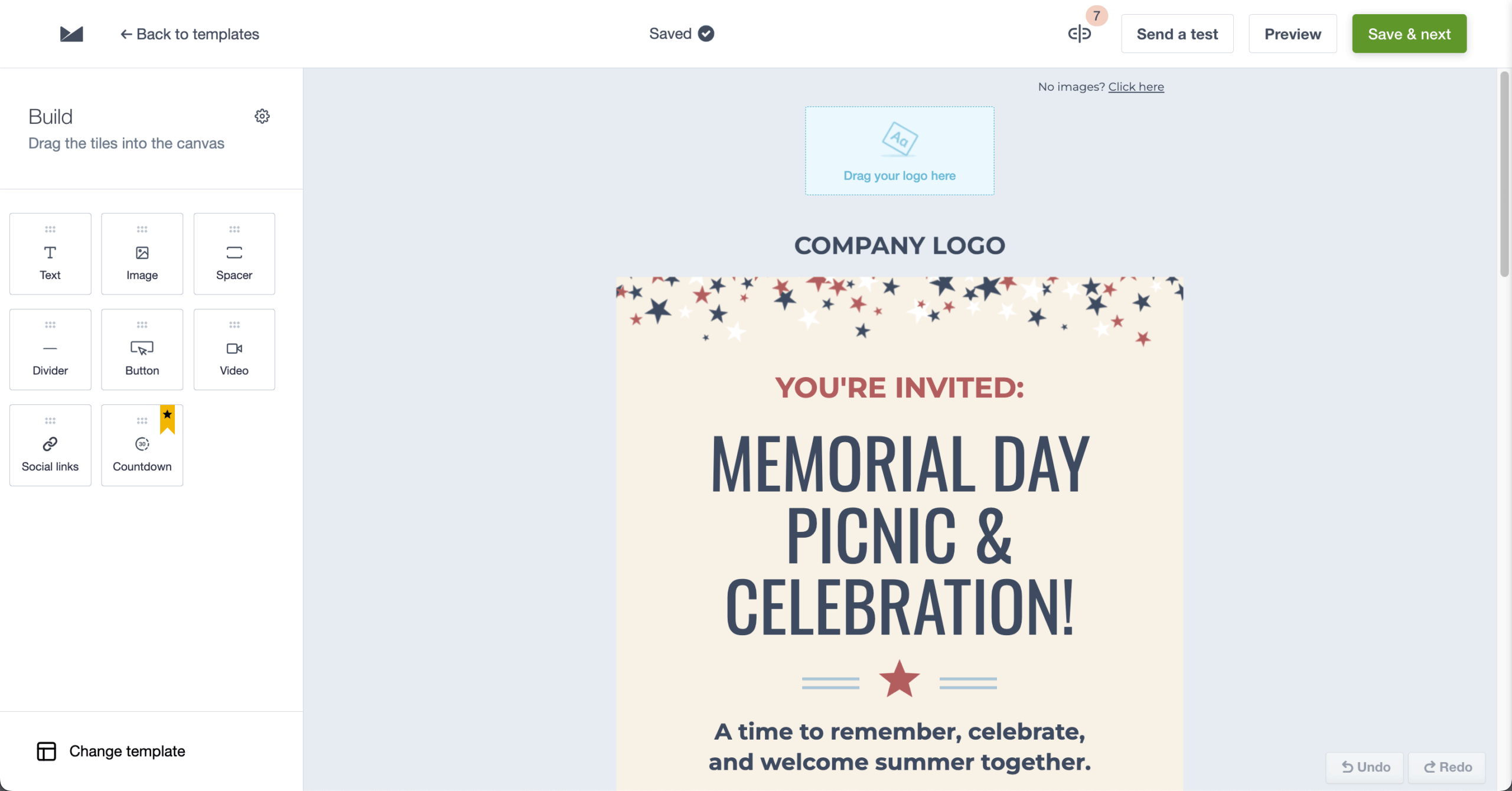
Key Features
- Visual journey designer. Multi-step sequences via drag-and-drop.
- High-quality templates. Strong mobile responsiveness and brand flexibility.
- Segmented campaigns. Target by list behavior, preferences, or engagement history.
- Detailed reporting. Open times, geolocation, and click heatmaps.
Pros & Cons
- Client-ready, presentation-ready reporting
- Locked template sections for agency brand control
- 250+ integrations
- Contacts on multiple lists are billed separately, inflating cost
- Automation handles basic sequences, not complex branching
- No built-in landing pages or CRM
Not a Good Fit
- You need advanced automation with complex, behavior-based branching.
- You’re looking for strong CRM integration or sales pipeline features.
Best for
- Agencies that need client-ready reporting and white-label presentation
- Teams that prioritize clear reporting and visibility over automation depth
Pricing
- Free trial: 30 days, no permanent free plan.
- Lite: $13/month for up to 500 contacts.
- Essentials: From $31/month, or $23/month billed annually.
- Premier: From $171/month.
*Verified September 2026.*
HubSpot
Honest positioning: A CRM-first platform where newsletters work best as part of a broader sales and customer lifecycle system, strong if your team already lives in HubSpot, expensive and overbuilt for simple newsletter sending.

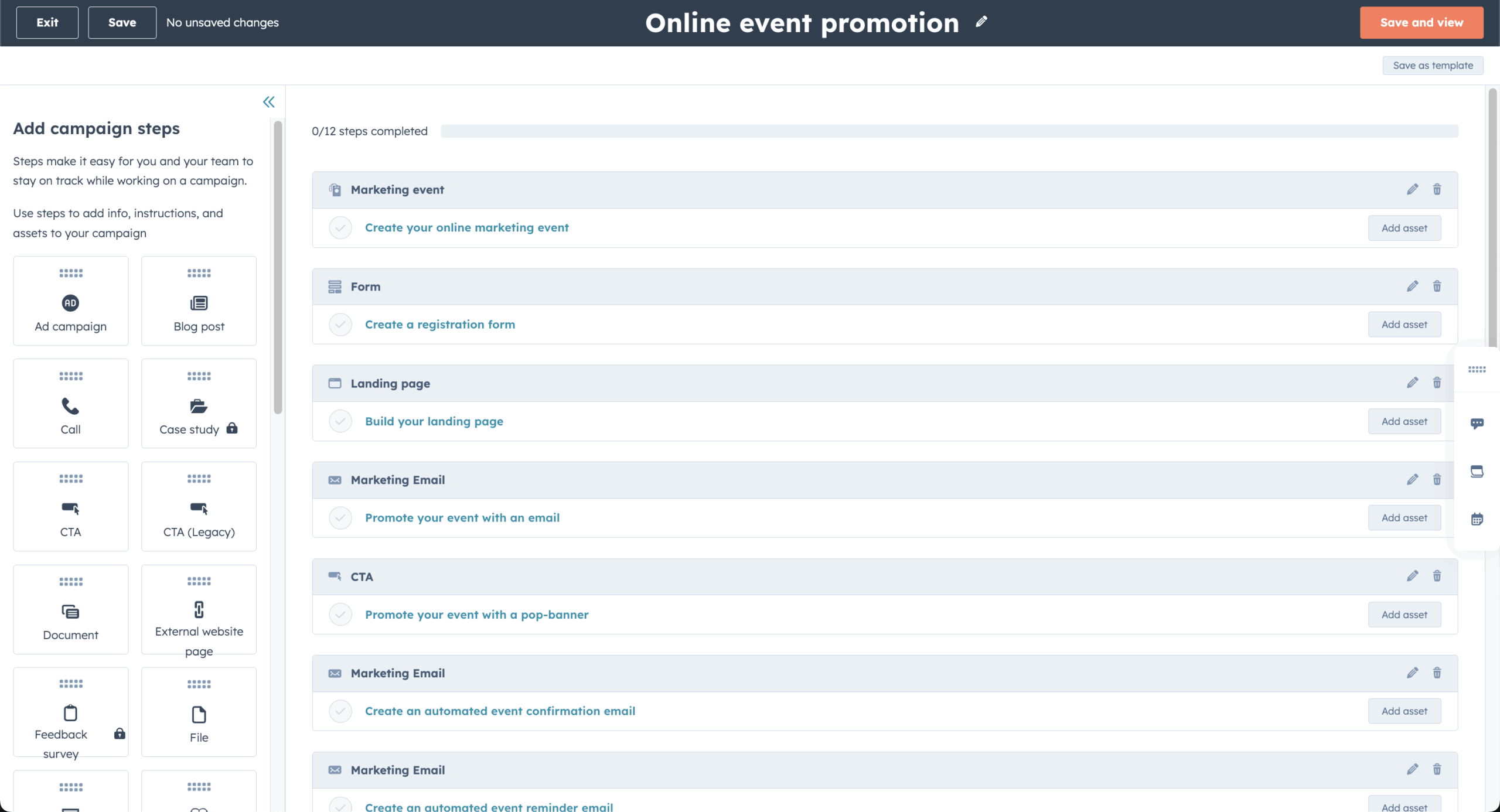
I set up a lead capture flow in around 20 minutes, most of that spent building a one-step trigger automation, which is as far as the Starter plan goes. The free tier covers basic sending and forms, but the advanced marketing automation and reporting that justify HubSpot for serious newsletter use sit behind Marketing Hub Professional.
Key Features
- CRM integration. Every email interaction syncs to contact records automatically.
- Automation workflows. Trigger sequences from deal stages, form submissions, or user activity.
- Native lead scoring. Ties scoring, segmentation, and workflows to CRM data, so opens or page visits move contacts through pipelines. See our guide to lead scoring for how this works across platforms.
Pros & Cons
- Free CRM stores contacts at $0, a ceiling no other platform in this guide matches
- CRM-native segmentation resolves instantly, no Zapier needed
- 1,600+ integrations
- 44x gap between Starter ($20/seat) and Professional ($890/month)
- Mandatory $3,000 onboarding fee on Professional
- Email marketing on Starter is basic compared to dedicated platforms
Not a Good Fit
- You want a simple, lightweight newsletter tool without CRM complexity.
- You’re on a tight budget; the features that justify the price sit behind a $890/month plan plus a $3,000 onboarding fee.
Best for
- B2B marketers who need marketing and sales data connected in one system
- Teams already using HubSpot CRM who want to extend it into email and automation
Pricing
- Free: Up to 1,000 contacts, 2,000 emails/month, basic CRM and email tools.
- Starter: $20/seat/month for up to 1,000 contacts.
- Professional: $890/month for up to 2,000 contacts, 3 seats, plus a mandatory $3,000 onboarding fee.
- Enterprise: $3,600/month, plus a mandatory $7,000 onboarding fee.
*Verified September 2026.*
ActiveCampaign
Honest positioning: An automation-first marketing platform with built-in CRM, strong for behavior-driven marketing, overkill for simple newsletters and slower to learn.
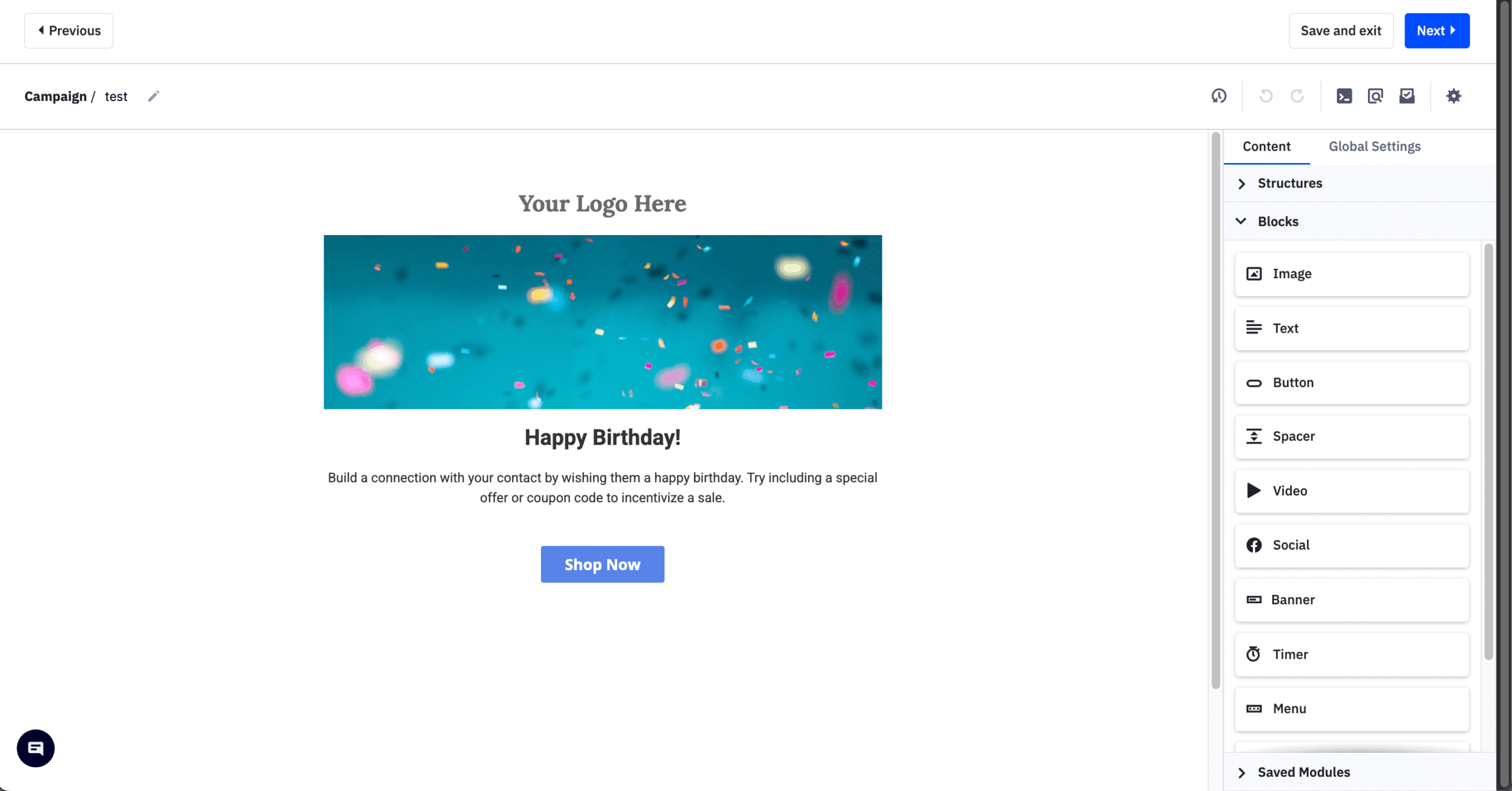
During testing, I configured a lead scoring model where email opens scored 1 point, link clicks scored 3, and product page visits scored 5. Once contacts crossed 15 points, they moved into a pipeline and triggered a higher-intent sequence. Setup took around 60 minutes, mostly because scoring rules aren’t prominently surfaced in the main builder.
Key Features
- Conditional automations. “If/then” logic with multiple paths.
- Send-time optimization. Delivers when each subscriber is most likely to open.
- Contact scoring. Prioritize leads by engagement or behavior.
- Advanced reporting. Performance metrics for each automation or goal.
Pros & Cons
- Deepest automation and CRM combination we tested
- 900+ integrations, the largest count of any platform in this guide
- Native CRM with deal pipelines
- Steepest learning curve in this roundup (601 G2 mentions)
- Pricing scales quickly as contacts and features stack
- Charges for all contacts, including unsubscribed, since November 2025
Not a Good Fit
- You don’t need advanced features like CRM, contact scoring, or behavior-based workflows.
- You prefer a fast setup without a learning curve.
Best for
- Teams building complex, behavior-driven automation across long customer journeys
- Agencies or B2B teams managing leads alongside sales pipelines
Pricing
- Free trial: 14 days, no permanent free plan.
- Starter: $15/month annual for 1,000 contacts, 5-action automation limit.
- Plus: $49/month or 1,000 contacts.
- Pro: $79/month or 1,000 contacts.
- Enterprise: $145/month or 1,000 contacts.
*Verified September 2026.*
Brevo
Honest positioning: An affordable, multichannel email marketing software for small businesses that price by email volume rather than contact count, not the deepest choice for automation.
I set up a multichannel flow (welcome email, SMS reminder, conditional follow-up) in around 30 minutes without connecting separate tools. Transactional emails ran from the same dashboard, keeping suppression lists unified. Where the limitation showed up was branching logic: routing contacts by which specific link they clicked isn’t supported natively.
Key Features
- Volume-based pricing. Pay for emails sent, not contacts stored, though contact caps were introduced in late 2025 and now apply on every plan.
- Transactional email. SMTP or API on the same platform as marketing sends. See our guide to transactional email.
- Drag-and-drop editor. Responsive newsletters without coding.
- Basic automation. Available on the free plan, capped at 2,000 contacts in workflows on Free and Starter.
- Multichannel reach. Email is the core, with SMS, WhatsApp, and web push available as you scale, useful for teams running SMS campaigns alongside newsletters.
Pros & Cons
- Marketing and transactional email in one platform
- Free plan allows up to 100,000 stored contacts
- Predictable, volume-based billing for infrequent senders
- Automation on Free/Starter caps out at 2,000 contacts in workflows
- Multibranch automation testing requires the $499/month Professional plan
- Trustpilot dropped from 4.4 to 3.9 between Feb 2025 and March 2026
Not a Good Fit
- Data-driven marketers who need detailed attribution and revenue tracking.
- Companies needing a larger native integration library.
Best for
- Budget-conscious teams that want predictable, volume-based pricing
- Teams handling both marketing and transactional messaging in one platform
Pricing
- Free: 300 emails/day, up to 100,000 contacts, automation capped at 2,000 contacts in workflows.
- Starter: From $9/month for 5,000 emails.
- Standard: From $18/month, removes the workflow contact cap.
- Professional: From $499/month, adds multibranch automation testing.
*Verified September 2026.*
Substack
Honest positioning: The most accessible plug-and-play paid newsletter platform, limited for marketing automation or ecommerce.
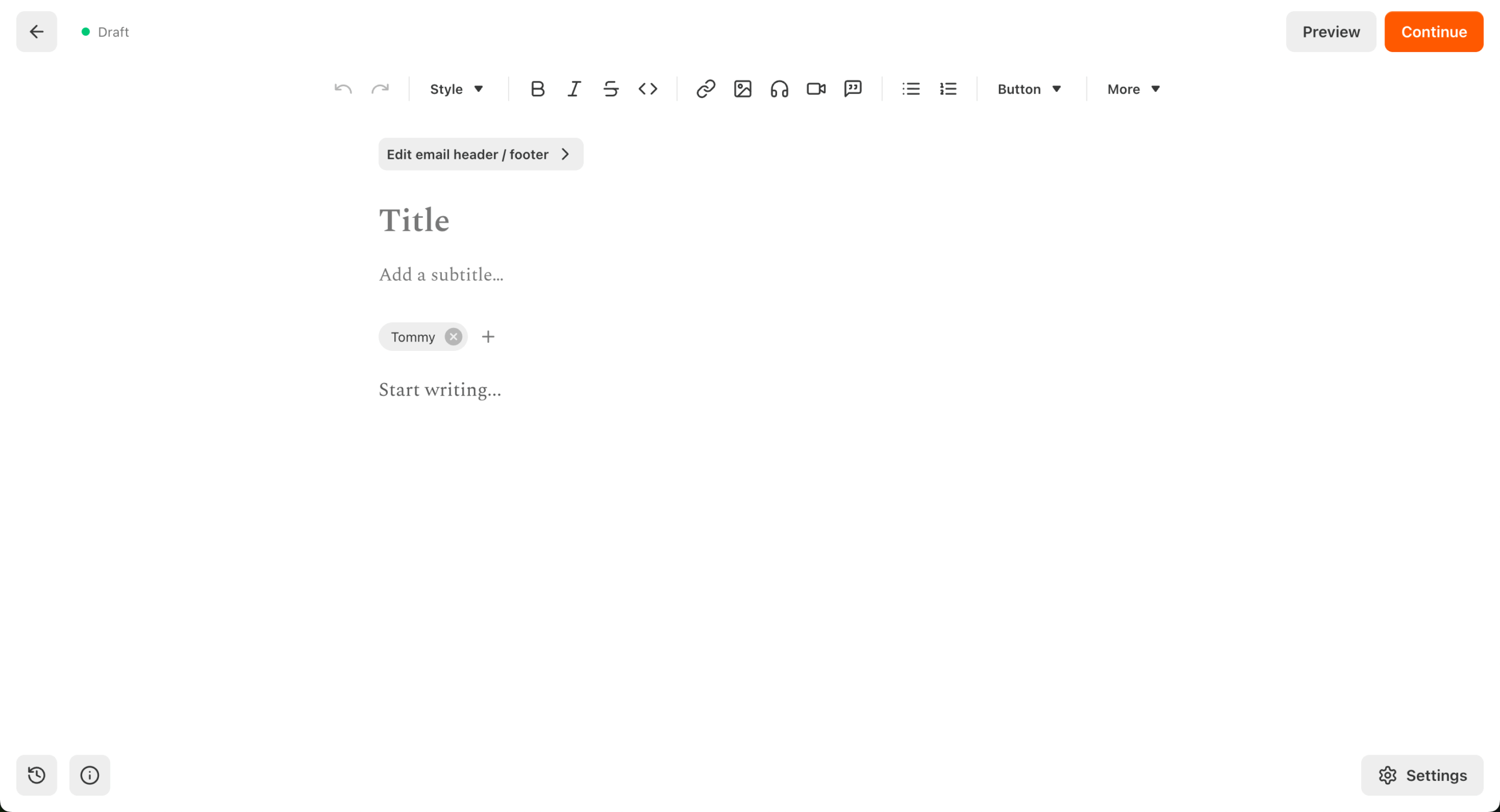
I tested Substack, a newsletter service with paid subscriptions built into the writing tool itself, over a month, running a bi-weekly newsletter with a mix of paywalled and free content. Setup is frictionless: hosting, payments, and email delivery are handled out of the box, and you can go from zero to published in under an hour.
Substack is built for independent writers building an audience, not marketers running campaigns, which makes it easy to use but constraining once you want more control.
Key Features
- Built-in publishing and paid subscriptions. A CMS, newsletter tool, and paywall in one system.
- Discovery and Notes. Recommendations, cross-promotion, and a short-form social feed drive growth without relying entirely on outside acquisition.
- Minimal setup. Hosting, email delivery, payments, subscriber management, and even a custom domain are preconfigured.
Pros & Cons
- Zero upfront cost, revenue-share model instead of a monthly fee
- Built-in discovery network drives organic subscriber growth
- Fastest setup of any platform in this roundup
- Substack takes 10% of paid subscription revenue, the largest cut of any platform in this guide, alongside Stripe fees
- No A/B testing, no meaningful automation or segmentation
- Design flexibility is minimal; every Substack looks similar
Not a Good Fit
- You need segmentation, A/B testing, or automation flows; Substack’s tools are basic and don’t include A/B testing at all.
- You want full control over branding, data, and infrastructure.
Best for
- Writers, journalists, and creators who want to launch quickly without technical overhead
- Solo operators who value simplicity over customization
Pricing
- Free to use for publishing.
- 10% fee on paid subscriptions, plus Stripe’s processing fees.
*No traditional tiered pricing; cost scales with revenue, not list size. Verified September 2026.*
Ghost
Honest positioning: An open-source publishing platform for professional publishers who want full content ownership and a 0% platform fee, not built for writers starting from zero with no existing audience.

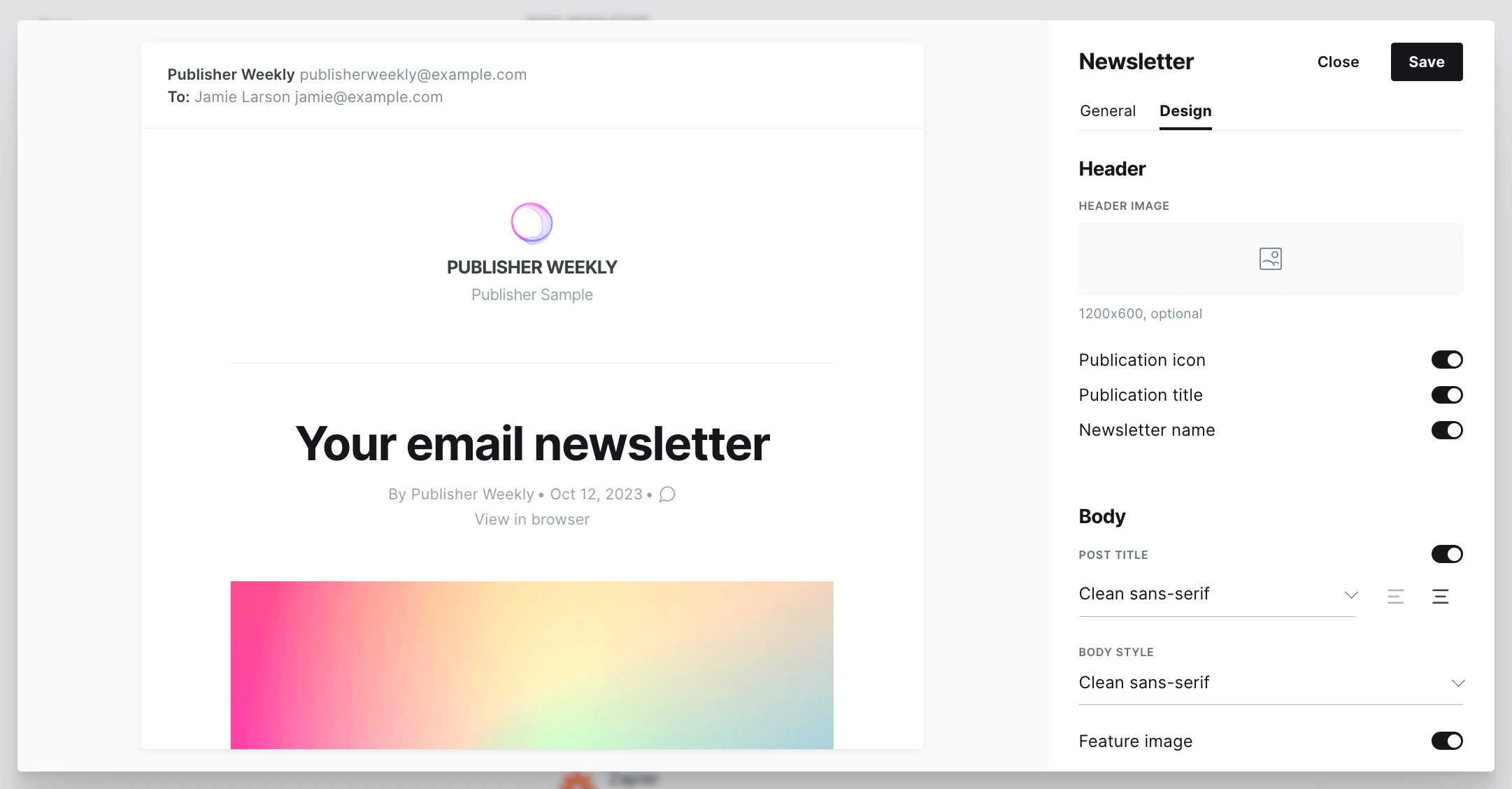
Ghost combines a CMS, newsletter sending, paid memberships, and a website builder in one system, with 0% revenue share on paid subscriptions. Ghost(Pro) is a hosted site starting at $18/month for 1,000 members, or you can self-host the open-source software for free if you’re comfortable running your own server. The break-even point against Substack’s 10% cut works out to roughly $290/month in subscription revenue.
Key Features
- 0% revenue share. At $5,000/month in subscriber revenue, Ghost takes $0 versus Substack’s $500.
- Built-in newsletter. Unlimited emails on every paid plan, with a Markdown or rich-text editor and full custom themes.
- ActivityPub federation. Posts appear on Mastodon and Threads, plus 8,000+ Zapier integrations.
- Non-profit foundation. No VC pressure behind the roadmap.
Pros & Cons
- 0% platform fee on paid subscriptions, unmatched by any platform in this guide
- Full self-hosting option under an MIT license
- Full design and theme ownership
- No built-in discovery network; you bring your own audience
- Starter plan caps at 1,000 members and excludes paid subscriptions
- Self-hosting requires Node.js expertise, not realistic on cheap hosting
Not a Good Fit
- You’re a writer starting from zero; Substack’s discovery network matters more at that stage.
- You need visual marketing automation with conditional branching; Ghost’s automation is limited.
Best for
- Professional publishers earning $500+/month in subscription revenue who want full content ownership and self-hosting capability
- Technical teams comfortable self-hosting who want to avoid platform fees entirely
Pricing
- Self-hosted: $0, requires your own server (MIT license).
- Ghost(Pro) Starter: $18/month, 1,000 members, no paid subscriptions.
- Ghost(Pro) Publisher: $35/month, scales with audience, includes paid subscriptions.
- Ghost(Pro) Business: $239/month, 10,000+ members.
*Verified September 2026.*
Newsletter Platform Comparisons: Which One Wins?
Beehiiv vs. Substack
The fundamental difference: Substack is a publishing platform with email built in; Beehiiv is an email platform with publishing built in.
Monetization model: Substack takes 10% of paid subscription revenue with no monthly fee; you only pay when you earn. Beehiiv charges a monthly platform fee ($49/month for Scale, $43/month billed annually) but takes no revenue cut. At low paid-subscriber counts, Substack is cheaper. Above roughly $500 to $600 a month in subscription revenue, Beehiiv’s flat fee becomes the better deal.
Ownership of subscriber data: On both platforms, you can export your subscriber list. Beehiiv treats your list as explicitly yours and makes export frictionless. Substack’s export works too, but the platform’s social graph (recommendations, Notes) creates a degree of dependency some creators find uncomfortable.
When to choose Substack: You’re writing for an existing Substack audience, you value the discovery network, or you want zero upfront cost before you have paying subscribers.
When to choose Beehiiv: You want full brand control, you’re building toward a subscriber base where the revenue-split math favors a flat fee, or you want the referral network and ad monetization tools Beehiiv offers.
If neither fits, we’ve also reviewed the strongest Beehiiv alternatives for creators who want different trade-offs on monetization, growth, and design.
Sender vs. Mailchimp
The most relevant comparison for new senders on a limited budget:
| Free plan comparison | Sender | Mailchimp |
| Contacts (free) | 2,500 | 250 |
| Emails/month (free) | 15,000 | 500 |
| Automation (free) | Full automation, unlimited | Limited, no automation on free as of 2025 |
| Branding removed (free) | No | No |
Sender’s free tier is materially more useful for a growing newsletter. Mailchimp’s 250-contact cap means most senders hit the paywall before they’ve had time to properly evaluate the platform.
What you lose when you upgrade: On Mailchimp, moving from Free to Essentials adds contacts and removes daily limits, but A/B testing and advanced segmentation stay locked to Standard ($20/month). On Sender, the Standard plan’s subscriber ceiling is lower than the free plan’s, but upgrading even to Standard unlocks multi-channel automation and A/B testing.
Deliverability comparison: Sender’s internally assigned deliverability figure sits around 98%; Mailchimp’s GlockApps-tested score from December 2025 was 78.4%. These two numbers aren’t measured the same way (one is third-party tested, one is an internal figure), so we’re presenting them side by side with that caveat rather than as a clean apples-to-apples comparison.
Recommendation by use case:
- Zero-budget start, list under 2,500: Sender’s free plan.
- Want the widest integration ecosystem: Mailchimp.
- Growing quickly toward 5,000+ subscribers: Sender, since its pricing scales more gradually and automation isn’t restricted early on.
ActiveCampaign vs. GetResponse
Automation depth: ActiveCampaign’s automation builder is deeper in every meaningful way: more trigger types, more conditional logic, goal-based branching, and native site tracking. GetResponse’s builder covers common cases (welcome sequences, nurture drips, tag-based branching) but doesn’t support the multi-variable conditional logic that B2B operations teams often need.
Price at 5,000 contacts: ActiveCampaign Starter at 5,000 contacts runs $79/month. GetResponse Starter at 5,000 contacts runs at $54/month.
Who each is actually for: GetResponse suits coaches, course creators, and educators who need email plus webinar in one place and don’t require deep conditional automation. ActiveCampaign suits B2B teams running multi-touch nurture campaigns where behavioral triggers, lead scoring, and CRM integration are core to the workflow.
Best Newsletter Platforms: Pricing Compared
Most newsletters hit their first real pricing decision somewhere between 1,000 and 5,000 subscribers, then again as they scale past 10,000.
| Platform | 1,000 subs | 10,000 subs | 30,000 subs | 50,000 subs | How it’s priced |
| Sender | $15 | $69 | $189 | $259 | By subscriber count |
| Mailchimp | $45 | $135 | $340 | $450 | By contact count |
| HubSpot | $20 | $410 | $1,210 | $2,010 | By contact count, per seat |
| MailerLite | $19 | $89 | $229 | $319 | By subscriber count |
| Omnisend | $20 | $132 | $338 | $413 | By subscriber count |
| GetResponse | $19 | $79 | $299 (up to 50k subs) | $299 | By subscriber count |
| Constant Contact | 〜$55 | 〜$160 | 〜$340 | 〜$460 | By contact count |
| AWeber | $25 | $100 | $275 | $375 | By subscriber count |
| ActiveCampaign | $15 | $149 | $449 | $609 | By contact count |
| Kit | $0 (free up to 10K) | $259 | $379 | By subscriber count | |
| Campaign Monitor | 〜$50 | 〜$125 | 〜$423 (up to 50k contacts) | By subscriber count | |
| Flodesk | $25 | $72 | $209 | $389 | By subscriber count |
| Beehiiv | $0 (up to 2,500 subs) | $109 | $249 (up to 50k subs) | By subscriber count, scaling tiers not fully published | |
| Brevo* | $17 | $32 (up to 500k subs) | By send volume, with contact caps by tier | ||
| Sequenzy | N/A | N/A | N/A | N/A | By send volume, not stored contacts |
| MailBluster | N/A | N/A | N/A | N/A | By send volume via AWS SES |
| Ghost | $18 | $105 | $105 (up to 50k subs) | By member count | |
| Substack | $0 + 10% of revenue | Revenue share, not list size |
Verified September 2026. Rates change; always confirm on the platform’s own pricing page before committing.
FAQs for Top Newsletter Platforms
Beehiiv is the strongest pick for creator growth, with its referral network and paid subscriptions built in. Substack is the simplest way to start a paid newsletter, though it takes a 10% revenue cut. Sender is the best free option if you want real automation rather than just a form builder and a send button.
Omnisend is the strongest choice if you’re running a Shopify or WooCommerce store and want email tied to product data. ActiveCampaign is the right call for B2B teams that need CRM-linked automation with conditional branching. Which one is right for you comes down to your email marketing strategy and what you’re building.
Sender, MailerLite, and Brevo are the three strongest Mailchimp alternatives, each solving a different problem. Sender’s free tier covers 2,500 contacts and 15,000 emails with full automation included, for anyone hitting Mailchimp’s 250-contact cap.
MailerLite’s Comfort plan starts at $12/month and stays materially cheaper than Mailchimp Standard as your list grows, for anyone chasing price at scale. Brevo’s volume-based pricing, rather than Mailchimp’s per-contact model, tends to work out cheaper for large lists with moderate send frequency, for anyone mixing marketing and transactional sends.
Beehiiv is worth paying for if you’re building a newsletter as a business, not just sending emails. The paid plans unlock monetization (ads, paid subscriptions, Boosts) and growth tools the free plan doesn’t include, which is where most of Beehiiv’s value comes from.
Substack and Beehiiv are the strongest paid-newsletter platforms in this guide. Both let creators charge subscribers for premium content and manage paid memberships directly through the platform.
Substack is simpler to launch but takes a revenue cut; Beehiiv offers more growth and monetization tools on its paid plans, plus a 0% revenue share once you’re past the flat monthly fee. Ghost is a third option worth considering for the same use case: 0% revenue share from day one, at the cost of bringing your own audience since there’s no built-in discovery network.
Yes. You can export your subscriber list, usually via CSV or API, and import it into a new platform. You’ll need to recreate automations, segments, and suppression lists, then reconnect forms and integrations.
On the technical side, set up SPF, DKIM, and DMARC for your new sending domain and warm it up gradually to protect deliverability. If you’re moving from Mailchimp specifically, our migration guide walks through the process step by step.
For the bigger picture on list building, deliverability, and growing a newsletter audience, see our full email marketing guide.