

For data-heavy ecommerce, Klaviyo is our top Omnisend alternative, thanks to its advanced segmentation, personalization, and customer data capabilities. Sender is our best value pick, particularly for businesses that want a generous free plan and affordable growth path. ActiveCampaign stands out for advanced automation, while Kit is our preferred option for creators focused on newsletters, audience growth, and digital products.
As email marketing needs evolve, the right platform depends on more than price alone. I compare the leading Omnisend alternatives based on automation depth, ecommerce integrations, usability, scalability, and overall value, while highlighting each platform’s key strengths and limitations for different business needs.
Omnisend Competitors & Alternatives: Quick Comparison
With so many email marketing services available, choosing the right one can be overwhelming. The best platform for you depends on your business type, feature needs, and budget.
Here’s a quick comparison of nine popular email marketing tools to help you decide. And if that won’t do it, head to our pricing calculator located at the bottom of this guide to help you out.
| Tool | Best For | Free Plan | Starting paid price | Price at 5,000 contacts |
| Omnisend | Ecommerce email, prebuilt automations, segmentation | Free plan, up to 250 contacts | $16/month | $81/month |
| Sender | Email & SMS campaigns, automation workflows, real-time analytics | Free plan, up to 2,500 subscribers | $10/month | $33/month |
| Mailchimp | Drag-and-drop editor, basic CRM, landing pages | Free plan, up to 250 subscribers | $13/month | $75/month |
| Drip | Advanced automation, segmentation, 150+ integrations | 14-day free trial | $39/month | $89/month |
| Brevo | Email, SMS & WhatsApp campaigns, automation, transactional emails | Free plan, up to 300 emails/day | $9/month | $32/month* |
| ActiveCampaign | CRM integration, multichannel automation, lead scoring | 14-day free trial | $19/month | $99/month |
| GetResponse | Email marketing, landing pages, webinars | Free plan, up to 500 subscribers | $18/month | $56/month |
| Klaviyo | Behavioral segmentation, advanced segmentation, SMS marketing | Free plan, up to 250 subscribers | $20/month | $100/month |
| MailerLite | Drag-and-drop editor, visual automations, landing pages & forms, segmentation | Free plan, up to 250 subscribers | $12/mo | $49/mo |
| Kit | Visual automations, tagging & segmentation, opt-in forms and landing pages, newsletter software | Free plan, up to 10,000 subscribers | $39/month | $89/month |
*Brevo counts subscription price based on selected monthly email cap, not contact cap like most Omnisend alternatives.
even on the free plan.
Why Switch? What Omnisend Really Costs in 2026
Omnisend remains a strong ecommerce email marketing platform, but recent pricing and plan changes give growing stores more reasons to compare alternatives. The biggest considerations are less about basic campaign functionality and more about which features are included, how contacts are billed, and how Omnisend pricing scales.
- SMS is now limited to the Pro plan for new customers (since May 2026). New Omnisend customers need the Pro plan to access SMS marketing, making lower-cost plans less suitable for businesses that want email and SMS in one platform.
- Advanced features require the $59/month Pro plan (verified September, 2026). Businesses that need advanced capabilities – particularly advanced reporting, unlimited email sends, SMS access for new customers, and certain AI features – may have to move beyond the entry-level plans, increasing the minimum cost of accessing Omnisend’s broader feature set.
- Omnisend bills “billable contacts,” including non-subscribers (verified September, 2026). Your billable contact count now includes people who have never subscribed to marketing emails, so the number used for pricing may be higher than your active subscriber list.
- Unused SMS credits expire after 60 days (verified September, 2026). Businesses that send SMS irregularly may lose credits before they have a chance to use them, reducing the value of included SMS allowances.
- The Standard plan caps monthly sends at 12× your contact count (verified September, 2026). Stores sending frequent campaigns or running multiple automations may reach this limit sooner as their marketing activity grows.
These limitations do not make Omnisend a poor choice, however. It can still be a strong fit for ecommerce stores that value ready-made automation, segmentation, and multichannel tools in one platform.
Businesses prioritizing lower costs, broader CRM functionality, simpler email marketing, or more flexible billing may find one of the alternatives below a better fit.
Quick Picks: Find the Perfect Omnisend Alternatives Fast
Use this list to quickly match your business needs with the right email marketing platform.
- Best Free Plan: Sender (Up to 2,500 subscribers and 15,000 emails/month on the free plan, with core automation and list segmentation included.)
- Simplest low-cost: MailerLite (Beginner-friendly email marketing with straightforward automations, landing pages, and affordable plans for small teams.)
- Best for Ecommerce: Klaviyo (Advanced ecommerce segmentation, personalization, and revenue-focused automation flows.)
- Best for Startups/SMBs: Sender (Beginner-friendly workflows and a low-cost starting point for small teams.)
- Best for Enterprise/Agencies: ActiveCampaign (Advanced automation depth plus built-in sales pipeline management.)
- Best for Creators: Kit (Creator-first newsletters with simple visual automations and audience monetization tools.)
How We Selected These Omnisend Alternatives
- Pricing and value assessment. We analyzed Omnisend alternatives by comparing plan structures, feature distribution across tiers, contact-based pricing models, and how total costs evolve as subscriber lists grow, ensuring the overall value aligns with different business sizes and revenue stages;
- Feature comparison depth. We evaluated core email marketing capabilities including automation workflows, segmentation logic, multichannel support (such as SMS and push), reporting tools, and ecommerce integrations to determine how each platform compares to Omnisend’s feature set;
- Usability and support experience. We reviewed interface design, workflow builder flexibility, onboarding processes, documentation quality, and customer support accessibility across plan tiers to understand day-to-day operational usability;
- User feedback analysis. We examined recurring themes in verified user reviews, focusing on reporting limitations, CRM depth, editor performance, and overall reliability to identify consistent patterns rather than isolated complaints;
- Strengths and unique capabilities. We assessed the areas where each alternative differentiates itself, such as advanced automation logic, built-in CRM functionality, creator-focused tools, or infrastructure-level control not emphasized within Omnisend’s ecommerce-first model;
- Scalability evaluation. We analyzed how well each platform supports business growth and whether it qualifies as scalable email marketing software for long-term expansion, including automation complexity, list expansion, data retention policies, infrastructure flexibility, and cost sustainability over time.
Capterra, G2, Trustpilot, and Reddit to create an objective evaluation. Learn more about our review methodology
9 Best Omnisend Alternatives for Ecommerce
Finally, it’s time to explore this in-depth Omnisend comparison guide where I go through my top 9 picks that offer a range of features from basic email marketing to advanced automation and ecommerce integrations, perfect for scaling your business.
Whether you’re focused on affordability, specific integrations, or robust analytics, you’ll find a solution here:
Sender – Best Value: Free Plan up to 2,500 contacts
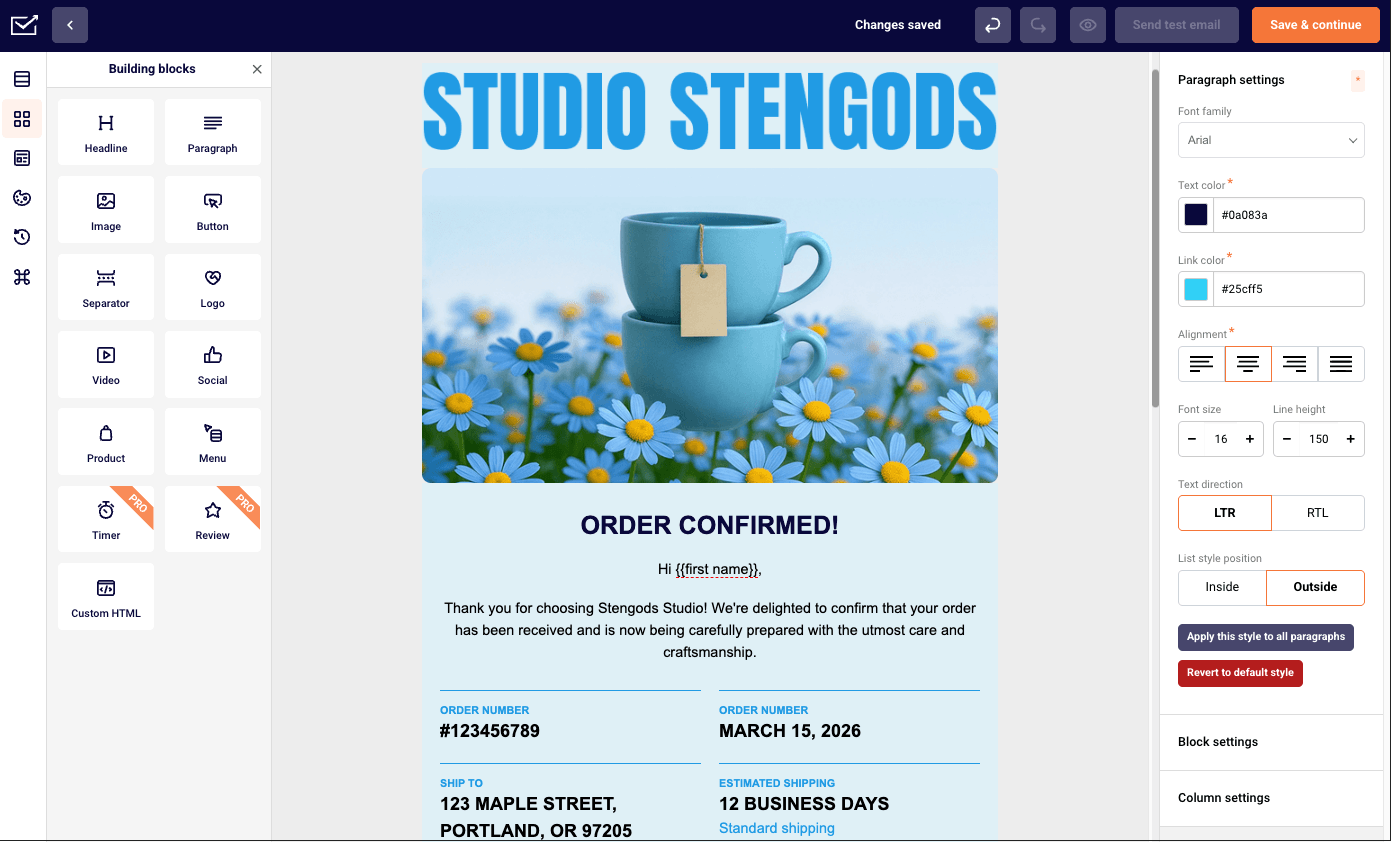
Sender is an email and SMS marketing platform for businesses looking for a cheap Omnisend alternative: $10/month at 1,000 contacts against Omnisend’s $20, and $57 against $132 at 10,000. It also offers a generous free plan that comes with 2,500 subscribers versus Omnisend’s 250 – full automation and segmentation included in Sender’s.

The trade-off is depth – Omnisend ships more prebuilt ecommerce workflows and native store integrations. Plus, it has a built-in CRM, something that Sender has yet to implement.
Omnisend vs. Sender
Where Sender wins:
- Lower cost as your list grows. Sender starts at $10/month for 1,000 contacts versus $20/month with Omnisend, with the price gap widening at larger list sizes. Core automation and segmentation are also available on Sender’s free plan.
- More free-plan headroom. Sender supports up to 2,500 subscribers and 15,000 emails per month for free, compared with Omnisend’s 250-contact free tier.
- Simpler day-to-day use. Sender’s straightforward interface, drag-and-drop email and landing page builders, and reusable content blocks make campaigns and workflows quicker to set up. It also supports behavioral triggers, conditional automation paths, SMS, and transactional sending via API or SMTP.
Where Omnisend wins:
- Deeper ecommerce automation. Omnisend offers more ecommerce-focused prebuilt workflows, native store integrations, and product-centered tools, making it better suited to stores that prioritize cart recovery and other retail-specific customer journeys.
Pros & Cons
- Feature-rich free plan that includes automation and segmentation tools;
- Intuitive visual workflow builder for standard automation scenarios;
- Affordable pricing structure as your contact list expands.
- Simpler day-to-day use than Omnisend
- Lacks a built-in CRM system;
- Fewer native integrations compared to larger, enterprise-level platforms.
Pricing
| Contact count | Omnisend | Sender | Cost Difference |
| 1,000 | $20/mo | $10/mo | $10/mo |
| 2,500 | $44/mo | $19/mo | $25/mo |
| 5,000 | $81/mo | $33/mo | $48/mo |
| 10,000 | $132/mo | $57/mo | $75/mo |
Mailchimp – Broadest Integration Ecosystem
Mailchimp is the pick when integrations matter most: it connects to more ecommerce, CRM, advertising, and analytics tools than Omnisend and adds landing pages, social scheduling, and ad tools in one account. It costs more than Omnisend at 1,000 and 2,500 contacts, less at 5,000 and above, and its list-based audience structure limits advanced.

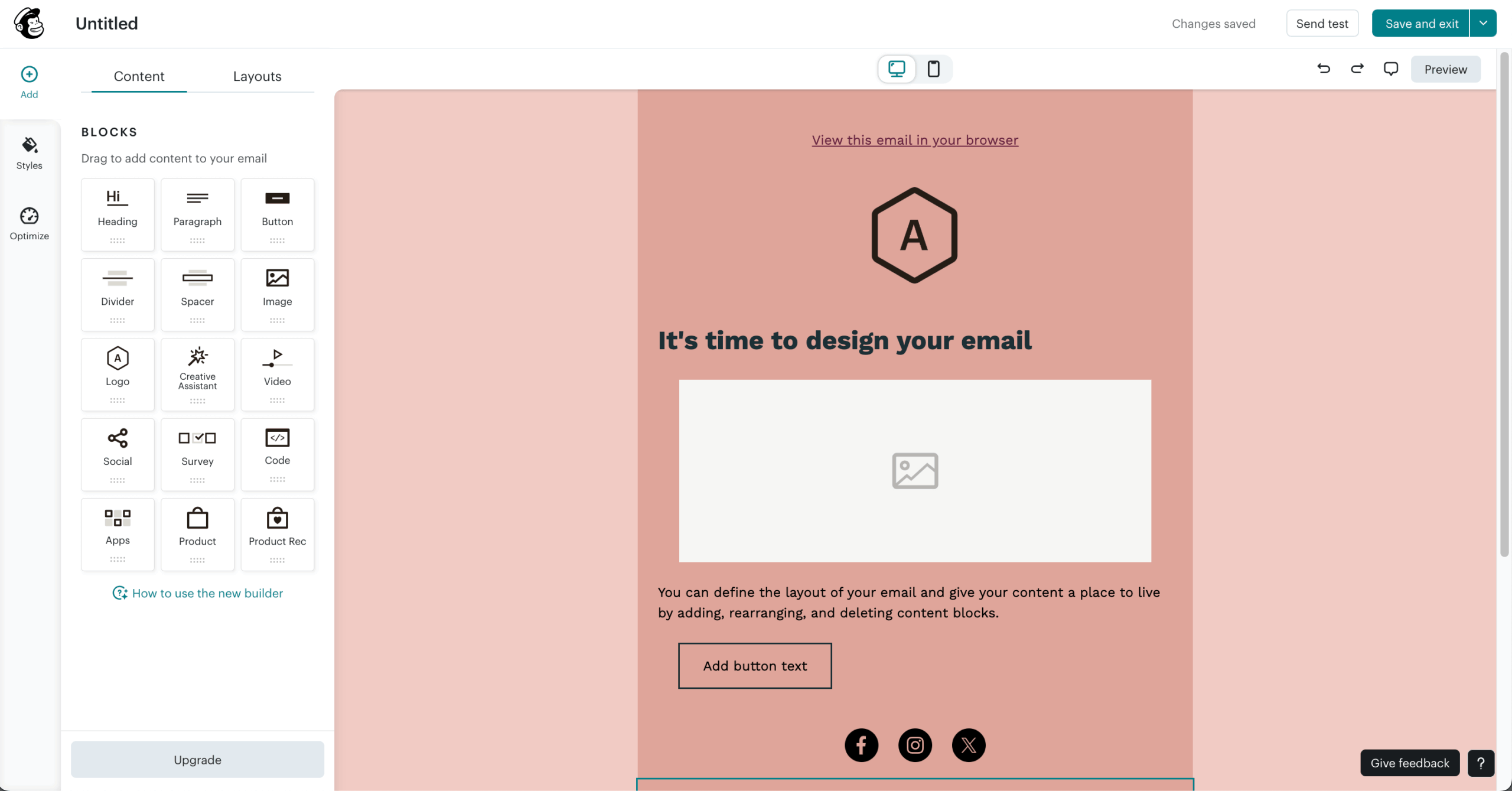
During my hands-on testing, I enjoyed how Mailchimp centralizes everything in one platform–something Omnisend doesn’t fully match. Its automation tools let me create customer journeys triggered by actions like purchases or website visits, similar to Omnisend, though Mailchimp’s visual editor feels more refined.
Moreover, Mailchimp’s integration library is top-notch. From WooCommerce to HubSpot to its well-documented API, this marketing solution covers every integration under the sun.
Omnisend vs. Mailchimp
Where Mailchimp wins:
- Broader integration ecosystem. Mailchimp connects with a wider range of ecommerce, CRM, advertising, analytics, and booking tools. It also supports webhooks for events such as new subscribers and campaign activity, giving teams more flexibility to build custom cross-platform workflows.
- More flexible email design. Mailchimp combines a drag-and-drop email editor with a large library of industry-based email templates and reusable content blocks, making it better suited to both ecommerce and non-retail campaigns.
- Wider marketing and analytics scope. Beyond email, Mailchimp includes landing pages, social scheduling, basic website tools, and ad integrations. Google Analytics integrations and custom reporting dashboards also support broader cross-channel tracking beyond ecommerce revenue alone.
Where Omnisend wins:
- Deeper ecommerce specialization. Omnisend offers stronger prebuilt store automations, product-based segmentation, and ecommerce-focused integrations for workflows such as cart abandonment and product promotions.
- Clearer revenue attribution. Its reporting is more directly tied to store performance, making it easier to connect campaigns and automations with ecommerce revenue.
Pros & Cons
- Extensive collection of ready-made templates with an easy-to-use drag-and-drop editor;
- Wide integration marketplace connecting with numerous third-party tools;
- AI-driven content suggestions and send-time optimization capabilities.
- List-based audience structure can restrict more advanced segmentation strategies;
- Costs rise quickly as your subscriber count increases.
Pricing
| Contact count | Omnisend | Mailchimp | Cost Difference |
| 1,000 | $20/mo | $27/mo | $-7/mo |
| 2,500 | $44/mo | $45/mo | $-1/mo |
| 5,000 | $81/mo | $75/mo | $6/mo |
| 10,000 | $132/mo | $110/mo | $22/mo |
Drip – Behavior-Based Ecommerce Automation
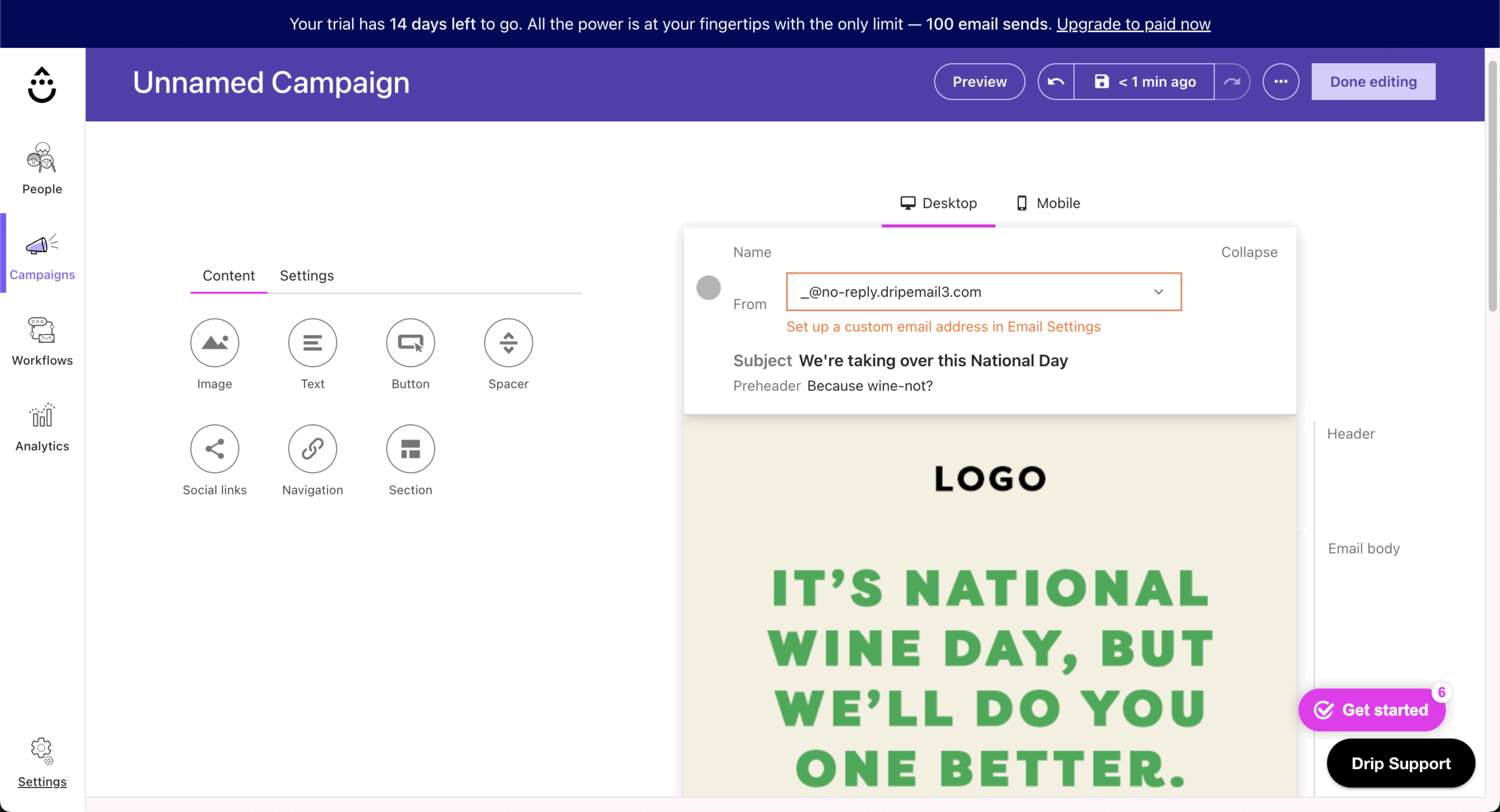
Drip is the pick for stores that want automation driven by behavioral data – purchase patterns, browsing activity, engagement – with deeper conditional logic than Omnisend’s prebuilt flows. It costs more than Omnisend at every list size except 2,500 contacts, has no permanent free plan, and takes longer to set up.
It combines intelligent automation, detailed segmentation, and robust personalization to help convert shoppers into long-term customers. Unlike Omnisend, I found that Drip dives deeper into behavioral data–tracking purchase patterns, browsing activity, and engagement to deliver precisely targeted campaigns.
Its drag-and-drop workflow builder makes mapping out customer journeys straightforward, whether you’re sending cart recovery reminders, post-purchase follow-ups, or personalized product recommendations.
Omnisend vs. Drip
Where Drip wins:
- More advanced behavior-based automation. Drip’s visual workflow builder supports detailed triggers, branching paths, delays, and conditional logic based on cart activity, page visits, tag changes, and other customer actions, giving teams more control over complex lifecycle journeys.
- Granular segmentation and customer data. Drip combines onsite behavior, email engagement, ecommerce events, order history, and customer value into detailed segments and customer profiles, making highly specific targeting and personalization easier to manage.
- Flexible ecommerce lifecycle marketing. Drip supports cart and browse recovery, post-purchase sequences, win-back campaigns, and product-driven personalization while tying campaign performance closely to revenue, making it well suited to brands that want deeper analysis and customization.
Where Omnisend wins:
- Faster ecommerce setup and multichannel convenience. Omnisend offers more ready-to-use ecommerce workflows and integrated channels such as email and SMS (only on the Pro plan, though), making it easier for stores that prefer streamlined setup over building highly customized automation paths.
Pros & Cons
- Advanced, ecommerce-focused automation with behavior-based triggers and workflows;
- Deep integrations with platforms like Shopify and WooCommerce;
- Detailed revenue tracking and analytics that tie campaigns directly to sales performance.
- No permanent free plan, only a limited trial;
- Pricing scales up quickly as your subscriber list grows;
- Fewer built-in design tools and templates compared to some competitors.
Pricing
| Contact count | Omnisend | Drip | Cost Difference |
| 1,000 | $20/mo | $39/mo | $-19/mo |
| 2,500 | $44/mo | $39/mo | $5/mo |
| 5,000 | $81/mo | $89/mo | -$8/mo |
| 10,000 | $132/mo | $154/mo | -$22/mo |
Brevo – Multichannel Marketing with Built-in CRM
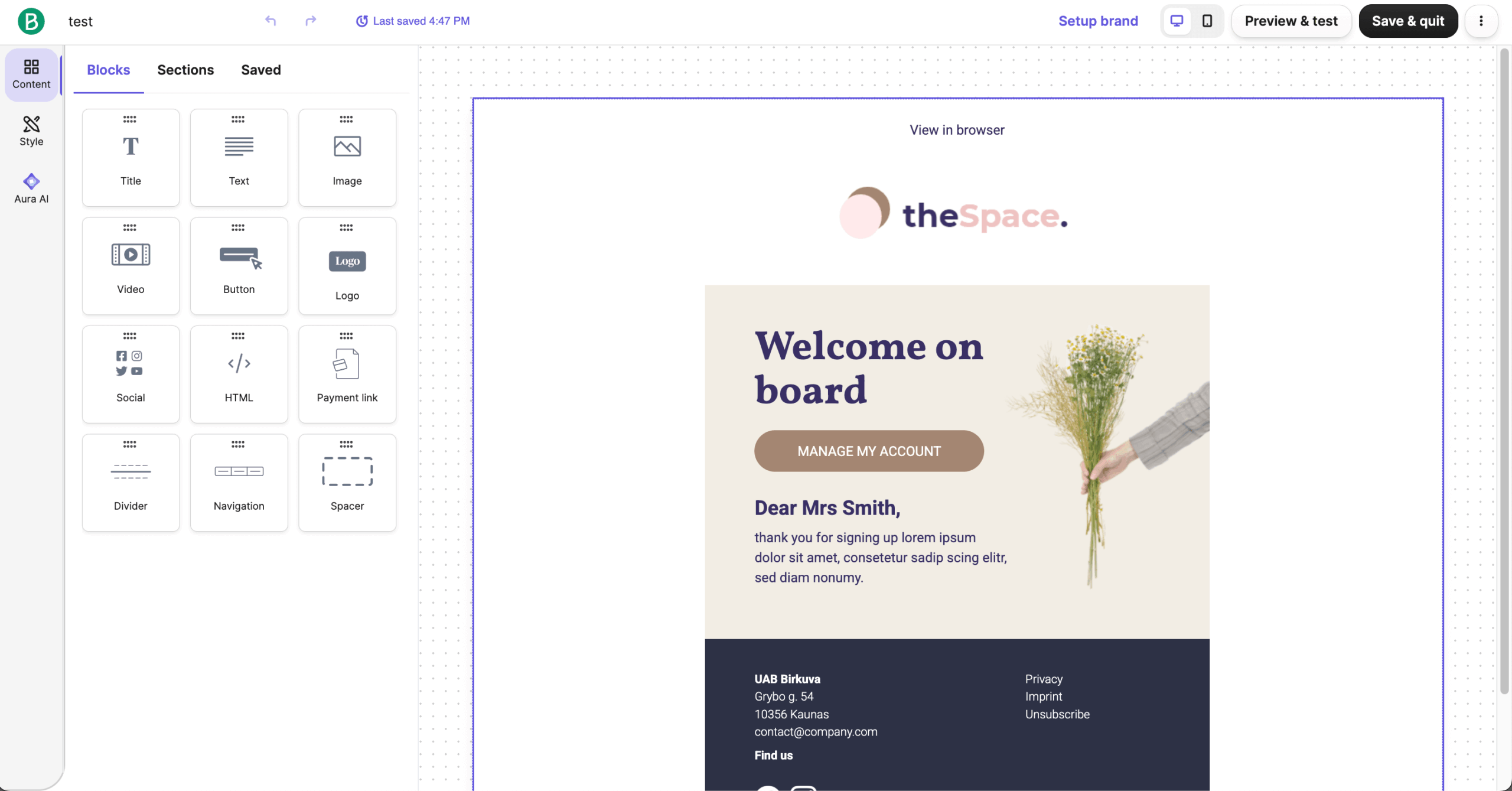
Brevo is the pick for teams that want a CRM and email, SMS, and WhatsApp sending in one tool.

Its send-based billing starts at $32/month from 5,000 contacts, compared with Omnisend’s $81–$132; the trade-off is a thinner template library and less specialized ecommerce automation.
Omnisend vs. Brevo
Where Brevo wins:
- Broader multichannel execution. Brevo lets teams coordinate email, SMS, and WhatsApp from the same automation builder, making it easier to manage customer communication across multiple channels without relying on separate tools.
- Built-in CRM and sales tools. Brevo includes deal pipelines, task tracking, and contact-level activity history, allowing marketing and sales teams to manage customer relationships in one platform. Omnisend is more focused on ecommerce contact data than sales pipeline management.
- Stronger transactional email infrastructure. Brevo supports transactional email through API and SMTP, with dedicated IP options and infrastructure-level controls for separating operational and marketing messages. Its send-volume-based pricing can also be more flexible for businesses with larger contact lists but lower sending frequency.
Where Omnisend wins:
- Deeper ecommerce specialization. Omnisend offers more ecommerce-focused templates, integrations, and prebuilt workflows for product catalogs, cart recovery, and lifecycle campaigns, making it a more streamlined option for stores that want ready-made retail automation.
Pros & Cons
- Easy drag-and-drop editor and beginner-friendly interface in Brevo;
- Good automation and segmentation features;
- Free plan available with send-based pricing.
- Smaller template and design library;
- Advanced analytics and logic automation are paid-tier features;
- Support options are limited on cheaper plans.
Pricing
| Contact count | Omnisend | Brevo | Cost Difference |
| 1,000 | $20/mo | $17/mo | $3/mo |
| 2,500 | $44/mo | $25/mo* | $19/mo |
| 5,000 | $81/mo | $32/mo | $49/mo |
| 10,000 | $132/mo | $32/mo | $100/mo |
Monthly pricing, verified September, 2026. Negative difference = Omnisend is cheaper.
ActiveCampaign – Advanced Automation & CRM
ActiveCampaign is the pick for automation depth – conditional splits, goal tracking, predictive sending, A/B tests inside workflows – plus a built-in sales pipeline Omnisend lacks. It costs more than Omnisend at every size above 1,000 contacts, and the advanced builders take time to learn.
What sets ActiveCampaign apart is its deep behavioral targeting. I was able to segment audiences based on actions like website visits, link clicks, or purchase history, creating highly personalized campaigns that evolve with each interaction.
Beyond email, ActiveCampaign integrates with hundreds of third-party tools, connecting your CRM, ecommerce, and marketing data under one roof. This unified approach helps you understand your audience on a deeper level and deliver tailored experiences across every channel.
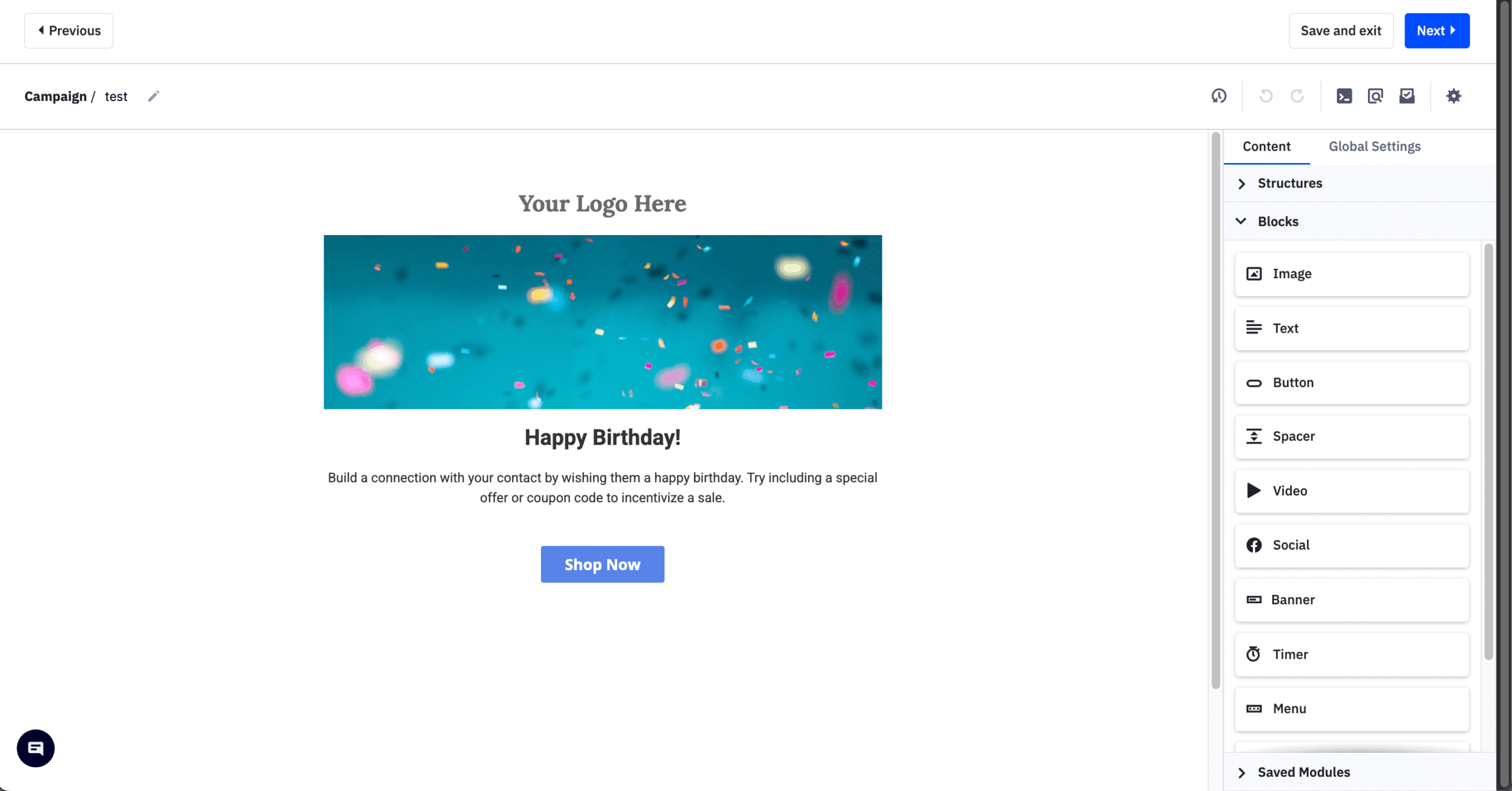
Omnisend vs. ActiveCampaign
Where ActiveCampaign wins:
- More advanced automation. ActiveCampaign supports conditional splits, goal tracking, predictive sending, event-based triggers, and layered logic within workflows, giving teams more flexibility to build complex customer journeys than Omnisend’s more streamlined ecommerce automations.
- Built-in sales automation. ActiveCampaign includes deal stages, automated pipeline updates, and follow-up automation (and lead scoring, although this feature requires a separate paid add-on), making it better suited to businesses that want to connect marketing activity directly with sales processes.
- Deeper testing and reporting. ActiveCampaign supports A/B testing inside automation paths, including subject lines, content, and wait times, while its contact-level engagement histories, attribution tracking, and workflow reporting provide more granular performance insights.
Where Omnisend wins:
- Simpler ecommerce-focused automation. Omnisend offers ready-made ecommerce workflows and native store integrations designed around use cases such as cart recovery, product promotions, and lifecycle messaging, making it quicker to implement for online stores that do not need ActiveCampaign’s deeper workflow complexity.
Pros & Cons
- Sophisticated, behavior-driven email automation workflows;
- Integrated CRM to better connect and streamline sales and marketing efforts;
- Versatile automation builder featuring goals, branching paths, and conditional logic.
- Creating more advanced automations can take time to learn;
- More expensive than many beginner-friendly email marketing platforms.
Pricing
| Contact count | Omnisend | ActiveCampaign | Cost Difference |
| 1,000 | $20/mo | $19/mo | $1/mo |
| 2,500 | $44/mo | $49/mo | $-5/mo |
| 5,000 | $81/mo | $99/mo | $-18/mo |
| 10,000 | $132/mo | $189/mo | $-57/mo |
GetResponse – Funnels, Webinars & All-in-One Suite
GetResponse is the pick for businesses that want webinars, funnels, and landing pages bundled with email, and it undercuts Omnisend at every list size compared here – $56 versus $81 at 5,000 contacts. The trade-off is weaker ecommerce specialization and an interface beginners may find crowded.

During my time with GetResponse, I found it to be an excellent all-in-one platform for running webinars, building funnels, and managing email campaigns. This is complemented by its email deliverability, which is reliably high (always no lower than 89.7%), ensuring your messages reach inboxes, not spam folders.
GetResponse also excels in personalization and analytics. You can segment audiences based on behavior and use detailed reports to track open rates, clicks, and conversions, refining your strategy as you go.
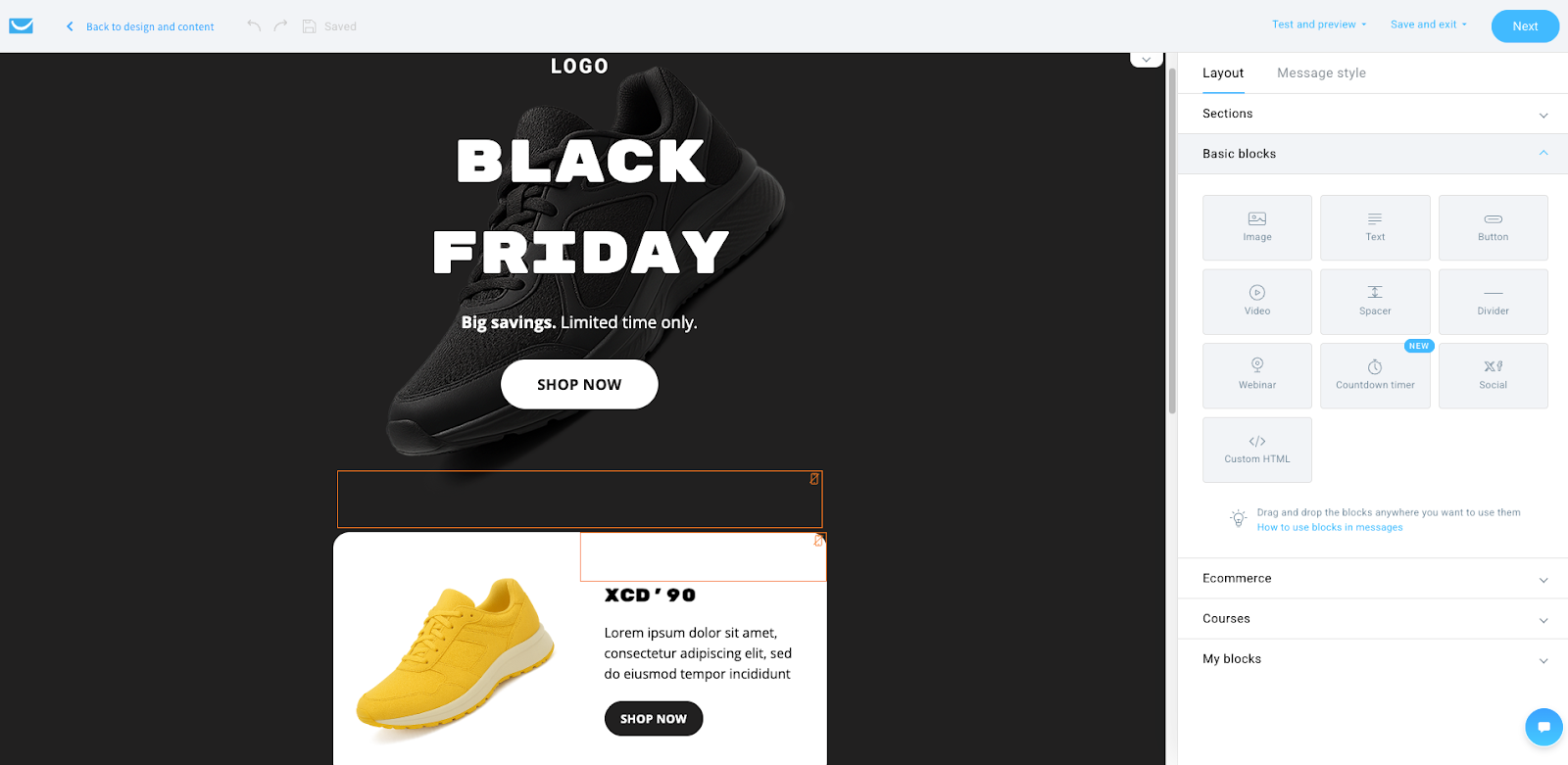
Omnisend vs. GetResponse
Where GetResponse wins:
- Broader all-in-one marketing toolkit. GetResponse combines email marketing with landing pages, forms, website tools, webinars, and funnel features, making it easier to manage more of the customer journey without relying on several separate platforms.
- Built-in conversion funnels. Its prebuilt funnels can connect ads or signup forms with landing pages, emails, and follow-up sequences, giving teams a more structured way to handle lead generation and nurturing from start to finish.
- Native webinar and design tools. GetResponse includes webinar hosting with registration pages and automated reminders (available from the Creator plan), while its templates span emails, landing pages, and funnels for more consistent campaign design across different assets.
Where Omnisend wins:
- Stronger ecommerce specialization. Omnisend is more purpose-built for online stores, with ecommerce-focused templates, native store integrations, and ready-made automations for cart recovery, product messaging, and customer lifecycle campaigns.
Pros & Cons
- Comprehensive all-in-one solution that combines email marketing, landing pages, and webinar tools;
- Flexible automation builder designed for multi-step customer journeys;
- Native webinar hosting functionality with no need for external third-party platforms.
- The interface may feel complex or overwhelming for beginners;
- Certain advanced features are only available on higher-tier subscription plans.
Pricing
| Contact count | Omnisend | GetResponse | Cost Difference |
| 1,000 | $20/mo | $18/mo | $2/mo |
| 2,500 | $44/mo | $32/mo | $12/mo |
| 5,000 | $81/mo | $56/mo | $25/mo |
| 10,000 | $132/mo | $81/mo | $51/mo |
Klaviyo – Deepest Ecommerce Segmentation & Data
Klaviyo is the pick for data-heavy ecommerce: it pulls purchase history, browsing behavior, and site activity into finer segments than Omnisend and ties every flow back to revenue. It costs more than Omnisend at every list size – $100 versus $81 at 5,000 contacts – and takes longer to configure.

What really sets Klaviyo apart for me is how effortlessly it allows me to collect and use detailed customer data. It pulls in everything – from purchase history and browsing behavior to website activity–so I can build highly specific segments and deliver messaging that truly feels personal.
For instance, I can send abandoned cart emails that automatically display the exact products a customer left behind, or recommend items based on their previous purchases. That kind of precision is hard to match.
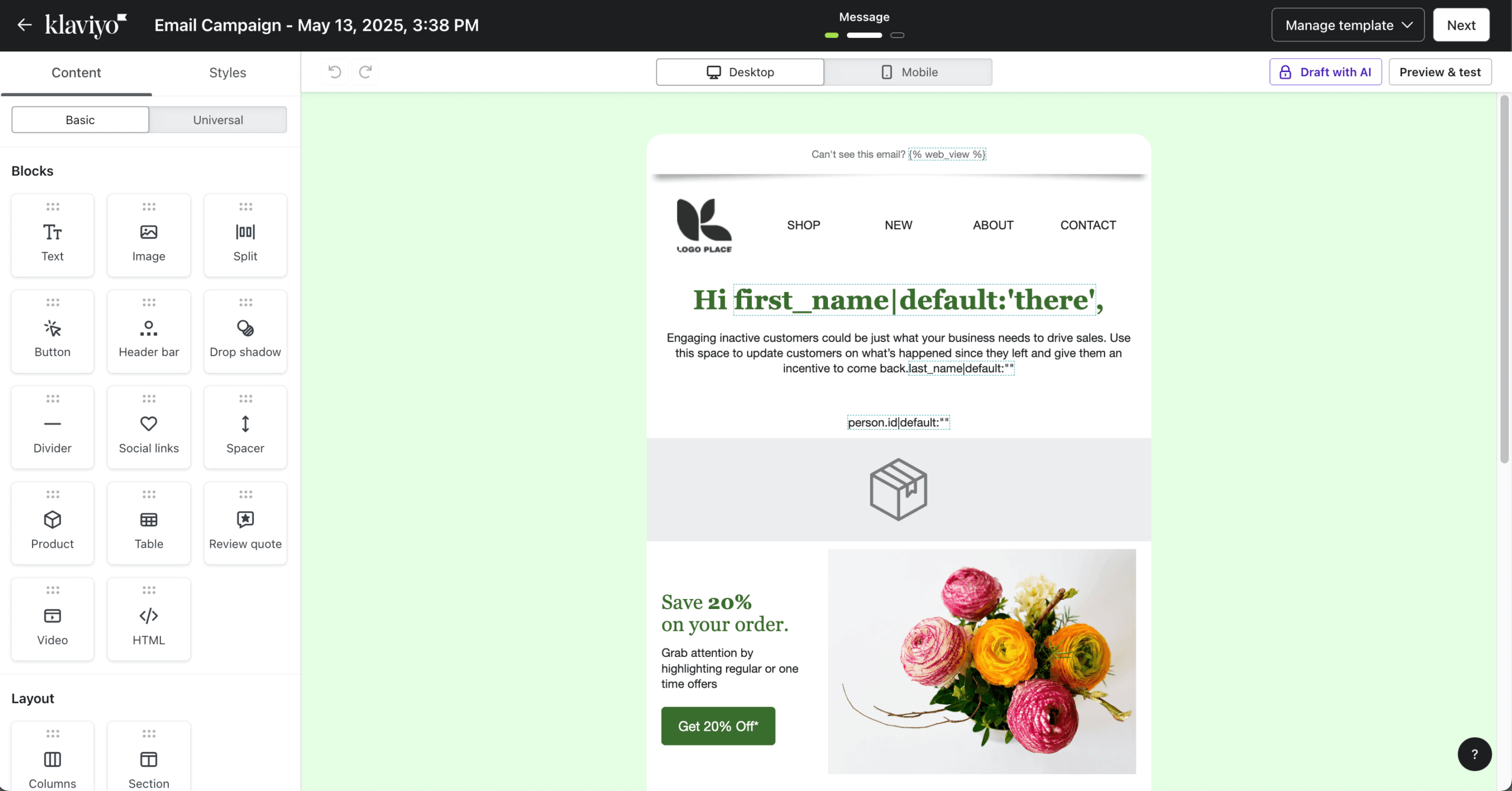
Omnisend vs. Klaviyo
Where Klaviyo wins:
- More advanced segmentation. Klaviyo combines real-time ecommerce events, engagement data, and purchase behavior to build highly specific customer segments, making it easier to target groups such as repeat buyers, high-LTV customers, churn risks, and category shoppers.
- Deeper personalization and lifecycle automation. Klaviyo supports dynamic product recommendations, catalog-driven content, and prebuilt flows for abandoned cart, browse abandonment, post-purchase, and win-back campaigns, with more granular conditional logic for complex customer journeys.
- Stronger reporting for optimization. Klaviyo ties campaign and flow performance closely to revenue, orders, and customer segments, giving growth-focused teams more detailed insight into lifecycle performance and opportunities to improve repeat purchases and LTV.
Where Omnisend wins:
- Faster ecommerce setup and multichannel simplicity. Omnisend offers ecommerce-ready templates, straightforward prebuilt automations, and integrated channels such as email and SMS, making it easier to launch campaigns quickly without Klaviyo’s heavier emphasis on data configuration and analysis.
Pros & Cons
- Advanced segmentation and personalization built specifically for ecommerce businesses;
- Seamless native integrations with platforms like Shopify and WooCommerce;
- Strong automation workflows for abandoned cart recovery, win-back campaigns, and personalized product recommendations.
- Pricing scales up quickly as your contact list grows;
- More complex segmentation and automation features come with a steeper learning curve.
Pricing
| Contact count | Omnisend | Klaviyo | Cost Difference |
| 1,000 | $20/mo | $30/mo | $-10/mo |
| 2,500 | $44/mo | $60/mo | $-16/mo |
| 5,000 | $81/mo | $100/mo | $-19/mo |
| 10,000 | $132/mo | $150/mo | $-18/mo |
MailerLite – Simplest Low-Cost Alternative
MailerLite is the simplest low-cost alternative: its Comfort plan costs $19/month at 1,000 subscribers and $49 at 5,000 against Omnisend’s $20 and $81, with an editor, forms, landing pages, and automation builder that cover the essentials without a complex interface.

It is a general email tool rather than an ecommerce one – no SMS steps in automations and less retail-specific personalization.
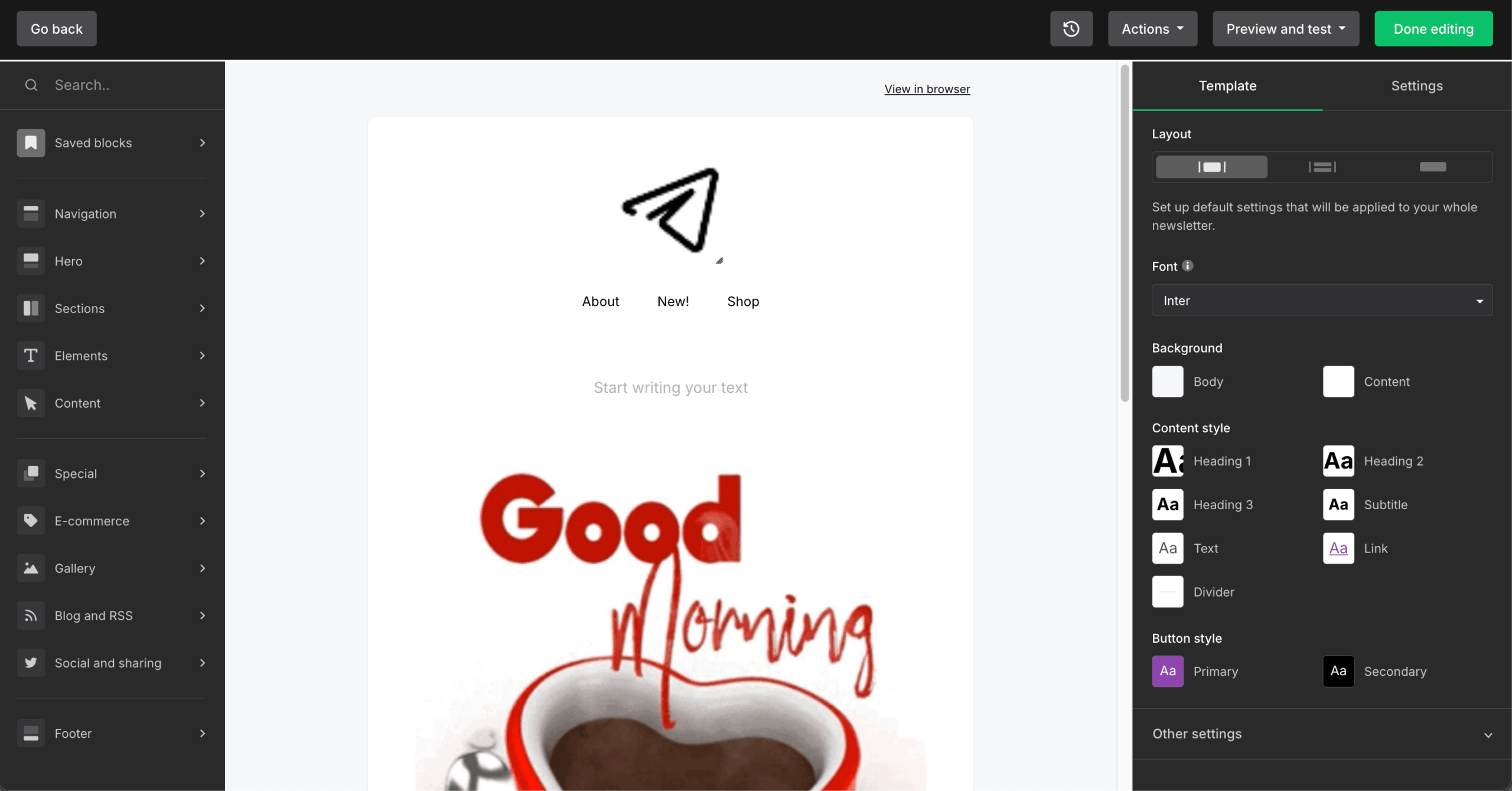
Omnisend vs. MailerLite
Where MailerLite wins:
- Lower-cost paid plans. MailerLite’s Comfort plan costs $19/month at 1,000 subscribers and remains below Omnisend’s Standard pricing at the list sizes compared here.
- More generous free email marketing allowance. Both free plans cap the audience at 250 contacts, but MailerLite allows 2,500 monthly emails, compared with 500 on Omnisend.
- Simpler content and lead-generation toolkit. MailerLite combines email campaigns with landing pages, forms, a website builder, and easy-to-manage automations, making it a good fit for teams that want fewer moving parts.
Where Omnisend wins:
- Deeper ecommerce and multichannel automation. Omnisend offers more retail-focused workflows, product-based personalization, revenue reporting, and integrated SMS and web push capabilities, making it better suited to stores with more complex customer journeys.
Pros & Cons
- Beginner-friendly email editor and automation builder;
- Strong landing page, form, and website tools alongside email;
- Affordable Comfort pricing based on active subscribers.
- Free plan is limited to 250 subscribers;
- Comfort has monthly send and active-item limits, so heavier users may need Power.
Pricing
| Contact count | Omnisend | MailerLite | Cost Difference |
| 1,000 | $20/mo | $19/mo | $1/mo |
| 2,500 | $44/mo | $33/mo | $11/mo |
| 5,000 | $81/mo | $49/mo | $32/mo |
| 10,000 | $132/mo | $89/mo | $43/mo |
Kit – Creator-Focused Email with Simple Automation
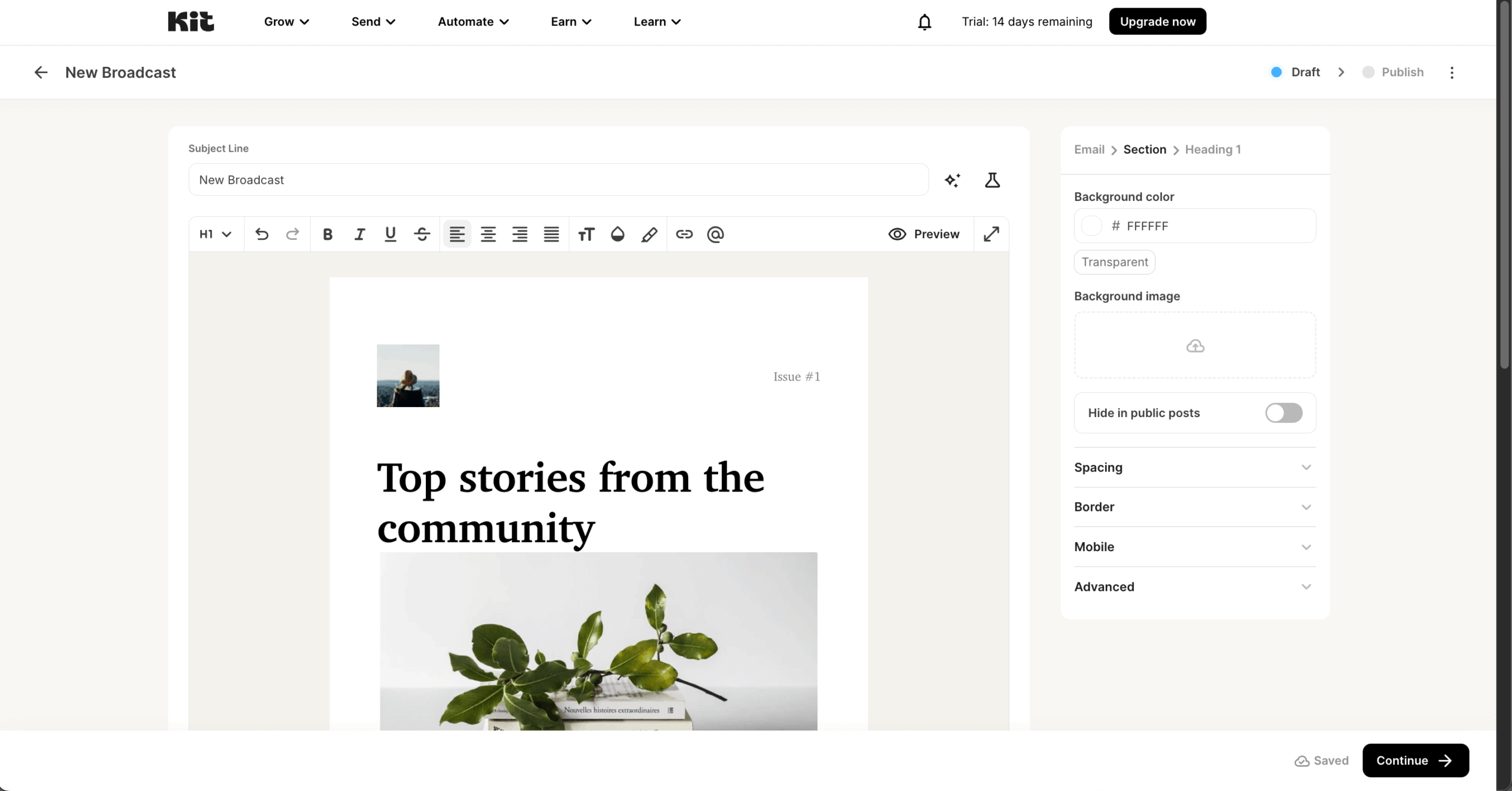
Kit is the pick for creators selling newsletters, courses, digital downloads, or memberships rather than physical products, with a free plan that runs to 10,000 subscribers.

Paid plans cost more than Omnisend at every size compared – $89 versus $81 at 5,000 contacts – the editor is basic, and ecommerce automation is intentionally light.
Omnisend vs. Kit
Where Kit wins:
- Simpler creator-focused workflows. Kit is built around newsletters, content delivery, and audience relationships, with a clean visual automation builder triggered by forms, tag changes, and purchases. This makes it easier for creators who need straightforward email sequences rather than complex ecommerce workflows.
- Generous free plan and flexible tagging. Kit supports up to 10,000 subscribers on its free plan, with feature limitations, while its tag-based audience management makes it easy to organize subscribers by interests, engagement, and purchases.
- Built-in creator monetization tools. Kit lets users sell digital products and subscriptions directly, with payment handling and purchase-based tagging. Its landing pages and forms are also designed around newsletter growth, lead magnets, and audience building.
Where Omnisend wins:
- Deeper ecommerce and multichannel automation. Omnisend offers stronger cart abandonment workflows, product-based personalization, and revenue attribution, making it better suited to online stores with physical products, larger catalogs, and more complex ecommerce journeys.
Pros & Cons
- Creator-focused email marketing tool with simple automation and segmentation in Kit;
- Built-in support for selling digital products and running paid newsletters;
- Generous free plan with unlimited emails for smaller audiences.
- Limited design customization and basic editor compared to drag-and-drop platforms;
- Costs grow as your subscriber list expands;
- Fewer integrations and more basic reporting features than enterprise tools.
Pricing
| Contact count | Omnisend | Kit | Cost Difference |
| 1,000 | $20/mo | $39/mo | $-19/mo |
| 2,500 | $44/mo | $59/mo | $-15/mo |
| 5,000 | $81/mo | $89/mo | $-8/mo |
| 10,000 | $132/mo | $139/mo | $-7/mo |
FAQ
The best Omnisend alternatives for ecommerce are Klaviyo and Drip, as both focus heavily on behavior-based automation and ecommerce segmentation. While Mailchimp and Brevo offer broader marketing features beyond email, including CRM and multichannel tools. ActiveCampaign supports advanced automation workflows, while Sender and Kit may suit smaller stores seeking simpler campaign management and lower complexity.
Businesses switch from Omnisend mainly because of its 2026 pricing and plan changes. Since May 2026, new customers only get SMS on the $59/month Pro plan, which also gates advanced reporting. Billing counts “billable contacts,” including people who never subscribed; unused SMS credits expire after 60 days; and the Standard plan caps monthly sends at 12× your contact count. Stores that want SMS on a cheaper plan, subscriber-only billing, or a built-in CRM usually look elsewhere.
Yes, a lot of Omnisend alternatives offer a free plan. However, Sender is one of the strongest free Omnisend alternatives, due to the fact it offers up to 2,500 subscribers and 15,000 emails per month, plus automation and segmentation. Omnisend’s free tier is limited to 250 contacts, so Sender gives smaller stores more room to run campaigns and grow before moving to a paid plan.
Klaviyo is the best Omnisend alternative for Shopify stores that need deep ecommerce segmentation and personalization. Its native Shopify integration supports detailed customer and purchase data, while its automation flows cover abandoned carts, win-back campaigns, and product recommendations. It suits growth-focused stores willing to trade simpler setup for more data-driven control.
ActiveCampaign and Klaviyo are often chosen for advanced marketing automation. They support conditional logic, detailed segmentation, event tracking, and multi-step workflows based on customer behavior. These platforms are generally suited for businesses managing complex funnels or lifecycle campaigns.
Yes, some Omnisend alternatives include integrated CRM functionality. Brevo offers a built-in CRM alongside email, SMS, and marketing automation features. ActiveCampaign also combines CRM and automation tools, allowing businesses to manage sales pipelines and customer data in one system. These platforms may suit teams that want marketing and contact management consolidated without relying on separate third-party customer journey automation software.
The level of effort largely depends on your existing setup and how customized your workflows are, but most platforms make the whole process easy. Moving away from Omnisend typically involves updating domain authentication records (such as DNS settings), creating new API keys or SMTP credentials, and validating email sending performance with test campaigns prior to full migration.
Kit is often considered the best Omnisend alternative for creators. It focuses on straightforward automation and subscriber management rather than complex ecommerce workflows. Mailchimp may also appeal to creators seeking broader integrations and campaign templates. The best choice depends on whether the primary goal is content distribution, monetization, or advanced automation.