



Roughly one in six emails never makes it to the inbox. They land in spam, get filtered into the Promotions tab, or vanish into the missing-mail void where nobody — including you — ever sees them. And here’s the part that makes deliverability so frustrating: your email service provider will still mark them as “delivered.”
That word is doing a lot of misleading work. “Delivered” only means the recipient’s mail server accepted the handoff. It says nothing about which folder the email ended up in, whether the recipient ever saw it, or whether your campaign quietly tanked while your dashboard glowed green.
This is the gap that email deliverability tools exist to close. They test where your emails actually land, monitor your sender reputation in real time, validate your authentication setup, and warm up new sending infrastructure so it doesn’t get throttled the moment you scale. Used well, they turn deliverability from a black box into something you can measure and fix.
In this guide, we’ve broken down twelve of the best email deliverability tools on the market right now — covering all-in-one platforms, inbox placement testers, warm-up tools, free authentication checkers, and the free monitoring dashboards from Gmail, Outlook, and Yahoo. Each tool is matched to a specific use case so you can pick the right one without wasting trial credits on the wrong fit.
We’ll also cover the strategic and tactical side of deliverability that most listicles skip — sender requirement compliance, lifecycle workflows that protect your reputation, list-hygiene playbooks, and the benchmarks you should be measuring against.
This article is part of our Email deliverability guide.
What Is an Email Deliverability Tool (and Do You Actually Need One)?
An email deliverability tool is software that helps you measure, diagnose and improve where your emails land — primary inbox, Promotions tab, spam folder, or nowhere at all. Some tools are diagnostic only (they tell you what’s wrong); others are corrective (they actively work to improve placement); a handful do both.
In practice, deliverability tools handle five core jobs:
- Inbox placement testing. Sends test emails to seed accounts across Gmail, Outlook, Yahoo, Zoho and other providers, then reports back where each one landed. The fastest way to spot placement issues before a real campaign goes out.
- Email warm-up. Builds (or rebuilds) sender reputation by gradually ramping up sending volume from a new domain or IP, often paired with simulated engagement (opens, replies, “not spam” actions) from a pool of seeded inboxes.
- Authentication checks. Verifies your SPF, DKIM and DMARC records are correctly configured so mailbox providers can confirm you are who you say you are.
- Reputation and blocklist monitoring. Tracks the health of your sending IP reputation and domain, watches for blocklist appearances, and alerts you when complaint rates spike.
- Spam content analysis. Scans your email copy and HTML for elements that trip filters — risky words, broken links, malformed tags, missing unsubscribe headers.
Do you need a dedicated tool? It depends on volume and stakes. If you’re sending a few hundred newsletters a month from an established domain through a major ESP, your provider’s built-in reporting is probably enough.
If you’re running cold outreach, scaling transactional volume, launching from a new domain, recovering from a reputation hit, or sending more than 5,000 emails a day to Gmail or Yahoo — yes, you need one. Probably more than one.
How We Evaluated These Tools
This isn’t a list of every tool with a Google Ad budget. We evaluated each on five criteria:
- Accuracy. Do the placement tests reflect real-world results, or do they over-promise?
- Feature coverage. Does it handle one job well, or several jobs adequately?
- Pricing transparency. Is the cost predictable, or does it balloon with overage fees and add-ons?
- User feedback. What do verified G2 and Capterra reviewers actually say after using it for months?
- Use-case fit. Who is this tool genuinely best for — cold outreach, transactional sending, enterprise marketing, agencies?
We also tested every tool ourselves where possible — sending real campaigns through seed lists, checking how the dashboards held up under volume, and measuring how quickly each one surfaced issues. Tools that looked good in marketing copy but failed under load didn’t make the cut.
Capterra, G2, Trustpilot, and Reddit to create an objective evaluation. Learn more about our review methodology
Quick Picks: Which Tool for Your Situation
Short on time? Here’s the cheat sheet.
- Best all-in-one platform for marketers and product teams → Sender’s deliverability suite (covers placement, warm-up, authentication, reputation, segmentation in one tool)
- Best for cold-email inbox placement testing → GlockApps
- Best free authentication and blocklist diagnostics → MXToolbox
- Best for warming up new domains at scale → Warmup Inbox
- Best free Gmail-specific reputation monitoring → Google Postmaster Tools
- Best for fast transactional email delivery → Postmark
- Best for enterprise senders with global volume → Validity Everest
- Best for active reputation repair → InboxAlly
- Best for cold outreach automation with built-in deliverability → Smartlead
At-a-Glance Comparison
| Tool | Best For | Inbox Placement | Spam Checker | Auth Check | Reputation Monitor | Warm-up | Starting Price |
| Sender | All-in-one marketing + deliverability | ✅ | ✅ | ✅ | ✅ | ✅ | Free plan available |
| GlockApps | Inbox placement testing | ✅ | ✅ | ✅ | ✅ | — | $59/mo |
| PowerDMARC | DMARC, authentication & domain reputation management | ✅ | — | ✅ | ✅ | — | Free / $12/mo |
| MXToolbox | Free authentication & blocklist checks | ✅ (paid) | — | ✅ | ✅ | — | Free / $129/mo |
| Mailgun Optimize | Developer-focused testing | ✅ | — | ✅ | ✅ | — | $49/mo |
| Unspam.email | AI-assisted spam testing & inbox placement | ✅ | ✅ | ✅ | — | — | Free |
| Warmup Inbox | Domain & inbox warm-up | ✅ | ✅ | ✅ | ✅ | ✅ | $12/mo per inbox |
| Google Postmaster | Free Gmail reputation monitoring | — | — | ✅ | ✅ | — | Free |
| Microsoft SNDS | Free Outlook/Hotmail monitoring | — | — | — | ✅ | — | Free |
| Yahoo Sender Hub | Free Yahoo monitoring | ✅ | — | ✅ | ✅ | — | Free |
| Postmark | Fast transactional delivery | ✅ | — | ✅ | ✅ | ✅ | $15/mo |
| Smartlead | Cold outreach automation | ✅ | ✅ | ✅ | ✅ | ✅ | $39/mo |
| Validity Everest | Enterprise reputation monitoring | ✅ | ✅ | ✅ | ✅ | — | $20/mo (limited) |
| InboxAlly | Active reputation repair | ✅ | ✅ | ✅ | — | ✅ | $149/mo |
The Five Categories of Email Deliverability Tools
Before getting into the individual reviews, it helps to understand the five categories these tools fall into. Most teams need at least one from each of the first three categories.
- All-in-one deliverability platforms. Send your emails and manage deliverability from a single dashboard. Best for marketing and product teams who want fewer moving parts.
- Inbox placement testing tools. Run pre-flight checks before campaigns go live. They send test emails to seed lists across providers and report where they land.
- Warm-up and engagement-simulation tools. Build sender reputation on new domains, or rebuild it on damaged ones, by simulating realistic recipient behavior over time.
- Authentication and DNS check tools. Verify your SPF, DKIM, DMARC, BIMI and MX records — the technical plumbing that mailbox providers use to decide whether to trust you.
- Free mailbox-provider monitoring dashboards. Google Postmaster, Microsoft SNDS and Yahoo Sender Hub. Free, official, and indispensable for senders with significant volume going to those providers.
Now to the tools themselves.
1. Sender
Best for: Marketing teams, e-commerce brands and SMBs that want sending, automation, segmentation and deliverability in one platform.
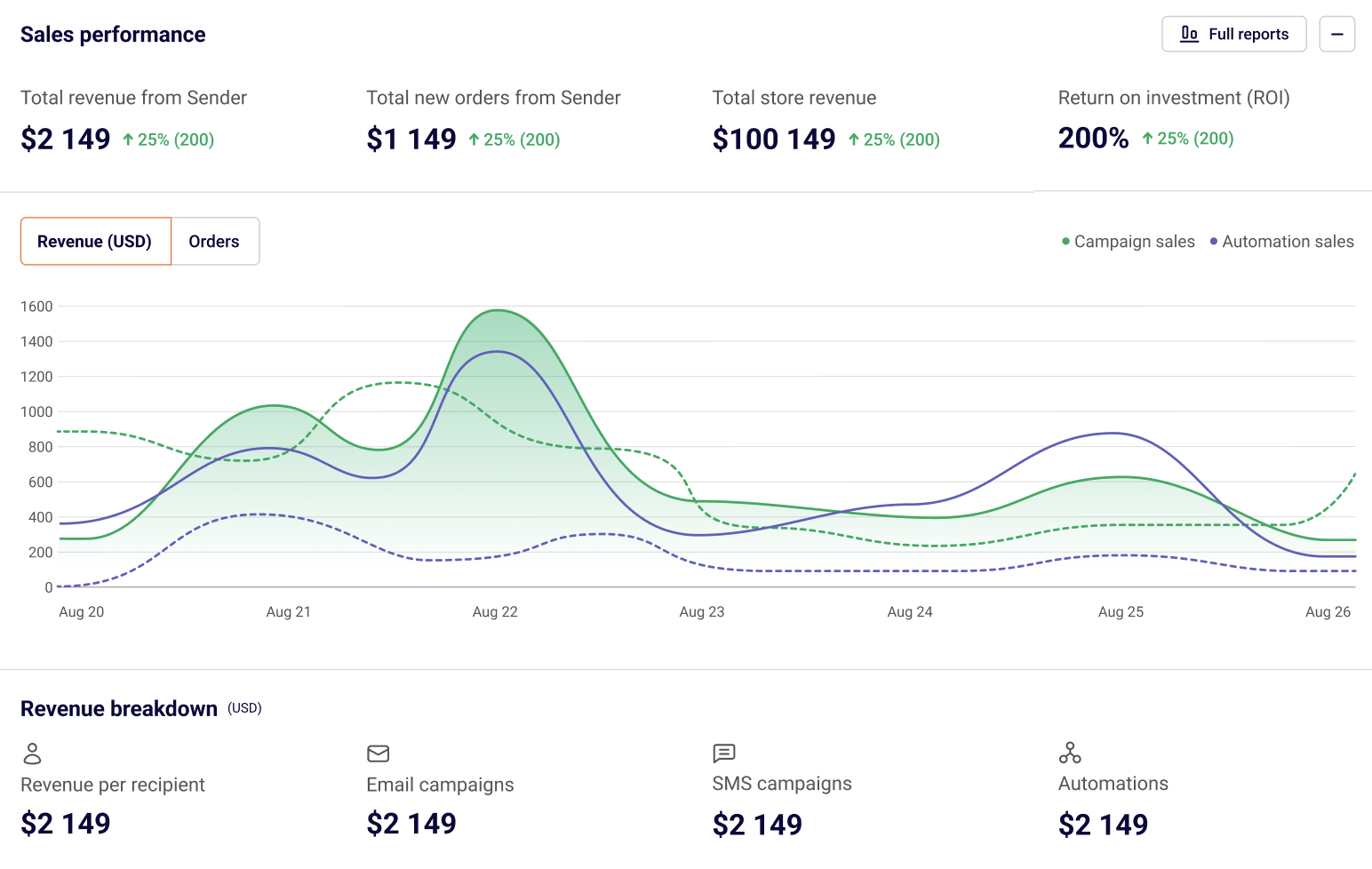
Most lists in this category force you to choose between an ESP and a deliverability stack. Sender combines the two — a full-featured email and SMS marketing platform with deliverability tooling, automation flows and segmentation built in. That matters because deliverability isn’t a one-time test; it’s a continuous outcome of how you send, who you send to, and how engaged your list is. Tools that treat it as a separate concern miss half the picture.
Key deliverability features
- High inbox placement by default. Authenticated infrastructure, monitored sender reputation and shared/dedicated IP options keep placement rates strong without requiring you to manage the sending layer yourself.
- SPF, DKIM and DMARC setup wizards. Authentication walks you through the process step by step. No copy-pasting cryptic DNS strings from a Stack Overflow answer at midnight.
- Real-time analytics on opens, clicks, bounces and complaints. Per-campaign and per-segment reporting, plus webhook-based event streaming if you want to pipe data into your own dashboards.
- Automation flows that protect deliverability. Welcome series, abandoned-cart sequences, re-engagement campaigns and sunset flows are all available without bolt-on tooling. Engaged subscribers get more email, disengaged ones get a re-engagement attempt followed by graceful removal — exactly the lifecycle pattern that mailbox providers reward.
- List segmentation by engagement. Build dynamic segments based on recent opens, clicks or purchases so your sending stays focused on subscribers who actually want to hear from you. This is one of the highest-leverage levers in deliverability and it’s surprisingly absent from most “deliverability tools.”
- Pre-send spam content checks that flag risky words, broken HTML and missing unsubscribe headers before you hit send.
Why it stands out
The strategic angle most deliverability listicles miss: your sender reputation is the cumulative product of every email you’ve sent. A standalone testing tool can tell you something is wrong, but it can’t fix the underlying behavior. Sender does both — diagnostics and the lifecycle flows, segmentation rules, and authentication that keep you out of trouble in the first place.
Pricing
Sender offers a generous free tier (up to 2,500 subscribers and 15,000 emails/month) with full automation features included — which is unusual; most competitors gate automation behind paid plans. Paid plans scale based on subscriber count and add advanced reporting, premium support, and SMS capabilities.
2. GlockApps
Best for: Marketers and cold-email senders who want to know exactly where their emails will land before launching a campaign.
GlockApps is the inbox placement testing standard for a reason. You send a test email to its seed list — a network of around 70+ accounts spread across Gmail, Outlook, Yahoo, AOL, GMX, Web.de and other regional providers — and within minutes you get a report showing exactly where each provider placed it. Inbox, Promotions, Spam, or missing entirely.
Key features
- Inbox placement reports broken down by provider, with Gmail-specific Primary-vs.-Promotions tab visibility.
- Spam content analysis using 5 spam filters (SpamAssassin, Barracuda, Microsoft Exchange Online Protection (EOP), Proofpoint, and an exclusive Google filter), with explanations for each triggered rule.
- DMARC analyzer with weekly and monthly digests and real-time alerts when something fails.
- Uptime blacklist monitoring across 50+ blocklists with alerts the moment your IP appears on one.
- Deliverability consultation calls if you’d rather have a human walk you through your setup.
Pros
- Wide provider coverage including country-specific inboxes that other tools miss.
- Detailed, easy-to-read reports with clear explanations of why filters flagged content.
- Decent free tier — two spam tests and 10,000 DMARC checks per month at no cost.
- Automated test scheduling if you connect via SMTP.
Cons
- The seed list is small enough (~100 mailboxes) that you should treat results as directional, not absolute. Use them to identify problems, not as a definitive deliverability score.
- Some ESPs block uploading external seed lists; you may need to ask their support team to whitelist them.
Pricing
Free plan available. Paid plans start at $59/mo (Essential, 360 spam test credits) and scale to $129/mo for enterprise volume.
3. PowerDMARC
Best for: Businesses and MSPs that want DMARC enforcement, authentication management and pre-send inbox placement testing in one platform, without stitching together separate tools.
Most senders end up running one tool for authentication (SPF/DKIM/DMARC) and a completely separate one for inbox placement testing. PowerDMARC recently closed that gap with its Inbox Placement Analyzer, a self-service testing tool built directly into the platform – so a failing DMARC record and a spam-folder problem now show up in the same dashboard instead of two different tools.
Key features
- Inbox placement analyzer testing real-mailbox delivery across Gmail, Outlook, Yahoo Mail, iCloud, AWS Mail and Zoho Mail, paired with SPF, DKIM and DMARC validation in a single workflow and prioritized, plain-language remediation guidance.
- DMARC report analysis that turns raw aggregate (RUA) and forensic (RUF) XML data into readable dashboards, flagging unauthorized senders and misconfigurations.
- Guided enforcement journey from p=none through p=quarantine to p=reject.
- SPF flattening to keep SPF records under the 10-lookup limit.
- BIMI and MTA-STS support, plus hosted DKIM/SPF for senders who don’t want to manage DNS directly.
- Multi-domain testing and management, with separate trend dashboards per domain – useful for enterprises with multiple brands and agencies managing client portfolios.
- AI-powered threat intelligence surfacing phishing and spoofing attempts from DMARC failure data.
Pros
- Combines authentication enforcement and pre-send placement testing in a single workflow – most competitors make you use two tools.
- Approachable for non-technical marketing and IT teams, not just security specialists.
- Strong multi-domain/MSP tooling for agencies managing client portfolios.
Cons
- No dedicated warm-up feature for new or damaged domains – pair with a tool like Warmup Inbox or InboxAlly for that job.
- Some advanced features are gated to higher-tier plans.
Pricing
Free plan available for basic DMARC monitoring on a single domain. Paid plans scale by domain count and feature tier, with custom pricing for MSP and enterprise volumes.
4. MXToolbox
Best for: Anyone who needs a fast, no-cost technical health check on their email setup.
MXToolbox has been around since 2004 and is genuinely free for the diagnostics that matter most. There’s no signup wall for the basic tools — you paste in your domain or IP address, click a button, and get back a detailed report on your DNS records, authentication setup and blocklist status.
What you can do for free
- SPF, DKIM and DMARC lookups that show you exactly what’s published in DNS and flag misconfigurations.
- Blocklist scans against the major DNS-based blocklists (DNSBLs) — useful when bounce rates spike for no obvious reason.
- MX record diagnostics for troubleshooting bounces and routing issues.
- SMTP diagnostics that test your mail server’s response to standard commands.
- Email header analysis — paste in a raw header and get a parsed view of authentication results, server hops and timing.
Pros
- Genuinely useful free tools. No credit card required for the diagnostics most senders need.
- Fast and reliable. The lookups complete in seconds and the data is accurate.
- Browser-based with no installation overhead.
Cons
- The free tools tell you what’s wrong but not how to fix it; you’ll need separate guides for remediation.
- The paid plans are expensive ($129/mo and up) and primarily aimed at enterprise IT teams.
- The interface looks like it was built in 2004 (because it was) and the navigation can be confusing for first-time users.
Pricing
- Free for one-off lookups.
- Delivery Center: $129/mo with monitoring for up to 5 domains and 500,000 messages.
- Delivery Center Plus: $399/mo with advanced threat tools and SPF flattening.
5. Mailgun Optimize
Best for: Teams already sending through Mailgun, or developers who want deliverability tooling that integrates with code rather than dashboards.
Mailgun Optimize is a standalone deliverability suite that you can pair with any ESP — you don’t have to use Mailgun’s sending service to use it, though there’s obvious synergy if you do. It covers inbox placement testing, email validation, spam-trap monitoring, blocklist monitoring, and HTML email previews.
Key features
- Inbox placement tests across a wide seed list spanning major mailbox providers.
- Email validation as either a batch upload or a real-time API embedded in your signup form.
- Spam-trap monitoring that flags when your list contains known traps before they damage your reputation.
- Google Postmaster Tools integration for unified Gmail reporting.
- Email preview rendering across major clients and devices.
Pros
- Strong API surface — useful if you want validation built into your signup or onboarding flow.
- Region selection (North America or Europe) for data residency requirements.
- Reliable infrastructure backed by Mailgun’s underlying ESP.
Cons
- Inbox placement reports don’t separate Primary inbox from Promotions tab — you only get an overall “inbox” rate.
- More technical than marketer-friendly; the dashboard assumes some familiarity with email infrastructure.
- Some users have reported continued billing after cancellation, so check the cancellation flow carefully.
Pricing
- Pilot: $49/mo (2,500 validations, 25 placement tests, 500 previews).
- Starter: $99/mo (5,000 validations, 50 placement tests, 1,000 previews, plus blocklist and spam-trap monitoring).
Want more tools similar to Mailgun? See full Mailgun alternatives.
6. Unspam.email
Best for: Anyone who needs spam testing and inbox placement checks without the technical overhead.
Unspam.email is an email deliverability testing platform that runs diagnostic checks before campaigns go out. Each report includes an AI Assistant that prioritizes findings, explains each issue in plain language, and provides the specific DNS record or code snippet needed to resolve it. An AI eye-tracking heatmap is also included for layout optimization alongside the technical diagnostics.
Key Features
- Inbox placement testing across Gmail, Outlook, Yahoo and more via seed list.
- Spam score testing covering content analysis, authentication, blacklist status and technical configuration in a single report.
- AI eye-tracking heatmap for layout and engagement optimization.
- Blacklist monitoring across 50+ lists.
- SPF, DKIM, DMARC, rDNS and unsubscribe header verification.
Pros
- Spam tester with an AI Assistant that writes your DNS fixes for you.
- Eight diagnostic layers from a single test send.
- Agency and White Label plans built for teams managing multiple client domains.
Cons
- Free plan is limited for regular use
- Focused on pre-send testing only
- Lacks the raw data depth of enterprise tools
Pricing
- Free forever plan
- Basic: $9/mo with increased test volume
- Business: $19/mo with high-volume testing for growing teams
- Agency: $29/mo with 500 spam tests, 500 email previews, 250 heatmaps, 250 inbox placement tests/month
- White Label: Custom pricing
7. Warmup Inbox
Best for: Cold outreach teams, agencies and anyone launching emails from a new or dormant domain.
Cold sending from a fresh domain is a fast track to the spam folder — mailbox providers haven’t seen any sending history from you, so they default to suspicion. Warm-up tools like Warmup Inbox solve this by gradually ramping up your sending volume while simulating engaged-recipient behavior across a network of cooperating inboxes.
How it works
You connect your sending account (Gmail, Outlook, Zoho, Office 365 or any SMTP). Warmup Inbox starts sending small volumes of warm-up emails from your address into its network, where bots open the messages, mark them as important, reply when relevant, and rescue any that landed in spam. Over a few weeks this builds a sending history that mailbox providers recognize as legitimate.
Key features
- Fully automated warm-up with daily scheduling and gradual volume increases.
- Domain reputation monitoring during the warm-up process so you can see progress.
- SPF, DKIM and DMARC checks baked into the dashboard.
- Wide ESP support — Gmail, Workspace, Outlook, Zoho, Mailgun, SendGrid, Brevo, Amazon SES, plus any custom SMTP.
- Daily metrics dashboard showing inbox placement and engagement rates.
Pros
- Easy setup — connect, configure ramp-up speed, and let it run.
- Handles multiple inboxes from a single dashboard, which agencies and outbound teams need.
- Affordable per-inbox pricing with bulk discounts.
Cons
- No detailed inbox health or domain reputation score — you get daily metrics but not a deep diagnostic view.
- Limited reporting customization.
- If you stop the warm-up too early or start sending aggressive volume from an under-warmed mailbox, your reputation can drop again. Consistency is the whole game.
Pricing
$12/mo per inbox with bulk discounts. Free trial available.
8. Google Postmaster Tools
Best for: Any sender with significant volume going to Gmail addresses (which is most senders).
Gmail handles roughly 30% of all global email traffic, and if your audience skews business or consumer, your Gmail volume is probably much higher than that. Google Postmaster Tools is the free, official window into how Gmail evaluates your sending. There is no good reason not to use it.
What you can monitor
- Compliance status with Gmail’s bulk-sender requirements (one-click unsubscribe, authentication, spam-rate thresholds).
- Spam rate as reported by Gmail users marking your messages as spam.
- IP and domain reputation rated High, Medium, Low or Bad.
- Email authentication pass/fail rates for SPF, DKIM and DMARC.
- TLS encryption rates for outbound and inbound traffic.
- Feedback loops (FBL) showing complaint sources at a campaign level.
- Delivery error rates broken down by error type.
The benchmarks that matter
- Spam rate must stay under 0.3% to comply with Gmail’s bulk-sender rules. The industry-standard target is 0.1% or lower — give yourself a buffer.
- Domain reputation should be Medium or High. Anything Low or Bad means Gmail no longer considers you a legitimate sender, and you’ll see a sharp drop in inbox placement.
- Authentication pass rates should be at or near 100%. Anything less means part of your traffic is failing SPF, DKIM or DMARC and getting filtered.
Setup
You need a Google account (or Google Workspace account) and the ability to add a TXT record to your sending domain’s DNS. Verification takes a few minutes; data starts appearing within 24–48 hours.
9. Microsoft SNDS
Best for: Senders with meaningful volume going to Outlook.com, Hotmail and Live addresses.
Microsoft’s Smart Network Data Services is the equivalent of Google Postmaster for the Outlook universe. It’s older, uglier and clunkier than Postmaster — but it’s free and it tells you things you can’t get anywhere else.
What you can monitor
- Filter result — the most important column. Microsoft scores your IP’s health based on how often it hits Outlook spam filters.
- Complaint rate — percentage of recipients who reported your message as spam.
- Spam-trap hits — Microsoft maintains traps that flag senders with poor list hygiene.
- IP activity volume — emails sent from each IP in a given window.
Why it matters
Outlook’s spam filtering is notoriously aggressive, and unlike Gmail it gives you very little visible feedback when something goes wrong. A drop in Outlook deliverability often shows up as silence — engaged subscribers stop replying, but you don’t know if they got the email at all. SNDS is the only direct way to see how Microsoft is treating your traffic.
Setup
You need a Microsoft account, the IPv4 address of your sending server, and access to its reverse DNS to verify ownership. The setup is fiddly but free.
10. Yahoo Sender Hub
Best for: Senders with significant Yahoo Mail or AOL volume.
Yahoo Sender Hub launched in 2024 and is the newest of the three free official monitoring tools. As a result, it’s also the most modern — the dashboard is genuinely usable, and it includes features the older tools don’t.
What you can monitor
- Domain reputation specifically for Yahoo Mail traffic.
- Authentication status for SPF, DKIM, and DMARC.
- Spam complaint rate.
- IP reputation.
- Inbox placement breakdown.
Bonus features
- BIMI support — Brand Indicators for Message Identification, which lets your verified logo appear next to your messages in the inbox.
- AMP for Email support, useful if you’re running interactive email experiences.
Setup
A Yahoo account, a verified sending domain, and properly configured authentication. The verification flow is straightforward.
11. Postmark
Best for: Product teams sending password resets, receipts, order confirmations and other time-sensitive transactional emails.
Postmark’s whole pitch is speed and reliability for transactional traffic. If a customer is staring at a “Resend verification email” button waiting for an inbox notification, every second of latency costs you. Postmark’s median delivery time is sub-second, and it keeps transactional and marketing streams strictly separate so a marketing reputation issue can’t take down your password reset flow.
Key features
- Sub-second delivery for transactional messages via REST API or SMTP.
- Separate sending streams for transactional and broadcast emails on a single account.
- 45 days of full email content history included in every plan — most competitors charge extra for retention beyond seven days.
- Bounce and complaint webhooks with real-time event streaming.
- Built-in DMARC reporting that surfaces alignment failures and lookup issues.
Pros
- Excellent uptime and consistent delivery times.
- Developer-friendly API with thorough documentation and SDKs in most major languages.
- Detailed event logs that make debugging delivery issues easy.
Cons
- Pricing is on the higher end for a transactional-focused tool.
- Not designed for marketing or cold outreach use cases — you’ll need a separate tool for those.
Pricing
- Free plan: 100 emails/month.
- Basic: from $15/mo for 10,000 emails.
- Pro: from $60.50/mo for 50,000 emails.
- Platform: from $138/mo for 125,000+ emails.
But this is not the only tool with such features. See the full Postmark alternatives list to find the one that fits your needs.
12. Smartlead
Best for: Sales and outbound teams running cold-email campaigns at scale.
Cold email is its own deliverability beast. You’re sending to recipients who haven’t asked to hear from you, from a domain that probably has no engagement history with the receiving inboxes, often at volumes that look suspicious to filters. Smartlead is built for this specifically — every feature is shaped by the cold-outreach use case.
Key features
- Unlimited mailbox support with automated warm-up for each one, so you can rotate sending across many inboxes without orchestrating warm-up manually.
- Auto mailbox rotation that distributes sending across all connected inboxes, keeping volume per inbox below provider-imposed thresholds.
- SmartDelivery — pre-launch placement testing across major providers with spam and readability checks.
- Comprehensive authentication validation for SPF, DKIM and DMARC.
- Master Inbox — a single unified view of replies across every connected inbox.
- Sub-account support for agencies managing many client domains.
Pros
- Purpose-built for cold outreach, which means the deliverability features actually map to how outbound teams send.
- Unlimited inboxes is a genuine differentiator — competing tools often charge per mailbox.
- Active development with frequent feature releases.
Cons
- Overkill if you’re not doing cold outreach.
- The breadth of features creates a learning curve; expect a few hours of onboarding.
Pricing
- Free plan: 2,500 emails/month, 1,250 contacts.
- Basic: $39/mo with unlimited warm-up and 6,000 emails.
- Pro: $94/mo with 150,000 emails and webhook support.
- Custom: $174/mo for high-volume senders.
13. Validity Everest
Best for: B2B senders, enterprise marketing teams and agencies managing high-volume programs.
Everest is what you graduate to when individual tools stop scaling. Validity built it by combining three previously separate products (Return Path, 250ok and BriteVerify) into a single platform that covers reputation monitoring, inbox placement testing, design testing, validation and competitive intelligence.
Key features
- The largest seed list of any deliverability platform — thousands of seeds across 100+ providers spanning webmail, hosting and corporate filtering systems.
- Seed List Optimizer that weights your seeds based on the actual provider distribution in your subscriber base.
- Sender Score reputation monitoring updated continuously.
- Spam-trap monitoring with alerts when traps appear in your sending data.
- Design testing across major email clients and devices.
- Competitive intelligence — see what your competitors are sending, when and to whom, so you can spot trends in your space.
- ESP integrations that pull engagement and deliverability data into the Everest dashboard.
Pros
- The most comprehensive deliverability data you can get without building a custom in-house solution.
- Real-time alerts on reputation drops and spam-trap hits.
- Solid for B2B senders specifically, with controls for whether to include corporate filtering providers in seed tests.
Cons
- Expensive. The lowest plan starts around $20/mo but is very limited; the next tier jumps to $500/mo+ and that’s where most useful features live.
- No free trial.
- Some features require add-ons (competitive intelligence, send-time optimization, sender certification) that bump pricing further.
- Not appropriate for senders below a few hundred thousand emails per month — overkill and over-budget.
Pricing
- Elements: from $20/mo (limited tests).
- Elements Plus: from $100/mo with reputation monitoring and engagement analytics.
- Professional: from $500/mo for established programs.
- Enterprise: custom pricing.
14. InboxAlly
Best for: Senders recovering from a reputation hit, or launching a new sending domain that needs aggressive engagement signals.
Most warm-up tools simulate generic engagement across a static seed list. InboxAlly takes it further — it actively trains mailbox providers to treat your messages as desired content by orchestrating very specific engagement actions: opening emails, clicking links, replying, marking as Important, marking as Not Spam, and moving messages out of Promotions into Primary.
How it works
You upload InboxAlly’s seed list to your sending tool, configure the engagement profile (open, click, reply, move-from-spam, etc.), and send your real campaign content. InboxAlly’s network behaves like an unusually engaged subset of recipients, generating the kind of positive signals that mailbox providers reward with better placement.
Key features
- Full engagement simulation — opens, clicks, replies, marking as Important, moving from Promotions to Primary.
- Reputation Repair preset that aggressively rebuilds damaged sender reputation over a few weeks.
- Real-time placement dashboard showing where your messages are landing as the program runs.
- Free spam tester — send your campaign content to InboxAlly’s audit address and get a free deliverability report.
Pros
- Genuinely effective at recovering reputation when the alternative is starting over with a new domain.
- Works alongside any ESP — InboxAlly doesn’t replace your sending tool.
- Most users see measurable placement improvements within one to two weeks.
Cons
- Expensive — pricing starts at $149/mo and climbs quickly.
- Heavy reliance on simulated engagement is controversial. Mailbox providers are increasingly sophisticated at detecting non-genuine activity, and over-reliance on warm-up tools can backfire if patterns become obvious.
- Pricing scales with seed-email volume, which can get steep if you’re sending large daily volumes.
Pricing
- Starter: $149/mo for 100 seed emails per day.
- Plus: $645/mo for 500 seed emails per day.
- Premium: $1,190/mo for 1,000+ seed emails per day.
- Enterprise: custom.
15. DMARKOFF
Best for: Agencies, consultants, and MSPs who need to manage DMARC compliance across multiple client domains — without per-user fees or message limits eating into margins.
DMARKOFF is a truly flexible, scalable DMARC monitoring platform designed to simplify email authentication and collaborate freely across clients or departments. It provides DMARC analytics, AI-powered report analysis, smart alerts, and multi-domain management within a user-friendly interface.
The platform supports the full DMARC workflow: from organizing domains and spotting issues to taking action and preventing threats. One of DMARKOFF’s biggest advantages is its accessibility for all experience levels, with all core features available from the start.
Key features
- DMARC, SPF, and DKIM authentication monitoring.
- Convenient multi-domain management with Projects and severity-based prioritization.
- Smart alerts for automatic anomaly detection.
- AI-powered report analysis with the built-in DMARC assistant.
- MCP server support for AI-powered workflows.
Pros
- Simple per-domain pricing without user or message limits.
- Unlimited DMARC reports, users, and projects.
- Each domain includes 30 Luma AI assistant analysis credits monthly.
- Secure project sharing for easy collaboration in a shared workspace.
- Free parked domain monitoring.
- Profitable affiliate and MSP programs for partners.
- Help maintain proper email authentication to improve email deliverability.
Cons
- Processes aggregate DMARC reports only and does not support forensic report processing.
Pricing
- A 14-day free trial is available.
- $10 per monitored domain/month or $100 annually (save $20 per domain/year), with all core features included.
- Businesses and agencies managing more than 10 domains can request a custom Agency+ plan.
Sender-Requirement Compliance: What Every Sender Needs to Know in 2026
Starting in early 2024, the major mailbox providers tightened the rules for bulk senders. These rules are the single biggest reason deliverability suddenly got harder for many teams — and they explain why authentication-checking tools moved from “nice to have” to “required.”
Google and Yahoo bulk-sender requirements
Senders sending more than 5,000 messages per day to Gmail or Yahoo accounts must:
- Authenticate outbound mail with SPF, DKIM and DMARC. DMARC must be at least at p=none.
- Use a custom sending domain with a published DMARC record aligned to the From header.
- Include a one-click List-Unsubscribe header on every message and honor unsubscribes within two days.
- Keep spam complaint rates below 0.3%, with an industry-standard target of 0.1%.
Microsoft Outlook high-volume sender requirements
Microsoft followed Google and Yahoo with similar rules:
- SPF, DKIM and DMARC required for senders above the bulk threshold.
- Authentication must align — passing SPF and DKIM isn’t enough if neither aligns with the visible From domain.
- One-click unsubscribe required for marketing messages.
Apple Mail Privacy Protection
Apple’s MPP doesn’t impose new sender requirements, but it pre-fetches images for users who enable it, which means open rates from Apple Mail are inflated and unreliable. If you use opens as an engagement signal for segmentation, you need to either weight Apple Mail opens differently or shift to click-based and reply-based engagement signals.
How tools help you stay compliant
- MXToolbox, Sender, and the free DMARC checkers verify your authentication setup is correctly configured.
- Google Postmaster, Microsoft SNDS and Yahoo Sender Hub monitor your compliance status with each provider.
- GlockApps and Validity Everest alert you when authentication starts failing, before it becomes a deliverability emergency.
- Sender’s authentication wizard walks marketers through SPF, DKIM and DMARC setup without requiring DNS-level expertise.
Tactical Frameworks That Make These Tools Worth the Money
Tools alone don’t fix deliverability. The tools tell you what’s happening; the workflows below are what actually move the needle.
The email warm-up workflow
When you start sending from a new domain or IP, follow this rough schedule:
- Days 1–7: Send 20–50 messages per day to highly engaged recipients (internal team, double-opted-in subscribers, people who recently bought from you).
- Days 8–14: Increase to 100–500 per day, still focused on engaged segments.
- Days 15–30: Ramp to 1,000–5,000 per day, gradually expanding to your wider list.
- Days 30+: Add new segments only after engagement metrics on existing segments stabilize.
The mistake most teams make is ramping too fast. If your open rate drops or complaint rate climbs, pause the ramp and stay at the current volume until metrics recover.
The reputation recovery flow
If your domain reputation has dropped to Low or Bad in Google Postmaster, or your complaint rate is spiking:
- Stop sending immediately to disengaged segments. Restrict to subscribers who opened or clicked in the last 30 days.
- Audit recent sends for content issues. Look for unusual link patterns, missing unsubscribe headers, or content that triggered spam-content checks.
- Verify authentication is still passing. A surprising number of reputation drops are actually authentication failures from a recent DNS change.
- Run an inbox placement test to see which providers are filtering most aggressively.
- Slow ramp the engaged segment back up over 2–4 weeks while monitoring Postmaster, SNDS and complaint rates daily.
Bulk vs. transactional sending streams
Never send marketing emails from the same domain or IP as your transactional messages. A reputation hit on your marketing send shouldn’t take down your password resets. Use a subdomain (marketing.yourdomain.com for promotions, mail.yourdomain.com for transactional) and send each through a separate IP pool. Tools like Postmark, Mailtrap and Sender all support stream separation natively.
Segmentation as a deliverability lever
Segmentation isn’t just a marketing tactic — it’s one of the highest-impact deliverability actions you can take. Mailbox providers reward sending to engaged recipients and penalize sending to dead addresses. Build dynamic segments for:
- Hot subscribers: opened or clicked in the last 30 days.
- Warm subscribers: opened or clicked in the last 90 days.
- Cold subscribers: no engagement in 90+ days.
- Dormant subscribers: no engagement in 180+ days, candidate for sunset.
Send your most aggressive cadence to hot segments, lighter cadence to warm, re-engagement campaigns to cold, and remove dormant subscribers entirely after a final win-back attempt. Once segments are built, the email list cleaning discipline that protects every campaign turns segmentation into ongoing hygiene — suppress dormant subscribers, run regular bounce sweeps, and document everything for compliance.
Lifecycle automation flows that protect deliverability
The right automation flows aren’t just marketing assets — they’re deliverability infrastructure:
- Welcome series. Sets engagement expectations early. New subscribers should receive a sequence of well-timed messages within their first two weeks.
- Double opt-in confirmation. Reduces fake signups and spam-trap hits. Worth the small drop in list growth.
- Re-engagement campaigns. Triggered when a subscriber goes 60+ days without engagement. A simple “We’ve missed you” with an offer often re-activates 5–10% of cold subscribers.
- Sunset policy. Automatic removal of subscribers who don’t respond to re-engagement attempts. Painful to do once, painless once it’s automated.
- Win-back flow. For lapsed customers — different from re-engagement and timed to purchase cycles, not engagement gaps.
How to Choose the Right Tool for Your Situation
Use this decision tree to narrow your shortlist.
You’re an e-commerce or SMB marketer → Start with Sender for sending plus deliverability in one place. Add Google Postmaster for free Gmail monitoring.
You’re running cold outreach → Smartlead for sending and warm-up automation, GlockApps for placement testing, MXToolbox for free authentication checks, and Warmup Inbox if you need additional warm-up capacity.
You’re a developer sending transactional email → Postmark for sending, Mailgun Optimize for testing, Google Postmaster for Gmail monitoring.
You’re an enterprise marketing team → Validity Everest for the breadth of monitoring and competitive intelligence, plus Google Postmaster, Microsoft SNDS and Yahoo Sender Hub for direct provider feedback.
Your reputation is damaged and you need to recover → InboxAlly for active engagement repair, plus daily monitoring through Google Postmaster and Microsoft SNDS.
You’re brand new and have no budget → MXToolbox (free), Google Postmaster (free), Microsoft SNDS (free), Yahoo Sender Hub (free) and Sender’s free plan will get you a long way.
Free vs. Paid: When Free is Enough
Free tools are sufficient when you:
- Have an established sending domain with stable engagement.
- Send predictable volumes through one mailbox provider’s audience.
- Don’t run cold outreach.
- Have the technical skill to interpret raw data without hand-holding.
Paid tools become necessary when you:
- Send to multiple provider audiences (Gmail + Outlook + Yahoo + corporate inboxes).
- Run cold outreach at scale.
- Have multiple sending domains to manage.
- Need scheduled monitoring and alerts rather than manual spot-checks.
- Are recovering from a reputation hit and need active intervention.
FAQ
Email delivery means the recipient’s mail server accepted the message. Email deliverability means it landed in the inbox where the recipient can actually see it. A message can be delivered but filtered into spam, hidden in Promotions, or quietly dropped — your ESP will still report it as “delivered” in all three cases. Deliverability tools exist specifically to surface that gap.
For basic technical audits, yes. MXToolbox handles authentication and blocklist diagnostics; Google Postmaster, Microsoft SNDS and Yahoo Sender Hub cover the major mailbox providers’ direct feedback.
If you need inbox placement testing across many providers, warm-up at scale, real-time alerting or active reputation repair, you’ll need at least one paid tool. Free tools tell you when something has gone wrong; paid tools help you prevent problems before they happen.
Smartlead for sending and built-in warm-up, GlockApps for inbox placement testing across providers, and MXToolbox for free authentication and blocklist monitoring. If you’re running cold outreach without all three (or close equivalents), you’re flying blind.
The fastest free option is MXToolbox — paste your domain into the SuperTool and it’ll show what’s published and flag any errors. Google Postmaster and ESP-built-in checkers (Sender, Mailgun, Postmark) also surface authentication status. For ongoing monitoring rather than one-off checks, GlockApps, SendForensics and dedicated DMARC platforms aggregate authentication results across all your mail.
MXToolbox and GlockApps both check against the major DNS-based blocklists in seconds. If you appear on one, the blocklist’s site will have a removal request form — fill it out, fix the underlying issue (usually compromised credentials or a list-hygiene problem), and most legitimate blocklists will remove you within 24–48 hours. Continuous blocklist monitoring through GlockApps or SendForensics will catch new appearances automatically.
Two to four weeks is typical for a new domain to reach normal sending volume safely. Shorter if you’re warming an established domain that’s been dormant. Longer if you’re recovering from a reputation hit. The single best predictor of how fast you can warm is how engaged your initial recipients are — warming with replies and clicks moves much faster than warming with opens alone.
Yes, if used carelessly. Mailbox providers are getting better at detecting simulated engagement patterns. Warm-up tools work best when paired with real organic engagement and used as a temporary supplement rather than a permanent crutch. If a tool’s warm-up traffic is the majority of your sending volume, mailbox providers will eventually notice and the reputation gains can reverse.
Most teams need at least one all-in-one platform (for sending and basic deliverability) plus one or two specialized tools (for placement testing, warm-up or monitoring). Trying to handle every category from a single tool usually means underpowered features in two or three categories. Trying to handle every category from separate tools means you’re paying for overlap and managing too many dashboards. The sweet spot for most teams is two to four tools.
Below 0.1% — that’s the industry-standard target. Above 0.3% violates Gmail and Yahoo’s bulk-sender rules and will tank your deliverability fast. Anything between 0.1% and 0.3% is a yellow flag worth investigating before it becomes red.
By a wide margin: sending to recipients who don’t engage. Mailbox providers care more about engagement signals (opens, replies, replies, “not spam” actions) than almost anything else. Pristine authentication and beautiful HTML won’t save you if your recipients consistently ignore your emails. The best deliverability investment most teams can make isn’t a tool — it’s better segmentation and a working sunset policy.
Final Thoughts
Email deliverability isn’t a problem you solve once. It’s the ongoing deliverability outcome the right tools support — driven by how you authenticate, who you send to, what you send, and how engaged your audience stays over time. The tools in this guide don’t replace good sending practices — they make those practices visible and measurable so you can tell when something’s drifting in the wrong direction.
If you’re starting from scratch, build the basics first: a reputable ESP with deliverability tooling included (Sender is the strongest pick here), free monitoring through Google Postmaster and Microsoft SNDS, and MXToolbox for authentication checks. That stack costs little or nothing and covers 80% of what most senders need.
Layer in specialized tools as your sending matures: GlockApps when you start running campaigns and need pre-flight placement testing; a warm-up tool when you launch new domains; InboxAlly if you ever need to recover from a reputation hit; Validity Everest if you scale into enterprise volumes.
And remember the one thing no tool will fix for you: the engagement quality of your list. Every other deliverability lever — authentication, warm-up, segmentation, content — is downstream of whether the people on your list actually want your email. Get that right, and most of the other problems take care of themselves.