


Cheap email marketing means different things at different list sizes. A free plan handling 250 contacts is meaningless for a 25,000-contact business; a $9/month entry tier is a steal for a creator and a budget breaker for a SaaS team running transactional sends.
I evaluated 14 cheap email marketing platforms in May 2026 on entry-tier pricing, automation depth, deliverability data from EmailToolTester’s January 2024 round, and review patterns from G2, Capterra, and Trustpilot.
Affordable email marketing means very different things to a 500-contact creator and a 50,000-subscriber SaaS team – and budget email marketing decisions made at the entry tier compound as you grow.
Cheap Email Marketing Platforms: The Fast Verdict
Below is the cheat-sheet version of the 14-platform comparison. Each row maps a specific buying need to a named pick – chosen on verified pricing, deliverability data from EmailToolTester’s January 2024 round, and feature scope across the entry tier of each tool.
| If You Need | Pick |
| Free automation without paying | Sender |
| Ecommerce triggers on an entry plan | Omnisend |
| Highest tested inbox placement (among platforms in this roundup) | Constant Contact (91.7%, Jan 2024) |
| Email + SMS + WhatsApp in one tool | Brevo |
| A free plan for up to 10K subscribers | Kit |
| All-in-one with webinars and landing pages | GetResponse |
| Lowest cost as your list scales past 10K | Brevo |
| Avoid if your list churns heavily | Mailchimp, Constant Contact |
How We Evaluated Cheap Email Marketing Platforms
Every platform was evaluated on its entry-level paid plan – or the tier closest to Mailchimp’s Essentials – against a standardized 1,000-contact list of subscribers who had opened or clicked a newsletter in the prior 90 days. No contacts were purchased or scraped.
I looked at eight dimensions: email builder, automation depth (trigger types, conditional logic, branching), list and segment management, form and landing page builders, deliverability, support responsiveness on the entry plan, customer review patterns, and pricing model.
Deliverability. I relied on third-party email deliverability data from GlockApps and EmailToolTester, with EmailToolTester’s January 2024 round serving as the latest detailed seedlist comparison covering this category. GlockApps citations are for campaign-level seed testing, not universal ESP rankings (which GlockApps doesn’t publish).
User reviews. I read recent reviews on G2, Trustpilot, Capterra, and Reddit and weighted positive and negative feedback in proportion to how often each theme surfaced.
Scope. Enterprise features (SSO, dedicated IPs, custom SLAs), SMS at volume, and transactional infrastructure beyond basic SMTP are out of scope. This is a guide to email marketing for small business operators, independent creators, and agencies – cheap email marketing tools for lists up to 50,000 contacts. All pricing and features verified May 04, 2026 in USD; annual billing typically saves 15–20%. Email pricing changes often – check each provider’s pricing page before committing.
Capterra, G2, Trustpilot, and Reddit to create an objective evaluation. Learn more about our review methodology
14 Cheap Email Marketing Platforms at a Glance
| Platform | Free Plan Limit | Paid From | Best For | Tested Inbox Rate | Last Price Check |
| Sender | 2,500 contacts / 15,000 emails/mo | $7/mo | Budget automation | Not tested (99.98% internal transmission) | May 4, 2026 |
| Zoho Campaigns | 2,000 contacts / 6,000 emails/mo | $3.50/mo | Zoho ecosystem users | Not tested | May 4, 2026 |
| Cakemail | 500 contacts / 6,000 emails/mo | ~$13/mo | Compliance-focused newsletters | Not tested | May 4, 2026 |
| Brevo | 100K contacts / 300 emails/day | $9/mo | High-volume, multichannel | 88.3% (Jan 2024) | May 4, 2026 |
| EmailOctopus | 2,500 contacts / 10,000 emails/mo | $8–9/mo | Bulk sending on a budget | Not tested | May 4, 2026 |
| Benchmark Email | 500 contacts / 2,500–3,500 emails/mo | $16/mo | AI-assisted basics | 47.1% (Jan 2024) | May 4, 2026 |
| SendPulse | 500 contacts / 15,000 emails/mo | $8/mo | Multichannel on a shoestring | 62.8% (Jan 2024) | May 4, 2026 |
| Constant Contact | None (14–60 day trial, varies by region) | $12/mo | Beginners, events, nonprofits | 91.7% (Jan 2024) | May 4, 2026 |
| Mailchimp | 250 contacts / 500 emails/mo | $13/mo | Brand recognition, polished templates | 89.6% (Jan 2024) | May 4, 2026 |
| Omnisend | 250 contacts / 500 emails/mo | $16/mo | Ecommerce automation | 75.1% (Jan 2024) | Mat 4, 2026 |
| Mailjet | 1,000 contacts / 6,000 emails/mo | $17/mo | Transactional + marketing | 88.1% (Jan 2024) | May 4, 2026 |
| GetResponse | 500 contacts / 2,500 emails/mo | $19/mo (Starter) | All-in-one marketing | 90.9% (Jan 2024) | May 4, 2026 |
| SendGrid | None (60-day trial, 100/day) | $19.95/mo | Developer-first, transactional | Not tested | May 4, 2026 |
| Kit | 10,000 subscribers / unlimited | $39/mo | Creators, paid newsletters | 91.3% (Jan 2023) | May 4, 2026 |
How inbox placement was measured. Percentages come from EmailToolTester’s January 2024 deliverability round – the latest detailed public seedlist comparison covering this category. Six platforms weren’t in that round (Sender, Zoho, Cakemail, EmailOctopus, SendGrid, Kit) and are marked “Not tested” – no third-party percentage exists for them.
Sender’s row shows internal Q1 2026 monitoring of message-acceptance speed, which measures transmission, not inbox placement. Kit was excluded due to DMARC setup limitations on the testing subdomain; Kit’s last EmailToolTester score (91.3%) dates to January 2023 and is flagged accordingly.
Pricing notes. Mailchimp’s free plan has been reduced to 250 contacts, with paid-tier prices up roughly 30% over the past few years. The Mailchimp review reflects current pricing and features as of May 4, 2026.
14 Cheap Email Marketing Platforms in 2026
Each writeup applies the same evaluation framework and ends with a specific best-for and not-for recommendation. Pricing and features were verified against live accounts on May 4, 2026 – confirmed against each provider’s pricing page before purchase.
Sender — Strong Free Tier, Modest at Scale
Sender is our own platform – and a cheap Mailchimp alternative for businesses under 10,000 contacts. Same methodology was applied to Sender as every other tool.
The free tier is among the most generous in the category – 2,500 contacts and 15,000 emails/month with automation and segmentation – but Sender gets less competitive as lists grow beyond ~15,000 contacts or automation needs deepen.

What We Found
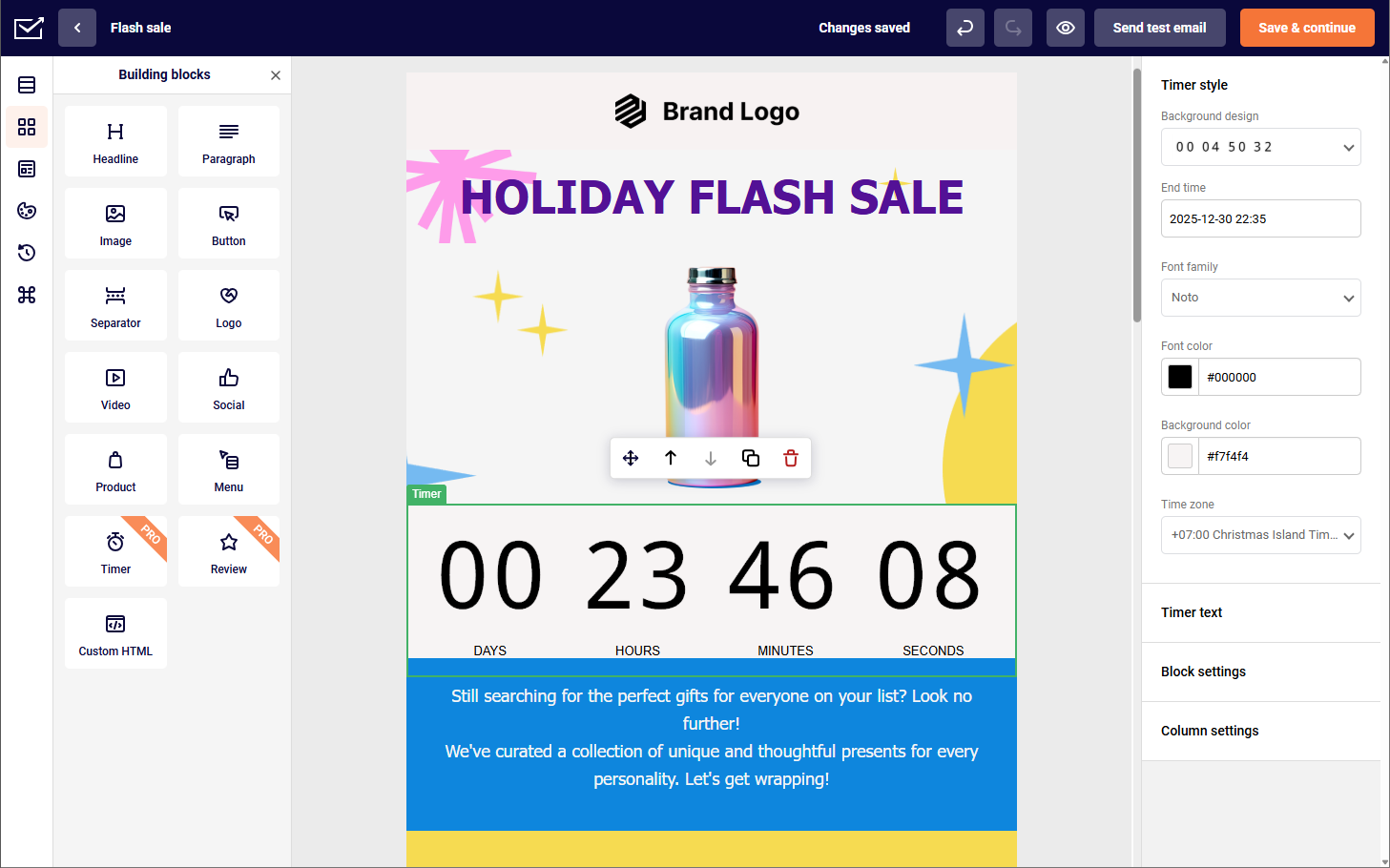
Setup ran in under 10 minutes from signup to first scheduled campaign. Drag-and-drop builder covers basics with responsive rendering. Sender’s visual automation builder supports multi-step flows (welcome, abandoned cart, birthday, post-purchase) with branching on opens, clicks, tags, and custom events fired via API. Custom-field-based branching is less flexible than enterprise tools – Sender doesn’t offer enterprise-grade lead scoring or CRM-native routing on par with GetResponse or ActiveCampaign.
Deliverability. Sender isn’t in EmailToolTester’s public dataset. Internal monitoring of Q1 2026 volume showed 99.98% of outbound marketing emails accepted by receiving servers within 60 seconds. SPF, DKIM, DMARC setup runs through an in-app wizard; shared IPs on Free and Standard, dedicated IPs on higher-volume or custom arrangements.
Automation. Pre-built workflows handle basics like welcomes or birthdays with one click. Branching is lighter than ActiveCampaign but supports Custom Events for behavior-based triggers (e.g., specific link clicks or app actions).
No built-in CRM; WordPress and Shopify connect directly, with Zapier handling other third-party integrations.
Pricing Transparency
| Plan | Cost | Contacts | Emails |
| Free Forever | $0 | 2,500 | 15,000/month |
| Standard | From $7/month | From 1,000 | ~12× contacts |
| Professional | From $14/month | From 1,000 | ~24× contacts |
Sender’s free forever plan covers 2,500 contacts and 15,000 emails/month with full automation. At 50,000 contacts, Standard runs ~$159/month. Free-plan emails carry a “Powered by Sender” footer. Monthly or annual billing; VAT excluded.
Who Should Not Use Sender
Teams needing enterprise-grade lead scoring or CRM-native routing on par with GetResponse or ActiveCampaign. Agencies managing multi-client segmentation at scale. Brands running heavy Shopify workflows where Omnisend’s purpose-built ecommerce automations deliver more out of the box.
Verdict
Best for solopreneurs, creators, and small businesses under 10,000 contacts running newsletters, welcome series, and behavior-triggered automations.
Not for teams needing enterprise lead scoring, complex CRM-native routing, or highly nested lifecycle orchestration (GetResponse or dedicated enterprise tools), agencies managing multi-client segmentation at scale, or brands running heavy Shopify workflows (Omnisend).
Zoho Campaigns — Only Makes Sense Inside the Zoho Ecosystem
Zoho Campaigns is the email marketing arm of the Zoho ecosystem – a budget option that earns its place only if you’re already running Zoho CRM or Zoho Books. Free plan: 2,000 contacts and 6,000 emails/month. Paid plans start at $3.50/month (annual billing) with unlimited sends across all tiers.

What We Found
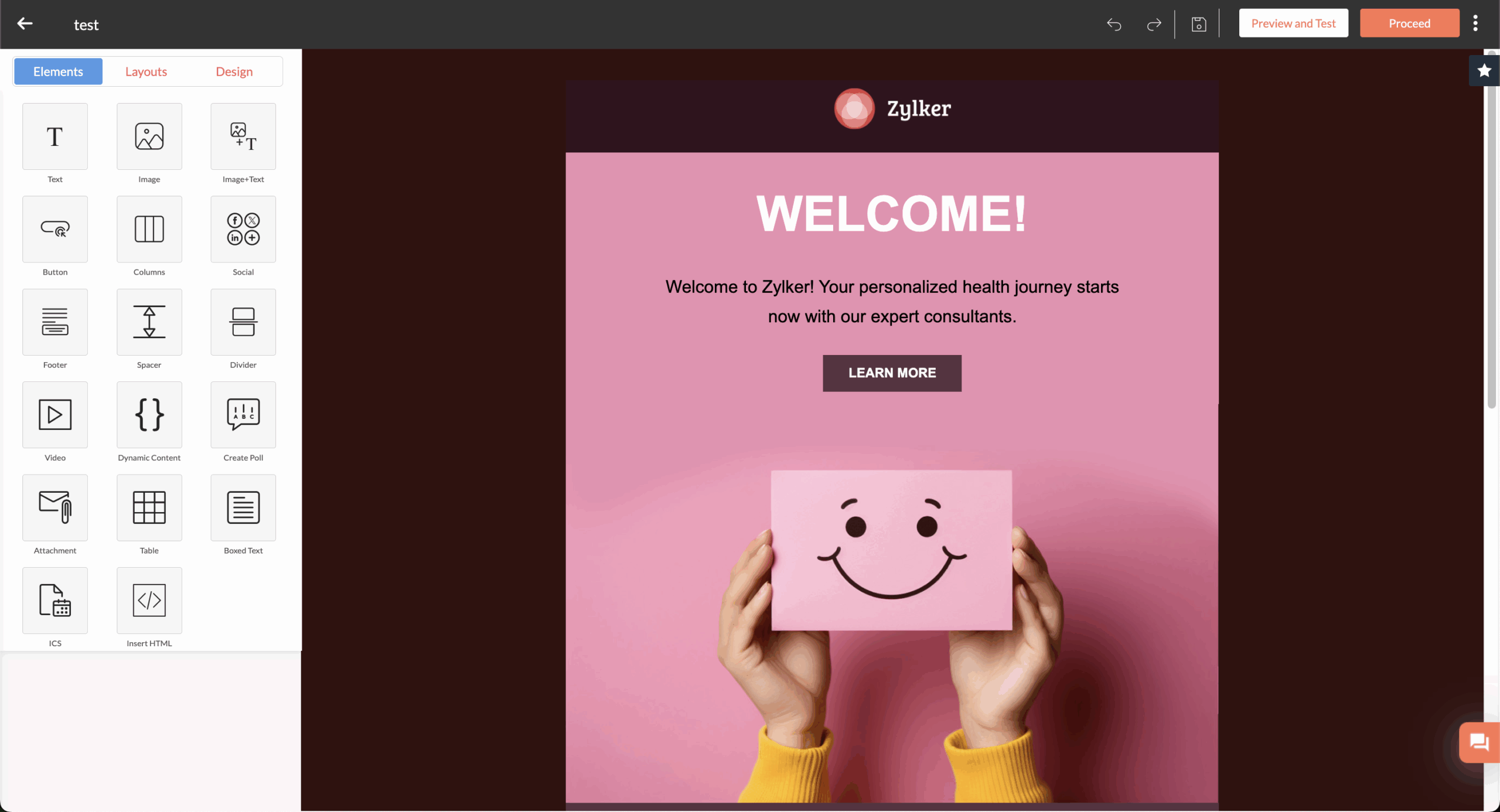
I ran a newsletter and three-step welcome automation from a 2,000-contact segment. The Zoho CRM sync is the reason to choose this tool: contact records updated in real time during the automation. Friction point: building the automation required switching between three Zoho dashboards (Campaigns, CRM, Automation).
Deliverability. Zoho Campaigns isn’t in EmailToolTester’s January 2024 round, and GlockApps doesn’t publish ESP rankings. G2 and Trustpilot reviews surface complaints about inconsistent inbox placement and high bounces. SPF/DKIM/DMARC require manual email authentication setup with no in-app wizard.
Automation. Free plan limited to form-submission and date-based sequences. Branching and the 25+ automation components require Professional. Unlimited sends on every paid tier. SMS is a credit-based add-on.
Pricing Transparency
| Plan | Cost | Contacts | Emails |
| Free | $0 | 2,000 | 6,000/month |
| Standard | $3.50/month | 500 | Unlimited |
| Professional | $4.50/month | 500 | Unlimited + advanced workflows |
Annual billing saves 25%. Local taxes (VAT, GST) charged on top. Dedicated IP $35/month extra. Branding removed on all paid tiers. Unsubscribed contacts count toward the free plan limit.
Who Should not Use Zoho Campaigns
Anyone outside the Zoho ecosystem – Sender or GetResponse offer cleaner UX without the dashboard-switching friction. Senders where deliverability is business-critical; G2 and Trustpilot reviews flag inconsistent inbox placement. Teams wanting one dashboard for campaigns, CRM, and automation rather than three Zoho apps stitched together.
Verdict
Best for small businesses already running Zoho CRM, Zoho Books, or Zoho One who want native contact sync. Not for businesses outside the Zoho ecosystem (Sender or GetResponse offer cleaner UX), deliverability-critical campaigns, or teams wanting one dashboard for campaigns, CRM, and automation.
Cakemail — Beginner-Friendly with Compliance Built In
Cakemail is a Canadian email platform with a narrower feature set than most competitors here, built around compliance (CASL, GDPR) and beginner-friendly workflows. Free plan: 500 contacts and 6,000 emails/month with 600+ templates. Entry tier in the $8–13/month range; paid pricing loads dynamically.

What We Found
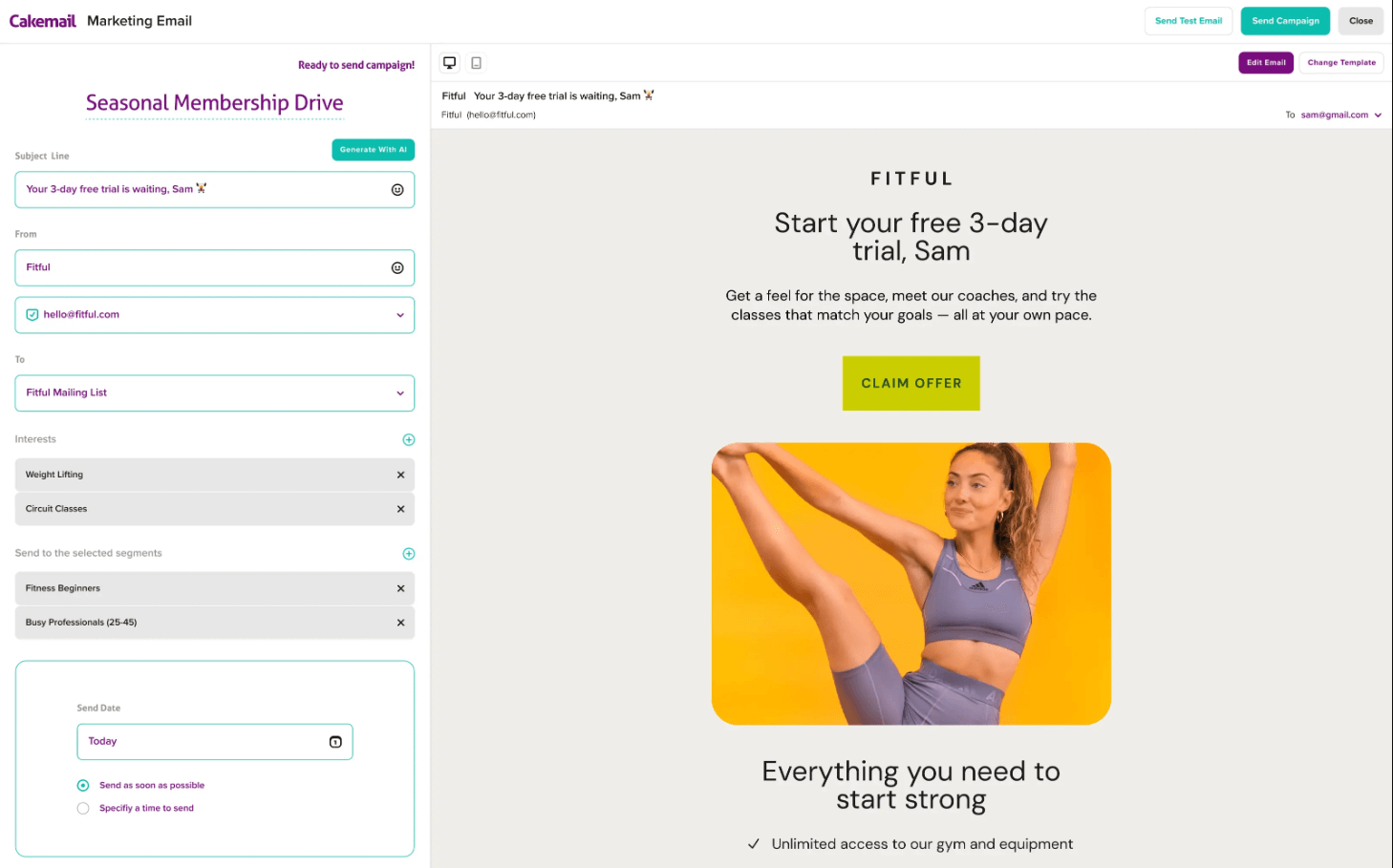
I set up a newsletter and three-step welcome sequence on a 500-contact list. Onboarding was the fastest of any tool tested – compliance prompts (consent confirmation, unsubscribe setup) appear during campaign creation rather than buried in settings. Drag-and-drop editor covers the basics with responsive rendering. Template library larger than competitors here (600+) but skews generic.
Deliverability. Cakemail isn’t in EmailToolTester’s January 2024 round, and GlockApps doesn’t publish ESP rankings. G2 and Capterra reviews point to reliable delivery for CASL/GDPR-compliant senders, with occasional spam-folder complaints. SPF/DKIM setup runs through an in-app wizard.
Automation. Autoresponders, drip campaigns, event triggers (birthday, anniversary, signup). Branching feels lighter than GetResponse or ActiveCampaign. CRM not built in; Zapier handles third-party connections.
Pricing Transparency
| Plan | Cost | Contacts | Emails |
| Free | $0 | 500 | 6,000/month |
| Premium | ~$8–13/month | Scales by tier | Scales by tier |
Payments in USD, CAD, or EUR. No long-term contracts. Exceeding the monthly cap pauses sends until next cycle. Nonprofit discounts on request.
Who Should Not Use Cakemail
Ecommerce operators – no native cart-abandonment or post-purchase triggers. SaaS teams running behavior-triggered lifecycle emails. Anyone needing complex automation branching; the workflow builder is lighter than GetResponse or ActiveCampaign. Developers needing a mature API – SendGrid or Mailjet are built for that use case.
Verdict
Best for CASL- or GDPR-focused senders – Canadian small businesses, EU nonprofits, or organizations where built-in compliance prompts matter more than automation depth. Not for ecommerce operators, SaaS teams running behavior-triggered lifecycle emails, complex automation needs, or developers needing a mature API (use SendGrid or Mailjet).
Brevo — Lowest Cost at Scale, Best Multichannel Option
Brevo prices on email volume rather than contact count, making it the cheapest option here for anyone with a large list and moderate send frequency. Starter is $9/month for 5,000 emails. Landing pages require Standard ($18/month). Free plan covers 300 emails/day across up to 100,000 contacts. Tested inbox placement: 88.3% (EmailToolTester, January 2024).

What We Found
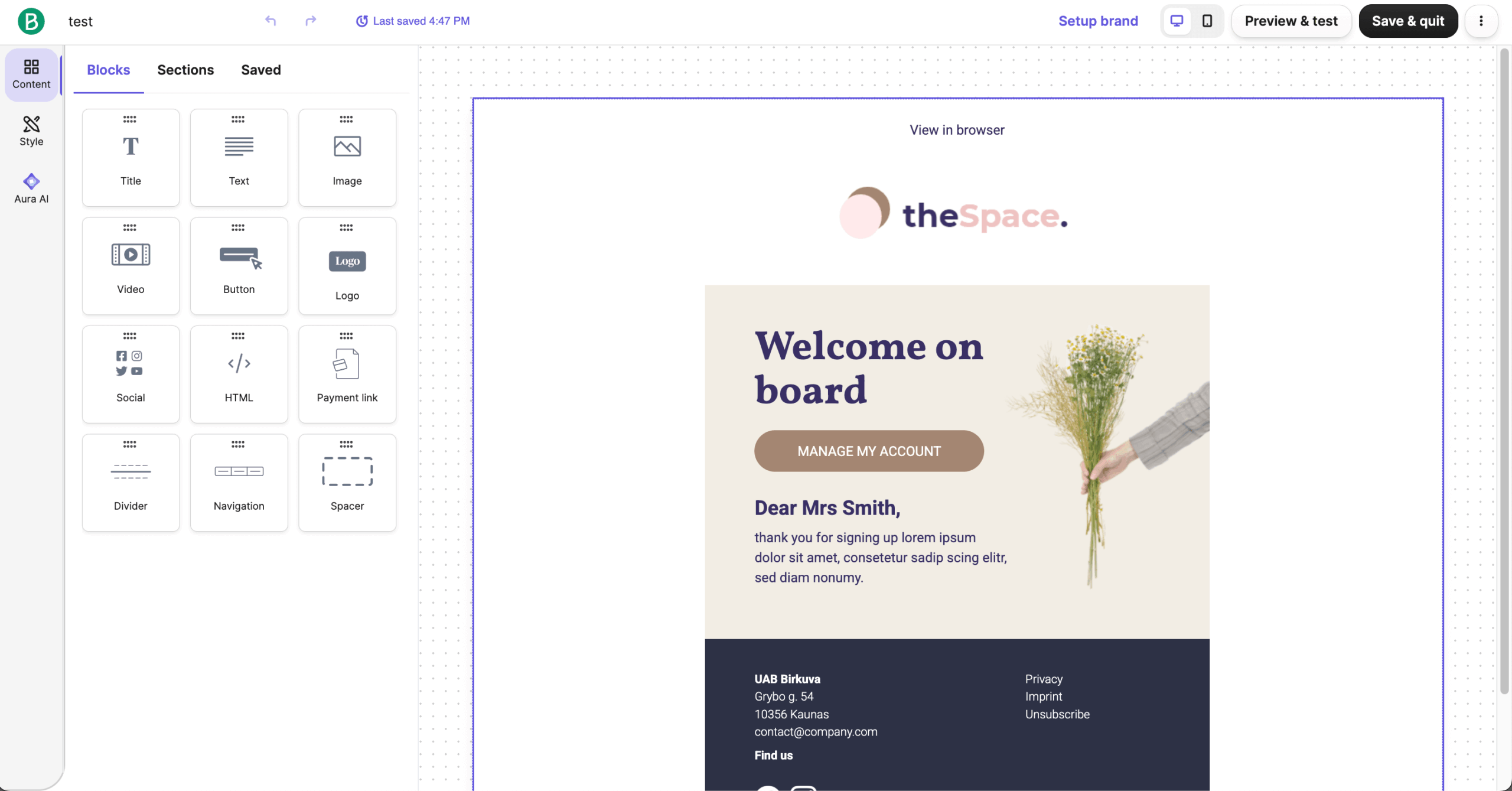
I ran a newsletter and cart-abandonment flow from a 1,000-contact Shopify-linked segment. Brevo’s editor handled product blocks natively. The automation builder supports multiple triggers (signup, purchase, page view, custom event), branching on opens/clicks/tags, and decision splits. SMS and WhatsApp sit in the same dashboard, so a cross-channel sequence takes one workflow instead of three tools.
Deliverability. EmailToolTester’s January 2024 round recorded 88.3% inbox placement – “acceptable” band. Gmail primary 100%; Yahoo and AOL at 60% and 50%. Shared IP on Free and Starter; dedicated IP at $251/year.
Automation. Automation limits apply on Free and vary by plan version. Branding removal costs extra on Starter ($9–12/month add-on). Landing pages require Standard tier ($18/month).
Pricing Transparency
| Plan | Cost | Contacts | Emails |
| Free | $0 | 100,000 | 9,000/month (300/day cap) |
| Starter | $9/month | 500–500,000 | 5,000–100,000/month |
| Standard | $18/month | 500–500,000 | 5,000+/month |
| Enterprise | Custom | Unlimited | Custom |
Yearly billing saves 10%. Starter doesn’t include branding removal. Professional plan (150K+ emails) starts at $499/month. Transactional emails share the same volume limit.
Who Should Not Use Brevo
Daily or weekly senders with small lists. Volume-based pricing compounds quickly at high send frequency, and contact-based platforms become more economical above a certain threshold. Creators wanting unlimited sends on a flat subscription – Kit’s free plan is cheaper. Teams wanting polished templates out of the box; Mailchimp’s design library is wider.
Verdict
Best for businesses with 10,000–500,000 contacts who send infrequently – quarterly newsletters, event announcements, seasonal ecommerce campaigns. Volume-based pricing lets you keep a big list cheaply. Not for daily or weekly senders with small lists (a contact-based platform is cheaper at that pattern), creators wanting unlimited sends on flat subscription, or teams wanting polished templates out of the box.
EmailOctopus — Budget Bulk Sending, No Frills
EmailOctopus is positioned as a cheap bulk email service without extras – no SMS, no CRM, no complex automation. Originally built on Amazon SES infrastructure, it now runs its own sending alongside SES-connected accounts (the EmailOctopus Connect pipeline keeps the SES option for technical users). Free plan: 2,500 subscribers and 10,000 emails/month with EmailOctopus branding. Paid plans start at $8–9/month.

What We Found
I ran a weekly newsletter and three-step drip sequence from a 2,500-contact list. Setup was the fastest of any tool tested – under five minutes from signup to scheduled campaign. The drag-and-drop editor covers basics; template library is narrower than Mailchimp’s or Omnisend’s. Custom HTML supported.
Deliverability. EmailOctopus isn’t in EmailToolTester’s January 2024 round. G2 and Capterra reviews consistently cite reliable delivery and solid support responses on deliverability questions. For EmailOctopus Connect (the AWS SES pipeline), users manage authentication through AWS.
Automation. Drip sequences, welcome series, tag-based triggers – no branching or lead scoring. Reports cover open rate, click rate, bounces. Few native ecommerce integrations; most run through Zapier.
Pricing Transparency
| Plan | Cost | Contacts | Emails |
| Starter (Free) | $0 | 2,500 | 10,000/month |
| Pro | From $8–9/month | 500–500,000+ | ~10× contacts |
Pro pricing scales with list size: ~$24/month for 5,000 contacts, climbing incrementally. Annual billing saves 10%. Nonprofits get a 20% lifetime discount. EmailOctopus Connect (pay-for-AWS-SES-plus-fee) is a separate product for technical users.
Who Should Not Use EmailOctopus
Ecommerce brands needing cart-abandonment flows – Omnisend handles this on its entry tier. Agencies needing multi-step automation with branching – GetResponse or Brevo go deeper. Creators monetizing digital products – Kit has paid newsletter and product-sale tools EmailOctopus doesn’t. Anyone needing SMS – EmailOctopus is email-only.
Verdict
Best for bloggers, solopreneurs, and content newsletters under 10,000 subscribers running simple broadcasts and basic drip sequences. Not for ecommerce brands needing cart-abandonment flows (Omnisend), agencies needing multi-step automation (GetResponse, Brevo), creators monetizing digital products (Kit), or anyone needing SMS – EmailOctopus doesn’t offer it.
Benchmark Email — AI Features, High Entry Price
Benchmark Email leans hard on AI-assisted content creation – subject lines, body copy, AI-generated images – as its differentiator. Every plan includes every feature; tiers differ on contact limits and send volume. Free plan: 500 contacts and 2,500–3,500 emails/month (official pricing now shows 2,500; some help docs cite 3,500). Paid Pro starts at $16/month. Tested inbox placement: 47.1% (EmailToolTester, January 2024).

What We Found
I ran a newsletter and welcome sequence from a 500-contact segment. AI tools (Smart Text, Smart Headings, AI image generation) work as advertised. Drag-and-drop editor faster than most competitors. Free plan caps sends at 2,500–3,500/month – much tighter than Sender’s 15,000 or EmailOctopus’s 10,000.
Deliverability. This is the problem. EmailToolTester’s January 2024 round placed Benchmark last out of 15 platforms at 47.1% inbox placement – 35.7% in spam, 17.3% missing. AOL and Yahoo blocked 100% of test emails. No newer third-party test confirms recovery.
Automation. Capped at basic drip sequences and event triggers – no advanced branching, no lead scoring. Integrates with WordPress, Shopify, Zapier, PayPal. SMS and landing pages absent from the free plan.
Pricing Transparency
| Plan | Cost | Contacts | Emails |
| Free | $0 | 500 | 2,500–3,500/month |
| Pro | From $16/month | From 1,000 | Scales with tier |
Extra users $15/month each. Annual discount available. Nonprofit discount on request.
Who Should Not Use Benchmark Email
Senders where inbox placement is mission-critical. EmailToolTester’s January 2024 round placed Benchmark last out of 15 platforms at 47.1% inbox placement, with AOL and Yahoo blocking 100% of test emails. Ecommerce brands – Omnisend’s pre-built flows deliver more on the same budget. Teams needing deep automation, lead scoring, or conditional branching.
Verdict
Best for small businesses and content creators under 5,000 contacts who prioritize fast AI-assisted email creation over automation depth. Not for senders where inbox placement is mission-critical (Constant Contact or GetResponse), ecommerce brands (Omnisend), or teams needing deep automation – January 2024 deliverability scores were the lowest in the tested field.
SendPulse — Multichannel on a Shoestring
SendPulse combines email, SMS, web push, and chatbots (WhatsApp, Instagram, Telegram, Messenger) on one platform. Free plan: 500 subscribers and 15,000 emails/month. Paid plans start at $8–9.85/month. Tested inbox placement: 62.8% (EmailToolTester, January 2024).

What We Found
I built a newsletter plus Messenger-triggered welcome flow on a 500-subscriber segment. Email editor is functional but cluttered. The chatbot builder differentiates: a visual flow builder for Messenger, WhatsApp, Instagram, and Telegram in the same dashboard, with cross-channel triggers.
Deliverability. EmailToolTester’s January 2024 round placed SendPulse second-to-last among 15 platforms at 62.8% inbox placement – 33.0% in spam (highest among tested tools except Benchmark). G2 reviews mention occasional delivery delays tied to manual review of new accounts.
Automation. Free plan covers basic autoresponders. Standard unlocks unlimited emails and static segmentation. Pro adds dynamic segmentation, re-engagement, email verification.
Pricing Transparency
| Plan | Cost | Contacts | Emails |
| Free | $0 | 500 | 15,000/month |
| Standard | $8–9.85/month | From 500 | Unlimited |
| Pro | $9.60–11.52/month | From 500 | Unlimited + dynamic segments |
| Enterprise | From $41.66/month | From 2,500 | Unlimited |
Annual billing offers discounts. Pay-as-you-go credits available. SMS, WhatsApp, web push bill separately. New accounts go through manual review before first send.
Who Should Not Use SendPulse
Any sender where deliverability is business-critical – 62.8% inbox placement is below the field average and 33.0% of test emails landed in spam. Email-first senders who don’t need chatbots or SMS – Brevo or Sender deliver better email results at the same price. Ecommerce brands needing Shopify integration – Omnisend is purpose-built. Creators wanting clean simplicity – Kit is the better fit.
Verdict
Best for small businesses running multichannel campaigns – email plus Messenger bot plus SMS – on a tight budget, accepting that deliverability may underperform single-channel competitors. Not for any sender where deliverability is business-critical (62.8% is below the field average), email-first senders, ecommerce needing Shopify integration (Omnisend), or creators wanting clean simplicity (Kit).
Constant Contact — Beginner-Friendly, No Free Plan
Constant Contact positions itself at small businesses, nonprofits, and event organizers wanting hand-holding over feature depth. The platform doesn’t offer a permanent free plan, just a 14–60 day trial that varies by region. Lite starts at $12/month. Tested inbox placement: 91.7% (EmailToolTester, January 2024) – second-highest in that round.

What We Found
I ran a newsletter, event-registration campaign, and three-step welcome sequence on a 500-contact list. Built-in event management (RSVPs, payment processing) is unusual for an email platform and can replace Eventbrite for small events – one reviewer cited $60/month saved on that swap alone. Editor skews dated visually; templates cover a wide range of industries.
Deliverability. EmailToolTester’s January 2024 round recorded 91.7% inbox placement – above the “excellent” threshold of 89%. 100% delivery to Gmail primary, Yahoo, Outlook, Hotmail, AOL.
Automation. Lite limited to one automation template, blocks A/B testing. Standard ($35/month) adds A/B testing, three automation templates, segmentation. Premium ($80/month) unlocks unlimited custom automations, dynamic content, retargeting ads. Overage: $0.002 per extra email.
Pricing Transparency
| Plan | Cost | Contacts | Emails |
| Lite | $12/month | 500 | ~10× contacts |
| Standard | $35/month | 500 | ~12× contacts |
| Premium | $80/month | 500 | ~24× contacts |
Standard at 5,000 contacts ~$110/month; Premium at 5,000 ~$200/month. Prepay 6 months = 10% off; 12 months = 15% off. Nonprofits prepay for 20–30% off. SMS add-on starting at $10/month for 500 messages (Premium includes 500 SMS/month).
Who Should Not Use Constant Contact
Cost-sensitive senders – Brevo or Mailchimp deliver comparable features for less, and Constant Contact’s Standard tier runs nearly 3× the Lite price. Creators building newsletters around digital-product sales – Kit’s commerce tools are built in. High-volume senders above 100,000 contacts – Brevo’s volume-based pricing is materially cheaper at that scale.
Verdict
Best for small businesses running events alongside email marketing – built-in event registration and strong deliverability justify the premium. Not for cost-sensitive senders (Brevo or Mailchimp – Standard runs nearly 3× Lite), creators building newsletters around digital-product sales (Kit), or high-volume senders 100K+ where Brevo’s volume-based pricing is materially cheaper.
Mailchimp — Still the Default, No Longer the Best Default
Mailchimp is the category’s default name – and increasingly the default complaint. The free plan has been cut repeatedly (now 250 contacts), and paid-tier prices have risen ~30% over the last few years. Free plan: 250 contacts and 500 emails/month. Essentials starts at $13/month. Tested inbox placement: 89.6% (EmailToolTester, January 2024).

What We Found
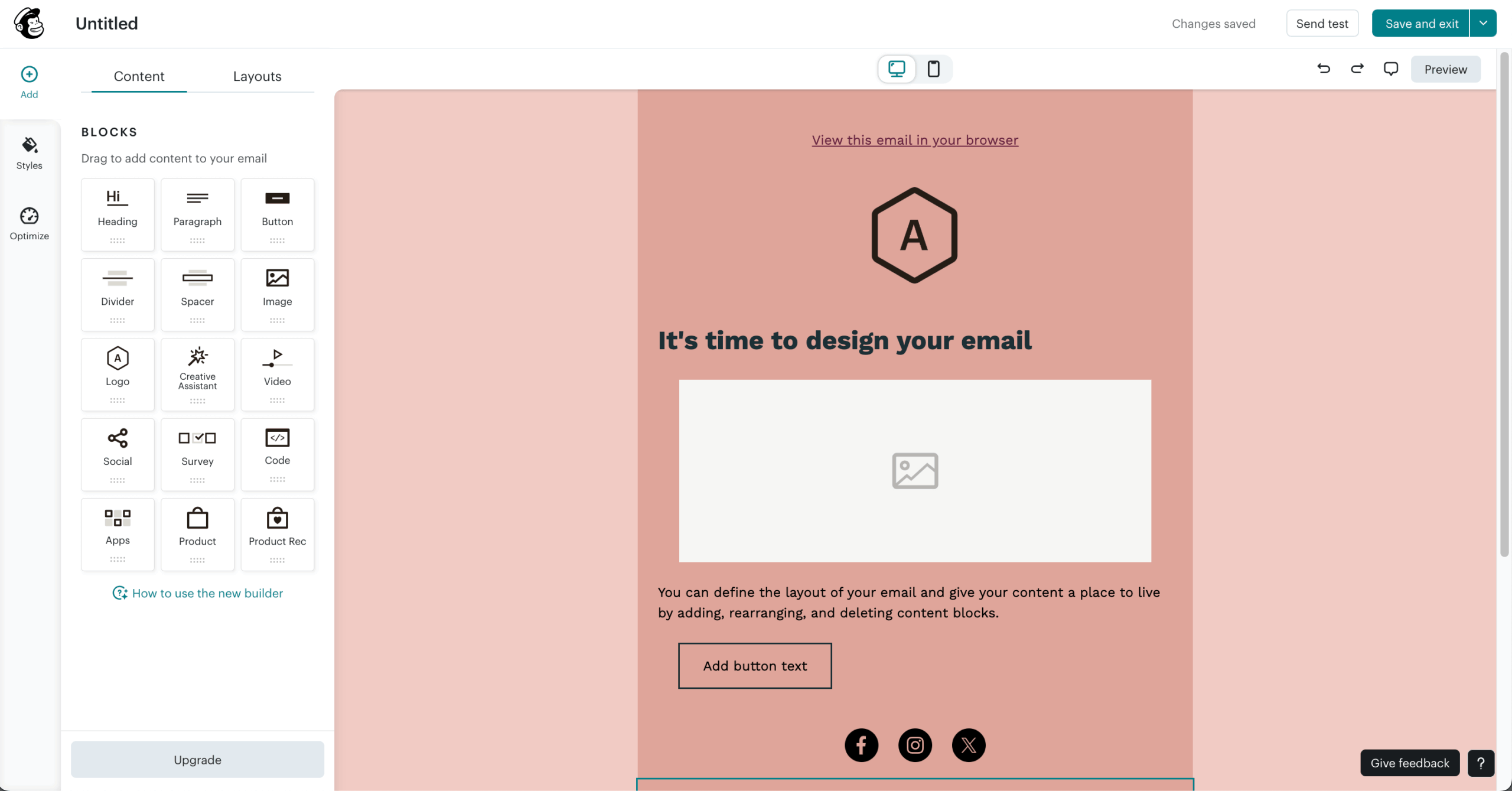
I set up a newsletter, abandoned-cart flow, and lead-magnet delivery sequence on a 500-contact Shopify-connected list. Mailchimp’s editor remains one of the most polished in the category, the template library is large and diverse, and brand-asset tools streamline campaign setup. Interface is dense.
Deliverability. EmailToolTester’s January 2024 round recorded 89.6% inbox placement – just above the “excellent” threshold. 100% delivery to Gmail primary and Yahoo.
Automation. No automation on Free, multi-step automation requires Standard ($20/month starting). Essentials limits you to four-step automations, ruling out most useful welcome or cart-recovery flows. Mailchimp counts unsubscribed and duplicate contacts toward your billing tier unless you manually archive them.
Pricing Transparency
| Plan | Cost | Contacts | Emails |
| Free | $0 | 250 | 500/month |
| Essentials | $13/month | 500 | ~10× contacts |
| Standard | $20/month | 500 | ~12× contacts |
| Premium | $350/month | 10,000 | ~150× contacts |
Essentials at 5,000: ~$75/month. Standard at 5,000: ~$100/month. SMS billed separately.
Who Should Not Use Mailchimp
Cost-sensitive senders – Mailchimp counts unsubscribed and duplicate contacts toward your billing tier, inflating effective cost. Ecommerce operators – Omnisend’s cart and post-purchase flows are stronger on cheaper tiers. Creators selling digital products – Kit has commerce built in. High-volume infrequent senders – Brevo’s volume-based pricing is materially cheaper. Budget-conscious small businesses – Sender or EmailOctopus deliver more automation per dollar.
If you’re stuck on Mailchimp’s pricing, you can migrate to Sender in about 30 minutes with suppression and tag history intact.
Verdict
Best for small businesses already using Mailchimp who want polished design tools and aren’t price-sensitive enough to switch. Not for cost-sensitive senders, ecommerce operators (Omnisend has better cart and post-purchase flows), creators selling digital products (Kit), high-volume infrequent senders (Brevo’s volume-based pricing is materially cheaper), or budget-conscious small businesses (Sender or EmailOctopus) – better-fit Mailchimp alternatives exist across all those use cases.
Omnisend — Purpose-Built for Ecommerce
Omnisend is built for ecommerce – if you don’t run an online store, nothing here is for you. Native integrations with Shopify, BigCommerce, WooCommerce, and Wix are first-class, and automation templates (cart recovery, browse abandonment, post-purchase, win-back) are pre-built around ecommerce events. Free plan: 250 contacts and 500 emails/month. Paid plans start at $16/month. Tested inbox placement: 75.1% (EmailToolTester, January 2024).

What We Found
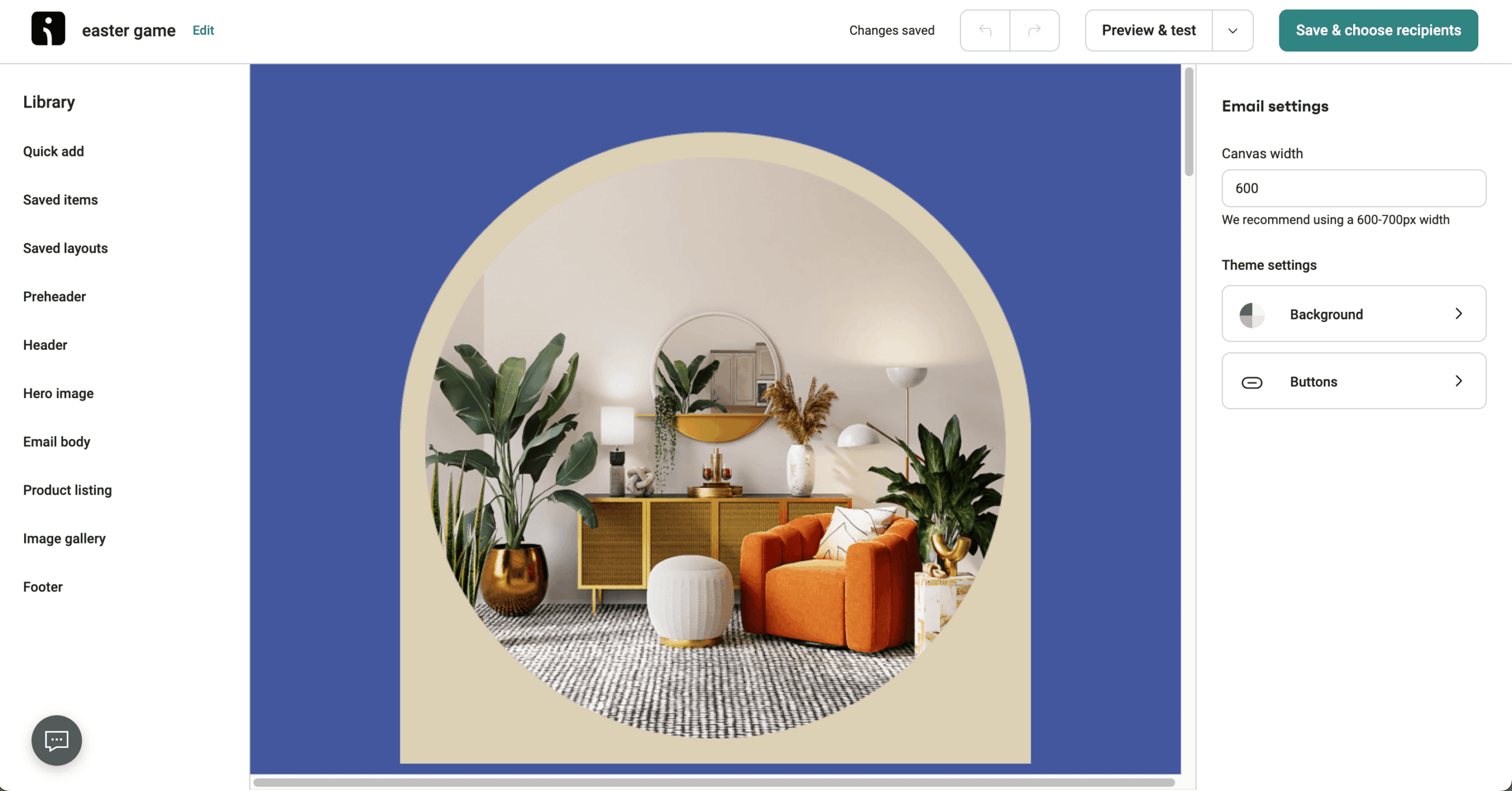
I tested Omnisend against a Shopify store with 500 contacts. Shopify connection took under two minutes. The abandoned-cart automation template deployed in under 10 minutes end-to-end with product recommendations and dynamic discount codes baked in. 350+ templates skewed to product promotions. AI-powered product recommendations included on all plans, even free.
Deliverability. EmailToolTester’s January 2024 round recorded 75.1% inbox placement – below the “acceptable” band (83–88%). 21.4% landed in spam. Omnisend’s documentation cites a dedicated deliverability team; the gap between Omnisend’s marketing and the seedlist test matters if deliverability is critical.
Multichannel automation. SMS and web push in the same workflow builder as email. International SMS gets expensive fast.
Pricing Transparency
| Plan | Cost | Contacts | Emails |
| Free | $0 | 250 | 500/month + 60 SMS |
| Standard | $16/month | 500 | 6,000/month + basic SMS |
| Pro | $59/month | 2,500 | Unlimited + SMS credits |
Standard at 5,000 contacts: ~$65/month. Pro includes priority support and advanced segmentation. Klaviyo migration is free.
Who Should Not Use Omnisend
Non-ecommerce businesses – B2B operators, service providers, agencies, and creators will pay for ecommerce-specific features they can’t use. Budget-sensitive operators – Brevo or Sender deliver email at lower cost. Teams should consider Omnisend alternatives if deliverability above 80% is non-negotiable – EmailToolTester’s January 2024 round recorded 75.1% inbox placement with 21.4% landing in spam.
Verdict
Best for Shopify, BigCommerce, or WooCommerce stores under $2M annual revenue who want pre-built ecommerce automations without Klaviyo’s cost. Not for non-ecommerce businesses (B2B, service providers, agencies, creators – they’ll pay for unusable features), budget-sensitive operators (Brevo or Sender), or teams where deliverability above 80% is non-negotiable.
Mailjet — Transactional Meets Marketing
Mailjet sits in a narrow niche: marketing and transactional email in one platform at a price that undercuts SendGrid. Owned by Sinch, headquartered in Paris – an EU-native option for GDPR-focused teams. Free plan: 6,000 emails/month (200/day) with Mailjet branding. Paid plans start at $17/month on Essential. Tested inbox placement: 88.1% (EmailToolTester, January 2024).

What We Found
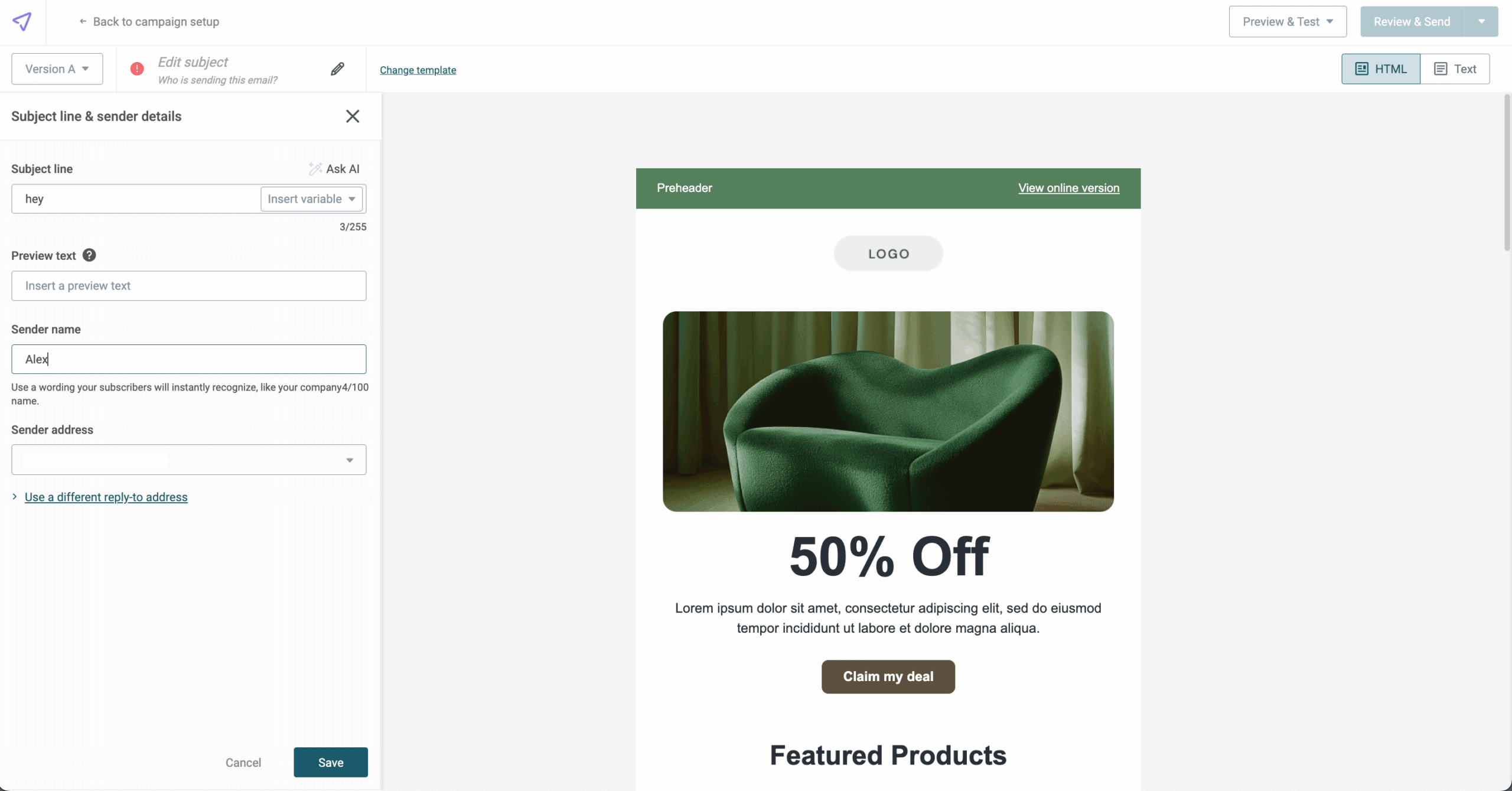
I ran a newsletter and a triggered transactional flow (SMTP-relay password reset) from the same account. The Passport collaboration feature lets multiple team members edit the same template simultaneously – useful for designer-copywriter-marketer review cycles. Email validation included on Essential (500/month).
Deliverability. EmailToolTester’s January 2024 round recorded 88.1% inbox placement for Mailjet – “acceptable” band. Dedicated IPs gated to Premium 100K+. Transactional and marketing share the same volume cap on standard plans.
Automation and gaps. Essential doesn’t include marketing automation, A/B testing, or multi-user access – Premium ($27/month) required. The interface feels dated; Sinch hasn’t refreshed Mailjet visually in years. Landing pages are Premium-only.
Pricing Transparency
| Plan | Cost | Contacts | Emails |
| Free | $0 | 1,000 | 6,000/month (200/day cap) |
| Starter | $9/month | 2,000 | 8,000/month |
| Essential | $15.30/month | Unlimited | 15,000+/month |
| Premium | $24.30/month | Unlimited | 15,000–900,000/month |
Annual billing saves 10%. Unused monthly credits don’t roll over. Dedicated IP gated to 100K+ tiers.
Who Should Not Use Mailjet
Ecommerce brands – Omnisend’s purpose-built Shopify, BigCommerce, and WooCommerce integrations cover what Mailjet’s general-purpose builder doesn’t. Teams needing marketing automation on the entry plan – Essential excludes it, and the Premium upgrade ($27/month) is the floor. Creators wanting flat-rate pricing – Kit’s free plan covers up to 10,000 subscribers. Anyone prioritizing a refreshed UI – Sinch hasn’t visually updated Mailjet in years.
Verdict
Best for EU-based SMBs, developer-adjacent marketing teams, and agencies running collaborative template editing – Passport is a genuine differentiator. Not for ecommerce brands (Omnisend), teams needing marketing automation on the entry plan (GetResponse or Brevo), creators wanting flat-rate pricing (Kit), or anyone needing a polished modern UI.
GetResponse — All-in-One at an Accessible Price
GetResponse bundles email, automation, landing pages, and webinars into one platform. Plans are split into Starter, Marketer, and Creator tiers. Free plan: 500 contacts. Starter begins at $19/month ($15.58 annual). Tested inbox placement: 90.9% (EmailToolTester, January 2024).

What We Found
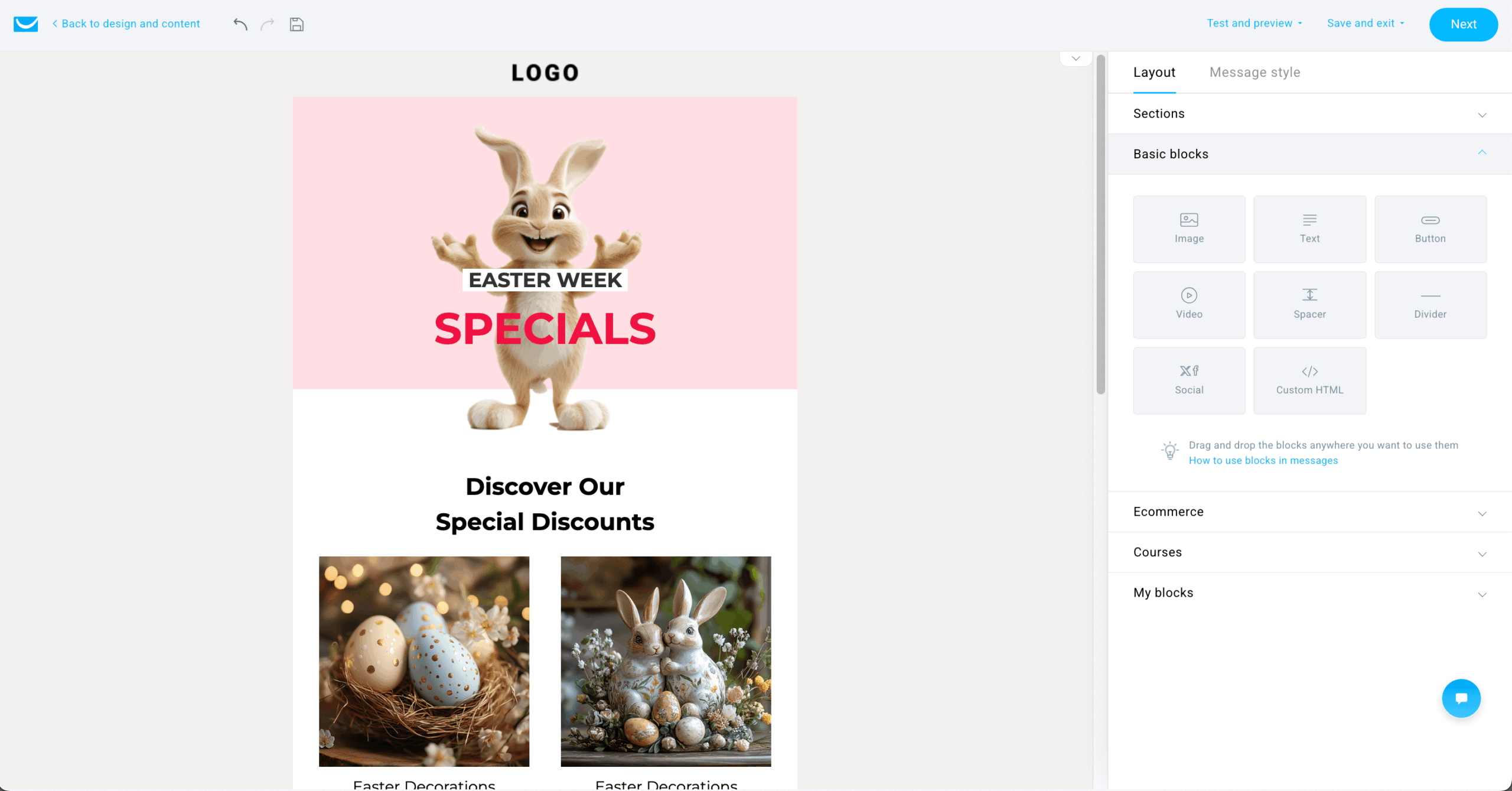
I set up a newsletter, four-step welcome sequence with conditional branching, and a webinar registration flow on a 1,000-contact list. The automation builder is one of the deepest on this list – conditional branches, event triggers, tag-based routing, delay logic all work in the visual flow. Webinar feature (Marketer tier+) is genuinely built-in. Landing pages in all paid plans.
Deliverability. EmailToolTester’s January 2024 round recorded 90.9% inbox placement – above the “excellent” threshold. 100% delivery to Yahoo, Outlook, Hotmail, AOL; 97.8% to Gmail primary.
Automation. GetResponse’s automation builder supports conditional branching, event triggers (signup, purchase, page view, custom events), tag-based routing, time delays, and goal steps within a single workflow. Lead scoring updates contact records in real time and can trigger downstream automations when a score threshold is crossed. GetResponse’s logic depth is closer to that of ActiveCampaign, at roughly half the price.
Pricing Transparency
| Plan | Cost | Contacts | Emails |
| Free | $0 | 500 | Basic email + landing page |
| Starter | $15.58/month | From 1,000 | Unlimited |
| Marketer | $59/month | From 1,000 | Unlimited + branching, webinars, lead scoring |
| Creator | $69/month | From 1,000 | Unlimited + course tools, paid newsletters |
Annual billing saves 18%; 24-month prepay saves 30%. Contacts billed once per email address. Overage: bumped to next contact tier at month-end, no per-email charge.
Who Should Not Use GetResponse
Pure bulk senders running broadcasts without automation – EmailOctopus delivers the same outcome cheaper. Small Shopify stores under 2,500 contacts – Omnisend’s pre-built ecommerce automations deliver better ROI at that scale. Creators building paid newsletters as their primary revenue channel – Kit’s commerce tools are purpose-built for that workflow. Senders who only need basic broadcasts and don’t use webinars, landing pages, or branching automation; you’ll pay for unused infrastructure.
Verdict
Best for SMBs and agencies wanting deep automation, webinars, and landing pages in one dashboard – bundling saves real money versus buying four tools. Not for pure bulk senders (EmailOctopus), small Shopify stores under 2,500 contacts (Omnisend has better ROI), creators building paid newsletters (Kit), or senders who only need basic broadcasts.
SendGrid — Highest Tested Deliverability, Developer Audience
SendGrid is built primarily for developers and high-volume transactional email. Marketing Campaigns is a secondary offering grafted onto API-first infrastructure. The free plan was replaced with a 60-day trial. Essentials starts at $19.95/month. Pricing and features verified March 27, 2026.

What We Found
I tested SendGrid’s Marketing Campaigns with a 1,000-contact list plus an SMTP-relay transactional flow. The Email API is the cleanest developer-facing infrastructure in this review – documentation complete, SDKs cover every major language, webhooks fire reliably. Marketing Campaigns UI feels layered on: fewer templates than Mailchimp, clunkier segmentation than Brevo, minimal automation on Basic.
Deliverability. SendGrid isn’t in EmailToolTester’s January 2024 round, and GlockApps doesn’t publish public ESP rankings. One third-party review reported 91.3% inbox placement – single-source, not a comparison-study result. SendGrid’s transactional reputation remains strong: dedicated IPs, deliverability insights, and IP warmup are first-class on Pro.
Marketing vs. API pricing. Marketing Campaigns and Email API priced separately – if you need both, you pay two subscriptions. Marketing Basic ($15/month) strips automation; Advanced ($60/month) is the minimum for automation, dedicated IP, and multi-touch campaigns.
Pricing Transparency
| Plan | Cost | Contacts | Emails |
| Email API – Free Trial | $0 | – | 60 days, 100/day |
| Email API – Essentials | $19.95/month | – | 50,000/month |
| Email API – Pro | $89.95/month | – | 100,000–2.5M/month |
| Marketing – Basic | $15/month | 100,000 | Limited |
| Marketing – Advanced | $60/month | 200,000 | Includes automation, dedicated IP |
Overage fees apply above plan limits ($0.00133/email on Essentials 50K). Dedicated IPs start at $30/month per extra IP. Premier requires a $12,000/year minimum.
Who Should Not Use SendGrid
SMBs running standalone email marketing – Marketing Campaigns is overbuilt for small senders and underpowered for large ones, with UX that lags Brevo and Mailchimp. Ecommerce brands – Omnisend’s Shopify integration covers ground SendGrid Marketing Campaigns doesn’t. Creators monetizing newsletters – Kit’s free tier covers 10,000 subscribers. Marketers running small-to-mid email programs without transactional needs – dual-subscription billing makes standalone marketing use unnecessarily expensive.
Verdict
Best for developers and SaaS teams needing transactional infrastructure at scale, with marketing as a secondary use case bolted onto the same account. Not for SMBs running standalone email marketing (Brevo or Sender – Marketing Campaigns is overbuilt for small senders, underpowered for big ones), ecommerce brands (Omnisend), creators (Kit), or marketers running small-to-mid email programs – Marketing Campaigns UX lags Brevo and Mailchimp, and dual-subscription billing makes standalone marketing use unnecessarily expensive.
Kit — The Creator Platform with the Most Generous Free Plan
Kit is the creator-first email platform – built for bloggers, podcasters, course creators, paid-newsletter operators. Creator runs $39/month at 1,000 subscribers, putting Kit in the pricier tier for lists above 3,000. Free Newsletter plan: up to 10,000 subscribers with unlimited emails. Paid Creator starts at $39/month ($33 annual).

What We Found
I set up a paid newsletter with welcome sequence, lead-magnet flow, and sponsor listing on a 1,000-subscriber list. Kit’s tag-based segmentation is flexible – subscribers carry multiple overlapping tags without duplication, and automation triggers work off tag combinations rather than list membership. Digital product and paid newsletter subscription tools are built in (~3.5% transaction fee). Visual automation builder cleaner than Mailchimp or Brevo.
Deliverability. Kit was excluded from EmailToolTester’s January 2024 round due to DMARC setup limitations. EmailToolTester’s January 2023 test recorded 91.3% inbox placement – strong score, but 15 months older than other data here. Kit’s text-first design naturally avoids many spam triggers.
Caveats. Pricing puts Kit on the higher end for lists above 3,000 subscribers. Free plan limits you to one automated email sequence – rules out most useful creator flows.
Pricing Transparency
| Plan | Cost | Contacts | Emails |
| Newsletter (Free) | $0 | Up to 10,000 | Unlimited |
| Creator | $33/month | From 1,000 | Unlimited |
| Creator Pro | $66/month | From 1,000 | Unlimited |
Creator at 5,000 subscribers: ~$89/month. Creator at 25,000: ~$199/month. Yearly plans save ~16%. 30-day money-back guarantee. Free migration for paid customers with 5,000+ subscribers.
Who Should Not Use Kit
Non-creator businesses – SMBs, agencies, and ecommerce brands will get more features per dollar from Brevo or GetResponse. Ecommerce operators – no native Shopify cart-abandonment or post-purchase flows. Cost-first creators with large lists – at 25,000+ subscribers, Brevo’s volume-based pricing runs materially cheaper than Kit’s $199/month. Teams needing SMS or multichannel – Kit is email-only.
Verdict
Best for creators monetizing content directly – paid newsletter operators, course sellers, digital-product creators – who value tag-based segmentation and built-in commerce tools. Not for non-creator businesses (SMBs, agencies, ecommerce brands – Brevo or GetResponse offer more features per dollar), or cost-first creators with large lists who should compare Brevo’s volume-based pricing.
Low-Cost Email Platforms – Price Comparison
Email marketing pricing assumes a typical newsletter pattern of ~2× monthly sends per subscriber (5,000 emails for 2,500 subscribers, 100,000 for 50,000). Volume-priced platforms (Brevo, Mailjet, SendGrid Marketing Campaigns) shown at the corresponding email volume. Where a platform offers multiple tiers at the same subscriber count, price reflects the cheapest plan that includes basic automation.
| Service | Up to 2,500 | Up to 10,000 | Up to 20,000 | Up to 50,000 |
| Sender | Free (within 15K sends/mo) | ~$40/mo | ~$75/mo | ~$159/mo |
| Zoho Campaigns | ~$15/mo (annual) | ~$40/mo | ~$58/mo | ~$104/mo |
| Cakemail | ~$28/mo | ~$63/mo | ~$124/mo | ~$206/mo |
| Brevo (volume-priced) | ~$26/mo (500K contacts and 20K sends) | – | – | – |
| EmailOctopus | $20/mo | $44.50/mo | $78/mo | $178/mo |
| Benchmark Email | $37/mo | $93/mo | $149/mo | $299/mo |
| SendPulse | ~$24/mo | ~$48/mo | ~$80/mo | ~$173/mo |
| Constant Contact | $50/mo | $120/mo | $230/mo | $430/mo |
| Mailchimp | $45/mo | $57/mo | $230/mo | $385/mo |
| Omnisend | ~$31/mo | $92/mo | $186/mo | $289/mo |
| Mailjet (volume-priced) | $17/mo (unlimited contacts and 15K sends) | – | – | – |
| GetResponse | $28/mo | $70/mo | $150/mo | $259/mo |
| SendGrid | $15/mo | $25/mo | $50/mo | $120/mo |
| Kit | $50/mo | $116/mo | $158/mo | $316/mo |
Prices are monthly billing. Annual billing typically saves 10–18%. Add-ons not included: dedicated IPs, SMS credits, branding removal where extra (Brevo Starter +$12/mo), transactional volume above plan caps. Always confirm against the provider’s current pricing page before purchase.
Cheap Email Marketing – Compare ‘Forever Free’ Plans
Free plans vary by what they actually let you do. The table below maps limits and friction points across all 14 platforms, so you can see at a glance which “free forever” tiers are usable for real campaigns and which are testing-only.
| Platform | Contact Limit | Monthly Email Limit | Automation on Free? | Branding Removable? | Support on Free? | What Happens at Limit? | Unsubscribed Contacts Counted? |
| Sender | 2,500 | 15,000 | Yes (multi-step + custom events) | No | Live chat (~3 min) | Drafts; manual restart | Yes |
| Zoho Campaigns | 2,000 | 6,000 | Yes (basic) | No | Docs only | Sends blocked | Yes |
| Cakemail | 500 | 6,000 | Yes (basic) | No | Email only | Sends blocked | Yes |
| Brevo | 100,000 | 9,000 (300/day) | Yes (automation limits apply on Free) | No | Email only | Sends queue | No |
| EmailOctopus | 2,500 | 10,000 | Basic only | No | Email only | Sends blocked | Yes |
| Benchmark Email | 500 | 2,500–3,500 | Limited | No | Email only | Sends blocked | Yes |
| SendPulse | 500 | 15,000 | Yes (5 flows) | No | Email only | Upgrade prompted | Yes |
| Constant Contact | – | – | No free plan (14–60 day trial) | – | – | – | – |
| Mailchimp | 250 | 500 | No | No | Email (30 days only) | Campaigns paused | Yes |
| Omnisend | 250 | 500 | Yes (basic) | No | Email only | Account paused | Yes |
| Mailjet | 1,000 | 6,000 (200/day) | No | No | Docs only | Sends blocked | No |
| GetResponse | 500 | 2,500 | No (free plan strips workflows) | No | Email + chat (24/7) | Sends blocked | Yes |
| SendGrid | – | – | No free plan (60-day trial, 100/day) | – | – | – | – |
| Kit | 10,000 | Unlimited | One sequence only | No | Email only | Forced upgrade | Yes |
Brevo and Mailjet are the only platforms here that don’t count unsubscribed contacts toward your free plan limit – important if you’re list-building aggressively. Constant Contact and SendGrid no longer offer permanent free plans; only time-limited trials.
How to Choose a Cheap Email Marketing Platform
The right cheap email marketing services depend on three things: list size, send frequency, and what you’re sending for. Decision logic for each common situation:
If your list is under 2,500 subscribers. Getting to a first send fast matters more than scale pricing at this stage. Sender (2,500 contacts and 15,000 emails/month free, full automation) and Brevo (100,000 contacts and 9,000 emails/month free) are the strongest free starts. Skip Mailchimp’s free plan – 250 contacts and 500 sends/month is too tight to learn anything meaningful.
If you’re ecommerce-first. Verify abandoned cart, post-purchase, and browse abandonment triggers are available on the plan you’re buying – not a higher tier. Omnisend’s Standard ($16/month) includes all four core ecommerce automations on its starting tier. Brevo gates abandoned cart to Standard ($18/month). Mailchimp requires Standard ($20/month+) plus a third-party connector for some flows.
For a deeper comparison focused entirely on Shopify/WooCommerce stack fit, see our ecommerce email marketing platforms roundup.
If you’re a creator or solopreneur. Kit’s free plan covers up to 10,000 subscribers with unlimited sends, landing pages, and digital product delivery – most generous free tier here. GetResponse fits creators who run webinars as a sales channel. Cakemail suits creators who prioritize compliance tooling over feature depth.
If you’re a B2B marketer. B2B email is about lead nurture, lead scoring, and CRM sync – not broadcast newsletters. GetResponse’s Marketer plan ($59/month) is the strongest fit because automation depth supports multi-step nurture flows with conditional branching and lead-scoring rules. Brevo’s CRM is built into the platform. Avoid Kit (creator-focused), Omnisend (ecommerce-only), EmailOctopus (no CRM).
If you’re a nonprofit. Constant Contact and Mailchimp both offer 15% nonprofit discounts (Constant Contact’s prepay terms can stack to 20–30%). Brevo and Sender don’t have formal nonprofit programs but their free tiers cover most small nonprofits without negotiation. For organizations with growing donor lists, GetResponse’s volume-based ecommerce features handle one-off donation campaigns reasonably well. Avoid Constant Contact’s Lite plan for nonprofits with active event programs – the automation cap forces an upgrade to Standard ($35/month) almost immediately.
If you’re still narrowing down the basics, our full email marketing guide covers list building, deliverability, and automation in depth.
What to Check Before You Commit
Trial access: Confirm whether the trial includes paid features or just free-tier limits. Constant Contact’s trial (14–60 days, varies by region) gives full feature access; most others limit to free-tier capability.
Data export: Every platform here allows CSV export. Run a test export before committing to confirm it includes email, name, custom fields, subscription date, tags.
Contract terms: Monthly billing runs 10–30% more than annual on most platforms. Don’t commit to annual after a trial alone.
Reputation check: Look up the platform’s sending IP ranges on MXToolbox. Check Spamhaus and SORBS for blocklist presence before signing up.
Cheap Email Marketing FAQs
Kit is the only platform here with no monthly send cap on its free plan – unlimited broadcasts to up to 10,000 subscribers at $0. Catch: limited to one automated sequence, no third-party integrations, 23 free templates. Brevo’s free plan technically allows 100,000 contacts but caps at 300 emails/day (~9,000/month). Sender’s free plan permits 15,000 sends/month. If “no sending limit” is a hard requirement, Kit is the defensible pick.
Yes, but the platforms differ in whether transactional email is core infrastructure or a bundled feature. SendGrid, Brevo, Mailjet, and Sender all support both. SendGrid is most infrastructure-first – its Email API pairs with Marketing Campaigns through separate subscriptions. Brevo bundles both under one plan with a shared monthly volume cap – convenient for small senders, restrictive at scale. Mailjet is similar to Brevo.
Sender supports transactional alongside marketing in the same account. Avoid marketing-first tools without a dedicated transactional path (Mailchimp, Kit, Constant Contact) – deliverability and compliance issues compound when password resets share infrastructure with promotional emails.
Free monthly send caps range from 500 to unlimited. Highest: Kit (unlimited, up to 10,000 subscribers), Sender (15,000/month, 2,500 contacts), SendPulse (15,000, 500 subscribers), EmailOctopus (10,000, 2,500 subscribers), Brevo (~9,000 – 300/day × 30, 100,000 contacts), Cakemail and Mailjet (6,000 each, 500 and 1,000 contacts), Zoho Campaigns (6,000, 2,000 contacts), Benchmark (2,500–3,500, 500 contacts), Mailchimp and Omnisend (500 each, 250 contacts). No free plan: Constant Contact and SendGrid (60-day trial only). Send limits and contact caps work as a pair – 15,000 emails to 500 contacts is 30 sends per contact.
Behavior splits four ways:
Drafts; manual restart (campaigns drop to drafts, requiring manual reschedule next cycle): Sender.
Hard stop (sends pause until billing resets, no manual action needed): EmailOctopus, Cakemail, Brevo, Zoho Campaigns, Mailjet, GetResponse.
Forced upgrade prompt (locks the send button, routes you to billing): Mailchimp, Omnisend, Benchmark, SendPulse, Kit.
Pay-per-overage: Constant Contact charges $0.002 per email past the cap on paid plans. Always check the specific behavior – losing a campaign mid-send is recoverable; a surprise bill isn’t.
Omnisend is the clearest fit – built for ecommerce, with native Shopify sync (product catalog, order history, customer data) and pre-built automations for cart abandonment, browse abandonment, post-purchase, and win-back included on the Standard plan ($16/month).
Brevo is the budget alternative: native Shopify integration, multichannel (email, SMS, WhatsApp), volume-based pricing that stays cheap as the list grows, but cart abandonment is gated to the Standard plan ($18/month).
Mailchimp’s Shopify integration was restored in 2022; ecommerce automations sit on the Standard plan ($20/month+) – Omnisend covers the same flows on a cheaper tier.