


Stripo is the best overall specialist email template builder in 2026, combining drag-and-drop editing with a full HTML/CSS editor in one view and export to 90+ ESPs. Sender is the best free option, with a Free Forever plan that covers 2,500 subscribers and 15,000 emails a month, automation included.
The rest of this page compares nine email template builders and editors we tested side by side, from code-first frameworks to visual drag-and-drop tools, so you can match a builder to your team, budget, and email design workflow.
Whether you’re a marketer, business owner, or designer, each review covers pricing, template libraries, honest limitations, and who should skip the tool entirely, with the full email design guide as backup reading if you’re starting from scratch.
Email Template Builders: The Fast Verdict
If you only need the short version, these are the clearest picks from the review for email template builders. Each tool wins for a specific use case, not because it is universally better than the rest.
- Best free plan: Sender – 2,500 subscribers, 15,000 monthly emails, automation, forms, and email templates included. Best if you want a working email marketing setup, not just a template editor.
- Best overall specialist builder: Stripo – strongest mix of AMP for Email support, drag-and-drop editing, HTML/CSS control, reusable modules, and broad ESP export options.
- Best for polished templates: Beefree – the strongest choice if you want a clean, beginner-friendly editor with a large, well-curated template library.
- Best for developers: MJML – free, open-source, code-first, and built for teams that want reusable responsive email systems instead of a visual drag-and-drop editor.
- Best for collaboration: Chamaileon – best suited for agencies and larger teams that need shared workspaces, approvals, roles, and multi-user review workflows.
- Best for embedding into your own product: Unlayer – a white-label email editor with an embed SDK, built for SaaS platforms that want email creation inside their own app rather than a builder for their own campaigns.
- Best budget pick: Topol.io – paid plans from $10/month with reusable content blocks and HTML export, for solo marketers who need fast, simple newsletter production.
- Best for branded modular design: Postcards – strong for teams that care about visual consistency, brand controls, reusable modules, and polished campaign layouts.
- Best for clean responsive structure: Tabular – a newer email campaign builder that stands out for block-based layouts, responsive controls, and clean HTML output.
How We Evaluated These Email Template Builders
Each email template builder was evaluated using the same review framework, focused on how well it helps teams create, customize, export, and reuse production-ready email templates.
Features evaluated per platform:
- Email editor type: drag-and-drop, HTML-based, or hybrid;
- Ease of use for marketers, designers, and technical users;
- Template library size, quality, and use-case coverage;
- Responsive design controls for mobile and desktop layouts;
- HTML/code control and export quality;
- ESP export options and integration compatibility;
- Email personalization and dynamic content support;
- Reusable blocks, saved modules, and brand controls;
- Collaboration features, including comments, approvals, roles, and shared workspaces;
- AMP for Email or interactive email support;
- Preview, testing, and rendering support;
- Pricing model, free plan limits, and export restrictions.
Template testing: We built a standardized five-block product-launch email in each tool, using the same structure: hero section, product feature block, social proof section, CTA block, and footer. This helped compare build speed, editor flexibility, mobile responsiveness, dark mode email handling, and how much manual cleanup was needed after export.
Export and rendering checks: Where available, exported HTML was reviewed for structure, cleanliness, and compatibility with major ESPs such as Mailchimp, Klaviyo, HubSpot, and Sender. Rendering was assessed based on preview tools, HTML output, and known compatibility risks in clients such as Outlook.
User reviews: We reviewed customer feedback from G2, Capterra, Trustpilot, Reddit, and public support discussions, focusing on recurring patterns around ease of use, export reliability, editor performance, pricing, and support quality.
What was not tested: Enterprise-only features, custom email API embedding, high-volume agency workflows, and email deliverability impact after sending. This review focuses on SMBs, creators, ecommerce teams, and agencies choosing a practical email template builder.
Pricing methodology: Pricing was checked as of August 2026. Monthly prices are shown in USD where available, and annual discounts are noted separately. Always verify the vendor’s pricing page before subscribing.
Capterra, G2, Trustpilot, and Reddit to create an objective evaluation. Learn more about our review methodology
Email Template Builders: Comparison Table
Before I dive deep into each email template builder, let’s compare them quickly first:
| Tool | Starting price (annual) | Free plan | AMP for Email | Dark mode | Template library size | Best for |
| Stripo | $20/mo | Yes | Yes | Native | 1,650+ | Overall specialist pick |
| Sender | $7/mo | Yes | No | Manual | 1,100+ | Best free plan, full sending platform |
| Beefree | $25/mo | Yes | No | Manual | 2,000+ designs (~370 responsive email templates; see review) | Polished, curated templates |
| MJML | Free (open source) | Free | No | Manual (via markup) | Limited community library | Developers and code-first teams |
| Chamaileon | $400/mo | No | Yes | Manual | Not disclosed (HTML import based) | Team collaboration and approvals |
| Unlayer | $225/mo | Yes | No | Manual | 1,000+ | Embedding and white-label |
| Topol.io | $10/mo | Yes | No | Manual | 400+ | Budget newsletter production |
| Tabular | $24.17/mo | Yes | No | Native | Not disclosed | Clean responsive structure |
| Postcards (Designmodo) | $16/mo | Yes | No | Manual | 100+ modules | Branded modular design |
9 Email Template Builders We Tested
You will find several email template builder tools while searching for an online email template builder or HTML email editor. It’s good to try different solutions and see how they fit your plans and simplify your template-building process.
Stripo
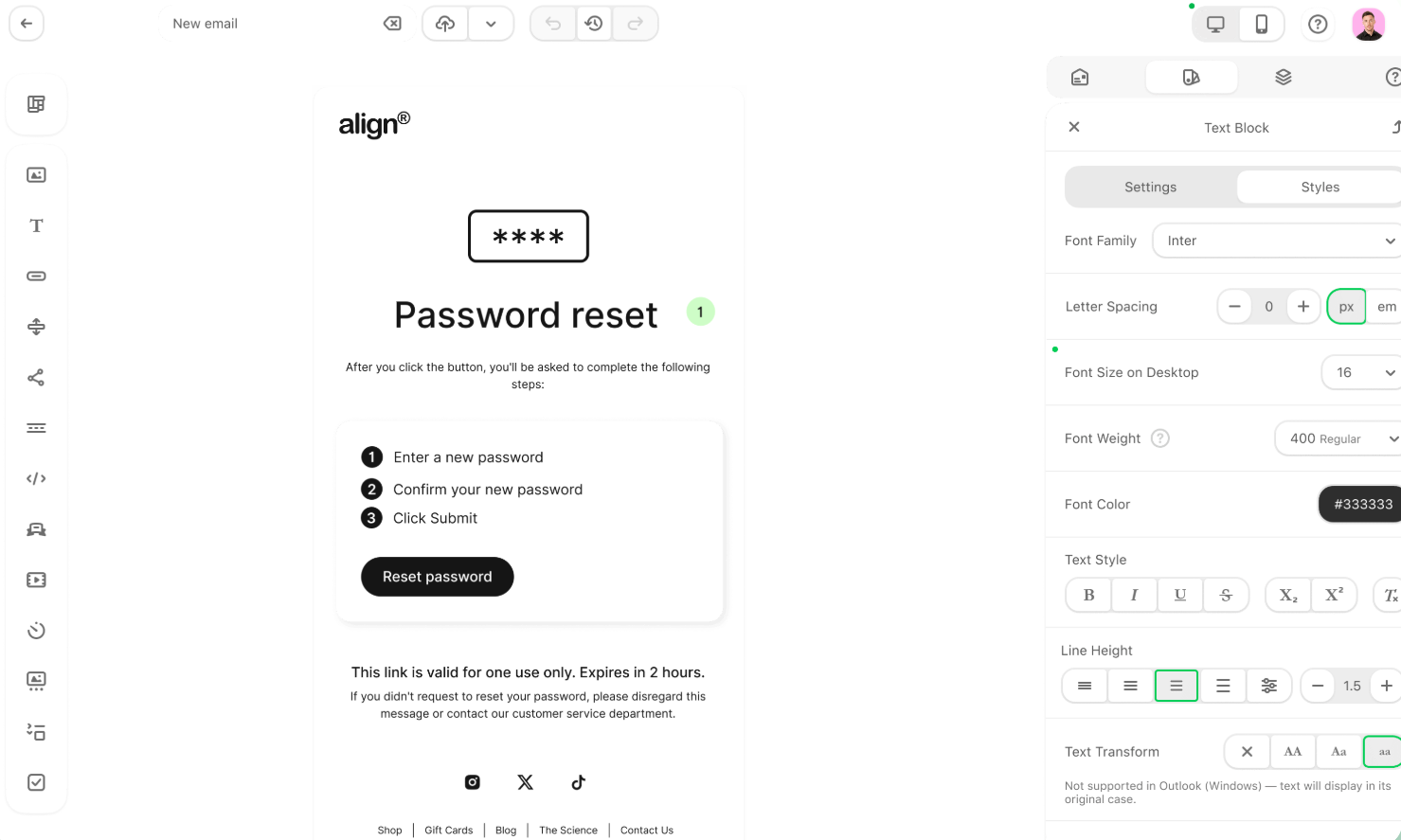
Stripo’s biggest differentiator is its native AMP for Email support. While most template builders stop at static responsive HTML, Stripo lets you build interactive email elements such as accordions, carousels, forms, and other dynamic blocks directly inside the editor.
The point of these blocks is to boost engagement inside the inbox instead of pushing every click out to a landing page. You still get drag-and-drop editing and HTML/CSS control, but AMP is what makes Stripo stand out.

What our test found
Stripo felt more technical than Sender or Beefree, but that complexity comes with genuine flexibility. The five-block product-launch email took around 30 minutes – slightly longer than Sender, but the mobile spacing and layout controls were more granular. Where the learning curve showed up was in the module library, which assumes more structural knowledge than a first-time user expects.
Template library
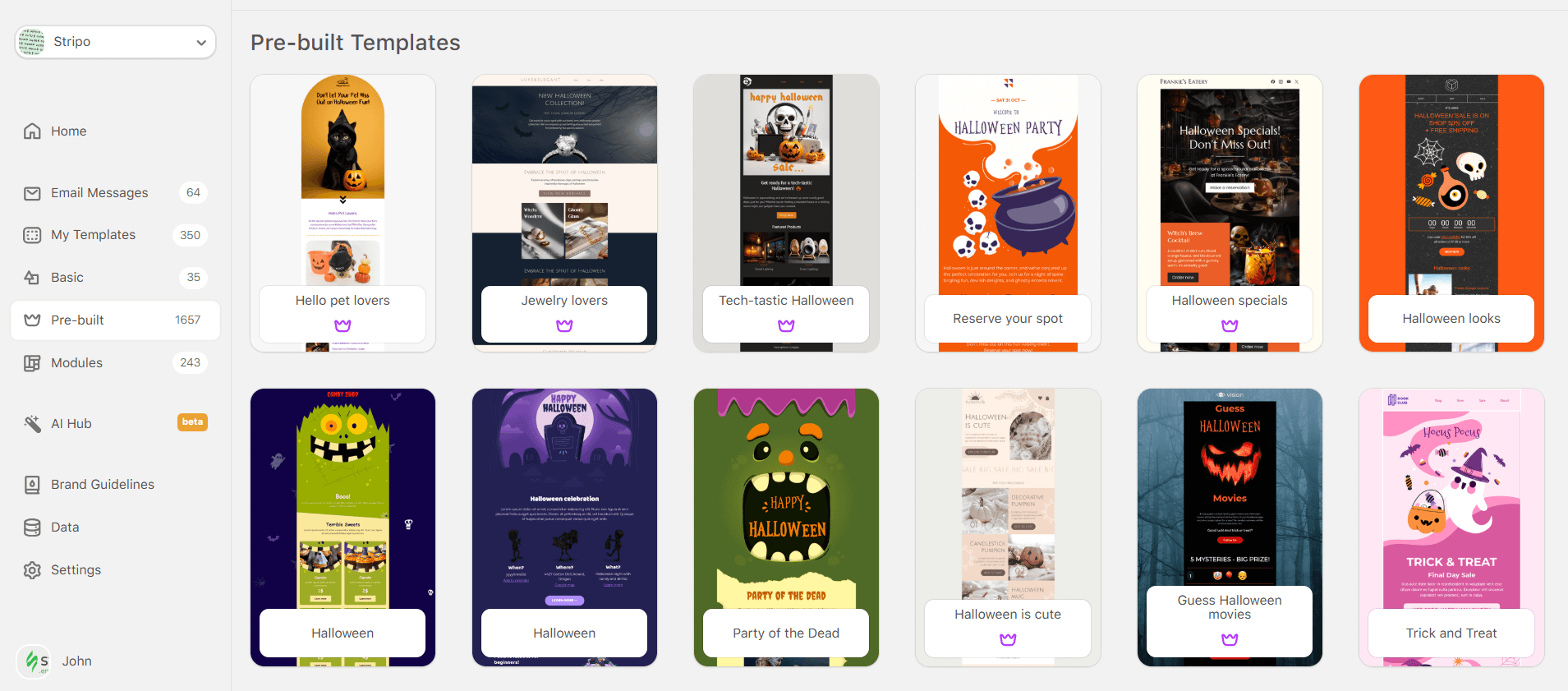
Stripo’s email template library spans 1,650+ templates across newsletters, promotions, ecommerce, transactional emails, seasonal campaigns, and AMP-powered interactive designs (think scratch cards, wheel of fortune, etc.). The library is broader than Sender, Topol.io, Tabular, and Postcards, though quality varies.
- Hybrid drag-and-drop and HTML/CSS editor gives both speed and code control;
- Native AMP for Email support for interactive email experiences;
- Large 1,650+ template library with saved modules and reusable blocks;
- Direct export options to 90+ ESPs and CRMs, including HubSpot and Mailchimp integration;
- Strong email testing and preview options, with mobile-specific editing controls.
- More learning curve than simpler drag-and-drop builders;
- Some advanced design, testing, and export features require a paid plan;
- Interface can lag slightly when editing complex or heavily customized templates;
- Template quality is broad, but not as consistently curated as Beefree.
Who This is Not For
- Skip Stripo if you want the simplest possible newsletter builder.
- Skip Stripo if your team does not need HTML control, AMP, or reusable modules.
- Skip Stripo if you need a full email marketing platform with automation, forms, SMS, and contact management built in.
Pricing
Stripo has a free plan with 10 stored email templates and 5 test emails/day available. Paid plans start at $20/month, with higher tiers unlocking more exports, collaboration, sharing, and advanced design features. For up-to-date pricing, check stripo.email/pricing
Sender
Editor’s note: Sender is a product by Sender.net. To keep this review as objective as possible, it was completed by a reviewer outside the Sender product team and assessed using the same rubric applied to the other eight tools.
Sender’s defining trait is the generosity of its free tier. Most “free” tiers on this list are dressed-up 14-day trials or capped at 500 contacts.

Sender’s free tier is 2,500 subscribers and 15,000 monthly emails, with email automation and a modern email template builder included. For a small business, a newsletter operator, or a creator validating an audience, that is a complete production setup.
What our test found
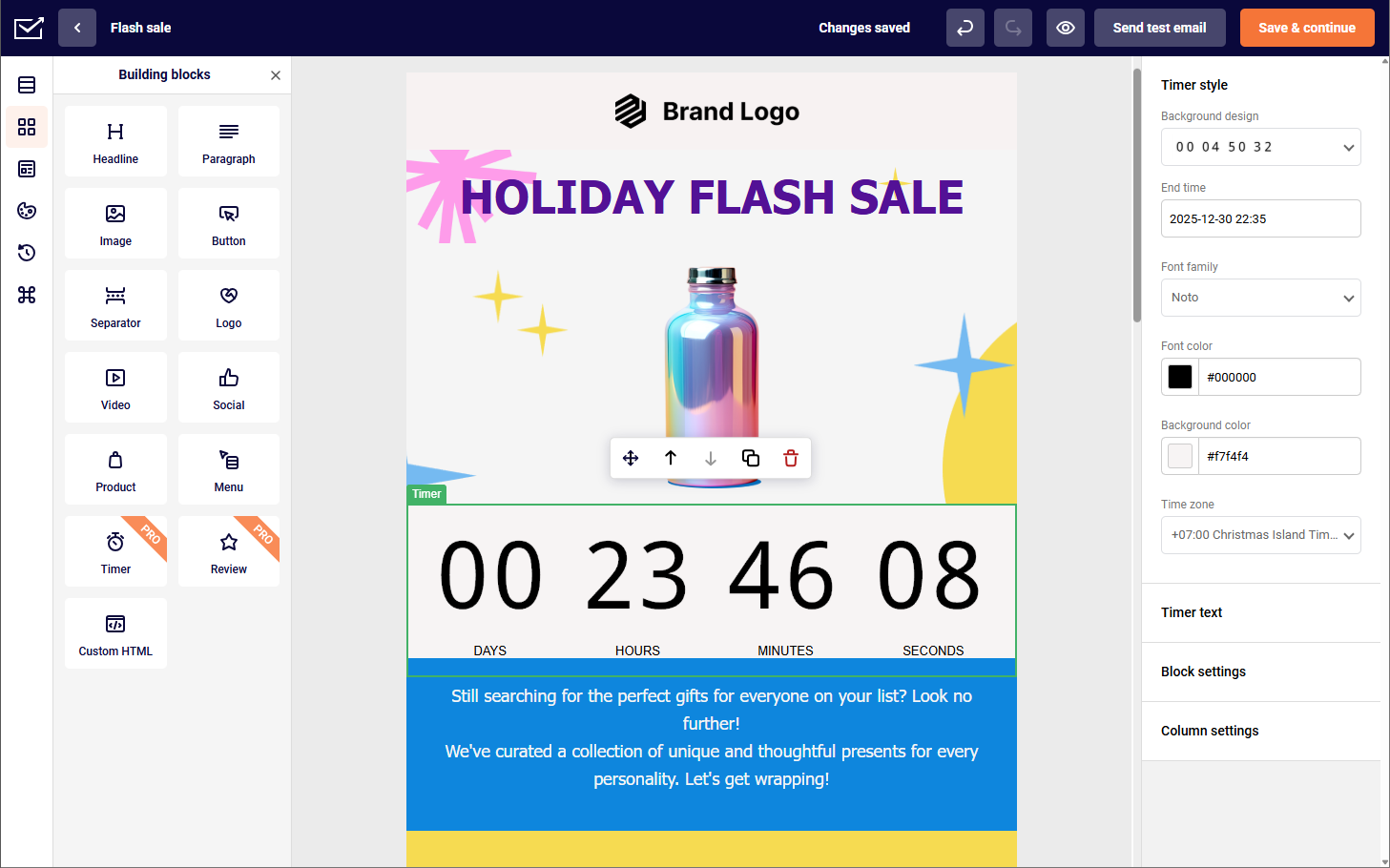
Our five-block product-launch campaign took 25 minutes to build, which felt reasonable for a polished drag-and-drop editor. You can run your email through the ‘Dark Mode preview’ to see if it holds up with the ‘lights turned off’. The design held up correctly no matter the device/size of the screen, though teams should still test final exports across major inboxes. Version history with restore, plus auto-save and undo/redo, kept layout experiments low-risk during the build.
Template library
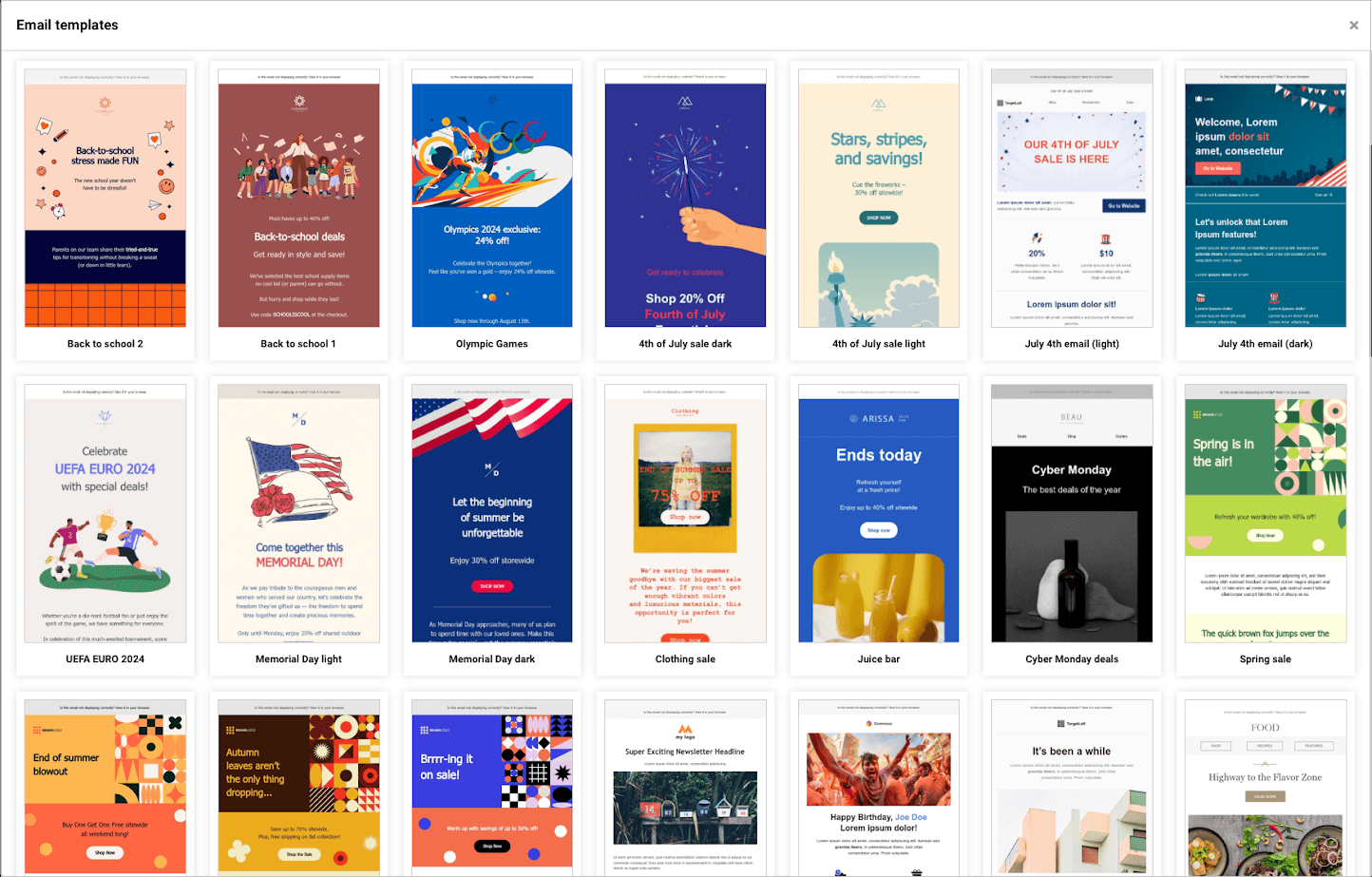
Sender offers 1,100+ templates. The library is larger than Topol.io, Tabular, and Postcards offer, but smaller than Stripo’s and less tightly curated than Beefree’s. Most templates are mobile-responsive out of the box and cover the standard campaign types – newsletters, product launches, seasonal promotions, abandoned cart, welcome sequences.
The library thins out on complex transactional email templates and AMP-interactive designs, both of which favor Stripo.
- Free plan includes 2,500 subscribers, automation, and access to all templates without major restrictions;
- Ecommerce blocks make it easy to add product listings, recommendations, and promotional sections to your emails, alongside interactive elements such as countdown timers and video embeds;
- Brand colors tool helps keep every campaign visually consistent with your store’s look and feel;
- Drag-and-drop and HTML builders give you flexibility to create emails visually or customize the code directly.
- Template library is large at 1,100+ designs, but Stripo offers more volume and Beefree has tighter curation;
- No native AMP for Email support, unlike Stripo and Chamaileon;
- Lacks some advanced editor controls found in specialist builders, such as deeper design customization or real-time collaboration.
Who This is Not For
- Skip Sender if AMP for email is required – Stripo and Chamaileon support it natively.
- Skip Sender if you need broader template depth, especially for transactional, AMP, or niche-industry layouts.
- Skip Sender for agency-style collaboration with multiple simultaneous editors – Chamaileon is stronger for that workflow.
Pricing
Free plan is available for up to 2,500 subscribers and 15,000 emails/month. Standard plan starts from $7/month. For up-to-date pricing, head to sender.net/pricing/
Beefree (RGE Studio)
Beefree (RGE Studio) is one of the safest picks if you want a polished drag-and-drop email editor with an expansive template library. Its biggest advantage is curation: the templates feel more modern and production-ready than many large-volume libraries.
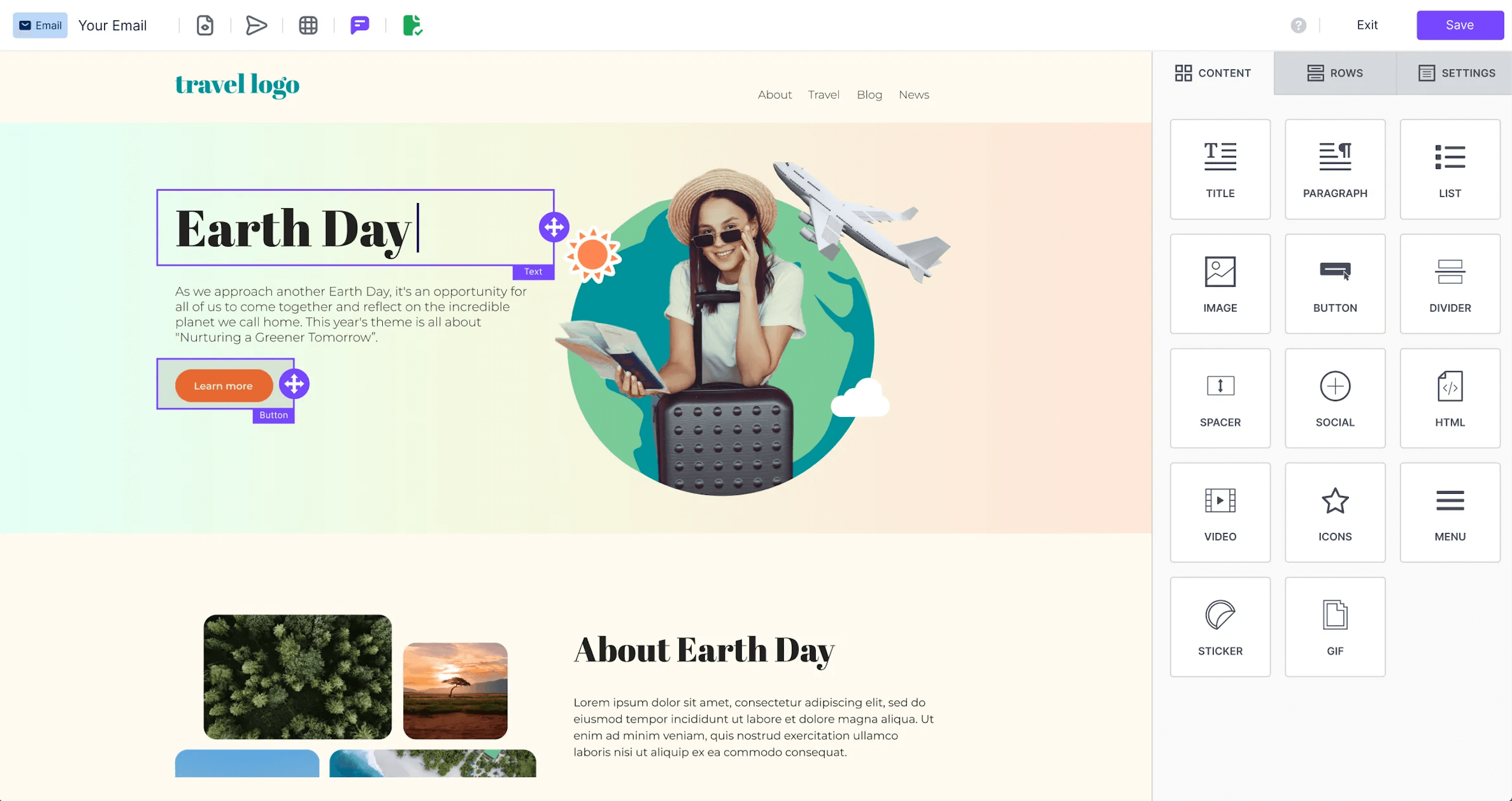
You can build from scratch, reuse saved rows, or start from the template gallery – note that the widely cited “2,000+ templates” figure counts the full design gallery, while third-party tallies of strictly responsive email templates land closer to 370; we use the broader gallery figure below and flag the distinction where it matters.
What our test found
Beefree was one of the fastest builders to use: the editor felt clean, stable, and beginner-friendly, with enough control over spacing, mobile layout, rows, and content blocks to create a polished product-launch campaign without touching code in 32 minutes. It is less technical than Stripo or MJML, but much easier for non-designers to ship clean newsletters quickly.
Template Library
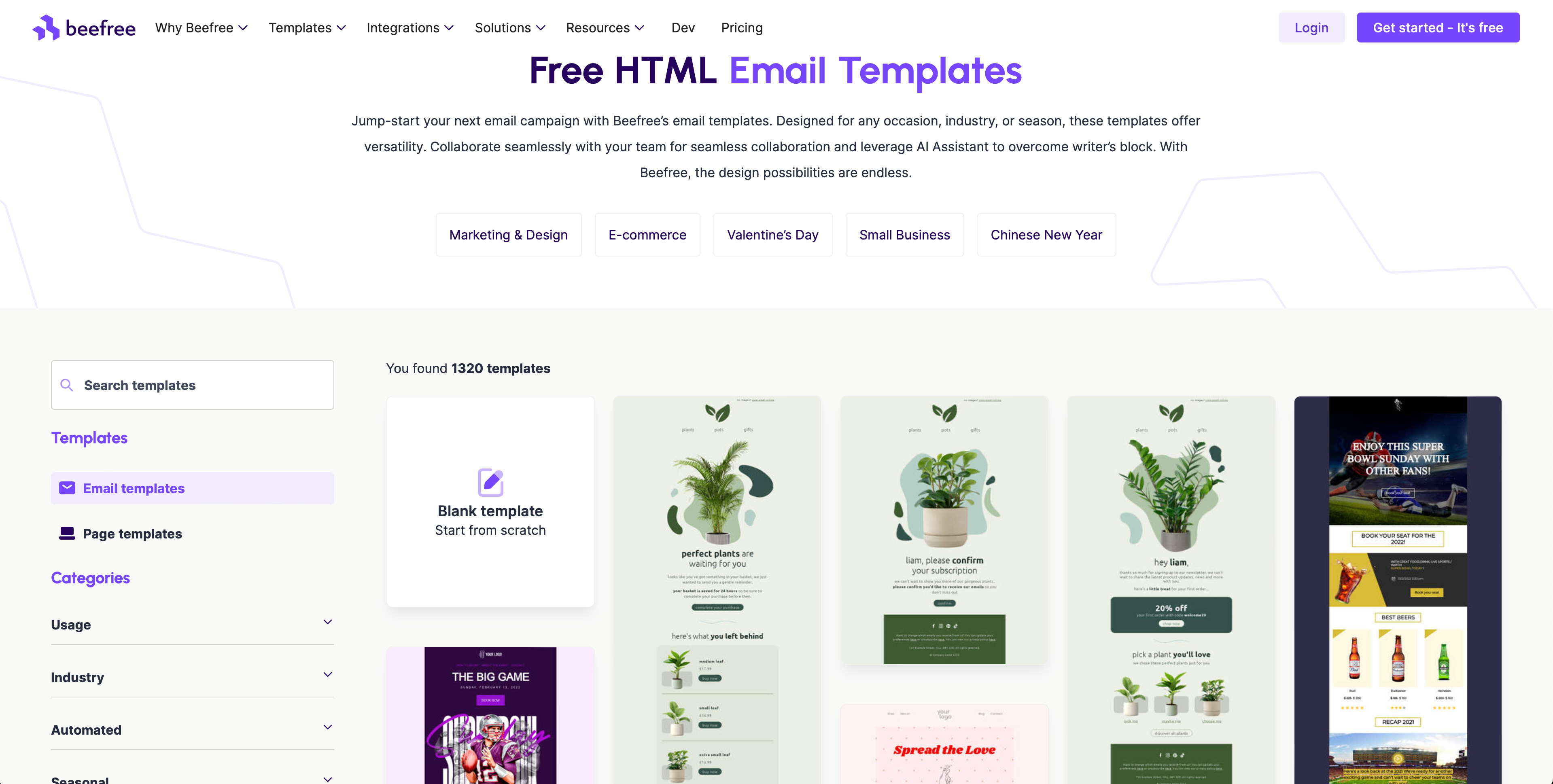
Beefree’s template library is one of its strongest assets. It includes 2,000+ designs across newsletters, promotions, events, ecommerce, surveys, transactional emails, and welcome series.
The quality is also more consistent than most large libraries, and template kits help teams build multi-email campaigns with a unified visual style. On the other hand, not all templates are fully responsive, and I wish I had checked it before building a highly visual newsletter.
- Polished drag-and-drop editor with low learning curve;
- Strong, well-curated responsive template library;
- Shopify and BigCommerce product blocks work out of the box;
- Built-in image editor for quick edits without leaving the builder.
- Less code-level control than Stripo or MJML;
- Advanced collaboration and brand controls require paid plans;
- Not ideal for AMP or highly custom interactive emails;
- Free plan is useful, but limited for ongoing production.
Who This is Not For
- Skip Beefree if you need native AMP for Email.
- Skip it if developers need full HTML-first control.
- Skip it if you want automation, SMS, forms, and contacts in the same platform.
Pricing
Beefree’s free Starter plan includes up to 10 designs and 6 exports per month. The Professional plan costs $30/month billed monthly, or $25/month billed yearly. Check beefree.io/plans-pricing for current pricing.
MJML
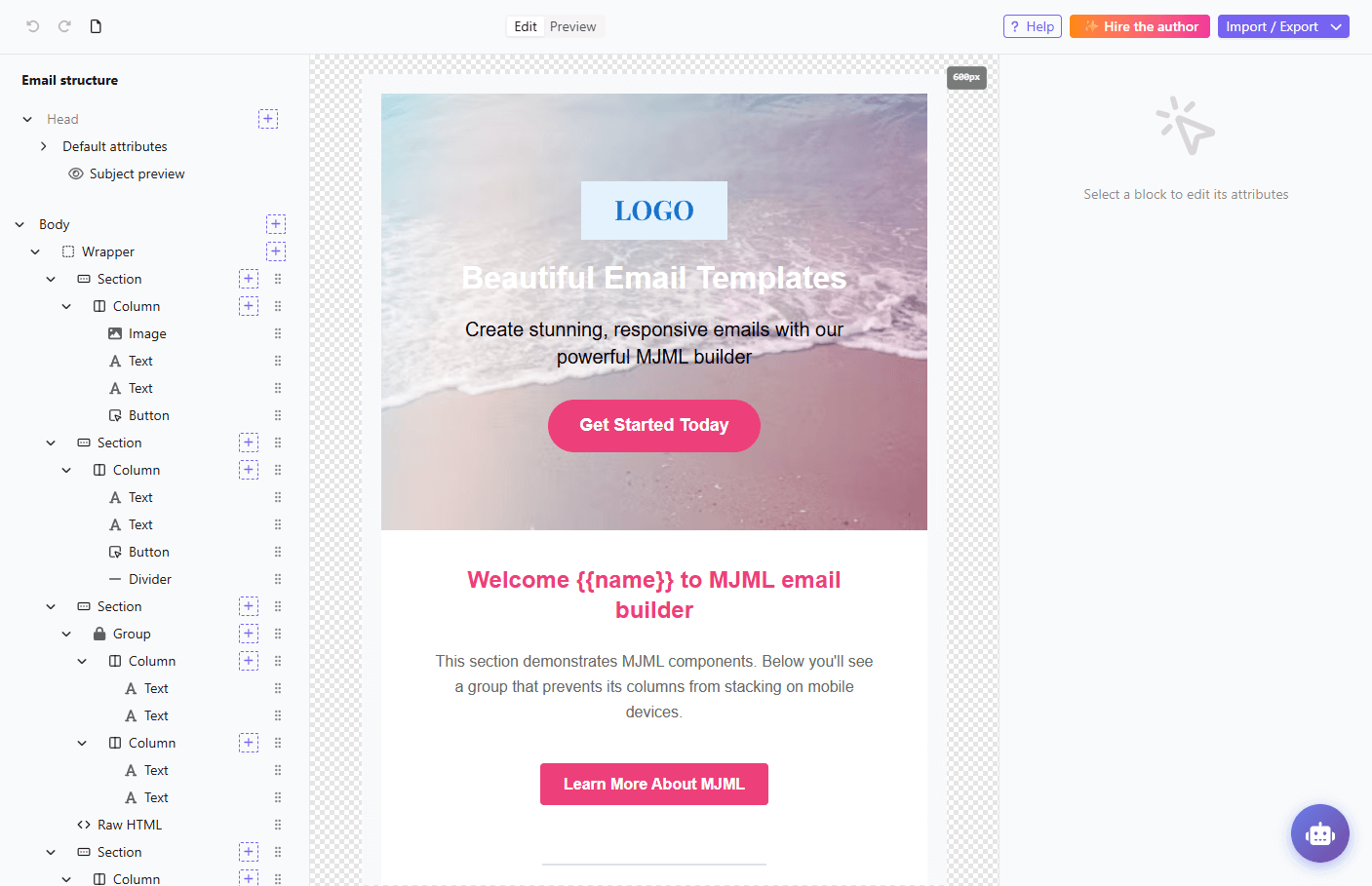
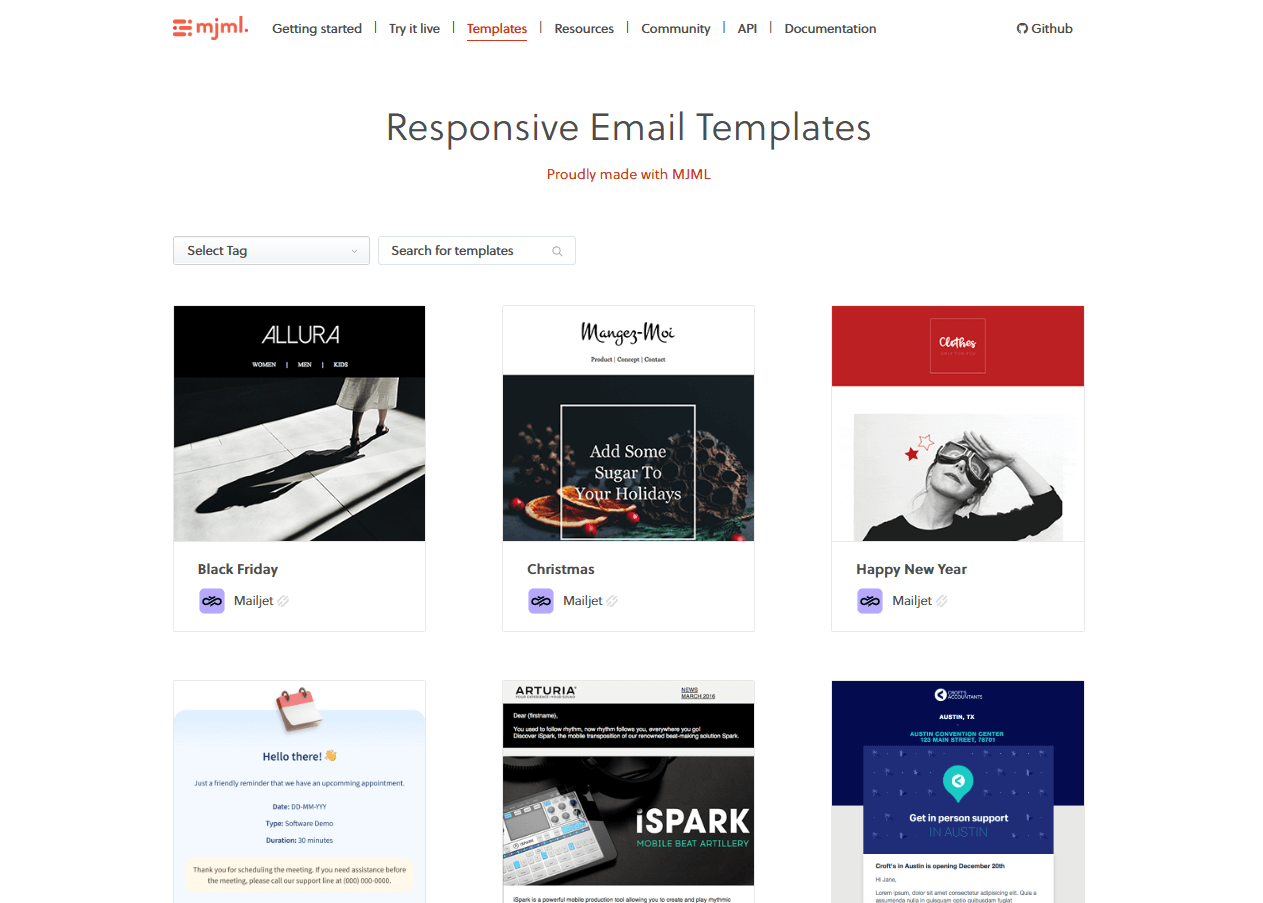
MJML is the most developer-focused email template builder on this list. Instead of dragging blocks around a canvas, you write templates in MJML’s markup language, then compile them into responsive HTML. MJML is not on the biggest SaaS tool review sites, like Capterra and Trustpilot; therefore, our guide does not include rating scores for this tool.
Its biggest strength is control: developers can build reusable, brand-consistent email systems without fighting the messy table-based HTML that email clients usually require.
What Our Test Found
MJML is not beginner-friendly, but it is efficient if you are comfortable with code. A five-block product-launch email was built in 25 minutes, but with a developer on hand. The output is responsive by default, and the structure is easier to maintain than hand-coded HTML.
Reusable components also save time on every campaign after the first, since the system is built once. The tradeoff is obvious: marketers cannot easily edit templates without developer support.
- Full code-level control for developers.
- Responsive HTML output by default.
- Easier to maintain than hand-coded email HTML.
- Good for reusable email design systems.
- Free and open source.
- Not suitable for non-technical users.
- No drag-and-drop editor or visual template builder.
- Limited ready-made template library.
- Requires testing after export, especially for Outlook rendering in older versions.
Who This is Not For
- Skip MJML if marketers need to build emails without code.
- Skip it if you want a large pre-made template library.
- Skip it if you need native collaboration, approvals, or visual editing.
- Skip it if you want built-in sending, automation, forms, or contact management.
Pricing
MJML is free and open source. Teams may still need developer time, a rendering/testing tool, and an email platform to send the final templates.
Unlayer
Unlayer is best understood as a flexible email editor for teams that need a builder they can use, embed, or customize.

Its drag-and-drop editor is simple enough for marketers, but the platform’s real strength is its embeddable editor and white-label setup, making it popular for SaaS products, CRMs, and platforms that want to offer email creation inside their own product, with complete control over branding and UI.
What our test found
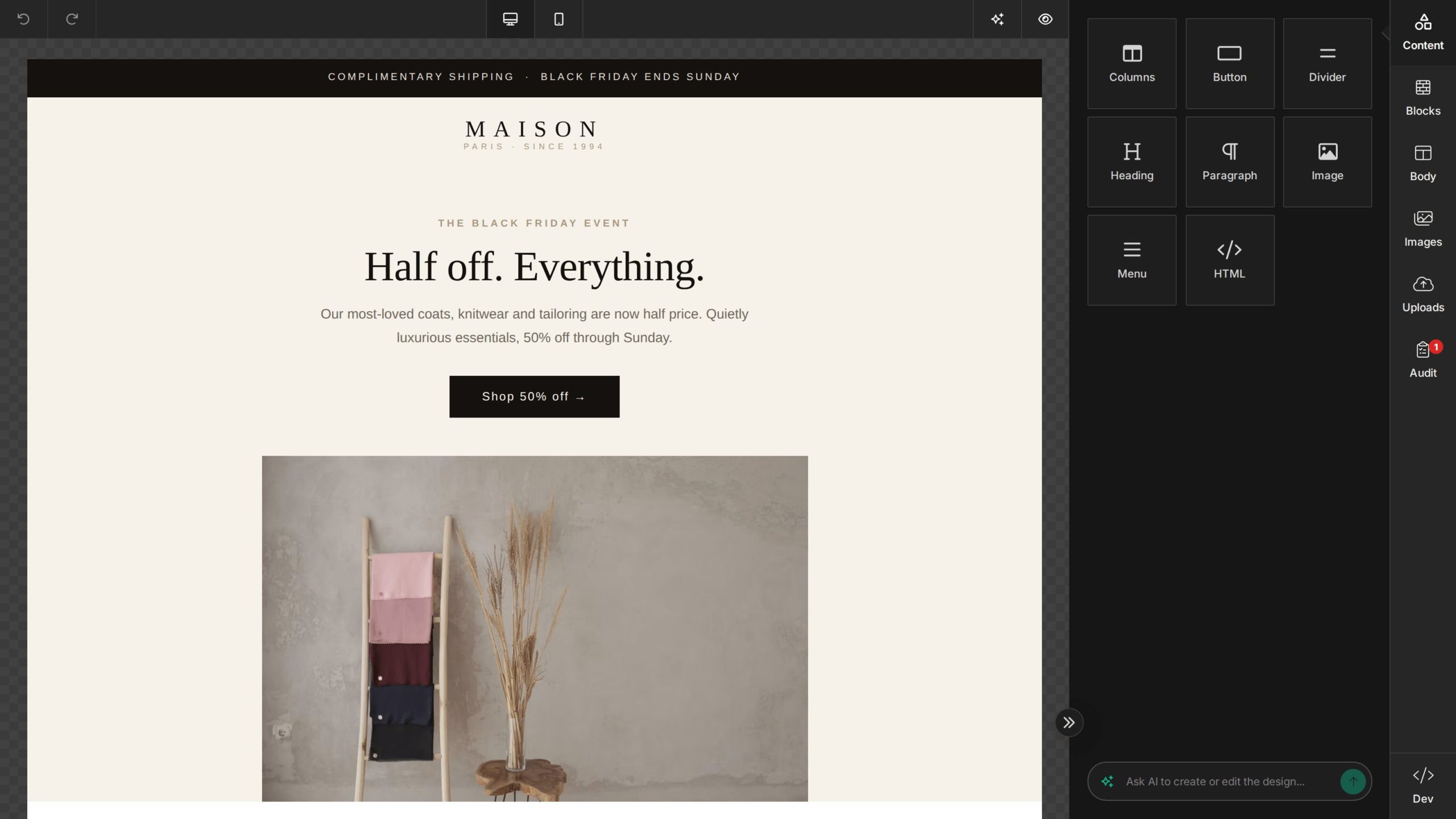
The five-block product-launch email was easy to assemble in Unlayer, but build time and export size depend on the exact modules and images used. The built-in image editing tools made it simple to add images and handle quick crops and adjustments without leaving the builder. Performance can slow down with heavier templates, so larger designs need extra testing before export. Dark-mode output should also be manually tested before sending.
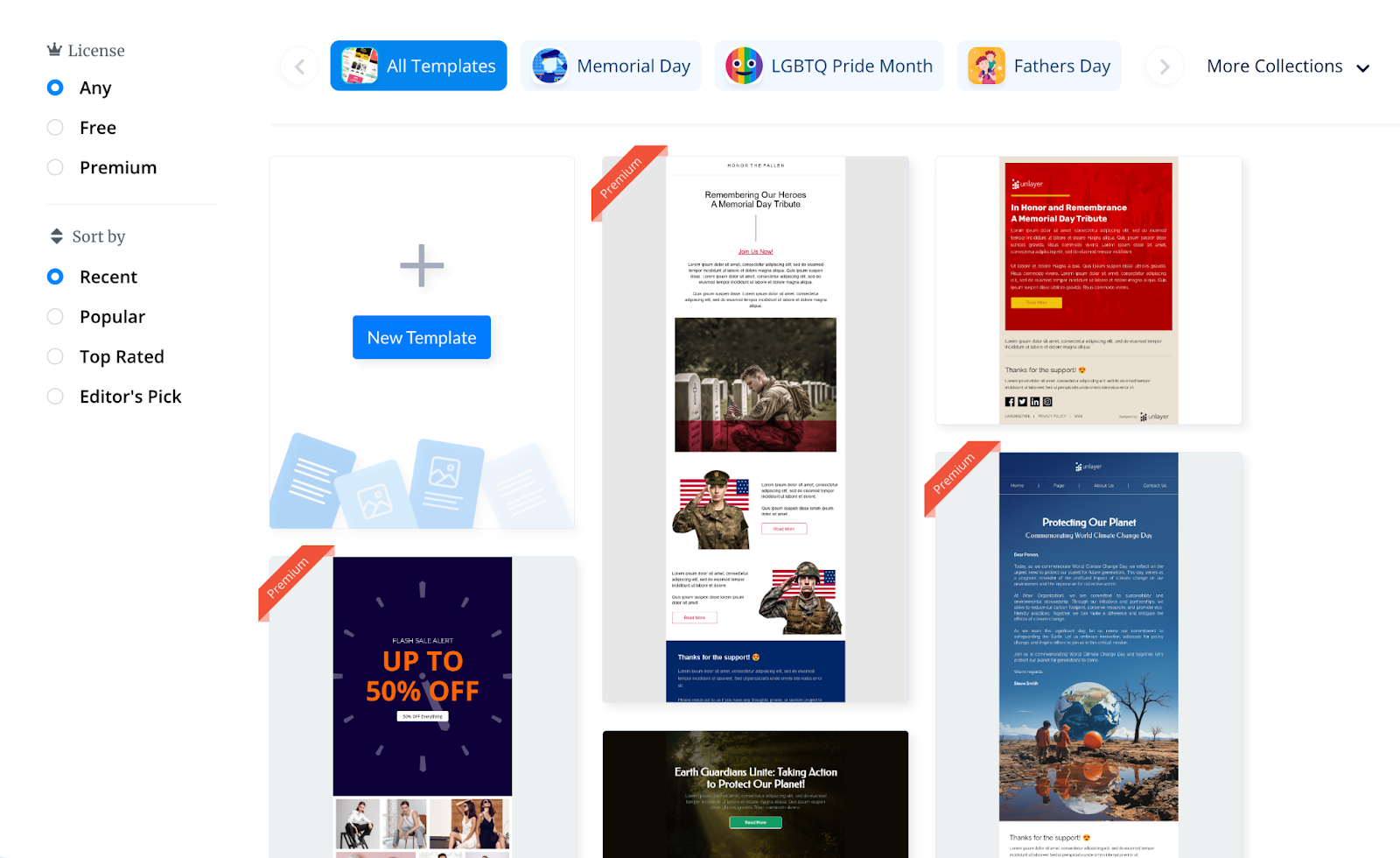
- Intuitive drag-and-drop editor with reusable content blocks.
- Built-in image editing for quick crops, resizing, and visual tweaks.
- White-label editor options for SaaS platforms and internal tools.
- Supports merge tags, ecommerce product blocks, and responsive previews.
- Can be used for both email templates and landing pages.
- Paid plans start much higher than most standalone template builders.
- Free plan is limited compared with specialist email builders.
- Performance can lag when working with large or complex templates.
- Better suited to platform embedding than budget-conscious newsletter teams.
Who This is Not For
- Skip Unlayer if you only need a low-cost newsletter template builder.
- Skip Unlayer if native AMP for Email support is required.
- Skip Unlayer if you want the largest ready-made template library.
- Skip Unlayer if you do not need white-labeling, embedding, or advanced editor customization.
Pricing
Unlayer has a free forever plan that includes the email, page, popup, and document builders. Paid plans start at $250/month (Launch), rising to $750/month (Scale) and $2,000/month (Optimize), each with a 14-day free trial and 1 TB of bandwidth included; annual billing saves 10%.
AI, export, inbox preview, and bandwidth capacity are sold as credit add-ons on paid plans, and AMP plus inbox previews only arrive on the Optimize tier. Pricing verified July 2026. For up-to-date pricing, head to unlayer.com/pricing
Chamaileon
Chamaileon is the most team-oriented email template builder on this list. Its main strength is collaboration: marketing teams can design, review, approve, and export emails from one shared workspace instead of passing HTML files, screenshots, and feedback across Slack or Google Docs. The drawback is that it can feel heavy for simple newsletter production, especially if you do not need approvals, roles, or multi-user workflows.

What our test found
The five-block product-launch email was straightforward to build in Chamaileon’s drag-and-drop editor. The editor gives marketers enough visual control for layout, modules, and responsive previews, while still supporting shared review workflows. It feels more structured than lightweight builders, but that structure helps when multiple users need to touch the same email before export.
Collaboration Features
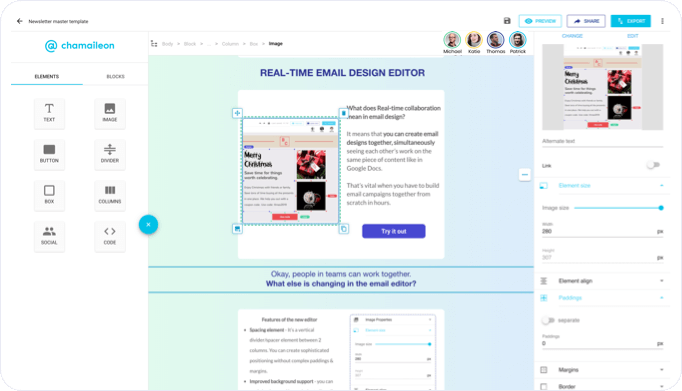
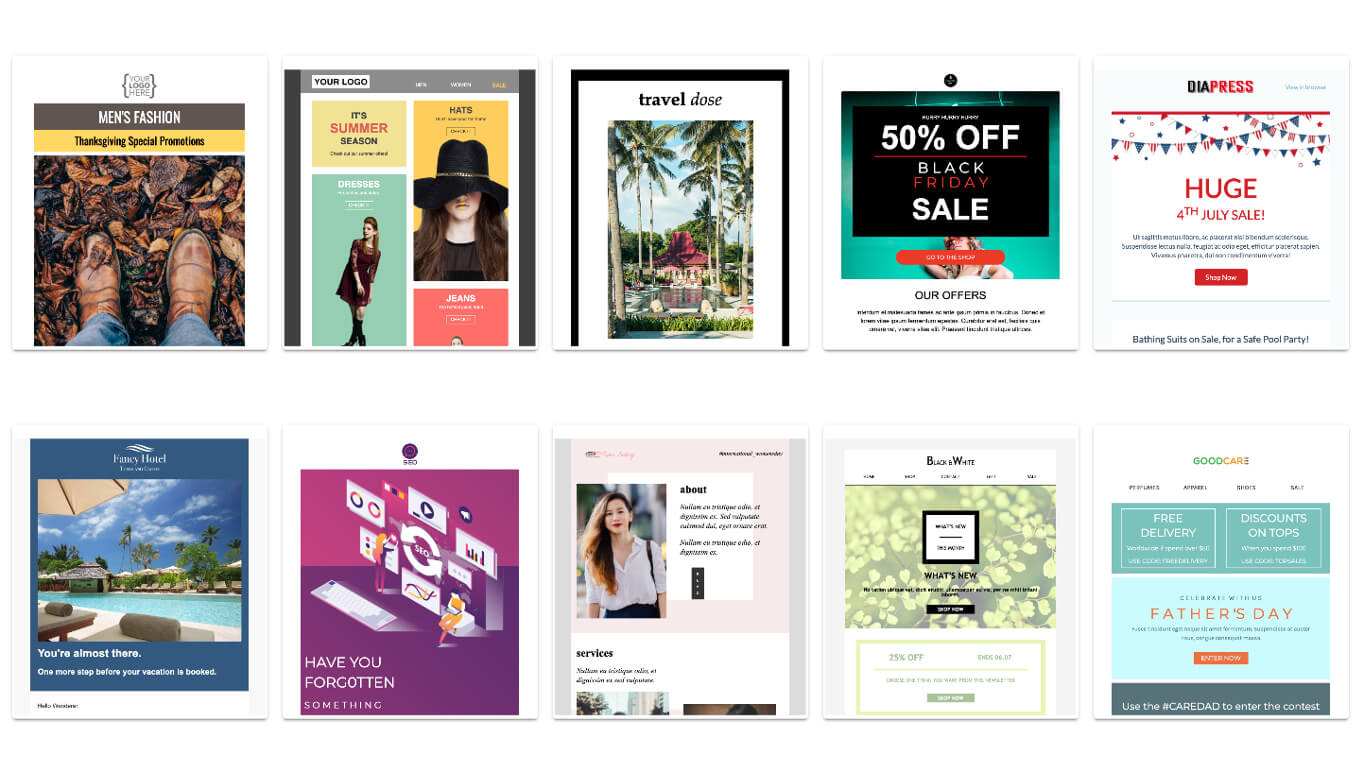
Chamaileon’s strongest workflow advantage is team review. It supports real-time collaboration, shared previews, approval workflows, organized asset libraries, and role/access controls, making it closer to a “Google Docs for email” than a simple template editor.
- Strong real-time collaboration and review workflows.
- Role-based access and permission controls.
- Modular blocks support reusable, on-brand email production.
- Drag-and-drop editor with responsive previews.
- Useful for agencies, enterprise teams, and multi-stakeholder approvals.
- Expensive compared with lightweight template builders.
- Overkill for solo creators or small newsletter teams.
- Learning curve is higher because the workflow is team-oriented.
- Not the best choice if you only need quick HTML exports.
Who This is Not For
- Skip Chamaileon if you need a low-cost newsletter builder.
- Skip it if you work alone and do not need approvals or roles.
- Skip it if template volume matters more than collaboration workflow.
Pricing
Chamaileon publishes three tiers: a discount-eligible Startup rate at $320/month for non-profits, startups, and teams willing to publish a case study; Premium at $400/month as the standard rate; and custom Enterprise plans. Annual subscriptions typically start from $4,000/year, and pricing is per workspace rather than per seat, with as many seats as your team needs on every plan.
There is no free plan, but a 14-day free trial is available at signup (verified July 30, 2026). Every subscription includes onboarding, template migration, live training, and 24/7 chat support, and per its FAQ, plans come with unlimited exports, storage, and test emails rather than metered caps. For more information on their pricing structure, head to chamaileon.io/pricing
Topol.io
Topol.io is one of the lighter email template builders on this list, but that is also part of its appeal.
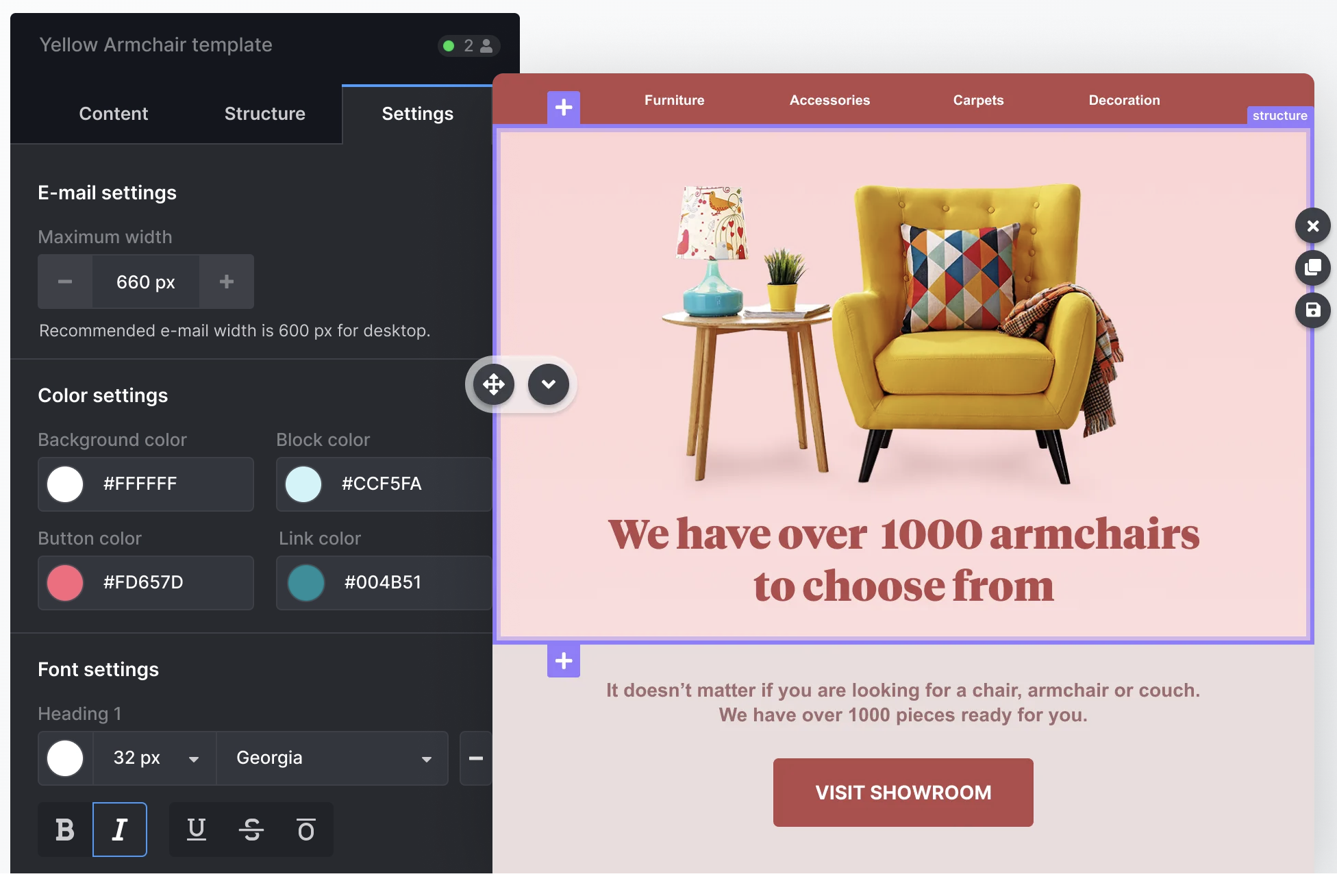
It is built for fast newsletter creation, with a clean drag-and-drop editor, reusable content blocks, mobile-responsive newsletter templates, and HTML export. It does not feel as deep as Stripo, Beefree, and definitely Chamaileon, but it works well for simple campaigns where speed matters more than advanced control.

What Our Test Found
Topol.io was quick to learn and easy to use for a standard product-launch email. The editor includes the expected building blocks – text, images, buttons, sections, and columns – and the mobile preview made basic responsive checks straightforward. The tradeoff is that the editor feels less polished than stronger competitors, with fewer advanced customization options and a smaller template library.
Newsletter-specific Features
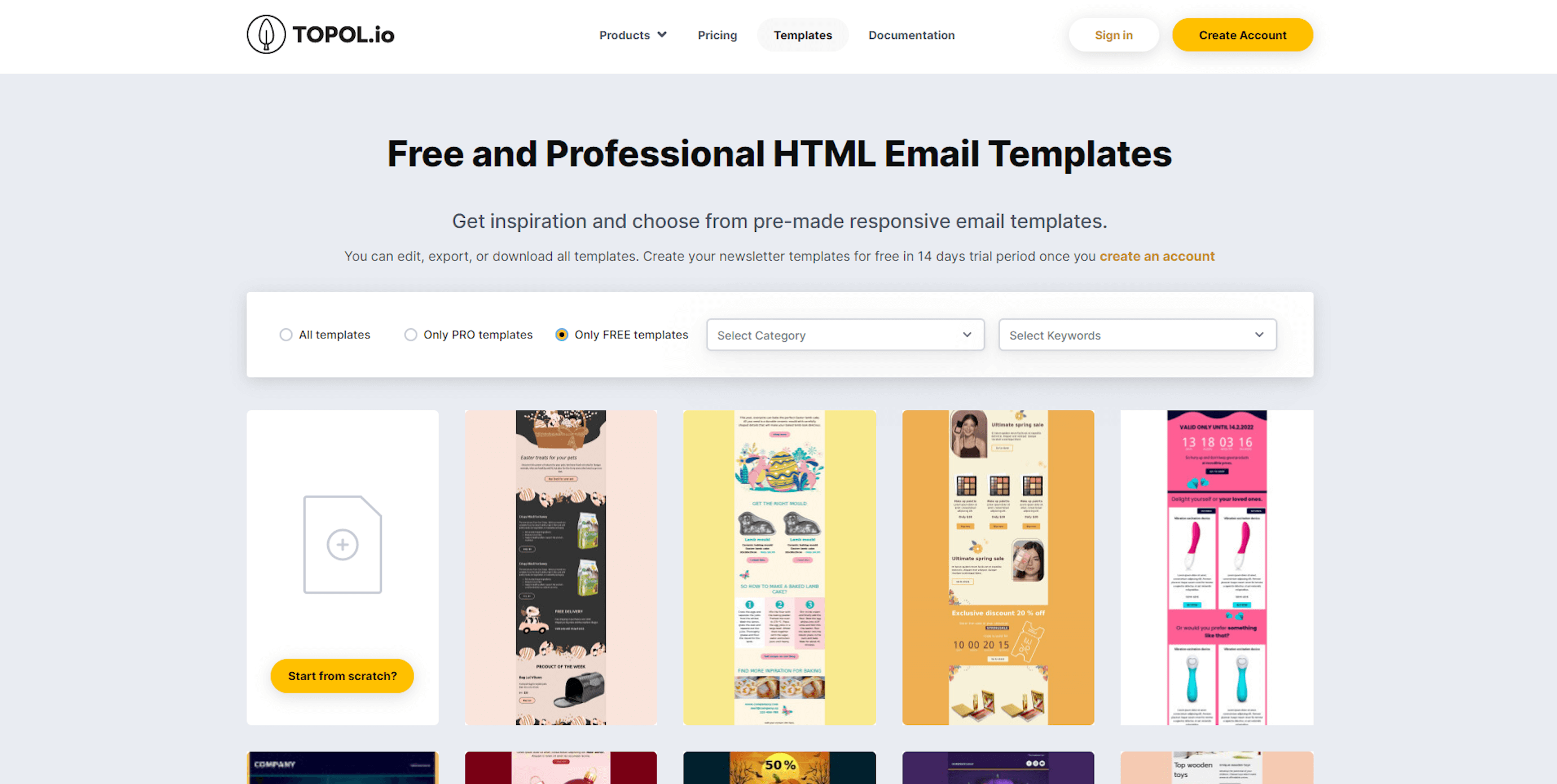
Topol.io’s newsletter features are built around speed and repeatability. You get mobile-responsive email templates, reusable content blocks, free stock images, merge tags for email personalization, smart links, and product-feed blocks for lightweight ecommerce sections – everything you’d expect from an email template builder of this caliber.
- Reusable content blocks speed up repeat newsletter creation;
- HTML export makes templates usable in other email platforms;
- Affordable compared with most specialist builders.
- Smaller template library than Stripo, Sender, or Beefree.
- Fewer advanced design and collaboration features.
- Some UI quirks make it feel less refined than premium builders.
- Limited fit for complex dynamic, interactive, or highly customized emails.
Who This is Not For
- Skip Topol.io if you need native AMP for Email support.
- Skip it if you want the largest or most polished template library.
- Skip it if your team needs advanced approvals, roles, or real-time collaboration.
- Skip it if developers need deep HTML-first control over every template detail.
Pricing
Topol.io has a free plan with no pre-made or HTML blocks available. Paid plans start at $10/month. Check topol.io/pricing for its up-to-date pricing.
Tabular
Tabular is the youngest tool on this list, but it feels surprisingly mature where it matters: structure, responsive email design, and export quality.

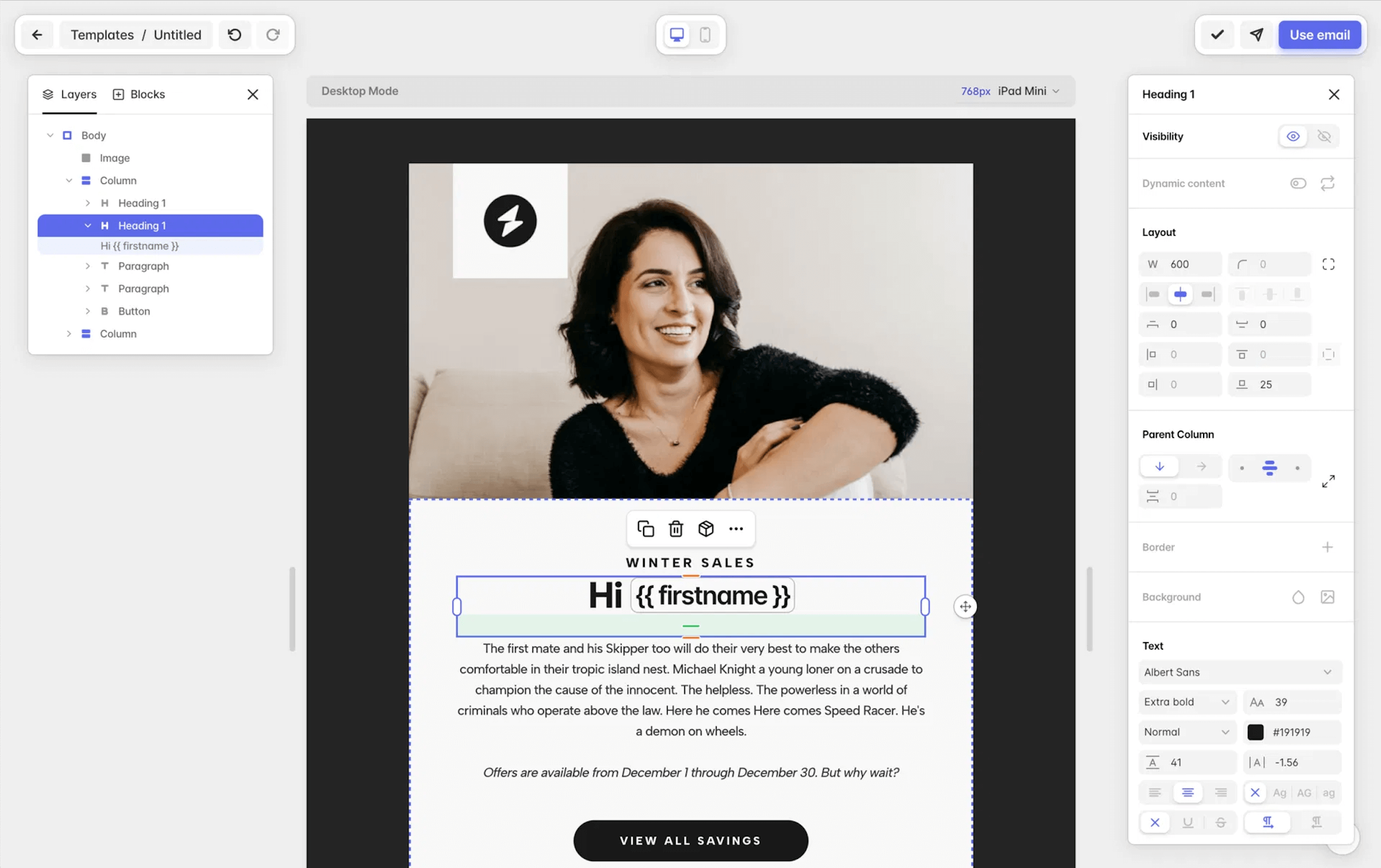
In testing, its block-based editor made it easy to build clean, polished emails without fighting the layout or going through the entire onboarding. It is not the most creatively flexible builder here, and advanced tweaks can feel technical. But as a responsive email builder, Tabular makes a fine impression.
What Our Test Found
The five-block product-launch email was relatively easy to assemble using Tabular’s block system, with the whole process taking around 30 minutes. The workflow felt more structured than freeform visual builders like Sender, which helped keep spacing, layout, and responsiveness under control. For advanced edits, though, Tabular benefits from some HTML knowledge.
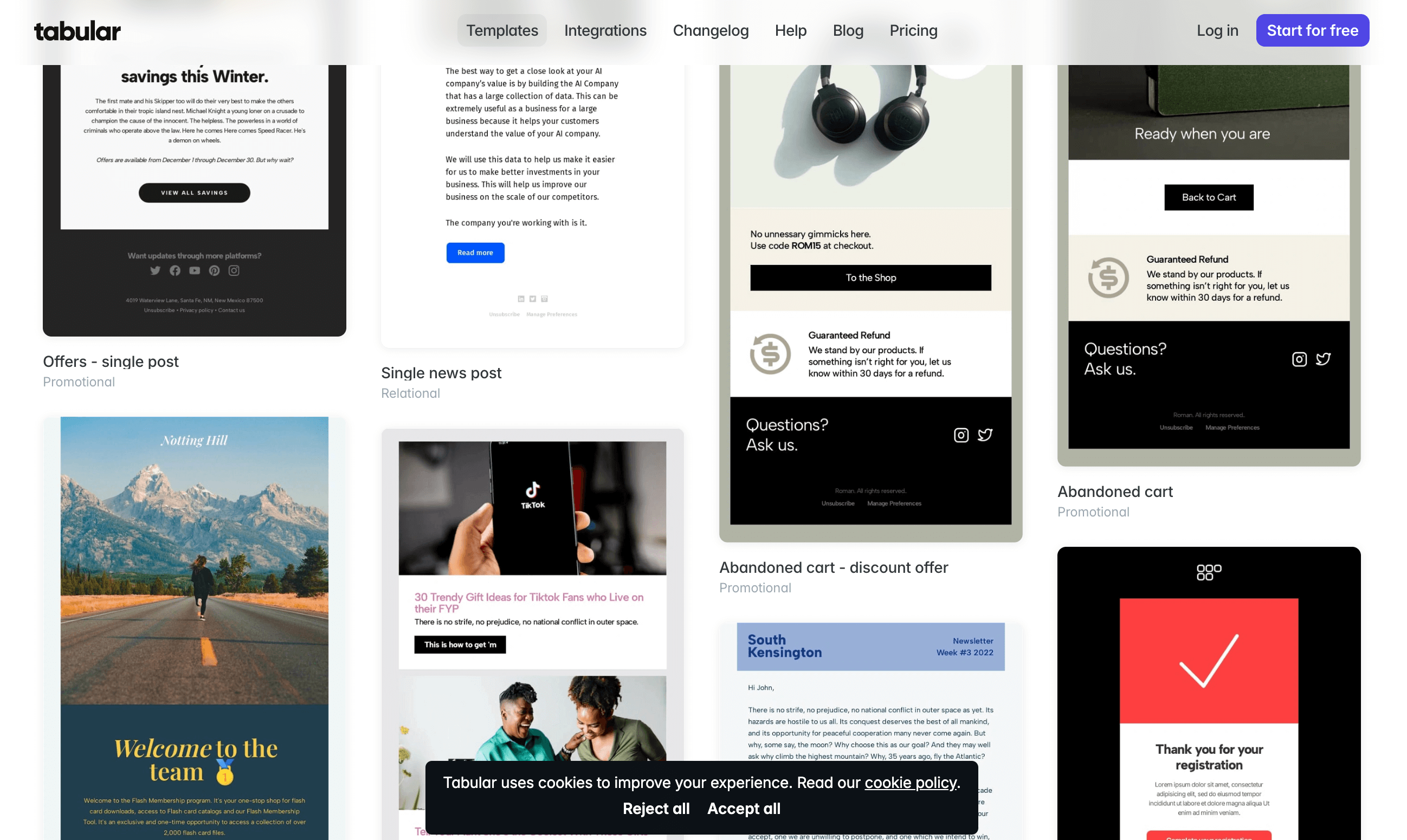
- Block-based editor keeps email layouts clean and consistent;
- Strong responsive controls for mobile and desktop layouts;
- Dynamic content support through your sending platform’s variables, dropped straight into the design;
- Clean HTML output built for broad email client compatibility;
- Native dark-mode authoring, not just preview;
- EU-based and built around GDPR compliance, with data handling some European teams will require.
- Smaller template library than Stripo, Sender, or Beefree;
- Advanced customization may require HTML knowledge;
- Not as visually flexible as design-first builders like Postcards;
- Limited fit for teams that need deep collaboration workflows.
Who This is Not For
- Skip Tabular if you want the largest ready-made template library.
- Skip it if you need native AMP for Email support.
- Skip it if your team wants a purely visual builder with minimal technical learning.
- Skip it if you need a fully-rounded email marketing platform.
Pricing
Tabular has a free plan with 3 stored emails and 3 exports per month available. Paid plans start at $29/month on monthly billing; on annual billing, the Pro plan rises to $42/month and includes unlimited stored emails and 100 exports per month. For up-to-date pricing info, check tabular.email/pricing
Postcards (Designmodo)
Postcards is best understood as a brand-first modular email builder.

You assemble emails from pre-built sections, then fine-tune the visual system around your brand guidelines: custom fonts, colors, button styles, spacing, layout rhythm, and mobile behavior. That makes it especially useful for teams that need consistent, professional-looking emails without editing HTML or hiring a dedicated email designer.
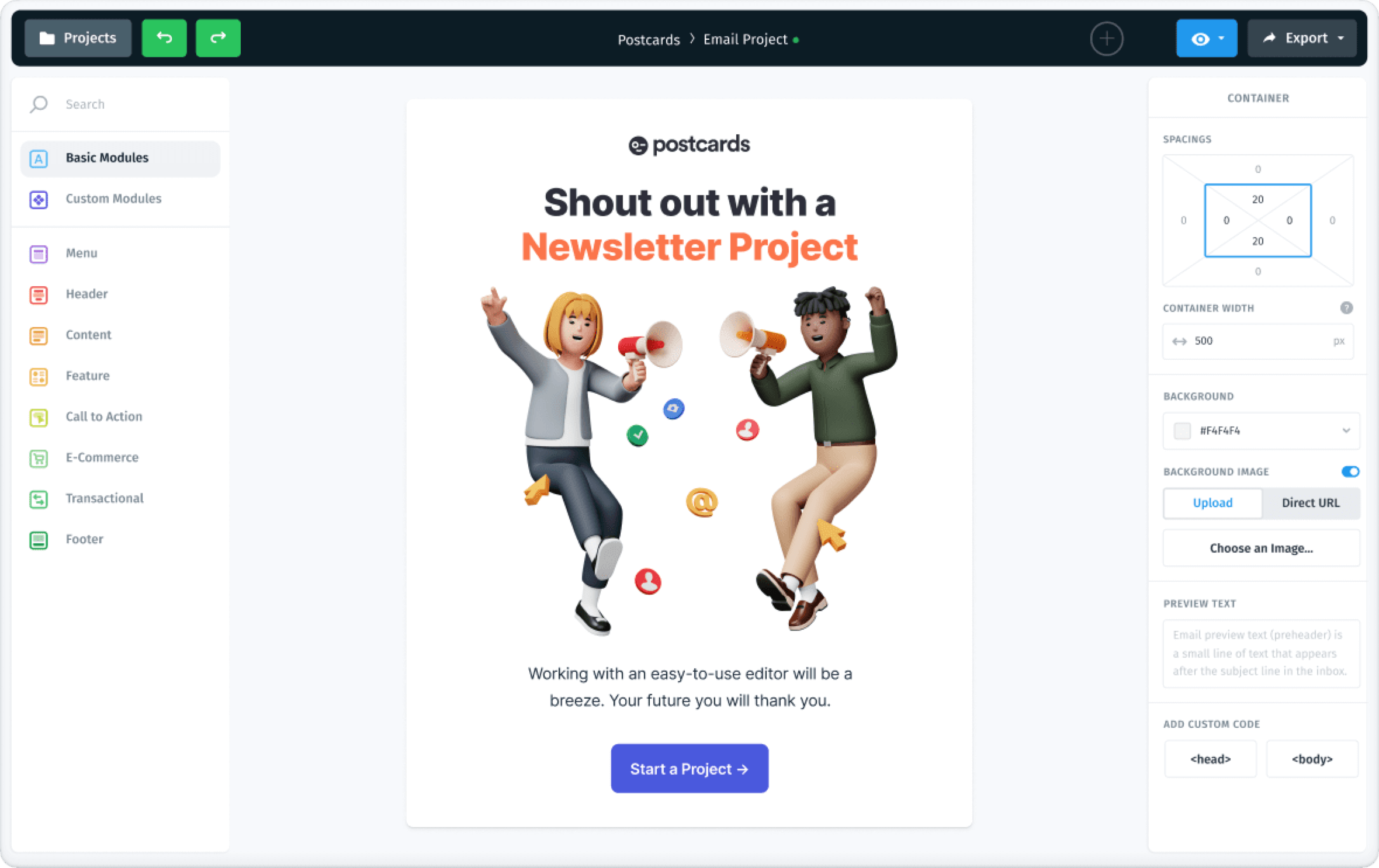
What our test found
Postcards felt polished and design-first. Building a product-launch email was straightforward because the module system keeps layout decisions simple while still allowing enough customization to make the email feel branded. Dark-mode handling is manual, with dark mode fallback colors set per block, so final output should be retested after configuration.
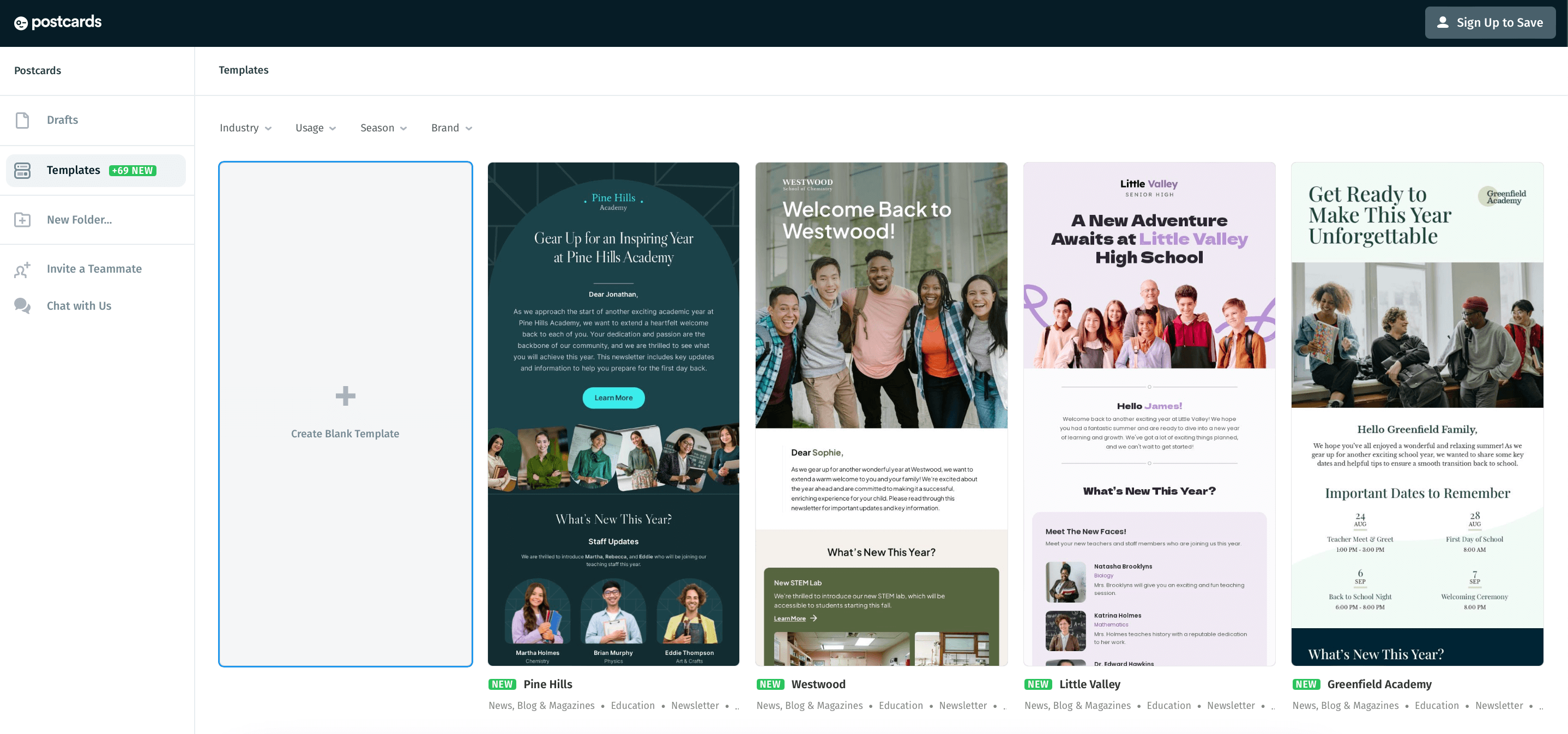
- Modular block system makes email building fast and consistent;
- Strong brand customization for fonts, colors, spacing, and buttons;
- Clean, responsive HTML exports for major ESPs;
- Shareable links for previews and collaboration features help team review;
- Cloud image hosting simplifies asset management.
- Less code-level control than MJML or Stripo.
- Template variety is narrower than large-library builders.
- Pricing may feel high for smaller teams that only need occasional templates.
- Organization and template management tools could be stronger.
Who This is Not For
- Skip Postcards if you need native AMP for Email support.
- Skip Postcards if developers need full control over custom HTML structure.
- Skip Postcards if you need a complete email marketing platform with automation, forms, SMS, and subscriber management.
Pricing
Postcards has a free plan with up to 10 template projects available. Paid plans start at $16/month, with unlimited templates and 20 test emails per day. For up-to-date pricing, check designmodo.com/postcards/pricing
Best Free Email Template Builders
Sender has the best free email template builder in 2026: the Free Forever plan covers 2,500 subscribers and 15,000 emails a month, and includes automation, forms, and full template access with no trial deadline.
Most free tiers in this review are design sandboxes rather than working email marketing tools. They cap how many templates you can store and how many finished designs you can export, and those caps matter more than any feature list once your marketing efforts move past the occasional campaign.
Because Sender’s builder sits inside a sending platform, a free template connects straight to campaigns and automation instead of ending at an HTML download.
If the free tier is a stepping stone rather than the destination, it helps to know where the paid jump points sit; our breakdown of email marketing costs maps them across platform types.
| Tool | Free contacts or projects | Stored templates | Exports or sends |
| Sender | 2,500 subscribers | All templates included | 15,000 emails/mo |
| Stripo | 2 members | 10 stored emails | 4 exports/mo, 5 test emails/day |
| Beefree | Unlimited users | 10 designs | 6 exports/mo |
| MJML | n/a (open-source framework) | n/a (code files) | Unlimited, self-hosted |
| Unlayer | Free forever (all four builders) | Not itemized | Not itemized |
| Chamaileon | No free plan | – | – |
| Topol.io | Personal use only | Limits not published | Limits not published |
| Tabular | Unlimited members | 3 stored emails | 3 exports/mo |
| Postcards | 10 template projects | 10 projects | 5 exports/mo, 10 test emails/day |
Best HTML Email Builders
MJML is the best HTML email builder for teams that write code, Stripo is the best hybrid option with drag-and-drop and HTML/CSS editing side by side in one view, and Sender fits teams that want a visual builder with an HTML editor available when they need it.
The three represent genuinely different ways to create HTML emails. MJML is code-first: you write semantic markup that compiles into responsive, table-based HTML email templates, which lets developers keep email templates in version control alongside product code. The cost is that marketers cannot edit anything without a developer.
Stripo is the hybrid: its drag-and-drop builder and full HTML/CSS code editor work simultaneously in the same view, with no mode switching, and finished templates export to 90+ ESPs. That suits mixed teams where marketers assemble, and developers fine-tune.
Sender is visual-first: the drag-and-drop email builder supports custom HTML and code blocks for pixel-level control, and because templates live inside the sending platform, there is no export step and no rendering surprises between the builder and the campaign.
Clean, consistent markup also matters beyond looks; broken or bloated HTML hurts email deliverability and is one of the quiet reasons campaigns land outside the inbox.
Standalone Builders vs. ESPs With Built-in Builders
Every tool in this review except Sender is a standalone builder: it produces an email template that you export into whichever platform actually sends, whether that is Mailchimp, Klaviyo, or your own SMTP setup. An email service provider (ESP) with a built-in builder flips that model. Templates, contacts, marketing automation, and reporting live in one product, and there is no export step to break or retest.
ESPs like MailerLite, Moosend, or SendPulse also include built-in builders, as do Constant Contact and Zoho Campaigns, so if you are really shopping for full email marketing software rather than a design layer, a builder review is the wrong shortlist. Start instead with our comparison of email marketing services, which ranks the platforms themselves.
If the newsletter is the whole product, the roundup of the best newsletter platforms narrows the field further.
Sender is the built-in-builder path within this review. Because the builder and the sending engine share one contact database, automations can fire from custom events: specific actions a subscriber takes on your site, such as “Watched 50% of a Video” or “Renewed Subscription”, sent to Sender in real time to trigger workflows or build behavioral segments.
A standalone builder cannot do that on its own; it only hands finished HTML to whichever ESP takes over from there.
How to Choose the Right Email Template Builder
Nine tools are too many to compare feature by feature in one go. That said, here are the three key decisions most teams have to factor in before making the final decision:
If you already have an ESP you trust
You want standalone email template builder software that exports cleanly to your existing sending platform. The decision narrows to three tools: Stripo if you need AMP for Email or the widest template library; Beefree if you sell on Shopify or BigCommerce and want native product-block sync; Chamaileon if you run an agency with multiple reviewers editing the same template simultaneously.
For most teams in this category, Stripo is the default. Beefree and Chamaileon are situational picks – Beefree for ecommerce, Chamaileon for agencies – at meaningfully higher cost. Skip Sender-style bundled tools, and anything that doesn’t export HTML, because you’re not going to use the sending side.
If you’re starting from zero
You want one bill, one login, and no stack to assemble. Sender is the pick for almost every team in this category, especially under 2,500 subscribers, where the free plan covers you entirely. The builder, automation, forms, and sending all ship in one product, which means you can get a newsletter or welcome sequence live in a day instead of a week.
The main reason to choose differently is if you already know you’ll need AMP for Email, a library larger than 1,100+ templates, or real-time multi-editor collaboration – in which case, you’re buying a standalone builder and an ESP separately, and you’re not really in this category.
If your team writes code
You want emails to live alongside product code, let’s say in Git, with the same review and deploy gates as the rest of your stack.
MJML is the pick if you’re sending emails from your own application – the compiled HTML is often cleaner than what most dedicated email design software produces, the tooling fits any Node pipeline, and there is no vendor lock-in.
Unlayer is the pick if you’re not sending emails yourself but embedding an editor into a SaaS product for your users – its embed SDK is the only one in this review designed for that.
FAQs
Yes, you can use email template builders without coding experience, since most email template builders are designed as no-code email editors for non-developers. The drag-and-drop feature lets users create professional emails and customize templates easily, even without coding skills. However, some tools may offer HTML customization for advanced users who want more control over their designs, providing flexibility for all skill levels.
Drag-and-drop builders, also called WYSIWYG editors, focus on ease of use, allowing users to design emails by simply moving elements around, ideal for non-technical users who need mobile-friendly emails fast. In contrast, HTML-based email builders offer full control over the code, making them suitable for developers or those requiring highly customized templates. The choice depends on your technical skills and design needs.
Yes, for many small-business use cases a free email template builder is enough. Sender’s free plan runs real email marketing campaigns for up to 2,500 subscribers, and the free tiers from Beefree or Stripo cover occasional template design. The limits show up at scale, where export and storage caps start to bite, in team workflows that need seats, roles, and approvals, and with AMP or interactive email, which stays behind paid plans.
Sender offers the best free email template builder, with 2,500 subscribers, 15,000 monthly emails, automation, and full template access on the Free Forever plan. If you only need a free email builder for design and export, Beefree’s Starter plan (10 designs, 6 exports/month) or Stripo’s free plan (10 stored emails, 4 exports/month) cover light use.
Yes. Stripo exports to 90+ ESPs, Tabular has direct ESP integrations with 20+ platforms including Mailchimp and Klaviyo, and Postcards offers one-click export to Mailchimp and HubSpot, plus export to Klaviyo, SendGrid, and Brevo. MJML compiles plain HTML that works anywhere. Confirm your specific ESP is supported before paying for a plan.
Not automatically. Stripo and Tabular handle dark mode natively inside the builder, and Sender includes a dark mode preview. Most other tools rely on manual fallback colors, with Postcards setting fallbacks per block. Always test dark mode emails in multiple clients before a campaign goes out.