


Most teams outgrow Mailjet, an email service provider that combines marketing campaigns, transactional email and API-based sending in one platform, not because it fails, but because their needs shift toward deeper automation or more predictable pricing at scale.
For teams looking to move beyond it, Sender is our top Mailjet alternative for marketing, while Postmark is the strongest pick for transactional email. Sender stands out for affordable campaigns and automation, whereas Postmark is better suited to teams that prioritize reliable, developer-friendly transactional sending.
This email service provider comparison covers ten alternatives to Mailjet across marketing and transactional email use cases, evaluating each on automation depth, API flexibility, integration support, pricing model, and infrastructure reliability.
This article is part of our Email marketing guide.
Mailjet Alternatives: Platform Overview Table
Too many alternatives to choose from? Here’s a handy Mailjet comparison table to help you decide:
| Provider | Email Type | Automation depth | Free plan | Pricing Model | Best For |
| ActiveCampaign | Marketing + Transactional | Advanced | No free plan | Contact-based | Advanced marketing automation with built-in CRM |
| Sender | Marketing + Transactional | Advanced | Free tier available | Send-based | SMBs needing affordable, all-in-one email tools |
| Mailchimp | Marketing + Transactional | Advanced | Free tier available | Contact-based | Businesses wanting extensive templates and integrations |
| GetResponse | Marketing | Advanced | Free tier available | Contact-based | All-in-one marketing with funnels and webinars |
| Drip | Marketing | Advanced | No free plan | Contact-based | Ecommerce stores needing behavior-driven automation |
| Constant Contact | Marketing | Advanced | 14-day trial only | Contact-based | Small businesses and beginners prioritizing ease of use |
| Brevo | Marketing + Transactional | Advanced | Free tier available | Send-based | Multi-channel teams needing CRM, email, and SMS |
| SendGrid | Transactional + Marketing | Basic | 60-day trial only | Send-based | Developer teams sending transactional email at scale |
| Mailgun | Transactional + Marketing | Developer only | Free tier available | Send-based | Developers needing full API control over email infrastructure |
| Postmark | Transactional or Marketing | Developer only | Free tier available | Send-based | Fast, reliable delivery of transactional messages |
Why Teams Actually Leave Mailjet
Most “why switch” sections are a list of vague complaints. These are the specific, recurring issues I’ve seen in G2 reviews, Reddit discussions, and firsthand migration work – each with enough detail to tell you whether it applies to your situation.
1. Shared IP pool contamination at scale
Mailjet’s entry and mid-tier plans sit on shared IP pools. The risk isn’t theoretical – a cluster of G2 reviews describes the same pattern: marketing campaigns run fine until another sender on the same pool has a deliverability event (a spam complaint spike, a sudden volume increase), and transactional open and delivery rates drop the following day.
This is structurally a shared-resource problem. If you’re sending password resets or purchase confirmations from the same account as your newsletters, those streams share the same IP reputation.
2. Automation only from Premium plan
Unlike most competitors, Mailjet locks automation features (even the most basic ones) until Premium plan. This is a hard ceiling, not a limitation you can engineer around. Teams that need sequences like “if contact clicked product page but did not convert → send follow-up after 3 days, else suppress” either upgrade to Premium ($29+ per month) or maintain a second platform. I’ve seen both. The second-platform approach almost always creates list sync problems within six months.
3. Volume-based pricing penalizes high-frequency senders
Consider a company with 10,000 contacts sending a daily digest email. That’s approximately 300,000 emails per month. On Mailjet’s pricing, this lands in the Premium tier that costs significantly more than a contact-based competitor sending the same volume to the same list. Run that calculation for your own list and frequency before you assume Mailjet is the cheapest option – it frequently isn’t for high-frequency use cases.
4. Support tier gap
Phone support and live chat are Premium-plan features on Mailjet. Essential plan users get email support only, with response times that community threads describe as inconsistent during peak periods. For teams where deliverability issues need same-day resolution, this is a meaningful operational risk.
Mailjet Pricing at a Glance
Contact-based pricing is better if you email the same list frequently, while send-based pricing suits larger lists with lower sending frequency. Consider how both your list size and email volume will grow to avoid unexpected costs.
It’s worth noting that from September 9, 2026 Mailjet is increasing its prices both for monthly and annual subscriptions. The prices below reflect the updated rates effective from that date.
| Tier | From (per month) | Emails included | Automation | Where it bites |
| Free | $0 | 6,000/mo, capped at 200/day | No | 1,000-contact cap and 200-email daily limit; support only for the first month |
| Starter | $9 | 8,000/mo, no daily cap | No | Still capped at 2,000 contacts; no segmentation, AI content tools, or automation |
| Essential | $19 | 15,000/mo, no daily cap | No | Unlimited contacts and segmentation, but marketing automation, landing pages, and advanced stats remain locked |
| Premium | $29 | 15,000/mo, no daily cap | Yes | Unlocks automation and advanced marketing features, but dedicated IP only starts on 100k+ plans |
| Custom | Custom quote | Custom / high volume | Yes | Built for enterprise senders – blocklist monitoring, activity logs and other features |
How We Evaluated Mailjet Alternatives
Each email marketing platform was tested on its entry-level paid plan (or the most comparable tier to Mailjet’s Starter plan), with a standardized 2,000-contact list that had interacted with a newsletter in the last 90 days. Contacts were not purchased or scraped.
Features evaluated per platform:
- Email builder
- Automation depth (trigger types, conditional logic, branching)
- List/segment management
- Deliverability (3rd party testing data)
- Support responsiveness on the entry-level plan
- Customer reviews (G2, Capterra, Trustpilot, Reddit)
- Pricing model
We used third-party data to evaluate deliverability, relying on tools like GlockApps and EmailTooltester to benchmark inbox placement, spam rates, and domain reputation. Tests were conducted in-house using identical campaign setups across platforms to ensure consistency.
User reviews: We gathered customer feedback from platforms like G2, Trustpilot, and Capterra, analyzing recurring themes, such as ease of use, support quality, pricing transparency, and feature reliability. To avoid cherry-picking, we focused on patterns across a large volume of recent reviews and balanced both positive and negative feedback to reflect real user sentiment.
What was not tested: Enterprise features (SSO, dedicated IPs, custom SLAs), SMS sending at volume. This review is aimed at SMBs, independent creators, and agencies with lists of up to 50,000 contacts.
All pricing is verified as of August 2026. Annual billing discounts are noted separately from monthly pricing, with all prices being shown in USD. We highly recommend analyzing each platform’s pricing page directly before purchasing a subscription.
Capterra, G2, Trustpilot, and Reddit to create an objective evaluation. Learn more about our review methodology
6 Best Mailjet Alternatives for Marketing Emails
If you’ve been searching for tools like Mailjet or email marketing services like Mailchimp, look no further. Here are the top Mailjet competitors on the market today:
Sender
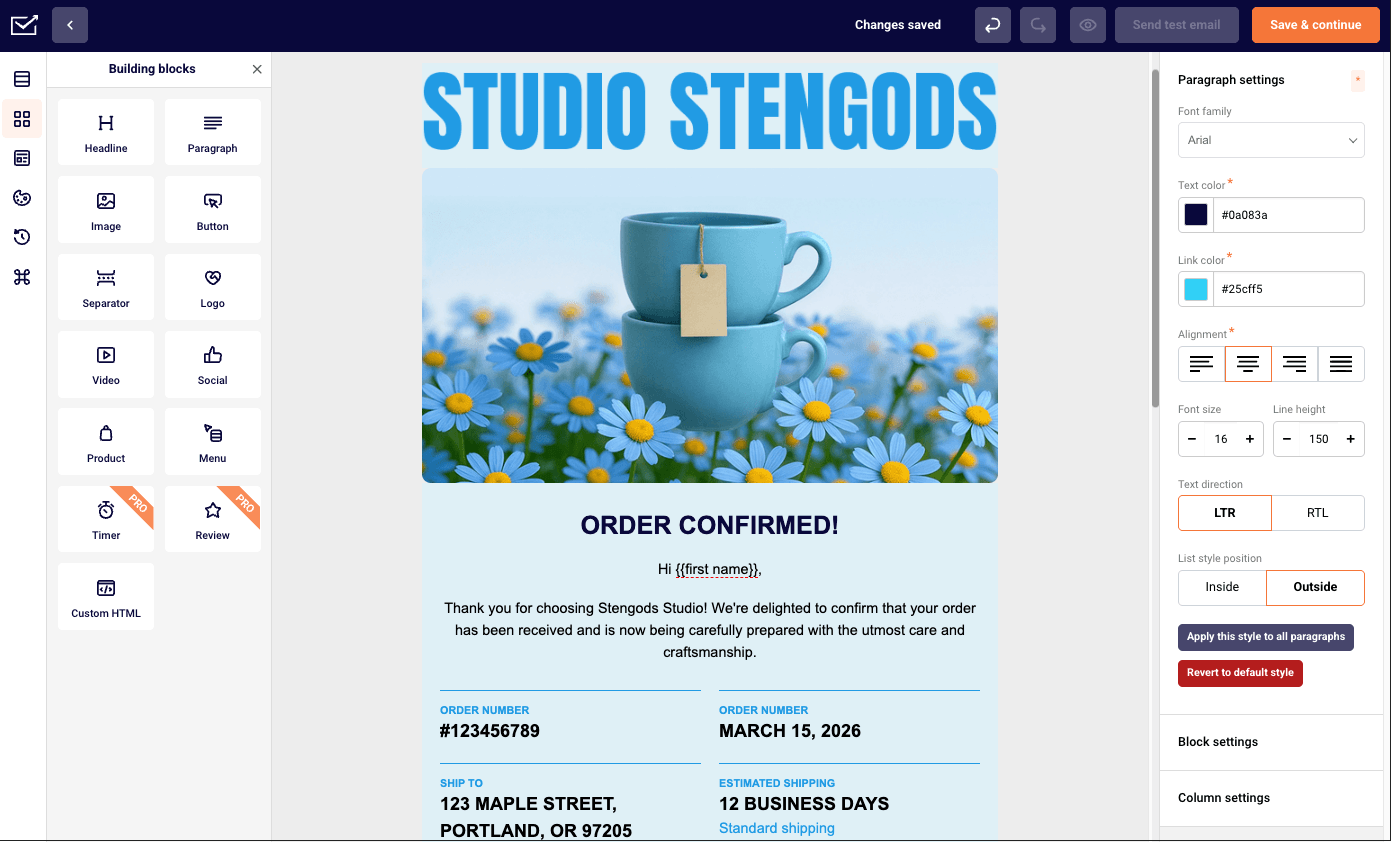
Sender is built for small businesses that want marketing and transactional email service in one place without turning setup into a developer project. It fits teams who plan to switch from Mailjet because campaigns, automations, popups, landing pages, and transactional sends sit in the same workspace.

Sender pricing: Starts at $10/month for up to 1,000 subscribers and 12,000 emails/month | Free plan includes up to 2,500 subscribers and 15,000 emails per month.
In practice, the drag-and-drop editor gets out of the way quickly. I opened a template, adjusted the structure, added product blocks, and had a three-email welcome sequence live in around 25 minutes – faster than the equivalent flow in Mailjet, where conditions and behavior-based triggers required more navigation to configure. The automation builder is easier to read for basic welcome, cart, and post-purchase flows, especially when adding conditions.
Where the ceiling shows up is list management. Importing a large list required a manual hygiene check before upload – Mailjet’s import validation catches more issues automatically.
Sender is not the right fit for deep CRM pipelines, predictive ecommerce analytics, or API-first infrastructure.
Key Strengths
- Conditional logic: Build and edit drag-and-drop workflows with branching rules in one view, using real-time previews to fine-tune multi-step flows fast.
- Custom events: Trigger automations from actions like purchases, feature usage, form submissions, or “added to wishlist” events–not just opens and clicks.
- Free Forever plan: Access campaigns, automations, landing pages, forms, and transactional emails with no time limit.
Limitations
- No predictive analytics: Predictive analytics are not available for forecasting behavior or campaign outcomes.
- Limited event webhooks on lower plans: Free and Standard users get only 1 and 5 webhooks respectively, while unlimited webhooks start with the Professional plan.
- Limited CRM ecosystem: CRM support feels narrower, with fewer third-party extensions than ActiveCampaign.
Mailjet vs. Sender
Mailjet and Sender both cover the essentials — marketing campaigns, transactional emails, and drag-and-drop editing — but they’re built with different users in mind.
Sender is geared toward small and growing businesses that want a straightforward platform at a low cost. Its interface is clean and easy to pick up, and it bundles marketing and transactional email together without the tiered feature gating that makes other platforms more expensive as you grow. For teams that need to get campaigns out the door quickly without a steep learning curve, Sender removes a lot of the friction.
Mailjet brings more to the table for collaborative teams and developers. Its real-time editing feature makes it genuinely useful when multiple people need to work on the same campaign, and its API offers more flexibility for custom transactional email setups. If your workflow involves developers and marketers working side by side, Mailjet handles that dynamic better than Sender does.
The pricing gap is worth noting. Sender consistently comes in cheaper across comparable plan tiers, and its free plan is more generous in terms of included features and sending limits. Mailjet’s free tier is usable, but it comes with tighter restrictions that push you toward paid plans sooner.
ActiveCampaign
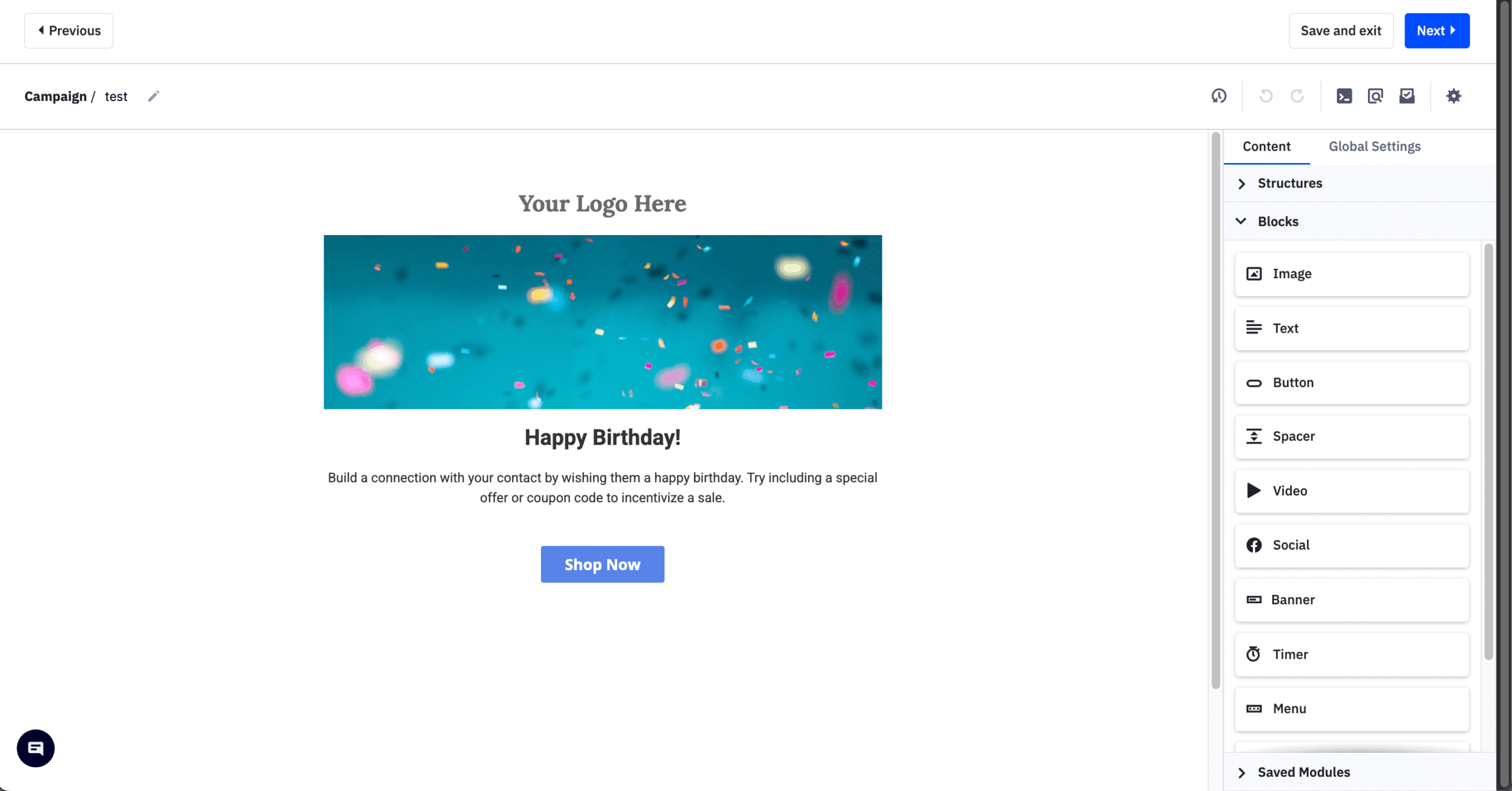
ActiveCampaign is built for teams that have outgrown basic newsletter sending and need automation, CRM, and customer journey logic in one place. It fits Mailjet users who want deeper behavior-based workflows, lead scoring, and sales follow-ups without stitching together a separate CRM.

ActiveCampaign pricing: Starts at $19/month for up to 1,000 contacts and up to 10,000 emails/month | 14-day free trial with up to 100 contacts/email sends available.
During my testing, I configured a lead scoring model where email opens scored 1 point, link clicks scored 3, and site visits scored 5. Once contacts crossed 15 points, they moved into a pipeline and triggered a higher-intent sequence. Setup took around 60 minutes, mostly because scoring rules aren’t prominently surfaced in the main builder. The same outcome in Mailjet would require external CRM integration, since it’s not available natively.
Where the friction shows up beyond setup time is the cost. The lead scoring (available only as a paid add-on) and advanced segmentation that justify switching from Mailjet sit behind the Pro plan at $89/month.
Key Strengths
- Built-in CRM: Contacts, deals, pipelines, and email activity stay connected, making it easy to trigger campaigns, update deals, and manage follow-ups in one system.
- Lead scoring: Score contacts based on engagement, site visits, and purchase intent to trigger automations, qualify leads, and prioritize high-intent users.
- Workflow testing: Test automation paths, timing, messaging, and conditions within the same flow, with predictive sending helping optimize performance.
Limitations
- Learning curve: ActiveCampaign’s advanced automation, CRM, lead scoring, and segmentation add complexity, making onboarding slower than with more focused tools.
- Higher starting cost: Pricing starts above many alternatives – with its entry-level plan costing twice as much as Mailjet’s – while CRM, lead scoring, and advanced automation require higher-tier plans.
- Slower campaign launches: Flexible automation setup often requires multiple tags, triggers, and conditions, which can slow down launches for smaller teams.
Mailjet vs. ActiveCampaign
Mailjet is a solid option for creating campaigns easily, but ActiveCampaign is the stronger pick if you’re aiming for more advanced marketing. Its automation system supports conditional workflows far beyond what Mailjet can handle, and predictive sending helps maximize engagement.
ActiveCampaign also brings in SMS and chat alongside email, making cohesive, multi-channel campaigns much easier to run.
ActiveCampaign also has an edge with its built-in CRM, which keeps contacts, deals, pipelines, and email activity in one place. Mailjet, by comparison, does not offer a native CRM, so teams that need sales pipeline management would have to rely on external tools or integrations.
Mailchimp
Mailchimp is built for teams that want a polished campaign builder, broad template choice, and a large integration ecosystem without relying heavily on developers. It fits Mailjet users who care more about campaign design and plug-and-play marketing features than API flexibility.

Mailchimp pricing: Paid plans start at $13 per month for 500 contacts and 5,000 monthly emails. Free Forever plan available for up to 250 contacts and 500 monthly email sends.
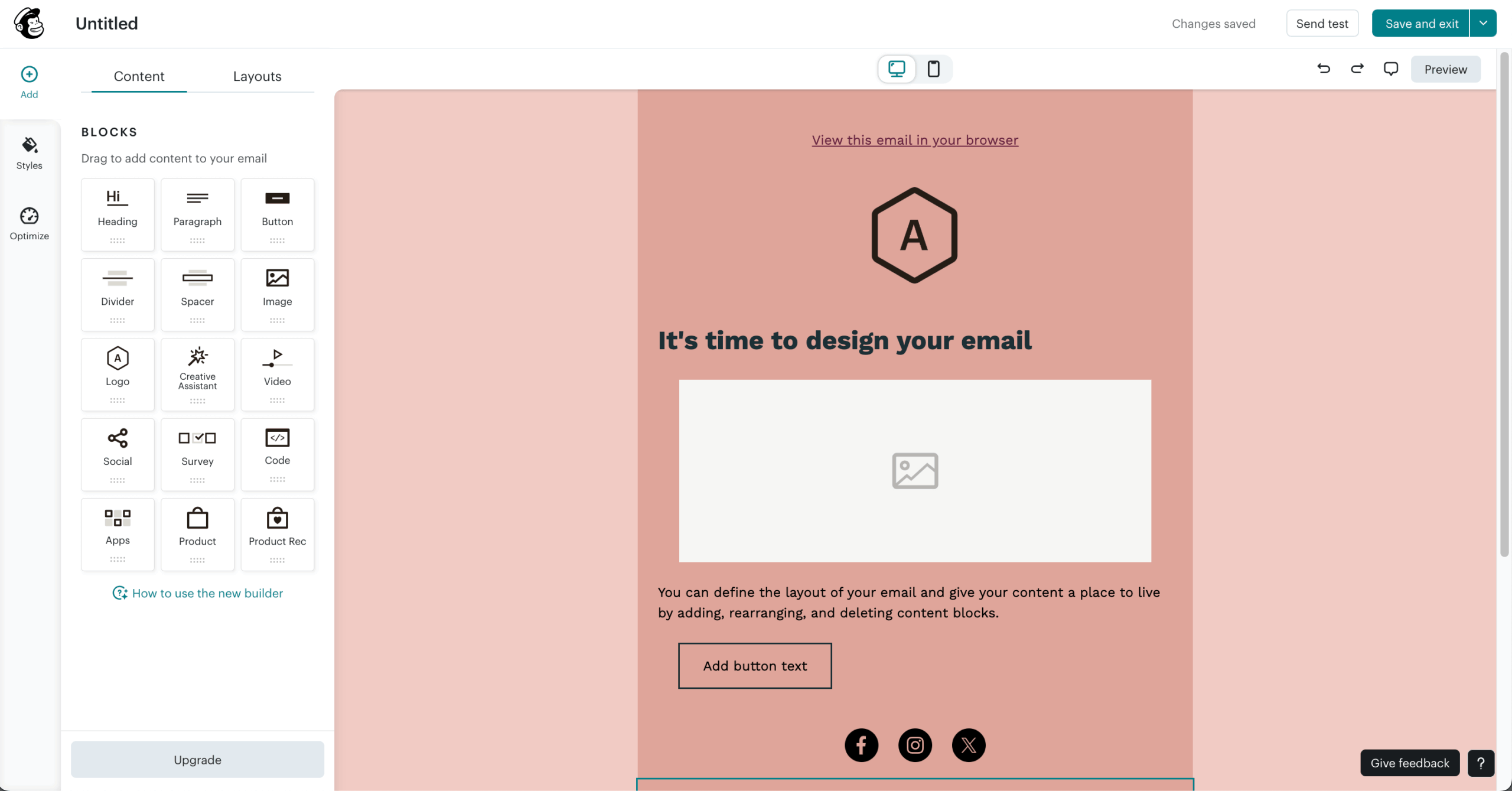
In practice, the editor feels more campaign-ready than Mailjet’s. I started from a modern template, swapped content blocks, added product and social sections, and had a send-ready campaign in around 10 minutes – faster than building an equivalent layout in Mailjet’s editor, where block variety is more limited.
The tradeoff shows up in audience structure. I wanted to target contacts who had opened a campaign in the last 30 days but hadn’t clicked anything – that required exporting, filtering, and reimporting rather than setting a filter condition in the builder, because Mailchimp ties contacts to separate lists rather than a unified audience.
Mailchimp is not the best fit for flexible automation, cross-list targeting, or predictable costs as contact counts grow.
Key Strengths
- Advanced template editor: Design campaigns with state-of-the-art drag-and-drop builder, customizable layouts, and flexible content blocks.
- Website and landing page builder: Create basic websites and landing pages in the same platform, with forms and audiences connected for simpler lead capture.
- Polished template library: Although the template library is smaller than Mailjet’s, its 130+ templates feel more modern, campaign-ready, and easier to customize with minimal design work.
Limitations
- List-based segmentation: Mailchimp’s separate audience structure can make cross-list targeting harder and create duplicate contacts as your setup grows.
- Less predictable pricing: Costs can rise quickly as contact counts (with active contacts falling into grey area, confusing many users), sending needs, automation, testing, and premium features increase.
- Limited automation depth: Mailchimp handles basic flows well, but advanced branching and granular ecommerce triggers feel less flexible than automation-focused platforms.
Mailjet vs. Mailchimp
Mailjet stands out for its collaboration tools and developer-friendly approach, with a cleaner email API and smoother real-time editing. Mailchimp, on the other hand, offers a much larger ecosystem.
For teams that need stronger ecommerce integrations or sophisticated automation, I usually recommend Mailchimp–even if it comes with a higher price tag. Its wide range of templates also makes it a better fit for design-heavy brands.
The choice between Mailjet vs. Mailchimp really comes down to priorities: Mailjet for affordability and teamwork, Mailchimp for richer features and integrations.
GetResponse
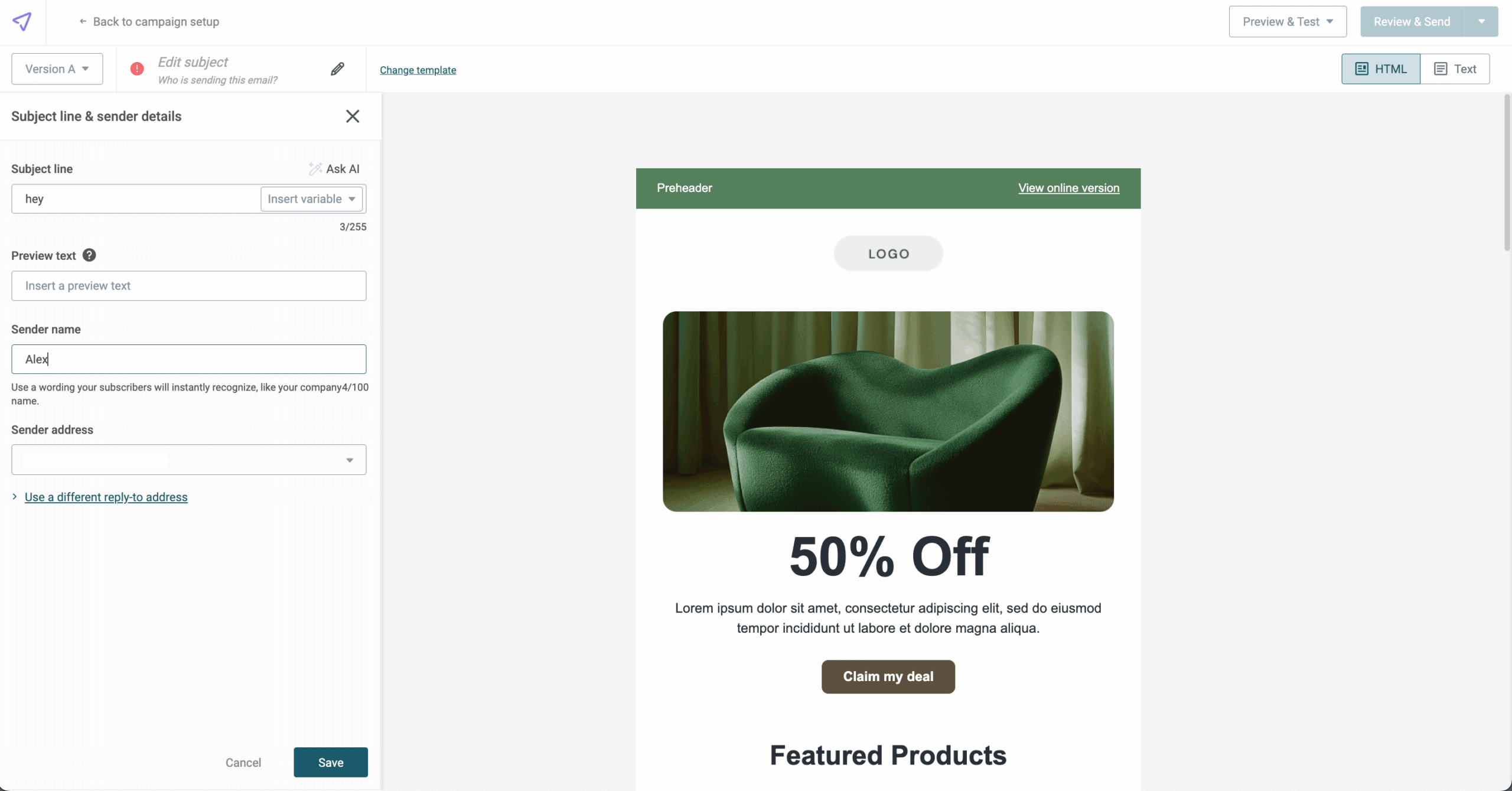
GetResponse is built for teams that want landing pages, funnels, webinars, and automation in one marketing workspace. It fits Mailjet users moving beyond newsletters into lead generation, event promotion, and funnel-based nurturing without adding separate tools.

GetResponse pricing: Paid plans start at $18 per month for 1,000 subscribers, with unlimited email sends. Free Forever plan available with up to 500 contacts/month and 2,500 monthly email sends (14-day trial with most features unlocked also available).
To start off, the funnel and webinar tools are the clearest difference from Mailjet. I built a landing page, connected it to an automated email sequence, and tied follow-ups to webinar attendance – the whole flow took around 55 minutes from blank canvas to activated campaign. That same structure in Mailjet would require at least two external tools.
Where the friction showed up was the landing page editor. Getting a signup form to display correctly on mobile required manual adjustments that a dedicated tool like Unbounce handles automatically – worth factoring in for teams where landing page precision matters.
GetResponse is not the best fit for lightweight email sending, deep ecommerce automation, or teams that need pixel-perfect landing pages out of the box.
Key Strengths
- Webinar hosting: Run live and on-demand webinars with registration pages, reminder emails, and follow-ups built in, connecting event promotion and nurturing without extra tools.
- Conversion funnels: Use pre-built funnels that combine landing pages, emails, and sales steps, making lead generation and product campaigns faster to launch.
- Perfect Timing: Send emails when each contact is most likely to open them, using engagement data to improve timing instead of relying on one fixed send time.
Limitations
- Interface complexity: GetResponse’s all-in-one setup can feel crowded at first, making it slower to find tools compared to more focused platforms.
- Limited ecommerce depth: Cart recovery and post-purchase flows are supported, but advanced product triggers, predictive insights, and granular segmentation feel less flexible.
- Template flexibility: Templates cover most use cases, but some designs feel dated and may need extra manual work to look polished.
Mailjet vs. GetResponse
Mailjet shines for teams that need straightforward email marketing with collaboration at the core—its real-time editing and transactional email support make it especially useful for businesses that want campaigns and operational messages in one place.
GetResponse, on the other hand, positions itself as an all-in-one platform. Beyond email and landing pages, it includes sales funnels, advanced automation, webinars, and even a built-in CRM. That broader toolkit makes it a better fit for businesses aiming to centralize their marketing rather than piecing together separate tools.
Drip
Drip is built for ecommerce teams that need email automation tied closely to browsing, cart, purchase, and revenue behavior. It fits Mailjet users who have outgrown general campaign sending and want workflows that react to what shoppers actually do inside the store.

Drip pricing: Paid plan starts from $39/month for 2,500 contacts and unlimited email sends. 14-day free trial available.
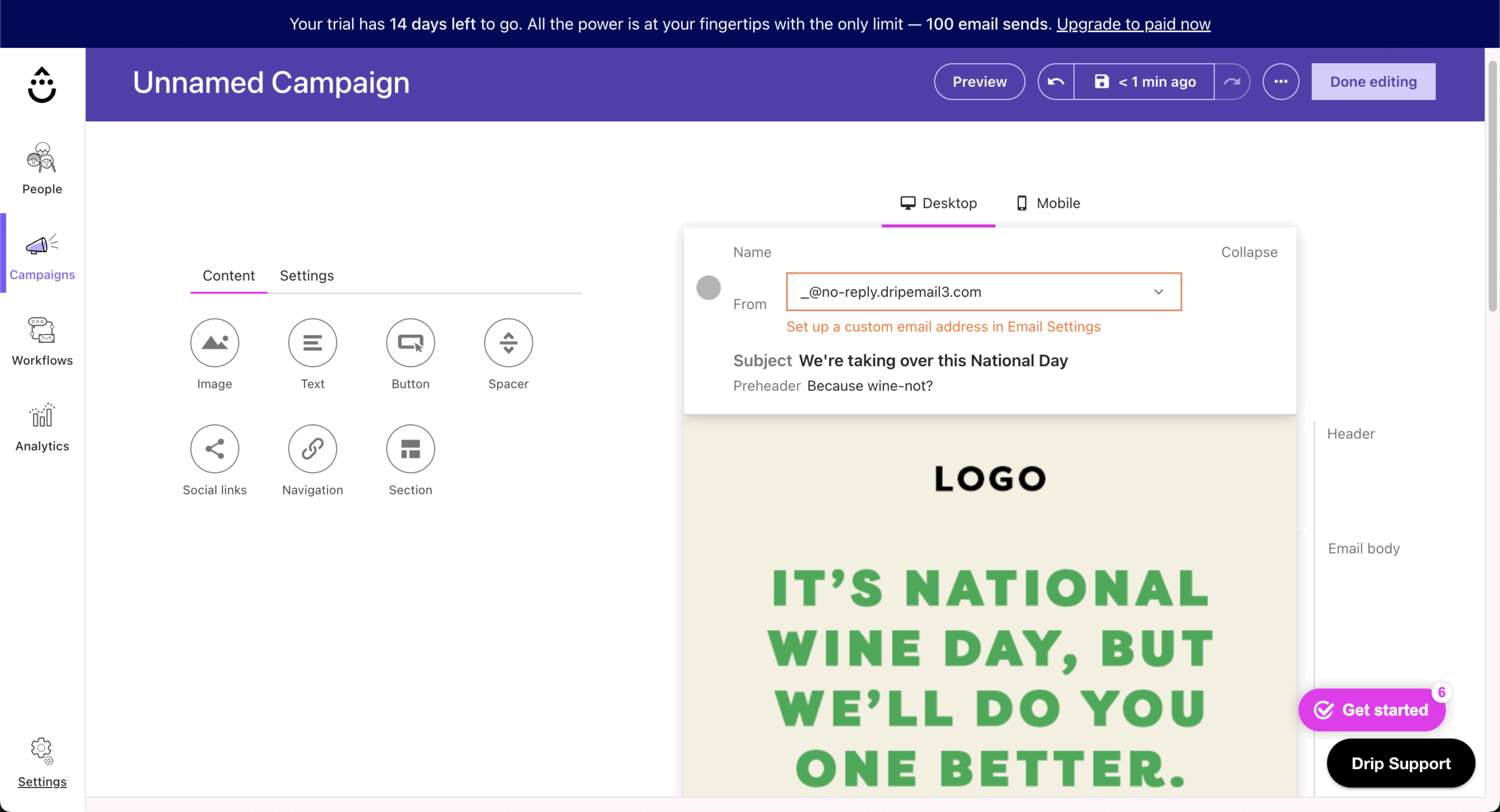
In use, Drip feels much more ecommerce-aware than Mailjet. I set up an exit-intent popup and a multi-step abandoned cart flow using prebuilt templates – both live in around 20 minutes, without needing external tools like Privy or Justuno that Mailjet users typically rely on for onsite capture.
Revenue reporting goes beyond opens and clicks – I could see how much each workflow generated. The ceiling showed up at the individual email level: the dashboard reports revenue per workflow but not per email within a sequence, so granular attribution requires a manual data export.
Drip is not the best fit for transactional email, low-cost sending at scale, or teams outside ecommerce.
Key Strengths
- Real-time behavioral segmentation: Build segments from live customer actions, such as repeated category views without purchase, without relying on manual tags or third-party enrichment.
- Full feature access: Drip gives access to all automation triggers, segmentation conditions, and reporting tools from the start, unlike Mailchimp’s gated plan structure.
- Revenue reporting: Attribute revenue to specific emails, workflows, and campaigns, making it easier to see which automation steps drive sales.
Limitations
- Fragmented reporting: Drip tracks campaigns, workflows, and revenue, but the data is spread across separate dashboards instead of one unified view.
- Expensive scaling: Pricing rises quickly as contact lists grow, making long-term budgeting harder for fast-growing ecommerce brands.
- Cluttered template library: Drip offers many templates, but finding a polished starting point can take time, and some designs need extra refinement.
Mailjet vs. Drip
Mailjet is a generalist platform that handles marketing and transactional emails in one place, with collaboration tools and a developer-friendly API suited to teams with mixed needs. Drip is built exclusively for ecommerce, with every core feature — automation, segmentation, integrations, reporting — designed around online shopping behavior.
The biggest differences are in automation depth and measurement. Drip pulls real-time store data to trigger campaigns based on browsing, cart activity, and purchases, going well beyond Mailjet’s simpler automation. Its revenue attribution also ties email performance directly to sales, while Mailjet’s analytics focus on standard engagement metrics.
The tradeoff is flexibility. Mailjet works across industries, while Drip’s value drops if you’re not running an online store. Drip also lacks transactional email support, so ecommerce teams needing order confirmations alongside marketing will still need a second tool — something Mailjet handles on its own.
Constant Contact
Constant Contact is built for small businesses that want an approachable email tool with templates, list management, event features, and support resources in one place. It fits Mailjet users who care more about ease of use and day-to-day campaign execution than developer flexibility or transactional email depth.

Constant Contact pricing: Paid plans start at $12/month up to 500 contacts | Free 14-day trial available.
In use, the platform feels guided from the start. I set up an event with registration, ticketing, and automated confirmation emails in around 30 minutes – everything handled inside one system without connecting external tools like Eventbrite. That same setup in Mailjet would require third-party integrations for registration and payment handling.
Where the limitation showed up was list management. Building a segment across two separate lists required a manual merge rather than a filter condition – overhead that platforms like Brevo handle natively with a unified contact database.
Constant Contact is not the best fit for advanced automation, behavior-based segmentation, or teams looking for a free Mailjet alternative.

Key Strengths
- Subscriber management: Constant Contact makes it easy to import contacts, merge duplicates, apply tags, and maintain clean, well-organized lists.
- Event management tools: Create event invitations with RSVP tracking, reminder emails, and post-event follow-ups directly inside the platform.
- Interface simplicity: The campaign builder is straightforward and approachable, helping non-technical users create and launch emails with fewer steps.
Limitations
- Limited API depth: Integrations can feel restrictive once you need more advanced data syncing, custom workflows, or deeper system connections.
- Basic automation: Automation covers simple sequences well, but it lacks the workflow complexity needed for more advanced behavior-driven campaigns.
- Trial-only access: There’s no free plan beyond the 30-day trial, making it harder to test the platform fully before committing.
Mailjet vs. Constant Contact
Mailjet is a strong choice for teams that need streamlined collaboration and transactional email support. Its real-time editing and developer-friendly API make it especially appealing for groups working together on campaigns or businesses that want to combine marketing and operational emails in one platform.
Constant Contact, meanwhile, puts more emphasis on ease of use and integrations. Its drag-and-drop editor, large template library, and wide range of third-party connections make it simple for non-technical users to design campaigns and tie them into existing business workflows.
It also provides extensive resources and highly responsive customer support, which can be a big plus for smaller teams getting started with email marketing.
4 Mailjet Alternatives to Send Transactional Emails
Looking for a Mailjet alternative for transactional emails? Here are the top substitutes I recommend:
Brevo
Brevo is built for teams that want marketing email, transactional email, CRM, SMS, and basic sales tools in one workspace. It fits Mailjet users who need more multichannel flexibility and want order confirmations, password resets, promotional campaigns, and contact management handled from the same system.

Brevo pricing: Starts at $9/month for up to 500 contacts + 5,000 monthly emails | Free plan available for up to 300 emails/day.
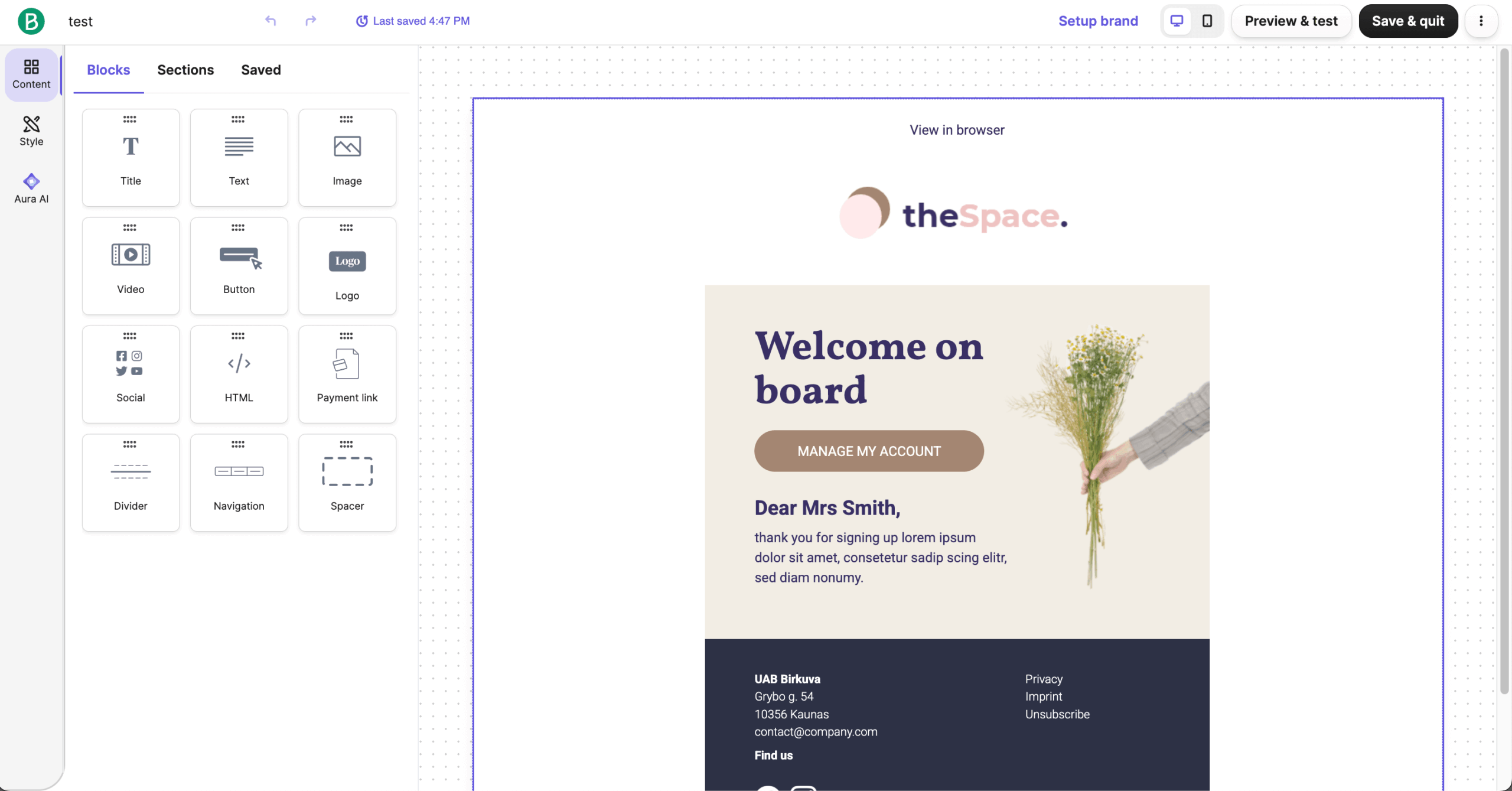
In use, Brevo feels more complete than Mailjet once you move beyond email-only campaigns. I built a multichannel flow – welcome email, SMS reminder, and conditional follow-up – in around 30 minutes without connecting separate tools. The AI assistant generated a usable subject line in under 2 minutes, though the body copy needed more editing than expected.
Where the limitation showed up was the branching logic. Routing contacts based on which specific link they clicked isn’t supported natively – you can branch on clicked or not clicked, but not on which link. For multi-CTA sequences, that meant manual routing, which the builder should have handled automatically.
Brevo is not the best fit for deep ecommerce email segmentation or complex behavior-based automation.
Key Strengths
- Transactional email support: Brevo lets you send order confirmations, shipping updates, and password resets from the same system as your marketing emails.
- Built-in CRM: Contacts, deals, email campaigns, SMS, and other channels sit in one dashboard, reducing the need to switch between tools.
- AI campaign assistant: Brevo’s built-in AI tools helps generate and refine subject lines, email content, and campaign ideas faster.
Limitations
- Slower automation setup: Brevo supports multichannel flows, but complex automations take more time to build, especially when branching logic and conditions need manual setup.
- Limited segmentation depth: Brevo covers contact, engagement, and basic behavior segments, but it feels less flexible for granular ecommerce logic or advanced audience modeling.
- No advanced reporting: Brevo tracks core campaign metrics, but it lacks deeper funnel and revenue reporting for teams that need clearer performance attribution.
Mailjet vs. Brevo
When weighing Mailjet against Brevo, the strengths become clear in different areas. Mailjet focuses on efficient email delivery with solid collaboration features. Its real-time editing and user-friendly interface make it easy for teams to work together on campaigns, while the API support gives developers the tools to handle transactional email alongside marketing.
Brevo, by contrast, positions itself as more than just an email tool. In addition to newsletters, it offers SMS campaigns, live chat, push notifications, and a built-in CRM, giving businesses the ability to manage multi-channel communication from one place. Its automation system is also more advanced, letting you create personalized workflows that adapt to subscriber behavior across channels.
If you’re migrating from Brevo specifically, take a look at these 10 Best Brevo Alternatives for Email Marketing (2026).
SendGrid
SendGrid is built for developer-led teams that need scalable email infrastructure, SMTP relay, and API control for high-volume transactional sending. It fits Mailjet users who care less about campaign collaboration and more about connecting email directly into apps, products, or backend systems.

Sendgrid pricing: Starts at $20/month for sending up to 50,000 emails/month | 60-day free trial available.
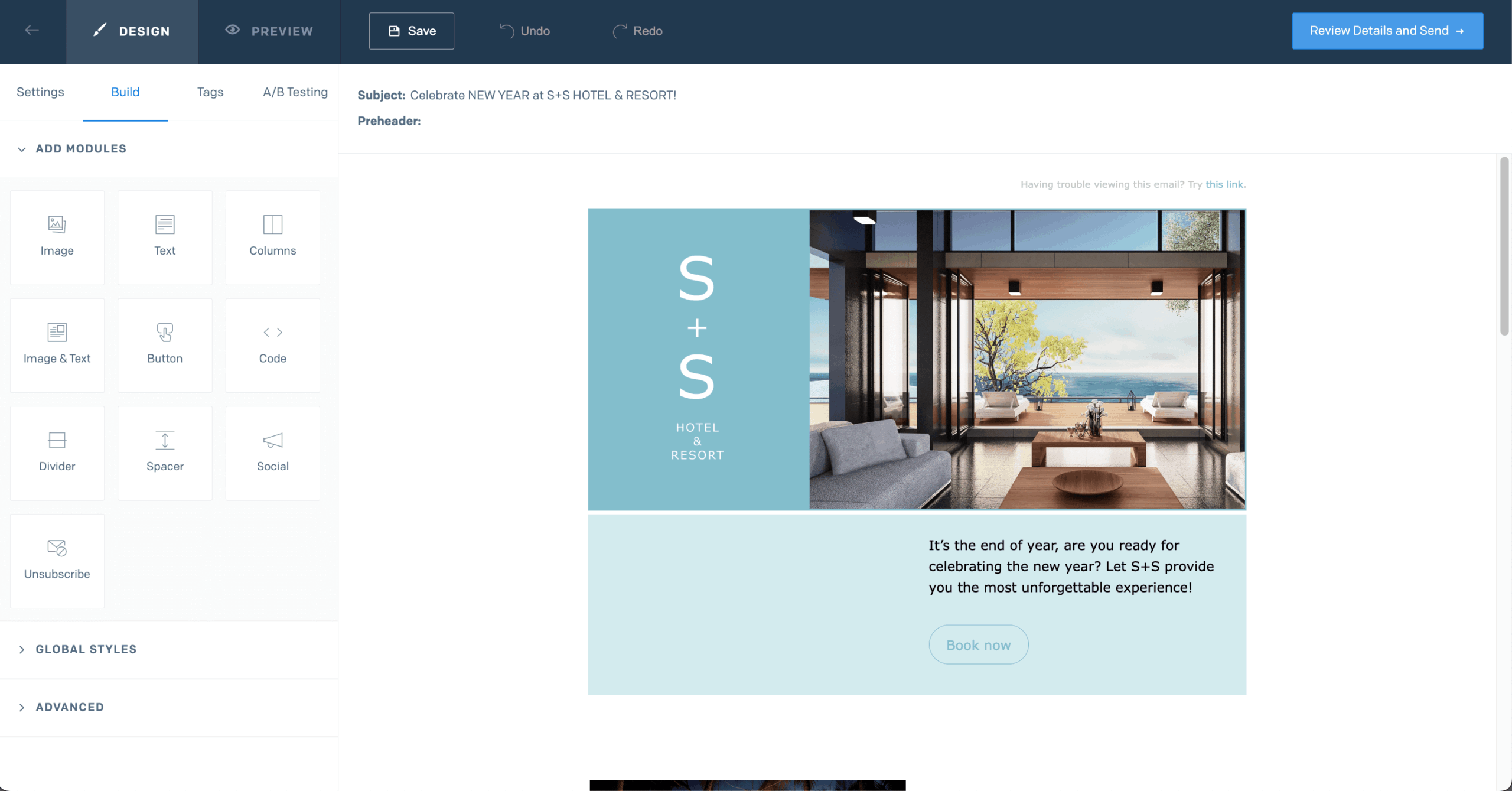
In use, SendGrid feels more technical from the start. The Node.js SDK had me sending test emails in under 15 minutes – faster than Mailjet’s equivalent setup. The Python SDK took slightly longer due to dependency quirks, but the documentation resolved it without external resources.
Where the setup requires more attention is email deliverability configuration. Getting consistent inbox placement meant manually requesting a dedicated IP and configuring a separate IP pool in the dashboard – something not prominently flagged during onboarding and noticeably more involved than Mailjet’s default shared infrastructure.
SendGrid is not the best fit for non-technical marketers, advanced visual automation, or teams that need deep segmentation for lifecycle and ecommerce campaigns.
Key Strengths
- API-first setup: The platform is built for developer-led integrations, with detailed documentation and broad language support for custom email workflows.
- High-volume infrastructure: Transactional sending is designed for scale, with dedicated IP options, deliverability alerts, and detailed event logging.
- Flexible webhooks: Real-time event notifications make it easier to monitor sends, track behavior, and trigger automated responses.
Limitations
- Steep learning curve: SendGrid is built around developer-led setup, so non-technical marketers may need extra support to manage templates, integrations, and sending configuration.
- Basic automation: SendGrid covers simple triggered messages and email sequences, but its workflow builder feels limited compared to marketing-focused automation platforms.
- Limited segmentation depth: SendGrid supports core audience targeting, but segmentation is less flexible than dedicated marketing tools built around behavior, lifecycle, or ecommerce data.
Mailjet vs. SendGrid
SendGrid is geared toward developers who need to manage transactional email at scale, whereas Mailjet takes a more balanced approach by combining transactional and marketing features with ease of use.
With Mailjet, however, you get a more intuitive campaign builder, collaborative editing, and content tools designed for marketing teams. It doesn’t offer the same level of customization as SendGrid, but it’s far more approachable for marketers creating newsletters, promotions, or simple automation workflows. The winner of the Mailjet vs. SendGrid debate is only decided by your marketing needs.
Mailgun
Mailgun is built for developers who need API-first transactional email infrastructure rather than a marketer-friendly campaign platform. It fits Mailjet users who want deeper control over sending, routing, receiving, and event tracking inside their own applications.

Mailgun pricing: Starts at $15/month for unlimited contacts and up to 10,000 emails/month | Mailgun free plan available.
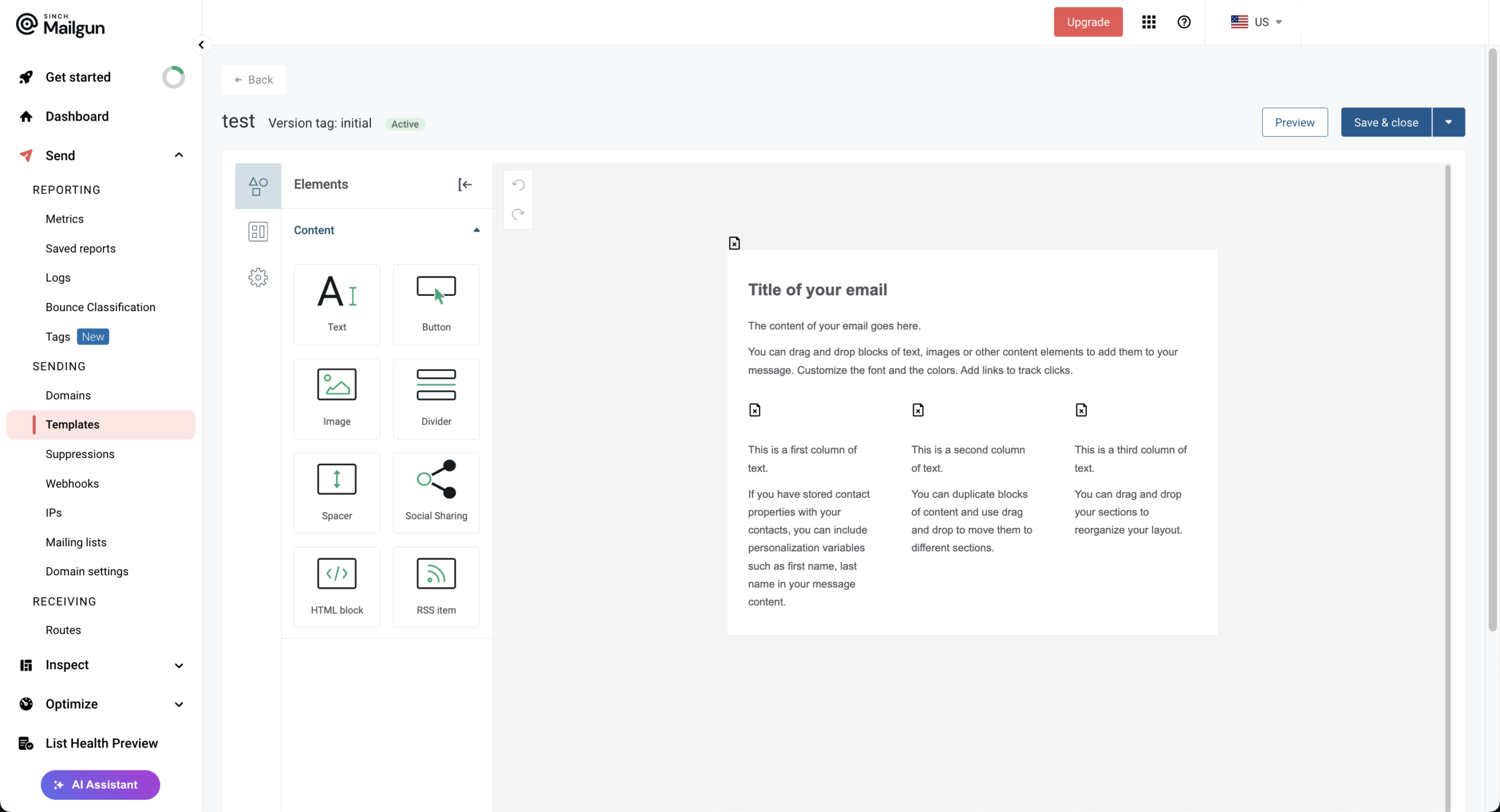
In use, Mailgun feels much closer to infrastructure than software for campaign teams. Setting up around 200 transactional flows via REST API and SMTP relay took around 2 hours – longer than Mailjet’s equivalent setup, but once configured, sending was consistent with average delivery latency of 7.5 seconds. The webhook system tracked delivery, bounces, and failures in near real time, which made debugging straightforward.
Where the friction showed up was inbound email parsing. Routing replies into an app endpoint worked, but the domain and route structure required more manual configuration than expected for what should be a straightforward feature.
Mailgun is not the best fit for non-technical teams, visual campaign builders, or marketers who need automation without engineering support.
Key Strengths
- Highly customizable API: Mailgun gives developers strong control over transactional email sending, routing, receiving, and processing inside their own applications.
- Dedicated IP options: Dedicated IPs and detailed event logs help businesses isolate, monitor, and manage their transactional sending reputation more closely.
- Webhook-driven tracking: Real-time webhooks provide granular event data, making it easier to monitor delivery, trigger automations, and respond to email activity.
Limitations
- Limited marketing campaign tools: Mailgun includes template-building tools, but it is primarily email infrastructure, not a full email marketing platform with deep campaign, automation, and audience features.
- Developer-heavy setup: The platform is built around APIs and technical configuration, so non-technical teams usually need engineering support to use it effectively.
- Technical documentation load: Mailgun’s documentation is extensive, but teams unfamiliar with API-based email infrastructure may find setup and troubleshooting difficult without developer support.
Mailjet vs. Mailgun
Different platforms excel at different things, which is why this Mailjet vs. Mailgun showdown is so tough. I turn to Mailjet when I need to run marketing campaigns alongside some transactional sending.
Mailgun, on the other hand, is built for developers—it’s ideal for applications that need to send email programmatically. Its logging and debugging tools are far more detailed than Mailjet’s, making troubleshooting much easier.
That said, Mailgun only includes campaign builder from the Foundation plan (sitting at $35/month). So if you want marketing features at an affordable price, Mailjet is the better fit. If you only need transactional email with full control, Mailgun is the way to go.
Transactional messaging is your top priority? Take a look at these 9 Best Mailgun Alternatives for Transactional Email (2026).
Postmark
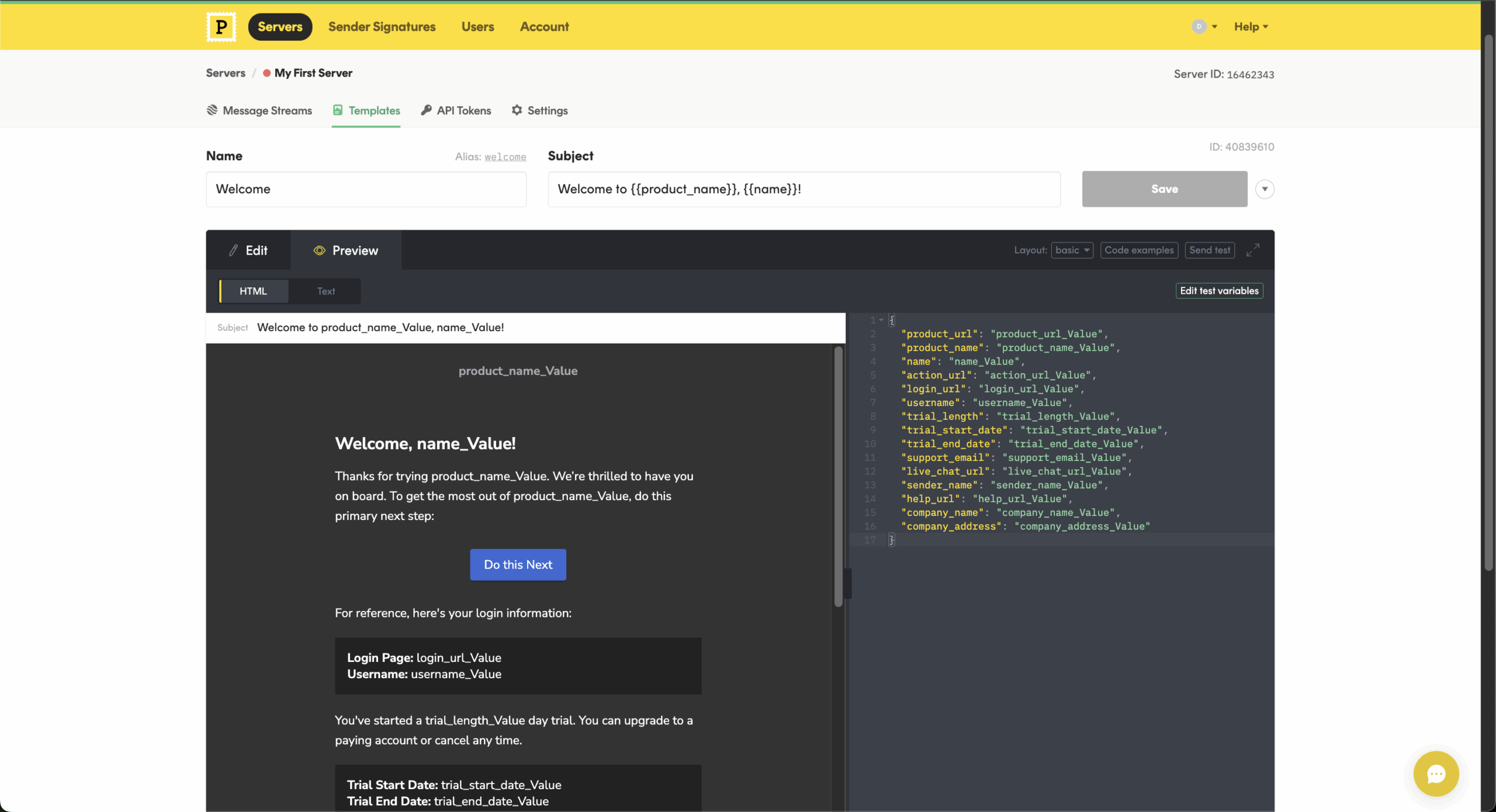
Postmark is built for teams that need fast, reliable delivery for critical application emails like password resets, receipts, account alerts, and order confirmations. It fits Mailjet users who want a transactional-first setup with clear separation between application emails and broadcast sends.

Postmark pricing: Starts at $15/month for unlimited contacts and up to 10,000 emails/month | Postmark free plan available.
In use, Postmark feels more focused than Mailjet. Sending around 200 emails from a freshly authenticated shared IP to a mixed seed list across Gmail, Outlook, and Yahoo, inbox placement landed consistently in the 83–84% range. Message Streams kept transactional traffic isolated from broadcast sends – setup took around 20 minutes and immediately clarified which sending stream each message type belonged to.
Postmark also retains full message content for 45 days, which proved useful for debugging without needing external logging tools – something Mailjet doesn’t offer by default.
Postmark is not the best fit for teams that need a full marketing platform, advanced segmentation, CRM, or low-cost bulk sending at high volume.
Key Strengths
- Transactional-first infrastructure: Postmark is built around fast, reliable application emails like password resets, order confirmations, receipts, and product notifications.
- Clear message separation: Message Streams keep transactional and broadcast emails separate, helping protect critical system emails from the reputation risks of promotional traffic.
- Developer-friendly setup: Postmark offers a well-designed API, SMTP integration, client libraries, detailed logs, and webhooks for teams that need reliable email infrastructure.
Limitations
- Limited marketing features: Postmark can handle promotional emails, but it lacks the segmentation, A/B testing, CRM, and advanced automation tools marketing teams usually need.
- Not an all-in-one platform: Businesses that want marketing campaigns, transactional email, CRM, landing pages, and audience management in one dashboard will likely need another tool alongside Postmark.
- Higher per-email costs: Postmark costs more than bulk-focused providers like Amazon SES or SendGrid, so it may be expensive for high-volume senders.
Mailjet vs. Postmark
Both Postmark and Mailjet are reputable email service providers, but they cater to different needs. Postmark excels in transactional emails, prioritizing speed, reliability, and deliverability for mission-critical communications.
Mailjet, on the other hand, offers a more versatile platform encompassing both marketing and transactional emails, with a focus on user-friendliness and design flexibility (though advanced features may require subscribing to a separate plan).
How to Migrate from Mailjet Without Losing Deliverability
Migrating ESPs is one of the highest-risk moments in email operations. These are the steps I recommend based on two Mailjet migrations, in the order that prevents the most common mistakes.

even on the free plan.
1. Export your contacts from Mailjet – and include engagement data.
Go to Contacts → Lists in the Mailjet dashboard and export as CSV. Critically: include the open and click history fields. These are available on export but often omitted. On your new platform, use this engagement data to create a warmup segment – start sending only to contacts who opened in the last 90 days. This protects your sender reputation during the transition.
2. Audit your domain authentication records before touching anything new.
Log in to your DNS provider and check that you have valid SPF, DKIM, and DMARC records for your sending domain. Run your domain through MXToolbox DMARC Analyzer to confirm. Do this before adding any new platform. A surprising number of email deliverability problems during migration are actually pre-existing authentication issues that the new platform exposes.
3. Set up domain authentication on the new platform.
Every platform requires you to add new DNS records (usually a DKIM key and updated SPF record). This process is platform-specific – follow the platform’s authentication setup guide before importing any contacts. Brevo, ActiveCampaign, and SendGrid each have clear documentation for this step.
4. Follow an IP warm-up schedule, especially on dedicated IPs.
If you’re moving to a dedicated IP (Postmark, or premium tiers of SendGrid/Mailjet alternatives), you must warm up gradually. A conservative example schedule:
- Week 1: Send to your most engaged 500 contacts only.
- Week 2: Expand to 2,000 contacts.
- Week 3: Move to 5,000 contacts.
- Week 4 onward: Scale toward full volume in 25% weekly increments.
It’s worth pointing out that Postmark and SendGrid have built-in warm-up recommendation tools. On contact-based platforms like ActiveCampaign or Brevo on shared pools, warm-up is less rigid but still recommended for large lists.
5. Keep Mailjet live for transactional sends during the marketing warm-up.
Do not cut over everything simultaneously. Migrate your marketing campaigns to the new platform first and let the reputation build. Keep transactional email (password resets, purchase confirmations) on Mailjet until the new platform’s sending reputation is established – a minimum of three weeks of gradual volume increase. This is the step most migration plans skip, and it’s the most common cause of transactional deliverability drops mid-migration.
6. Rebuild your automations before your templates.
The instinct is to recreate your visual templates first because they’re tangible and visible – try to resist the temptation. Automation logic is harder to test and easier to break. Set up your trigger conditions, wait steps, and branching logic first, test them end-to-end with a test email address, and then apply the templates. A beautiful email sequence that fires at the wrong time, or fires twice, is worse than a plain-text sequence that works correctly.
Best Free Mailjet Alternatives
Mailjet’s Free plan includes 1,000 contacts and 6,000 emails per month, with a 200-email daily cap. Several alternatives also offer ongoing free tiers, but the limits vary considerably.
- Sender — Up to 2,500 subscribers and 15,000 emails per month, with no daily sending limit. Automation, landing pages, forms, popups, and transactional email are also included, making Sender the strongest free Mailjet alternative on the market.
- Brevo — 300 emails per day and storage for up to 100,000 contacts. Automation is available for up to 2,000 contacts, though the daily cap makes larger one-off campaigns less convenient.
- Mailchimp — Up to 250 contacts and 500 email sends per month, with a 250-send daily limit. It works better for very small lists than higher-volume sending.
- GetResponse — Up to 500 contacts and 2,500 newsletters per month, plus a landing page and signup forms. Premium features such as marketing automation are available during the initial 14-day trial but aren’t part of the ongoing Free plan.
- Mailgun — 100 emails per day on its ongoing Free plan, with API and SMTP access, one custom sending domain, and basic analytics. It’s much more developer-focused than Mailjet.
- Postmark — A permanent Developer tier with 100 emails per month. It’s useful for testing integrations and very small transactional projects, but not a realistic free option for newsletter campaigns.
If you want a genuine free Mailjet replacement rather than just a testing allowance, Sender offers the most breathing room, while Brevo is worth considering when contact storage matters more than sending a large campaign in one go.
FAQ
Sender is a strong option for small businesses that need affordable email marketing with transactional email support included. It offers a generous free tier, a simple drag-and-drop editor, and reliable deliverability without the complexity of enterprise platforms. Constant Contact is another practical choice for non-technical teams that value ease of use and hands-on customer support.
Yes, several platforms support both marketing and transactional email within a single account. Brevo, Sender, and Mailjet itself handle both types, while tools like SendGrid and Mailgun are built primarily for transactional use.
When evaluating a combined platform, check whether marketing and transactional sends share the same infrastructure, as this can affect deliverability for time-sensitive operational messages.
SendGrid, Mailgun, and Postmark are the most developer-oriented Mailjet alternatives. All three offer robust APIs, detailed documentation, webhook support, and granular control over email delivery. SendGrid and Mailgun also support marketing email alongside transactional, while Postmark focuses exclusively on transactional messages and prioritizes delivery speed and inbox placement.
Yes, Mailjet is a solid email platform, particularly for teams that need marketing and transactional emails in one place. Its strengths include real-time collaboration, Mailjet transactional email API, and an approachable campaign builder. However, its automation is relatively limited, and shared-IP deliverability, support restrictions, and volume-based pricing can become drawbacks as your sending needs grow.
Yes, Mailjet is GDPR compliant and has received AFAQ certification from AFNOR for its data-protection practices. EU hosting Mailjet’s data centers and provides a Data Processing Agreement (DPA) for customers that need one.