

Free SMTP servers vary more than the word “free” suggests. I tested 11 of them across two SaaS products, and an ecommerce store, and the spread is severe: SMTP2GO gives you 1,000 free emails a month permanently, Postmark gives you 100, Amazon SES gives you 3,000 until month 13, and SendGrid gives you nothing permanent at all.
They route application email, password resets, order confirmations, and newsletters through a provider’s infrastructure without charging for volume you don’t yet send. Below, each free tier is listed with its real sending limit, its throttling behavior, its log retention, and the point at which you are forced to upgrade.
How Free SMTP Servers Work (and Their Limits)
An SMTP server accepts your outbound message and hands it to the recipient’s mail server. When you use a provider’s free SMTP tier, you are borrowing their sending infrastructure, their IP reputation, and their authentication setup instead of running a mail server yourself.
Free tiers exist because providers want you to outgrow them. Every limit below is a conversion mechanism: daily caps stop you from running production traffic, short log retention stops you from debugging at scale, and shared IPs mean your inbox placement depends partly on the behavior of other free users on the same IP range.
Three limits do the real work. Monthly volume is the number most providers advertise. Daily caps are the number that actually constrains you, because a 4,000/month allowance with a 150/day ceiling cannot absorb a launch spike. Log retention determines whether you can diagnose a bounce three days later.
SMTP Relay vs SMTP Server
An SMTP server is the software that accepts and delivers mail. An SMTP relay is a service that accepts mail from your application and forwards it on your behalf, adding authentication, reputation management, and delivery retries.
Almost every provider in this article is a relay, not a server you administer. You point your application at their hostname, authenticate with an API key or SMTP credentials, and they handle IP warming, feedback loops, and blacklist monitoring.
The practical difference: running your own SMTP server means building sender reputation from a cold start, which for a new domain means weeks of low inbox placement before mailbox providers trust you.
SMTP vs API: Which to Use
SMTP is a protocol every language and framework already speaks. If you have a WordPress site, a printer, a legacy application, or a scanner that needs to send mail, SMTP authentication is usually the only option available, and it works without writing integration code.
An email API sends the message over HTTPS instead. APIs are faster per message because they avoid SMTP’s multi-step handshake, they return structured error responses instead of numeric SMTP codes, and they expose features like templating, scheduling, and per-message metadata that the SMTP protocol has no way to carry.
Use SMTP when you cannot change the sending code or when the device only speaks SMTP. Both transports secure the connection with TLS encryption, so the choice is not a security trade-off. Use an API when you control the application, send at volume, and want delivery events pushed to a webhook. Mailgun, Amazon SES, and Mailtrap all offer both, and the API path consistently gives better throughput and better error visibility.
Best Free SMTP Servers at a Glance: Comparison Table
| Provider | Free Sending Limit | Daily Cap | Log Retention | Measured Deliverability |
| Sender | 15,000 emails/mo, 2,500 subscribers | No cap | 30 days | 98.1% |
| SMTP2GO | 1,000 emails/mo | 200/day, 25/hour | 5 days | Ranked 2nd of all services tested (EmailToolTester) |
| Mailgun | 100 emails/day | 100/day | 1 day | Not tested |
| SendPulse | 15,000 emails/mo, 500 subscribers | 300/day | Not published* | Not tested |
| Mailtrap | 4,000 emails/mo | 150/day | 3–5 days | 78.8% inbox placement, shared IPs |
| MailerSend | 500 emails/mo, credit card required | 100/day | 1 day | 86.8% average*** |
| Postmark | 100 emails/mo | No overages permitted | 45 days | 94% deliverability; 3.4% placement advantage over SendGrid |
| SendGrid | 100 emails/day, 60 days only | 100/day | 3 days (Essentials) | 82.0% average*** |
| Brevo | 300 emails/day | 300/day | Unlimited by default | 79.8% average*** (vendor claims 99%)** |
| Amazon SES | 3,000 messages/mo | Not published | None native; CloudWatch required | Not tested |
| Mailjet | 6,000 emails/mo, 1,000 contacts | 200/day | 90 days | 85.0% average*** |
*SendPulse log retention: SendPulse does not publish a retention window for free-tier sending logs. Campaign statistics finalize within 48 hours. “Not published” reflects vendor disclosure, not a gap in our testing.
**Brevo: the 99% delivery rate is Brevo’s own published claim, not a third-party measurement.
***Averages are drawn from EmailTooltester’s four rounds of GlockApps seed-list testing. Round-by-round results vary considerably, and the average conceals that spread. See the individual reviews below for the range.
What to Consider When Choosing a Free SMTP Server
Here are the main things you should consider when choosing a free SMTP server:
- Check the daily cap before the monthly total. Mailtrap advertises 4,000 emails a month, but the 150/day ceiling means a single onboarding spike fails. Mailjet advertises 6,000 a month against a 200/day limit.
- Confirm the tier is permanent. SendGrid’s free offer runs 60 days. Amazon SES’s runs 12 months. Both then bill you.
- Look at log retention. Mailgun’s free and $15 Basic plans both retain one day of logs. A bounce reported by a customer on Wednesday about Monday’s email is undebuggable.
- Verify domain authentication is supported. SPF, DKIM, and DMARC determine whether Gmail and Yahoo accept your mail at all. Every provider here supports domain authentication, but only after you complete DNS setup, and improving email deliverability depends far more on that setup than on which relay you pick.
- Decide whether you need marketing features. SMTP2GO, Mailgun, Postmark, Amazon SES, and MailerSend are delivery infrastructure only. They have no contact database, no campaign builder, and no automation.
Quick Picks: Find the Perfect Free SMTP Server Fast
- Highest permanent free volume with marketing features: Sender, 15,000 emails/mo
- Best deliverability on a permanent free tier: SMTP2GO, 1,000 emails/mo
- Best for developers who want inbound parsing: Mailgun
- Best for testing before production: Mailtrap
- Lowest cost at high volume: Amazon SES, after the free year ends
- Avoid if you need a permanent free tier: SendGrid
11 Best Free SMTP Servers Reviewed
Each provider below was tested on its free tier, or on the closest paid plan where no free tier exists. The reviews follow the same structure: what it does, where the free plan stops, what it costs. Read the free plan limitations before the feature list, because that is where most of these providers differ.
Sender — Best SMTP Service for Small Businesses
I tested Sender across two ecommerce stores and a SaaS product over four months, and the finding that separates it from every other free tier here is that full marketing automation runs on the free plan: workflows like welcome series, abandoned cart, and post-purchase flows, at 2,500 subscribers and 15,000 emails a month.

The custom events feature is the differentiator. It can track specific user actions on your site, such as “Watched 50% of a Video” or “Renewed Subscription,” and sends that data to Sender in real time through the API, where it triggers automations or builds behavioral segments. Platforms costing five to ten times more typically gate this behind enterprise tiers.
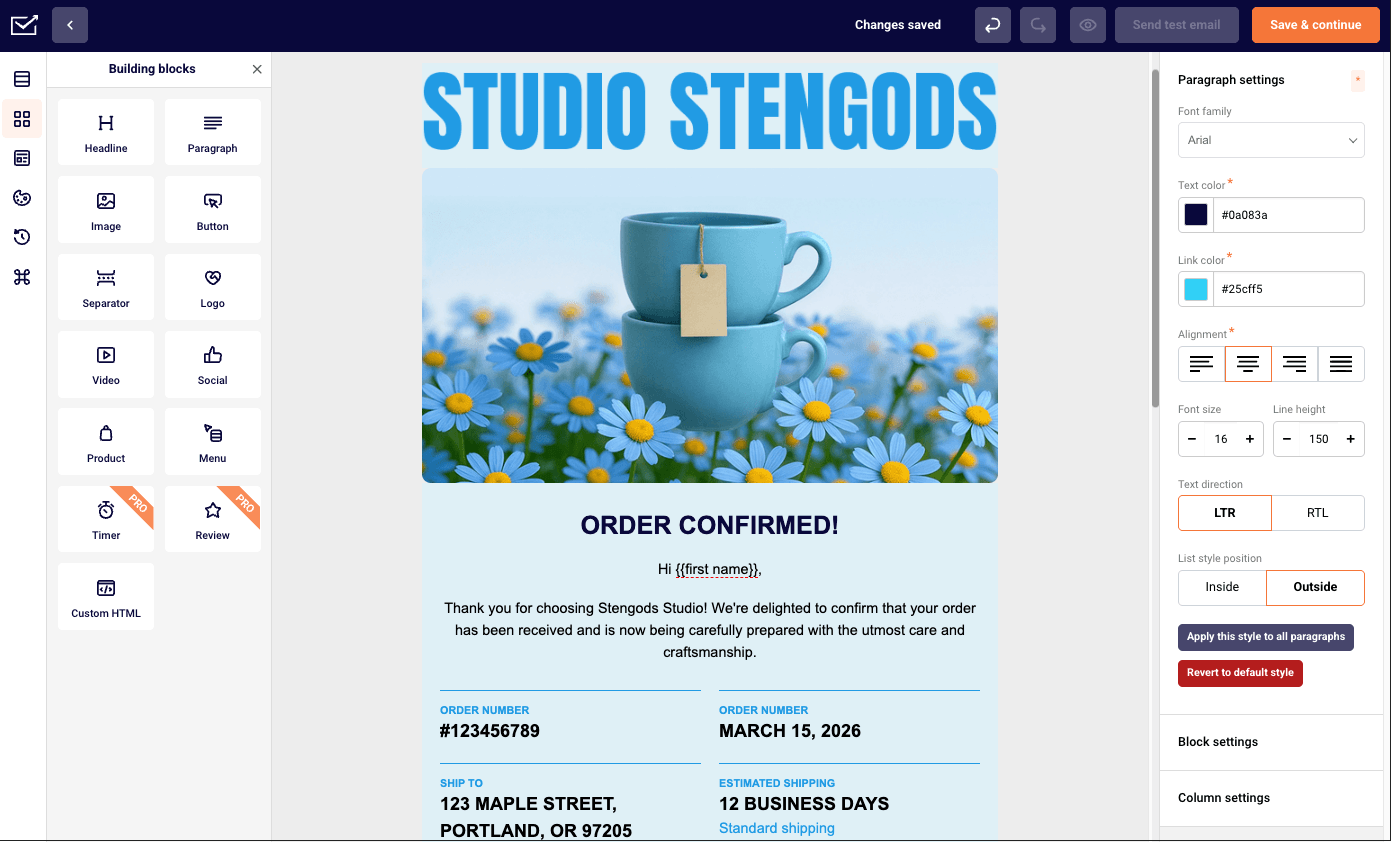
Best for: ecommerce stores and SaaS businesses under 50,000 contacts that need behavioral automation and custom event triggers without enterprise pricing.
Not for: teams that need a built-in CRM, native Salesforce integration, or SMS coverage outside supported countries.
Key Features
- Custom events tracking via API, firing on specific on-site actions to trigger automation workflows or build behavioral segments
- Transactional email via SMTP and REST API with SPF, DKIM, and DMARC support, plus a dedicated IP on the Professional plan at no additional cost
- Marketing automation with decision splits, delay logic, and omnichannel steps combining email and SMS in one flow, included on all plans
Free Plan Limitations
The free plan covers 2,500 subscribers and 15,000 emails a month, and includes automation, segmentation, landing pages, popups, transactional emails, and 24/7 support. Activity logs are retained for 30 days.
Pros & Cons
- Automation on the free plan
- Custom events at no cost
- Dedicated IP included on Professional
- 24/7 support on every tier, including Free
- Limited template library
- No CRM
- Fewer integrations than larger platforms
- Pay-as-you-go credit system draws complaints
- Review volume is lower than mature platforms at roughly 211 G2 reviews against Mailchimp’s 14,000+
Pricing
Free Forever: $0/mo for 2,500 subscribers and 15,000 emails/mo. Standard: from $7/mo. Professional: from $14/mo. Enterprise: custom pricing. If you are weighing the cost of email marketing platforms at this volume, the free tier carries features other vendors charge for.
SMTP2GO — Excellent Deliverability and Team Collaboration
I tested SMTP2GO for transactional relay across two SaaS products sending system notifications and order confirmations.

This is delivery infrastructure, not a marketing platform, and it does the one job well: EmailToolTester ranked it second-best for deliverability across all services tested. The permanent free tier at 1,000 emails a month with no credit card is unusual in the transactional category.
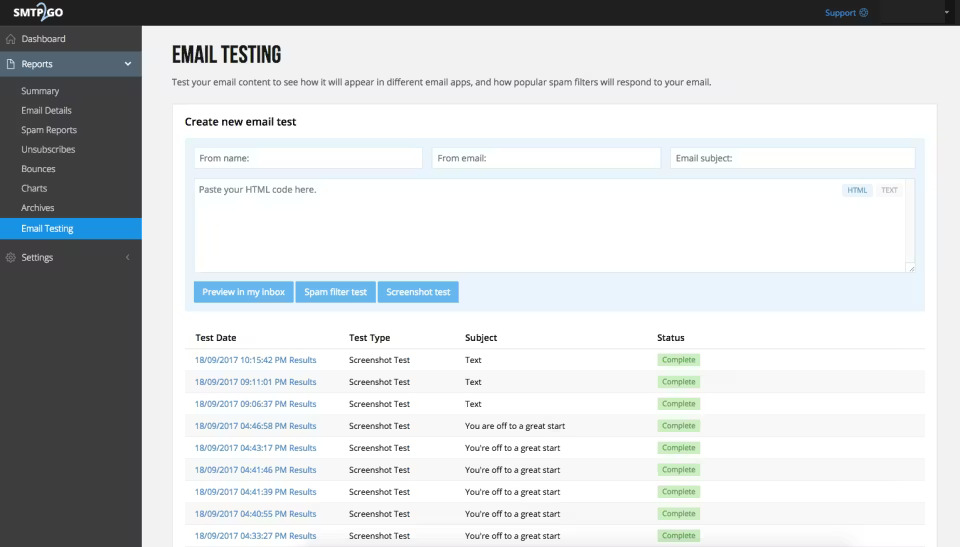
Best for: developers and IT teams that need a reliable relay for transactional email, device notifications from printers, scanners, and IoT hardware, or WordPress email delivery, with phone support and a permanent free tier.
Not for: anyone needing marketing campaigns, subscriber management, automation, or a drag-and-drop builder.
Key Features
- SMTP relay and REST HTTP API with SDKs for .NET, Go, Node.js, PHP, Python, Ruby, Rust, and Django
- SPF/DKIM configuration, feedback loop monitoring, blacklist monitoring, and spamtrap detection
- Data centers in Chicago, London, Amsterdam, Singapore, and Sydney, ISO 27001/9001 certified and GDPR compliant
Free Plan Limitations
Free gives 1,000 emails a month with a 200/day cap and a 25/hour throttle that can be lifted on request, 5-day log retention, 5 verified senders, and phone and chat support for the first 14 days only. There is no contact database, no campaign builder, no A/B testing, no automation, and no templates. Compliance verification can be intrusive for bulk senders.
Pros & Cons
- Trustpilot 5/5 across roughly 1,769 reviews, Capterra 4.9/5
- 100% uptime SLA
- Multi-region data residency choice
- Permanent free tier
- Only two published self-serve paid tiers with a large gap between 10K and 100K emails
- 30-day reporting retention cap on all paid plans
- No SSO on any plan
- Account suspension reported for marketing-style sending
Pricing
Free: $0/mo, 1,000 emails/mo. Starter: $10/mo, 10,000 emails/mo, 30-day logs, unlimited senders. Professional: $75/mo, 100,000 emails/mo, dedicated IP, email testing tools. Premier: custom. Annual billing saves roughly 16.7%. 30-day money-back guarantee.
Mailgun — Developer-Focused SMTP Relay
I tested Mailgun’s API for a SaaS application sending 10,000 transactional emails a month.

The REST API documentation is the cleanest in the developer email category, and the inbound parsing and routing engine is a feature no other tool here matches. The trade-off is that Mailgun Optimize, which covers inbox placement testing and reputation monitoring, is a separate product starting at $49/mo on top of your sending plan.
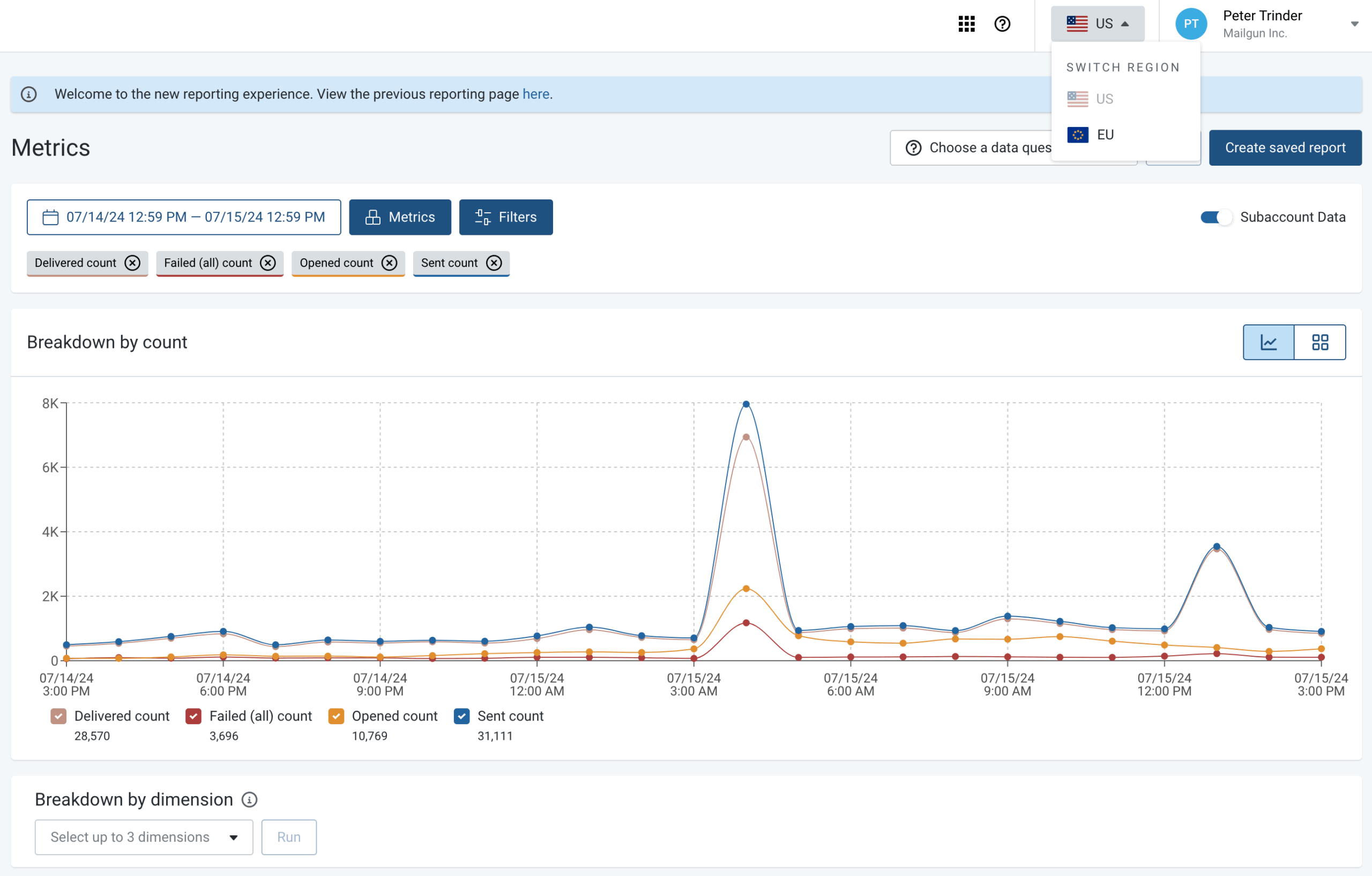
Best for: developer teams with DevOps expertise that need granular API control over routing, inbound parsing, and suppression management.
Not for: non-technical users, small businesses without developers, or anyone expecting a visual campaign builder.
Key Features
- Inbound email routing and parsing: receives incoming mail, parses content, and routes to webhooks using pattern matching
- RESTful email API and SMTP relay with SDKs for Python, Ruby, Node.js, PHP, C#, Java, and Go
- US and EU data residency from a single account
Free Plan Limitations
Free allows 100 emails a day with 1-day log retention.
Pros & Cons
- Inbound parsing and routing unmatched here
- API documentation consistently rated best in category
- US and EU data residency from one account
- Optimize and Inspect are separate paid products
- So sending plus deliverability costs $84/mo minimum
- Pricing escalation is the top complaint
- One Capterra CTO wrote that pricing has only grown pricier over time
Pricing
Free: $0/mo, 100 emails/day. Basic: $15/mo, 10,000 emails/mo. Foundation: $35/mo, 50,000 emails/mo, 5-day logs, templates. Scale: $90/mo, 100,000 emails/mo, 30-day logs, dedicated IP, SSO. Mailgun Optimize from $49/mo. Mailgun Inspect from $44/mo.
SendPulse — SMTP Service with Marketing Automation Tools
I tested SendPulse for multichannel work across email, a Telegram chatbot, and web push.

It is the only platform here that natively combines email, SMS, web push, and chatbots across six messaging platforms, alongside a CRM, a website builder, and a course builder, starting at $0/mo. The free SMTP server allowance sits at 12,000 emails a month.
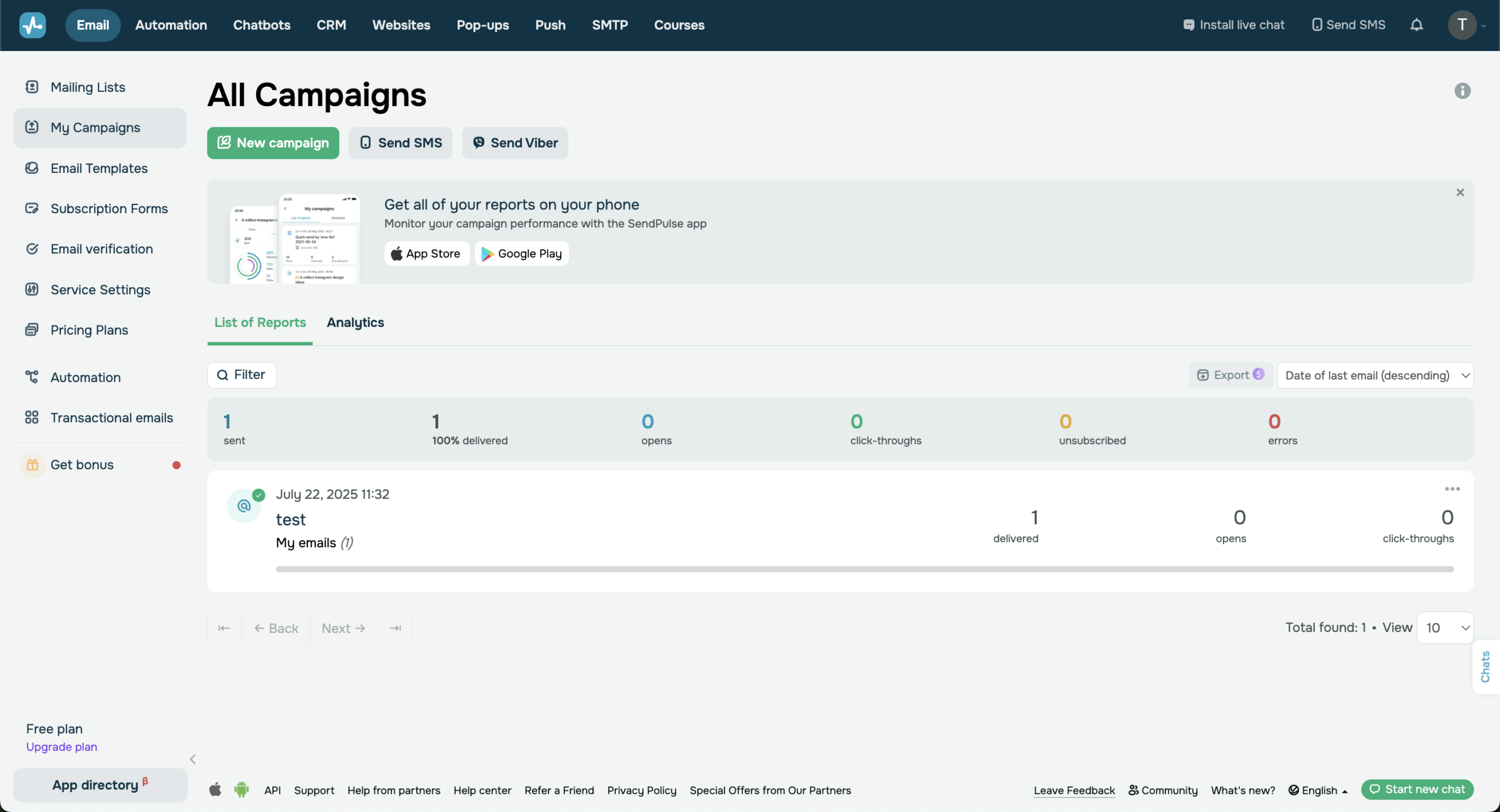
Best for: small businesses and creators that want the widest multichannel coverage at budget pricing.
Not for: teams that need deep automation logic, high-volume transactional sending, or a simple single-channel email tool.
Key Features
- Chatbot builder for Facebook Messenger, Instagram, WhatsApp, Telegram, Viber, and TikTok
- Automation 360: a visual workflow builder combining email, SMS, web push, and chatbot messages in one flow
- Email marketing with 130+ templates, AMP interactive emails, A/B testing, and a free SMTP server at 12,000/mo
Free Plan Limitations
Free covers 500 subscribers, 15,000 emails a month, 3 chatbots with 10,000 messages, CRM access, and 5 automations. SendPulse does not publish a log retention window for the free tier, and campaign statistics take up to 48 hours to finalize. Template customization is limited, and one Capterra reviewer cited restrictions in the email creation interface.
Pros & Cons
- Broadest multichannel coverage at the lowest entry price
- Widest native chatbot coverage of any tool here
- Feature-rich free tier
- Multi-meter billing confusion
- Account suspension reported for legitimate lists
- Chatbot complexity
- Template limitations
- Regional SMTP reliability issues
Pricing
Free: $0/mo. Standard: from roughly $8–10/mo. Pro: from roughly $9.60–12/mo, adding dynamic segmentation and 10 users. Enterprise: from roughly $16–52/mo with a 2,500-contact minimum. SMS and chatbot plans are priced separately.
Mailtrap — Developers and Email Testing
I tested Mailtrap for a SaaS product handling password resets and onboarding email.

It is the only platform here that combines a dedicated testing sandbox with production sending and marketing campaigns from one vendor. Separate transactional and bulk streams protect deliverability by design, and the free tier measured 78.8% inbox placement on shared IPs.
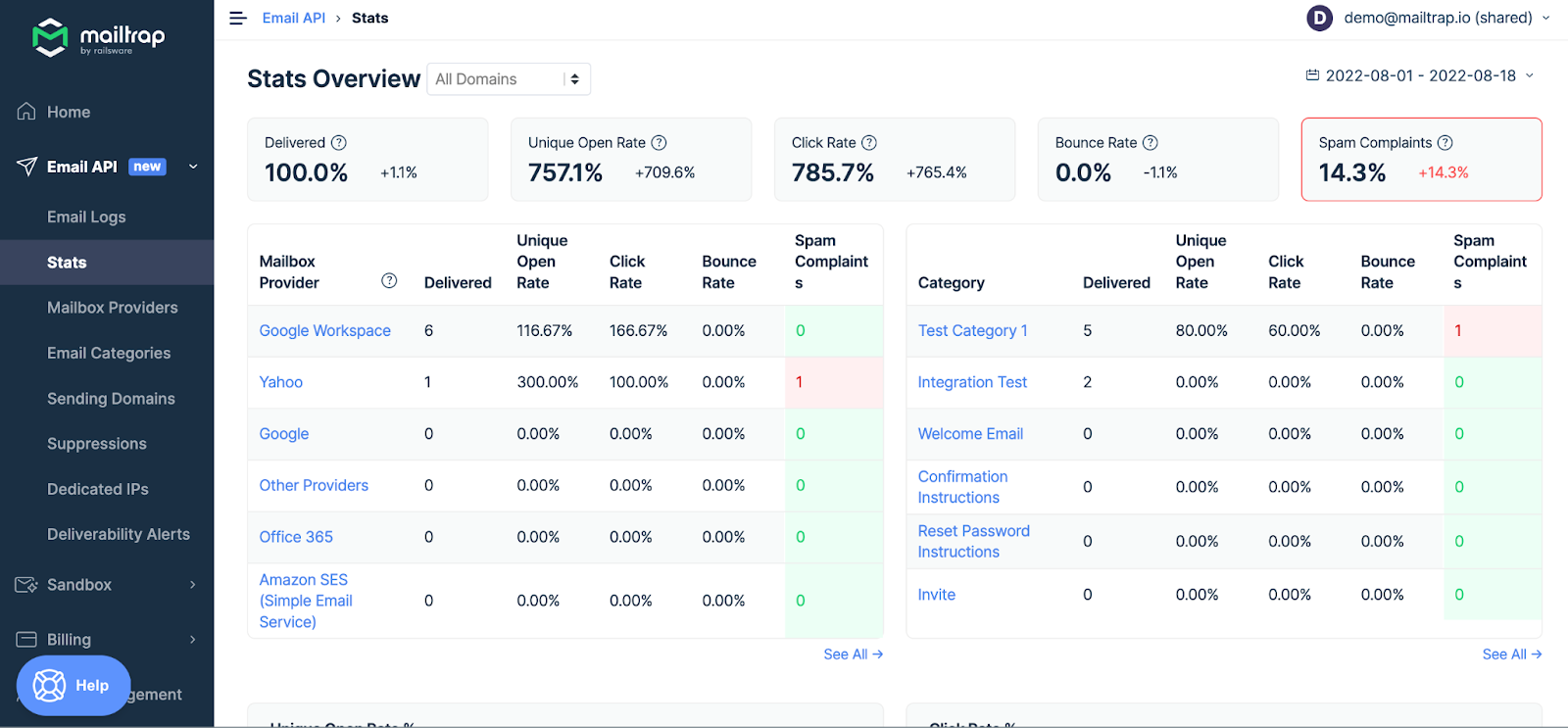
Best for: developer and product teams that need email testing alongside production sending, with per-provider analytics and AI agent integration.
Not for: marketing-only teams wanting a simple campaign builder, or businesses that need everything in one subscription, since three products are priced separately.
Key Features
- Email Sandbox capturing outgoing mail from staging environments without hitting real inboxes, with spam score checking
- Email API and SMTP with separate transactional and bulk streams
- Per-mailbox-provider analytics giving separate Gmail, Outlook, and Yahoo delivery stats
Free Plan Limitations
The free API/SMTP tier allows 4,000 emails a month but caps sending at 150 a day, which frustrates developers running load tests. Log retention on free and lower-tier plans runs 3 to 5 days. Marketing automation is API-event-driven rather than a visual workflow builder. Compliance blocking affects marketing senders. There is no phone support on any plan.
Pros & Cons
- Testing sandbox
- Production, sending, and marketing under one vendor
- 78.8% inbox placement on shared IPs
- Per-provider analytics most platforms don’t expose
- Three separate products add up to $317/mo minimum at the Business tier
- Marketing automation is still maturing
- Short log retention
Pricing
Email API/SMTP: Free $0 for 4,000/mo, Basic $15/mo for 10K, Business $85/mo for 100K, Enterprise $750/mo for 1.5M. Email Sandbox: Free $0 for 50 test emails, Basic $17/mo, Business $123/mo. Email Marketing: Free $0 for 500 contacts and 1,500 emails, Essential $15/mo, Pro from $59/mo. Annual billing saves roughly 20% on Sandbox and Marketing.
MailerSend — Daily Sending for Low-Volume Use
I tested MailerSend for transactional email on a SaaS application. Built by the MailerLite team, it bridges developer-only APIs and marketer-facing platforms by including a drag-and-drop template builder alongside the API, so non-technical staff can edit transactional templates without touching code.

The free tier is the weakest point. A December 2025 restructure eliminated the free production tier: the old free Hobby plan, which carried 3,000 to 5,000 emails, became a $7/mo paid plan.
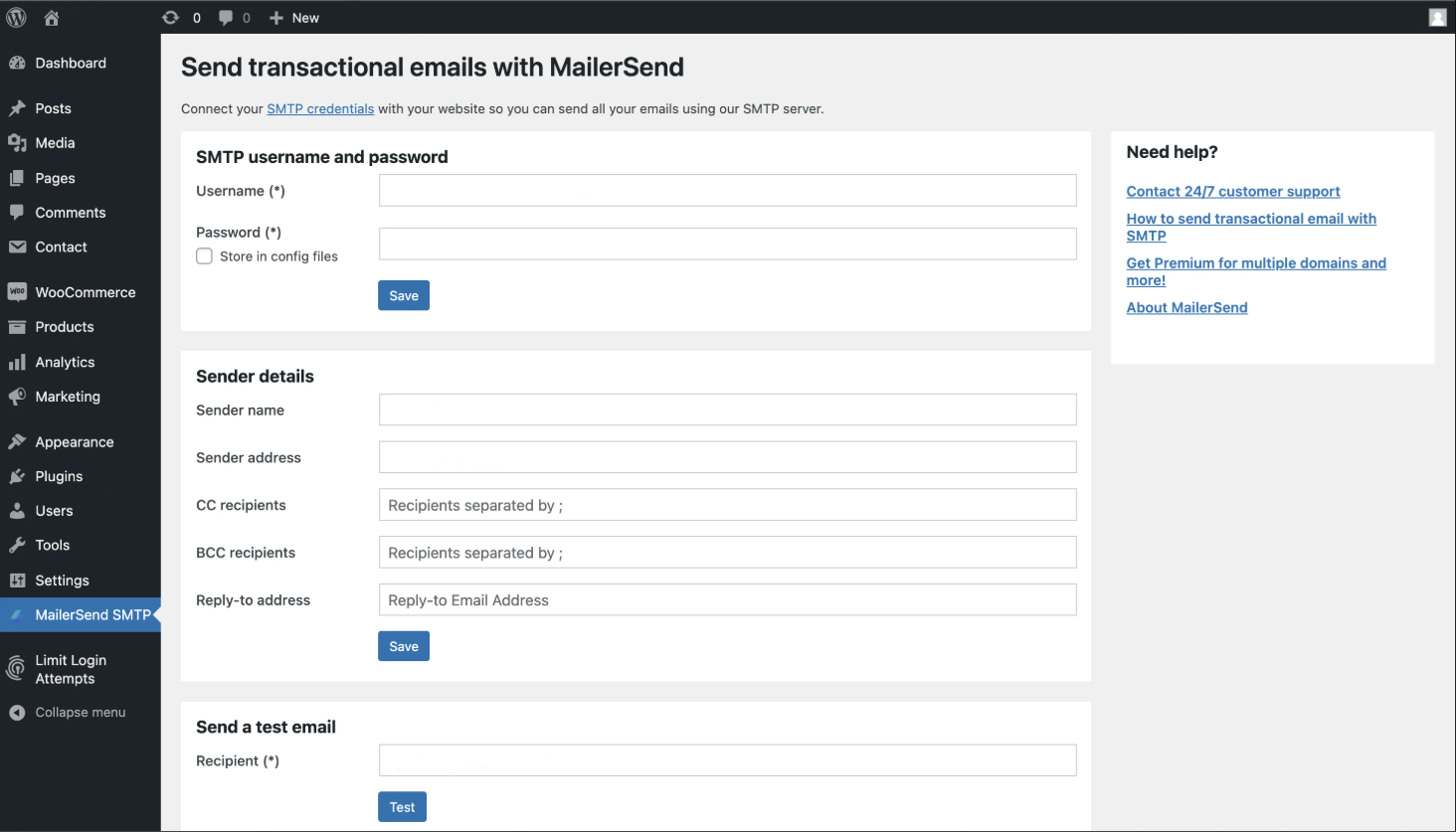
Best for: developer teams that want a transactional API with non-technical team access for template design, plus email split testing.
Not for: anyone needing marketing campaigns, newsletters, or subscriber management, because MailerSend is transactional only.
Key Features
- Email API and SMTP relay with SDKs for Node.js, Python, Java, Laravel, PHP, Go, and Ruby, plus drag-and-drop and HTML template editors
- Email split testing on transactional versions, sending the winning variant automatically, on Starter and Professional
- Inbound routing and an SMS API limited to the US and Canada
Free Plan Limitations
Free gives 500 emails a month with a 100/day cap, one domain, one template, MailerSend branding on messages, and a credit card is required to activate it. Activity data retention is one day on Free and Hobby. There is no contact database, no subscriber list, no campaign builder, and no automation.
Pros & Cons
- Non-technical template editing alongside API integration
- The trial domain lets developers test without configuring DNS
- EmailTooltester’s four rounds of seed-list testing averaged 86.8% inbox placement, with rounds ranging from 75% to 94%
- The December 2025 restructure removed the free production tier
- Account suspension from automated spam detection
- Pricing premium against competitors at the same volume
- SMS restricted to two countries
Pricing
Trial: free, 100 emails total. Free: $0/mo, 500 emails/mo, credit card required. Hobby: $7/mo, 5,000 emails/mo, 5 users, 1 domain. Starter: from $35/mo, 50,000 emails/mo, 10 domains, SMS, split testing. Professional: roughly $88/mo, unlimited users and domains, 30-day retention. Enterprise: custom.
Postmark — Premium Transactional Email Delivery
I tested Postmark for transactional email on a SaaS platform sending password resets, order confirmations, and account notifications.

Postmark claims delivery in under 10 seconds, and independent testing places deliverability at 94%. One test found a 3.4% inbox placement advantage over SendGrid, which works out to 340 extra inboxed emails per 10,000 sent. The trade-off is that the post-ActiveCampaign acquisition has introduced service quality concerns.
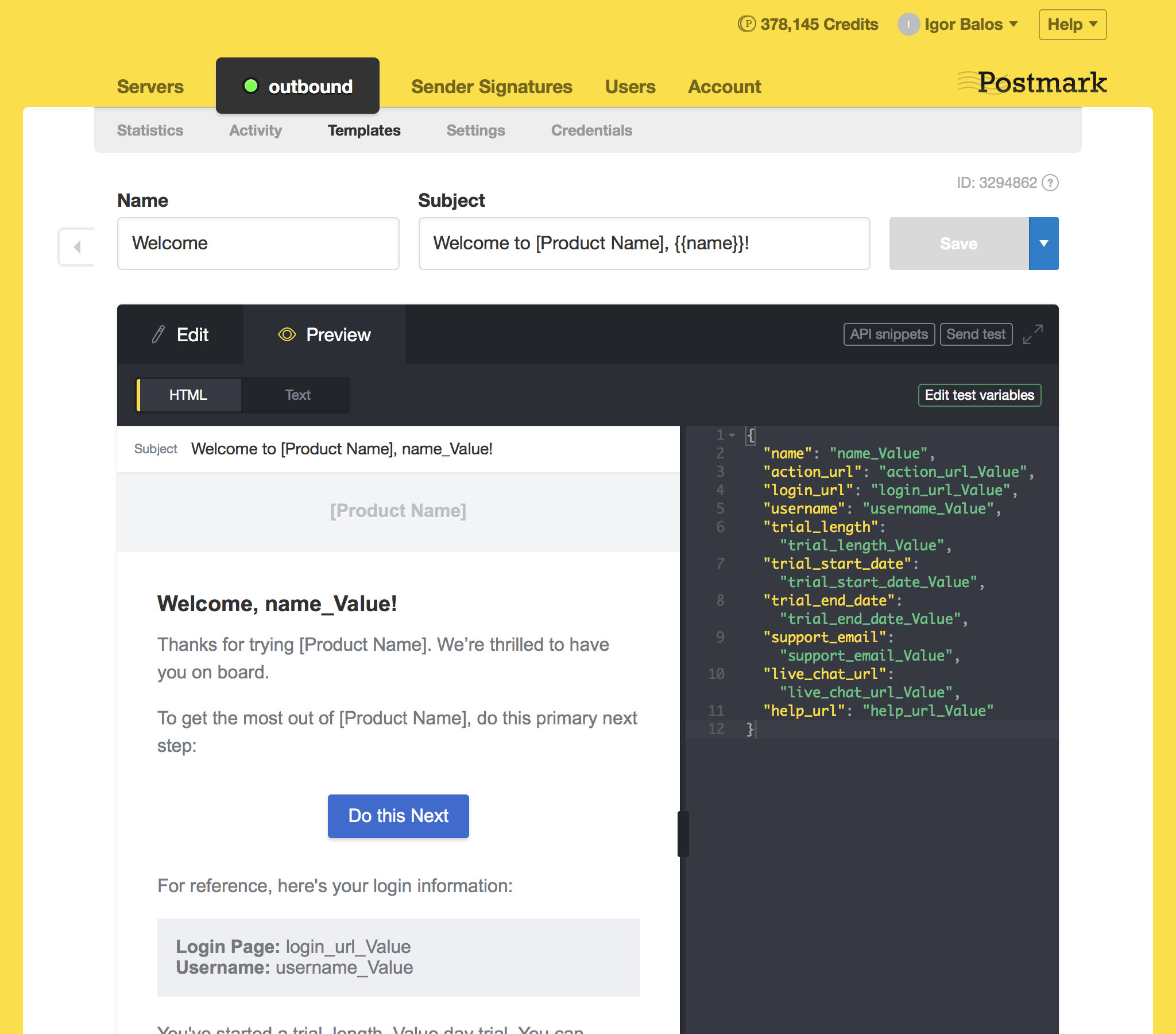
Best for: SaaS and product teams that need fast, reliable transactional delivery and will pay a premium for inbox placement on shared IPs.
Not for: marketing senders, newsletter publishers, or businesses that need automation, landing pages, or a visual campaign builder.
Key Features
- Message Streams: separate transactional and broadcast infrastructure with independent IPs, reputation, and analytics
- Transactional delivery claiming sub-10-second speed
- 45-day full activity retention by default with complete message content, the longest default here
Free Plan Limitations
Free allows 100 emails a month and permits no overages, which makes it a testing tier rather than a production one. There is no drag-and-drop builder, no automation, no landing pages, and no CRM. Trustpilot sits at 2.3/5 across 45 reviews since the acquisition, with accounts suspended without notice and support described as unrecognizable. There is no 24/7 support.
Pros & Cons
- 94% measured deliverability and a 3.4% inbox placement advantage over SendGrid
- 45-day retention with full message content
- Message Streams separate transactional and broadcast reputation
- Free tier is 100 emails/mo with no overages
- Overage pricing escalates sharply
- Trustpilot 2.3/5 post-acquisition
- No 24/7 support
- No SMS, push, or WhatsApp
Pricing
Free: $0/mo, 100 emails/mo. Basic: $15/mo for 10,000 emails, 4 users, 5 domains, 45-day retention. Pro: $16.50/mo for 10,000 emails, 6 users, 10 domains, inbound email, dedicated IPs at $50/mo. Platform: $18/mo, unlimited users, domains, and streams. Overages: Basic $1.80/1K, Pro $1.30/1K, Platform $1.20/1K. 30% nonprofit discount.
SendGrid — Best for High-volume Scale
I tested SendGrid for both transactional API and marketing campaigns. It processes more than 134 billion emails a month, more than any platform here, and the infrastructure absorbs scale that would break smaller providers.

Two facts matter more for readers of this article. SendGrid has no permanent free plan. The free offer is a 60-day trial at 100 emails a day, after which the minimum is $19.95/mo. And Trustpilot shows 1.1 to 1.2 out of 5 across 597+ reviews, with 84% one-star ratings.
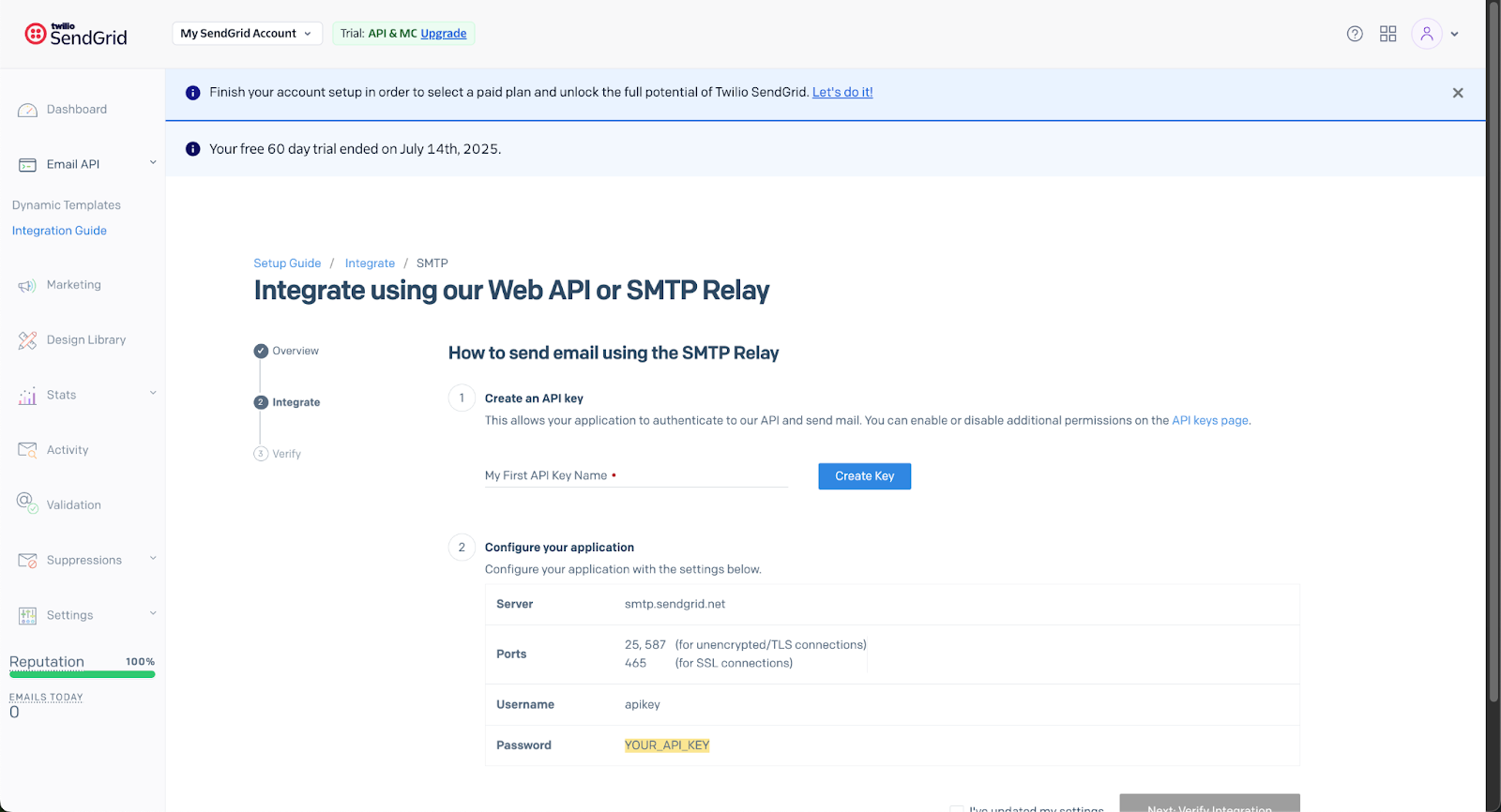
Best for: enterprise teams already embedded in the Twilio ecosystem across SMS, WhatsApp, and Voice, who need API consistency and have dedicated deliverability resources.
Not for: startups, new senders, or any team without budget for Pro at $89.95/mo plus dedicated IPs.
Key Features
- Email API and SMTP relay processing 134B+ emails a month with SDKs in 7+ languages
- Combined transactional and marketing campaigns from one dashboard, billed separately
- Native connection to Twilio SMS, WhatsApp, Voice, and Video APIs
Free Plan Limitations
There is no permanent free plan. The 60-day trial allows 100 emails a day and then expires. Account suspension is the dominant complaint, with accounts terminated within minutes of signup before a single email was sent.
Support failure post-acquisition is widely reported: one reviewer noted the support phone number is disconnected and the contact form returns an error. Marketing and transactional email share the same volume limit, while Marketing Campaigns bills separately.
Pros & Cons
- Largest email infrastructure globally
- Twilio multichannel ecosystem
- SDKs in 7+ languages with thorough documentation
- No permanent free tier
- EmailTooltester’s four-round average put inbox placement at 82.0%, below every other tested provider except Brevo
- Account suspension without explanation
- Product stagnation since Twilio’s 2019 acquisition
- Pricing changes without notice
Pricing
Free Trial: $0 for 60 days only, 100 emails/day, not permanent. Essentials: from $19.95/mo for 50,000 emails, no dedicated IP, no SSO, 3-day logs. Pro: from $89.95/mo for 100,000 emails, dedicated IP included, SSO, 7-day logs. Premier: custom. Marketing Campaigns bill separately at Basic $15/mo and Advanced $60/mo. Dedicated IPs: $30/mo each additional.
Brevo — All-in-One Marketing Suite with CRM
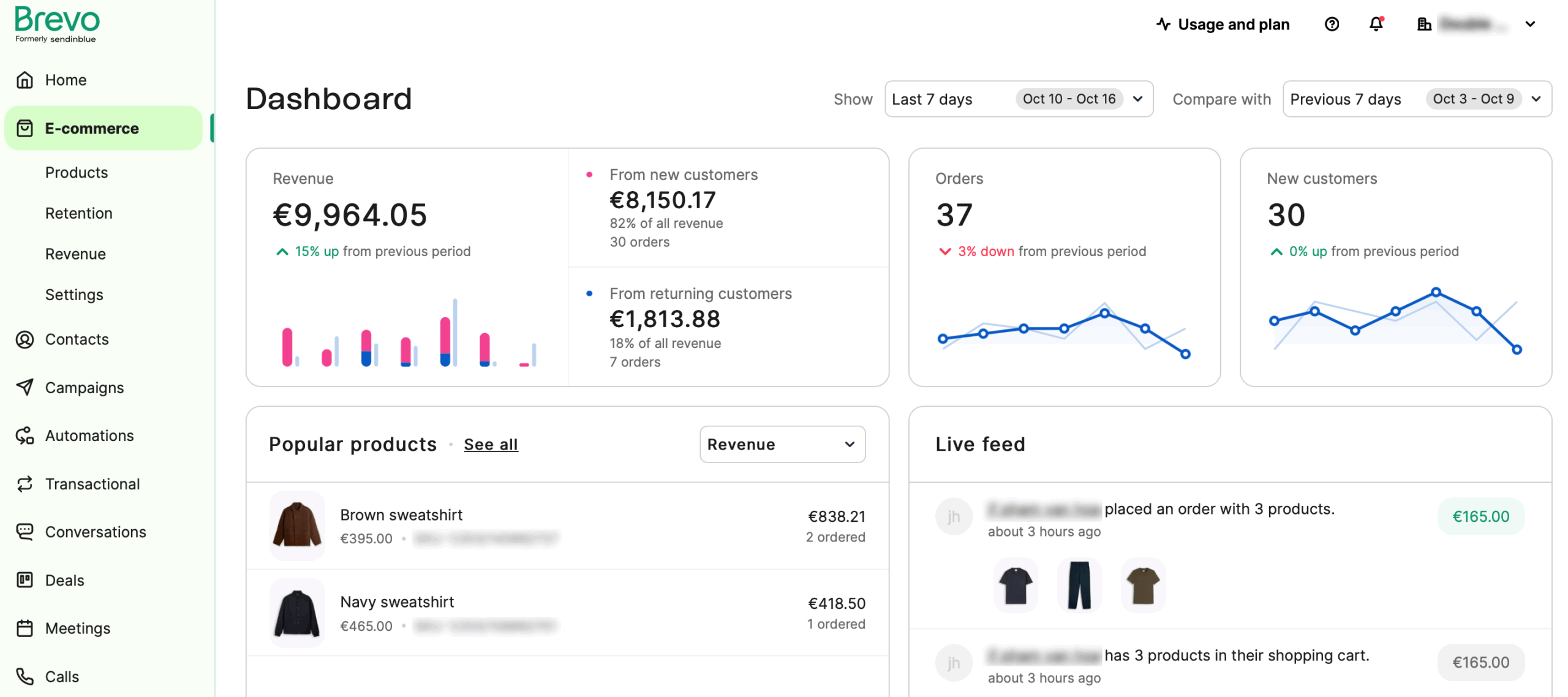
I used Brevo for transactional email on a client’s ecommerce site while running marketing campaigns for a B2B SaaS product from the same account.

The structural difference is that Brevo charges by emails sent per month rather than by contact count. For a client with 12,000 contacts sending twice monthly, roughly 24,000 emails, the bill came to $35/mo on Standard.
Best for: businesses with large contact lists and low-to-moderate send frequency that also need transactional email in the same platform.
Not for: daily senders, high-frequency automation users, or anyone who needs automation without paying $18+/mo.
Key Features
- Volume-based pricing with unlimited contacts on paid plans
- Transactional email via SMTP and API on all plans, including Free, with a claimed 99% delivery rate
- Visual automation builder, requiring the Standard plan at $18/mo minimum
Free Plan Limitations
Free allows 300 emails a day with up to 100,000 contacts and carries Brevo branding. Transactional logs are stored with no time limit by default, and you can set a custom retention window between 1 and 24 months. Automation is excluded from both Free and Starter. Free plan includes Brevo branding.
Pros & Cons
- Volume-based pricing produces the lowest bill for low-frequency senders with large lists
- Transactional infrastructure on every plan, including Free
- Brevo advertises a 99% delivery rate, but EmailTooltester’s four rounds of seed-list testing averaged 79.8% inbox placement, the lowest of any provider they tested
- Account suspension is the dominant Trustpilot complaint
- One aggregated user report described serious outages several times a week
- Capterra cites pricing confusion
Pricing
Free: $0/mo, 300 emails/day. Starter: from $9/mo for 5,000 emails, no automation. Standard: from $18/mo, adding automation, A/B testing, and 1 landing page. Professional: from $499/mo, adding WhatsApp, AI segmentation, and phone support.
Amazon SES — AWS Users and Cost-Effective Sending
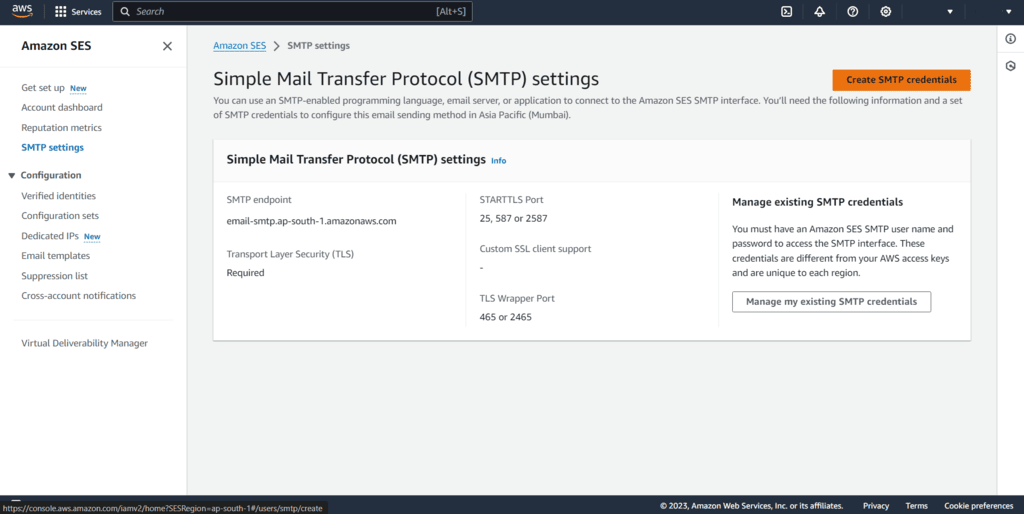
I tested Amazon SES for transactional email on a high-volume ecommerce platform sending 250,000 emails a month. At $0.10 per 1,000 emails, the bill was $25.77/mo, against $89.95/mo on SendGrid Pro. The trade-off is that SES is raw infrastructure requiring AWS expertise, custom code for bounce handling, and no visual tools whatsoever.

The free tier is not permanent. It covers 3,000 messages a month for the first 12 months, then converts to pay-per-use.
Best for: experienced developer teams already in the AWS ecosystem that need the lowest per-email cost at high volume and can build their own bounce and complaint handling.
Not for: non-technical users, small businesses without developers, or anyone wanting a managed experience with templates, dashboards, or support.
Key Features
- Pay-per-use sending at $0.10 per 1,000 emails
- Virtual Deliverability Manager with per-ISP insights, at an additional $0.07 per 1,000
- Global Endpoints with automatic failover across two AWS regions with warmed IPs in both
Free Plan Limitations
The free tier gives 3,000 messages a month for 12 months only.
Pros & Cons
- Lowest per-email cost in the industry
- 250,000 emails a month costs $25.77 against SendGrid Pro’s $89.95
- Strongest compliance portfolio here: SOC 1/2/3, ISO 27001, FedRAMP, HIPAA-eligible
- Steep learning curve
- No marketing or template tools
- Shared IP deliverability concerns
- No incoming email forwarding
- Hidden cost complexity, since VDM, IPs, validation, and Mail Manager all bill separately
Pricing
No tiers, pure pay-per-use. Outbound: $0.10 per 1,000 emails plus $0.12/GB for attachments. Free Tier: 3,000 messages/mo for the first 12 months. Dedicated IPs: Standard $24.95/mo per IP, Managed $15/mo plus $0.08/1K. VDM: $0.07/1K. Global Endpoints: $0.03/1K. Email Validation: $0.01 each.
Mailjet — Best Relay + Newsletter Editor
I tested Mailjet for a team workflow where three people needed to edit the same campaign simultaneously.

Real-time collaboration, working the way Google Docs does, removed the version-conflict problem entirely. Mailjet handles marketing campaigns and transactional email from the same dashboard.
Best for: marketing teams that need real-time multi-user collaboration on email design, plus combined marketing and transactional email under one EU-based platform with GDPR compliance. Not for: solo marketers, who gain nothing from collaboration features, businesses needing automation under $27/mo, or anyone requiring landing pages on an entry plan.
Key Features
- Real-time collaboration on templates with commenting, locked sections, and approval workflows
- Combined marketing and transactional email from a single account with API and SMTP relay
- MJML, the open-source responsive email framework Mailjet created
Free Plan Limitations
Free allows 6,000 emails a month against a 200/day limit, 1,000 contacts, Mailjet branding, no segmentation, and no automation. Statistics and campaign data are kept for 90 days on the free plan, against a longer window on paid plans. Automation is locked behind the $27/mo Premium plan, so Free, Starter, and Essential have zero workflow capability. Landing pages are restricted to Premium.
Pros & Cons
- Real-time collaboration is unique here
- MJML extends credibility beyond Mailjet’s own users
- EU-based in France with GDPR, HIPAA, and CSA certifications
- EmailTooltester measured an 85.0% average across four rounds
- Account suspension without notice is the top complaint across all review platforms
- Automation gated at $27/mo
- Template limitations
Pricing
Free: $0/mo, 6,000 emails/mo. Starter: $9/mo for 8,000 emails. Essential: $17/mo for 15,000 emails, adding segmentation and AI content. Premium: $27/mo for 15,000 emails, adding automation, landing pages, and A/B testing. Custom: contact sales. 10% annual discount.
Gmail, Google Workspace & Office 365 as Free SMTP Relays
Three mail services people already pay for can act as SMTP relays. None is designed for bulk sending, all three throttle aggressively, and all three count limits over a rolling 24-hour window rather than resetting at midnight. For a contact form or a low-volume internal application, they cost nothing extra.
Gmail SMTP (Free)
- Sending Limit: 500 recipients per day on a free Gmail account. Recipients are counted, not messages, so one email to 50 people consumes 50.
- Setup Note: Requires an app password with two-factor authentication enabled. Point your application at smtp.gmail.com on port 587, which negotiates TLS encryption via STARTTLS. Recipients per message sent over SMTP by POP or IMAP users are capped at 100.
- Best For: contact forms, hobby projects, and personal scripts sending fewer than a few dozen messages a day. Not for transactional or marketing email, where the From address must match your domain.
Google Workspace SMTP Relay
- Sending Limit: two separate ceilings apply. A paid Workspace user can send 2,000 messages per day through Gmail, reaching up to 10,000 total recipients. The dedicated SMTP relay service is counted independently: 10,000 messages per user per 24 hours, to no more than 10,000 unique recipients, with a 100-recipient cap per SMTP transaction. Organization-wide, the relay tops out at 4.6 million non-unique recipients per 24 hours.
- Setup Note: Configured in the Admin console under Apps, then Google Workspace, then Gmail, then Routing. Point your on-premise server at smtp-relay.gmail.com on port 587 with TLS encryption, or port 25 without it, in which case you must use IP address authentication rather than SMTP authentication. Trial accounts get lower relay limits, and paid accounts only see limits increase after the domain has cumulatively paid $100, which can take up to 75 days to apply.
- Best For: internal business applications, printers, scanners, and system notifications sent from a domain you already run on Workspace. Not for marketing campaigns, and not as a relay for mail originating from Gmail itself, which Google supports on a best-effort basis only.
Office 365 / Microsoft 365 SMTP Relay
- Methods: three options exist. SMTP AUTH client submission, direct send, and SMTP relay via connector.
- Sending Limit: 10,000 recipients per day per mailbox, 500 recipients per message, and a message rate limit of 30 messages per minute. SMTP AUTH additionally caps concurrent connections at 3. A tenant-wide Tenant External Recipient Rate Limit governs external recipients based on license count.
- Setup Note: SMTP AUTH is disabled by default on new tenants and must be enabled per mailbox. Point your application at smtp.office365.com on port 587 with STARTTLS. Port 465 is not supported. Microsoft is retiring Basic Authentication for SMTP submission in favor of OAuth 2.0, so anything you build on username and password today has a migration ahead of it. Direct send requires no authentication but only delivers to your own tenant’s domains.
- Best For: line-of-business applications and device notifications inside a Microsoft 365 tenant. Not for external bulk mail, and not for any sending where you need delivery analytics.
How We Evaluate Free SMTP Servers
Each SMTP provider was tested on its free tier, and where a free tier does not exist or expires, on the entry-level paid plan closest in volume. Testing used a standardized 1,000-contact list that had interacted with a newsletter in the last 90 days. Contacts were not purchased or scraped.
Features evaluated per platform:
- Email builder
- Automation depth, covering trigger types, conditional logic, and branching
- List and segment management
- Form builder and landing pages
- Deliverability, using third-party testing data
- Support responsiveness on the entry-level plan
- Customer reviews from G2, Capterra, Trustpilot, and Reddit
- Pricing model
Deliverability testing: We used third-party data to evaluate deliverability, relying on tools including GlockApps and EmailTooltester to benchmark inbox placement, spam rates, and domain reputation. Tests ran in-house using identical campaign setups across platforms to keep results consistent.
User reviews: We gathered customer feedback from G2, Trustpilot, and Capterra, analyzing recurring themes such as ease of use, support quality, pricing transparency, and feature reliability. To avoid cherry-picking, we focused on patterns across a large volume of recent reviews and balanced positive against negative feedback to reflect real user sentiment.
What was not tested: Enterprise features including SSO, dedicated IPs, and custom SLAs. SMS sending at volume. Transactional email infrastructure beyond basic SMTP. This review targets SMBs, independent creators, and agencies with lists of up to 50,000 contacts.
Pricing methodology: All pricing is verified as of March 2026. Annual billing discounts are noted separately from monthly pricing, and all prices are shown in USD. We recommend checking each platform’s pricing page directly before purchasing.
To learn more about our in-house testing process, read how we test tools, which breaks down the process we follow to deliver accurate, unbiased reviews.
Capterra, G2, Trustpilot, and Reddit to create an objective evaluation. Learn more about our review methodology
Conclusion: Top Picks for Free SMTP Servers
If you need volume on a permanent free tier and want marketing features alongside relay access, Sender’s 15,000 emails a month across 2,500 subscribers is the largest allowance here, and custom events give you behavioral triggers that competitors gate behind paid tiers.
If you need pure delivery infrastructure and inbox placement is the only metric that matters, SMTP2GO’s 1,000 emails a month is smaller but backed by a second-place EmailToolTester deliverability ranking and a 100% uptime SLA.
If you are a developer who needs inbound parsing, Mailgun’s 100 emails a day is enough to build against, provided you can live with one day of logs.
Two providers should be ruled out if “free” is a requirement. SendGrid’s offer expires after 60 days. Amazon SES’s expires after 12 months, though at $0.10 per 1,000 emails it remains the cheapest option once you are paying anyone.
Choosing a relay is one decision inside a larger system. Our complete email marketing guide covers everything from platform selection to building your first campaign.
And if you are moving off an existing provider, our migration documentation walks through transferring domains, templates, and sending configuration.
FAQs
Free SMTP servers relay outbound mail from applications, websites, and devices without a monthly fee. Typical uses are password resets, order confirmations, contact form submissions, system alerts from printers and IoT hardware, and low-volume newsletters. They handle authentication, delivery retries, and IP reputation so you don’t run mail infrastructure yourself.
Expect three constraints. Daily caps restrict burst sending, ranging from 100/day on Mailgun and MailerSend to 300/day on Brevo. Log retention varies widely: one day on Mailgun and MailerSend, five days on SMTP2GO, 90 days on Mailjet, and no published window at all on SendPulse. Most free tiers add provider branding, restrict you to one sending domain, and place you on shared IPs where inbox placement depends partly on other senders.
Some are. SMTP2GO at 1,000 emails a month and Sender at 15,000 support genuine production traffic. Postmark’s 100 emails a month permits no overages, making it a testing tier. Mailtrap’s 4,000 monthly allowance is capped at 150 a day, which breaks under any spike. Check the daily cap, not the monthly total, before committing.
An SMTP relay accepts a message and delivers it. An email marketing platform adds a contact database, a campaign builder, segmentation, and automation. SMTP2GO, Mailgun, Postmark, Amazon SES, and MailerSend are relay-only, with no subscriber management. Sender, SendPulse, Brevo, and Mailjet combine both, letting you run email campaigns and transactional sending from one account.
Yes. Every provider in this article supports SPF, DKIM, and DMARC on the free tier, and all of them require you to complete DNS setup before sending from your own domain. Gmail and Yahoo bulk sender rules now make authentication mandatory rather than optional, and both enforce a bounce rate threshold alongside it. Without authentication, mail from a new domain is filtered or rejected regardless of which relay you use.
Yes, for existing Microsoft 365 or Outlook account holders. SMTP AUTH client submission allows up to 10,000 recipients a day per mailbox, capped at 30 messages per minute. It is disabled by default on new tenants and must be enabled per mailbox. It is not a bulk sending service.