



Resend is a solid starting point for sending emails, especially with its developer-friendly setup, simple API, and free plan. It works well for basic transactional use cases and quick integrations. However, as your needs grow, its limitations become more noticeable.
Resend focuses primarily on sending infrastructure, which means gaps in areas like advanced automation, deep segmentation, and ecommerce-focused workflows. It also lacks built-in tools for managing marketing campaigns or cross-channel communication, and costs can scale quickly as volume increases.
In this guide, I will compare the best Resend alternatives based on pricing, automation depth, scalability, deliverability, and real-world usability. The goal is to help you find a platform that not only handles email delivery but also supports broader marketing and operational needs as your business grows.
Resend Alternatives Worthy Of Your Attention: A Snapshot
- Top choice for small business: Sender–best for growing teams that want both transactional email and marketing automation in one platform, with a generous free plan and low entry pricing.
- Ideal pick for pure transactional reliability: Postmark–ideal for mission-critical emails like password resets and receipts, with strict sending policies and top-tier deliverability.
- Go-to option for developers: Mailgun–strongest for teams needing deep control over routing, validation, and infrastructure via API-first workflows.
- Good for enterprise scale: Twilio SendGrid–built for high-volume sending with extensive integrations, though setup and pricing can be complex.
- Most cost-efficient at scale: Amazon SES–lowest cost per email with full infrastructure control, but requires technical setup and AWS ecosystem knowledge.
- Solid choice for simple transactional setup: Zoho ZeptoMail–clean, transactional-only service with straightforward pricing and easy setup, especially for Zoho users.
- Strong contender for usability + API balance: MailerSend–combines developer-friendly API with a visual interface and templates, making it easier for mixed technical teams.
- Solid option for advanced deliverability insights: SparkPost–strong for enterprise teams needing predictive analytics, ISP relationships, and detailed delivery data.
Here’s a snapshot of how these eight alternatives stack up on the basics:
| Platform | Platform Type | Deliverability & Control | Logs & Webhooks | Pricing Entry Point |
| Sender | Transactional email + marketing automation | Domain authentication, reputation/suppression controls, segmentation-aware sending | Event tracking, message activity visibility, webhook-style events | $7/month |
| Postmark | Transactional email infrastructure platform | Stream separation, strict sending standards, deliverability-focused controls | Detailed message events, webhooks | $15/month |
| Mailgun | Email API + SMTP service | Authentication tools, dedicated IP options, sending/routing controls | Logs, event webhooks, monitoring tools | $15/month |
| Twilio SendGrid | Cloud email API + marketing mail platform | IP management options, authentication support, deliverability tooling | Event webhooks, activity feed/event tracking | $20/month |
| Amazon SES | AWS-based email sending service | Domain authentication, infrastructure-level controls (AWS) | Event publishing via AWS services (SNS/Event destinations) | $0.1/1000 emails |
| Zoho ZeptoMail | Dedicated transactional email service | Domain authentication, transactional-focused sending controls | Delivery/bounce event tracking, webhooks | $3/10,000 emails |
| MailerSend | Transactional email + API platform | Domain authentication, suppression/recipient management, sending controls | Activity logs, event webhooks, message tracking | $5/month |
| SparkPost | Enterprise email delivery + analytics platform | Deliverability controls, IP options (plan-dependent), reputation tooling | Message events, analytics, webhooks | $49/month |
How We Evaluated These Resend Alternatives
Email infrastructure
We carried out an independent comparison of multiple email marketing services to evaluate their deliverability performance. This aspect is especially important, as it provides a clear view of how each platform handles getting emails into actual inboxes. All platforms were tested under the same settings and conditions to ensure fair and unbiased results.
| Free SMTP providers | Email placement results / deliverability data |
| Sender | Average deliverability: 90% (Self-reported) |
| Postmark | Inbox: 83.3% / Tabs: 1.0% / Spam: 14.3% / Missing: 0.9% |
| Mailgun | Inbox: 71.4% / Tabs: 3.8% / Spam: 23.8% / Missing: 1.0% |
| Twilio SendGrid | Inbox: 61.0% / Tabs: 1.0% / Spam: 17.1% / Missing: 20.9% |
| Amazon SES | Inbox: 77.1% / Tabs: 1.9% / Spam: 20.0% / Missing: 1.0% |
| Zoho ZeptoMail | We weren’t able to conduct appropriate inbox placement and deliverability results for ZeptoMail |
| MailerSend | We weren’t able to conduct appropriate inbox placement and deliverability results for MailerSend |
| SparkPost | We weren’t able to conduct appropriate inbox placement and deliverability results for SparkPost |
To be completely transparent, here are the sources that helped us to fill the deliverability table: Emailtooltester.com, GlockApps and Mailtrap. Using independent tools and benchmarks helps reduce bias and ensures results aren’t based solely on our internal testing, giving you a more balanced and reliable view of each platform’s real-world performance.
Reliability
High uptime is essential, and there should be a clear way to monitor it. Ideally, the system relies on distributed infrastructure, backup servers, robust disaster recovery processes, and load balancing to ensure stable performance.
Scalability
An SMTP provider (also called SMTP relay service, which allows you to send large volumes of email) should be able to handle growing email volumes without performance issues. This also means offering pricing plans that scale with your business, so you can increase usage without facing disproportionately high costs.
Transactional Email Sending
- SMTP and API support. A strong provider should offer both SMTP relay and API-based sending, so teams can choose the setup that best fits their app, workflow, and technical resources. Good API support should also make it easy to automate sending, manage templates, and scale transactional email without extra complexity.
- Dedicated vs shared IPs. A quality SMTP service should clearly explain when shared IPs are enough and when a dedicated IP makes more sense for higher-volume senders. Ideally, it should also provide guidance or tools for warming up dedicated IPs and protecting sender reputation over time.
- Sending speed/latency. Transactional emails should be delivered quickly, especially for time-sensitive messages like login links, password resets, or order confirmations. A reliable provider should maintain low latency and stable performance even during traffic spikes or peak sending periods.
- Bounce and complaint handling. Good SMTP services should make it easy to track and review bounce handling, spam complaints, and failed deliveries in real time. They should also help you suppress problematic addresses automatically, so your sender reputation stays healthy.
- Email log retention. A solid provider should keep searchable email logs for a reasonable period, giving teams enough visibility for troubleshooting, audits, and support cases. These logs should clearly show delivery events, failures, opens, clicks, and other message activity when relevant.
- Webhook support. Webhooks are important for sending delivery, bounce, complaint, and engagement events back to your system instantly. A good provider should offer reliable, well-documented webhooks so you can trigger workflows and keep internal data in sync.
- Official SDKs. Official SDKs help developers integrate faster and reduce the chance of implementation mistakes. The best providers offer well-maintained SDKs for major programming languages, along with clear documentation and practical code examples.
API & Developer Experience
Simply put, API focuses on how easily you can integrate, manage, and scale email functionality within your application. It matters because a smooth developer experience can significantly reduce setup time, prevent errors, and make it easier to maintain reliable email workflows as your system grows.
A strong API should feel predictable and easy to work with–clear endpoints, consistent responses, and solid documentation with real quickstart examples. Look for official SDKs in your language, helpful error messages that make debugging straightforward, and transparent rate limits so you don’t run into unexpected issues in production. In contrast, a poor experience often means incomplete docs, unclear errors, and extra effort just to implement basic workflows.
When evaluating tools, pay close attention to documentation, active SDK support, and how easily you can go from first request to production-ready email flows.
Marketing Email Sending
Note: Most Resend alternatives are built primarily for transactional email, so marketing capabilities can differ widely and are often limited or only available on higher-tier plans. If you also need marketing email features, make sure to evaluate what each tool actually includes.
- Separate sending streams. A good provider should let you separate transactional and marketing traffic to protect email deliverability and sender reputation. This ensures critical emails like password resets or receipts aren’t affected by bulk campaign performance.
- Automated workflows. Even in transactional setups, basic automation like triggered sequences or follow-ups can be important for user flows. A strong platform should support event-based sending without requiring complex custom logic.
- Drag-and-drop template builder. While transactional emails are often code-based, having a visual builder can speed up template creation and updates. This is especially useful for teams that want flexibility without relying entirely on developers.
- Contact segmentation. Some providers offer basic segmentation to control who receives certain transactional or hybrid messages. This can help tailor communications based on user behavior, status, or lifecycle stage.
- Plan inclusion. Many tools limit advanced sending or workflow features to higher-tier plans, so it’s important to check what’s actually included. Make sure essential functionality isn’t locked behind upgrades that could increase costs as you scale.
Pricing
It would be great if pricing were as simple as a few bullet points, but in reality – the true cost only becomes clear as your usage, volume, and needs grow. That’s why it’s important to look beyond headline numbers and understand how pricing behaves at scale.
Now, here are the key things to keep in mind:
- On free plans, check real limitations. Look beyond the monthly sending cap and evaluate what’s restricted—features, throughput, analytics, or branding can significantly impact usability.
- Free forever vs time-limited access. Some providers offer ongoing free plans, while others limit access to a trial period or restrict production use, which affects long-term viability.
- Understand what drives pricing. Most platforms scale costs based on usage (emails sent, contacts, or events), so what looks affordable early on can become expensive as you grow.
- Watch for indirect costs. Missing features may require additional tools or upgrades, increasing the total cost beyond the base plan.
- Cheaper isn’t always better. The lowest price doesn’t always deliver the best value—balance cost with features, scalability, and long-term needs.
Customer support
Customer support matters more than it seems, especially once email becomes part of your core product experience. When comparing Resend alternatives, pay attention to what support channels are actually available–live chat, email, or ticket support–and whether 24/7 help is locked behind higher-tier plans.
Just as important is how much you can solve without contacting support at all. Strong documentation, clear troubleshooting guides, and practical email API for developers to self-serve and move faster. Community presence also helps: active GitHub repos, forum discussions, and Stack Overflow coverage can make debugging much easier when official support is limited.
Finally, pay attention to incident communication–good providers do not leave users guessing during outages, but offer status pages, timely updates, and clear post-incident explanations.
Capterra, G2, Trustpilot, and Reddit to create an objective evaluation. Learn more about our review methodology
8 Best Resend Alternatives I’ve Reviewed
Sender
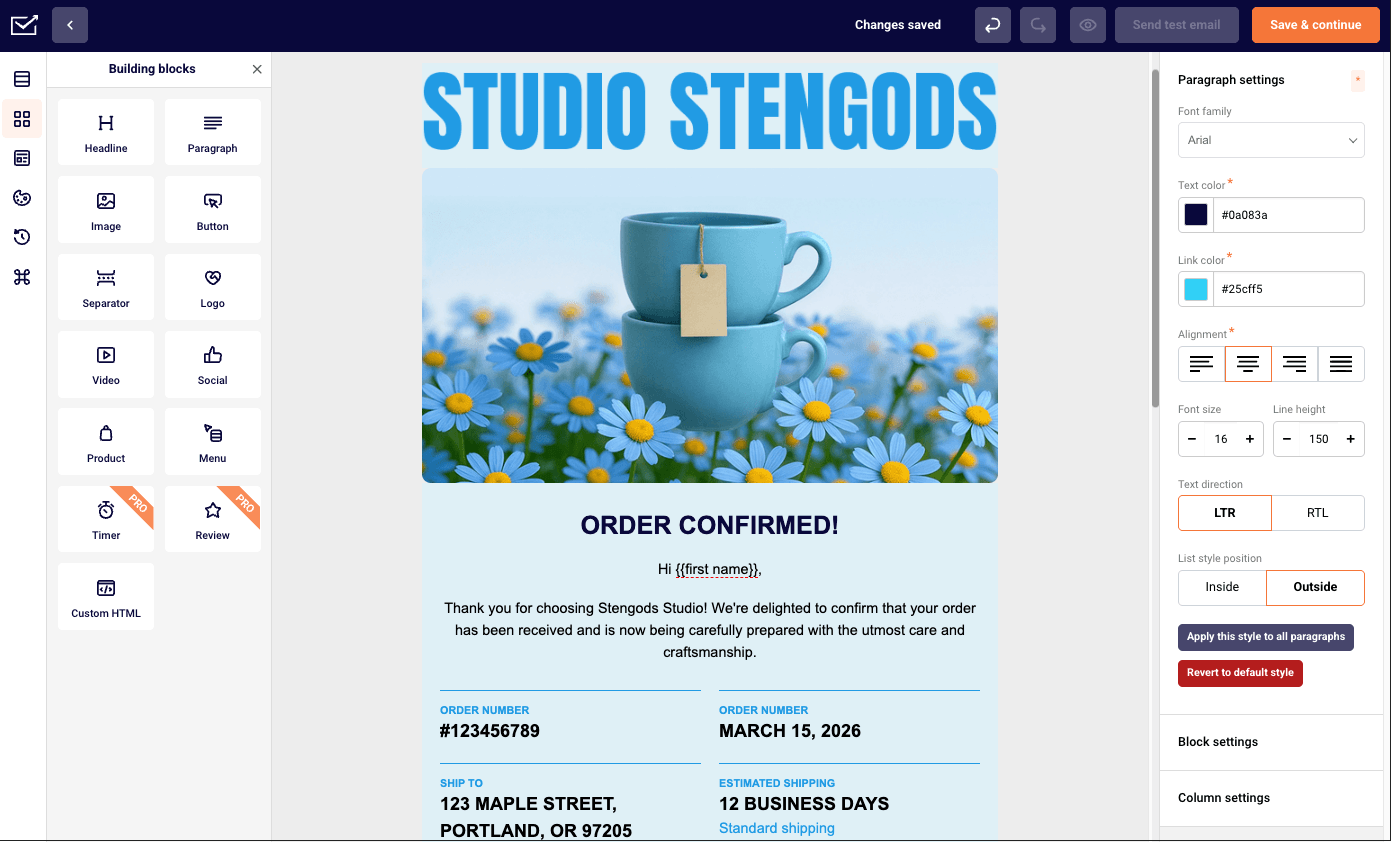
Sender is an email marketing platform built for small/scaling businesses, combining marketing campaigns and transactional email sending into one system.

Whether you’re focusing on regular campaigns or transactional flows, having shared suppression lists, segmentation, and reporting in one place makes things easier to manage.
It might be my personal preference, but having everything centralized means I don’t have to jump between tools to piece together performance or audience data–it’s faster to spot patterns and make decisions without second-guessing the numbers.
The free plan, offering up to 2,500 contacts and 15,000 emails per month, is a nice starting point. It does include Sender branding–as most free plans do.
From a development standpoint, the API feels clean, and there’s little to complain about. I was able to set up a password reset flow using the /emails endpoint in about 20 minutes, with the Node SDK. Bear in mind, Sender is not the most established transactional email provider out there, but that’s hardly noticeable once you start using it.
Sender is still one of the most budget-friendly options on the market, which makes it appealing if you don’t need enterprise-level infrastructure. However, I did notice there’s no built-in CRM, something you ought to keep in mind if detailed, easy-to-follow customer journeys are important for your business.
Key Features
- Transactional email via REST API and SMTP
- Marketing campaigns, segmentation, and automation workflows
- Visual drag-and-drop email editor
- Unified reporting for marketing and system emails
- SMS messaging on paid plans
Pros & Cons for Transactional Use
Pros
- Unified transactional and marketing suite.
- Generous free tier.
- Simple API and SMTP integration.
- 24/7 human support
- Affordable entry pricing.
- Developer-friendly API.
Cons
- Branding on the free plan.
- Not as established as other transactional email platforms.
- No built-in CRM module.
Limitations
- Short log retention (5 days). Unless you go for the Enterprise plan, Sender restricts how far back you can analyze email activity, which can be limiting for troubleshooting, audits, or long-term performance tracking.
- Limited event webhooks on lower plans. Free and Standard users are restricted to just 1 and 5 webhooks respectively; unlimited webhooks are only available starting with the Professional plan.
- No A/B testing on free plan. If you’re using Sender’s free tier, you won’t be able to experiment with subject lines, content variations, or send times–making it harder to optimize campaigns and improve performance without upgrading.
Pricing
Free plan includes up to 2,500 subscribers and 15,000 emails per month. Paid plans start at $7 per month for 1,000 subscribers and 12,000 emails/month, and scale by subscriber count and sending volume. Transactional sending is included as a standard platform capability, even on its Free Forever plan.
Postmark
Postmark is a transactional email service built around one core promise: delivering emails quickly and reliably.

When I ran it through Mail-Tester, I sent around 200 emails from a freshly authenticated shared IP to a mixed seed list across Gmail, Outlook, and Yahoo–deliverability was consistently reliable (hovering around 83-84% on average).
Postmark’s emphasis on deliverability isn’t just positioning–it’s reflected in how strict their sending policies are. While that does add a bit of friction during setup, it also helps maintain sender reputation, which matters if these emails are tied to user access or revenue.
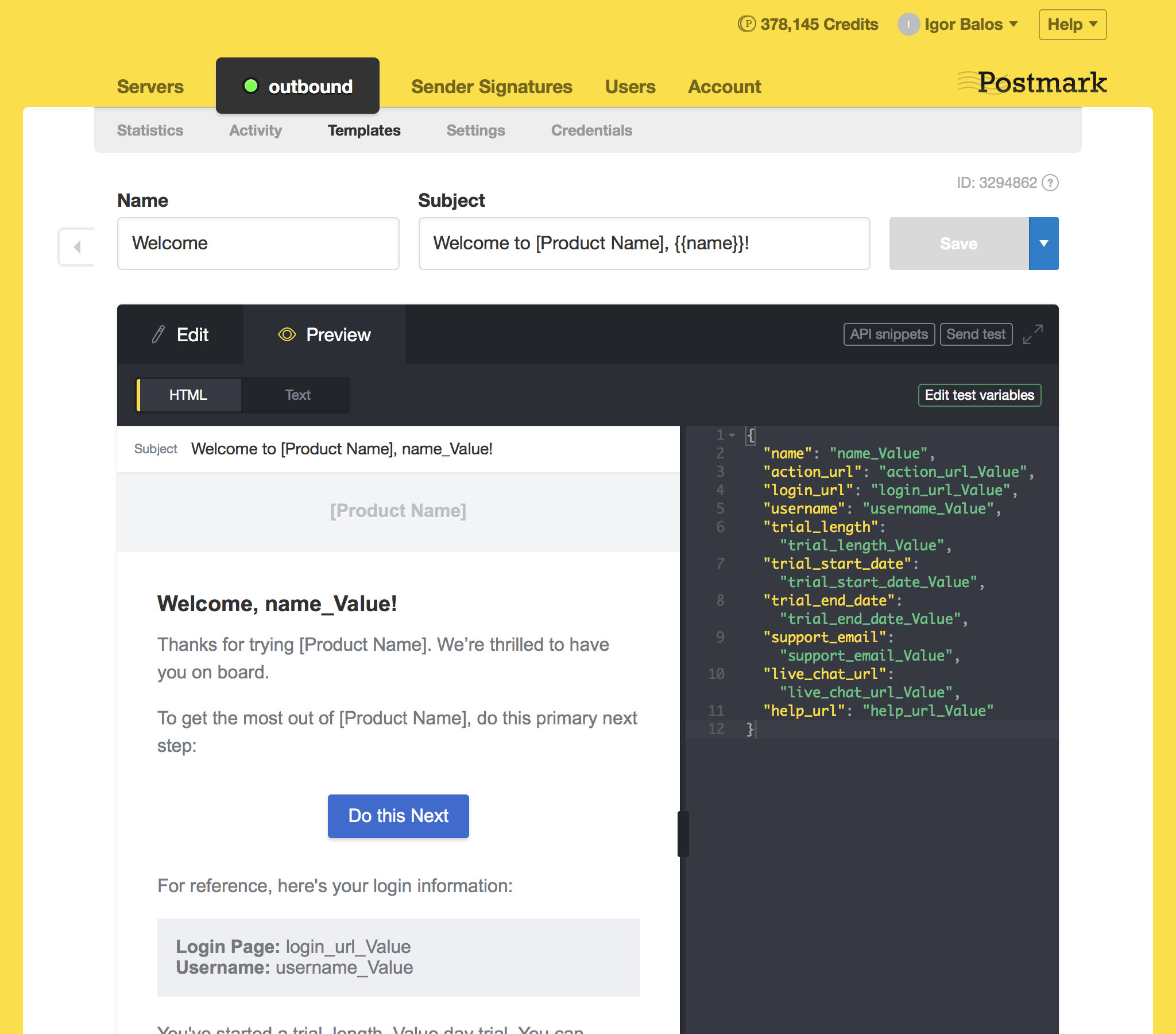
One feature I found genuinely useful is Message Streams. Being able to separate transactional emails from other types of traffic makes it easier to protect deliverability and keep things organized. Combined with detailed email delivery diagnostics, I had clear visibility into what was happening with each message–whether it was delivered, opened, or ran into issues.
Postmark also keeps full message content for 45 days, which came in handy when I needed to debug or verify what was actually sent. That level of retention isn’t something every provider offers by default.
That said, the scope is intentionally narrow. There are no marketing automation tools or campaign features here–this is strictly about transactional email sending. If I needed newsletters or customer journeys, I know which side I’d go for in the Postmark vs Resend showdown.
Key Features
- Separate streams for different email types
- Extensive log retention
- Real-time webhooks for delivery events
- Developer-friendly API & SMTP
Pros & Cons for Transactional Use
Pros
- Industry-leading deliverability
- Message Streams separate transactional from promotional emails
- 45-day message retention with full content
- Strict sending policies protect sender reputation
- Detailed delivery diagnostics
Cons
- Higher per-email costs than bulk providers
- Narrow focus means you might need other tools
- Learning curve for advanced webhook features
- No unified marketing automation
- Expensive overages
Pricing
Free plan is available for up to 100 emails/month. Paid plans start at $15 per month for up to 10,000 emails/month. Additional emails: $0.25–$1.80 per 1,000 depending on plan.
Mailgun
Mailgun is a transactional email service built by developers, for developers. And it shows.

I tested it by setting up around 200 transactional flows (password resets, verification emails) using the REST API and SMTP relay. Setup took some effort and tweaking (around 2 hours in total), but once configured, sending was consistent. I also simulated high-volume bursts through repeated API calls, and delivery held up without noticeable delays (7.5 sec on average).
The webhook system stood out–I could track delivery, bounces, and failures in near real time, which made debugging straightforward. The documentation is detailed, with examples across languages, and the API scales from simple sends to more advanced routing.
I also tested inbound email parsing by routing replies into an app endpoint. It worked, but the setup felt somewhat rigid in how routes and domains are structured.
There are no marketing tools here–everything is code-driven. That makes it less accessible for non-technical users, and some features, like send time optimization, are locked behind higher-tier plans. In this case, there are Mailgun alternatives, such as Sender, you should take a look at.
Overall, it’s well-suited for teams that need control, event tracking, and high-volume transactional sending.
Key Features
- RESTful API with SDKs for Python, Ruby, PHP, Node.js, Java, and more
- Dedicated IPs with IP pools for reputation management
- Inbound routing and email parsing capabilities
- 30-day log retention (on paid plans)
Pros & Cons for Transactional Use
Pros
- Developer-friendly API with extensive documentation
- Handles high-volume email sending
- Inbound email parsing
- Strong webhook and event tracking
Cons
- Steep learning curve for non-technical users
- Inbound parsing setup has a structural limitation.
- Send time optimization feature locked behind priciest tier
Pricing
Free plan is available for 100 emails/day. Paid plans start at $15 per month for up to 10,000 emails/month, with price scaling according to email limits. Full access to RESTful email APIs and SMTP relays comes only with the Foundation plan ($35/month). Custom enterprise pricing available.
Twilio SendGrid
SendGrid is the enterprise workhorse that quickly made its name for reliable, scalable email sending.

Using SendGrid purely for transactional flows, the Node.js SDK had me sending test emails in under 15 minutes–one of the quickest setups of any provider I tested. The Python SDK took slightly longer due to some dependency quirks, but the documentation covered it without needing to go elsewhere.
That said, setup plays a big role in performance. Talking about shared IPs, I had to manually purchase a dedicated IP address on SendGrid’s console, then configure a separate IP pool in the dashboard–something that wasn’t prominently flagged during onboarding. However, I do have to say that their documentation on the whole setting up matter is nothing but great.
Another thing I ran into is the split between Email API and Marketing Campaigns. If you need both, they’re billed separately, and pricing can take some effort to fully understand.
Overall, this Resend alternative is designed for enterprise-scale sending, but that comes with a learning curve–especially for non-technical users–and more basic segmentation compared to dedicated marketing tools. If these features are big for your day-to-day emailing, there are solid SendGrid alternatives you’d rather go for.
Key Features
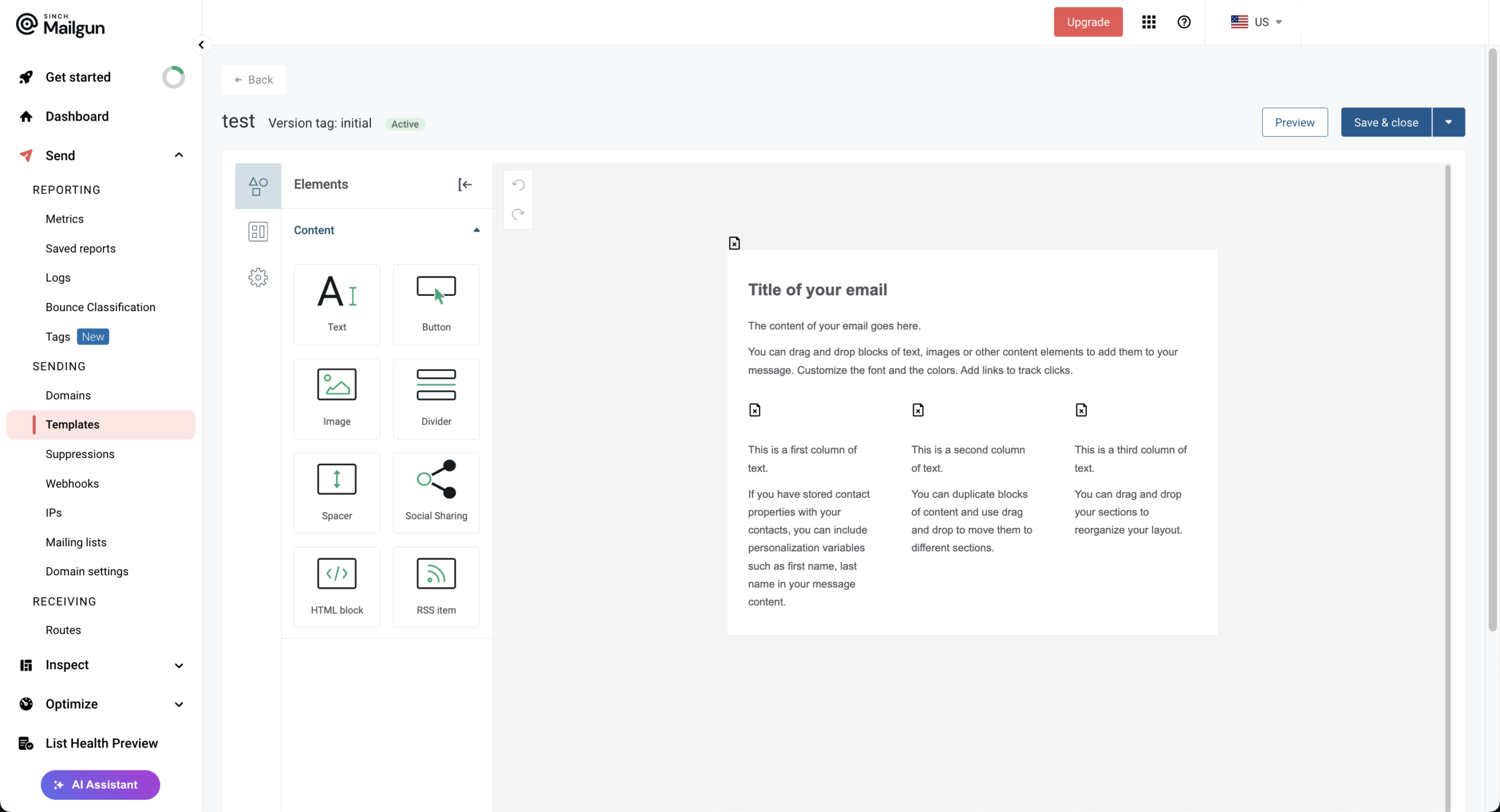
- Dynamic templates with personalization
- RESTful API available on all plans
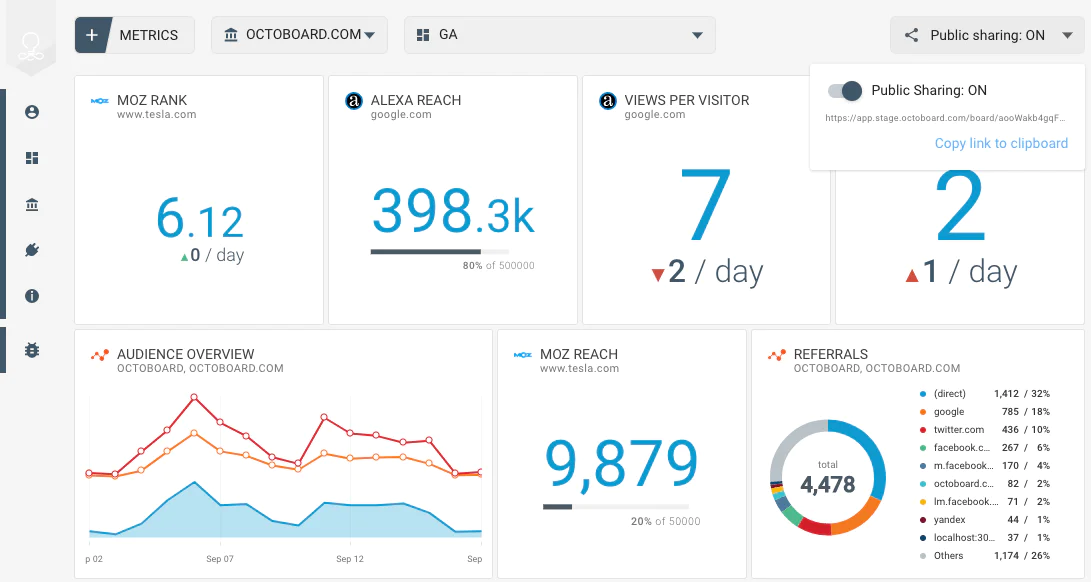
- Real-time analytics and webhooks
- Decent deliverability
- Email authentication
- Dedicated IP options (on higher plans)
Pros & Cons for Transactional Use
Pros
- Massive infrastructure (100B+ emails/month)
- Separate Email API and Marketing Campaigns products
- Extensive integrations and libraries
- Enterprise-grade scalability
Cons
- Occasional shared IP deliverability issues
- Marketing and transactional billed separately
- Basic segmentation compared to dedicated marketing tools
- Steep learning curve for non-technical marketers
Pricing
Free trial is available for up to 100 emails/day for 60 days. Paid plans start at $20 per month for up to 50,000 emails/month. If you want a dedicated IP option, you’ll have to go with the Pro plan starting at $90/month (starting with 100,000 monthly emails and going up).
Amazon SES
Amazon SES positions itself as a highly cost-efficient option for transactional email, particularly at scale.

I tested Amazon SES as a transactional email solution with a focus on cost and control, and the pricing stands out immediately. At around $0.10 per 1,000 emails, it’s one of the lowest-cost per bulk options I’ve worked with at scale.
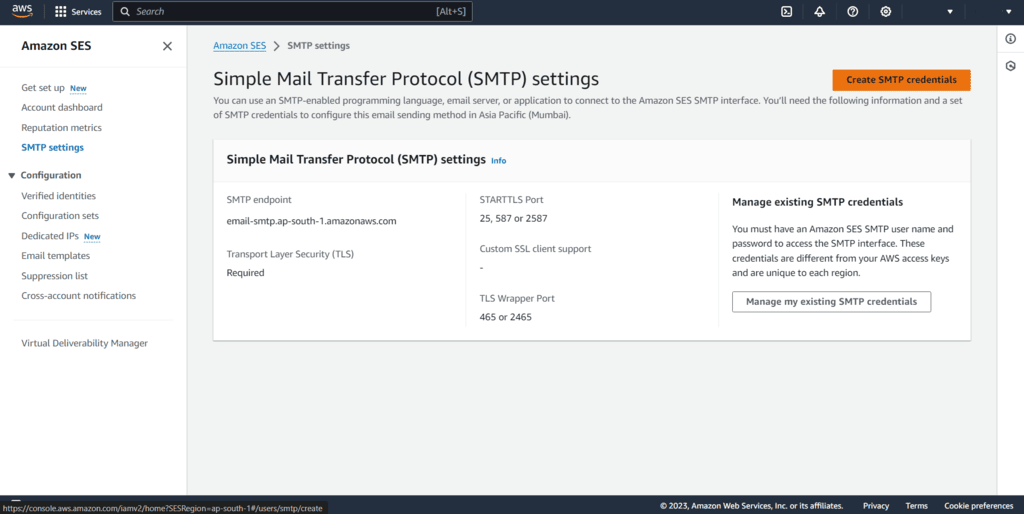
To evaluate it, I set up transactional flows (password resets and system alerts) using both the API and SMTP. Delivery was consistently reliable, which isn’t surprising given AWS infrastructure. If you’re already using AWS, integration feels natural–I tied it into CloudWatch for basic monitoring and used IAM for access control.
That said, most of the setup happens outside SES itself. There are no built-in dashboards or template tools, so I had to configure logging, tracking, and alerts through other AWS services. It works, but it adds an additional hour of configuration (depending on your mileage with configuration).
Another limitation I ran into early: new accounts start in sandbox mode. During testing, I had to verify recipients and request production access before sending at scale.
Overall, this Resend gives full control and very low costs, but it assumes you’re comfortable managing email infrastructure and piecing together your own tooling.
Key Features
- High deliverability
- Dedicated IP options with managed warm-up
- Email receiving and processing management
- Virtual Deliverability Manager for monitoring
- Built-in SPF, DKIM, and DMARC
Pros & Cons for Transactional Use
Pros
- Lowest cost at scale ($0.10 per 1K emails)
- Tight AWS ecosystem integration
- Highly reliable infrastructure
- Full control over sending configuration
Cons
- Requires technical setup and infrastructure management
- Limited built-in tooling (monitoring, logs require AWS services)
- New accounts are initially placed in a sandbox mode with restricted sending limits
Pricing
Free tier is available for up to 3,000 messages/month for 12 months. Amazon SES prices start at $0.10 per 1,000 emails. Data transfer and additional services are billed separately.
Zoho ZeptoMail
ZeptoMail is a transactional-only email service, designed specifically for sending system and event-triggered emails without mixing in promotional traffic.

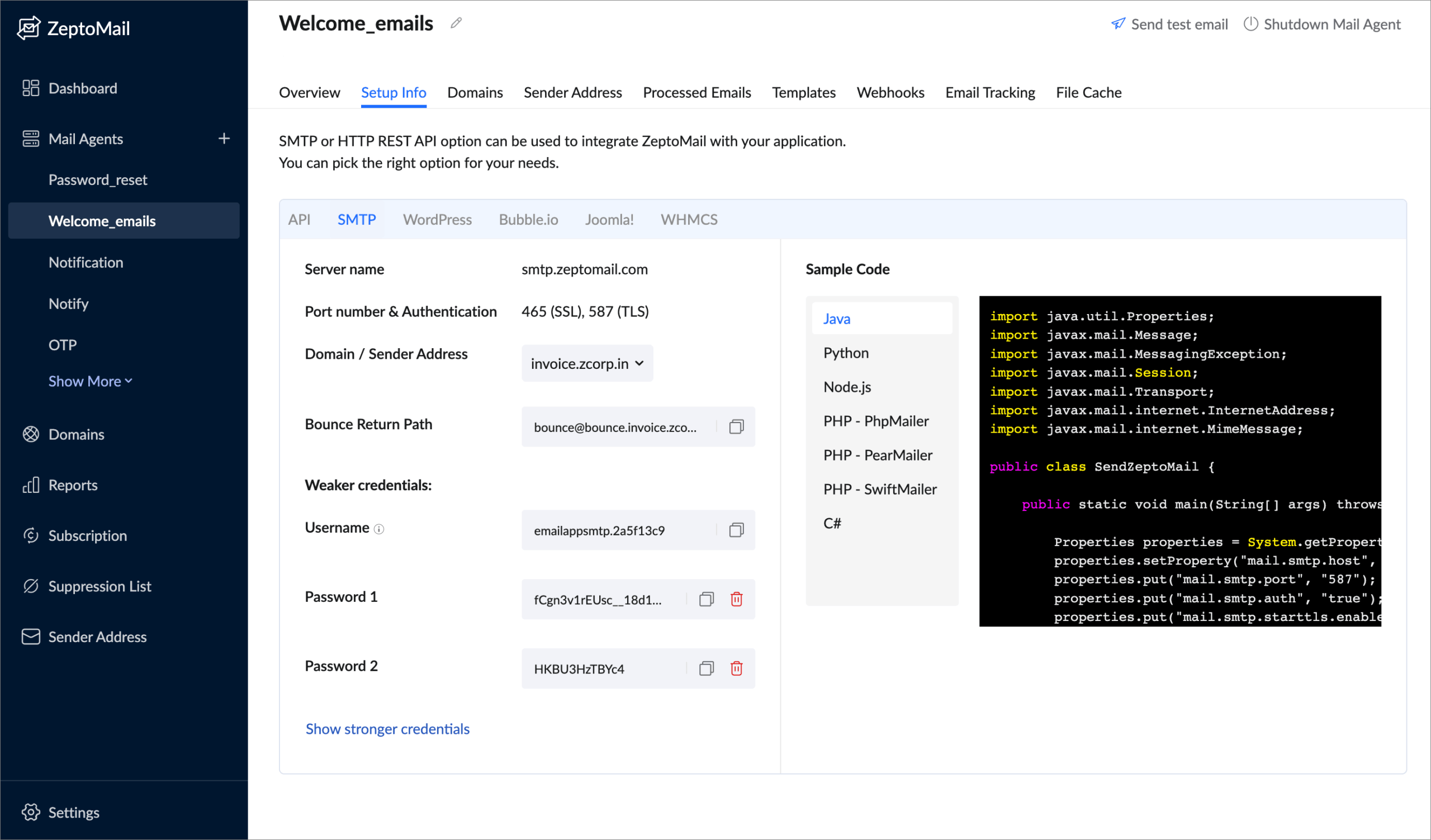
In testing, I set up separate Mail Agents for different types of system emails (account alerts vs. order updates). This separation made it easier to manage reputation and monitor performance across streams without overlap. I also tried both SMTP and API sending–both worked as one would expect them to work, with the API offering more control for structured workflows.
The platform includes useful tools for testing and monitoring. When one of my test sends to a verified address failed, the delivery log showed the exact rejection reason–in this case a DNS misconfiguration on my end–without needing to dig through external tools or open a support ticket.
The pricing model, meanwhile, is credit-based. This worked well when my sending volume fluctuated rather than staying consistent month to month.
That said, support response times were slower than expected during setup, and integration options outside the Zoho ecosystem felt somewhat limited.
Key Features
- Mail Agents for segmenting different email types
- SMTP and API integration options
- WordPress plugin for direct integration
- Pre-built templates for common transactional emails
- Suppression list management
Pros & Cons for Transactional Use
Pros
- Transactional-only focus protects reputation
- Clean separation via Mail Agents
- Useful testing and monitoring tools
Cons
- Support response times can be slow
- Limited third-party integrations
Pricing
A 30-day free trial is available for up to 10,000 emails. Credits start from $2.50 per 10,000 emails (1 credit = 10,000 emails). No monthly subscription required. Dedicated IPs available as an add-on for $30/month (when opting for annual plan).
MailerSend
MailerSend is yet another transactional email service with a relatively user-friendly interface.

Using this Resend alternative, I could feel the influence of the MailerLite team in how approachable the platform has become.
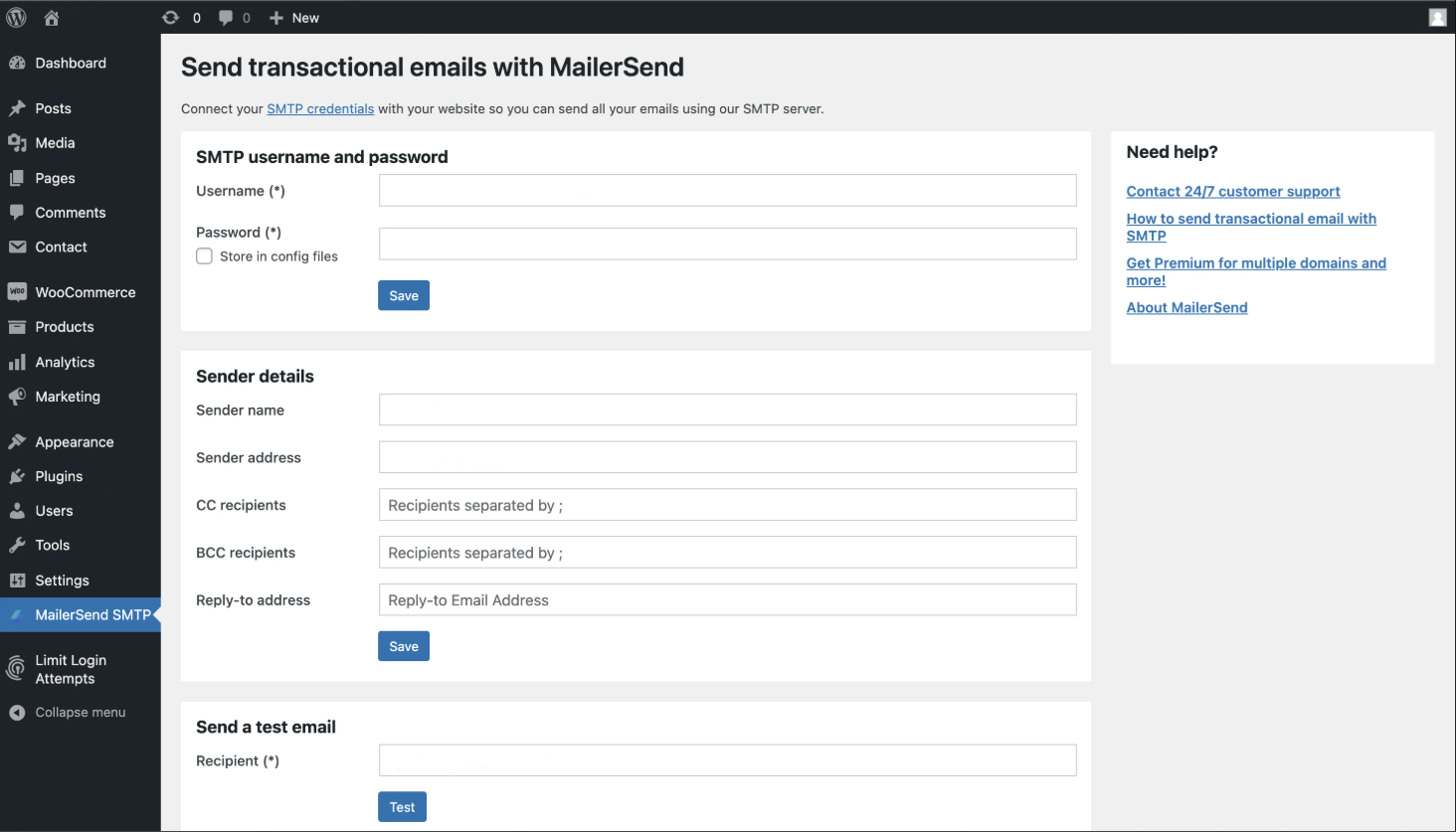
To test it, I set up a few transactional flows–password resets and account notifications–using their API. The documentation was clear, and I had a basic password-reset flow running in around 20 minutes using the REST API–faster than most providers in this set, partly because the automatic domain verification cut out the usual wait for DNS propagation to confirm.
I also tried the template builder to create branded system emails. It’s simple enough for non-developers, so I could see teams outside of engineering handling templates without needing code.
At the same time, webhooks and real-time analytics gave me visibility into delivery and engagement. The webhook fired within a few seconds with a clear bounce classification, and the analytics dashboard reflected the failure immediately–no log-diving required.
The main limitation I ran into was the smaller free tier–500 emails per month doesn’t go far for testing. That limitation aside, there’s no reason why you shouldn’t give this Resend alternative a go.
Key Features
- Drag-and-drop template builder with 90+ content blocks
- SMTP and RESTful API
- A/B testing for transactional emails
- Automatic domain verification
- Suppression list management
Pros & Cons for Transactional Use
Pros
- Developer-friendly API and documentation
- Automatic domain verification
- 24/7 human support on all plans
- Transactional SMS support included
- Real-time analytics and webhooks
Cons
- Free tier reduced to 500 emails/month
- Fewer enterprise-level features
- Younger platform, still expanding
Pricing
Free plan is available for up to 500 emails/month. Paid plans start at $6/month for 5,000 emails/month and 1,000 API requests, but with MailerSend branding on. Dedicated IP option comes with the Professional plan ($88/month). Additional emails: $1.20 per 1,000.
SparkPost
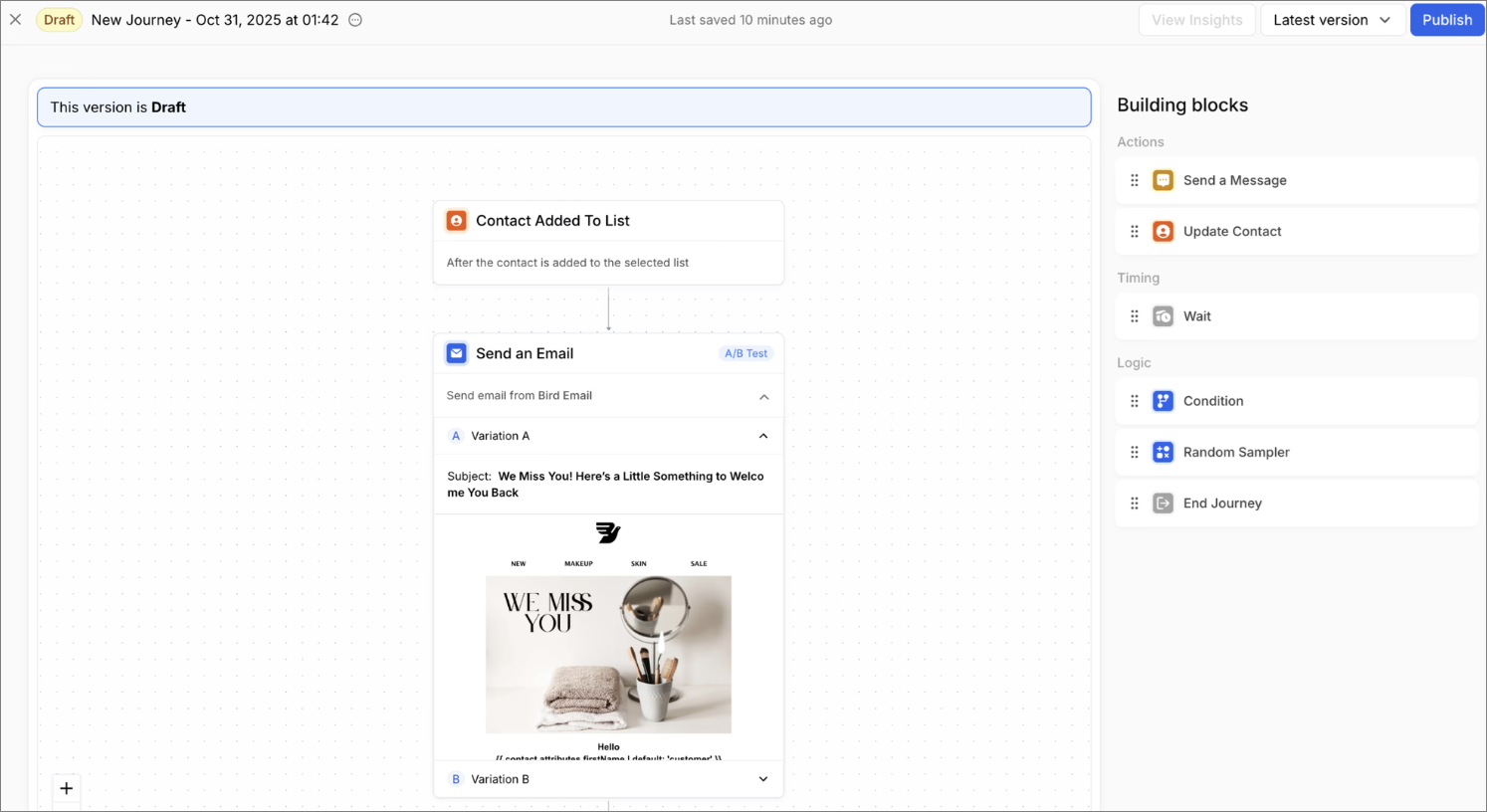
SparkPost (now part of Bird) positions itself as an enterprise-grade email infrastructure platform with a strong focus on deliverability and analytics.

Based on my hands-on testing, the standout is the level of visibility and control you get over deliverability. The Signals feature–its predictive deliverability analytics–goes beyond basic metrics. When I ran a batch of around 500 test sends, Signals flagged a dip in engagement rate before I’d even checked the delivery logs manually. It identified a cluster of addresses showing low open rates as a reputation risk, which prompted me to clean that segment before it affected the overall sender score.
It’s clearly built for scale. The infrastructure handled high-volume sending without hiccups, and the event tracking is extremely detailed. With webhooks, I was able to track delivery, opens, and failures in real time and plug that data directly into workflows.
That said, this Resend alternative is not exactly perfect. Message and event history retention (which is 10 days) felt shorter than expected for deeper analysis, especially compared to competitors like Postmark (which stores it for 45 days).
With the shift to Bird and broader repositioning, I’d double-check the current roadmap before committing.
Key Features
- Signals predictive analytics for deliverability
- Email Health Score and spam trap monitoring
- Dedicated IPs with IP pooling options
- Advanced template engine with snippets
Pros & Cons for Transactional Use
Pros
- Predictive deliverability analytics
- High-volume sending infrastructure
- Advanced event tracking and webhooks
- Strong ISP relationships
- Detailed bounce classification
Cons
- Limited message/event history retention
- High overage costs for additional emails
Pricing
Free plan is available for 500 emails/month (100/day limit). Paid plans start at $49/month for 50,000 emails.
So, Which Resend Alternative Is Right for You?
While Resend is a solid, developer-friendly option for basic transactional email, there are better alternatives for individual cases–especially as you need more control, scalability, or built-in features beyond sending.
Here’s a quick guide to give you a better understanding of which Resend alternative fits you most:
- If you need transactional + marketing in one tool → Sender
- If deliverability is your only concern → Postmark
- If you’re scaling to enterprise volume → Twilio SendGrid
- If you’re deep in AWS → Amazon SES
- If you want the lowest cost per email → Mailgun
- If you want transactional-only without monthly fees → Zoho ZeptoMail
- If you want advanced deliverability insights → SparkPost
Most tools on this list offer a free plan or trial–the fastest way to find your fit is to test the one that solves your biggest limitation with Resend.

even on the free plan.