


Brevo Review: Does It Live Up to the Buzz in 2026?
Capterra, G2, Trustpilot, and Reddit to create an objective evaluation. Learn more about our review methodology
Founded back in 2012, Brevo, formerly known as Sendinblue, has transformed from a simple email marketing platform into what they now call a comprehensive CRM suite. Serving over 600,000 customers globally, Brevo offers their platform in six languages, which is especially helpful for my international clients.
When people ask me ‘Is Brevo good?’, in most cases I say ‘yes’ because of its balance of functionality and simplicity. Not everyone needs the complex features of platforms like ActiveCampaign or HubSpot, and Brevo hits a sweet spot for small businesses that need effective tools without overwhelming complexity—something I’ll go through in this in-depth Brevo review.
Note: Brevo recently revamped its pricing structure in October, 2025, introducing new Standard and Professional tiers while reorganizing features across plans. The Free plan remains available but is now less prominently featured, and some tools like landing pages and popups have been moved to higher tiers.
What is Brevo?
Brevo is a well-established email marketing tool that combines email, SMS, chat, and CRM features into a single platform. It’s designed for businesses that want to manage customer relationships across multiple touchpoints instead of juggling separate tools—teams can centralize their marketing, sales, and support communications under one roof.
Its email builder is clean and approachable, offering templates, personalization options, and email automation workflows that adapt to customer journeys. Beyond email, Brevo makes it easy to launch SMS campaigns, manage WhatsApp messaging, or even embed live chat on your site—all while keeping the data connected.
Another great thing about Brevo is that its analytics are tied directly to email marketing campaign performance. It gives clear insight into how emails, texts, and interactions drive revenue and engagement.
Brevo Quick Summary
If you want a quick answer to ‘Is Brevo worth it?’, here’s our expert take for 2025:
- Features: Email marketing, SMS campaigns, marketing automation, basic CRM functionality, live chat support tools, and transactional emails—all within one unified dashboard.
- Pricing Structure: Brevo’s free account includes 300 emails/day and 2,000 contacts; paid plans start at $8/month with pricing based on your monthly email volume rather than contact count.
- Pros: User-friendly interface that doesn’t require technical expertise, surprisingly generous free plan, solid automation capabilities, integrated CRM that eliminates the need for separate tools, and responsive multilingual customer support.
- Cons: Limited template variety compared to design-focused platforms, occasional deliverability issues with shared IP pools, limited sales CRM, and not-as-advanced reporting tools that lack the depth found in premium Brevo alternatives.
- User experience: Clean, straightforward interface with logical email marketing campaign setup flow, though more advanced users might find email automation builder and analytics somewhat basic for sophisticated needs.
- Alternatives to Consider: Look at MailerLite if simplicity is your priority, ActiveCampaign if you need advanced automation capabilities, or Sender for a budget-friendly all-in-one marketing platform.
Scroll down for a detailed price and feature breakdown.
Brevo Key Features Review
Brevo’s email and multi-channel campaigns strike a solid balance between ease and functionality. The email tools cover newsletters, recurring sends, Email A/B tests, and dynamic content that adapts based on engagement. The drag-and-drop editor is beginner-friendly, though occasionally buggy, and the templates help speed up setup.
Beyond email, Brevo integrates SMS marketing, which works well for promos and transactional updates with flexible pay-as-you-go credits, though costs rise for international sends. WhatsApp expands options with media and personalized flows, while push notifications add real-time engagement.
Having email, push notifications, SMS marketing and WhatsApp campaigns all managed in one platform streamlines campaigns, making Brevo especially appealing to small and mid-sized teams.
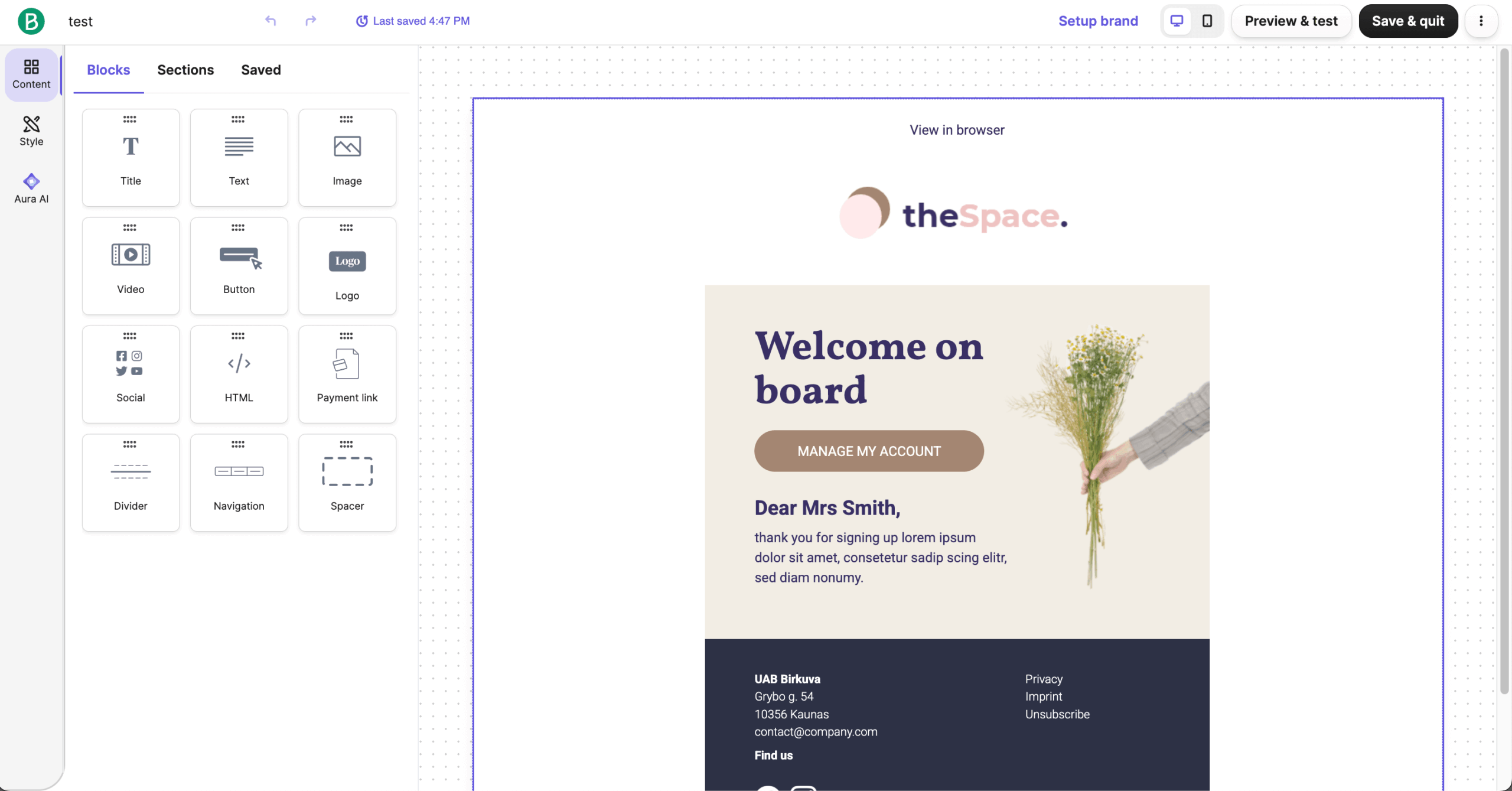
Email Campaigns
Having run dozens of email marketing campaigns through Brevo, the platform has proven straightforward while offering all the essentials. The platform supports standard campaign types, including one-time newsletters, recurring sends, and email A/B tests for optimizing subject lines and content.
The drag-and-drop editor isn’t the most advanced I’ve used, but it’s intuitive enough that users with zero technical skills can create professional-looking emails within minutes. However, it can occasionally be buggy—I’ve seen formatting issues pop up or changes not being saved as expected.
Where Brevo stands out is their dynamic content functionality. I was able to create marketing campaigns that displayed different destination recommendations based on previous engagement history—all within a single email template, which includes over 40 free templates to get your Brevo email marketing campaigns going
SMS & WhatsApp Campaigns
Brevo makes running SMS and WhatsApp campaigns simple and accessible. SMS marketing worked smoothly for promos and transactional SMS messaging, with automation and flexible pay-as-you-go credits (though international rates can get expensive).
It’s worth pointing out that for the US and Canada, a verified toll-free number is required to send SMS reliably, which adds an extra step during setup. The good news is that Brevo also supports transactional SMS via SMTP, making it easy for developers to trigger real-time messages from apps or websites.
WhatsApp, meanwhile, offers richer messaging with media, buttons, and personalized flows like cart reminders, but it requires Meta’s Business Account, and is subject to regional limits.
The interface is beginner-friendly, and the ability to manage email, WhatsApp and SMS campaigns together in one email marketing software streamlines multichannel marketing. While not flawless, especially with pricing and approvals, it balances affordability and functionality in a way that suits small to mid-sized teams.
Transactional Emails
When it comes to transactional emails, the make-or-break moment for most email marketing platforms, Brevo delivers. Password resets, welcome emails, and order confirmations usually go out instantly and land where they should.
Deliverability rate has been strong, hovering around 87% (close to what our friends at Emailtesttool.com reported as well), and it’s definitely improved since the last time (late 2023) I used Brevo.
Every now and then, an email might land in Gmail or Outlook’s spam folder, but that’s pretty normal. If you’re missing a feature or run into a hiccup, you can always tweak things using Brevo’s transactional email API to boost performance and tailor it to your needs.
Push Notifications
Using Brevo’s web and mobile push notifications has been a great way to add real-time engagement without much effort. I could send targeted messages even when visitors weren’t on my site, while the analytics made it easy to track sent, received, and clicked notifications.
That said, I’ve seen some quirks—like push settings lingering in WordPress even after deactivation. Overall, Brevo’s push notifications, while not exactly groundbreaking, do their function without unnecessary headaches.
Brevo Conversations
Brevo Conversations has fit seamlessly into my workflow, and a few things really stand out. The live-chat tool is available even on the free plan, making it one of the easiest and most budget-friendly ways to manage real-time responses.
Installation is quick and painless, and once the widget is live in your Brevo account, all conversations—from website chat to social DMs and WhatsApp—flow into a single inbox. Because it’s integrated with Brevo’s CRM, I can instantly see a visitor’s history and context during chats.
The built-in chatbot handles simple rules, FAQs, and lead capture, though it’s not as advanced as dedicated support platforms like Zendesk. Still, for small to mid-sized teams wanting streamlined, multichannel communication, Brevo Conversations feature is a noteworthy part of the package.
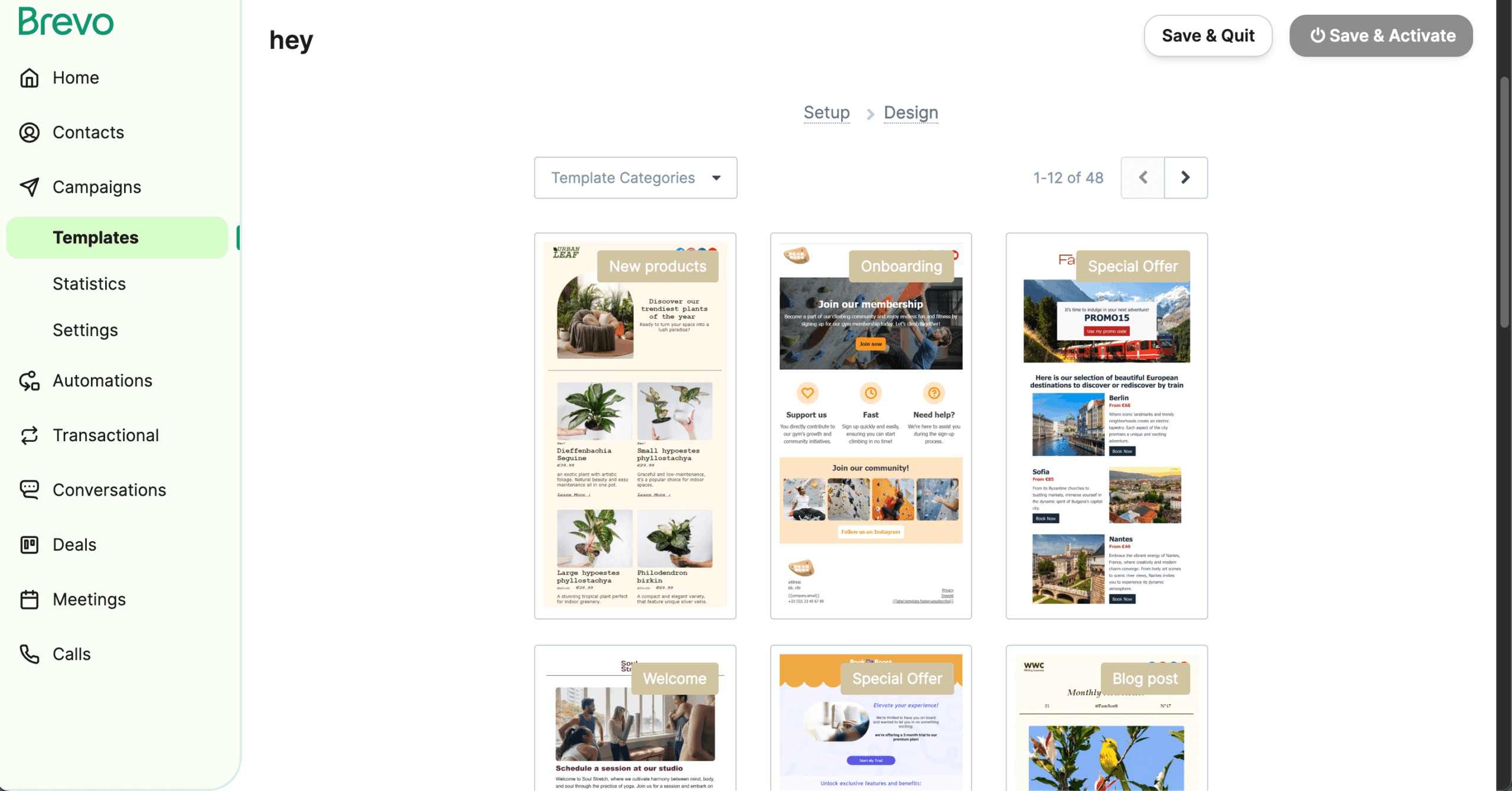
Brevo’s template library gives a decent starting point, with 40+ responsive designs covering newsletters, promotions, and confirmations. They’re practical and easy to tweak, but I’ve found them a bit basic and skewed toward ecommerce styles—especially when compared to email marketing solutions, such as Sender or Mailchimp.
The drag-and-drop editor makes customization quick, though it can feel limited with fewer block options than other platforms, prompting me to try out the much-recommended Postmark extension, which really opened up customization options. After that, you simply import the HTML into Brevo and voilà! You have yourself a slick-looking email marketing campaign ready for launch.
Brand Library Feature
Brevo’s Brand Library feature has been a real time-saver. Instead of manually reapplying logos, colors, and fonts every time I start a new email, I can store everything once and let Brevo auto-apply my branding across templates.
It keeps campaigns consistent and cuts down on design fiddling—especially helpful when juggling multiple client accounts or tight deadlines. Not a ground-breaking innovation, but one that definitely saves a truckload of time.
Built-in Image Editor
Brevo’s built-in image editor has been another pleasant surprise. I’ve used it the same way others do—cropping, resizing, adding simple text, or adjusting colors without leaving the email builder—and it genuinely speeds up campaign creation. While not exactly a novel feature, since Mailchimp and Omnisend already offer it, I’m glad Brevo decided to throw it in as well.
Like most email marketing platforms today, Brevo followed suit with a brand new AI helper. At this point, it’s difficult to tell if Brevo’s AI is any better than competitors’. It certainly handles first drafts and quick refinements well enough that I rarely start from a blank page anymore.
It also suggests send-time optimizations and basic segmentation ideas, though those features feel more “assistive” than fully automated.
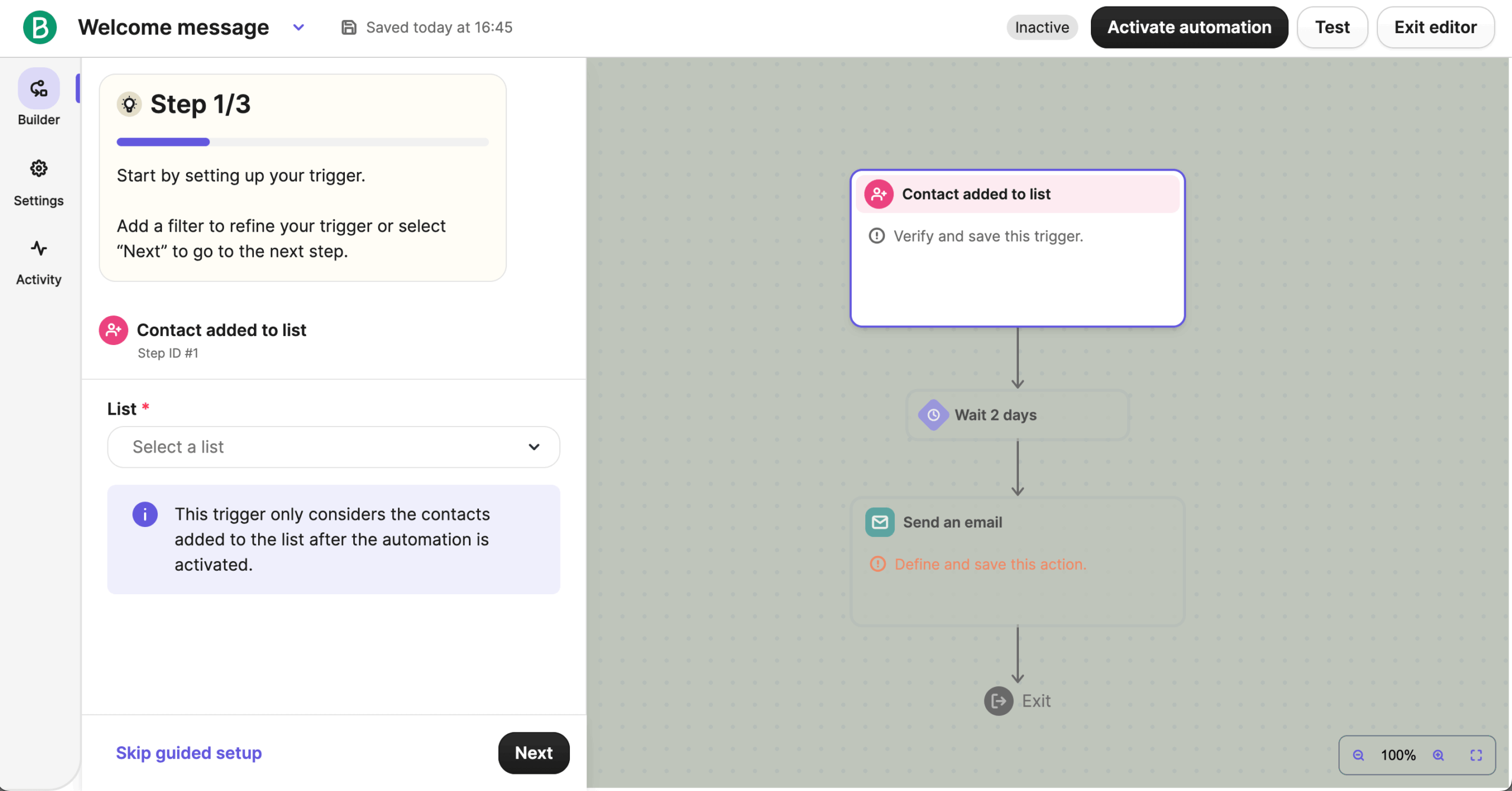
While not as sophisticated as dedicated platforms like ActiveCampaign, Brevo’s marketing automation builder handles the most common automation needs effectively.
The interface lets you build logical sequences triggered by specific subscriber actions—email opens, link clicks, website visits, or form submissions. The conditional paths weren’t as flexible as I might have liked—especially when paired with Brevo’s automation templates which do most heavy lifting for you—but they sufficiently handled the basic “if this, then that” logic needed for moderately personalized follow-ups.
Within each automation, you can personalize messages using tags, custom fields, or engagement metrics. The scheduling tools include delay blocks that help space your emails appropriately—crucial for nurturing leads without overwhelming them. Overall, email automation features offer a user-friendly, reliable foundation for streamlined yet personalized automated workflows.
I’ve been exploring Brevo’s CRM and sales features, and they’re impressively comprehensive for a free tool. Beyond deal tracking, Brevo’s contact management and segmentation features help centralize customer data and streamline personalized outreach—especially if you need multi-user access for teams handling sales and marketing together.
It’s worth pointing out that Brevo doesn’t sell itself as a full-on CRM platform, and it shows. For example, you can’t merge duplicate contacts, and the contact screen itself can’t be customized. As a result, the layout becomes cluttered and hard to manage when many custom properties are in use.
Of course, there’s plenty of native extensions like Zoho CRM or Facebook ad management integration that come to the rescue. But those expecting a full-blown CRM right out of the box will be disappointed.
Sales Pipelines
When I started using Brevo, the first thing that stood out was how easy it is to set up its sales funnel. Customizing deal stages, automating reminders, and generating basic sales reports felt straightforward, and having both pipeline views and forecasts gave me a clear snapshot of team progress.
Sales automation is a bit of a mixed bag, though: the visual workflows make it simple to trigger deal creation, tasks, and personalized follow-ups across channels, but advanced multi-branch logic and deep funnel analytics just aren’t there.
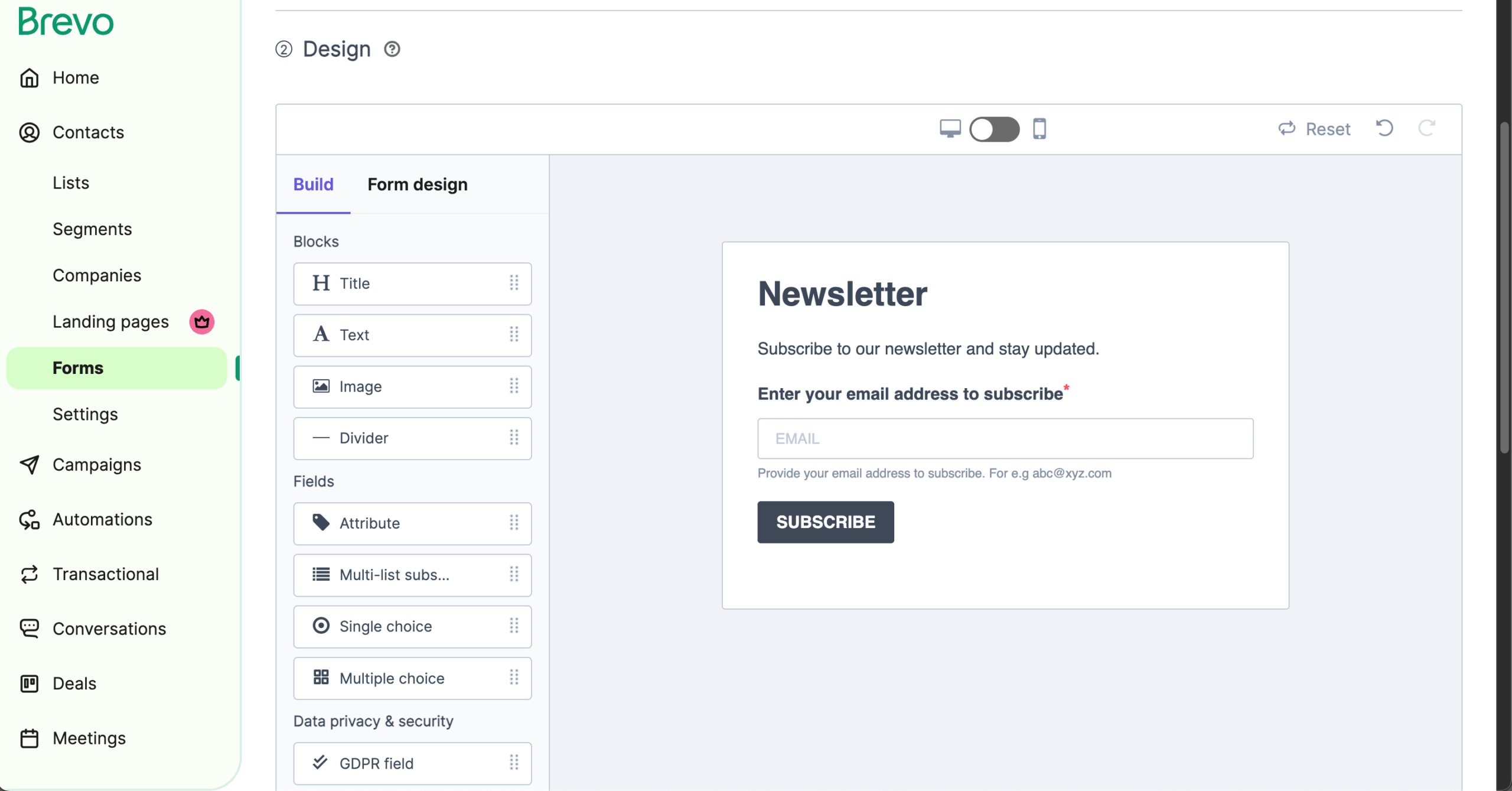
Lead capture is smooth thanks to the drag-and-drop form builder, which feeds new contacts straight into workflows, though you’ll spend a moment styling forms since there are no prebuilt templates. For more sophisticated tracking or sales intelligence, tools like ActiveCampaign or Sender still go further.
In my experience, sign-up forms are solid for capturing leads and feeding them straight into workflows. The drag-and-drop builder makes it easy to create custom forms, pop-ups, or full-page sign-ups, allowing users to enable double opt-in and include GDPR consent without any hassle.
I also liked that I can track submissions directly in the dashboard and see conversion trends, which helps me optimize campaigns. For more advanced tracking, however, I’ve added Google Analytics integration or Facebook Pixel scripts and sometimes captured UTM parameters through thank-you pages.
The only downside? There aren’t any pre-made styled sign-up forms, so you’ll have to spend a minute or two designing forms yourself.
In my experience using Brevo’s lead capture tools, the landing pages and forms work really well as funnels into personalized campaigns. The drag-and-drop landing page builder feels just like the email editor, so even beginners can get something up quickly.
The template library has plenty of options for things like webinars, lead magnets, or promos, which is an absolute time saver. Their step-by-step guides also deserve a shoutout for helping me out once or twice.
If there’s something that I wasn’t crazy about is the fact that you only get a single landing page on Brevo’s Starter plan, with additional 5 landing pages adding $24/month on top of your current billing. You get unlimited landing pages on the Professional plan, sure. But you’ll have to fork out $449/month for that luxury.
Having managed several client databases within Brevo, I’ve found their segmentation and personalization capabilities are good enough for most small to mid-sized businesses. The platform allows you to create dynamic segments based on standard criteria like email engagement, geographic location, subscription source, or custom attributes you’ve collected.
The personalization extends beyond just targeting the right segments—Brevo supports dynamic variables in both subject lines and email content. There’s also 10 pre-made segment templates to get you on the right track, from new subscribers to users who unsubscribed after specific email campaigns.
That said, there are some limitations I’ve noticed during my time with Brevo. While dynamic segments are easy to set up, more advanced filtering—like combining multiple behavioral triggers or creating deeply nested conditions—can feel limiting for teams for whom Brevo isn’t their first email marketing rodeo.
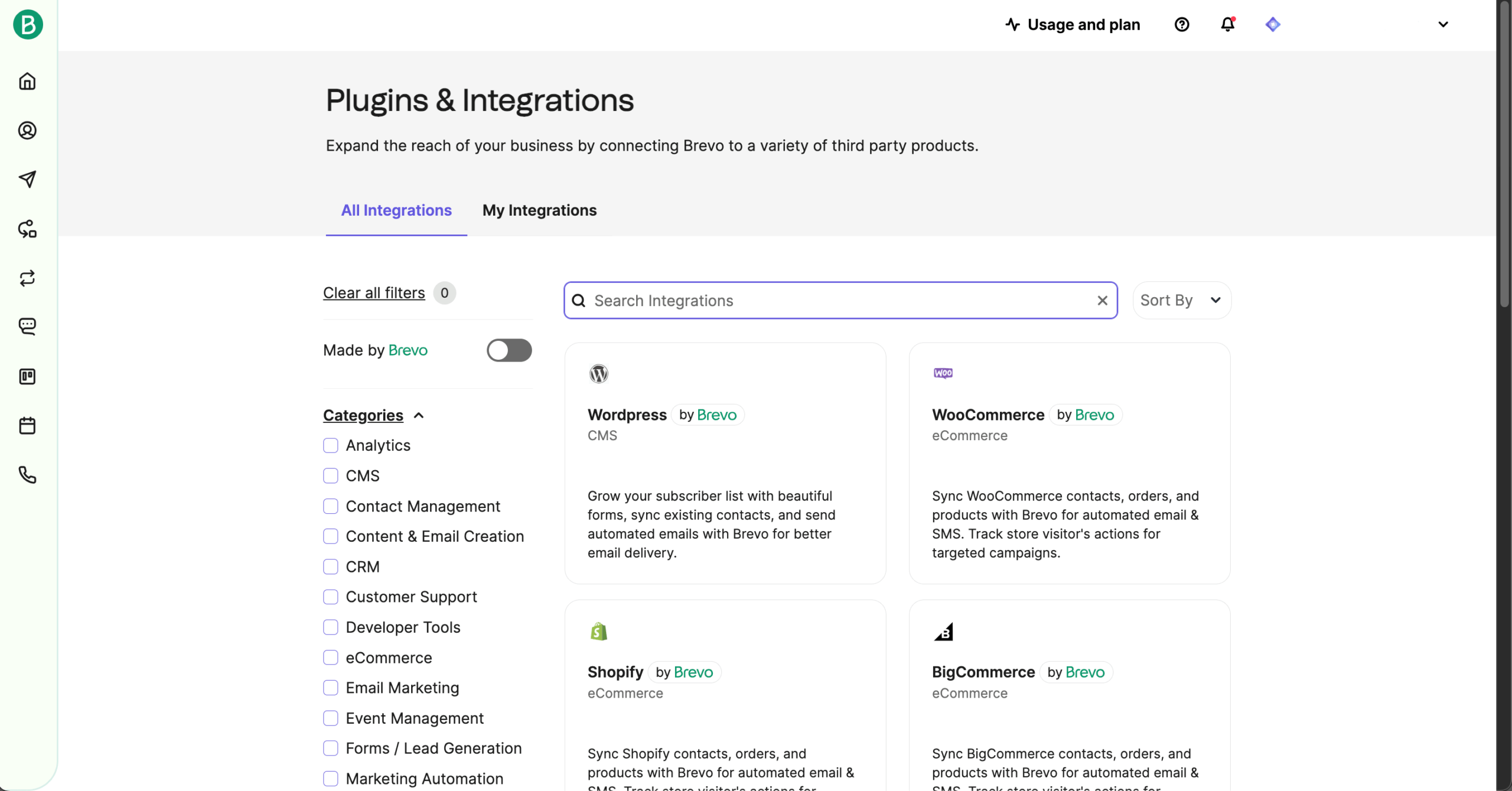
Based on implementing Brevo across various client tech stacks, I’ve found their integration capabilities cover most essential needs for small to mid-sized businesses. I was able to connect Brevo with popular tools like Shopify, WordPress, Salesforce, and WooCommerce, plus access to hundreds more through Zapier.
For more technical clients, Brevo’s RESTful API gives you the flexibility to build custom integrations when you need them. Developers will appreciate Brevo’s ability to handle transactional emails via API/SMTP.
It does take a bit of know-how to navigate, but the documentation is solid and really helpful. What I like most is how these integrations let you run genuinely behavior-driven campaigns—no more generic batch-and-blast emails.
Brevo’s email deliverability has been consistently solid in my experience, landing around 87% on average, which lines up with what I’ve seen across multiple campaigns. Most transactional messages—like order confirmations and password resets—go out instantly and reliably, and regular newsletters generally reach the inbox without major issues.
Every now and then an email may slip into Gmail or Outlook’s spam folder, but that’s fairly normal for shared IP pools. The platform’s built-in deliverability tools, warm-up guidance, and API/SMTP options make it easy to fine-tune performance if needed. Overall, it’s not the absolute best on the market, but for small to mid-sized teams, Brevo offers dependable deliverability with minimal fuss.
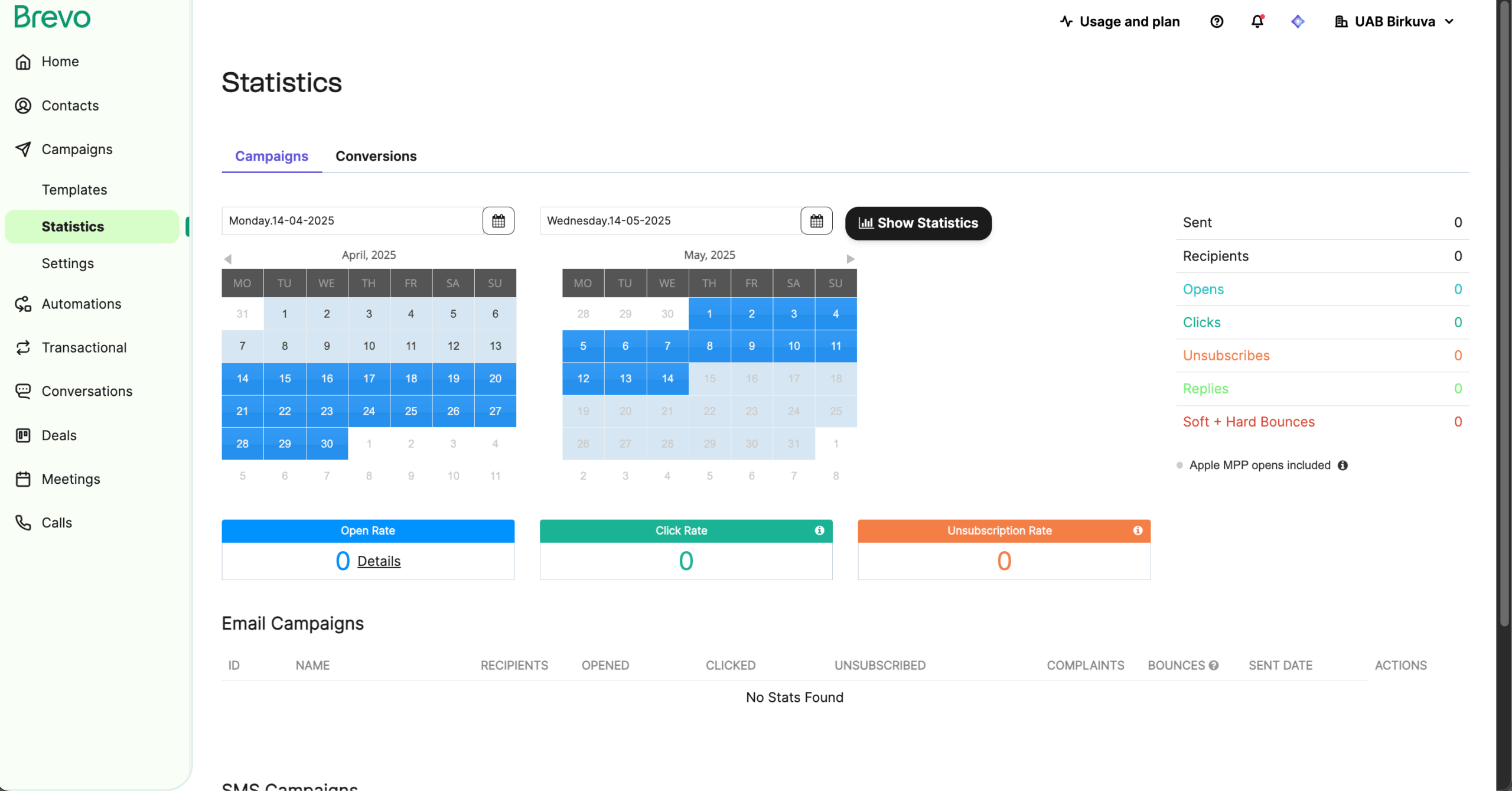
Having analyzed numerous campaign performances on Brevo, I find their reporting system provide clear, actionable insights without overwhelming users with excessive metrics. Whether with or without Google Analytics 4 integration, Brevo doesn’t disappoint in this department.
Each marketing campaign delivers real-time data on essential performance indicators: open rates, click-through rates, bounce rates, unsubscribes, and basic device analytics. The visual heatmaps showing which links received the most engagement have proven particularly useful for optimizing content placement.
For campaigns using personalization or segmentation, Brevo allows you to filter results by audience group to compare performance. And while Brevo doesn’t offer the depth of advanced reporting & analytics found in enterprise platforms, it provides deliverability monitoring tools and the metrics most small businesses actually need to improve their email performance gradually.
Having interacted with Brevo’s support team countless times while managing client accounts, I can attest to their responsiveness and knowledge.
What impresses me most is their practical approach to resolving issues. When I encountered deliverability problems with a time-sensitive campaign, the support team not only identified the cause but also provided actionable guidance on list cleaning and warmup practices to improve future performance.
For clients using more advanced features like multi-step automations or dynamic content, the support team provides helpful guidance on setting up campaigns and SMS marketing effectively.
The main drawback is that while support is available via live chat, email, and tiered phone options, response times can vary significantly depending on whether you’re on the Starter or Business plan—something that doesn’t sit well with me, no matter if it’s a regular practice among email marketing services.
One thing I really appreciate about Brevo Meetings is how it brings Calendly-style scheduling straight into the platform. You can set your availability, share a booking link, and let clients pick a time without endless emails. It even supports paid appointment booking, which is great if you offer consultations or billable sessions.
What makes Brevo Meetings even better is the fact that it’s completely free on all plans, including the Free tier. This means you can start taking bookings right away without paying for a separate scheduling tool.
Brevo Pricing Plans and Value
Free
Starter
Standard
Professional
Enterprise plan
$0 Forever free
From $8.08/month
From $16.17/month
From $449.08/month
Custom price
- 300 emails/day
- Up to 2,000 contacts
- Email campaigns
- Drag & drop editor
- Email support
- Brevo logo in emails
- From 5,000 emails/month
- From 500 contacts
- No daily sending limit
- Basic reporting & analytics
- Advanced segmentation
- AI content generator
- A/B testing (add-on)
- Remove Brevo logo (add-on)
- From 5,000 emails/month
- From 500 contacts
- Everything in Starter
- Marketing automation
- A/B testing
- Advanced email reporting
- AI send time optimization
- Web & event tracking
- 1 landing page included
- Multi-user access
- Phone support
- From 150,000 emails/month
- 2,000,000 contacts
- Everything in Standard
- Additional marketing channels (WhatsApp, popups, web & mobile push)
- Advanced commerce features
- AI segmentation & data analysis
- Contact scoringCustom dashboards
- Deliverability specialist support
- Dedicated IP option
- From 1M+ emails/month
- Unlimited contacts
- Everything in Professional
- Sub-account management
- Custom data integrations & objects
- Brevo Mobile Wallet
- Custom loyalty engine
- SSO & SAML
- Dedicated account manager
- Priority support & onboarding assistance
Brevo Pros and Cons
- Generous free plan with 300 daily emails and 100,000 contacts
- Built-in CRM and SMS/email tools in one dashboard
- Intuitive drag-and-drop editor with dynamic content personalization
- Built-in AI assistant for subject lines and content suggestions
- Native integrations with Shopify, WordPress, and major CRMs
- Flexible tools for building and tracking multichannel marketing campaigns
- Email template selection is limited and lacks advanced customization
- Reporting lacks advanced funnel tracking and revenue attribution
- Entry plan comes with Brevo branding on emails, and you have to extra $10.80/month to remove Brevo branding
- Automation builder lacks deep branching logic compared to top-tier tools
- Fewer prebuilt integration options than Mailchimp or ActiveCampaign
- Advanced features like A/B testing are only available on higher plans
Pros
Brevo feels like a platform built to keep things simple without holding you back. I loved how its drag-and-drop editor makes personalization easy, and the AI assistant is surprisingly helpful for sparking subject line ideas.
Having CRM and SMS tools built right into the same dashboard makes campaigns feel more connected, and its native Shopify and WordPress integrations saved me setup time. The free version is generous enough to test real campaigns, and the tracking tools made it easy to see what worked across channels. For an all-in-one solution, Brevo strikes a great balance between usability and capability.
Cons
Brevo isn’t without its rough edges. The email template library feels a bit sparse, and customization can be limiting if you like to fine-tune every detail. I also found the reporting a little basic—there’s no advanced funnel tracking or clear revenue attribution, which makes it harder to tie campaigns to sales.
The automation builder works well for simple flows but lacks the deep branching logic you’d find in higher-end platforms. Integrations are solid but not as extensive as competitors like Mailchimp or ActiveCampaign. And if you want features like A/B testing, be ready to upgrade—many advanced tools are locked behind higher-tier plans.
Recent pricing restructuring has also made the platform less accessible for tight budgets—landing pages and popups are no longer available on entry-level plans, and the new Professional tier, starting around $500/month, creates a significant jump for growing businesses.
Is Brevo the Right Choice for Your Business?
Best For
Not Great For
Small Businesses & Freelancers
Affordable and simple for basic marketing needs.
Big Enterprise Teams
Missing the permissions and customization options needed for large, complex organizations.
Ecommerce Startups
All-in-one CRM, SMS, and email without technical headaches.
Data Nerds
Limited reporting and attribution make deep performance analysis tough.
Agencies with Small Clients
Easy collaboration, multi-language support, and simple automation for managing multiple accounts.
Companies Needing Lots of Integrations
Smaller integration options might require workarounds or Zapier.
Who Brevo is Best For
Brevo really works well for small to mid-sized businesses, freelancers, and ecommerce brands just getting off the ground and looking for email marketing software. Brevo for small business makes a lot of sense too, because you get email, SMS, CRM, and automation tools without enterprise-level costs.
The campaign builder is straightforward, and features like personalization and segmentation make it pretty easy to launch targeted campaigns without a PhD in marketing tech.
If you’re watching pennies but want something that can grow with you, their pricing is actually quite reasonable—the free plan gives you enough to get started, and the paid tiers won’t destroy your budget.
Who Should Consider an Alternative
You should look for Brevo alternatives if you’re a larger enterprise, a marketing data geek, or running a complex tech stack. Their integration ecosystem is growing but still pretty limited compared to the big players like HubSpot or ActiveCampaign
The reporting is OK for tracking basic stuff, but falls flat when you want multi-touch attribution, customer journey mapping, or deep behavioral insights.
Automation is user-friendly but not built for complex logic or predictive targeting. And bigger teams might get frustrated by the lack of detailed user permissions or workflow controls, which can make coordination harder.
Additionally, if you’re a budget-conscious startup that needs landing pages or popups, Brevo’s recent pricing changes may push essential tools out of reach on lower tiers.
Brevo User Testimonials and Reputation

Brevo reviews on G2 often highlight its ease of use and practical feature set, especially for small teams. One Brevo review appreciated the unified inbox that brings WhatsApp, email, and social DMs together, while another pointed out that its drag-and-drop automations make setting up onboarding flows quick without any help from support. The built-in CRM and clear dashboards for managing credits and sends are also frequently praised.
On the downside, one detailed Brevo review noted that Brevo’s documentation and analytics can feel limited, also noting occasional deliverability issues.
Many Capterra Brevo reviews highlight the platform’s affordability and scalability, especially for smaller businesses or creators just starting out. The free tier provides enough volume to get going, and users appreciate that paid plans kick in at a logical point of growth rather than too early. One Brevo review praised how it ties together email marketing, automation, and CRM in one platform.
However, there are some nuisances users aren’t happy about. One negative Brevo review noted that it isn’t always the easiest to learn—features like forms, automations, or contact attributes can be tricky, especially during editor transitions. Other Brevo reviews mention plugin bugs, UI refinement needs, and limited support options for complex technical issues.
Feedback on Reddit is pretty mixed, with some users calling it a practical choice and others describing frustrating experiences. On the positive side, one Brevo review was particularly satisfied with its generous free plan, built-in automation, and CRM features—making it attractive for small businesses or anyone already using it for SMTP.
However, several Brevo reviews report serious bugs with the drag-and-drop email editor, limited template options, and UI glitches that disrupted campaign building. While another Brevo reviewer found the API and documentation outdated, with broken links and inconsistent guidance that complicated transactional email setup.
Brevo Compared to Top Alternatives


Brevo vs. Mailchimp
Having implemented both platforms extensively, I can assure you that they serve somewhat contrasting needs. Mailchimp has evolved into a comprehensive marketing platform with extensive design capabilities, a vast template library, and a broad integration ecosystem.
On the other hand, Brevo provides a more straightforward value proposition with pricing that scales based on sending volume rather than contact count. So if you’re asking “which is better, Brevo or Mailchimp?”, the answer lies in what package is more appealing to you.
Brevo vs. MailerLite
MailerLite prioritizes visual design excellence with an outstanding drag-and-drop editor, clean newsletter templates, and attractive landing page options. Meanwhile, Brevo offers greater channel diversity by including built-in SMS, a basic CRM, and transactional email capabilities within a single platform.
If SMS marketing is a must-have, Brevo includes it natively, while Mailchimp requires third-party add-ons. At the end of the day, in the Brevo vs MailerLite debate the winner is decided by your business’s needs.
Brevo vs. ActiveCampaign
When it comes to Brevo vs ActiveCampaign, the platforms target fundamentally different segments of the email marketing spectrum.
ActiveCampaign functions as a sophisticated marketing automation platform with advanced CRM capabilities, predictive sending mechanisms, and intricate multi-step automation workflows. While Brevo delivers exceptional value for businesses seeking straightforward, affordable multi-channel marketing capabilities.
FAQs
Yes, Brevo is a solid email platform, especially for small to mid-sized businesses. It offers intuitive campaign building, robust segmentation, email automation features, and mostly reliable deliverability, all supported by useful integrations and real-time analytics.
While it may lack some advanced enterprise-level tools like predictive lead scoring or deep attribution modeling found in Sender, its ease of use and practical reporting make it highly effective for improving engagement and running targeted, behavior-driven email campaigns.
Brevo is relatively inexpensive because it focuses on delivering essential email marketing features without the overhead of enterprise-level extras. It offers a user-friendly platform with core tools like automation, segmentation, and reporting, while advanced features like AI-powered analytics or predictive lead scoring are limited.
However, certain Brevo alternatives, including Sender, match Brevo’s price while offering more advanced features found on enterprise email marketing solutions.
Yes, Brevo offers migration support through easy contact-import tools and integrations with platforms like Mailchimp and Sender. In some cases, Brevo can even automate parts of the migration process, such as transferring eligible automation workflows when switching to its updated automation editor, ensuring your settings and history are preserved during the transition.
Yes, Brevo is fully GDPR compliant and includes built-in tools to help businesses meet data-protection requirements. It offers features like double opt-in, consent-managed signup forms, clear data-processing agreements, and options for managing subscriber data (access, deletion, and portability).
Brevo also stores data in GDPR-compliant environments, ensuring personal information is collected and handled securely and transparently.
Brevo does have mobile-friendly options, but it does not have a single official Brevo app that covers all features like email campaigns, automation, and contact management.
However, there are official Brevo apps tied to parts of Brevo’s platform. For example, Brevo Phone (for calls) and Conversations by Brevo (for live chat and inbox management) are available on iOS and Android.
- Hands-on testing across multiple email marketing tools
- Fair comparisons using a unified evaluation process
- Insights verified with real user reviews from trusted sources
- No sponsorships or affiliate ties
- Clear, unbiased scoring and methodology
