


For most creators leaving Kit over its September 2025 price increase, Sender is the closest like-for-like replacement at a lower cost; Klaviyo wins for ecommerce and Beehiiv for paid newsletters.
If you’re paying Kit $150/month on annual billing for 25,000 subscribers and wondering whether that price is earning its keep, you’re not alone. Kit, still widely searched and referred to as ConvertKit by most of its users, raised Creator plan prices in September 2025, and that ConvertKit price increase is what made the math stop working for a lot of creators.
Kit remains a strong fit for creators selling digital products natively, but its pricing, email design constraints, and shallow ecommerce analytics push a lot of users toward newsletter platform alternatives once lists grow.
I tested 11 Kit alternatives, a category still searched more often as ConvertKit alternatives than under the new name, against a standardized 1,000-contact list.
Below is what each one does better than Kit, where each falls short, and who should switch.
Kit Alternatives: The Fast Verdict
I tested each platform on a standardized 1,000-contact list, then modeled how pricing and features scale to 50,000. Which is the right Kit alternative depends on the job:
- Creators under 10k subscribers: Sender – automation and custom event triggers on the free tier.
- Shopify ecommerce: Klaviyo – revenue attribution per email and real-time cart and browse triggers from store data.
- Transactional plus marketing: Brevo – both in one account on per-email pricing, replacing a separate Postmark or SendGrid stack.
- Multi-branch automation and integrations: ActiveCampaign – 135+ triggers, 200-step workflows, a built-in CRM, and 900+ integrations, the largest count tested.
- Like-for-like creator swap: MailerLite – tag-based segmentation, a 70+ block editor, A/B testing on every plan including free.
- Non-Shopify ecommerce: Drip – store triggers (first purchase, lapsed buyer, product viewed) on WooCommerce, BigCommerce, and custom stacks.
- Writers prioritizing discovery: Substack – cross-recommendation growth at a scale Kit’s Creator Network doesn’t reach, at the cost of branding control.
- Design-first creators: Flodesk – branded emails without HTML or template workarounds, now with a one-workflow free tier.
- Paid newsletters: Beehiiv – subscription infrastructure, referral programs, and the Boost network built in rather than bolted on.
- SMBs running events: Constant Contact – registration, ticketing, and reminder sequences native to the platform.
Stick with Kit if native creator commerce (digital products, paid newsletters, or recurring memberships) is a primary revenue channel. Kit charges 3.5% + $0.30 per transaction on all of it, on every plan including Free, through Stripe-powered checkout.
No alternative reviewed replicates that bundled creator suite natively, and none of them match the Creator Network either: free Recommendations place your newsletter in other creators’ signup flows, and Paid Recommendations on Creator+ pay you to promote other creators.
Kit Alternatives – Feature Comparison
| Platform | Automation | Ecommerce | Price at 25k | Free plan | Best fit |
| Kit | Visual builder with conditional branching, tag-based triggers | Native creator commerce (digital products, paid newsletters, memberships) | $150/mo (annual) | Yes (10,000, one basic automation) | Creators selling digital products directly |
| Sender | Conditional branches, click and custom event triggers | Shopify, WooCommerce product blocks | ~$82/mo | Yes (2,500 subs, automation included) | Creators, SMBs under 10k on a budget |
| Klaviyo | Advanced, predictive send, event-based | Shopify-native, revenue attribution | ~$400/mo | Yes (250 profiles) | Shopify stores over 5k |
| Brevo | Conditional branches, Standard plan and up only | Basic, transactional API on every plan | ~$26/mo (send-based, no automation on Starter) | Yes (300 emails/day) | High-volume or transactional senders |
| Mailchimp | 4 journey points on Essentials; branching on Standard | Shopify, WooCommerce via 300+ integrations | ~$270/mo | Yes (250 contacts, no automation) | SMBs needing marketing breadth |
| MailerLite | Visual builder: 3 automations Free, 50 on Comfort, unlimited on Power | Ecommerce blocks, no transactional email | $179/mo | Yes (250 subs, 2,500 emails) | Creators wanting A/B testing from day one |
| ActiveCampaign | 135+ triggers, branching, up to 200 steps, CRM | Store integrations via 900+ connections | $391/mo | No (14-day trial) | B2B lists needing automation plus CRM |
| Drip | Conditional branches, Shopify/Woo flows | Revenue attribution, non-Shopify stores | ~$369/mo | No (14-day trial) | Non-Shopify ecommerce, Klaviyo alternative |
| Substack | None | Paid subscriptions only | 10% of revenue | Yes (unlimited subs, unlimited sends) | Writers prioritizing discovery |
| Flodesk | Linear sequences, one workflow on Lite, unlimited on Pro | Shopify (customer sync, post-purchase, abandoned cart) | $149 | Yes (lead gen tools, segmentation, no email sending) | Design-first creators |
| Beehiiv | Linear sequences, basic drips, Scale plan and up | Paid newsletters only | ~$149/mo | Yes (2,500 subs, no automation) | Newsletter creators with paid tiers |
| Constant Contact | Basic drips, custom automation on Premium only | Shopify, native event management | Custom pricing | No (14-day trial) | SMBs running events |
How We Evaluated Kit Alternatives
I tested each of these email marketing services on its entry-level paid plan – or, where tiers don’t line up cleanly, the closest equivalent to Kit’s Creator plan.
Every account was loaded with the same standardized 1,000-contact list of subscribers who had opened or clicked a newsletter in the last 90 days. No contacts were purchased or scraped; the list came from an existing opted-in newsletter audience.
What I evaluated on each platform:
- Email builder (block library, template editing, mobile rendering)
- Automation depth – trigger types, conditional logic, and branching
- List and segment management
- Form builder and landing pages
- Deliverability, using third-party testing data
- Support responsiveness on the entry-level plan
- Customer reviews across G2, Capterra, Trustpilot, and Reddit
- Pricing model and how costs scale with list size
Deliverability testing. I relied on third-party benchmarks from GlockApps and EmailTooltester to measure inbox placement, spam-folder rates, and domain reputation. Campaigns were set up in-house with identical subject lines, send times, HTML, and seed lists across all nine platforms to keep variables consistent.
User reviews. I pulled recurring themes from G2, Trustpilot, and Capterra – ease of use, support quality, pricing transparency, and feature reliability. To avoid cherry-picking, I worked from patterns across a large volume of recent reviews and gave equal weight to positive and negative feedback.
What I did not test. Enterprise features (SSO, dedicated IPs, custom SLAs), high-volume SMS sending, and transactional email infrastructure beyond basic SMTP are out of scope. This review is aimed at SMBs, independent creators, and agencies running lists up to 50,000 contacts – Kit’s core audience.
Pricing methodology. All pricing is verified as of August 2026, shown in USD. Monthly and annual-billing prices are listed separately so you can see the annual-commit discount on each platform. Pricing pages change often – always confirm the current rate on the vendor’s site before subscribing.
For the full breakdown of our in-house testing process, see our methodology article.
Capterra, G2, Trustpilot, and Reddit to create an objective evaluation. Learn more about our review methodology
Why Consider Switching from Kit? (What Our Testing Confirmed)
Kit (formerly ConvertKit) fits a specific type of user well. In testing, three ceilings came up repeatedly that pushed certain creators and SMBs toward alternatives.
Email design constraints. Building a branded email in Kit’s editor hit a wall at custom fonts. Per Kit’s own help documentation, the platform doesn’t support loading custom fonts in emails – its documented workaround is rendering branded text as an image rather than as true font-styled text.
That leaves creators who care about typographic consistency either accepting web-safe fonts or treating every branded heading as an image asset.
Sender and Flodesk both produce branded emails with custom-font heading stacks through their visual editors without requiring image-based workarounds. For creators who update templates often, the cost compounds – each heading change is an image export, not a text edit.
Pricing at growing list sizes. Kit’s pricing scales steeply once you exit the free tier. On the Creator plan billed annually (verified August 2026), 5,000 subscribers costs $66/month, 25,000 costs $150, and 100,000 costs $466. Several platforms in this review cover 25,000 for $26–$149/month.
Unless Kit’s specific features are earning that premium back – through native commerce revenue, higher deliverability, or saved workflow hours – the gap is hard to justify.
For a full breakdown of how providers structure pricing at different list sizes, see our guide to the true cost of email marketing.
Analytics depth for ecommerce. Kit’s reporting showed open rates, click rates, and unsubscribes – but no revenue attribution, no per-link click heatmap, no product-level performance data. For a Shopify store owner whose list is a primary revenue channel, that means manual cross-referencing of Kit exports against Shopify analytics. Klaviyo and Drip surface ecommerce revenue data natively.
Where Kit holds its own. Its subscriber tagging system is the quickest to set up of any platform tested – new tags apply to segments in two clicks. Its native creator commerce features (digital product sales, tip jars, paid newsletters) aren’t matched by any alternative here. And the writing experience is clean and distraction-free for text-heavy emails.
11 Best Kit Alternatives Reviewed
Each review covers overview, testing notes, limitations, pricing, migration, and a Kit vs. [platform] verdict.
Sender — Email Automation Built for Growing Creators
Sender is the closest like-for-like replacement for Kit’s core workflow at a materially lower price, and the only platform tested that includes automation on its free plan.

Sender is an email marketing and automation platform aimed at creators, small ecommerce stores, and SMBs running lists up to around 30,000 contacts.
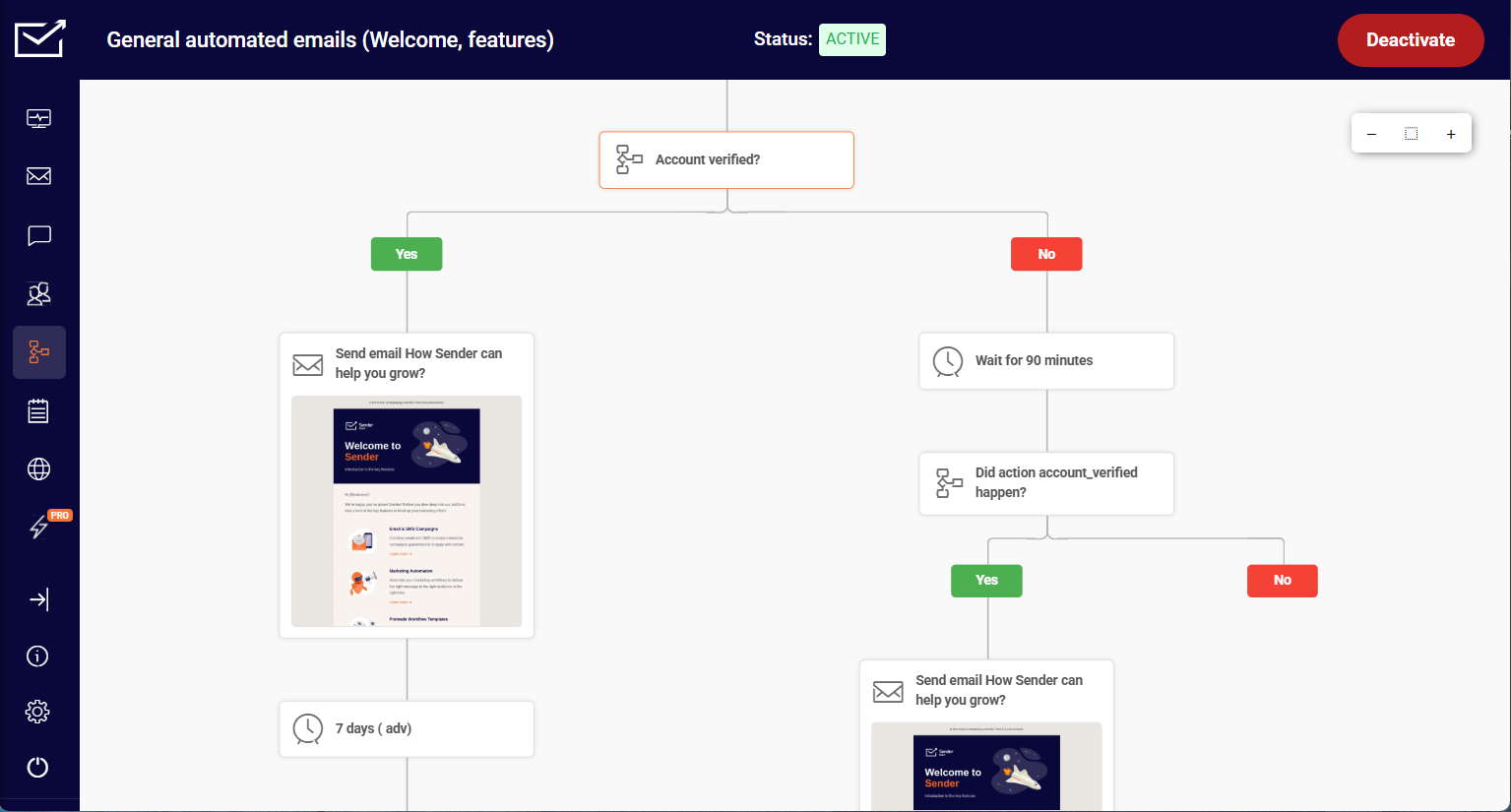
Custom events are the feature Kit users most often cite when they move here: you send an action from your own site, such as “Watched 50% of a Video” or “Renewed Subscription”, to Sender in real time and trigger an automation or build a behavioural segment from it.
It covers the core ESP workflow – broadcasts, automated sequences, signup forms, landing pages, list segmentation, and subscriber management – and its free tier includes automation up to 2,500 subscribers, which most competitors reserve for paid plans.
It’s built in-house by our team (see disclosure in the intro), so I’ve included it here with the same testing protocol as every other platform, and I’ve deliberately led with the limitations rather than the features.
On the 1,000-contact list, Sender’s drag-and-drop email builder produced a branded welcome sequence with custom-font headings through its visual editor, without needing the image-workaround Kit requires for typography. Automation setup matched Kit’s depth for linear and tag-based sequences.
One frustration worth flagging honestly: Sender’s editor autosaves aggressively, and during testing that autosave race-conditioned with a tag edit – I changed a tag, the autosave fired mid-change, and the tag reverted. Reproduced twice. The internal bug is filed; not patched as of this writing. A vendor review of its own product should flag that kind of thing.
Where it Falls Short
Automation branching hits a ceiling earlier than heavier platforms – multi-path journeys with nested conditions require workarounds that Klaviyo and ActiveCampaign handle natively. The integration library is smaller than Mailchimp’s or Brevo’s (around 90 direct vs. Mailchimp’s 300+), so niche tooling often routes through Zapier.
Pricing
The free plan runs to 2,500 subscribers and 15,000 emails a month with automation included, which is the deepest free tier of the eleven.
Paid rates at each list size are in the comparison table below, and annual billing reduces them further (see Sender pricing, verified August 2026).
Migration from Kit
Kit tags become Sender groups with similar relational logic, so the mapping is close to one-to-one. Budget half a working day for fewer than 10 automations.
Step-by-step instructions are in our migrate to Sender guide, including CSV mapping, group setup, and authentication.

even on the free plan.
Kit vs. Sender
For creators and SMBs under 10,000 subscribers who need Kit-equivalent automation at a lower price point, Sender covers the workflow at a meaningfully lower cost and has a free tier deep enough for production rather than evaluation.
For creators whose revenue comes primarily from Kit’s native commerce – digital products, tip jars, paid newsletter subscriptions – Sender doesn’t replace that; it’s an ESP, not a creator commerce platform.
Switch to Sender when you’re paying Kit for email delivery and automation you’re not fully using. Stay on Kit when the commerce features are earning their keep.
Klaviyo — Ecommerce Email Done Right
Klaviyo is the strongest choice if your subscribers are customers and you need revenue attribution, and the wrong choice if they are readers.

Klaviyo is built around a single assumption: your subscribers are also customers, and every email should be traceable to revenue. It’s aimed at online stores on Shopify, WooCommerce, and BigCommerce, not a pure newsletter tool, and it sits near the top of most ecommerce email platform shortlists for that reason.
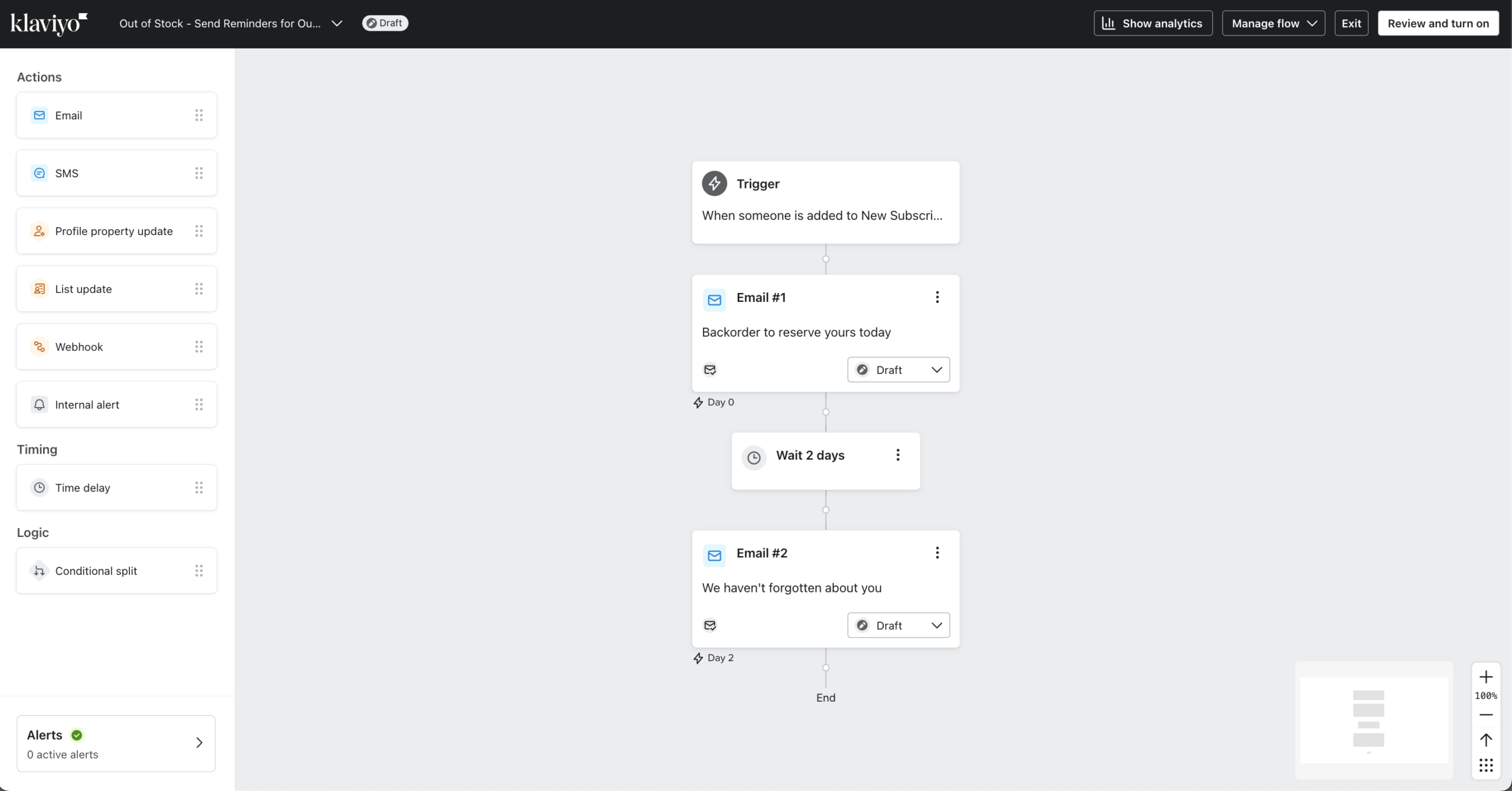
It layers on ecommerce primitives most alternatives treat as add-ons: product feeds, purchase-event triggers, revenue attribution per campaign, and a predictive suite (churn probability, next-order date, predicted CLV, all per-profile). That predictive layer is the one piece of advanced analytics here no other platform offers natively. Those predictions pull from 350+ integrations, second only to ActiveCampaign’s 900+.
I tested Klaviyo on a paid plan ($30/month at 1,000 profiles, verified August 2026 against Klaviyo’s public pricing) connected to a live Shopify development store, building a three-email abandoned cart sequence and benchmarking revenue attribution against real purchase events. The Shopify integration is real-time without webhook configuration, so abandoned cart and browse events fire directly from Shopify’s native event stream.
Revenue attribution surfaces orders and revenue per campaign on a default 5-day window (configurable, per their docs). Segmentation is the other feature hard to match elsewhere: compound conditions like “purchased product X within 60 days, received campaign Y, did not click, and predicted CLV above $250” build in minutes, a query Kit can’t express because it doesn’t track predicted values.
If you want to plan those audiences before you migrate, our guide to customer segmentation covers the logic that transfers across platforms.
Where it Falls Short
The template editor is the weakest part of the product: rigid blocks, CSS injection for custom fonts, and an interface built for promotional ecommerce layouts. Creators migrating from Kit expecting a design upgrade won’t find one, and the terminology (flows, profiles, metrics) takes time to internalize.
Active-profile billing is the structural cost problem: you pay for every reachable contact, and an unsuppressed profile stays billable for at least 90 days. That is also the split behind Klaviyo’s review spread, 1.8/5 on Trustpilot against 4.6 on G2 and Capterra, where billing complaints dominate the negative reviews.
One specific issue worth flagging: during testing, a segment built on a newly-created custom event property returned an empty result set rather than an error. Support confirmed via ticket that custom property indexing runs up to 30 minutes behind first event ingestion, a delay that isn’t in the help docs. If you’re debugging a segment that “should” have profiles in it, check that first.
Pricing
Free to 250 profiles and 500 sends a month; paid rates are in the comparison table. Billing is per active profile, so unengaged profiles count unless suppressed, and there is no annual discount. Reviews (from $25/mo), Marketing Analytics (from $100/mo), and Customer Agent AI (from $140/mo) are separate add-ons. (Verified August 2026, check Klaviyo’s current pricing.)
Migration from Kit
The challenge here is conceptual, not mechanical: Klaviyo organizes contacts as profiles with event histories rather than a tagged subscriber list, so segmentation has to be redesigned rather than mapped. Budget most of a working day.
ConvertKit vs. Klaviyo
For a Shopify, WooCommerce, or BigCommerce store over 5,000 contacts where email drives measurable revenue, Klaviyo’s revenue attribution, real-time purchase triggers, and flow logic justify the price premium.
For a creator selling digital products through Kit’s native commerce, Kit is more purpose-built and Klaviyo’s profile-based pricing bites faster: ~$400/mo versus Kit’s $150 at 25k, widening above that.
Switch to Klaviyo when your email list is a customer list, not an audience list. Stay on Kit when monetization happens through creator commerce.
Brevo — Transactional and Marketing Email in One
Brevo is the cheapest way to run marketing and transactional email from one account, provided you budget for the Standard plan, because automation is not included below it.

Brevo (formerly Sendinblue) is built for teams that need marketing campaigns and transactional email – order confirmations, password resets, receipts – in one account, with an SMTP relay and transactional API that most ESPs leave to separate tools like Postmark or SendGrid. SMS marketing, WhatsApp, and web and mobile push notifications run from the same account, eight channels in total.
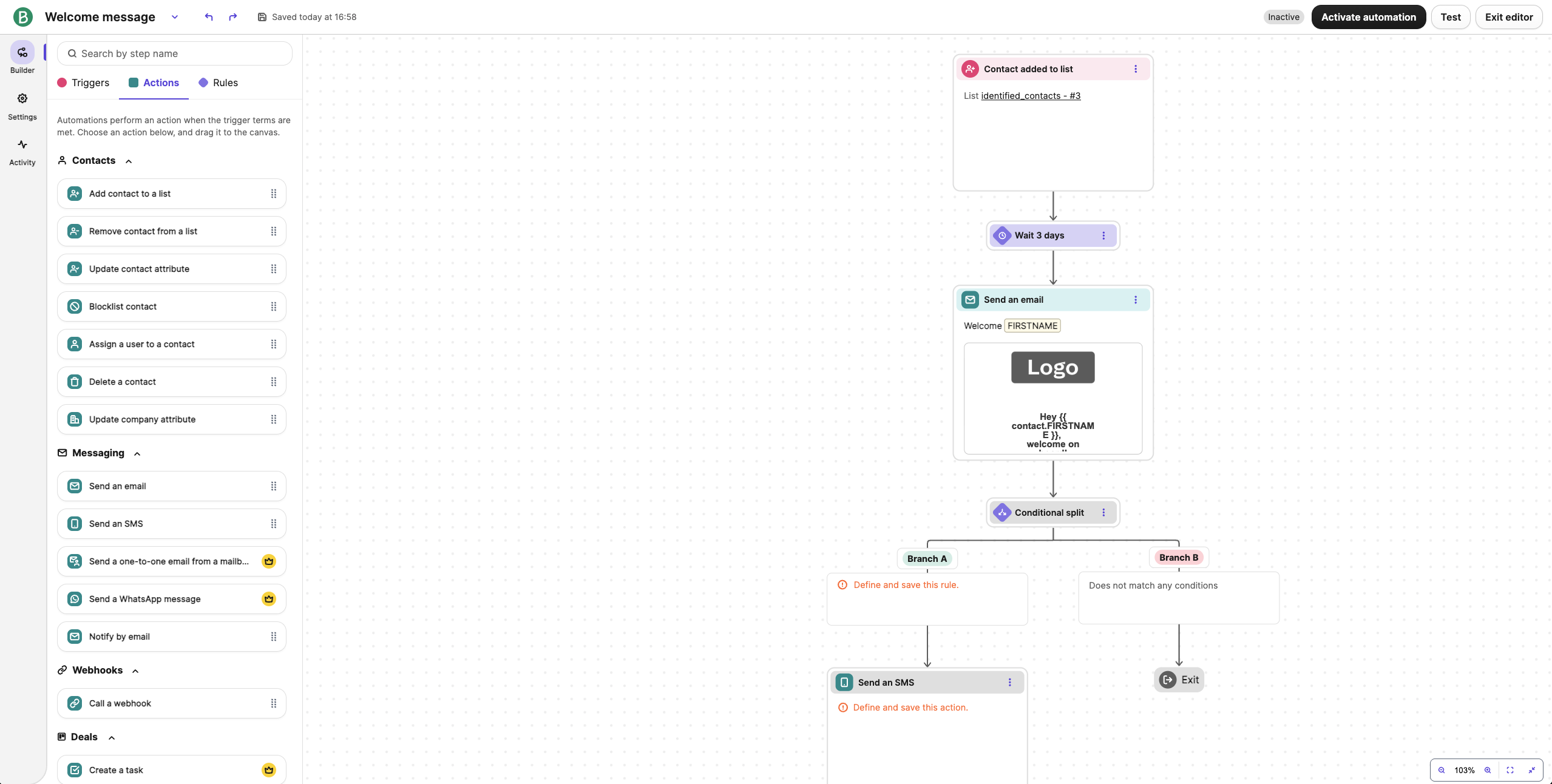
I tested Brevo on the Starter plan ($26/month for 20,000 emails, verified August 2026 against Brevo’s public pricing page) with the 1,000-contact list, building a welcome sequence and connecting the transactional API for order confirmation emails.
Pricing scales on emails sent rather than contacts stored, which flips the cost equation for low send frequency: a 25,000-contact list sending two campaigns per month costs $26 on Brevo versus $150 on Kit. If your stack pairs Kit with Postmark or SendGrid, Brevo collapses that into one bill.
Where it Falls Short
Automation features are excluded from both the Free and Starter plans. The welcome sequence I built required the Standard plan, which starts at $18/mo, so the $26 Starter figure above buys sending volume, not workflows. Budget for both tiers when you compare Brevo against Kit’s Creator plan.
Contact caps now apply on every self-serve plan, introduced in late 2025. Starter caps you at 500 contacts at the lowest volume tier; the 500,000-contact allowance only applies once you buy into the 20,000-email tier.
Brevo’s older “unlimited contacts” positioning is no longer accurate for any self-serve plan, and Capterra reviewers cite exactly this as the surprise that catches them out.
The email builder is functional but visually stuck: templates render correctly across clients, custom fonts need manual CSS. Branching works, but the workflow UI clutters once flows pass roughly 10 nodes. Support on Starter is email-only with 24-hour windows, and Trustpilot dropped from 4.4 to 3.9 between February 2025 and March 2026.
On deliverability, Brevo scored 70.6% in GlockApps benchmarking (checked December 2025), which puts it in the lower half of the platforms tested, with stronger inbox placement on Gmail than on Outlook and Hotmail.
Our guide to improving email deliverability covers the authentication work that moves that number on any platform.
Pricing
Free covers 300 emails a day with Brevo branding. Starter runs from $9/mo (5,000 emails, no automation, 500 contacts) to ~$26/mo for 20,000 emails and up to 500,000 stored contacts, and ~$65/mo at 100,000 emails.
Standard from $18/mo is the entry point for automation, A/B testing, and one landing page; Professional at $499/mo adds WhatsApp, AI segmentation, and phone support. Annual billing includes a discount; check Brevo pricing. (Verified August 2026.)
Migration from Kit
Kit tags become Brevo lists, but Brevo’s separate “attribute” system means some are better remapped as attributes, a judgment call per tag. Sequences rebuild on Standard or above. Plan on most of a working day, more if you’re also setting up transactional sending.
Kit vs. Brevo
For a business running Kit for marketing and a separate transactional service for system notifications, Brevo consolidates both and bills on send volume rather than list size. For a creator whose list is their entire email footprint, send-volume pricing offers no advantage over Kit and the editor will feel like a downgrade.
Switch to Brevo when you’re paying for two tools that could be one. Stay on Kit if marketing email is your only use case and template quality matters.
Mailchimp — The Established All-Rounder for Small Businesses
Mailchimp buys you marketing breadth and integrations rather than better email, and it costs more than Kit at the same list size once you need real automation.

Mailchimp started as a newsletter tool and expanded into an all-in-one platform for SMB marketing: landing pages, signup forms, basic CRM, social posting, audience insights. It’s aimed at small businesses that want email plus adjacent tools in one subscription, and it’s the default recommendation for anyone who’s never used an ESP.
The integration library covers 300+ direct connections including Shopify, Squarespace, QuickBooks, Canva, WooCommerce, and Salesforce for CRM integration, plus the Intuit financial data pipeline. That is broader than most platforms here, though ActiveCampaign’s 900+ and Klaviyo’s 350+ both count higher.
I tested Mailchimp on the Essentials plan ($45/month at 1,500 contacts, verified August 2026) with the 1,000-contact list. Setup speed is the main draw: account creation to first campaign is faster than on any other platform tested.
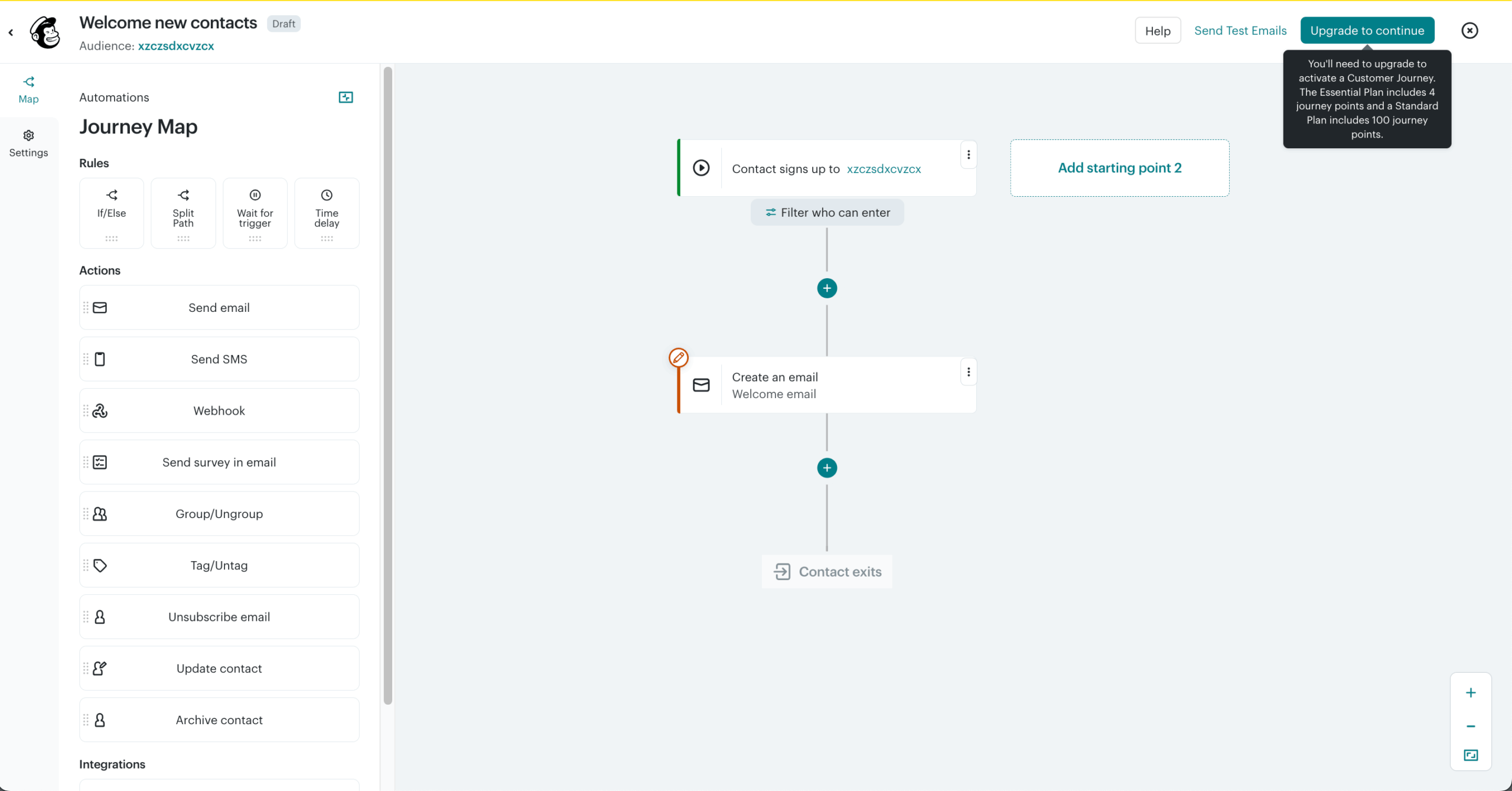
The tradeoff shows up in automation: “Customer Journey Builder” is featured heavily across Mailchimp’s marketing pages, but Essentials caps you at 4 journey points, a limit you only meet after designing a multi-step flow and hitting a paywall at publish. Recurring complaint across recent G2 and Trustpilot reviews; not documented clearly in Mailchimp’s own plan comparison. Our breakdown of Mailchimp’s pricing tiers maps which features sit behind which plan.
Where it Falls Short
Automation is gated behind tier upgrades. Essentials caps at four journey points; branching logic requires Standard, which runs ~$270/mo at 25k contacts and brings Mailchimp well above Kit’s Creator plan at the same list size.
The free plan is the thinnest in this roundup at 250 contacts and 500 emails per month, automation removed entirely, Mailchimp branding on every send.
Mailchimp also charges for unsubscribed and inactive contacts unless you archive them, and counts the same subscriber on three lists as three contacts unless deduplicated. Its two email builders don’t share templates.
Advanced reporting is where it thins out, lacking the revenue attribution Klaviyo and Drip provide; phone support sits behind the $350/mo Premium plan; Trustpilot is 2.6/5 with most reviews at one star.
Pricing
Free covers 250 contacts and 500 emails a month with no automation. Essentials starts at ~$13/mo for 500 contacts; branching automation requires Standard, and Premium from $350/mo at 10,000 contacts is the only tier with phone support.
Rates at each list size are in the comparison table. SMS is a paid add-on with credits that expire monthly, and annual billing isn’t discounted beyond promotions. (Verified August 2026, check Mailchimp’s current pricing.)
Migration from Kit
The friction point is Mailchimp’s audience structure: each audience bills separately, so heavy-tag Kit users shouldn’t replicate tags as audiences. Half a working day, or a full day with journey rebuilds.
ConvertKit vs. Mailchimp
For a small business that needs email alongside landing pages, customizable signup forms, and integrations with Shopify or QuickBooks in one subscription, Mailchimp’s breadth covers ground Kit doesn’t.
For a creator sending newsletters and broadcasts, Mailchimp’s contact counting and automation gating make it significantly more expensive than Kit at the same list size, $270/mo vs. $150/mo at 25k.
Switch to Mailchimp when you need a marketing platform, not a newsletter tool. Stay on Kit when email is the whole product.
MailerLite — The Closest Like-for-Like
MailerLite is the nearest structural match to Kit for a creator list, and the one platform tested that includes A/B testing on its free plan.

MailerLite is an email marketing platform aimed at creators, bloggers, and small businesses running lists under about 10,000 subscribers. It covers the same ground Kit does: broadcasts, tag-based segmentation, automated sequences, signup forms, landing pages, and a digital-product layer with 0% commission on sales.
I tested MailerLite in August 2026 on the same 1,000-contact list, rebuilding the branded welcome sequence I had built on Kit and Sender. The drag-and-drop editor carries 70+ content blocks including surveys, carousels, countdown timers, coupons, and event RSVP, and it was the cleanest building experience of the eleven platforms.
Unlike Kit, MailerLite includes A/B testing on every plan, including Free, which no other platform here matches. Our guide to A/B testing in email marketing covers what to test once you have it.
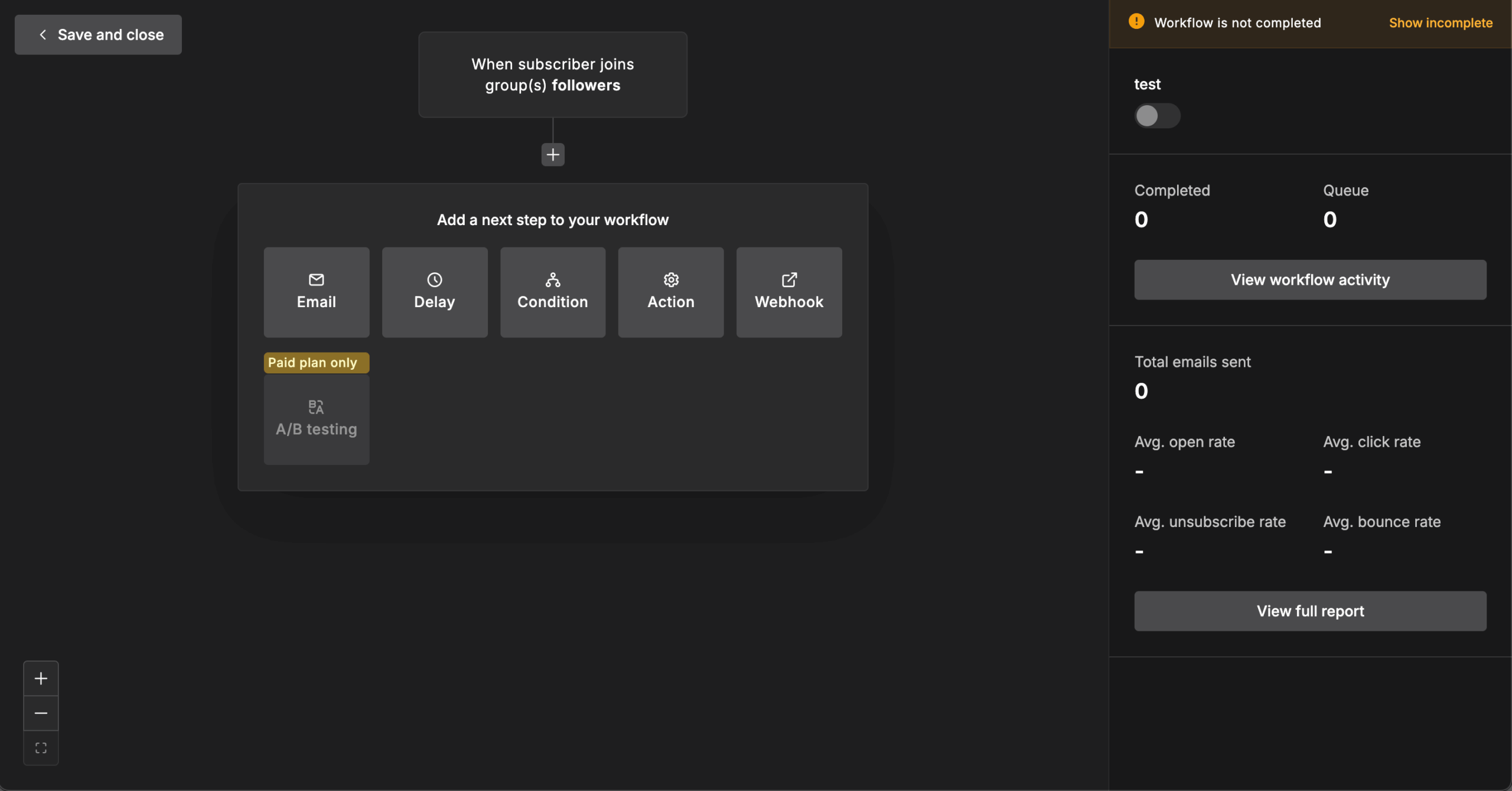
The visual automation builder is tiered by count rather than capability: 3 automations on Free, 50 on Comfort, unlimited on Power.
Where it Falls Short
Account suspension without explanation is the most-repeated complaint in MailerLite’s review base, confirmed by CheckThat.ai’s analysis of 6,790+ reviews. Price that risk in if your list is your business.
The free plan has been cut three times: 1,000 subscribers and 12,000 emails in 2023, 500 subscribers in September 2025, and 250 subscribers with 2,500 emails in June 2026. The same June 2026 revision raised paid tiers by roughly 10% to 30%, so paid plans start at $12/mo on Comfort rather than the lower entry point long-time users remember.
There is no transactional email, which requires a separate MailerSend subscription, and no SMS, WhatsApp, or push. Phone support isn’t offered on any plan. Deliverability tested at 92.7% with EmailTooltester (checked December 2025), among the stronger results in this group.
Pricing
Free covers 250 subscribers, 2,500 emails a month, 3 automations, and A/B testing. Paid plans start at $12/mo on Comfort and $25/mo on Power, with custom pricing above 200,000 subscribers; annual billing saves 10%. Check MailerLite’s pricing page for your exact list size. (Verified August 2026.)
Migration from Kit
Kit tags translate directly to MailerLite groups and segments, and the trigger model is close enough to Kit’s that most flows map one-to-one, which makes this the simplest migration of the eleven. Budget half a working day.
Kit vs. MailerLite
MailerLite vs ConvertKit comes down to one question. For a creator under 10,000 subscribers who wants Kit’s tag logic, a better editor, and A/B testing without a plan upgrade, MailerLite is the swap with the least friction and a lower monthly cost.
For anyone needing transactional email, SMS, or phone support, it removes options Kit users may rely on, and the suspension reports matter for a business with no backup sending path.
Switch to MailerLite when the editor and A/B testing are what you’re missing. Stay on Kit when creator commerce or transactional sending are part of the stack.
ActiveCampaign — Automation Depth
ActiveCampaign is the right answer only when your automation genuinely needs branching and a CRM, because everything else about it costs more time and money than Kit.
ActiveCampaign is a marketing automation platform with a built-in CRM, aimed at B2B teams running lists between roughly 1,000 and 25,000 contacts. It sits at the opposite end of the spectrum from Kit: less writing tool, more workflow engine.
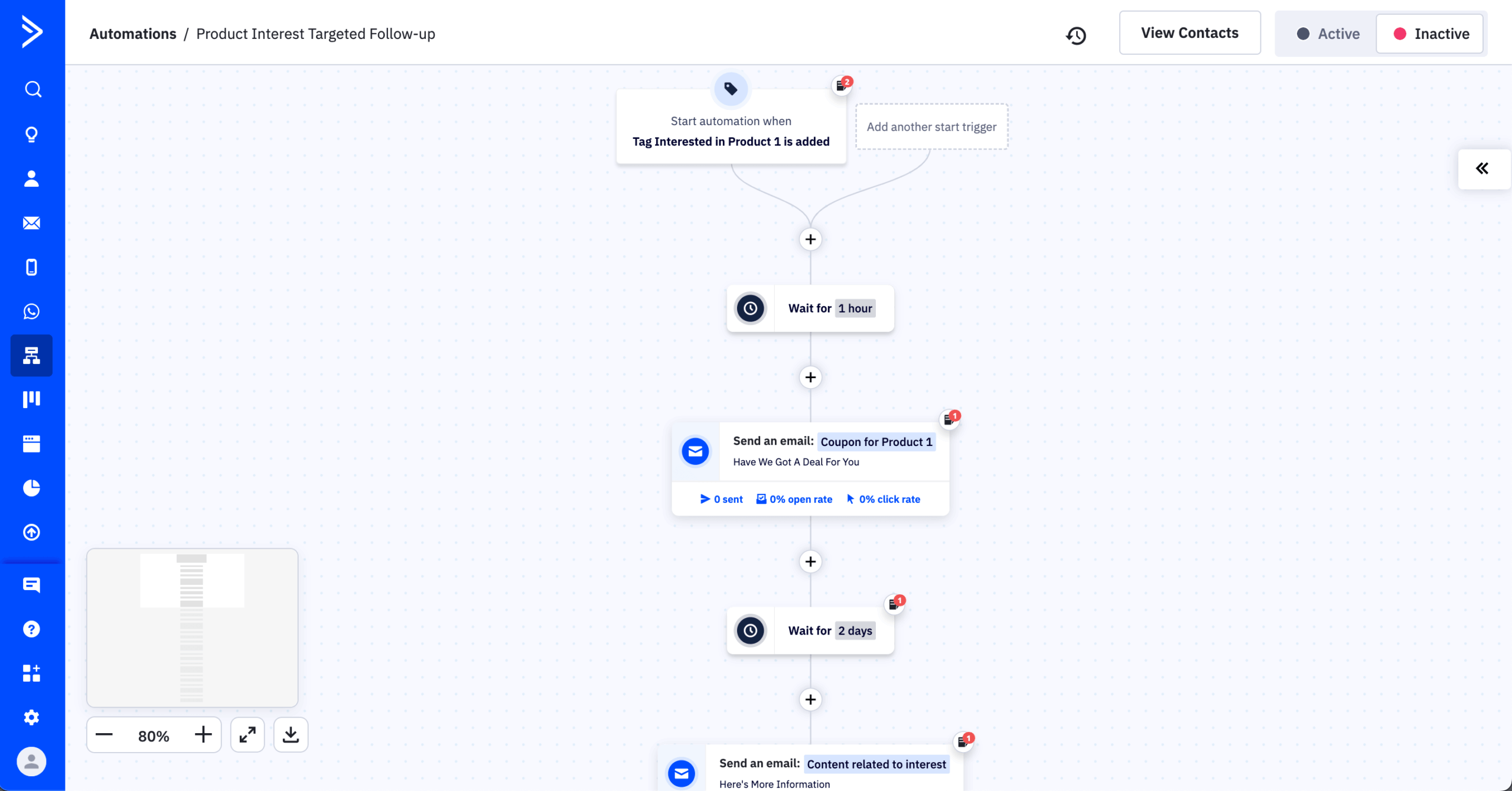
I tested it in August 2026 by rebuilding a B2B lead-nurturing funnel with 8 conditional branches and 14 email steps on the 1,000-contact list. The visual builder handled that advanced automation without workarounds, drawing on 135+ triggers, workflows up to 200 steps, and 750+ prebuilt recipes.
Deal pipelines, lead scoring, and win probability live in the same account, so lead generation and the handoff to sales sit in one place rather than two, and the integration count of 900+ is the largest of any platform tested.
Our walkthrough of building a marketing automation workflow is a useful map before you rebuild at this complexity.
Where it Falls Short
The learning curve is the steepest of the eleven, with 601 G2 mentions, the highest in this roundup. “Expensive” follows at 506.
Real-world cost runs 30% to 50% above the headline $15/mo, because the Starter plan’s 5-action limit makes it broadcast-only in practice. Since November 2025, ActiveCampaign also bills for all contacts including unsubscribed, bounced, and unconfirmed ones, which is the change that pushes growing businesses off the platform most often. Documented renewal increases include jumps from $588 to $1,800 a year.
The email editor is dated, with Trustpilot reviewers reporting glitchy formatting and an overall rating of 2.8/5 across roughly 1,358 reviews. Deliverability is the weakest result in this group at 63.6% in GlockApps benchmarking (checked December 2025). There is no free plan, only a 14-day trial.
Pricing
No free plan, only a 14-day trial. Starter is $15/mo annually at 1,000 contacts but caps at 5 actions per automation; Plus runs from $49/mo and $189/mo at 10,000 contacts; the Pro plan from $79/mo adds predictive sending; Enterprise starts at $145/mo. SMS is a paid add-on and WhatsApp a separate product from $99/mo. Confirm your list size on ActiveCampaign’s pricing page. (Verified August 2026.)
Migration from Kit
The rebuild is where the time goes. Kit’s linear sequences translate easily, but the point of moving here is restructuring them into branching flows, which is design work rather than data work. Budget a full working day, and a second for CRM setup if you plan to use deal pipelines.
Kit vs. ActiveCampaign
ActiveCampaign vs ConvertKit is not close in either direction. For a B2B business where email feeds a sales pipeline and flows need conditional logic, ActiveCampaign does things Kit cannot express at all, and the CRM removes a separate subscription. For a creator sending broadcasts, it’s the wrong shape entirely: more expensive, harder to learn, weaker editor, no creator commerce layer.
Switch to ActiveCampaign when your automation is the product. Stay on Kit when your writing is.
Drip — Ecommerce Automation and Revenue Flows
Drip is the best builder for non-Shopify store automation, and it costs more than double Kit at 25,000 contacts to get it.
Drip is an ecommerce email marketing platform aimed at online stores on WooCommerce, BigCommerce, Magento, and custom stacks, where Klaviyo’s Shopify-first integration isn’t the primary draw.
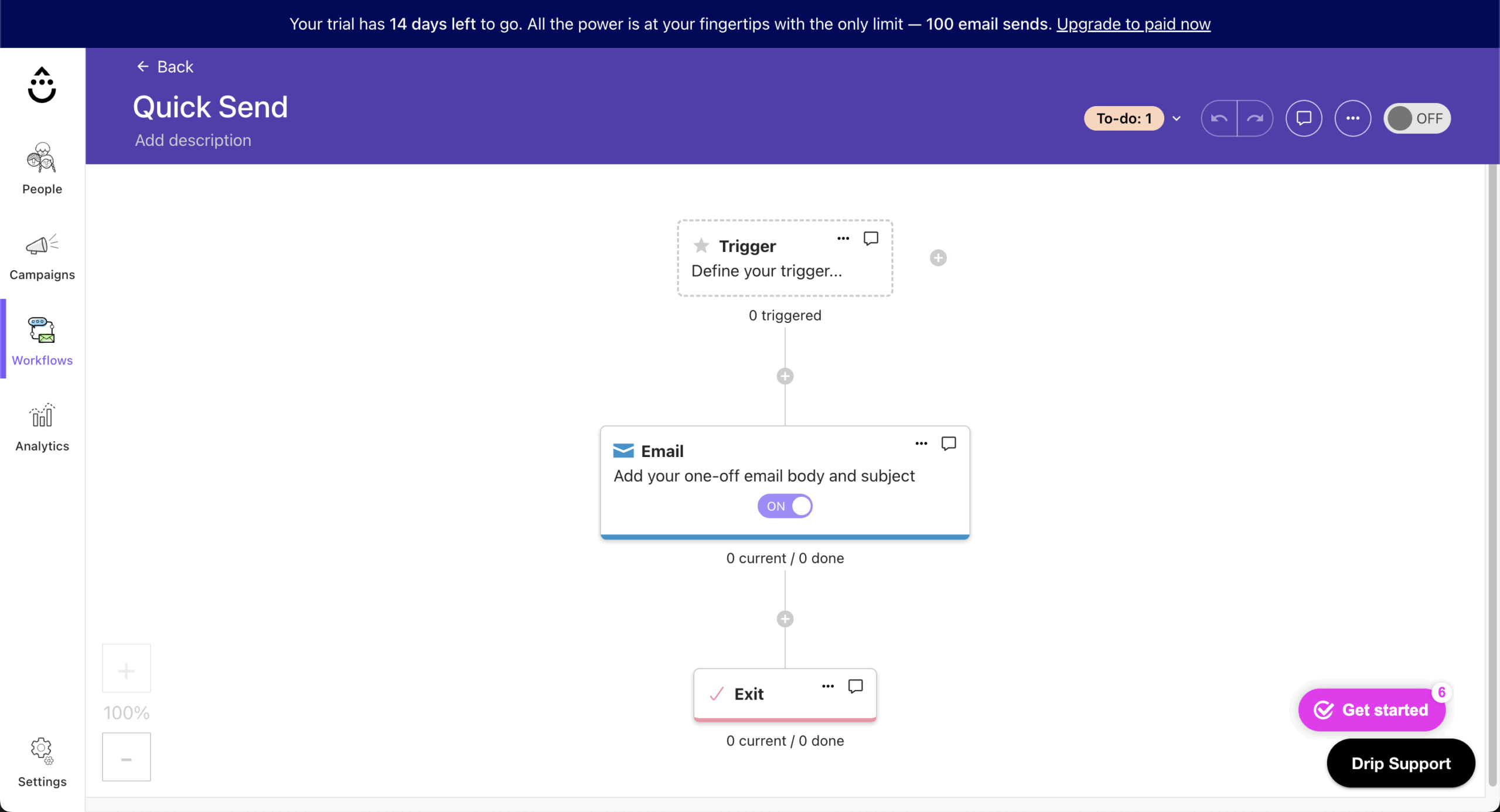
It covers the ecommerce essentials: purchase-event triggers, abandoned cart sequences, product recommendations, revenue attribution, and visual workflow automation, which is most of what WooCommerce email marketing actually needs. The workflow builder is the most visually detailed of any platform tested.
I tested Drip on the Starter plan ($39/month at 2,500 contacts, verified August 2026 against Drip’s public pricing) connected to a WooCommerce test store, building an abandoned cart flow and a post-purchase upsell sequence.
Drip’s visual workflow builder is the best non-ActiveCampaign builder I’ve used: multi-branch flows with purchase-value conditions and product-category splits read at a glance, which matters when you inherit a flow and have to debug it. Revenue attribution surfaces orders and revenue per email on a 7-day window, comparable to Klaviyo.
If you’re mapping flows before you move, our library of premade automation workflow templates is a useful starting inventory.
Where it Falls Short
At 25k contacts, Drip costs about $369/month compared to Kit’s $150, well over double the price, and scaling is steep throughout: roughly $154/mo at 10,000 contacts and $699/mo at 50,000. The email builder is the weakest part of the product, with a library of 50+ templates against Mailchimp’s 260+, so custom HTML is common for anything beyond plain text.
Automation reliability is the recurring complaint in reviews, with reports of workflows that stall or fail to fire. Support on Starter is email-only, documentation skews technical, and the integration count of roughly 90 is modest next to ActiveCampaign’s 900+. Form and landing page builders are basic. Deliverability tested at 87.3% in GlockApps benchmarking (checked December 2025).
Pricing
No free plan, only a 14-day trial. Pricing opens at $39/mo for up to 2,500 contacts and $154/mo at 10,000, with the rest in the comparison table. SMS bills separately from $39/mo, annual billing isn’t discounted, and migration is free. (Verified August 2026, check Drip’s current pricing.)
Migration from Kit
Drip’s event model replicates Kit tag logic as workflow triggers, and its free migration service covers the data move, removing most of the mechanical work. Plan on a full working day if you’re also connecting a store.
Kit vs. Drip
For a WooCommerce, BigCommerce, or custom-stack store where email drives measurable revenue, Drip’s purchase-event triggers and workflow branching are functionally different from what Kit offers. For a creator without a store backend, those features go unused and the pricing premium isn’t earned.
Switch to Drip when you have a non-Shopify store and email is a revenue channel. Stay on Kit when commerce happens through creator tools rather than a traditional store.
Substack — Newsletter Publishing and Monetization
Substack buys you distribution and charges 10% of paid revenue for it, which is the best deal in this roundup at small scale and the worst at large scale.
Substack is a hosted publishing platform with built-in paid subscriptions, a reader app, and the Substack Notes discovery network. No monthly fee, no subscriber cap, no plan to choose. It publishes podcasts, video, livestreams, and chat alongside the newsletter at no extra cost, with custom domains and subscriber apps included.
That network is the entire case for being on Substack instead of anywhere else. Cross-publication recommendations drove most of the organic signups on the test publication during the testing window.
Kit’s Creator Network does something similar inside Kit, and Beehiiv’s Boost network inside Beehiiv, but neither reaches across a readership the size of Substack’s. Heather Cox Richardson runs 2.9 million subscribers and $1M+/month on it.
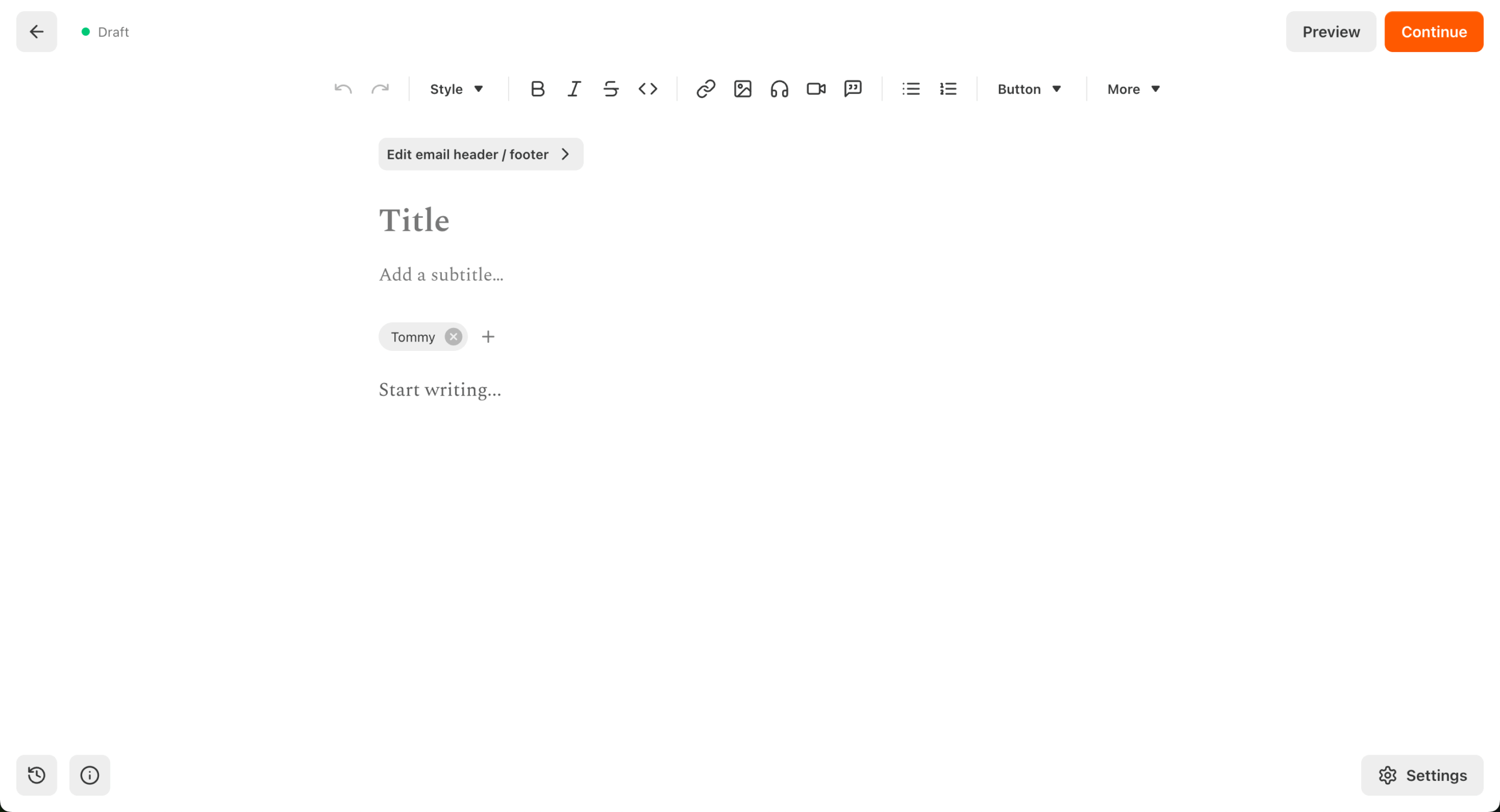
The cost of that growth: no marketing automation at all, no segmentation, no A/B testing, no landing pages, no signup forms beyond Substack’s default, and a 10% cut of any paid subscription revenue on top of Stripe fees.
Every Substack also looks like a Substack, since you cannot customize templates or layouts, which is a branding ceiling that publications with a distinct visual identity notice quickly.
Where it Falls Short
Substack trades your list for distribution, and that trade worsens every month your paid revenue grows. A publication earning $10,000/month in paid subs pays $1,000/month before Stripe fees, versus Beehiiv’s flat fee or Kit’s 0.6% + card processing.
At $5,000/month in paid revenue, Substack takes $500 where Beehiiv would take nothing beyond Stripe fees. There is also no email automation layer to fall back on, so a publication that later wants a nurture sequence has to leave.
Analytics stop at open and click rates: no revenue attribution, no click maps, no geographic or device data. Roughly 3,000 creators left during 2025 by Ruzuku’s count, and GRIT Capital moved 360,000 subscribers to Beehiiv in one go, citing the fee structure.
Pricing
Free to publish, with unlimited subscribers and unlimited sends. Substack takes 10% of paid subscription revenue, plus Stripe fees of roughly 2.9% + $0.30 per transaction and a 0.5% to 0.7% recurring billing fee.
On a $10/month subscriber you keep about $8.36. At $1,000/month in subscription revenue that’s $100 to Substack and roughly $64 to Stripe; at $10,000/month it’s $1,000 to Substack. Creator-set tiers start at a $5/month minimum, per Substack policy. A free newsletter of any size costs $0 forever.
Migration from Kit
Only email and name survive. Kit tags, custom fields, sequences, and segments are discarded, because Substack has no structural home for them, and paid subscribers move through a separate Stripe flow.
The migration in is fast for the same reason it is lossy; the migration out later is not, because the recommendation network, app subscribers, and billing relationships don’t come with your list. Budget an afternoon.
Kit vs. Substack
Switch to Substack when the newsletter is the product and discovery matters more than control. Stay on Kit when segmentation, automation, or creator commerce are part of how you operate.
The single number to run before deciding: your projected paid subscription revenue over 24 months, multiplied by 10%. That’s what Substack’s distribution is costing you, and it is the number that moves publications off the platform once a paid base exists.
Flodesk — Design-Focused Email Marketing Platform
Flodesk produces better-looking email than anything else tested and gives up conditional automation to do it.

Flodesk is a design-first platform for creators, coaches, photographers, and small DTC brands under 10,000 subscribers, one of the ConvertKit competitors built for people who treat every send as a visual touchpoint.
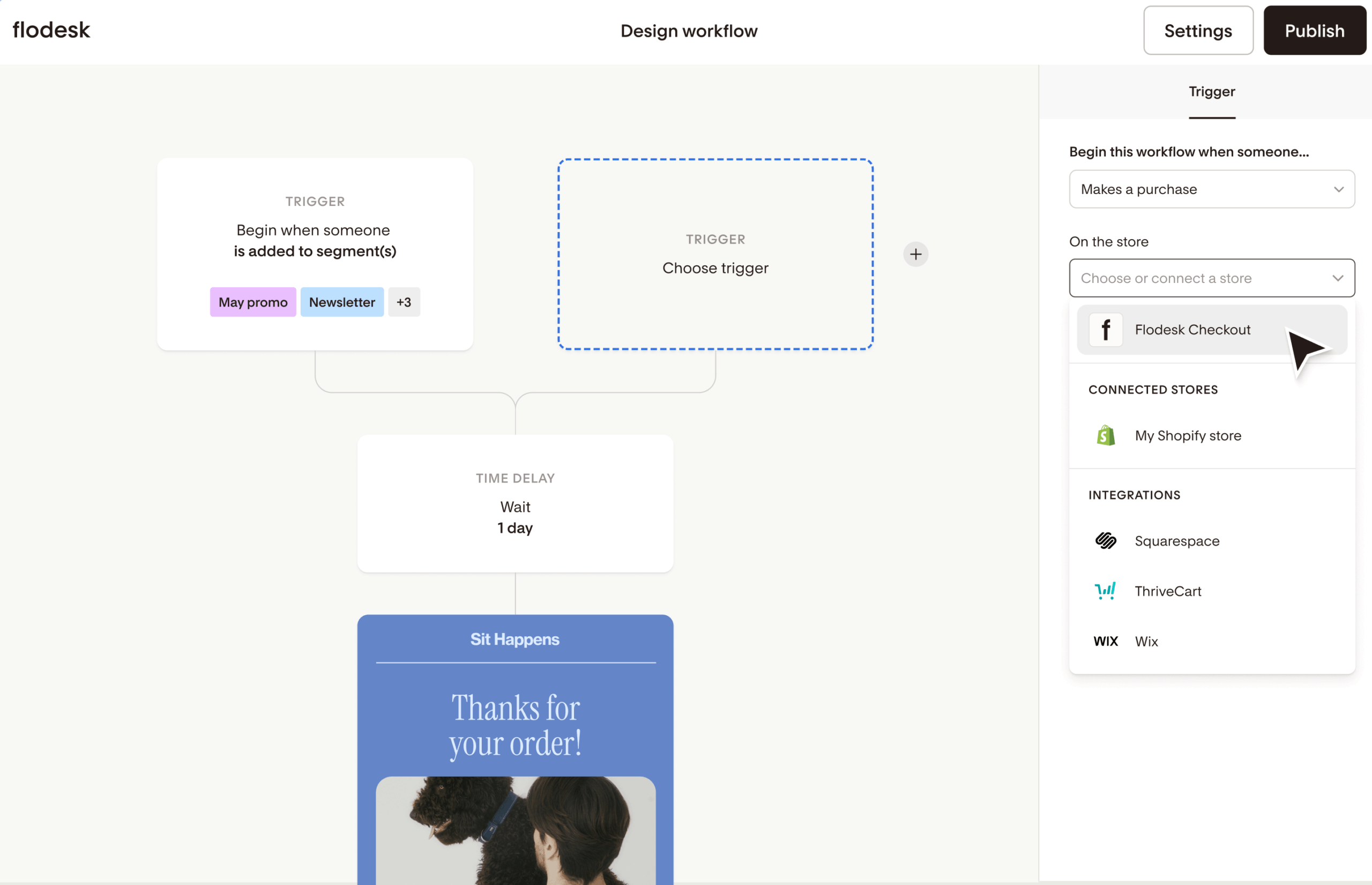
Its drag-and-drop editor produces branded emails without HTML, on a template library biased toward editorial and lifestyle aesthetics. On the client list I tested, campaigns tracked 25% to 35% open rates against an 18% to 20% industry average, a gap multiple sources put down to design quality.
I tested Flodesk on the 1,000-contact list, building the same branded welcome sequence I’d built on Kit and Sender. Its editor produces a design-consistent branded email faster than any other tested, because the template system treats brand colors, custom fonts, and image treatments as global settings: set your brand once, every email inherits it. Our notes on email design best practices explain why that saves so much rework.
The tradeoffs: automation is yes/no logic only, and while Flodesk ships a native Shopify integration for customer sync and post-purchase or abandoned-cart workflows, there’s no WooCommerce or BigCommerce equivalent. Forms, landing pages, and Link-in-Bio pages are on every plan including Free.
Where it Falls Short
The flat-rate plan Flodesk was known for was retired on December 2, 2025. New users pay subscriber-based pricing across four tiers; legacy users keep their $38/mo rate. Any recommendation written before that date describes a plan you can no longer buy.
There is no A/B testing on any plan: no subject-line, content, or send-time testing at all. Lite allows one workflow, keeps Flodesk branding, and caps at 25,000 subscribers, so growth past that forces a Pro upgrade whether or not you want Pro’s other features. No conditional branching anywhere, no behavioral triggers, no lead scoring.
Non-Shopify store operators hit a wall, and support is email-only on every plan. Flodesk is not covered by the third-party deliverability benchmarks used elsewhere in this review, so treat its inbox performance as untested here rather than assumed.
Pricing
Free plan runs one workflow with Flodesk branding, a Link-in-Bio page, and no checkout. At 1,000 subscribers, Lite is from $25/mo ($19 annual, one workflow, branding stays, caps at 25,000), Pro from $28/mo ($25 annual, unlimited workflows, branding removed), and Everything from $54/mo ($49 annual, unlimited checkouts, caps at 255,000).
At 10,000 that’s ~$66/mo on Lite and ~$126/mo on Everything; at 25,000, $149 to $236 depending on tier. Flodesk Checkout is part of Everything, not a separate add-on. Check Flodesk’s pricing. (Verified August 2026.)
Migration from Kit
Kit tags become Flodesk segments via manual remapping, and sequences rebuild linearly only, since Flodesk can’t replicate branching. Templates rebuild rather than import, which is usually the point of moving here. Plan a half-day, plus design time.
ConvertKit vs. Flodesk
For a creator or service business under 10,000 subscribers where brand visual consistency is part of the product, Flodesk’s visual editor delivers design output Kit’s editor can’t match. For a creator who needs branching automation, ecommerce integration, or complex segmentation, Flodesk’s simplicity becomes a ceiling rather than a feature.
Switch to Flodesk when design is the bottleneck. Stay on Kit when automation depth, A/B testing, or creator commerce matter more, and check the current tier price against your list size before you move, because the pricing that made Flodesk cheap at scale no longer exists.
Beehiiv — Newsletter Growth and Audience Platform
Beehiiv is the strongest paid-newsletter platform tested and takes 0% of your subscription revenue, but its automation stops where Kit’s begins.

Beehiiv is a newsletter publishing and growth platform built by former Morning Brew operators, aimed at writers building paid subscriber bases or ad-supported newsletters. It treats monetisation as a first-class feature set rather than an add-on to email delivery.
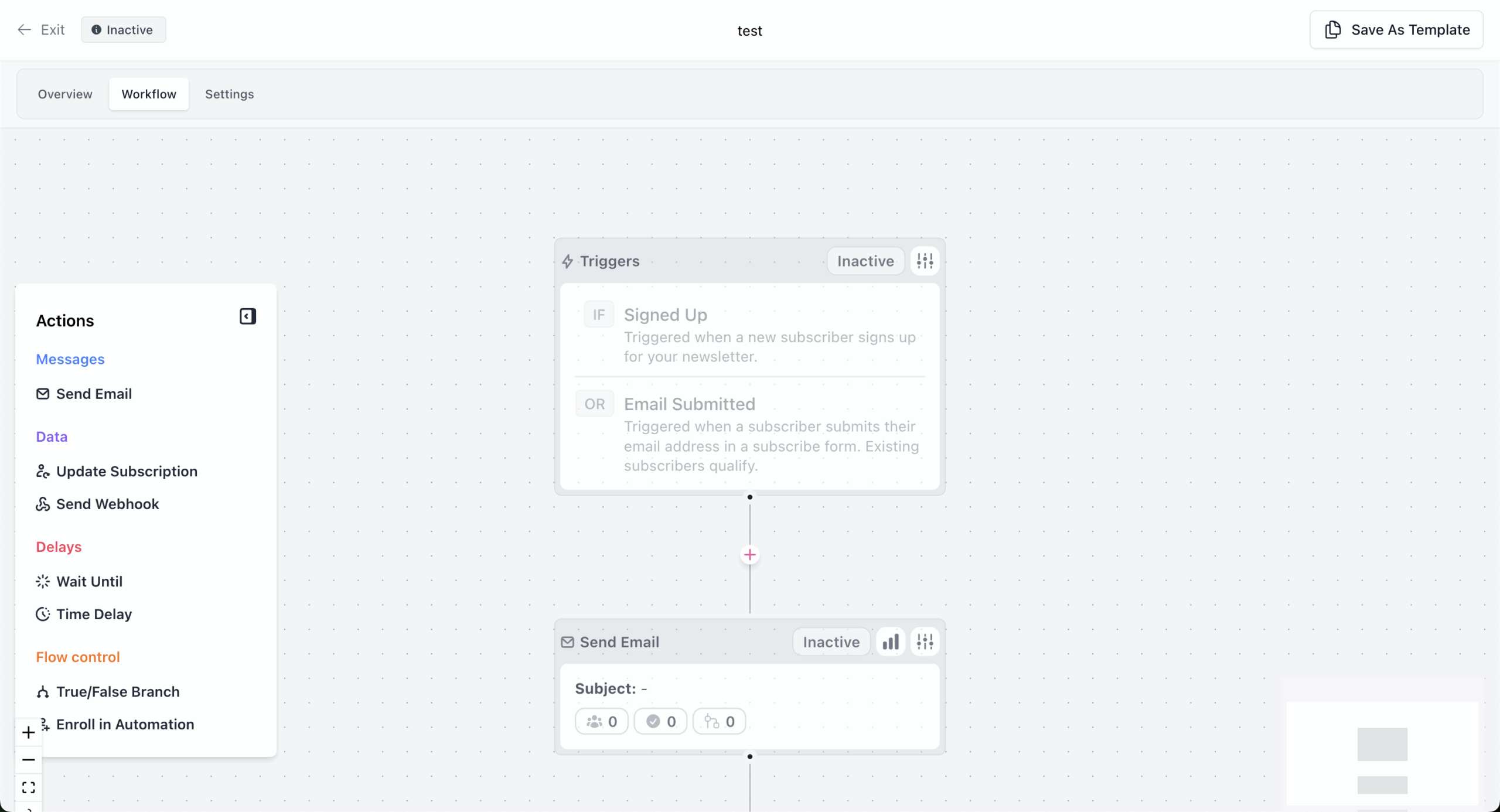
It covers email sending, paid subscriptions, a referral program, the Beehiiv Ad Network and the Boost paid recommendation network, a website builder that hosts the publication alongside the newsletter, and post-level analytics. It sits between Substack and a traditional ESP: more control than Substack, less automation than Kit.
I tested Beehiiv on the Scale plan ($84/month for up to 10,000 subscribers, verified August 2026) with the 1,000-contact list, building a paid subscription tier and enabling the referral program.
Paid subscription infrastructure and referral mechanics are built in rather than bolted on. Configuring a three-tier paid plan is a single setup flow, and the referral program is a checkbox.
Boost surfaces cross-recommendation offers in the dashboard, and acceptance pulls those into your welcome flow automatically. At $10,000/month in paid subscription revenue, Beehiiv’s commission is $0, where Substack would take $1,000.
The tradeoff: automation is limited to welcome sequences and basic drips, and segmentation is less granular than Kit’s tag system.
Where it Falls Short
Automation is newsletter-focused, not lifecycle-focused. Welcome sequences and scheduled drips work, but branching workflows, tag-based conditional sends, and event-triggered flows are limited or absent, and automations require Scale at minimum. Segmentation lacks Kit’s granular tag-and-condition logic.
There is no intermediate tier between the free plan and Scale at $49/mo, and Beehiiv branding cannot be removed until Max at $109/mo. No native ecommerce integrations exist beyond the paid subscription layer, which rules it out for ecommerce brands, and there is no transactional email or SMS.
Boost payouts require a minimum subscriber count before becoming meaningful revenue. Beehiiv publishes a 98.9% deliverability figure, but it is self-reported rather than third-party tested, so it isn’t comparable to the GlockApps and EmailTooltester scores cited elsewhere here. The review sample is small too, at roughly 35 G2 reviews and 14 on Capterra.
Pricing
The free Launch plan covers 2,500 subscribers and unlimited emails, with no automations, monetization, or A/B testing. Scale is $49/mo ($43 annual) and carries the per-list-size rates in the comparison table; Max at $109/mo ($96 annual) removes Beehiiv branding and adds multi-publication support. Check Beehiiv’s pricing. (Verified August 2026.)
Migration from Kit
Beehiiv provides a dedicated Kit importer handling subscribers, tags (as segments), and custom fields in one step, per its own migration docs, and most Kit drips translate without significant loss. Of all eleven, this vendor importer cut the most manual work. Budget an afternoon.
ConvertKit vs. Beehiiv
For a writer building a paid subscriber base or an ad-supported newsletter where referrals and cross-recommendation drive growth, Beehiiv’s referral program, Boost network, and subscription infrastructure aren’t replicable on Kit without third-party tools.
For a creator who relies on tag-based segmentation, multi-step automation, or creator commerce beyond paid newsletters, its simpler model removes functionality Kit users depend on.
Switch to Beehiiv when the newsletter is the business. Stay on Kit when tag-driven automation and digital product sales matter more.
Constant Contact — SMB Marketing and Event Campaigns
Constant Contact is worth its price only if you run events, because native registration and ticketing is the one thing here no other platform replicates.

If your list exists because you run events, whether a workshop series, a fundraising gala, a schedule of webinars, or a recurring meetup, Constant Contact is the only platform tested where registration, ticketing, reminder sequences, and attendee export work natively in one account.
Every other platform here pairs an ESP with Eventbrite, Luma, or a custom Stripe and Zapier chain to cover the event layer.
That’s the reason to consider Constant Contact, and realistically the only one: outside events, everything it does is done better elsewhere and usually cheaper. Our guide to event email marketing covers the sequence structure if you’d rather keep events in a separate tool.
I tested Constant Contact on the Lite plan (from $12/mo at 500 contacts, rising to $50/mo at 2,500, verified August 2026) with the 1,000-contact list, building a welcome sequence and a test event registration campaign.
The event campaign worked end-to-end without third-party tools: registration, ticketing, reminders, and attendee export inside one workflow. Phone support answered within 8 minutes, which nothing else here offers at comparable tiers. Outside events, automation depth and the email builder both show their age.
Where it Falls Short
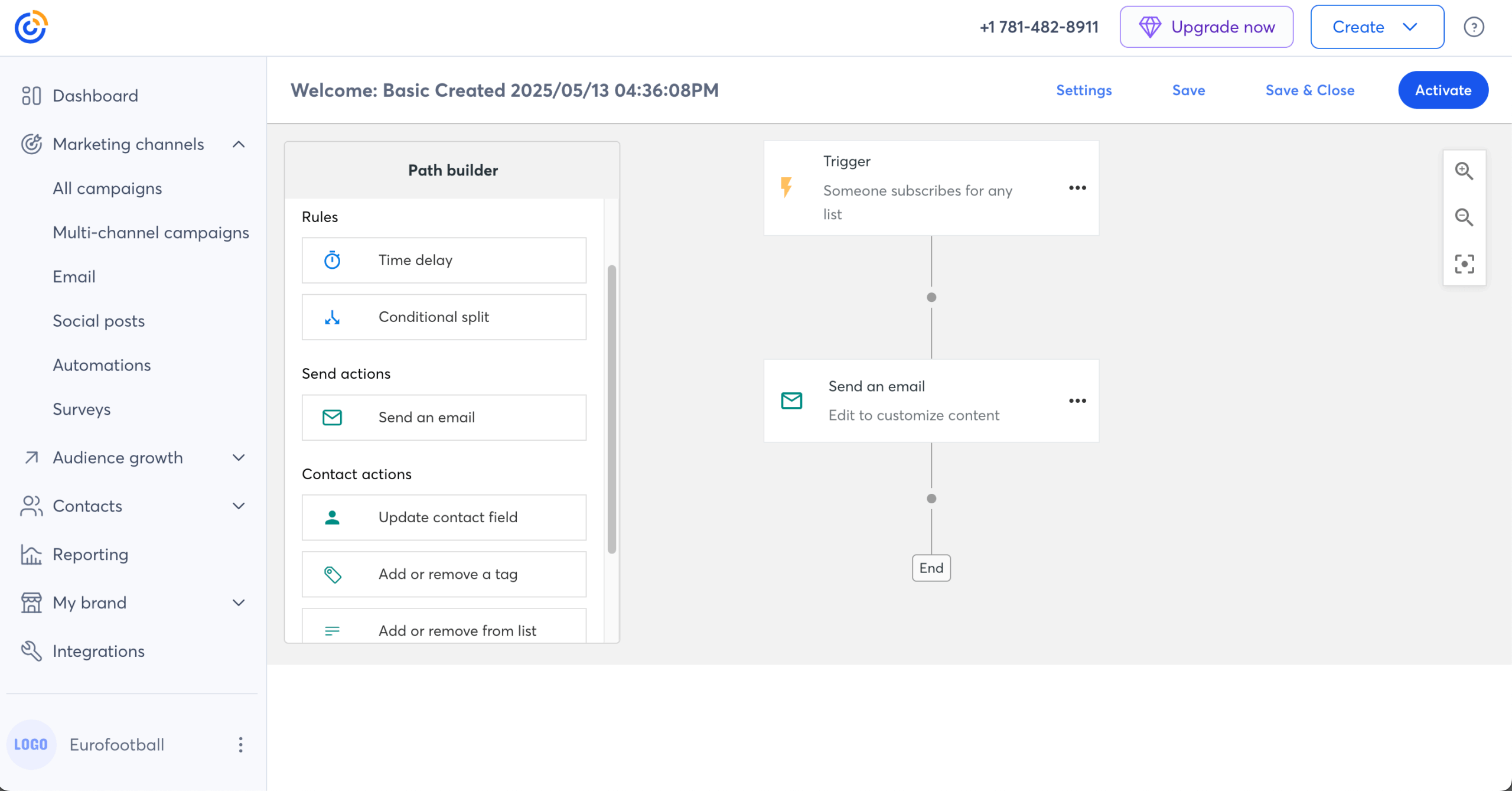
The automation builder covers basic drips and triggered sequences, but custom automations sit behind Premium at $80/mo. Branching that newer platforms treat as table stakes is absent below that, and the UI has the layered feel of a product patched for fifteen years rather than rebuilt.
Cancellation requires a phone call during Eastern Time business hours, and the BBB has logged 151 complaints, with billing friction dominating. Accounts auto-upgrade when send limits are exceeded, without explicit consent. There is no free plan at all.
The email editor lags Sender and Flodesk on visual output, and segmentation is list-based but less flexible than Kit’s. Deliverability tested at 92% with EmailTooltester (checked December 2025), among the stronger scores here.
Pricing
No free plan, only a 14-day trial. Lite runs from $12/mo at 500 contacts; Standard from $35/mo; Premium from $80/mo is the entry point for custom automation, with custom pricing at 100,000.
Multi-user access is tiered: one user on Lite, three on Standard, unlimited on Premium. SMS marketing is a US-only add-on from $10/mo for 500 messages, and nonprofits get up to 30% off prepaying annually. Check Constant Contact’s pricing. (Verified August 2026.)
Migration from Kit
Kit tags map across with manual setup, and any Kit branching simplifies to linear drips. Event data rebuilds inside the event campaign tool. Budget roughly a working day if you have live events to move alongside the list.
Kit vs. Constant Contact
For a small business, nonprofit, or community organization where events drive list growth, native event management removes Eventbrite and manual reminder sequencing, which Kit doesn’t replicate. Without events as a core use case, Constant Contact’s pricing sits within the range of Kit’s without matching its automation or tagging flexibility.
Switch to Constant Contact when events are part of how the business runs. Stay on Kit when they aren’t.
Which Kit Alternative Has the Best Free Plan?
Sender’s free plan is the most useful of the eleven, because it’s the only one that includes full automation. You get up to 2,500 subscribers, 15,000 emails per month, segmentation, landing pages, popups, and custom event triggers that fire automations from actions on your own site, with no upgrade required to run a welcome series or an abandoned cart flow.
Kit’s free Newsletter plan covers more subscribers than any other free tier here at 10,000, with unlimited landing pages, forms, and broadcasts, tagging, segmentation, and digital product sales. It caps automation at one basic automation, and Kit branding stays on your emails until you reach the Creator plan, which is where removing it becomes an option.
| Platform | Subscriber cap | Automation included? | Branding |
| Kit | 10,000 | One basic automation | Kit branding until Creator plan |
| Sender | 2,500 (15,000 emails/mo) | Yes, full automation and custom events | Sender branding |
| Beehiiv | 2,500 | No, requires Scale ($49/mo) | Beehiiv branding until Max ($109/mo) |
| Brevo | 300 emails/day, up to 100,000 contacts | No, requires Standard ($18/mo) | Brevo branding |
| MailerLite | 250 (2,500 emails/mo) | Yes, 3 automations, plus A/B testing | MailerLite branding |
| Mailchimp | 250 (500 emails/mo) | No, removed from free tier | Mailchimp branding |
| Klaviyo | 250 profiles (500 sends/mo) | Yes, flows included | Klaviyo branding |
| Substack | Unlimited subscribers, unlimited sends | None | Substack-hosted publication |
| Flodesk | Not subscriber-capped on Free | One workflow | Flodesk branding |
Match the free tier to the constraint that bites first. If you need a welcome series from day one, Sender and MailerLite are the only options that provide one without a paid upgrade, and only Sender’s cap is high enough to run a real list on.
If subscriber volume is the constraint, Kit’s free plan is still the most generous number here. Our roundup of affordable email marketing platforms covers where each one lands after you outgrow free.
Constant Contact, Drip, and ActiveCampaign are the email marketing services here with no free plan at all, only 14-day trials.
The ConvertKit free plan is the outlier in both directions: nothing else here holds 10,000 subscribers free, and nothing else restricts you to one automation once you do. Kit’s ceiling is functionality, everyone else’s is subscriber count, and which bites first depends on whether you’re still growing a list or already automating one.
How to Migrate Off Kit Without Losing Your List
Every email marketing software tested imports subscribers by CSV, and none of them import your automations. The list moves in minutes; the rebuild is the real project. Work through these seven steps in order.
1. Export your CSV with tags and custom fields. In Kit, export subscribers with every tag and custom field column included, not just email and name. Tags are what your future segments will be built from, and re-tagging 20,000 contacts by hand afterward is not a recoverable mistake. Our help guide on creating import files covers the column formatting most platforms expect.
2. Inventory your active automations first. List every live sequence, its trigger, and its step count before you move a single contact. Most Kit accounts have fewer active flows than the owner remembers, and this inventory tells you whether the migration is an afternoon or three days.
3. Save the templates worth keeping. Export or screenshot the emails you reuse. No platform imports Kit templates, and rebuilds are faster from a reference than from memory.
4. Import and rebuild your segments. Load the CSV, then map Kit tags to the destination’s equivalent: groups in Sender, segments in MailerLite and Beehiiv, tags in Drip and ActiveCampaign, profile properties in Klaviyo. Check the counts match your Kit totals before going further. Step-by-step instructions are in the importing contacts guide.
5. Rebuild sequences and test them with a live address. Recreate each flow from your step 2 inventory, then subscribe a real address and walk the whole sequence, testing the trigger, the delays, and any conditional split. This is where migrations fail quietly.
6. Update forms, landing pages, and integrations. Every embedded form, popup, and Zapier or store connection still points at Kit. Swap them before you cancel, and keep Kit live for one more billing cycle as a fallback.
7. Authenticate your sending domain. Set up SPF, DKIM, and DMARC records for the new platform before your first campaign. This is the step most migration guides skip, and skipping it is the single most common cause of a deliverability drop that gets blamed on the new platform. Our SPF, DKIM, and DMARC setup guide covers the DNS records for each.
Migrate during a low-volume sending week, and expect open rates to wobble for two or three sends while the new domain establishes reputation. For the wider context on platform choice, our email marketing guide covers the decision end to end.
even on the free plan.
Kit Alternatives: Full Pricing Comparison
Email marketing tools change their prices frequently. Treat this as a directional comparison, check the billing basis column before comparing any two rows, and verify on each platform’s pricing page before deciding.
On headline cost, Brevo is the cheapest Kit alternative in the table for anyone sending infrequently, because it bills on emails rather than subscribers. For lists that send often, Sender is the cheapest at every tier shown.
| Platform | Billing basis | 5,000 | 25,000 | 100,000 | Free plan | Verified |
| Kit | Per subscriber, Creator plan billed annually (saves 17%) | $66/mo | $150/mo | $466/mo | Yes (10,000 subscribers) | Aug 2026 |
| Sender | Per subscriber, monthly billing | ~$23/mo | ~$82/mo | ~$257/mo | Yes (2,500 subscribers) | Aug 2026 |
| Klaviyo | Per active profile, monthly billing, no annual discount | ~$100/mo | ~$400/mo | ~$1,380/mo | Yes (250 profiles) | Aug 2026 |
| Brevo | Per email sent, monthly billing | ~$26/mo* | ~$26/mo* | ~$26/mo* | Yes (300 emails/day) | Aug 2026 |
| Mailchimp | Per contact, monthly billing | ~$75/mo | ~$270/mo | ~$800/mo | Yes (250 contacts) | Aug 2026 |
| MailerLite | Per subscriber, Comfort from $12/mo, annual saves 10% | $49/mo | $179/mo | $439/mo | Yes (250 subscribers) | Aug 2026 |
| ActiveCampaign | Per contact, annual billing, Plus $189/mo at 10,000 | $79/mo | $391/mo | $1,190/mo | No (14-day trial) | Aug 2026 |
| Drip | Per contact, monthly billing, no annual discount | ~$89/mo | ~$369/mo | ~$1,199/mo | No (14-day trial) | Aug 2026 |
| Substack | 10% of paid subscription revenue, plus Stripe | 10% of revenue | 10% of revenue | 10% of revenue | Yes (unlimited subs) | Aug 2026 |
| Flodesk | Per subscriber, four tiers since Dec 2025 | $48/mo | $149 | $632/mo | Yes (1 workflow) | Aug 2026 |
| Beehiiv | Per subscriber, Scale $49/mo base, annual saves ~12% | ~$78/mo | ~$149/mo | ~$299/mo | Yes (2,500 subscribers) | Aug 2026 |
| Constant Contact | Per contact, monthly billing | Custom pricing | Custom pricing | Custom pricing | No (14-day trial) | Aug 2026 |
FAQs
Yes. ConvertKit rebranded to Kit in 2024, keeping the same platform, accounts, and pricing structure, so a Kit login and a ConvertKit login are the same account. Most users still search for it under the old name, which is why both appear throughout this comparison of ConvertKit competitors.
Usually not. Kit’s free plan covers 10,000 subscribers with broadcasts, one automation, and unlimited landing pages, well beyond Mailchimp’s 250-contact cap or Klaviyo’s 250 profiles. Below 1,000 subscribers, rebuilding sequences, forms, and tags costs more than you save, since most alternatives run under $20/month at that size. The exception: if design limits or ecommerce analytics already block your workflow, switching early beats rebuilding a bigger setup later.
No. Subscribers, tags, and custom fields export cleanly via CSV to all eleven alternatives; sequence logic doesn’t, so every flow rebuilds by hand when you migrate from Kit. Beehiiv’s importer is the fastest of the eleven, Klaviyo’s the slowest, because its event-based model means rethinking tag logic rather than copying it. With more than 10 active sequences, plan a full working day and move during a low-volume week.
None fully replace it. Digital products, paid newsletters, and memberships all run at 3.5% + $0.30 through Kit’s Stripe checkout on every plan including Free, with no third-party layer. Beehiiv comes closest for paid subscriptions, with built-in tiers and 0% platform commission. For physical-plus-digital stores, Klaviyo on Shopify handles downloads through Shopify’s native product types. For everything else, pair your ESP with Gumroad or Podia, and ask first whether commerce is worth leaving Kit’s creator tooling over.