


Flodesk Review: Is It Worth It? Honest Look in 2026
Capterra, G2, Trustpilot, and Reddit to create an objective evaluation. Learn more about our review methodology
Flodesk landed on my radar a few years back when I kept seeing these gorgeous newsletters in my inbox. You know the ones—they actually look good instead of like they were slapped together in 1999. Turns out, many of them were built with Flodesk.
This email platform has a simple promise: beautiful emails without the headache. No overwhelming dashboard with fifty features you’ll never touch. But with Flodesk’s recent move from the Flodesk flat-rate pricing model that made them stand out from the crowd, is this marketing tool still worth it? Let’s find out in my honest Flodesk review.
What is Flodesk?
Picture this: you’re tired of email platforms that either look terrible or cost a fortune as your audience grows. Flodesk sits right in that sweet spot where design meets sanity. Founded in 2018 by Martha Bitar, Rebecca Shostak, and Trong Dong, it emerged from their frustration with existing tools that were either ugly, expensive, or impossibly complex.
What makes it different isn’t rocket science. Every email automatically works on mobile. The drag-and-drop builder actually makes sense. Templates don’t look like they’re from 2003. It’s email marketing for people who care what their emails look like but don’t want to become part-time developers to make it happen.
Flodesk Quick Summary
If you need a rapid answer, here’s the bottom line: Flodesk delivers on beautiful, professional email design with minimal learning curve—but its recent pricing changes and feature limitations make it a harder sell than before.
- Features: Beautiful email campaigns, forms, and landing pages with a strong focus on design. Includes basic automations, segmentation, and integrations with popular creator tools.
- Pricing: Starting price at $19/month for unlimited emails and 1,000 contacts. No longer a flat-rate pricing model.
- Pros: Gorgeous templates out of the box, extremely easy to use, and perfect if brand aesthetics matter to you. The flat pricing is refreshing once your subscriber list starts growing.
- Cons: Automation is fairly basic compared to more advanced platforms. No native tagging logic as deep as the big automation tools, limited reporting, and not ideal for complex funnels.
- User experience: Exceptionally smooth and beginner-friendly. Designing emails feels more like using a design tool than email software—great if you hate fiddling with layouts.
- Alternatives: Consider MailerLite if you want similar simplicity with more automation flexibility, ConvertKit (Kit) if you’re creator-focused and automation-driven, or ActiveCampaign if you need serious behavioral logic. Sender is also a strong alternative if you want generous free plans and more advanced features.
Scroll down for a full feature breakdown, pricing comparison, and detailed pros and cons.
Flodesk Key Features
Building emails in Flodesk feels more like playing with digital building blocks than wrestling with code. The drag-and-drop email builder is genuinely intuitive—you can literally see what you’re building as you build it. No mysterious preview buttons or surprise mobile disasters.
Here’s what caught my attention: users consistently report open rates in the 25-35% range. Industry average hovers around 18-20%. That’s not luck—people actually want to open pretty emails. The templates come with smart layouts that don’t break when you customize them, which is rarer than it should be.
The campaign process goes like this: pick a template, swap in your content, adjust colors to match your brand, hit send. You can add countdown timers for urgency, embed videos, or throw in custom graphics. All without touching a line of code or hiring a designer.
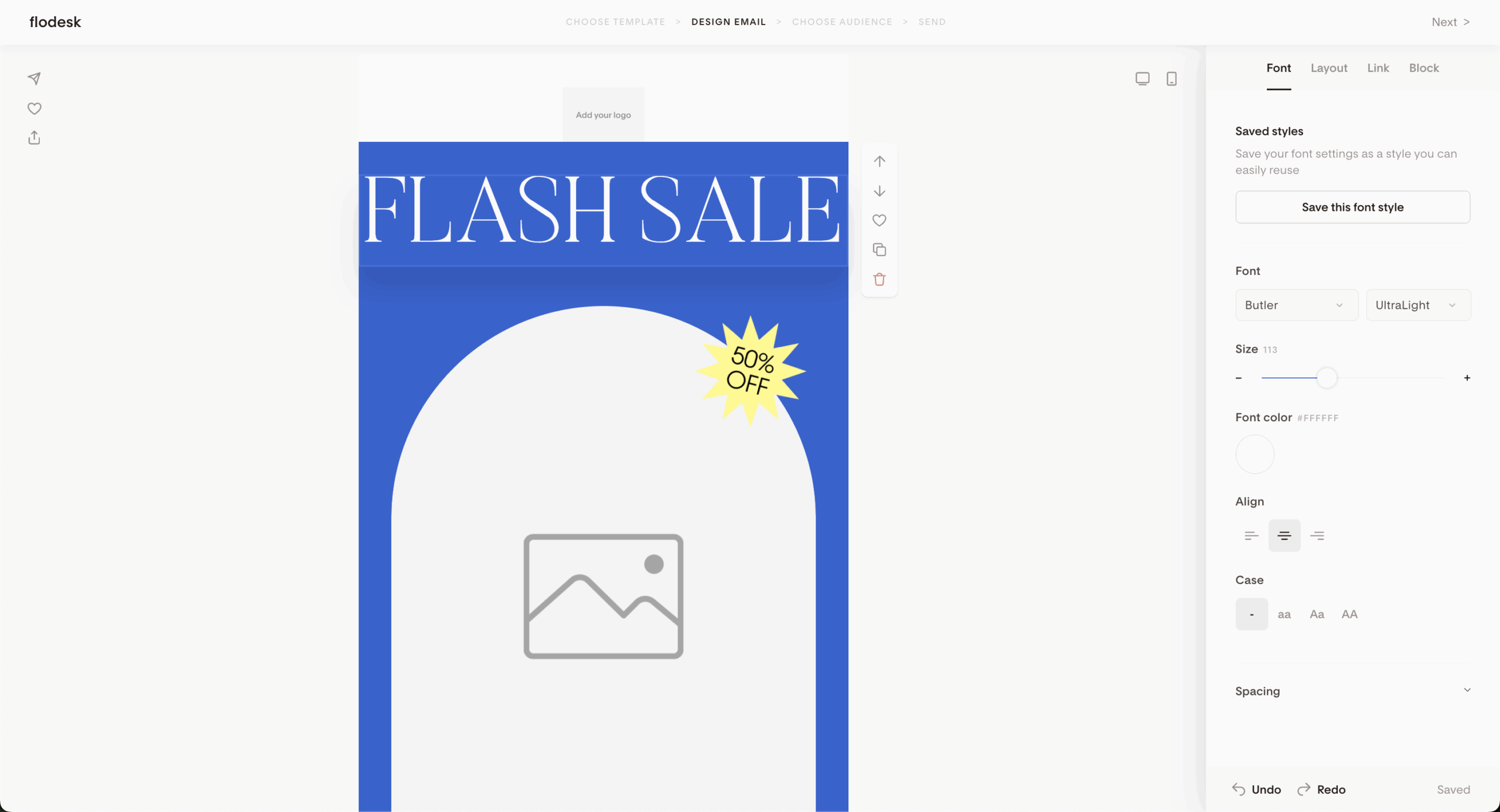
This is where Flodesk really shines. Their template library doesn’t mess around—over 60 designs that actually look professional straight out of the box. No “we’ll give you a basic shell and you figure out the rest” nonsense.
Each template handles customization gracefully. Upload your fonts, change colors, rearrange sections—the design holds together instead of falling apart like a house of cards. That’s thanks to their layout technology, which sounds fancy but basically means your emails won’t look broken when you make them your own.
The customizable templates cover real business needs too. Product launches, newsletters, event announcements, sales emails. Not just a generic “business template #47.” They’ve clearly thought about what people actually need to send.
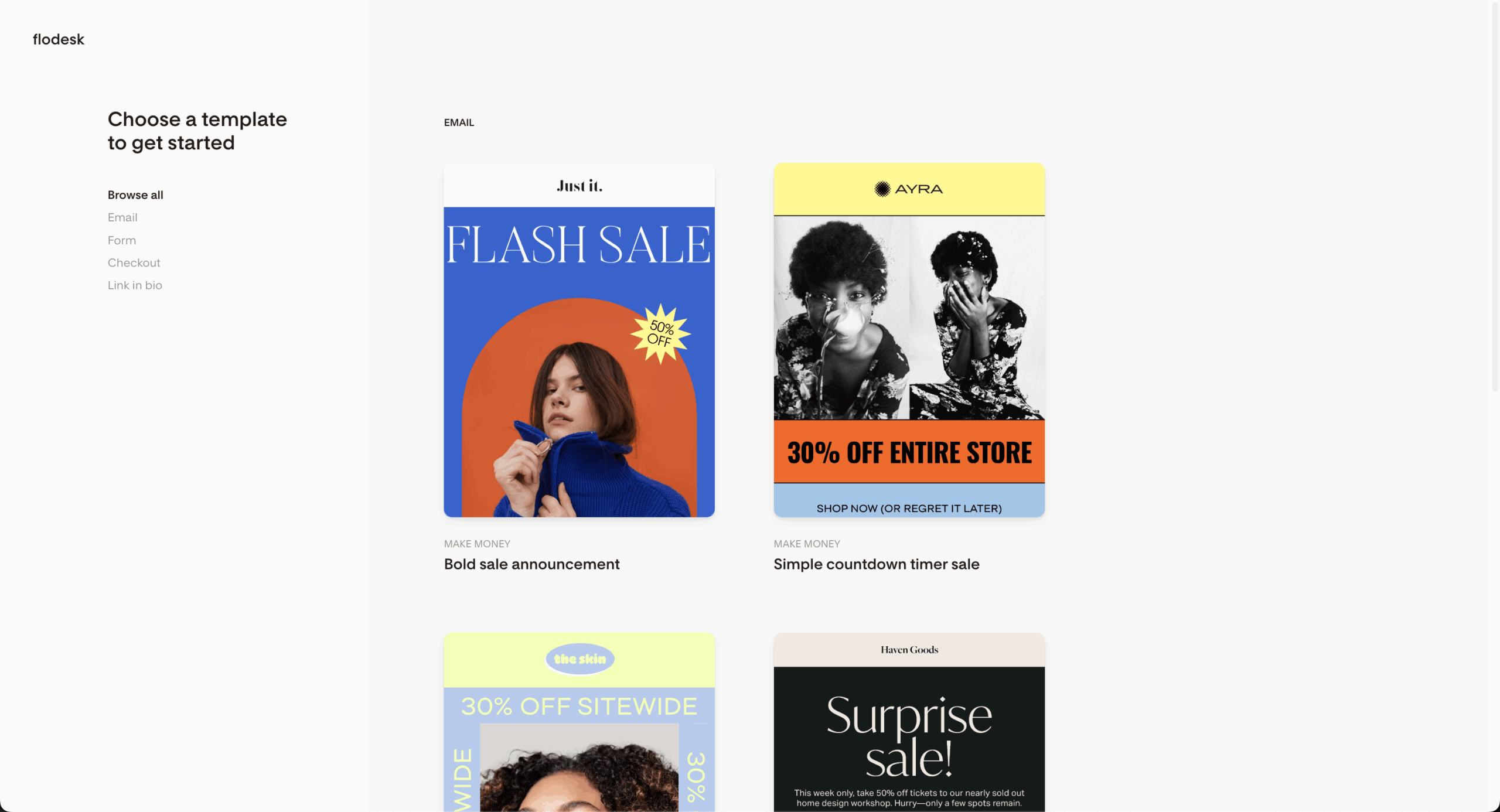
Flodesk’s email automation keeps things simple. No branching workflows that require a PhD to understand. You can set up welcome sequences, deliver lead magnets automatically, and create basic nurture campaigns that run themselves.
The visual workflow builder shows you exactly what happens when. Someone joins your list? They get email 1 today, email 2 in three days, email 3 a week later. It’s automation that makes sense, not the kind that needs a manual to operate.
Sure, it’s not as complex as platforms like ActiveCampaign. But honestly? Most small businesses don’t need seventeen different trigger conditions and behavioral scoring. They need emails that go out when they’re supposed to, to the right people, without requiring a computer science degree.
Link Actions Feature
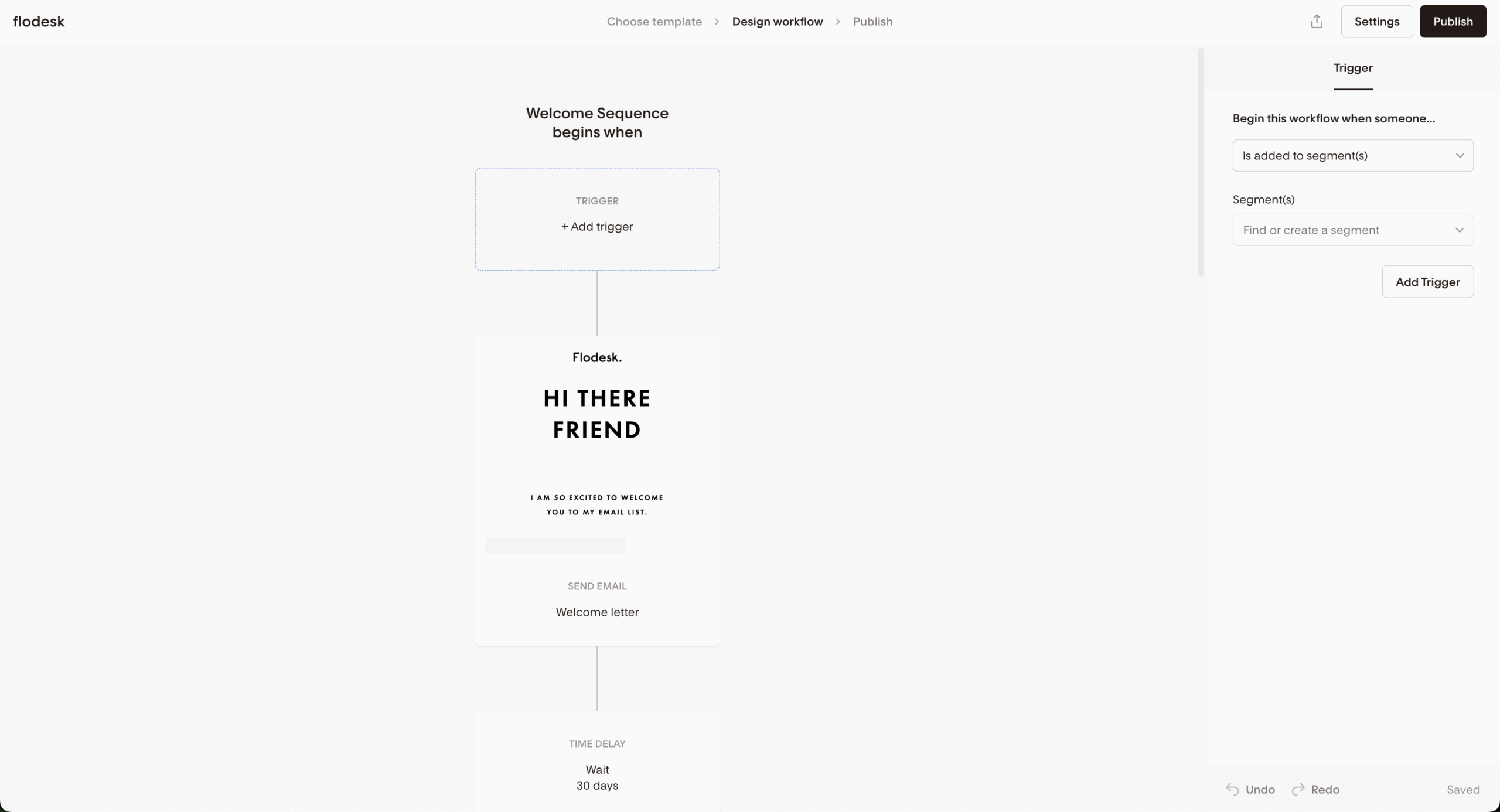
Flodesk’s Link Action feature is another neat feature that lets you turn any link in your email into a smart trigger. You can segment subscribers based on link clicks, automatically trigger workflows, and track engagement at the subscriber level—all without extra forms or complicated setup.
Instead of just sending emails and hoping for the best, Link Actions let you respond to what people actually click, so your audience naturally sorts itself based on interest and intent. Say you don’t want to spam your whole audience with Black Friday emails. With Link Action you can include a link that says, “Click here to opt out of Black Friday emails but keep receiving my weekly newsletter,” and problem’s solved.
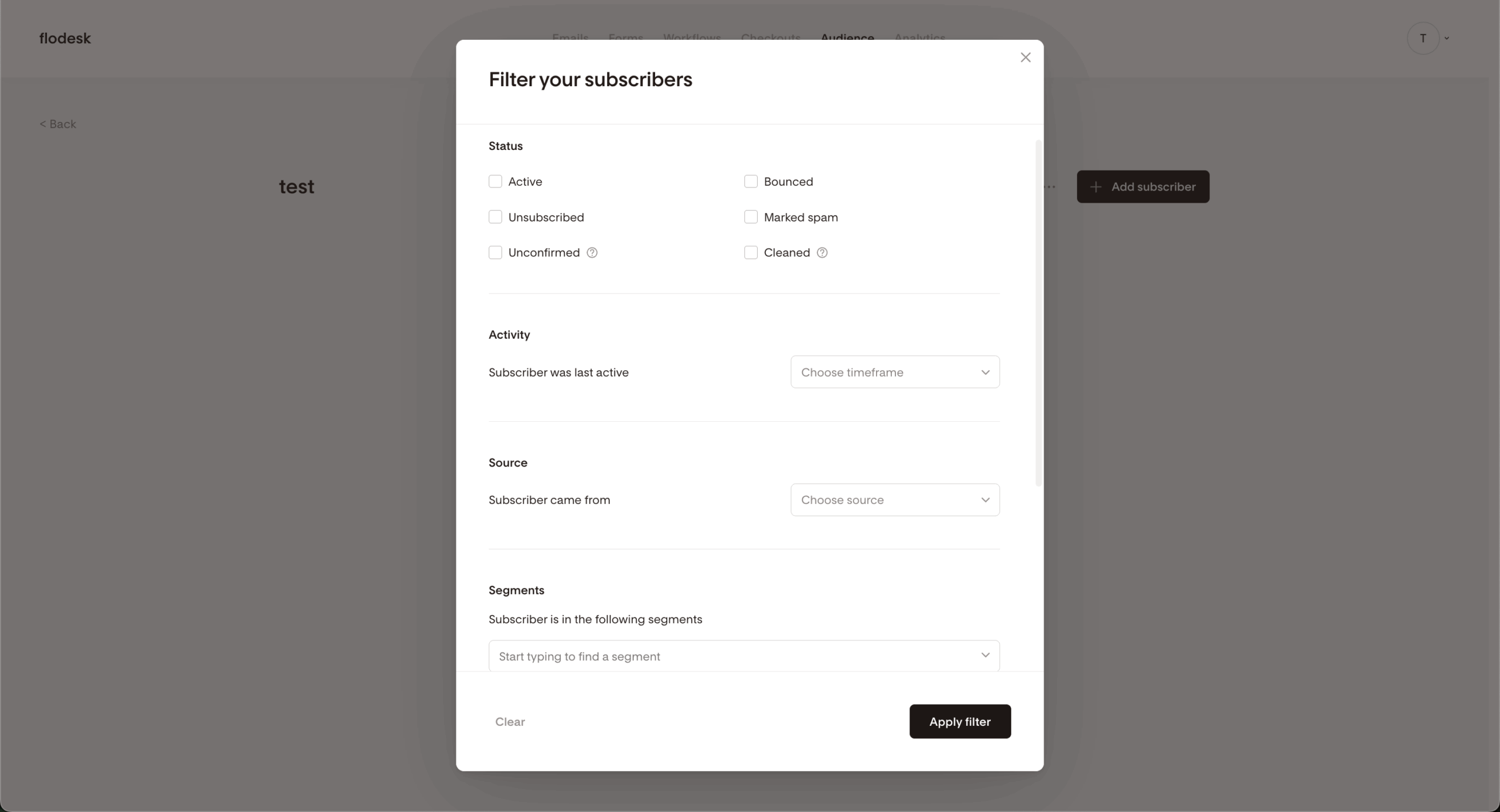
Managing your list in Flodesk revolves around segments. You can organize people by how they joined, what they’re interested in, or how engaged they are. The system handles the technical stuff—bounced emails, unsubscribes, spam complaints and even tagging of user behavior—behind a digital curtain, without you needing to do so manually.
Individual subscriber tracking lets you see who’s opening what and when. You can even add private notes to people’s profiles, which is handy if you’re using this as a lightweight CRM. Nothing fancy, but it covers what most businesses need.
The segmentation isn’t as detailed as enterprise service providers, but it gets the job done. You can target your most engaged subscribers with special offers or re-engage people who haven’t opened emails lately. Simple, effective, no overcomplicated rules.
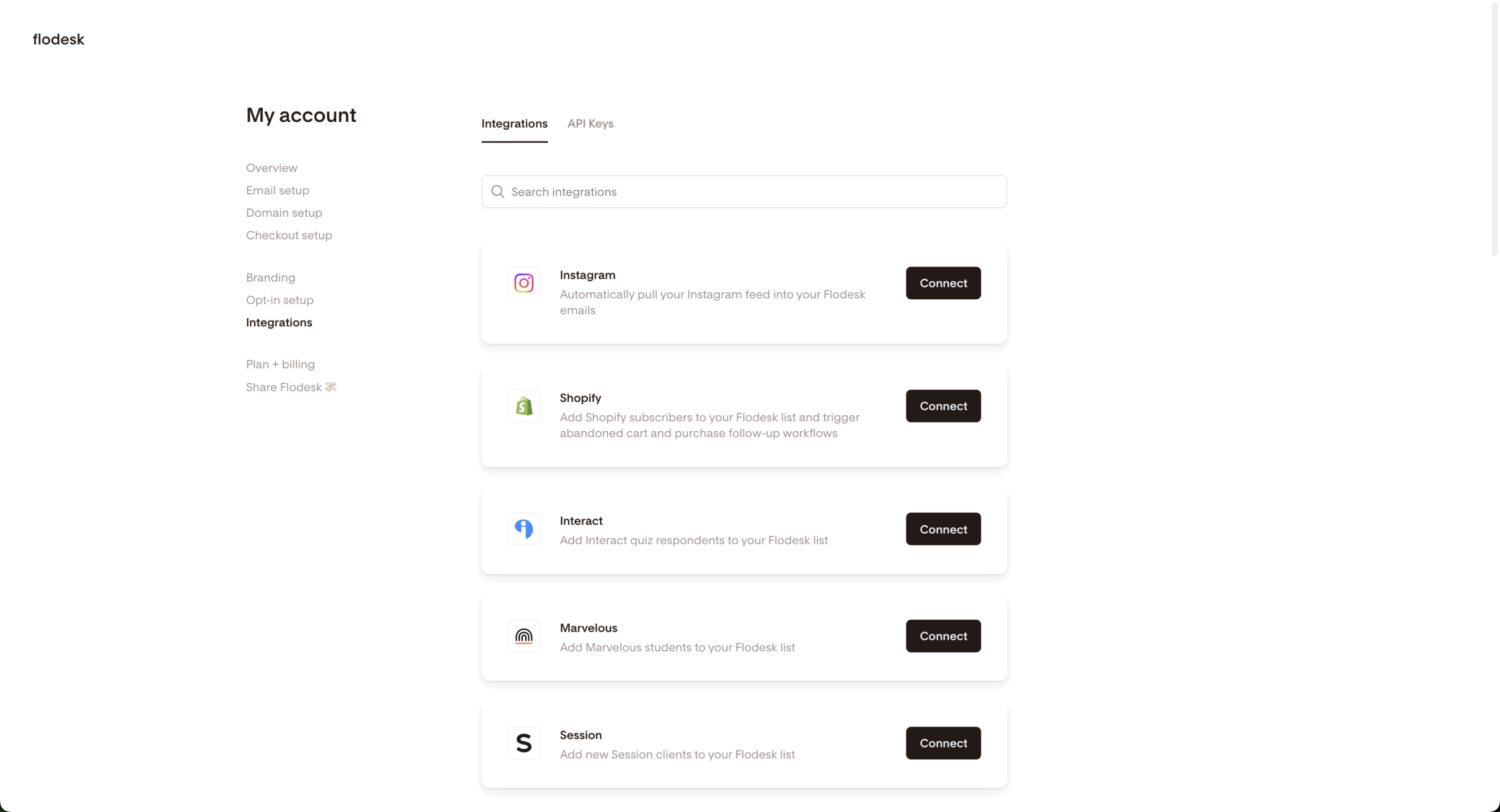
No website? No problem. Flodesk’s landing page builder lets you create standalone pages for lead magnets, product launches, or simple opt-ins. The sign-up forms work as embeds on your site, pop-ups, or full landing pages—whatever fits your setup.
Form customization includes different field types and basic conditional logic. Everything connects seamlessly—someone fills out a form, they automatically join the right segment and trigger your welcome sequence. No manual email list management or broken connections.
This is particularly useful for testing different lead magnets without building separate website pages for each one. Create a landing page, drive traffic to it, and see what converts. Simple testing without the technical overhead.
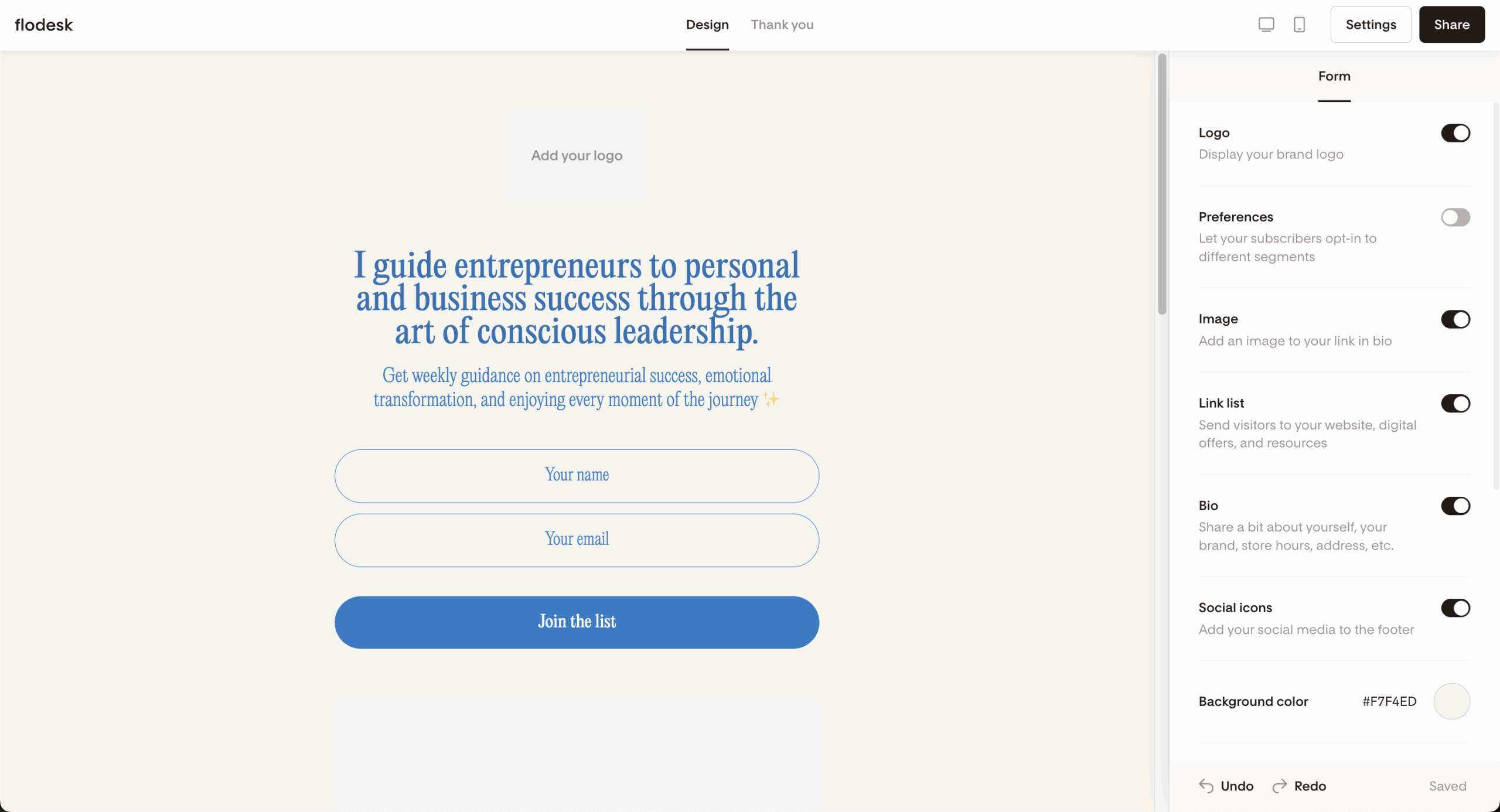
Flodesk’s analytics focus on the metrics that actually matter. Open rates, click rates, subscriber growth, engagement patterns. Presented in clean charts that don’t require a statistics background to understand.
Individual subscriber analytics show you who’s engaged and who’s not. You can see device preferences, engagement history, and overall patterns. The reporting isn’t as deep as Klaviyo or HubSpot, but it tells you what you need to know without drowning you in data.
The visual presentation makes the numbers accessible. Bar charts show email performance at a glance. Engagement trends help you spot what content resonates with your audience. It’s analytics for normal humans, not data scientists.
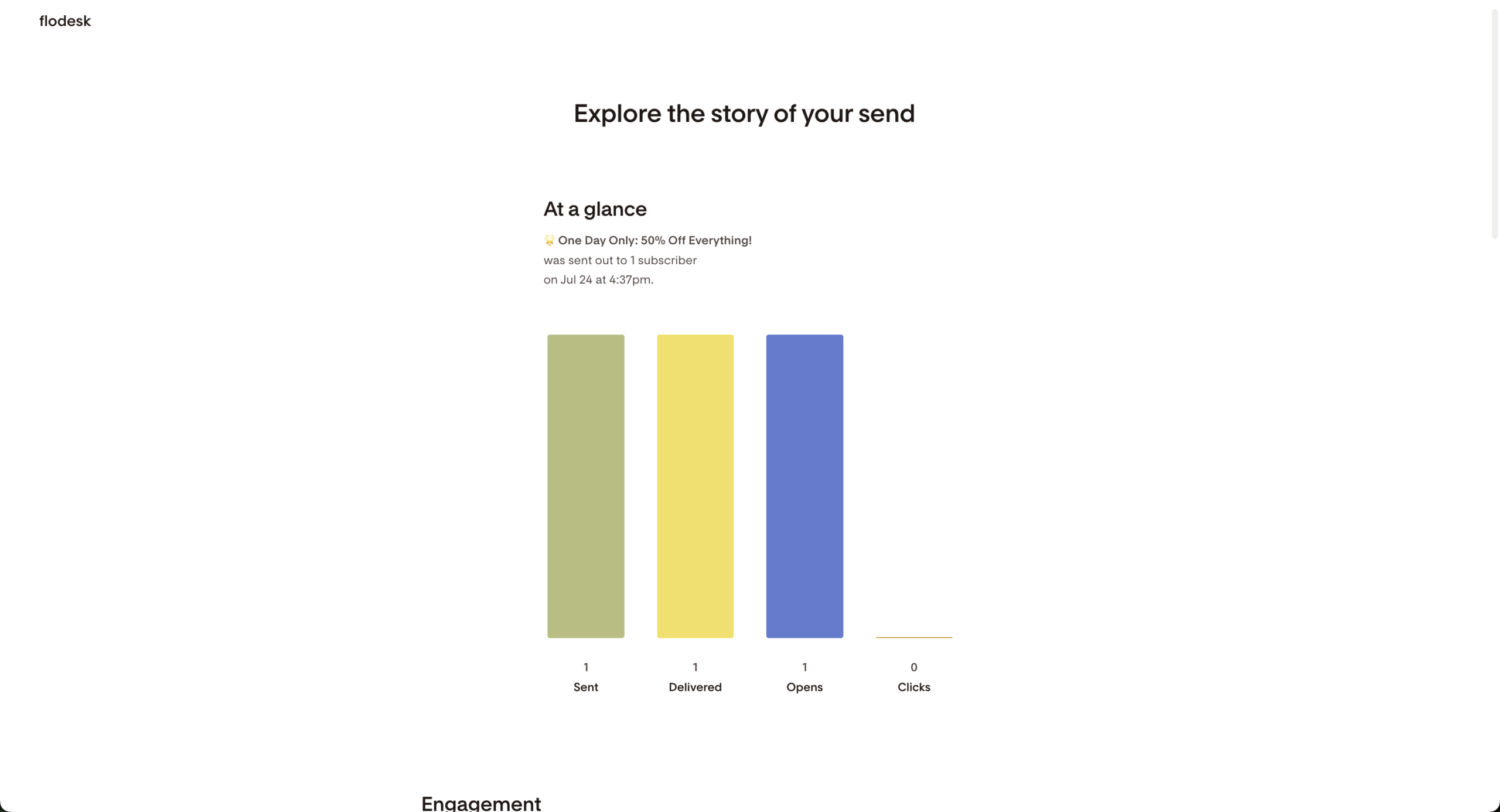
Flodesk connects with the tools most businesses actually use. Shopify and Squarespace for ecommerce, Stripe for payments, WordPress for websites. Plus Zapier access to thousands of other third-party apps if you need something specific.
I do have to say that the integration list is smaller than established platforms, but it covers the essentials. There’s Honeybook for those CRM needs, Interact for quizzes that help break down your segments even further and a handful of ecommerce apps. That said, the lack of native PayPal and Google Analytics integrations means Flodesk leans a bit too heavily on Zapier.
Their API lets developers build custom connections for unique business needs. Most users won’t touch this, but it’s there if your business has specific requirements that standard integrations don’t cover.
Support comes through email with actual humans who know the platform. Response times typically hit 24-48 hours with detailed, helpful answers. No chatbots reading from scripts—real people who understand email marketing.
The help center covers common questions and troubleshooting. There’s also a Facebook community for user-to-user support and networking. While there’s no live chat or phone support, the quality of email support and educational resources fills most gaps.
Flodesk Pricing Plans and Value
Price
Key Features
Best For
Free
$0/month
Forms, landing pages, link-in-bio tool, analytics
Lead capture without email marketing
Lite
$19/month
Starts at 1,000 subscribers, unlimited email sends, forms, 1 workflow, integrations
Creators just starting out
Pro
$25/month
Everything on Lite + unlimited automation, templates, analytics
Most businesses and creators
Everything
$49/month
Everything in Pro + checkout pages, payment processing
Businesses selling digital products
Here’s where Flodesk gets interesting—and not in the fun way that gets users giddy with excitement. In November 2025, Flodesk moved away from their signature flat-rate pricing, which gave you unlimited contacts for $35/month with no strings attached. Compare that to Mailchimp, where 2,500 subscribers go for $60/month, Flodesk made them and many other similar-minded competitors run for their money.
Unfortunately, that’s no longer the case. With pricing now tied to active subscriber count—and automatic upgrades to a higher tier if even a single subscriber goes over the limit—Flodesk has adopted the same practices Mailchimp is often criticized for.
The Pro plan, which now costs $25/month (if you opt for an annual plan), handles most business needs. Unlimited emails, all templates, automation, analytics. It is still tied to your subscriber count, but for the price you’re paying—there are Flodesk alternatives that charge you the same, but give twice as less.
The 14-day free trial includes everything. No credit card required, no feature limitations. You can build your entire email system, test all the features, and decide if it fits before spending a dime. That’s confident pricing from a platform that knows its strengths.
Flodesk Checkout
Flodesk Checkout is a solid option if you want to sell without leaving the Flodesk ecosystem—or want to do without a dedicated landing page builder. It’s important to note that Checkout supports Stripe-only payments (so no PayPal), but Flodesk doesn’t take a cut—there are no platform transaction fees beyond Stripe’s standard processing.
Compared to dedicated ecommerce platforms, though, it’s fairly lightweight: there’s no inventory management, advanced tax setup, or deep product logic (at least it gives you a handful of pre-built templates that save time). So it’s not ideal if you’re running a more complex online store.
Flodesk Pros and Cons
- Stunning, professional email templates
- Excellent email deliverability rates
- Easy-to-read analytics
- Intuitive, beginner-friendly interface
- Strong customer support and education
- Limited A/B testing capabilities
- Basic automation compared to enterprise platforms
- Fewer integrations than established competitors
- No free email marketing plan
- Limited advanced segmentation options
Pros
The templates really are that good. This isn’t marketing hype—users consistently report higher open rates after switching, partly because people actually want to open attractive emails. When your newsletter looks professional, people treat it professionally
The platform nails the simplicity-without-dumbing-down balance. New users get up and running quickly, but experienced marketers find enough functionality to execute sophisticated email marketing campaigns. That’s harder to achieve than it sounds.
Then there’s the Link Actions automation feature, which allows you to add links to your emails that trigger specific tasks when a subscriber clicks on them. When subscribers click a link, you can instantly segment them, trigger or remove workflows, and tag them with custom fields.
And the Flodesk Checkout lets you sell directly from your emails and pages without sending subscribers elsewhere. You can create simple checkout pages, accept payments via Stripe, and automatically connect purchases to your email workflows.
Cons
Automation features lag behind specialized platforms. If you need complex behavioral triggers or intricate branching workflows, you’ll hit Flodesk’s limits quickly. The automation works well for straightforward sequences but can’t match dedicated marketing automation tools.
No built-in A/B testing frustrates optimization-focused marketers. You can manually test different approaches across separate campaigns, but that’s clunky compared to platforms with split-testing built in. This feels like a missing piece for data-driven users.
Integration options remain limited compared to established competitors. While Zapier expands possibilities, native connections are fewer than platforms like Mailchimp or HubSpot. This might mean extra setup work or workflow limitations for businesses using specialized tools.
Finally, while not a deal-breaker, the fact that Flodesk offers email support only across all plans feels a bit behind the times for today’s market.
Should You Choose Flodesk?
Flodesk is Perfect For
Who Should Consider an Alternative
Small businesses and entrepreneurs prioritizing design
Large enterprises needing complex automation
Content creators and influencers building personal brands
Ecommerce stores requiring advanced sales features
Service-based businesses wanting professional appearance
Businesses heavily dependent on A/B testing
Users who prefer simplicity over complexity
Teams needing extensive third-party integrations
Organizations requiring enterprise-level reporting
Who Flodesk is Best For
Creative professionals love this platform because their emails can finally match the quality of their work. Photographers, designers, coaches—anyone whose brand depends on visual appeal finds Flodesk’s templates align with their aesthetic standards instead of fighting against them.
Small teams and early-stage businesses often find Flodesk appealing at the start, especially when comparing it to legacy platforms with rising costs and cluttered interfaces. For smaller lists and straightforward campaigns, Flodesk’s entry-level pricing can still feel reasonable—at least until automation, analytics, or integrations become a priority.
Busy entrepreneurs appreciate the simplicity that actually works. No decision paralysis from endless features. No complex setup requirements. Build beautiful emails, send them to your list, track what happens. Simple email marketing that doesn’t require a marketing degree.
Who Should Consider an Alternative
Large enterprises with complex needs will outgrow Flodesk’s capabilities quickly. If you need sophisticated lead scoring, complex automation workflows, or detailed behavioral tracking, platforms like HubSpot or Pardot make more sense despite higher costs.
Ecommerce businesses might find the basic checkout functionality limiting. While Flodesk handles simple digital product sales, complex inventory management or advanced abandoned cart recovery requires more specialized ecommerce platforms like Klaviyo.
Data-driven marketers who live and breathe A/B testing will feel constrained. If optimization through testing drives your strategy, platforms with built-in split-testing and detailed analytics provide better tools for continuous improvement.
Flodesk User Experience and Reputation
Users consistently praise the design capabilities and ease of use. The common thread? People see improved open rates after switching, often dramatically. The drag-and-drop builder gets frequent mentions for actually being intuitive instead of promising to be.
Criticism centers on limited customization depth and basic automation features. Some users want more control over template modifications or complex workflow capabilities. But most acknowledge the trade-off—simplicity that works versus complexity that overwhelms.
The deliverability praise appears in nearly every review. Users report emails landing in inboxes instead of spam folders, which matters more than any fancy feature. When your emails don’t get delivered, nothing else matters.
While it still used flat-rate pricing, Flodesk used to receive overwhelmingly positive feedback. Obviously, that’s out of the window now.
Customer support quality gets frequent mentions. Users appreciate getting actual help instead of automated responses or endless ticket escalations. The response time consistency and solution quality build user confidence in the platform.
Compliance process delays appear as the main complaint. Some users report waiting longer than expected for subscriber list approvals from Flodesk’s compliance team. It’s a minor frustration that doesn’t seem to affect overall satisfaction significantly.
User feedback on Reddit around Flodesk is far more mixed. Many people are initially drawn in by the beautiful templates and creator-friendly design, but some report declining open rates after prolonged use, with emails increasingly landing in spam folders (a common explanation points to Flodesk’s use of shared sending IPs as well as the platform’s design-heavy emails).
Criticism also focuses on a lack of innovation. Templates have seen little meaningful evolution in years, customization options remain limited, and features like the link-in-bio tool feel restrictive compared to alternatives.
Integrations are another sore spot. While some have been added, many users feel the most important ones are still missing. Finally, pricing changes have eroded what was once Flodesk’s strongest differentiator—unlimited subscribers at a flat rate—leaving some users questioning the value now that it’s priced similarly to more capable platforms.
Flodesk Compared to Top Alternatives
Flodesk vs. Sender
Flodesk emphasizes design and simplicity while Sender focuses on affordability and feature density. Sender offers a generous free plan—15,000 emails monthly for 2,500 subscribers—compared to Flodesk’s free plan that doesn’t include email marketing at all.
Template quality heavily favors Flodesk. Sender’s templates work fine but lack the visual polish that makes Flodesk emails stand out. However, Sender includes A/B testing, detailed analytics, and SMS marketing integration that Flodesk doesn’t offer.
Limited cross-channel & growth toolkit. Sender supports email + SMS from the same platform and better on-site behavior triggers, whereas Flodesk’s stack is email-centric only, pushing you toward third-party solutions for multichannel growth.
Flodesk vs. Mailchimp
Mailchimp offers more comprehensive features but complicates everything in the process. Mailchimp’s free plan includes email marketing for 500 subscribers, while Flodesk requires paid plans for any email functionality. But Mailchimp’s pricing escalates quickly—often hitting $45+ monthly for 2,500 subscribers.
Design quality isn’t even close. Mailchimp’s templates often look dated and require significant work to appear professional. Flodesk templates are immediately usable and visually appealing without customization, though they certainly allow it.
User experience philosophies differ completely. Flodesk prioritizes simplicity and visual appeal—perfect for beginners and design-conscious users. Mailchimp offers more functionality but can overwhelm new users with options and complexity that many businesses never need.
Flodesk vs. Kit
Kit is an email marketing for creators platform with powerful automation and built-in monetization features. Kit offers a free plan for 1,000 subscribers and includes sophisticated automation with visual workflow builders and advanced tagging systems.
Design quality clearly favors Flodesk—Kit templates are basic and text-focused by design. But Kit provides superior automation capabilities, including complex behavioral triggers and detailed subscriber management that appeals to serious content marketers.
Summary
After spending enough time with this lightweight email marketing platform, Flodesk stands out for its design-first approach and unusually smooth user experience. You get core automation, segmentation, and built-in selling tools like Checkout, all wrapped in a clean, distraction-free interface that’s easy to pick up even if email marketing isn’t your strong suit.
That simplicity comes with trade-offs. The first and obvious one is their flat-rate email marketing pricing structure, which is now gone. Then automation depth, reporting, and integrations lag behind more mature platforms, and recent pricing changes mean Flodesk’s costs can climb faster as your list grows. The lack of native A/B testing feels hard to justify in 2026.
Still, if branding and ease of use matter more than advanced logic or data-heavy optimization, Flodesk is a strong fit.
FAQs
Yes, Flodesk does have a free plan, although with noticeable limitations. You can use it to design emails, forms, and landing pages, explore the interface, and collect subscribers—but it doesn’t allow you to actually send emails. To start emailing your list, you’ll need to upgrade to a paid plan.
No, Flodesk does not currently offer a native A/B testing feature. That means you can’t split your list to compare different subject lines, content versions, or send times within the platform itself, so if testing multiple variations is a big part of how you optimize campaigns, Flodesk might feel limited in this area.
Yes, but in a limited way. With Flodesk Checkout, for instance, you can sell digital products, services, and subscriptions using Stripe, all within Flodesk. It’s great for simple, creator-style sales, but it’s not a full ecommerce platform. It has a native Shopify integration, not to mention tons of third-party apps which you can connect via Zapier.
Yes, Flodesk is indeed an easy-to-use platform suited for both newcomers and experienced marketers. With a clean interface, drag-and-drop design tools, and intuitive workflows, email marketing newcomers should feel right at home. It’s especially great for solopreneurs, creators, and small ecommerce businesses who want beautiful designs without a steep learning curve.
- Hands-on testing across multiple email marketing tools
- Fair comparisons using a unified evaluation process
- Insights verified with real user reviews from trusted sources
- No sponsorships or affiliate ties
- Clear, unbiased scoring and methodology
