


Choosing the best email marketing software in 2026 comes down to pricing, automation capabilities, and how well a tool scales as your list grows. While most platforms offer similar core features, differences emerge in cost structure, usability, and long-term flexibility. This guide compares 12 email marketing platforms based on hands-on testing and practical criteria.
Each platform is evaluated based on user ratings, key features, pricing, pros and cons, and best-fit use cases to help you find an option that matches your current needs and budget. We also consider factors like GDPR and CAN-SPAM compliance, consent management, audience segmentation capabilities, and how well each platform handles API integrations with your existing tech stack.
If you’re building your email program from the ground up, our complete email marketing guide walks through strategy, list-building, and campaign basics before you pick a platform.
Best Email Marketing Platforms at Glance
Before moving to detailed reviews, let’s compare the costs of using different email marketing software.
| Platform | Overall User Rating | Price | Free Plan | Best For |
| Sender | 4.8/5 | From $7/month | Free plan for up to 2,500 subscribers and 15,000 emails/month | Best value email marketing software for small and growing businesses |
| Omnisend | 4.6/5 | From $16/month | Free plan for up to 250 contacts and 500 emails/month | Best for ecommerce-focused email and SMS automation |
| Klaviyo | 3.8/5 | From $20/month | Free plan for up to 250 profiles and 500 emails/month | Best for data-heavy ecommerce brands with advanced segmentation needs |
| Brevo | 4.5/5 | From $9/month | Free plan with 300 emails/day (store up to 100,000 contacts) | Best low-cost option for basic email, SMS, and CRM needs |
| GetResponse | 4.1/5 | From $15.58/month (annual billing) | Free plan for up to 500 contacts and 2,500 emails/month | Best for teams wanting email plus webinars and funnels in one tool |
| Mailchimp | 3.9/5 | From $13/month | Free plan for up to 250 contacts and 500 emails/month (no automation) | Best for brand recognition and simple email campaigns |
| ActiveCampaign | 4.1/5 | From $15/month (annual billing) | 14-day free trial only | Email marketing software with advanced automation and CRM |
| HubSpot | 3.7/5 | From $9/seat/month (annual billing) | Free CRM and email tools with send caps | Best for enterprises needing a CRM-first marketing ecosystem |
| EmailOctopus | 4.5/5 | From $9/month | Free plan for up to 2,500 contacts and 10,000 emails/month | Best for simple newsletters and low-volume email sending |
| Constant Contact | 4.2/5 | From $12/month | 30-day free trial (up to 100 email sends) | Best for traditional small businesses sending newsletters |
| MailerLite | 4.5/5 | From $12/month | Free plan for up to 250 subscribers and 2,500 emails/month | Best for beginners launching email marketing campaigns |
| Kit | 4.1/5 | From $33/month (annual billing) | Free plan for up to 10,000 subscribers and unlimited sends | Best for creators building newsletters and audience monetization |
Quick Picks: Email Marketing Platforms by Use Case
- Sender – Best Value Email Marketing Platform for Small Businesses
- Omnisend – Ecommerce-Focused Email and SMS Automation Platform
- Klaviyo – Premium Ecommerce Platform with Steep Learning Curve
- Brevo – Email and SMS Platform With Basic CRM Features
- GetResponse – Multi-Feature Platform with Jack-of-All-Trades Approach
- Mailchimp – Email Marketing Solution for Basic Campaigns
- ActiveCampaign – Best for Advanced Automation and CRM
- HubSpot – Enterprise All-in-One Solution with High Cost
- EmailOctopus – Email Marketing Service for Basic Needs Only
- Constant Contact – Traditional Email Service with Legacy Interface
- MailerLite – Beginner-Friendly Platform with Basic Feature Set
- Kit – Email Platform Built for Creators and Newsletter Monetization
12 Best Email Marketing Software in 2026
From advanced automation to impressive deliverability, I’ve considered everything that matters when it comes to the best email marketing software. Dive into this comparison roundup to find the 12 best email marketing software options.
Capterra, G2, Trustpilot, and Reddit to create an objective evaluation. Learn more about our review methodology
Sender – Ideal for Small to Medium Businesses
Sender is email marketing software aimed at small and growing businesses. It includes a drag-and-drop email builder, templates, segmentation, and email automation for common lifecycle flows (welcome, abandoned cart, win-back).

Sender also supports a transactional email service, allowing teams to manage marketing and system messages from one platform, with webhooks available for real-time data syncing with external applications.
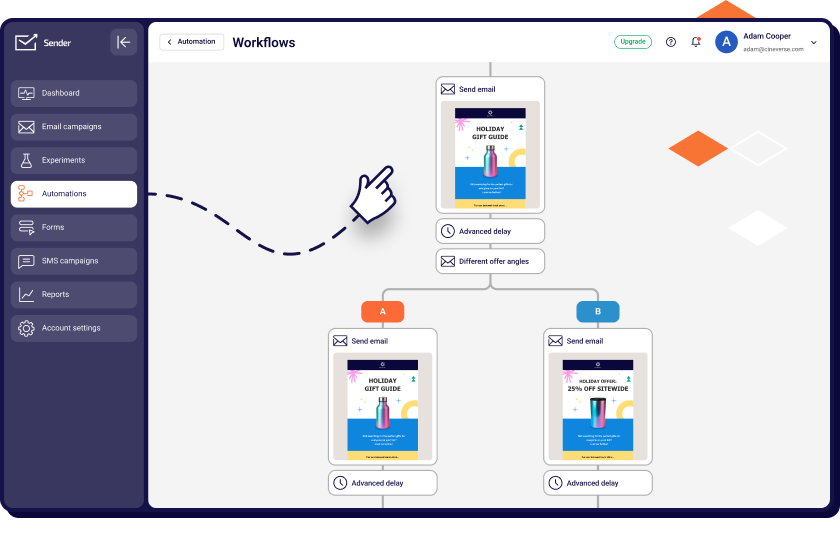
The platform combines a straightforward interface with more advanced features. You can create multi-step onboarding sequences, or welcome series, drip campaigns, and other workflows using the visual automation builder without writing code. The drag-and-drop editor is responsive and includes a library of free templates and landing page templates optimized for different devices.
The free email marketing software plan includes access to these core features without time limits, and most functionality isn’t restricted to paid tiers.
Key Features
- Automation without added complexity. Create automated email sequences with a visual workflow editor using triggers and conditions for flows like welcome, re-engagement, and cart recovery.
- Marketing and transactional emails. Manage promotional campaigns and system emails from one platform, keeping sending, reporting, and sender reputation centralized.
- Landing page builder. Build landing pages with drag-and-drop tools, customizable templates, and integrated forms to capture leads directly into your email lists.
- Migration and onboarding support. Move contacts and campaigns from another platform with guided setup and access to support during onboarding, including 24/7 assistance on available plans.
Use Cases
- Small and growing business. Designed for busy entrepreneurs looking for effective email marketing for small business–simple yet powerful tools to grow their audience;
- Ecommerce and retail. Ideal for online stores aiming to increase revenue through abandoned cart reminders, tailored product emails, and seamless platform integrations;
- Bloggers & content creators. Sender is designed with content creators in mind, making it easy to reach subscribers with bulk emails and personalized newsletters.
Best for: small businesses, ecommerce brands, and teams that want strong automation + fair pricing without complicated tiers.
Pros & Cons
- Predictable pricing that stays affordable as your list grows
- Visual automation that’s easy to set up without technical expertise
- Combines marketing and transactional emails in one platform
- Includes landing pages, forms, and popups without paid add-ons
- Clean, intuitive interface suited for small and growing teams
- Free plan includes platform branding
- No native CRM for sales pipeline management
Pricing
Here’s how the monthly cost scales as your list grows:
| Subscribers | Standard | Professional |
| Up to 2,500 | $13.30 | $24.50 |
| 10,000 | $39.30 | $84 |
| 30,000 | $102.90 | $224 |
| 50,000 | $158.90 | $322 |
Sender’s plans scale by contacts, not features – automation, landing pages, and transactional email are included at every tier, including Free. Standard and Professional add contacts and monthly email volume in bands starting at 1,000 contacts, so moving up a tier comes from list growth rather than unlocking capabilities you didn’t have before.
Limitations show up at the edges rather than mid-tier: the Free plan carries Sender branding, there’s no built-in CRM at any tier, and Enterprise pricing is quote-only, so very large lists need a sales conversation rather than a self-serve checkout.
The free plan isn’t a trial. You get up to 2,500 subscribers and 15,000 emails every month for as long as you want, with automation, segmentation, landing pages, popups, and transactional emails all included – no credit card and no feature paywall on core tools.
Pricing verified in August 2026.
Omnisend — Ecommerce-Focused Email and SMS Automation Platform
Omnisend is an all-in-one email marketing veteran tailored for ecommerce needs. Not only does it have nice trigger-based marketing automation, but it also excels in behavioral workflows and omnichannel campaigns.

Omnisend pricing: Starts at $16/month for up to 500 contacts and 6,000 emails/month | Free plan available.
I tested Omnisend by building a multi-step cart abandonment + product recommendation flow using their visual branching builder, and had it live in under an hour. Omnisend also lets you layer email, SMS, and web push into one seamless automation without needing multiple tools or any coding skills.
The platform also supports dynamic content blocks, built-in product pickers (something Shopify store owners can only dream of), and offers ready-to-use templates that match ecommerce email marketing goals–not just pretty layouts. Omnisend connects seamlessly with WordPress sites through its dedicated plugin, making it easy for WooCommerce users to sync their store data.
However, its limited integrations and ecommerce focus, no matter how great, might not appeal to businesses outside the retail space or those needing a more well-rounded email marketing compatibility.
When it comes to its free email marketing software plan, it supports up to 250 contacts and includes features like basic automation and A/B testing. That’s quite limited when compared to Sender, but that’s still a lot more than what most platforms offer at the basic level.
Key Features
- Omnichannel campaigns. Combine email, SMS, and push notifications for a unified marketing approach that drives conversions;
- Pre-made workflows. Launch targeted automations fast–perfect for abandoned cart and product follow-ups. Save time while improving customer retention;
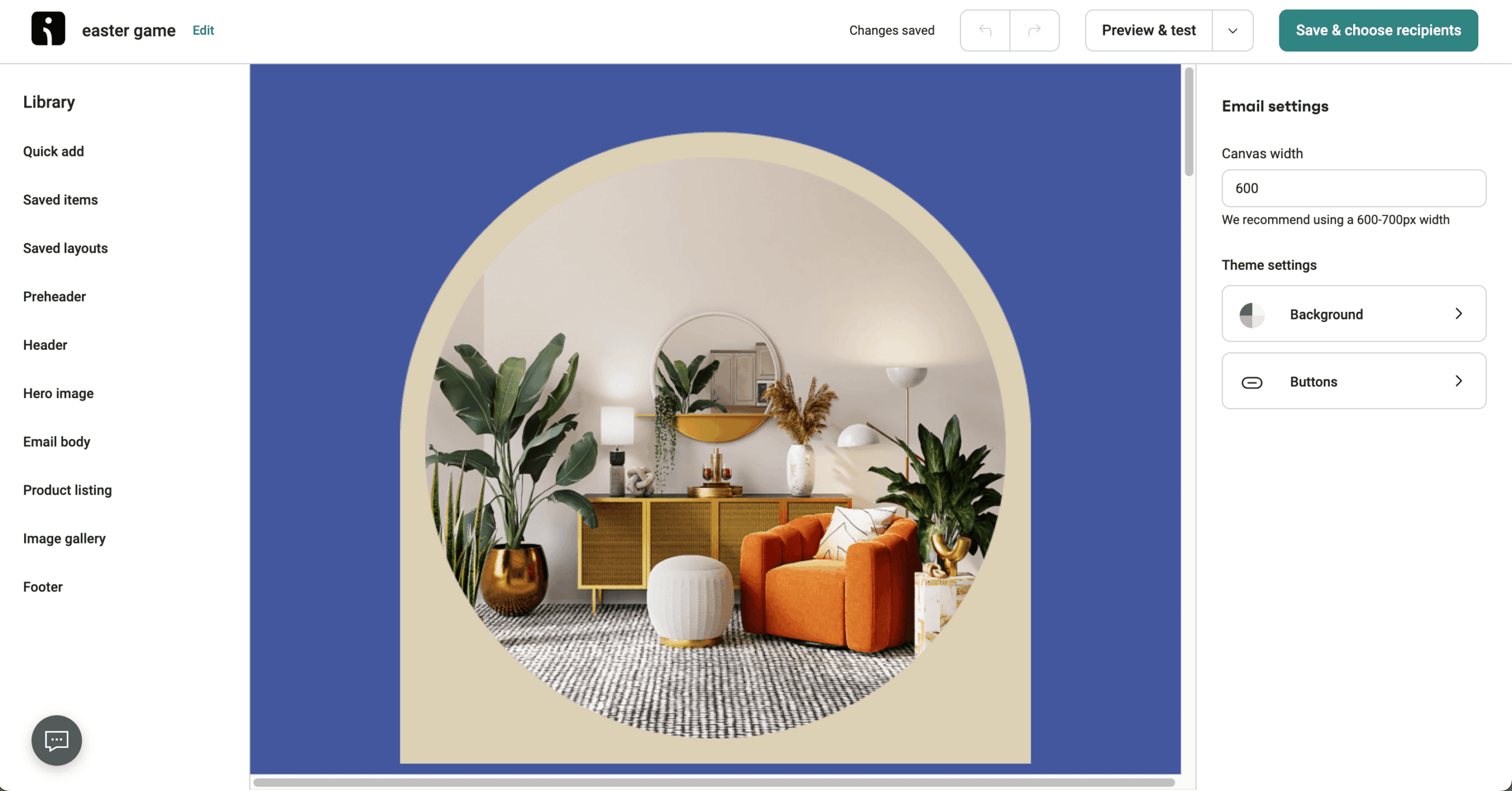
- Professional templates. Customize clean, ecommerce-focused email templates without a designer. Launch branded campaigns quickly, even with a small team;
- Seamless ecommerce integration. Connect with top ecommerce platforms like Shopify, WooCommerce, and BigCommerce with ease.
Use Cases
- Shopify stores. Automate promotional emails, cart recovery emails, and review requests;
- DTC brands. Drive repeat sales with personalized product recommendation emails and push notifications;
- Subscription businesses. Manage renewal reminders and automated product newsletters.
Pros & Cons
- Budget-friendly pricing model
- Ready-to-go automation workflows
- Multi-channel marketing
- Fast & responsive 24/7 support
- Restrictive template editor
- Limited integrations
- UI could use some polishing
- Ecommerce-oriented
- Quite steep learning curve
Pricing
Here’s how the monthly cost scales as your list grows:
| Subscribers | Standard | Pro |
| 10,000 | $132 | $150 |
| 30,000 | $338 | $497 |
| 50,000 | $413 | $715 |
Free plan – available for up to 500 emails/month to up to 250 contacts.
Standard and Pro are both priced by contact count, with SMS billed separately by usage rather than folded into the subscription. Moving from Standard to Pro roughly quadruples the entry price, and that jump is what unlocks SMS access in the first place.
The main limitation is that SMS isn’t available on Standard at any price – you’re locked into Pro’s $59/mo floor before you can text a single customer – and the Product Picker feature is further limited to Shopify and BigCommerce regardless of plan.
Pricing verified August 2026.
Klaviyo — Premium Ecommerce Platform with Steep Learning Curve
If you’re serious about email automation and customer data management, Klaviyo will be right up your alley. Its deep data tracking capabilities, advanced segmentation tool, and AI-driven insights make it one of the most high-end marketing solutions on the market.

Klaviyo pricing: Starts at $20/month for up to 500 active profiles and roughly 5,000 emails/month | Free plan available.
I tested Klaviyo for a simple Shopify store and built a multi-branch automation flow based on browsing behavior, cart value, and purchase history. It took some time, but the results were worth it – engagement rates improved noticeably, and I saw a clear uptick in conversions. Understanding the difference between tags vs segments is essential here, as Klaviyo’s segmentation relies heavily on both to create dynamic segments that update in real time.
Meanwhile, features like predictive send timing and product-based recommendations help boost email campaign performance. Klaviyo’s interface may be a bit overwhelming for beginners, but advanced marketers and agencies managing custom ecommerce flows will appreciate the level of control and optimization options it offers.
Klaviyo is packed with a variety of features, including AI-powered automation workflows. And while it does offer a free plan that gives you a taste of the (limited) free email marketing tools that come with an actual price tag, for all that Klaviyo has to offer – it’s definitely on the pricier side compared to most other options.
Key Features
- Data-driven segmentation. Create high-converting segments based on real-time behavior and purchase history. Improve engagement by sending hyper-relevant messages;
- Predictive analytics. Use AI to forecast revenue and customer lifetime value from campaigns. Make smarter decisions backed by real-time data;
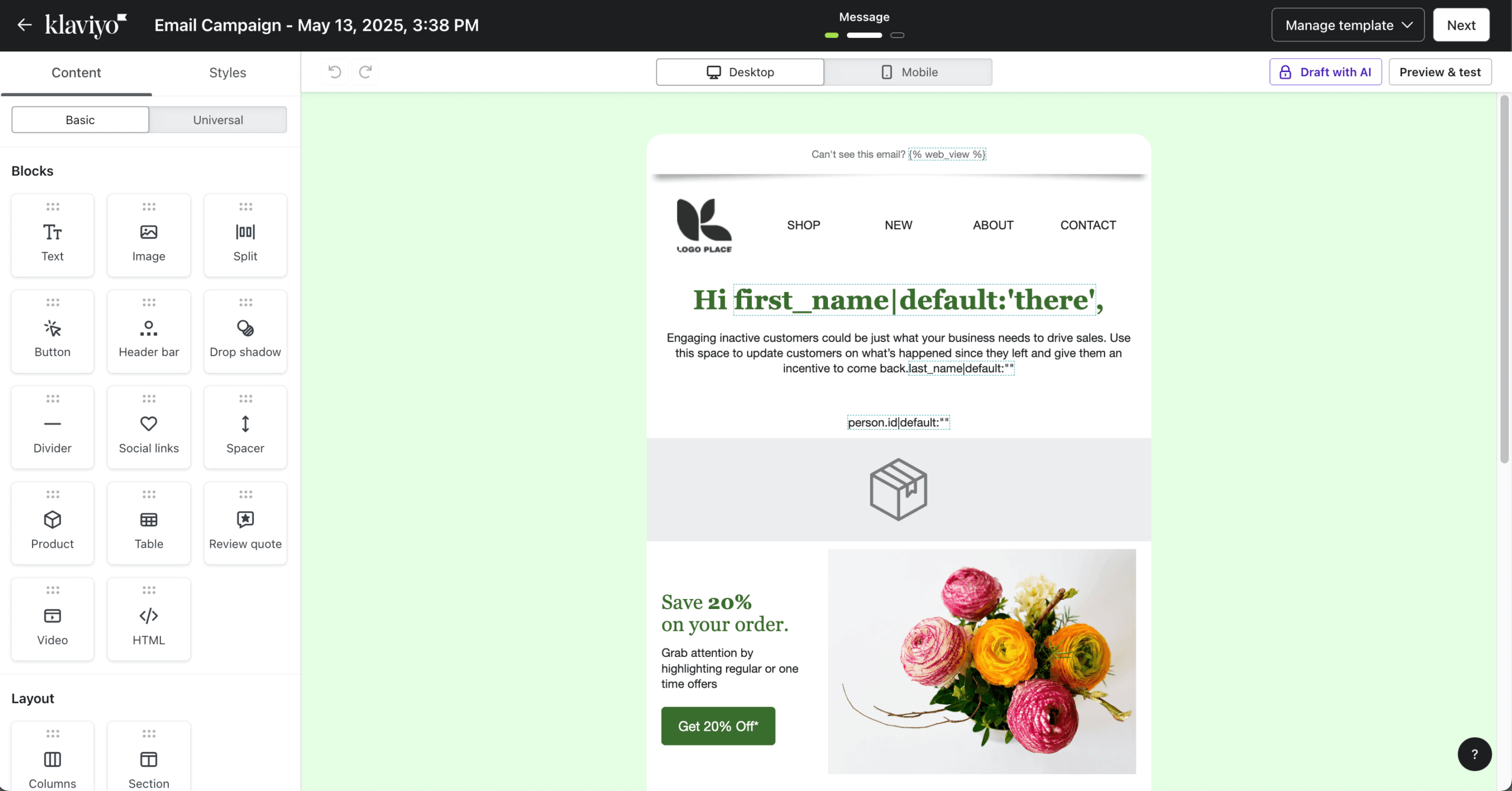
- Advanced personalization. Build deeply customized flows using dynamic email templates. Increase conversions with content tailored to each user;
- Unified platform. Combines email, SMS, and analytics in one dashboard. Track performance and manage everything from a single source of truth.
Use Cases
- Scaling ecommerce brands. Use contact data to create hyper-personalized email and SMS campaigns;
- Subscription businesses. Automate retention emails based on churn risk prediction;
- High-volume retailers. Personalize emails and employ SMS marketing using AI-based suggestions.
Pros & Cons
- Deep ecommerce integration
- Strong automation features
- Top-tier A/B testing capabilities
- Intuitive visual automation builder
- Steep learning curve
- Support prioritizes higher-tier accounts
- Advanced features are behind a paywall
Pricing
Here’s how the monthly cost scales as your list grows:
| Active profiles | Email + SMS* | |
| 10,000 | $150 | $275 |
| 30,000 | $500 | N/A |
| 50,000 | $720 | N/A |
Free plan – available for up to 500 email sends/month to up to 250 active profiles.
Pricing is tiered by active profiles rather than total contacts, and email and SMS sit on separate ladders – you can add SMS to any email tier for roughly $15/mo more rather than being forced onto a bundled plan.
The active-profile model is the biggest thing to plan around: profiles you’ve re-engaged stay billable for 90 days even if they go quiet again, and core features like Reviews and Marketing Analytics are unbundled add-ons rather than included in any tier.
Klaviyo bills monthly only – there’s no annual discount on self-serve plans. Since February 2025, billing counts every active profile your account can reach, not just the contacts you email, so bills tend to climb as signups accumulate.
Pricing verified August 2026.
Brevo — Email and SMS Platform With Basic CRM Features
Whether you’re running an ecommerce business, looking for dynamic content personalization tools or built-in CRM, Brevo might be just what you’re looking for.
Brevo pricing: Starts at $9/month for up to 5,000 emails/month (500-contact cap at this tier) | Free plan available with usage limitations.
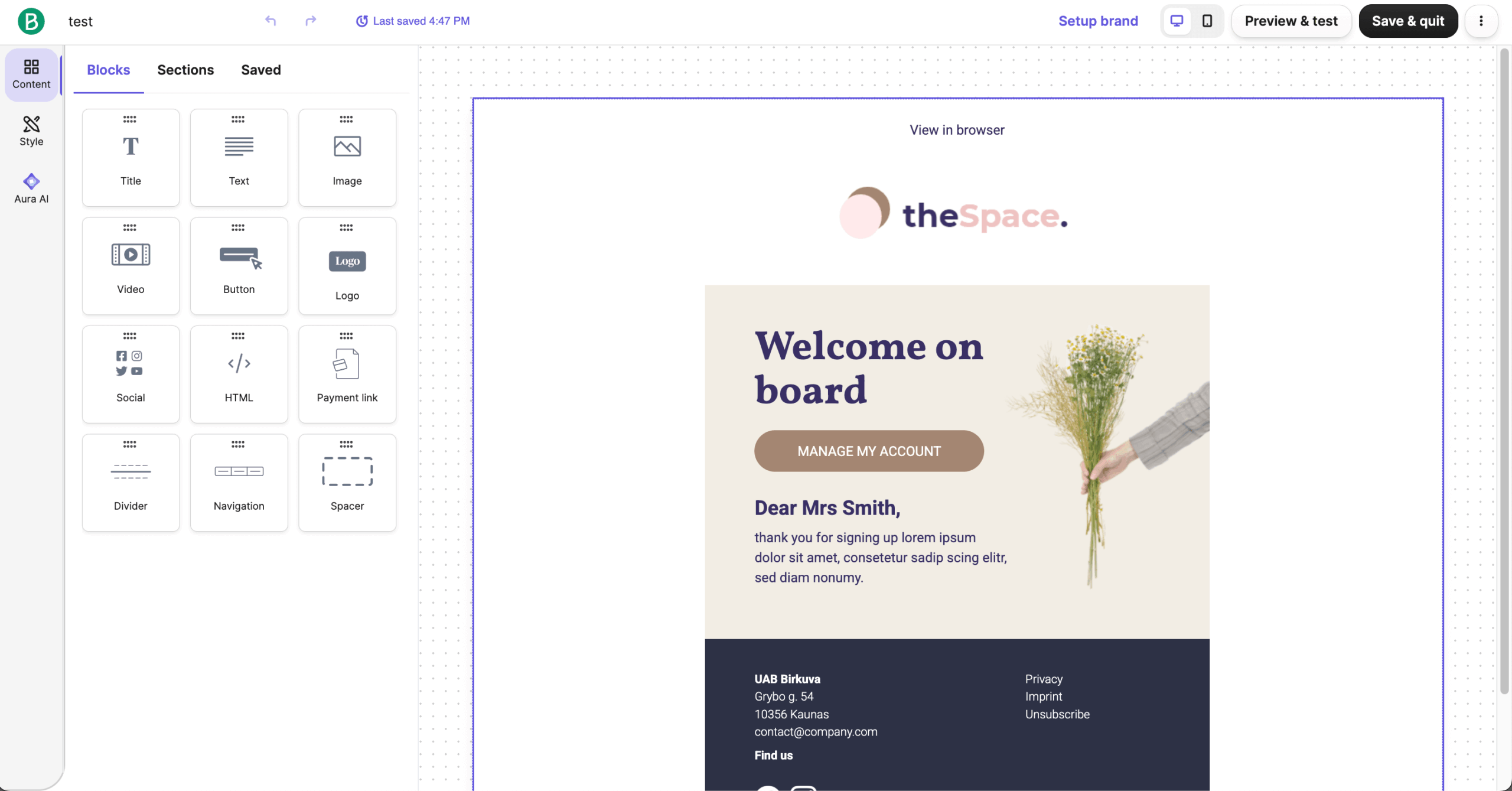
During my hands-on time with Brevo, I got to spend some quality time with its advanced segmentation and ready-to-use automation workflows–both of which were reliable. The platform makes it easy to engage your audience across multiple channels at once, too. Brevo also integrates seamlessly with WordPress and supports Zapier connections for extended functionality with hundreds of other apps.
On top of that, Brevo lets you personalize subject lines and email content using dynamic fields, making your messages more tailored and engaging. And while I appreciate Brevo’s budget-friendliness, it does fall short in a few areas.
For instance, its reporting lacks advanced funnel tracking. The same can be said about its automation builder, which lacks deep branching logic. I also found the email template library to be quite limited and not as customizable as some of its competitors, including Omnisend or Sender.
Key Features
- Transactional email capabilities. Automate purchase confirmations and shipping updates without external tools. Ensure reliable delivery of essential order-related emails;
- Flexible contact pricing. Pay primarily based on email volume rather than contacts–ideal for growing lists on a budget. Control costs as your list expands;
- Drag-and-drop editor. Easily design emails using intuitive tools and reusable email templates. No coding skills needed to create professional campaigns;
- Centralized platform. Offers CRM, SMS, and automation in one platform. Ideal for teams wanting centralized control without third-party tools.
Use Cases
- Ecommerce. Leverage automation features and transactional emails for lifecycle campaigns and cart recovery. This ensures customers receive the right message at the right time;
- Startups. A smart choice for cheap email marketing services and scalable pricing. You can grow your audience without upgrading too soon;
- Content Creators. Create and send beautiful updates using professional templates and user-friendly email newsletter software. It’s perfect for keeping fans and followers engaged.
Pros & Cons
- Multi-channel support
- Competitive pricing
- Built-in CRM functionality
- Strong transactional email support
- Inconsistent deliverability rate
- Reporting lacks advanced funnel tracking
- Restrictive free plan
Pricing
| Plan | Price | What you get |
| Free | $0 | 300 emails/day – store up to 100,000 contacts, Brevo branding |
| Starter | From $9/month | 5,000 emails/month – no automation; branding removal costs an extra $10.80/month |
| Standard | From $18/month | Adds automation and A/B testing; contact caps scale with your email volume tier |
| Professional | From $499/month | WhatsApp campaigns, AI segmentation, phone support |
| Enterprise | Custom price | The only plan with unlimited contacts |
Free plan – available for up to 300 emails/day with storage for up to 100,000 contacts.
Brevo meters primarily by emails sent per month rather than by contacts, so Starter and Standard both cap total sends first and contacts second – a genuine advantage for large, infrequently-emailed lists.
The trade-off is feature gating: unlimited automation isn’t available on Free or Starter at any price, and removing Brevo’s branding on Starter costs an extra $10.80/mo on top of the plan price.
Pricing verified August 2026.
GetResponse — Multi-Feature Platform with Jack-of-All-Trades Approach
Over the years, GetResponse has evolved from basic email marketing software into a full-fledged marketing hub with features like AI-powered recommendations and even an online course builder. Which makes it a popular choice amongst both content creators and online stores ready to scale.

GetResponse pricing: Starts at $15.58/month billed annually ($19 month-to-month) for up to 1,000 contacts and unlimited emails | Free plan available.
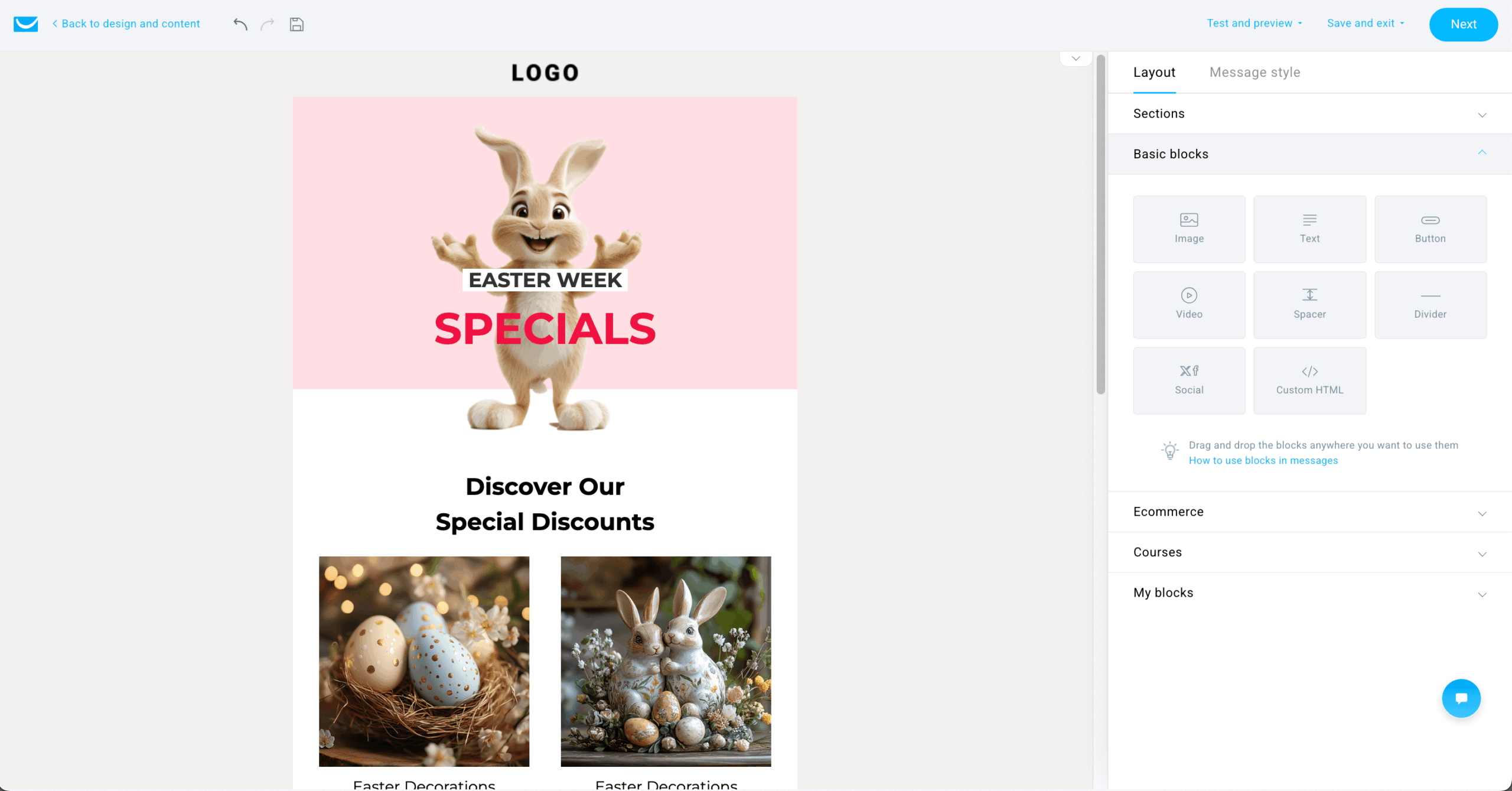
I used GetResponse to set up a lead magnet + webinar campaign. Its intuitive autofunnel tool made the setup process a walk in the park for me. From the opt-in page to confirmation emails and a “thank you” sequence, the journey came together without needing multiple platforms or third-party integrations. The platform also supports double opt-in for list building, which helps maintain list quality and ensures consent management compliance.
Plus, the AI email generator is a nice bonus, too. It helped me with email copy, subject line optimization, and CTAs, which I used for A/B testing. It also brought down the content creation time significantly.
The interface isn’t as sleek as some of its competitors’, but the variety of advanced features make it a worthy choice for creators who need more than just email marketing. GetResponse’s Free plan deserves a mention too, offering basic free email marketing software, a website builder, and landing pages for up to 500 contacts with no time limits.
Key Features
- Autofunnel builder. Create full sales journeys from opt-in to conversion in one tool. Ideal for building revenue funnels without coding;
- Webinar integration. Run live sessions directly from your email platform. Educate and convert your audience in real time;
- AI email generator. Quickly produce optimized emails with smart copy suggestions. Save time and boost performance with AI-powered content;
- Conversion funnel builder. Landing pages, sales funnels, and automation come together on the Marketer plan and up – the Starter plan includes just 1 automation and no sales funnels.
Use Cases
- Ecommerce brands. Use AI product recommendations, abandoned cart emails, and sales tracking to boost conversions;
- Course creators & coaches. Sell courses and build automated email funnels to nurture prospective learners;
- B2B & SaaS companies. Plan complex email automations and integrate directly with a CRM system for lead management.
Pros & Cons
- Great conversion funnel functionality
- Design & spam testing tools
- Top-notch webinar hosting capabilities
- Intuitive visual workflow builder
- Limited A/B testing
- Clunky interface
- Limited automation capabilities
Pricing
Here’s how the monthly cost scales as your list grows:
| Subscribers | Starter | Marketer | Creator |
| 10,000 | ~$80 | ~$114 | ~$132 |
| 30,000 | ~$235 | ~$293 | ~$340 |
| 50,000 | ~$299 | ~$368 | ~$426 |
Free plan – available for up to 2,500 emails/month to up to 500 contacts.
Starter unlocks unlimited sends right away, but the platform’s higher-value features are staged across tiers rather than bundled at entry – Marketer adds automation and A/B testing, and Creator layers in the course builder and webinar hosting.
The practical limitation is that A/B testing sits behind the $48+/mo Marketer plan, and SMS plus transactional email are excluded from every self-serve tier, available only on custom-priced Enterprise.
Pricing verified August 2026.
Mailchimp — Email Marketing Solution for Basic Campaigns
Mailchimp is often the first email marketing software most businesses try–and after spending some time with it, I can see why. With its playful UI, wide brand recognition, and hundreds of integrations, it’s built a reputation as the go-to email marketing platform.

Mailchimp pricing: Starts at $13/month for up to 500 contacts and 5,000 emails/month | Free plan available.
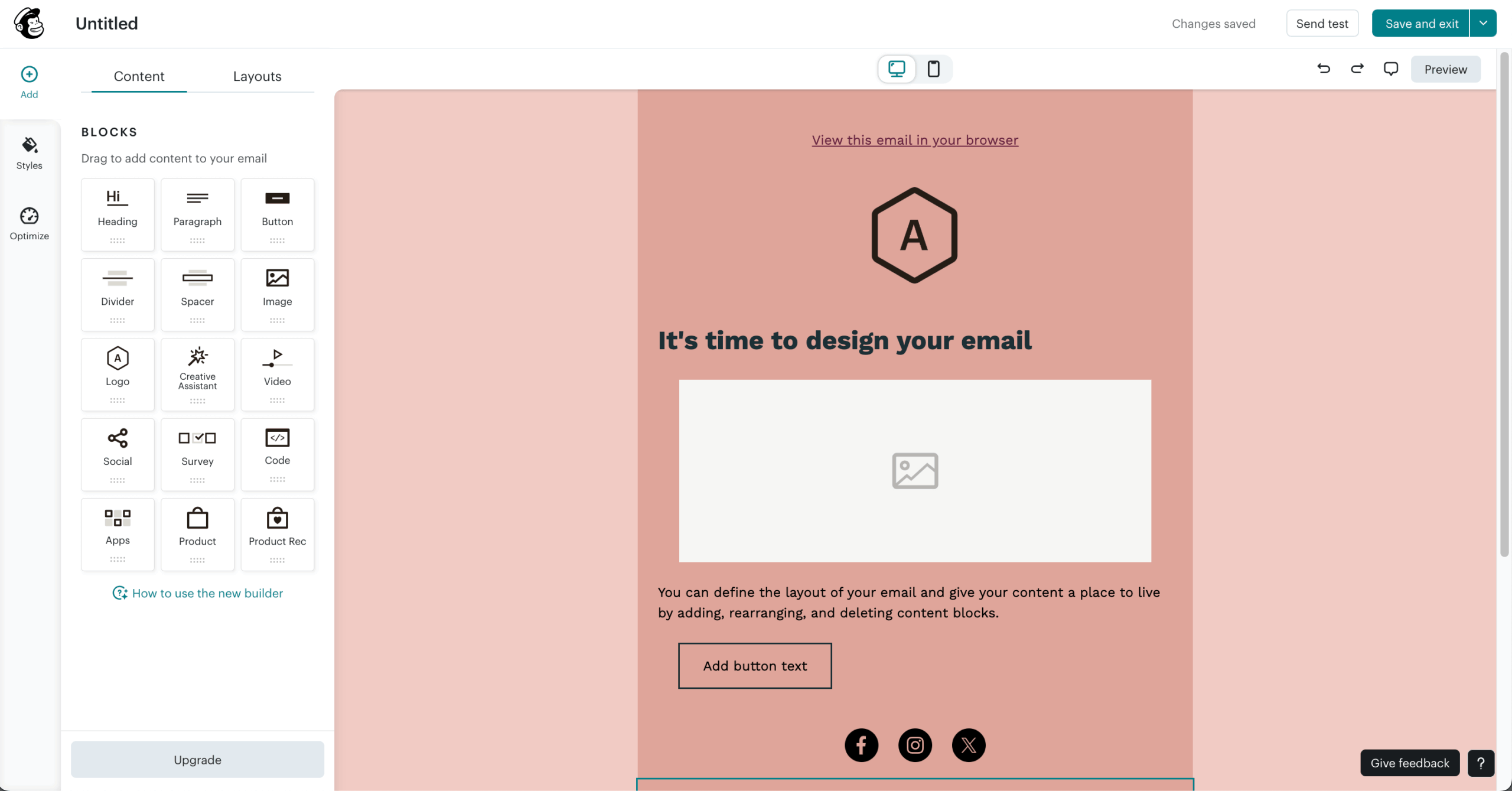
I tested Mailchimp and set up a product launch campaign using Mailchimp’s Journey Builder, combining behavioral triggers, such as page visits and email opens. The flow was easy to map, but tweaking logic-based conditions felt limited.
Where Mailchimp shines is in branding elements. Its Creative Studio lets you store brand assets, reuse content, and maintain design consistency across campaigns, which I found helpful while managing seasonal collections. The platform also provides clear data retention policies and straightforward unsubscribe management tools to help maintain list hygiene.
When it comes to deliverability optimization, it doesn’t perform really well compared to competitors. Out of all the emails sent via Mailchimp, only 76.91% of the emails landed in the inbox. And although it offers robust automation features, Mailchimp’s segmentation struggles to keep up when managing larger subscriber lists.
Mailchimp’s once-generous free plan has also been heavily restricted. You’ll get very basic segmentation and no automation unless you upgrade–which is part of the reason why Mailchimp is losing its competitive edge, making many businesses actively seek Mailchimp alternatives.
Key Features
- Journey builder. Visual workflow editor for mapping out customer lifecycle campaigns. Plan complex email paths with ease;
- Creative studio. Centralized hub for brand assets, content, and design tools. Maintain brand consistency across campaigns effortlessly;
- Audience insights. Offers smart suggestions for campaign optimization, send times, and content. Boost click-through rates by monitoring user behavior and predictive insights;
- Extensive integrations. Connect with ecommerce, CRM, and analytics tools out of the box. Great for businesses already using a wide tool stack.
Use Cases
- Ecommerce brands. Use automation to recover abandoned carts and segment customers for personalized newsletters;
- Service-based businesses. Set up appointment scheduling and customer follow-ups;
- Bloggers & content creators. Ideal email marketing for bloggers who want to send regular newsletters, promote new posts, and build deeper connections with readers.
Pros & Cons
- Wide range of integrations
- Pulls product data into emails by connecting your store
- State-of-the-art AI tools
- Extensive analytics report
- Charges for inactive/unsubscribed contacts
- Limited advanced segmentation
- Templates can feel restrictive
- Pricing scales up quickly
Pricing
Here’s how the monthly cost scales as your list grows:
| Contacts | Essentials | Standard | Premium |
| 10,000 | $110 | $135 | $350 |
| 30,000 | $300 | $340 | $685 |
| 50,000 | $385 | $450 | $815 |
Free plan – available for up to 500 emails/month to up to 250 contacts (no automation).
Mailchimp’s four tiers step up mainly on automation depth and contact allowances, with Premium’s $350/mo price built around a much larger 10,000-contact allotment rather than a long list of incremental features.
The clearest limitation is the free plan, cut to 250 contacts with no automation at all, and Mailchimp continues billing for unsubscribed and inactive contacts unless you manually archive them – a cost most competitors in this comparison don’t charge for.
Pricing verified August 2026.
ActiveCampaign — Best for Advanced Automation and CRM
ActiveCampaign is a powerhouse for businesses that need advanced email automation workflows and built-in sales CRM functionality.
It combines email marketing, marketing automation, and customer relationship management into one platform–making it a strong choice for B2B companies, agencies, and teams with complex customer journeys.
ActiveCampaign pricing: Starts at $15/month billed annually for up to 1,000 contacts and 10,000 emails/month | No free plan available.
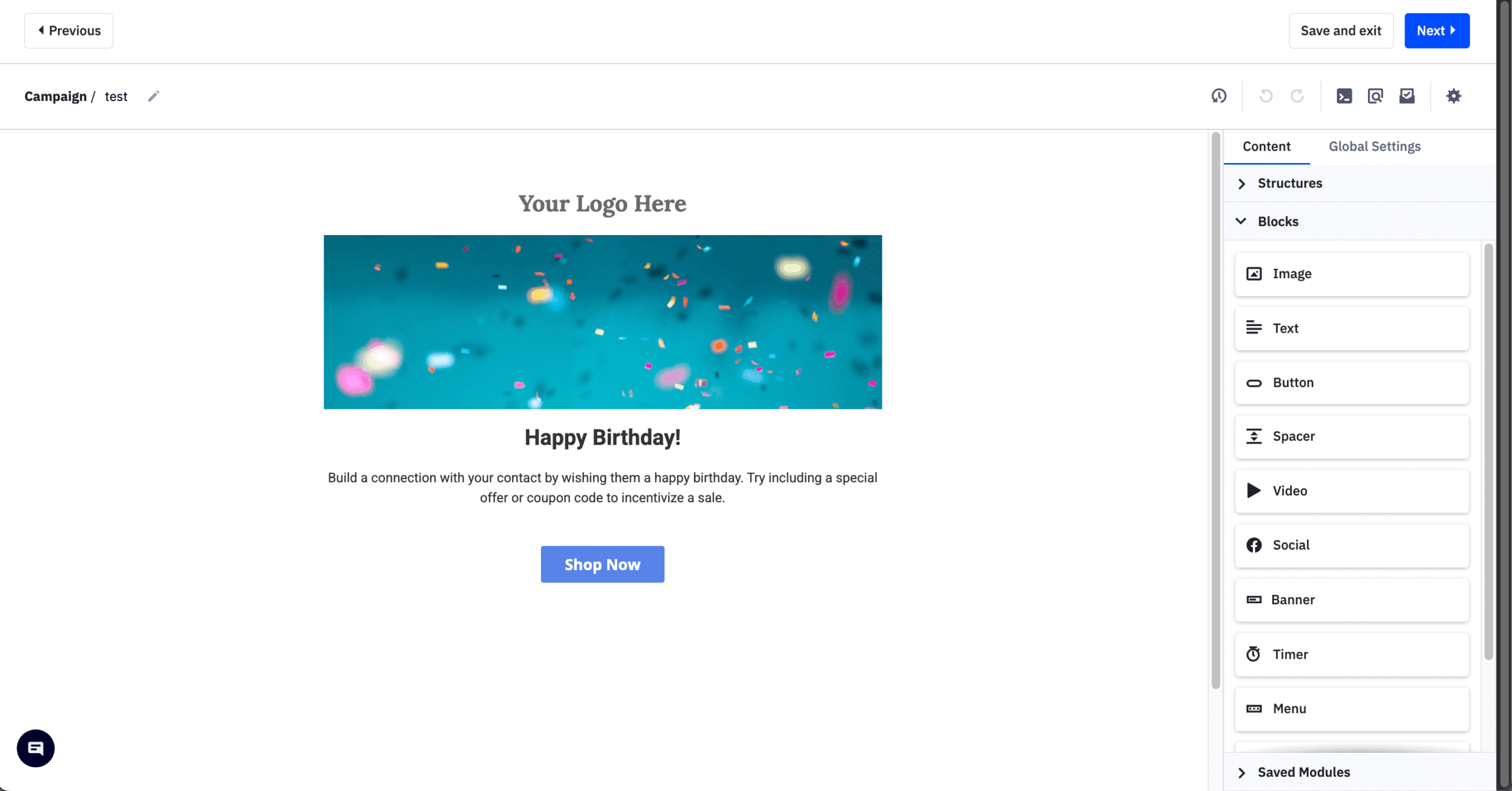
I tested ActiveCampaign by building a multi-step lead nurturing sequence with conditional logic, lead scoring, and CRM deal creation triggers. The visual automation builder is genuinely impressive – you can create branching paths based on dozens of behavioral triggers, from email engagement to site visits to custom field changes. It took some time to master, but the depth of control is unmatched by most competitors.
Where ActiveCampaign truly shines is in its ability to bridge marketing and sales. Leads can automatically move through your pipeline, get assigned to sales reps, and trigger personalized follow-ups based on their engagement. The predictive sending and win probability features add an AI layer that helps prioritize outreach. For high-volume senders, ActiveCampaign also offers a dedicated IP option, which gives you full control over your IP reputation and sender reputation.
However, all this power comes with trade-offs. The interface can feel overwhelming for beginners, and the pricing climbs quickly as you add contacts or need advanced features. There’s also no free plan – just a 14-day trial – which makes it harder to explore thoroughly before committing.
Key Features
- Visual automation builder. Create complex, branching workflows with dozens of triggers and conditions. Ideal for businesses with intricate customer journeys;
- Built-in CRM. Manage deals, track sales pipelines, and automate follow-ups in one place. Align marketing and sales without third-party tools;
- Lead scoring. Automatically score contacts based on engagement and behavior. Prioritize high-value leads for your sales team;
- Conditional content. Show different email content based on subscriber data and segments. Deliver hyper-relevant messages without creating multiple campaigns;
- 900+ integrations. Connect with virtually any tool in your stack, from Shopify to Salesforce. Build a seamless marketing ecosystem.
Use Cases
- B2B companies. Nurture leads through long sales cycles with automated drip campaigns and CRM-triggered follow-ups;
- Agencies. Manage multiple client accounts with advanced segmentation and white-label reporting options;
- SaaS businesses. Combine product usage data with email automation for onboarding sequences, churn prevention, and upsells.
Pros & Cons
- Industry-leading automation capabilities
- Native CRM with sales automation
- Deep segmentation and personalization options
- Extensive integration library
- Strong deliverability reputation
- Steep learning curve for beginners
- No free plan available
- Pricing increases significantly at scale
- Interface can feel cluttered
- Some advanced features locked behind higher tiers
Pricing
Here’s how the monthly cost scales as your list grows:
| Contacts | Starter | Plus | Pro | Enterprise |
| 10,000 | $149 | $189 | $375 | $589 |
| 30,000 | – | $449 | $709 | $949 |
| 50,000 | – | $609 | $969 | $1,169 |
No free plan – a 14-day free trial is the only way to test before paying.
Starter, Plus, and Pro all begin at 1,000 contacts, with the meaningful jump being Plus’s removal of the 5-action automation cap that makes Starter feel more like a broadcast tool than a true automation platform.
The most consequential limitation isn’t a feature gate but a billing change: since November 2025, ActiveCampaign charges for all contacts, including unsubscribed and bounced ones, which regularly pushes real spend 30–50% above the advertised starting price.
Pricing verified August 2026.
HubSpot — Enterprise All-in-One Solution with High Cost
HubSpot is more than email marketing software – it’s a central command center for businesses ready to scale marketing, sales, and customer service together.
With unified CRM data, deep marketing automation tools, and smart content personalization, HubSpot turns email into a revenue engine for growth-stage teams.

HubSpot pricing: Marketing Hub Starter costs $9/seat/month billed annually for up to 1,000 marketing contacts | Free CRM and email tools available.
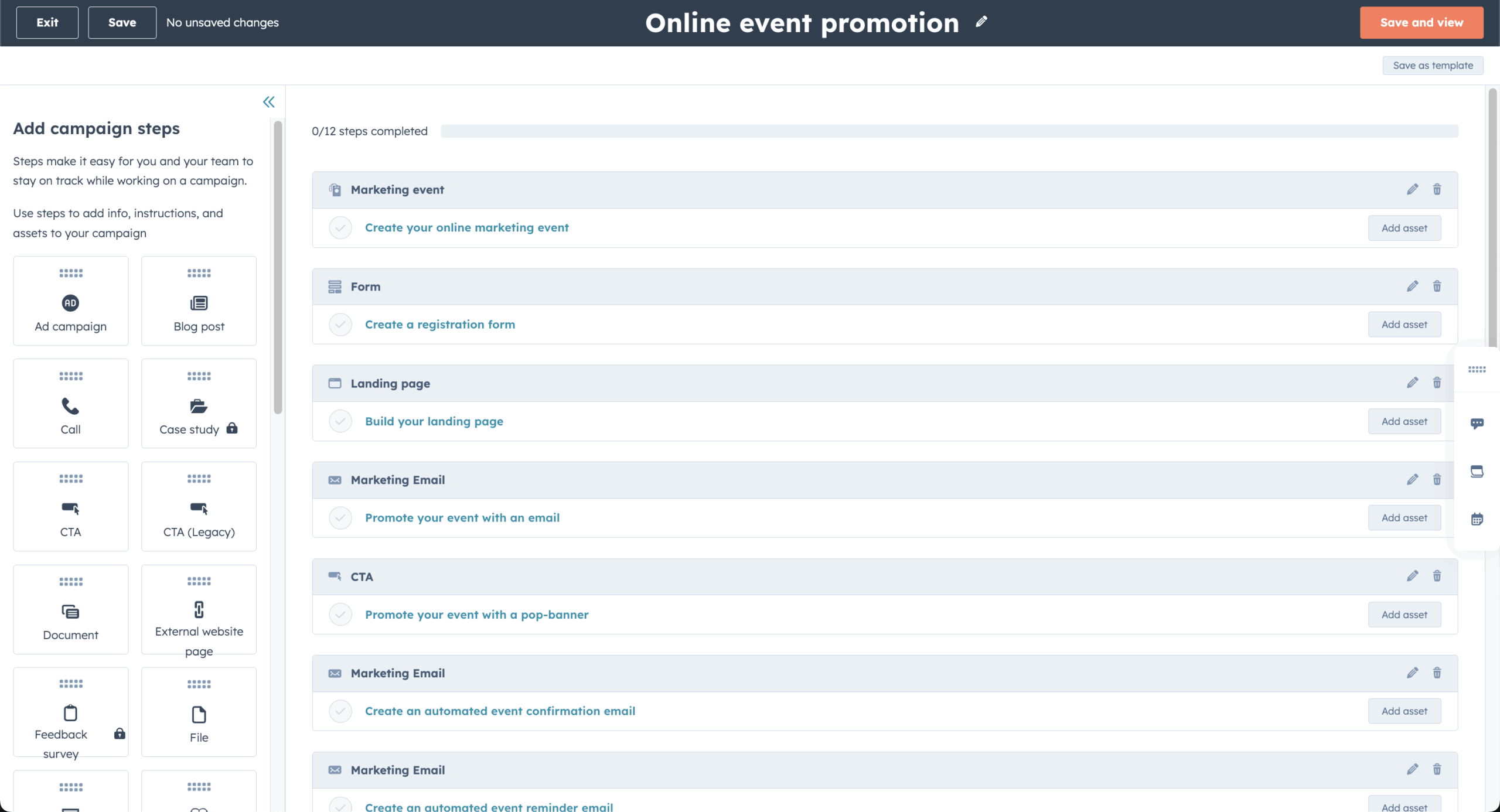
I tried HubSpot to check how it can streamline lead nurturing in the B2B industry. By combining email sequences, dynamic lead scoring, and CRM filters, I triggered content recommendations based on demo activity and lifecycle stage.
While the email-only functionality seemed basic at first, HubSpot showed its strengths when tied to CRM, landing pages, and workflows. I also noticed that HubSpot offered full-funnel visibility to show how each email contributes not just to clicks, but to actual pipeline progression and revenue.
Finally, HubSpot’s free plan is surprisingly generous – offering web forms, email marketing, ticketing, tracking, and landing pages, with storage for up to 1,000,000 contacts. It’s easily one of the best free all-in-one CRMs out there.
However, when it comes to paid plans, the jump from $20/seat to $890/month for Professional – plus a mandatory, non-refundable $3,000 onboarding fee – makes its pricing structure feel steep as Mount Everest. That 44x gap between Starter and Professional is the single most-cited complaint across G2 and Capterra, and Professional is where the automation most buyers actually want lives.
Key Features
- Full CRM & email suite. All-in-one unified platform connecting sales, service, and marketing. Eliminate silos and streamline communications;
- Smart content rules. Show different content based on user profiles and behaviors. Personalize the experience for each contact;
- Integrated lead scoring. Identify top prospects and tailor follow-ups accordingly. Focus efforts on the most engaged leads;
- Great collaboration sidebar. Keep your team aligned with a built-in sidebar that lets you share notes, view contact history, and collaborate on customer interactions.
Use Cases
- Enterprises & large teams. Manage complex workflows across multiple departments;
- B2B companies. Align email marketing efforts with sales process for lead nurturing & follow-ups;
- High-growth SaaS brands. Nurture leads with hyper-personalized and well-timed drip sequences.
Pros & Cons
- User-friendly interface
- Generous free plan
- Great CRM integration
- Insightful reporting
- High cost at scale
- Steep learning curve
- Basic templates
Pricing
Here’s how the monthly cost scales as your list grows:
| Marketing contacts | Starter | Professional | Enterprise |
| 10,000 | ~$463 | ~$1,604 | ~$3,818 |
| 30,000 | ~$1,363 | ~$2,688 | ~$4,308 |
| 50,000 | ~$1,961 | ~$3,646 | ~$4,242 |
Free tools – available with monthly email send caps of 2,000 emails per month and storage for up to 1,000,000 contacts.
The free CRM is unlimited in contact storage, but Marketing Hub’s paid tiers price by both seats and marketing contacts, and the real cost difference between Starter and Professional comes from automation access, not contact volume.
The steepest limitation is the pricing cliff itself: Professional costs roughly 44 times Starter’s entry price and requires a mandatory $3,000 non-refundable onboarding fee, which effectively rules it out for teams not ready to commit to a multi-thousand-dollar setup cost.
Pricing verified August 2026.
EmailOctopus — Email Marketing Service for Basic Needs Only
If you’re a small business looking for a simple, budget-friendly newsletter tool, EmailOctopus is worth considering.
Unlike platforms packed with unnecessary features, EmailOctopus focuses purely on what small businesses need – newsletters and autoresponders, without the unnecessary complexity.
EmailOctopus pricing: Starts at $9/month for up to 500 subscribers and 10,000 emails/mo| Free plan available.
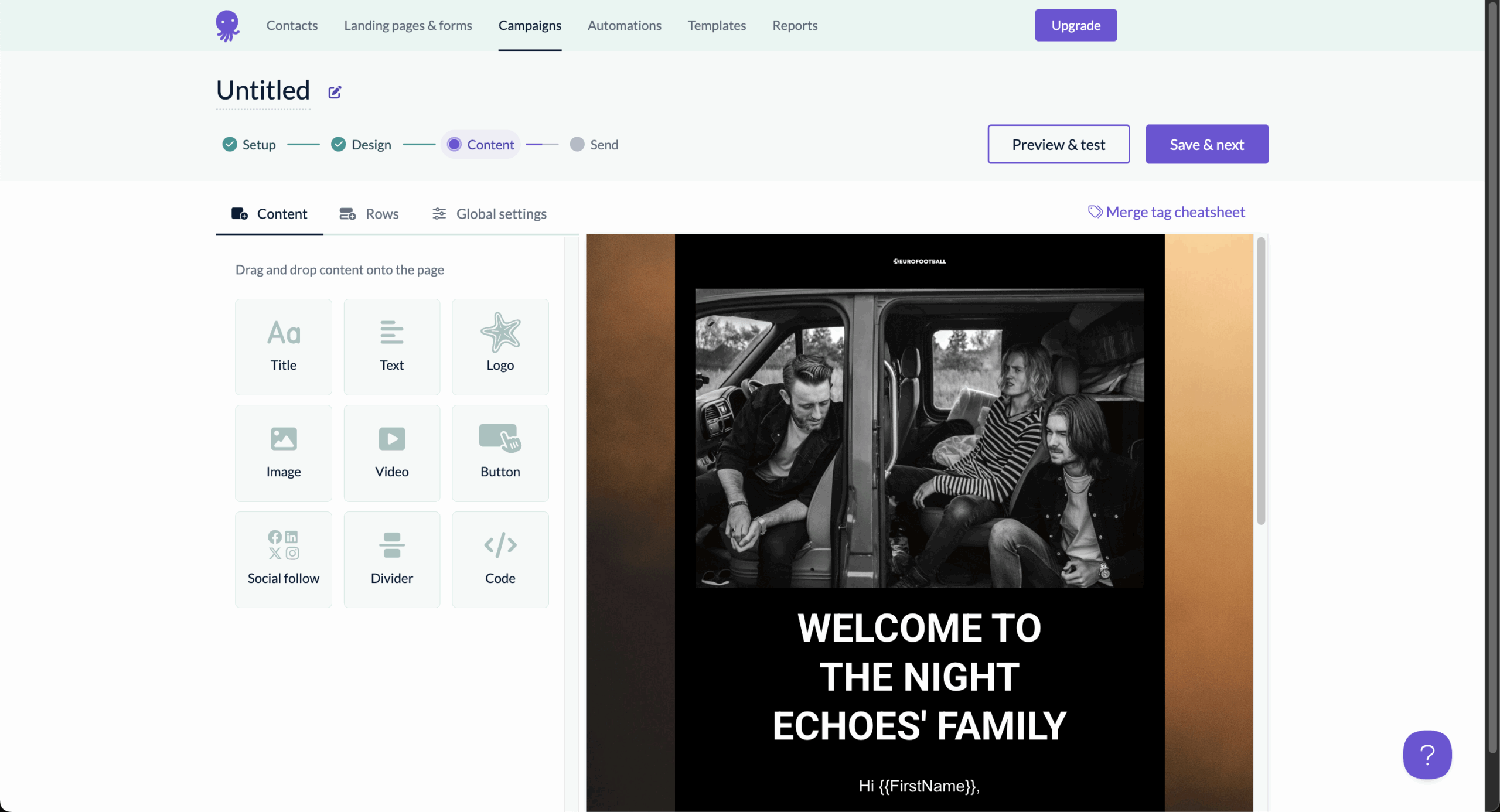
During my hands-on time with EmailOctopus, I was able to set up a dummy campaign in under 15 minutes. The UI was clean and fast, and I didn’t need to dig through settings to figure out how to launch.
While email automation felt basic, missing things like workflow A/B testing, the welcome sequence and subscriber tagging worked without any hiccups for first-time buyers.
What stood out was EmailOctopus’ deliverability. Many online reports link this to EmailOctopus using Amazon SES at the backend, which handles domain warm-up automatically for new senders. Despite rather limited features, the emails consistently hit inboxes, even without warming up a new domain, which is ideal for creators or startups just getting started.
EmailOctopus’s Free plan is also worth noting, providing core free email marketing software features and 10,000 email sends per month with no limits on the number of campaigns you can launch.
Key Features
- Simplicity & speed. Set up campaigns in minutes with minimal learning curve. Focus on content, not complicated tools;
- Affordable scalability. Keep costs low while growing your subscriber list. Excellent value for budget-conscious users;
- Clean email deliverability. Fewer bells and whistles, but solid for avoiding any spam folder. Get into more inboxes, not junk folders;
- Lightweight platform for newsletters. Focuses on core features like free templates and list management. Perfect for small teams that value simplicity and speed.
Use Cases
- Bootstrapped startups. Run newsletters and send regular updates without complicating the operations;
- Affiliate marketers. Utilize bulk email advertising capabilities to set lead magnet autoresponders and track clicks from its simple analytics dashboard;
- Freelancers & creators. Grow your audience and send regular updates without increasing the cost of operations.
Pros & Cons
- Competitive pricing
- Great deliverability rates
- Generous free plan
- Distraction-free UI
- No CRM & detailed behavioral tracking
- Limited automation capabilities
- Small template library
- Limited native integrations
Pricing
Here’s how the monthly cost scales as your list grows:
| Subscribers | Pro |
| 10,000 | $44.50 |
| 30,000 | $112 |
| 50,000 | $178 |
Free plan – available for up to 10,000 emails/month to up to 2,500 subscribers.
Discounts: 10% for annual billing, 20% for biennial billing, 20% for nonprofits.
EmailOctopus keeps things to two plans – Free and Pro – with Pro scaling purely by subscriber count and unlimited sends at every step, so there’s no separate tier to unlock automation or templates.
The limitation is feature depth rather than pricing complexity: there’s no A/B testing on any plan, and automation is limited to welcome and drip sequences with no visual workflow builder, regardless of how much you pay.
Pricing verified August 2026.
Constant Contact — Traditional Email Service with Legacy Interface
Constant Contact often appears on ‘best email marketing tools’ lists and caters to specific industries. If your business thrives on community engagement, webinars, or in-person events, Constant Contact will check all the right boxes.
While it may not offer the most advanced email automation, it’s refreshingly straightforward and packed with niche-friendly features – like built-in donation forms, event RSVP tracking, and volunteer management tools.
Constant Contact pricing: Starts at $12/month for up to 500 contacts and up to 5,000 emails/month | Free plan is not available.
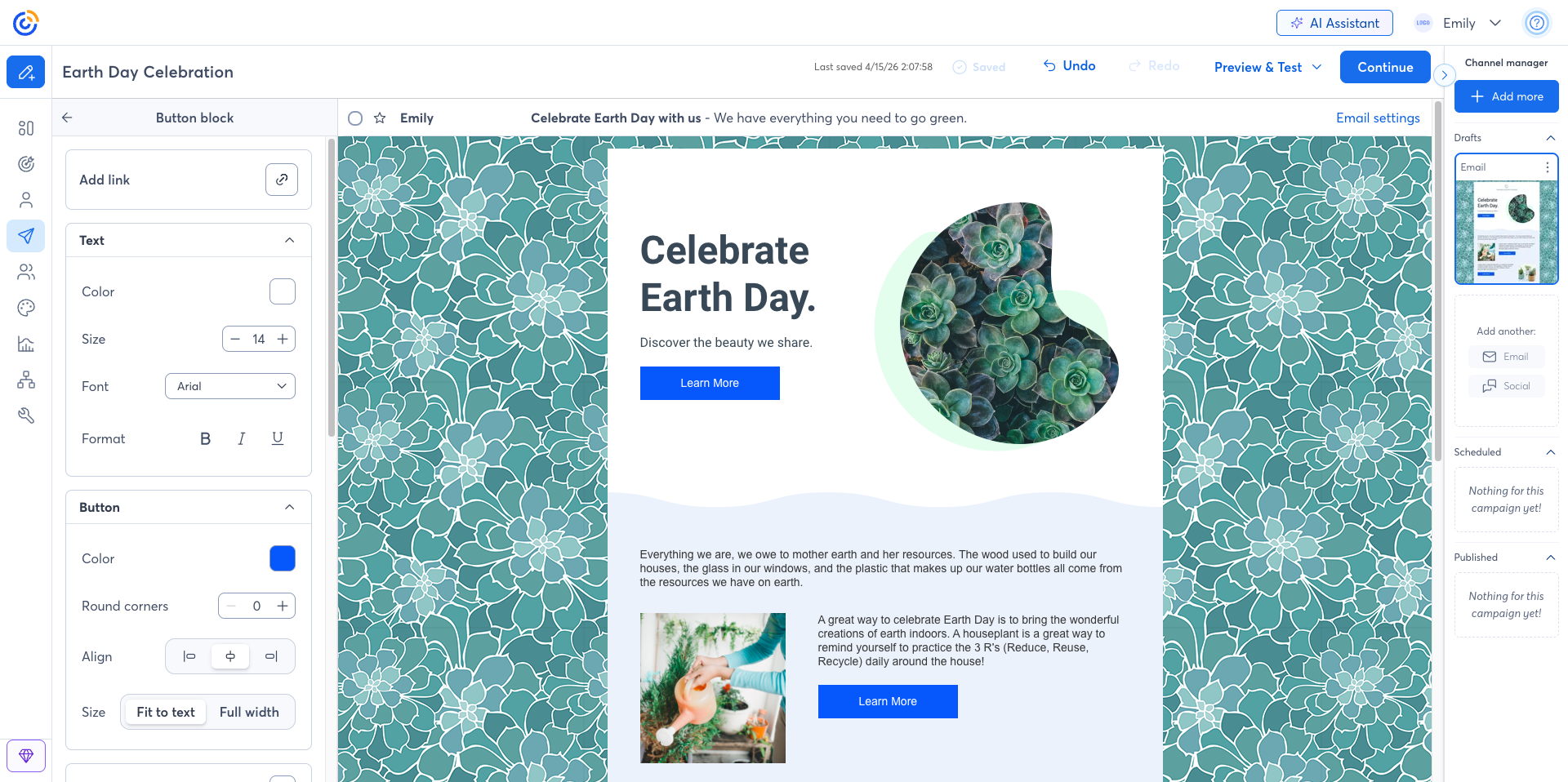
When I tested Constant Contact with a dummy live workshop series, the event tools were reliable. I created a sign-up landing page, linked it to an RSVP-triggered email reminder, and customized the follow-up flow – all without touching a third-party platform.
However, there’s one drawback I noticed during our time with Constant Contact– its interface feels rather dated–which can make navigating and building campaigns feel less intuitive compared to more modern email marketing solutions.
The automation builder also felt limited – I couldn’t use behavior-based triggers without upgrading to the Premium plan. The fact that Constant Contact doesn’t offer a no-strings-attached Free forever plan like Sender doesn’t help either.
Key Features
- Intuitive landing page & email builder. Run end-to-end campaigns with list-building tools included. Perfect for promotions, events, and lead capture;
- Comprehensive event management tools. Organize and promote webinars, workshops, and fundraisers in one place without too much fuss;
- Responsive phone & chat support. Hands-on help makes it appealing to users needing guidance. Get real-time assistance whenever you’re stuck;
- Top-notch email & event marketing tools. Combine email templates with RSVP tools and reminders. Ideal for promoting and managing in-person or virtual events.
Use Cases
- SMBs. Build a funnel from landing pages to signup forms and campaign blasts. Useful for promotions, giveaways, or workshop series;
- Ecommerce. Basic automation lets you run post-purchase campaigns or re-engagement emails, though advanced retargeting may require integrations;
- Nonprofits. Send newsletters, donation appeals, and event invites from a single dashboard, with phone support when you need help.
Pros & Cons
- Intuitive drag-and-drop builder
- Timezone-based scheduling
- Excellent customer support
- Works seamlessly with ecommerce platforms
- Limited automation & segmentation
- Steep pricing model
- Outdated interface
- No ‘Free forever’ plan
Pricing
| Plan | Price | What you get |
| Free 30-day trial | $0 | 100 contacts – 100 email sends |
| Lite | From $12/month | 10x your number of contacts |
| Standard | From $35/month | 12x your number of contacts |
| Premium | From $80/month | 24x your number of contacts |
No free plan – a 30-day trial (100 contacts, 100 email sends) is the only way to test.
Lite, Standard, and Premium all start at 500 contacts, with the price difference driven by automation depth and support rather than list size – Premium adds behavior-based triggers that Lite and Standard don’t offer at all.
Contact-tier pricing scales aggressively, and cancellation requires a phone call during US Eastern business hours – worth knowing before you commit.
The main limitation is that custom automation is entirely locked to the $80/mo Premium plan, and pricing scales aggressively with list size – Standard alone climbs to roughly $110/mo by 5,000 contacts.
Pricing verified August 2026.
MailerLite — Beginner-Friendly Platform with Basic Feature Set
MailerLite is another beginner-friendly email marketing solution that offers essentials for those who are just starting out. With a clean interface and intuitive drag-and-drop editor, it makes creating professional-looking email campaigns easy.

MailerLite pricing: Starts at $12/month for up to 500 subscribers ($10.80/month billed annually) | Free plan available.
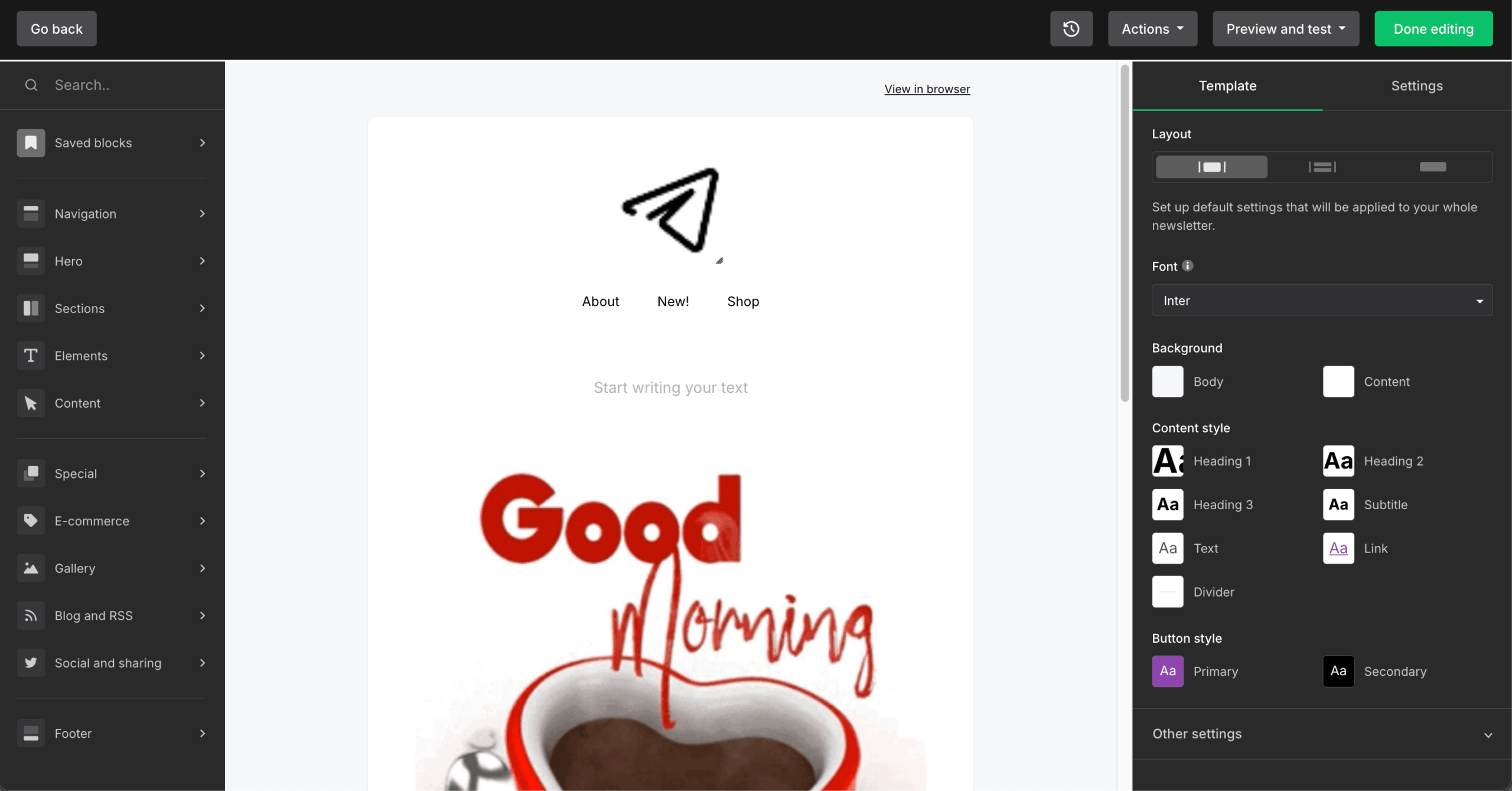
MailerLite may not offer the advanced toolkit of platforms like Brevo or Sender, but it delivers on the essentials, such as basic automation, simple segmentation, as well as customer journey builder. I found these tools to be more than enough for running high-performing welcome emails without unnecessary hassle. The platform also includes email authentication setup guides for DKIM and SPF records, helping ensure your messages reach the inbox.
Additional features like a built-in website and landing page builder provide a simple way to extend your brand presence online–though they’re best suited for users with modest design and marketing needs.
Those looking for a no-strings-attached free plan should temper expectations: MailerLite’s free tier now covers just 250 subscribers and 2,500 emails per month, with the drag-and-drop editor, basic automation, and one landing page included.
Key Features
- Landing page builder. Create stunning, conversion-focused pages without touching code;
- Visual customer journeys. Map welcome series and re-engagement flows with a simple journey builder – 50 automations on Comfort, unlimited on Power;
- AI writing assistant. Craft engaging copy faster. Generate subject lines, body text, and CTAs with AI suggestions designed to boost opens and clicks;
- Advanced reporting. Dive into detailed analytics on audience behavior, conversions, and campaign performance to refine strategy and maximize ROI.
Use Cases
- Bloggers & content creators. Grow your audience by sending regular email newsletters, sharing new blog posts, and building strong connections with readers;
- Small businesses and retailers. Promote new products, offer subscriber-only discounts, and boost customer loyalty through personalized email campaigns;
- Educational institutions. Keep students and faculty informed with targeted emails about course updates, events, and important deadlines, ensuring timely communication.
Pros & Cons
- Beginner-friendly
- Great segmentation functionality
- Competitive pricing
- Robust marketing automation tools
- Subpar spam & design testing functionality
- Slow customer support
- Limited advanced features
Pricing
Here’s how the monthly cost scales as your list grows:
| Subscribers | Comfort | Power |
| 10,000 | $89 | $129 |
| 30,000 | $229 | $279 |
| 50,000 | $319 | $389 |
Free plan – available for up to 2,500 emails/month to up to 250 subscribers.
Comfort allows 10x your subscriber tier’s ceiling in monthly sends, while Power offers unlimited sends subject to fair use. The step up to Power is about scale and workflow depth – unlimited seats, unlimited automations, multiple triggers per workflow, and live chat – rather than a better editor.
The clearest limitation is the shrinking free tier – cut from 1,000 subscribers to 500, then to 250 as of June 2026 – and there’s no transactional email on any MailerLite plan; that requires a separate MailerSend subscription.
Pricing verified August 2026.
Kit — Email Platform Built for Creators and Newsletter Monetization
Kit (formerly ConvertKit) is an email platform built around one idea: creators shouldn’t manage lists. Every subscriber gets a single profile with tags, custom fields, and engagement scoring – segments update themselves based on tag combinations, and there are no duplicate contacts to clean up.
That tag-based model, combined with digital product sales and paid newsletter tools, makes Kit a monetization engine for authors, podcasters, course sellers, and coaches.

Kit pricing: Starts at $33/month billed annually for 1,000 subscribers and unlimited emails | Free plan available.
I tested Kit on a course creator’s business with 6,500 subscribers selling two digital products. The tag-based system is the cleanest organizational model I’ve used for creator businesses, and the visual automation builder handled welcome sequences, product launches, and re-engagement flows without any code – automations are unlimited from the Creator plan up.
Monetization is where Kit stacks features most competitors don’t have: Stripe-powered checkout for digital products and recurring memberships, paid newsletter subscriptions, brand sponsorship matching, and the Creator Network, which grows your list through other creators’ signup flows. On the Pro plan, the SparkLoop referral system (worth $99/month separately) comes included.
Kit also publishes public deliverability reports and claims a 99.8% delivery rate – a level of transparency most rivals don’t match.
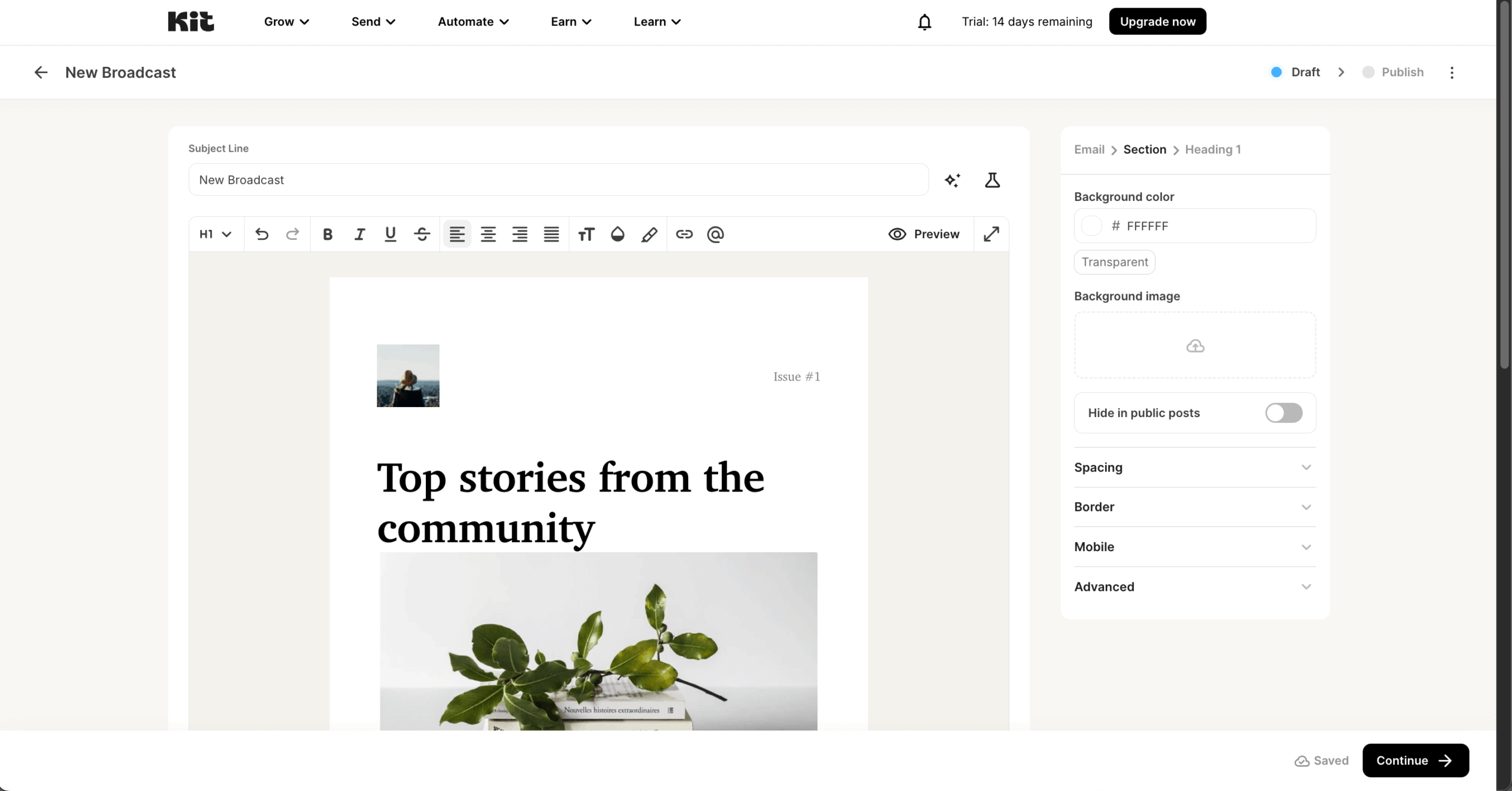
The trade-offs are deliberate. Templates are minimal and plain-text-focused – roughly 15–23 basic layouts with no drag-and-drop email builder – which performs well for open rates but disappoints brands that want designed emails. Analytics stay basic too: no heatmaps, geographic targeting, or per-campaign revenue attribution, even on Pro. And there’s no product data sync for online stores, so Shopify-heavy businesses are better served by Omnisend or Klaviyo.
The September 2025 price increase is the elephant in the room – some users reported 70–200% higher bills for the same subscriber count, and Kit’s 3.3 Trustpilot score (against 4.4–4.6 on G2 and Capterra) largely reflects those billing complaints. The free Newsletter plan is the counterweight: up to 10,000 subscribers with product sales included, the most generous creator free tier available.
Kit Features
- Tag-based subscriber management. One profile per subscriber with tags, custom fields, and engagement scoring – segments auto-update, with no duplicate contacts across lists;
- Visual automation builder. Conditional branching, split paths, wait steps, and event-based triggers, with pre-built templates and unlimited automations on Creator. Kit MCP connects your account to AI assistants for automation management;
- Creator Network and sponsorships. Grow through mutual recommendations in other creators’ signup flows, earn from paid recommendations, and match with brand advertisers for newsletter sponsorships;
- Built-in commerce. Sell digital products, paid newsletter subscriptions, and recurring memberships with Stripe-powered checkout (3.5% + $0.30 per transaction), plus abandoned checkout recovery for Shopify, Fourthwall, and Wix stores.
Use Cases
- Authors, podcasters & YouTubers. Grow an audience through the Creator Network and monetize it with sponsorships and paid recommendations;
- Course sellers & coaches. Run launch sequences and sell digital products directly from your email platform, with no external checkout;
- Newsletter businesses. Start free with up to 10,000 subscribers, then add paid subscriptions and referral growth as revenue builds.
Pros & Cons
- The most generous creator free plan – 10,000 subscribers with product sales included
- Clean tag-based model with no duplicate contacts
- Unlimited visual automations from the Creator plan up
- Built-in monetization: products, paid newsletters, sponsorships
- Public deliverability reports (99.8% claimed delivery rate)
- September 2025 price hike – users reported 70–200% increases
- Minimal plain-text templates, no drag-and-drop email builder
- Basic analytics – no heatmaps or revenue attribution
- Creator plan scales steeply versus Sender or MailerLite
- Inconsistent support quality in recent reviews
Pricing
Here’s how the monthly cost scales as your list grows:
| Subscribers | Creator | Pro |
| 10,000 | $139 | $189 |
| 30,000 | ~$259 | ~$363 |
| 50,000 | ~$379 | ~$519 |
Free Newsletter plan – available for up to 10,000 subscribers with unlimited broadcasts.
Creator and Pro both bill annually by subscriber count, with Pro’s higher price adding engagement analytics and deliverability reporting rather than more automation capacity, which is already unlimited on Creator.
The main limitation to plan around is the September 2025 price increase, which pushed some existing users’ bills up 70–200% for the same subscriber count – worth budgeting for if you’re comparing Kit against older pricing you may have seen elsewhere.
Paid plans come with a 14-day free trial (no credit card), free migrations, and annual billing saves 17%.
Pricing verified August 2026.
Email Marketing Platform Pricing Breakdown & Cost Calculator
Pricing can vary a lot between email marketing platforms, especially as your contact list grows. Here’s what the 12 platforms on this list cost per month at three common list sizes (verified August 2026). For a deeper look at what you should budget at every stage, see our email marketing costs guide.
| Platform | 10,000 contacts | 30,000 contacts | 50,000 contacts |
| Sender (Standard) | $40 | $103 | $159 |
| Omnisend (Standard) | $132 | $338 | $413 |
| Klaviyo | $150 | $500 | $720 |
| Brevo | Brevo bills primarily by email volume, not contacts – Standard starts at $18/month, and your cost depends on monthly sends, with contact caps tied to each volume tier. | ||
| GetResponse | $66 | $142 | $246 |
| Mailchimp (Standard) | $135 | $340 | $450 |
| ActiveCampaign (Plus) | $189 | $449 | $609 |
| HubSpot (Starter) | ≈$470 | ≈$1,470 | ≈$2,470 |
| EmailOctopus | $40 | $100 | $160 |
| Constant Contact | $120 | $310 | $430 |
| MailerLite (Comfort) | $89 | $229 | $319 |
| Kit (Creator) | $116 | $216 | $316 |
- Sender. The most affordable option at every list size, with automation, segmentation, and transactional emails included even on lower tiers;
- EmailOctopus. Ties with Sender for the cheapest way to send simple newsletters at scale – $40/month covers 10,000 subscribers and 100,000 emails;
- Klaviyo. Premium pricing that compounds: monthly-only billing and an active-profile meter that counts every reachable contact;
- ActiveCampaign. Powerful automation, but since late 2025 it bills for unsubscribed and bounced contacts too, so real costs run above the headline rate;
- HubSpot. Top-tier pricing driven by contact add-ons – every extra 1,000 contacts on Starter adds $50/month, before you touch the $890/month Professional tier.
How the value propositions compare: every platform on this list prices differently, and the model matters more than the sticker price. Sender and EmailOctopus charge a flat, predictable rate that stays low as your list grows. Brevo meters email volume rather than contacts, which suits large lists with low send frequency. Klaviyo and ActiveCampaign price for depth – you pay for behavioral data and automation logic, and both now bill for every reachable (or, in ActiveCampaign’s case, even unsubscribed) contact.
HubSpot and Mailchimp sit at the opposite end: you pay a premium for ecosystem and brand recognition, and costs climb steeply as contacts accumulate. Kit and MailerLite court creators with generous entry points but sharper price curves after their 2025–2026 repricing. If predictable pricing decides it for you, Sender, EmailOctopus, and Brevo are the safest picks; if advanced email marketing automation justifies the spend, Klaviyo and ActiveCampaign earn their premiums.
If you’re looking for more affordable email marketing tools, take a look at the 14 Cheap Email Marketing Tools for Small Businesses in 2026 for savvy marketers.
How to Choose The Best Email Marketing Platform?
Picking the best email marketing software isn’t just about features; it’s about fit. Here’s how to evaluate platforms based on your unique email marketing strategy and future growth:
- Test before committing. Use free trials or starter plans to test ease of use, deliverability, and core features. The best platform feels intuitive from day one;
- Identify your business-specific needs. Are you selling products, booking appointments, or running a newsletter? Your platform should support your core marketing flow, whether that’s ecommerce automation or content delivery;
- Evaluate essential features. Look for must-haves like drag-and-drop builders, automation workflows, segmentation, and analytics. Avoid platforms packed with flashy features you’ll never use;
- Assess deliverability performance. A beautiful email is useless if it lands in spam. Prioritize platforms with strong domain reputation tools, verified sender setups, unsubscribe handling, and proven inbox placement rates;
- Consider scalability and pricing structure. Don’t just choose based on the current list size. Check how pricing evolves as your contact list grows. Some tools become disproportionately expensive at scale;
- Check implementation and support quality. Great tools still need human help. Make sure onboarding, tutorials, and customer support are responsive, especially during campaign-critical moments.
How We Evaluate Email Marketing Tools
Our evaluation process combines hands-on testing with industry research to give you an accurate picture of each platform. We assess every tool across six core criteria: ease of use (how quickly can a beginner launch their first campaign), feature depth (email marketing automation capabilities, segmentation options, template quality, and A/B testing), deliverability performance (inbox placement rates and sender reputation tools), pricing transparency (true cost at various list sizes, hidden fees, and value for money), integration ecosystem (compatibility with popular ecommerce, CRM, and analytics tools), and customer support quality (response times, available channels, and helpfulness).
We also factor in real user feedback from review platforms and industry forums to balance our firsthand experience with broader market sentiment. Each platform is tested by setting up actual campaigns, building automation workflows, and evaluating the reporting dashboards – not just browsing feature lists.
Our goal is to cut through marketing hype and help you find the email marketing tool that genuinely fits your business needs and budget.
Capterra, G2, Trustpilot, and Reddit to create an objective evaluation. Learn more about our review methodology
FAQs about Email Marketing Platforms
When it comes to finding a good email marketing software, Sender is hard to beat with one of the most generous free plans on the market, giving you up to 2,500 subscribers and 15,000 emails per month with access to free email marketing tools like automation, segmentation, and the drag-and-drop editor–no credit card required.
Other solid free email marketing tools include EmailOctopus (2,500 contacts and 10,000 emails/month) and Brevo (300 emails per day, with room to store up to 100,000 contacts). MailerLite’s free plan now covers just 250 subscribers and 2,500 emails a month after its June 2026 update, so it’s no longer the free-tier standout it once was.
If you’re a creator focused on newsletters, Kit provides the most generous creator free tier around, supporting up to 10,000 subscribers. The best choice depends on your priorities: Sender for overall value, automation, and ecommerce features, EmailOctopus for simple newsletters, or Kit for audience monetization tools.
For ecommerce, the top contenders are Sender, Omnisend, and Klaviyo. Sender stands out for small to mid-sized online stores that want powerful automation–abandoned cart sequences, product recommendations, and behavioral triggers–without enterprise pricing.
Omnisend is a strong choice for Shopify merchants who need omnichannel capabilities like SMS and push notifications baked in. Klaviyo offers the deepest data tracking and predictive analytics but comes with a steep learning curve, higher costs, and monthly-only billing. For most growing ecommerce businesses, Sender delivers the best balance of features, ease of use, and affordability.
Sender is a top choice for small businesses due to its user-friendly interface, affordable pricing, and robust features like a drag-and-drop email builder, professionally designed templates, tracking analytics, and automation capabilities.
It integrates well with other tools, offers high deliverability rates, and ensures mobile email optimization, making it an excellent platform for managing and growing email marketing campaigns, even as a free newsletter platform.