


Customer.io Review 2025: When Email Automation Meets Reality
Capterra, G2, Trustpilot, and Reddit to create an objective evaluation. Learn more about our review methodology
Here’s the thing about Customer.io – it’s one of those platforms that marketing teams either swear by or swear at. After digging through hundreds of reviews and talking to actual users, I’ve found it’s basically a behavioral messaging powerhouse that over 7,500 brands trust. But trust doesn’t mean this email marketing platform is right for everyone, and that’s what we need to figure out.
What is Customer.io?
Picture this: you’re tracking every click, scroll, and action your users take. Customer.io turns all that data into personalized messages across email, SMS, push notifications – basically anywhere your customers hang out. It’s not your typical email blaster that sends the same “Happy Monday!” newsletter to everyone. This thing watches what people actually do in your app and responds accordingly.
Founded back in 2012, these folks built something different. While everyone else was making prettier email templates, Customer.io went all-in on the data side of things. They figured if you know someone just abandoned their cart three times this week, maybe you should send them something more useful than your standard promotional email. Makes sense, right?
What really sets it apart is how it handles complex customer journeys. We’re talking about the kind of sophisticated flows where someone signs up, gets a welcome email, ignores it, visits a specific page three days later, and then gets a perfectly timed follow-up based on what they actually looked at. It’s the kind of stuff that makes marketing ops people genuinely excited.
Customer.io Key Features
Forget everything you know about basic email campaigns. Customer.io treats emails like triggered conversations rather than mass broadcasts. You’re not just scheduling emails for next Tuesday at 10 AM – you’re setting up smart flows that respond to what users actually do. Someone views your pricing page three times? That triggers one message. Someone hasn’t logged in for 30 days? Different message entirely.
The visual workflow builder is where things get interesting. You drag, drop, and connect different actions like you’re building a flowchart. Add time delays, split paths based on user properties, set conditions – it’s surprisingly intuitive once you get the hang of it. Though “once you get the hang of it” is doing some heavy lifting there.
The personalization goes deep. Really deep. We’re not just talking about “Hi @{{first_name}}” stuff. You can pull in their last purchase, their account type, how many times they’ve used a specific feature – basically any data point you’re tracking. One user mentioned Customer.io had better functionality and deliverability than GetResponse, Sender, Omnisend and Drip, which says something about their email engine.
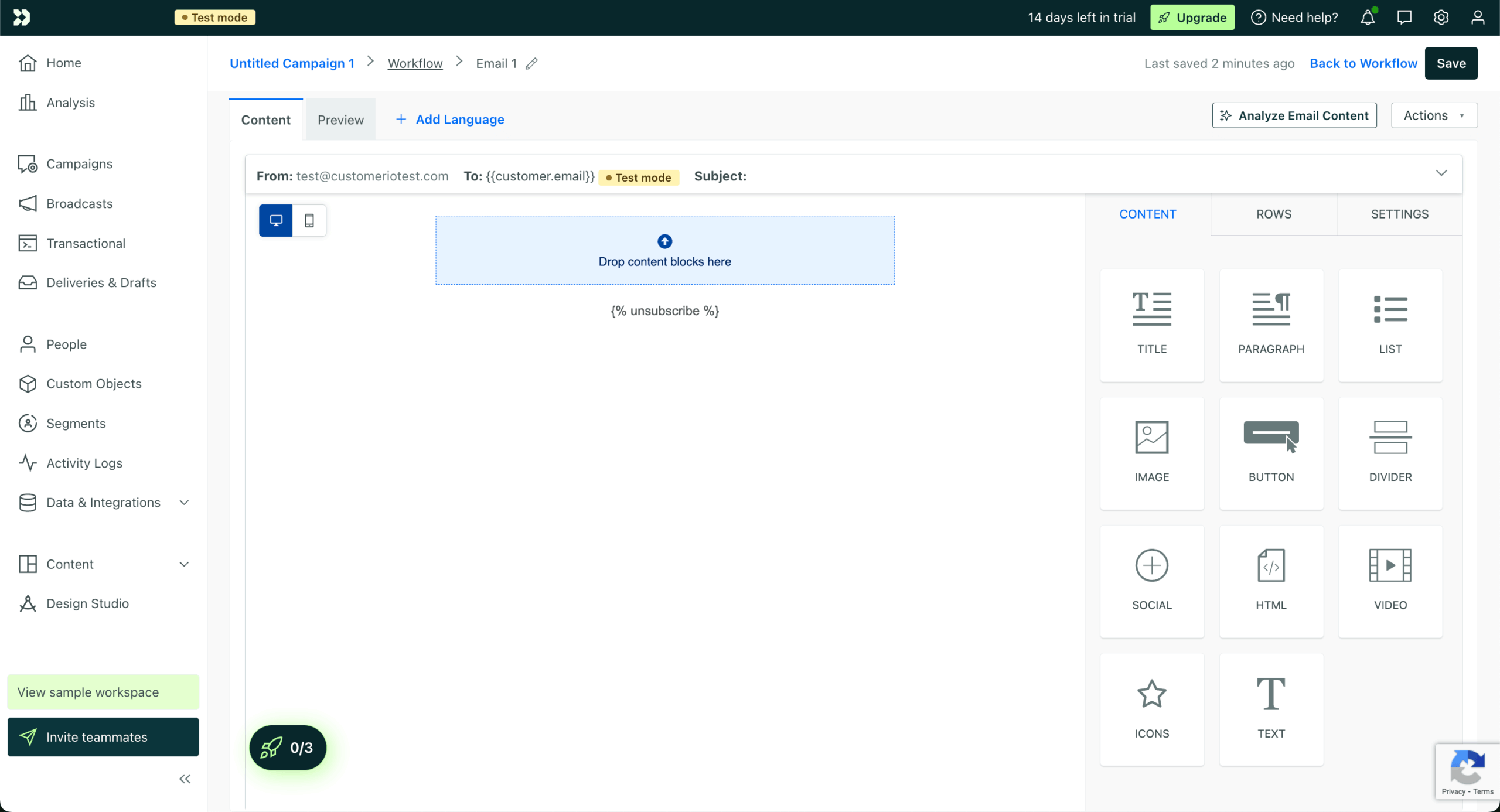
Let me be straight with you – the template situation is… complicated. You’ve got two options: use their drag-and-drop editor (which is fine but nothing special) or code your own HTML. For marketers who just want pretty emails fast, this might be frustrating. Several users complain the template creation is very limited, forcing them to use other software and export the HTML code.
But here’s where it gets interesting for technical teams. The platform uses liquid templating, which means you can create incredibly dynamic emails. Want different content blocks for free vs. paid users? No problem. Need to show different languages based on user location? They’ve got you covered.
The lack of fancy templates might actually be intentional. Customer.io seems to assume you either have a designer who can code, or you care more about message timing than aesthetics. Fair enough, but it’s definitely something to consider if your team relies on template galleries.
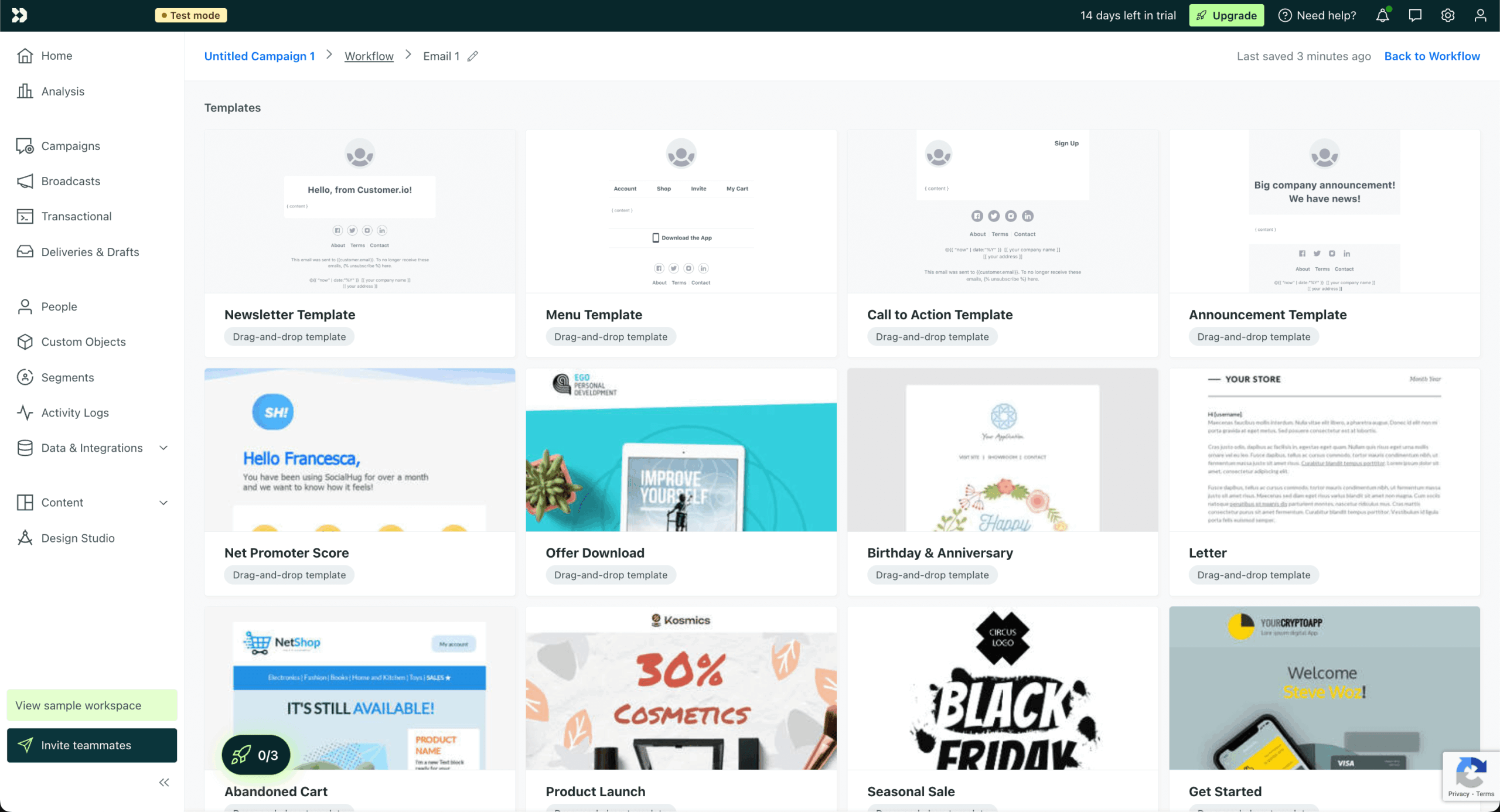
This is Customer.io’s bread and butter. The automation engine is legitimately impressive – probably one of the best I’ve seen for behavioral triggers. You can trigger campaigns based on pretty much anything: user attributes, events, dates, form submissions, even webhooks from other tools.
The workflow builder deserves its own callout. You can create these elaborate journeys with branches, loops, and conditions that would make a programmer proud. Need to wait until someone’s trial expires unless they upgrade first? You can build that. Want to send different messages based on which features they’ve used? Easy.
What I really appreciate is the ability to leave notes right in the workflow. Sounds minor, but when you come back six months later wondering why you set things up a certain way, those notes are lifesavers. Plus, it helps when you’re handing campaigns off to teammates.
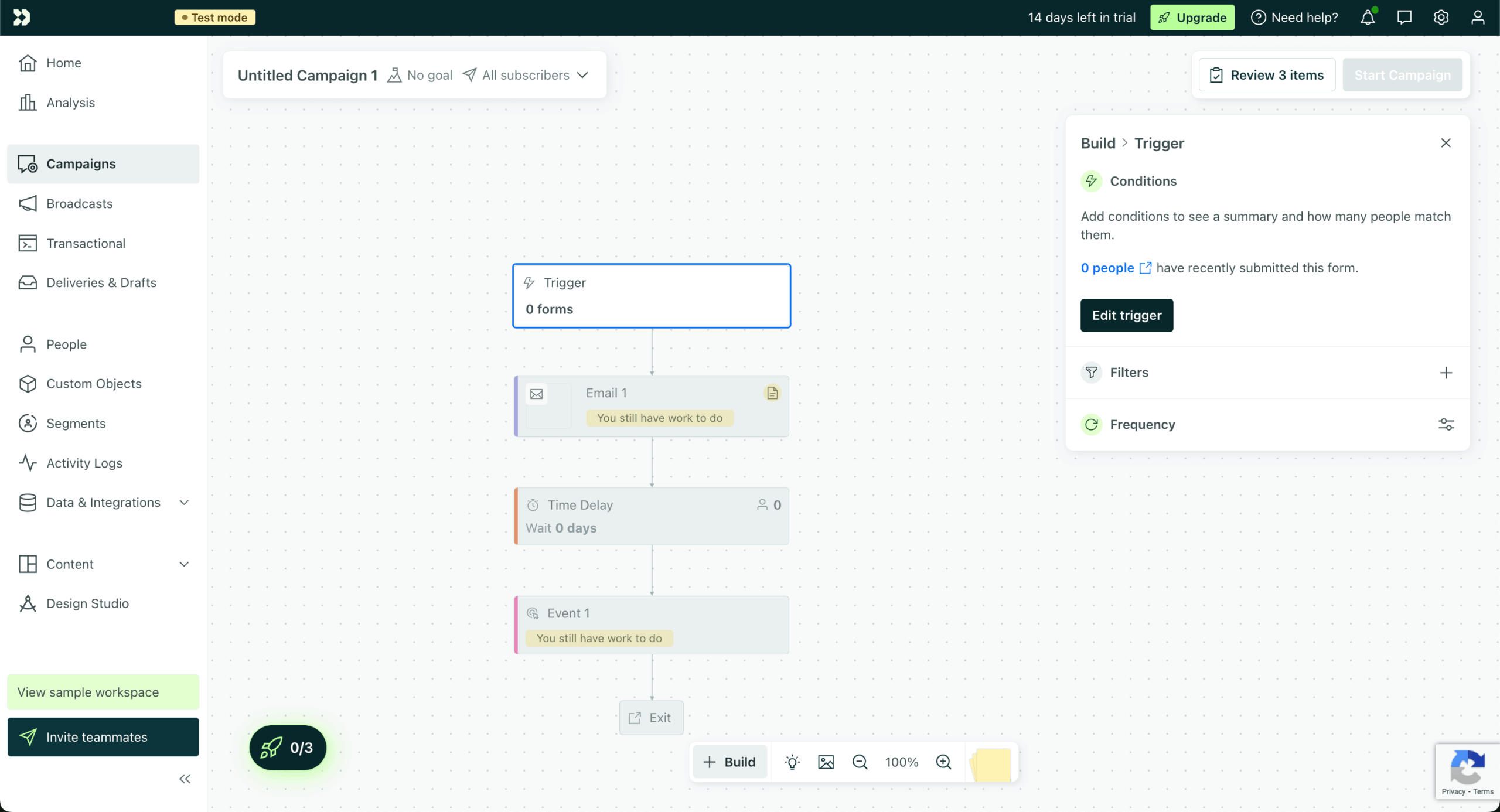
Customer.io doesn’t just store email addresses – it builds complete user profiles from whatever data you feed it. Every click, every purchase, every support ticket (if you’ve connected those systems) gets attached to their profile. It’s almost creepy how much it knows, but that’s exactly what enables the sophisticated targeting.
The segmentation tools are where this data pays off. You can slice and dice your audience in countless ways. “Show me everyone who signed up last month, hasn’t made a purchase, but has visited the pricing page at least twice” – that kind of query is trivial in Customer.io. Building these segments feels more like writing database queries than traditional marketing work.
One quirk: there’s no real concept of lists like in traditional email tools. Everything is segments and attributes. Takes some getting used to, but ultimately it’s way more flexible. You won’t accidentally email the wrong list because, well, there are no lists to mix up.
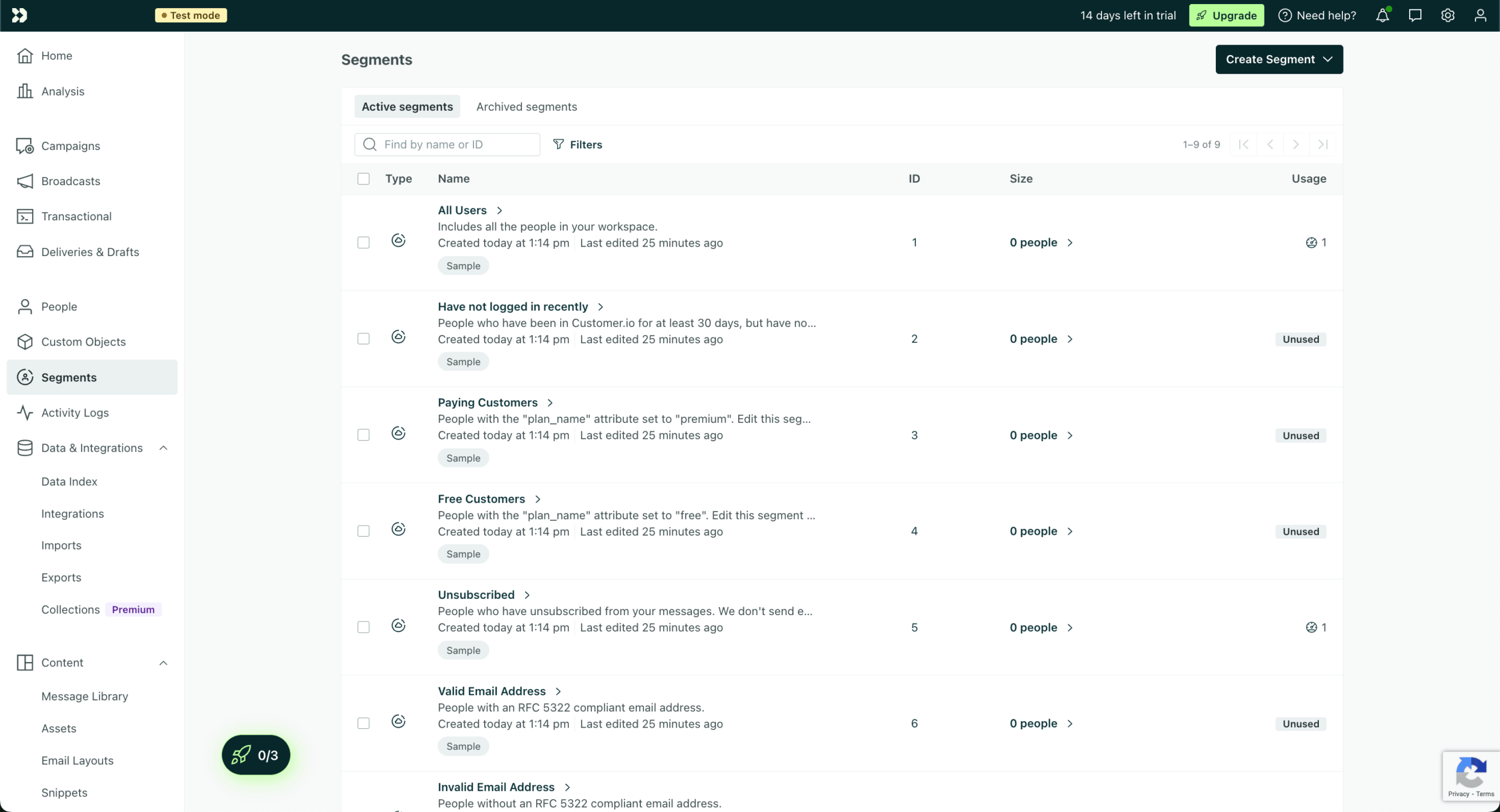
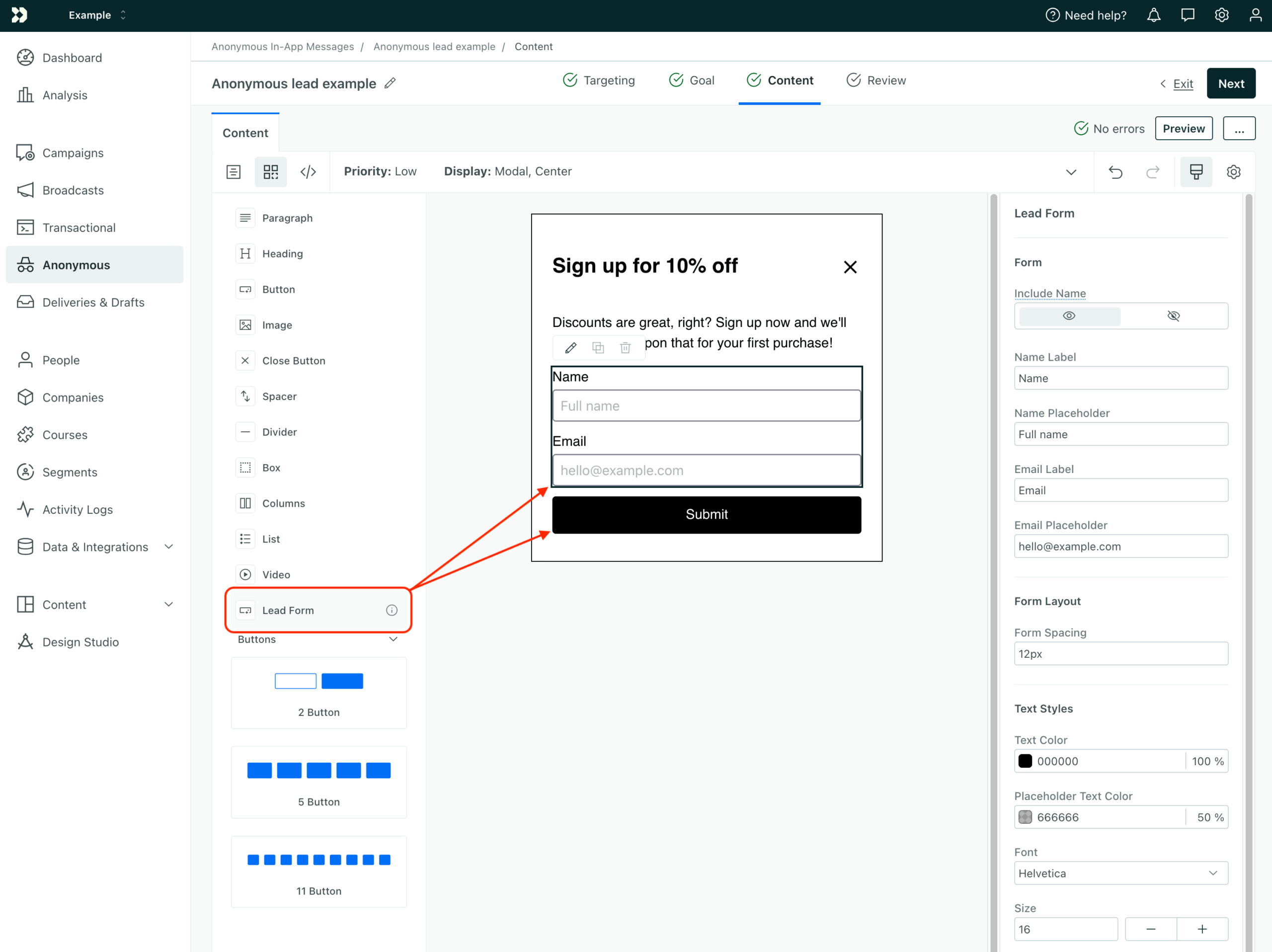
I’ll be honest – if you’re looking for a landing page builder, keep looking. Customer.io has basic form functionality that works great for capturing data and triggering campaigns, but it’s not trying to compete with Unbounce or Leadpages. You can create simple forms, embed them on your site, and use submissions to kick off automations.
The real value here is in the integration. Form submissions flow directly into your automations without any middleware or zapier magic. Someone fills out your “Request a Demo” form? Boom – they’re in a nurture sequence tailored to their company size and industry (assuming you asked for that info).
Most teams I’ve talked to use Customer.io’s forms for simple stuff and rely on dedicated tools for anything fancy. The platform plays nicely with pretty much every form builder out there, so it’s not really a limitation unless you’re trying to minimize your tool stack.
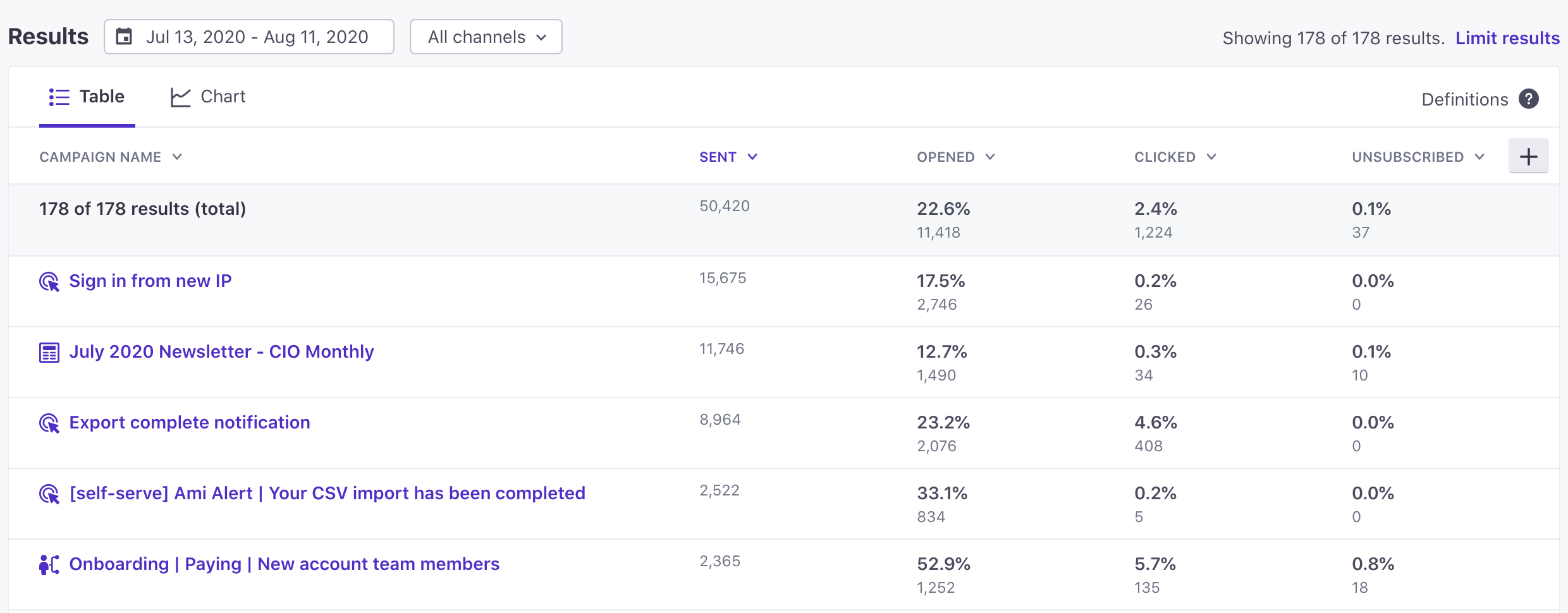
Customer.io gives you the data that actually matters for email performance. Open rates, click rates, conversion tracking – all the standards are there. But it goes deeper with cohort analysis and attribution modeling. You can see not just who opened an email, but what they did afterwards and whether it led to actual business results.
The dashboard is clean and focuses on trends rather than vanity metrics. You won’t find fancy visualizations or Instagram-worthy charts. Instead, you get practical views of what’s working and what isn’t. It’s very much designed for people who need to optimize campaigns, not impress executives.
Some users wish they had custom reports for edge cases, and I get it. The built-in reports cover most scenarios, but if you need something specific, you’re either exporting to Excel or connecting a BI tool. Not ideal, but workable for most teams.
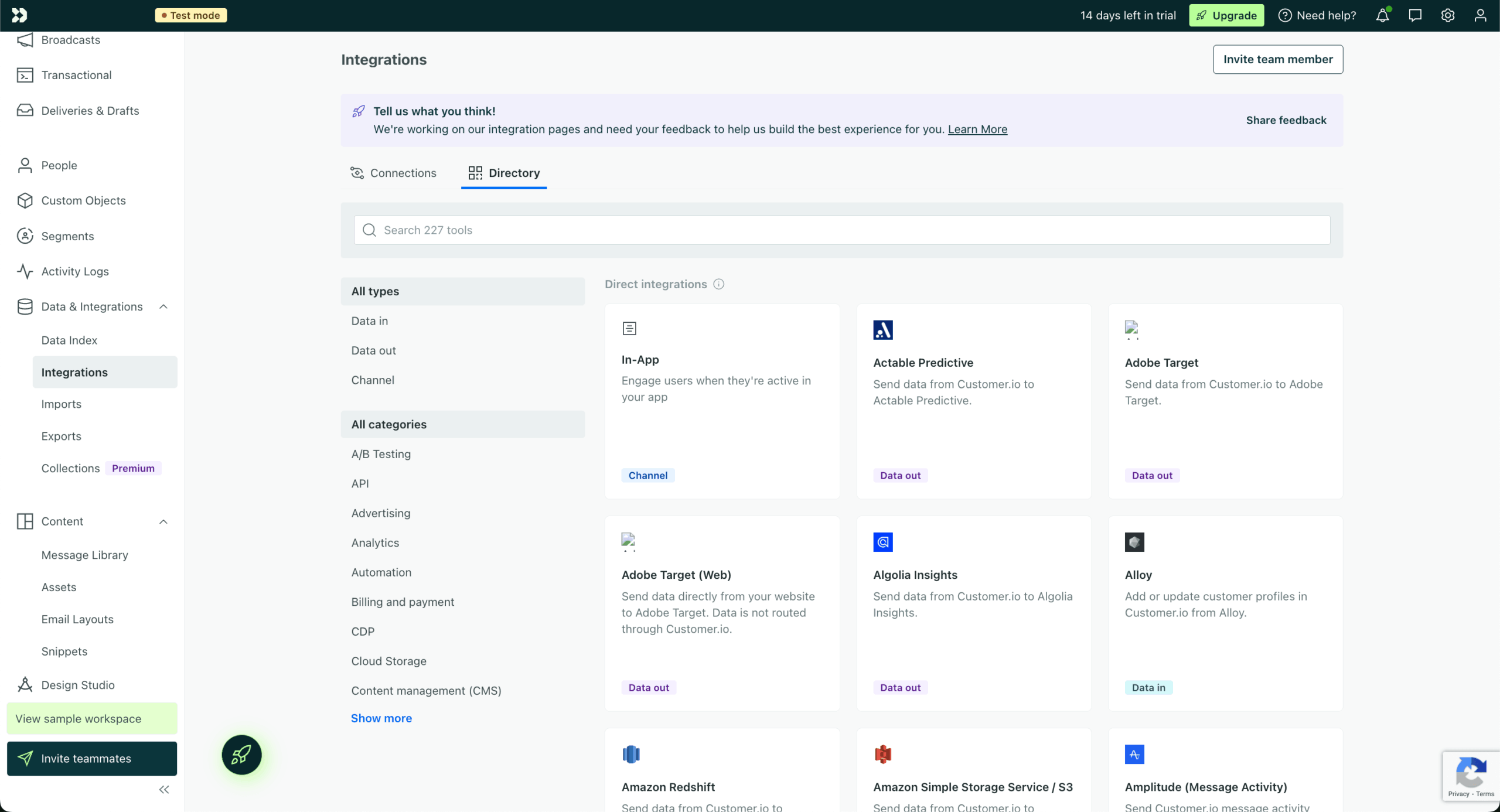
If Customer.io was a person at a party, they’d be the one who somehow knows everyone. This platform integrates with over 200 tools and has one of the most developer-friendly APIs I’ve seen. Popular integrations include Segment, Stripe, Slack, WordPress, and all the major data warehouses.
The API-first design shows. You can push data in, pull data out, trigger campaigns, update user attributes – basically anything you can do in the UI, you can do programmatically. For technical teams, this is huge. You’re not fighting against the platform; you’re extending it.
The Segment integration deserves special mention. If you’re already using Segment to collect data, Customer.io becomes incredibly powerful. All your events flow in automatically, and you can start building campaigns immediately without any custom integration work. It’s one of those “it just works” situations that’s surprisingly rare in martech.
Support quality depends entirely on how much you’re paying. Essentials customers get email support and access to documentation. Premium folks get chat support and onboarding help. Enterprise? You get a dedicated success manager who probably knows your kids’ names.
The company claims a 95% satisfaction score, but reviews tell a more nuanced story. Premium and Enterprise customers generally rave about support. Essentials customers? Not so much. Some users report frustrating experiences with slow response times and unresolved technical issues.
The knowledge base is solid, and there’s an active community forum where power users help each other out. But if you’re on the basic plan and hit a complex technical issue, you might be waiting a while for help. Just something to factor into your decision.
Customer.io Pricing Plans and Value
Let’s talk money, because that’s where things get interesting (and sometimes painful). Customer.io’s pricing looks simple at first glance, but there’s more to it than meets the eye.
Plan
Starting Price
Key Features
Best For
Essentials
$100/month
- 1M monthly emails
- Basic segmentation
- Email support
- Standard integrations
Small startups testing the waters
Premium
$1,000/month
- Custom email volume
- Chat support
- 90-day onboarding
- HIPAA compliance
- Custom API calls
Growing companies with real volume
Enterprise
Custom pricing
- Dedicated success manager
- Migration support
- Custom contracts
- Priority support
Big companies with big budgets
Here’s what they don’t advertise loudly: pricing can jump quickly as your contact list grows, catching many users off guard. That $100/month can become $500/month faster than you’d expect. There’s also a startup program offering a free year if you’ve raised less than $10M, which is genuinely generous.
Customer.io Pros and Cons
Let’s break down what’s actually good and bad about this platform, based on what real users say, not marketing fluff.
- Behavioral triggers that actually work
- Integrates with everything
- Handles millions of events without breaking
- Visual workflows even non-devs can use
- Real-time segmentation magic
- Learning curve like climbing Everest
- Email templates from 2010
- Gets expensive fast
- Can’t duplicate campaigns (seriously?)
- Needs technical help to set up
Pros
The behavioral automation is genuinely impressive. You can build flows that would require custom code in other platforms. Users specifically praise how it leverages product data better than competitors. When someone does something in your app, Customer.io knows about it instantly and can react accordingly.
The platform is also rock solid. Teams sending millions of messages report virtually no downtime or delivery issues. The API doesn’t randomly fail, webhooks fire reliably, and campaigns run like clockwork. For a mission-critical system, that reliability matters more than fancy features.
Cons
The learning curve is real. Multiple users describe the UI as overwhelming initially, and they’re not wrong. Even experienced marketers need time to wrap their heads around how Customer.io thinks about campaigns. If you’re coming from Mailchimp, prepare for culture shock.
Then there’s the pricing problem. Users frequently complain about unexpected costs and rapid price increases as they scale. What starts as an affordable solution can quickly become a budget buster. And somehow, in 2025, you still can’t duplicate a campaign. You have to recreate everything from scratch. It’s baffling.
Should You Choose Customer.io?
Let’s get real about who should and shouldn’t use this platform.
Best For
Not Recommended For
SaaS companies drowning in user data
Small businesses without developers
Product-led growth teams
Anyone who just needs newsletters
Companies with complex user journeys
Teams on tight budgets
Marketing ops specialists
People who want to set it and forget it
Mobile apps needing multi-channel messaging
Companies prioritizing design over data
Who Customer.io is Perfect For
If you’re a SaaS company with developers on staff and complex user journeys, Customer.io might be your perfect match. You’ve got user data flowing from your app, you need to respond to specific behaviors, and you’re willing to invest time in setup. This is your jam.
Product-led growth teams absolutely love this platform. When your entire strategy revolves around getting users to discover features and upgrade themselves, Customer.io’s behavioral triggers become invaluable. You can nudge users at exactly the right moment based on what they’re actually doing.
B2B companies with longer sales cycles also do well here. The ability to nurture leads over months with highly personalized content based on their engagement? That’s powerful stuff. Especially when you can sync everything with your CRM and keep sales in the loop.
Who Should Consider an Alternative
If you’re a small business owner who just wants to send nice-looking newsletters, run away. Fast. This is like buying a Ferrari to drive to the grocery store. You’ll spend more time learning the platform than actually using it.
Teams without technical resources will struggle. The initial setup often requires developer involvement, and you’ll probably need ongoing technical support for anything advanced. If you don’t have that support, you’re better off with something simpler like Sender, which offers straightforward email marketing without the complexity.
Budget-conscious startups should do the math carefully. That $100/month starting price is deceiving. As you grow, costs can spiral. Alternatives like Encharge offer similar features with more transparent pricing.
Customer.io User Experience and Reputation
The reviews tell an interesting story. Customer.io has passionate fans and frustrated critics, often for the same features.

With 588+ reviews on G2 and a 4.4-star rating, Customer.io clearly works well for its target audience. Technical teams love it. Marketing ops professionals praise its flexibility. But dig deeper and you’ll find a common theme: this is not a beginner-friendly platform.
The positive reviews often mention specific technical wins – complex automations that just work, integrations that save hours of manual work, segmentation that would be impossible in simpler tools. These aren’t casual users; they’re people who’ve invested serious time in mastering the platform.
Capterra shows 87 verified reviews with a 4.3-star average. Users here tend to focus more on day-to-day usability. They like the visual workflow builder and appreciate the value for money, but frustrations creep in around missing features.
The campaign duplication issue comes up repeatedly. It seems minor, but when you’re managing dozens of similar campaigns, recreating everything from scratch each time is maddening. Users call it “absurd” and a “time waste”.
Trustpilot paints a different picture with just 13 reviews and a 3.2-star rating. The sample size is small, but the complaints are specific: push notification delivery problems, slow support responses, billing surprises.
What’s interesting is that Customer.io actively responds to negative reviews here, which shows they’re at least paying attention. But the contrast between their claimed 95% satisfaction rate and these reviews raises questions about which customers they’re measuring.
Customer.io Compared to Top Alternatives
Let’s see how Customer.io stacks up against other popular options.


Sender and Customer.io solve different problems for different businesses. Sender focuses on making email marketing accessible and affordable – they’ve nailed the basics with a free plan for up to 2,500 subscribers, beautiful templates, and an interface you can master in an afternoon. For many businesses, that’s exactly what they need.
Customer.io takes a completely different approach. It’s built for companies that need behavioral triggers and complex automation flows. Users report Customer.io has more advanced functionality than Sender, but here’s the thing: more features aren’t always better. Sender’s simplicity means you’re sending campaigns in minutes, not weeks. Customer.io’s power means a steeper learning curve and significantly higher costs.
The sweet spot? Sender works brilliantly for content creators, small businesses, and anyone who values quick results over complex automation. Customer.io makes sense when you’ve got user behavior data to leverage and need multi-channel orchestration.
ActiveCampaign sits somewhere in the middle. It’s got serious automation chops but includes CRM features Customer.io lacks. The email builder is better, the templates are prettier, and it’s generally more approachable for non-technical teams.
But Customer.io wins on pure behavioral triggering and data handling. If your strategy revolves around product usage data, Customer.io is superior. ActiveCampaign is better if you need sales automation alongside marketing. Users find Customer.io less expensive than ActiveCampaign for comparable features.
Think of it this way: ActiveCampaign is great for businesses with traditional sales funnels. Customer.io excels when the product itself drives conversion.
Klaviyo owns the ecommerce email space, and for good reason. It understands online stores like Customer.io understands SaaS apps. Product recommendations, abandoned cart flows, purchase-based segmentation – all of it just works out of the box.
Customer.io requires more setup for ecommerce but offers more flexibility for complex use cases. Teams report switching from Klaviyo when they needed deeper app integration beyond just e-commerce tracking. If you’re pure ecommerce, Klaviyo is probably better. If you’ve got an app component or complex customer journey, Customer.io wins.
The price comparison depends on your use case. Klaviyo can get expensive with large lists, but Customer.io’s pricing can surprise you too. Model both carefully.
Bottom Line – Is Customer.io the Right Tool for Your Business?
Customer.io is brilliant and frustrating in equal measure. It’s one of the most powerful marketing automation platforms available, capable of orchestrating incredibly sophisticated customer journeys based on real behavior. For the right team, it’s transformative.
But – and this is a big but – it demands serious investment. Not just money (though plenty of that), but time, technical resources, and patience. This isn’t a platform you master in a weekend. It’s something you grow into over months, constantly discovering new possibilities and occasionally banging your head against seemingly obvious limitations.
Should you use it? If you’re a funded SaaS company with developers on staff and complex customer journeys, probably yes. If you’re looking for something simple to send newsletters, definitely not. For everyone in between, it depends on your appetite for complexity and your budget for both money and time.
Just remember: with great power comes a great learning curve. And probably some unexpected invoices.
- Hands-on testing across multiple email marketing tools
- Fair comparisons using a unified evaluation process
- Insights verified with real user reviews from trusted sources
- No sponsorships or affiliate ties
- Clear, unbiased scoring and methodology
