



AWeber Plus costs $45/month at 1,000 subscribers on monthly billing, and AWeber Lite costs $25/month at the same list size. Below, I compare 10 AWeber alternatives at that exact list size on price, automation depth, ecommerce features, and free plans, so you can see what a switch from AWeber would cost before you commit.
Four of the ten (Sender, Moosend, MailerLite, and Brevo) have entry plans priced under $15/month, Kit’s free plan runs to 10,000 subscribers, and ActiveCampaign and Drip sit at the higher end but add a CRM or revenue attribution that AWeber does not have. Prices and plan limits verified in September 2026; quoted on monthly billing at 1,000 contacts unless noted.
How We Tested These AWeber Alternatives
We tested each platform in two layers. For the standardized comparison, we ran every platform on its entry-level paid plan, the closest tier to AWeber’s Lite plan, with the same 1,000 – contact list of subscribers who had interacted with a newsletter in the last 90 days; no contacts were purchased or scraped.
Where a review mentions a larger list, a longer run, or a feature from a higher tier, that detail comes from additional hands-on use of the platform on live lists, on top of the standardized test, and the section says so.
What we evaluated on each platform:
- Email builder;
- Automation depth: trigger types, conditional logic, and branching;
- List and segment management;
- Form builder and landing pages;
- Deliverability, based on third-party testing data;
- Support responsiveness on the entry-level plan;
- Customer reviews across G2, Capterra, Trustpilot, and Reddit;
- Pricing model.
Deliverability testing: We used third-party data to evaluate deliverability, relying on tools like GlockApps and EmailTooltester to benchmark inbox placement, spam rates, and domain reputation. Tests were conducted in-house using identical campaign setups across platforms to keep the results comparable.
User reviews: We gathered customer feedback from G2, Trustpilot, and Capterra, looking for recurring themes such as ease of use, support quality, pricing transparency, and feature reliability. To avoid cherry-picking, we focused on patterns across a large volume of recent reviews and weighed positive and negative feedback together to reflect real user sentiment.
What was not tested: Enterprise features (SSO, dedicated IPs, custom SLAs), SMS sending at volume, and transactional email infrastructure beyond basic SMTP. This review is aimed at SMBs, independent creators, and agencies with lists of up to 50,000 contacts.
Pricing methodology: All pricing was verified in September 2026. Annual billing discounts are noted separately from monthly pricing, with all prices shown in USD. We recommend checking each platform’s pricing page directly before purchasing a subscription.
Capterra, G2, Trustpilot, and Reddit to create an objective evaluation. Learn more about our review methodology
Why Consider AWeber Alternatives?
Five complaints recur in AWeber reviews on G2 and Capterra: price increases and send limits, capped automation, a restrictive template editor, coarse segmentation, and shallow reporting. Each reason is explained below with a user quote.
- Pricing. As subscriber lists grow, monthly costs can increase accordingly. For businesses scaling their email marketing efforts, pricing models play a critical role in long-term budgeting and ROI. Some users find AWeber’s tiered pricing less competitive compared to platforms that offer free plans for smaller lists, usage-based pricing, or more gradual cost scaling. Evaluating total email marketing cost relative to feature access is often a key consideration when selecting a platform.
AWeber previously solved our needs but the new sending limits and price increases have actually hindered our ability to communicate with our audience.
— Anastacia from G2
- Limited automation capabilities. Marketing automation is central to improving efficiency, nurturing leads, and delivering personalized customer journeys at scale. While AWeber offers automation features, some users feel its workflow builder and behavioral triggers fall short of the advanced automation capabilities other platforms provide. Depth of automation directly shapes how far you can take automated marketing workflows, lifecycle campaigns, and conversion performance.
There are cheaper options out there which offer considerably more features in the marketing automation department.
— User from G2
- Design flexibility. Email design influences engagement, brand perception, and click-through rates. Although AWeber provides a variety of templates, some users report limitations in customization or ease of use within the editor. For teams prioritizing highly branded or dynamic email experiences, template flexibility and usable design tools can be an important factor in platform selection.
I found Aweber’s email template customization possibilities are limited, making it difficult to create truly unique layouts.
— Sam from Capterra
- Limited segmentation features. Effective email marketing depends on precise audience segmentation and personalization. Advanced segmentation logic, such as behavioral targeting, dynamic lists, and multi-condition filtering, enables more relevant messaging. Some users find AWeber’s segmentation capabilities less granular than expected, which may limit highly targeted campaign strategies.
It can be difficult to work with list segments sometimes. Trying to separate users from other users has to be done manually and is confusing.
— Ryan from G2
- Analytics and reporting. Detailed reporting supports data-driven decision-making and campaign optimization. While AWeber provides standard email marketing metrics such as open and click-through rates, some users seek advanced analytics such as customizable dashboards, attribution tracking, or stronger integrations with external reporting tools. Enhanced email deliverability tools can provide clearer insight into performance, customer behavior, and marketing ROI.
I would like to see improvement in the reporting and analytics section. While the data provided is useful, it is not as in-depth as I would like it to be.
— John from Capterra
even on the free plan.
How much does AWeber cost in 2026?
AWeber Plus costs $45/mo at 1,000 subscribers on monthly billing; AWeber Lite costs $25/mo at the same size. AWeber pricing scales by subscriber tier, and AWeber send limits cap each tier: the AWeber Lite plan allows 10 sends per subscriber per month, the AWeber Plus plan allows 12. Exceed either limit and AWeber upgrades your account to the next tier automatically.
| Subscribers | Lite (monthly) | Lite send limit | Plus (monthly) | Plus send limit |
| 500 | $15 | 5,000 | $30 | 6,000 |
| 1,000 | $25 | 10,000 | $45 | 12,000 |
| 2,500 | $35 | 25,000 | $55 | 30,000 |
| 5,000 | $60 | 50,000 | $90 | 60,000 |
| 10,000 | $100 | 100,000 | $135 | 120,000 |
Annual billing lowers each tier: Lite is $12.50/month and Plus is $20/month at 500 subscribers, and $20.83 and $37.50 at 1,000. The price at 5,000 subscribers on Plus drops from $90 to $75/month on the annual plan.
Lite caps you at 1 email list, 3 landing pages, 3 automations, 3 users, and 1 saved custom segment, and web push is limited to 50,000 subscribers. Plus lifts every cap, so multi-user access and web push notifications are unlimited, and adds email split testing, behavioral automation, advanced reporting, and priority 24/7 support. It also drops the ecommerce transaction fee from 1.0% (Lite) to 0.6%. AWeber Unlimited is a flat $899/month with 15 sends per subscriber, and a $4.99/month Hold Package pauses billing while keeping your data.
Both paid plans come with a 14-day AWeber free trial. Source: AWeber’s pricing page and knowledge base, checked September 1, 2026.
AWeber Alternatives — A Quick Comparison
At 1,000 contacts AWeber Plus costs $45/month, and four of the ten alternatives in the table (Sender, Moosend, MailerLite, and Brevo) start under $15/month. The table compares all ten AWeber competitors on price at that list size, automation, ecommerce support, and free plans. For a wider field, our roundup of email marketing services covers platforms beyond this list.
| Provider | Starting Price (1,000 contacts) | Automation Level | Ecommerce Support | Free Plan |
| AWeber | Lite $25/month; Plus $45/month (monthly billing) | Split Paths and behavioral automation on Plus; Lite capped at 3 automations | Native Shopify, WooCommerce, PayPal, Etsy; 1.0% (Lite) / 0.6% (Plus) transaction fee | 14-day free trial only |
| Sender | $7/month (Standard, annual billing) | Conditional splits, custom event triggers; included on Free | Shopify & WooCommerce sync; product blocks; abandoned cart; revenue tracking | 2,500 subscribers, 15,000 emails/month, automation included |
| Brevo | $17/month (Starter, volume-based)* | Event triggers and branching; Standard ($18/month) and above only | Shopify; transactional SMTP/API on every plan; SMS and WhatsApp | 300 emails/day, 100,000 stored contacts, Brevo branding |
| Omnisend | From $20/month (Standard) | Email, SMS/MMS, and web push in one workflow; ecommerce presets | Shopify & BigCommerce Product Picker; cart recovery; Facebook audience sync | 250 contacts, 500 emails/month |
| GetResponse | $16/month (Starter) | Conditional paths, tagging, scoring; unlimited workflows on Marketer ($59/month) | Shopify; conversion funnels with payments; abandoned cart; landing pages | 500 contacts |
| Kit | $39/month (Creator, annual billing) | Branching, split paths, event triggers; 1 automation on Free | Digital products and memberships via Kit Commerce (3.5% + $0.30); no product blocks | 10,000 subscribers |
| ActiveCampaign | $15/month (Starter, annual billing) | 135+ triggers, 200-step workflows; Starter capped at 5 actions | Shopify, WooCommerce, BigCommerce; purchase tracking; revenue attribution | 14-day trial only |
| Drip | $39/month (1 to 2,500 contacts) | Revenue-attributed, behavior-triggered workflows; up to 50 | Shopify, WooCommerce, BigCommerce purchase, browse, and cart sync | 14-day trial only |
| Moosend | $16/month (Pro, 500 contacts) | 32 triggers, 30+ filters, 10 conditional branches; all on Pro | Product blocks, revenue tracking; about 42 integrations, no native Shopify | 30-day trial only |
| MailerLite | From $19/month (Comfort) | 3 workflows on Free, 50 on Comfort, unlimited on Power | Digital products, paid newsletters, 0% commission; no transactional email | 250 subscribers, 2,500 emails/month, A/B testing included |
| Mailchimp | $26.50/month (Essentials); Standard from $45/month | Customer Journey Builder; 4 journey points on Essentials, branching on Standard | Shopify; live product blocks; cart recovery (tier-dependent) | 250 contacts, 500 emails/month, no automation |
*Brevo prices primarily by monthly email volume, but contact caps apply per tier (the $9 Starter tier at 5,000 emails/month caps at 500 contacts), so the $9 figure is not a true 1,000-contact price.
Prices verified September 2026.
Quick Picks: Find the Perfect AWeber alternatives Fast
Six picks by need, each linked to its full review:
- Best Free Plan: Sender (Of the free AWeber alternatives here, Sender covers 2,500 subscribers and 15,000 emails/month with automation.)
- Best for Ecommerce: Omnisend (Store-built workflows, product segmentation, and SMS.)
- Best for Startups/SMBs: Sender (From $7/month at 1,000 subscribers; custom event triggers included.)
- Best Budget Option: Moosend (Pro from $9/month; every feature at every tier.)
- Best for Enterprise/Agencies: ActiveCampaign (Deep automation, built-in CRM, and 900+ integrations.)
- Best for Transactional & Multichannel Marketing: Brevo (Transactional email, SMS, and automation in one platform.)
Transparency notice: One of the platforms reviewed here is Sender, the product our company makes and sells. To mitigate that bias, we applied the same evaluation criteria to every platform, including our own, noted where competitors outperform Sender, and sourced deliverability data and customer sentiment from independent third parties. We earn no affiliate commissions, and all pricing was verified in September 2026.
10 Best AWeber Alternatives for Marketing
If AWeber’s price, send limits, or automation caps are the reason you’re leaving, look for email marketing tools that close that specific gap: an affordable entry point (four tools here start under $15/month), automation on the plan you actually pay for, or native store sync. Here are our top picks for everyone looking at AWeber competitors.
1. Sender — Best Alternative for Email Marketing Automation
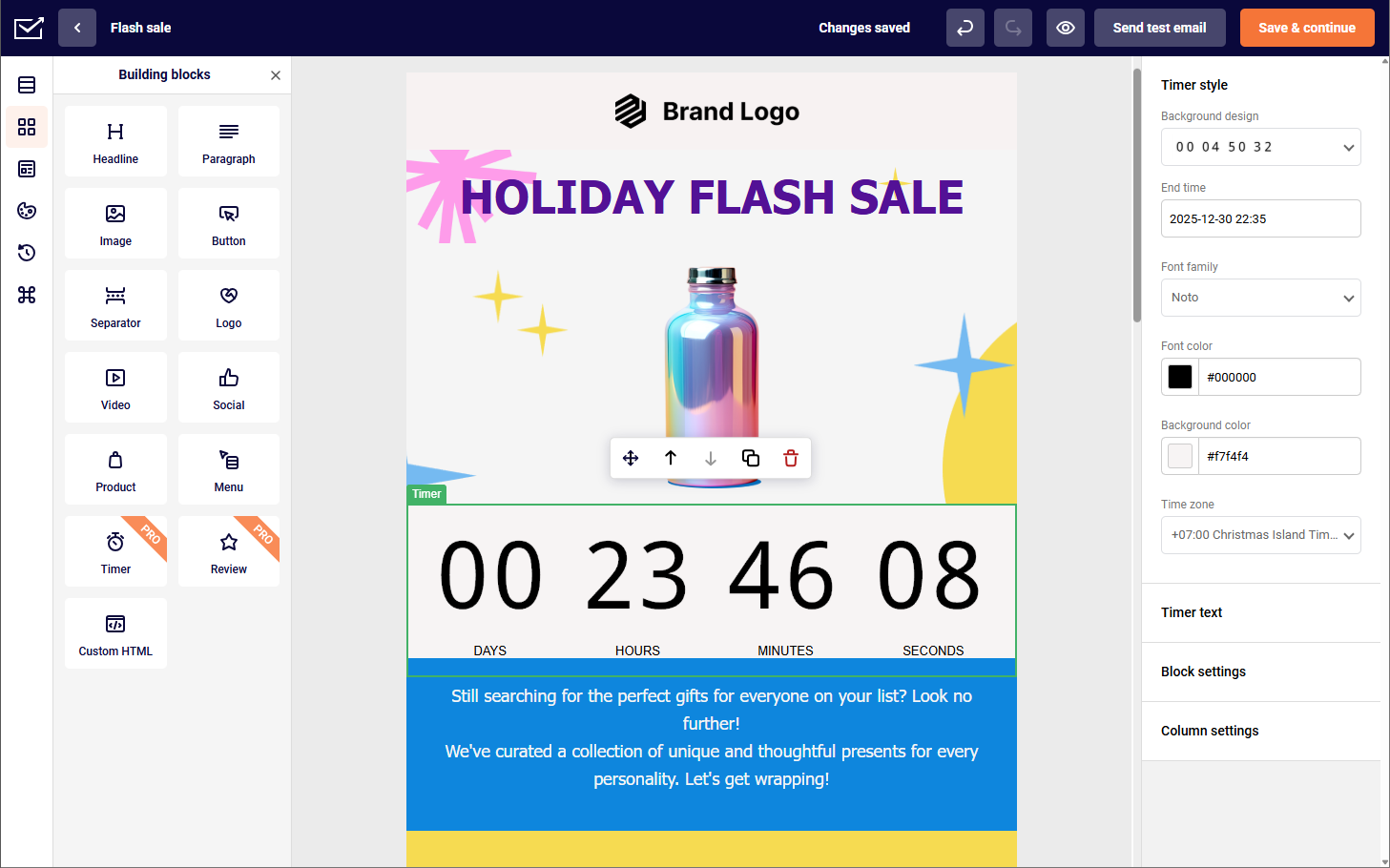
Sender is the AWeber alternative I would pick for email marketing automation on a small budget. Its workflow builder runs on the free plan, and custom events trigger automations from actions people take on your site, a trigger type AWeber’s Lite and Plus plans do not offer.

Unlike AWeber’s capped Lite workflows, Sender’s visual automation workflow builder and premade templates run on every plan.
The free plan covers up to 2,500 subscribers, and paid plans scale by subscriber count with no separate charge for automation.
Standout Features
- Automation workflows with custom events. Build multi-step workflows with conditional splits, delays, marketing, and transactional email on every plan including Free, and trigger them from custom events such as “Renewed Subscription” sent from your site via API; setup steps are in the custom events guide.
- Dynamic segmentation & real-time reporting. Segment by behavior, purchase history, custom fields, and engagement, recalculated at send time, with revenue, click, and heatmap tracking.
- Transactional emails. Send order confirmations and account alerts via SMTP or REST API with SPF, DKIM, and DMARC; dedicated IP on Professional from 20,000 subscribers.
- Landing page builder. Build mobile-optimized landing pages with a drag-and-drop builder and premade templates.
Use Cases & Ideal Fit
Best suited for: Businesses under 50,000 contacts that want behavioral automation without complex setup. Not for: teams that need a built-in CRM, a native Salesforce integration, or SMS in countries Sender does not cover.
Sender’s typical use cases:
- Ecommerce stores. Sync Shopify or WooCommerce, then automate post-purchase emails, abandoned cart nudges, and product recommendations.
- Service-based businesses. Set up lead nurturing journeys, appointment reminders, and onboarding sequences.
- Content creators. Deliver newsletters, course updates, or personalized content by interest.
Pricing
- Free Forever: up to 2,500 subscribers and 15,000 emails/month with automation, landing pages, and transactional emails (Sender branding applies).
- Standard: $7/month for 1,000 subscribers and 12,000 emails/month on annual billing per Sender’s pricing page.
- Pro: from $14/month on the same basis; 24,000 emails/month, SMS credits, priority support.
Limitations: There’s no built-in CRM, roughly 20+ integrations against Mailchimp’s 300+, an interface available in only four languages.
AWeber vs. Sender
I tested Sender across two ecommerce stores and a SaaS product over four months, and AWeber on a 3,100-subscriber coaching list. At 1,000 contacts, AWeber Plus is $45/month against Sender Standard at $7/month on annual billing, and Sender’s automation runs on its free plan, where AWeber Lite stops at 3 automations and 1 list.
The clearest functional gap is custom events: Sender fires a workflow when a subscriber renews or watches half of a video, and I found no equivalent trigger in AWeber. At 10,000 contacts AWeber Plus is $135/month against roughly $40/month for Sender. AWeber wins on phone support for every paid plan (Sender keeps phone lines for Enterprise) and on its 700+ templates. AWeber scored 89.4% in EmailTooltester’s December 2025 test; we don’t place Sender’s in-house figure beside third-party numbers.
Choose Sender if you want behavioral automation and custom event triggers at $7 to $14/month; stay with AWeber if phone support and a large template library matter more than price. The migration guide covers how to switch from AWeber with contacts, templates, and automations.
2. Brevo — Best for Transactional Emails & SMS Marketing
Brevo is the AWeber alternative to consider if you want transactional emails and SMS marketing in the same account as your campaigns.

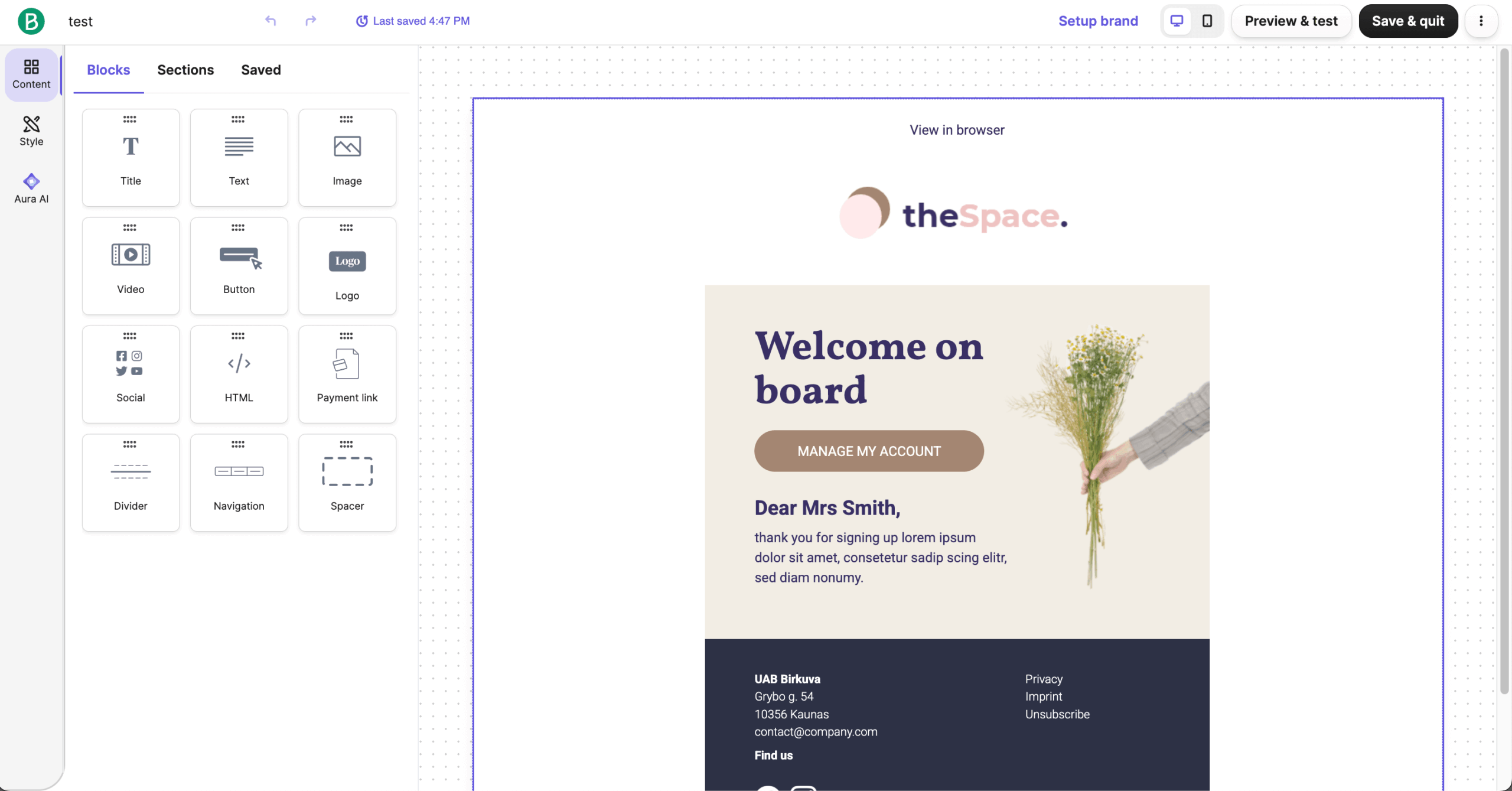
Brevo runs transactional email on every plan, a visual workflow builder on Standard and above, and SMS from one account, with a sales CRM and deal pipelines available as a $31/month add-on. Unlike AWeber’s Lite plan, Brevo’s Standard plan triggers automations from clicks, purchases, or webpage visits.
Standout Features
- Transactional & marketing emails. Send transactional and marketing emails through SMTP or API with real-time tracking; Brevo claims a 99% delivery rate for transactional mail.
- Multi-channel campaigns. Run automated SMS, WhatsApp, web push, and email campaigns from one workflow.
- AI content creation. Use the AI assistant to draft email copy, suggest send times, and personalize messages faster.
- Sales CRM add-on & analytics. Track deals in pipelines and measure ROI with a performance dashboard.
Use Cases & Ideal Fit
Best suited for: Businesses that need combined marketing campaigns, transactional emails, and SMS messaging within a single platform. Not for: daily senders, or anyone who needs automation without paying $18/month or more.
Brevo’s transactional email, SMS, and CRM add-on suit:
- Ecommerce businesses. Automate order confirmations, shipping alerts, abandoned cart messages, and promotional emails;
- Service providers. Send booking confirmations, appointment reminders, and feedback requests;
- Event organizers. Manage attendee signups, ticket confirmations, and SMS reminders
Pricing
- Free plan: 300 emails/day, up to 100,000 stored contacts, Brevo branding.
- Starter: from $9/month, priced by email volume; the 5,000-emails/month tier caps at 500 contacts, automation is limited, and custom branding without the Brevo logo costs $10.80/month extra.
- Standard: from $18/month; the first tier with the automation builder and A/B testing, with contact limits tied to the volume tier you choose.
- Professional: from $499/month; only Enterprise removes contact caps. Verified September 2026.
Limitations: Contact caps scale with email volume on every plan except the Enterprise plan, the only tier with unlimited contacts. Standard allows 1 landing page, and Trustpilot fell from 4.4 to 3.9 between February 2025 and March 2026.
AWeber vs. Brevo
Brevo’s edge over AWeber is handling transactional and promotional mail from one account, with SMTP and API access on every plan including Free. Deliverability is not the reason to switch: GlockApps measured Brevo at 70.56% in December 2025, while AWeber scored 89.4% in EmailTooltester’s round the same month. Different testers, but nothing in my testing suggested Brevo out-delivers AWeber.
Brevo’s Standard plan ($18/month) fires workflows from clicks, purchases, and page visits, and runs SMS campaigns from the same workflow. AWeber Plus answers with unlimited automations and Split Paths at $45/month, so the gap comes down to Brevo’s extra channels.
Choose Brevo if you send transactional email and SMS from one account and your list is large but your send frequency is low; stay with AWeber if you want unlimited automations at 1,000 contacts without a volume-tier contact cap.
3. Omnisend — Best for Ecommerce Businesses
Omnisend is the AWeber alternative to pick for a Shopify or BigCommerce store that wants email, SMS, and web push in one workflow. Its automations are built for online stores, and AWeber cannot run all three channels from one automation at any tier.

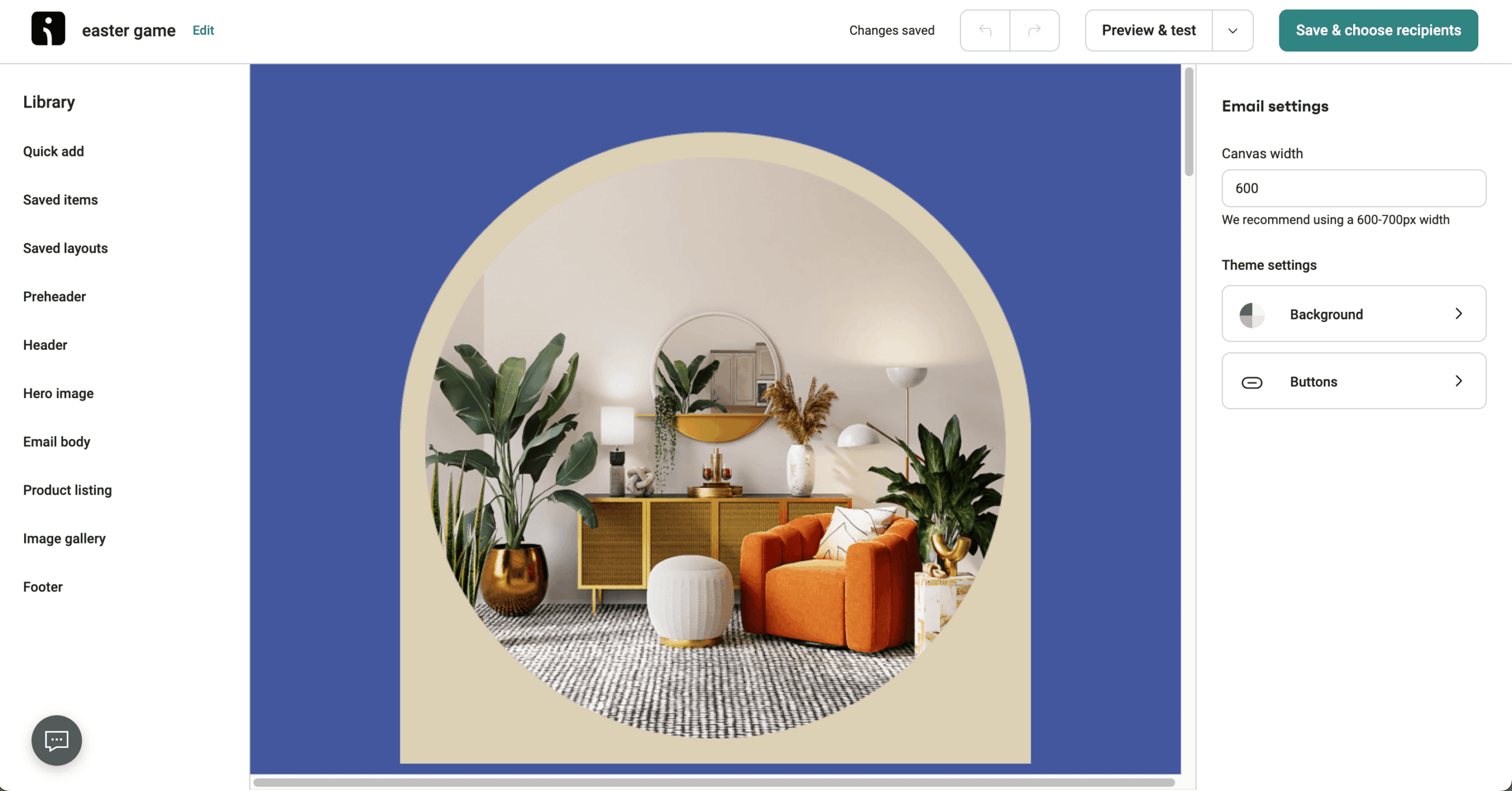
Unlike AWeber’s capped Lite automation, Omnisend ships ready-made workflows for cart abandonment, customer reactivation, and cross-selling. Its drag-and-drop editor includes product pickers and scratch cards, and paid plans add unlimited web push notifications, with Facebook Custom Audiences and Google Customer Match sync and an automated Shopify review collector on every plan.
Standout Features
- Engaging email content. Use scratch cards, product blocks, and review blocks within emails to boost engagement.
- Ecommerce-ready automation. Set up plug-and-play workflows for cart recovery, order updates, and more scenarios.
- Multi-channel marketing. Automate SMS, email, and push notifications with easy Shopify sync.
- Revenue tracking & recommendations. Track sales across channels and suggest products based on user behavior.
Use Cases & Ideal Fit
Best suited for: Online stores that rely on automated product recommendations, cart recovery, and purchase-based segmentation. Not for: B2B, SaaS, or WooCommerce and Wix stores that need the Product Picker.
Omnisend’s store-focused workflows suit:
- Fashion & apparel brands. Highlight trending items, drop alerts, and restock notifications.
- Subscription businesses. Run automated renewal nudges, trial-to-paid workflows, and upsells.
- Specialty & gourmet food stores. Send personalized suggestions, seasonal promos, and repeat purchase flows.
Pricing
- Free plan: up to 250 contacts, 500 emails/month, and 500 web push messages/month.
- Standard: from $16/month ($20/month for 1,000 contacts), scaling by contact count; email and web push, no SMS.
- Pro: from $59/month ($59/month for 1,000 contacts); adds SMS from $0.007 per message.
- Automations cost nothing extra. Verified September 2026.
Limitations: SMS is locked to Pro at a $59/month minimum, so the Standard tier is email and push only. The Product Picker does not work with WooCommerce or Wix. There’s no phone support below the Custom tier, and G2 reviews log 60 mentions each for “Limited Features” and “Missing Features.”
AWeber vs. Omnisend
Omnisend is a strong AWeber alternative if you run an ecommerce store and want SMS or cart recovery built into the workflow. On a Shopify store I ran for three months, the pre-built ecommerce workflows were live in under 15 minutes, and email, SMS, and push ran from one automation, which AWeber cannot do at any tier.
That said, Omnisend’s strengths are niche-specific. It’s built for Shopify and BigCommerce, and EmailTooltester measured it at 78.5% deliverability in December 2025 against AWeber’s 89.4% in the same round. Our roundup of email marketing platforms for ecommerce puts Omnisend beside its closest rivals.
Choose Omnisend if you sell on Shopify or BigCommerce and want email, SMS, and push in one workflow; stay with AWeber if you run a non-store list, need phone support, or want the higher deliverability AWeber showed in testing.
4. GetResponse — Best for Automation & Webinars
GetResponse is the AWeber alternative for marketers who run webinars: it hosts them, sends the reminders, and nurtures registrants from the same account. AWeber has no webinar tool at any tier.
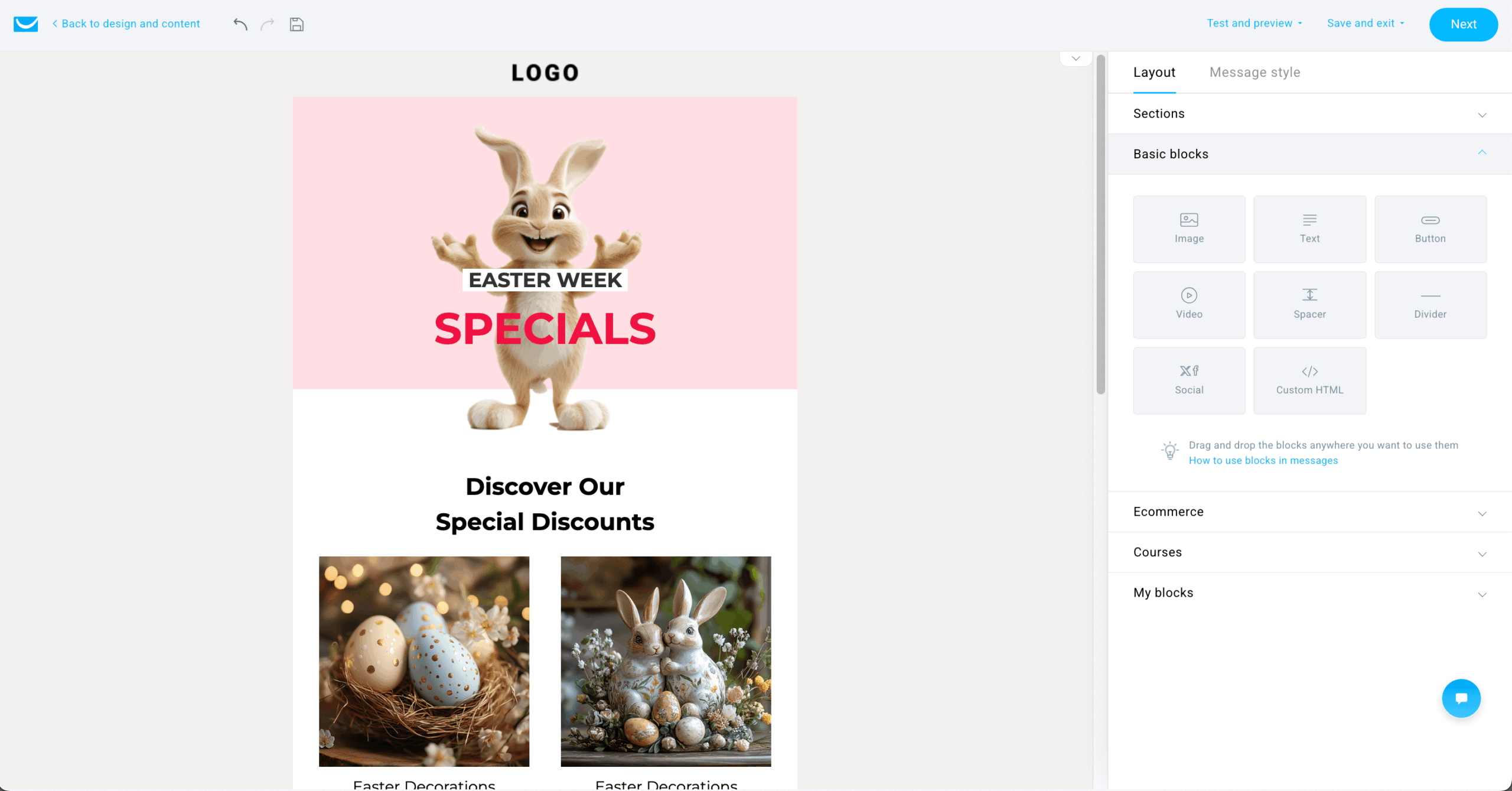
Its workflows respond to subscriber behavior, and the Conversion Funnel, spam testing, landing pages, and AI content recommendations cover the path from registration page to payment.
Standout Features
- Built-in webinar hosting. Host webinars with registration pages, automated reminders, and follow-up emails.
- Conversion funnel builder. Create landing pages, sales funnels, and integrate payments to drive conversions faster.
- AI content optimization. Boost email results with AI-generated subject lines, email copy, and optimized send times.
- Dynamic segmentation & live chat. Personalize campaigns based on behavior and engage leads instantly through live chat.
Use Cases & Ideal Fit
Best suited for: Marketing teams that require advanced automation workflows alongside built-in webinar hosting capabilities. Not for: ecommerce teams that need Shopify depth, or anyone who needs A/B testing for under $48/month.
GetResponse keeps emails, landing pages, live chat, and webinars in one account, which suits:
- Educational brands & course creators. Run webinars to capture leads, then nurture them with automated sequences.
- Consulting agencies. Segment leads by interest, then target them with tailored webinars and drip campaigns.
- Coaches & trainers. Use landing pages and funnels to promote sessions, handle signups, and follow up.
Pricing
- Free plan: up to 500 contacts.
- Starter: $19/month on monthly billing ($15.58 annual), unlimited sends.
- Marketer: $59/month ($48.38 annual); adds unlimited automation workflows, A/B testing, and Perfect Timing send optimization.
- Creator: $69/month ($56.58 annual); adds webinars, the AI Course Creator, and the website builder. Verified September 2026.
Limitations: A/B testing sits behind Marketer at $48/month and up, and SMS and transactional email are Enterprise-only. Webinars and the course creator need Creator at $56.58/month or more on annual billing. There’s no phone support below Enterprise, and GetResponse applies a strict no-refund policy.
AWeber vs. GetResponse
Comparing GetResponse with AWeber, GetResponse leads in webinar hosting and funnel building. AWeber has no webinar tool, so if you want a course launch that needs registration pages, reminders, and payment in one place you’d need to get a subscription to GetResponse’s Creator plan anyway; our guide to webinar marketing covers how to fill and follow up on those events.
Deliverability is not a reason to move: EmailTooltester scored GetResponse at 89.7% and AWeber at 89.4% in its December 2025 round. What differs is feature gating. AWeber Plus includes split testing at $45/month, while GetResponse charges $48/month or more for it. Send volume runs the other way: every GetResponse paid plan includes unlimited emails, where AWeber caps sends at 10 (Lite) or 12 (Plus) per subscriber per month.
Choose GetResponse if you sell courses or run webinars and want funnels, pages, and payments under one login; stay with AWeber if you need A/B testing at a lower tier, phone support, or a refund policy you can rely on.
5. Kit — Best for Content Creators & Bloggers
Kit (formerly ConvertKit) is designed for creators and bloggers who want to monetize their audience. It offers tag-based subscriber management, built-in monetization tools, and a free plan that runs to 10,000 subscribers.

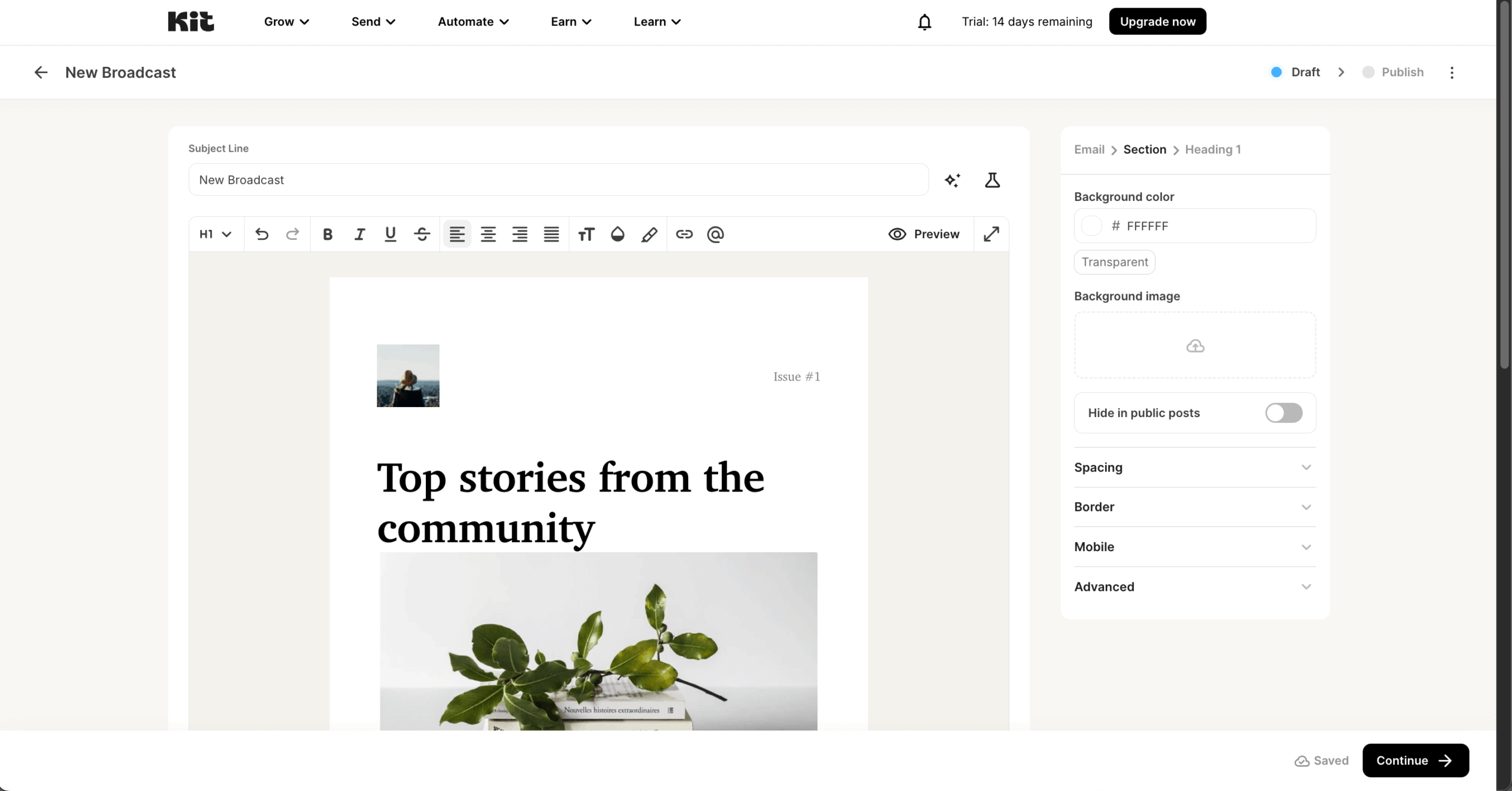
Unlike AWeber, Kit sells digital products, paid newsletters, and subscriptions directly from emails or landing pages, and its tag-based model keeps one profile per subscriber with no duplicates across lists. Landing page design options are limited, but simple pages are quick to build.
Standout Features
- Sell digital products. Promote paid newsletters, monthly subscriptions, and digital products directly through your newsletters.
- Built-in commerce. Accept payments through Kit Commerce (3.5% + $0.30 per transaction) without setting up a separate checkout tool.
- Visual automation builder. Create personalized subscriber journeys with branching, split paths, and event triggers.
- Creator-first tools. Tag-based segmentation, the Creator Network for cross-promotion, and a minimal landing page builder.
Use Cases & Ideal Fit
Best suited for: Creators, bloggers, and digital publishers focused on audience building, newsletters, and monetization funnels. Not for: ecommerce stores that need product blocks, brands that want designed templates (Kit’s are plain-text focused), or teams that need deep analytics.
Kit’s monetization tools suit:
- Bloggers. Run paid newsletters, gated content, or member-only access;
- Course creators. Promote and sell mini-courses or e-books using automated emails;
- YouTubers & podcasters. Collect emails and sell digital extras like templates or community access.
Pricing
- Newsletter (free) plan: up to 10,000 subscribers with unlimited landing pages, forms, and broadcasts, 1 automation, and product sales.
- Creator: $33/month on annual billing; unlimited automations and A/B testing, rising to $100/month at 10,000 subscribers.
- Pro: $66/month annual; adds Subscriber Signals, engagement analytics, and deliverability reporting ($140/month at 10,000).
- Kit Commerce charges 3.5% + $0.30 per sale; annual billing saves 17%. Verified September 2026.
Limitations: The September 2025 price increase brought 70 to 200% jumps for existing users with no new features. There are plain-text templates and no drag-and-drop builder, no heatmaps or revenue attribution, and Creator climbs to $466/month at 100,000 subscribers, above Sender, MailerLite, and Moosend at that size.
AWeber vs. Kit
If you’ve searched “AWeber vs ConvertKit,” the comparison still holds under the Kit name. For content creators, Kit is the better fit: AWeber’s ecommerce tools charge a 0.6 to 1.0% fee on sales but lack Kit’s paid newsletters, memberships, and Creator Network, and Kit’s generous free plan, which runs to 10,000 subscribers with unlimited broadcasts, outstrips AWeber’s paid Lite tier.
AWeber counters with 700+ designed templates and a drag-and-drop builder, where Kit offers 15 to 23 plain-text layouts. On deliverability, EmailDeliverabilityReport put Kit at 97.77% in January 2026; AWeber’s 89.4% comes from a different tester (EmailTooltester, December 2025), so compare the two with caution. If your list is mainly a newsletter, our roundup of the best newsletter platforms shows how Kit compares with Beehiiv and Substack.
Choose Kit if you sell digital products or paid newsletters and want a free plan that stretches to 10,000 subscribers; stay with AWeber if you want designed templates, a drag-and-drop builder, and phone support.
6. ActiveCampaign — Best for Advanced Automation & CRM
ActiveCampaign is a strong option for B2B email marketers who want multi-branch automation and an integrated CRM. Having tested its advanced marketing automation and CRM capabilities, it’s clear why B2B teams pick it over AWeber when they need workflows tied to a sales pipeline.
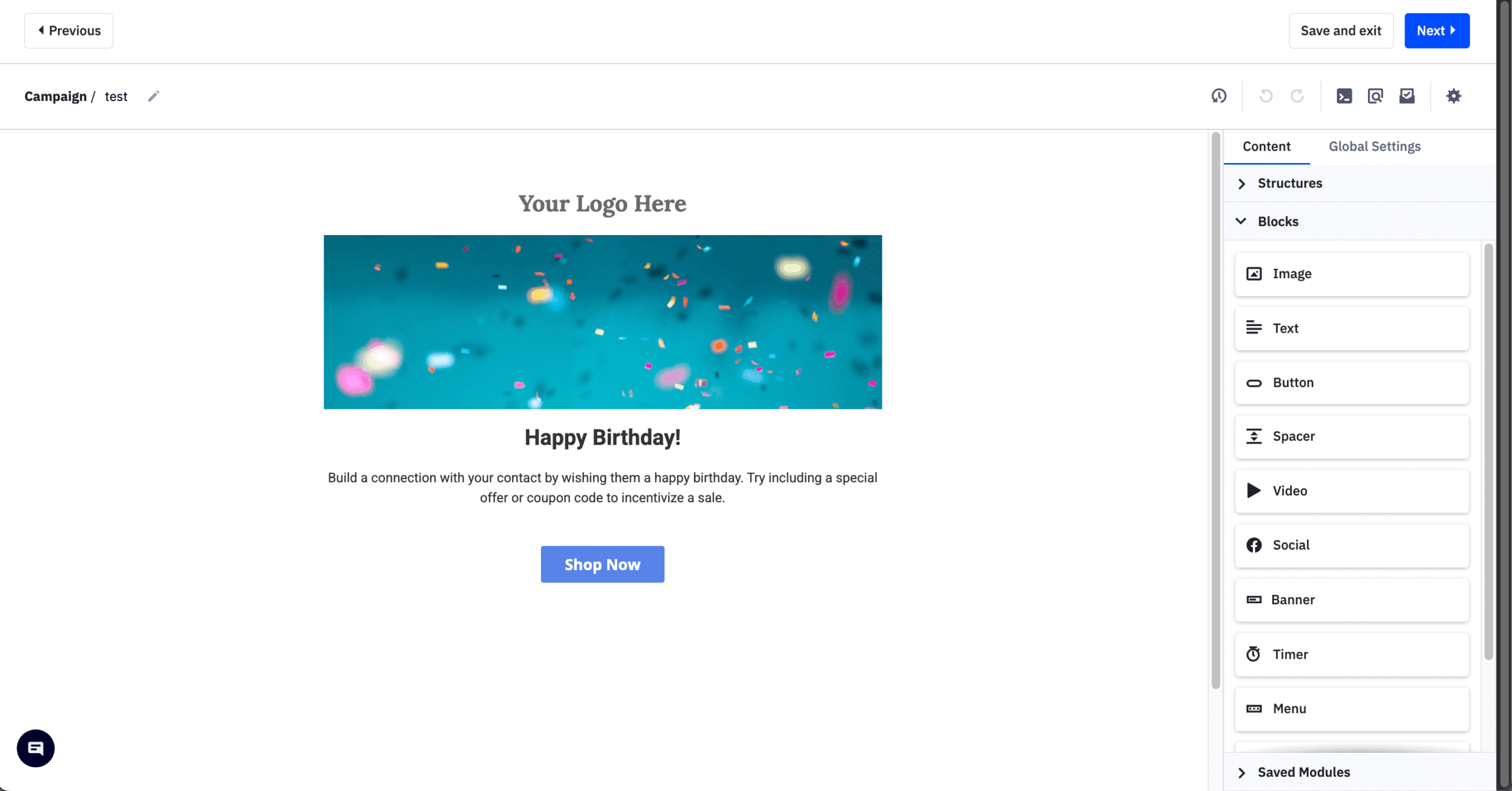
Unlike AWeber’s basic offerings, ActiveCampaign builds workflows from triggers such as website visits and user behavior, with AI suggestions for personalization, and its CRM ties lead management, pipeline tracking, and follow-ups to those workflows.
Standout Features
- Advanced automation builder. Create workflows with AI suggestions, behavioral triggers, and full customization options;
- Built-in CRM system. Manage deals, tasks, pipelines, and one-on-one customer communication without switching tools;
- Smart engagement tracking. Use BotSense to filter fake clicks and rely on clean, accurate performance data;
- Dynamic content & insights. Personalize emails, prioritize leads with scoring, and track actions with geo-maps and click maps.
Use Cases & Ideal Fit
Best suited for: Growing businesses and agencies that need deep automation logic, lead scoring, and integrated CRM functionality. Not for: beginners or newsletter senders; the learning curve is the most-mentioned complaint on G2, with 601 mentions.
ActiveCampaign’s automation and CRM combination suits:
- Consulting firms. Automate prospect nurturing, send targeted follow-ups, and track deals in one place;
- Marketing agencies. Manage multiple client accounts, run automations, and streamline campaign execution;
- B2B SaaS companies. Score leads, trigger sales sequences, and maintain a clean pipeline with smart segmentation.
Pricing
- No free plan; 14-day trial only.
- Starter: $15/month on annual billing; automations limited to 5 actions each.
- Plus: $49/month; Pro: $79/month; Enterprise: $145/month (annual billing). Plus at 10,000 contacts costs $189/month.
- Since November 2025, every contact is billed, including unsubscribed and bounced addresses. Verified September 2026.
Limitations: The Starter plan’s 5-action cap makes it a broadcast tool in practice, so real spend runs 30 to 50% above the $15 headline. Billing for unsubscribed and bounced contacts began in November 2025, documented renewals have jumped from $2,000/year to $7,800/year, and Trustpilot sits at 2.8/5 from about 1,358 reviews.
AWeber vs. ActiveCampaign
The difference between ActiveCampaign and AWeber is substantial in automation depth and CRM. I tested ActiveCampaign on a B2B funnel with 8 branches and 14 steps; its 135+ triggers and 200-step workflows handle complex customer journeys that AWeber’s Split Paths cannot, and built-in deal pipelines and lead scoring hand qualified contacts to sales.
That depth costs more than the headline suggests. Moving past broadcasts needs Plus at $49/month, and since November 2025 every unsubscribed or bounced contact counts toward the bill. GlockApps measured ActiveCampaign at 63.6% deliverability in December 2025, the lowest third-party figure here; AWeber’s 89.4% comes from EmailTooltester the same month, so testers differ, but the gap justifies a seed-list test before you migrate.
Choose ActiveCampaign if you have 1,000 to 25,000 contacts, a sales team, and a budget for Plus or above; stay with AWeber if you send newsletters and simple sequences and don’t want to pay for bounced or unsubscribed contacts.
7. Drip — Best Alternative for Marketing Automation
Drip is a marketing automation solution for ecommerce brands seeking more sophisticated campaigns. If you’re frustrated with AWeber’s limited automation features for ecommerce scenarios, you should take a look at Drip.
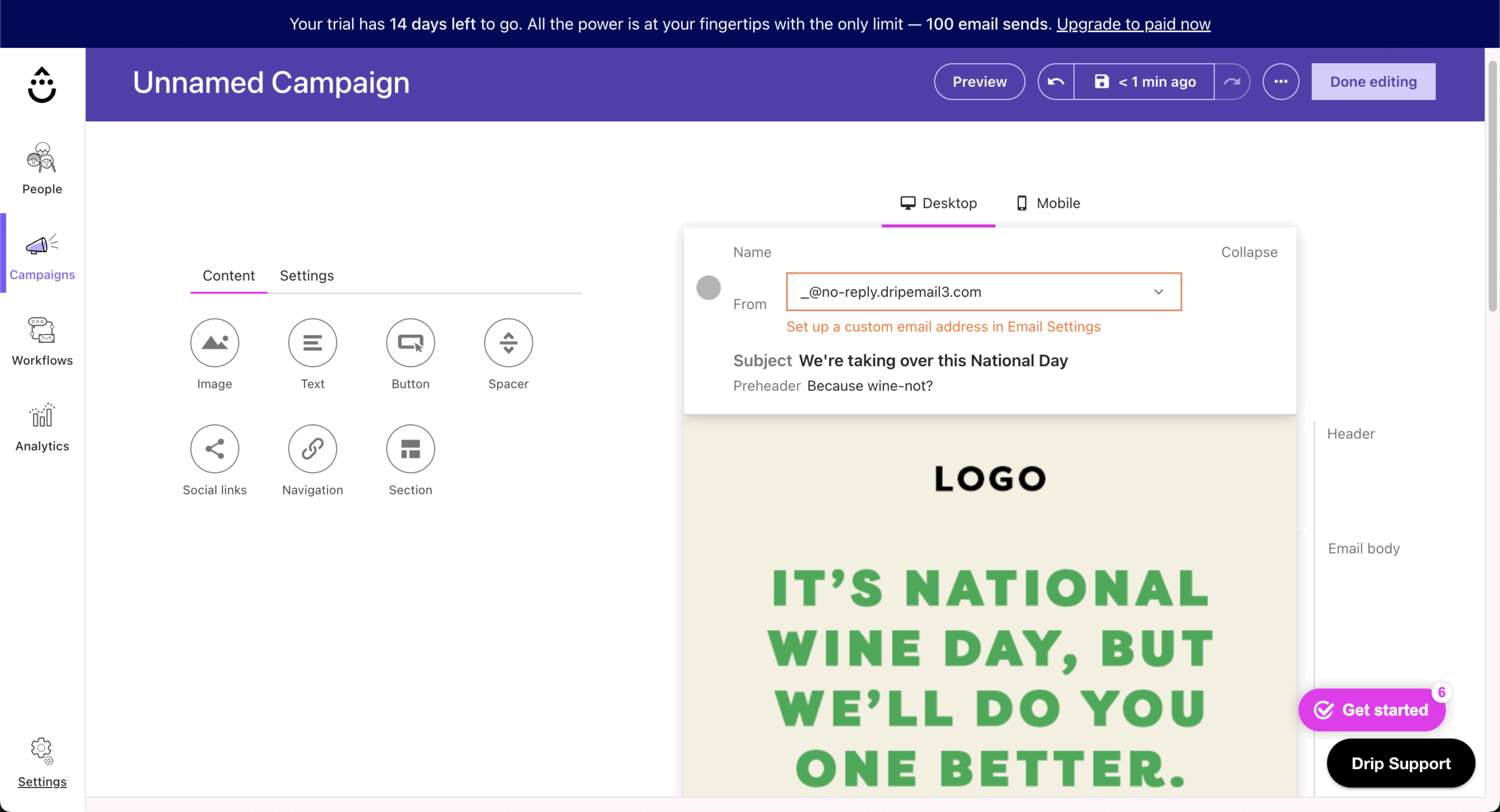
Drip’s visual workflows and behavioral triggers are more granular than AWeber’s, with segmentation by online behavior, purchase history, or website interactions, and its native ecommerce integrations with Shopify, WooCommerce, and BigCommerce feed revenue attribution, customer lifetime value, and engagement metrics into one dashboard.
Standout Features
- Visual automation builder. Create multi-step workflows using behavior-based triggers and a drag-and-drop editor.
- Dynamic segmentation tools. Target audiences based on browsing habits, purchase history, and engagement scores automatically.
- Personalized content delivery. Adapt email content blocks in real time based on each user’s profile and behavior.
- Ecommerce-focused insights. Integrate with Shopify, WooCommerce, and BigCommerce, and track revenue, CLV, AOV, and ROI directly.
Use Cases & Ideal Fit
Best suited for: Ecommerce brands seeking behavior-based automation and revenue-focused customer lifecycle campaigns. Not for: newsletters, B2B, non-ecommerce brands, or anyone who needs a free plan.
Drip’s revenue-attributed workflows suit:
- DTC brands. Trigger post-purchase upsells, browse abandonment emails, or loyalty workflows.
- Retailers. Recommend products, automate seasonal campaigns, or recover abandoned carts via emails.
- Multi-product stores. Send hyper-personalized offers based on user categories and past buying behavior.
Pricing
- No free plan; 14-day trial, plus a free migration service.
- One plan with every feature: $39/month for 1 to 2,500 contacts, about $89/month at 5,000, $154/month at 10,000, and $699/month at 50,000.
- SMS is a separate product from $39/month. Verified September 2026.
Limitations: There’s a single $39 tier and no lite plan, which makes Drip’s entry price the highest of the marketing platforms here. Scaling is steep: $154/month at 10,000 contacts. The template library holds 50+ designs against Mailchimp’s 260+, and MailCon users report workflows getting stuck. It’s not built for non-ecommerce lists.
AWeber vs. Drip
While AWeber offers basic automations suitable for simple needs, Drip ties every workflow and email to revenue. On a 4,800-contact Shopify store I tested, each automation reported the dollars it produced, a view AWeber’s sales tracking does not give at the workflow level.
Drip also syncs purchase, browse, and cart data natively from Shopify, WooCommerce, and BigCommerce. GlockApps measured Drip at 87.29% deliverability in December 2025; AWeber’s 89.4% comes from EmailTooltester the same month. Our ecommerce email marketing guide covers the flows Drip is designed around.
Choose Drip if your store does $100K to $5M a year and you want revenue attribution on every email; stay with AWeber if you run a non-store list, need a plan under $39/month, or want phone support.
8. Moosend — Best for Budget-Friendly Email Automation
Moosend is a budget-friendly alternative to AWeber for automating your email marketing efforts. It can be used to set up pro-level automation and get detailed reports at a lower cost than AWeber.
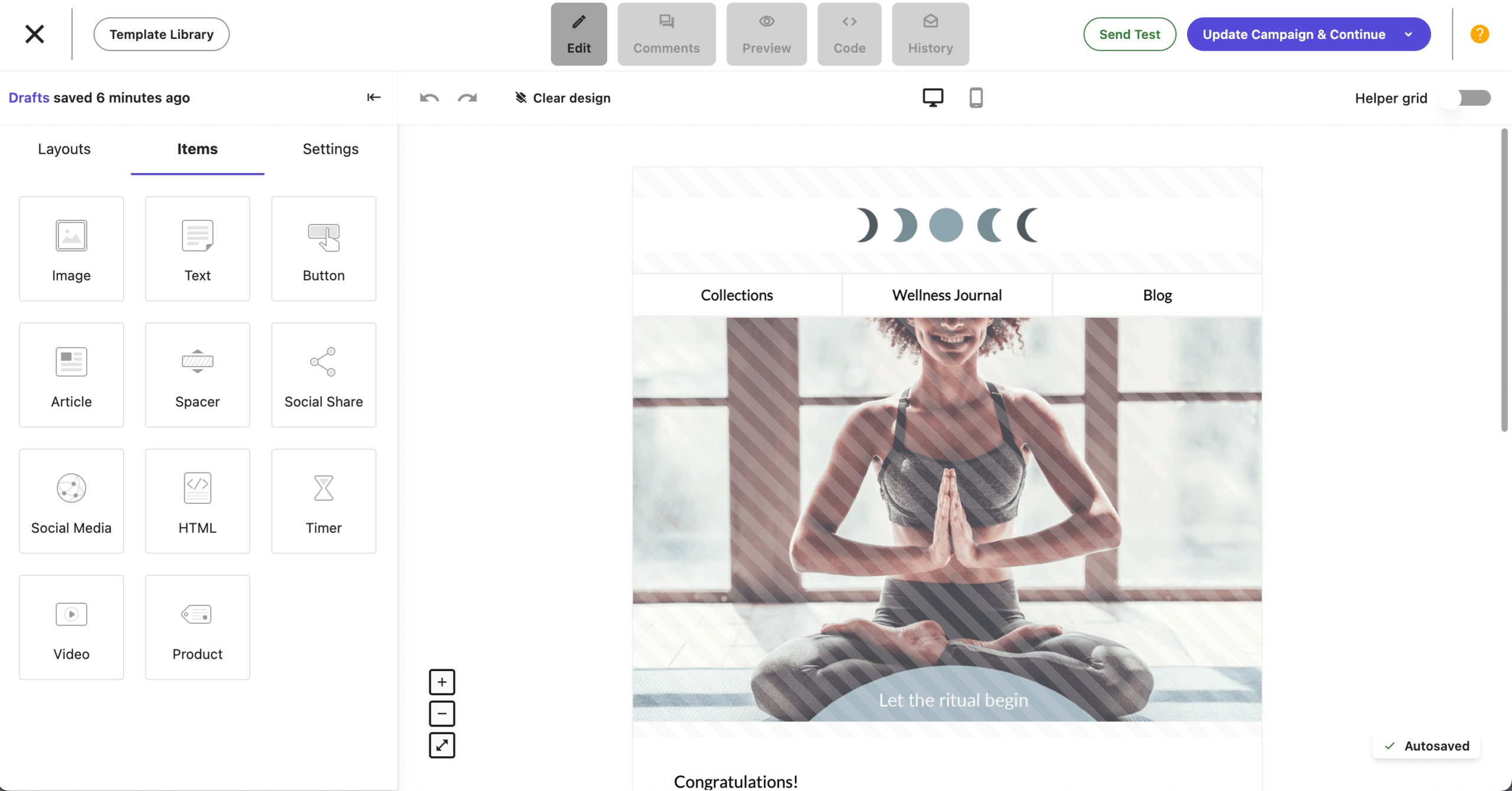
Moosend pairs visual automations and website visit tracking with a drag-and-drop email builder, AI-driven product recommendations, and a form and landing page builder for capturing subscribers from your site.
Standout Features
- Behavior-based automation. Track website visits and trigger targeted email workflows based on user actions instantly.
- AI product recommendations. Suggest products dynamically with AI that adapts to browsing and purchase behavior in real time.
- Easy email creation. Create responsive emails fast with a drag-and-drop editor and mobile-ready templates.
- Advanced insights & support. Access real-time analytics, smart segmentation, and live chat help on weekdays.
Use Cases & Ideal Fit
Best suited for: Small businesses looking for affordable automation tools with essential workflow and segmentation features. Not for: anyone who needs SMS or push, a native Shopify integration, or transactional email on the base plan.
Moosend’s typical use cases::
- Affiliate marketers. Send behavior-based promos or reviews depending on clicks and interest.
- Small ecommerce stores. Automate product suggestions and reminders to boost average order value.
- Bloggers & content creators. Run scheduled newsletters or engagement-based campaigns.
Pricing
- No permanent free plan; 30-day trial only.
- Pro: from $9/month on monthly billing ($7 annual) at 500 contacts, $16/month at 1,000 contacts.
- Moosend+ and Enterprise are custom-priced; nonprofits get 25% off. Verified September 2026.
Limitations: Moosend is email-only, with no SMS, WhatsApp, or push channels. It lists about 42 integrations and has no native Shopify connection. Transactional email is locked behind custom-priced tiers, chat support runs Monday to Friday with no phone line, and the June 2025 Constant Contact acquisition leaves the product roadmap unclear.
AWeber vs. Moosend
AWeber’s Lite plan feels limited beside Moosend’s Pro plan, which includes 32 triggers, 30+ filters, up to 10 conditional branches, and website visit tracking for $9/month at 500 contacts. Moosend doesn’t gate automation by tier: the $9 plan runs the same automation as the $315/month plan at 50,000 contacts, where AWeber reserves advanced features such as split testing and behavioral automation for Plus.
Moosend’s reporting also goes deeper, with click maps, geolocation, and revenue tracking on every plan. Deliverability is close: EmailTooltester measured Moosend at 87.3% and AWeber at 89.4% in December 2025. If price is why you’re leaving AWeber, our roundup of cheap email marketing platforms lines Moosend up against the other low-cost options.
Choose Moosend if you want full automation with no feature gating for under $10/month and email is your only channel; stay with AWeber if you need a native Shopify integration, phone support, or SMS.
9. MailerLite — Email Marketing Software for Small Businesses
MailerLite is the AWeber alternative I’d point small businesses and creators to when they want a clean editor and A/B testing without paying extra for it. I tested it on a creator newsletter with 6,800 subscribers.

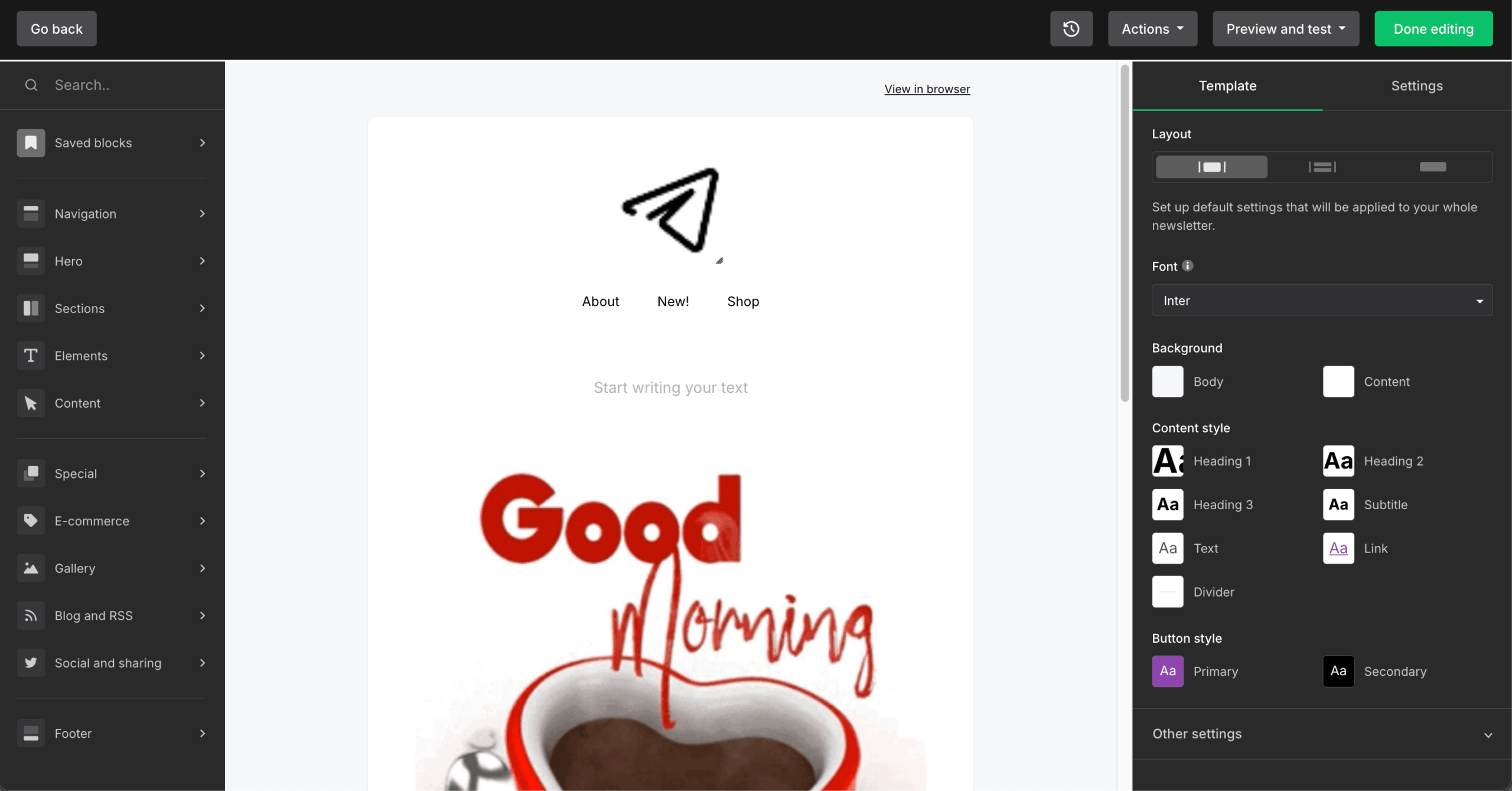
The editor’s 70+ content blocks include surveys, carousels, countdown timers, and coupons, and it was the cleanest editor I tested. Visual automation is tiered (3 workflows on Free, 50 on Comfort, unlimited with multiple triggers on Power), and digital products, paid newsletters, and appointment booking run with 0% commission.
Standout Features
- 70+ content blocks. Add surveys, carousels, countdown timers, coupons, and event RSVP blocks directly in the editor.
- Tiered visual automation. Build 3 workflows on Free, 50 on Comfort, or unlimited workflows with multiple triggers on Power.
- A/B testing on every plan. Test subject lines and content from the free plan up, which no competitor here matches.
- Content monetization. Sell digital products, paid newsletters, and appointment bookings with 0% commission.
Use Cases & Ideal Fit
Best suited for: Creators and small businesses under 10,000 subscribers who want a clean editor and A/B testing from day one. Not for: ecommerce stores that need transactional email, businesses that require phone support, or anyone who can’t tolerate account-suspension risk.
MailerLite’s typical use cases:
- Newsletter creators. Run free and paid newsletters, test subject lines, and sell digital downloads from the same account.
- Local service businesses. Send monthly updates, appointment bookings, and coupon emails with simple automations.
- Course and product sellers. Deliver digital products with 0% commission and trigger follow-ups from purchases.
Pricing
- Free plan: up to 250 subscribers and 2,500 emails/month (cut from 1,000 in September 2025, then 500 in June 2026), with 3 automations and A/B testing.
- Comfort: from $12/month for 500 subscribers; 50 automations and Smart Sending.
- Power: from $25/month for 500 subscribers; unlimited automations with multiple triggers.
- Annual billing saves 10%; the June 2026 repricing added roughly 10 to 30%. Verified September 2026.
Limitations: Account suspensions without explanation are the top reason users leave, confirmed across 6,790+ reviews aggregated by CheckThat.ai. The free plan has been cut three times in three years. There’s no transactional email (that needs the separate MailerSend product), no SMS, WhatsApp, or push, and no phone support on any plan.
AWeber vs. MailerLite
MailerLite beats AWeber on editor quality and testing. Its 70+ content blocks felt more current than AWeber’s templates, and A/B testing in email marketing starts on MailerLite’s free plan, where AWeber reserves it to paid plans. Deliverability favors MailerLite too: EmailTooltester measured it at 92.7% against AWeber’s 89.4% in the same December 2025 round.
AWeber holds two advantages: phone support on every paid plan, where MailerLite has none, and no equivalent of the account-suspension pattern that dominates MailerLite’s negative reviews. AWeber’s built-in ecommerce also handles physical product sales, which MailerLite’s tools do not cover.
Choose MailerLite if you want A/B testing and a modern editor at $12/month and can live without phone support; stay with AWeber if you need a phone line, or if an unexplained account suspension would stop your business.
10. Mailchimp — Best Email Marketing Platform for Beginners
Mailchimp is one of the most recognized newsletter platforms among email marketing beginners, mainly due to its familiar interface and template library.

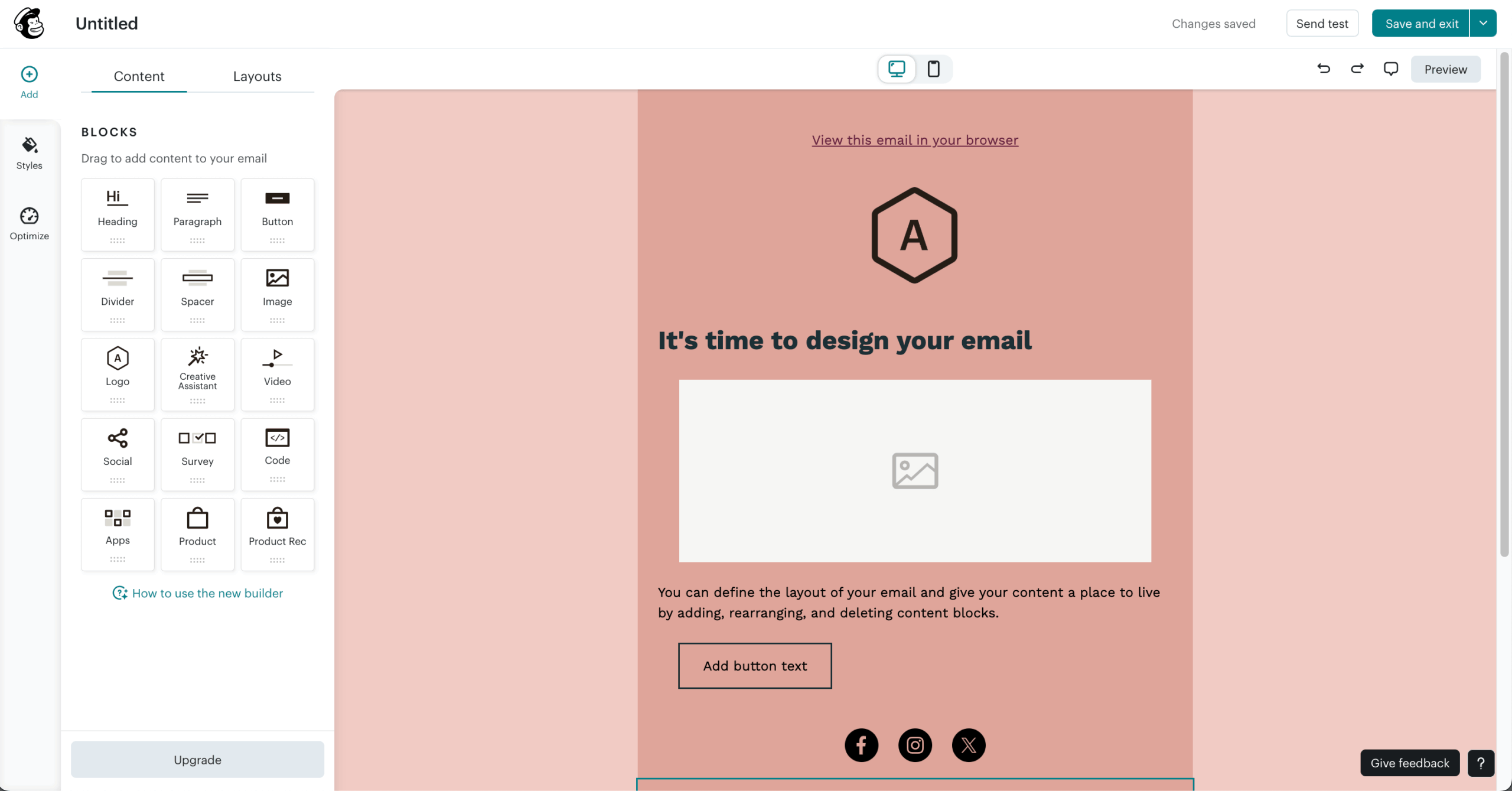
Mailchimp’s drag-and-drop editor, automated drip campaigns, appointment scheduling, and built-in CRM on the Standard plan give beginners more guided tools than AWeber; the trade-off is cost, which rises quickly as your list grows, and reporting that is limited on the lower plans.
Standout Features
- Beginner-friendly email editor. Build campaigns with drag-and-drop tools and 260+ ready-to-use templates.
- 300+ native integrations. Connect with Shopify, WooCommerce, Salesforce, Canva, and other ecommerce, CMS, and CRM platforms.
- Simple automation tools. Set up welcome emails, drip campaigns, and follow-ups in the Customer Journey Builder without getting overwhelmed.
- Audience management & A/B testing tools. Organize subscribers, segment lists, and optimize campaigns with built-in testing features.
Use Cases & Ideal Fit
Best suited for: Individuals and small businesses launching their first email campaigns with simple templates and guided setup. Not for: budget-conscious teams with growing lists; Mailchimp charges for unsubscribed and inactive contacts, and its costs rose faster than any other tool I tested.
Mailchimp’s typical use cases:
- Local businesses. Set up booking flows, promotional email campaigns, and follow-ups without multiple tools.
- Bloggers & content creators. Send regular content updates and automate welcome or content-based sequences.
- Small online stores. Use Shopify or WooCommerce integrations to sync customer data and send targeted campaigns.
Pricing
- Free plan: up to 250 contacts and 500 emails/month, no automation.
- Essentials: from $13/month at 500 contacts; the Customer Journey Builder is limited to 4 journey points.
- Standard: from $20/month at 500 contacts; adds branching logic, predictive segmentation, and Intuit Assist AI.
- Premium: from $350/month; the only tier with phone support.
- SMS is a paid add-on with credits that expire monthly. Verified September 2026.
Limitations: You pay for unsubscribed and inactive contacts unless you archive them manually. The free plan dropped from 2,000 contacts in 2022 to 250 in January 2026, with automation removed in mid-2025. Two email builders don’t share templates, and Trustpilot sits at 2.6/5 with 67% one-star reviews.
AWeber vs. Mailchimp
So, is AWeber better than Mailchimp? For a first campaign, Mailchimp’s editor is easier,its 300+ integrations reach further, and QuickBooks users get an Intuit sync. AWeber’s advantages are automation on the entry plan (3 automations on Lite, unlimited on Plus) and phone support on every paid tier, where Mailchimp keeps phone lines for the $350/month Premium plan.
Costs move in opposite directions as you grow. AWeber publishes a fixed tier for every list size, while Mailchimp bills for unsubscribed and inactive contacts, and G2 reviews record costs rising 30 to 50% over two years; our breakdown of Mailchimp pricing shows where those increases land. GlockApps measured Mailchimp at 78.43% deliverability in December 2025 with 32.3% inbox placement; AWeber’s 89.4% comes from EmailTooltester the same month, so the testers differ, but the direction is clear.
Choose Mailchimp if you want the largest integration catalog and run your finances in the Intuit ecosystem; stay with AWeber if you want automation on the entry plan, predictable per-tier pricing, and phone support.
FAQ about AWeber Alternatives
When evaluating AWeber alternatives, focus on automation depth, segmentation flexibility, reporting capabilities, ease of use, and integration options. Consider whether the email automation software supports advanced workflows, behavioral triggers, and CRM functionality if needed.
Also assess scalability, deliverability reputation, and compatibility with ecommerce or content tools. The right choice depends on campaign complexity, team size, and long-term growth plans; our complete email marketing guide covers everything from choosing a platform to building your first campaign.
AWeber alternatives, such as ActiveCampaign, Sender, and Drip, are often considered by businesses seeking more advanced automation features. These autoresponder tools typically provide visual workflow builders, conditional logic, behavioral triggers, and CRM integrations. They are better suited for lifecycle marketing, lead scoring, and multi-step campaigns.
Yes, plenty of AWeber alternatives are made with ecommerce businesses in mind. Platforms like Sender, Omnisend and Drip are designed to integrate with online stores and support features such as abandoned cart emails, product recommendations, and revenue tracking. These tools often include SMS marketing and advanced segmentation based on purchase behavior.
Mailchimp and MailerLite are commonly considered by users looking for beginner-friendly email marketing platforms. They typically offer user-friendly interfaces (Mailchimp’s guided setup, MailerLite’s 70+ content blocks), pre-designed templates, and simple campaign builders.
These platforms are suitable for small businesses or individuals who need to send newsletters and basic automated emails without managing complex workflows or CRM systems.
Yes, some AWeber alternatives, such as Brevo and Sender, provide built-in support for transactional emails and SMS marketing. These features allow businesses to send order confirmations, password resets, and time-sensitive notifications alongside promotional campaigns.
AWeber Lite costs $15/month at 500 subscribers and $25/month at 1,000; AWeber Plus costs $30/month at 500 and $45/month at 1,000, on monthly billing. Annual billing brings Lite to $12.50/month and Plus to $20/month at 500 subscribers. Prices checked on AWeber’s pricing page on September 1, 2026.
Yes, for phone support on every paid plan and a Done For You setup service. AWeber deliverability measured 89.4% in EmailTooltester’s December 2025 test, level with GetResponse and Moosend. It’s a weak fit for SMS (Brevo, Sender), native product sync (Omnisend), or lists above 10,000 subscribers, where Plus reaches $135/month; see our guide to improving email deliverability for inbox placement.