




We tested each plugin on five criteria: email builder quality, automation depth, list and segment management, deliverability, and pricing model. All 12 plugins were reinstalled and all prices re-verified in August 2026, and every deliverability figure in this update comes from a dated, independent third-party test rather than a vendor’s own claim.
Sender is the top pick for most WordPress sites: its free plan includes full marketing automation for up to 2,500 subscribers, something none of the other 11 tools on this list match.
If you’re building a broader ecommerce email marketing strategy beyond WordPress, that guide covers platform-agnostic segmentation and automation tactics that apply regardless of which plugin you choose.
Top WordPress Email Plugins: Comparison Table
| Tool | Best For | Sending Method | Free Plan Limits (emails/mo, contacts) | WooCommerce Depth | Pricing |
| Sender | Ecommerce and SaaS sites under 50,000 contacts | Cloud ESP | 15,000/mo · 2,500 contacts | Product blocks, abandoned cart, post-purchase flows, custom events | Free plan; paid from $7/mo |
| Brevo | Large lists with low-to-moderate send frequency | Cloud ESP | ~9,000/mo (300/day) · up to 100,000 contacts | Basic WooCommerce plugin integration | Free plan; paid from $9/mo |
| HubSpot | Teams that need email plus a full CRM | Cloud ESP | Sending limits apply on Free CRM | CRM-based order and contact sync | Free CRM; paid from $15/mo/seat |
| Mailchimp for WordPress | Lead capture and automated newsletters | Cloud ESP | 500/mo · 250 contacts | Product content blocks, purchase-based automation | Free plan; paid from $13/mo |
| Constant Contact | Event-driven organizations needing RSVP tools | Cloud ESP | No free plan | Basic ecommerce integrations via add-ons | Trial only; paid from $12/mo |
| MailPoet | WordPress/WooCommerce sites under 10,000 subscribers | MailPoet sending service | Unlimited emails · 1,000 subscribers | Abandoned cart, first-purchase, product recommendations | Free plan; paid from ~$14/mo (€13) |
| Klaviyo | Shopify-first stores, usable on WooCommerce via API | Cloud ESP | 500/mo · 250 profiles | Predictive CLV, churn scoring (deeper on Shopify than WooCommerce) | Free plan; paid from $20/mo |
| FluentCRM | Self-hosted businesses with 5,000+ contacts | Self-hosted, external SMTP required | Free plugin (limited automation) | Deep native WooCommerce hooks | No paid free tier; from $129/year |
| Groundhogg | Agencies needing white-label CRM deployment | Self-hosted, external SMTP required | Free plugin (basic CRM) | WooCommerce-triggered funnels | From $20/mo |
| Mailster | Publishers wanting a self-hosted plugin | Self-hosted, external SMTP required | No free plan | Basic, no native WooCommerce automation | From $79 per year |
| The Newsletter Plugin | Bloggers wanting zero subscriber limits | Self-hosted via wp_mail/SMTP plugin | Unlimited subscribers and sends (free) | Limited | Free; paid from €69/year |
| WP Mail SMTP | Every WordPress site sending transactional email | SMTP delivery bridge* | Free version available | N/A: infrastructure only | Free; paid from $49/year |
*WP Mail SMTP doesn’t send marketing campaigns. It reroutes WordPress system email through an external SMTP provider such as SendGrid, Amazon SES, or Brevo.
A few patterns stand out from the table. Free-plan generosity varies more than pricing pages suggest: Sender’s 2,500-contact free tier includes full automation, while Mailchimp and Klaviyo cap their free plans at 250 contacts with automation locked behind a paid upgrade. Sending method matters more than most buying guides admit, too.
The four self-hosted plugins (FluentCRM, Groundhogg, Mailster, The Newsletter Plugin) all require a separate SMTP bill on top of their license fee, so their sticker price understates the real monthly cost. And WooCommerce depth doesn’t track cleanly with price: MailPoet’s native abandoned-cart and product-recommendation flows outperform some paid platforms that treat WooCommerce as a bolt-on integration rather than a first-class data source.
Quick Picks: Find the Best WordPress Email Marketing Plugin
- Best Free Plan: Sender: the most generous free WordPress email marketing plugin in this roundup, 15,000 emails/month to 2,500 subscribers with automation, segmentation, and popups included, no automation removed.
- Best for Ecommerce: Klaviyo: predictive CLV and churn-risk scoring, though its deepest features are built around Shopify data rather than WooCommerce.
- Best for Startups/SMBs: Sender: a drag-and-drop builder, premade automation workflows, and pricing that scales gradually instead of jumping.
- Best Budget Option: Sender: Standard plan starts at $7/month for 12,000 emails, well below comparable automation-included tiers elsewhere.
- Best for Enterprise/Agencies: HubSpot: a full CRM alongside email, at a cost that only makes sense once you need the sales pipeline too.
- Best for Full Data Control: FluentCRM: a flat annual license with unlimited contacts, since your data lives on your own server.
- Best for Email Deliverability: WP Mail SMTP: replaces the unreliable default WordPress mail function with authenticated SMTP.
- Best Native WordPress Integration: MailPoet: runs entirely inside your dashboard with an included sending service, so there’s no separate SMTP setup.
How We Tested These WordPress Email Marketing Plugins
We installed all 12 plugins on a clean WordPress staging site and a production-mirrored WooCommerce store between March and July 2026, then re-verified every price and feature claim in this update during August 2026.
- Testing environment. Each plugin ran on a staging site and a production-mirrored store to surface conflicts, performance impact, and stability issues, including PHP compatibility, database footprint, and whether uninstalling left orphaned tables behind. We logged page-load timing before and after activation to catch plugins that add noticeable frontend weight.
- UI and automation builder. We built at least one real automation in each plugin, whether a visual workflow, a rule-based trigger, or a shortcode-driven sequence, and timed how long it took to go live, from install to a working, tested workflow, not just a saved draft.
- Integrations and setup complexity. We audited native email marketing integrations with CRMs, forms, and webhooks, and measured the friction in API key handling, OAuth flows, and documentation quality, noting anywhere the official docs were out of date against the current plugin version.
- Deliverability approach. We compared SMTP configuration, authentication (SPF/DKIM/DMARC) support, retry logic, and bounce handling, since some plugins simply hand off to the WordPress mail function while others provide dedicated sending infrastructure. Where a plugin didn’t publish its own deliverability data, we cross-referenced independent GlockApps and EmailToolTester results instead of repeating vendor marketing claims.
- WooCommerce compatibility. We tested order-status triggers, abandoned cart workflows, and product-based segmentation against a live WooCommerce catalog, including edge cases like partial refunds and back-in-stock notifications that thinner integrations tend to miss.
Capterra, G2, Trustpilot, and Reddit to create an objective evaluation. Learn more about our review methodology
12 Best WordPress Email Marketing Plugins
Sender — Free WordPress Plugin for Email Marketing
I tested Sender across two ecommerce stores and a SaaS product over four months. It’s a free WordPress email marketing plugin for lead capture and campaign management, backed by a cloud sending platform that runs full marketing automation as part of its free email marketing plan, not a stripped-down preview of it, for up to 2,500 subscribers and 15,000 emails a month at no cost.
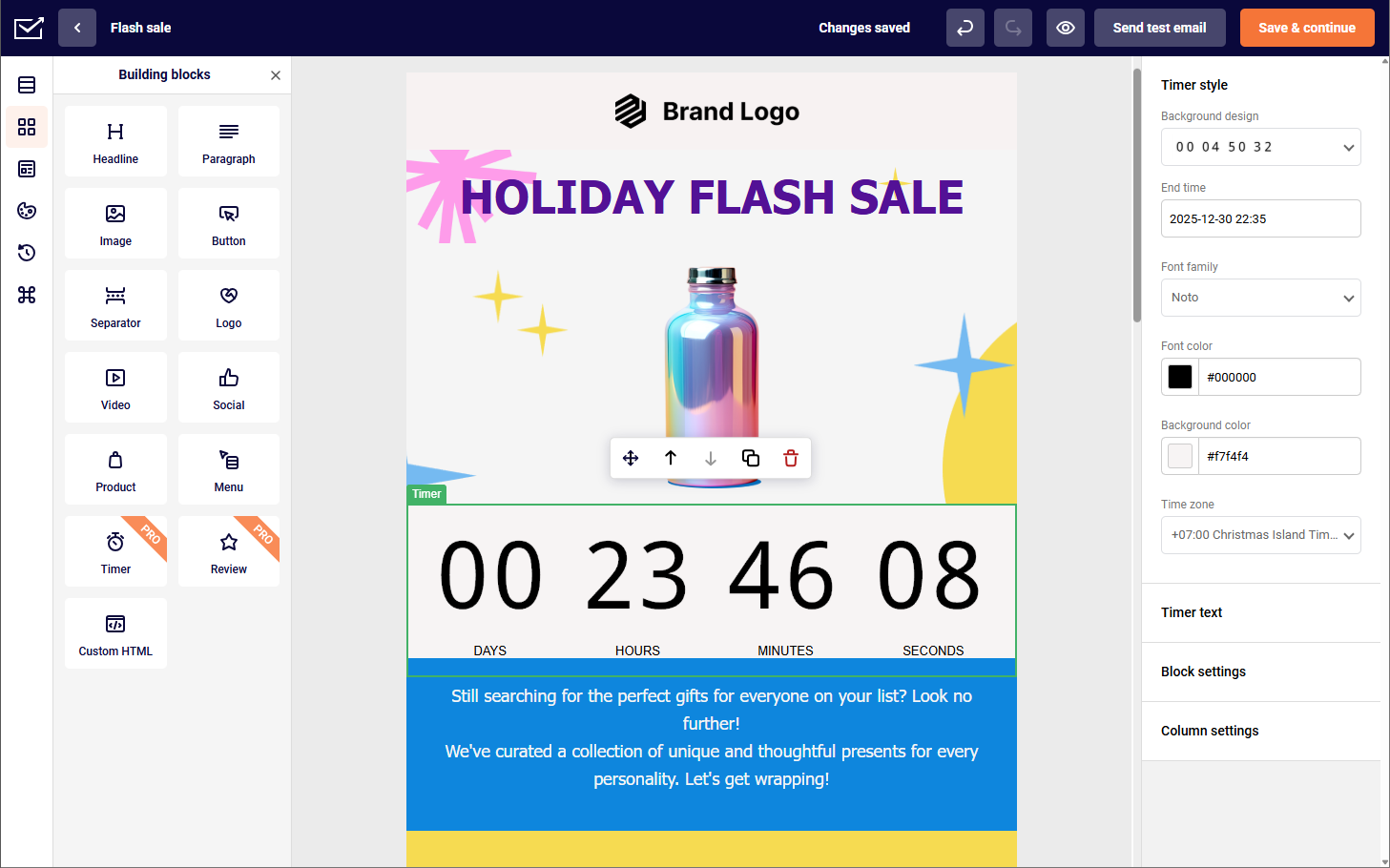
Sender’s marketing automation library ships with abandoned-cart and welcome-series flows already built.
Rating on WordPress: 4.8/5.0 · Active installations: 5,000+

Key Features
- Drag-and-drop email builder with product blocks, countdown timers, and email heatmaps
- Marketing automation with decision splits, delay logic included on every plan, including Free
- Custom events tracking: you can track a specific action a visitor takes on your site, such as watching 50% of a video or renewing a subscription, via API, and fire that data into Sender in real time to trigger an automation or build a behavioral segment.
- Dynamic segmentation that recalculates at send time from campaign activity and ecommerce metrics
- Transactional email via SMTP and REST API with SPF/DKIM/DMARC support
Pros & Cons
- Full automation on the free plan, not a limited preview
- Custom events unlock behavioral triggers usually reserved for higher-priced platforms
- Cloud sending infrastructure handles deliverability without server configuration
- Template variety is the most-cited gap in reviews
- No built-in CRM, and fewer native integrations than larger platforms (20+ versus Mailchimp’s 300+)
Best For
Sender works well for ecommerce businesses and SaaS companies under 50,000 contacts that want behavioral automation without enterprise pricing. It’s not the right fit if you need a built-in CRM; FluentCRM or HubSpot cover that ground better.
Plans & Pricing
- Free Forever: 2,500 subscribers, 15,000 emails/mo, includes automation, segmentation, landing pages, popups, and transactional email
- Standard: from $7/month for 12,000 emails
- Professional: from $14/month, includes a dedicated IP at no extra cost
- Enterprise: custom pricing
Brevo — Email Marketing Solution for Small Businesses
I used Brevo for transactional email and marketing campaigns on two separate client accounts at once. Brevo prices primarily by email volume, but contact limits now apply on every plan and scale with the volume tier you pick, which is a change from Brevo’s older “unlimited contacts” positioning.
Rating on WordPress: 4.1/5.0 · Active installations: 100,000+

Key Features
- Volume-based pricing where the primary billing meter is emails sent per month, though contact caps now apply on all self-serve plans as of late 2025
- Transactional and marketing emails both send via SMTP and API on every plan, including Free
- Multichannel sending across email, SMS, WhatsApp, and web push
- Visual automation builder, available starting on the Standard plan
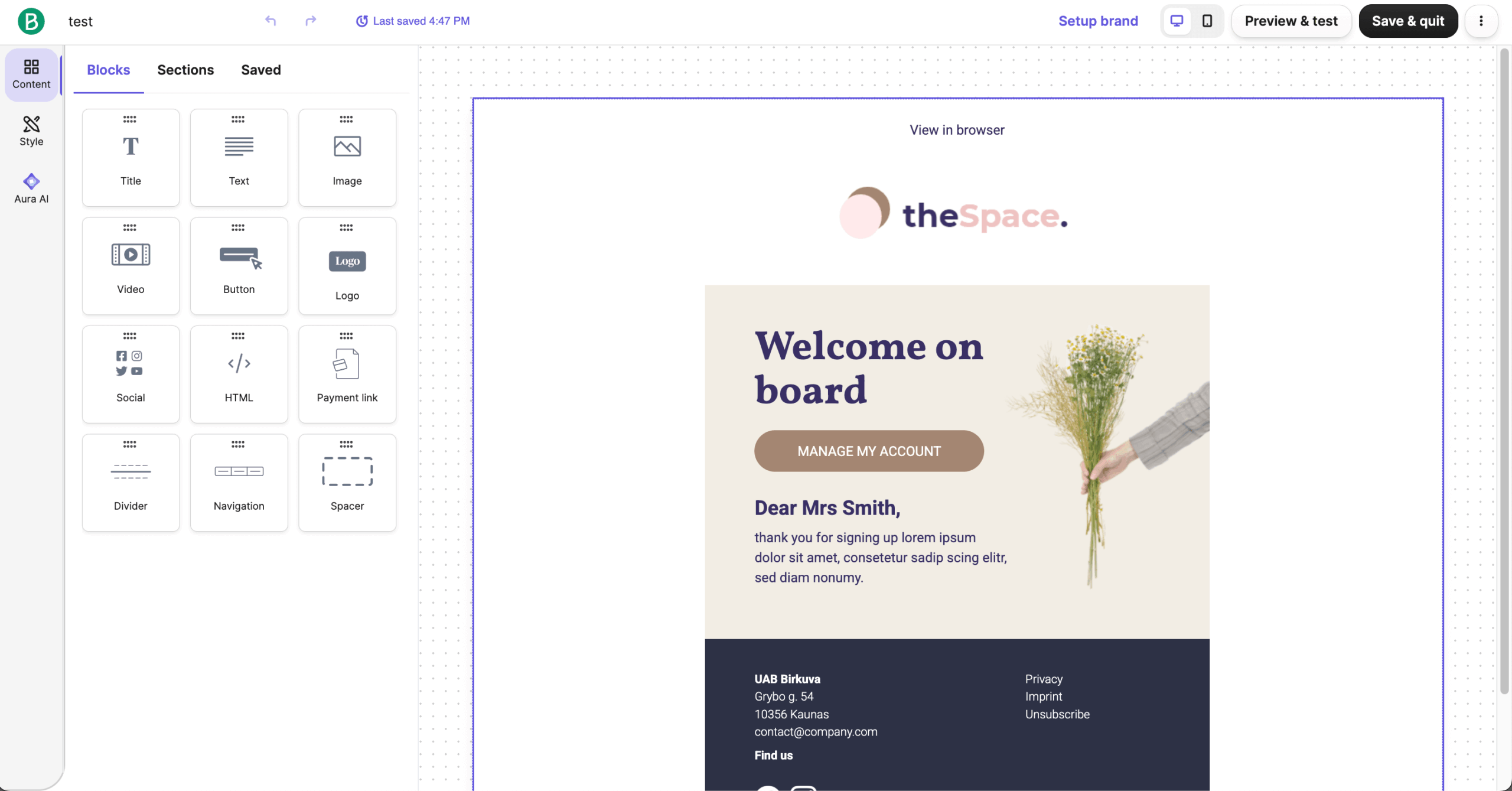
- Landing page builder to create landing pages without separate software, available from the Standard plan
Pros & Cons
- Transactional email infrastructure included on every plan, even Free
- Large contact allowance on the free tier for low-volume senders
- Multichannel messaging (email, SMS, WhatsApp) for consistent customer communication from a single account
- Automation is limited on Free and Starter; you need Standard at $18/month for full automation
- Contact caps are tied to your email volume tier and can be lower than expected at entry-level pricing: the $9 Starter plan caps at 500 contacts on its lowest volume setting
- Branding removal on Starter requires an additional $10.80/month
- GlockApps testing in December 2025 put Brevo’s deliverability rate at 70.6%, near the bottom of the platforms tested in this roundup
Best For
Brevo fits businesses with large contact lists and low-to-moderate send frequency that also need transactional email in the same account. It’s a weaker fit for daily senders or anyone who needs automation without paying past the Starter tier.
Plans & Pricing
- Free: 300 emails/day, up to 100,000 contacts
- Starter: from $9/month for 5,000 emails, limited automation
- Standard: from $18/month, includes automation and A/B testing
- Professional: from $499/month
HubSpot — Free WordPress Email Plugin with Built-in CRM
HubSpot’s plugin captures visitor and lead data directly into HubSpot’s customer relationship management system (CRM), then lets you build automated email sequences on top of that contact record. The free CRM plan is genuinely usable for basic email and contact management, but automation and A/B testing require a paid seat.
Rating on WordPress: 4.3/5.0 · Active installations: 200,000+

Key Features
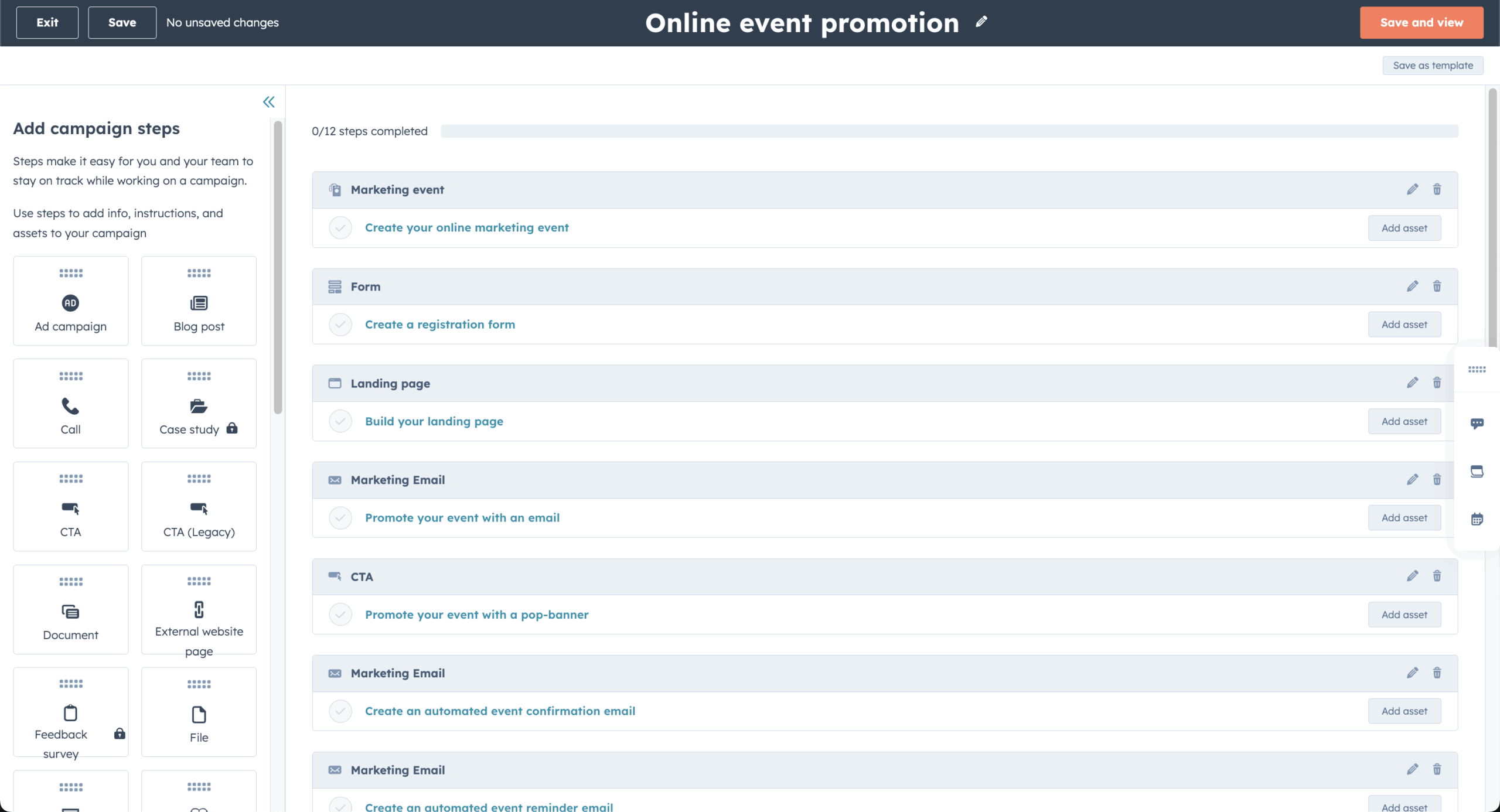
- Free CRM that tracks every visitor interaction and contact detail without a subscriber cap on the database itself
- Email automation triggered by form submissions or contact-property changes
- Customizable popup and embedded forms that feed directly into the CRM
- Analytics dashboard covering email performance, traffic, and deal-stage conversion
Pros & Cons
- The free CRM tier includes genuinely usable email and contact tools, not just a trial
- One platform replaces separate email, CRM, and analytics tools
- Scales into full sales-pipeline management and long-term customer relationships as a business grows
- The seat-based pricing model means costs climb quickly once a team needs more than one or two logins
- GlockApps testing in December 2025 put HubSpot’s deliverability rate at 73.5%
- Advanced marketing automation sits behind the Professional tier, roughly $890/month, a large jump from Starter
- The plugin is heavier than dedicated email tools and can affect page load if left unoptimized
Best For
HubSpot is the strongest option for teams that need email marketing and a sales CRM in the same system, particularly agencies managing a pipeline alongside campaigns. It’s not the right choice if you only need newsletter sending: the CRM overhead and seat pricing outweigh the benefit for that use case.
Plans & Pricing
- Free: CRM with forms and basic email sending
- Starter: from $15/seat/month (annual) or $20/seat/month (monthly)
- Professional: from ~$890/month for Marketing Hub
- Enterprise: from $3,600+/month plus onboarding fees
Mailchimp for WordPress — Email Marketing Plugin with Popup Builder
Mailchimp for WordPress is an email marketing plugin for WordPress built around lead capture: popups and embedded forms feed a WordPress website’s visitors directly into a Mailchimp audience, where automation and campaigns take over.
Rating on WordPress: 4.8/5.0 · Active installations: 1+ million

Key Features
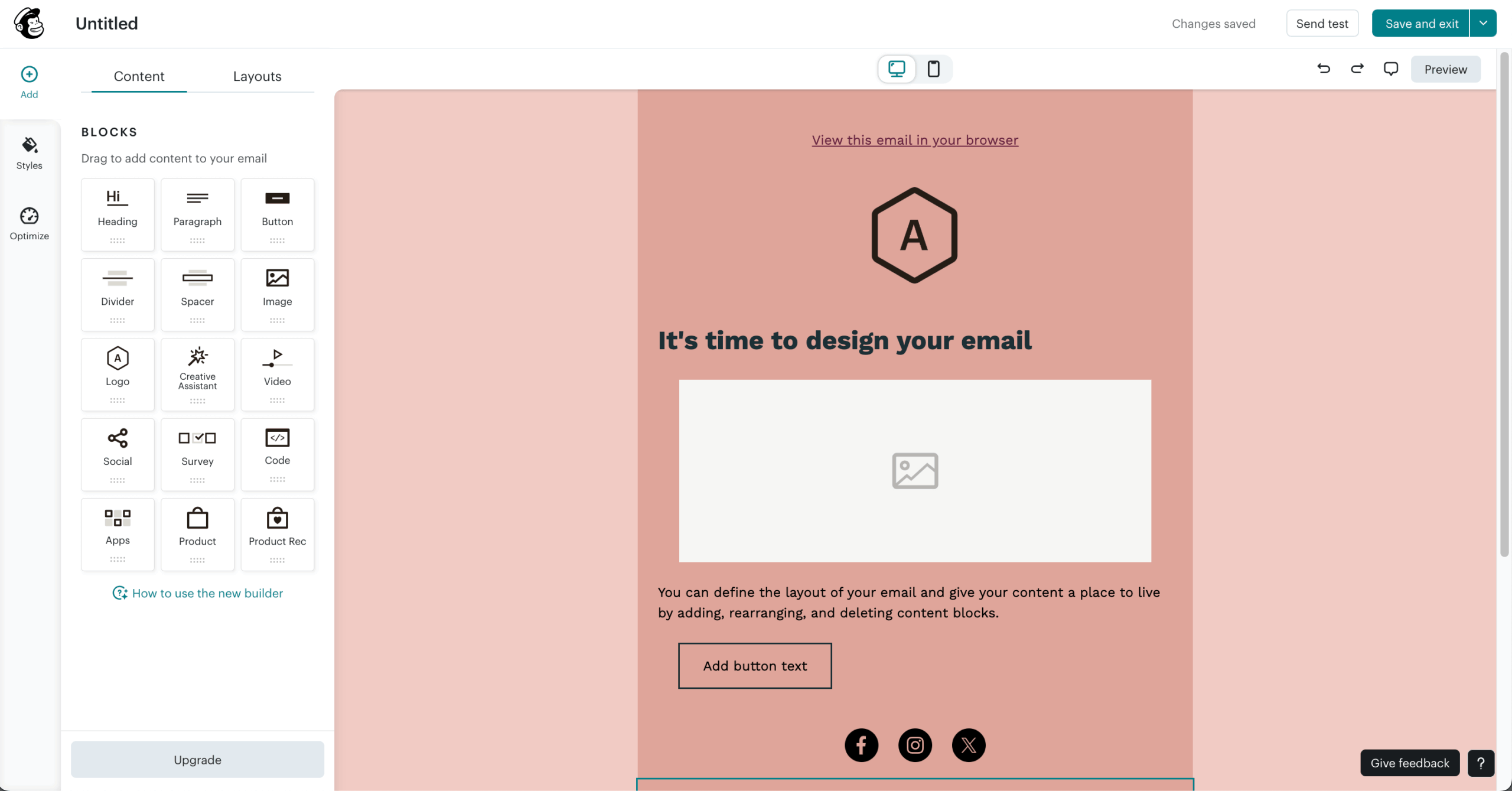
- Popup customization and popup forms with extensive design and targeting options
- Behavior-based targeting that adjusts messaging based on on-site activity, including product and content browsing history
- Detailed email reports on subscriber growth, engagement, and campaign performance
- A/B testing for subject lines and send times
Pros & Cons
- Large email templates library with professional design options
- A/B testing built in for continuous optimization
- Strong popup and form creation tools
- Pricing increases quickly as the subscriber count grows
- Free plan caps at 250 contacts with no automation included
- Support response times slow down on lower-tier plans
- GlockApps testing in December 2025 put Mailchimp’s deliverability rate at 78.4%
Best For
Mailchimp for WordPress suits businesses already embedded in the Intuit ecosystem or teams that want a widely recognized brand name for lead capture. It’s a weaker fit for budget-conscious teams with a growing list, since costs rise faster here than with most alternatives on this list.
Plans & Pricing
- Free: up to 500 emails/month to 250 contacts
- Essentials: from $13/month for 5,000 emails to 500 contacts
- Standard: from $20/month for 6,000 emails to 500 contacts
- Premium: from $350/month for 150,000 emails to 10,000 contacts
Constant Contact — Enterprise Email Marketing for WordPress
Constant Contact bundles event management (RSVP tracking, ticketing, payment processing) with standard email marketing, which is unusual among plugins on this list. There’s no free plan, only a trial, and the platform leans on phone support to offset its higher price relative to the cloud ESPs above.
Rating on WordPress: 2.7/5.0 · Active installations: 20,000+

Key Features
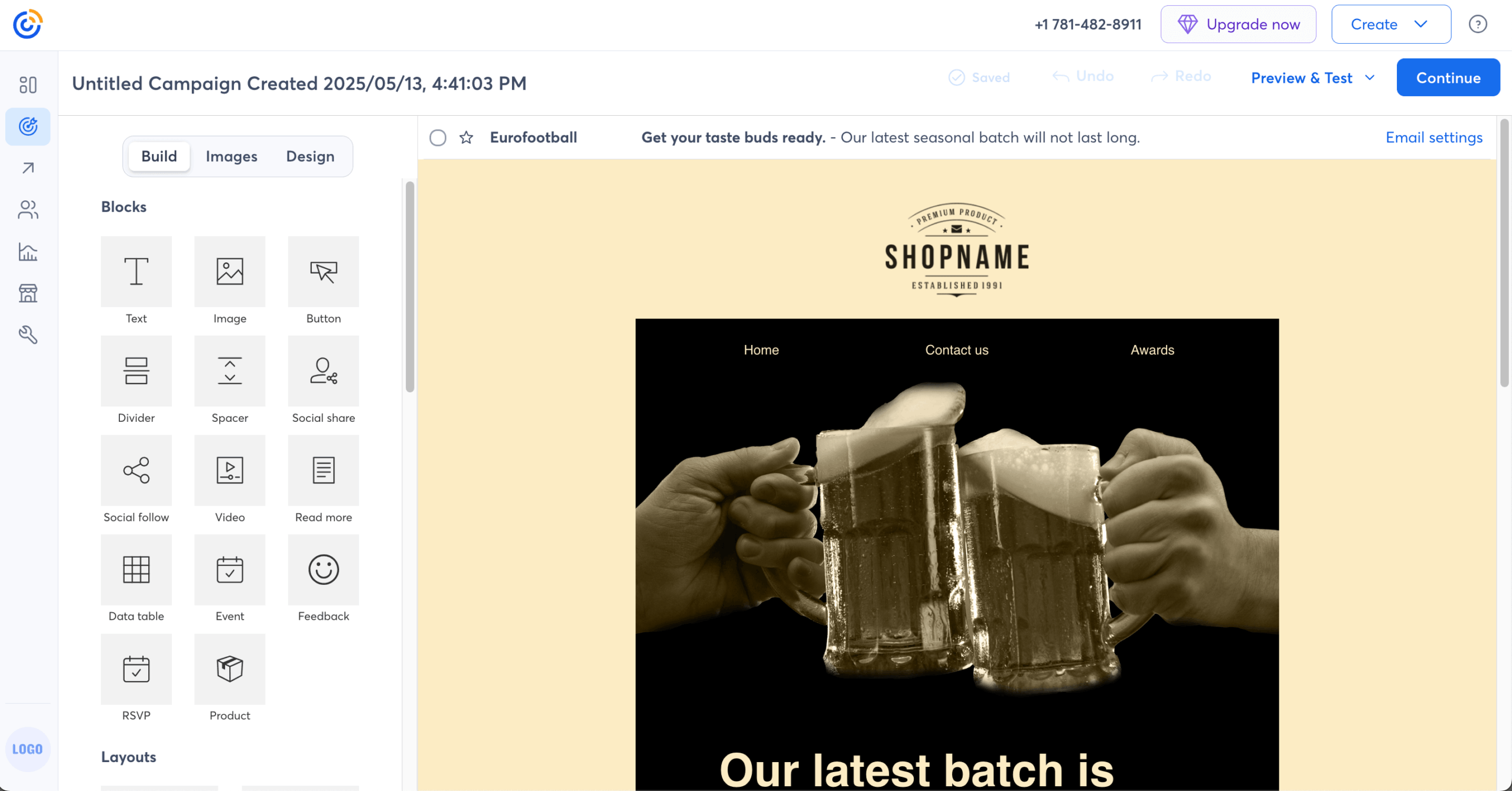
- Native event management with registration pages, RSVP tracking, and ticketing
- Drag-and-drop email editor with customizable, industry-specific templates for building email marketing campaigns
- Phone support available on every paid plan
- Social media scheduling for LinkedIn, Facebook, and Instagram
Pros & Cons
- Event management tools that no other plugin on this list matches natively
- Phone support included at every paid tier, not gated behind the top plan
- Hundreds of integrations, including Shopify and Salesforce
- No free plan, and pricing scales aggressively with contact count: Standard runs roughly $110/month at 5,000 contacts
- Custom automation is locked behind the $80/month Premium tier
- Click-level reporting (who clicked which link) is locked to Standard and Premium, and the Lite tier allows just one custom segment
Best For
Constant Contact works well for nonprofits and event-driven organizations that need RSVP, ticketing, and promotional email under one login with phone support. It’s a poor fit for budget-conscious businesses, since there’s no free tier and automation requires the Premium plan.
Plans & Pricing
- Lite: from $12/month for 500 contacts
- Standard: from $35/month, roughly $110/month at 5,000 contacts
- Premium: from $80/month, includes custom automation
MailPoet — Newsletters and Automations Inside WordPress
I tested MailPoet on a WooCommerce store with several thousand subscribers. It runs entirely inside the WordPress dashboard, including its own email sending service, so there’s no separate SMTP provider to configure on the free plan. Automattic, the company behind WordPress.com, has owned MailPoet since 2021.
Rating on WordPress: 4.4/5.0 · Active installations: 500,000+

Key Features
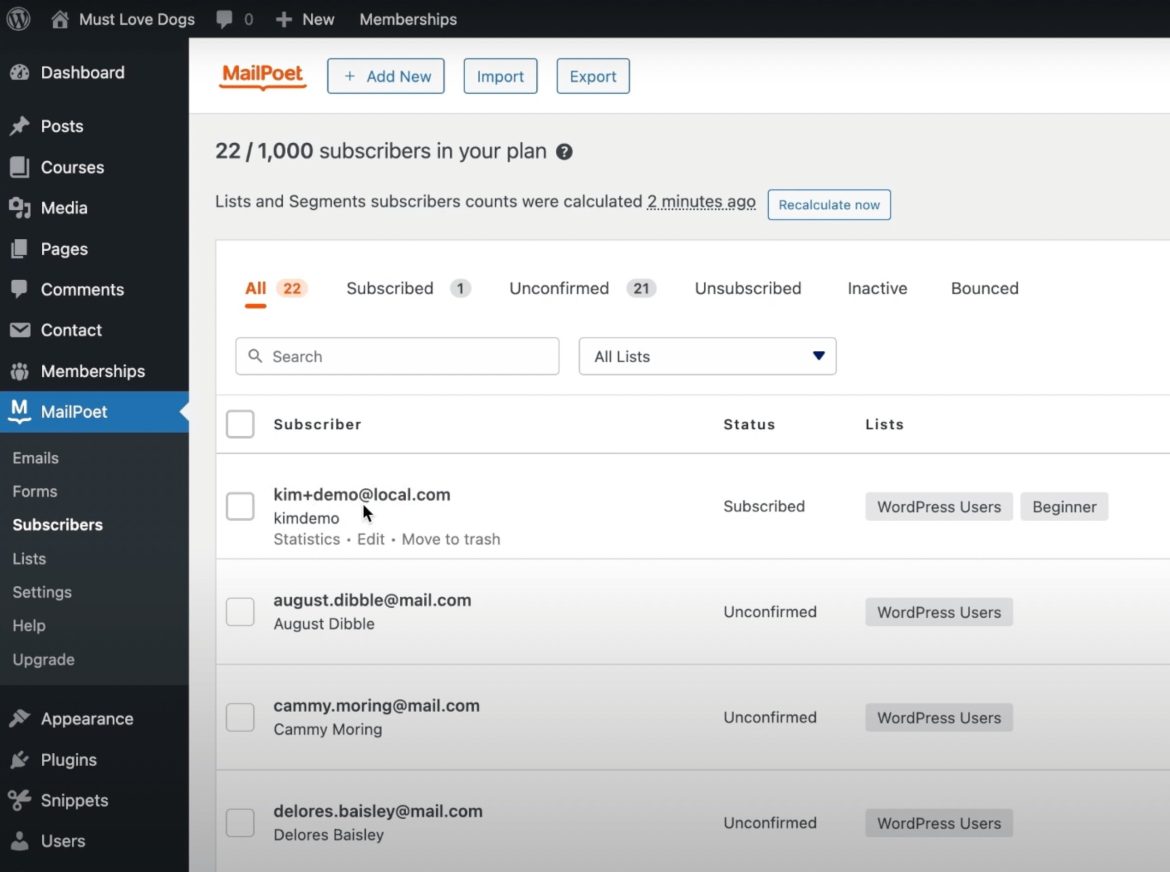
- Full email marketing inside WordPress: campaigns, automations, forms, segmentation, and analytics without leaving the dashboard
- WooCommerce automation covering abandoned cart reminders, first-purchase follow-ups, and product recommendations
- Automated digest emails that notify subscribers of new blog posts pulled directly from your WordPress blog, with no separate RSS tool required
- An included sending service, so non-technical users never touch SPF or DKIM records directly
Pros & Cons
- Zero SMTP configuration needed on the free plan
- Native WooCommerce automation without a third-party connector
- Backed by Automattic, which adds long-term stability
- The free plan locks you into MailPoet’s own sending service; using Amazon SES or SendGrid requires Premium
- No built-in CRM or deal pipeline
- Some users report sharp price jumps at renewal as subscriber count grows
Best For
MailPoet fits WordPress and WooCommerce site owners under 10,000 subscribers who want full email marketing without leaving their dashboard or configuring SMTP. It’s not the right choice for businesses running email across multiple platforms, or anyone who wants to pick their own sending provider from day one.
Plans & Pricing
- Starter: 500 subscribers, 5,000 emails, MailPoet sending included
- Business: from $9/month annual, scales by subscriber count
- Agency: from €26/month annual, use on 50 websites included
Klaviyo — WooCommerce Email Marketing Plugin for Business
I ran Klaviyo on a WooCommerce store for several months. Predictive analytics (CLV forecasting, churn-risk scoring, next-order-date prediction) generated segments that outperformed manual targeting, though Klaviyo’s deepest data integrations were built for Shopify first, with WooCommerce support arriving through its API and plugin layer.
Rating on WordPress: 2.8/5.0 (rechecked Aug 2026) · Active installations: 100,000+

Key Features
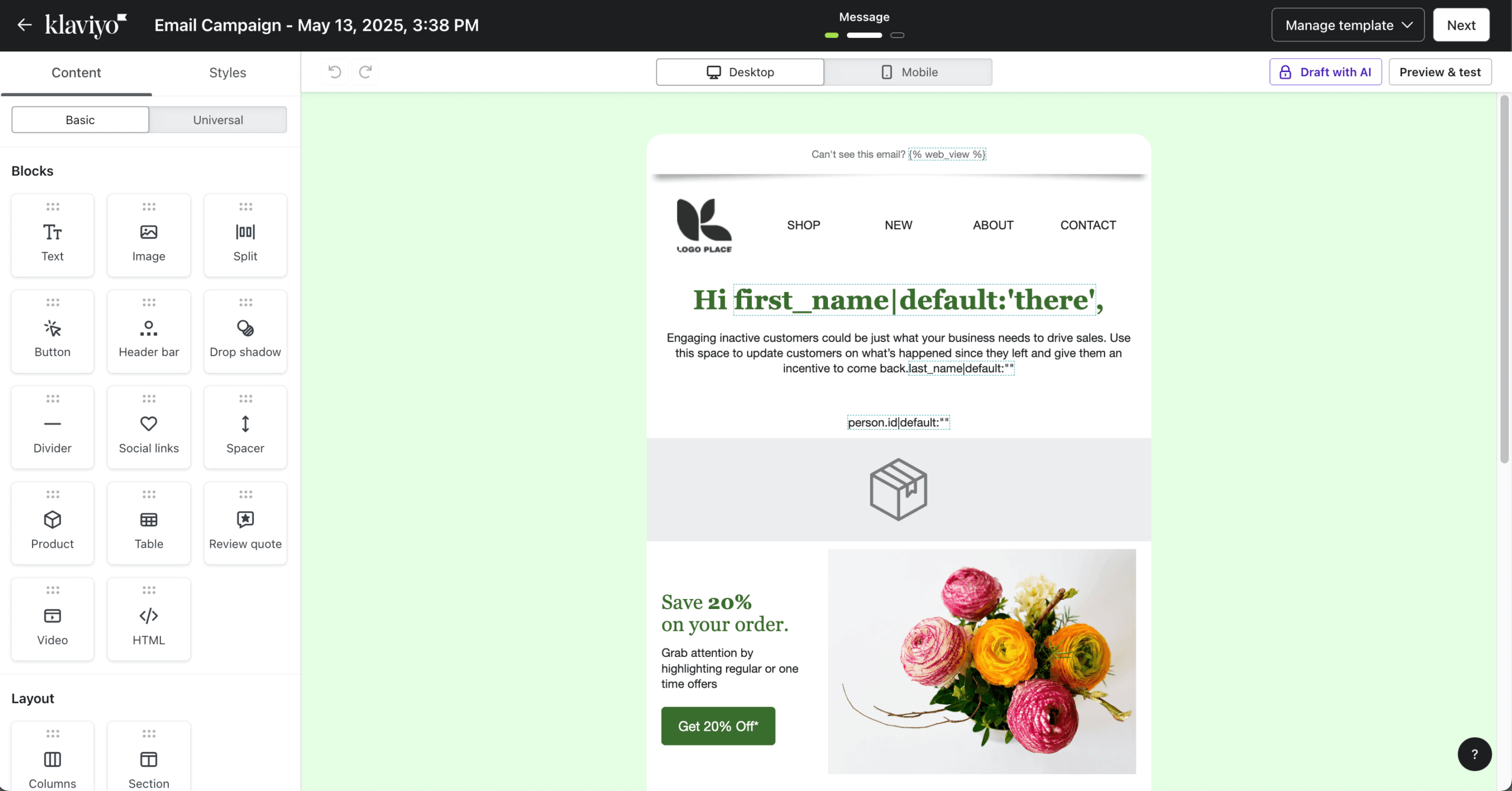
- Unified customer analytics with predicted CLV, churn risk, and next-order-date, drawn from 350+ integrations
- Real-time segmentation that updates as customer behavior changes
- Native SMS alongside email in the same automation flow
Pros & Cons
- Predictive analytics tied directly to purchase data
- Advanced segmentation scored highest in category on G2
- Six native messaging channels including SMS and web push
- Active-profile billing charges for every reachable contact, including ones you’ve stopped emailing, for a minimum retention window
- Trustpilot rating sits well below G2 and Capterra, largely on billing complaints
- SMS is restricted to a limited set of countries
Best For
Klaviyo is the strongest ecommerce pick for stores doing significant revenue with a dedicated lifecycle marketer, especially on Shopify, since flows for browse abandonment and post-purchase emails are where its predictive data pays off. It’s overkill for newsletter senders or small stores watching every dollar, since active-profile billing charges for contacts you’re no longer actively emailing.
Plans & Pricing
- Free: 250 profiles, 500 emails/month
- Email: from $20/month (251–500 profiles)
- Email + SMS: roughly $15/month more per tier than Email-only
- Enterprise: custom, for 500,000+ contacts
FluentCRM — WordPress Email Marketing CRM Plugin
I tested FluentCRM on a WooCommerce membership site with several thousand contacts. It’s a self-hosted email marketing and CRM automation plugin for WordPress: your data stays on your server, and you pay a flat annual license fee to manage contacts regardless of how many you have. It does not send emails itself; you connect an external SMTP service such as Amazon SES and pay that provider separately.
Rating on WordPress: 4.8/5.0 · Active installations: 80,000+ (both rechecked Aug 2026)

Key Features
- Deep WordPress ecosystem integration, including WooCommerce, LearnDash, MemberPress, and WPForms
- Visual automation builder with conditional branching and email segmentation
- Email campaigns with reusable blocks, conditional content, and A/B testing

Pros & Cons
- A flat annual fee with unlimited contacts, which removes the “success tax” of per-contact SaaS pricing
- Full data sovereignty, since contacts live on your own server
- Broad WordPress plugin ecosystem integration
- Requires a separate SMTP provider for actual sending, adding a second bill and a second thing to configure
- Cheap shared hosting can’t handle FluentCRM at scale
- Email scheduling relies on WordPress Cron by default, which isn’t real-time without server-level configuration
Best For
FluentCRM fits WordPress businesses with 5,000 to 50,000+ contacts that want to eliminate per-contact SaaS fees by self-hosting. It’s a poor fit for non-technical users uncomfortable with SMTP setup, or anyone who wants sending infrastructure included out of the box.
Plans & Pricing
- 1-site license: $129/year
- 5-site license: $249/year
- 50-site license: $499/year
- SMTP provider costs billed separately
Groundhogg – WordPress Marketing Automation & CRM Plugin
Groundhogg is a self-hosted email marketing and CRM plugin for WordPress. It’s the only fully GPL-licensed CRM plugin in this roundup, meaning you own the code outright and can modify or white-label it. Like FluentCRM, it requires external SMTP for sending, and pricing scales by number of licensed sites rather than contact count.
Version 4.0 introduced a redesigned visual Flow Editor for building WordPress email marketing automation, with funnels triggered by form submissions, page visits, and purchases, and up to 30+ native integrations for payments and forms.
Rating on WordPress: 4.9/5.0 · Active installations: 2,000+ (both rechecked Aug 2026)

Key Features
- Visual automation funnels for multi-step customer journeys and email segmentation
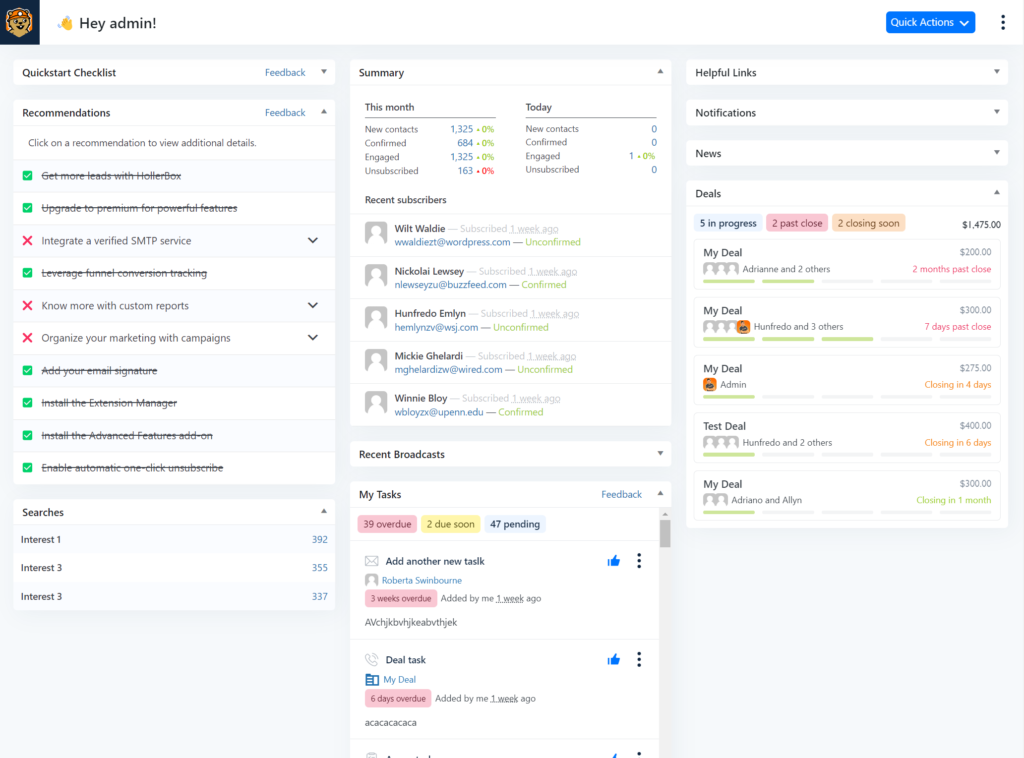
- Built-in CRM with contact timelines, notes, and tagging
- Native forms and landing pages for lead capture, plus deep WordPress and WooCommerce hooks for behavioral triggers
Pros & Cons
- Full data ownership with no per-subscriber fees once licensed
- GPL licensing allows white-labeling and reselling for agency clients
- Handles multi-branch automation with conditional logic, comparable in depth to hosted alternatives costing far more
- Requires a third-party SMTP service such as Amazon SES or SendGrid for reliable delivery
- Setup and maintenance are more technical than hosted alternatives
- No free plan suitable for production use, and documentation has gaps for beginners
Best For
Groundhogg suits agencies that need white-label CRM deployment across client sites, along with businesses that have specific data-sovereignty requirements, such as healthcare or legal clients who can’t store subscriber data with a third-party SaaS vendor.
It’s not built for beginners without CRM experience or anyone who wants plug-and-play email marketing without SMTP configuration; the learning curve here is closer to a lightweight HubSpot than to a plug-in-and-go newsletter tool.
Plans & Pricing
- Basic: $20/month for one site
- Plus: $40/month for 3 sites
- Pro: $50/month for 5 sites
- Agency: $100/month for 25 sites, which works out cheaper per site than most agencies pay for individual CRM seats elsewhere
Mailster — Self-Hosted WordPress Newsletter Plugin
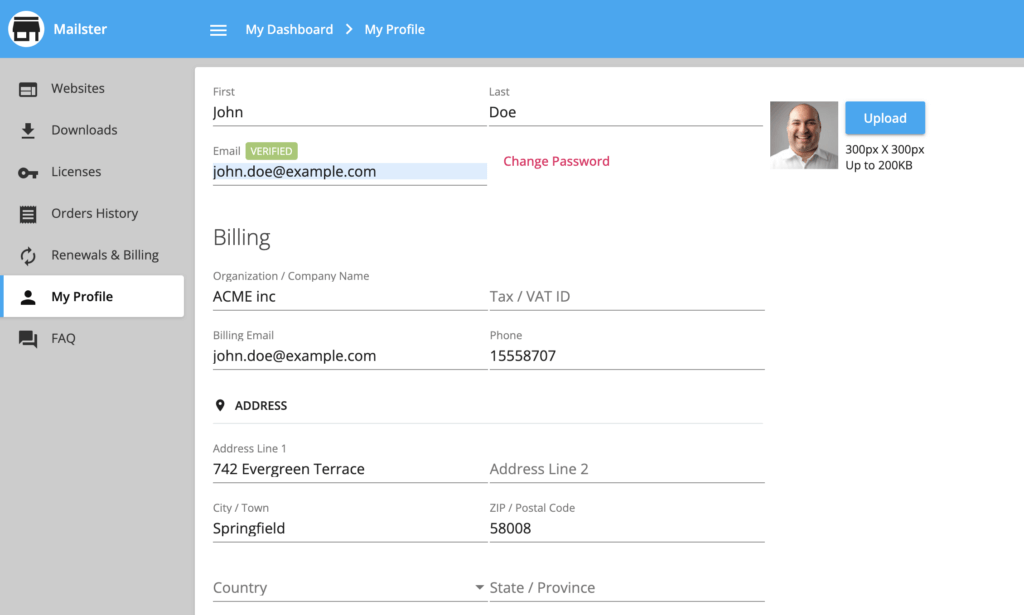
Mailster is a self-hosted newsletter plugin sold as a one-time license, typically through CodeCanyon/Envato. It stores subscriber data locally and sends through a connected SMTP service. The 400+ template library and time-zone-based sending are genuinely useful for the price, and the plugin is GDPR compliant out of the box.
Ownership of Mailster changed hands in a recent acquisition, and some users on Reddit have raised questions about its long-term roadmap; it’s worth checking the changelog for recent activity before committing to a license.
Rating on WordPress: 3.5/5.0 · Active installations: 8,000+
Key Features
- Drag-and-drop email editor with 400+ responsive templates
- Subscriber lists, segmentation, and campaign scheduling
- Basic automation for autoresponder sequences and drip email campaigns, compatible with WP Mail SMTP, Post SMTP, or FluentSMTP
Pros & Cons
- Yearly plans starting from $79/year with unlimited subscribers
- Full control over subscriber data inside WordPress
- Straightforward setup for newsletters and simple drip campaigns, with a larger template library than most self-hosted competitors
- Requires an external SMTP service for scalable sending
- Automation is basic compared to CRM-style plugins like FluentCRM or Groundhogg, with no visual conditional branching
Best For
Mailster is a fit for publishers, bloggers, and small sites that want a one-time-purchase newsletter plugin with a clean editor and no ongoing platform fees. It’s not built for anyone needing advanced conditional automation; FluentCRM and Groundhogg both offer deeper branching logic for a recurring fee instead of a flat license.
Plans & Pricing
- Starter: from $69 one-time license, plus $24 for 12 months of extended support
- Professional: ~$99
- Agency: ~$199
The Newsletter Plugin — Free Self-Hosted Solution
The Newsletter Plugin is free and self-hosted, with no subscriber cap on the free version, unlike anything else on this list. It functions as a bulk email sender for sites that outgrow small SMTP quotas: since sending relies on your own server or connected SMTP relay rather than a subscriber-based SaaS meter, list size alone never triggers a plan upgrade.
Rating on WordPress: 4.6/5.0 · Active installations: 200,000+
Key Features
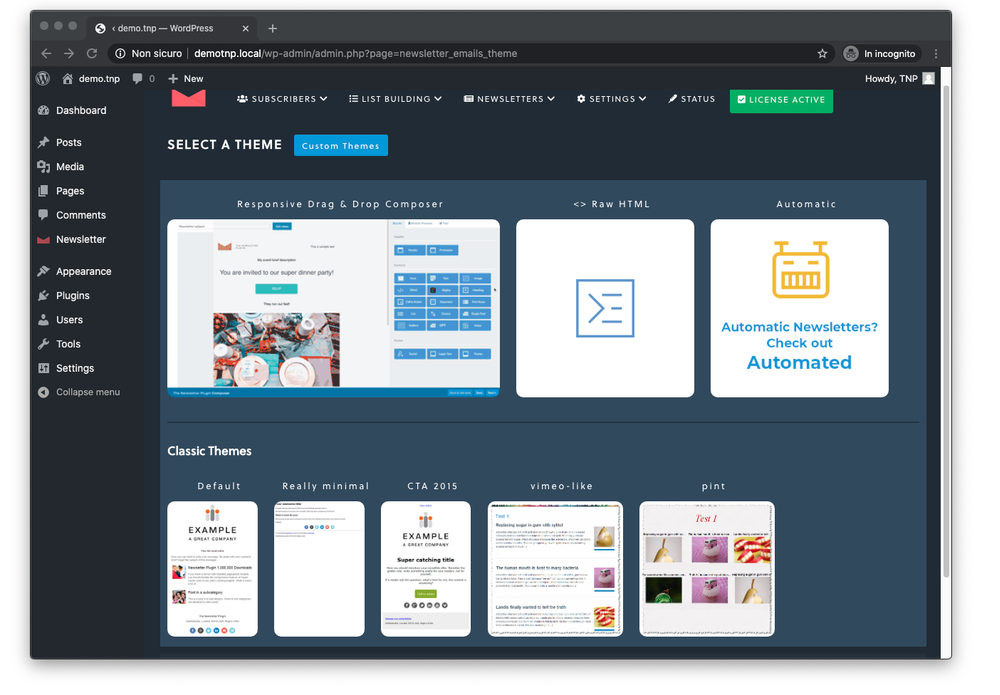
- Visual drag-and-drop composer with more than 20 content blocks for images, posts, products, and CTAs
- Unlimited subscribers and sends on the free version, limited only by your hosting
- Double opt-in forms and GDPR compliant email handling built in, with list-combination and custom-field targeting
Pros & Cons
- No per-subscriber fees at any tier
- Complete data ownership on a self-hosted plugin
- Compatible with every major SMTP plugin, including WP Mail SMTP, Post SMTP, and FluentSMTP
- Requires an external SMTP service for reliable delivery
- Premium add-ons are needed for advanced automation
- Design tools are simpler than MailPoet or Mailster, and the smaller review footprint makes it harder to assess at scale
Best For
The Newsletter Plugin fits bloggers and small sites that want truly unlimited subscribers at zero cost and are comfortable configuring a free SMTP plugin. It’s a poor fit for businesses that need advanced automation or deep WooCommerce integration; the design tools and automation logic here are noticeably lighter than MailPoet’s or FluentCRM’s.
Plans & Pricing
- Free: unlimited subscribers, drag-and-drop composer, works with any SMTP plugin you already have installed
- Blogger: €69/year (~$75), adds premium extensions like autoresponders and advanced statistics
- Agency: €269/year (~$290), covers unlimited sites for freelancers and agencies managing multiple client installs
WP Mail SMTP — Best for WordPress Email Deliverability
WP Mail SMTP isn’t an email marketing tool. It’s an SMTP configuration plugin that fixes WordPress’s unreliable default email delivery by routing system emails, order confirmations, password resets, and contact form notifications, through a dedicated mailer service instead of PHP’s wp_mail() function, for more reliable email delivery.
Rating on WordPress: 4.8/5.0 · Active installations: 4+ million
Key Features
- Routes WordPress emails through providers like SendGrid, Gmail, Amazon SES, or Mailgun
- Covers contact forms, WooCommerce, and plugin notification emails alongside core WordPress system mail
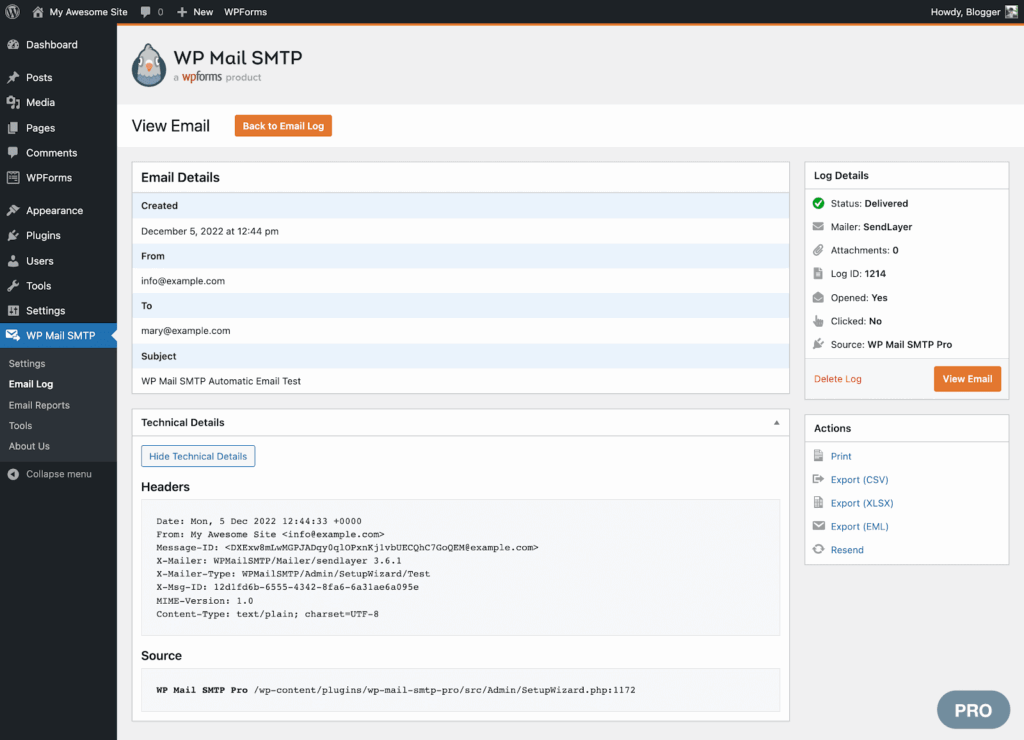
- Email logging and reporting tools on paid tiers, with open and click tracking and failure alerts
- Built-in test email feature to verify configuration before going live
Pros & Cons
- Solves WordPress’s well-known email deliverability problems directly, without touching your email marketing plugin
- Compatible with every major SMTP provider, from Gmail and Outlook to Amazon SES and Postmark
- Detailed logs make delivery issues easy to diagnose, and a White Glove Setup option on the Elite plan configures DNS for non-technical users
- The free version lacks logging and backup features
- Requires an external SMTP service for anything beyond low volume, which adds a second bill for high-send sites
- Does nothing beyond fixing delivery; you still need a separate marketing plugin for campaigns and automation
Best For
Every WordPress site that sends system email, order confirmations, form submissions, password resets, benefits from WP Mail SMTP. It’s not a fit for anyone looking for managing campaigns or subscriber lists; pair it with Sender, MailPoet, or FluentCRM for that.
Plans & Pricing
- Pro: $99/year for 1 site
- Elite: $149/year for 1 site
- Agency: $449/year for 100 sites
How to Set Up Email Marketing (and Automation) on WordPress
WordPress has no built-in email marketing system; you add one through a plugin, then connect it to a sending method before you can reach subscribers. Here’s the setup sequence most sites follow.
Does WordPress have built-in email marketing?
No. WordPress ships with a basic wp_mail() function used for system notifications like password resets, not for newsletters or campaigns. Anything resembling email marketing, list building, automation, or campaign sending, requires a plugin like the ones reviewed above.
That’s also why the 12 plugins above vary so much in scope: some replace wp_mail() outright with their own sending infrastructure, while others (like WP Mail SMTP) only fix delivery and leave campaign building to a separate tool entirely.
1. Choose your sending method (cloud ESP vs. self-hosted)
A cloud ESP like Sender or Brevo handles sending infrastructure, authentication, and deliverability for you, in exchange for a subscription. A self-hosted plugin like FluentCRM keeps data on your server but requires you to connect and pay for a separate SMTP relay provider. Choose based on how much setup time you want to spend versus how much control you need over your data, and factor in that self-hosted plugins add a second bill most buyers don’t budget for upfront.
2. Install and connect your plugin
Install the plugin from the WordPress admin, then follow its connection wizard: an API key for cloud tools, or SMTP credentials for self-hosted ones. Test the connection with a single email before building anything else, and check your spam folder as well as your inbox, since a successful send doesn’t always mean successful delivery. If the test email never arrives, the issue is almost always authentication, not the plugin itself.
3. Build your list with forms and popups
Add a signup form, subscription form, or popup using your plugin’s built-in form builder. Enable double opt-in where available; it protects deliverability by confirming real subscribers before they enter your list. Keep the form short (email address, maybe a first name) since every extra field lowers conversion, and place at least one form above the fold rather than relying solely on an exit-intent popup.
4. Launch your first automation
Start with a welcome sequence or, on an ecommerce site, an abandoned cart flow. Most plugins ship premade templates for these automated campaigns; use one rather than building from a blank canvas the first time. A basic three-email welcome series (an introduction, a value-focused follow-up, and a soft offer) outperforms a single blast for most new subscribers, and it takes less time to set up than most people expect.
5. Authenticate your domain (SPF, DKIM, DMARC)
Whether you’re on a cloud ESP or self-hosted, add the SPF, DKIM, and DMARC records your provider gives you to your domain’s DNS. This step is what actually keeps your emails out of spam; skipping it undermines everything else on this list. Gmail and Yahoo now enforce authentication requirements for any sender pushing meaningful volume, so this isn’t optional the way it was a few years ago, even for a small list.
What to Know Before Choosing a WordPress Email Marketing Plugin
Picking the right email marketing plugin involves more than comparing feature lists and pricing tiers. Whatever you choose becomes part of your broader WordPress email marketing strategy, so here are six factors worth evaluating before you commit.
Security & Data Storage
Your subscriber list, and any other customer data you collect alongside it, is one of your most valuable business assets. Check whether a platform offers two-factor authentication, encryption for stored data, and a data processing agreement that complies with GDPR.
Cloud-based solutions like Sender, Brevo, and Mailchimp store your data on their own infrastructure. Self-hosted options like FluentCRM and Groundhogg keep everything on your server, which gives you full control but also makes you responsible for security patches, backups, and access management that a cloud vendor would otherwise handle for you.
Email Deliverability
A well-designed email means nothing if it lands in spam. Cloud-based services manage sender reputation and authentication protocols (SPF, DKIM, DMARC) on your behalf. Self-hosted plugins require you to configure authentication yourself or connect an external sending service such as Amazon SES, which adds setup time and a separate bill. Our broader email deliverability guide covers the underlying mechanics in more depth than we can here.
Third-party deliverability testing gives a clearer picture than any vendor’s own marketing claims. Here’s what independent testing tools show for the cloud platforms on this list:
| Tool | Deliverability Rate | Source (dated) |
| Constant Contact | 92% | EmailToolTester, Dec 2025 |
| Mailchimp | 78.4% | GlockApps, Dec 2025 |
| Brevo | 70.6% | GlockApps, Dec 2025 |
| HubSpot | 73.5% | GlockApps, Dec 2025 |
| Sender | 98% | Inside test |
Website Performance
Subscriber growth and verbose logging can bloat the WordPress database over time, slowing queries and backups if retention isn’t managed. Plugins that rely on WordPress Cron for scheduling add background load; misfired jobs can stack up and affect page response times. Bulk sends amplify the problem for self-hosted plugins, since sending marketing emails competes with frontend traffic for CPU and memory. Offloaded sending, where a plugin hands delivery to an external service, keeps that strain off your server.
Single Plugin vs. Multiple Plugins
Some site owners run separate plugins for forms, popups, and email sending. This works, but it introduces more points of failure and more places for something to break during a WordPress update, since each plugin update is a separate opportunity for a compatibility conflict. All-in-one platforms bundle lead capture, sending, and automation into a single plugin, which reduces the number of moving parts you have to maintain and gives you one support channel instead of three when something breaks.
WooCommerce & Ecommerce Automation
Abandoned cart flows depend on reliable order-status triggers and timely webhooks; weak implementations miss sessions or fire too late to recover revenue. Order-based triggers should cover refunds and fulfillment status changes, not just “order completed.” Revenue tracking, which attributes opens and clicks back to actual orders, is what separates real ROI visibility from a guess. For a deeper look at sequencing these flows, see our guide to WooCommerce email marketing.
Free Plan Limitations
Free tiers typically come with subscriber caps between 500 and 2,500 contacts, monthly sending limits, and restricted email marketing automation. When comparing free plans, use the most generous free plan in this roundup as your benchmark: if another plugin offers meaningfully less, you need a specific reason to choose it anyway, whether that’s a CRM you already rely on, an existing SMTP contract, or a WooCommerce integration depth the benchmark doesn’t match.
WordPress Email Marketing FAQs
WordPress email marketing plugins are commonly used by content publishers, small businesses, and ecommerce stores using WooCommerce, along with other WordPress users who want to collect subscribers, send newsletters, and trigger transactional, behavioral, or automated emails directly from WordPress.
External email marketing platforms generally provide stronger deliverability because they manage sender reputation, authentication, and sending infrastructure outside the WordPress server. Plugins that offload sending to a dedicated email service reduce the risk of IP reputation issues and server throttling.
Yes, for basic newsletters, subscriber management, and simple automations. Limitations appear at high-volume sending, advanced features like conditional segmentation, and detailed deliverability controls, which tend to be stronger in dedicated email marketing services.
WooCommerce integration depends on access to store events, such as cart updates, order status changes, and customer profiles. Plugins with native WooCommerce hooks can trigger abandoned cart emails, post-purchase messages, and product-based segmentation. Integration quality varies, especially for refunds, subscriptions, and order metadata; reliable integration also needs accurate event timing to avoid missed or duplicated messages. MailPoet and FluentCRM read WooCommerce data directly since they’re built for the WordPress database, while cloud tools like Klaviyo depend on a plugin bridge or API sync, which can lag by a few minutes during high-traffic sales events.
Email plugins can affect performance through database growth, background cron tasks, and resource usage during bulk sends. Self-hosted sending increases server load; offloaded sending, where a cloud ESP handles delivery, reduces strain on the WordPress environment. If you’re on shared hosting, a self-hosted plugin sending to a list of any real size can slow down the entire site during a send, which is the main practical reason smaller stores tend toward cloud ESPs regardless of the per-contact pricing.
Most spam-folder placement comes down to missing or misconfigured authentication. If your domain lacks SPF, DKIM, or DMARC records, or if you’re sending through the default wp_mail() function instead of an authenticated SMTP connection, mailbox providers have no way to verify your emails are legitimate. Google’s bulk sender requirements made this stricter industry-wide, not just for large senders. Adding a plugin like WP Mail SMTP, or switching to a cloud ESP that handles authentication for you, resolves most of these cases.
An SMTP plugin, like WP Mail SMTP, only fixes delivery: it reroutes WordPress’s system emails through an authenticated provider so they don’t land in spam. An email marketing plugin, like Sender or MailPoet, handles campaigns, automation, and subscriber lists. Most WordPress sites running any kind of newsletter or automation need both: one to build and send campaigns, one to make sure they arrive.
The right plugin depends on your list size, your budget, and how much server maintenance you’re willing to take on, more than any single feature comparison can capture. If you sell products on WooCommerce, it’s worth reading our complete guide to email marketing for ecommerce stores alongside this one, since plugin choice is only one piece of a working revenue-recovery strategy.