


With the growing demand for effective digital marketing strategies, choosing the right ecommerce email platform to manage your email marketing is more critical than ever. This page provides an overview of the best email marketing platforms for ecommerce in 2026, comparing their features, pricing, and suitability for different business needs.
The best email platform for ecommerce depends on the business’s needs. Omnisend is the strongest choice for ecommerce brands combining email, SMS, and push notifications; Shopify Messaging is the simplest option for Shopify-only stores; while Klaviyo is best suited to established, data-driven brands that need advanced segmentation, personalization, and automation.
So whether you’re looking to boost customer engagement or streamline your campaign management, this guide will help you find an email marketing for ecommerce platform that aligns with your ecommerce goals. Prices of all tools verified in July, 2026.
30-Second Verdict on Email Marketing Platforms for Ecommerce:
If you only need the quick answer, these are the clearest picks from the review. As we mentioned before, there is no universally best platform: the right choice depends entirely on your ecommerce stack, budget, automation needs, and growth stage.
- Best free plan: Sender – includes 2,500 subscribers, 15,000 monthly emails, automation, and segmentation. It offers the largest free allowance in the comparison, making it a practical choice for smaller stores that need a complete email marketing setup rather than a limited trial.
- Best budget option for Shopify stores: Shopify Messaging – included with every Shopify plan and provides 10,000 email sends per month before usage-based charges apply. Best for Shopify-only businesses that value native integration and minimal setup.
- Best for omnichannel ecommerce: Omnisend – combines email, SMS, and push notifications with ecommerce-focused workflows, abandoned-cart automation, product recommendations, and native Shopify and WooCommerce integrations.
- Best for ecommerce beginners and SMBs: Mailchimp – offers an approachable interface, accessible templates, broad integrations, and straightforward reporting for smaller businesses getting started with email marketing.
- Best for data-driven ecommerce brands: Klaviyo – stands out for purchase-behavior segmentation, predictive analytics, product data, personalization, and sophisticated conditional automation.
- Best for scaling DTC brands: Drip – built around ecommerce lifecycle marketing, with deep customer segmentation, conditional workflows, behavioral tracking, and revenue attribution.
How We Evaluated Email Marketing Platforms for Ecommerce
- Ecommerce integrations tested. I evaluated each platform’s* ecommerce capabilities by connecting both real and dummy Shopify and WooCommerce stores (unless stated otherwise), syncing product catalogs and testing abandoned cart triggers, and customer data flows to assess how reliably each tool supports revenue-driven campaigns beyond basic API claims;
- Automation depth. I assessed the sophistication of each platform’s automation builder, including multi-step workflows, trigger variety (behavioral, transactional, and ecommerce-based), conditional logic, branching, goal tracking, and the ability to combine email with multiple marketing channels for cohesive customer journeys;
- Reporting & attribution. I reviewed the quality and granularity of advanced analytics, including revenue attribution, conversion tracking, customer lifecycle reporting, and multi-touch attribution models to determine how clearly each platform connects email marketing efforts to measurable business outcomes;
- Pricing model. I analyzed pricing transparency, billing structure (subscriber-based vs. send-based vs. flexible pricing models), feature gating across tiers, and the true cost of essential functionality such as automation, ecommerce features, and advanced reporting to identify potential hidden limitations or upgrade pressures;
- Scalability. I examined how well each platform supports growth by testing performance with larger contact lists, evaluating advanced segmentation capabilities, reviewing infrastructure reliability, and assessing how feature access, automation limits, and support levels evolve as businesses expand.
*Due to Maestra’s enterprise pricing and the lack of an easily accessible trial, we evaluated the platform using user reviews and product documentation rather than through first-hand testing.
Capterra, G2, Trustpilot, and Reddit to create an objective evaluation. Learn more about our review methodology
Email Marketing Platforms for Ecommerce – Quick Comparison
Here’s a quick email marketing platform comparison table with the top ecommerce email marketing automation software products.
| Platform | Best For | Ecommerce Strength | Automation Level | Pricing Entry |
| Sender | Small to mid-sized ecommerce stores needing strong features on a budget | Real-time Shopify & WooCommerce sync, product-based triggers, built-in transactional + marketing email | Advanced lifecycle automation with visual workflows | $7/month |
| Omnisend | Brands running omnichannel ecommerce campaigns | Native ecommerce integrations plus SMS, email, and push in one system | Prebuilt ecommerce workflows and multi-channel automation | $16/month |
| Stripo | Ecommerce teams that want professional email design while keeping their existing ESP | Huge template gallery, AI-powered email creation, interactive widgets, and direct export to 90+ ESPs | Integrates with ESP automation platforms (since it doesn’t feature automation) | $20/month |
| Shopify Messaging | Shopify-first stores wanting native simplicity | Fully embedded in Shopify admin with direct product and order data access | Basic to moderate automation focused on core ecommerce flows | Included with Shopify (starts from $31/month) |
| Getsitecontrol | Small and medium-sized ecommerce brands | Built-in deliverability tools, versatile on-site popups, native Shopify app | Basic to moderate automation (multiple triggers and workflows) | $19/month |
| Drip | Ecommerce brands prioritizing personalized lifecycle messaging | Deep ecommerce segmentation, revenue attribution, on-site behavior + purchase tracking | Strong automation with conditional logic and branching workflows | $39/month |
| Elastic Email | Small businesses with tight budgets | Built-in monetization for digital products | Basic to mid-level automation with simple workflows | $29/month |
| Klaviyo | Data-driven ecommerce brands needing deep personalization | Best-in-class segmentation from purchase behavior + predictive analytics and product feeds | Highly advanced automation and conditional logic | $20/month |
| Brevo | Ecommerce teams needing both marketing + transactional email | Marketing email + transactional emails(order/shipping), API/SMTP options, basic ecommerce integrations | Moderate automation (workflow, multiple triggers) | $9/month |
| GetResponse | Ecommerce marketers who want email + landing pages/funnels in one tool | Ecommerce-focused templates, product recommendations (varies by integration), funnels/landing pages | Moderate automation with visual builder (more advanced on higher tiers) | $18/month |
| ActiveCampaign | Teams that want advanced automation + CRM-driven ecommerce journeys | Strong integrations (Shopify/WooCommerce + others), deep segmentation, CRM + sales automation | Very advanced automation builder with robust branching and scoring | $15/month |
| Mailchimp | Small ecommerce businesses starting with email marketing | Broad integrations, product recommendations (varies), easy templates and reporting | Basic to moderate automation | $13/month |
| Maestra | Mid-market and enterprise DTC brands | Real-time CDP, omnichannel flows, site, loyalty programs, and product recommendations working in sync with email, a dedicated CSM for every account | Advanced automation (complex flows across all channels built by a dedicated CSM) | $2,250/month |
What These Platforms Cost as You Grow
| Platform | Free plan limits | Cost at 1,000 | Cost at 5,000 | Cost at 10,000 | Billing basis |
| Sender | 2,500 subscribers; 15,000 emails/month | $7 | $23 | $39 | Subscriber-based |
| Omnisend | 250 contacts; 500 emails/month | $20 | $81 | $132 | Subscriber-based |
| Shopify Messaging | No separate free plan; 10,000 email sends/month included on every plan | Starts at $31/month* | $31/month* | $31/month* | Monthly email volume |
| Getsitecontrol | $0 base subscription; emails cost $2 per 1,000 sends | $2 | $10 | $20 | Monthly email volume |
| Stripo | 2 users; 4 exports/month; 5 test emails/day; 10 stored emails | Starts at $20/month** | $20 | $20 | Export-based |
| Drip | No free plan; 14-day trial | $39 | $89 | $154 | Contact-based |
| Elastic Email | 1,000 contacts; 3,000 emails/month | $29 | $59 | $89 | Pricing per contacts |
| Klaviyo | 250 active profiles; 500 emails/month | $30 | $100 | $150 | Contact pricing |
| Brevo | 100,000 stored contacts; 300 emails/day | $17*** | $32 | $32 | Monthly email volume |
| GetResponse | 500 contacts; 2,500 newsletters/month | $18 | $55 | $78 | Contact pricing |
| ActiveCampaign | No free plan; 14-day trial | $15 | $79 | $149 | Contact pricing |
| Mailchimp | 250 contacts; 500 emails/month | $26.50 | $75 | $110 | Contact pricing |
| Maestra | No free plan or trial | $2,250 | $2,250 | $2,250 | Flat platform fee covering up to 150,000 active customer profiles |
** Stripo is an email design and template builder, not an email automation platform, meaning you do not use it to send automated marketing campaigns.
*** Unlike most providers in this comparison, Brevo bases its pricing primarily on monthly email volume rather than contact-list size.
13 Best Email Marketing Platforms & Software for Ecommerce
After testing dozens of ecommerce email marketing software platforms over the past few years, I’ve pulled together this comparison of the ones that consistently deliver for online businesses.
These are the platforms that help you build real relationships with customers and, more importantly, drive sales:
Sender – All-in-One Ecommerce Email Marketing Platform
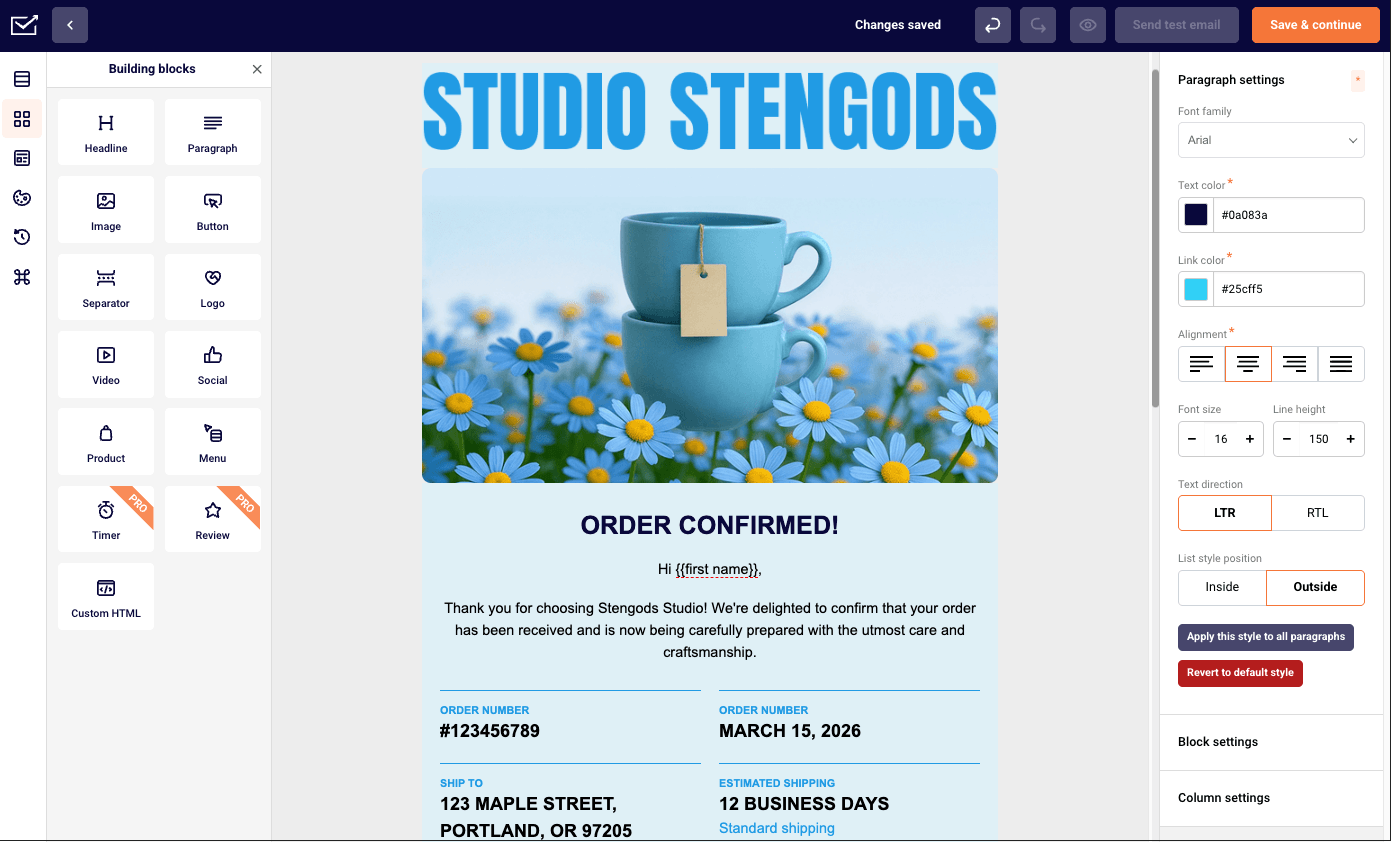
If you’re looking for an email marketing platform that combines transactional and marketing emails, you shouldn’t sleep on Sender.

Sender pricing: Paid plans start at $7/month for 1,000 contacts and 12,000 emails/month. Free plan available.
What’s interesting about Sender is that it isn’t purpose-built for ecommerce in the same way as, say, Omnisend or Klaviyo are. However, not only does it keep up with these ecommerce-focused competitors surprisingly well, but it also gives them a run for their money.
For instance, I can easily connect it with platforms like Shopify and WooCommerce, which makes syncing customer data and triggering emails based on purchases or cart activity straightforward.
It also supports key ecommerce functionality like abandoned cart emails, post-purchase follow-ups, transactional emails, customer segmentation, and performance tracking–so I’m not missing out on the essentials that drive sales and retention.
Key Features
- Ecommerce integrations. Real-time sync with Shopify and WooCommerce for customer, order, and product data;
- Advanced cart recovery automation. Multi-step abandoned cart workflows with customizable timing and incentive triggers;
- Behavioral trigger campaigns. Automated emails based on browsing activity, purchase milestones, and customer actions;
- State-of-the-art A/B testing. Test subject lines, offers, product recommendations, and send times to identify which variations generate more clicks and ecommerce revenue.
- Landing page builder. Template-based landing pages created through a no-code interface.
Pros and Cons
Pros of Sender:
✅ Advanced automation tools give users the ability to build powerful workflows that streamline customer engagement and boost campaign performance;
✅ User-friendly interface makes it easy for beginners and experienced marketers alike to set up and manage email campaigns efficiently;
✅ State-of-the-art segmentation functionality allows for precise audience targeting based on behavior, preferences, and purchase history.
Cons of Sender:
❌ The free plan includes Sender branding, which may limit the sleekness of your emails if you’re just starting out or trying to maintain a polished brand image;
❌ The platform lacks built-in CRM features, which could be a drawback for businesses looking for an all-in-one marketing and customer management solution.
Pricing
- Free tier: $0 (2,500 contacts–15,000 emails/month);
- Standard: $7/month (1,000 contacts–12,000 emails/month);
- Professional: $14/month (1,000 contacts–24,000 emails/month);
- Enterprise: Custom price.
Best for
Sender is a great fit for small to medium ecommerce businesses, multi-channel retailers, and growing brands. It offers powerful, enterprise-level features without the high cost or complexity, supports unified communication across platforms, and provides scalable plans–making it ideal for businesses looking to grow without hitting restrictive limits.
Omnisend – Omnichannel Email Marketing Tool for Ecommerce
Omnisend was built specifically for online store email marketing, and it shows. The thing that sets them apart? You can combine email, SMS marketing, and web push notifications in one workflow.

Omnisend pricing: Paid plans start at $16/month for up to 500 contacts and 6,000 emails/month. Free plan available.
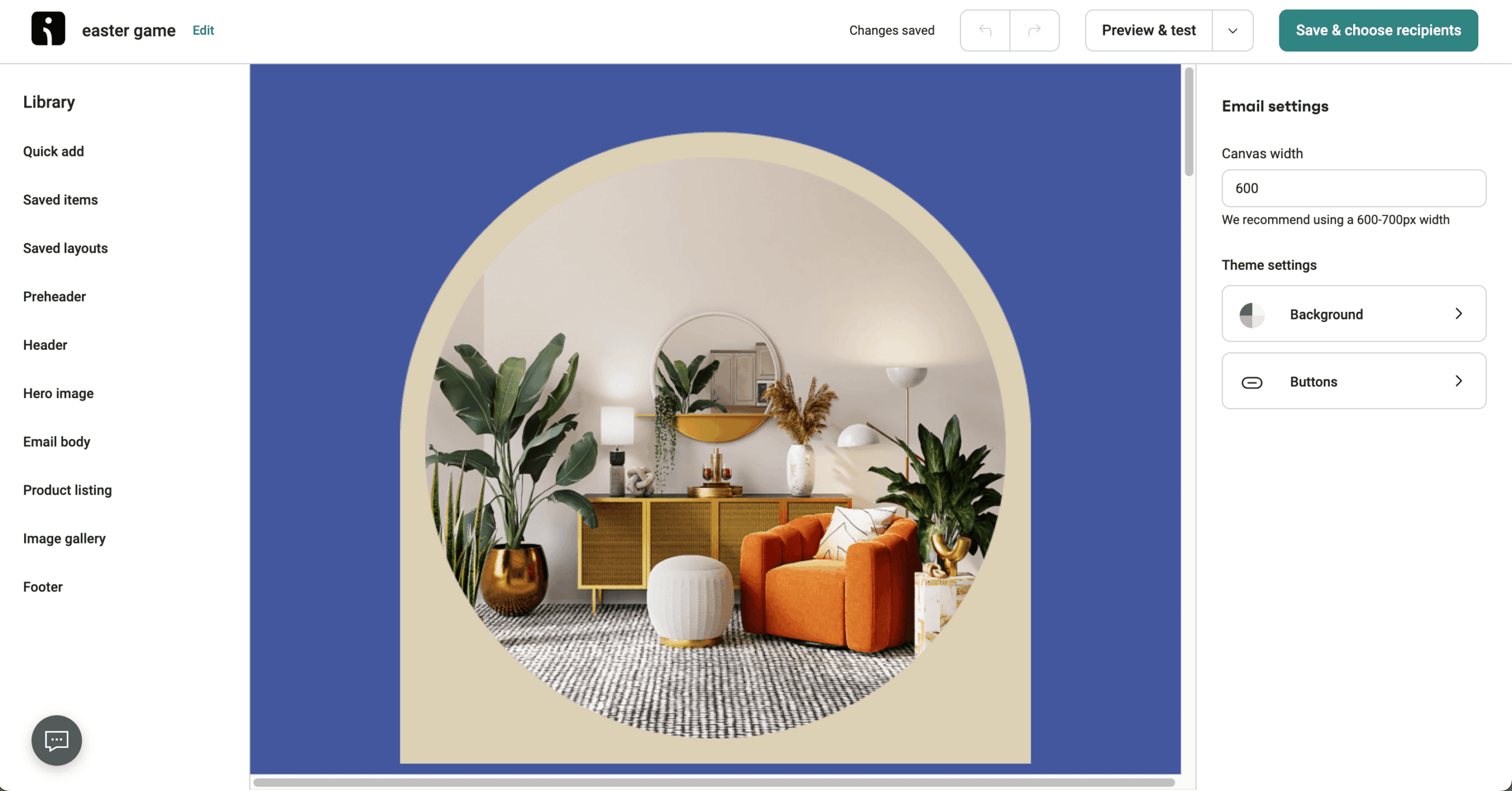
When I tested it out, I set up an abandoned cart series with product recommendations using their visual workflow builder. All in all, the whole process took less than an hour from start to finish. The interface makes sense, and the drag-and-drop branching doesn’t require a manual to figure out.
The downside? Their integration options are somewhat limited if you’re running tools outside the typical ecommerce stack. And if you need broader CRM features, you might feel restricted. But for pure ecommerce email marketing, Omnisend knows what it’s doing.
Key Features
- Omnichannel workflow builder. Combine email, SMS, and push notifications in unified automation workflows to reach customers on their preferred channels seamlessly.
- Pre-built ecommerce email automation. Pre-designed email templates for welcome series, abandoned cart recovery, and post-purchase emails that can be customized and launched in minutes.
- Dynamic discount codes. Generate unique, single-use discount codes automatically for each subscriber to prevent coupon abuse while driving conversions.
- Product picker tool. Drag products directly from your Shopify catalog into emails with automatic price and availability updates in real-time.
- Ready-to-go automations. Use pre-built workflows for common ecommerce tasks like welcome emails, cart recovery, and post-purchase, customizable for quick, efficient campaign launches.
Pros and Cons
Pros of Omnisend:
✅ Budget-friendly pricing makes it a strong option for growing ecommerce businesses that need powerful features without the enterprise price tag;
✅ Pre-built automation workflows help users quickly launch campaigns like cart recovery, welcome series, and product follow-ups–saving time and boosting retention;
✅ Omnichannel marketing combines email, SMS, and push notifications in a single platform, creating a cohesive customer experience across multiple touchpoints;
✅ 24/7 live chat support ensures users get quick, knowledgeable help whenever they need it–ideal for fast-moving ecommerce environments.
Cons of Omnisend:
❌ Template editor can feel limiting compared to more flexible design tools–especially if you want total creative control;
❌ Limited third-party integrations may be a drawback for businesses relying on a diverse tech stack beyond ecommerce platforms;
❌ User interface could benefit from an upgrade, with certain navigation elements and layout choices feeling slightly outdated;
❌ Steep learning curve–while the platform is powerful, it can take time to master all the automation and segmentation features.
Pricing
- Free tier: $0 (250 contacts–500 emails/month);
- Standard: $16/month (500 contacts–6,000 emails/month);
- Pro: $59/month (2,500 contacts–Unlimited email sends);
Best for
Omnisend is a great fit for ecommerce-focused businesses of all kinds. Shopify stores can automate key customer touchpoints like promotional emails, cart recovery messages–making it easier to recover lost sales without manual follow-ups.
Meanwhile, subscription-based businesses can streamline renewal reminders and send recurring product newsletters, ensuring consistent engagement and retention–all from one unified platform.
Shopify Messaging – Native Email Marketing App for Shopify Stores
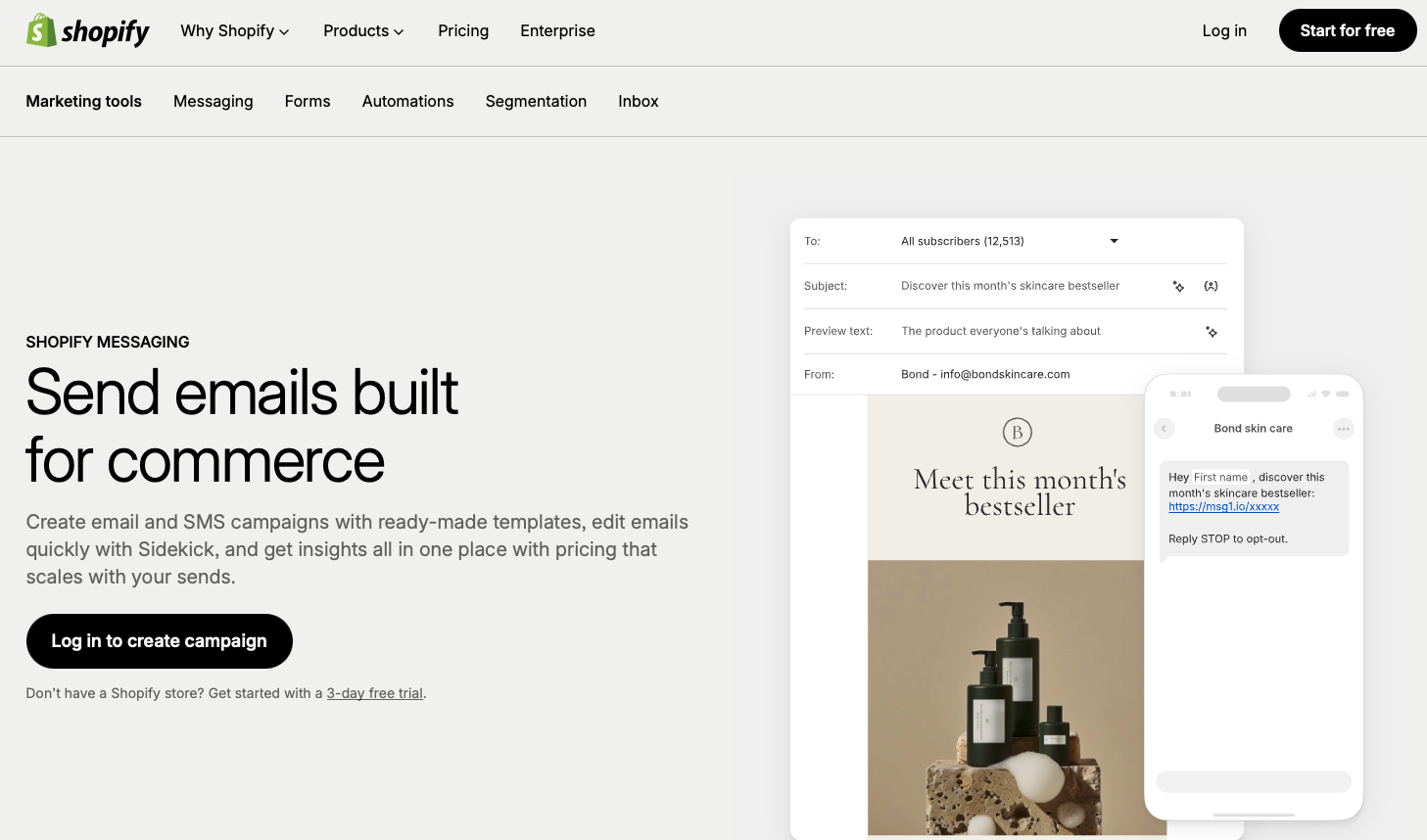
If you’re running a Shopify email marketing store and want the path of least resistance, Shopify Messaging (formerly Shopify Email) makes the best sense.

Shopify Messaging pricing: Shopify Messaging comes with any Shopify plan starting at $31/month. You get 10,000 free emails each month, then it’s $1 per 1,000 emails sent.
That native angle was the thing I pressure-tested on a store over 3 weeks, and it held: products, images, and contact data appeared in the email editor with zero setup – I dragged a product block into a campaign and price and availability were already correct. Abandoned cart, welcome, and post-purchase campaigns were built and launched from the same dashboard as my orders.
Shopify Email is the best starting point for Shopify-only stores that want email running today with zero integration work – and the first tool they’ll graduate from as campaigns get sophisticated.
Key Features
- Native Shopify integration. Direct access to all store data including products, customers, and orders without any setup or synchronization delays.
- Branded email templates. Pre-designed templates that automatically match your store’s branding, colors, and fonts for a consistent customer experience.
- Automated campaign triggers. Set up purchase-based automations, welcome emails, and win-back campaigns directly from your Shopify admin dashboard.
- Extensive pre-built segments selection. Use a variety of ready-to-go segments to quickly target specific customer groups based on behavior and attributes.
- Built-in analytics. Track key metrics like opens, clicks, and sales attribution within Shopify’s unified reporting dashboard for streamlined performance monitoring.
Pros and Cons
Pros of Shopify Messaging:
✅ Pay-as-you-go pricing offers flexibility and cost control, making it a great option for businesses that want to scale without committing to fixed monthly fees;
✅ Built-in performance tracking lets you monitor campaign effectiveness in real time, helping you make data-driven decisions with ease;
✅ Seamless Shopify integration ensures a smooth setup and synchronization of your store data, allowing for quick and efficient campaign management;
Cons of Shopify Messaging:
❌ Weak A/B testing support limits your ability to optimize campaigns through experimentation and performance comparisons;
❌ Limited advanced automation means fewer options for building complex workflows or behavior-triggered sequences;
❌ Basic segmentation features may not be sufficient for marketers who need detailed targeting and personalized campaigns at scale.
Pricing
- 3-day free trial: $0/month (Unlimited contacts–10,000 email sends). Shopify Messaging not included on trial;
- Basic plan: $31/month (Unlimited contacts–10,000 emails/month included);
- $1 per additional 1,000 emails up to 300,000 emails/month;
- $0.65 per additional 1,000 emails from 300,000 to 750,000 emails/month;
- $0.55 per additional 1,000 emails after 750,000 emails/month.
Best for
Shopify-exclusive stores and email marketing beginners will find this platform especially useful. Shopify Messaging native Shopify integration ensures a smooth setup, while the simple, easy-to-use editor makes it perfect for those new to email marketing who want to get started quickly without dealing with complex features.
Getsitecontrol – Email Marketing with Built-in Deliverability Tools
Getsitecontrol is a beginner-friendly email marketing platform with usage-based pricing and built-in deliverability tools.

Getsitecontrol pricing: Paid plans start at $19/month for all advanced features; email sends charged per volume. Free plan available.
Deliverability is the claim Getsitecontrol stakes its name on, so that’s where I spent most of my 3 weeks in a dummy store. The hygiene layer earned its billing: double opt-in, reCAPTCHA, and automatic verification caught junk signups at the door rather than after they’d polluted my list.
The part I didn’t expect was how much the shared contact data pays off: because popups and email run on one database, a popup signup dropped straight into a tagged segment and a welcome automation, no sync step, no waiting. Two omissions cut the other way – there’s no SMS and no email A/B testing, which optimization-heavy teams will bump into fast.
Key Features
- Email marketing automations. Create automated welcome sequences, post-purchase flows, abandoned cart and re-engagement emails.
- Audience segmentation and tagging. Tag and segment contacts to send targeted email campaigns based on interests and engagement.
- Built-in deliverability tools. Monitor sender reputation, verify email addresses, use multiple sending modes to maintain good email deliverability.
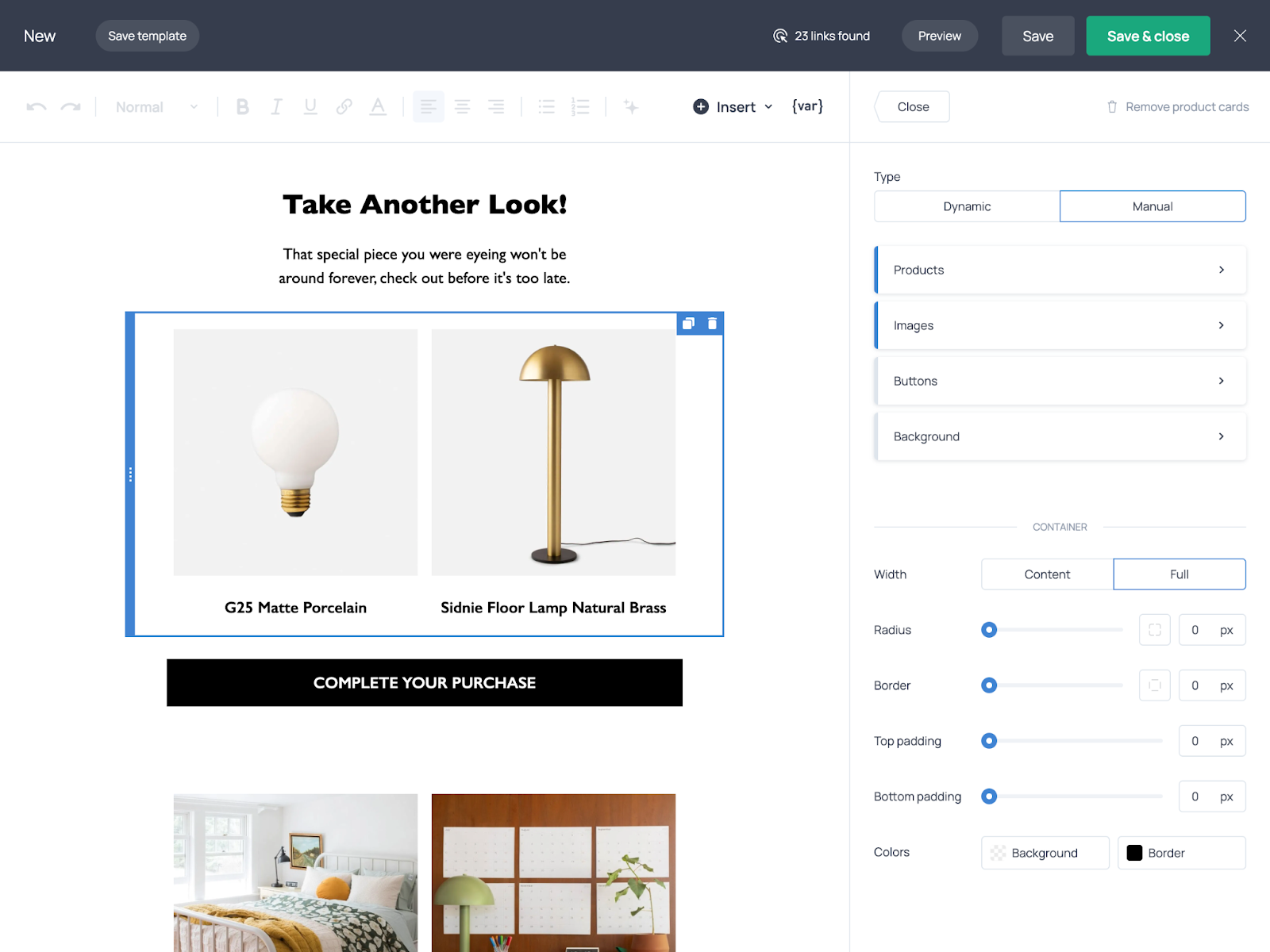
- Email and popup templates. Launch campaigns quickly using customizable templates for newsletters, signup forms, and on-site popups.
- AI-powered features. Use built-in AI assistants to generate copy, adapt templates to your branding, and schedule emails at the best time.
Pros and Cons
Pros of Getsitecontrol:
✅ Usage-based pricing with unlimited contacts keeps costs predictable as the list grows, making it an affordable option for smaller brands;
✅ 24/7 human-operated live chat support, which is especially valuable for teams running campaigns without dedicated technical resources;
✅ Built-in deliverability tools help maintain list quality and improve inbox placement without relying on third-party services.
Cons of Getsitecontrol:
❌ No SMS marketing features, meaning businesses that want to run multi-channel campaigns across email and SMS will need to integrate a separate tool;
❌ Email A/B testing is not currently available, which may limit optimization options for marketers who rely heavily on split testing.
Pricing
- Free plan: Available (unlimited contacts, 2,000 email sends, 10,000 monthly popup views)
- Pro plan: $19/month (unlimited contacts, advanced features, 100,000 monthly popup views)
- Pro Max plan: $29/month (unlimited contacts, advanced features, unlimited monthly popup views)
Best For
Getsitecontrol is a good fit for small ecommerce businesses and growing brands that want a straightforward way to run email marketing campaigns without complex setup or unpredictable pricing. It’s especially useful for teams that want more control over deliverability, with built-in tools designed to keep lists clean and help emails reach the inbox.
Stripo – Best Email Builder for Ecommerce Teams
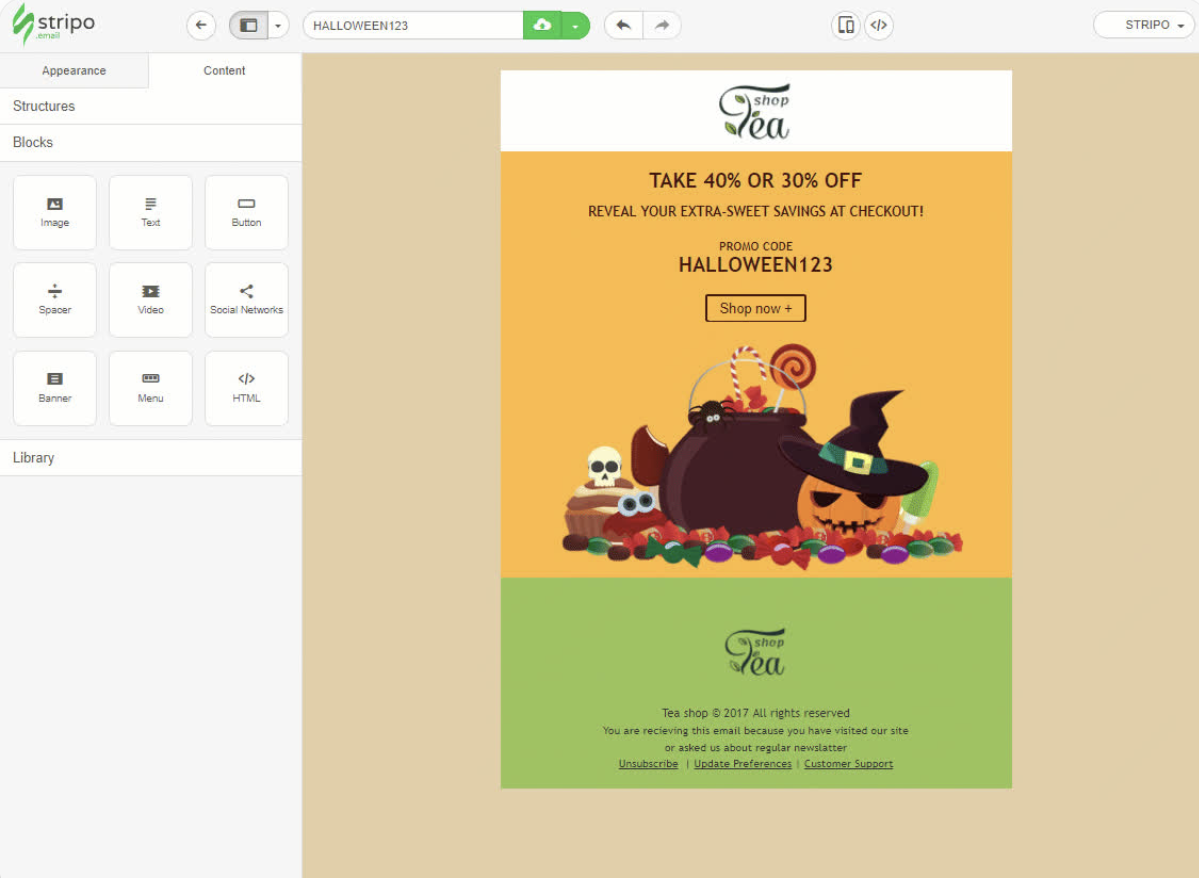
Stripo is an email design and template-building platform that helps ecommerce teams create polished campaigns.

Stripo pricing: Paid plans start at $20/month for email design, collaboration, testing, and export features. Free plan available.
I built a six-email promo sequence in Stripo and exported it to three different ESPs to see how the code held up: no broken layouts, no manual cleanup. The reusable modules are the real draw – update a footer once, and it syncs across every template using it, which saves hours if you maintain a large email template library.
Worth keeping in mind: Stripo doesn’t send anything. It’s a design layer that exports to 90+ ESPs and CRMs, so you still need a sending platform underneath.
Key Features
- Professional drag-and-drop editor. Create responsive emails visually or switch to the HTML/CSS editor for advanced customization.
- Real-time collaboration. Invite teammates to edit emails simultaneously, leave comments, assign feedback, and streamline approval workflows.
- 1,650+ prebuilt templates. Start with professionally designed templates or use them as inspiration for new campaigns.
- Reusable modules. Save and reuse headers, footers, product cards, and other branded content blocks across campaigns.
- 90+ direct integrations. Export emails directly to leading ESPs and CRMs.
Pros and Cons
Pros of Stripo:
✅ Comprehensive AI toolkit that goes beyond email generation, helping create layouts, copy, subject lines, images, and alt text within a single workflow.
✅ Excellent collaboration features, including real-time editing, comments, reusable modules, and brand consistency tools for marketing teams.
✅ Extensive integration ecosystem with 90+ ESPs and CRMs, allowing businesses to improve email production without changing their existing sending platform.
Cons of Stripo:
❌ Not user-friendly. Newcomers to Stripo may need some time to explore Stripo’s extensive feature set and make the most of its advanced capabilities.
❌ Not all-in-one package. Stripo focuses on building and exporting email templates, so it does not include campaign sending, automation workflows or subscriber management.
Pricing
- Free plan: 4 exports monthly & 5 test emails/day;
- Basic: $20/month with access to premium templates and up to 50 monthly exports;
- Medium: $45/month with 300 monthly exports and 100 test emails/day;
- Pro: $95/month with 4000 monthly exports and 300 test emails/day.
Best for
Stripo is ideal for ecommerce brands, agencies, and in-house marketing teams that already use an email service provider but want a more powerful way to create promotional emails, product announcements, abandoned cart designs, seasonal campaigns, and newsletters.
Drip – Email Marketing Automation Built for Ecommerce Brands
Drip targets DTC brands that have outgrown their starter tools and need something more serious. This ecommerce automation solution focuses on what matters: turning browsers into buyers.
Drip pricing: Starts at $39/month for up to 2,500 contacts and unlimited emails. 14-day free trial available.
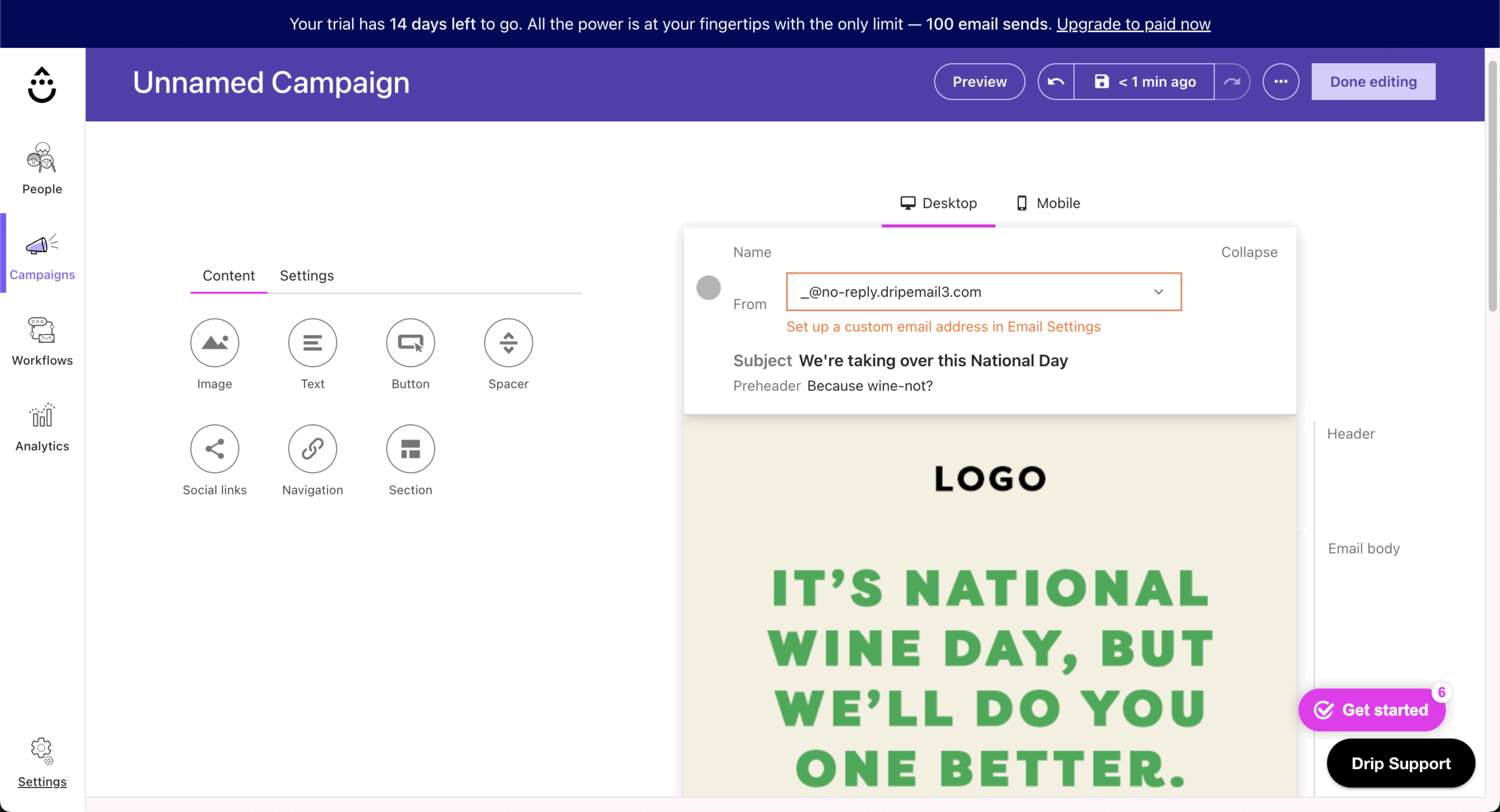
I tested their product launch sequence features, and the real-time revenue attribution stood out immediately. You can see exactly which emails are making money–not just getting opens or clicks.
Their automation builder delivers the precision you need for a sophisticated email marketing strategy as your brand grows. Yes, the setup takes more technical confidence than something like Sender, but if you’ve got the budget and you’re serious about scaling, the insights you get make it worthwhile.
Key Features
- Visual workflow builder. Create complex, branching automation paths with if/then logic based on customer behavior, purchases, and engagement patterns.
- Revenue attribution reports. Track exact revenue generated by each email, automation, and campaign with detailed conversion path analysis.
- Integrations with the main ecommerce platforms. Native or third-party integrations bring in order, cart, and customer data so your email logic works with real store activity.
- Behavioral scoring system. Automatically score and tag customers based on engagement, purchase history, and likelihood to buy for targeted campaigns.
- Facebook custom audiences. Sync email segments directly to Facebook for retargeting campaigns and lookalike audience creation automatically.
Pros and Cons
Pros of Drip:
✅ Powerful automation tools make it easy to create behavior-based workflows tailored specifically for ecommerce journeys in just a few clicks;
✅ Dynamic email segmentation allows you to target subscribers based on detailed behavior, purchase history, and custom triggers–boosting personalization and performance;
✅ Multi-channel marketing support lets you connect with customers via email, SMS, and on-site popups, creating a cohesive brand experience;
✅ Real-time revenue attribution helps you track exactly which emails are driving sales, giving you the insights needed to optimize campaign performance.
Cons of Drip:
❌ Premium pricing may be a barrier for smaller businesses or startups with tight marketing budgets;
❌ Lack of a landing page builder means you’ll need to rely on third-party tools for capturing leads or promoting offers outside of email;
❌ No free plan available, which limits accessibility for users looking to test Drip’s features before committing.
Pricing
- Free 14-day trial: $0 (500 email sends);
- Lite: $39/month (2,500 contacts–unlimited emails);
- Standard: $89/month (5,000 contacts–unlimited emails);
- Premium: $249/month (17,500 contacts–unlimited emails).
Best for
Drip is an ideal choice for ecommerce businesses looking to take their marketing efforts to the next level. Shopify stores can set up sophisticated automations for upsells, cart recovery, and loyalty rewards with ease. Subscription box companies benefit from personalized email flows based on purchase frequency and churn risk, helping to boost retention.
Elastic Email – Email Marketing and Delivery Platform for Small Businesses
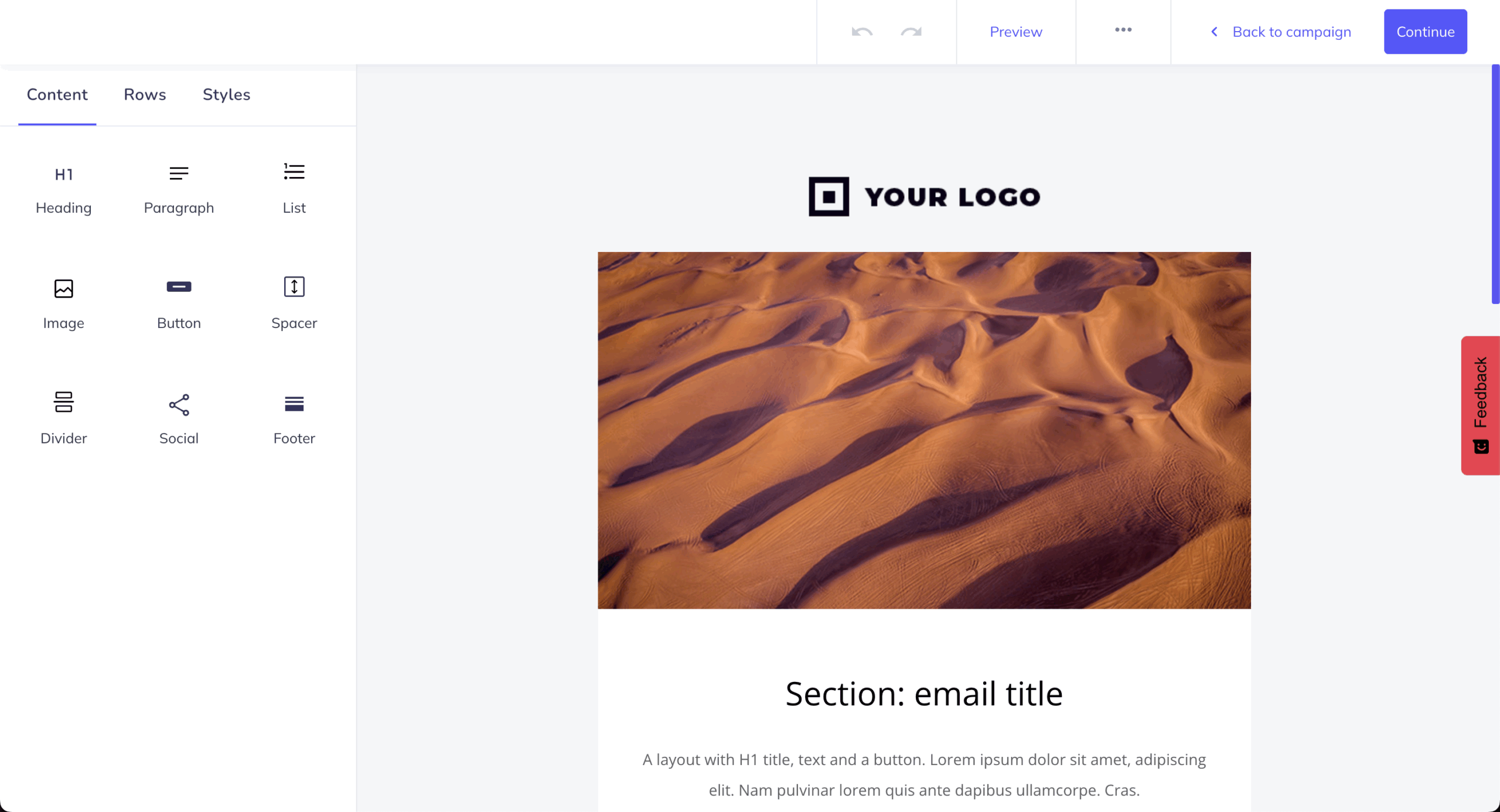
Elastic Email is an all-in-one email delivery platform that combines comprehensive email marketing tools with a simple yet robust email API and SMTP relay.
Elastic Email pricing: Paid plans start at $29/month for up to 2,500 contacts and 37,500 emails/month. Free plan available.
Elastic Email is the cheapest choice here by an order of magnitude: $0.09 per 1,000 emails pay-as-you-go, with marketing plans from $29/month for 2,500 contacts. That’s both the reason to consider it and the reason to be careful.
Shared-IP deliverability is uneven. The platform has spent years attracting high-volume budget senders, and some receiving servers weigh its IP ranges accordingly. Teams who get good results, meanwhile, run dedicated IPs at $28/month, warm them manually, and keep list hygiene tight.
Elastic Email is best for technical teams who can own deliverability themselves, not marketers who want it handled.
Key Features
- Drag-and-drop Email Designer with AI assistance. Build professional emails and newsletters without coding.
- RESTful email API and SMTP relay. Integrate email into apps and systems with robust APIs, SMTP, and libraries for multiple languages.
- Transactional email delivery with in-house MTA. Ensure reliable, scalable delivery for transactional emails like confirmations and alerts.
- Webhooks and inbound email routing. Track events and automate workflows; process incoming emails for two-way communication.
- Multi-account and multi-user management. Support unlimited users, sub-accounts, and permissions–ideal for agencies and resellers.
Pros and Cons
Pros of Elastic Email:
✅ Affordable and transparent pricing that offers strong value compared to alternatives like Mailchimp, SendGrid, or Brevo.
✅ High email deliverability due to its own in-house Mail Transfer Agent (MTA), which gives it direct control over the sending process.
✅ Free AI email creation tools – the drag-and-drop Email Designer is easy to use for non-technical users, while the AI Template Designer and AI writing assistant speed up content creation.
✅ Developer-friendly API and SMTP integration that is well-documented and supported by official libraries for 12 programming languages.
Cons of Elastic Email:
❌ The platform offers basic automation features without prebuilt workflows, which may be challenging for less experienced users.
❌ Elastic Email offers a monthly subscription only, which can be a drawback for businesses with highly irregular or seasonal sending volumes that prefer to pay only when they send.
Pricing
- Free plan: $0 (access to all features, but with limited sending capabilities);
- Email Marketing Starter: starts at $29/month (2,500 contacts – 37,500 emails/month);
- Email Marketing Pro: starts at $49/month (2,500 contacts – 37,500 emails/month).
Best for
Elastic Email is best for marketers, developers, and small businesses seeking an affordable, easy-to-use email platform.
Marketers benefit from the drag-and-drop builder, AI tools, automation workflows, and monetization features. Developers get a RESTful API, SMTP relay, libraries, webhooks, and scalable transactional delivery. Small businesses benefit from low pricing, simple setup, and 24/7 support.
Klaviyo – Email Automation Platform for Ecommerce
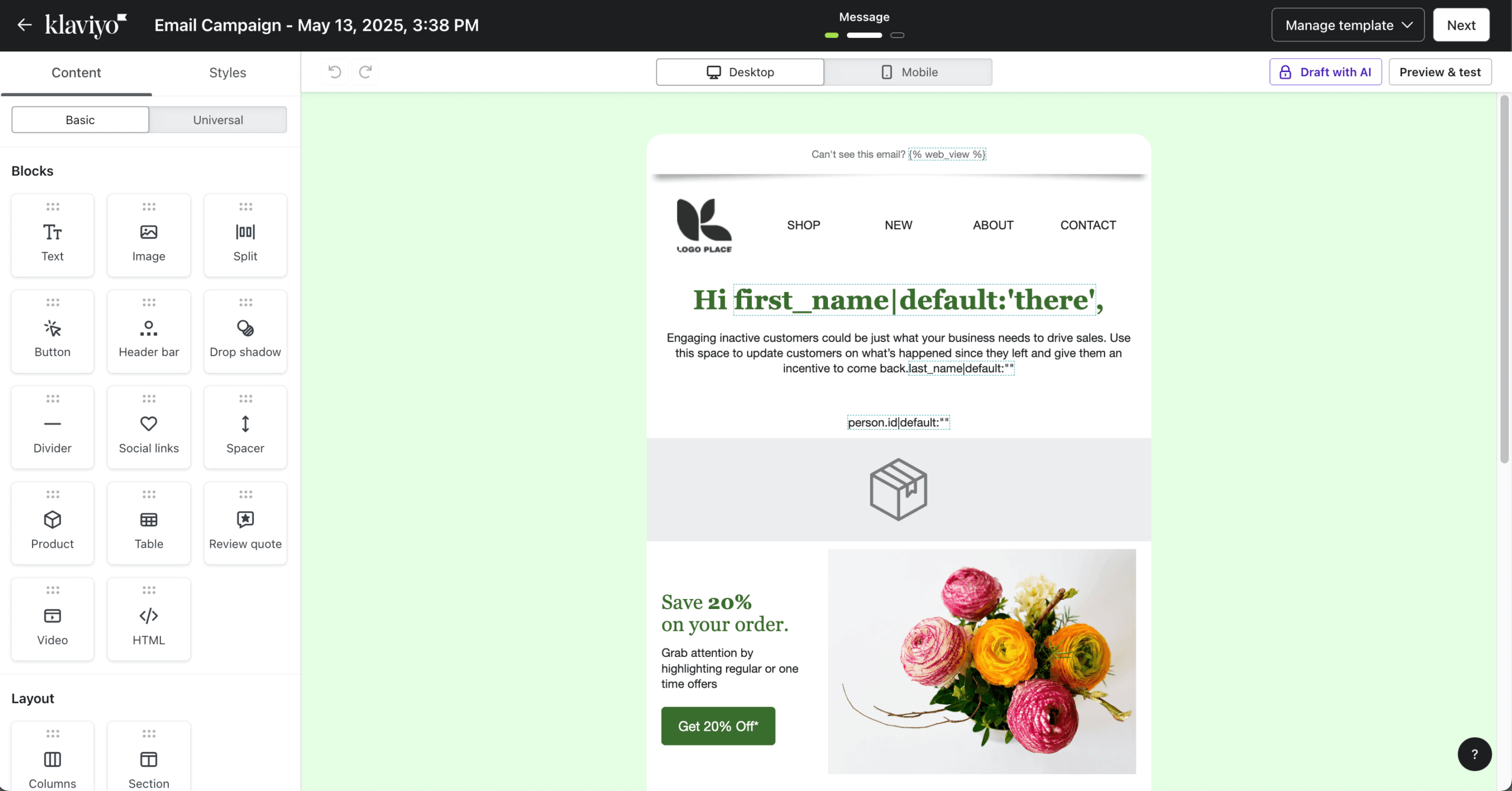
Klaviyo is an ecommerce email and SMS platform built on a customer data platform that segments shoppers by predicted lifetime value, churn risk, and next purchase date.

Klaviyo pricing: Paid plans start at $30/month for up to 1,000 contacts and up to 10,000 emails/month. Free plan available.
Klaviyo’s segmentation runs on predictive analytics – predicted lifetime value, purchase likelihood, churn risk – so targeting is built from what customers will probably do, not just what they did.
I synced it with a Shopify test store and built a churn-risk winback segment: Klaviyo needed a few weeks of order history before predictions activated, but once live, the segment updated in real time as customers browsed and bought. Setting up a flash-sale flow with inventory-based triggers took under an hour in the visual builder.
Klaviyo is the best email platform for established, data-rich ecommerce brands that need predictive segmentation and advanced automation.
Key Features
- Predictive analytics. AI-powered predictions for customer lifetime value, churn probability, and next purchase date to optimize targeting strategies.
- Pre-built ecommerce flows. Ready-to-use automation templates for abandoned cart, browse abandonment, welcome series, post‑purchase, replenishment, and win‑back campaigns.
- Dynamic segmentation. Real-time segment updates based on browsing behavior, purchase patterns, and engagement metrics for hyper-targeted campaigns.
- Built-in CDP. Customer Data Platform that unifies data from all touchpoints, creating comprehensive profiles for personalized marketing.
- Deep ecommerce platform integrations. Syncs with Shopify, BigCommerce, WooCommerce, Magento, and others to pull products, customer activity, and order data in real time.
Pros and Cons
Pros of Klaviyo:
✅ Deep ecommerce integration allows Klaviyo to sync seamlessly with platforms like Shopify and WooCommerce, enabling data-rich, behavior-based campaigns;
✅ Robust automation features let you create highly customized workflows that respond to customer actions in real time;
✅ Top-tier A/B testing capabilities help optimize everything from subject lines to send times for maximum performance;
✅ An intuitive visual automation builder makes it easy to map out and manage complex customer journeys without technical expertise.
Cons of Klaviyo:
❌ The platform has a steep learning curve, which may be challenging for beginners or small teams;
❌ Customer support prioritizes higher-tier accounts, meaning users on lower plans may experience slower response times;
❌ Higher pricing tiers can add up quickly as your list grows, making it less cost-effective for smaller businesses or early-stage brands.
Pricing
- Free plan: $0 (250 contacts–500 email sends);
- Starter: $20/month (500 contacts–5,000 emails/month);
- Mid-tier plan: $100/month (5,000 contacts–50,000 emails/month);
- Enterprise: Custom price.
Best for
Klaviyo is a strong fit for ecommerce brands and data-driven marketing teams. Established online stores will benefit from its advanced marketing tools, seamless ecommerce integrations, and powerful automation built to support scalable growth. It’s also ideal for ecommerce marketers focused on performance–offering predictive analytics tools and deep customer insights to optimize every campaign with precision.
Brevo – Marketing + Transactional Email for Ecommerce
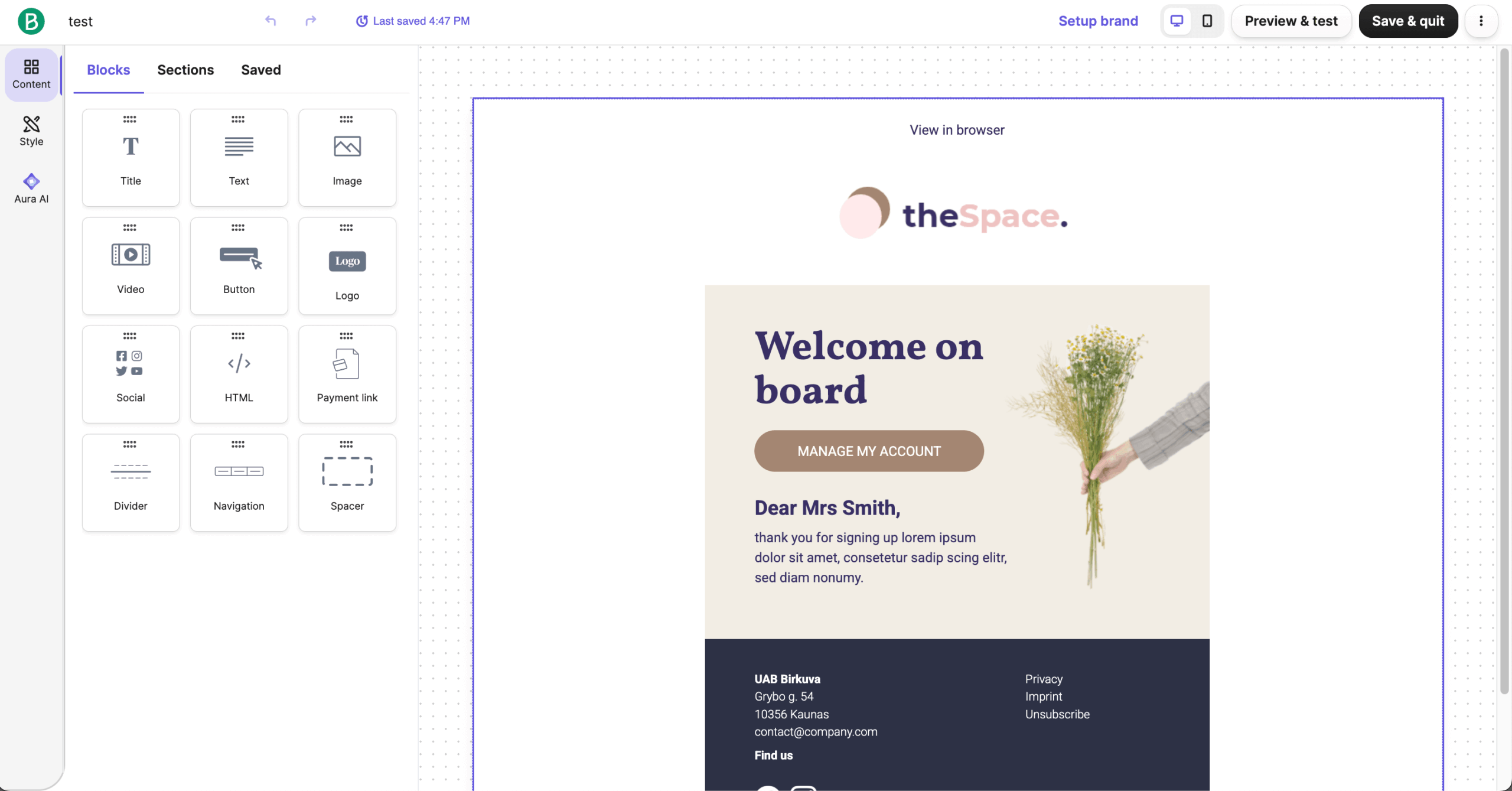
Brevo takes an all-in-one approach, combining email with SMS, chat, CRM, and automation. For ecommerce businesses juggling multiple marketing channels, having everything in one place makes life easier.

Brevo pricing: Starts at $9/month for up to 5,000 monthly emails and 500 contacts. Free plan available.
I ran a dummy store using the WooCommerce email marketing route and sent order confirmations and shipping notifications through its transactional system for two weeks: every message landed in the inbox, none in spam, with delivery typically under a minute. That reliability is Brevo’s real strength.
Two caveats from setup: Shopify users need the PushOwl integration to connect at all, and there’s no product review feature – a dealbreaker if post-purchase reviews drive your flywheel.
All in all, Brevo is the best pick for ecommerce stores that need reliable transactional email and marketing automation in one affordable platform.
Key Features
- Transactional email API. Reliable delivery of order confirmations, shipping updates, and receipts with high uptime and detailed tracking.
- Multi-channel campaigns. Coordinate email, SMS, and WhatsApp messages from one platform with unified reporting and automation workflows.
- Built-in CRM system. Manage customer relationships, track deals, and store interaction history without additional software or integration costs.
- Brevo Wallet. Digitize coupons, loyalty cards, tickets, and more into Apple Wallet and Google Pay so customers can access deals and loyalty info directly on their phones.
- Heat map analytics. Visual click tracking shows exactly where subscribers engage with your emails for data-driven design optimization.
Pros and Cons
Pros of Brevo:
✅ Multi-channel support lets you manage email, SMS, and chat communications all from one platform–ideal for unified customer engagement;
✅ A built-in CRM is included at no extra cost, helping you manage customer relationships and track interactions seamlessly;
✅ Affordable pricing structure makes it accessible for small businesses and startups no matter how many subscribers they have;
✅ Strong transactional email support ensures timely and reliable delivery of order confirmations, receipts, and other critical messages.
Cons of Brevo:
❌ Automation features are limited compared to more advanced platforms, which may restrict complex workflows;
❌ Segmentation capabilities are less robust, offering fewer options for deep personalization and targeting;
❌ The platform isn’t as beginner-friendly as some competitors, which might present a slight learning curve for new users.
Pricing
- Free plan: $0 (300 emails/day);
- Starter: $9/month (500 contacts–5,000 emails/month);
- Standard: $18/month (500 contacts–5,000 emails/month);
- Professional: $499/month (2 million contacts–150,000 emails/month);
- Enterprise: Custom price (from 1 million emails per month).
Best for
Brevo is a solid choice for small to medium businesses, especially ecommerce stores that need an easy way to manage email, SMS, and CRM all in one place. If you’re sending out order confirmations or shipping updates, Brevo’s transactional email system has your back, making sure those important messages reach your customers without a hitch.
While it might not be the best fit for those who want super advanced automation or deep personalization, it’s a great option if you’re looking for something reliable and affordable.
GetResponse – Email Marketing Tool for Ecommerce Marketing
GetResponse tries to be your complete marketing suite: beyond email, they’ve built in landing pages, webinar hosting, and automation tools.
GetResponse pricing: Starts at $18/month for up to 1,000 contacts and unlimited emails | 14-day free trial available.
I tested GetResponse with a dummy store for roughly 3 weeks, focusing on whether the all-in-one pitch survives a real campaign. The suite delivered: I built a flash-sale flow – landing page, countdown timer, signup form, three-email sequence with a cross-sell follow-up – entirely inside GetResponse.
What surprised me: the AI subject-line suggestions were genuinely usable rather than filler, needing minimal editing before sending. The trade-off is depth per module – every component performed adequately, but specialists beat it in their lane.
GetResponse is the best platform for ecommerce marketers who want email, landing pages, and funnels in one tool instead of best-in-class point solutions.
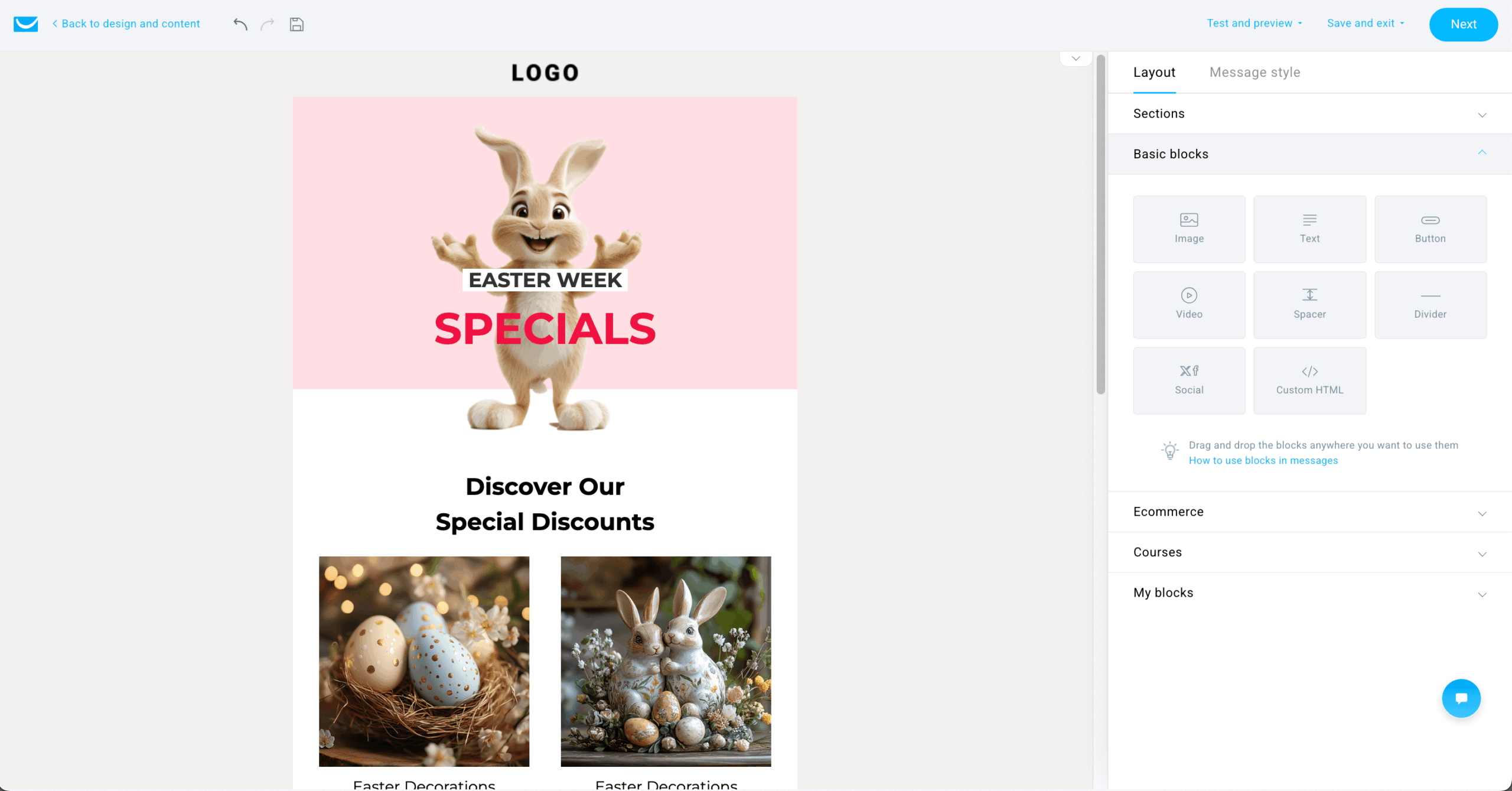
Key Features
- Conversion funnel builder. Create complete sales funnels with landing pages, forms, and automated email sequences all in one integrated tool.
- Shopify + WooCommerce data sync. Import customers, products, and ecommerce data into GetResponse to power segmentation and automated campaigns.
- AI email generator. Use artificial intelligence to create subject lines, email copy, and design suggestions based on campaign goals.
- Segmentation based on ecommerce behavior. Audience segmentation using purchase history, website activity, and engagement data to personalize messaging.
- Perfect timing technology. Machine learning determines the optimal send time for each subscriber to maximize open and click rates.
Pros and Cons
Pros of GetResponse:
✅ An extensive template library makes it easy to create polished, professional emails for any occasion or campaign.
✅ Great segmentation tools help you target the right audience with personalized messages based on behavior and preferences.
✅ Responsive 24/7 support ensures help is always available, no matter your time zone or technical skill level.
✅ Seamless integration with major ecommerce platforms allows for smooth data syncing and automated campaign triggers.
Cons of GetResponse:
❌ GetResponse’s pricing can quickly rise up, especially for users with growing contact lists or advanced feature needs. It may not be the most budget-friendly option for startups or smaller businesses;
❌ While templates are helpful, the platform’s customization capabilities can feel somewhat restricted–particularly for users who want full creative control over layouts and design elements;
❌ Some areas of the user interface haven’t kept pace with modern design standards, which can make navigation feel less intuitive and less polished compared to newer platforms.
Pricing
- Starter: $18/month (1,000 contacts–unlimited emails);
- Marketer: $54/month (1,000 contacts–unlimited emails);
- Creator: $62/month (1,000 contacts–unlimited emails).
Best for
GetResponse is a solid option for SMBs, ecommerce brands, and conversion-focused marketers. Small and mid-sized businesses will benefit from its affordable pricing, simple automation, and reliable support.
Online stores can automate emails, recover carts, and personalize messaging to turn potential customers into regular buyers. For marketers focused on results, built-in personalization tools like email A/B testing and countdown timers help drive conversions.
ActiveCampaign – Advanced Email Automation Platform
ActiveCampaign combines email marketing with CRM features, which works well if you want to track customer relationships in one place instead of piecing together different tools.
ActiveCampaign Pricing: Plans start at $15/month for up to 1,000 contacts and 10,000 emails/month. 14-day trial available.
I tested ActiveCampaign with a test store for 3.5 weeks, focusing on what justifies its reputation as the automation power tool. The site tracking delivered: I installed the tracking script, tagged a product-page visit, and had a triggered follow-up firing in real time – browsing behavior became a usable automation trigger the same day.
What surprised me: the built-in CRM with deal tracking makes it a different animal from pure ecommerce tools – genuinely useful for higher-ticket stores with longer consideration cycles, overkill for impulse-buy catalogs.
ActiveCampaign is the best platform for ecommerce teams that need advanced automation plus a built-in sales CRM – if you’ll actually use the depth you’re paying for.
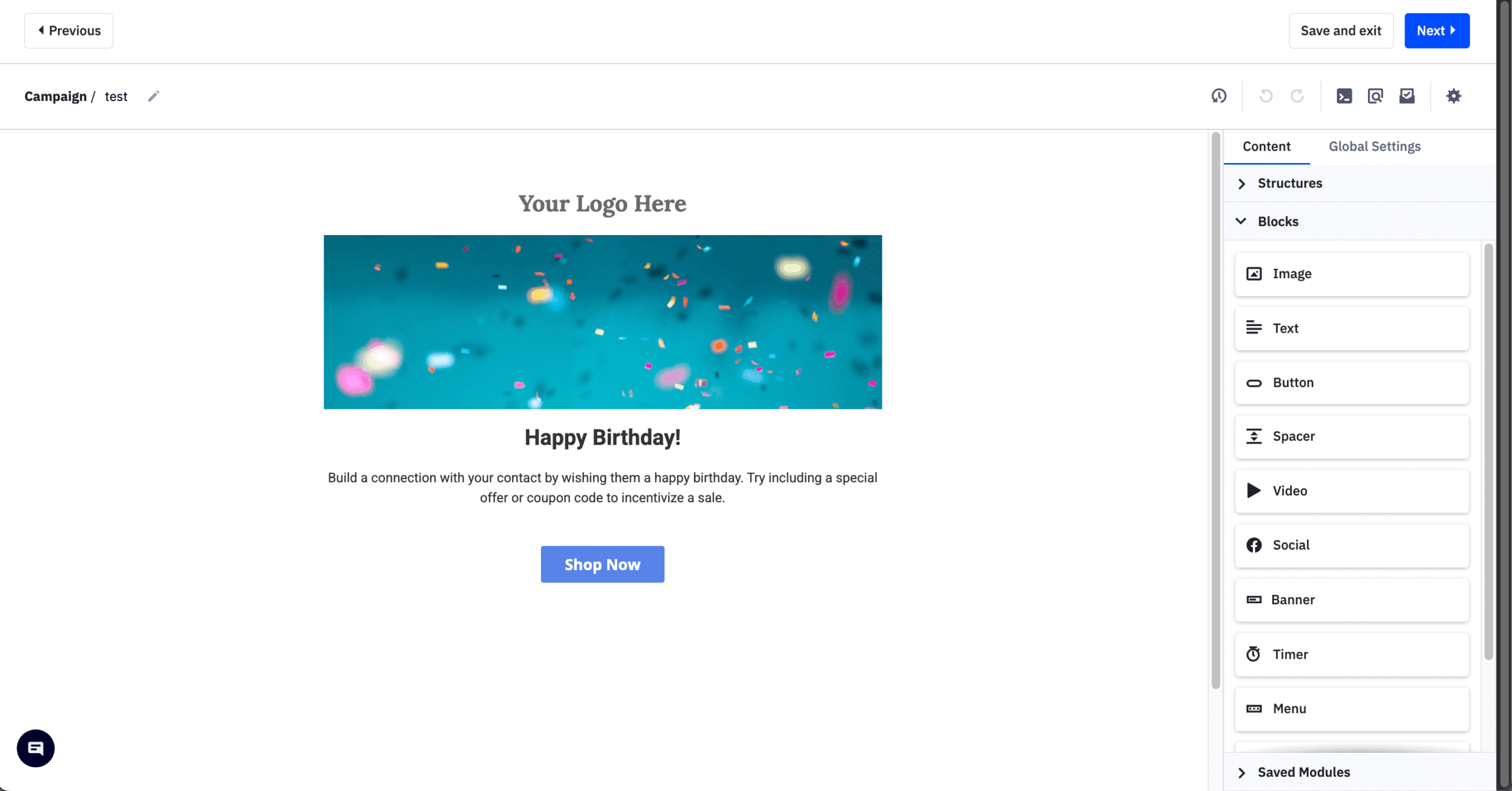
Key Features
- Site + event tracking for behavioral triggers. Track website behavior and custom events, then use those events to trigger automations and personalize campaigns.
- Sales CRM integration. Track deals, manage pipelines, and automate sales follow-ups alongside email marketing campaigns in one platform.
- CRM + sales automation. Built‑in CRM lets you track deals, pipelines, and contacts alongside marketing workflows for better lead and customer management.
- Site tracking technology. Monitor visitor behavior on your website to trigger targeted emails based on pages viewed and actions taken.
- Split action automation. Test multiple automation paths simultaneously to identify the highest-converting customer journey strategies.
Pros and Cons
Pros of ActiveCampaign:
✅ CRM integration allows users to manage contacts, track deals, and automate sales processes all in one place, streamlining both marketing and customer relationship management; ✅ Top-notch email deliverability ensures your messages consistently reach inboxes, helping to maximize engagement and avoid spam folders;
✅ Advanced segmentation and automation features make it easy to build complex, behavior-based campaigns that drive meaningful customer interactions;
✅ Over 900 native integrations give you the flexibility to connect with popular tools across ecommerce, CRM, CMS, analytics, and more.
Cons of ActiveCampaign:
❌ ActiveCampaign’s pricing can jump significantly as your contact list grows or you unlock more advanced features–making it less ideal for budget-conscious users or small teams;
❌ Some of the email templates feel outdated, lacking the modern design and flexibility expected from a premium marketing platform;
❌ While packed with powerful features, the steep learning curve may slow down onboarding for beginners or non-technical users unfamiliar with advanced automation.
Pricing
- 14-day free trial: $0 (100 email sends);
- Starter plan: $15/month (1,000 contacts–10,000 emails/month);
- Plus plan: $49/month (1,000 contacts–10,000 emails/month);
- Pro plan: $79/month (1,000 contacts–12,000 emails/month);
- Enterprise: $145/month (1,000 contacts–15,000 emails/month).
Best for
ActiveCampaign is a strong fit for ecommerce brands, SaaS companies, and agencies. Online stores benefit from advanced automation, personalized product recommendations, and rich ecommerce integrations.
SaaS teams can nurture leads, onboard users, and reduce churn with behavior-based email flows. Meanwhile, agencies will appreciate the ability to manage multiple clients efficiently with scalable tools, detailed reporting, and streamlined collaboration features.
Mailchimp – Email Marketing Service for Small Ecommerce
Mailchimp is one of the longest-running email marketing platforms, and its core strength is balancing features with usability – even if that comes with a cost.

Mailchimp pricing: Starts at $13/month for up to 500 contacts and up to 5,000 emails/month | Free plan available.
I ran Mailchimp alongside every platform on this list using a test store for 3 weeks, and its reputation for approachability held up: guided setup had a welcome journey live the same afternoon, and the drag-and-drop builder turned out a clean product email with zero design work.
The standout finding cuts the other way, though: costs stack quietly. The website builder takes a 0.5–2% cut of sales made through it, and Mailchimp bills for unsubscribed and inactive contacts – on an aging list, you’re paying for people you can’t email. The free plan’s 250 contacts and 500 emails/month is a fraction of Sender’s 2,500/15,000, so you should treat it as a trial, not a runway.
Mailchimp is the best email marketing platform for ecommerce beginners who value easy setup over advanced segmentation.
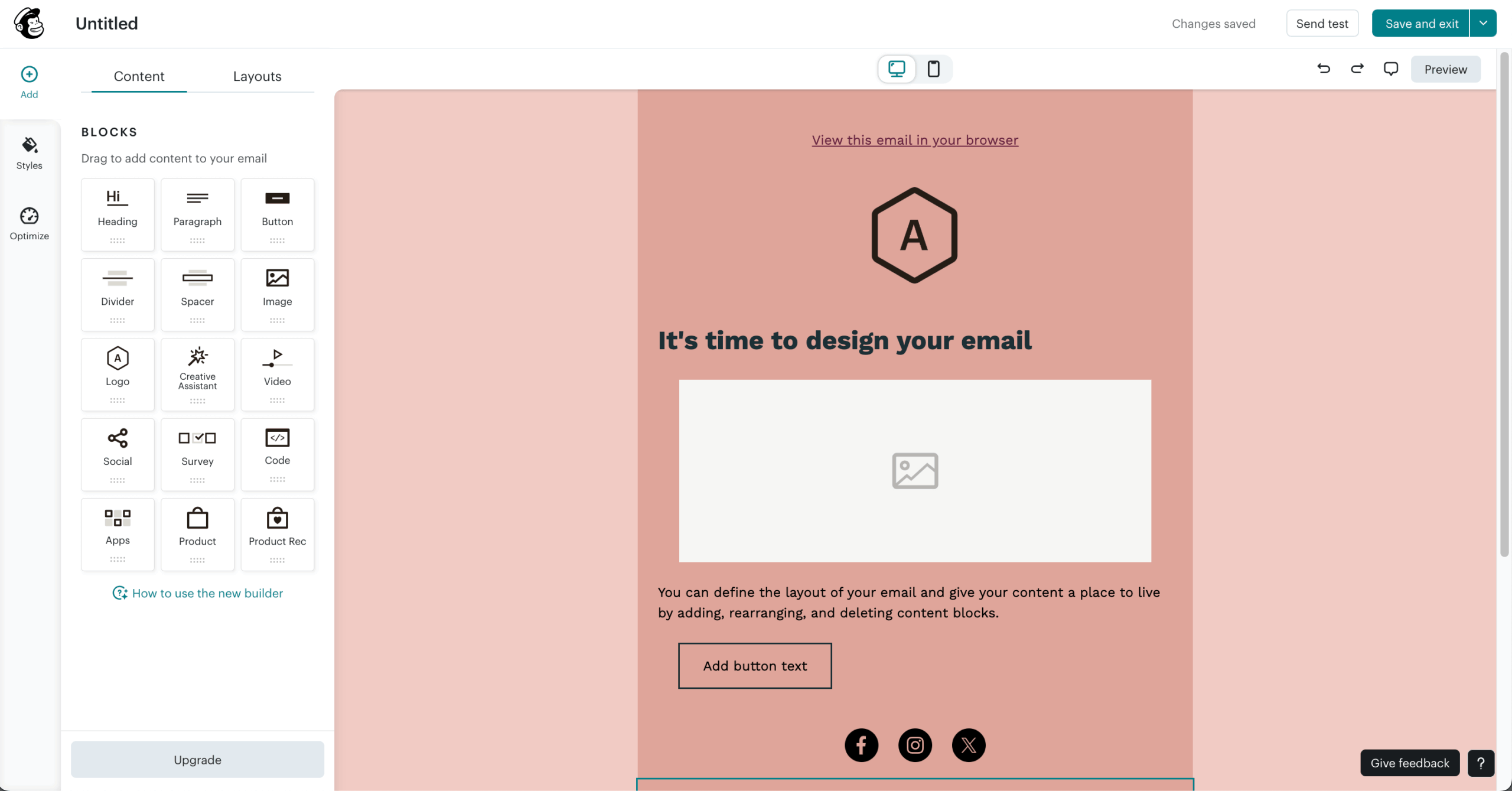
Key Features
- Customer journey builder. Map and automate multi-step marketing paths based on customer behavior, purchases, and engagement patterns.
- Countdown Timers & Promotional Tools. Add countdown timers and promotional elements to campaign emails to drive urgency and conversions.
- Audience dashboard. Comprehensive view of subscriber growth, engagement trends, and segment performance with actionable insights.
- Product‑focused content blocks. Drag‑and‑drop product blocks and dynamic recommendations that automatically update pricing and availability in campaigns.
- Social commerce tools. Create shoppable posts and ads for Facebook and Instagram directly from your email campaigns.
Pros and Cons
Pros of Mailchimp:
✅ A wide range of integrations allows you to connect Mailchimp with countless third-party tools, making it easy to streamline your workflows across platforms.
✅ The platform can pull product data directly into your emails by connecting to your store, enabling personalized, data-driven campaigns.
✅ AI tools assist with content generation, optimization, and automation setup, saving time and improving performance.
✅ Extensive analytics reports provide clear insights into campaign performance, helping you make smarter marketing decisions.
Cons of Mailchimp:
❌ Mailchimp charges for inactive or unsubscribed contacts, which can increase costs for users managing large or outdated lists.
❌ The platform offers limited advanced segmentation, which may restrict highly targeted campaign strategies.
❌ Some users may find the email template selection restrictive, limiting creative flexibility in design and layout.
Pricing
- Free plan: $0 (250 contacts–500 emails/month);
- Essentials: $13/month (500 contacts–5,000 emails/month);
- Standard: $20/month (500 contacts–6,000 emails/month);
- Premium plan: $350/month (10,000 contacts–150,000 emails/month).
Pricing
- Free plan: $0 (250 contacts–500 emails/month);
- Essentials: $13/month (500 contacts–5,000 emails/month);
- Standard: $20/month (500 contacts–6,000 emails/month);
- Premium plan: $350/month (10,000 contacts–150,000 emails/month).
Best for
Mailchimp is well-suited for ecommerce beginners, small to medium businesses, and solo creators. Its user-friendly interface and built-in ecommerce automation make it a great choice for new store owners looking to get started quickly.
Freelancers and content creators will also appreciate the platform’s easy-to-use tools for building audiences, automating campaigns, and growing their personal brand without a steep learning curve.
Maestra – All-in-One Personalization Platform for DTC Brands
Maestra is a unified personalization platform featuring an email toolkit for bulk campaigns and triggered flows powered by a real-time CDP.
Maestra pricing: Starts at $2,250/month for up to 150,000 active profiles with full feature access and dedicated CSM support included. No free plan.
One thing to keep in mind is: Maestra is the only tool on this list I couldn’t test hands-on. There’s no free trial and no self-serve signup, so access runs through a sales demo. What follows comes from vendor documentation and third-party reviews.
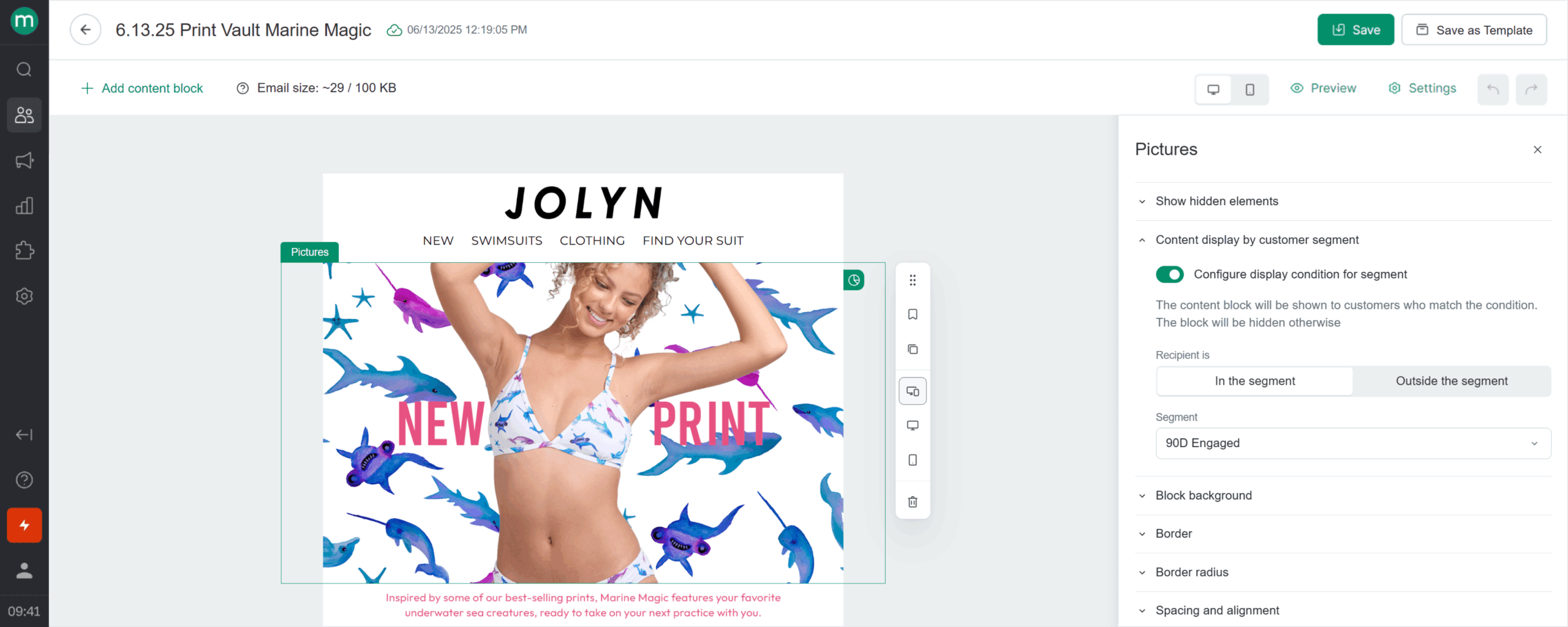
The core isn’t an email tool but a real-time CDP feeding omnichannel flows – email, SMS, RCS, push, messengers, on-site personalization – from a single builder, with RFM and nested segmentation underneath. Every subscription includes a dedicated CSM who builds and tunes flows via shared Slack and weekly calls.
Pricing starts at $2,250/month for 100,000 active profiles, with no entry tier below it. Best for mid-market DTC brands consolidating a fragmented stack, not teams shopping for standalone drip software.
Key Features
- Email marketing with dynamic content, personalized recommendations, and deliverability monitoring.
- Loyalty programs, referrals, and promotions that plug directly into email flows.
- Real-time CDP powering sophisticated segmentation and behavior-triggered flows.
- Omnichannel flow builder – email, SMS/MMS/RCS, push, messengers, site and app in one canvas.
- Dedicated CSM who designs your flows, manages campaigns, and optimizes performance.
Pros and Cons
Pros of Maestra:
✅ Content blocks, recommendations, and rewards in email updated in real time.
✅ Email Health monitoring and A/B testing with incremental revenue impact.
✅ Branching logic and omnichannel capabilities let teams build advanced flows.
✅ One platform replaces multiple tools – consistent experience across channels, no data gaps.
✅ Dedicated CSM maps the strategy and executes it – less load on your team.
Cons of Maestra:
❌ No free plan or trial.
❌ Costs too much for early-stage brands.
❌ Overkill for small stores, best suited for mid-market and enterprise.
Pricing
All-inclusive pricing: $2,250/month (up to 150K profiles, all features and dedicated CSM included).
Best For
Maestra is a strong fit for mid-market and enterprise DTC brands that need omnichannel messaging, site and app personalization, recommendations, referrals, and loyalty programs powered by the real-time CDP.
Especially useful for brands that have outgrown point solutions and want an all-in-one marketing platform with full-funnel reporting. Maestra is also a solid choice for lean teams that need a dedicated CSM who handles strategy and execution.
How to Choose the Right Platform for Your Ecommerce Store
Choosing the right ecommerce platform is not easy and comes down to certain criteria that you should pay particular attention to:
- Your store’s growth stage. Early-stage stores need simplicity and affordability, while scaling brands require deeper automation, segmentation, analytics, and infrastructure to support increasing customer complexity.
- Sales volume and campaign frequency. Higher order volumes and frequent promotions demand reliable deliverability, stronger automation, and infrastructure capable of supporting large, recurring sends.
- Catalog complexity and ecommerce integrations. Large or fast-changing catalogs need native Shopify, WooCommerce, or Magento integrations, dynamic product feeds, and real-time syncing of customer, order, inventory, and product data.
- Lifecycle marketing maturity. Welcome, abandoned cart, post-purchase, win-back, and VIP flows require robust automation, behavioral triggers, conditional logic, and segmentation.
- Long-term cost predictability as you scale. Ensure pricing grows sustainably with contacts, profiles, or sends so increasing campaign activity does not significantly erode your margins.
- Purchase behavior segmentation. Advanced segmentation lets you group customers by browsing, purchasing, engagement, and lifecycle behavior to deliver more relevant messages.
- Dynamic product content and recommendations. Personalized blocks automatically adapt products, offers, pricing, and recommendations.
- Revenue attribution tracking. Revenue reporting connects campaigns and automated flows to orders, helping you identify which messages generate sales.
Quick Picks by Use Case
Use this list to quickly match your business needs with the right ecommerce email marketing software:
- Best Budget Option: Shopify Messaging (Shopify-native with a pay-as-you-go model after the free 10,000 emails/month.)
- Best for Omnichannel Ecommerce: Omnisend (Shopify/WooCommerce integrations + abandoned cart and product recommendation blocks.)
- Best for Startups/SMBs: Mailchimp (Built for ecommerce beginners and small businesses that want an easy, approachable setup.)
- Best for Data-Driven Ecommerce Brands: Klaviyo (Advanced purchase-behavior segmentation, predictive analytics, and sophisticated automation.)
- Best for DTC Brands: Drip (Advanced ecommerce automation + revenue attribution focus for scaling DTC.)
- Best for Mid-Market and Enterprise DTC Brands: Maestra (Omnichannel flows designed for you by a dedicated CSM + real-time personalization across every touchpoint.)
Best Free Email Marketing Platforms for Ecommerce
Free plans can look generous at first glance, but the real value comes down to how many contacts you can store, how many emails you can send, and which features are actually included. Here’s how the best free email marketing platforms for ecommerce compare:
- Brevo. The free plan stores up to 100,000 contacts but limits sending to 300 daily emails. It works well for large databases with light or occasional campaigns, but the daily cap makes it impractical for major promotions or frequent ecommerce sends.
- Sender. The strongest free option, supporting 2,500 contacts and 15,000 emails monthly, plus automation and segmentation. It suits growing stores that need meaningful campaign capacity without paying immediately. The main limitation is Sender branding on free-plan emails.
- Klaviyo. The free tier includes 250 active profiles and 500 monthly emails, giving small stores access to an ecommerce-focused platform with advanced segmentation and predictive capabilities. Its low contact and send limits make it primarily suitable for testing rather than sustained marketing.
FAQs
Ecommerce email marketing platforms should support automated workflows such as abandoned cart reminders, post-purchase follow-ups, and re-engagement campaigns. Native integrations with ecommerce systems like Shopify or WooCommerce are also important for syncing customer and order data.
Yes, ecommerce-focused platforms are designed to integrate directly with online stores and use real-time purchase and browsing data for automation. They typically include prebuilt workflows for cart recovery, product recommendations, and lifecycle messaging. General email platforms may support newsletters and basic automation, but often require additional integrations or customization to match ecommerce-specific use cases.
Ecommerce businesses should upgrade to advanced automation when a store has consistent traffic, growing subscriber lists, and repeat purchase cycles. More advanced platforms enable detailed segmentation, conditional workflows, predictive triggers, and cross-channel messaging.
Yes, most ecommerce businesses require both marketing and transactional email functionality. Marketing emails promote products, offers, and content, while transactional emails include order confirmations, shipping updates, and account notifications. Some platforms, like Sender or Omnisend, handle both within one system, which simplifies infrastructure and reporting.
Yes, ecommerce businesses can use email marketing to promote products, recover abandoned carts and encourage repeat purchases. By connecting an email platform to the online store, such as Shopify or WooCommerce, brands can automate messages using customer behaviour, order history, and browsing data, helping turn subscribers into buyers and increase customer lifetime value.