


As contact lists grow and marketing workflows become more complex, limitations in automation, ecommerce features, or reporting often become more noticeable. This page compares 11 MailerLite alternatives for growing businesses in 2026, focusing on pricing models, automation depth and overall ease of use.
Hopefully this guide will help teams evaluate which email marketing platforms better support scaling needs, advanced campaigns, and broader marketing requirements beyond basic newsletter sending.
Capterra, G2, Trustpilot, and Reddit to create an objective evaluation. Learn more about our review methodology
How We Evaluated MailerLite Alternatives
- Automation capabilities. We assessed the flexibility of MailerLite alternatives’ automation builders, including trigger variety, conditional logic, behavioral segmentation, and how well it supports multi-step lifecycle journeys beyond basic linear sequences;
- Pricing transparency and scaling. We reviewed how clearly plan limits, subscriber-based pricing, and overage risks are communicated, and evaluated how costs evolve as contact lists grow and sending volume increases over time;
- Ecommerce integrations. We analyzed native store integrations, available ecommerce triggers, and how effectively purchase data can power segmentation, personalization, and revenue-driven automation workflows;
- Ease of migration. We examined how simple it is to import contacts, fields, and segments, rebuild automations and templates, and transition existing campaigns without major data restructuring or workflow disruption;
- Deliverability tools. We looked at authentication support, sender reputation features, list hygiene options, and monitoring capabilities that help users maintain inbox placement and manage long-term deliverability performance.
Common Reasons Users Switch from MailerLite
Choosing an email marketing platform means balancing reliability, pricing as you scale, and how far automation can actually support your lifecycle strategy. MailerLite is a solid fit for newsletters and simple email marketing campaigns.
But many growing businesses start to feel constraints once their segmentation, automation and email marketing for ecommerce requirements become more advanced.
Teams that begin with MailerLite for its ease of use often outgrow it as their customer journeys become more complex and data-driven. While the platform handles core email marketing well, scaling brands frequently look for deeper automation control, richer integrations, and more advanced reporting capabilities, such as revenue attribution and custom reports.
Where MailerLite feels limiting:
- Automation depth for advanced lifecycle marketing—MailerLite works best for straightforward, linear sequences, but complex customer journeys with multi-branch logic, layered conditions, lead scoring-style logic, and event-driven paths can be difficult to model compared to more automation-first platforms;
- Pricing as subscriber lists grow—Although entry pricing is accessible, costs increase alongside your subscriber base, which can become significant for businesses with fast list growth, large engaged audiences, or multiple segments that all count toward billing;
- Ecommerce-focused automation—The platform covers basic ecommerce triggers, but it lacks the depth of advanced store-driven workflows such as sophisticated post-purchase journeys, product recommendation logic, customer value-based targeting, and revenue-focused automation strategies;
- Integration ecosystem—While MailerLite connects with many popular tools, its native integration ecosystem is more limited than platforms designed as central marketing hubs, often requiring third-party connectors for more complex tech stacks;
- Free plan shrinking in size—Besides the already limited access to pre-made email templates and automation workflows, MailerLite downsized its free plan again in September 2025, slashing the contact limit from 1,000 to 500;
- Advanced reporting and analytics—Standard performance metrics are available, but deeper capabilities like detailed revenue attribution, predictive insights, advanced cohort analysis, and more granular performance modeling are limited.
MailerLite Alternatives — A Quick Comparison
The table below compares MailerLite alternatives by use case, automation depth, ecommerce capability, and ease of use to help identify the best fit as your email needs grow.
| Provider | Best For | Automation Level | Ecommerce Features | Ease of Use |
| Sender | SMB newsletters + lifecycle basics | Visual flows, tags, behavioral triggers | Shopify/Woo, transactional emails, SMS | Fast setup, simple UI |
| Omnisend | Ecommerce promos + revenue flows | Prebuilt ecommerce workflows | Deep store triggers, SMS | Easy once connected |
| Brevo | Email + SMS for SMBs | Workflows + segmentation | Basic store flows, SMS | Beginner-friendly |
| GetResponse | Funnels, webinars, lead gen | Automation + scoring options | Ecommerce automations + funnels | More features to learn |
| AWeber | Simple newsletters + starters | Basic automations, campaigns | Limited ecommerce depth | Very easy |
| Drip | Ecommerce lifecycle + segmentation | Advanced lifecycle workflows | Deep ecommerce events, revenue tracking | Moderate learning curve |
| Mailchimp | General marketing + teams | Customer journeys + rules | Ecommerce integrations + product retargeting | Easy, gets complex with scale |
| Constant Contact | Events, local SMB marketing | Basic autoresponders + sequences | Limited ecommerce depth | Simple and guided |
| Mailjet | Transactional email + dev teams | Automation limited (more sending-focused) | Minimal ecommerce features | Technical setup, simple UI |
| ActiveCampaign | Advanced automation + CRM | Advanced branching + scoring | Ecommerce triggers + integrated CRM pipelines | Powerful, steeper learning curve |
| Benchmark Email | Simple campaigns for SMBs | Basic automations + journeys | Light ecommerce integrations | Easy and straightforward |
Automation Level = How complex flows can get (branching, triggers, events)
Ecommerce Features = Depth of store triggers (cart/browse/product/revenue)
Ease of Use = How quickly a non-technical user can launch
Quick Picks: Find the Perfect MailerLite Alternatives Fast
Use this list to quickly match your business needs with the right email marketing platform.
- Best Free Plan: Sender (Free plan listed at 2,500 subscribers + 15,000 emails/month; includes advanced automation early and supports SMB newsletters + lifecycle basics.)
- Best for Ecommerce: Omnisend (Prebuilt ecommerce workflows with deep store triggers and SMS for ecommerce promos + revenue flows.)
- Best for Startups/SMBs: Brevo (Email + SMS for SMBs with workflows and segmentation; beginner-friendly setup and pricing based on email volume, not contacts.)
- Best Budget Option: Brevo (Not contact-based pricing; billed by email volume, which can be easier to manage for high-send use cases.)
- Best for Enterprise/Agencies: ActiveCampaign (Advanced branching automation and scoring with CRM; positioned for advanced automation + CRM workflows.)
11 Best MailerLite Alternatives (Free & Paid Options)
After digging through user reviews, testing email automation platforms, and listening to the real frustrations of users, one thing is clear—MailerLite isn’t the best option for email marketing.
If you came to a similar realization, this list is for you. Here are the best MailerLite alternatives that actually deliver.
Sender — SMB Email Marketing and Automation
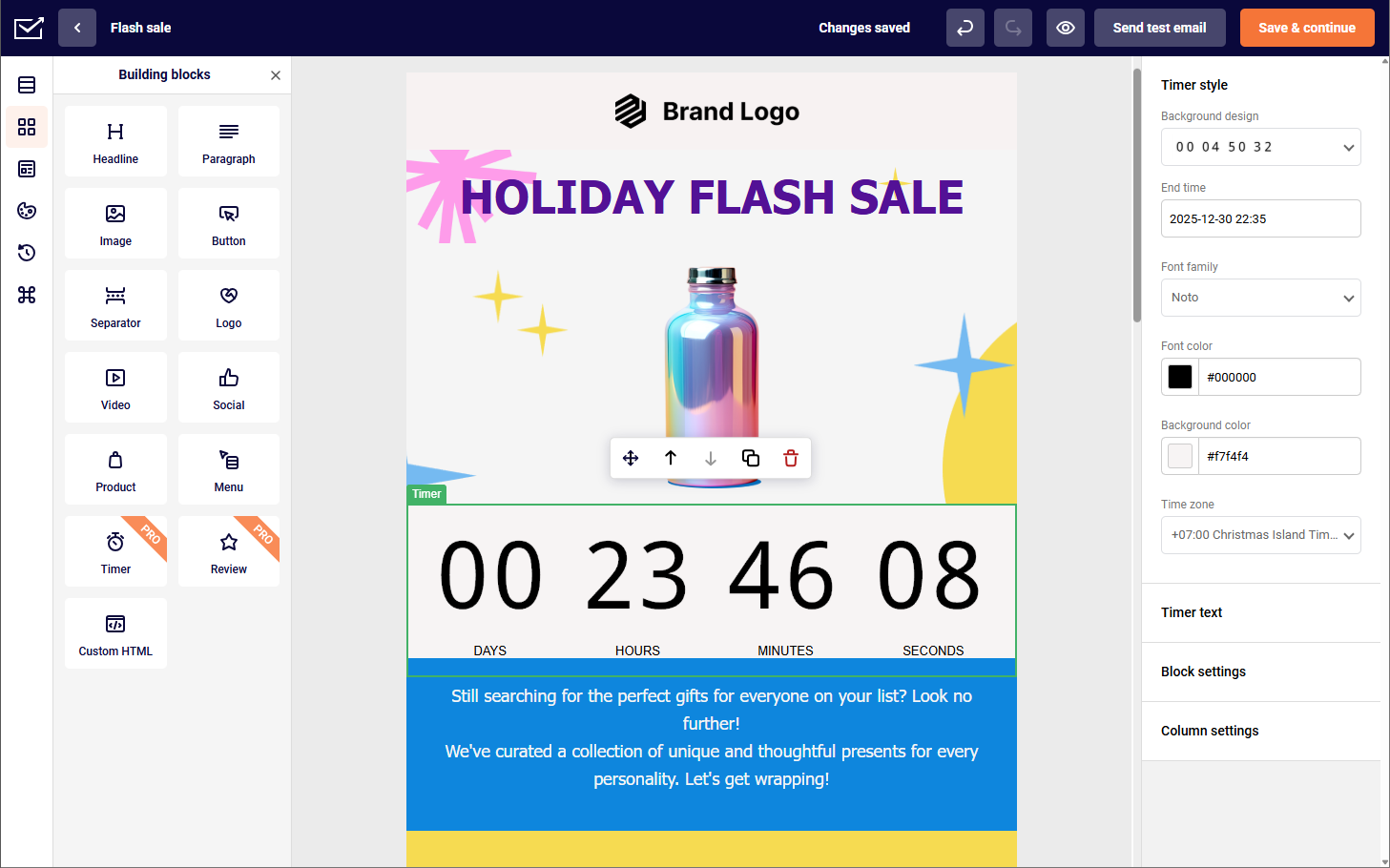
Sender is an email marketing and automation platform designed for small and mid-sized businesses running newsletters and lifecycle campaigns. It includes visual automation flows, behavioral triggers, audience segmentation, drag-and-drop email design, and performance analytics.

Sender pricing: Paid plans start at $7/month for up to 2,500 subscribers | Forever free plan available.
The platform also provides ready-made automation templates and landing page tools for campaign and signup use cases. Authentication support and reputation monitoring are used to support inbox placement.
In addition to campaign creation, Sender supports list growth and subscriber management through signup forms and segmentation tools that organize subscribers by activity and attributes. Automation workflows can be used for common lifecycle scenarios such as welcome series, promotional sequences, and re-engagement emails. One area where Sender one ups MailerLite is automation depth, with multibranch automation and unlimited triggers ready at your disposal.
Reporting dashboards present engagement and campaign data in a structured format to help teams monitor performance and adjust messaging, timing, or targeting over time.
Key Features
- Advanced personalization & dynamic content. Supports segmentation and content variation based on subscriber behavior and attributes, enabling more targeted campaigns;
- Deliverability & reputation monitoring. Includes support for authentication standards such as SPF and DKIM, along with tools related to sender reputation management;
- Premade automation templates. Provides ready-to-use workflow templates and a visual automation builder for setting up common lifecycle sequences;
- Drag-and-drop email & page builder. Offers a visual editor with mobile-responsive layouts for emails and signup pages without coding;
- Real-time analytics & performance tracking. Displays campaign metrics such as opens, clicks, and engagement data in reporting dashboards for ongoing optimization.
Real-World Applications
For businesses looking to maximize their email marketing ROI without breaking the bank, Sender delivers exceptional value across various industry needs:
- Ecommerce stores. Automate cart recovery, product recommendations, and seasonal sales emails without limits; integrate seamlessly with major shopping platforms to synchronize customer data and purchase history for targeted campaigns;
- Marketing agencies. Set up behavior-triggered follow-ups to nurture leads without worrying about price jumps; manage multiple client accounts from a centralized dashboard with customizable reporting features.
- Small businesses. Access professional templates and A/B testing tools that require no technical expertise or big wallets.
Migration Fit from MailerLite
- Contact & List Import—Importing contacts, tags, and segments is straightforward, making it relatively easy to mirror your previous audience structure without heavy manual cleanup;
- Automation Rebuild Effort—Most standard flows (welcome, promos, behavior triggers) can be rebuilt visually, though more complex logic may take some hands-on refinement;
- Template & Campaign Transition—Existing designs translate well into reusable templates, so relaunching regular campaigns usually requires only light formatting adjustments;
- Free migration help—Sender offers free, hands-on migration support to move your contacts, tags, segments, and core automations from your previous platform;
- Learning Curve vs. MailerLite—Core actions feel familiar, but the deeper automation features introduce a mild learning curve for teams used to simpler newsletter tools.
MailerLite vs. Sender—Feature Breakdown
Both MailerLite and Sender are great fit for SMBs looking for an email marketing platform to help with marketing needs. However, in many ways—particularly specifications—Sender beats MailerLite in almost every category:
| Feature | MailerLite | Sender | Winner |
| Free Plan Contacts | Up to 500 subscribers | Up to 2,500 subscribers | Sender |
| Free Plan Emails | 12,000 emails/month | 15,000 emails/month | Sender |
| Starting Price | $9/month | $7/month | Sender |
| SMS Marketing | Mentioned as part of the “new MailerLite” direction, but often handled via add-ons/integrations depending on setup | SMS messaging included on paid plans | Sender |
| Customer Support | 24/7 email + live chat only for the first 14 days on Free; support varies by plan afterward | 24/7 email + live chat across plans (including Free) | Sender |
| Automation Builder | Automations are included on Free (with step limits) | Visual automation + automation features included on Free (unlimited steps) | Sender |
| Landing Pages | Included, but Free plan is capped (e.g., 10 landing pages) | Landing pages included (10 on Free plan) | Tie |
| Market Experience | Live since 2010 | Live since 2012 | MailerLite |
| Pricing Transparency | Clear tiers, but paid accounts can auto-bump when you exceed subscriber limits | Explicit “no hidden fees” positioning | Sender |
| Email A/B Testing | A/B split testing available | A/B testing + experiments (up to 8 variations) | Sender |
Omnisend — Ecommerce Email and SMS Platform
MailerLite is fine for simple newsletters, but when it comes to multi-channel automation and advanced segmentation, it falls short. Meanwhile, Omnisend offers a smarter, ecommerce-first alternative that integrates email, SMS, and web push notifications into a seamless marketing plan.

Omnisend pricing: Paid plans start at $11/month for up to 500 contacts, unlimited emails available from mid-tier plans. | Free plan available.
I really enjoyed their smart product recommendation engine, which automatically selects products based on actual customer behavior, delivering much higher conversion rates than other email marketing software. Combine this with seamless email marketing integrations with popular ecommerce giants like Shopify, WooCommerce or BigCommerce, and Omnisend suddenly clicks.
Omnisend also beats most competitors, including MailerLite, with their visual workflow builder that creates behavior-triggered journeys with branching paths that respond to visitors’ actions—no matter how specific they might be.
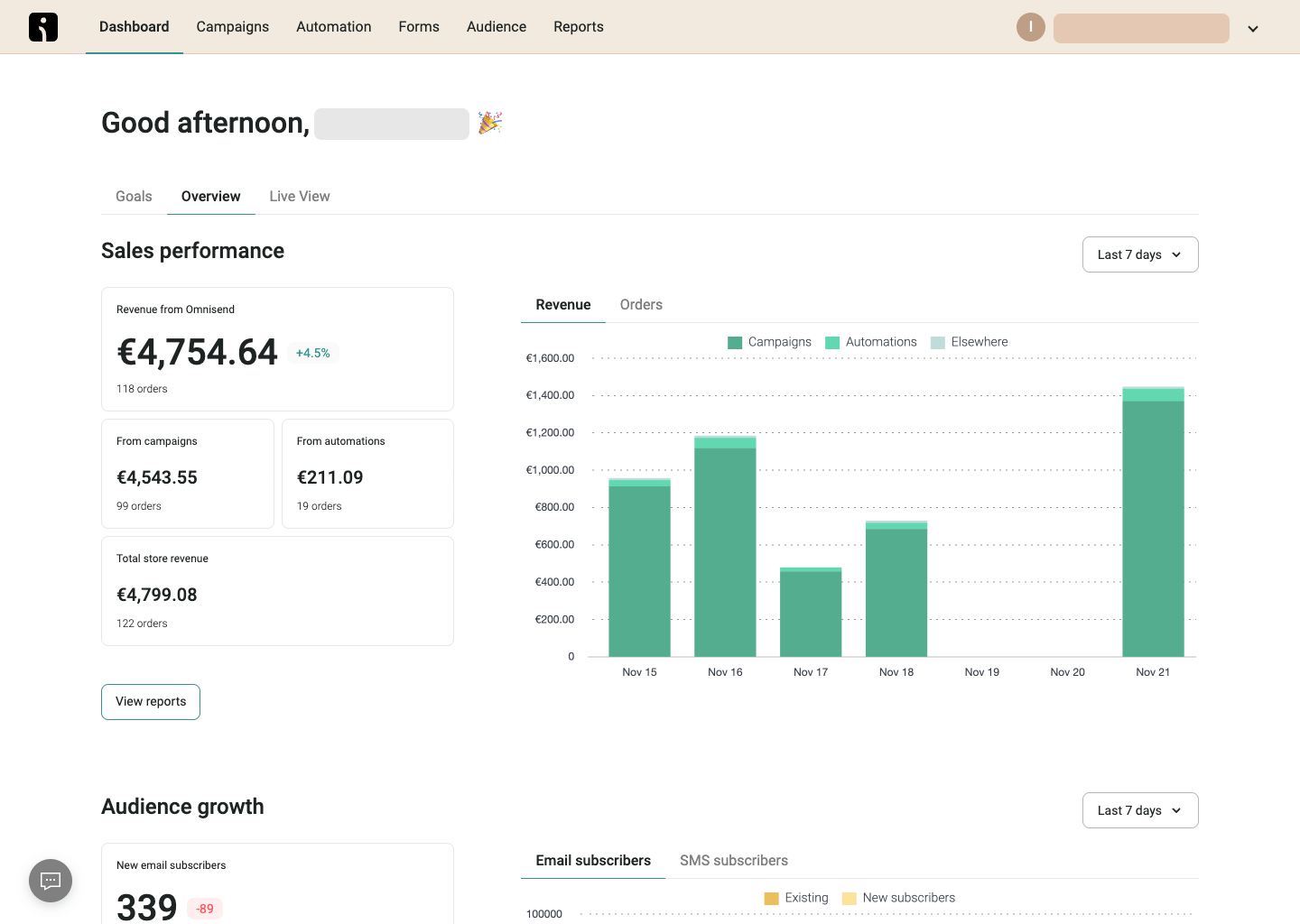
Omnisend eliminates the technical complexity and data synchronization issues that typically occur when using separate systems for each channel. And while Omnisend isn’t nearly as packed with premium features like Sender, and is mainly tailored for ecommerce—this MailerLite alternative offers a unified view of customer engagement across touchpoints.
Key Features
- Omnichannel marketing platform. Unlike MailerLite’s basic email-only automation, Omnisend allows email, SMS, and push notifications in the same campaign;
- Behavior-based segmentation. Target cart abandoners, repeat buyers, or inactive subscribers with highly personalized messages;
- Revenue attribution & AI insights. Track exactly which messages lead to sales and optimize campaigns accordingly;
- Seamless ecommerce integrations. Direct connections with major platforms like Shopify, WooCommerce, and Magento with product content sync for creating shoppable emails without manual updates.
Real-World Applications
Omnisend excels for ecommerce businesses seeking integrated multi-channel marketing solutions beyond basic email capabilities:
- D2C brands. Coordinate product launches and promotional campaigns across email, SMS, and web push channels; leverage customer behavior data to create personalized shopping experiences;
- Subscription-based retailers. Build automated lifecycle marketing programs that reduce churn and increase customer lifetime value;
- Seasonal businesses. Schedule coordinated marketing campaigns in advance to maximize holiday and event-based sales.
Migration Fit From MailerLite
- Contact & List Import—Subscriber lists, segments, and basic tags transfer smoothly, and Omnisend’s import tools make it easy to preserve audience structure while adding ecommerce data like purchase history and customer lifecycle stages;
- Automation Rebuild Effort—Standard MailerLite flows (welcome, newsletters, simple triggers) are quick to recreate, but Omnisend’s ecommerce-focused automation (cart abandonment, product follow-ups, post-purchase) may require additional setup and store integration;
- Template & Campaign Transition—Existing email layouts can be adapted into Omnisend templates without a full redesign, though product blocks and dynamic recommendations often need light restructuring to match ecommerce use cases;
- Learning Curve vs MailerLite—The campaign builder feels familiar, but Omnisend’s deeper segmentation, sales tracking, and multichannel features (like SMS and push) introduce a moderate ramp-up for teams coming from simpler newsletter workflows.
MailerLite vs. Omnisend—Feature Breakdown
MailerLite and Omnisend target different types of marketers, which shows in how their platforms are structured. MailerLite keeps things streamlined, focusing on email campaigns, landing pages, and easy-to-manage automations. Omnisend, on the other hand, is built around ecommerce workflows, with deeper support for SMS, push notifications, and revenue-driven automation.
| Feature | MailerLite | Omnisend | Winner |
| Free Plan Contacts | Up to 500 subscribers | Up to 250 contacts | MailerLite |
| Free Plan Emails | 12,000 emails/month | 500 emails/month | MailerLite |
| Starting Price | $9/month | $11/month | MailerLite |
| Ecommerce Focus | Supports ecommerce integrations (e.g., WooCommerce/Shopify ecosystem) | Built primarily for ecommerce marketing (email + SMS + push workflows) | Omnisend |
| SMS Marketing | Not native | SMS is a first-class channel | Omnisend |
| Push Notifications | Not a core native channel in MailerLite’s main platform | Native web push channel + automation | Omnisend |
| Automation Builder | Solid email automations; plan depth varies by tier | Built for multi-channel automations (email/SMS/push in one flow) | Omnisend |
| Pricing Model Fit | Typically better for creators/content + general marketing lists | Typically better for stores that want multichannel retention | Tie |
Brevo — Multichannel Email Marketing Platform
Another great MailerLite alternative, Brevo offers real-time email tracking, powerful segmentation, combined with a unified inbox for multi-channel engagement.

Brevo pricing: Paid plans start at $8/month for up to 5,000 monthly emails | Free plan available.
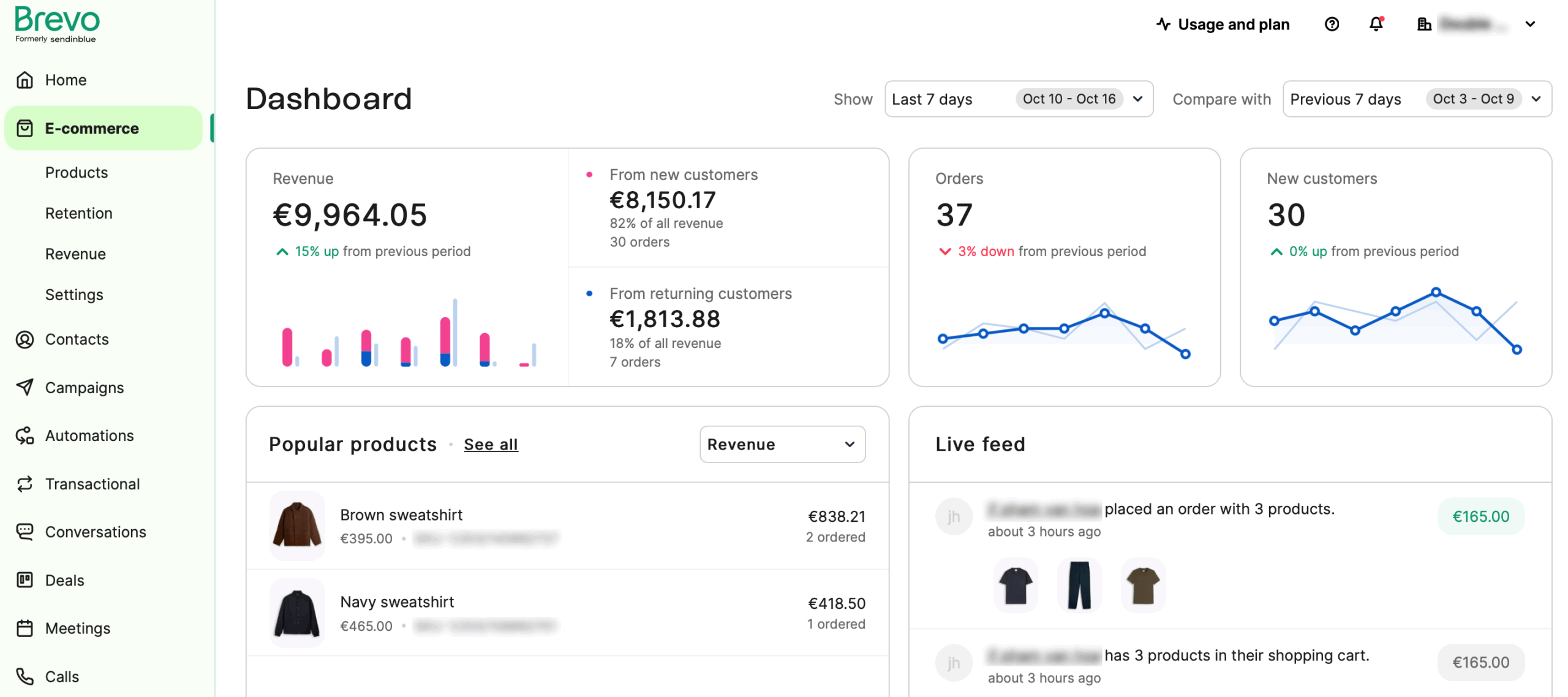
Most Brevo alternatives struggle to match their real-time email tracking that shows you engagement metrics as they happen, which allowed me to fine-tune campaigns pretty much on the spot instead of waiting for delayed reports
Brevo’s ecommerce automation workflows outperform generic email sequences from platforms with inflated pricing. And while it lacks some deep branching logic workflows found elsewhere, for its price—it does the job better than most similarly-priced platforms.
Finally, their specialized transactional email infrastructure, which can be tweaked by accessing Brevo’s API, ensures critical purchase confirmations and shipping updates reach customers instantly. Sure, one or two gets lost in the ‘spam’ folder, but that doesn’t diminish the overall package of this outstanding MailerLite alternative.
Key Features
- AI-powered segmentation. Unlike MailerLite’s basic filtering, Brevo segments customers based on behavior, past purchases, and engagement;
- Automated transactional emails. Send order confirmations, cart recovery emails, and special promotions without manual effort;
- Real-time performance analytics. Track deliverability, open rates, and clicks as they happen for better decision-making.
- Multi-channel marketing platform. Seamlessly combine email, SMS, chat, and landing pages in unified campaigns that maintain consistent messaging across all customer touchpoints.
Real-World Applications
For organizations seeking an all-in-one marketing toolkit that grows with their business, Brevo delivers exceptional functionality across various industry needs:
- SaaS companies. Implement automated onboarding sequences that combine email tutorials with timely SMS reminders; track user engagement through the built-in CRM to identify upselling opportunities and reduce churn through targeted communication;
- Ecommerce. Launch personalized campaigns or send tailored product recommendations, abandoned cart reminders, and order updates to boost sales;
- Online educators. Develop comprehensive student communication plans that blend promotional emails with course reminders and achievement celebrations.
Migration Fit from MailerLite
- Contact & List Import—Importing contacts and core fields is straightforward, and you can recreate basic segments with attributes and list filters. If you rely heavily on MailerLite tags/groups, expect a bit of cleanup to map everything cleanly into Brevo’s lists + attributes structure;
- Automation Rebuild Effort—Standard flows (welcome, lead nurturing, re-engagement) rebuild well in Brevo’s automation tools, but you may need hands-on refinement when your MailerLite logic depends on very specific conditional branching or custom events;
- Template & Campaign Transition—Most email designs port over with light formatting work. You’ll typically re-check fonts, spacing, and mobile layout, then rebuild reusable modules so your ongoing newsletters and promos can launch quickly;
- Learning Curve vs. MailerLite—Core email actions are familiar, but Brevo’s broader suite (CRM-style contact management, multiple channels, and more settings depth) adds a moderate learning curve—especially for teams used to MailerLite’s simpler workflow.
MailerLite vs. Brevo—Feature Breakdown
When comparing Brevo and MailerLite, the main differences show up in how broad the toolset is versus how simple the experience feels. MailerLite centers on straightforward email marketing, while Brevo leans into multichannel communication and built-in CRM-style capabilities.
| Feature | MailerLite | Brevo | Winner |
| Free Plan Contacts | Up to 500 subscribers | Up to 2,000 contacts | Brevo |
| Free Plan Emails | 12,000 emails/month | 300 emails/day (around 9,000 emails/month) | MailerLite |
| Starting Price | $9/month | $8/month | Brevo |
| SMS Marketing | Via integrations | Native | Brevo |
| WhatsApp Marketing | Not native | Native | Brevo |
| Transactional Email | No native SMTP/API transactional engine | Built-in transactional email via SMTP/API | Tie |
| CRM & Contacts | Tags/segments | Tags/segments + lightbuilt CRM features | Brevo |
| Automation Builder | Email automation | Multi-channel automation (email + SMS/WhatsApp) | Brevo |
| Landing Pages & Forms | Included (easy to build/design) | Included (functional, fewer design flourishes) | MailerLite |
| Ease of Use | Very straightforward; minimal learning curve | More robust feature set; slightly steeper learning | MailerLite |
| Reporting & Analytics | Campaign-focused reports | Campaign + transactional + multi-channel insights | Brevo |
| Support Availability | 24/7 email & live chat on paid | Support varies by plan; email/live chat | MailerLite |
GetResponse — Email Marketing with Funnels & Webinars
If you want lead generation, automation, and engagement tools in one platform, GetResponse offers a far better alternative than MailerLite.

GetResponse pricing: Paid plans start at $15/month for up to 1,000 contacts | 30-day free trial available.
GetResponse all-in-one approach streamlines the entire customer acquisition process, allowing you to capture leads with professional-looking forms and nurture relationships through sophisticated autoresponders. Unlike most competitors, GetResponse brings email marketing services, landing pages, webinars, and subscription forms together in one cohesive system.
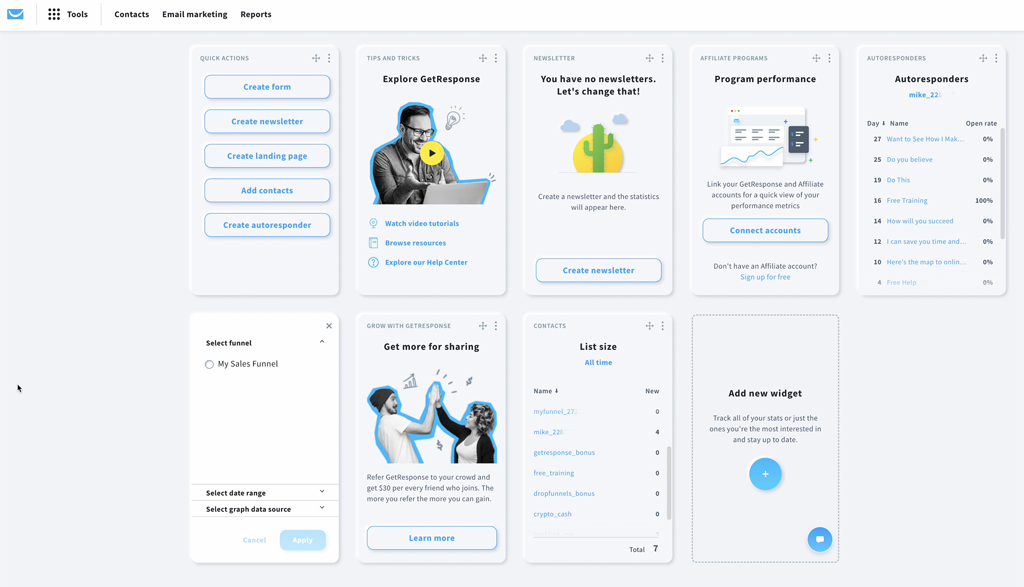
I really enjoyed that GetResponse eliminates technical headaches with their built-in webinar platform. It handles everything from registration to recording without requiring separate software or juggling multiple windows. The Autoresponder 2.0 system is also great, as it helps with dynamic sequences that adapt based on subscriber behavior.
All in all, while I found the interface a bit old-school, it doesn’t change the fact that businesses looking for a great email marketing solution with built-in webinar hosting features and reliable deliverability won’t find better than GetResponse.
Key Features
- Built-in webinar hosting. Unlike MailerLite, GetResponse lets you host live or on-demand webinars directly inside the platform;
- AI-optimized landing pages. Smart design features and A/B testing help maximize conversion rates;
- Automated lead nurturing. Behavior-based email sequences and follow-ups help turn attendees into customers;
- Conversion funnel management. Complete sales funnel toolkit with integrated payment processing, signup forms, and sales tracking all in one platform.
Real-World Applications
For professionals seeking to monetize their expertise through digital channels, GetResponse offers specialized tools tailored to various business models:
- Coaches & course creators. Host webinars, collect signups, and nurture leads through automated email sequences; utilize engagement scoring to identify your most promising prospects and deliver customized content pathways;
- SaaS companies. Drive product demos and engage users with automated follow-up emails; create segmented onboarding flows based on webinar participation to address specific pain points;
- Event marketers. Set up registration pages, email reminders, and post-event engagement with ease; leverage the built-in A/B testing capabilities to optimize conversion rates at each touchpoint.
Migration Fit from MailerLite
- Contact & List Import—Importing contacts and custom fields is generally smooth, and you can recreate basic segments using fields and behavior filters. If your MailerLite setup relies on lots of tags/groups, plan a bit of mapping work to keep your audience structure consistent;
- Automation Rebuild Effort—Standard flows (welcome, nurture, re-engagement, promo sequences) translate well into GetResponse’s visual automation builder, though more advanced branching and event-based logic may take extra refinement to match your original timing and conditions;
- Template & Campaign Transition—Existing newsletter designs can be rebuilt quickly with minor formatting tweaks. You’ll usually want to recreate key templates and reusable blocks so regular campaigns can be relaunched without redesigning from scratch;
- Learning Curve vs. MailerLite—Day-to-day email creation feels familiar, but GetResponse’s broader feature set (more automation depth and additional tools beyond newsletters) introduces a moderate learning curve for teams moving from MailerLite’s simpler environment.
MailerLite vs. GetResponse—Feature Breakdown
GetResponse and MailerLite can both handle newsletter sending and basic automations, but they’re optimized for different workflows.
| Feature | MailerLite | GetResponse | Winner |
| Free Plan Contacts | Up to 500 subscribers | Up to 500 contacts | Tie |
| Free Plan Emails | Up to 12,000 emails/month | Up to 2,500 emails/month | MailerLite |
| Starting Price | $9/month | $15/month | MailerLite |
| Automation Builder | Strong visual automations for common lifecycle flows | Strong automation, with more “suite” options as you upgrade | GetResponse |
| Landing Pages & Forms | Included; clean, design-friendly builder | Included; often positioned as part of broader funnels | Tie |
| Webinars / Online Events | Not a core native feature | Webinars/conferencing positioned as a differentiator | GetResponse |
| Ease of Use | More streamlined, fewer “suite” menus | More features to learn (funnel + webinar + marketing suite feel) | MailerLite |
| Best For | Email-first newsletters and simple lifecycle marketing | Marketers who want email + funnels/webinars in one platform | Tie |
AWeber — Beginner-Friendly Email Marketing Tool
MailerLite is popular among creators, but its inconsistent email marketing pricing structure and lack of advanced marketing automation make it frustrating for those who want to scale their audience efficiently. And that’s where AWeber comes to the rescue.

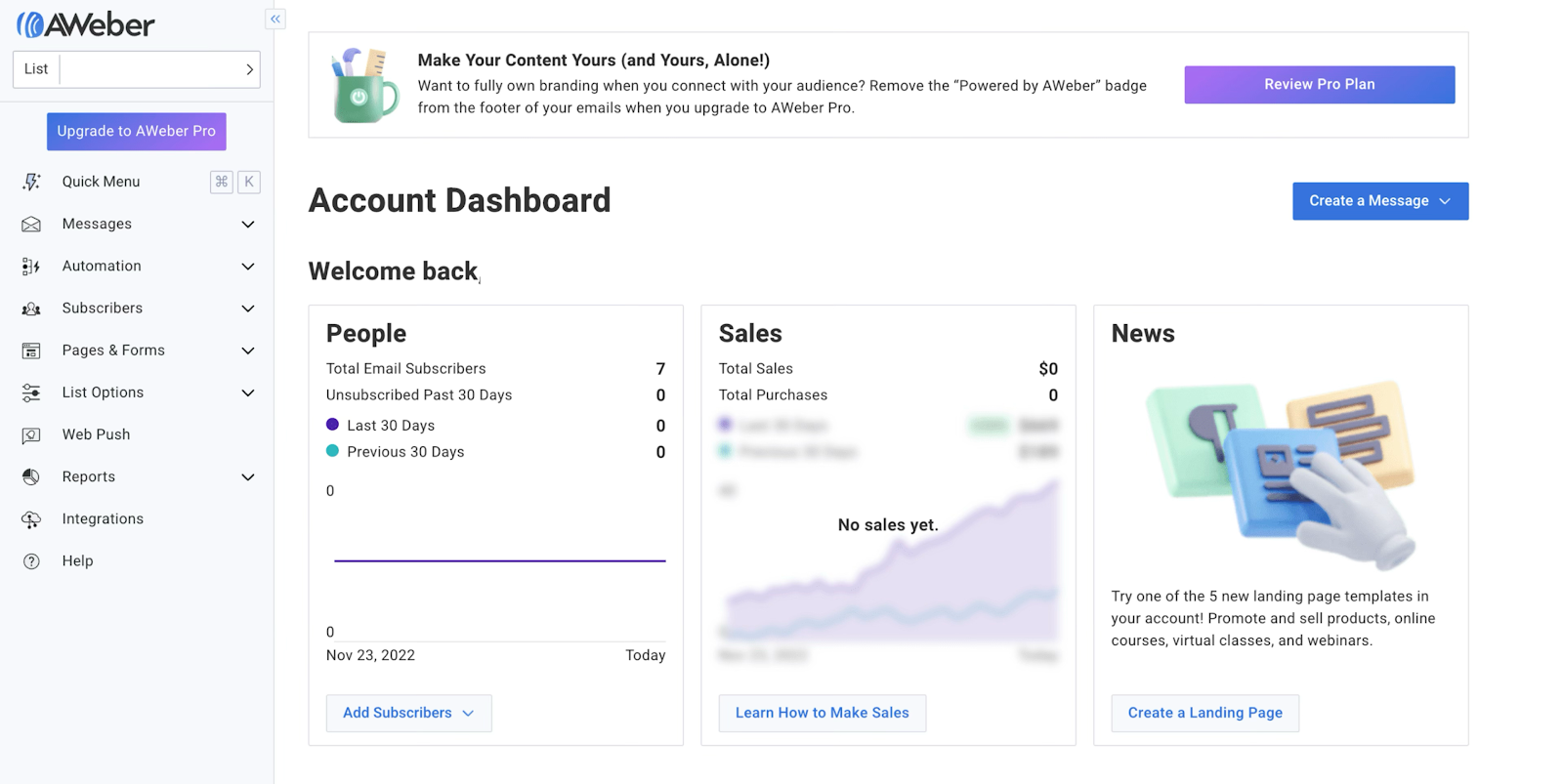
AWeber pricing: Paid plans start at $13/month for up to 500 subscribers | Free plan available.
For starters, AWeber removes design barriers with 700+ mobile-responsive templates you can customize without touching a line of code. I was also impressed with their deliverability rate, which was around 89% at most times.
Unlike other solutions with complex interfaces, AWeber focuses on simplicity without sacrificing power. Their dedicated support team, which is accessible either by phone, email or live-chat, provides personalized guidance that saved my campaigns a couple of times. And that beats many AWeber alternatives that offer minimal help or charge extra for comparable service.
AWeber is a perfect MailerLite alternative for content creators seeking specialized email marketing tools for digital product delivery and a support team that really knows what they’re doing.
Key Features
- AMP for emails. AWeber allows interactive elements like polls and carousels inside emails to boost engagement;
- Premium list segmentation. Creators can tag and organize subscribers by interest, activity, and behavior;
- Curated RSS-to-email feature. Automatically convert blog posts or content updates into newsletters with zero effort.
- 24/7 expert customer support. Access to live email marketing specialists via email, chat or phone support every day of the week, providing personalized guidance for campaigns that most competitors hide behind enterprise custom pricing.
Real-World Applications
For individuals and small teams whose business revolves around content creation, AWeber provides specialized features tailored to these specific needs:
- Bloggers & podcasters. Send automated content updates and segment readers based on preferences; leverage AWeber’s tagging system to track content consumption patterns and deliver increasingly personalized recommendations;
- YouTubers & influencers. Use drip sequences to convert followers into loyal subscribers; create strategic automation pathways that gradually introduce your broader content ecosystem to new subscribers;
- Coaches & digital product sellers. Promote courses, webinars, and paid content with seamless email automation; utilize conversion tracking to identify your most effective messaging and optimize your sales sequences.
Migration Fit from MailerLite
- Contact & List Import—Importing subscribers and basic fields is straightforward, and you can get your primary lists up quickly. If your MailerLite setup relies heavily on tags/segments, expect some manual mapping to recreate the same targeting logic inside AWeber;
- Automation Rebuild Effort—Standard sequences (welcome, lead magnet delivery, simple follow-ups) are easy to rebuild, but more advanced behavior-based flows and multi-branch logic may require simplification or extra hands-on setup compared to what you had in MailerLite;
- Template & Campaign Transition—Most email designs can be recreated with light formatting work. You’ll typically rebuild a few core templates and reusable sections to keep ongoing newsletters and promos consistent;
- Learning Curve vs. MailerLite—The fundamentals are familiar and the day-to-day workflow is approachable, but teams used to MailerLite’s segmentation and automation style may need a short adjustment period to AWeber’s list/tag conventions and automation setup.
MailerLite vs. AWeber—Feature Breakdown
MailerLite and AWeber both cover newsletters, forms, and basic automations, but the difference shows in limits and flexibility. MailerLite leans toward more generous entry-level features, while AWeber’s capabilities expand more noticeably as you move into higher tiers.
| Feature | MailerLite | AWeber | Winner |
| Free Plan Contacts | Up to 500 subscribers | Up to 500 subscribers | Tie |
| Free Plan Emails | Up to 12,000 emails/month | Up to 3,000 emails/month | MailerLite |
| Starting Price | $9/month | From $13/month | MailerLite |
| Support on Entry Tiers | 24/7 Email + live chat support | 24/7 email + live chat support | Tie |
| Automation Builder | Visual workflows with branching logic and behavior triggers | Mid-tier advanced automation | MailerLite |
| AMP for email | Not a core feature | Supports AMP emails | AWeber |
| Web-push notifications | Not a core native channel | Built-in | AWeber |
| Segmentation | Advanced tagging and behavioral segmentation | Limited advanced segmentation and conditional logic for campaigns | MailerLite |
| A/B Testing | Campaign A/B testing included | Split testing available, more limited on lower tiers | Tie |
Drip — Ecommerce Lifecycle Email Platform
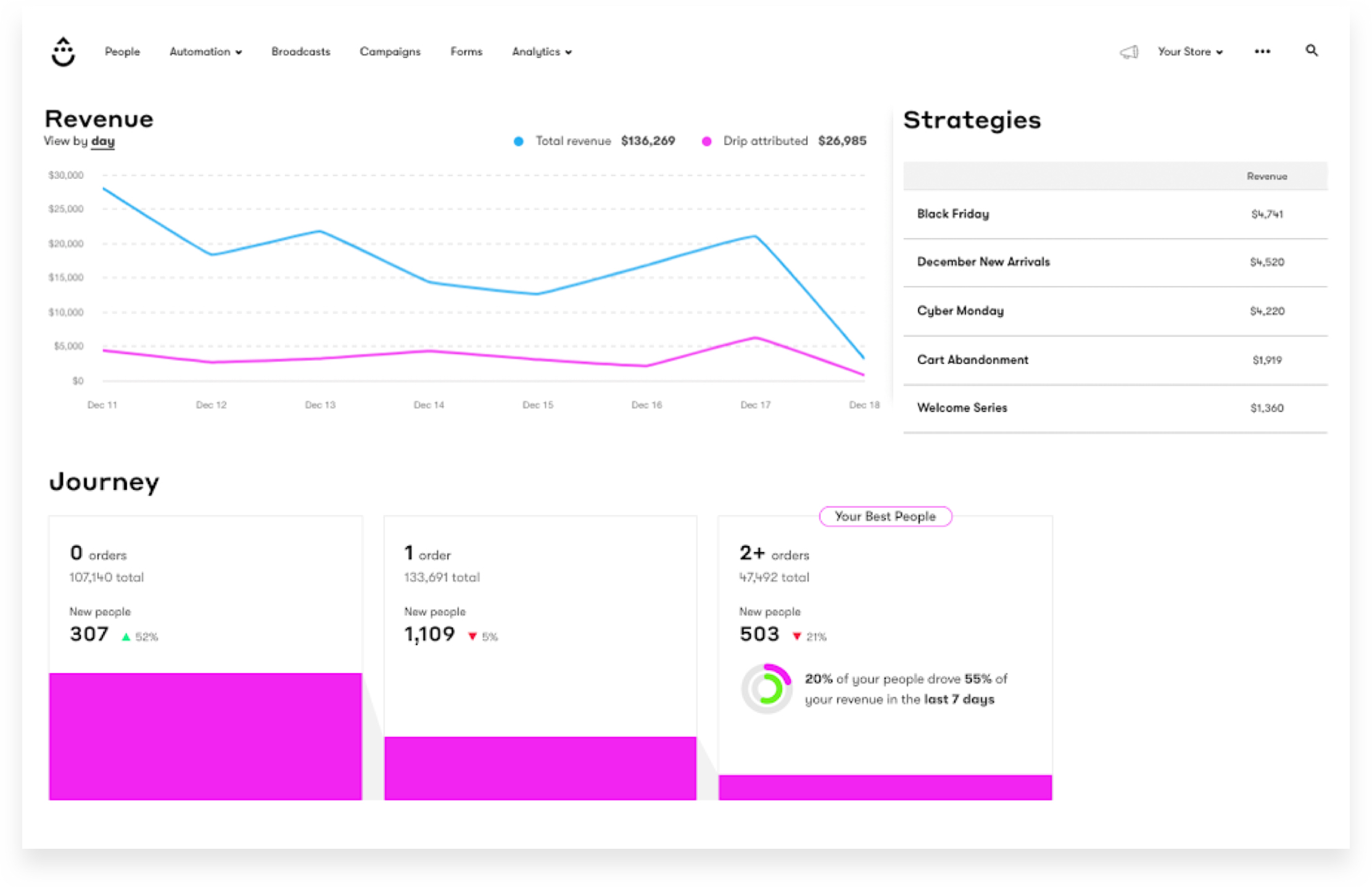
Drip offers behavior-based automation, deep segmentation, and ecommerce-first features that help turn email campaigns into revenue-generating machines.
This MailerLite alternative also excels at tracking customer interactions across touchpoints, enabling highly personalized messaging based on browsing history, purchase behavior, and engagement patterns.
Drip pricing: Paid plans start at $39/month for up to 2,500 subscribers | 14-day free trial.
Drip transforms your ecommerce marketing with behavior-based automation that creates personalized customer journeys based on real-time actions. I got to experience this first-hand as it delivered messages exactly when they’ll have maximum impact, outperforming the rigid sequences offered by most MailerLite competitors.
Drip’s visual workflow builder makes these powerful capabilities accessible without coding skills, helping small teams implement sophisticated customer journeys. The platform integrates with major ecommerce systems and provides high-converting registration points designed to capture valuable customer data.
Sure, it doesn’t have a built-in landing page builder, but that’s a small price to pay for all this ecommerce-oriented MailerLite alternative has to offer.
Key Features
- Custom behavior triggers. Unlike MailerLite, Drip can trigger emails based on user activity, abandoned carts, and browsing behavior;
- Dynamic email segmentation. Automatically group subscribers based on engagement, purchase history, and actions—no manual work needed;
- Smart revenue attribution. Tracks exactly how much revenue each email generates, something MailerLite lacks.
- Ecommerce-specific visual workflows. Purpose-built automation templates designed specifically for online stores with pre-configured purchase paths, product recommendation logic, and order follow-up sequences that integrate directly with your store’s inventory.
Real-World Applications
For ecommerce operations focused on maximizing customer lifetime value, Drip offers sophisticated tools tailored to revenue-generating objectives:
- Ecommerce retailers. Automate cart recovery emails, product recommendations, and post-purchase follow-ups; use purchase history triggers and browsing behavior to create dynamic customer segments that receive increasingly relevant offers;
- Subscription-based services. Run personalized onboarding sequences and renewal reminders; implement automated retention campaigns triggered by engagement metrics to reduce churn and increase subscriber lifetime value;
- Online marketplaces. Score leads based on behavior and automate sales-driven email sequences.
Migration Fit from MailerLite
- Contact & List Import—Importing subscribers and core fields is manageable, but you’ll get the best results if you plan how MailerLite tags/groups translate into Drip tags and custom fields. If your targeting relies on lots of small segments, expect some upfront cleanup to keep data tidy;
- Automation Rebuild Effort—Standard flows (welcome, nurture, promos) rebuild well, and Drip’s automation is strong for behavior-based triggers. More complex MailerLite setups may actually translate better here—but you’ll likely spend extra time recreating event tracking and fine-tuning rules to match your original logic;
- Template & Campaign Transition—Existing designs can be adapted into Drip templates with light formatting work, but you’ll often want to restructure emails to take advantage of personalization tokens and dynamic content (especially if you’re moving beyond basic newsletters);
- Learning Curve vs. MailerLite—Core sending is simple, but Drip is more “automation-first” than MailerLite. Teams used to straightforward newsletter workflows should expect a moderate learning curve as they get comfortable with tagging strategy, events, and deeper segmentation.
MailerLite vs. Drip—Feature Breakdown
Drip and MailerLite sit in different tiers: MailerLite is built for straightforward email marketing and clean automation, while Drip is geared toward ecommerce teams that want deeper segmentation and revenue-focused workflows.
| Feature | MailerLite | Drip | Winner |
| Free Plan Contacts | Up to 500 subscribers | No free plan | MailerLite |
| Free Plan Emails | Up to 12,000 emails/month | No free plan | MailerLite |
| Starting Price | $9/month | $39/month | MailerLite |
| Support on Entry Tiers | Standard support; higher tiers add more | Support included, but experience varies by plan | Tie |
| Ecommerce Focus | Ecommerce integrations available, but email-first | Built specifically for ecommerce CRM + lifecycle revenue | Drip |
| Automation Builder | Visual workflows with common lifecycle triggers | Advanced ecommerce automations with deeper customer logic | Drip |
| Segmentation | Strong tagging + behavioral segmentation | Very granular segmentation for ecommerce events and customer states | Drip |
| Personalization | Solid dynamic content and targeting | Strong personalization tied to customer/shopper behavior | Drip |
| Reporting | Email campaign reporting | Revenue-focused reporting and customer insights | Drip |
| Landing Pages | Design-friendly landing page builder | No native landing page builder | MailerLite |
| Ease of Use | Cleaner learning curve, simpler UI | More complex setup due to depth | MailerLite |
Mailchimp — All-in-One Email Marketing Platform
MailerLite often attracts beginners with its simple interface, but Mailchimp is a better alternative. It offers a more intuitive drag-and-drop editor, not to mention a wider range of built-in design options.

Mailchimp pricing: Paid plans start at $13/month for up to 500 contacts | Free plan available.
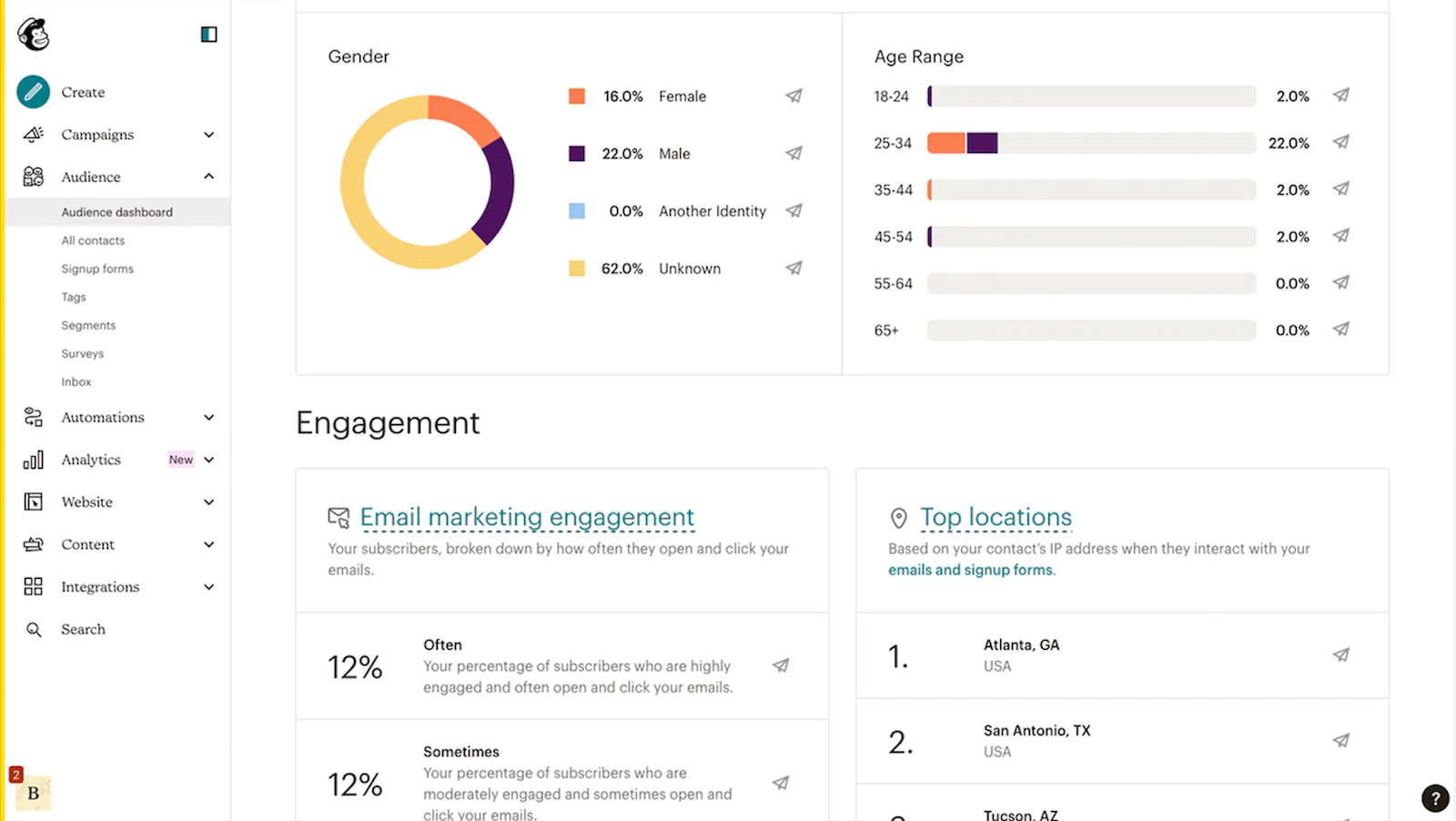
Mailchimp makes communication accessible with an intuitive campaign builder that combines simplicity and power, letting beginners create professional email campaigns without technical knowledge. What’s even better, there’s always their extensive library of 130+ templates to get you going.
I really thought their comprehensive tutorials that walk you through everything (from creating effective conversion points to implementing advanced segmentation) are amongst the best in the biz—they don’t just skim the surface, they actually guide you step-by-step with real examples and best practices.
While Mailchimp pricing concerns many growing businesses, their beginner-friendly approach beats most Mailchimp alternatives that offer lower costs but steeper learning curves and weaker assistance.
Key Features
- AI-powered content suggestions. Unlike MailerLite, Mailchimp suggests subject lines, content ideas, and send times based on AI-driven data;
- Better email editor. Simpler interface with a wider variety of ready-made templates, elements, and design options;
- Free learning resources. Mailchimp provides beginner-focused tutorials and a knowledge base to learn the ropes of email marketing.
- Comprehensive marketing CRM platform. Manage your entire customer relationship with audience insights, marketing automation, and social media posting all in one ecosystem.
Real-World Applications
For organizations prioritizing ease of use and quick implementation, Mailchimp delivers essential functionality tailored to growing businesses:
- Freelancers & small business owners. Set up campaigns without technical expertise; leverage pre-designed templates and straightforward email marketing analytics to establish professional client communications and promotional offers;
- Local stores & nonprofits. Send event invites, promotions, and newsletters easily; utilize location-based segmentation to target community members with relevant announcements;
- First-time sellers. Use simple promotional newsletters to build and grow their email list; implement basic automation sequences that welcome new subscribers and showcase products.
Migration Fit from MailerLite
- Contact & List Import—Importing contacts is straightforward, and you can preserve key fields and basic tags. You’ll typically spend the most time mapping MailerLite groups/segments into Mailchimp’s audience structure (audiences, tags, and segments) so you don’t end up duplicating contacts or fragmenting lists;
- Automation Rebuild Effort—Common flows (welcome series, basic nurture, simple re-engagement) rebuild easily, but more nuanced behavioral data may take extra configuration—especially if you need multiple branching paths, custom events, or tighter timing controls;
- Template & Campaign Transition—Existing newsletter designs usually transfer with light formatting fixes. Expect to re-check brand fonts, spacing, and mobile responsiveness, then rebuild your reusable blocks/templates so weekly or promotional campaigns can be relaunched quickly;
- Learning Curve vs. MailerLite—Day-to-day email creation feels familiar, but Mailchimp has more “platform” complexity around audiences, permissions, and settings. Teams coming from MailerLite’s simpler setup often need a short ramp-up to get comfortable with the audience model and automation options.
MailerLite vs. Mailchimp—Feature Breakdown
This is about as close as you’ll get to a head-to-head comparison between similarly priced marketing platforms. On paper, MailerLite appears to have the edge over Mailchimp, but once you dig into the finer details, the gap narrows and it feels much more evenly matched.
| Feature | MailerLite | Mailchimp | Winner |
| Free Plan | 500 subs + 12k emails/mo | 250 subs + 500 emails/mo | MailerLite |
| Starting Price | $9/month | $13/month | MailerLite |
| Automation Builder | Full visual workflows, easier to access | Powerful but many features locked behind higher tiers | MailerLite |
| Ease of Use | Clean, beginner-friendly | Feature-heavy | MailerLite |
| Templates & Builder | Solid templates, simpler editor | Bigger library, more polish | Mailchimp |
| Integrations | Essentials covered | Huge ecosystem, many native apps | Mailchimp |
| Support | 24/7 Email + live chat support | 24/7 Email & Chat Support | Tie |
Constant Contact — Email Marketing for Events & SMBs
MailerLite’s basic automation and segmentation make it difficult to manage event promotions, reminders, and follow-ups effectively. For businesses that rely on event marketing, Constant Contact is a go-to alternative for event-based marketing.
For instance, their platform integrates invitation distribution, registration management, and post-event communication in one intuitive system. They transform complex event marketing campaigns into streamlined, measurable processes that consistently drive higher participation rates.

Constant Contact pricing: Paid plans start at $12/month for up to 500 contacts | Free trial available
Meanwhile, their RSVP system automatically updates contact records based on registration status and attendance, eliminating the spreadsheet juggling that frustrates event marketers. Their event-specific templates drive significantly higher registrations than generic email layouts, addressing challenges that most competitors ignore.
Constant Contact’s integrated promotion extends your event visibility across channels while maintaining consistent messaging. Their specialized support team provides expert event marketing guidance that goes beyond technical help.
This MailerLite alternative’s prices are a bit higher than some other tools, but you actually get more for your money since the event-specific features replace what you’d normally need several different platforms to handle.
Key Features
- Built-in event registration & RSVP tracking. Unlike MailerLite, Constant Contact lets users create event pages, collect RSVPs, and manage guest lists easily;
- Automated reminder sequences. Send custom reminders, last-minute updates, and follow-ups based on attendee behavior;
- Ticket sales & payment integration. Sell tickets directly without needing extra plugins or software.
- Social media campaign management. Synchronize your email marketing with social media posting, ad campaigns, and audience targeting across multiple platforms from a single dashboard for cohesive multi-channel marketing.
Real-World Applications
For organizations that view events as central to their community-building efforts, Constant Contact offers specialized tools tailored to event-centric marketing needs:
- Webinar & conference hosts. Automate registrations, reminders, and post-event follow-ups; utilize customizable registration forms that capture attendee information and preferences, triggering segmented communication flows that maintain engagement before, during, and after your events;
- Nonprofits & Fundraisers. Manage RSVPs and donation-driven email campaigns seamlessly; leverage the platform’s donation tracking capabilities to create targeted acknowledgment sequences and impact reports;
- Local businesses & event planners. Promote workshops, in-store events, and community gatherings without juggling multiple tools; integrate social media promotion with email campaigns to maximize attendance.
Migration Fit from MailerLite
- Contact & List Import—Importing contacts and basic fields is typically smooth, and you can rebuild your primary lists quickly. If your MailerLite setup relies heavily on tags and nuanced segments, expect some manual mapping to recreate the same targeting structure inside Constant Contact;
- Automation Rebuild Effort—Standard automations (welcome email, simple drip series, basic follow-ups) are easy to rebuild, but more advanced behavior-based logic and multi-branch, automated workflows may need to be simplified or redesigned to match what you had in MailerLite;
- Template & Campaign Transition—Existing newsletter layouts can be recreated with light formatting work. You’ll usually rebuild a few core templates and reusable sections to keep recurring newsletters and promos consistent across campaigns;
- Learning Curve vs. MailerLite—The core workflow is approachable and familiar for newsletter-style sending, with a relatively low learning curve. The main adjustment is getting used to Constant Contact’s list/segment approach and its simpler automation depth compared to MailerLite.
MailerLite vs. Constant Contact—Feature Breakdown
Constant Contact and MailerLite both cover core email marketing, but they differ quite a bit in cost structure and built-in extras. Constant Contact leans toward traditional SMB marketing with events and phone support, while MailerLite focuses on modern automation and lower pricing.
| Feature | MailerLite | Constant Contact | Winner |
| Free Access | 500 subs + 12k emails/mo | No free plan (trial only) | MailerLite |
| Starting Price | $9/month | $12/month | MailerLite |
| Automation Builder | Visual workflows with branching and behavior triggers | Basic automations; more limited logic | MailerLite |
| Template Library | Smaller but modern, responsive templates | 300+ templates | Constant Contact |
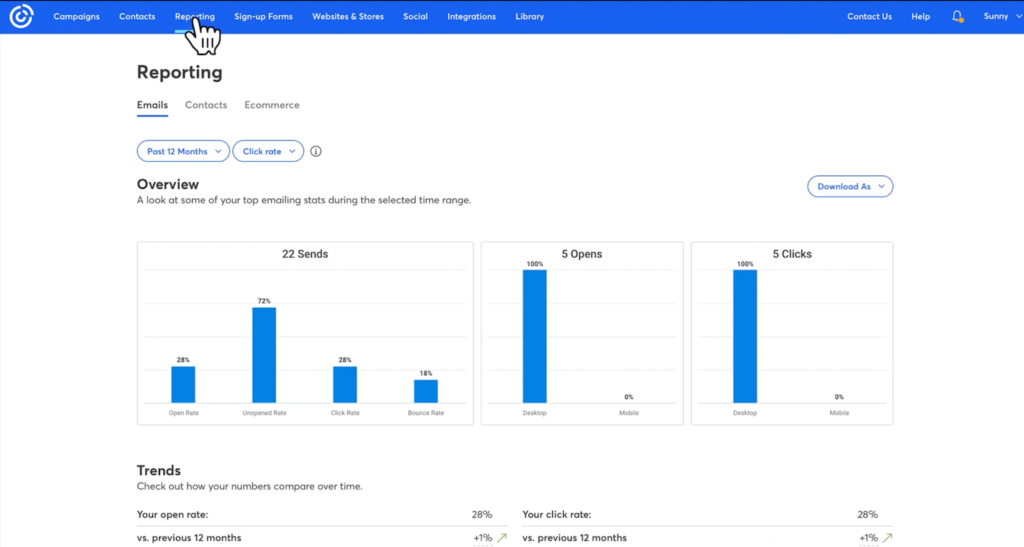
| Reporting & Analytics | Strong but simpler dashboards | More detailed built-in reports and comparisons | Constant Contact |
| Social & Event Tools | No native event tools | Built-in event marketing and social posting tools | Constant Contact |
| Landing Pages | Design-friendly builder with flexible layouts | Included, but more basic | MailerLite |
| Support | 24/7 Email + live chat support | Email + live chat support (with subpar response times) | MailerLite |
| Ease of Use | Cleaner, more modern UI | Guided but slightly dated interface | MailerLite |
Mailjet — Email API and Transactional Email Service
Mailjet offers a better alternative to MailerLite, providing scalable bulk email sending, collaborative email editing, and high deliverability—without any unwelcome surprises.

Mailjet pricing: Paid plans start at $17/month for up to 15,000 monthly emails | Free plan available.
From the start, their enterprise-level infrastructure managed large sending volumes while keeping inbox placement hovering around 85% most of the time. And if that’s not quite enough, Mailjet gives technically savvy users the option to tinker with its API to improve deliverability and unlock other enhancements.
This MailerLite alternative automatically handles complex GDPR compliance across subscription interfaces and data storage, eliminating legal risks associated with manual privacy management.
Their streamlined approach makes Mailjet particularly valuable for content-driven businesses where reliable deliverability is critical—all without sacrificing editorial workflow efficiency.
Key Features
- Real-time email collaboration. Unlike MailerLite, Mailjet allows teams to edit and approve newsletters simultaneously;
- High-volume bulk sending. Optimized SMTP relay and scalable infrastructure make sending large email blasts faster and more reliable;
- Dedicated IP & deliverability control. Protects sender reputation and prevents emails from landing in spam.
- Enterprise-grade security compliance. GDPR, SOC 2, and ISO 27001 certified platform with advanced user permissions, API security, and data protection measures designed for large organizations with strict regulatory requirements.
Real-World Applications
For businesses where email represents a critical, high-frequency communication channel, Mailjet provides specialized infrastructure tailored to sustained email excellence:
- Media & publishing companies. Send daily or weekly newsletters with advanced tracking; leverage Mailjet’s delivery optimization and content management capabilities to distribute time-sensitive content to large subscriber bases;
- Enterprises & large teams. Use collaborative editing tools for seamless email approvals; implement structured workflows with permission controls that enable marketing, legal, and executive stakeholders to efficiently review content;
- Community-based brands. Run newsletter-based product updates and customer engagement campaigns; utilize segmentation capabilities to deliver relevant content to different user cohorts.
Migration Fit from MailerLite
- Contact & List Import—Importing contacts is straightforward, but Mailjet is less “list/segment-first” than MailerLite. If you rely on lots of tags and segments, expect some planning to recreate that structure using contact properties and filtered lists so targeting stays consistent;
- Automation Rebuild Effort—Basic sequences can be set up, but if your MailerLite workflows include richer behavior triggers and branching logic, you may need more hands-on rebuilding (or simplify flows) depending on which Mailjet features you use and how complex your automation needs are;
- Template & Campaign Transition—Templates generally migrate well. You can rebuild your core designs in Mailjet’s editor and save reusable blocks, but you’ll want to re-check spacing, mobile responsiveness, and any dynamic elements during the transition;
- Learning Curve vs. MailerLite—Core sending and template creation are easy to pick up, but teams coming from MailerLite’s marketing-automation-first experience may notice a shift toward a more technical, infrastructure-friendly workflow—especially if you’re also setting up SMTP, domains, and deliverability settings.
MailerLite vs. Mailjet—Feature Breakdown
MailerLite and Mailjet both provide solid email marketing basics, but they differ in pricing logic and feature emphasis. MailerLite leans toward simplicity and automation value, while Mailjet offers flexible sending options and strong API/SMTP capabilities.
| Feature | MailerLite | Mailjet | Winner |
| Free Plan | 500 contacts + 12,000 emails/month | 1,000 contacts + 6,000 emails/month | MailerLite |
| Starting Paid Price | $9/mo | $17/mo | MailerLite |
| Automation Builder | Visual workflows with branch logic | Basic automation builder | MailerLite |
| Templates & Builder | Modern responsive templates | Good template library, drag-and-drop editor | Tie |
| Transactional Email | Focused on marketing sends; SMTP available via integration | Strong transactional email & SMTP focus | Mailjet |
| API & Developer Tools | Basic API support | Robust API + SMTP relay + webhook tools | Mailjet |
| Segmentation | Advanced tagging, behavior segmentation | Segmentation exists but less advanced | MailerLite |
| Ease of Use | Clean, intuitive UI | Simple UI, slightly more technical | MailerLite |
| Reporting & Analytics | Easy campaign reporting | Solid reporting with event data | Tie |
| Customer Support | 24/7 Email + live chat support | 24/7 Email + live chat support | Tie |
ActiveCampaign — Advanced Marketing Automation Platform
ActiveCampaign is an outstanding MailerLite replacement if you need more advanced features beyond simple newsletters, combined with advanced automation.
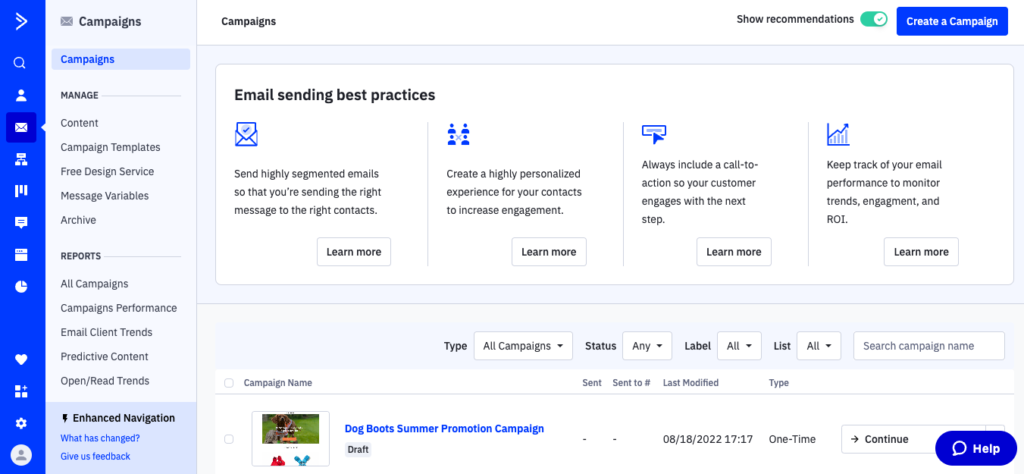
ActiveCampaign stands out with its predictive sending AI, which times emails perfectly based on each subscriber’s behavior. Its automation tools let you build behavior-based workflows without touching code, instead using triggers like email engagement, site visits, goals, or custom events.
ActiveCampaign pricing: Paid plans start at $15/month for up to 1,000 contacts | 14-day free trial available.
I also enjoyed their comprehensive Customer Experience Automation feature, which coordinates touchpoints across email, SMS, and chat support interactions. This advanced behavior tracking incorporates cross-channel engagement into personalization decisions, creating truly cohesive customer journeys.
While their sophisticated features cost more than basic email service providers, ActiveCampaign delivers exceptional value compared to similar MailerLite alternatives.
Key Features
- Predictive sending. ActiveCampaign analyzes subscriber behavior to send emails at the optimal time;
- Dynamic content customization. Automatically adjust email copy, images, and offers based on user preferences and interactions;
- Multi-channel personalization. Use email, SMS, and on-site messages together to create a highly customized experience;
- Advanced CRM integration with sales automation. Seamlessly connect email marketing efforts with sales processes through built-in pipeline management, lead scoring, and automated follow-ups that synchronize customer data across departments.
Real-World Applications
For organizations where customer journey automation and optimization drives revenue growth, ActiveCampaign offers advanced capabilities tailored to relationship-focused businesses:
- Ecommerce stores. Send personalized product recommendations based on browsing history; implement predictive sending that optimizes email timing based on individual engagement patterns;
- B2B SaaS companies. Automate lead nurturing with behavior-driven email sequences; create sophisticated scoring models that identify sales-ready prospects based on website interactions, content consumption, and product usage patterns;
- Coaches & course creators. Deliver customized learning journeys based on user progress; develop conditional content paths that adapt to student engagement levels.
Migration Fit from MailerLite
- Contact & List Import—Importing contacts and custom fields is usually smooth, and you can preserve tags and core segmentation logic with a bit of planning. If your MailerLite account has lots of small segments, you’ll want to standardize tag/field naming during the move to keep your database clean and scalable;
- Automation Rebuild Effort—Standard flows (welcome, nurture, promos, re-engagement) rebuild easily—and ActiveCampaign’s automation can replicate more complex branching, scoring-style logic, and behavior-based triggers. The tradeoff is more setup time upfront to mirror your exact rules, timing, and conditions;
- Template & Campaign Transition—Existing email designs can be recreated with light formatting adjustments, then turned into reusable templates and content blocks. If you plan to use deeper personalization, you may restructure a few emails to take advantage of dynamic content and conditional sections;
- Learning Curve vs. MailerLite—Core emailing will feel familiar, but ActiveCampaign is significantly more automation- and CRM-driven. Teams moving from MailerLite should expect a moderate-to-steeper learning curve as they get comfortable with pipelines (if used), advanced segmentation, and more detailed automation settings.
MailerLite vs. ActiveCampaign—Feature Breakdown
MailerLite and ActiveCampaign both power email marketing and automation, but ActiveCampaign is built as an all-in-one customer experience platform with deeper CRM and advanced automation logic, whereas MailerLite is more streamlined and accessible for straightforward campaigns and workflows.
| Feature | MailerLite | ActiveCampaign | Winner |
| Free Plan | 500 contacts + 12,000 emails/mo | No free plan (trial only) | MailerLite |
| Starting Price | $9/mo | $15/mo | MailerLite |
| Automation Depth | Visual workflows with branching | Advanced automation builder, conditional logic, multi-step paths | ActiveCampaign |
| Segmentation | Tags + behavior segmentation | Granular segmentation & predictive sends | ActiveCampaign |
| Landing Pages | Included, design-friendly | Included on higher tiers | MailerLite |
| Reporting & Analytics | Clear campaign reporting | Advanced attribution & revenue analytics | ActiveCampaign |
| Ease of Use | Clean, intuitive interface | More powerful, steeper learning curve | MailerLite |
| Customer Support | 24/7 Email + live chat | Phone + chat + email (plan-dependent) | ActiveCampaign |
Benchmark Email — Simple Email Marketing for SMBs
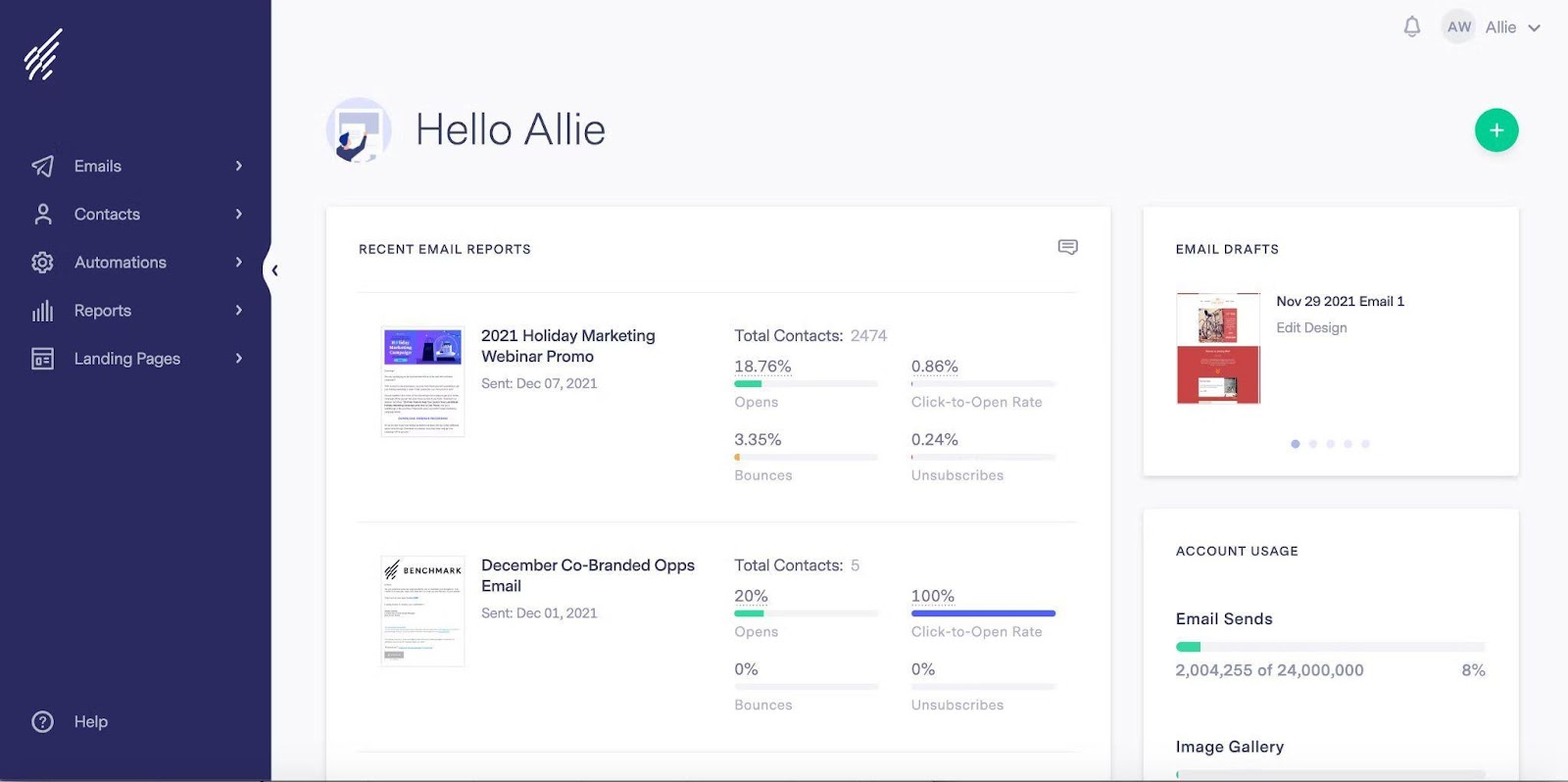
Last but not least, Benchmark Email, which is a far better MailerLite alternative, provides a price tag and set of tailor-made features made for small businesses.
For instance, Benchmark Email eliminates display inconsistencies with their responsive design engine that automatically optimizes messages across all devices without requiring separate desktop and mobile versions.

Benchmark Email pricing: Paid plans start at $13/month for up to 500 contacts | Free plan available
Unlike most competitors with generic templates, Benchmark engineers their designs specifically for conversion across industries, making them particularly effective for businesses with digital offerings. I do have to mention that Benchmark Email still hasn’t fixed their email deliverability issues, which resulted in a rather disappointing inbox placement rate of 53% (which ranks accurately to folks at Emailtooltester results, too).
Besides some minor disappointments, with smart capture mechanisms with progressive profiling that gathers additional information over time, Benchmark Email makes one of the best email marketing for small businesses platforms out there.
Key Features
- Live mobile & desktop previews. Unlike MailerLite, Benchmark lets you preview how emails will render across different screen sizes in real time;
- Responsive drag-and-drop email builder. Intuitive editor with mobile-first templates that adjust dynamically;
- Advanced image editing & video embeds. Customize images, GIFs, and add embedded videos to make emails more interactive;
- Robust inbox testing and spam analysis. Pre-send email validation across 15+ popular email clients and devices with comprehensive spam scoring that identifies potential deliverability issues before campaigns go live.
Real-World Applications
For organizations where visual presentation directly impacts engagement and conversion, Benchmark Email provides specialized tools tailored to design-conscious marketers:
- Ecommerce brands. Showcase products with visually appealing, responsive designs; leverage dynamic content blocks and image-focused layouts that highlight merchandise details with perfect clarity on any screen size;
- Marketing agencies. Design and test high-converting emails across multiple devices; utilize advanced spam testing and inbox preview features to guarantee client campaigns display flawlessly across email clients;
- Event organizers & local businesses. Ensure newsletters and event invites look flawless on mobile; implement location-based responsive designs that present critical event information optimally on smartphones.
Migration Fit from MailerLite
- Contact & List Import—Migrating within MailerLite is typically the smoothest path: contacts, groups, tags, and custom fields map cleanly, so you can preserve your audience structure with minimal manual cleanup;
- Automation Rebuild Effort—Most existing flows can be duplicated or rebuilt quickly since the logic and triggers work the same way. The main effort is sanity-checking entry conditions, timing, and any integrations or custom fields tied to your automations;
- Template & Campaign Transition—Your templates and campaign layouts carry over with little to no redesign work. You’ll mainly review branding, saved blocks, and mobile rendering to ensure everything matches your current style;
- Learning Curve vs. MailerLite—Practically none. The workflow stays familiar, so teams can keep sending with minimal disruption while focusing on cleanup, optimization, or restructuring where needed.
MailerLite vs. Benchmark Email—Feature Breakdown
MailerLite and Benchmark both cover core email marketing needs, but MailerLite tends to offer stronger automation and pricing value, while Benchmark focuses on simplicity and deliverability tools.
| Feature | MailerLite | Benchmark Email | Winner |
| Free Plan | 500 contacts + 12,000 emails/mo | 500 contacts + 3,500 emails/mo | MailerLite |
| Starting Price | $9/mo | $37/mo | MailerLite |
| Automation Builder | Visual workflows with branching logic | Basic automation builder | MailerLite |
| Templates & Design Tools | Modern, responsive templates | Good template library with drag-and-drop | Tie |
| Segmentation | Advanced tagging & behavior segmentation | Solid segmentation, less granular | MailerLite |
| A/B Testing | Campaign split testing included | A/B testing available | Tie |
| Deliverability Tools | Core deliverability insights and best practices | IP warm-up & deliverability tools available | Benchmark Email |
| Ease of Use | Clean, intuitive UI | Very simple, beginner-friendly | Tie |
| Support Experience | 24/7 Email + live chat support | Support via email + live chat; phone varies | Tie |
| Reporting & Analytics | Clear campaign reporting | Strong tracking + geolocation reports | Tie |
MailerLite Alternatives Pricing Compared
| Provider | Free Plan Limit | Price at 5,000 Contacts | Price at 10,000 Contacts | Key Pricing Note |
| Sender | 2,500 subscribers + 15,000 emails/month | $23/mo | $40/mo | Subscriber-based pricing; automation included early |
| Omnisend | 250 reachable contacts + 500 emails/month | $56/mo | $94/mo | Ecommerce-focused features raise pricing |
| Brevo | 100,000 contacts storage + 300 emails/day | Not contact-based | Not contact-based | Pricing based on email volume, not contacts |
| GetResponse | 500 subscribers, 2,500 monthly emails | $46/mo | $66/mo | Subscriber-based pricing; automation included early |
| AWeber | 500 subscribers + 3,000 emails/month | $50/mo | $83/mo | Pricing increases per contact tier |
| Drip | 100 email sends (14-day free trial) | $89/mo | $154/mo | Simple subscriber-tier pricing |
| Mailchimp | 250 contacts + 500 emails/month | $100/mo | $135/mo | Pricing jumps with contact tiers |
| Constant Contact | 100 email sends (Free trial) | $80/mo | $120/mo | Pricing jumps with contact tiers |
| Mailjet | 1,000 contacts + 6,000 emails/month | Not contact-based | Not contact-based | Pricing based on email volume, not contacts |
| ActiveCampaign | 100 email sends (Free trial) | $79/mo | $149/mo | Advanced automation drives higher cost |
| Benchmark Email | 500 contacts + 2,500 emails/month | $63/mo | $93/mo | Simple subscriber-tier pricing |
FAQs
Who should look for MailerLite alternatives?
Businesses that need features beyond basic newsletters should consider MailerLite alternatives. Common needs include more advanced automation, deeper ecommerce integrations, built-in CRM tools, or multichannel messaging such as SMS.
Are MailerLite alternatives better for ecommerce businesses?
Yes, most MailerLite alternatives on this list are better suited for online stores than MailerLite. Ecommerce brands with large catalogs or multiple sales channels often choose platforms like Omnisend or Drip that offer product-based automation, cart recovery workflows, revenue tracking and follow/analyze customer purchase behavior.
Do MailerLite alternatives offer more advanced automation?
Yes, most MailerLite alternatives provide advanced automation builders with branching logic. Platforms with advanced automation, such as Sender and Brevo, typically suit businesses running lifecycle marketing, lead nurturing, or re-engagement programs that go beyond simple autoresponders.
Is migrating from MailerLite to another platform difficult?
No, most email marketing platforms support standard import methods for contacts, tags, and basic campaign data. Automation workflows and templates may need to be rebuilt due to system differences, but core subscriber information usually transfers without major issues.
How do MailerLite alternatives differ in pricing models?
Pricing models vary widely platform-to-platform. Some platforms charge based on subscriber count, while others base costs on email sending volume. Advanced features like automation, CRM functions, or ecommerce tools may only be included in higher-tier plans.