


Paying for separate tools for email, CRM, automation, and funnels adds up quickly, and it creates data silos that slow teams down. We compared 13 all-in-one marketing platforms on the six capabilities that decide whether one platform can replace that stack: a CRM with a deal pipeline, email plus SMS, automation, landing pages and funnels with checkout, analytics and attribution, and ad-audience sync. We also compared costs at 5,000 and 10,000 contacts wherever vendors publish those tiers, with prices checked in October 2026.
The short version: paid entry plans run from $9 to $299 a month at monthly list prices, and a typical bill at 5,000 contacts is about $100 a month. Only two of the 13, HighLevel and Ontraport, include a deal pipeline, SMS, and funnels with checkout natively.
Every review ends with a verdict naming who the platform fits and who should skip it. Teams that only need automation can start with our roundup of email marketing automation software.
What Is an All-in-One Marketing Platform?
An all-in-one marketing platform is a single software system that combines core marketing functions, such as CRM, email, SMS, automation, landing pages, funnels, and analytics, into one unified dashboard. Instead of paying for and managing multiple platforms, one for each channel, teams handle contacts, campaigns, workflows, and reporting from a shared interface.
The practical benefit is data centralization. When CRM, email, and the automation engine share the same contact database, actions in one channel (like a form submission or a purchase) can immediately trigger responses in another (like an email sequence or a pipeline stage change) without manual syncing or third-party connectors.
Not all digital marketing platforms marketed as “all-in-one” cover the same ground. Some focus on CRM and sales pipelines, others on funnels and checkout, and others on email and SMS execution. Six capabilities separate a unified platform from one that covers only part of the marketing workflow: CRM, email and SMS, automation, funnels, analytics, and ad sync.
What Makes a Platform Truly All-in-One?
We scored every platform on six capabilities, because together they cover the jobs a separate CRM, email tool, SMS tool, page builder, and reporting tool would otherwise do.
A platform gets a Yes when the capability is native and included on a standard paid plan, a Partial when it is limited, sold as an add-on, locked to a top tier, or needs a paired product, and a No when it is missing. The quick comparison table shows the three capabilities where the 13 platforms differ most, and each review covers the rest alongside the platform’s other key features.
- CRM with deal pipeline. Yes: a native deal pipeline with stages. Partial: a contact CRM without deal stages, or a pipeline that lives in a separate paired product. No: contact lists only.
- Email + SMS. Yes: both channels on standard paid plans, drawing from one contact database, so SMS campaigns share segments and reporting with email. Two-way SMS, where contacts can reply, is a plus but not required for a Yes. Partial: SMS only as a paid add-on or on top-tier plans. No: email only.
- Automation. Yes: a visual builder with triggers, conditions, and branching paths for multi-step marketing workflows such as onboarding, cart recovery, and re-engagement. Partial: linear sequences, or branching locked behind a higher tier. No: basic autoresponders only.
- Landing pages and funnels, including checkout. Yes: landing pages, multi-step sales funnels, and a native checkout or order form. Partial: landing pages or forms without a native checkout, or payments and invoices without a funnel builder. No: neither.
- Analytics and attribution. Yes: cross-channel reports that tie revenue back to specific campaigns. Partial: campaign-level open, click, and conversion reports without revenue attribution. No: basic send statistics only.
- Ad-audience sync. Yes: native sync of segments built from CRM data to ad platforms such as Meta Ads and Google Ads for retargeting. Partial: sync through a third-party connector such as Zapier. No: no ad integration.
Benefits of All-in-One Marketing Platforms
Consolidating essential marketing tools into a single platform lowers software and connector costs, keeps contact data in one record, and shortens campaign setup and reporting.
- Lower total cost. Replacing three to five standalone subscriptions (email, CRM, landing pages, automation, SMS) with one platform typically reduces monthly SaaS spend. It also eliminates the cost of middleware connectors like Zapier that are often needed to sync disconnected tools.
- Shared data across channels. When email, SMS, CRM, and automation draw from the same contact database, every campaign works with up-to-date information. A purchase logged in the CRM immediately updates segmentation in email and SMS, without waiting for a sync cycle or risking data mismatches.
- Faster campaign execution. Teams can build a landing page, connect it to an automation workflow, and launch an email sequence without switching tabs or configuring integrations between separate platforms. Fewer handoffs between tools means shorter time from idea to live campaign.
- Simpler reporting. With all channels feeding into one analytics dashboard, teams can compare email, SMS, funnel, and ad performance side by side. This reduces the time spent aggregating data from multiple sources and makes attribution easier to track.
- Easier onboarding and maintenance. One login, one interface, one support team. Training new team members is faster when there is a single all-in-one platform to learn, and troubleshooting is simpler when data flows through one system rather than a chain of connected tools.
All-in-One vs. Single-Channel Platforms
A single-channel platform does one digital marketing job in depth: an ad platform runs paid campaigns, an SEO tool tracks rankings and backlinks, a social media management tool schedules and publishes posts, and an email-only tool sends newsletters and sequences. An all-in-one suite trades some of that depth for a shared contact record, so a form fill, an email click, and a deal stage change all update the same profile.
A single-channel stack is the better choice when one channel drives most of your revenue and you need its advanced features, when your team already relies on a CRM for managing customer relationships and doesn’t want to replace it, or when you only need one or two tools and connector costs stay low. If you’re building that kind of stack, our guide to digital marketing tools covers the options category by category.
How We Evaluated These Platforms
We tested each platform on its entry-level paid plan, or on the tier closest to Mailchimp’s Essentials plan where plan structures didn’t line up, using a standardized 1,000-contact list of people who had interacted with a newsletter in the last 90 days. None of the contacts were purchased or scraped.
What we evaluated on every platform:
- Email builder
- Automation depth (trigger types, conditional logic, branching)
- List and segment management
- Form builder and landing pages
- Deliverability, based on third-party testing data
- Support responsiveness on the entry-level plan
- Customer reviews on G2, Capterra, Trustpilot, and Reddit
- Pricing model
We also scored each platform on six all-in-one capabilities: CRM pipeline, email plus SMS, automation, funnels with checkout, attribution, and ad-audience sync.
Deliverability: We relied on third-party data from tools like GlockApps and EmailTooltester to benchmark inbox placement, spam rates, and domain reputation, and ran our own tests with identical campaign setups across platforms. The third-party figures quoted in the reviews were last checked between December 2025 and January 2026. Sender’s figure is an internal measurement, and we label it that way.
User reviews: We looked for patterns across a large volume of recent reviews on G2, Trustpilot, and Capterra, covering ease of use, support quality, pricing transparency, and feature reliability, and weighed positive and negative feedback instead of picking individual quotes.
What we did not test: Enterprise features (SSO, dedicated IPs, custom SLAs), SMS sending at volume, and transactional email beyond basic SMTP. This review is aimed at SMBs, independent creators, and agencies with lists of up to 50,000 contacts.
Pricing: All prices were verified in October 2026 and are shown in USD, with annual discounts listed separately from monthly prices. Check each platform’s pricing page before you buy.
Capterra, G2, Trustpilot, and Reddit to create an objective evaluation. Learn more about our review methodology
Best All-in-One Marketing Platforms – Quick Comparison
HighLevel and Ontraport are the only two of the 13 all-in-one marketing platforms that score Yes on CRM with deal pipeline, SMS, and funnels with checkout. The table compares the three capabilities where these online marketing platforms differ most. Yes means native on a standard paid plan, Partial means limited, sold as an add-on, or top-tier only, and No means not available.
| Platform | Best for | CRM with deal pipeline | SMS | Funnels and checkout | Free plan / trial |
| HubSpot | CRM-led sales and marketing teams | Yes | Partial (Professional and up) | Partial (landing pages) | Free CRM (2 users) |
| HighLevel | Marketing agencies and white-label resellers | Yes | Yes | Yes | 14-day trial |
| Keap | Service businesses that invoice and book appointments | Yes | Yes | Partial (invoices and payments) | 14-day trial |
| Ontraport | Sales automation with built-in payments | Yes | Yes | Yes | 14-day trial |
| Zoho Marketing Plus | Multichannel campaign planning | Partial (via Zoho CRM) | Yes | Partial (landing pages) | 15-day trial |
| Mailchimp | Beginners who want email-first marketing | Partial | Partial (paid add-on) | Partial (landing pages) | Free plan (250 contacts) |
| ActiveCampaign | Ecommerce automation | Yes (Enterprise) | Partial (paid add-on) | Partial (landing pages) | 14-day trial |
| Brevo | Multichannel messaging on a budget | Yes | Yes | Partial (landing pages) | Free plan (300 emails/day) |
| GetResponse | Growing an email list | Partial | Partial (MAX and Enterprise) | Yes | Free plan (500 contacts) |
| Sender | Simple email and SMS automation | No | Yes (from Standard) | Partial (landing pages) | Free plan (2,500 subscribers) |
| Systeme.io | Course creators on a budget | Yes | No | Yes | Free plan (2,000 contacts) |
| Kartra | Behavior-based sales funnels | Partial | Yes | Yes | 14-day trial |
| Ahrefs | SEO, competitor research, and AI search visibility | No | No | No | Free (limited features) |
Seven of the 13 platforms offer a free plan, and the other six offer a trial of up to 30 days instead.
Quick Picks: Find the Best All-in-One Marketing Platform
Our pick for each use case among the 13 all-in-one marketing platforms, with the reason in one line:
- Best for CRM-led sales and marketing teams: HubSpot. Deals, emails, and support tickets share one contact timeline.
- Best for marketing agencies and white-label resellers: HighLevel. Client sub-accounts, plus SaaS reselling on Agency Pro.
- Best for service businesses that invoice and book appointments: Keap. Invoices, payments, and booking sit inside the CRM.
- Best for sales automation with built-in payments: Ontraport. One automation takes a payment and grants membership access.
- Best for multichannel campaign planning: Zoho Marketing Plus. Email, social, SMS, webinars, and events in one dashboard.
- Best for beginners who want email-first marketing: Mailchimp. A free plan, then customer journeys on Standard.
- Best for ecommerce automation: ActiveCampaign. Store data feeds cart recovery and reorder workflows.
- Best for multichannel messaging on a budget: Brevo. Priced by emails sent, not contacts stored.
- Best for growing an email list: GetResponse. Landing pages and signup forms from $19/month.
- Best for simple email and SMS automation: Sender. Free plan: 2,500 subscribers, 15,000 emails a month.
- Best budget platform for course creators: Systeme.io. Free plan: 3 funnels and 1 course.
- Best for behavior-based sales funnels: Kartra. Funnels respond to page visits, video views, and purchases.
- Best for SEO and competitor research: Ahrefs. Competitor traffic, backlinks, and brand visibility in AI answers sit in one dashboard.
How Much Does an All-in-One Marketing Platform Cost?
As of October 2026, paid entry plans run from $9 a month (Sender Standard) to $299 a month (Keap) at monthly list prices, and a typical bill at 5,000 contacts is about $100 a month, the median of the seven platforms that publish a 5,000-contact price. Costs climb with list size: HubSpot Starter goes from $210 to $410 a month between 5,000 and 10,000 contacts.
Real cost for online marketing software rarely matches the advertised price because platforms charge by different units: contacts, emails sent, seats, or sub-accounts. Extra fees then stack on top, including SMS credits, email and SMS wallets, transaction fees on sales, onboarding fees, and charges for extra users. Our guide to email marketing costs breaks these fee types down in more detail.
Six platforms offer a free plan and six offer a trial instead; the quick comparison table shows which.
| Platform | Starting price | Cost at 5,000 contacts | Cost at 10,000 contacts | Extra fees |
| HubSpot | $20/seat/mo list price | $210/mo | $410/mo | Extra seats; $3,000 onboarding fee on Professional |
| HighLevel | $97/mo | $97/mo + usage | $97/mo + usage | Email $0.675 per 1,000 sends; SMS $0.0075 per segment |
| Keap | $299/mo | $449/mo | $539/mo | $39/mo per extra user; onboarding fee ($500 promotional, $1,500 standard) |
| Ontraport | $99/mo | $230/mo | $356/mo | Inbox for $34/user/mo, dynamic CMS for $49/month |
| Zoho Marketing Plus | $30/mo | Request a price quote | Request a price quote | $12/mo per extra marketer (adds 1,000 contacts) |
| Mailchimp | Free (250 contacts); Essentials $13/mo for the first 12 months (500 contacts) | $100/mo (Standard) | $135/mo (Standard) | SMS add-on; unsubscribed contacts count toward billing |
| ActiveCampaign | $19/mo | $99/mo | $189/mo | SMS add-on |
| Brevo | Free (300 emails/day) | $32/mo (500,000 contacts included) | $32/mo (500,000 contacts included) | SMS credits; WhatsApp from Professional ($499/mo) |
| GetResponse | $19/mo | $54/mo | $79/mo | Automation workflows start on Marketing Automation ($59/mo) |
| Sender | Free (2,500 subscribers, 15,000 emails/mo) | $39/mo | $69/mo | SMS credits (about $0.015 per US message); SMS in automations from Professional ($60/mo at 5,000) |
| Systeme.io | Free (2,000 contacts) | $17/mo | $47/mo | No transaction fees on sales |
| Kartra | $59/mo | $229/mo | $229/mo | 5% transaction fee on Essentials |
Three examples show how the pricing model changes the bill:
- Contacts plus seats (HubSpot): Per-seat pricing lists Starter at $20 per seat, and the plan climbs from $210 a month at 5,000 contacts to $410 at 10,000, so team size and list size both move the price.
- Flat fee plus usage (HighLevel): Starter costs $97 a month with unlimited contacts, and usage-based pricing adds $0.675 per 1,000 emails and $0.0075 per SMS segment.
- Email volume (Brevo): Starter begins at $9 a month for 5,000 emails, and how many contacts you can store depends on the email volume you buy.
13 Top All-in-One Marketing Platforms for Various Business Needs
Every review in this section follows the same structure: a verdict up front, pricing and deliverability data, a rating box, standout features, use cases, competitive edge, limitations, and a closing verdict. The list covers all-in-one marketing solutions from CRM-led suites to funnel builders and isn’t a ranking.
1. HubSpot – Best for CRM-Led Sales and Marketing Teams
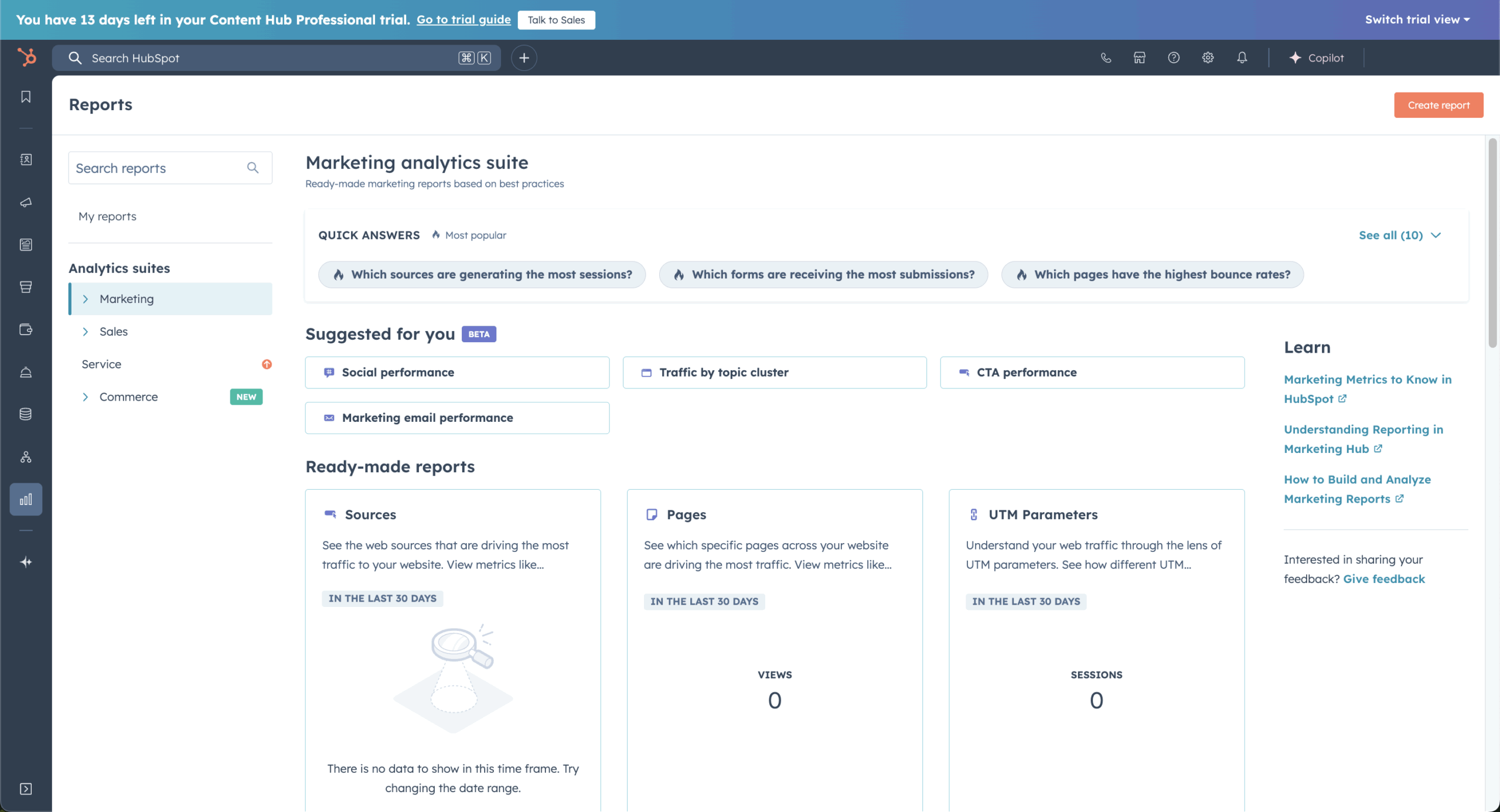
HubSpot fits teams that want one marketing and sales platform built around the CRM: contacts, deals, emails, forms, and support tickets sit on one timeline, and deal-stage changes can trigger marketing emails and other actions. The trade-off is cost, which grows with every seat and contact tier.
HubSpot Marketing Hub Starter has a $20/seat/month list price, with a $7 to $10 offer for new customers, and the free CRM covers up to 2 users. At 5,000 contacts, Starter costs $210 a month. GlockApps data from December 2025 puts HubSpot’s deliverability at 73.5% and its inbox placement at 48.1%.
Standout Features
- Unified CRM platform. HubSpot’s CRM, sales, marketing, and service tools all live in one connected ecosystem;
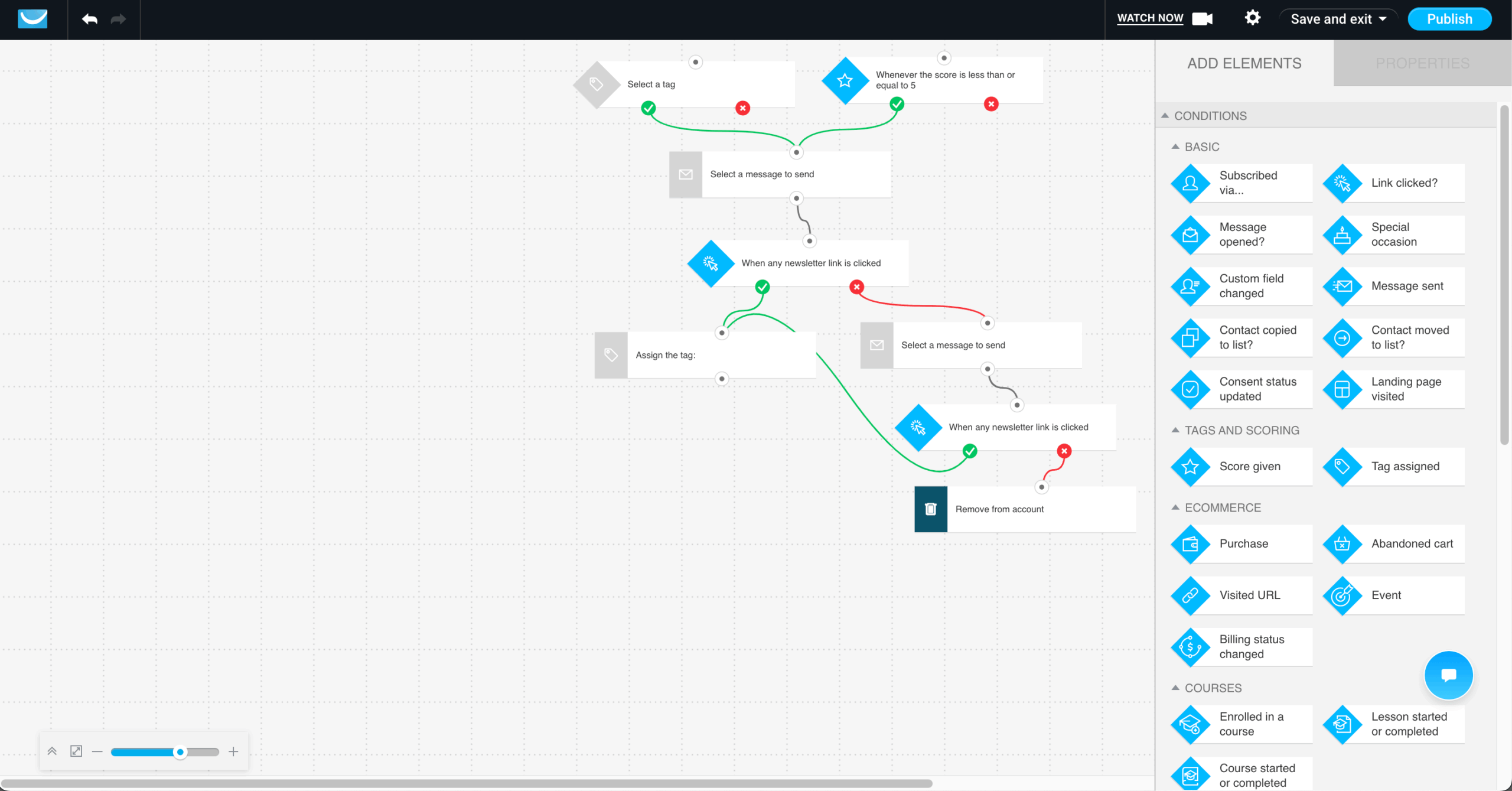
- Automation builder. Create multi-step automation workflows triggered by behavior, form fills, or lead status changes;
- Marketing content management. Store landing pages, emails, files, and templates in a centralized, easy-to-access dashboard;
- Cross-team visibility. Track every customer interaction across marketing, sales, and support to ensure alignment.
Use Cases
HubSpot’s main users are B2B teams whose sales and marketing work from one pipeline:
- B2B startups. Use its CRM tools and sales pipelines for lead nurturing, customer interactions and follow-ups;
- Sales-oriented businesses. Automate sales follow-ups and funnels from one dashboard;
- Large enterprises. Connect marketing, sales, and support teams for coordinated operations.
Competitive Edge
HubSpot’s edge is one shared contact record across marketing, sales, and service, so every team sees the same history. It offers marketing automation tools for teams that want complete visibility, automation, and customer tracking without needing to switch between disconnected tools.
- Align sales, support, and marketing teams with shared data and customer activity logs.
- Easily manage email, CRM, automation, and analytics within a single connected workspace;
- Build custom journeys that trigger emails or actions based on real-time user behavior;
- Access free CRM and marketing tools before committing to premium-tier pricing plans;
Limitations
HubSpot’s pricing model is the main drawback for lean teams, followed by the gap between Starter and Professional.
- Per-seat costs grow with the team. At the $20/seat list price, five marketers pay $100 a month in seats alone, and Starter rises from $210 to $410 a month between 5,000 and 10,000 contacts;
- Free CRM caps at 2 users. A third teammate means a paid seat;
- Workflows sit on Professional. Starter has no automation workflows or A/B testing, and Professional starts at $890 a month plus a $3,000 onboarding fee;
- Learning curve. Mastering workflows or multi-channel attribution takes time and training.
Verdict
HubSpot is best for: B2B sales and marketing teams that manage deals in a pipeline and can budget for Professional once they need workflows. Not for: solo founders or small stores that mainly send newsletters, since per-seat and contact pricing outpaces their needs. Larger enterprises should also compare dedicated marketing software such as Salesforce Marketing Cloud or Adobe Marketo Engage.
2. HighLevel – Best for Marketing Agencies and White-Label Resellers
HighLevel gives agencies one login for many client businesses, with a sub-account per client and the option to resell the platform under their own brand.

HighLevel’s Starter plan costs $97/month (3 sub-accounts, unlimited contacts), Unlimited $297/month, and Agency Pro $497/month with SaaS mode. All plans include a 14-day free trial. HighLevel isn’t in the third-party deliverability data we used.
Standout Features
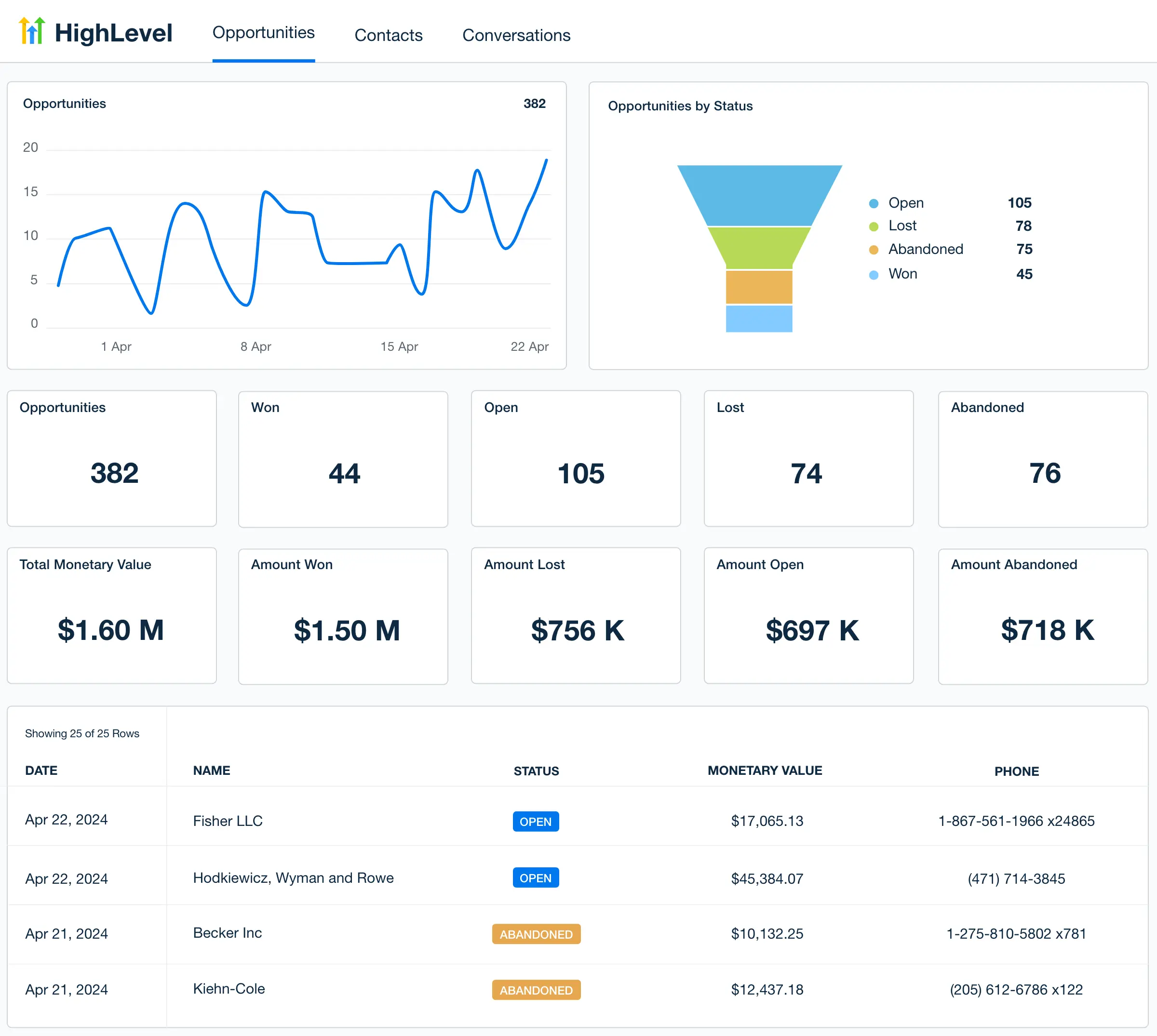
- CRM and pipeline management. HighLevel stores all contacts in a centralized database with custom fields, tags, and smart lists that update dynamically. Track deals through visual pipelines with drag-and-drop stage management.
- Multi-channel automation. Build workflows that trigger emails, SMS, voicemail drops, Facebook Messenger messages, and WhatsApp messages based on contact behavior, form submissions, or pipeline stage changes.
- Funnel and website builder. Create landing pages, multi-step sales funnels, and full websites using a drag-and-drop editor. Templates are available by industry. Forms, calendars, and payment integrations connect directly to the CRM.
- White-label and SaaS mode. On higher-tier plans, agencies can rebrand the platform with their own domain, logo, and colors, and resell it to clients as a standalone SaaS product with custom pricing tiers and automated billing.
Use Cases
HighLevel is used primarily by marketing agencies, consultants, and service businesses that manage multiple client accounts or need to consolidate their marketing stack. Common applications include:
- Marketing agencies. Manage multiple client accounts through sub-accounts, each with its own CRM, pipelines, automations, and funnels. Resell the platform as a white-labeled product on higher-tier plans.
- Service businesses. Automate appointment scheduling, follow-up sequences, review requests, and payment collection from a single dashboard.
- Consultants and freelancers. Replace separate tools for CRM, email, funnels, and scheduling with one platform. Use the Starter plan to manage a small client roster or personal business.
Competitive Edge
HighLevel differentiates itself through agency-centric features, particularly sub-account management, white-labeling, and SaaS reselling, that most competing platforms do not offer natively.
- All plans include unlimited contacts and unlimited users. Pricing is not contact-based, unlike HubSpot or ActiveCampaign.
- Sub-account architecture allows agencies to manage multiple client businesses from a single login, each with isolated data and workflows.
- White-label and SaaS mode (Unlimited and Agency Pro plans) let agencies rebrand and resell the platform as their own product with custom billing.
- Combines CRM, funnels, email, SMS, scheduling, payments, and reputation management in one platform, reducing the need for separate subscriptions.
Limitations
HighLevel’s main drawbacks are setup time and usage fees.
- Steep learning curve. Covering every channel at once slows the first setup.
- Usage fees. Email ($0.675 per 1,000 sends) and SMS ($0.0075 per segment) come from a wallet on top of the plan.
- Thin ecommerce. Nothing beyond basic order forms, and the email builder has fewer design options than Mailchimp’s.
Verdict
HighLevel is best for: agencies managing several client accounts that want to resell a branded platform. Not for: a single business that only needs email and a CRM.
3. Keap – Best for Service Businesses That Invoice and Book Appointments
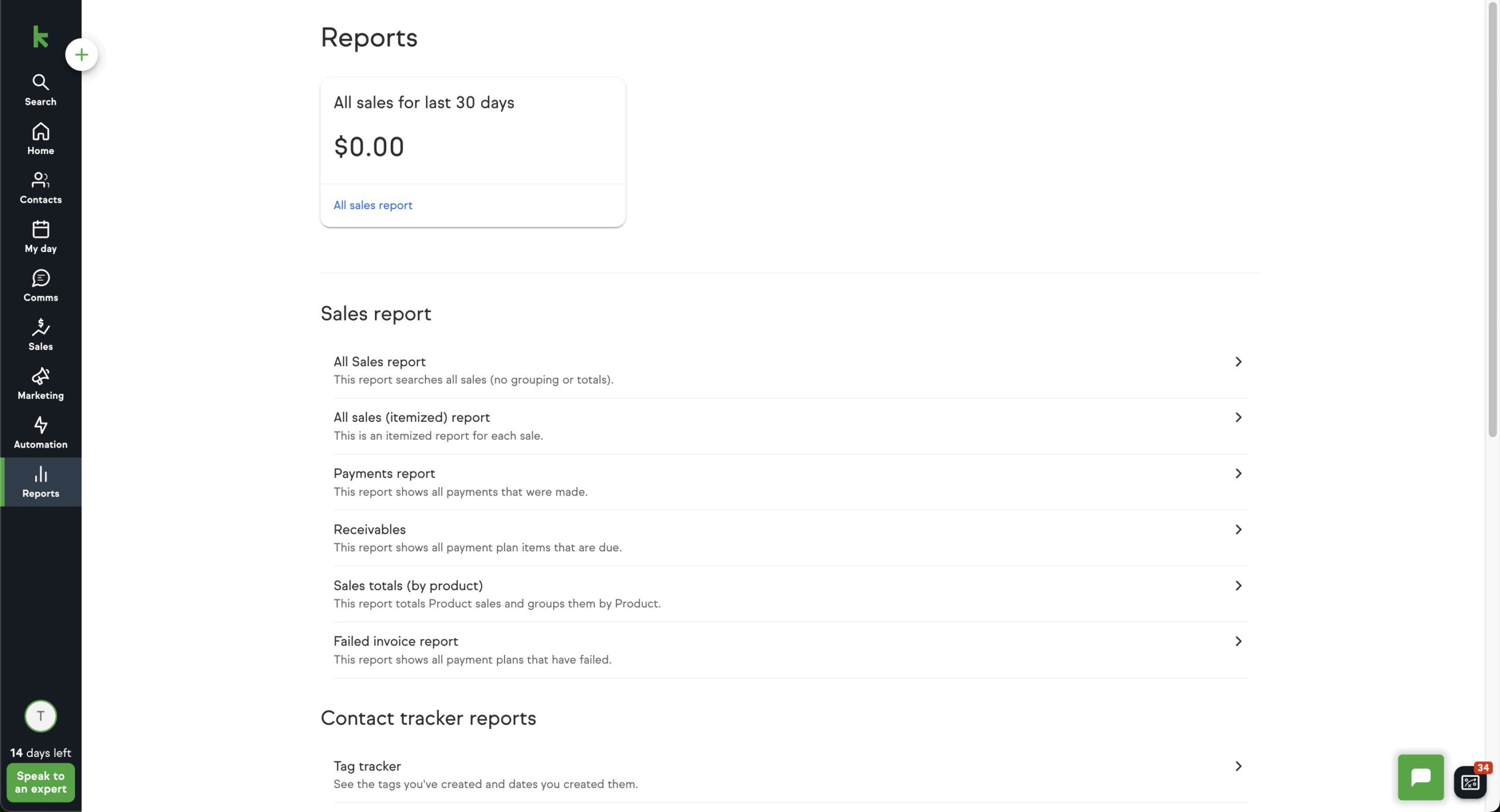
Keap puts CRM, invoicing and payments, and appointment booking in one system, which suits service businesses where the sale continues after the first conversion. It has one plan and no lower tier. Keap is now a Thryv brand.
Keap costs $299/month billed monthly with 2 users included and $39/month per extra user. The plan covers about 1,500 contacts. SMS and voice usage is tiered separately, with 500 texts and 100 minutes included. Keap isn’t covered by the third-party deliverability reports we used.
Standout Features
- CRM with automation. Keap tracks leads, tags behaviors, and triggers automated follow-ups from a central dashboard;
- Nurturing & sales tools. Automate appointment scheduling, payment requests, and follow-up reminders in one workflow;
- Email & SMS campaigns. Send targeted, automated messages through both email and text for better customer engagement;
- Invoicing & payment integration: Build and send invoices with integrated payment links for faster collections.
Use Cases
Keap is marketing software for small business teams that run client management, billing, and marketing from one system:
- Startups. Automate lead capture, follow-ups, and payments from day one;
- Service businesses. Manage client relationships, appointments, and invoices without extra tools;
- SMBs. Automate marketing campaigns while handling sales pipelines efficiently.
Competitive Edge
Keap’s edge is billing inside the CRM: invoices, payments, and appointments sit on the same contact record as its email and SMS automation.
- Manage leads, schedule appointments, and send invoices from one unified dashboard;
- Automate follow-ups and nurture sequences using simple, drag-and-drop logic builders;
- Run targeted email and SMS campaigns directly tied to CRM activity and purchase history;
- Ideal for small teams that need a blend of operations, marketing, and client management.
Limitations
Keap covers operations for small teams, but its pricing and a few gaps stand out.
- Pricey plans. At $299/month billed monthly with 2 users included and $39 per extra user, it costs more than tools with overlapping features, and onboarding adds a fee;
- Limited design flexibility. Keap’s page and email builder offer less creative control than dedicated email platforms;
- Trial and data limits. The 14-day trial caps you at 25 emails, text broadcasts are US-only, and tags, notes, and deals need separate exports.
Verdict
Keap is best for: service businesses of 2 to 10 people, such as consultants, coaches, and home-service companies, that invoice clients and book appointments. Not for: ecommerce stores or first-time buyers looking for entry-level automation, since the single plan and onboarding fee set a high floor.
4. Ontraport – Best for Sales Automation With Built-In Payments
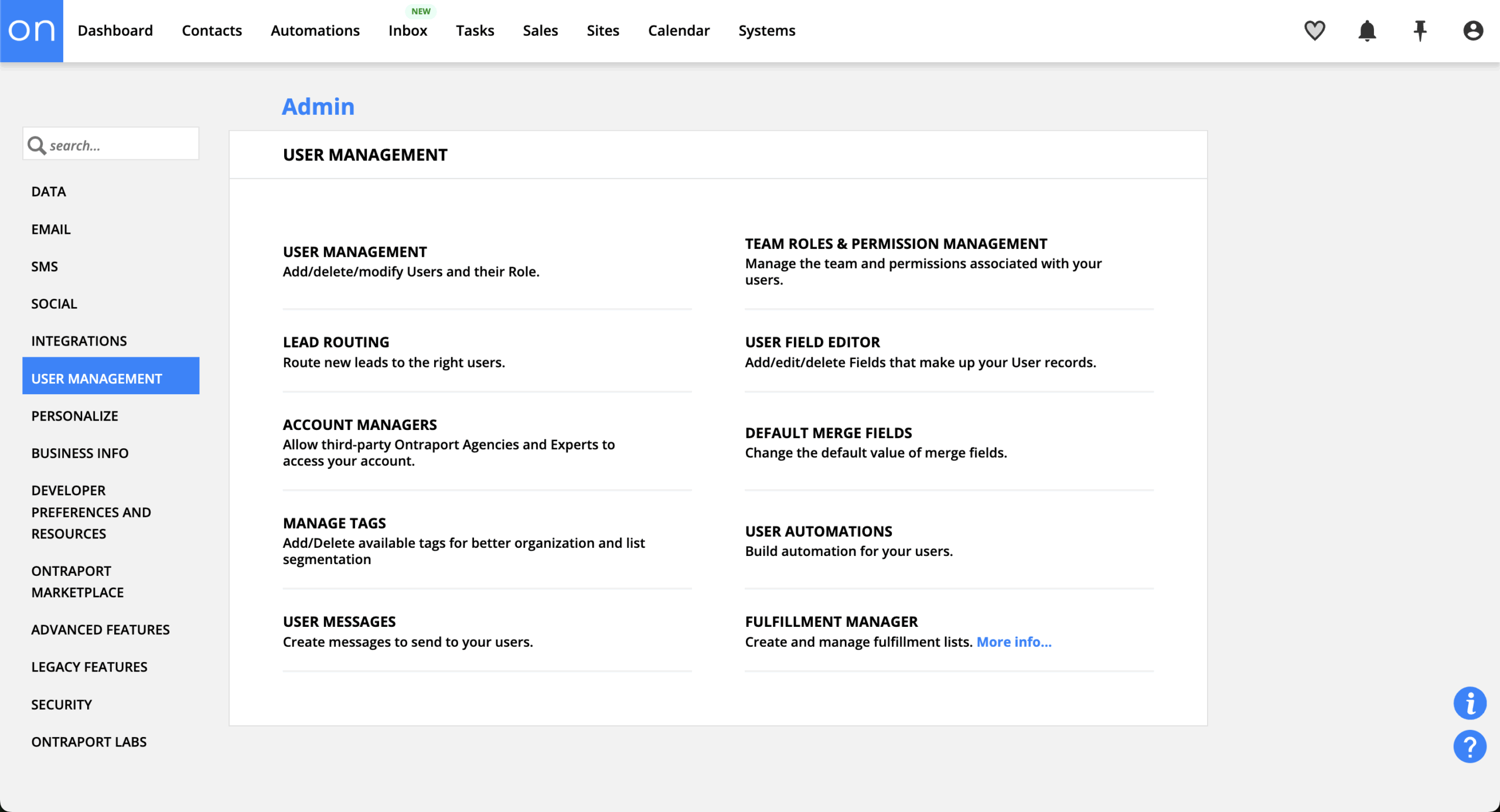
Ontraport connects CRM, email, SMS, landing pages, payments, membership sites, and affiliate management, so a single automation can capture a lead, take a payment, and grant course access. Membership sites drip course content and track student progress. Payments handle subscriptions, payment plans, trials, and coupon codes natively.
Ontraport plans start at $99/mo for 500 contacts and 1 user, with a 14-day free trial, and annual billing gives two months free. Ontraport isn’t covered by the third-party deliverability reports we used.
Standout Features
- Sales workflow automation. Ontraport automates lead scoring, tasks, and follow-ups across every stage of the funnel;
- Custom CRM setup. Build personalized fields, pipelines, and contact views to match how your business sells;
- Built-in payments. Accept one-time or recurring payments, automate invoicing, and manage subscriptions in-platform;
- Appointment scheduling tools. Book calls or consultations through automated workflows with zero third-party plugins.
Use Cases
Ontraport fits service businesses, coaches, and course sellers that need end-to-end sales automation and customer management:
- Service-based businesses. Automate client onboarding, appointment scheduling, and payments;
- Ecommerce stores. Manage customer data, automate follow-ups, and track sales performance;
- Coaches and consultants. Streamline lead management, nurture sequences, and invoicing.
Competitive Edge
Ontraport’s edge is that contacts, tasks, payments, and membership access connect inside one automation, without leaving the platform.
- Automate every step of the sales process from lead capture to invoicing;
- Customize pipelines, score leads, and trigger follow-ups based on user behavior;
- Accept payments, manage subscriptions, and send invoices, all from one dashboard;
- Ideal for service businesses and solopreneurs looking to scale without added tools.
Limitations
Ontraport’s weak spots are a learning curve for non-technical teams and a smaller integration list.
- Interface isn’t beginner-friendly. The dashboard takes time to get used to, especially for non-technical teams;
- Limited integrations. Compared to platforms like Zoho or HubSpot, third-party integrations are more restricted.
- Dated interface. Ontraport’s interface looks dated next to newer platforms.
Verdict
Ontraport is best for: solopreneurs and small teams selling courses, memberships, or coaching programs who want payments and content access inside the same automation. Not for: physical-product stores, which get limited ecommerce features. Ontraport’s integration list and user community are also smaller than HubSpot’s or Mailchimp’s, so expect fewer templates and tutorials.
5. Zoho Marketing Plus – Best for Multichannel Campaign Planning
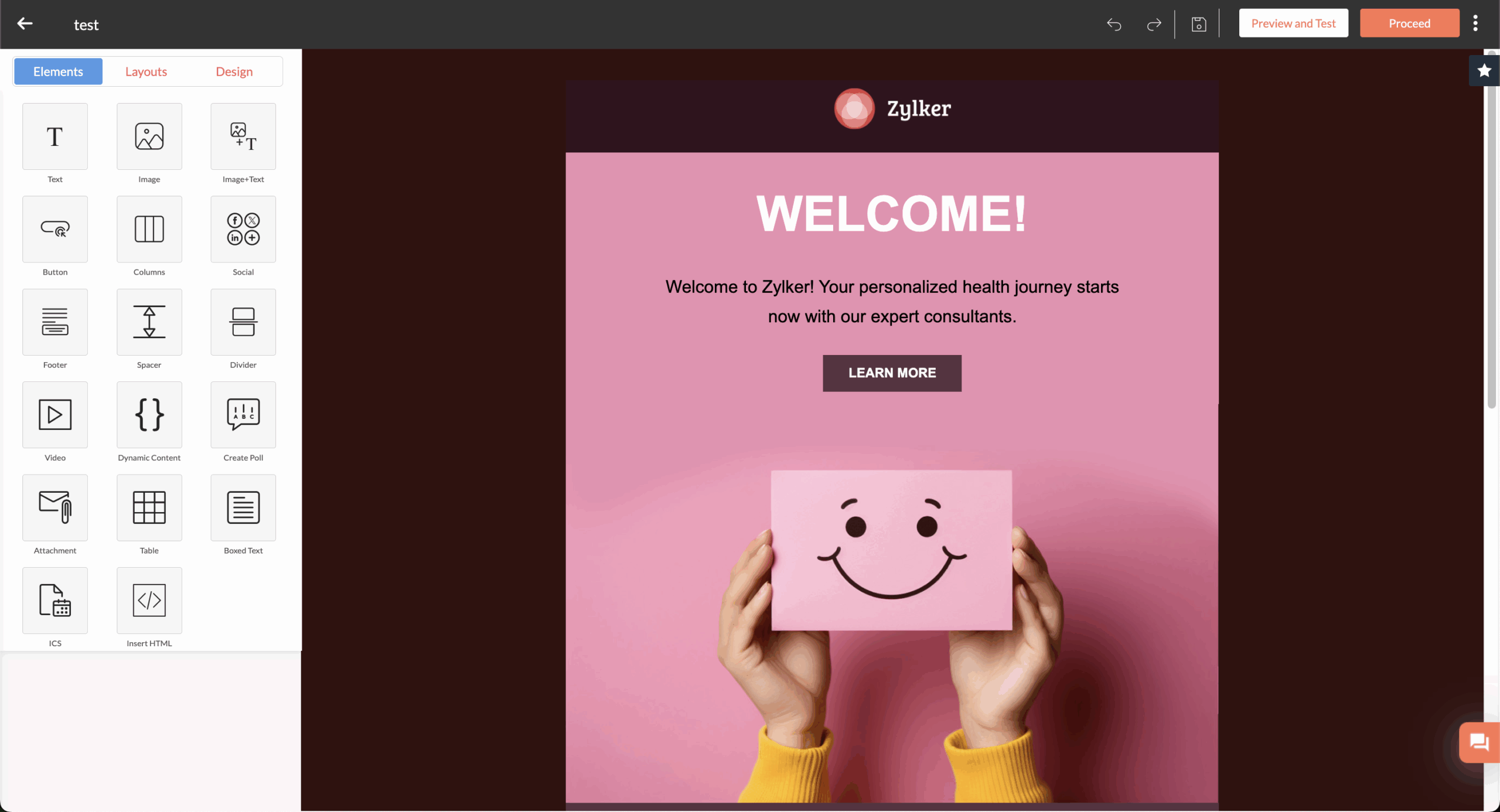
Zoho Marketing Plus is an all-in-one digital marketing platform that runs email, social, SMS, WhatsApp, events, and webinars from one campaign dashboard, with an AI campaign planner on top. It handles campaign execution, not sales: deal pipelines live in Zoho CRM, a separate product that pairs with it natively.

Zoho Marketing Plus costs $30/month billed monthly or $25/month billed annually for 1 marketer and 1,000 contacts, and each extra marketer adds 1,000 contacts for $12/month ($10 billed annually). A 15-day free trial needs no credit card. Zoho CRM Plus, the full suite with sales, service, and analytics, costs $57/user/month. Zoho isn’t covered by the third-party deliverability reports we used.
Standout Features
- One campaign dashboard. Zoho Marketing Plus plans and tracks email, social, SMS, and WhatsApp campaigns from one interface with cross-channel reporting;
- AI campaign planner. Zia, Zoho’s AI marketing assistant, helps plan campaigns across channels;
- Webinars and events. Host webinars (25 attendees on the base plan), manage events, and run surveys, with attendee data flowing back into campaigns;
- Social publishing. Schedule posts to eight networks, including Facebook, Instagram, LinkedIn, and TikTok.
Use Cases
Zoho Marketing Plus fits teams that plan and run campaigns on several channels at once:
- Small marketing teams on Zoho CRM. Contact data, deal stages, and support tickets move between Zoho apps without connectors;
- Event-driven businesses. Promote, host, and follow up on webinars and events inside one campaign;
- Teams replacing several channel tools. Move email, social media scheduling, SMS, and surveys under one subscription.
Competitive Edge
Zoho Marketing Plus’s draw is running campaigns across multiple channels at a low entry price. For teams already using Zoho CRM, Zoho Desk, or Zoho Books, data moves between apps natively, which removes the connector work other suites need.
- Run email, social, SMS, WhatsApp, webinars, and events from one dashboard;
- Pair with Zoho CRM for deal pipelines, or move to CRM Plus for the full suite;
- Add marketers in $12/month steps instead of jumping a full plan tier;
- Test all the features for 15 days without a credit card.
Limitations
Zoho Marketing Plus falls short on automation depth and on integrations outside the Zoho ecosystem.
- Basic automation. Workflows handle lead nurturing and triggers but lack the branching depth of ActiveCampaign or HubSpot;
- Weaker outside Zoho. Integrations with non-Zoho tools are more limited, and there’s no deal pipeline without Zoho CRM;
- Small contact allowance. The base plan includes 1,000 contacts, so larger lists need extra marketer seats;
- Reporting and support gaps. Advanced analytics options are limited, and support responsiveness can be inconsistent.
Verdict
Zoho Marketing Plus is best for: small marketing teams already using Zoho CRM that plan multichannel marketing campaigns across email, social, SMS, and events. Not for: teams that need advanced automation branching or run their CRM outside Zoho, who will hit the integration and workflow limits quickly.
6. Mailchimp – Best for Beginners Who Want Email-First Marketing
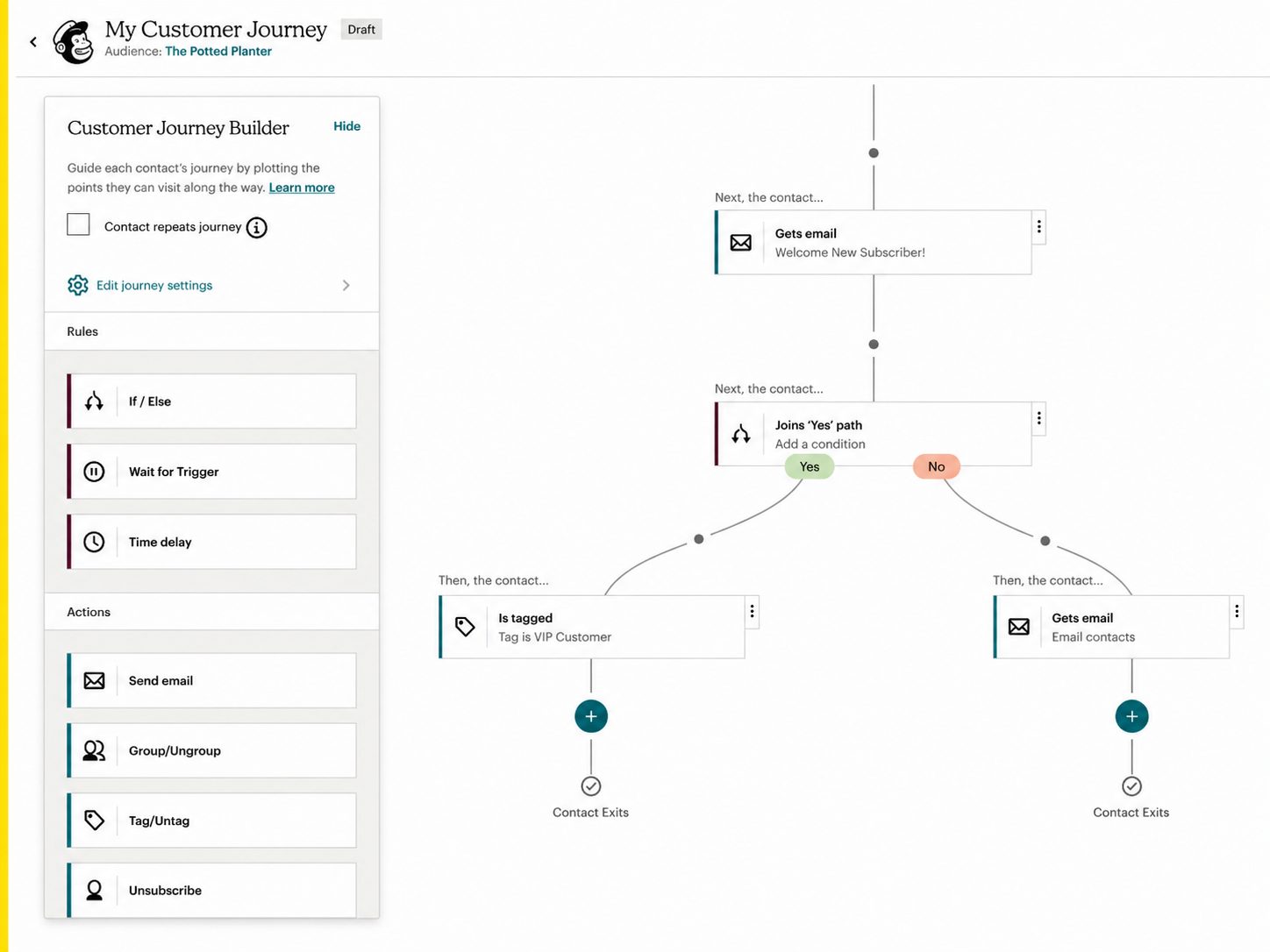
Mailchimp is an email marketing platform that has grown into a light all-in-one suite, adding customer journeys, a basic email CRM, SMS, social posting, and landing pages around its email builder. It suits beginners who want email first, but it has no deal pipeline and its cost rises with every contact tier.

Mailchimp’s free plan covers 250 contacts and 500 sends a month (up to 250 a day). Essentials starts at $13/month, Standard at $20/month for 500 contacts, and Premium at $350/month. At 5,000 contacts, Standard runs $100 a month. GlockApps data from December 2025 puts Mailchimp’s deliverability at 78.4% and its inbox placement at 32.3%.
Standout Features
- Email builder and testing. Mailchimp includes a drag-and-drop editor, template library, and A/B testing for subject lines and content;
- Customer Journey Builder. Multi-step automations with branching logic and conditional waits on Standard and above;
- Basic CRM and segmentation. Contact profiles with tags, behavioral tracking, and predicted lifetime value, plus segments by purchase behavior, engagement, and custom fields;
- Channels beyond email. Free landing pages, organic posting to Facebook, Instagram, and X (Twitter), and surveys, with SMS as a paid add-on.
Use Cases
Mailchimp fits businesses that start with email:
- First-time email marketers. Start on the free plan and move to Standard when you need journeys;
- QuickBooks and Shopify users. The Intuit acquisition brought tighter QuickBooks and Shopify integrations;
- Small retailers. Send promotions and product emails, then add SMS credits for time-sensitive offers.
Competitive Edge
Compared with ActiveCampaign, Mailchimp lets you start free, while ActiveCampaign has no free plan and puts its CRM with deal pipelines on the Plus tier. Compared with Brevo, Mailchimp prices by contacts and Brevo by emails sent, which makes Brevo cheaper for large lists that send rarely.
- Landing pages are free on every plan, including Free;
- AI tools suggest subject lines and email copy;
- QuickBooks and Shopify integrations deepened after the Intuit acquisition;
- Social posting, and surveys sit in the same account as email.
Limitations
Mailchimp’s main drawbacks are contact-based pricing and no deal pipeline.
- Contact-based pricing climbs. Standard costs $135/month at 10,000 contacts and $450/month at 50,000 and unsubscribed contacts still count toward your limit;
- No deal pipeline. The CRM has no deal pipelines or sales sequences;
- Add-ons and branding. SMS is a paid add-on, and the free plan shows Mailchimp branding;
- Automation and site caps. Standard allows up to 200 automation flows, and the website builder is limited next to dedicated tools.
Verdict
Mailchimp is best for: beginners and small businesses, especially QuickBooks users, who want email first and plan to add landing pages, social posts, and simple journeys. Not for: sales teams that need a deal pipeline or fast-growing lists where contact pricing adds up; ActiveCampaign covers the first need and Brevo’s volume pricing the second.
7. ActiveCampaign – Best for Ecommerce Automation
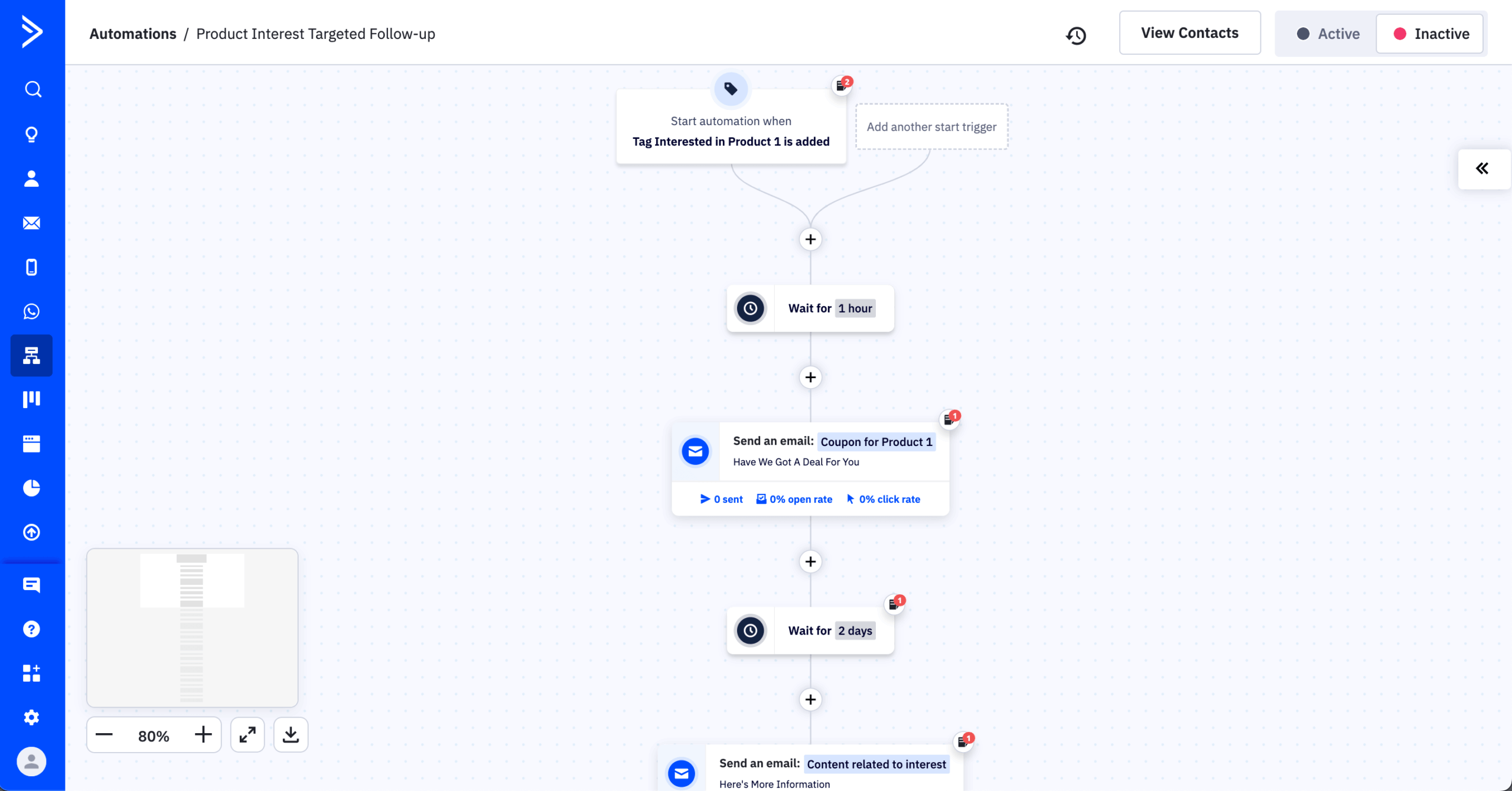
ActiveCampaign suits ecommerce and B2B teams that want deep automation connected to a CRM: workflows branch on email activity, site visits, deal stages, and store data from ecommerce platforms such as Shopify or WooCommerce. The cost is complexity and a thin entry plan.
ActiveCampaign Starter costs $15/month billed annually, or $19/month billed monthly, for up to 1,000 contacts. The CRM, lead scoring, and landing pages start on Plus, from $49/month for 1,000 contacts, and a 14-day free trial takes the place of a free plan. GlockApps data from December 2025 puts ActiveCampaign’s deliverability at 63.6% and its inbox placement at 28.4%.
Standout Features
- Ecommerce integrations. ActiveCampaign syncs product data, customer history, and promo codes from Shopify or WooCommerce;
- AI-driven personalization. Automate product suggestions, content blocks, and send times using behavioral insights;
- Advanced email workflows. Design automations for cart recovery, reorder prompts, and milestone rewards;
- Behavioral segmentation engine. Trigger custom campaigns based on real-time user actions and lifecycle stages.
Use Cases
ActiveCampaign fits online businesses that automate marketing from store and behavior data:
- Online stores. Automate cart recovery, product recommendations, and sales promotions;
- Subscription services. Personalize renewal reminders and loyalty program updates;
- D2C brands. Send behavior-based emails through custom triggers and customer journey mapping for better conversions.
Competitive Edge
ActiveCampaign’s edge is automation depth: workflows branch on behavior, deal stages, and Shopify store data in one CRM-connected builder.
- Syncs smoothly with ecommerce tools to automate upsells, reorders, and reminders;
- Uses real-time behavior to personalize emails, product suggestions, and timing;
- Combines CRM, email, and AI-driven segmentation in one marketing engine;
- Ideal for growing D2C brands that want advanced automations without juggling tools.
Limitations
ActiveCampaign’s main drawbacks are a steep learning curve and advanced features locked to higher plans.
- Learning curve is steep. The advanced automation tools can overwhelm new users without prior experience;
- Feature gatekeeping. Many advanced automation features, like branching, and advanced segmentation are not fully available on lower-priced plans.
- Basic landing pages. ActiveCampaign’s landing pages are functional but basic next to dedicated builders, and it has no course, membership, or website tools.
Verdict
ActiveCampaign is best for: Shopify and WooCommerce stores, and B2B teams, that need branching workflows tied to a CRM and can start on Plus. Not for: budget-first beginners who would stay on Starter, which lacks the CRM, lead scoring, and landing pages; SMS is also a paid add-on, and reporting on lower plans is basic.
8. Brevo – Best for Multichannel Messaging on a Budget
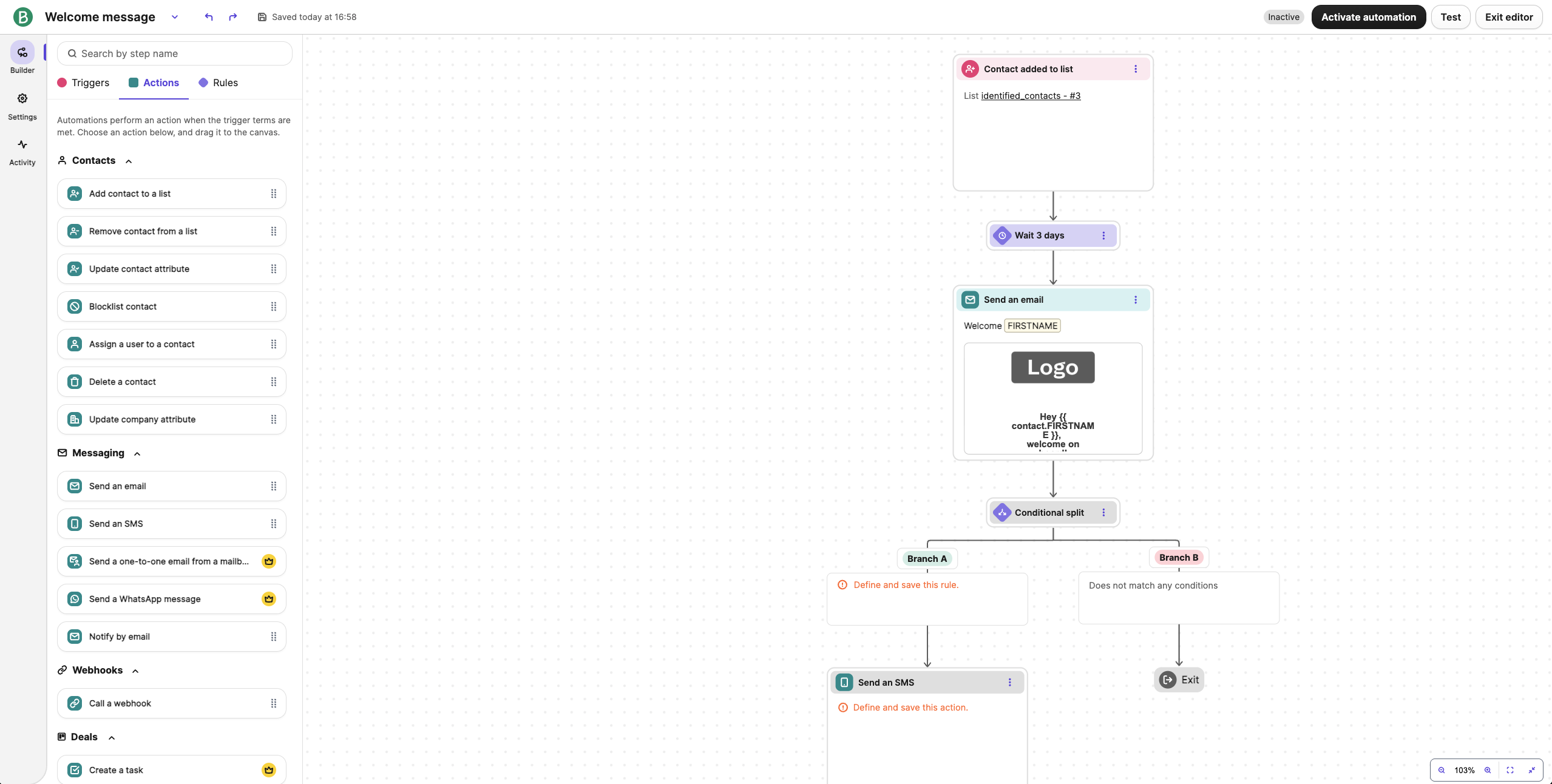
Brevo reaches contacts by email, SMS, WhatsApp, and live chat from one account and prices plans by emails sent rather than contacts stored. That model favors businesses with large lists and modest send volumes, and it’s less suited to teams that need deep automation.

Brevo’s free plan allows 300 emails a day and stores up to 100,000 contacts, with automation limited to 2,000 contacts. Starter begins at $9/month for 5,000 emails, Standard at $18/month, and Professional at $499/month, and yearly billing takes 10% off. GlockApps data from December 2025 puts Brevo’s deliverability at 70.6% and its inbox placement at 24.9%.
Standout Features
- Cross-channel campaigns. Brevo sends email, SMS, WhatsApp, and web push messages from one campaign builder;
- Cross-channel automations. Start with an email, follow up by SMS if it goes unopened, then retarget on WhatsApp;
- Built-in CRM. Contact profiles combine engagement across channels, with deal pipelines and stage-based automations (the free plan includes 1 pipeline and 50 open deals);
- Live chat. Handle website conversations in the same account as your campaigns.
Use Cases
Brevo fits businesses that message the same contacts by email, SMS, and WhatsApp:
- Businesses with large, low-frequency lists. Store many contacts and pay only for the emails you send;
- Retail and hospitality brands. Pair email promotions with SMS and WhatsApp reminders as part of a multichannel marketing plan;
- Small sales teams. Track deals in the built-in pipeline without a separate CRM.
Competitive Edge
Against Mailchimp, Brevo’s volume pricing and larger free contact allowance make it cheaper for big lists that send a few campaigns a month. Against Sender, Brevo adds deal pipelines, WhatsApp, and live chat, while Sender’s free plan sends more email (15,000 a month versus 300 a day) and runs automation on the whole list.
- Plans priced on email volume, with SMS paid through credits;
- Deal pipelines included, even on the free plan;
- WhatsApp campaigns on Professional and Enterprise;
- Live chat in the same account as email and SMS.
Limitations
Brevo’s main drawbacks are contact caps tied to email volume and a steep price jump to Professional.
- Contact caps tied to volume. On Starter and Standard, a 5,000-email plan stores only 500 contacts, and truly unlimited contacts are an Enterprise feature;
- Steep jump to Professional. Multibranch automation testing and WhatsApp need Professional at $499/month, up from $18 for Standard;
- Basic automation on lower plans. Free-plan automation reaches only 2,000 contacts, and reporting lacks the depth of ActiveCampaign or HubSpot;
- Few landing pages. Starter has none, Standard has 1, and Professional has 10.
Verdict
Brevo is best for: small and mid-size businesses with large contact lists that send a few campaigns a month and want SMS and WhatsApp next to email. Not for: teams that need advanced automation branching or several landing pages on a budget plan; Mailchimp includes free landing pages, and ActiveCampaign goes deeper on workflows.
9. GetResponse – Best for Growing an Email List
GetResponse focuses on building an email list: landing pages, signup forms, lead magnet funnels, and native webinars capture leads and feed them into email sequences. Its CRM is basic, and automation workflows start one tier above the entry plan.
GetResponse’s free plan covers 500 contacts. Starter plan costs $19/month billed monthly for 1,000 contacts, or $15.58/month billed annually, and reaches $59 a month at 5,000 contacts. Unlimited automation workflows start on Marketer plan starting at $69/month and webinars start on Creator starting at $70/month. EmailTooltester data from December 2025 puts GetResponse’s deliverability at 89.7%, and EmailDeliverabilityReport data from January 2026 shows 77.3% inbox placement.
Standout Features
- AI email generator. GetResponse’s AI generator creates personalized emails with suggestions for content, layout, and send time;
- Multi-channel automation. Run synchronized campaigns across email, SMS (available on Enterprise), and push notifications from the same dashboard;
- Ecommerce sync. Connect with Shopify, WooCommerce, and others to automate offers and behavior-based flows;
- List-building features. Grow your subscriber base with landing pages, pop-ups, and built-in lead magnet funnels.
Use Cases
GetResponse fits businesses that grow an email list and sell to it:
- Ecommerce stores. Automate product promotions and personalized offers based on customer behavior;
- Agencies and marketers. Manage email campaigns, Google Ads, and multi-channel marketing for multiple clients;
- Entrepreneurs. Build email lists, nurture leads, and drive sales without multiple tools.
Competitive Edge
GetResponse sits between email marketing software and funnel builders: it adds conversion funnels with payment processing and native webinars to an email platform, at a lower entry price than Kartra and without ActiveCampaign’s CRM depth.
- Build funnels from templates for lead magnets, webinar registrations, and product launches;
- Host live webinars (100 attendees on Marketing Automation) with attendee data feeding follow-up automations;
- Use AI subject line suggestions and send-time optimization in the email creator;
- Start free with 500 contacts before paying.
Limitations
GetResponse’s weak spots are dated templates and basic reporting.
- Template designs feel dated. Email and website builder templates aren’t as modern or customizable as newer tools;
- Limited analytics depth. Reporting is basic; you may need third-party tools for deeper customer insights.
- Plan-bound webinars and site builder. GetResponse’s webinar attendee limits depend on the plan, and its website builder is limited next to dedicated platforms.
Verdict
GetResponse is best for: coaches, consultants, and course creators who grow their list through lead magnets and webinars. Not for: sales teams that need deal pipelines, or anyone who wants automation workflows on the $19 plan; workflows start at $59 and the CRM has no deal stages.
10. Sender – Best for Simple Email and SMS Automation
Sender covers email and SMS campaigns, an automation builder, segmentation, forms, popups, and landing pages for small businesses that don’t need a sales pipeline, checkout, or ad-audience sync.

Sender’s free plan covers 2,500 subscribers, 15,000 emails a month, 10 landing pages, and 1 user seat, with Sender branding. The Standard plan starts at $9/month billed monthly, or $6.30/month billed annually, and reaches $39 a month at 5,000 subscribers; SMS costs about $0.015 per US message. Sender reports 98% deliverability from its own internal measurement, not a third-party test like the other scores here.
Standout Features
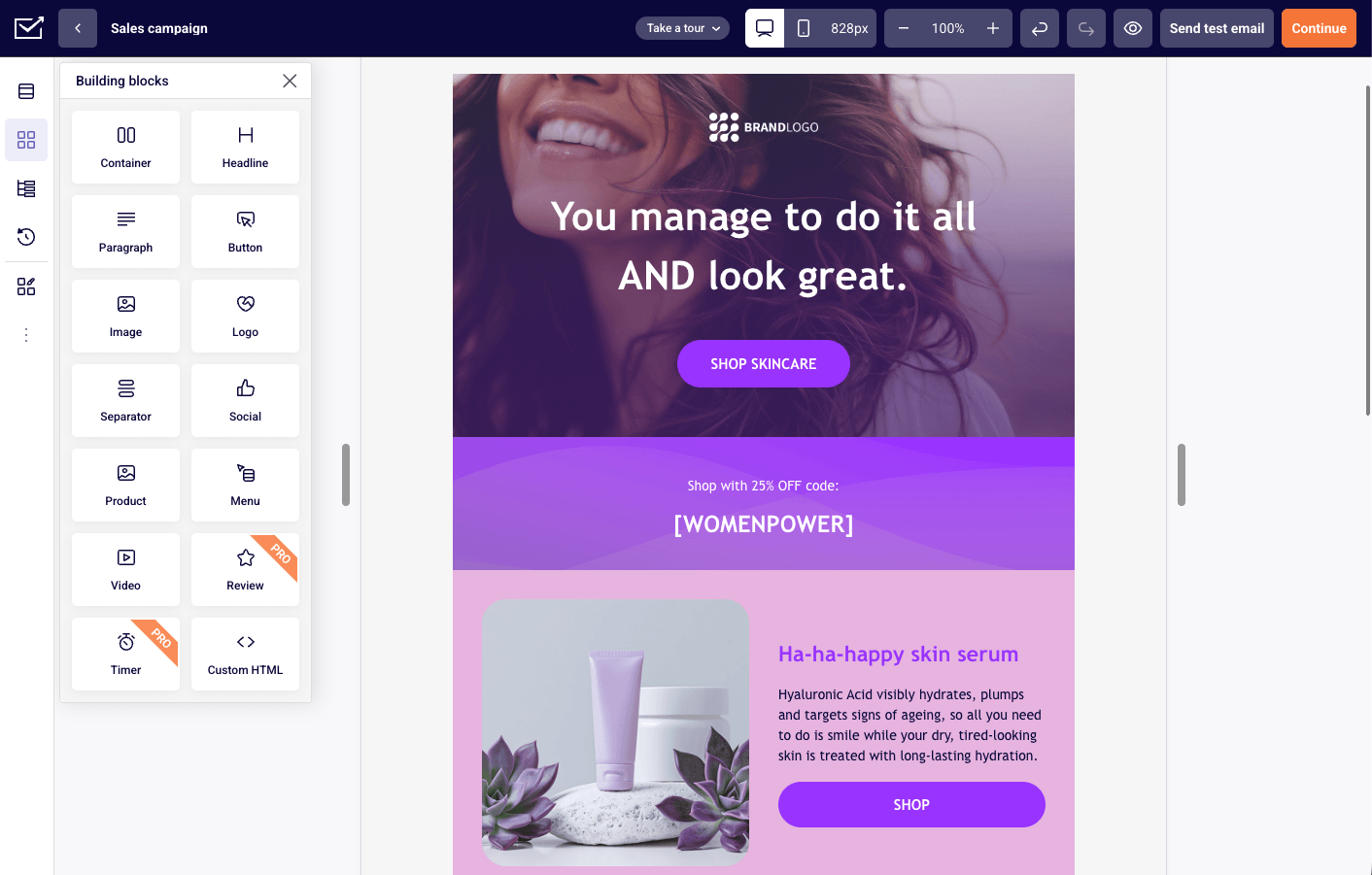
- Multichannel campaigns. Sender runs email and SMS campaigns side-by-side for consistent, high-impact messaging;
- Automation builder. Use prebuilt workflows or build your own to automate onboarding, reminders, or sales sequences;
- Advanced segmentation. Target users based on behavior, location, interests, or past interactions with your brand;
- Lead gen tools. Create popups, forms, and embedded signups to grow your list from day one.
Use Cases
Sender fits businesses that run email and SMS marketing from one tool:
- Ecommerce stores. Cart recovery, sale reminder, and follow-up automation across email & SMS;
- Service providers. Appointment reminders, follow-ups, and service updates to reduce no-shows and keep clients engaged;
- Local businesses. Sending promotional SMS campaigns and email newsletters.
Competitive Edge
Sender’s free plan includes the email automation builder: branching paths, A/B splits inside workflows, and unlimited triggers and steps. Custom events extend those triggers to your own site or app: you track specific user actions, such as “Watched 50% of a Video” or “Renewed Subscription,” send that data to Sender in real time, and use it to trigger automations or build behavioral segments.
- Cart, purchase, and fulfillment triggers for Shopify, WooCommerce, and PrestaShop stores;
- Transactional email through SMTP or API in the same account;
- Premade ecommerce segments such as VIPs, repeat buyers, and inactive customers.
Limitations
Sender’s main drawbacks are missing sales tools and SMS features gated to paid plans.
- No CRM pipeline or checkout. No deal stages, funnel builder, or native checkout, and Salesforce and HubSpot connect only through Zapier;
- No ad-audience sync. Segments can’t sync to Meta or Google ad audiences;
- Paid-plan gating. SMS and email A/B testing start on Standard, SMS steps inside automations on Professional, and the free plan carries Sender branding;
- Missing channel tools. No send-time optimization, webinars, or WhatsApp.
Verdict
Sender is best for: small ecommerce stores and service businesses that want email and SMS automation and target customers by behavior, not deal stage. Not for: B2B teams that manage deals in a pipeline or sell through checkout funnels. Brevo adds deal pipelines, WhatsApp, and live chat but sends less on its free plan; Mailchimp adds social posting and appointment scheduling, but its free plan holds 250 contacts versus Sender’s 2,500.
11. Systeme.io – Best Budget Platform for Course Creators
Systeme.io bundles sales funnels, email marketing, course hosting, a blog, and an affiliate program, and each funnel connects to email sequences and automation workflows. The free plan includes funnels, a course, and unlimited emails, but the platform trades design control, segmentation depth, and SMS for its low price.

Systeme.io’s free plan covers 2,000 contacts, 3 funnels, 1 course, and unlimited emails. Startup costs $17/month billed monthly for 5,000 contacts, 10 funnels, and 3 custom domains; Webinar costs $47/month for 10,000 contacts, and Unlimited costs $97/month. Systeme.io takes no transaction fees on sales, even on the free plan. It isn’t covered by the third-party deliverability reports we used.
Standout Features
- Sales funnel creation. Systeme.io builds and automates sales funnels with landing pages, forms, and email sequences;
- Online course management. Host, deliver, and sell digital courses without third-party platforms or plugins;
- Affiliate program tools. Launch and manage affiliate programs with built-in tracking and payout settings;
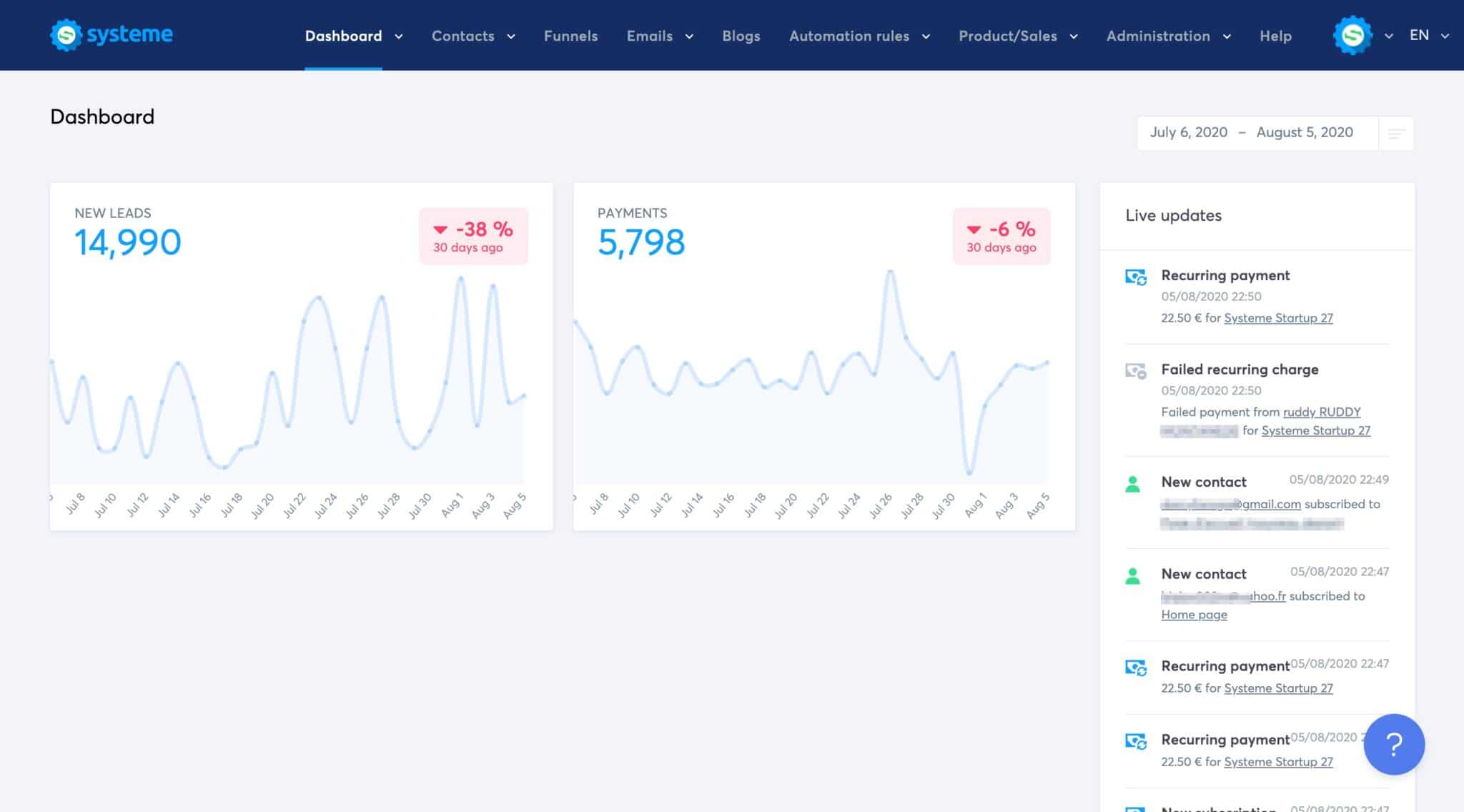
- Combined dashboard. Build websites, run email marketing campaigns, and automate flows, all from a single dashboard.
Use Cases
Systeme.io fits entrepreneurs and small businesses that sell digital products from one platform:
- Solopreneurs. Build email lists, manage sales funnels, and launch digital products;
- Coaches and course creators. Host and sell online courses without needing separate tools;
- Small businesses. Automate marketing campaigns while managing websites and affiliates from one dashboard.
Competitive Edge
Systeme.io’s edge is price: its free plan covers funnels, a course, and unlimited emails with no transaction fees, and it replaces 3-4 separate tools with one all-in-one marketing tool.
- Launch funnels, email campaigns, and online courses from a single easy-to-use dashboard;
- Save money by replacing ClickFunnels, Teachable, and Mailchimp with a single tool;
- Set up affiliate programs, sales pages, and automation workflows without any coding;
- Ideal for non-techies who want simplicity, speed, and strong built-in monetization tools.
Limitations
Systeme.io’s weak spots are limited design control and few third-party integrations.
- Design flexibility is limited. The landing page builder works, but it lacks the polish and control of advanced tools;
- Fewer integrations available. Compared to platforms like HubSpot or Kartra, third-party integration options are minimal.
- Basic email editor. Systeme.io’s email editor and templates offer fewer options than Mailchimp’s or ActiveCampaign’s.
Verdict
Systeme.io is best for: solopreneurs, coaches, and course creators launching digital products who want to start at $0 and keep every sale free of platform fees. Not for: businesses that want native SMS on the same bill or advanced segmentation, because Systeme.io sends texts only through a connected Twilio account and its segmentation options are limited.
12. Kartra – Best for Behavior-Based Sales Funnels
Kartra connects funnels, checkout, email, membership sites, video hosting, a helpdesk, and affiliate management on one data set, so a funnel can react to what each visitor watches, clicks, and buys. Email is secondary to funnels here.
Kartra Essentials costs $59/month billed monthly, or $52/month billed annually, for 500 contacts, with a 5% transaction fee on sales that the Starter plan removes. There’s no free plan, but a 14-day free trial and a 30-day money back guarantee. Kartra isn’t covered by the third-party deliverability reports we used, and it sends from shared infrastructure.
Standout Features
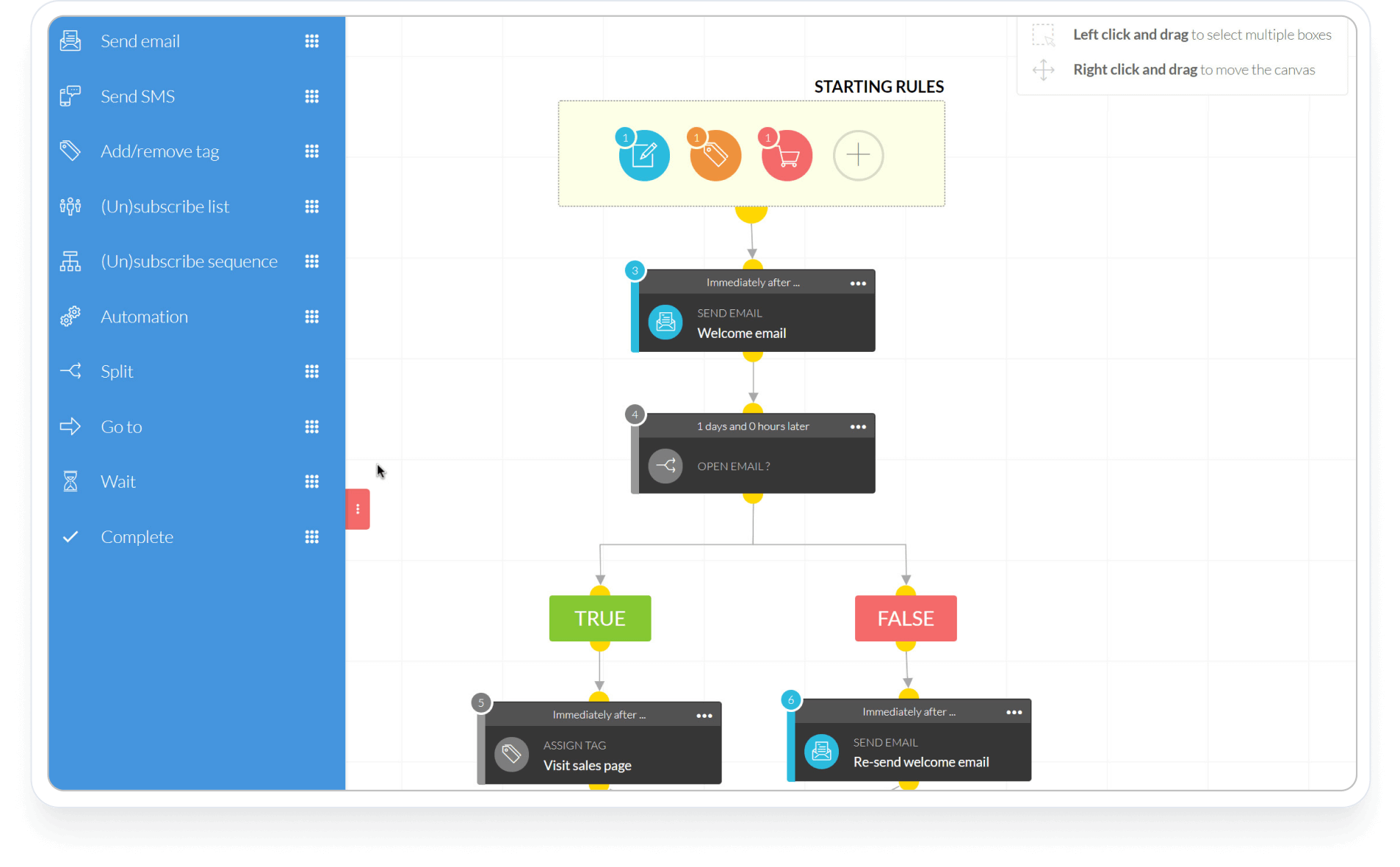
- Visual funnel builder. Kartra’s drag-and-drop interface builds detailed funnels with pages, emails, and automation;
- Behavior-based triggers. Trigger follow-ups, upsells, or page redirects based on user actions in real-time;
- Built-in video hosting. Upload marketing videos, track engagement, and integrate them into funnels without third-party tools;
- CRM + checkout system. Manage leads, segment them, and collect payments with Kartra’s built-in CRM and payment gateways.
Use Cases
Kartra fits businesses that sell through automated sales funnels:
- Coaches and consultants. Build funnels for webinars, course sales, and client onboarding;
- Ecommerce brands. Automate product launch funnels, upsells, and abandoned cart recovery;
- Digital product creators. Sell courses, memberships, and eBooks with connected automation.
Competitive Edge
Kartra is built for creators and marketers who want to automate every step of the funnel without stitching together plugins or tools. While both Katra and ClickFunnels offer one-click upsells, the latter costs $97/month with a 14-day trial while Kartra’s Essentials plan starts at $59/month and bundles a helpdesk and video hosting into the same account.
- Automate entire sales funnels using behavior-based triggers and visual drag-and-drop flows;
- Host videos, manage email, and build landing pages all within one native dashboard;
- Add one-click upsells, order bumps, payment plans, and coupon codes at checkout;
- Track engagement, sales, and leads across the full journey without leaving the platform.
Limitations
Kartra’s main drawbacks are the lack of a forever free plan, a 5% fee on Essentials, and secondary email tools.
- Transaction fees on Essentials. The entry plan takes 5% of every sale until you move to Starter;
- Not ideal for large teams. Kartra is better suited for solopreneurs or small teams than multi-user organizations;
- Secondary email tools. The email editor offers less than Mailchimp’s or ActiveCampaign’s, and the many connected features make the learning curve steep.
Verdict
Kartra is best for: digital product sellers (courses, coaching, memberships) who want funnels, checkout, and course delivery in one place and enough revenue to justify Starter. Not for: newsletter-first creators, or price-sensitive sellers on Essentials, where the 5% fee grows with every sale.
13. Ahrefs – Platform for Site Audits & Content Research
Ahrefs is a SaaS marketing platform built for tomorrow’s web. It helps marketers make their brands discoverable – and unmissable – online, with 15+ years of real-world web data, AI that actually understands marketing, and fast, intuitive tools that keep up with how people discover and decide today.

Whether it’s traditional search, social, or emerging AI platforms, Ahrefs gives you the clarity to act – and adapt – in a fast-moving world. If you’re done guessing and juggling disconnected tools, we’re built to help you move smarter, faster, and further.
Standout Features
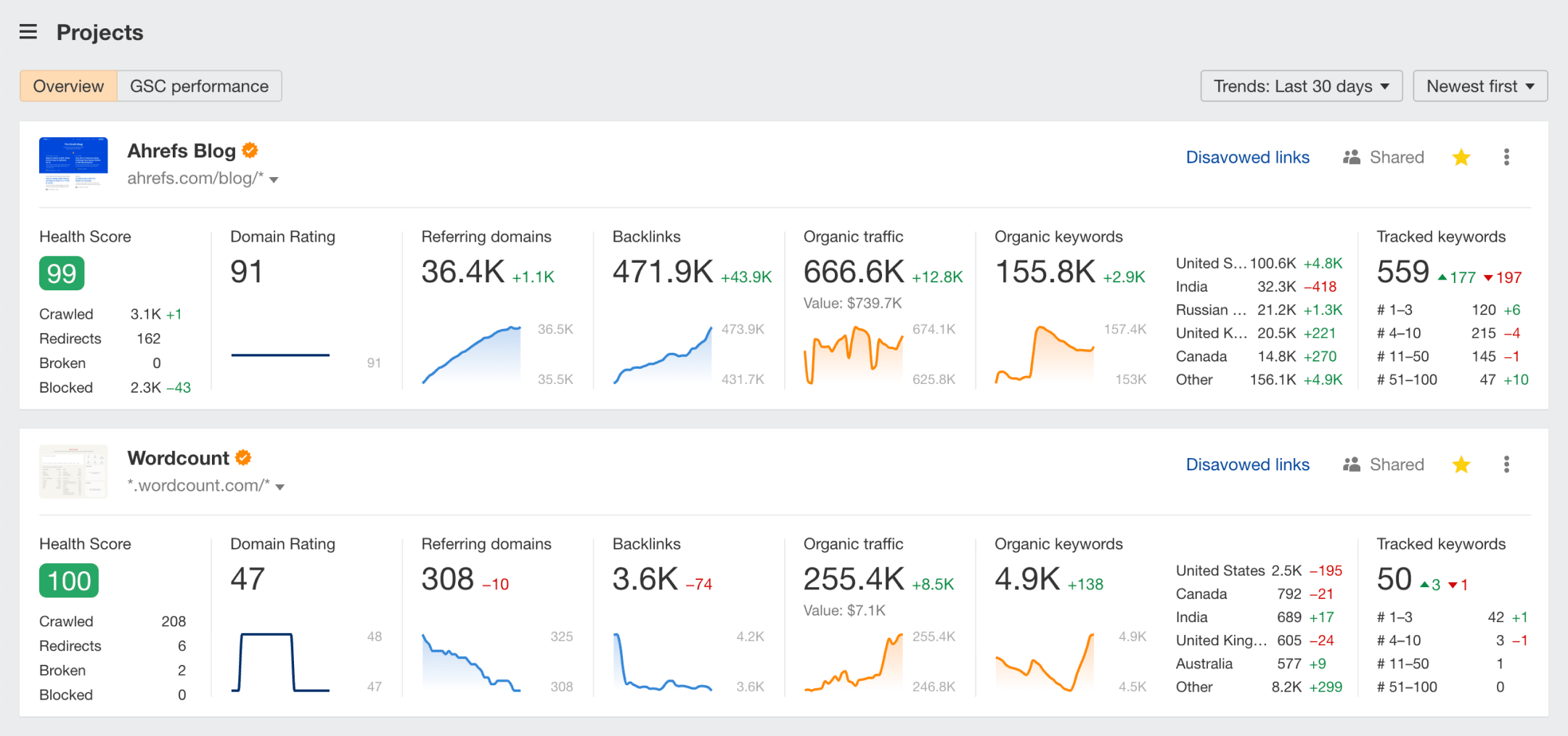
- Brand visibility in the age of AI. Stay in control of how your brand shows up across AI-generated answers, search engines, and the broader web. Ahrefs helps you measure brand presence across platforms like ChatGPT, Google AIOs, Perplexity, and more.
- Strategic market intelligence. Understand what’s driving visibility for competitors, from content and keywords to backlinks and traffic sources. Spot gaps in the market before they do.
- Content that wins attention. Create content that ranks, resonates, and performs with AI-assisted insights that strengthen your strategy, not replace your creativity.
- Search authority that compounds. Build and protect your online reputation with tools to track backlinks, monitor mentions, and grow your domain’s authority – all in one place.
Use Cases
Ahrefs is built for marketers and businesses who want complete visibility into their digital presence – and their competitors’ – without juggling disconnected tools. Here’s how teams put it to work:
- Marketing teams. Identify what’s working for competitors, uncover new content opportunities, and track brand visibility across both AI-driven and traditional search channels.
- Content creators. Plan and produce high-impact content with the help of AI-powered insights, close content gaps, and optimize for performance while keeping creative control.
- Brand managers. Monitor where and how your brand shows up in AI answers, search results, and across the web — and benchmark performance over time.
- Growth-focused businesses. Monitor site health, traffic, backlinks, and campaign performance in one place to drive smarter, data-backed decisions.
Competitive Edge
Ahrefs brings together market intelligence, content tools, and real-time brand tracking – all in one platform. No complex setups or integrations. No separate tools.
- See exactly what’s driving your competitors’ traffic, content strategy, and search performance. No guesswork involved
- Track your brand’s visibility in AI-generated answers across platforms like ChatGPT, Google, Perplexity, and more
- Use AI-assisted tools to generate, refine, and expand content ideas based on real search demand
- Monitor website health, backlinks, and real-time visitor data without relying on third-party analytics
- All from a single, intuitive dashboard built for marketers – not just SEOs.
Limitations
Ahrefs offers powerful insights, but it’s not the perfect fit for everyone — especially teams looking for an all-in-one CRM or running non-search-focused campaigns. A few things to consider:
- No built-in CRM or email tools. While great for marketing intelligence, Ahrefs doesn’t cover lead nurturing, outreach, or customer relationship management.
- Data can be overwhelming. With so many reports and metrics, new users may face a learning curve in turning data into action.
- Limited social media insights. Unlike some marketing platforms, Ahrefs doesn’t track social engagement or run paid ad campaigns.
Verdict
Ahrefs is best for: marketers, content teams, and growth-focused businesses who want competitor intelligence, backlink tracking, and brand visibility across both traditional search and AI answers in one dashboard. Not for: teams that need a built-in CRM, email, or outreach tools, or that run mostly social and paid campaigns.
How to Choose the Right All-in-One Marketing Platform for My Business?
Use this checklist to narrow any shortlist of marketing tools for small businesses to two or three, then test them before you commit.
- Which of the six capabilities do you need built in? Mark each one as must-have or nice-to-have. A B2B team that sells through deal stages needs a CRM pipeline, a course creator needs checkout, and a local business may only need email and SMS.
- What will it cost at your contact count? Compare prices at your current list size and at double it in the cost table, which covers 5,000 and 10,000 contacts.
- Which pricing model fits how you grow? Contact-based plans charge for large, inactive lists; seat-based plans charge for growing teams; volume-based plans charge for frequent sending; usage wallets make SMS-heavy months harder to predict.
- Free plan or trial? A free plan lets you run live campaigns at a small scale, while a 14- or 15-day trial is long enough to test setup but not results.
- How steep is the learning curve? Look for a clean dashboard your team can use without heavy onboarding, and check that automation depth on your likely plan tier covers the marketing tasks you plan to automate.
- How hard is it to move your data? Check import options for contacts, templates, and automations, and whether the vendor helps with migrating to a new platform.
Budget for where your list will be in a year, not just today. If price is the deciding factor, our roundup of affordable email marketing platforms compares the lower-cost options side by side.
Before you switch platforms, our marketing automation guide covers the strategy side, from mapping your first workflows to measuring what they return.
FAQs
An all-in-one marketing platform, also called all-in-one marketing software, is a single system that combines multiple marketing functions, such as CRM, email, SMS, automation workflows, landing pages, and analytics, into one dashboard. Instead of using separate tools for each channel and syncing data between them, teams manage contacts, campaigns, and reporting from a unified interface. The depth of features varies by platform.
The best all-in-one marketing platform depends on how you sell, because even the top digital marketing platforms are each built around a different core job. Three picks by use case: HubSpot is best for CRM-led sales and marketing teams, with deals, emails, and support tickets on one contact timeline. HighLevel is best for marketing agencies and white-label resellers that manage client sub-accounts. Systeme.io is the best budget platform for course creators, with a free plan that includes funnels and a course.
As of October 2026, paid entry plans on our list run from $9 to $299 a month at monthly list prices, and a typical bill at 5,000 contacts is about $100 a month. Your real cost depends on the pricing unit (contacts, emails sent, seats, or sub-accounts) and on extras such as SMS credits, onboarding fees, and transaction fees on sales. See our cost breakdown for each platform’s price at 5,000 and 10,000 contacts.
Not all of them. HubSpot, Keap, HighLevel, and Brevo include native customer relationship management (CRM) with contact management, deal pipelines, and activity tracking, and Zoho CRM (paired with Zoho Marketing Plus) adds pipelines to Zoho’s marketing suite. Others, such as Sender, GetResponse, and Mailchimp, focus on email marketing with contact databases but lack full CRM pipeline features. If CRM marketing automation is a priority, check whether the platform offers deal stages, lead scoring, and task management natively.
Yes. Several small business marketing software options offer free plans or low entry pricing. Sender provides a free tier for 2,500 subscribers that includes automation and segmentation. Systeme.io offers a free plan with funnels, email, and course hosting, with paid plans starting at $17/month. Feature access varies by tier, so it is worth checking which capabilities are gated behind higher-priced plans before committing.
A sales funnel builder focuses on creating multi-step conversion flows (landing pages, checkout pages, upsells, and order forms) designed to move a visitor toward a purchase. A marketing automation platform emphasizes ongoing communication workflows such as email sequences, behavioral triggers, and audience segmentation. Some platforms, like Kartra and ClickFunnels, combine both in an all-in-one sales and marketing platform. Others prioritize one over the other.
Start by identifying where most of your marketing efforts go (CRM, email, funnels, SMS, or ad management) and check whether the platform handles those natively or through third-party integrations. Then evaluate pricing structure (flat fee vs. per-contact vs. per-user), automation depth on your likely plan tier, and whether the free plan or trial lets you test the features that matter most before committing.