


Email marketing needs often evolve as ecommerce stores grow, making platform flexibility and pricing increasingly important. This page compares the best Omnisend alternatives for ecommerce in 2026, helping businesses evaluate substitutes based on automation depth, ecommerce integrations, pricing structure, and scalability.
This list of alternatives also outlines key features, strengths, and limitations of each option to support informed decision-making for online stores seeking better alignment with their growth strategy and technical requirements.
Capterra, G2, Trustpilot, and Reddit to create an objective evaluation. Learn more about our review methodology
How We Selected These Omnisend Alternatives
- Pricing and value assessment. We analyzed Omnisend alternatives by comparing plan structures, feature distribution across tiers, contact-based pricing models, and how total costs evolve as subscriber lists grow, ensuring the overall value aligns with different business sizes and revenue stages;
- Feature comparison depth. We evaluated core email marketing capabilities including automation workflows, segmentation logic, multichannel support (such as SMS and push), reporting tools, and ecommerce integrations to determine how each platform compares to Omnisend’s feature set;
- Usability and support experience. We reviewed interface design, workflow builder flexibility, onboarding processes, documentation quality, and customer support accessibility across plan tiers to understand day-to-day operational usability;
- User feedback analysis. We examined recurring themes in verified user reviews, focusing on reporting limitations, CRM depth, editor performance, and overall reliability to identify consistent patterns rather than isolated complaints;
- Strengths and unique capabilities. We assessed the areas where each alternative differentiates itself, such as advanced automation logic, built-in CRM functionality, creator-focused tools, or infrastructure-level control not emphasized within Omnisend’s ecommerce-first model;
- Scalability evaluation. We analyzed how well each platform supports business growth and whether it qualifies as scalable email marketing software for long-term expansion, including automation complexity, list expansion, data retention policies, infrastructure flexibility, and cost sustainability over time.
Why Consider Omnisend Alternatives?
While some may consider Omnisend cheap, not to mention a solid choice for ecommerce email and SMS marketing, it has drawbacks that are hard to ignore. Some users have highlighted complex interface and limitations impacting scalability, usability, or overall satisfaction.
Here are several structural considerations to keep in mind when comparing Omnisend with other platforms.
- Advanced reporting tools are mainly available on higher-tier plans. Businesses that depend on detailed analytics, attribution tracking, or custom reports may need to upgrade for broader insights, while smaller teams with basic performance tracking needs may find the standard reporting sufficient.
- Pricing scales with subscriber growth. As contact lists expand, monthly costs increase accordingly. This structure works well for ecommerce brands generating consistent revenue from email, but companies managing large or less-engaged databases may want to compare long-term cost efficiency across alternatives.
- Heavily ecommerce-focused CRM. Businesses requiring advanced deal tracking, lead scoring, or complex sales workflows may prefer platforms with deeper CRM capabilities.
- No custom SMTP infrastructure. Organizations that require SMTP relay control or more flexible sending configurations may need a provider built around that model.
- Inconsistent builders and editor performance. The quality of these features varies depending on campaign complexity and user preferences.
Omnisend remains a strong ecommerce platform for many online stores, particularly those prioritizing automation, segmentation, and multichannel campaigns within a unified system.
Omnisend Alternatives: A Quick Comparison
With so many email marketing services available, choosing the right one can be overwhelming. The best platform for you depends on your business type, feature needs, and budget.
Here’s a quick comparison of 8 popular email marketing tools to help you decide:
| Tool | Free Plan / Trial | Best Features | Ecommerce Features | Pricing |
| Sender | Free plan, up to 2,500 subscribers | Email & SMS campaigns, automation workflows, real-time analytics | Ecommerce integrations, cart recovery automations, purchase-based segmentation | Paid plans start at $7/month |
| Mailchimp | Free plan, up to 500 subscribers | Drag-and-drop editor, basic CRM, landing pages | Store integrations, product recommendations, abandoned cart workflows | Paid plans start at $13/month |
| Drip | 14-day free trial | Advanced automation, segmentation, 150+ integrations | Advanced cart/browse automations, revenue tracking, deep segmentation | Paid plans start at $39/month |
| Brevo | Free plan, up to 300 emails/day | Email, SMS & WhatsApp campaigns, automation, transactional emails | Ecommerce plugins, multichannel campaigns, purchase-triggered automation | Paid plans start at $8/month |
| ActiveCampaign | 14-day free trial | CRM integration, multichannel automation, lead scoring | Site & purchase tracking, cart recovery, CRM-driven lifecycle flows | Paid plans start at $15/month |
| GetResponse | Free plan, up to 500 subscribers | Email marketing, landing pages, webinars | Conversion funnels, abandoned cart emails, ecommerce tracking | Paid plans start at $15/month |
| Klaviyo | Free plan, up to 250 subscribers | Behavioral targeting, advanced segmentation, SMS marketing | Shopify-native data sync, predictive segmentation, post-purchase flows | Paid plans start at $20/month |
| Kit | Free plan, up to 10,000 subscribers | Visual automations, tagging & segmentation, opt-in forms and landing pages, newsletter tools | Basic creator commerce, customer tagging/segments for buyer follow-ups; integrations available (e.g., Shopify) | Paid plans start at $33/month |
Quick Picks: Find the Perfect Omnisend Alternatives Fast
Use this list to quickly match your business needs with the right email marketing platform.
- Best Free Plan: Sender (Up to 2,500 subscribers and 15,000 emails/month on the free plan, with core automation and segmentation included.)
- Best for Ecommerce: Klaviyo (Advanced ecommerce segmentation, personalization, and revenue-focused automation flows.)
- Best for Startups/SMBs: Sender (Beginner-friendly workflows and a low-cost starting point for small teams.)
- Best Budget Option: Brevo (Lower entry pricing and send-volume-based billing can stay cost-efficient for less frequent campaigns.)
- Best for Enterprise/Agencies: ActiveCampaign (Advanced automation depth plus built-in CRM and sales pipeline management.)
- Best for Creators: Kit (Creator-first newsletters with simple visual automations and audience monetization tools.)
8 Best Omnisend Alternatives for Email Marketing
Finally, it’s time to explore this in-depth Omnisend comparison guide where we go through my top 8 picks that offer a range of features from basic email marketing to advanced automation and ecommerce integrations, perfect for scaling your business.
Whether you’re focused on affordability, specific integrations, or robust analytics, you’ll find a solution here:
Sender — More Affordable Alternative with Solid Free Plan
Sender has quickly earned a reputation as an email marketing solution for getting the most value out of email marketing without overspending—or overcomplicating things. It has also earned recognition for its reliable and effective handling of transactional emails, which is the most important feature for most ecommerce businesses.

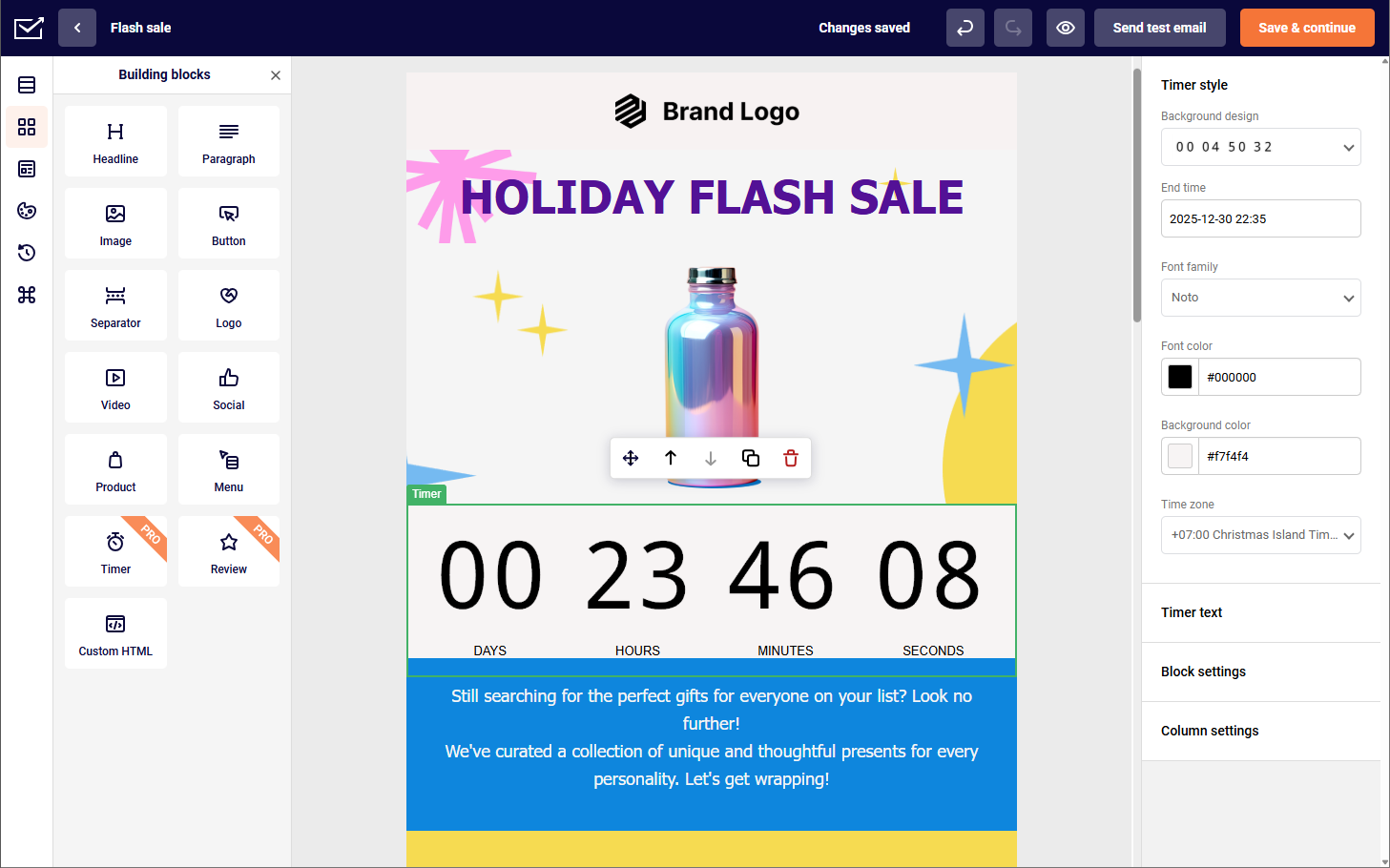
For starters, it’s easy to design email marketing campaigns with Sender’s intuitive drag-and-drop editor. It’s just as smooth as Omnisend’s, but with a simpler interface and fewer design restrictions.
Email marketing automation is another area where Sender really shines. Similar to Omnisend, it lets me set up personalized workflows for welcome emails, abandoned cart reminders, and re-engagement campaigns.
Finally, the built-in analytics gives clear insights into open rates, click-throughs, and engagement trends—without the complexity (or cost) of Omnisend’s more advanced dashboards.
Key Features
- Free plan structure. Sender’s free plan supports up to 2,500 subscribers and 15,000 monthly emails, allowing businesses to run automations and regular campaigns before upgrading. In comparison, Omnisend’s free tier is limited to 250 contacts, which may require earlier plan transitions as list grows;
- Landing page builder. Sender includes a built-in drag-and-drop landing page creator with customizable forms and embedded signup tracking, enabling list growth without third-party tools. While Omnisend does have a landing page builder, it lacks both in template selection and the smoothness of the tool;
- Email builder workflow. Sender’s drag-and-drop editor supports reusable content blocks and real-time layout adjustments without navigating multiple configuration panels. Omnisend’s builder is ecommerce-focused, often centered around product blocks and store integrations;
- Automation flexibility. Sender supports behavioral triggers such as link clicks, list joins, and purchase activity, with conditional paths available inside workflows. Omnisend provides strong prebuilt ecommerce flows, but offers fewer branching controls for non-store use cases;
- Transactional sending. Sender allows transactional emails via API or SMTP integration alongside marketing campaigns within the same account. Omnisend primarily separates marketing automation from deeper infrastructure-level sending configurations.
Pros & Cons
Pros:
- Feature-rich free plan that includes automation and segmentation tools;
- Intuitive visual workflow builder for standard automation scenarios;
- Affordable pricing structure as your contact list expands.
Cons:
- Lacks a built-in CRM system;
- Fewer native integrations compared to larger, enterprise-level platforms.
Omnisend vs. Sender
Where Sender stands out compared to Omnisend:
- Pricing structure. Sender offers a lower entry cost and a more gradual pricing curve as contact lists grow. Businesses looking to manage expenses while retaining core automation features may find it more cost-efficient at smaller to mid-sized list volumes.
- Ease of use. Sender’s interface is straightforward and quick to navigate, making campaign setup and automation building accessible without extensive onboarding. Teams that prioritize simplicity over deep workflow complexity may prefer this approach.
- Multichannel support. Sender includes email and SMS capabilities within the same platform, allowing basic omnichannel coordination without relying heavily on third-party integrations.
Where Omnisend still holds an advantage:
- Deeper ecommerce-focused automation templates and native integrations designed specifically for online store workflows.
Pricing
| Contact count | Omnisend | Sender | Cost Difference |
| 1,000 | $20/mo | $7/mo | $13/mo |
| 2,500 | $44/mo | $13/mo | $31/mo |
| 5,000 | $81/mo | $23/mo | $58/mo |
| 10,000 | $132/mo | $40/mo | $92/mo |
See why businesses choose Sender:
Mailchimp — All-in-One Marketing with Strong Integrations
A powerhouse in email marketing, Mailchimp offers an all-in-one solution for managing campaigns, social media, and landing pages.

During my hands-on testing, I enjoyed how Mailchimp centralizes everything in one platform—something Omnisend doesn’t fully match. Its automation tools let me create customer journeys triggered by actions like purchases or website visits, similar to Omnisend, though Mailchimp’s visual editor feels more refined.
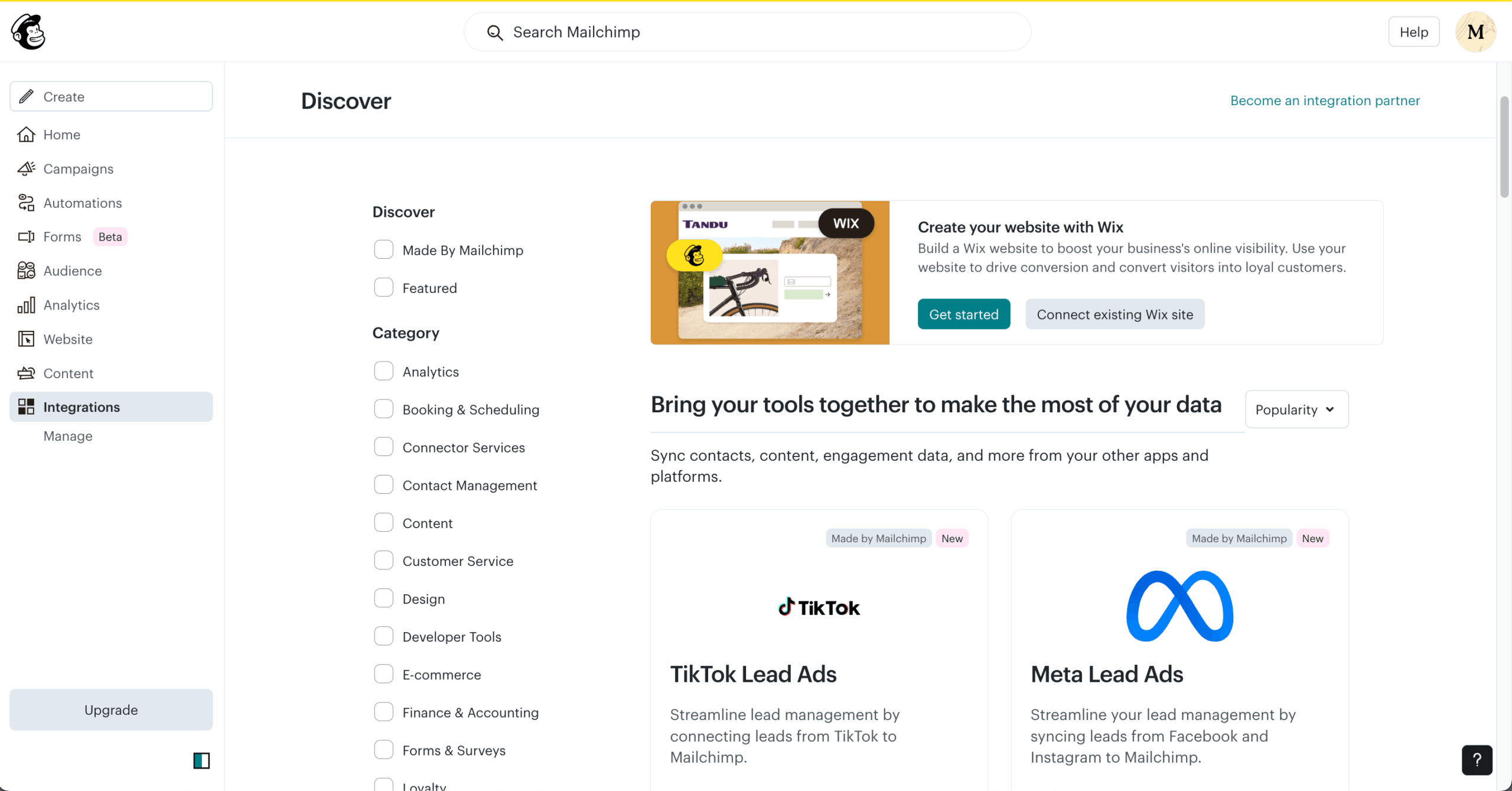
Moreover, Mailchimp’s integration library is simply dazzling. From WooCommerce to HubSpot to its well-documented API, this marketing solution covers every integration under the sun.
While Mailchimp’s pricing can be higher—not to mention more predatory—compared to Omnisend, the extensive integrations and advanced features make it ideal for growing brands that want a single platform to handle all their marketing needs.
Key Features
- Integration flexibility: Mailchimp connects with a broad range of third-party/Shopify email marketing apps across ecommerce, CRMs and booking systems. Omnisend’s integrations are more concentrated around ecommerce platforms and retail-focused workflows;
- Analytics and tracking depth: Mailchimp allows campaign tracking through Google Analytics integrations and custom reporting dashboards, enabling cross-channel attribution beyond ecommerce revenue metrics. Omnisend’s reporting is more directly tied to store performance and sales attribution;
- Webhooks: Mailchimp supports webhooks that send real-time data when events like new subscribers or campaign activity occur, enabling custom integrations beyond its native apps. Omnisend’s webhooks are more closely tied to ecommerce triggers and store-based automations.
- Email design system: Mailchimp’s builder includes a large template library with industry-based layouts and content blocks that can be reused across campaigns, supporting non-retail use cases. Omnisend’s templates are more commerce-driven, often centered around product grids and promotional formats.
Pros & Cons
Pros:
- Extensive collection of ready-made templates with an easy-to-use drag-and-drop editor;
- Wide integration marketplace connecting with numerous third-party tools;
- AI-driven content suggestions and send-time optimization capabilities.
Cons:
- List-based audience structure can restrict more advanced segmentation strategies;
- Costs rise quickly as your subscriber count increases.
Omnisend vs. Mailchimp
Where Mailchimp stands out compared to Omnisend:
- Integration ecosystem: Mailchimp connects with a broad range of third-party applications across ecommerce, CRM, advertising, and analytics tools, making it easier to centralize marketing data and automate cross-platform workflows beyond store-focused integrations;
- Ease of use: Mailchimp’s interface is designed for accessibility, with a drag-and-drop editor and guided campaign setup that supports users with limited technical experience or smaller teams without dedicated marketing specialists;
- Marketing scope: Mailchimp extends beyond email with built-in landing pages, social scheduling, basic website tools, and ad integrations, offering a more general marketing suite rather than an ecommerce-first system.
Where Omnisend still holds an advantage:
- Ecommerce specialization: Omnisend provides deeper prebuilt automation flows tailored to online stores, including cart abandonment, product-based segmentation, and revenue-focused reporting designed specifically for ecommerce workflows;
- Revenue attribution: Reporting is designed around sales performance, with clearer revenue tracking tied directly to campaigns and automations.
Pricing
| Contact count | Omnisend | Mailchimp | Cost Difference |
| 1,000 | $20/mo | $45/mo | $25/mo |
| 2,500 | $44/mo | $60/mo | $16/mo |
| 5,000 | $81/mo | $100/mo | $19/mo |
| 10,000 | $132/mo | $135/mo | $3/mo |
Drip — Ecommerce Automation and Behavior-Based Workflows
For ecommerce brands, Drip is a comprehensive marketing platform built with online retailers in mind—and one not to miss out on.
It combines intelligent automation, detailed segmentation, and robust personalization to help convert shoppers into long-term customers. Unlike Omnisend, I found that Drip dives deeper into behavioral data—tracking purchase patterns, browsing activity, and engagement to deliver precisely targeted campaigns.
Its drag-and-drop workflow builder makes mapping out customer journeys straightforward, whether you’re sending cart recovery reminders, post-purchase follow-ups, or personalized product recommendations.
Drip also offers a library of pre-designed automations and pre-built templates, so you can launch high-performing campaigns without heavy setup. It comes at a higher price point than some platforms, sure, but its advanced data capabilities and focus on customer lifecycle marketing justify the higher price tag in the long run.
Key Features
- Granular segmentation. Drip builds segments using onsite behavior, email engagement, and ecommerce events, enabling targeting like “viewed product X twice but hasn’t purchased” or “VIP customers above a lifetime spend threshold.” Omnisend supports purchase-based segments, but typically with fewer behavioral and lifecycle filters;
- Visual workflow builder. Drip’s automation builder supports branching paths, delays, and conditional logic tied to events such as cart activity, tag changes, and page visits. Omnisend offers strong prebuilt ecommerce workflows, but Drip is often used when more custom pathing is needed;
- Ecommerce-first automation. Drip supports cart and browse recovery, post-purchase sequences, win-back flows, and product-driven personalization that can adapt based on order history and customer value. Omnisend covers similar flows, but Drip tends to provide more flexibility for custom lifecycle strategies;
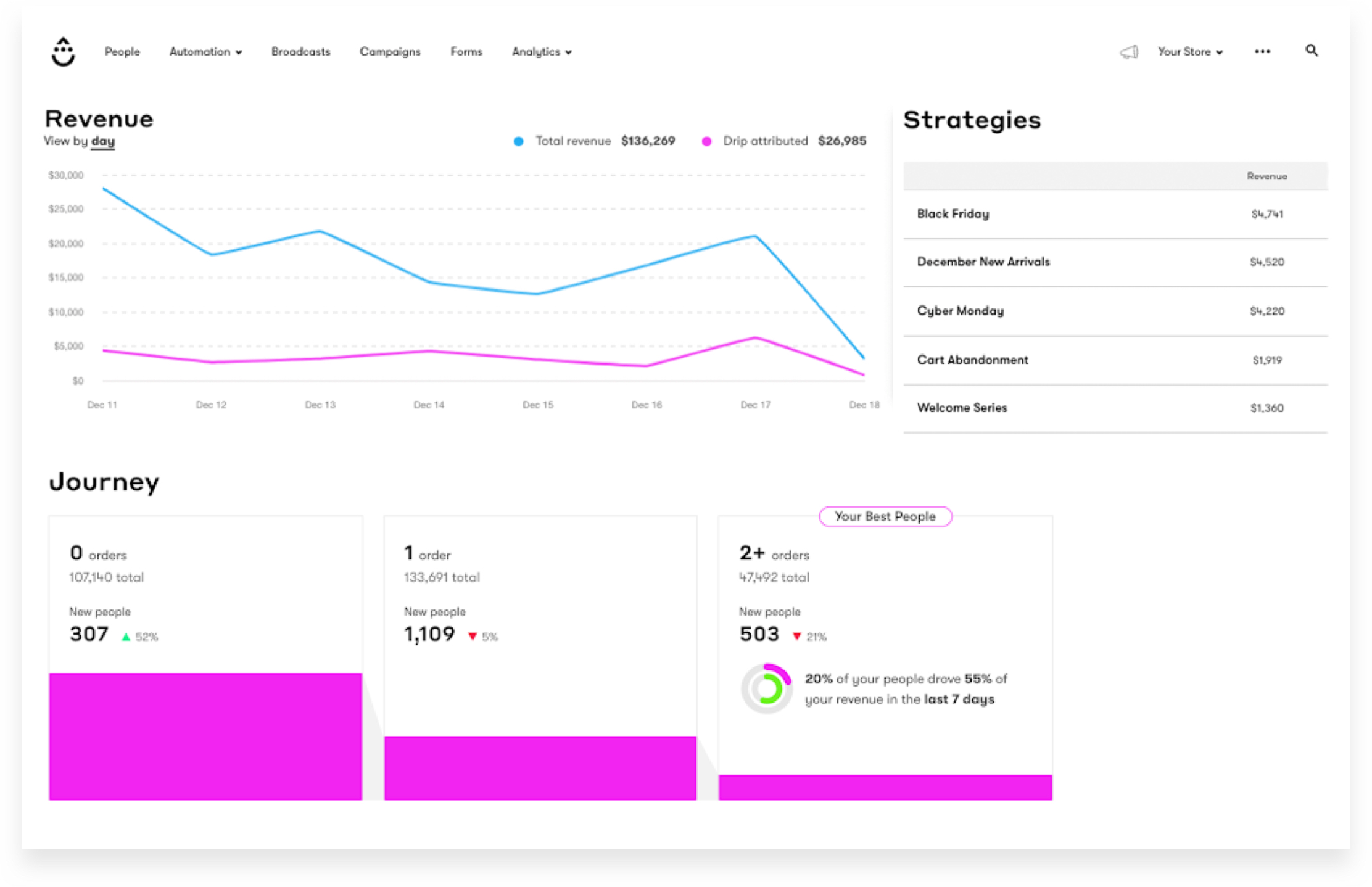
- Customer profiles. Drip consolidates customer timelines with order history, site activity, campaign engagement, and tag/segment membership, making it easier to diagnose why specific automations triggered. Omnisend tracks ecommerce activity too, but Drip’s profiles are built for deeper behavior-led analysis.
Pros & Cons
Pros:
- Advanced, ecommerce-focused automation with behavior-based triggers and workflows;
- Deep integrations with platforms like Shopify and WooCommerce;
- Detailed revenue tracking and analytics that tie campaigns directly to sales performance.
Cons:
- No permanent free plan, only a limited trial;
- Pricing scales up quickly as your subscriber list grows;
- Fewer built-in design tools and templates compared to some competitors.
Omnisend vs. Drip
Where Drip stands out compared to Omnisend:
- Advanced automation capabilities. Drip is built with complex, behavior-based workflows in mind. Marketers can create highly customized automation sequences using detailed triggers, branching logic, and dynamic customer segmentation—making it particularly appealing for teams that want granular control over the customer journey;
- Revenue attribution focus. Drip places strong emphasis on tracking and tying email performance directly to revenue. Businesses that prioritize understanding the exact financial impact of their campaigns may appreciate its deeper sales attribution reporting;
- Ecommerce data utilization. Drip integrates closely with ecommerce platforms, allowing brands to fully leverage store data for personalization, targeting, and lifecycle marketing strategies driven by real purchasing behavior.
Where Omnisend still holds an advantage:
- Pre-built ecommerce workflows & multichannel convenience. Omnisend offers ready-to-use automation templates tailored specifically for ecommerce scenarios, along with integrated email, SMS, and other channels in one platform. For businesses looking for faster setup and built-in multichannel coordination, Omnisend may feel more streamlined.
Pricing
| Contact count | Omnisend | Drip | Cost Difference |
| 1,000 | $20/mo | $39/mo | $19/mo |
| 2,500 | $44/mo | $39/mo | -$5/mo |
| 5,000 | $81/mo | $89/mo | $8/mo |
| 10,000 | $132/mo | $154/mo | $22/mo |
Brevo — Multichannel Marketing with Built-in CRM and SMS
Brevo stands out as a versatile multichannel marketing software designed to help you reach customers wherever they’re most active.

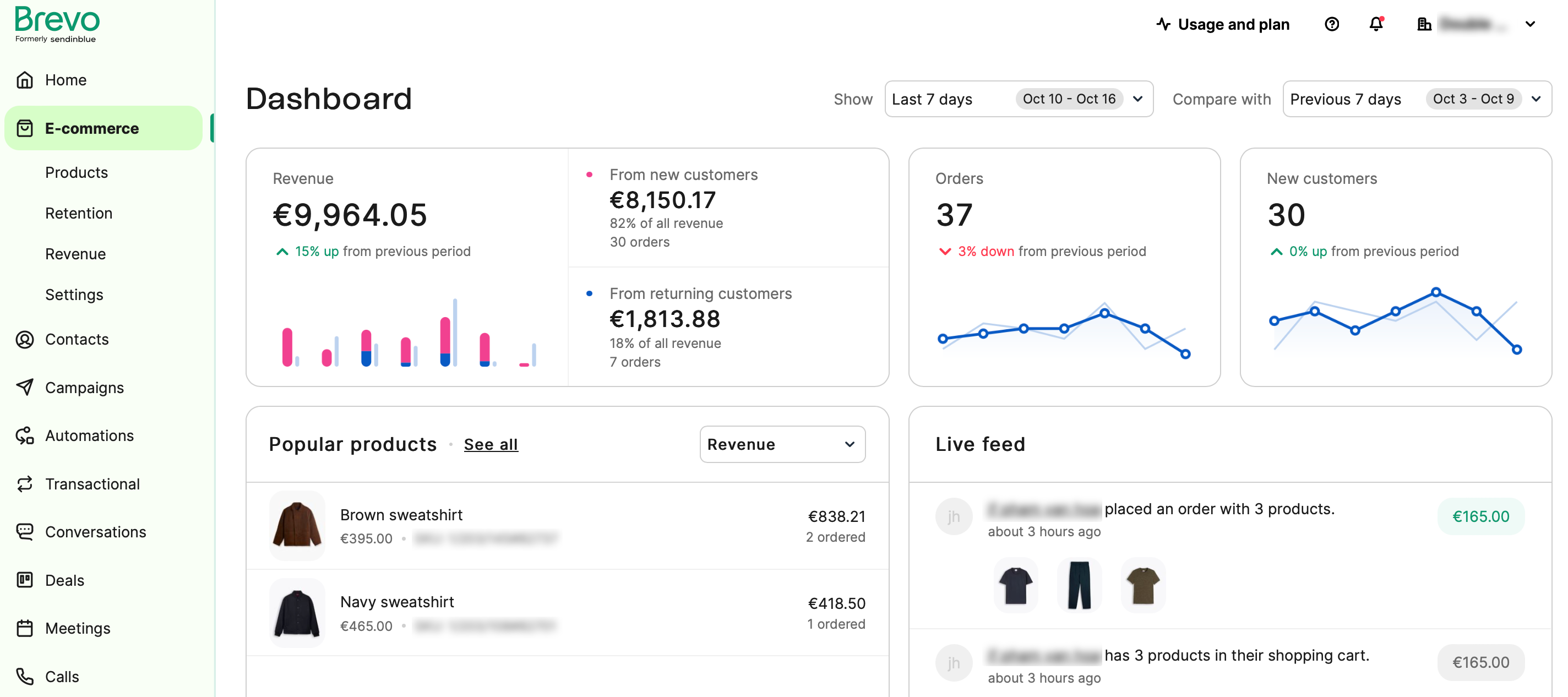
One of the bigger improvements over Omnisend is Brevo’s built-in CRM. It makes managing contacts and tracking customer interactions effortless, while automation tools let you deliver personalized messages across channels with precision.
The intuitive drag-and-drop editor makes crafting branded emails and landing pages quick and visually engaging. Meanwhile, Brevo’s analytics dashboard breaks down performance metrics clearly, which helped me to refine campaigns before launching them.
Affordable, scalable, and easy to use, Brevo is an excellent Omnisend alternative for small and midsize businesses that want to elevate their marketing through personalized, multichannel communication without stretching their budget.
Key Features
- Multichannel execution: Brevo allows campaigns to run across email, SMS, and WhatsApp from the same automation builder, enabling message coordination across channels without separate tools. Omnisend also supports multichannel messaging, but its workflows are more tightly structured around ecommerce events;
- Integrated CRM system: Brevo includes a built-in sales CRM with deal pipelines, task tracking, and contact-level activity history, allowing teams to manage both marketing and sales processes in one platform. Omnisend’s CRM functionality is primarily focused on ecommerce contact data rather than sales pipeline management;
- Transactional email infrastructure: Brevo supports transactional email via API and SMTP with dedicated IP options and infrastructure-level controls, separating marketing and transactional streams. Omnisend supports transactional messaging but is more automation-centric than infrastructure-driven;
- Pricing structure: Brevo’s pricing is based on email volume rather than strictly on contact count, making it a strong example in the contact-based pricing vs send-based pricing comparison. Omnisend’s pricing scales primarily with subscriber size.
Pros & Cons
Pros:
- Easy drag-and-drop editor and beginner-friendly interface in Brevo;
- Good automation and segmentation features;
- Free plan available with send-based pricing.
Cons:
- Smaller template and design library;
- Advanced analytics and logic automation are paid-tier features;
- Support options are limited on cheaper plans.
Omnisend vs. Brevo
- Broader multichannel communication. Brevo supports email, SMS, and chat within a single platform, giving businesses more flexibility in how they engage customers. Brands that feel limited by channel options may appreciate the ability to coordinate conversations across multiple touchpoints without relying heavily on external tools;
- Built-in CRM functionality. Brevo includes a native CRM that centralizes contact management, sales tracking, and customer data. Teams looking to combine marketing and basic customer relationship management in one system may find this especially useful for creating more personalized interactions;
- Transactional email strength. Brevo places a strong emphasis on transactional messaging, making it well-suited for handling order confirmations, shipping notifications, password resets, and other operational emails reliably and at scale.
Where Omnisend still holds an advantage:
- Ecommerce-focused automation and pre-built workflows. Omnisend provides automation templates and integrations specifically tailored to online stores. For ecommerce brands that want ready-made workflows designed around product catalogs, cart recovery, and customer lifecycle campaigns, Omnisend may offer a more specialized experience.
Pricing
| Contact count | Omnisend | Brevo | Cost Difference |
| 1,000 | $20/mo | $15/mo | $5/mo |
| 2,500 | $44/mo | $26/mo* | $28/mo |
| 5,000 | $81/mo | $26/mo | $55/mo |
| 10,000 | $132/mo | $26/mo | $106/mo |
ActiveCampaign — Best for Advanced Marketing Automation
If you’re ready to take your email marketing beyond simple campaigns, ActiveCampaign delivers the advanced automation and personalization tools to make it happen.
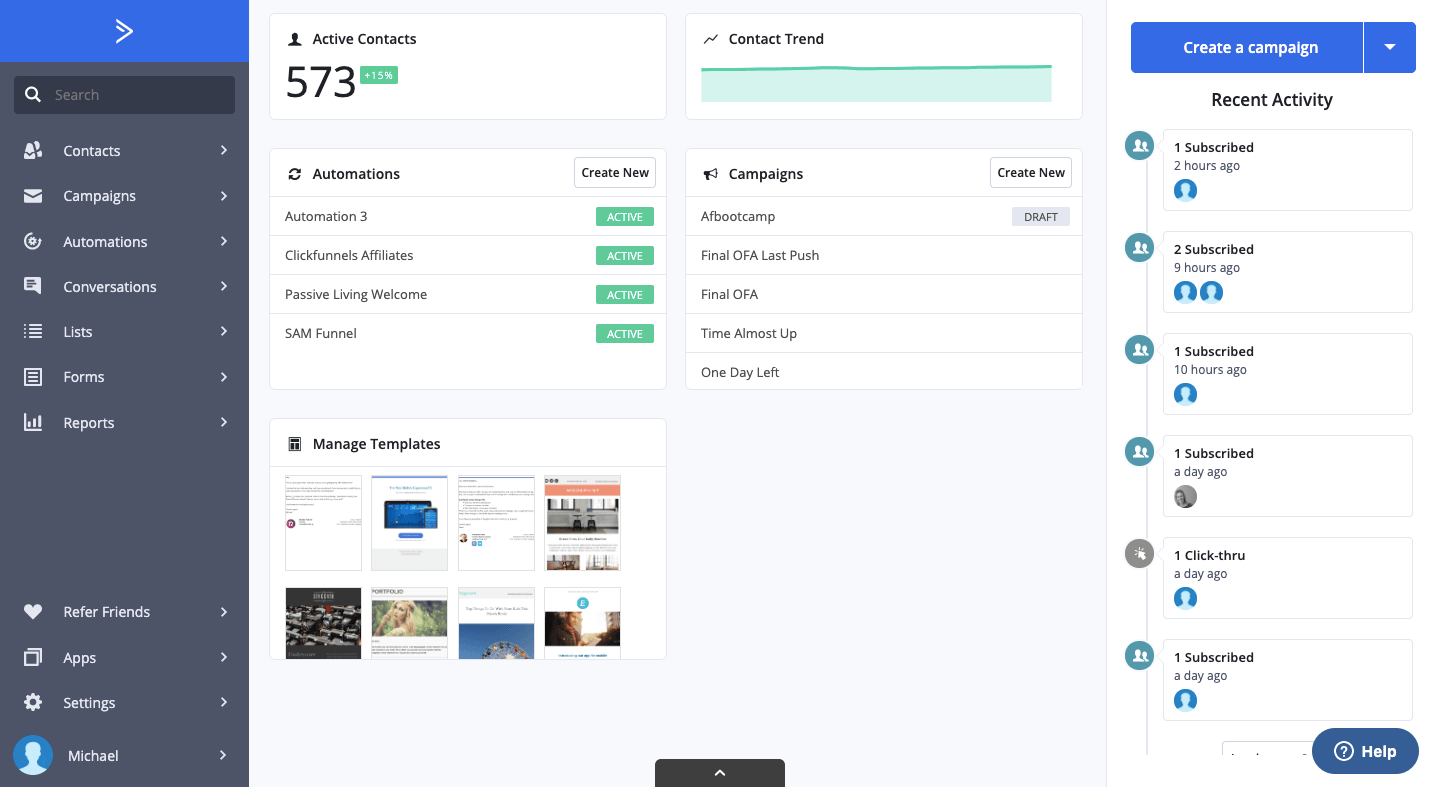
What sets ActiveCampaign apart is its deep behavioral targeting. I was able to segment audiences based on actions like website visits, link clicks, or purchase history, creating highly personalized campaigns that evolve with each interaction-something I didn’t know I was missing with Omnisend until I put my hands on this marketing solution.
Beyond email, ActiveCampaign integrates with hundreds of third-party tools, connecting your CRM, ecommerce, and marketing data under one roof. This unified approach helps you understand your audience on a deeper level and deliver tailored experiences across every channel.
For businesses serious about maximizing ROI through email marketing, ActiveCampaign is a true automation fireball.
Key Features
- Automation depth: ActiveCampaign supports conditional splits, goal tracking, predictive sending, and event-based triggers within a single workflow, allowing highly customized customer journeys. Omnisend provides strong prebuilt ecommerce automations but offers fewer branching and goal-based controls for complex lifecycle scenarios;
- Advanced A/B testing: ActiveCampaign enables split testing within automation paths, including subject lines, email content, and wait times inside workflows. Omnisend supports campaign-level testing but has more limited experimentation options inside multi-step automations;
- CRM and sales automation: ActiveCampaign includes a built-in sales CRM with deal stages, lead scoring, and automated pipeline updates tied to marketing behavior. Omnisend focuses primarily on ecommerce contact management rather than full sales funnel tracking;
- Reporting granularity: ActiveCampaign provides contact-level engagement histories, attribution tracking, and automation performance reporting across multiple touchpoints. Omnisend’s reporting is more revenue-focused and centered around ecommerce campaign results.
Pros & Cons
Pros:
- Sophisticated, behavior-driven email automation workflows;
- Integrated CRM to better connect and streamline sales and marketing efforts;
- Versatile automation builder featuring goals, branching paths, and conditional logic.
Cons:
- Creating more advanced automations can take time to learn;
- More expensive than many beginner-friendly email marketing platforms.
Omnisend vs. ActiveCampaign
Where ActiveCampaign stands out compared to Omnisend:
- More advanced automation capabilities. ActiveCampaign is built for complex, highly customized workflows. Businesses can design detailed customer journeys using layered triggers, conditional logic, lead scoring, and dynamic personalization—making it well-suited for teams that require deeper automation flexibility;
- Integrated CRM and sales automation. ActiveCampaign includes a built-in CRM that connects marketing and sales processes in one system. Teams can manage pipelines, track leads, automate follow-ups, and align marketing campaigns directly with sales activities;
- Deeper reporting and analytics. ActiveCampaign offers more granular performance insights, allowing businesses to analyze campaign results, customer behavior, and automation effectiveness at a detailed level. This can be particularly valuable for data-driven teams optimizing long-term growth strategies.
Where Omnisend still holds an advantage:
- Ecommerce-focused simplicity & ready-made workflows. Omnisend provides pre-built automation templates and native ecommerce integrations designed specifically for online stores. Brands that prioritize faster setup and streamlined ecommerce marketing may find Omnisend more straightforward to implement.
Pricing
| Contact count | Omnisend | ActiveCampaign | Cost Difference |
| 1,000 | $20/mo | $15/mo | $5/mo |
| 2,500 | $44/mo | $39/mo | $5/mo |
| 5,000 | $81/mo | $79/mo | $2/mo |
| 10,000 | $132/mo | $149/mo | $17/mo |
GetResponse — All-in-One Suite with Conversion Funnels
GetResponse is another great Omnisend alternative that positions itself as an all-in-one marketing platform.

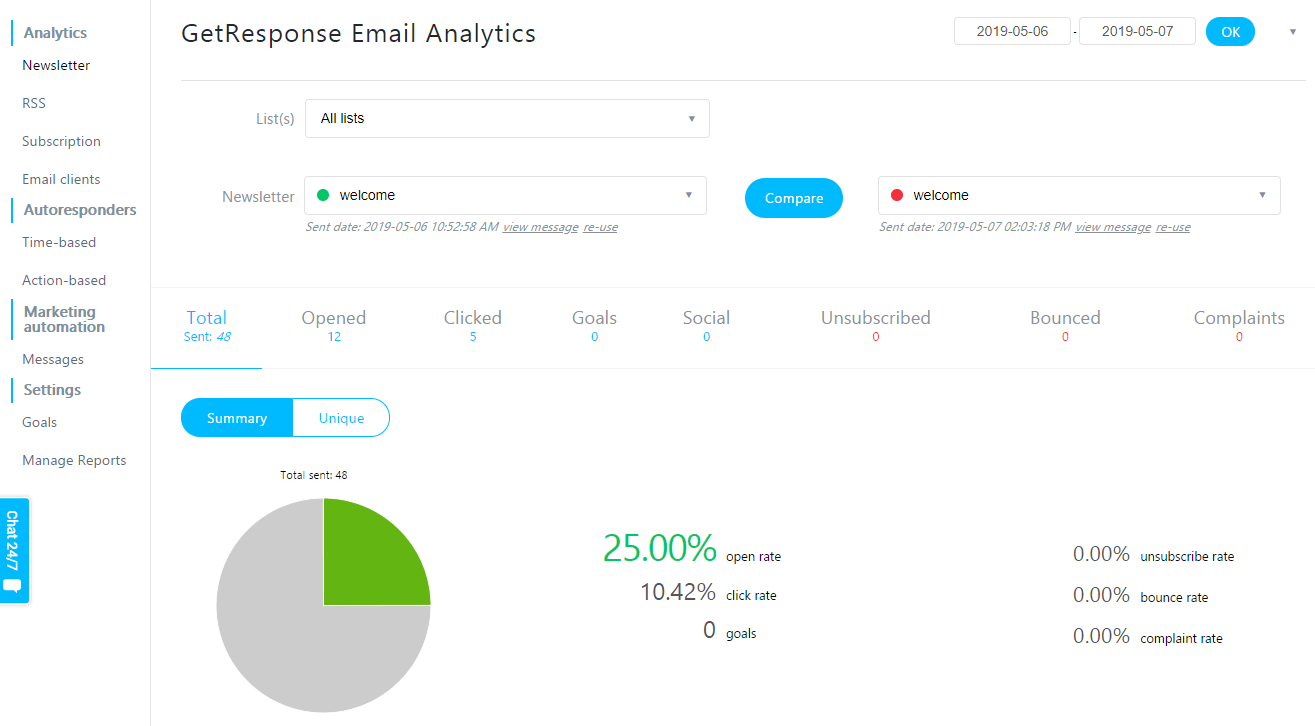
During my time with GetResponse, I found it to be an excellent all-in-one platform for running webinars, building funnels, and managing email campaigns. This is complemented by its email deliverability, which is reliably high (always no lower than 88%), ensuring your messages reach inboxes, not spam folders.
GetResponse also excels in personalization and analytics. You can segment audiences based on behavior and use detailed reports to track open rates, clicks, and conversions, refining your strategy as you go.
For businesses that want to manage multiple marketing channels without juggling separate tools, this Omnisend alternative delivers a unified, powerful platform that makes automation and lead nurturing both simple and effective.
Key Features
- All-in-one suite scope. GetResponse combines email marketing with landing pages, forms, webinars, and basic funnel tools inside the same product, reducing reliance on separate webinar or page builders. Omnisend is more ecommerce-first, with its strongest features centered on store-driven messaging rather than webinar-led campaigns;
- Conversion funnel tools. GetResponse includes prebuilt funnels that connect ads or signup forms to landing pages, emails, and follow-up sequences, making it easier to run lead-gen flows end to end. Omnisend focuses more on onsite capture and ecommerce automations than structured lead funnels;
- Webinar hosting. GetResponse offers native webinar hosting with registration pages and automated reminder sequences tied to attendee behavior. Omnisend does not include built-in webinar functionality, so webinar workflows typically require third-party platforms and integrations;
- Templates and design workflow. GetResponse provides templates across emails, landing pages, and funnels with consistent styling controls, helping teams maintain brand consistency across assets. Omnisend’s design tools are primarily optimized for ecommerce email layouts and product-focused templates.
Pros & Cons
Pros:
- Comprehensive all-in-one solution that combines email marketing, landing pages, and webinar tools;
- Flexible automation builder designed for multi-step customer journeys;
- Native webinar hosting functionality with no need for external third-party platforms.
Cons:
- The interface may feel complex or overwhelming for beginners;
- Certain advanced features are only available on higher-tier subscription plans.
Omnisend vs. GetResponse
Where GetResponse stands out compared to Omnisend:
- Broader all-in-one marketing toolkit. GetResponse goes beyond email and ecommerce automations by bundling tools like landing pages, website building, forms, and webinar hosting. Businesses that want to manage more of the funnel in one place—without stitching together multiple platforms—may find this especially appealing;
- Pre-built conversion funnels. GetResponse includes guided, ready-made funnel templates designed to speed up lead capture, nurturing, and conversion. Teams looking for a more structured “plug-and-play” approach to building campaigns may get to results faster with these funnel flows;
- Webinar hosting for deeper engagement. Unlike most ecommerce-first email platforms, GetResponse offers native webinar functionality. This is useful for brands that rely on live demos, trainings, product launches, or educational events to convert and retain customers.
Where Omnisend still holds an advantage:
- Ecommerce-native automations & store integrations. Omnisend remains more purpose-built for online store workflows, with ecommerce-focused templates and integrations that make cart recovery, product-based messaging, and lifecycle campaigns simpler to deploy for retailers.
Pricing
| Contact count | Omnisend | GetResponse | Cost Difference |
| 1,000 | $20/mo | $15/mo | $5/mo |
| 2,500 | $44/mo | $26/mo | $18/mo |
| 5,000 | $81/mo | $46/mo | $35/mo |
| 10,000 | $132/mo | $66/mo | $66/mo |
Klaviyo — Powerful Segmentation for Ecommerce Businesses
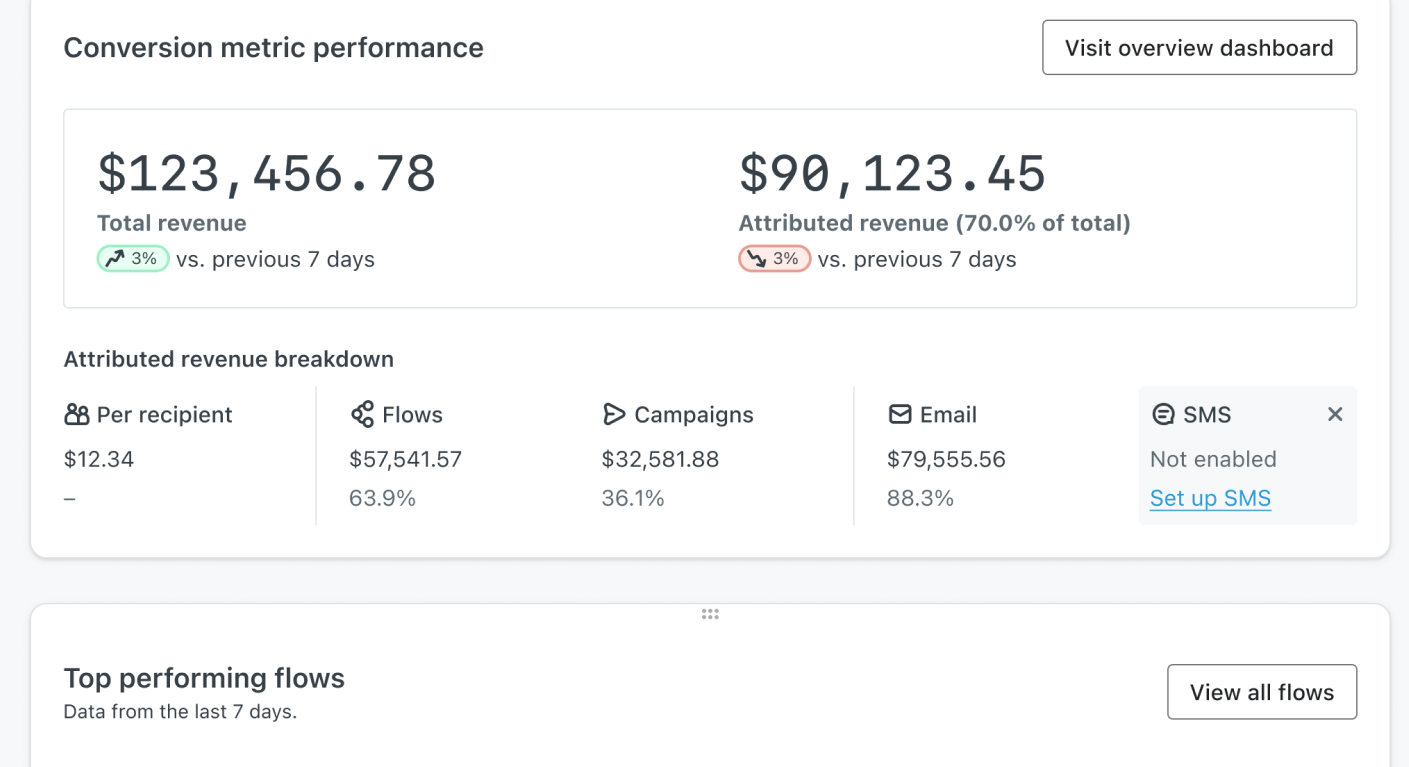
Last but not least, Klaviyo, a go-to platform for ecommerce marketing, ended up on this list for its incredibly advanced segmentation, powerful automation, and deep integrations.

What really sets Klaviyo apart for me is how effortlessly it allows me to collect and use detailed customer data. It pulls in everything—from purchase history and browsing behavior to website activity—so I can build highly specific segments and deliver messaging that truly feels personal.
For instance, I can send abandoned cart emails that automatically display the exact products a customer left behind, or recommend items based on their previous purchases. That kind of precision is hard to match.
Ultimately, while Omnisend is great for quick setup and straightforward ecommerce automation, Klaviyo gives me a deeper, data-driven way to connect with my audience.
Key Features
- Advanced segmentation. Klaviyo builds segments using real-time ecommerce events plus engagement signals, allowing highly specific targeting like “repeat buyers of category X who haven’t ordered in 60 days.” Omnisend supports ecommerce segmentation, but typically with fewer behavioral layers and predictive options;
- Personalized recommendations. Klaviyo can populate emails with dynamic product feeds and recommendation blocks driven by catalog and behavior data, keeping content personalized at scale. Omnisend also supports product-based content, but Klaviyo’s catalog-driven personalization is generally more configurable;
- Pre-built email flows. Klaviyo offers templates for abandoned cart, browse abandonment, post-purchase, and win-back sequences that can be refined with conditional splits and timing logic. Omnisend provides strong prebuilt ecommerce automations, but with less granular branching for complex customer journeys;
- Reporting and analytics. Klaviyo emphasizes revenue attribution and flow-level performance reporting, tying campaign and automation results directly to orders and customer segments. Omnisend tracks ecommerce outcomes as well, but Klaviyo typically provides deeper segment and lifecycle reporting for optimization.
Pros & Cons
Pros:
- Advanced segmentation and personalization built specifically for ecommerce businesses;
- Seamless native integrations with platforms like Shopify and WooCommerce;
- Strong automation workflows for abandoned cart recovery, win-back campaigns, and personalized product recommendations.
Cons:
- Pricing scales up quickly as your contact list grows;
- More complex segmentation and automation features come with a steeper learning curve.
Omnisend vs. Klaviyo
Where Klaviyo stands out compared to Omnisend:
- More powerful segmentation. Klaviyo is especially strong at building highly specific customer segments using detailed behavioral and purchase data. Brands can target audiences with very fine-grained rules—useful for tailoring messaging to repeat buyers, high-LTV customers, churn risks, category shoppers, and more;
- Deeper personalization and data-driven optimization. Klaviyo puts heavy emphasis on using customer data to personalize content and optimize performance. Its analytics and reporting are designed to help teams make informed decisions based on customer behavior, campaign results, and revenue impact;
- Ecommerce growth features built around revenue. Klaviyo includes advanced, ecommerce-focused capabilities—often centered on driving repeat purchases and increasing LTV—supported by pre-built workflows and revenue-oriented reporting that appeals to growth-focused teams.
Where Omnisend still holds an advantage:
- Faster ecommerce setup & multichannel simplicity. Omnisend is often simpler to implement quickly, with ecommerce-ready templates and straightforward multichannel execution (notably email + SMS) that can feel more approachable for teams that want strong ecommerce automation without Klaviyo’s heavier emphasis on data configuration and analysis.
Pricing
| Contact count | Omnisend | Klaviyo | Cost Difference |
| 1,000 | $20/mo | $30/mo | $10/mo |
| 2,500 | $44/mo | $60/mo | $16/mo |
| 5,000 | $81/mo | $100/mo | $19/mo |
| 10,000 | $132/mo | $150/mo | $18/mo |
Kit — Creator-Focused Email Marketing with Simple Automation
Finally, we have Kit. This email marketing platform is designed primarily for creators, educators, and content-driven businesses that prioritize audience growth, newsletters, and digital product sales over complex ecommerce automation.

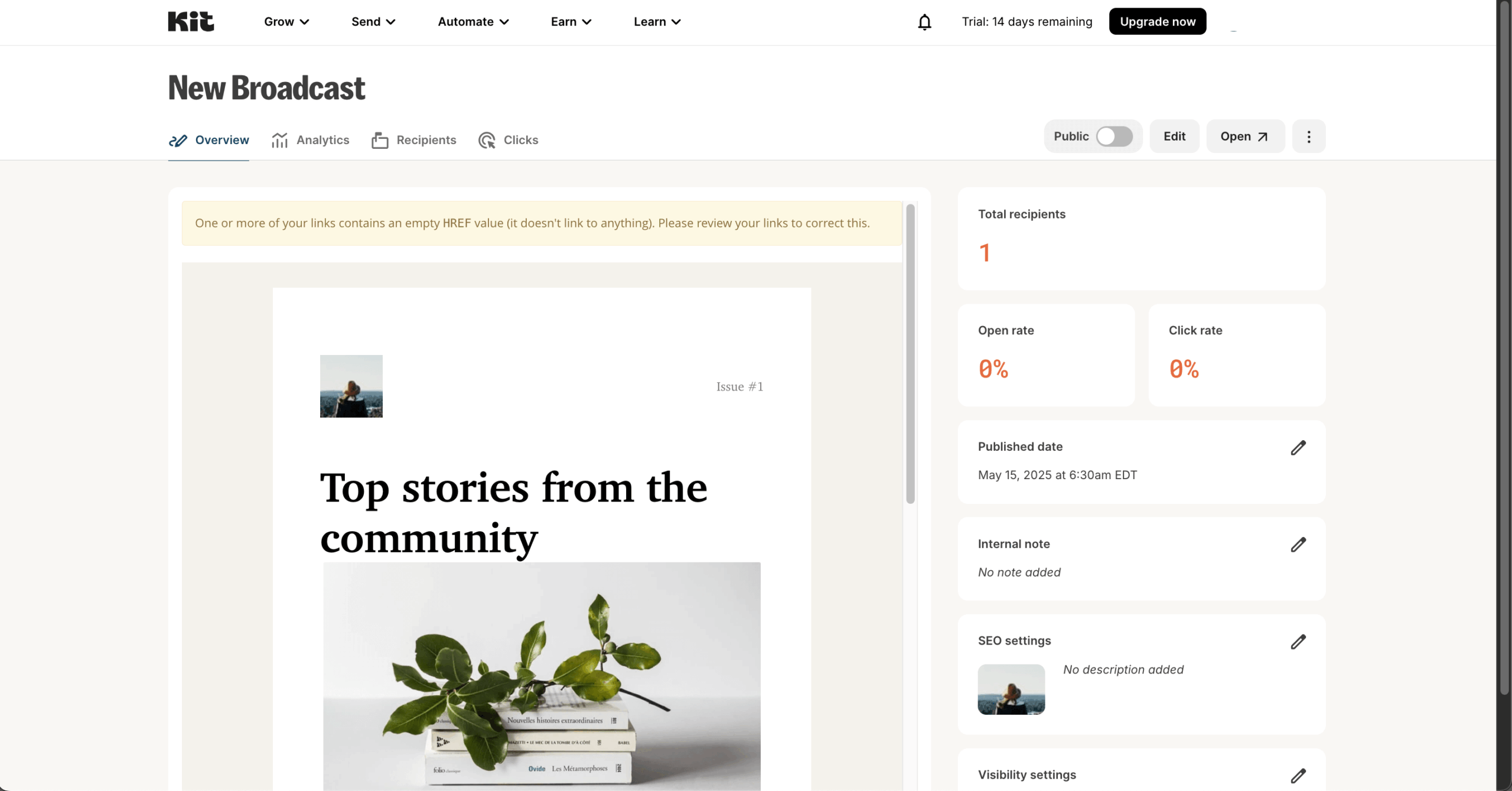
Unlike ecommerce-first platforms like Omnisend, Kit centers its experience around simplicity, tagging, and audience relationships. During testing, the interface felt intentionally minimal — focused on writing emails, organizing subscribers, and building lightweight automations without unnecessary configuration layers.
Automation in Kit is visual and straightforward. You can trigger sequences based on form signups, tag changes, purchases, or subscriber actions. While it doesn’t aim to compete with advanced ecommerce lifecycle builders, it works well for creators selling courses, digital downloads, memberships, or newsletters.
Key Features
- Tag-based subscriber management. Kit organizes audiences through tags rather than rigid list structures, allowing creators to group subscribers based on interests, purchases, or engagement behaviors. Omnisend focuses more heavily on ecommerce segmentation tied to store activity rather than content-driven tagging;
- Visual automation builder. Kit provides a clean visual workflow system for building email sequences triggered by form submissions, tag changes, or purchases. Omnisend supports stronger ecommerce-triggered automations, but Kit’s builder is designed for clarity and simplicity over complexity;
- Creator monetization tools. Kit allows users to sell digital products and subscriptions directly, with built-in payment handling and subscriber tagging tied to purchases. Omnisend integrates with ecommerce email automation software but does not provide native creator-first commerce features;
- Landing pages and forms. Kit includes customizable landing pages and embedded forms optimized for newsletter growth and lead magnets. Omnisend also offers signup forms, but they are primarily structured around ecommerce popups and promotional capture.
Pros & Cons
Pros:
- Creator-focused email marketing tool with simple automation and segmentation in Kit;
- Built-in support for selling digital products and running paid newsletters;
- Generous free plan with unlimited emails for smaller audiences.
Cons:
- Limited design customization and basic editor compared to drag-and-drop platforms;
- Costs grow as your subscriber list expands;
- Fewer integrations and more basic reporting features than enterprise tools.
Omnisend vs. Kit
Where Kit stands out compared to Omnisend:
- Simplicity for content creators. Kit is structured around newsletters, content delivery, and audience relationships rather than product catalogs and store events. Creators who prioritize publishing and engagement over ecommerce automation may find it more aligned with their workflow;
- Generous free subscriber limit. Kit’s free plan supports up to 10,000 subscribers (with feature limitations), making it appealing for early-stage creators building an audience before monetizing heavily;
- Tag-driven flexibility. Subscriber organization through tags makes it easy to manage interest-based segments and course buyers without relying on ecommerce triggers.
Where Omnisend still holds an advantage:
- Ecommerce depth & multichannel automation. Omnisend provides stronger cart abandonment sequences, product-based personalization, SMS integration, and revenue attribution tools designed specifically for online stores scaling physical or large catalog sales.
Pricing
| Contact count | Omnisend | Kit | Cost Difference |
| 1,000 | $20/mo | $33/mo | $13/mo |
| 2,500 | $44/mo | $49/mo | $5/mo |
| 5,000 | $81/mo | $79/mo | $2/mo |
| 10,000 | $132/mo | $119/mo | $13/mo |
FAQ
What are the best Omnisend alternatives for ecommerce?
The best Omnisend alternatives for ecommerce are Klaviyo and Drip, as both focus heavily on behavior-based automation and ecommerce segmentation. While Mailchimp and Brevo offer broader marketing features beyond email, including CRM and multichannel tools. ActiveCampaign supports advanced automation workflows, while Sender and Kit may suit smaller stores seeking simpler campaign management and lower complexity.
Why do businesses switch from Omnisend?
Businesses typically switch from Omnisend due to limitations in automation flexibility, pricing structure as contact lists grow, or the need for broader marketing features such as built-in CRM, advanced segmentation, or multichannel messaging. Others may prefer tools that better support creators, B2B workflows, or complex customer journeys. Platform usability and integration requirements also influence migration decisions.
Which Omnisend alternative is best for advanced automation?
ActiveCampaign and Sender are commonly chosen for advanced marketing automation. They support conditional logic, detailed segmentation, event tracking, and multi-step workflows based on customer behavior. These platforms are generally suited for businesses managing complex funnels or lifecycle campaigns. Klaviyo also provides strong automation capabilities, particularly for ecommerce brands focused on predictive segmentation and personalized messaging.
Are there Omnisend alternatives with built-in CRM?
Yes, some Omnisend alternatives include integrated CRM functionality. Brevo offers a built-in CRM alongside email, SMS, and marketing automation features. ActiveCampaign also combines CRM and automation tools, allowing businesses to manage sales pipelines and customer data in one system. These platforms may suit teams that want marketing and contact management consolidated without relying on separate third-party customer journey automation software.
How difficult is it to migrate from Omnisend?
The level of effort largely depends on your existing setup and how customized your workflows are, but most platforms make the whole process easy. Moving away from Omnisend typically involves updating domain authentication records (such as DNS settings), creating new API keys or SMTP credentials, and validating email sending performance with test campaigns prior to full migration.
Which Omnisend alternative is best for creators?
Kit is often considered the best Omnisend alternative for creators. It focuses on straightforward automation and subscriber management rather than complex ecommerce workflows. Mailchimp may also appeal to creators seeking broader integrations and campaign templates. The best choice depends on whether the primary goal is content distribution, monetization, or advanced automation.