


With the growing demand for effective digital marketing strategies, choosing the right tools to manage your email marketing is more critical than ever. This page provides an overview of the 9 best email marketing platforms for ecommerce in 2026, comparing their features, pricing, and suitability for different business needs.
Whether you’re looking to boost customer engagement or streamline your campaign management, this guide helps you find the platform that aligns with your ecommerce goals.
Capterra, G2, Trustpilot, and Reddit to create an objective evaluation. Learn more about our review methodology
How We Evaluated Email Marketing Platforms for Ecommerce
- Ecommerce integrations tested. We evaluated each platform’s ecommerce capabilities by connecting real Shopify and WooCommerce stores, syncing product catalogs and testing abandoned cart triggers, and customer data flows to assess how reliably each tool supports revenue-driven campaigns beyond basic API claims;
- Automation depth. We assessed the sophistication of each platform’s automation builder, including multi-step workflows, trigger variety (behavioral, transactional, and ecommerce-based), conditional logic, branching, goal tracking, and the ability to combine email with multiple marketing channels for cohesive customer journeys;
- Reporting & attribution. We reviewed the quality and granularity of campaign analytics, including revenue attribution, conversion tracking, customer lifecycle reporting, and multi-touch attribution models to determine how clearly each platform connects marketing activity to measurable business outcomes;
- Pricing model. We analyzed pricing transparency, billing structure (subscriber-based vs. send-based vs. flexible pricing models), feature gating across tiers, and the true cost of essential functionality such as automation, ecommerce features, and advanced reporting to identify potential hidden limitations or upgrade pressures;
- Scalability. We examined how well each platform supports growth by testing performance with larger contact lists, evaluating advanced segmentation capabilities, reviewing infrastructure reliability, and assessing how feature access, automation limits, and support levels evolve as businesses expand.
Key Features of Email Marketing Platforms for Ecommerce
Before diving into our top picks, let’s identify the key ecommerce-tailored email marketing features that separate good email marketing tools from great ones:
- Product catalog sync. A robust product catalog sync ensures your email marketing platform always has up-to-date product information. This eliminates the risk of promoting out-of-stock items or showing outdated prices.
- Ecommerce integrations. Seamless ecommerce platform integration like Shopify, WooCommerce, Magento, and BigCommerce is essential for syncing customer data, order history, and other information automatically.
- Purchase behavior segmentation. Advanced customer segmentation is key to delivering highly personalized marketing. By understanding where each customer is in their buying journey, you can tailor messages that resonate and convert.
- Abandoned cart recovery. Cart abandonment emails are arguably the most profitable automated campaigns for ecommerce businesses. This feature automatically triggers a series of emails when customers leave items in their shopping cart without completing the purchase.
- Post-purchase automation. The customer journey doesn’t end at checkout—post-purchase emails are crucial for building loyalty and encouraging repeat purchases.
- Product recommendations blocks. Personalized product recommendations are a great way to boost engagement and drive sales. By analyzing customer behavior, purchase history, and preferences, you can suggest items that are highly relevant to individual shopper—without lifting a finger.
- Revenue attribution tracking. Revenue tracking lets you see exactly how much income your email campaigns are generating and how many orders come directly from them. This insight gives you a clear view of what’s working—and, more importantly, what’s not.
- Dynamic product content. With 80% of consumers more likely to buy from brands that personalize their marketing, it’s clear why this strategy is key to success. Customized product recommendations help deliver the right message to the right person at the right time.
- Lifecycle automation. Send targeted campaigns based on each customer’s stage, from welcome series to win-back and VIP offers, to drive engagement and increase long-term customer value.
- SMS + email coordination. Align SMS and email campaigns to reinforce messaging, improve response rates, and deliver consistent communication across multiple customer touchpoints.
- Transactional + marketing in one system. Manage order confirmations and promotional emails together in one platform to simplify infrastructure, maintain branding consistency, and centralize reporting.
Email Marketing Platforms for Ecommerce — Quick Comparison
Here’s a quick email marketing platforms comparison table with the top ecommerce email marketing software products:
| Platform | Best For | Ecommerce Strength | Automation Level | Pricing Entry |
| Sender | Small to mid-sized ecommerce stores needing strong features on a budget | Real-time Shopify & WooCommerce sync, product-based triggers, built-in transactional + marketing email | Advanced lifecycle automation with visual workflows | $7/month |
| Omnisend | Brands running omnichannel ecommerce campaigns | Native ecommerce integrations plus SMS, email, and push in one system | Prebuilt ecommerce workflows and multi-channel automation | $11/month |
| Shopify Email | Shopify-first stores wanting native simplicity | Fully embedded in Shopify admin with direct product and order data access | Basic to moderate automation focused on core ecommerce flows | Included with Shopify |
| Drip | Ecommerce brands prioritizing personalized lifecycle messaging | Deep ecommerce segmentation, revenue attribution, on-site behavior + purchase tracking | Strong automation with conditional logic and branching workflows | $39/month |
| Klaviyo | Data-driven ecommerce brands needing deep personalization | Best-in-class segmentation from purchase behavior + predictive analytics and product feeds | Highly advanced automation and conditional logic | $20/month |
| Brevo | Ecommerce teams needing both marketing + transactional email | Marketing email + transactional emails(order/shipping), API/SMTP options, basic ecommerce integrations | Moderate automation (workflow, multiple triggers) | $8/month |
| GetResponse | Ecommerce marketers who want email + landing pages/funnels in one tool | Ecommerce-focused templates, product recommendations (varies by integration), funnels/landing pages | Moderate automation with visual builder (more advanced on higher tiers) | $13/month |
| ActiveCampaign | Teams that want advanced automation + CRM-driven ecommerce journeys | Strong integrations (Shopify/WooCommerce + others), deep segmentation, CRM + sales automation | Very advanced automation builder with robust branching and scoring | $15/month |
| Mailchimp | Small ecommerce businesses starting with email marketing | Broad integrations, product recommendations (varies), easy templates and reporting | Basic to moderate automation | $13/month |
How to Choose the Right Platform for Your Ecommerce Store
Choosing the right ecommerce platform is not easy and comes down to certain criteria that you should pay particular attention to:
- Your store’s growth stage. Early-stage stores need simplicity and affordability, while scaling brands require deeper automation, segmentation, and analytics to support increasing customer complexity.
- Sales volume and campaign frequency. Higher order volume and frequent promotions demand stronger automation, deliverability, and infrastructure to reliably support large, recurring sends.
- Catalog size and product turnover. Large or fast-changing catalogs benefit from dynamic product feeds, automated recommendations, and real-time inventory syncing.
- Team skill level and available resources. Advanced tools unlock more power—but require time, technical comfort, and strategic oversight to use effectively.
- Marketing channel mix beyond email. If you use SMS, push, or paid ads, choose a platform that centralizes cross-channel data and coordination.
- Lifecycle marketing maturity. Brands running welcome, post-purchase, win-back, and VIP flows need platforms with robust segmentation and behavioral triggers.
- Operational ownership (in-house vs agency). Agencies often prefer flexible, multi-account tools, while in-house teams may prioritize usability and native integrations.
- Long-term cost predictability as you scale. Ensure pricing scales sustainably with contacts or sends, so growth doesn’t dramatically erode your margins.
Quick Picks: Find the Perfect Email Marketing Platforms for Ecommerce Fast
Use this list to quickly match your business needs with the right platform:
- Best Free Plan: Sender (Free Forever: 2,500 subscribers + 15,000 emails/month; includes automation + segmentation.)
- Best Budget Option: Shopify Email (Shopify-native with a pay-as-you-go model after the free 10,000 emails/month.)
- Best for Ecommerce: Sender (Shopify/WooCommerce integrations + abandoned cart and product recommendation blocks.)
- Best for Startups/SMBs: Mailchimp (Built for ecommerce beginners and small businesses that want an easy, approachable setup.)
- Best for Enterprise/Agencies: ActiveCampaign (Advanced CRM + email automation; positioned for businesses needing deeper CRM-driven workflows.)
- Best for DTC Brands: Drip (Advanced ecommerce automation + revenue attribution focus for scaling DTC.)
Disclosure: This article evaluates a list of tools, including Sender, which our company owns. Digital marketing comparisons and assessments are based on research, industry standards, and user feedback. No commissions are earned from links in this article.
9 Best Email Marketing Platforms for Ecommerce
After testing dozens of email marketing software for ecommerce platforms over the past few years, I’ve pulled together this comparison of the ones that consistently deliver for online businesses.
These are the platforms that help you build real relationships with customers and, more importantly, drive sales:
Sender — Best All-in-All Ecommerce Email Marketing Platform
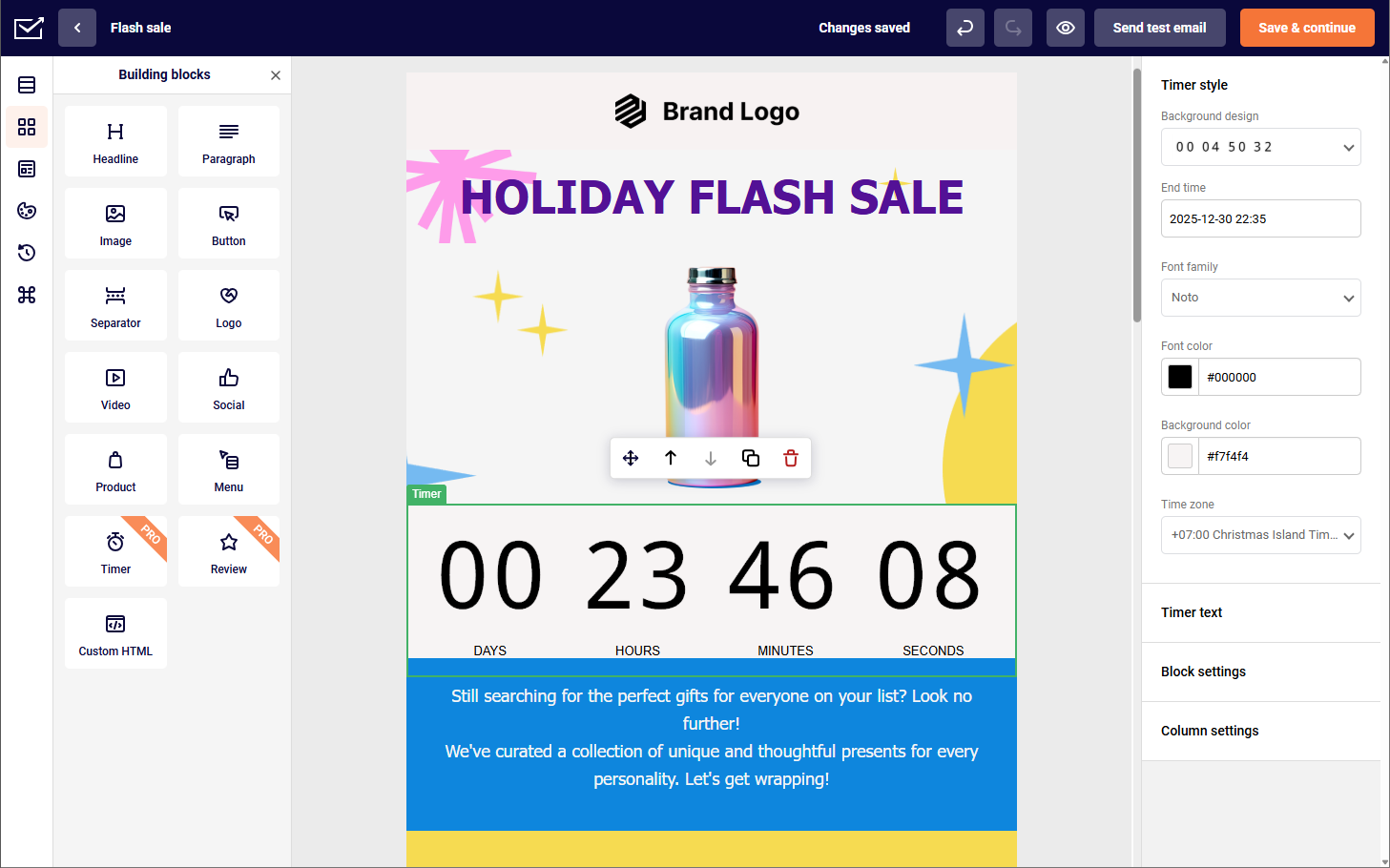
If you’re looking for an email marketing platform that combines the best of both worlds —marketing and transactional messaging—you shouldn’t sleep on Sender.

Sender pricing: Paid plans start at $7/month for 1,000 contacts and 12,000 emails/month. Free plan available.
What’s interesting about Sender is that it isn’t purpose-built for ecommerce in the same way as, say, Omnisend or Klaviyo are. However, not only does it keep up with these ecommerce-focused competitors surprisingly well, but it also gives them a run for their money.
For instance, I can easily connect it with platforms like Shopify and WooCommerce, which makes syncing customer data and triggering emails based on purchases or cart activity straightforward.
It also supports key ecommerce functionality like abandoned cart reminders, post-purchase follow-ups, transactional emails, audience segmentation, and performance tracking—so I’m not missing out on the essentials that drive sales and retention.
Key Features
- Ecommerce integrations. Real-time sync with Shopify and WooCommerce for customer, order, and product data;
- Advanced cart recovery automation. Multi-step abandoned cart workflows with customizable timing and incentive triggers;
- Behavioral trigger campaigns. Automated emails based on browsing activity, purchase milestones, and customer actions;
- Generous free plan. Get 2,500 contacts and 15,000 monthly emails for free—no strings attached;
- Landing page builder. Template-based landing pages created through a no-code interface.
Pros and Cons
Pros of Sender:
✅ Advanced automation tools give users the ability to build powerful workflows that streamline customer engagement and boost campaign performance;
✅ User-friendly interface makes it easy for beginners and experienced marketers alike to set up and manage email campaigns efficiently;
✅ State-of-the-art segmentation functionality allows for precise audience targeting based on behavior, preferences, and purchase history.
Cons of Sender:
❌ The free plan includes Sender branding, which may limit the sleekness of your emails if you’re just starting out or trying to maintain a polished brand image;
❌ The platform lacks built-in CRM features, which could be a drawback for businesses looking for an all-in-one marketing and customer management solution.
Pricing
- Free tier: $0 (2,500 contacts—15,000 emails/month);
- Standard: $7/month (1,000 contacts—12,000 emails/month);
- Professional: $14/month (1,000 contacts—24,000 emails/month);
- Enterprise: Custom price.
Best for
Sender is a great fit for small to medium ecommerce businesses, multi-channel retailers, and growing brands. It offers powerful, enterprise-level features without the high cost or complexity, supports unified communication across platforms, and provides scalable plans—making it ideal for businesses looking to grow without hitting restrictive limits.
See why businesses are choosing Sender:
Omnisend — Omnichannel Email Marketing Tool for Ecommerce
Omnisend was built specifically for online store email marketing, and it shows. The thing that sets them apart? You can combine email, SMS marketing, and web push notifications in one workflow.

Omnisend pricing: starts at $16/month for up to 500 contacts and 6,000 emails/month. Free plan available.
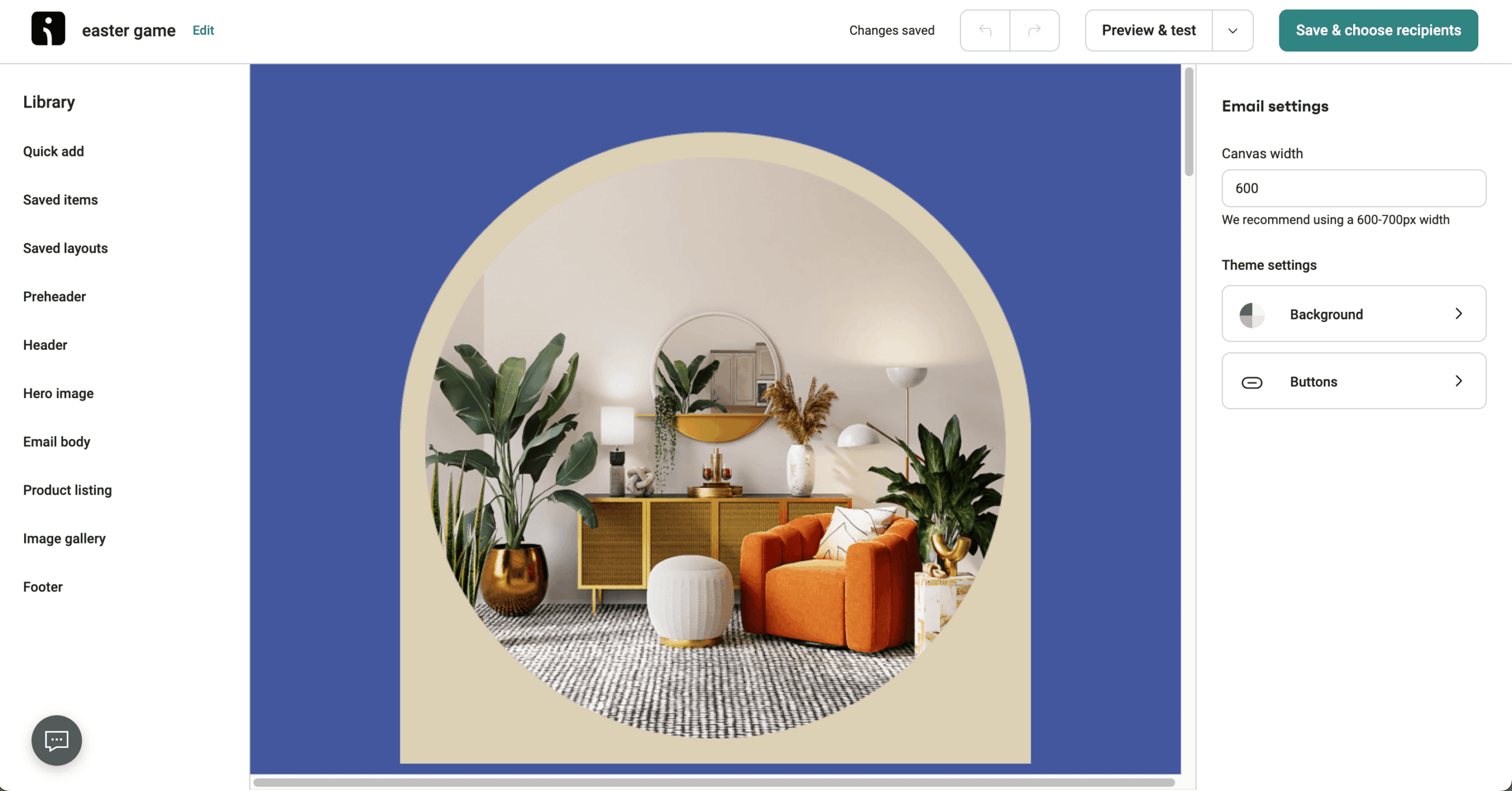
When I tested it out, I set up an abandoned cart series with product recommendations using their visual workflow builder. All in all, the whole process took less than an hour from start to finish. The interface makes sense, and the drag-and-drop branching doesn’t require a manual to figure out.
The downside? Their integration options are somewhat limited if you’re running tools outside the typical ecommerce stack. And if you need broader CRM features, you might feel restricted. But for pure ecommerce email marketing, Omnisend knows what it’s doing.
Key Features
- Omnichannel workflow builder. Combine email, SMS, and push notifications in unified automation workflows to reach customers on their preferred channels seamlessly.
- Pre-built ecommerce email automation. Ready-to-use templates for welcome series, cart recovery, and post-purchase flows that can be customized and launched in minutes.
- Dynamic discount codes. Generate unique, single-use discount codes automatically for each subscriber to prevent coupon abuse while driving conversions.
- Product picker tool. Drag products directly from your Shopify catalog into emails with automatic price and availability updates in real-time.
- Ready-to-go automations. Use pre-built workflows for common ecommerce tasks like welcome emails, cart recovery, and post-purchase, customizable for quick, efficient campaign launches.
Pros and Cons
Pros of Omnisend:
✅ Budget-friendly pricing makes it a strong option for growing ecommerce businesses that need powerful features without the enterprise price tag;
✅ Pre-built automation workflows help users quickly launch campaigns like cart recovery, welcome series, and product follow-ups—saving time and boosting retention;
✅ Omnichannel marketing combines email, SMS, and push notifications in a single platform, creating a cohesive customer experience across multiple touchpoints;
✅ 24/7 live chat support ensures users get quick, knowledgeable help whenever they need it—ideal for fast-moving ecommerce environments.
Cons of Omnisend:
❌ Template editor can feel limiting compared to more flexible design tools—especially if you want total creative control;
❌ Limited third-party integrations may be a drawback for businesses relying on a diverse tech stack beyond ecommerce platforms;
❌ User interface could benefit from an upgrade, with certain navigation elements and layout choices feeling slightly outdated;
❌ Steep learning curve—while the platform is powerful, it can take time to master all the automation and segmentation features.
Pricing
- Free tier: $0 (250 contacts—500 emails/month);
- Standard: $16/month (500 contacts—6,000 emails/month);
- Pro: $41/month (2,500 contacts—Unlimited email sends);
Best for
Omnisend is a great fit for ecommerce-focused businesses of all kinds. Shopify stores can automate key customer touchpoints like promotional emails, cart recovery messages—making it easier to recover lost sales without manual follow-ups.
Meanwhile, subscription-based businesses can streamline renewal reminders and send recurring product newsletters, ensuring consistent engagement and retention—all from one unified platform.
Shopify Email — Native Email Marketing App for Shopify Stores
If you’re running a Shopify store and want the path of least resistance, Shopify Email makes sense. It’s the native Shopify email marketing option that just works (or it wouldn’t have made it onto this list).

Shopify Email pricing: Shopify Email comes with any Shopify plan starting at $22/month. Then it’s $1 per 1,000 emails sent.
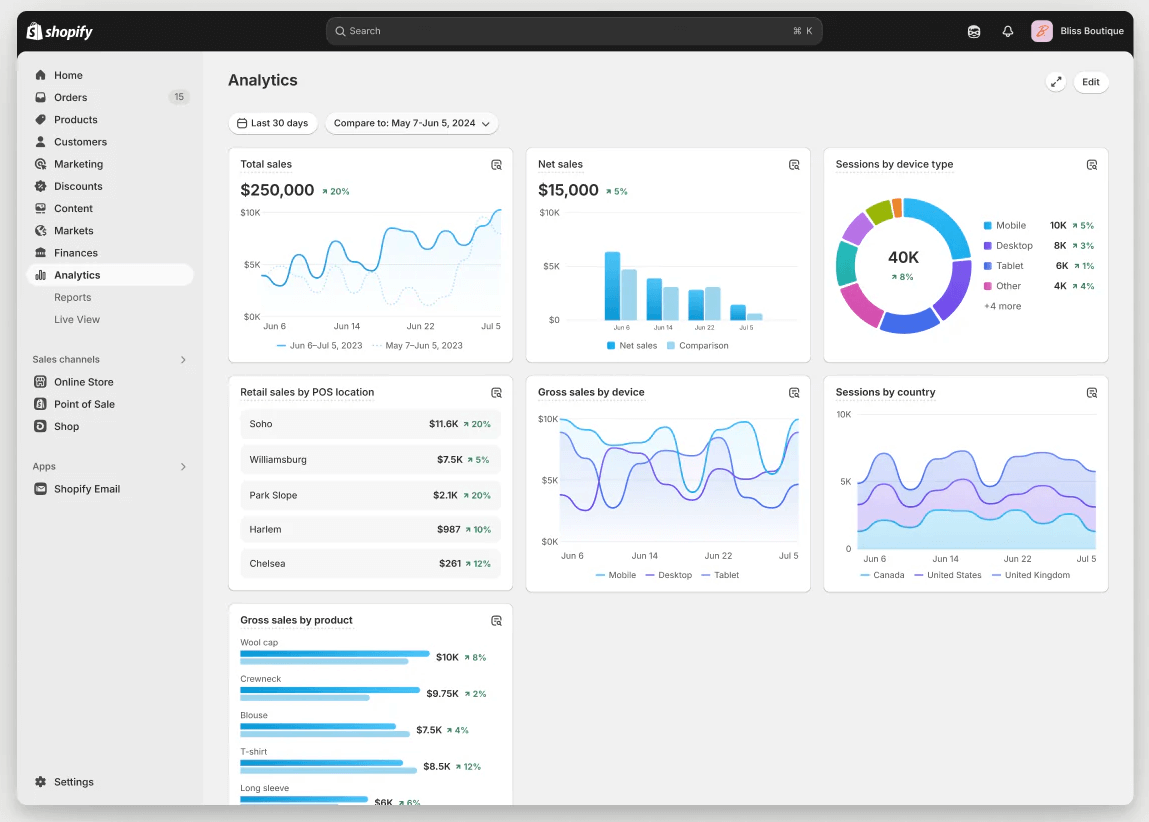
The platform pulls in your products, images, and contact data automatically. Creating campaigns for abandoned carts, welcoming new subscribers, or following up after purchases happens right in your Shopify dashboard. No jumping between tabs or wondering if everything synced properly.
The simplicity is the selling point here. Everything connects automatically, so you’re not dealing with third-party integrations or data transfer headaches. It’s not the most feature-rich option out there, but sometimes you don’t need all the bells and whistles.
Key Features
- Native Shopify integration. Direct access to all store data including products, customers, and orders without any setup or synchronization delays.
- Branded email templates. Pre-designed templates that automatically match your store’s branding, colors, and fonts for consistent customer experience.
- Automated campaign triggers. Set up purchase-based automations, welcome emails, and win-back campaigns directly from your Shopify admin dashboard.
- Extensive pre-built segments selection. Use a variety of ready-to-go segments to quickly target specific customer groups based on behavior and attributes.
- Built-in analytics. Track key metrics like opens, clicks, and sales attribution within Shopify’s unified reporting dashboard for streamlined performance monitoring.
Pros and Cons
Pros of Shopify Email:
✅ Pay-as-you-go pricing offers flexibility and cost control, making it a great option for businesses that want to scale without committing to fixed monthly fees;
✅ Built-in performance tracking lets you monitor campaign effectiveness in real time, helping you make data-driven decisions with ease;
✅ Seamless Shopify integration ensures a smooth setup and synchronization of your store data, allowing for quick and efficient campaign management;
✅ Top-rated customer support provides responsive, knowledgeable assistance whenever you need help—ideal for teams with limited tech resources.
Cons of Shopify Email:
❌ Weak A/B testing support limits your ability to optimize campaigns through experimentation and performance comparisons;
❌ Limited advanced automation means fewer options for building complex workflows or behavior-triggered sequences;
❌ Basic segmentation features may not be sufficient for marketers who need detailed targeting and personalized campaigns at scale.
Pricing
- 3-day free trial: $0/month (Unlimited contacts—10,000 email sends);
- Basic plan: $22/month (Unlimited contacts—10,000 emails/month; $1 per additional 1,000 emails, up to 300,000);
- Grow plan: $66/month (Unlimited contacts — 10,000 emails/month; $1 per additional 1,000 emails, up to 300,000);
- Advanced plan: $340/month (Unlimited contacts — emails billed at $1 per additional 1,000, up to 300,000);
- Plus plan: $2,300/month (Unlimited contacts — emails billed at $1 per additional 1,000, up to 300,000).
Best for
Shopify-exclusive stores and email marketing beginners will find this platform especially useful. Its native Shopify integration ensures a smooth setup, while the simple, easy-to-use editor makes it perfect for those new to email marketing who want to get started quickly without dealing with complex features.
Drip — Email Marketing Automation Built for Ecommerce Brands
Drip targets DTC brands that have outgrown their starter tools and need something more serious. They skip the fluff and focus on what matters: turning browsers into buyers.
Drip pricing: Starts at $39/month for up to 2,500 contacts and unlimited emails. 14-day free trial available.
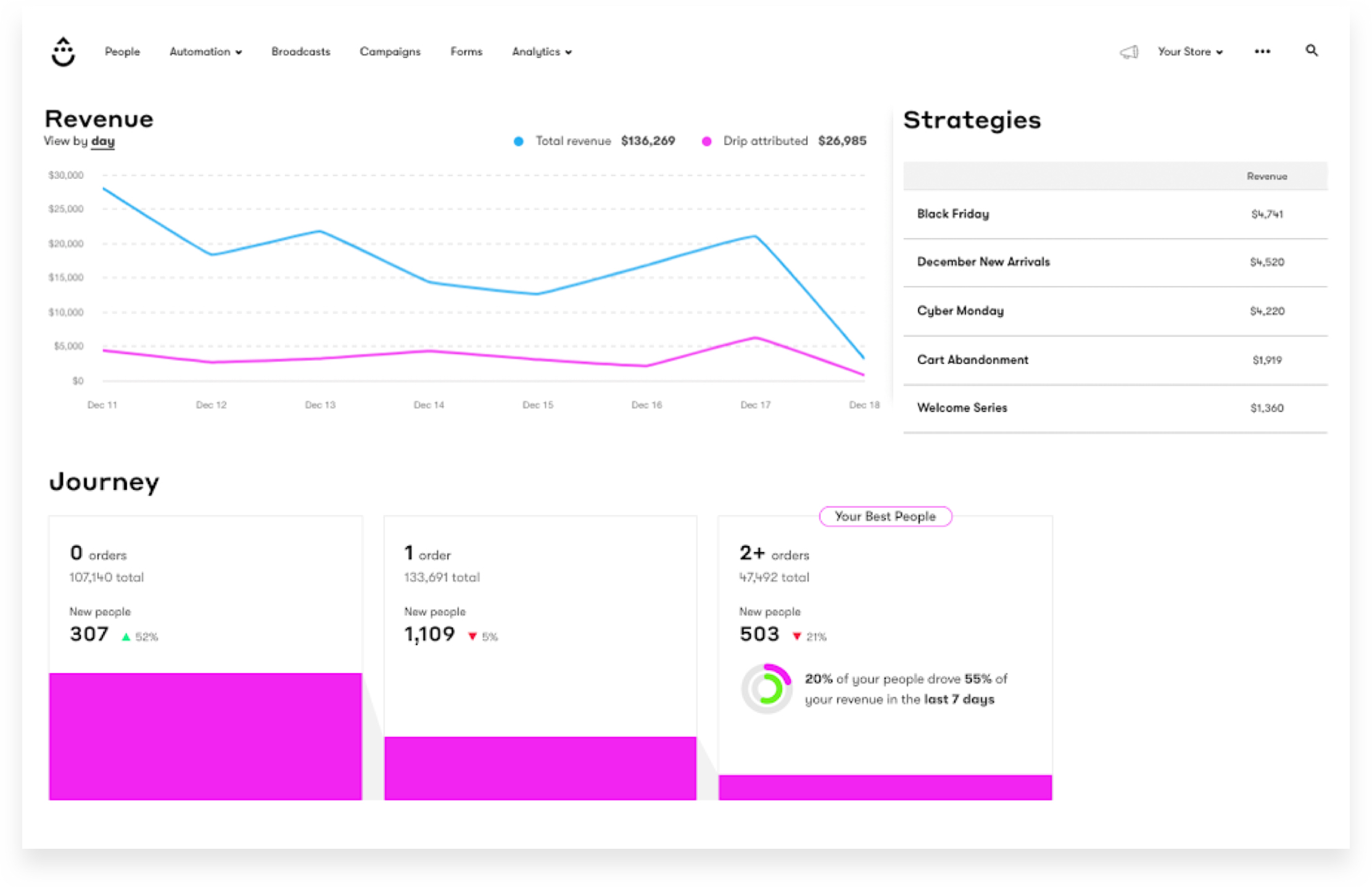
I tested their product launch sequence features and the real-time revenue attribution stood out immediately. You can see exactly which emails are making money—not just getting opens or clicks.
Their automation builder delivers the precision you need for sophisticated email marketing strategy as your brand grows. Yes, the setup takes more technical confidence than something like Sender, but if you’ve got the budget and you’re serious about scaling, the insights you get make it worthwhile.
Key Features
- Visual workflow builder. Create complex, branching automation paths with if/then logic based on customer behavior, purchases, and engagement patterns.
- Revenue attribution reports. Track exact revenue generated by each email, automation, and campaign with detailed conversion path analysis.
- Integrations with the main ecommerce platforms. Native or third-party integrations bring in order, cart, and customer data so your email logic works with real store activity.
- Behavioral scoring system. Automatically score and tag customers based on engagement, purchase history, and likelihood to buy for targeted campaigns.
- Facebook custom audiences. Sync email segments directly to Facebook for retargeting campaigns and lookalike audience creation automatically.
Pros and Cons
Pros of Drip:
✅ Powerful automation tools make it easy to create behavior-based workflows tailored specifically for ecommerce journeys in just a few clicks;
✅ Dynamic email segmentation allows you to target subscribers based on detailed behavior, purchase history, and custom triggers—boosting personalization and performance;
✅ Multi-channel marketing support lets you connect with customers via email, SMS, and on-site popups, creating a cohesive brand experience;
✅ Real-time revenue attribution helps you track exactly which emails are driving sales, giving you the insights needed to optimize campaign performance.
Cons of Drip:
❌ Premium pricing may be a barrier for smaller businesses or startups with tight marketing budgets;
❌ Lack of a landing page builder means you’ll need to rely on third-party tools for capturing leads or promoting offers outside of email;
❌ No free plan available, which limits accessibility for users looking to test Drip’s features before committing.
Pricing
- Free 14-day trial: $0 (500 email sends);
- Lite: $39/month (2,500 contacts—unlimited emails);
- Standard: $89/month (5,000 contacts—unlimited emails);
- Premium: $249/month (17,500 contacts—unlimited emails).
Best for
Drip is an ideal choice for ecommerce businesses looking to take their marketing efforts to the next level. Shopify stores can set up sophisticated automations for upsells, cart recovery, and loyalty rewards with ease. While subscription box companies benefit from personalized email flows based on purchase frequency and churn risk, helping to boost retention.
For brands ready to go beyond the basics, Drip also supports advanced features like interactive quizzes and gamified sign-up forms—perfect for capturing leads in a more interactive, conversion-friendly way.
Klaviyo — Best Email Automation Platform for Ecommerce
Klaviyo has become the default choice for ecommerce businesses that want to get serious about their email marketing. And there’s a reason for that reputation.

Klaviyo pricing: Starts at $30/month for up to 1,000 contacts and up to 10,000 emails/month | Free plan available.
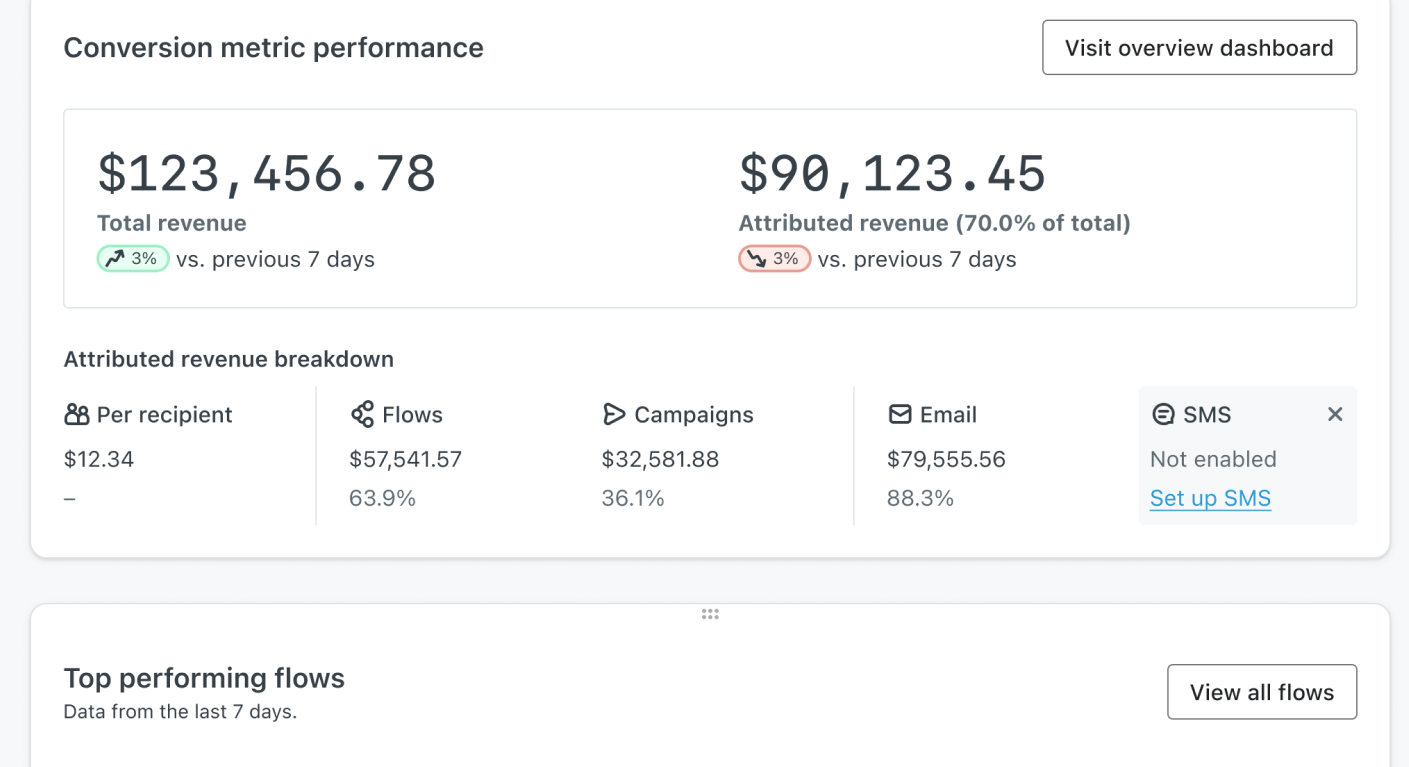
The segmentation and predictive analytics help you create campaigns that feel personal because they are personal. You can segment based on predicted customer lifetime value, purchase likelihood, even churn risk. This kind of targeting makes your emails relevant instead of annoying.
Where Klaviyo really shines is handling complex email marketing solutions for online stores. Flash sales, inventory-based campaigns, loyalty programs—whatever you’re trying to do, they’ve got the tools to make it happen without jumping through hoops.
Key Features
- Predictive analytics. AI-powered predictions for customer lifetime value, churn probability, and next purchase date to optimize targeting strategies.
- Pre-built ecommerce flows. Ready-to-use automation templates for abandoned cart, browse abandonment, welcome series, post‑purchase, replenishment, and win‑back campaigns.
- Dynamic segmentation. Real-time segment updates based on browsing behavior, purchase patterns, and engagement metrics for hyper-targeted campaigns.
- Built-in CDP. Customer Data Platform that unifies data from all touchpoints, creating comprehensive profiles for personalized marketing.
- Deep ecommerce platform integrations. Syncs with Shopify, BigCommerce, WooCommerce, Magento, and others to pull products, customer activity, and order data in real time.
Pros and Cons
Pros of Klaviyo:
✅ Deep ecommerce integration allows Klaviyo to sync seamlessly with platforms like Shopify and WooCommerce, enabling data-rich, behavior-based campaigns;
✅ Robust automation features let you create highly customized workflows that respond to customer actions in real time;
✅ Top-tier A/B testing capabilities help optimize everything from subject lines to send times for maximum performance;
✅ An intuitive visual automation builder makes it easy to map out and manage complex customer journeys without technical expertise.
Cons of Klaviyo:
❌ The platform has a steep learning curve, which may be challenging for beginners or small teams;
❌ Customer support prioritizes higher-tier accounts, meaning users on lower plans may experience slower response times;
❌ Higher pricing tiers can add up quickly as your list grows, making it less cost-effective for smaller businesses or early-stage brands.
Pricing
- Free 60-day trial: $0 (250 contacts—500 email sends);
- Starter: $20/month (500 contacts—5,000 emails/month);
- Mid-tier plan: $100/month (5,000 contacts—50,000 emails/month);
- Enterprise: Custom price.
Best for
Klaviyo is a strong fit for ecommerce brands and data-driven marketing teams. Established online stores will benefit from its advanced marketing tools, seamless ecommerce integrations, and powerful automation built to support scalable growth. It’s also ideal for ecommerce marketers focused on performance—offering predictive analytics tools and deep customer insights to optimize every campaign with precision.
Brevo — Marketing + Transactional Email for Ecommerce
Brevo takes an all-in-one approach, combining email with SMS, chat, CRM, and automation. For ecommerce businesses juggling multiple marketing channels, having everything in one place makes life easier.

Brevo pricing: Starts at $9/month for up to 5,000 monthly emails and 500 contacts| Free plan available with usage limitations.
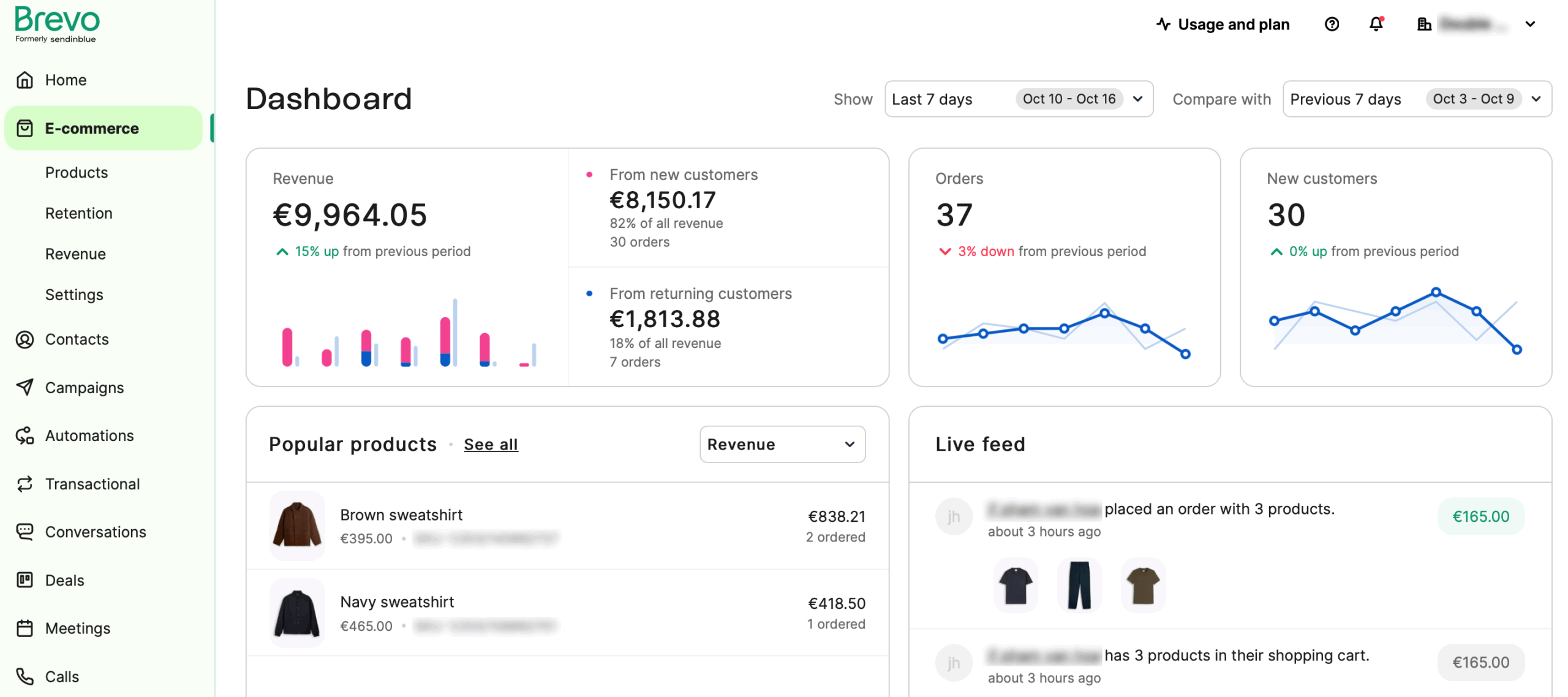
Their transactional email system is rock solid. Order confirmations, shipping notifications—the important emails that customers expect—all work reliably. Shopify users should note you’ll need the PushOwl integration, and it doesn’t include product review features, which might be a dealbreaker for some.
The pre-built workflows for abandoned carts, post-purchase upselling, and re-engagement campaigns save you from starting from scratch. It’s practical rather than flashy, which isn’t a bad thing.
Key Features
- Transactional email API. Reliable delivery of order confirmations, shipping updates, and receipts with high uptime and detailed tracking.
- Multi-channel campaigns. Coordinate email, SMS, and WhatsApp messages from one platform with unified reporting and automation workflows.
- Built-in CRM system. Manage customer relationships, track deals, and store interaction history without additional software or integration costs.
- Brevo Wallet. Digitize coupons, loyalty cards, tickets, and more into Apple Wallet and Google Pay so customers can access deals and loyalty info directly on their phones.
- Heat map analytics. Visual click tracking shows exactly where subscribers engage with your emails for data-driven design optimization.
Pros and Cons
Pros of Brevo:
✅ Multi-channel support lets you manage email, SMS, and chat communications all from one platform—ideal for unified customer engagement;
✅ A built-in CRM is included at no extra cost, helping you manage customer relationships and track interactions seamlessly;
✅ Affordable pricing structure makes it accessible for small businesses and startups no matter how many subscribers they have;
✅ Strong transactional email support ensures timely and reliable delivery of order confirmations, receipts, and other critical messages.
Cons of Brevo:
❌ Automation features are limited compared to more advanced platforms, which may restrict complex workflows;
❌ Segmentation capabilities are less robust, offering fewer options for deep personalization and targeting;
❌ The platform isn’t as beginner-friendly as some competitors, which might present a slight learning curve for new users.
Pricing
- Free plan: $0 (300 emails/day);
- Starter: $9/month (500 contacts—5,000 emails/month);
- Standard: $18/month (500 contacts—5,000 emails/month);
- Professional: $499/month (2 million contacts—150,000 emails/month);
- Enterprise: Custom price (from 1 million emails per month).
Best for
Brevo is a solid choice for small to medium businesses, especially ecommerce stores that need an easy way to manage email, SMS, and CRM all in one place. If you’re sending out order confirmations or shipping updates, Brevo’s transactional email system has your back, making sure those important messages reach your customers without a hitch.
While it might not be the best fit for those who want super advanced automation or deep personalization, it’s a great option if you’re looking for something reliable and affordable.
GetResponse — Email Marketing Tool for Ecommerce Marketing
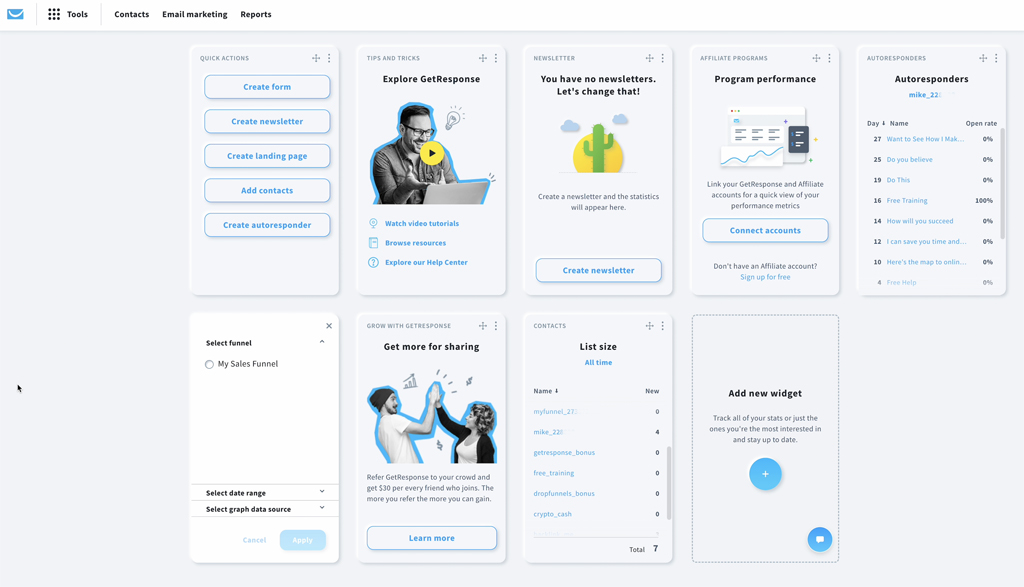
GetResponse tries to be your complete marketing suite. Beyond email, they’ve built in landing pages, webinar hosting, and automation tools. If you hate switching between different platforms, this approach might appeal to you.
GetResponse pricing: Starts at $15/month for up to 1,000 contacts and unlimited emails | 14-day free trial available.
Their ecommerce automation workflows cover the whole customer lifecycle. Welcome series, cross-selling, restock notifications—they’ve thought through what online stores need. The countdown timers and interactive elements work well for creating urgency during sales or promotions.
The templates give you a good starting point, and the AI suggestions for subject lines and content can be helpful when you’re stuck. It’s not revolutionary, but it’s comprehensive.
Key Features
- Conversion funnel builder. Create complete sales funnels with landing pages, forms, and automated email sequences all in one integrated tool.
- Shopify + WooCommerce data sync. Import customers, products, and ecommerce data into GetResponse to power segmentation and automated campaigns.
- AI email generator. Use artificial intelligence to create subject lines, email copy, and design suggestions based on campaign goals.
- Segmentation based on ecommerce behavior. Audience segmentation using purchase history, website activity, and engagement data to personalize messaging.
- Perfect timing technology. Machine learning determines the optimal send time for each subscriber to maximize open and click rates.
Pros and Cons
Pros of GetResponse:
✅ An extensive template library makes it easy to create polished, professional emails for any occasion or campaign.
✅ Great segmentation tools help you target the right audience with personalized messages based on behavior and preferences.
✅ Responsive 24/7 support ensures help is always available, no matter your time zone or technical skill level.
✅ Seamless integration with major ecommerce platforms allows for smooth data syncing and automated campaign triggers.
Cons of GetResponse:
❌ GetResponse’s pricing can quickly rise up, especially for users with growing contact lists or advanced feature needs. It may not be the most budget-friendly option for startups or smaller businesses;
❌ While templates are helpful, the platform’s customization capabilities can feel somewhat restricted—particularly for users who want full creative control over layouts and design elements;
❌ Some areas of the user interface haven’t kept pace with modern design standards, which can make navigation feel less intuitive and less polished compared to newer platforms.
Pricing
- Starter: $16/month (1,000 contacts—unlimited emails);
- Marketer: $54/month (1,000 contacts—unlimited emails);
- Creator: $62/month (1,000 contacts—unlimited emails).
Best for
GetResponse is a solid option for SMBs, ecommerce brands, and conversion-focused marketers. Small and mid-sized businesses will benefit from its affordable pricing, simple automation, and reliable support.
Online stores can automate emails, recover carts, and personalize messaging to turn potential customers into regular buyers. For marketers focused on results, built-in personalization tools like email A/B testing and countdown timers help drive conversions.
ActiveCampaign — Advanced Email Automation Platform
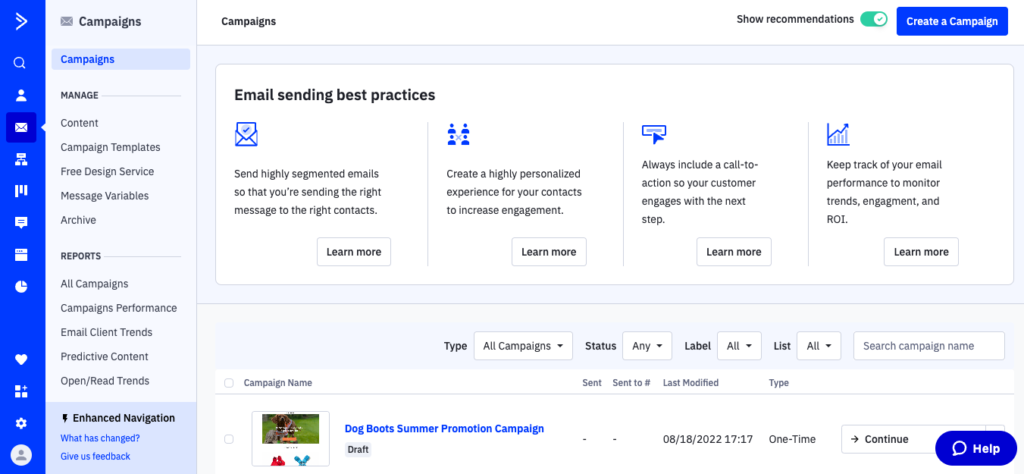
ActiveCampaign combines email marketing with CRM features, which works well if you want to track customer relationships in one place instead of piecing together different tools.
ActiveCampaign Pricing: Plans start at $15/month for up to 1,000 contacts and 10,000 emails/month. 14-day trial available.
The machine learning features adjust send times, subject lines, and content recommendations based on how individual customers behave. It takes the guesswork out of optimization, which is nice when you’re managing multiple campaigns.
Their website tracking triggers emails based on what people do on your site, and the trigger-based automation creates campaigns that respond to customer actions in real time. The deal tracking and sales pipeline features work particularly well for businesses with longer sales cycles or higher-ticket items.
Key Features
- Site + event tracking for behavioral triggers. Track website behavior and custom events, then use those events to trigger automations and personalize campaigns.
- Sales CRM integration. Track deals, manage pipelines, and automate sales follow-ups alongside email marketing campaigns in one platform.
- CRM + sales automation. Built‑in CRM lets you track deals, pipelines, and contacts alongside marketing workflows for better lead and customer management.
- Site tracking technology. Monitor visitor behavior on your website to trigger targeted emails based on pages viewed and actions taken.
- Split action automation. Test multiple automation paths simultaneously to identify the highest-converting customer journey strategies.
Pros and Cons
Pros of ActiveCampaign:
✅ CRM integration allows users to manage contacts, track deals, and automate sales processes all in one place, streamlining both marketing and customer relationship management;
✅ Top-notch email deliverability ecommerce ensures your messages consistently reach inboxes, helping to maximize engagement and avoid spam folders;
✅ Advanced segmentation and automation features make it easy to build complex, behavior-based campaigns that drive meaningful customer interactions;
✅ Over 900 native integrations give you the flexibility to connect with popular tools across ecommerce, CRM, CMS, analytics, and more.
Cons of ActiveCampaign:
❌ ActiveCampaign’s pricing can jump significantly as your contact list grows or you unlock more advanced features—making it less ideal for budget-conscious users or small teams;
❌ Some of the email templates feel outdated, lacking the modern design and flexibility expected from a premium marketing platform;
❌ While packed with powerful features, the steep learning curve may slow down onboarding for beginners or non-technical users unfamiliar with advanced automation.
Pricing
- 14-day free trial: $0 (100 email sends);
- Starter plan: $15/month (1,000 contacts—10,000 emails/month);
- Plus plan: $49/month (1,000 contacts—10,000 emails/month);
- Pro plan: $79/month (1,000 contacts—12,000 emails/month);
- Enterprise: $145/month (1,000 contacts—15,000 emails/month).
Best for
ActiveCampaign is a strong fit for ecommerce brands, SaaS companies, and agencies. Online stores benefit from advanced automation, personalized product recommendations, and rich ecommerce integrations.
SaaS teams can nurture leads, onboard users, and reduce churn with behavior-based email flows. Meanwhile, agencies will appreciate the ability to manage multiple clients efficiently with scalable tools, detailed reporting, and streamlined collaboration features.
Mailchimp — Email Marketing Service for Small Ecommerce
Mailchimp‘s been around forever, and they’ve figured out how to balance features with usability. It’s not the most cutting-edge platform, but it’s reliable and approachable.

Mailchimp pricing: Starts at $13/month for up to 500 contacts and up to 5,000 emails/month | Free plan available.
The interface makes sense even if you’re new to email marketing. Their guided setup and pre-built automations get you running quickly without a steep learning curve. The drag-and-drop builder creates decent-looking emails without needing design skills.
They’ve added a website builder if you need one, though heads up—they charge 0.5–2% on sales made through it. Their reporting shows you what’s working and what isn’t, which helps when you’re figuring out your strategy.
The lead generation tools work well for building your list, and the platform handles the basics of customer journeys from first visit to purchase without much fuss.
Key Features
- Customer journey builder. Map and automate multi-step marketing paths based on customer behavior, purchases, and engagement patterns.
- Countdown Timers & Promotional Tools. Add countdown timers and promotional elements to campaign emails to drive urgency and conversions.
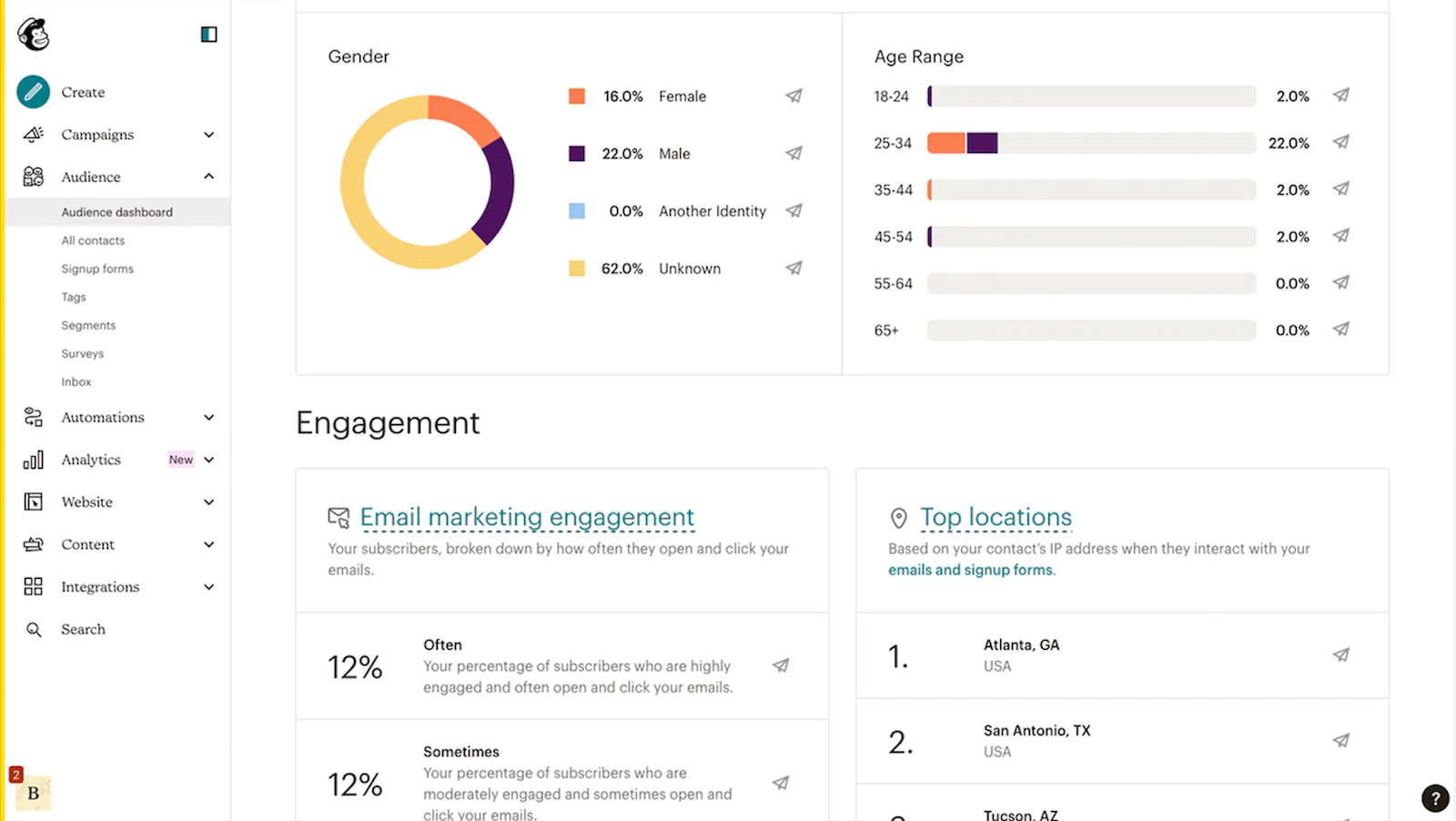
- Audience dashboard. Comprehensive view of subscriber growth, engagement trends, and segment performance with actionable insights.
- Product‑focused content blocks. Drag‑and‑drop product blocks and dynamic recommendations that automatically update pricing and availability in campaigns.
- Social commerce tools. Create shoppable posts and ads for Facebook and Instagram directly from your email campaigns.
Pros and Cons
Pros of Mailchimp:
✅ A wide range of integrations allows you to connect Mailchimp with countless third-party tools, making it easy to streamline your workflows across platforms.
✅ The platform can pull product data directly into your emails by connecting to your store, enabling personalized, data-driven campaigns.
✅ State-of-the-art AI tools assist with content generation, optimization, and automation setup, saving time and improving performance.
✅ Extensive analytics reports provide clear insights into campaign performance, helping you make smarter marketing decisions.
Cons of Mailchimp:
❌ Mailchimp charges for inactive or unsubscribed contacts, which can increase costs for users managing large or outdated lists.
❌ The platform offers limited advanced segmentation, which may restrict highly targeted campaign strategies.
❌ Some users may find the email template selection restrictive, limiting creative flexibility in design and layout.
Pricing
- Free plan: $0 (250 contacts—500 emails/month);
- Essentials: $13/month (500 contacts—5,000 emails/month);
- Standard: $20/month (500 contacts—6,000 emails/month);
- Premium plan: $299/month (10,000 contacts—150,000 emails/month).
Best for
Mailchimp is well-suited for ecommerce beginners, small to medium businesses, and solo creators. Its user-friendly interface and built-in ecommerce automation make it a great choice for new store owners looking to get started quickly. Freelancers and content creators will also appreciate the platform’s easy-to-use tools for building audiences, automating campaigns, and growing their personal brand without a steep learning curve.
FAQs
What features should ecommerce email marketing platforms include?
Ecommerce email marketing platforms should support automated workflows such as abandoned cart reminders, post-purchase follow-ups, and re-engagement campaigns. Native integrations with ecommerce systems like Shopify or WooCommerce are also important for syncing customer and order data.
Are ecommerce email tools different from general email platforms?
Yes, ecommerce-focused platforms are designed to integrate directly with online stores and use real-time purchase and browsing data for automation. They typically include prebuilt workflows for cart recovery, product recommendations, and lifecycle messaging. General email platforms may support newsletters and basic automation, but often require additional integrations or customization to match ecommerce-specific use cases.
When should an ecommerce business upgrade to advanced automation?
Ecommerce businesses should upgrade to advanced automation when a store has consistent traffic, growing subscriber lists, and repeat purchase cycles. More advanced platforms enable detailed segmentation, conditional workflows, predictive triggers, and cross-channel messaging.
Do ecommerce brands need both marketing and transactional email?
Yes, most ecommerce businesses require both marketing and transactional email functionality. Marketing emails promote products, offers, and content, while transactional emails include order confirmations, shipping updates, and account notifications. Some platforms, like Sender or Omnisend, handle both within one system, which simplifies infrastructure and reporting.